Blog ComparisonsFreshdesk AI: 2026 Review, Features and Pricing
Freshdesk AI: 2026 Review, Features and Pricing
Freshdesk AI helps you resolve customer issues faster and cheaper. Here's how it works and why you should (not) try it for your business.


✨ Psst...looking for a modern AI native alternative to Freshdesk? Check out Featurebase →
It's hard to find a business in 2026 that handles customer support without AI agents, and it's for a good reason.
Artificial intelligence can quickly resolve customer issues, analyze customer data, prioritize support tickets and so much more, at a fraction of the cost of a real human agent. Freshdesk is one of the leaders in the CX market with their AI capabilities and today, we'll walk you through their offer.
Let's find out what Freshdesk AI does, how it improves the customer experience, how much all of this costs and whether it's worth purchasing. 👇
How Freshdesk AI works with the rest of your tool stack to improve customer satisfaction
Freshdesk can work alongside multiple tools to help your agents deliver personalized support.
1. Email and ticket ingestion from all support channels
Freshdesk AI automatically pulls messages from email, web forms, chat, social channels, and messaging apps into one shared ticket view. Agents do not need to switch tools to respond; everything lands in a single queue with customer history attached.
Messages are grouped by contact and conversation so your agents can see context immediately. This reduces back and forth and avoids duplicate replies when multiple agents are active.
2. Real-time suggestions inside tickets
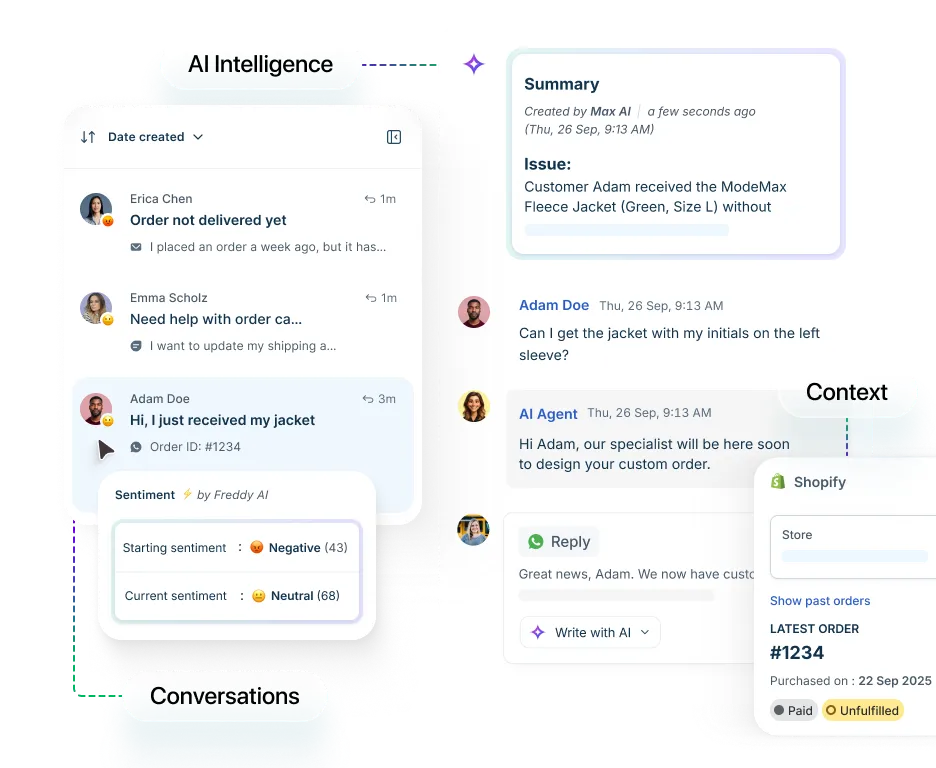
While an agent is typing a reply, Freshdesk AI scans the request and suggests relevant help articles and previous solutions. These suggestions appear inside the reply editor so agents do not leave the ticket to look for answers.
Support teams answer from approved content instead of memory. This keeps replies consistent and reduces mistakes when new hires are still learning the product or policies.
3. Automated ticket routing and prioritization
Freshdesk AI classifies incoming tickets by topic, urgency, and sentiment. Based on rules set by your team, tickets are routed to the right group or individual without manual effort.
High-urgency messages, such as payment issues or outages can surface at the top of the queue. Simple requests are routed away from senior staff, keeping experienced agents focused on work that needs judgment.
4. Native knowledge base connection
Freshdesk AI is directly connected to the built-in Freshdesk help center. Article suggestions are always based on your own documentation, not generic responses. This is very basic automation that can help you deliver quick, canned responses that align with your brand voice.
If agents notice an answer is missing or outdated, they can flag that gap from the ticket view. Over time, real customer questions directly shape what gets documented next.
5. Customer-facing chat and bot workflows
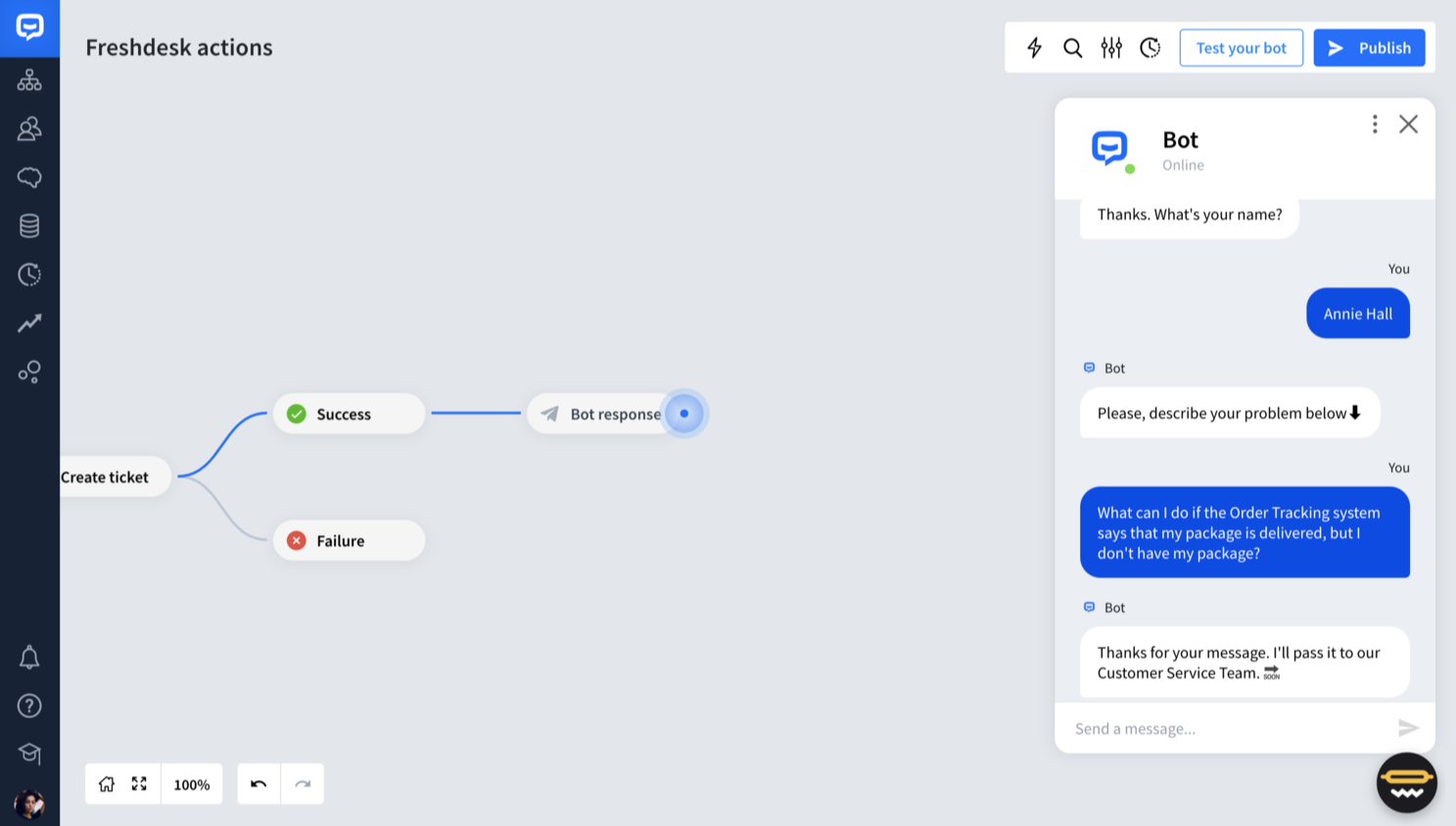
Freshdesk includes chat and bot tools that operate on the same knowledge source as human agents. When a customer asks a simple question, the bot attempts to respond using the approved content.
If the bot cannot help, the conversation is handed to a human with full history intact. Agents see everything the customer asked before joining, so no one repeats questions.
6. App marketplace and API access
Freshdesk supports integrations through an app store and developer APIs. Teams connect billing, CRM, order systems, and internal tools to show relevant data inside tickets.
For example, an agent can see recent invoices or account status without opening another app. Fewer context switches means that AI assistants can provide answers more quickly and with fewer errors.
7. Identity sync and access control
Freshdesk connects to identity providers for centralized sign in. Roles and permissions are managed once and applied automatically across the system.
When someone changes teams or leaves the company, access updates immediately. Sensitive areas such as billing and refunds remain visible only to the right roles.
Freshdesk AI pricing
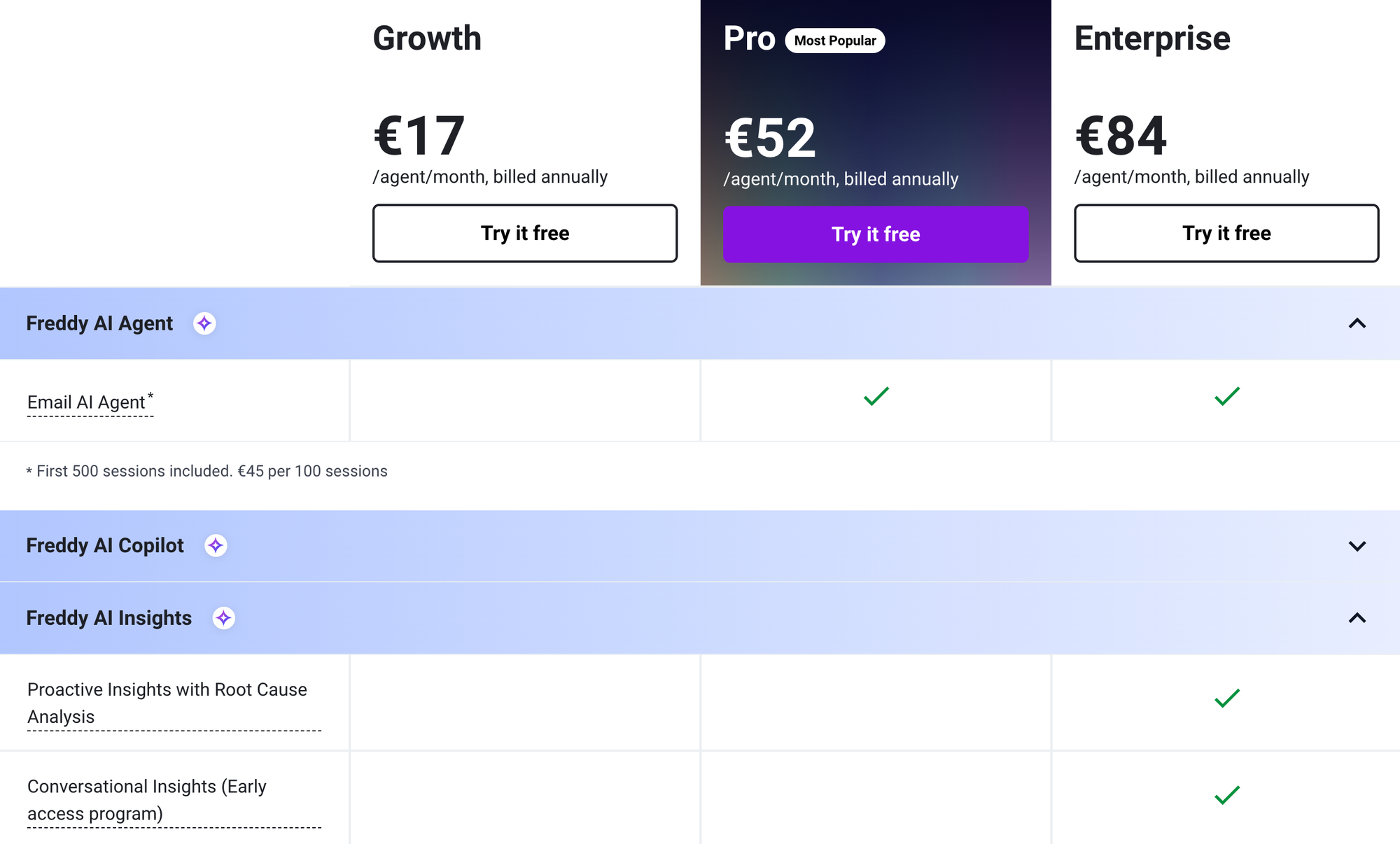
If you want to use AI-powered automation in Freshdesk, their Freddy AI agent is included in the Pro and Enterprise plans, costing $49 and $79 per user per month, respectively.
- Freddy AI only works in email as a channel, which is unfortunate if you want to work alongside AI in apps, website live chat or anywhere else with an integration.
- You get 500 sessions with Freddy AI as a part of each plan for free. You can purchase additional ones at $49 for 100 sessions. This is not uncommon in the world of customer support tools. The problem is in the definition of a session.
- While tools such as Featurebase, Intercom, and Zendesk will charge you per AI resolution, Freshdesk counts any unique user who engages with them as a session. So, if you have 200 conversations today, you've had 200 sessions, even if none of them resolved a customer's pain point.
Freshdesk's pricing model can work well if you have very few customer interactions on a monthly basis. But even then, going through 500 per month means just a little bit over 25 conversations per day, which is not a lot, especially if many of them remain unresolved.

Resolve 70% of customer requests with AI
Looking for a more powerful alternative to Freshdesk? Try out Featurebase
What Freshdesk AI is good for and what to watch out for
Freshdesk AI is powerful, but there's a good chance it won't work for your specific customer service operations. Here are some of the most important pros and cons you should know before purchasing Freddy AI for your team.
Where Freshdesk AI works well
If you have a lot of customer inquiries, Freddy AI and other Freshdesk AI agents can be pretty helpful.
Handling large support volume
Freshdesk AI is effective in inboxes that receive hundreds or thousands of tickets. Automatic classification, prioritization, and routing prevent requests from turning into an unmanageable queue. Teams stay organized even during traffic spikes.
This can speed up your customer support operations if you have very few agents and many customer interactions to handle on a daily basis.
Reducing first response time
Suggested replies and bot driven handling shorten the gap between submission and answer. Customers get help faster for common questions, and agents do not start every reply from scratch.
Not all customer needs are highly complex, and Freddy self service can help you resolve many issues before they are escalated to human agents. This speeds up response time and drives down your support costs.
Maintaining consistency across agents
When replies are built from a shared knowledge source and suggestion engine, customers receive similar answers no matter which agent helps them. This reduces internal confusion and prevents policy drift.
AI tools can help you provide smarter support because you won't have to fear three different agents providing three different responses. AI bots are consistent.
Helping new agents ramp up
New hires rely on suggested replies and article prompts while they learn. They can provide accurate answers sooner because guidance appears directly inside each ticket.
If you anticipate growing your (technical) support team but don't have the resources to train new staff, generative AI can help quite a bit.
Highlighting support trends automatically
Classification data gives clear insight into what customers contact you about most. Teams can spot gaps in documentation, product problems, and workload issues earlier than with manual tagging.
And with sentiment analysis tools, you'll know what types of responses work well and what needs further work.
Where teams may run into limits with Freshdesk AI
Like any AI-based customer support tool, Freshdesk AI is not perfect. Here are some reasons why teams look for Freshdesk alternatives.
Quality depends on documentation
If your help center is outdated or incomplete, suggestions will reflect that. Freshdesk AI cannot fix poor documentation; it only surfaces what exists.
In other words, the suggested responses for customers depend on what you teach Freshdesk AI. You'll have to put in significant work initially to set up processes. You can't set and forget Freshdesk, and you'll continually have to update the knowledge base as your product and processes change.
Edge cases still need humans
Complex account issues, exceptions, and uncommon problems are not solved by automation. Agents still handle sensitive or unusual requests.
For repetitive tasks and common queries, Freshdesk can help provide faster resolutions and better outcomes.
Configuration takes setup time
Routing rules, priorities, and bot workflows need planning. Teams without a clear process may struggle at first if they automate without structure.
Workflow automation that helps eliminate repetitive queries sounds game changing, but if you have no prior experience with Freshdesk (or similar tools), it can take a while to set everything up before use.
Compare Freshdesk with tools such as Zendesk and you can see that there is clear room for improvement on this front.
Language nuance can be missed
Tone detection is helpful but not perfect. Sarcasm, humor, and regional phrasing can confuse automation in rare cases. Freshdesk AI detects sentiment, but like any machine learning tool, it has a long way to go before it becomes accurate.
Bot friction for complex users
Some customers dislike chatbots and want a human immediately. Poor bot setup can frustrate users if escape paths are not obvious. The upside of delivering faster support is not always worth the risk of alienating a portion of your customer base.
Should you get Freshdesk AI?
Freshdesk is a capable platform, but not without flaws. It's complex for the average user, and the very best features are locked up behind the more expensive plans. AI capabilities depend on how many sessions you have available, and sessions are charged for every conversation, not just the resolutions. To get the full range of AI features, you need to combine it with other Freshdesk tools.
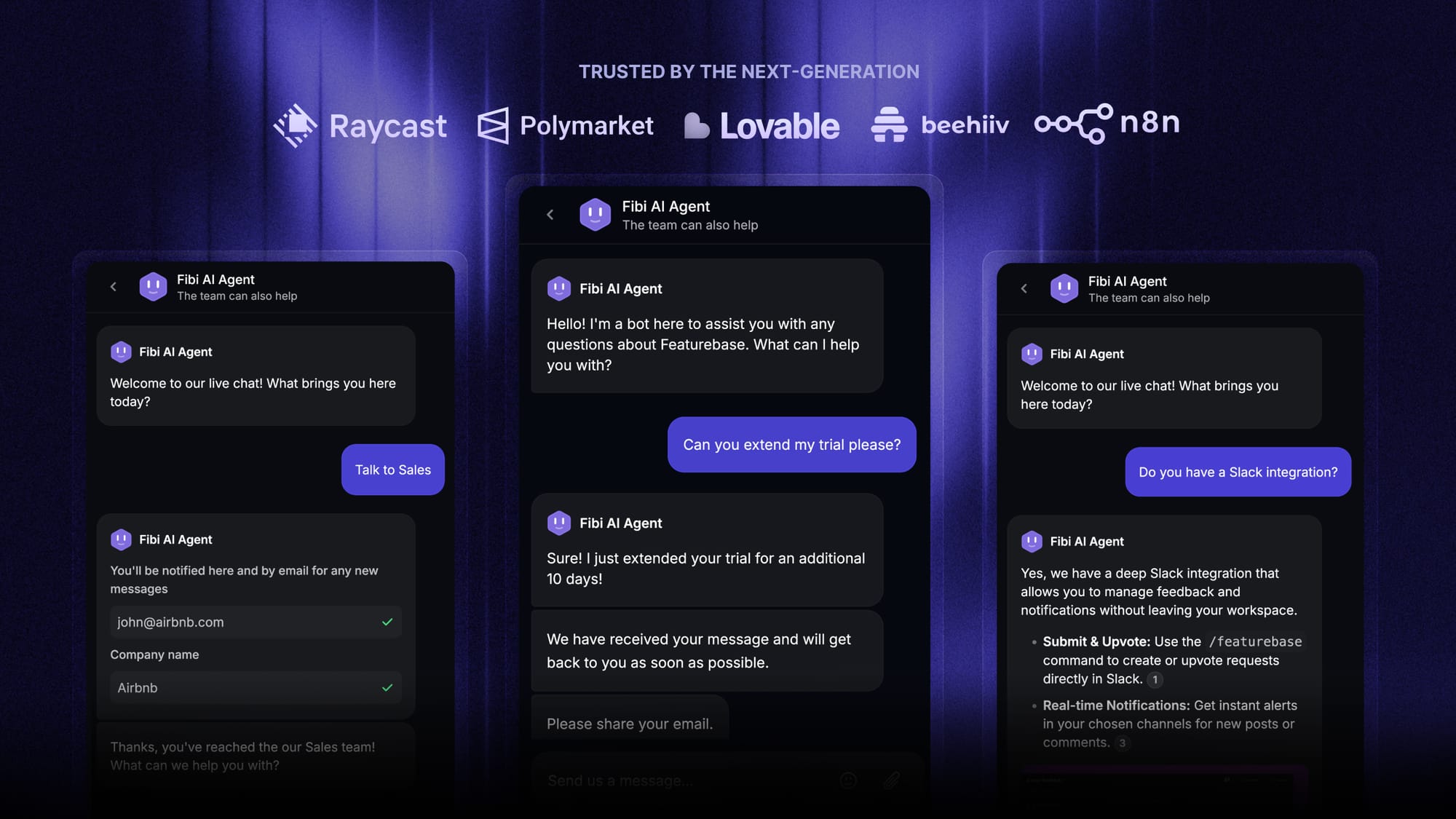
Featurebase is a powerful Freshdesk alternative for modern AI-powered support. It combines AI automations, omnichannel ticketing, help center, and feedback tools in one platform - all at a simple, transparent price. Besides support, the Fibi AI agent can handle complex workflows like automatically extending trials, offering discounts and more.
Fibi works via email, in-app chats, or anywhere you need it. And the best part is it only costs $0.29 per successful AI resolution. The setup takes just seconds, so there's no downside to trying it out! 👇
✨ Automate your customer support with the fastest AI omnichannel inbox today →