Blog ComparisonsFreshdesk vs Zendesk: Ticketing vs Omnichannel Support
Freshdesk vs Zendesk: Ticketing vs Omnichannel Support
Torn between Freshdesk and Zendesk? One feels outdated, the other overpriced - and neither feels like the perfect fit. This guide breaks down both and shows you smarter options.


✨ Looking for a modern & affordable alternative to Freshdesk and Zendesk? Check out Featurebase →
If you're choosing a tool to help you with customer issues, it may seem like a world of compromises. It definitely feels like that if you're making a decision between Freshdesk and Zendesk.
On the one hand, Freshdesk is a very capable ticketing system that can help you provide better customer support. On the other hand, Zendesk is a super versatile, enterprise-level customer service solution that can adapt to any type of business needs.
How do you make the right choice between the two? Between Zendesk and Freshdesk, let's help you find the better option for your unique needs. 👇
TL;DR Freshdesk vs Zendesk: which one is better?
- Freshdesk is a ticketing-first tool with a free plan, affordable tiers, and simple automation, making it appealing for smaller teams.
- Zendesk is an enterprise-level platform with advanced omnichannel support, analytics, and AI, but it comes at a higher price and complexity.
- Freshdesk’s AI (Freddy) covers basics like ticket triage, response suggestions, and chatbots, but usage costs can add up.
- Zendesk’s AI offers predictive routing, sentiment detection, and advanced chatbots, but most features are locked into higher-tier plans.
- Freshdesk integrations are easier for e-commerce and small business tools, while Zendesk’s app marketplace supports over 1,000 integrations for complex tech stacks.
- Ease of use favors Freshdesk, while Zendesk scales better for large teams.
In short, Zendesk can quickly become very pricey, while Freshdesk can feel outdated and delayed with AI features.
If you're after a more modern alternative, check out Featurebase (👋 that's us). We're a powerful alternative to Zendesk and Freshdesk - but we’ll stay unbiased in this comparison, promise.
Core features: Freshdesk vs Zendesk
Freshdesk and Zendesk both promise to help teams deliver better support, but they do so with different priorities.
Freshdesk tends to be more usable and affordable for small to mid-sized businesses. On the other hand, Zendesk positions itself as the enterprise standard with deep functionality and scalability. Here’s how their core features compare:
Freshdesk
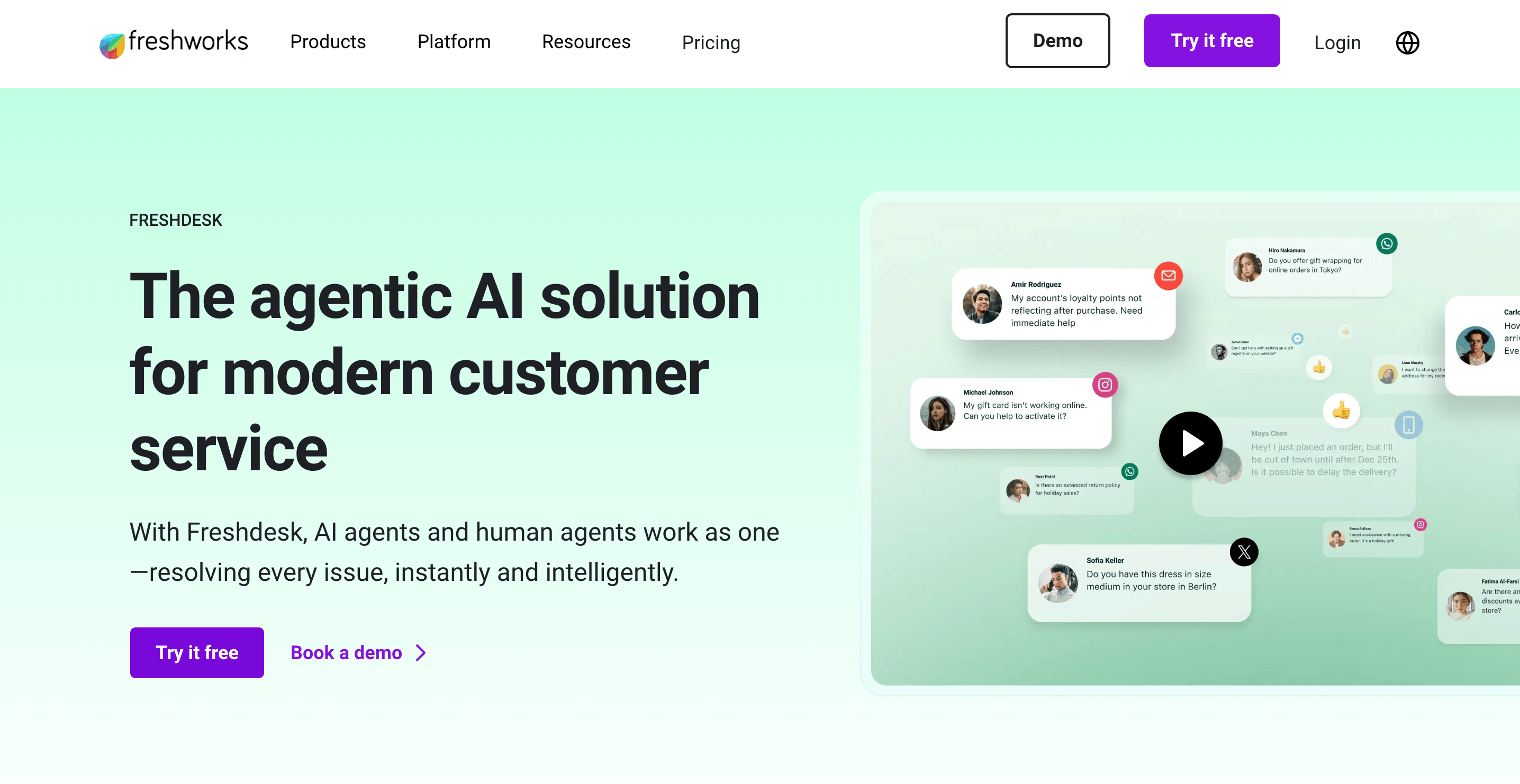
Freshdesk's customer service features largely revolve around its ticketing system. If you want just ticket management with some critical integrations, Freshdesk is going to do the job well.
However, for more elaborate customer support operations, Zendesk is going to be a stronger choice.
- Ticketing system: Brings customer queries from email, chat, phone, social media messages, and web forms into a single dashboard. Tickets can be prioritized, assigned, or escalated with automations.
- Automation capabilities and SLAs: Rules, triggers, and time-based actions help enforce service levels and keep response times to customer inquiries consistent.
- Knowledge base and community forums: Create branded FAQs, help centers, and forums so customers can self-serve before reaching out.
- Collaboration tools: Shared team inboxes, internal notes, and parent-child tickets help agents coordinate without duplication.
- Reporting and analytics: Dashboards track ticket volume, resolution times, SLA compliance, and customer satisfaction scores.
Zendesk
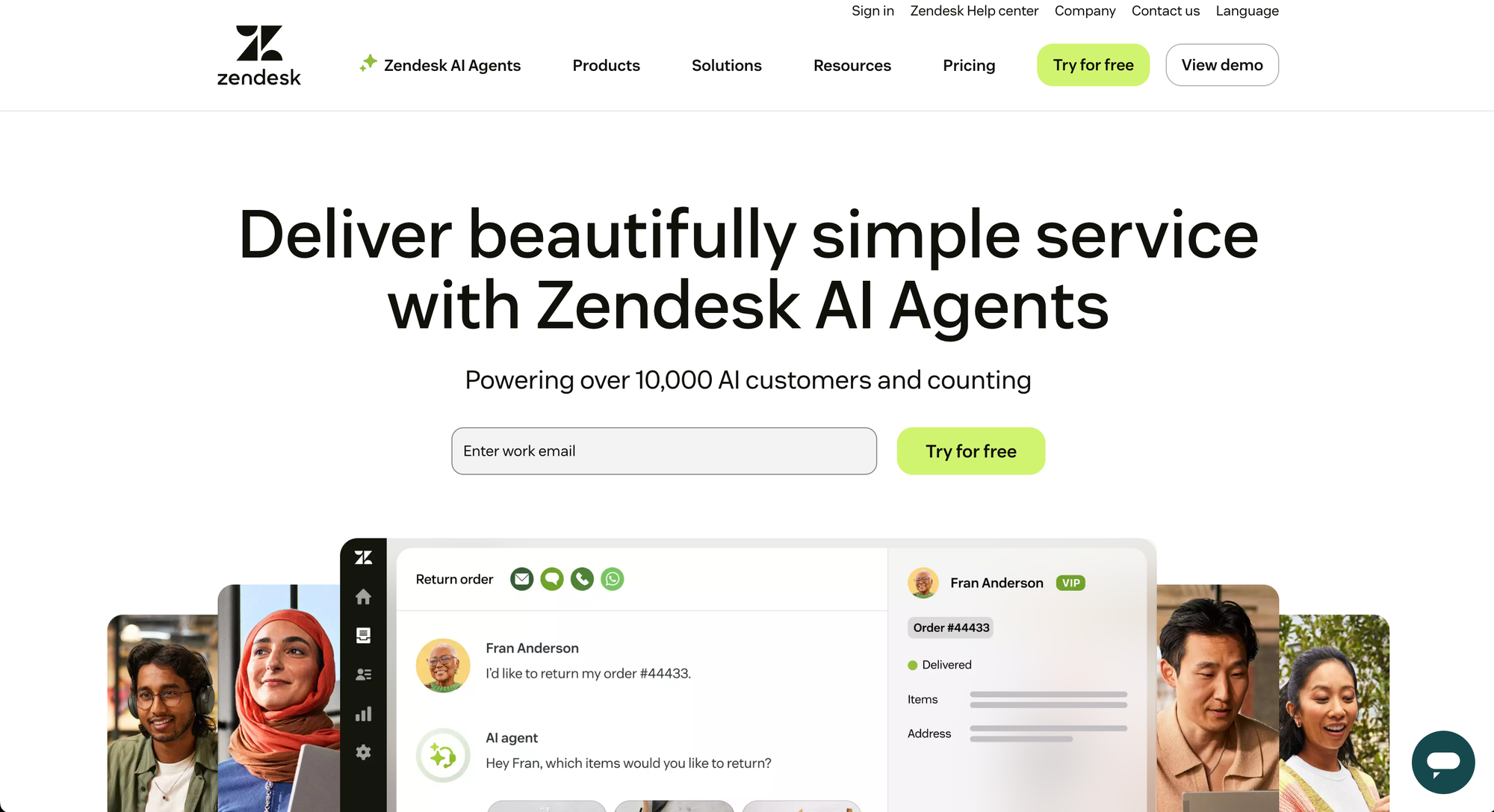
Zendesk goes beyond ticket management and helps you get rid of poor customer service by combining multichannel support and heavy customization.
- Unified agent workspace: Combines email, live chat, voice, messaging apps, and social media into one intuitive interface, preserving context across channels.
- AI and automation tools: Automates routing and responses based on intent and sentiment, while macros and triggers speed up repetitive tasks.
- Service level management: Customizable SLAs with escalation paths, business hours, and reporting for high-volume teams.
- Knowledge base and self-service: Multilingual help centers, community forums, and content suggestions powered by AI reduce ticket load.
- Advanced analytics and quality assurance: Prebuilt dashboards plus custom reporting options to monitor team performance, customer satisfaction, and ticket trends.
So, in short: Freshdesk is stronger for smaller teams wanting structured ticketing and self-service at a lower price point. Zendesk delivers a more complete feature set with AI and omnichannel depth, but comes with more complexity and cost.
Multi channel support capabilities
Customer support rarely happens in one place anymore. Both Freshdesk and Zendesk let you meet customers on the channels they prefer, but they differ in how broad and mature those options are.
Freshdesk
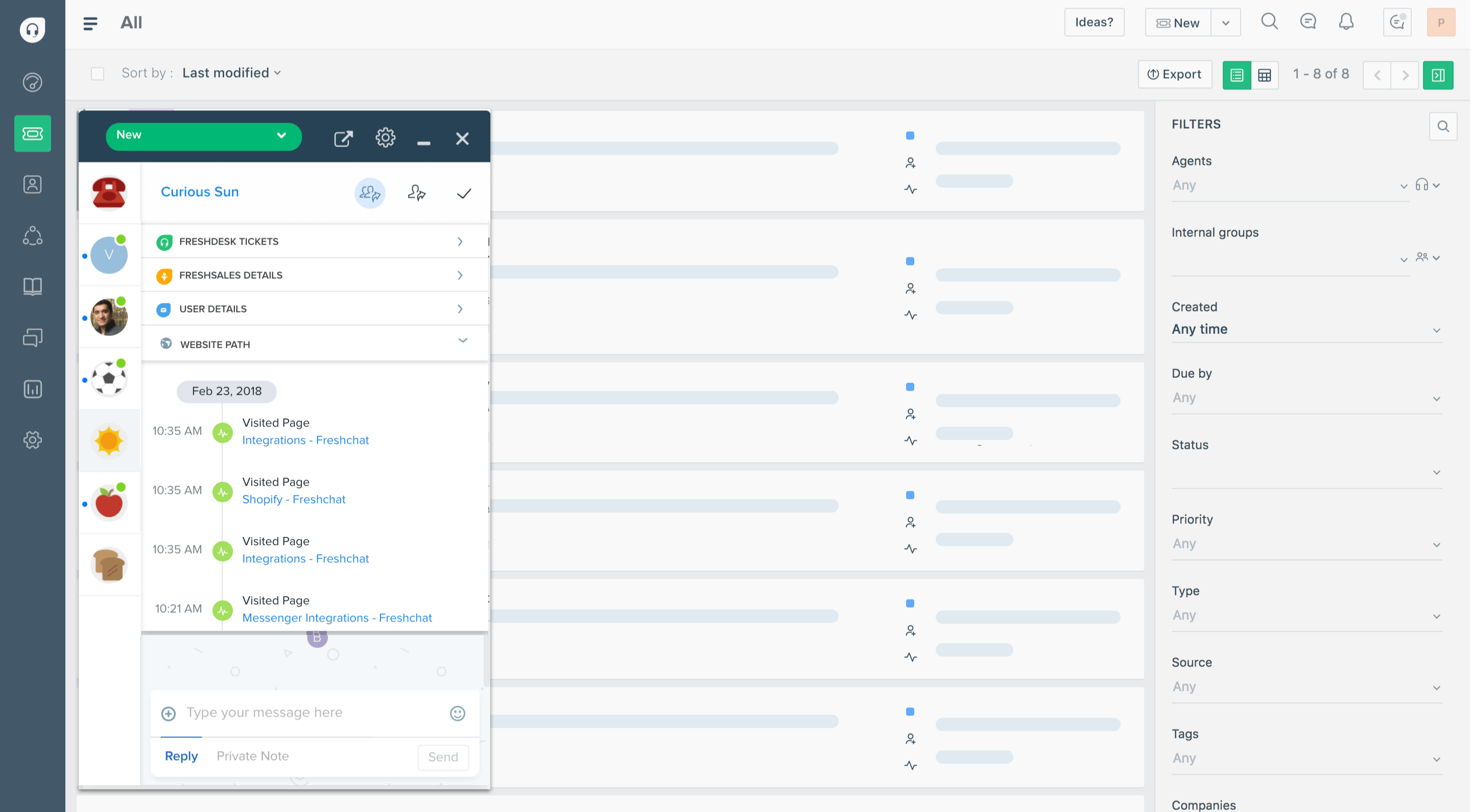
Freshdesk provides a wide mix of channels without making setup overwhelming.
- Email and chat: The foundation of its ticketing system, with automation rules to keep inboxes organized.
- Social media: Integrates with Facebook, Twitter, and WhatsApp so messages land directly in the support queue.
- Self-service options: Customers can use branded help centers and forums as an alternative to contacting support.
- Mobile support: Agents can respond to tickets from iOS and Android apps, keeping teams connected outside the office.
- Phone support (Freshcaller): Built-in voice support with call routing, IVR, and call recording.
Zendesk

Zendesk extends multi-channel support further, making it one of the most complete options in the market.
- Omnichannel routing: Unifies email, chat, messaging apps, social channels, and voice calls in one workspace, preserving conversation history.
- Social and messaging integrations: Strong native support for WhatsApp, Facebook Messenger, WeChat, LINE, and others.
- Proactive support and messaging: Agents can send outbound messages to customers through multiple channels.
- Advanced agent controls: Unified status across channels ensures workloads are balanced and tickets are routed to the right people.
- Voice and call center tools (Zendesk Talk): Includes call recording, IVR, real-time dashboards, and workforce management options.
To sum things up: Freshdesk gives growing teams a practical set of core channels, enough to cover most everyday cases. Zendesk’s offering is broader and built for scale, letting large teams handle high-volume, multi-channel interactions with more control.
AI features and tools
Both platforms use AI to speed up responses and reduce agent workload, but their approach reflects their target audience. Freshdesk focuses on practical automations for smaller teams, while Zendesk layers in enterprise-level AI for large-scale customer service operations.
Freshdesk
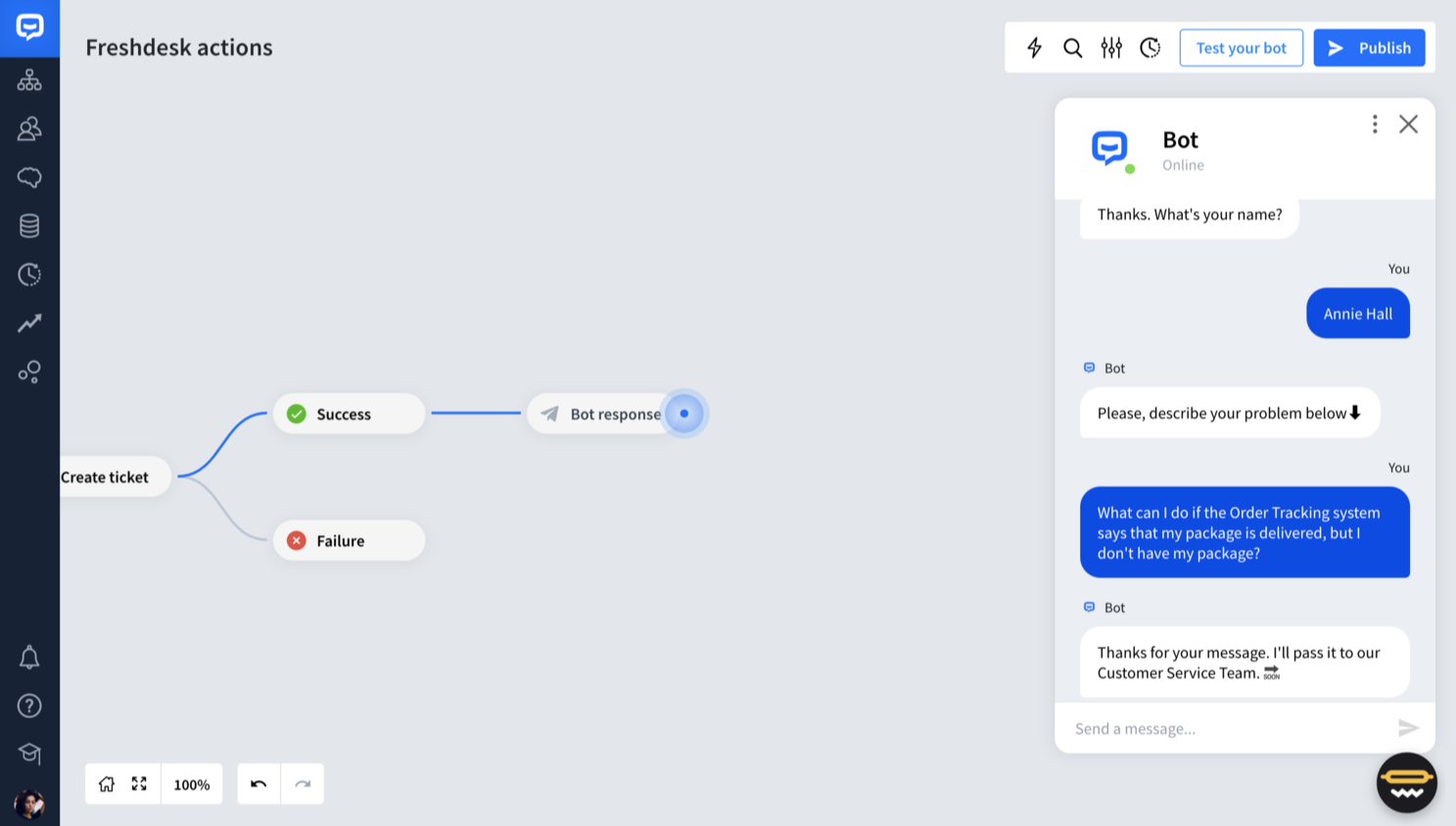
Freshdesk’s AI assistant, Freddy AI, is built to make ticket handling simpler and faster.
- Ticket triage and intent detection: Automatically categorizes and prioritizes tickets based on keywords and context.
- Response suggestions: Provides agents with pre-drafted replies or recommendations for knowledge base solution articles.
- Predictive insights: Flags potential escalations or SLA breaches before they happen.
- Self-service chatbots: Handles repetitive queries like order status checks, freeing up agents for complex cases.
- Analytics and trends: Highlights ticket spikes, recurring issues, and areas where your knowledge base could use improvement.
Zendesk
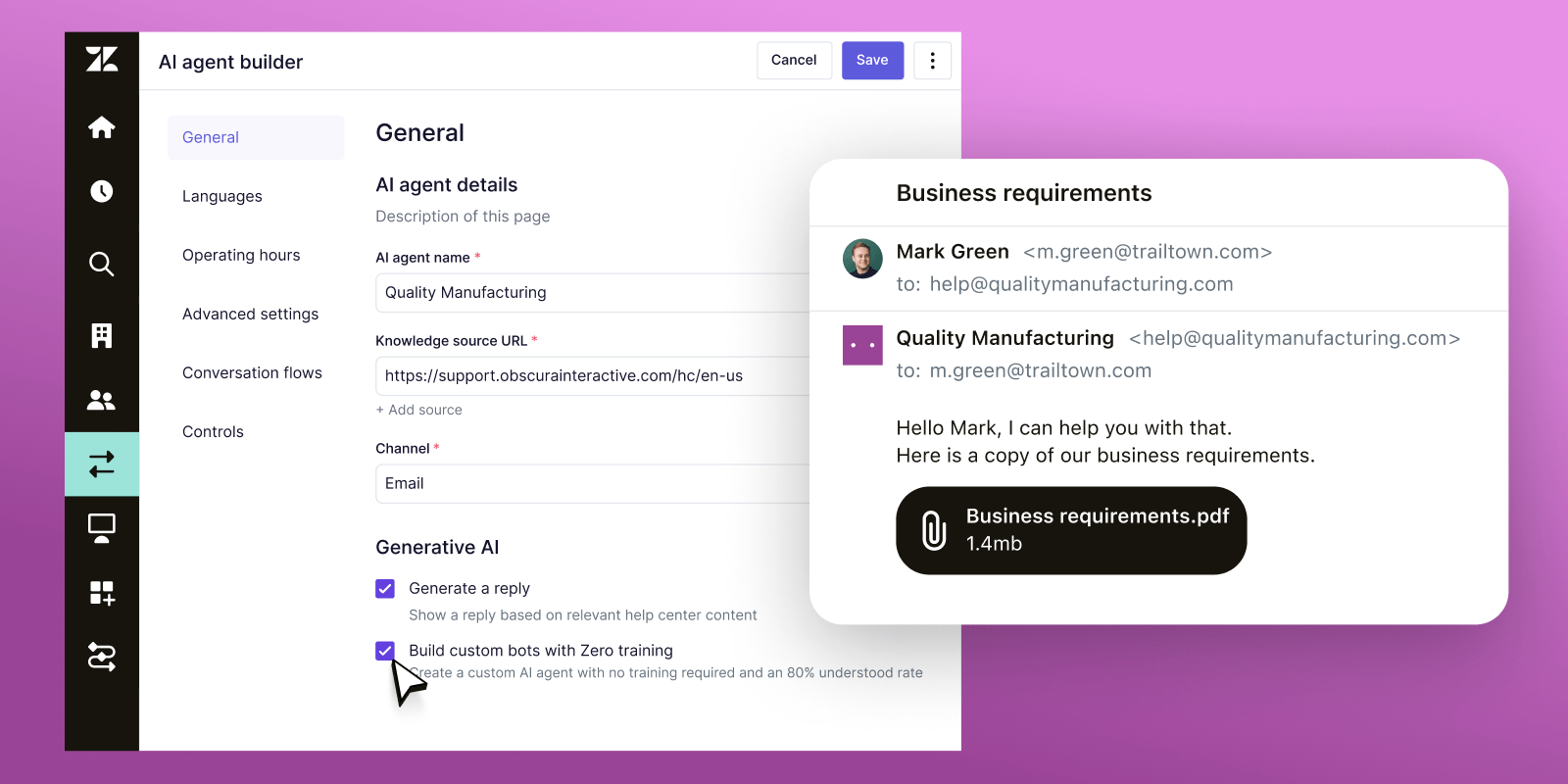
Zendesk’s AI toolkit is more advanced and aimed at high-volume, complex support environments.
- Intent and sentiment analysis: Determines urgency and tone to route tickets to the right agent.
- AI-generated replies and summaries: Drafts answers for agents and summarizes customer conversations for faster context.
- Predictive ticket handling: Anticipates SLA breaches or backlogs and adjusts routing automatically.
- Advanced chatbots: Provide multilingual, context-aware resolutions across web, mobile, and messaging channels.
- Quality assurance: Uses AI to monitor response quality and suggest improvements in agent performance.
In short, Freshdesk’s AI helps smaller teams cut down repetitive work without being overwhelming. Zendesk offers a broader, enterprise-grade AI suite that can automate at scale. However, its more advanced features come at higher tiers and require more setup.
✨ Looking for more advanced AI support automations? Check out Featurebase →
Integrations & customization options
Both Freshdesk and Zendesk recognize that customer support teams rarely work in isolation. The difference lies in scope. Freshdesk makes integrations accessible to smaller teams, while Zendesk gives enterprises nearly endless ways to extend and tailor the platform.
Freshdesk
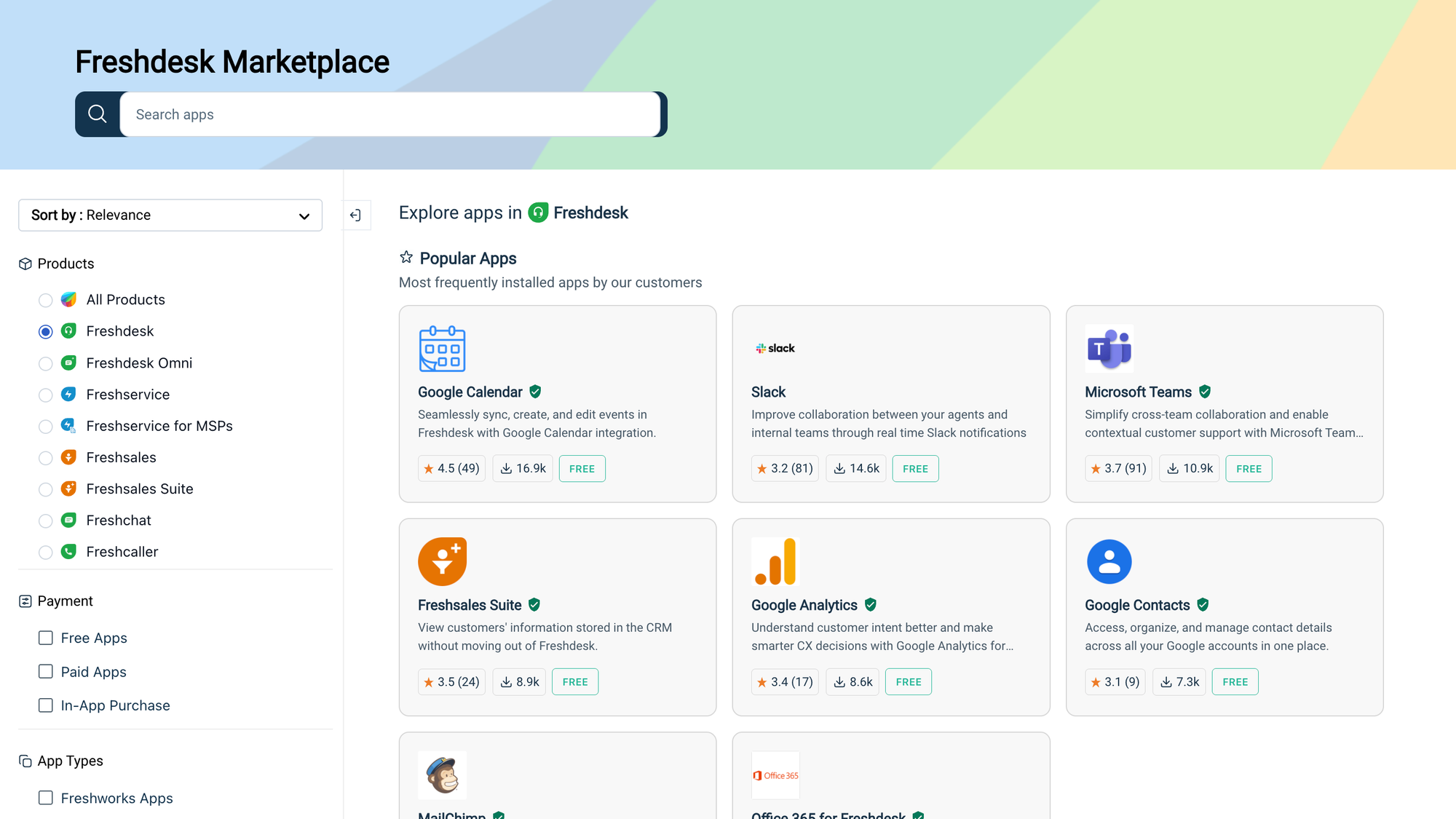
Freshdesk’s integrations are designed to fit neatly into everyday business workflows.
- Popular business apps: Ready-made connections with tools like Salesforce, HubSpot, Slack, Shopify, and Microsoft Teams.
- E-commerce focus: Strong integrations with Shopify, WooCommerce, and Magento make it popular with online stores.
- Branding and theming: Help centers, ticket forms, and chat widgets can be customized with company colors, logos, and layouts.
- Marketplace apps: Hundreds of extensions add reporting, agent productivity, and CRM features without heavy coding.
- APIs for custom work: Web developers can use REST APIs and webhooks to connect Freshdesk with internal systems.
Zendesk
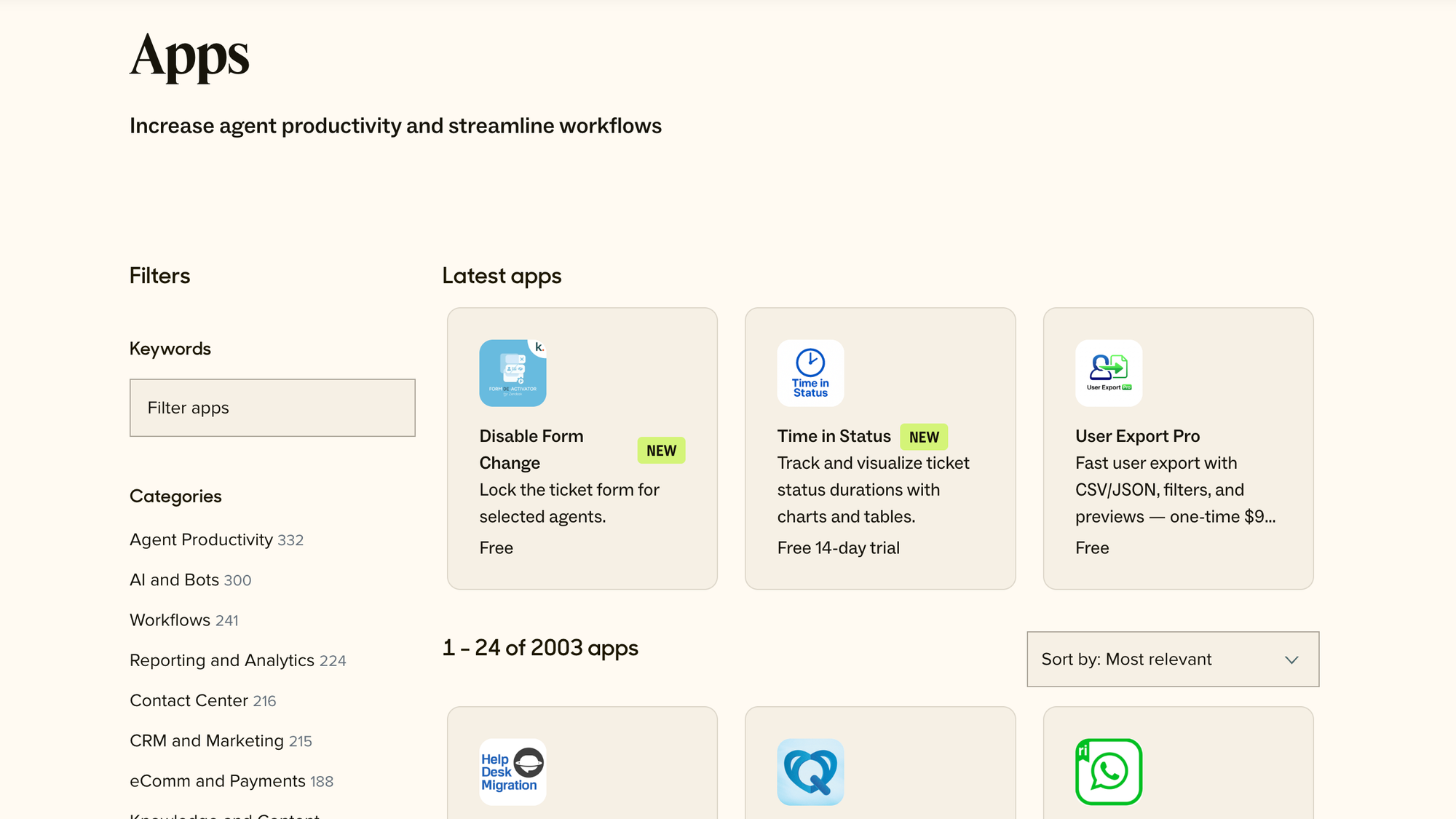
Zendesk takes integrations and customization to another level, especially for teams with complex tech stacks.
- Large app marketplace: Over 1,000 apps spanning CRMs, analytics, project management, and collaboration platforms.
- Custom app development: Teams can build their own apps using the Zendesk App Framework and host them in the workspace to wrap Zendesk around all types of customer interactions.
- Advanced APIs and webhooks: Ideal for linking Zendesk with proprietary systems or creating customer data flows across departments.
- Workflow customization: Triggers, macros, conditional logic, and custom ticket fields give admins precise control.
- Role-based access: Detailed permissions and custom roles to support multi-brand, multi-department setups.
Key takeaway: Freshdesk makes integrations simple and affordable for smaller teams, with just enough customization to brand the customer experience. Zendesk provides enterprise-level flexibility with a massive app ecosystem and developer tools, but it requires more effort and often higher costs to set up effectively.
Ease of use and support
How quickly your team can get up and running matters just as much as the features themselves. Freshdesk has a lighter initial learning curve, while Zendesk is more powerful but takes longer to master.
Freshdesk
Freshdesk is built with accessibility in mind.
- Interface: The dashboard is clean and intuitive, so new customer support agents can pick it up without heavy training. The agent interface is simple and easy to get started with.
- Setup: Many workflows, automations, and knowledge base tools can be configured with little to no coding.
- Learning curve: Teams with no prior help desk experience often find it easier to adopt than larger enterprise systems.
- Support resources: Offers 24/7 email support on all paid plans, with phone and chat support available on higher tiers. The knowledge base articles and community forums cover most setup and troubleshooting scenarios.
Zendesk
Zendesk delivers more depth, but that comes at the cost of complexity.
- Interface: The unified platform gives agents a lot of power, but it can feel overwhelming at first, especially with multiple channels enabled. If you want a user-friendly interface, Freshdesk is a better choice.
- Setup: Customizing workflows, permissions, and integrations often requires admin expertise and careful planning.
- Learning curve: Teams need more time to adapt, and larger organizations sometimes assign dedicated admins just to manage Zendesk and integrate it into existing business processes.
- Support resources: A wide library of guides, webinars, and documentation is backed by a large user community. Premium support, including faster SLAs and dedicated account managers, is available at higher tiers.
Key takeaway: Freshdesk is easier to roll out quickly, making it appealing for smaller teams or those new to help desk software. Zendesk provides more resources and structured support, but expect a steeper learning curve and heavier setup effort.
Pricing plans: Freshdesk vs Zendesk
For small and medium-sized businesses, Freshdesk offers better value with a free plan and fairly affordable paid plans if you want just the essential features. Zendesk follows a different philosophy.
Freshdesk
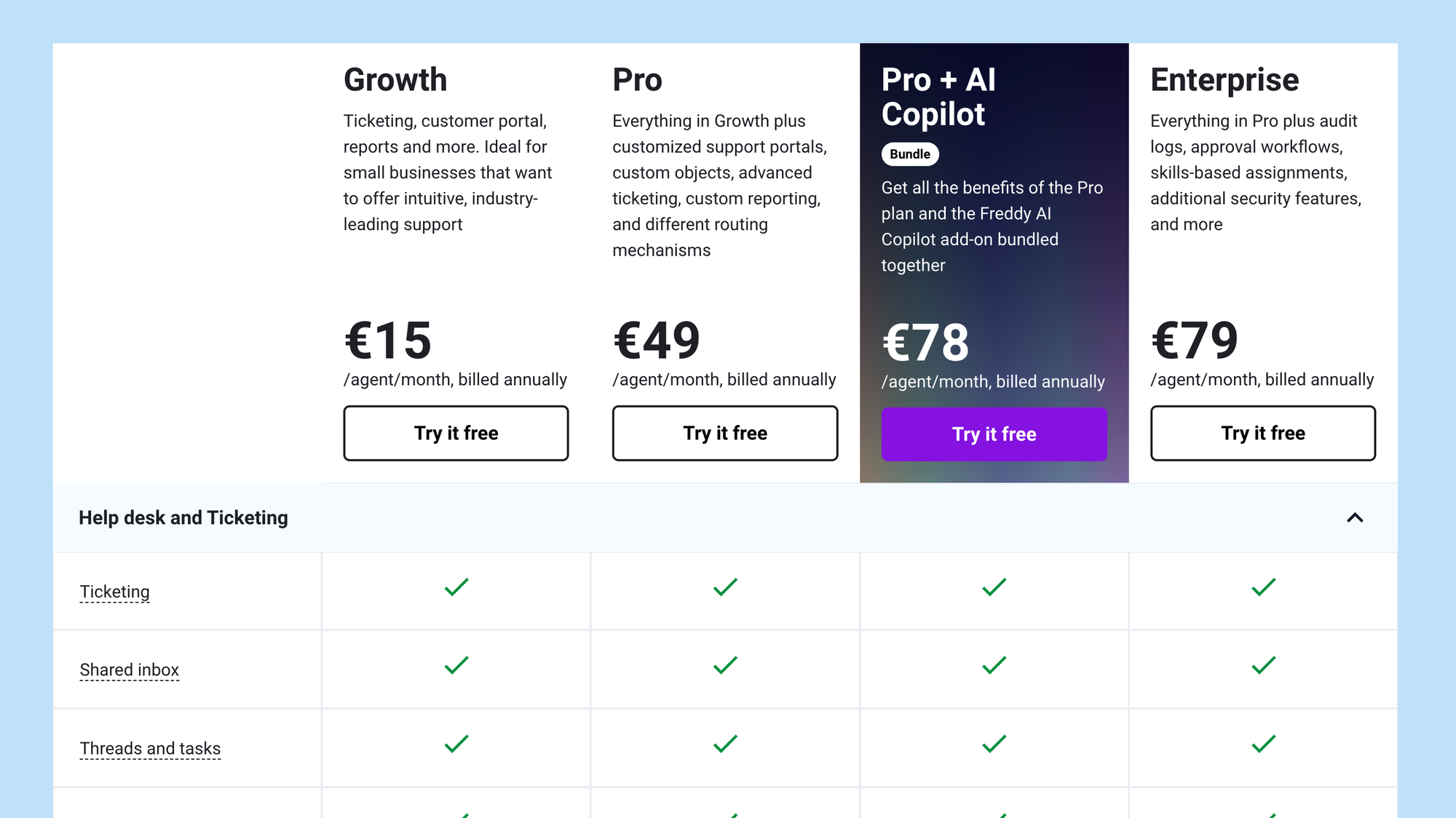
Freshdesk's pricing offers a free tier and multiple paid plans charged per agent, per month (billed annually for best value).
- Free plan — $0/agent/month: Supports up to 2 agents. Includes basic email ticketing, social ticketing, a knowledge base, team collaboration, ticket dispatch, and basic reporting.
- Growth — $15/agent/month: Adds automation, access to marketplace apps, helpdesk reporting, and CSAT surveys.
- Pro — $49/agent/month: Includes multi-time zone support, custom roles, advanced reports and dashboards, SLA management, multilingual knowledge bases, and more.
- Enterprise — $79/agent/month: Everything in Pro plus features like skill-based assignment, sandbox environment, agent shifts, audit logs, IP whitelisting, and advanced AI assist features.
A notable extra cost is Freddy AI, Freshdesk’s AI layer. It works on a session or usage basis (e.g. $100 per 1,000 sessions), which means that the more you lean on AI, the more you pay beyond your base plan.
Zendesk
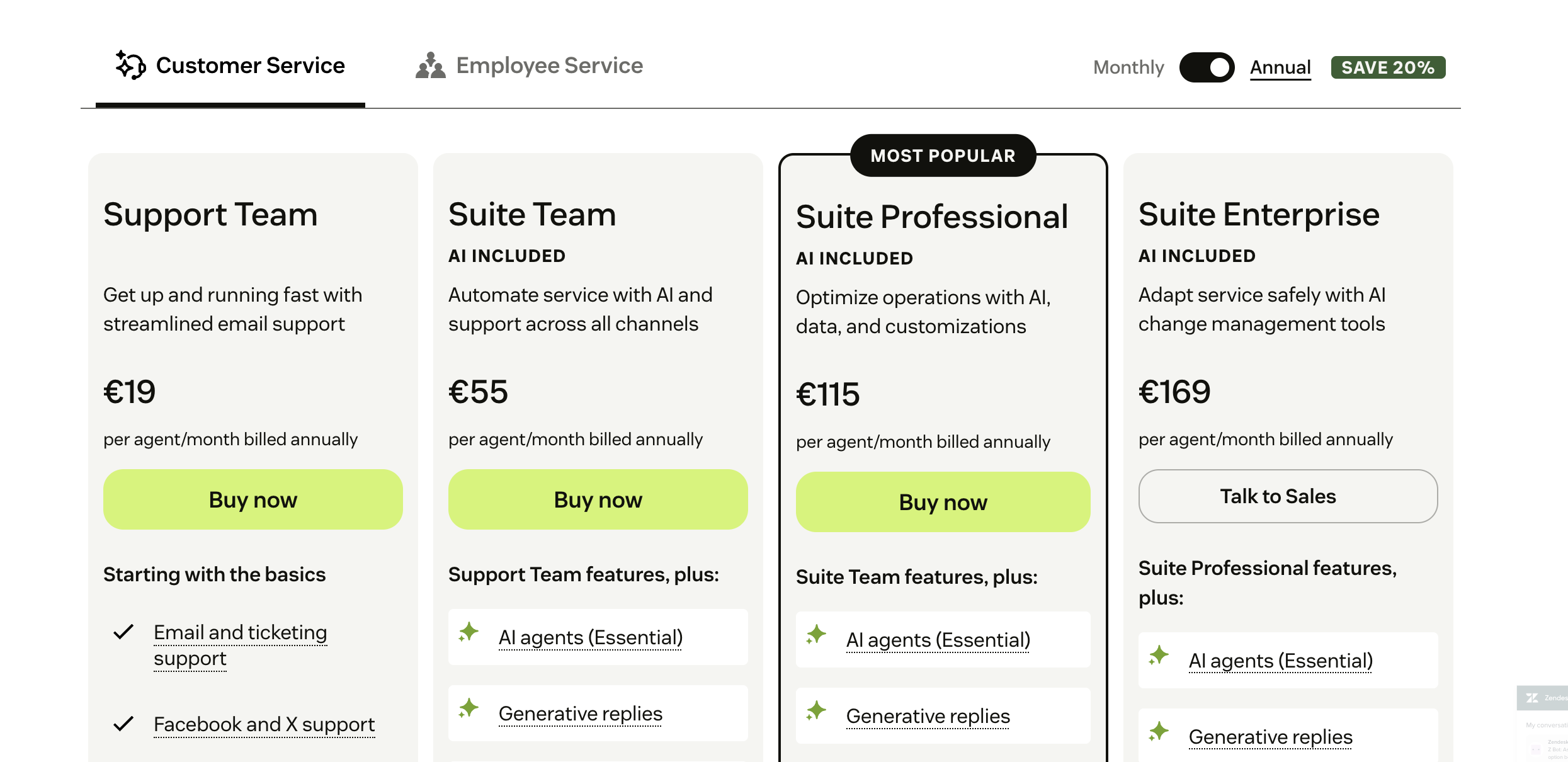
Zendesk’s pricing is organized around its Suite bundles (Support + Guide + Chat + Talk) or standalone Support plans. It's a comprehensive support platform and that doesn't come cheap.
- Support Team plan — $19/agent/month (annual billing): Basic ticketing, email, business rules, and reporting.
- Suite Team — $55/agent/month: Includes multi-channel support, messaging, a help center, and standard reporting.
- Suite Professional — $115/agent/month: Gives you additional customization, routing, community, and AI-related enhancements.
- Suite Enterprise — $169/agent/month: Comes with advanced roles, sandbox, compliance options, etc.
Zendesk also offers add-ons such as Advanced Data Privacy, Contact Center, and enhanced AI tooling, which can raise the total cost per agent.
In conclusion, because Freshdesk includes a free tier and more moderate base rates, it can be more cost-friendly for small teams or startups. Zendesk’s model is more expensive out of the box, especially when you add AI or contact center features, but the infrastructure, integrations, and advanced features in higher tiers may justify the investment for larger organizations with complex support needs.
Try Featurebase, the better alternative to Zendesk and Freshdesk! ✨
If Freshdesk is too old and inflexible but Zendesk is too expensive, consider Featurebase, a modern support platform that blends the best of both worlds.
It’s loved by thousands of fast-growing support teams from companies like Lovabale, n8n, and Instantly.
Pricing starts from just $29 per user month + $0.29 per AI resolution. In other words, Featurebase costs a fraction of Zendesk, Freshdesk, and most other support platforms.
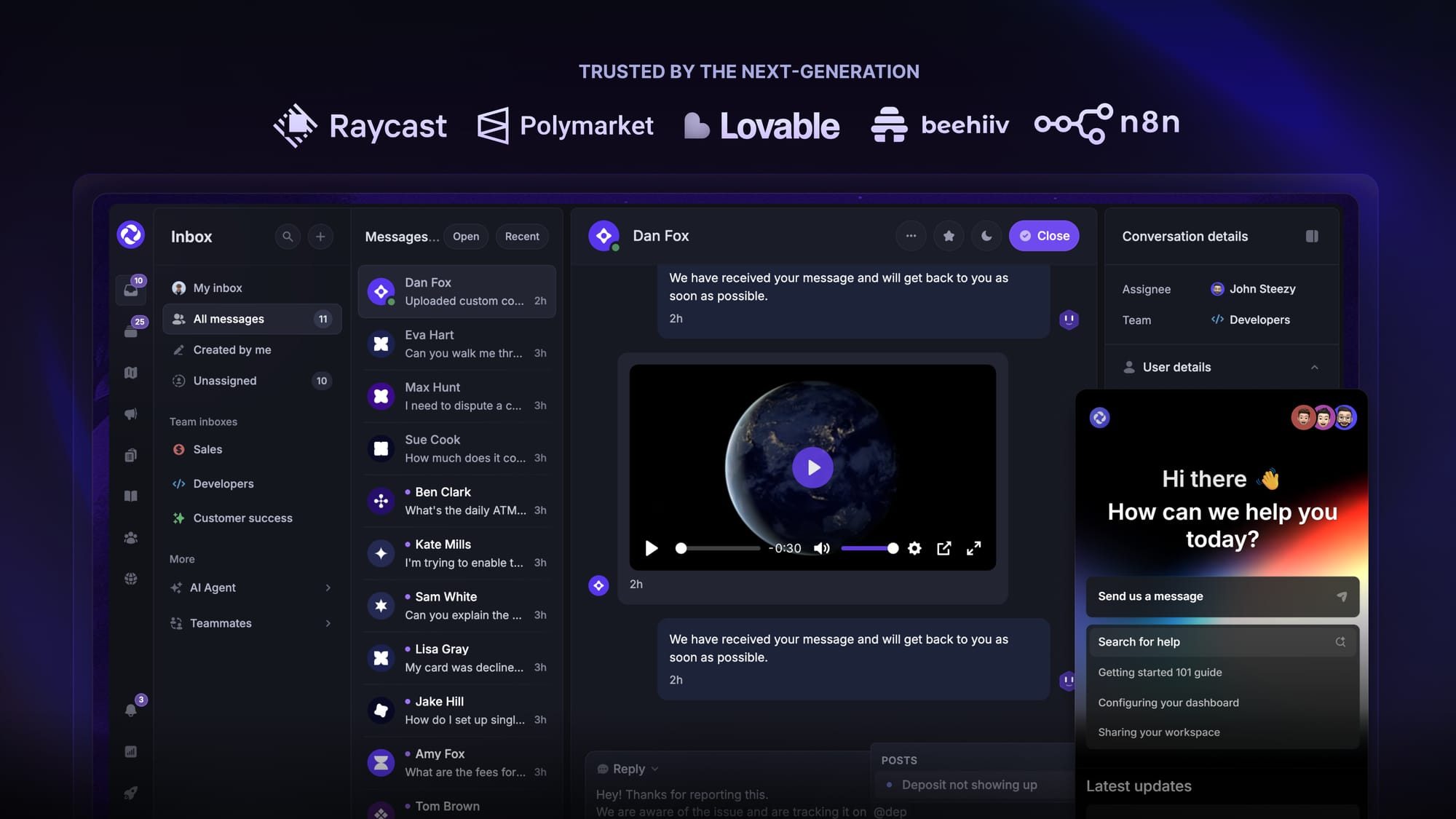
Some of the many Featurebase features include:
- Unified inbox – manage your live chat & email conversations in one place with your whole team
- AI agent & automations – fully automate your support with AI and endless custom workflows, like extending trials, offering discounts, qualifying leads, etc.
- Messenger widget – provide AI and human support from anywhere with a customizable in-app widget
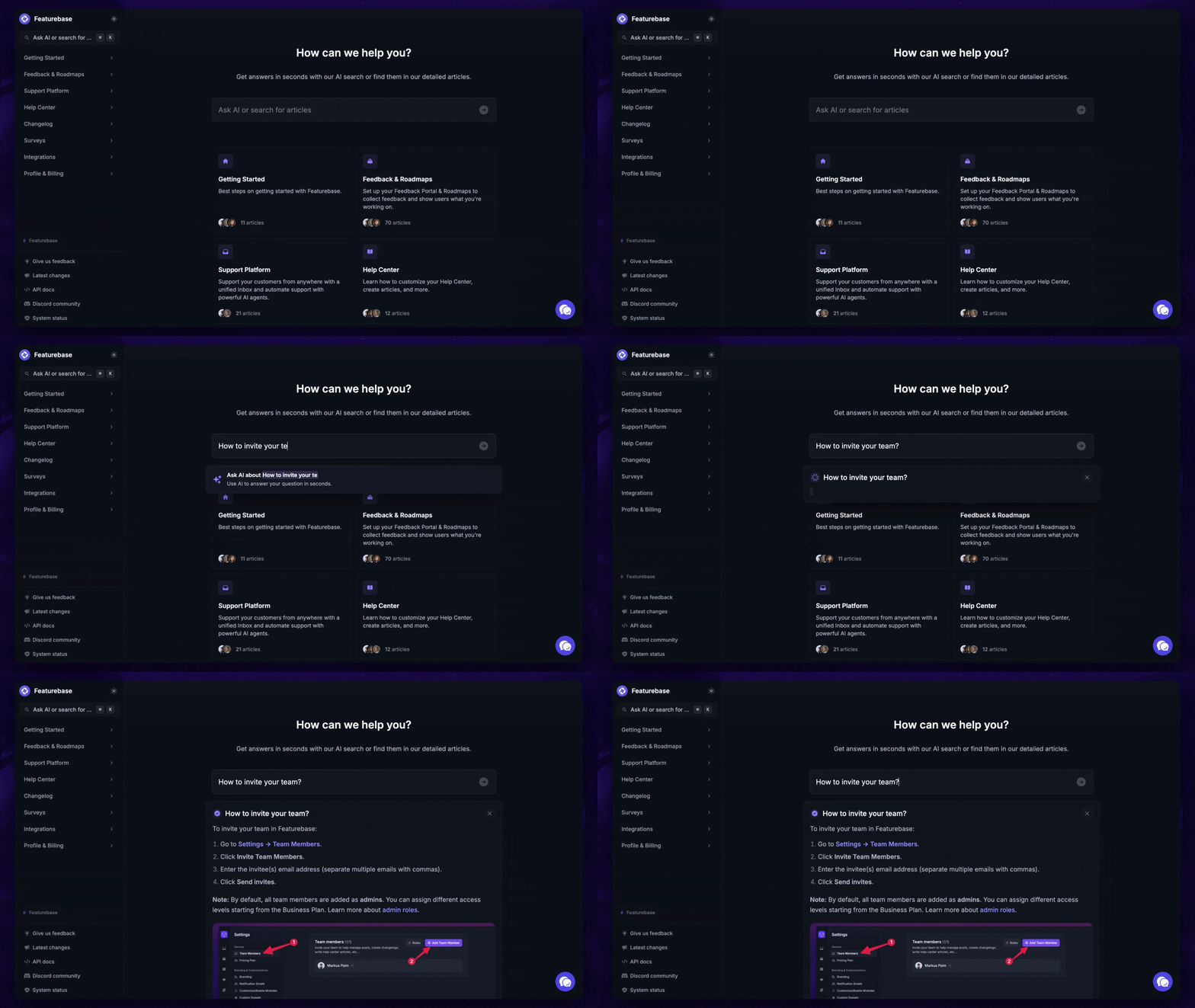
- Help Center – a branded knowledge base with instant AI answers
- Email support – seamlessly provide support to your customers via email sync
- Native ticketing – centralize & keep track of all customer requests in one place
- Multi-language & custom domain support – serve content in 40+ languages with your domain and branding
- Mobile app – respond to customers, receive notifications, and unblock users on the go
- Integrations – Slack, Linear, Jira, Discord, Hubspot, and many more
- Plus, feedback collection, product roadmaps, release notes, and customer surveys – all in one place
Long story short, Featurebase gives you all the powerful support capabilities of Zendesk and Freshdesk, but without the super expensive pricing. Don't just take our word for it. You can try Featurebase completely free and see for yourself.
The onboarding is quick and doesn't require a credit card. Plus, you can automatically import your Zendesk knowledge base - so there’s zero risk involved. 👇
✨ Automate your support with the fastest AI-enhanced Inbox today →
More comparisons:
- Best Freshdesk alternatives
- Zendesk Review
- Freshdesk vs Featurebase
- Freshdesk vs Freshservice
- Best Zendesk alternatives
- Zendesk vs Featurebase
- Zendesk vs Intercom
- Zendesk vs HubSpot
- Zendesk vs Help Scout
- Zendesk vs Jira
- Zendesk vs Crisp
- Zendesk vs Salesforce
- Zendesk vs Zoho
- Zendesk vs Happyfox
- Zendesk vs Kayako
- Zendesk vs Tidio
- Zendesk vs Freshdesk vs Zoho