Freshdesk vs Help Scout: 2026 Comparison
When pricing is similar, who wins in the battle of Freshdesk vs Help Scout? It comes down to features and ease of use. Read our detailed breakdown.


On this page
- Short overview
- Freshdesk and Help Scout at a glance
- Freshdesk vs Help Scout: feature-by-feature comparison
- Ease of use
- Help Scout vs Freshdesk: integrations
- AI capabilities for customer interactions
- Pricing plans
- Which one should you get for your business needs?
- Try Featurebase - The modern alternative to Freshdesk and Help Scout
Looking for a modern & affordable alternative to Freshdesk and Help Scout? Check out Featurebase
Choosing between Freshdesk and Help Scout is about looking into the future of your business. To provide AI-powered customer support, both tools will do well, and the prices are fairly similar too. However, this is where the similarities stop.
Freshdesk is powerful, infinitely customizable, and future-proof. Help Scout gives you simplicity and ease of use at the cost of potentially being too simple in the future.
So, how do you make the right choice for your business today? Find out in our head-to-head comparison of Freshdesk and Help Scout. 👇
Short overview
- Freshdesk is more powerful and customizable, built for teams that expect complex workflows, multi-channel support, and operational scale.
- Help Scout is simpler and more intuitive, built around shared inboxes and messaging apps for teams that want clarity over control.
- Freshdesk wins on automation, reporting, and integrations, especially if you rely on CRM, ecommerce, or internal systems.
- Help Scout wins on ease of use and collaboration, making it easier for small teams to get started fast.
- AI in Freshdesk is deeper and more automation-driven, but it becomes expensive quickly at higher tiers.
- Help Scout's AI is lighter and inbox-focused, suitable for draft assistance but not heavy automation.
- If you want something in between, with modern AI support, built-in feedback tools, and lower AI resolution costs, Featurebase may be the smarter alternative.
Freshdesk and Help Scout at a glance
Freshdesk
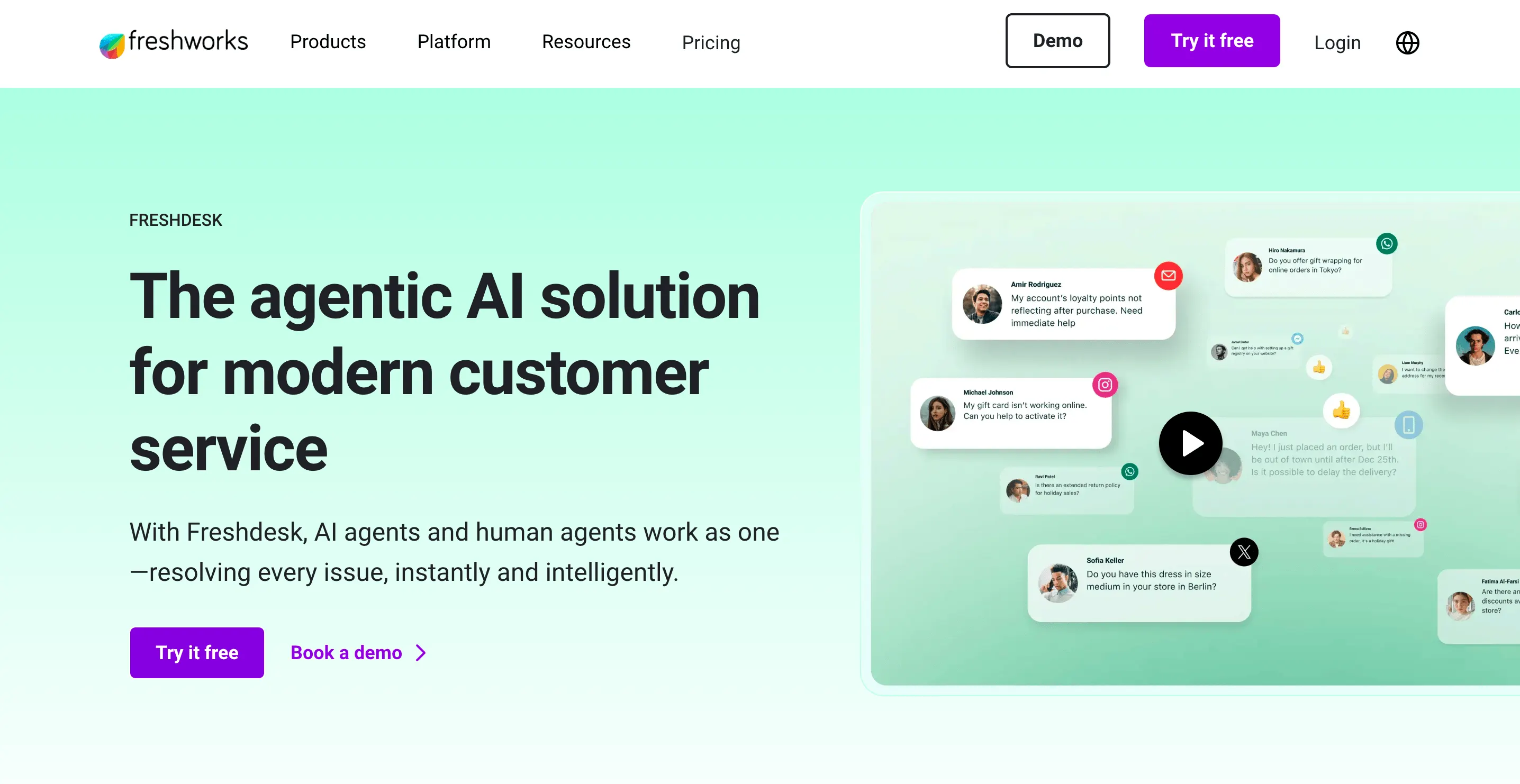
Freshdesk is part of the broader Freshworks product suite and has been around since 2010. It started as a help desk tool and evolved into a full customer support platform covering email, live chat, phone, social messaging, automation, and reporting.
Freshdesk is designed for teams that want structure, automation, and room to grow. It offers layered plans, built-in AI features at higher tiers, and a marketplace of integrations that connect support with CRM, sales, and IT tools. Its strength lies in flexibility and breadth. It can support small teams but also scale into more complex, multi-channel environments.
In short, Freshdesk is a feature-rich support suite. It works well for growing teams that expect their workflows to become more advanced over time.
Help Scout
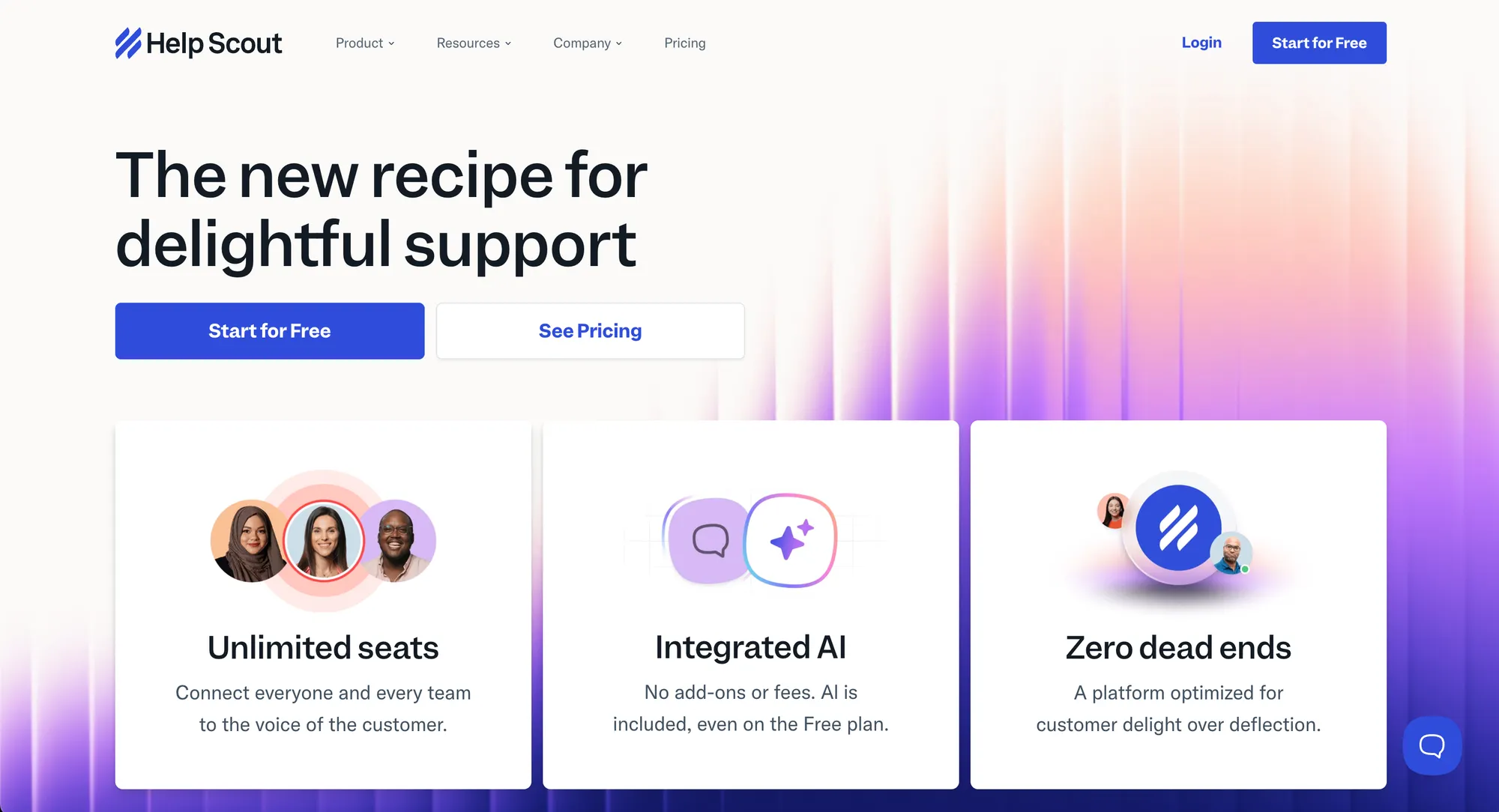
Help Scout takes a more focused approach to support. Founded in 2011, it positions itself as a simple, human-centric help desk built around shared inboxes rather than complex ticketing systems.
The platform emphasizes ease of use, clean design, and a conversation-driven experience. It includes email-based support, live chat, a knowledge base and light automation, without overwhelming teams with configuration options.
Help Scout's primary focus is on SaaS companies and small to mid-sized teams that want solid support capabilities without enterprise-level complexity. It prioritizes clarity and collaboration over heavy customization.
Freshdesk vs Help Scout: feature-by-feature comparison
Freshdesk is primarily a ticketing system with other features tacked on. Meanwhile, Help Scout primarily focuses on a shared inbox to help your support team create efficient workflows for solving day-to-day customer problems.
Here's how their feature sets stack up.
Inbox and conversation management for agent productivity
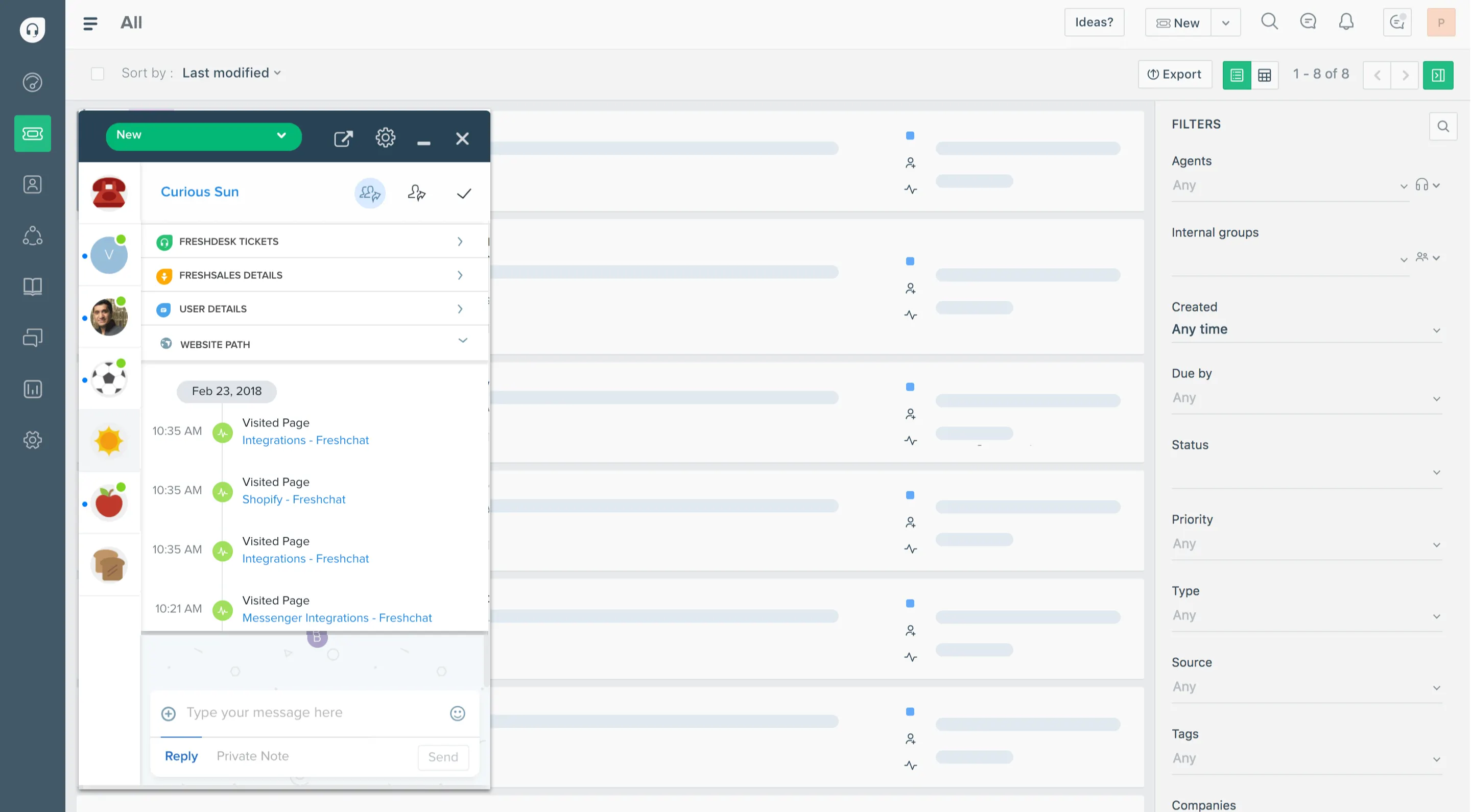
Freshdesk uses a traditional ticketing system, which can be good or bad, depending on what your primary needs are.
It's powerful and flexible, but for teams that just want to reply to email and chat without ticket numbers and statuses, it feels heavy. Everything must be routed, assigned, and tagged to make sense of it.
Help Scout focuses on shared inboxes that behave like email with superpowers. Conversations feel natural and unforced, which is exactly what small teams need. For anyone who hates ticketing noise, Help Scout wins as an easier-to-use and more scalable solution.
Automation and workflows
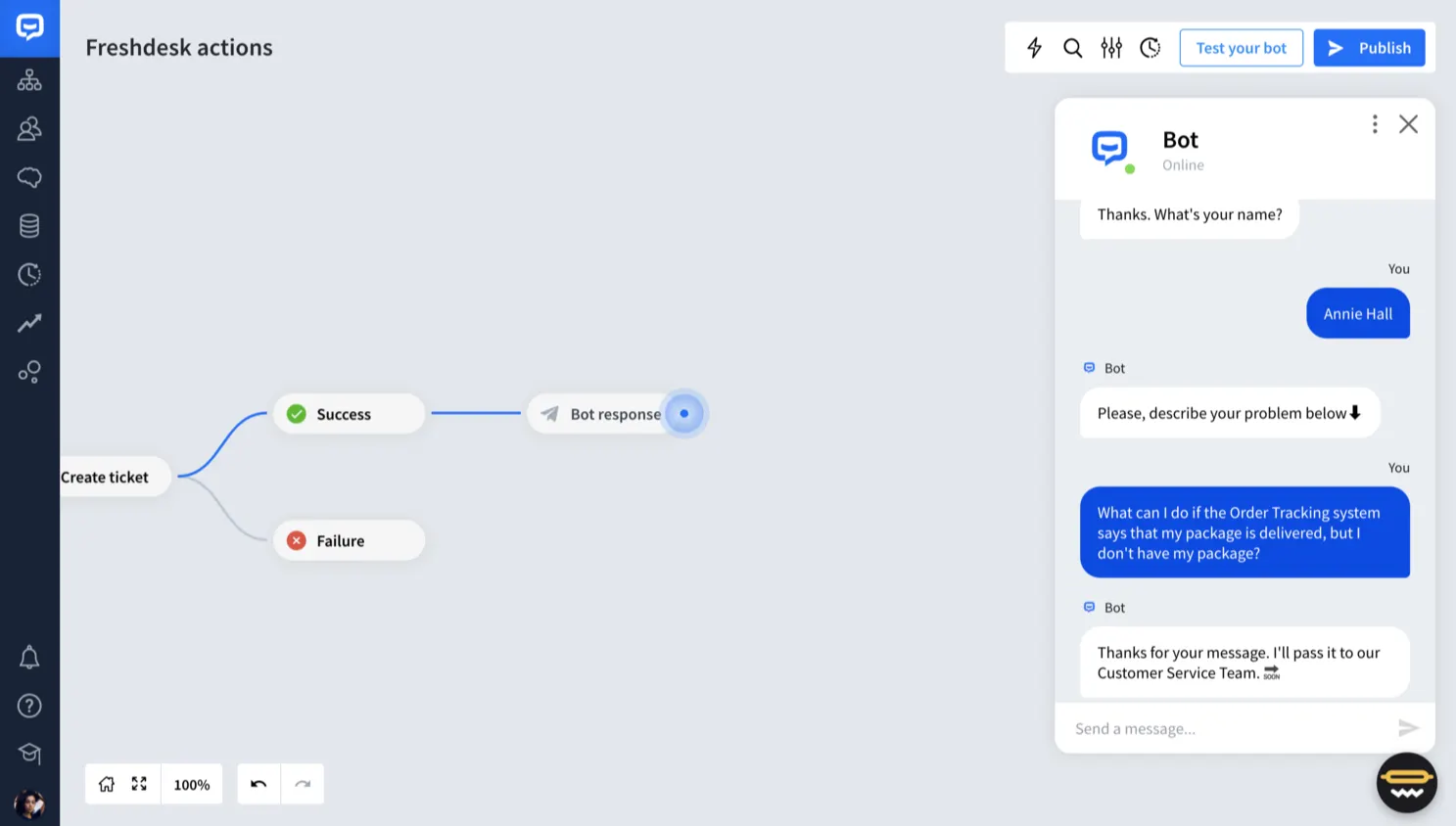
Freshdesk has a robust automation engine with time-based rules, event triggers, and scenario automation. If your team is big or you need to auto-escalate, auto-assign, or schedule actions, Freshdesk will handle it without a sweat.
So, choose Freshdesk if you have the time and resources to set up automation now that can improve agent productivity later.
Help Scout's automation is basic. It can tag, close, or assign, but it struggles with complex sequences and conditional logic. For serious workflow automation, Help Scout feels like a toy compared to Freshdesk.
It can be a great start for growing businesses that don't yet know the type and volume of customer queries they'll be handling. However, there is a serious risk of vendor lock-in. If you get Help Scout now and grow to thousands of customers later, switching can be complicated and expensive.
"What I dislike about Help Scout is that some advanced features and reporting options are limited unless you move to higher plans. Customization for complex workflows can feel restrictive, and integrations or automations may require additional tools or workarounds. For fast-growing teams, costs can also increase as you add more users." – G2 review
Multi-channel support
Freshdesk supports email, live chat, phone, social messaging, and even bots on higher tiers. It covers more channels and gives you one place to manage all of them. It has a solid reputation for email and phone support, and it's a smarter alternative to many other, more expensive tools.
Help Scout supports email and live chat solidly, but phone and social integrations are weak or require third-party integrations. If you need true multi-channel support without stitching tools together, Freshdesk takes this round.
Knowledge base and self-service
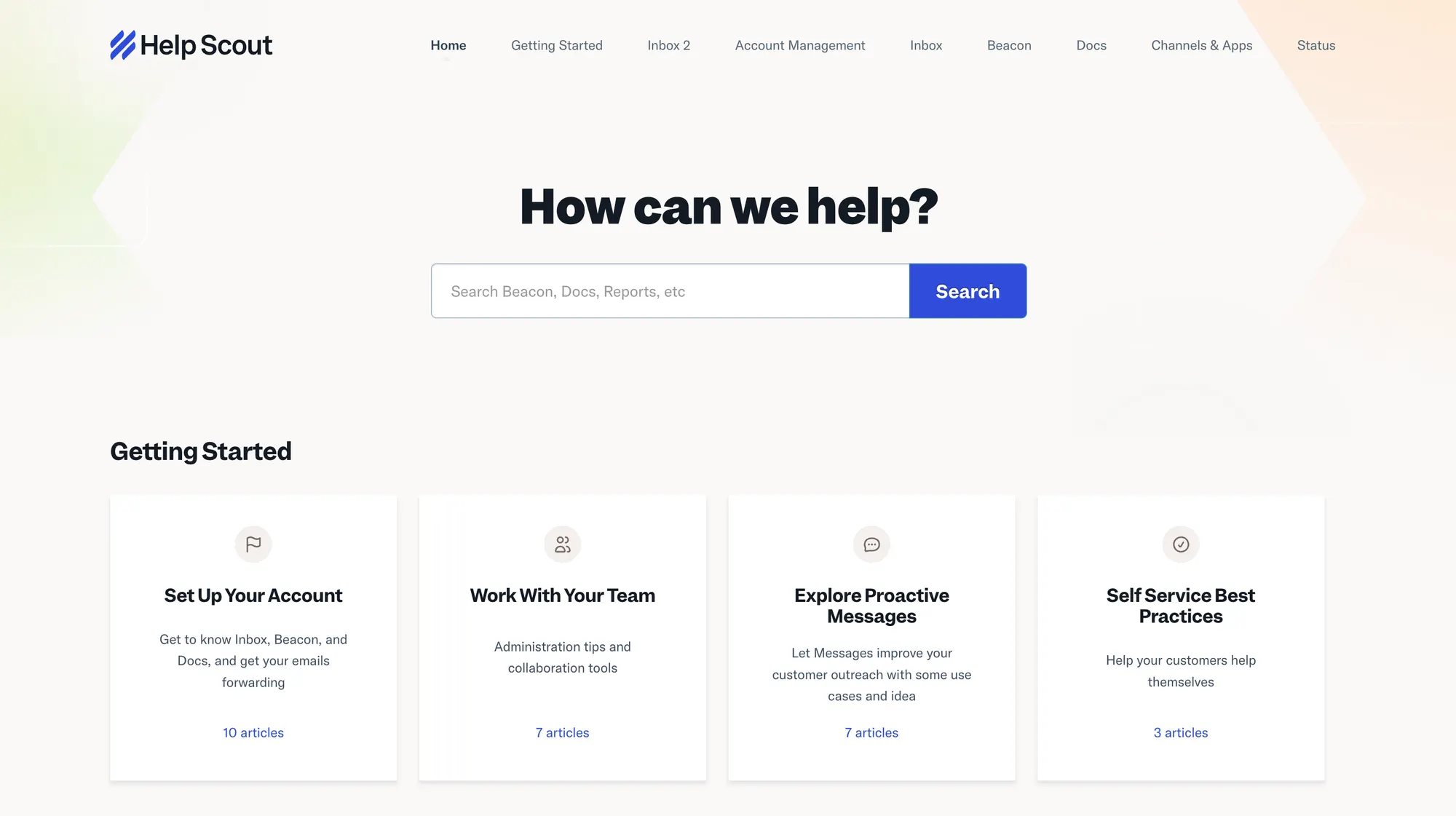
Both Freshdesk and Help Scout offer help center functionality, but Freshdesk's is more configurable and includes category-based access controls, labels, and analytics. If you want to improve first contact resolution, it's a good choice that doesn't require extensive training to set up.
Freshdesk has the upper hand since it allows you to create customer portals and community forums.
Help Scout's knowledge base is clean and simple, but it quickly feels limited if you want structured sections or deeper article organization. For a high-volume self-service site, Freshdesk is better.
Reporting and analytics
Freshdesk includes deeper insights out of the box. You get team performance metrics, SLA tracking, and customizable dashboards. That extra data is important for teams measuring operations. Creating custom reports has a learning curve, but it's not impossible.
"Overall, Freshdesk works really well, but at times the system can feel a bit slow, especially when I have multiple tabs or reports open. The reporting and analytics tools also aren't as flexible as I'd like, particularly when I'm trying to customize views or pull out deeper insights. It's not a dealbreaker for me, but it's definitely an area where there's room for improvement." – G2 review
Help Scout's reporting is serviceable but basic. It tells you volume, replies, and resolution times, but lacks advanced segmentation and trend analysis. If you care about data, Freshdesk wins this without question.
Collaboration tools
Help Scout shines here because its internal notes, collision detection, and user-friendly interface make teamwork feel natural. Agents rarely step on each other or double respond.
Freshdesk does collaboration fine, but the interface feels more mechanical. You get the tools, yes, but it's not as frictionless as Help Scout's simple design. Freddy AI copilot can help or complicate things, depending on how much time you spend on setup.
Integration ecosystem
Freshdesk has a broad marketplace of integrations covering CRM, messaging, ecommerce, and more. If you need to tie support data into wider systems, Freshdesk is harder to beat. The choice of third-party apps is huge, and there's a good chance you'll find everything you need to improve agent efficiency, regardless of your team's size.
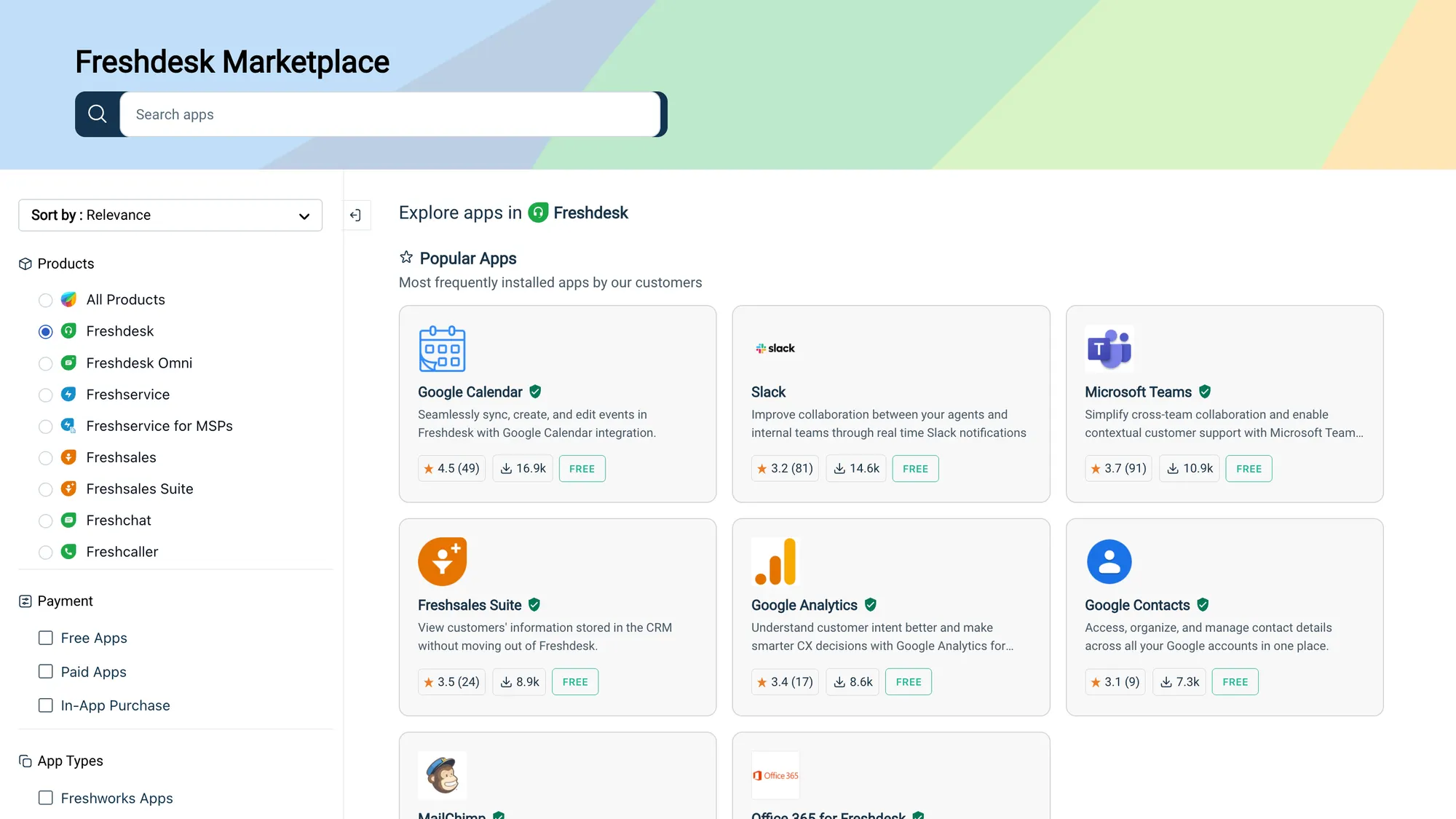
Help Scout's integrations are good for usual suspects like CRM and team tools, but the list is smaller and can require third-party connectors for deeper needs.
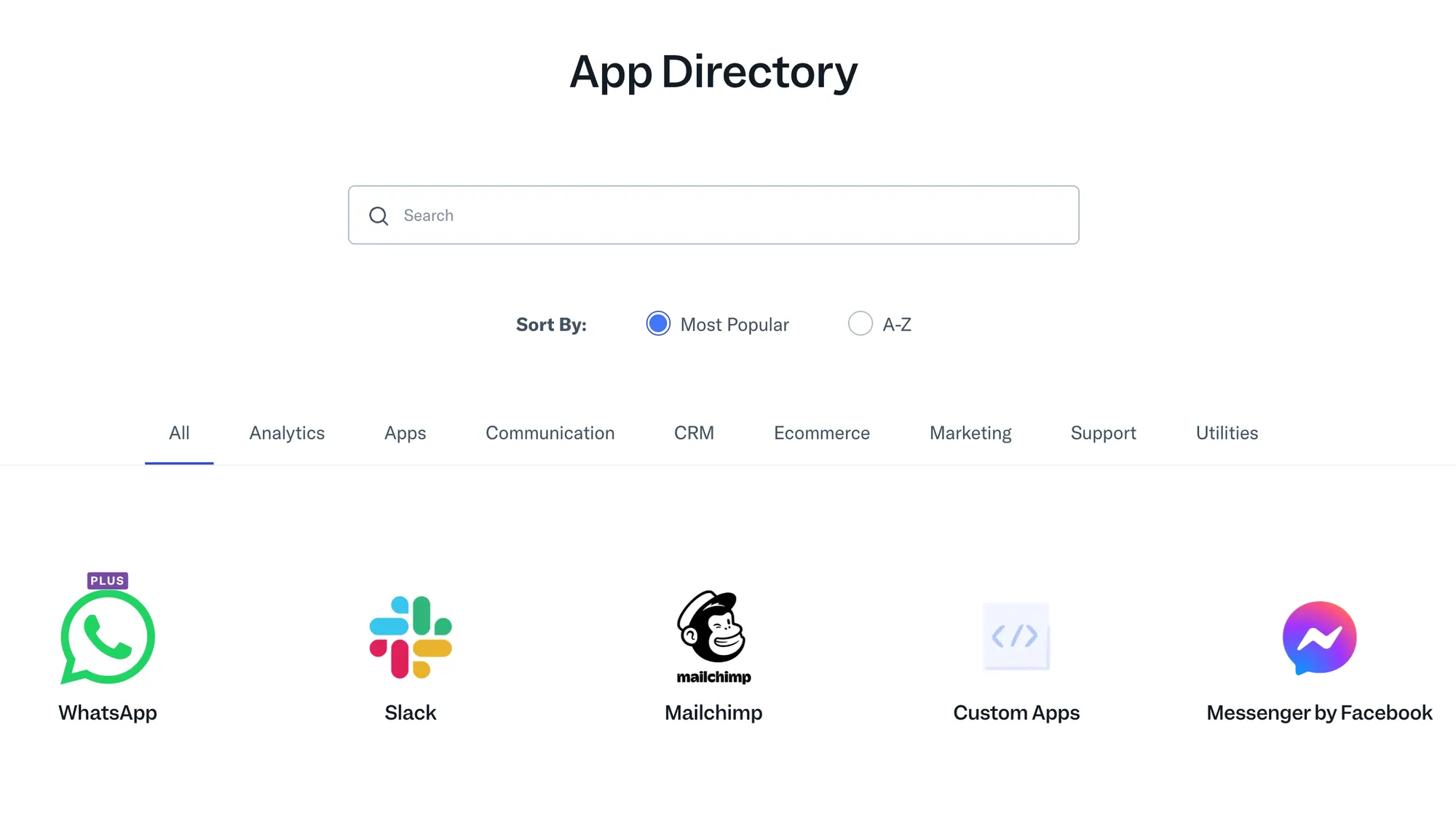
Freshdesk wins on choice, but make sure to do a detailed breakdown of your tech stack and what's really important before purchasing either.
Ease of use
Freshdesk is feature-rich, but that richness comes with complexity. The interface has a lot of panels, options, and configuration screens because it is trying to serve many different use cases. For teams that love control, that's fine. For smaller support teams that just want to reply to customers, it feels overwhelming.
Setting up automations, routing, and views often requires digging through menus. Agents can learn the basics quickly, but mastering the admin side of omnichannel support takes time and intention. In short, Freshdesk works well, but it does not feel effortless.
"The initial setup complexity can be challenging, particularly the email forwarding configuration and DNS record setup for domain authentication. The DKIM CNAME record configuration requires technical expertise and coordination with IT teams.
While the platform is feature-rich, some workflow automation could be more intuitive. We often rely on external tools like Grammarly for quality assurance of responses, which should ideally be built in." – G2 review
Help Scout's design is clean and intuitive from the first login. Conversations are presented more like email threads than traditional ticket queues, which makes day-to-day work feel familiar and easy. There are fewer menus, fewer status fields, and fewer complex settings to wrestle with.
Automation and assignments exist, but they are simple by design. If you need tight control or complicated workflows, that simplicity can feel limiting. But for teams that value clarity and want to avoid admin headaches, Help Scout's ease of use is a genuine advantage.
If you want unmatched control over every aspect of communication across multiple channels, Freshdesk is the right choice. If you don't want to automate tasks but just need simple support, Help Scout is better.
Help Scout vs Freshdesk: integrations
Freshdesk
Freshdesk has a broad and deep integration ecosystem that covers most needs a support team could reasonably have. Email, chat, phone, social messaging, CRM systems, ecommerce platforms, IT tools, and internal systems can all be connected so data flows where it needs to go. For example:
- Multiple channels in one place: native connections for email, Facebook, WhatsApp, live chat, and voice mean agents do not have to hop between tools.
- CRM and backend sync: ties with Salesforce, HubSpot, Microsoft Dynamics, and others bring customer records into support tickets.
- Ecommerce and commerce data: platforms like Shopify, Magento, and BigCommerce can send order and customer details directly into Freshdesk conversations.
- App marketplace: hundreds of add-ons extend reporting, billing, surveys, and automation into adjacent systems.
- Internal workflow tools: integrations with project management, bug trackers, and knowledge bases help support data connection to product and engineering teams.
If you need integrations that span channels, business systems, and data sources, Freshdesk's ecosystem is hard to beat. It is not always plug and play, but the choice and depth are there.
Help Scout
Help Scout's integration list is smaller and more focused. It covers the core tools most modern teams use, but it does not have the breadth or commerce-centric connectors that Freshdesk offers. Key points include:
- Email and collaboration tools: native connections with Gmail, Outlook, Slack, and team messaging solutions keep conversations flowing.
- CRM and database sync: links to major CRMs bring basic customer context into support, but you may need third-party tools for deeper data syncs.
- Ecommerce connections: Help Scout has fewer native ecommerce plugins. Basic order context can be brought in with add-ons, but it rarely matches the tight commerce data views Freshdesk can deliver.
- Specialized tool links: integrations with scheduling, billing, and product analytics tools are there, but the list is not as extensive.
Help Scout's integrations feel solid where they exist, but they are not as expansive. For teams that work with a handful of common tools, this is fine. For teams that need data flowing between many systems or commerce systems deeply embedded in support, Freshdesk has the clear advantage.
AI capabilities for customer interactions
Freshdesk
Freshdesk has invested seriously in adding AI across the support experience, and it shows in how the tools work in practice. On mid and higher tiers, its AI features do more than just suggest replies; they are integrated with workflows so agents see real value right away. Key capabilities include:
- Automated reply suggestions: the system drafts responses based on conversation content so agents can send accurate replies faster.
- Intent detection and routing: incoming messages are classified and routed based on predicted intent so the right agent sees the right conversation.
- AI-driven summaries: long threads are condensed into clear overviews so agents get up to speed in seconds.
- Self-service automation: bots can take common questions off agents' plates by answering directly or handing off with context when needed.
Freshdesk's AI feels useful without being gimmicky, especially for teams dealing with high-volume requests. The trade-off is that the best capabilities require higher tiers, and truly heavy automation still needs careful configuration.
Help Scout
AI in Help Scout is more modest and focused on what supports the inbox rather than reinventing the workflow. Its strengths show up in draft assistance and classification, but it does not extend deeply into automation logic or bot-driven conversations. Typical capabilities include:
- Smart reply suggestions: the AI offers draft responses that help agents write faster.
- Basic tagging and categorization: conversations can be auto-tagged based on recurring patterns detected by AI.
- Light summarization: threads can be condensed so agents see key points quickly.
Help Scout's AI is approachable and fits with its philosophy of simplicity, but it does not have the same breadth or automation depth as Freshdesk's. For teams that just want a bit of smart help while replying, Help Scout is fine. For teams looking for AI to handle or significantly reduce manual interactions, Freshdesk has a stronger toolkit.
Pricing plans
The main difference between the two platforms is that Help Scout offers an entirely free plan, and AI conversations are billed differently. Other than that, the numbers look pretty similar.
Help Scout has a free plan, and paid plans start at $25 per month
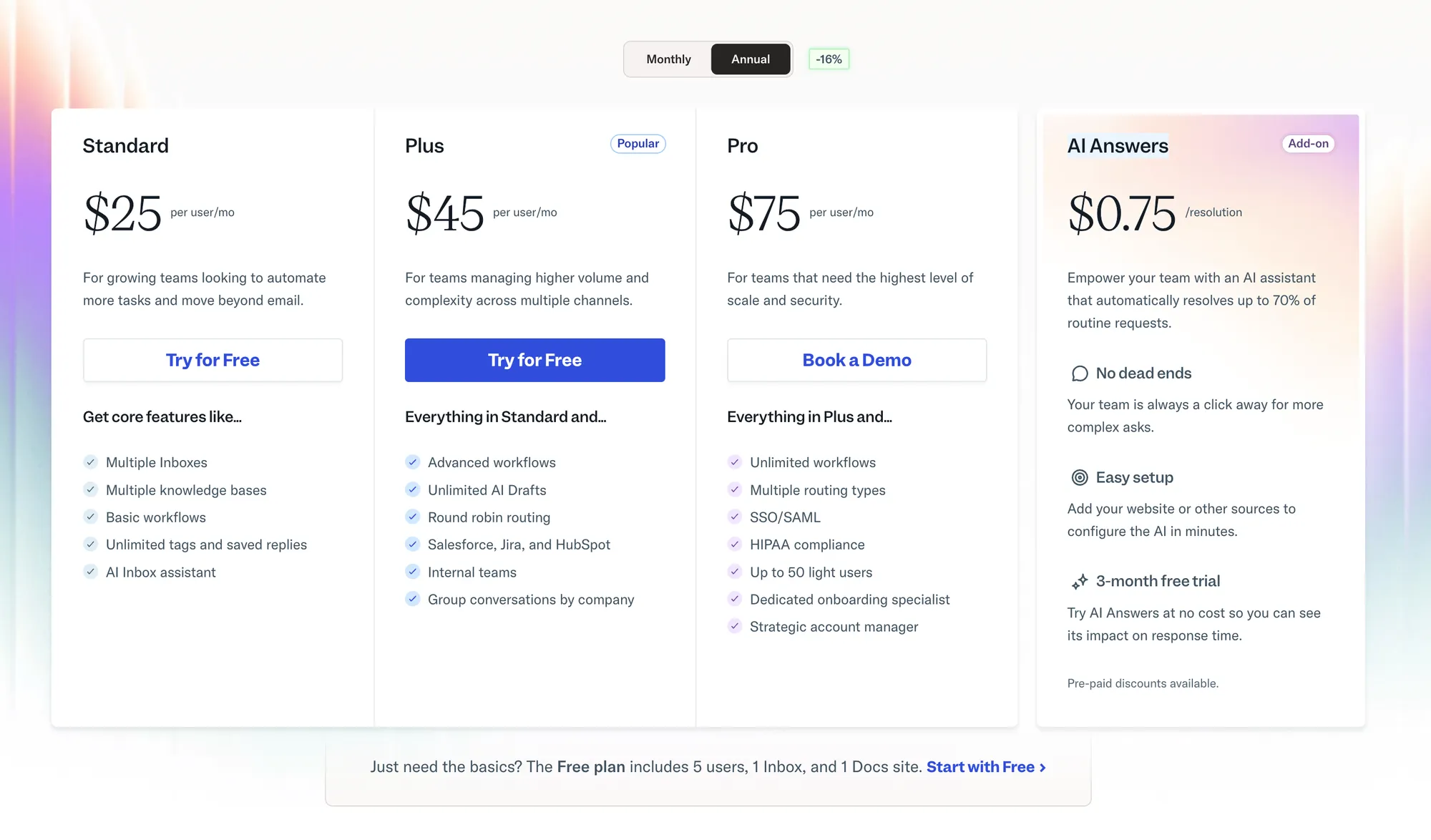
Help Scout's free plan gives you one shared inbox, one public knowledge base and limited saved replies. You can get all plans on a monthly or annual basis, and the latter gives you a 16% discount.
Paid plans start at $25 per user per month. This is the Standard plan, which gives you multiple inboxes, knowledge bases, and basic workflows, along with an AI inbox assistant. More expensive plans (Plus at $45/month and Pro at $75/month) unlock CRM integrations, intelligent routing, and more AI drafts.
The fine print is in the AI Answers, which is the cost per AI resolution. With Help Scout, that comes in at $0.75 per resolution, which is cheaper than industry leaders (e.g., Intercom), but still fairly expensive. This is a paid add-on, and you can opt out of it if AI is not your preferred way to resolve customer issues.
Freshdesk starts at $19 per agent per month
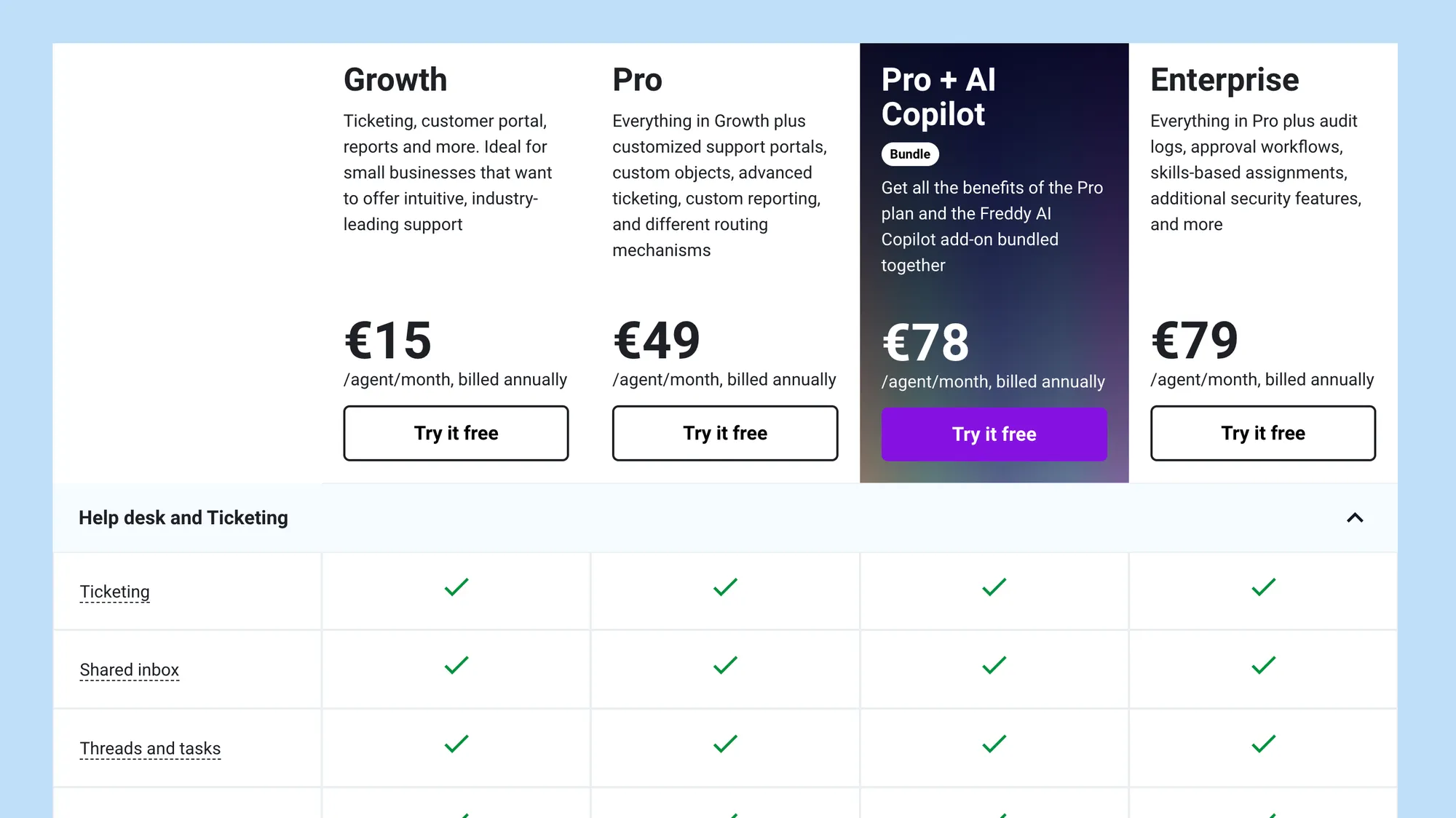
While they don't explicitly state it, Freshdesk does have a free option, but it's hard to call it truly free. You can use it without paying for 6 months if you have one or two agents. Otherwise, you can only get a 15-day free trial.
Freshdesk's Growth plan starts at $19 per month, which gives you all of their basic features, from ticketing to shared inboxes and customer portals. Self-serve options are only based on the knowledge base feature.
The next step up is the Pro plan at $55 per agent per month, with the major difference being Freddy AI. It only works for emails, and this price includes the first 500 conversations. After that, you have to pay an additional $49 for every 100 sessions.
Freddy AI Copilot is a completely separate thing. It costs $29 per agent per month, and it gives you features like sentiment analysis, live translation, and a summarization and resolution assistant. It's also not available on the cheapest Growth plan.
In short: Freshdesk pricing seems simple at a glance, but once you get into more details, you can see how Freshdesk can quickly get into the realm of thousands of dollars per month.
Which one should you get for your business needs?
While seemingly similar, Freshdesk and Help Scout are completely different tools. While price is similar, it all boils down to what you want to get now and what features you will value once your customer base and operations grow in the future.
Having said that, here's how to make that decision more easily.
Get Freshdesk if:
- You need support across multiple channels and want everything under one roof
- Automation rules and workflow customisation are important to your operations
- You want stronger reporting and operational insights out of the box
- You rely on integrations with CRM, ecommerce, or internal business systems
- You plan to scale support complexity as your team grows
Get Help Scout if:
- You want a simple, conversation-first support experience without ticketing overhead
- Ease of use and minimal setup time matter to your team
- Your support volume is manageable without heavy automation
- You don't need deep ecommerce or multi-system integrations
- You care more about agent experience than operational depth
Freshdesk works well for teams that need structure, automation, and broad support coverage. Help Scout works best for teams that want clarity, speed, and simplicity in their daily support operations.
But if both feel like the lesser of two evils, there's a better third option. 👇
Try Featurebase - The modern alternative to Freshdesk and Help Scout
Choosing the right platform between Freshdesk and Help Scout can feel like picking the lesser of two evils. Pricing aside, Freshdesk is built for larger teams that value deep customization and advanced permissions. Help Scout is the better choice for those who want to launch customer support operations today rather than weeks after signing up.
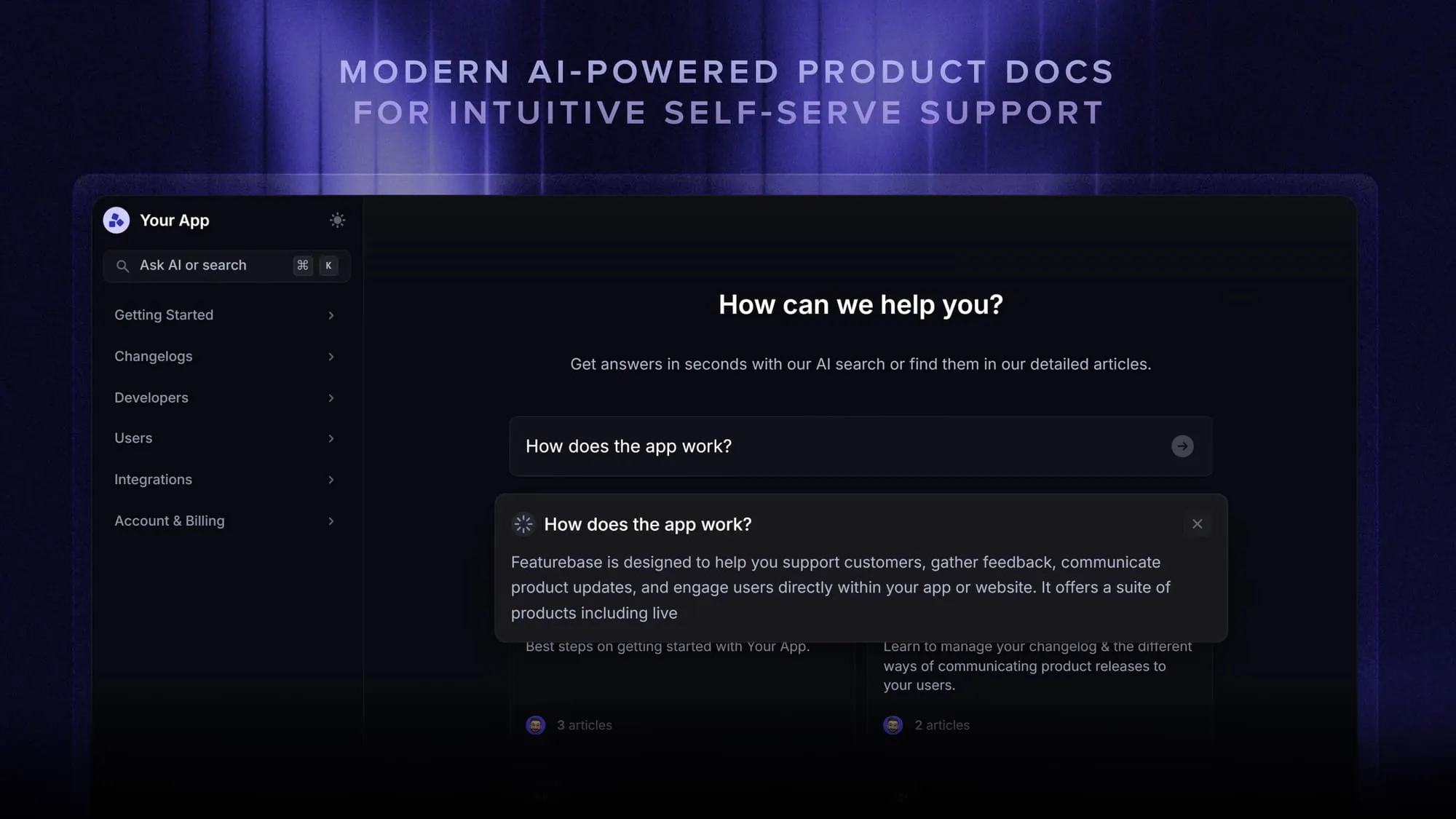
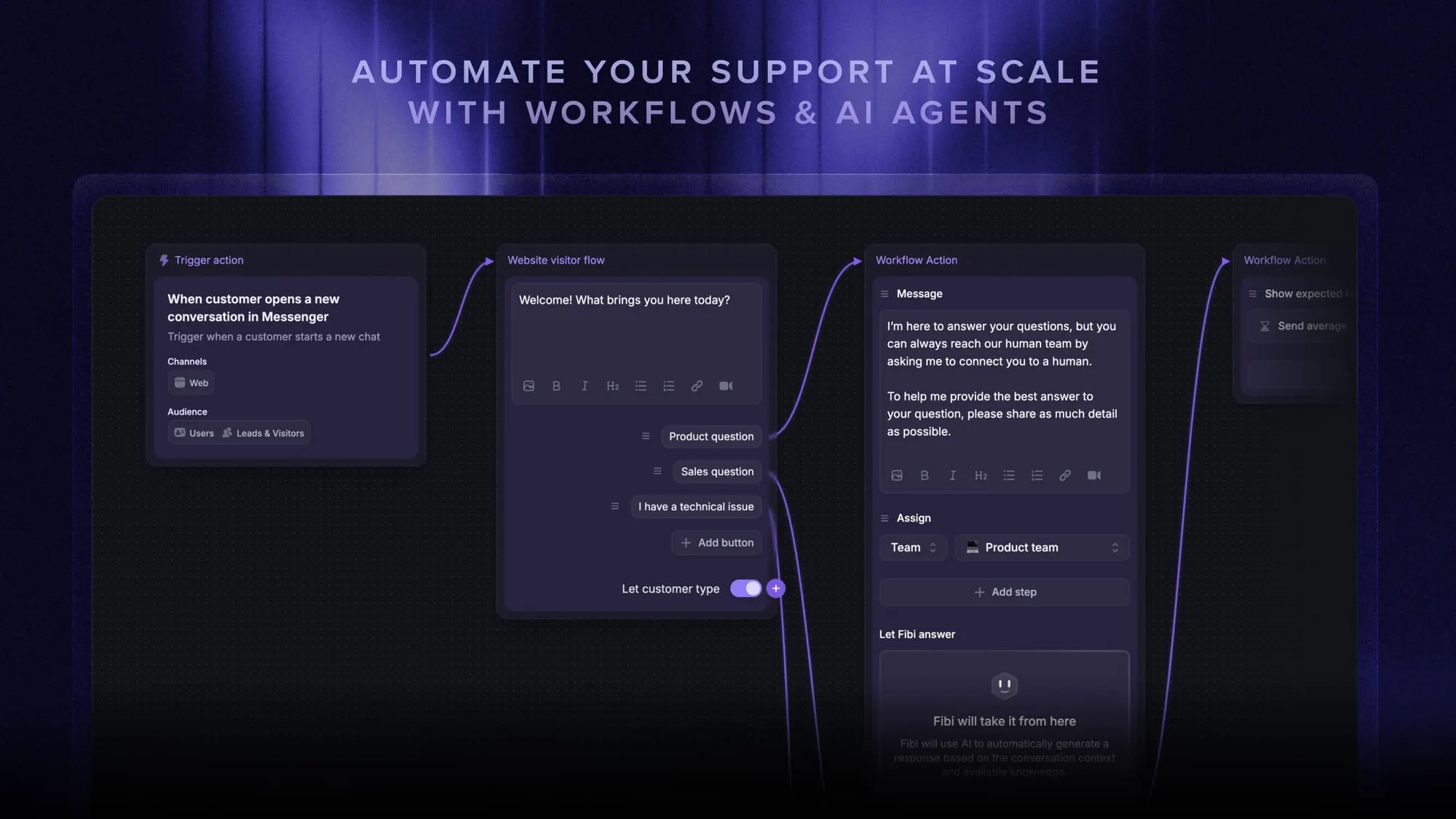
Featurebase is a modern AI customer support platform for product-led SaaS (👋 that's us). It combines an AI-powered omnichannel inbox, help center, and feedback management into a single platform, so your team gets Freshdesk-level power and Help Scout-level simplicity in the same workspace. It's loved by thousands of support teams at companies like Lovable, Raycast, and n8n. 💫
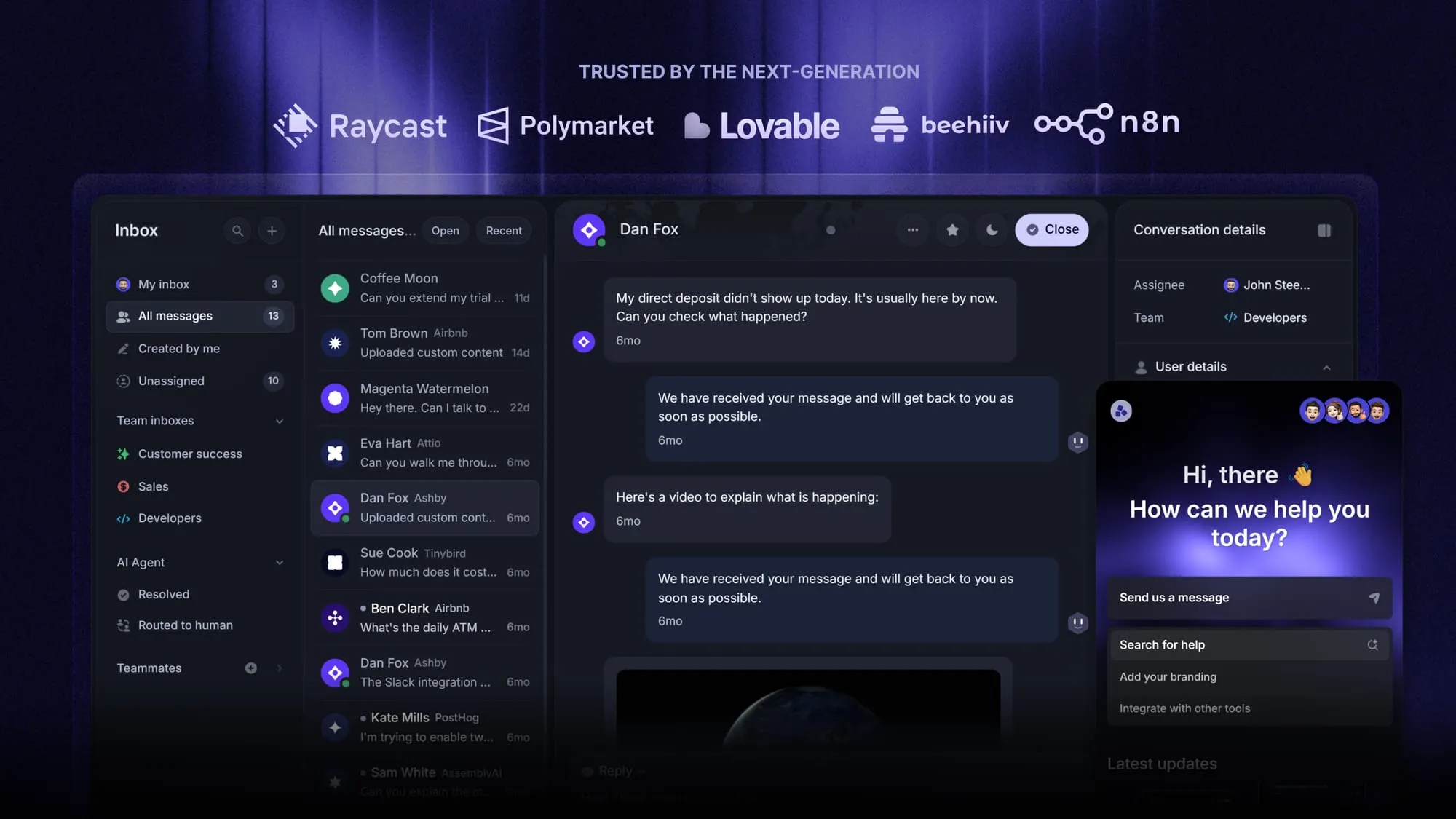
Top features:
- Omnichannel inbox – Manage live chat, email, and Slack conversations from one AI-powered view
- Fibi AI Agent – Resolve customer issues on autopilot & run custom actions like trial extensions and refunds
- Help center with AI search – Provide instant, multilingual self-serve answers trained on your content
- Workflows & automations – Auto-assign tickets, route conversations, collect customer data, and more
- AI Copilot – Help your agents answer customers faster with AI Copilot that uses your internal knowledge
- Service Level Agreements – Track SLAs to make sure your team responds to customers on time, every time
- Feedback & roadmap tools – Collect feature requests and close the loop with updates
- Integrations – Connects with Slack, Linear, Jira, HubSpot, and more
Pricing: Free plan available with unlimited conversations. Paid plans start at $29/seat/month with $0.29 per AI resolution (the lowest AI resolution cost in the industry and a fraction of what Freshdesk and Help Scout charge).
Unlike Freshdesk and Help Scout, Featurebase has a Free plan with unlimited conversations. Setup takes minutes and doesn't require a credit card, so there's no downside to trying it. 👇
Switch from Freshdesk & Help Scout and get the fastest AI-powered support platform