Zendesk vs Help Scout (2026 Comparison)
Zendesk or Help Scout? One’s a feature-packed powerhouse, the other’s built for simplicity - but both can be expensive, clunky, or missing what you need. In this guide, we compare them side-by-side and share a modern alternative that might just be the better fit.


On this page
Looking for a modern & affordable alternative to Zendesk and Help Scout? Check out Featurebase
Zendesk and Help Scout help businesses manage customer inquiries across channels like email, live chat, and self-service knowledge bases.
Zendesk is known for its vast array of support tools, and it's popular with large teams and enterprises. Help Scout is a simple, intuitive help desk with a focus on smaller teams and a friendly shared inbox approach.
In this comparison, we’ll break down how Zendesk and Help Scout stack up in terms of features, integrations, ease of use, pricing, support, and more – all with the latest info as of 2026.👇
Zendesk vs Help Scout for customer service teams: a quick comparison
Here’s a high-level comparison of Zendesk vs Help Scout in 2025 to help you choose the right customer service platform for your business:
| Zendesk | Help Scout | |
|---|---|---|
| Ideal for | Large and enterprise teams needing deep customization and advanced workflows | Small to mid-sized businesses (SMBs) that need simplicity and low cost |
| Channels | Email, live chat, help center, social, plus phone & SMS support (built-in), and community forums | Email, live chat, help center, social |
| Ease of use | Powerful but complex; longer setup and a steeper learning curve for new teams. | Clean & intuitive UI; quick to set up with minimal training. |
| Automation | Robust triggers & macros for ticket routing and responses; SLA management and skill-based routing on higher tiers. | Workflows for automation of repetitive tasks. Includes saved replies for FAQs. Basic AI features. |
| Knowledge base | Zendesk Guide knowledge base for self-service. Multilingual support and theming are available. | Docs knowledge base is included in all plans. Simple no-code article editor with categories/collections. |
| Integrations | ~2,000+ integrations via the Zendesk Marketplace (Slack, Salesforce, Shopify, etc.) | ~100+ integrations covering most common tools (Slack, HubSpot, Jira, Shopify, Aircall, etc.) |
| Starting Price | Support-only plan from $19/agent (email & basic channels). | Free plan (up to 100 contacts/month). Standard plan from $25/month (100 contacts/month). |
All in all, Zendesk can feel a bit outdated and slow for modern startups, while Help Scout can get very expensive with the end-user-based pricing and lacks crucial features.
If you're after a more powerful alternative, check out Featurebase (👋 that's us). We're a modern & affordable alternative to Zendesk and Help Scout - but we’ll stay unbiased in this comparison, promise.
Feature comparison
Both Zendesk and Help Scout cover the core features you’d expect in a customer support platform. However, they each have their own strengths and focus areas. Let's get into it!
1. Live chat
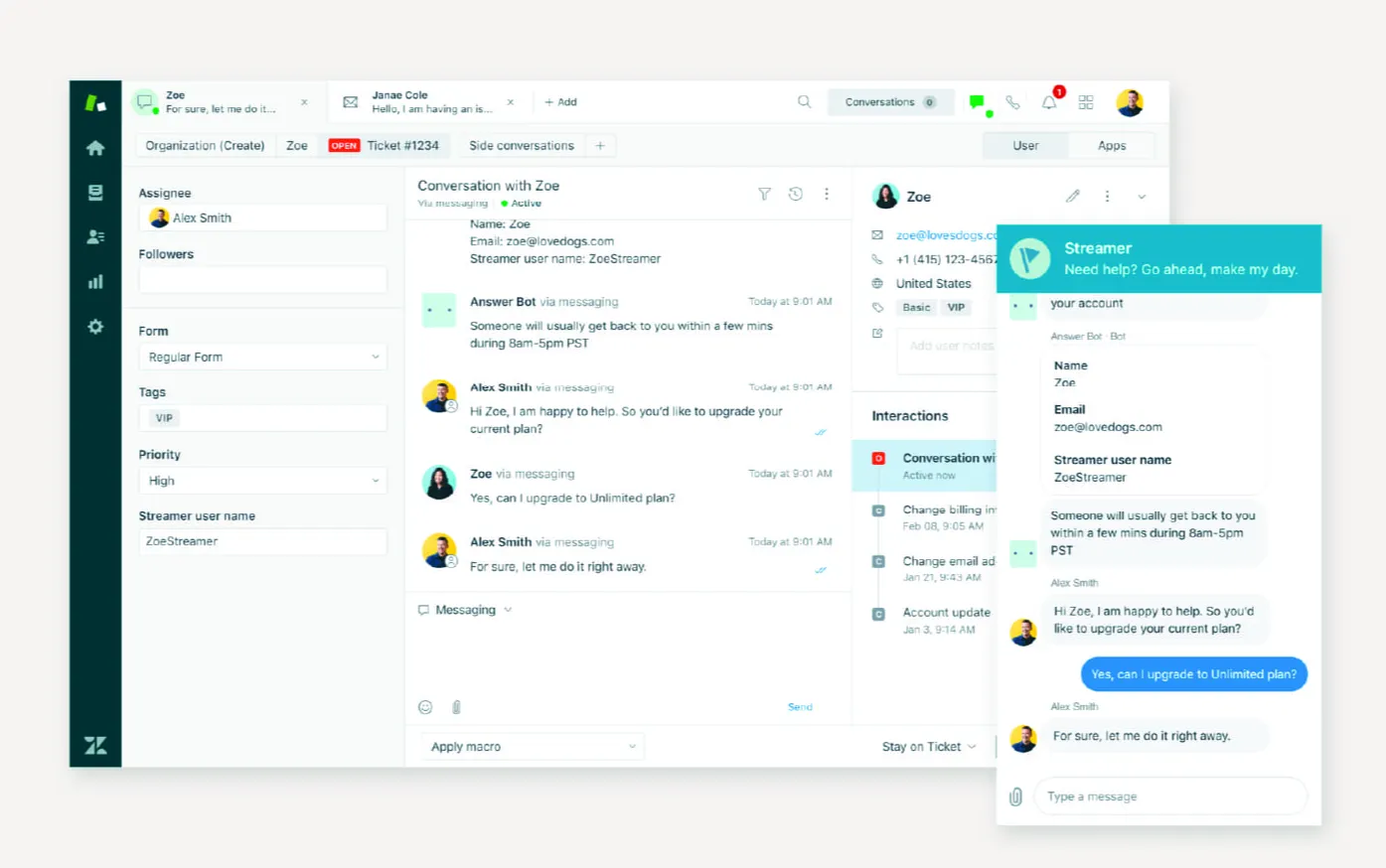
Zendesk has excellent live chat capabilities as part of its Suite. Through the Zendesk web widget and mobile SDK, support teams can engage website or in-app visitors in real time.
Agents use Zendesk’s unified Agent Workspace to manage chats alongside emails and other channels. Zendesk chat supports features like proactive triggers and can hand off to AI bots to help answer common questions.
However, live chat is only included starting on the Suite plans (the $55/agent/mo tier and above) – the basic Support-only plan does not include a live chat tool.
For teams that have chat enabled, Zendesk offers a mature, feature-rich live chat solution with agent routing, chat transcripts, and integration with its ticketing (chats can create support tickets for follow-up).
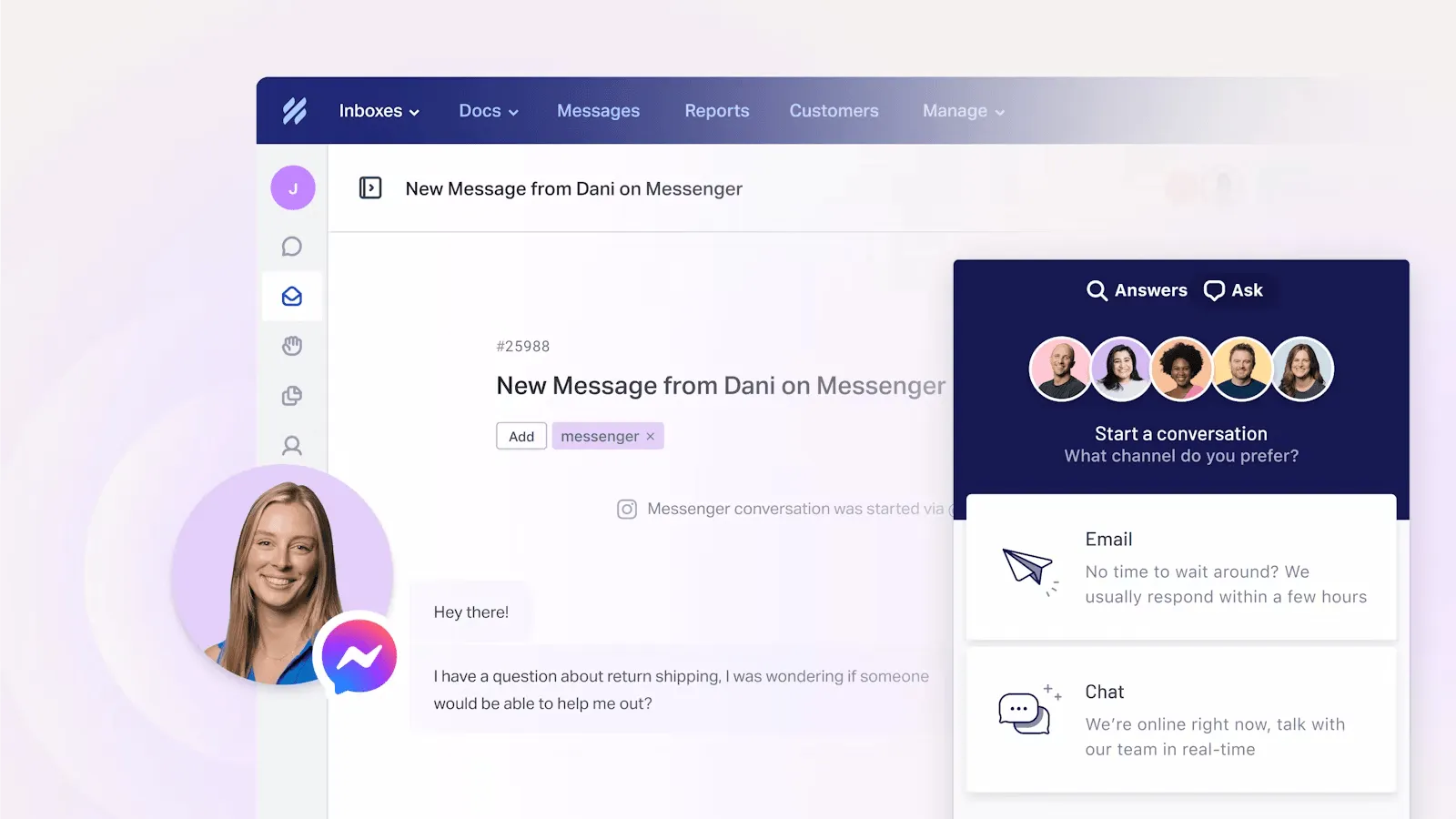
Help Scout approaches live chat through its Beacon widget. This is a combined chat and self-service widget that you can embed on your site or app.
Beacon allows real-time live chat with visitors and also cleverly suggests help articles based on the page context. You can configure Beacon in modes like Self-Service (articles only) or Ask First (prompt users to search docs before starting a chat), which helps deflect simple questions.
Help Scout’s live chat is simpler than Zendesk’s. It’s tightly integrated with the shared inbox, so chats come in just like emails for your team to answer. There’s no separate agent interface to learn for chat.
Help Scout includes one Beacon (chat widget) even on the free and Standard plans, making live chat accessible without a hefty price tag.
All in all, Help Scout’s chat is purely web-based messaging (no built-in voice/video). It’s great for simple real-time support with a personal touch, but might lack some of the advanced chat routing and bot automation that Zendesk can offer via its higher-tier add-ons.
2. Automation
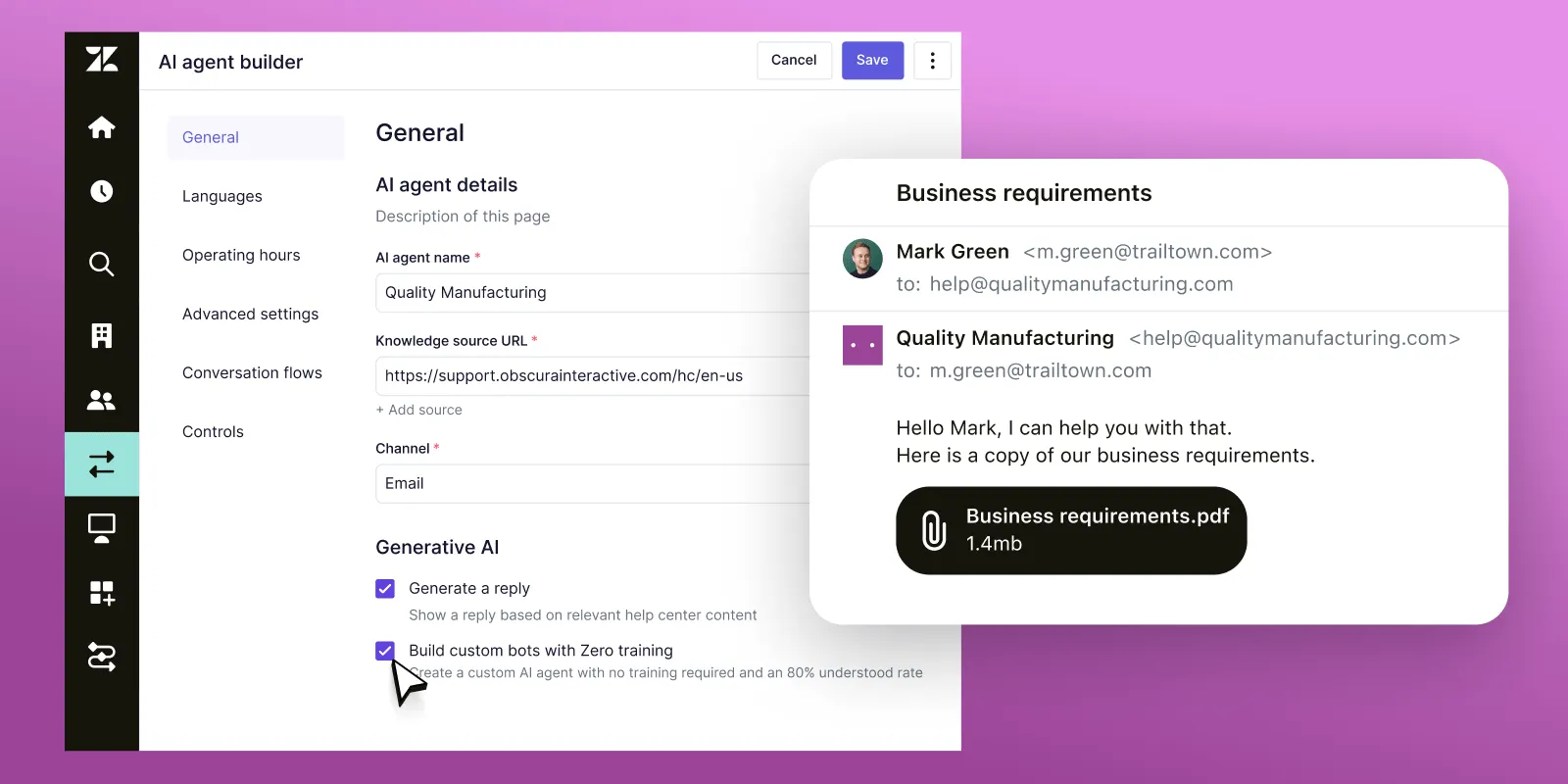
Zendesk is a customer support platform designed with automation in mind.
It provides powerful trigger-based actions and macros that let you automate just about any support workflow. For example, you can set up triggers that fire when a ticket meets certain conditions (like a new ticket from a VIP customer, or no agent response in X hours) to assign it, send an email notification, or update fields.
Macros in Zendesk allow agents to insert pre-made responses or perform multi-step ticket updates with one click, saving time on repetitive inquiries. On higher plans, Zendesk supports service level agreements (SLAs) – you can define response time targets and have the system flag or escalate tickets if SLAs are breached.
Zendesk’s workflow features go even further with things like skills-based routing (matching tickets to agents with certain skills) and omnichannel routing to balance workloads.
In 2025, Zendesk has also rolled out AI-powered automation: Zendesk AI bots (Answers) that attempt to resolve common questions, and a Copilot tool for AI-suggested ticket replies – but these require additional paid add-ons or higher-tier plans.
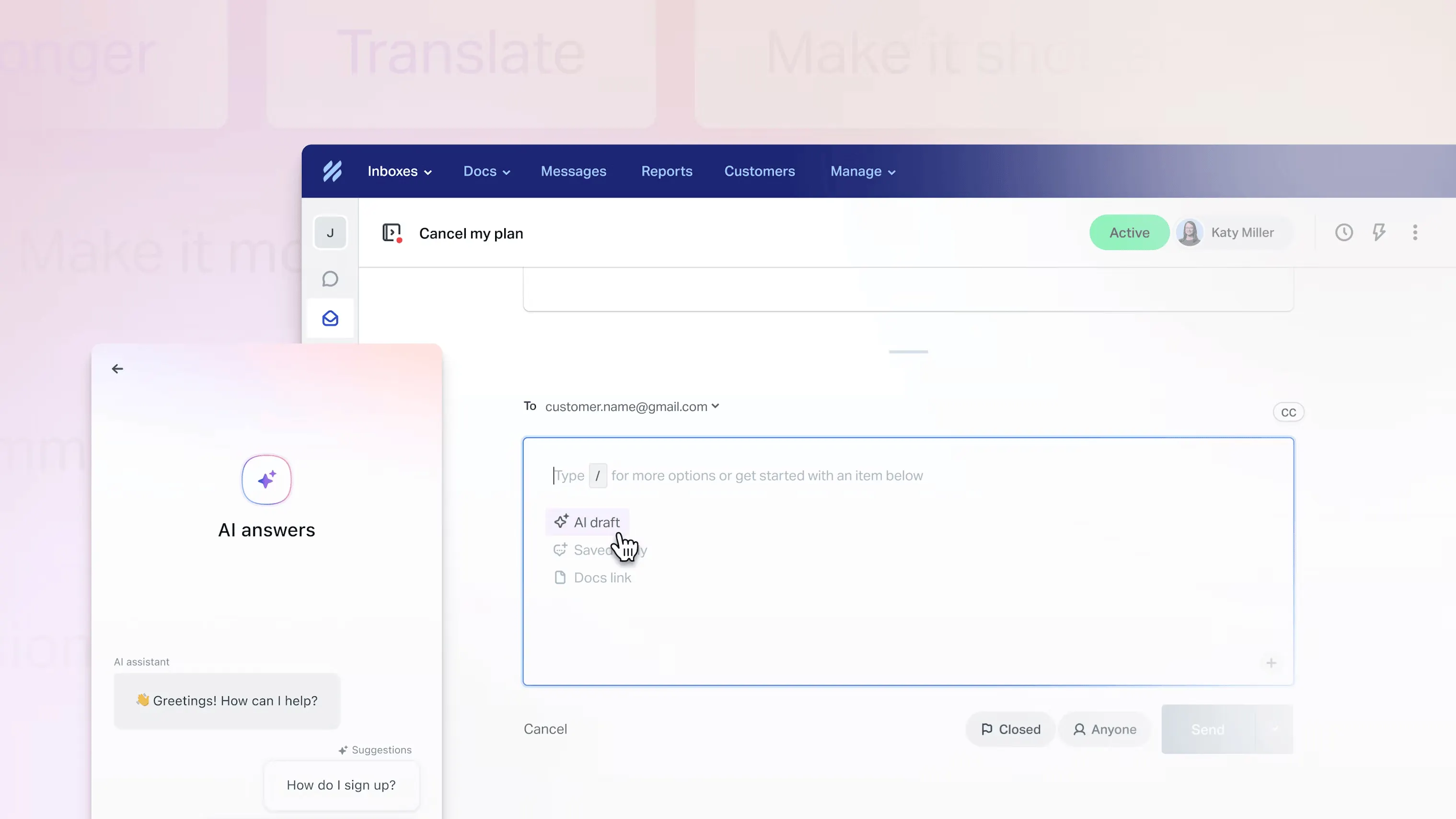
Help Scout offers a more basic but very user-friendly set of automation features. Its core automation is handled through Workflows, which are rules you can set up to automatically organize, assign, or escalate conversations based on conditions you define (similar to triggers, but with a simpler interface).
These features cover most day-to-day needs for small teams. Help Scout has been introducing new AI enhancements too – as of 2025, all plans include AI features like “AI Answers” (an automated chatbot using your knowledge base), “AI Drafts” (suggested reply drafts for agents), and AI tools to summarize long conversations.
The key difference is that Help Scout includes these AI tools at no extra charge in every plan, even free, whereas Zendesk’s AI functions often cost extra.
In short, Help Scout’s automation is simple and effective for common workflows, but it may not have the extreme depth of customization that Zendesk provides (e.g. no native SLA timers or skill-based routing in Help Scout). Many small businesses find Help Scout’s lighter automation actually easier to manage, since Zendesk’s flexibility can also mean complexity.
3. Help centers
A strong self-service knowledge base (help center) can reduce the load on your support team by letting customers find answers on their own. Both Zendesk and Help Scout enable this, but with different packaging.
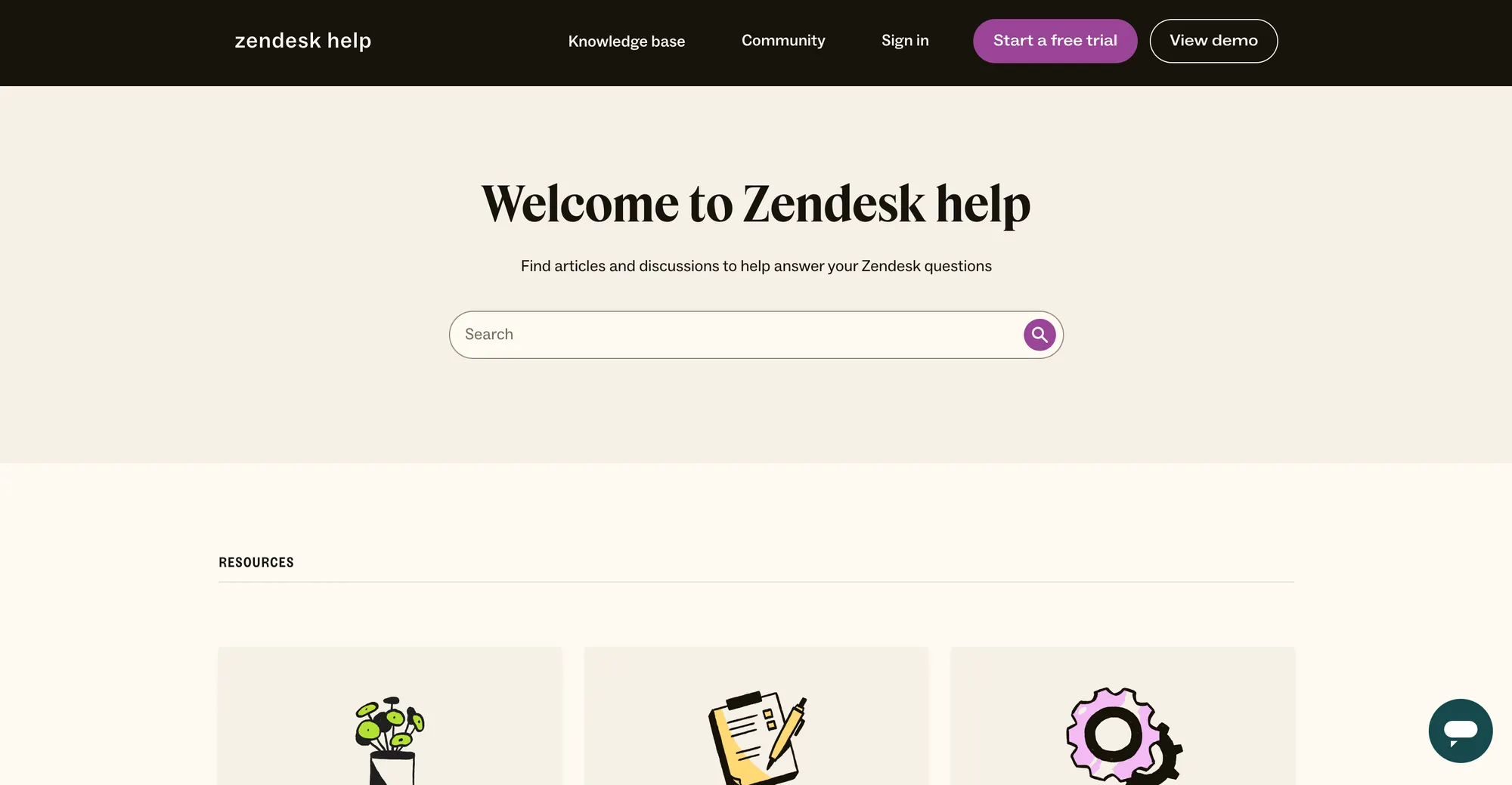
Zendesk includes its knowledge base product (previously Zendesk Guide) in the Suite plans (starting from Suite Team at $55/agent).
This help center is quite feature-rich. You can create articles, organize them into categories/sections, customize the design and layout, and more.
Zendesk’s knowledge base supports powerful search and AI suggestions – for instance, agents can get AI-recommended articles to send to customers, and customers searching the help center might get context-aware article suggestions.
Zendesk also supports multi-lingual knowledge base content out of the box (useful for global companies). For collaborative content management, higher tiers offer article versioning, team publishing workflows with approvals, and content cues that identify outdated articles.
Notably, Zendesk is one of the few that offers community forums as part of its self-service suite (available on Professional $115+/agent plans) – this lets your customers post questions or ideas and interact with each other.
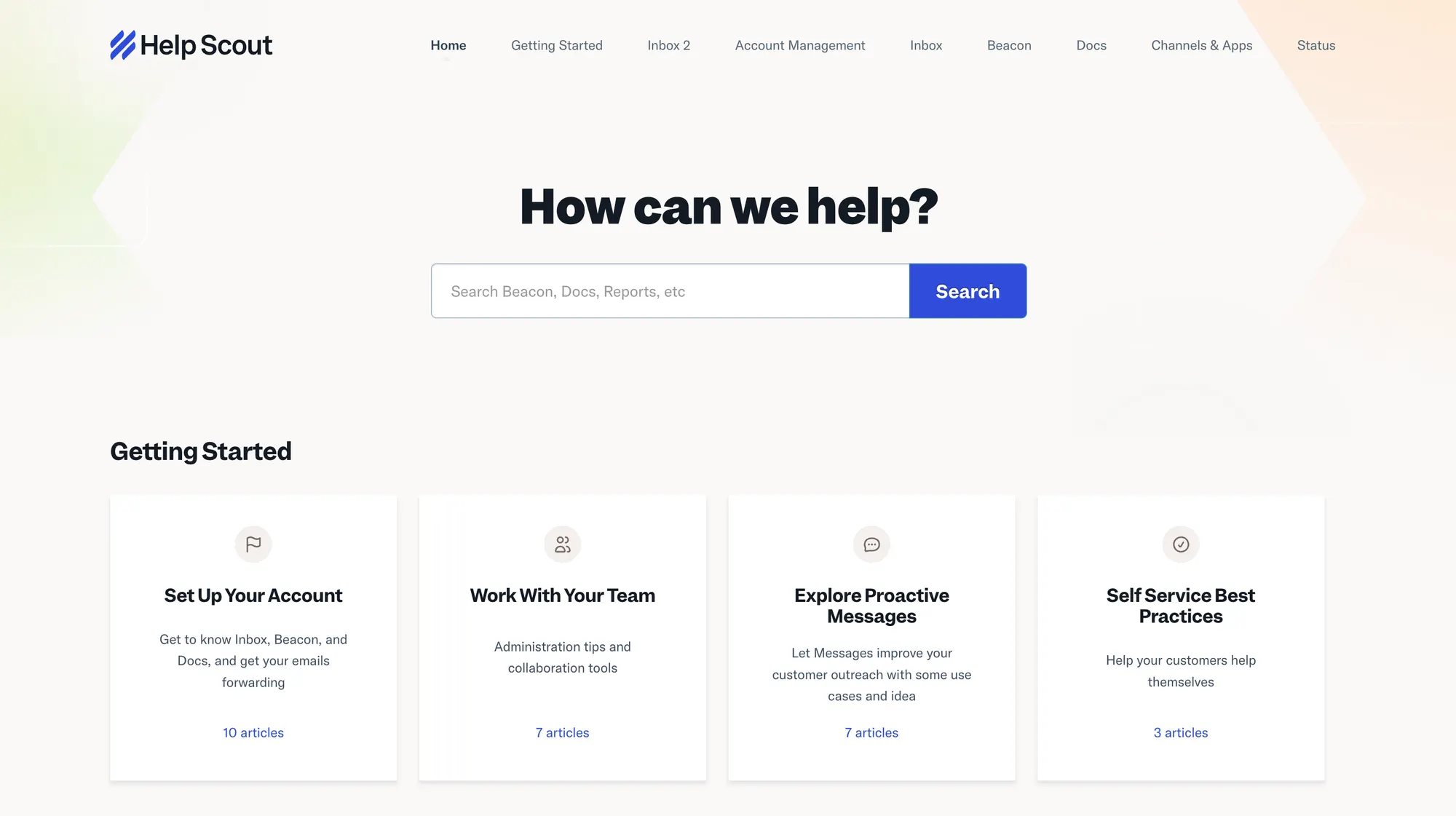
Help Scout’s knowledge base feature is called Docs, and it’s included with every plan (even the free tier). Help Scout’s approach to self-service is focused on being simple and accessible.
You can create an attractive help center site where articles are organized in collections (categories) and are fully searchable. The editor is straightforward, allowing text, images, videos, and basic formatting – enough for most how-to guides or FAQs.
In short, for a straightforward, always-available knowledge base, Help Scout delivers everything most small teams need, at a fraction of Zendesk’s cost, since even the free plan gives you one Docs site.
Integrations
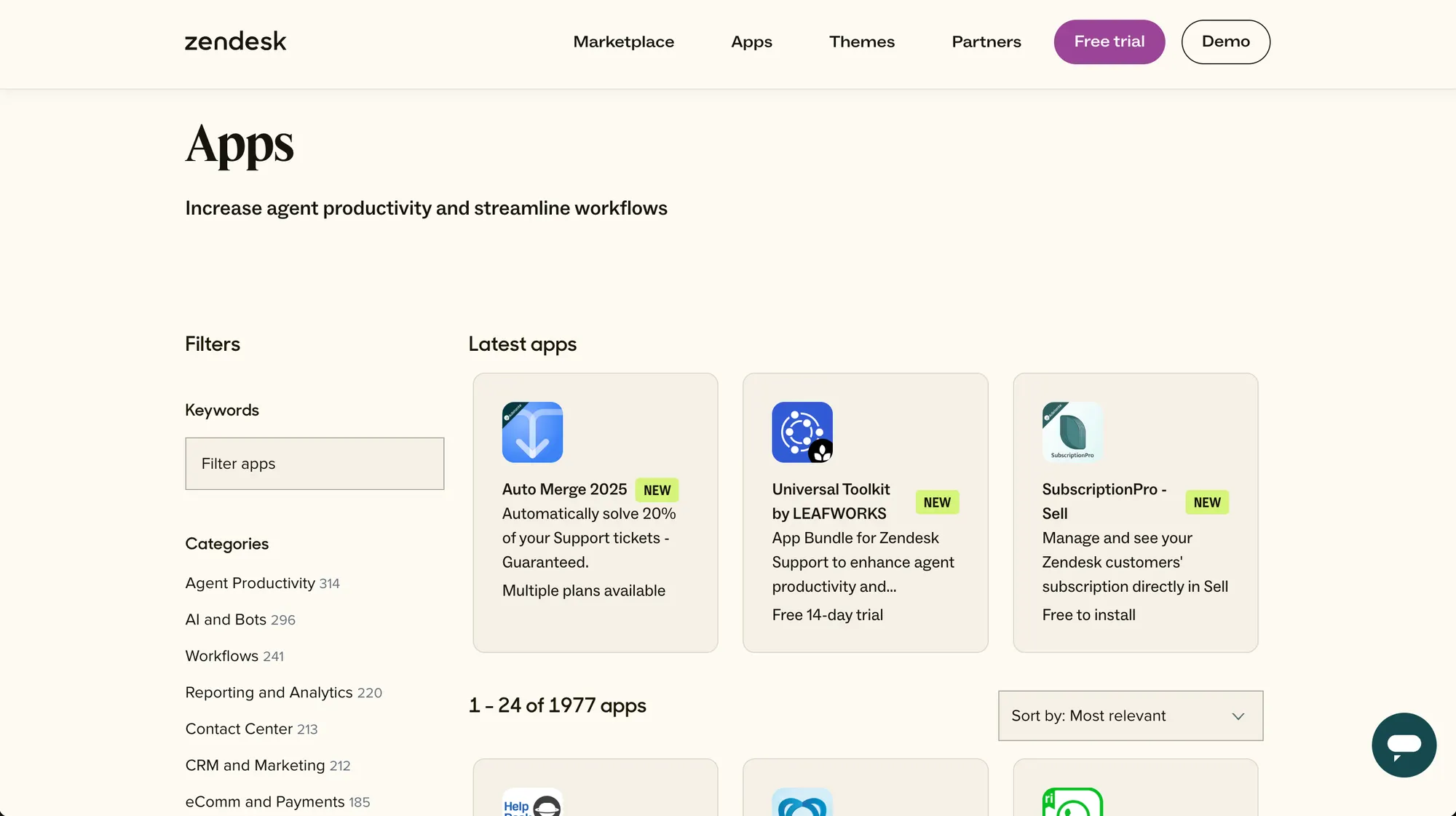
Zendesk has a massive marketplace of integrations and apps (nearly 1,200 apps) covering everything from CRMs to eCommerce to productivity tools. For example, you’ll find plugins for Salesforce, HubSpot, Shopify, Slack, Jira, Trello, Google Analytics, and much more.
This means if you have an existing tech stack, there’s a good chance Zendesk already has a pre-built integration or API connector to tie in. Zendesk also has an open API, so larger organizations often build custom integrations as needed.
Help Scout takes a more streamlined approach, offering around 100+ integrations. It covers the major categories that most small and mid-sized teams use.
In day-to-day terms, Help Scout can nicely plug into your workflow. For example, you can see Shopify order details right inside a Help Scout ticket, or automatically create a GitHub issue from a conversation. The essential integrations are there, but the long tail of niche apps is smaller than Zendesk’s.
Ease of use and setup
One of the biggest differentiators between Zendesk and Help Scout is how easy (or hard) they are to implement and use daily. In general, Help Scout gets praise for its simplicity, while Zendesk is powerful but can be complex.
Help Scout is often lauded as being very user-friendly. Its interface is clean, minimal, and feels similar to an email inbox (in fact, many have noted it feels like using Gmail, which shortens the learning curve). Agents can jump in and start responding to emails or chats without spending months learning how to use every customer management feature.
Zendesk, in contrast, comes with a steeper learning curve. Because this customer support software offers so many features and configurable options, setting it up properly can take significant time.
In fact, one Zendesk implementation partner estimates it takes a minimum of 4 weeks to implement Zendesk, plus an extra week for every 10 agents on your team for training. Many small companies find that daunting.
Compared to Help Scout, Zendesk demands more time and effort to learn. Some users complain that even finding the right documentation for Zendesk is tricky, as the product’s terminology and options can be overwhelming for beginners.
Help Scout is built to be simple, which means fewer bells and whistles to wade through. Zendesk demands more time and effort to learn, but is also more powerful. Some users complain that even finding the right documentation for Zendesk is tricky, as the product’s terminology and options can be overwhelming for beginners.
Pricing
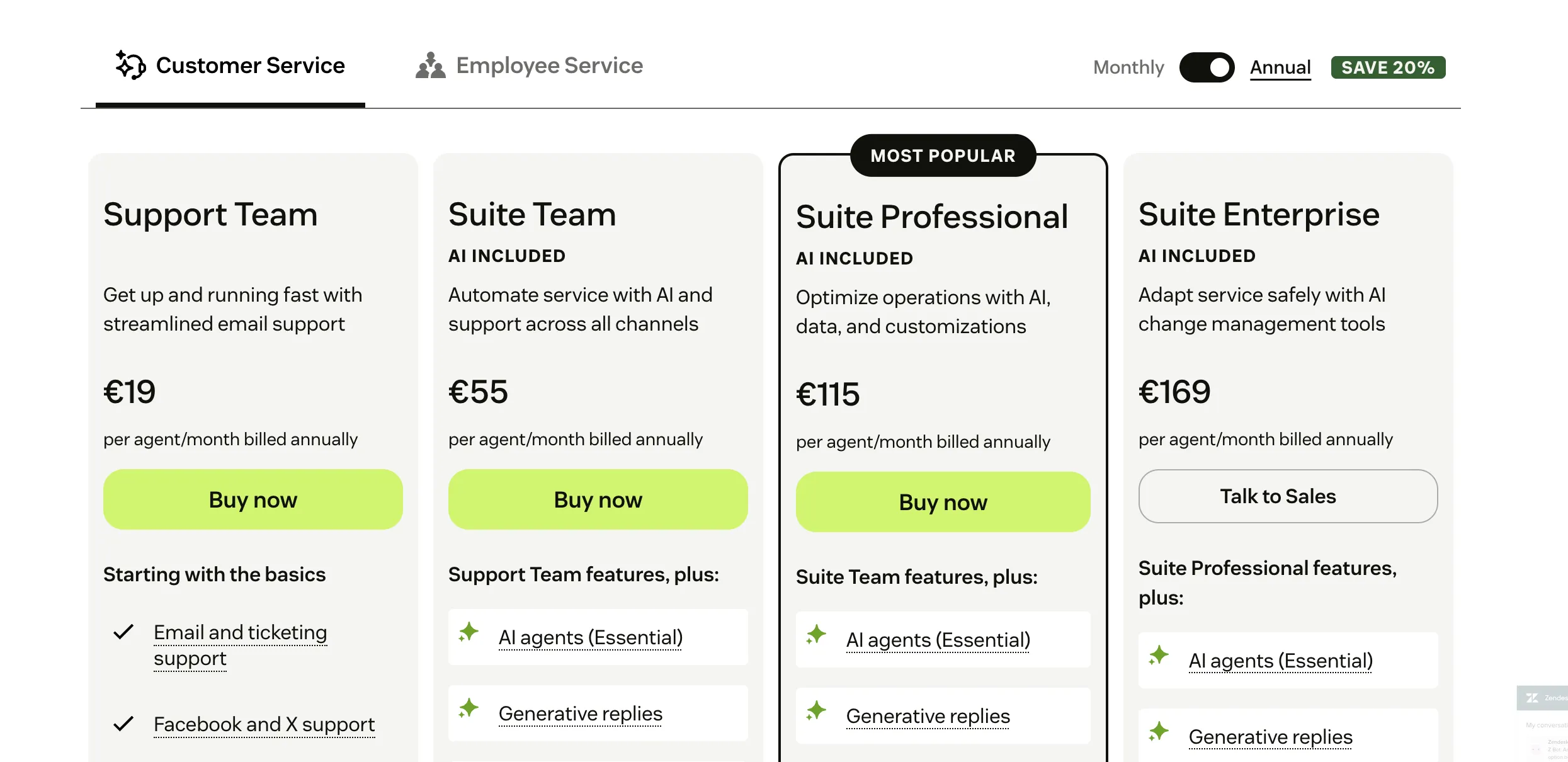
Zendesk’s pricing model is per-agent (per seat), with multiple plan tiers. For customer support, Zendesk now emphasizes the Zendesk Suite plans, which bundle tickets, chat, knowledge base, etc. Key plans include:
- Suite Team – Starting at $55/agent per month (billed annually). This is the entry omnichannel plan that includes email, chat, social messaging, voice, and a help center. It’s good for small teams that need multi-channel support. (Monthly billing is higher, around $69/agent).
- Suite Growth – Starting at $89/agent per month (annually). Adds more features like a self-service portal with AI suggestions, more automation, light agents, and additional channels for customer engagement.
- Suite Professional – Starting at $115/agent per month (annually). Adds community forums, advanced reporting (Explore custom reports), SLAs, and more sophisticated workflow features.
- Suite Enterprise – Custom pricing (typically $169+/agent), for large enterprises with advanced security, roles, and customizations to streamline customer support.
Zendesk’s pricing can also increase with add-ons. For instance, if you want AI bots resolving tickets, that might add a fee per resolution or require the AI add-on (~$50/agent for advanced AI).
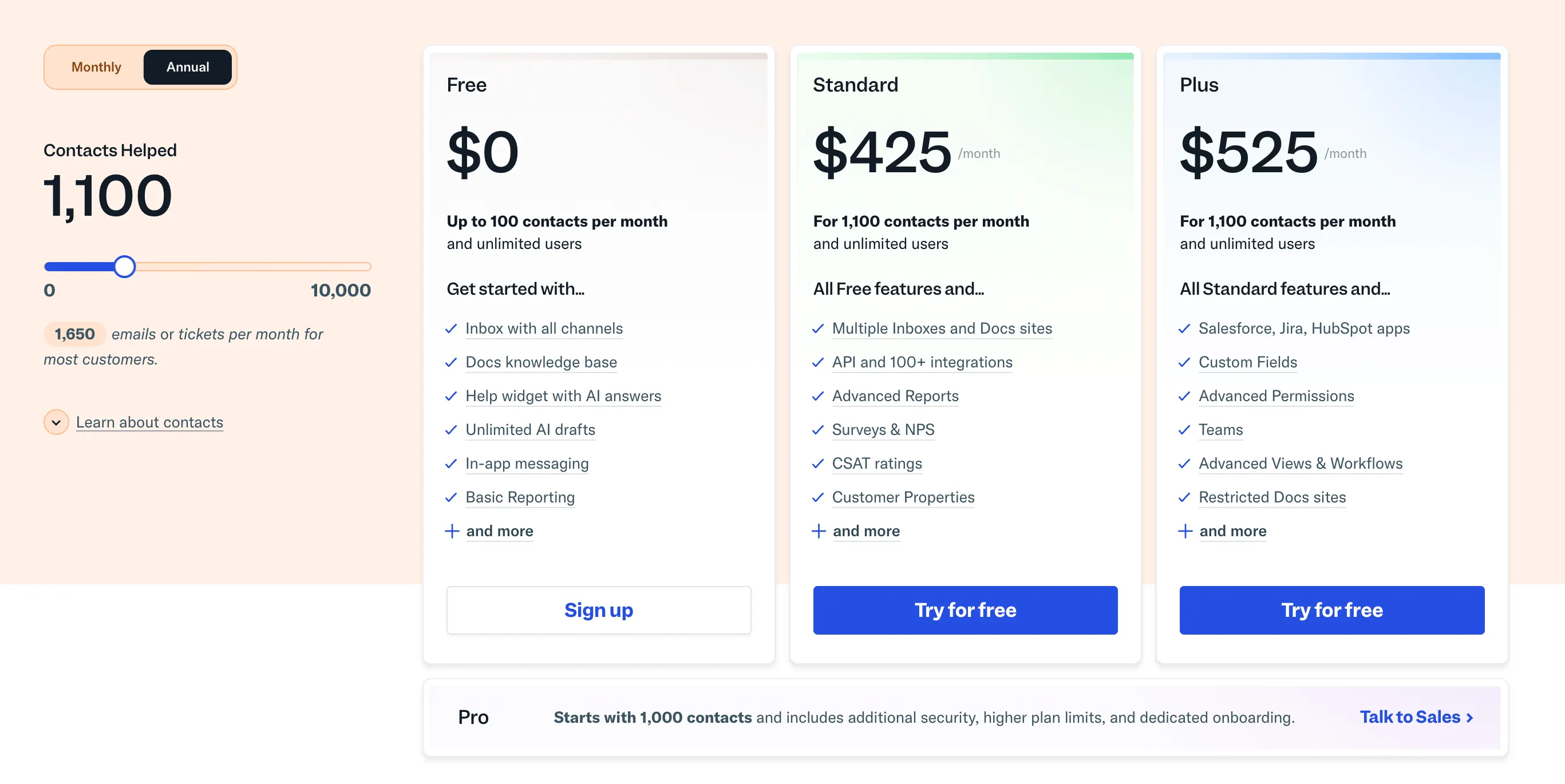
Help Scout moved to a contact-based pricing model in 2023, which is quite different. All plans allow unlimited support agents; you pay based on the number of unique customers (contacts) you support each month. The plans are:
- Free – $0 for up to 100 contacts per month. This includes 1 mailbox, 1 chat Beacon, 1 Docs site, and basic features. It’s a generous free plan for small startups or trial use.
- Standard – Starting at $25/month for up to 100 contacts/month. This is the base paid plan; you can add contacts in blocks (e.g., up to 1,000 contacts for a higher monthly fee). It includes all core channels (email, chat, docs, three mailboxes, etc.) and integrations. Importantly, unlimited users can be added to your Help Scout account at no extra charge – you’re only paying for the contacts.
- Plus – Starting at $75/month for up to 200 contacts/month (and higher tiers for more contacts). This plan offers more, such as 10 mailboxes, multiple knowledge base sites, advanced reporting, and some deeper integrations (like Salesforce).
- Pro – Custom pricing for high volumes (for companies that have many contacts per month or need HIPAA compliance, etc.).
All Help Scout plans come with the full set of support channels (except phone/SMS, which are via integration). There’s also a 15-day free trial on any paid plan.
Zendesk is a bigger investment and can scale to enterprise levels (with enterprise pricing to match), while Help Scout offers a low entry cost and transparent plans oriented to SMBs. Just make sure to estimate your contact count with Help Scout’s model.
Use case fit
Both Zendesk and Help Scout are capable platforms, but they cater to different needs. Here’s a breakdown of which platform is a better fit depending on your situation:
- Choose Help Scout if you need simplicity and a tool that just gets the job done with minimal fuss. Teams that are small or medium-sized, or those without dedicated admins/IT support, will appreciate Help Scout’s intuitive, out-of-the-box setup.
- Choose Zendesk if you have a more complex operation or enterprise requirements. Larger businesses or rapidly scaling support teams will benefit from Zendesk’s depth.
What users say
Listening to real user feedback can illuminate the everyday pros and cons of Zendesk and Help Scout beyond the feature checklists. Here’s a summary of what users commonly praise or complain about for each, based on reviews from G2, Capterra, and other sources.
Help Scout enjoys high user satisfaction, with ratings around 4.4 out of 5 on G2 (400+ reviews) and 4.6/5 on Capterra. Users almost universally love its ease of use – many highlight how the interface “feels familiar” and that training new agents is quick.
One reviewer described Help Scout as “a good basic system...a great choice if you are looking for a ticket system”, emphasizing that it covers the essentials without overcomplicating things. The shared inbox approach and collaboration features like @mentions and “Traffic Cop” (collision detection) get positive mentions, since they prevent duplicate responses.
Customers also appreciate the quality of Help Scout’s customer support (as noted earlier) – knowing that when they have an issue, Help Scout’s team responds fast is a big plus. On the downside, some users note that Help Scout can be too basic for certain needs. Common gripes include limited customization of workflows and the absence of some advanced features.
Zendesk, with thousands of users, has a slightly lower average rating (around 4.3/5 on G2 with 5,000+ reviews, and 4.4/5 on Capterra).
Users often praise Zendesk’s rich feature set – they like that “you can do almost anything” in terms of support: handle any channel, set up complex automation, integrate with lots of apps, etc, all with excellent team performance One customer’s feedback summed up Zendesk’s appeal: “Ease of use, implementation, and integration with a great variety of possibilities.”
On the negative side, the most common theme is the complexity and learning curve. Small companies and new admins often feel overwhelmed by the configuration process. There are many comments about the UI not being very intuitive until you get used to it, and that initial setup is burdensome.
Some users also complain about the cost, saying that by the time they add the features they want, Zendesk becomes expensive compared to alternatives. Support from Zendesk (or lack thereof) is another point that comes up, as we discussed. Despite these issues, Zendesk users who stick with it often become power users and advocates because it tangibly scales their support.
Overall, users say Zendesk is incredibly powerful, but you have to invest time to harness that power in your customer support process.
Conclusion: Help Scout outranks Zendesk in areas like ease of setup, ease of admin, and quality of support, whereas Zendesk shines on breadth of features, multi-channel capabilities, and customizability.
Final verdict
The “better” choice truly depends on your company’s needs and priorities and how these tools fit into your customer support operations. There isn’t a one-size-fits-all answer, but here’s a concise verdict:
- Zendesk is like the enterprise Swiss Army knife of support platforms – it has a tool for everything, but you might not need all of them. It’s the better choice if you require a highly scalable solution with advanced features.
- Help Scout is the friendly, no-frills solution that covers all the core support channels (email, chat, self-service) in a way that’s easy to adopt while managing customer support. It’s fantastic for smaller teams or any group that wants to get started quickly and focus on helping customers rather than configuring software.
However, both have drawbacks, including very high and complex pricing, as well as a bit outdated interfaces. If neither feels quite right, we've got just what you need! 👇
Try Featurebase, the better alternative to Zendesk and Help Scout! ✨
If Help Scout is too basic and Zendesk is too expensive, check out Featurebase, a modern support platform that blends the best of both worlds.
It’s loved by thousands of fast-growing teams from companies like Lovabale, Polymarket, and Instantly.
With pricing starting from just $29 per user per month (+$0.29 per AI resolution), it costs a fraction of Zendesk, Help Scout, and most other support platforms.
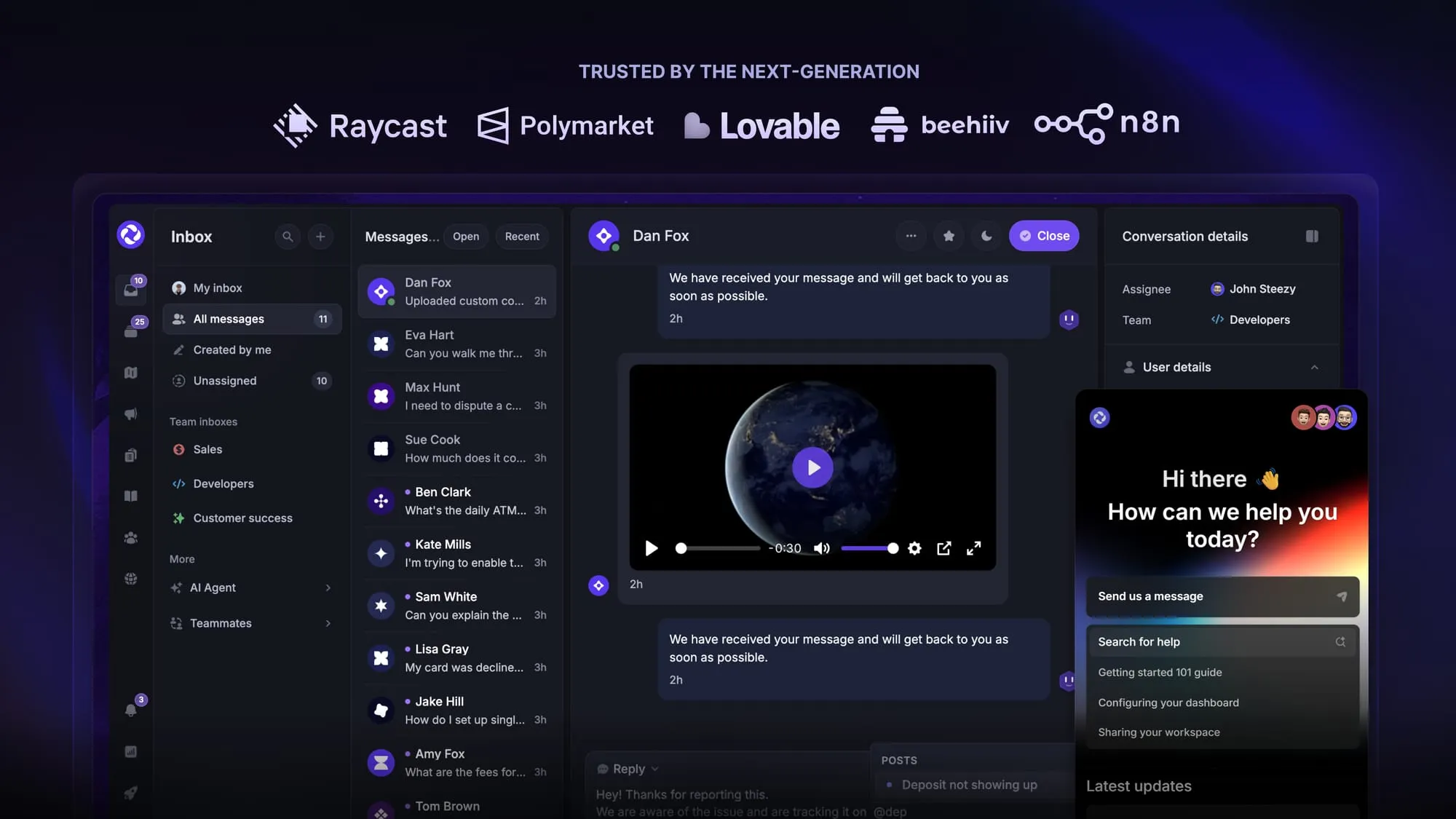
Some of the many Featurebase features include:
- Unified inbox – manage your live chat & email conversations in one place with your whole team
- AI agent & automations – fully automate your support with AI and endless custom workflows, like extending trials, offering discounts, qualifying leads, etc.
- Messenger widget – provide AI and human support from anywhere with a customizable in-app widget
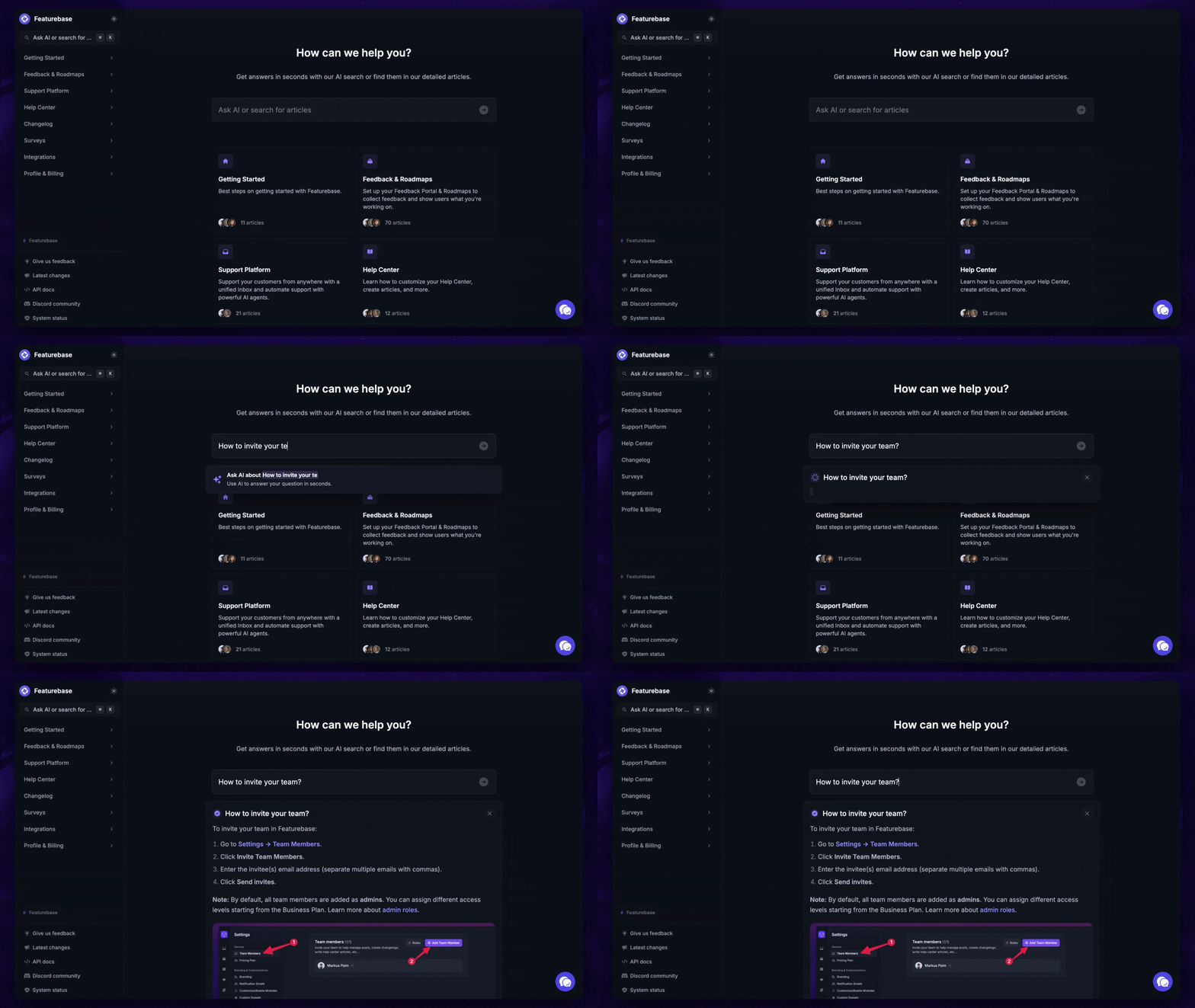
- Help Center – a branded knowledge base with instant AI answers
- Email support – Seamlessly provide support to your customers via email sync
- Native ticketing – Centralize & keep track of all customer requests in one place
- Multi-language & custom domain support – serve content in 40+ languages with your domain and branding
- Integrations – Slack, Linear, Jira, Discord, Hubspot, and many more
- Plus, feedback collection, product roadmaps, release notes, and customer surveys – all in one place
Long story short, Featurebase gives you all the modern UI of Help Scout and powerful features of Zendesk, but without the super expensive pricing. Don't just take our word for it. You can try Featurebase completely free and see for yourself.
The onboarding is quick and doesn't require a credit card. Plus, you can automatically import your Zendesk knowledge base with one click - so there’s zero risk involved. 👇
Automate your support with the fastest AI-enhanced Inbox today
More comparisons:
- Best Zendesk alternatives
- Zendesk vs Featurebase
- Zendesk vs Intercom
- Zendesk vs HubSpot
- Zendesk vs Jira
- Zendesk vs Crisp
- Zendesk vs Freshdesk
- Zendesk vs Salesforce
- Zendesk vs Zoho
- Zendesk vs Kayako
- Zendesk vs Tidio
- Zendesk vs Happyfox
- Zendesk vs Freshdesk vs Zoho
- Best Help Scout alternatives
- Help Scout vs Intercom
- Help Scout vs Featurebase


