Blog ComparisonsHubSpot vs Intercom (Fin): Detailed 2026 Comparison
HubSpot vs Intercom (Fin): Detailed 2026 Comparison
HubSpot vs Intercom (now Fin) in 2026: we break down features, AI agents, and the new outcome-based pricing to help you pick the right support tool.



✨ Looking for a modern & powerful alternative to HubSpot and Intercom? Check out Featurebase →
One is a customer relationship management platform, and the other is a dedicated customer support solution. If you're looking at choosing between HubSpot and Intercom, this typically means that:
- You don't have a CRM or a dedicated customer portal and you want to kill two birds with one stone
- You need something that can handle sales, marketing and customer interactions, all in one place
- Your small business is growing, and you want to ensure high customer satisfaction across touchpoints
Today, we're comparing HubSpot vs Intercom side by side to help you find out which one is better for your needs. We'll go over features, pros and cons, ease of use, pricing plans, and more to save your time and help you make a more educated decision. 👇
TL;DR HubSpot vs Intercom - which is better?
- HubSpot Service Hub connects directly with HubSpot CRM. This gives you ticketing, SLAs, reporting, feedback surveys, and knowledge bases with full customer context. Great news if you already use the CRM, not so much if you don't.
- Intercom focuses on conversational support with live chat, in-app messaging, AI bots, and proactive outreach, making it strong for real-time engagement. Note that Intercom rebranded to Fin in 2026 and is being acquired by Salesforce, though the product you buy today still works the same way.
- Pricing: HubSpot offers a free plan and starts at $20 per seat/month, while Intercom (Fin) starts at $29 per seat/month plus outcome-based AI fees.
- AI pricing: Both platforms now charge for AI by outcome. HubSpot's Breeze customer agent costs $0.50 per resolved conversation, and Fin costs $0.99 per outcome.
- Ease of use: Intercom is quicker to set up but things get complicated as you add more features. HubSpot takes longer to configure but integrates smoothly if you already use HubSpot's ecosystem.
- Best for: HubSpot is better for teams that want structured support tied to CRM data. Intercom (Fin) is built for businesses that need chat-driven, conversational support.
All in all, both can get very expensive and feel outdated for fast-growing startups.
If you're after a more powerful alternative, check out Featurebase (👋 that's us). We're a modern & affordable alternative to Intercom and HubSpot - but we’ll stay unbiased in this comparison, promise.
HubSpot vs Intercom: Core features
At their foundation, the tools are completely different. HubSpot is a CRM, but the HubSpot Service Hub offers solid customer communication features. Meanwhile, Intercom is a dedicated customer support tool from the start.
HubSpot Service Hub
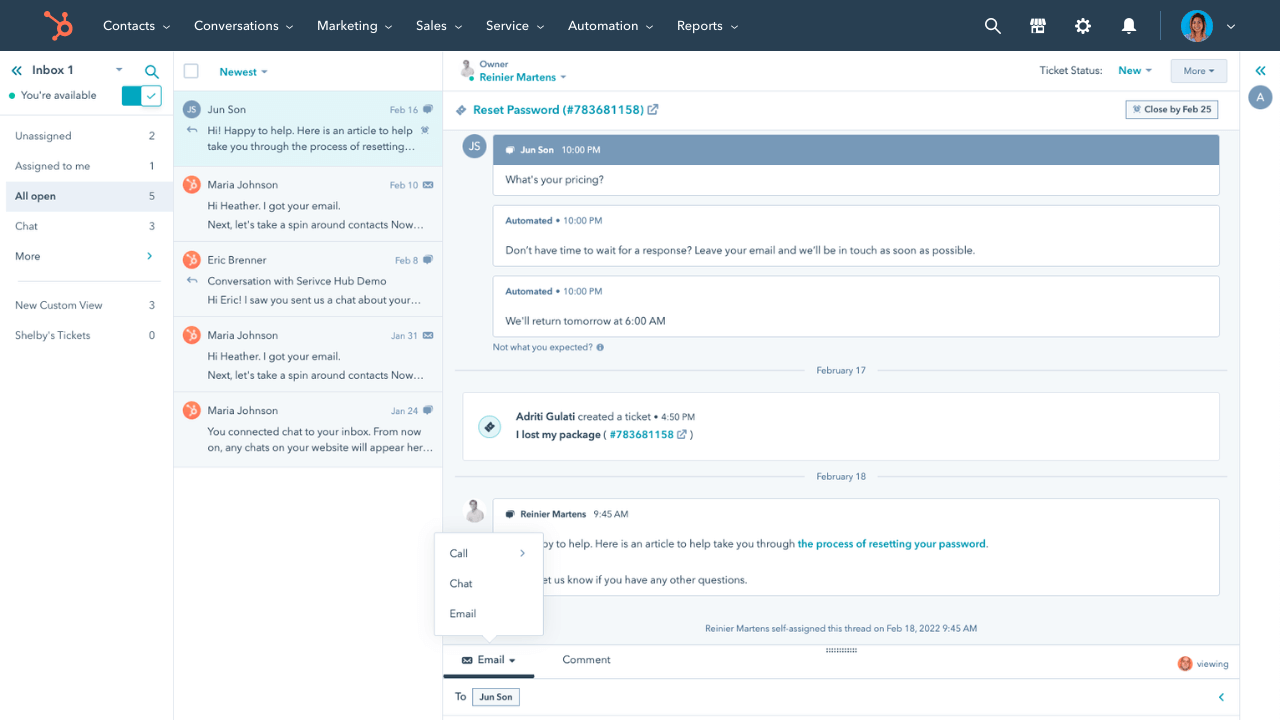
HubSpot Service Hub gives you a unified system to handle tickets, feedback, and customer relationships, especially if you also use HubSpot’s CRM, Marketing, or Sales tools.
Some of its strongest features include:
- Ticketing & universal inbox that pulls in support requests across email, chat, web forms, and other channels into one dashboard so agents can see the full conversation history.
- Knowledge base & self-service tools to help customers find answers on their own. These come with multilingual support, article suggestions, and auto-filling content gaps.
- Customer feedback tools, including NPS, CSAT, and surveys, so you get direct data on satisfaction and experience.
- Automation & routing capabilities: workflows, ticket assignment, escalation, SLA management and others for varied customer engagement strategies and marketing automation.
- Reporting & analytics: pre-built dashboards, out-of-the-box reports, and custom reports for tracking performance, response times, satisfaction, and identifying team or process inefficiencies.
- Live chat & bots: real-time chat support with in-chat automation or bots that can guide users or route conversations.
HubSpot also uses its strong CRM foundation to provide context from sales and marketing interactions. This means that agents can see deals, customer touchpoints, and other relevant data without switching tools.
Intercom
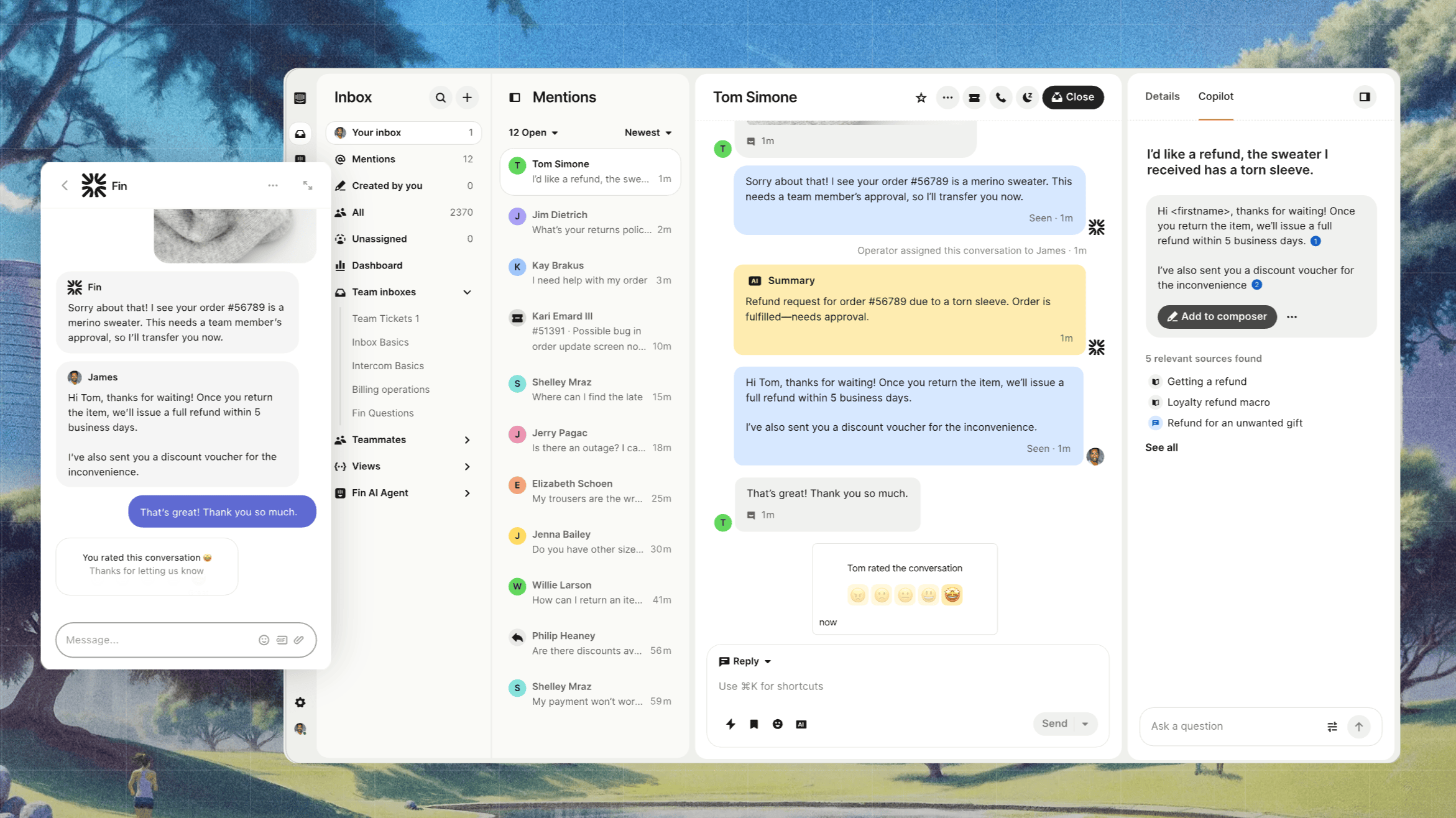
Intercom is more focused on conversational support and customer engagement. It blends messaging, automation, and proactive tools to make support feel more personal and immediate. Heads up: Intercom now trades as Fin, named after its AI agent, but the helpdesk and messenger you know are still the core of the product.
Here are its core features:
- Shared inbox & ticketing system: allows teams to respond to support requests via messaging, email, and other channels in one place.
- Fin AI Agent and chatbot tools to handle routine requests or simple queries automatically in customer conversations. This is built into their higher tiers.
- Workflows and automation: rules to route messages, workflows for follow-ups, round-robin assignment among agents or teams, and automations to reduce manual steps and allow for easy data management.
- Help center/knowledge hub: public documentation and FAQs, often multilingual, to let customers self-help.
- Reporting & dashboards: tracking metrics like response times, conversation volume, and team performance, with real-time dashboards and advanced analytics in more expensive plans.
- Omnichannel messaging/messenger tools: Intercom supports in-app chat widgets, outbound messaging, and proactive engagement to manage conversations efficiently and provide personalized service to your customers.
But beyond the essential features, you want to set up both tools to fit your everyday use cases.
HubSpot vs Intercom: Integrations
Whether it's a CRM or a customer support platform, it should adapt to the needs of your business and customers, and not the other way around. Both HubSpot and Intercom are highly customizable and have seamless integration with a large number of third-party apps.
HubSpot Service Hub
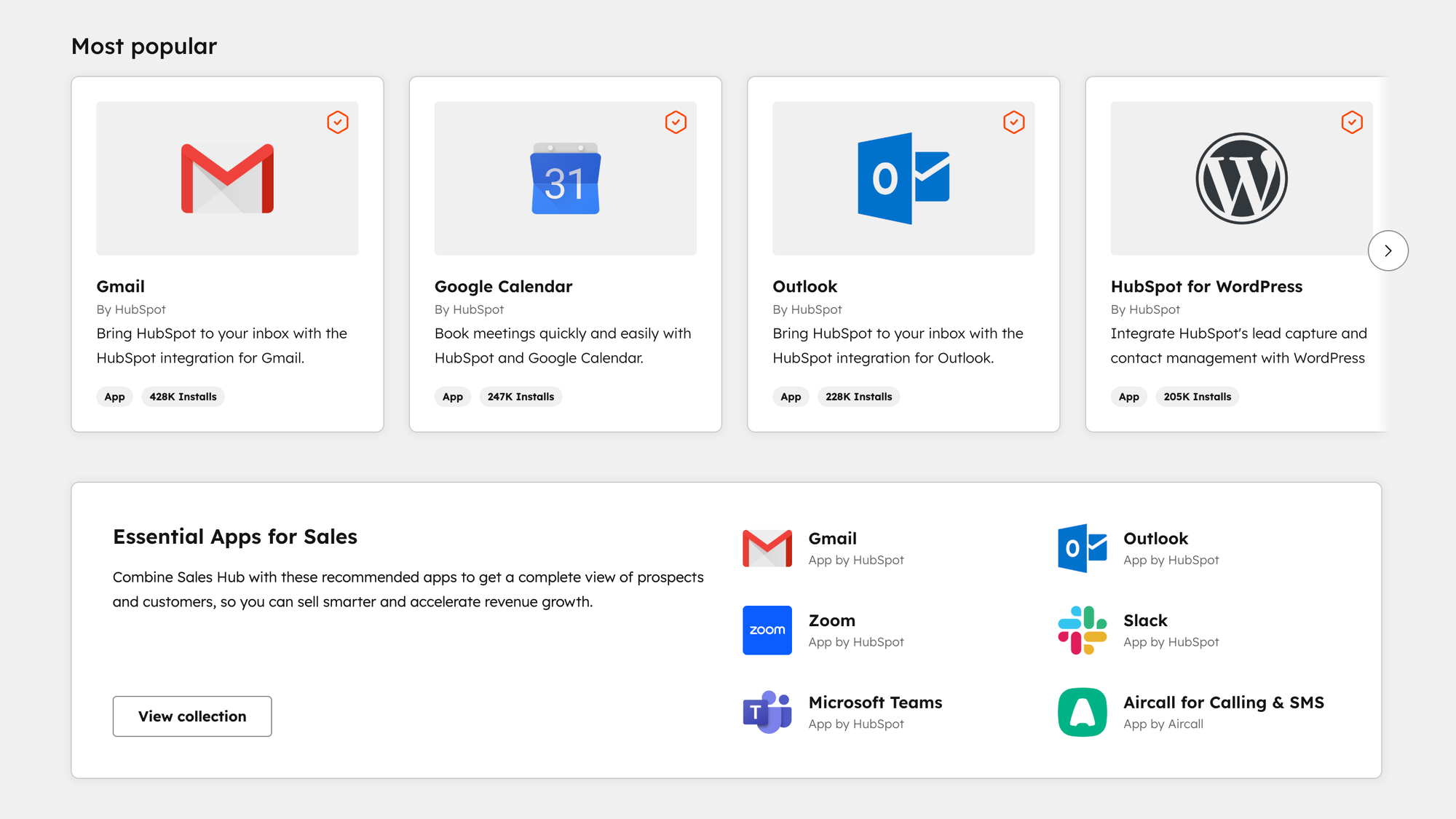
HubSpot has a broad marketplace of integrations and solid customization tools, especially for teams already using its CRM, Marketing, or other Hubs. Its “HubSpot Connect” directory offers thousands of apps and web services you can plug into, covering marketing, sales, content, analytics, and more.
For cases where a native or packaged integration doesn’t exist, HubSpot supports custom integration via APIs. That means you can build workflows, sync data, map fields, or connect proprietary systems using middleware or custom code. Many businesses do this to connect legacy internal tools, ERPs, or external databases into HubSpot so their CRM or Service Hub has full context.
When you integrate CRM data into marketing and lead generation workflows, you improve support performance and unlock business growth.
Customization inside HubSpot includes things such as...
- custom ticket and contact properties
- creating custom fields
- configuring workflow automations
- setting up custom dashboards and reports
- adjusting user roles and permissions so team members see only what they need
- and more
These are especially useful in organizations with multiple teams or departments where support paths vary.
HubSpot also supports data sync tools, middleware platforms (e.g., Zapier, native or third-party connectors), which help non-technical users integrate with third-party tools. For example, sync logic, property mappings, and periodic data pushes/pulls are commonly done across different parts of a tech stack.
Intercom
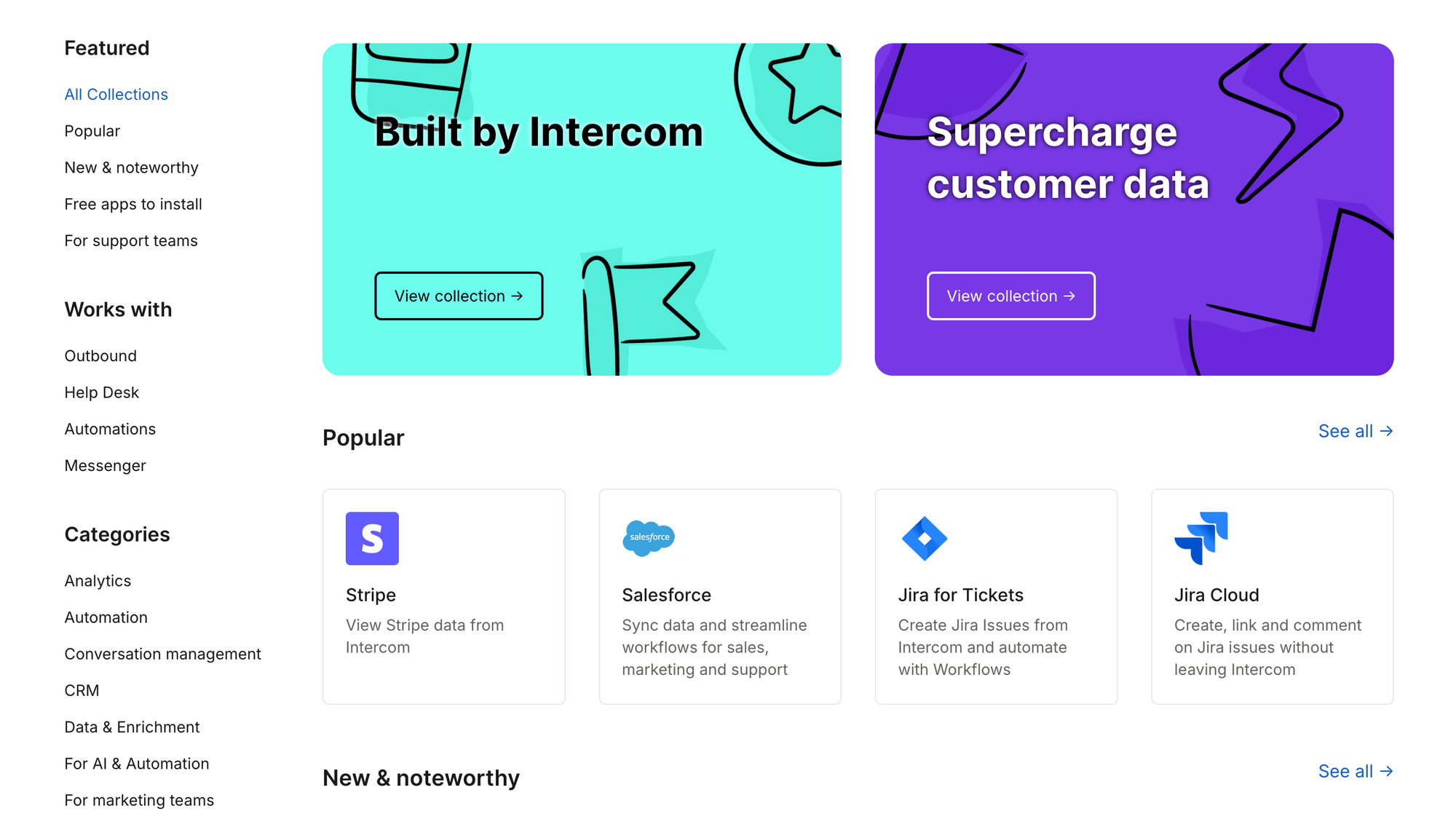
Intercom has a range of integration and customization features designed to make its messaging, workflows, and data more contextual and powerful. One thing worth noting in 2026 is that Fin, its AI agent, now runs on top of any helpdesk, including Salesforce, HubSpot, Freshworks, and Zendesk, so Intercom's AI can be layered onto a stack you already own.
One major element is its Custom Objects, which let you model external business data (orders, transactions, or user metadata) so you can include those behind-the-scenes details in user interactions, workflows, and bots without constant manual lookup.
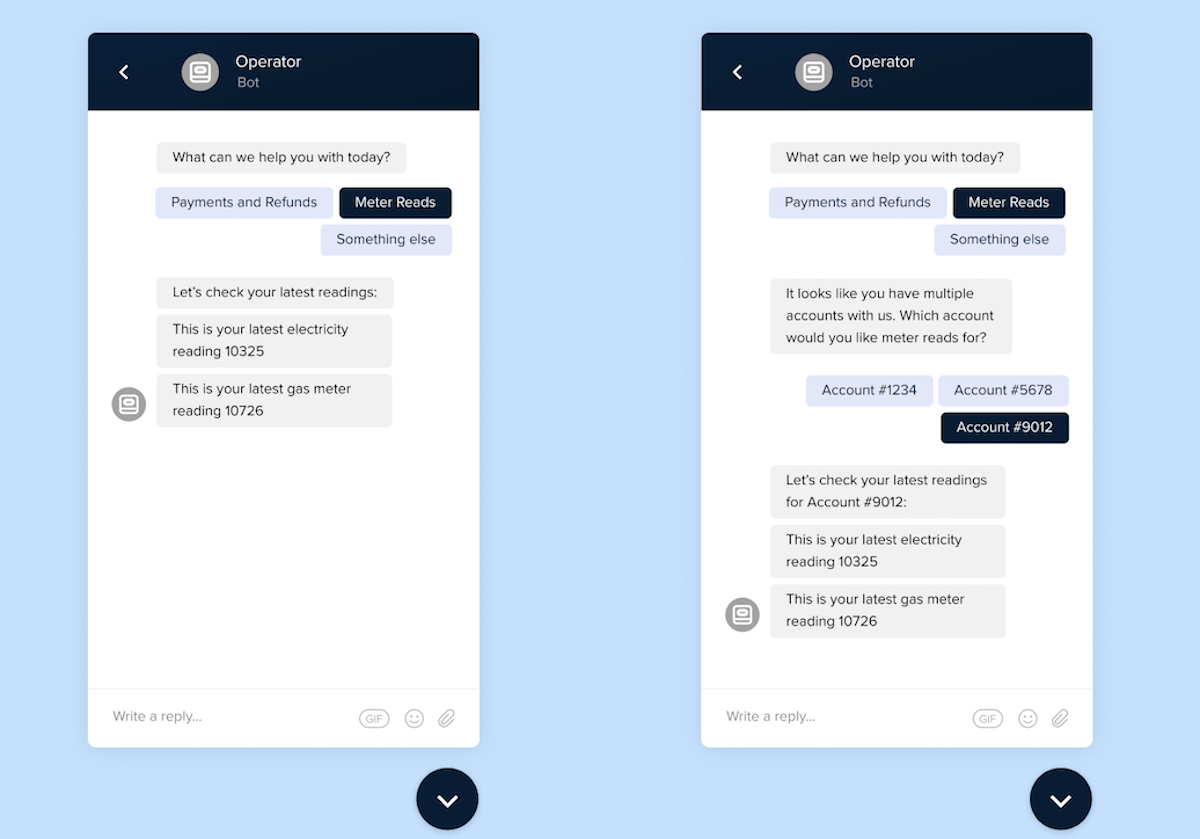
Data connectors also play a big role. You can link external tools (CRM systems, payment platforms, databases) via no-code connectors so that attributes from those systems become usable inside Intercom workflows, bots, or the Inbox.
This enables features such as allowing customers to check their order status, triggering workflows based on external events, or incorporating external data into messages when handling customer inquiries.
Custom channel integration is another option that Intercom offers.
It allows your product to behave like a "channel" in Intercom, which means you can send event-driven data in and out of Intercom from your systems.
That data synchronization setup supports two-way behavior: your application can push events into Intercom to open or modify conversations, and Intercom can send events back. It's more complex than standard integrations, sometimes gated behind the account or plan level.
The Intercom Messenger also has customization features. You can adjust how it appears on your site. This includes alignment, padding, layering (z-index), branding, and more. That provides some control over the user experience without tons of development work.
Finally, Intercom has a developer platform with SDKs, APIs, webhooks, and a public App Store. If you don't find an off-the-shelf integration that does what you need, you can build one yourself as a private app.
All in all: When it comes to flexible data models, Intercom's Custom Objects and connectors give you powerful ways to embed external data into workflows and inbox without always writing custom code. HubSpot also supports custom objects and APIs, but it may need more technical resources for true customization.
AI features and tools
All customer service tools nowadays use AI in some shape or form to provide a better customer experience. Both tools have strong AI features but focus on different aspects of customer engagement, and in 2026 the biggest change is how both price it. If you're weighing your options broadly, it's worth seeing how they stack up against the wider field of AI customer support software.
HubSpot Service Hub
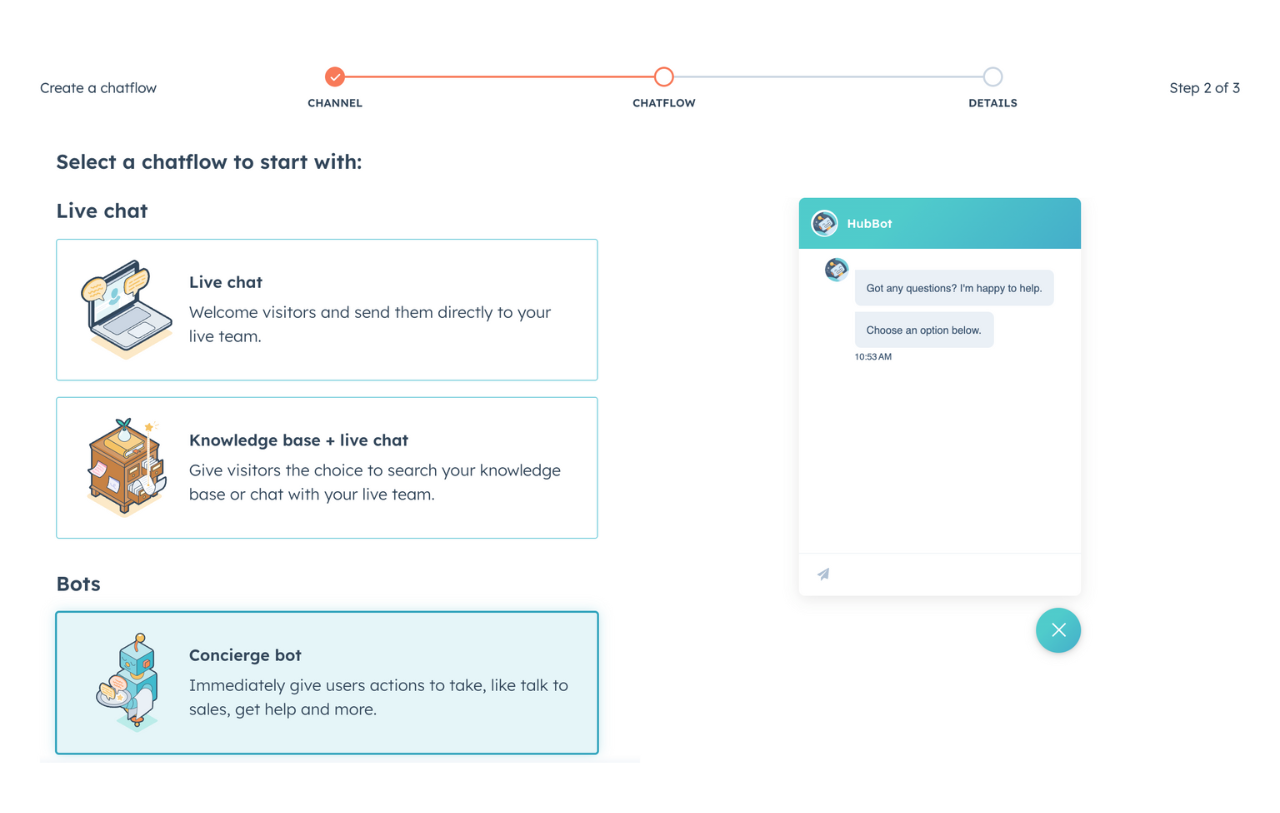
HubSpot has been pushing AI aggressively into its customer platform via tools like Service Hub, Smart CRM, and its Breeze AI agents. The idea is to provide support teams with both reactive and proactive assistance.
HubSpot’s AI features include:
- AI-powered help desk & knowledge base agent: these tools automatically fill content gaps by scanning what customers ask and adding relevant articles, plus suggesting content based on questions and customer conversations.
- Chatbot / Customer Agent that can handle incoming queries round the clock, turning queries into tickets and pulling relevant knowledge base articles to answer or assist. It also supports multilingual responses.
- Summary & reply recommendations in ticket workflows: agents see suggestions for replies, summaries of long threads, and suggested next actions to speed up handling.
- Proactive AI tools inside Breeze / Smart CRM, such as data enrichment (filling in contact/company data from external sources), predictive insights (e.g., recognizing trends or gaps in support content), and “agents” that help surface missing content or known issues.
There are some trade-offs, however:
- Many of the more advanced AI tools are behind higher subscription levels. If you're on basic or starter tiers, some features (such as advanced predictive analytics or knowledge gap detection) may not be fully available.
- Some users report that while the AI suggestions are helpful, they are not always perfect in context, especially when customer issues are very specific or complex, and it's necessary for a real agent to step in.
Intercom
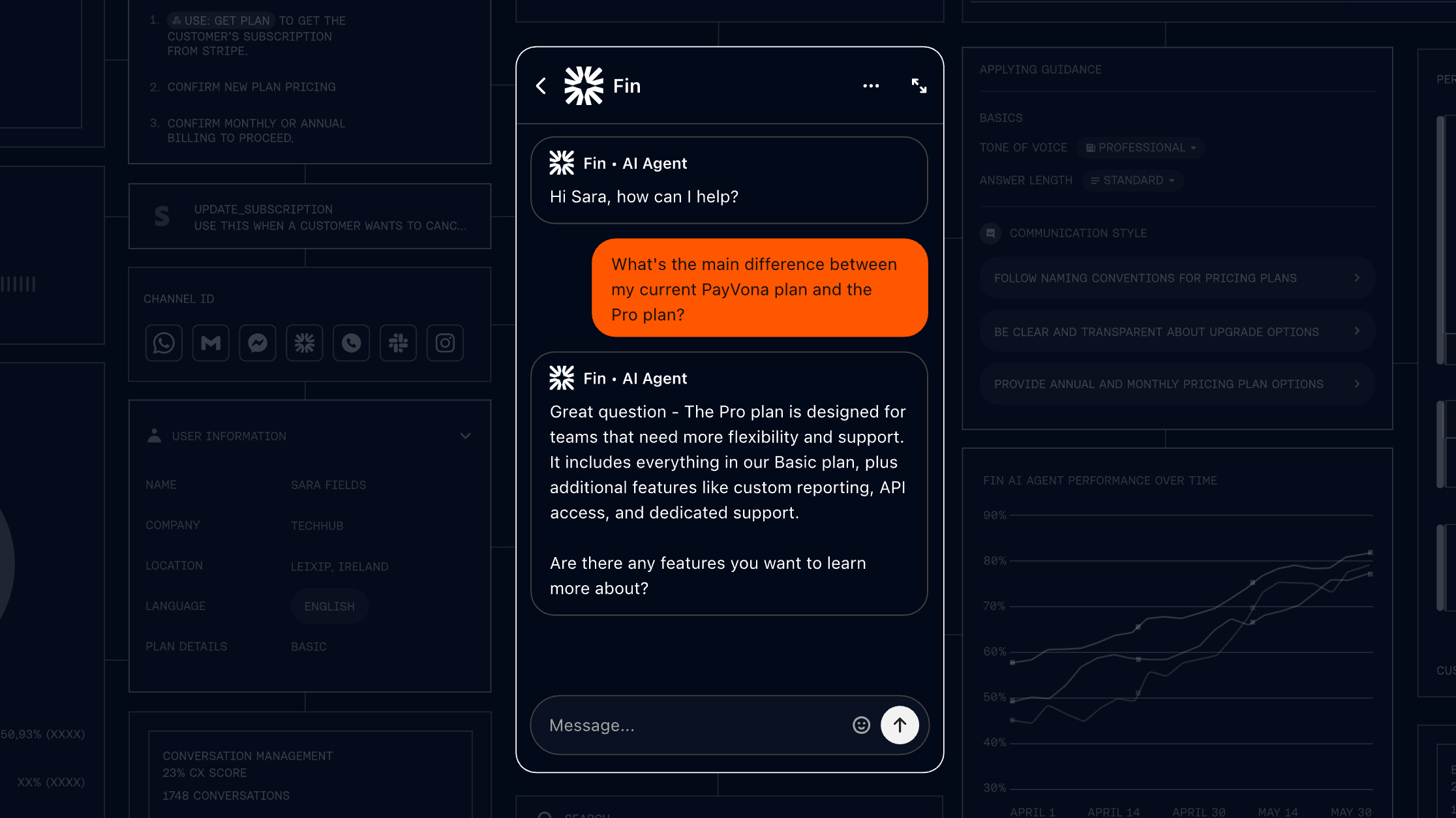
Intercom's AI stack is focused on conversational performance and helping scale human-like support through automation. It's now the company's namesake, and Fin holds a 4.5 out of 5 rating on G2 across roughly 3,800 reviews (as of July 2026). Key AI tools include:
- Fin AI Agent: Intercom's AI chatbot/agent that can resolve many routine and frequent customer questions by searching FAQs or help articles, reducing load on human agents. It works across live chat, email, WhatsApp, SMS, and more.
- AI Copilot inside the agent's inbox: Copilot helps agents by suggesting reply drafts, summarizing conversation history so agents catch up faster, and improving response consistency.
- Workflows / Fin Tasks: tools that let you automate certain repetitive tasks (e.g. refunds, rescheduling, verification) via natural language or guided setup. Also includes "Fin Guidance" to train the AI's behavior (brand voice, escalation patterns) without deep technical work.
- AI Inbox Translation: allows agents to read messages in their preferred language and reply in the customer's language, live. This helps reduce friction across global customers.
Some downsides include:
- The cost of using Fin can grow fast. Because you pay per outcome, your bill rises as Fin gets more effective, which G2 reviewers frequently flag as hard to predict.
- The AI can struggle with very product-specific, nuanced questions unless your help center or knowledge base is extremely well built. A recurring theme in G2 feedback is that Fin sometimes needs specific phrasing to answer accurately.
In conclusion:
If you want more predictive, insight-driven AI (data enrichment, anticipating gaps, trend detection) plus tools that help generate content and summaries behind the scenes, HubSpot Service Hub is stronger in those areas.
If instead you prioritize conversational automation, reply speed, operational efficiency, plus tools that reduce load on your team (chatbots, drafting replies, multilingual inbox support), Intercom shines.
Ease of setup and use
Before you get to provide help through customer interactions, you need to set up your customer service platform. Intercom's user friendly interface is the clear winner in this department.
Intercom
Many users say Intercom is very quick to get started. The interface is clean and focused on messaging, so basic flows or chatbots can be launched fast without steep learning curves. Because it emphasizes conversational tools, new agents can find their way around things easily. Setup tends to require fewer steps, especially if your needs are mostly live chat or in-app messaging.
On the flip side, as you add complexity (custom objects, integrations, automated workflows, advanced AI), Intercom setup gets heavier. Some add-on features come with subtle dependencies or configuration steps that aren’t obvious.
Also, cost can climb as you turn on those extras, which can make “just turning something on” more momentous than expected.
HubSpot Service Hub
HubSpot offers a richer set of built-in tools from the start, especially if you already use HubSpot CRM or other Hubs.
That means that some parts of the setup (like contact management, ticketing, and feedback tools) may slot in more smoothly because data and structure already exist. The presence of templates, guided workflows, and integrations inside its ecosystem helps reduce friction for users who are less technical.
However, many users report that the sheer volume of options can feel overwhelming during initial setup.
There are many settings, ticket pipelines, role permissions, and configuration screens to work through. Certain advanced features require going into deeper menus or even technical documentation. Onboarding tends to take longer when teams want to use more of HubSpot’s more powerful tools rather than just the basics.
In short, If you want to get something up and running fast with minimal fuss, Intercom is usually simpler to set up in its basic form. But if you want a platform that grows with you, especially if you're using other HubSpot tools already, HubSpot Service Hub gives you more structure and built-in readiness - at the cost of more setup work up front.
HubSpot Service Hub vs Intercom: Pricing plans
HubSpot and Intercom seem cheap from the start, but those costs can skyrocket quickly as you grow your team and the number of customer interactions you have daily.
HubSpot Service Hub
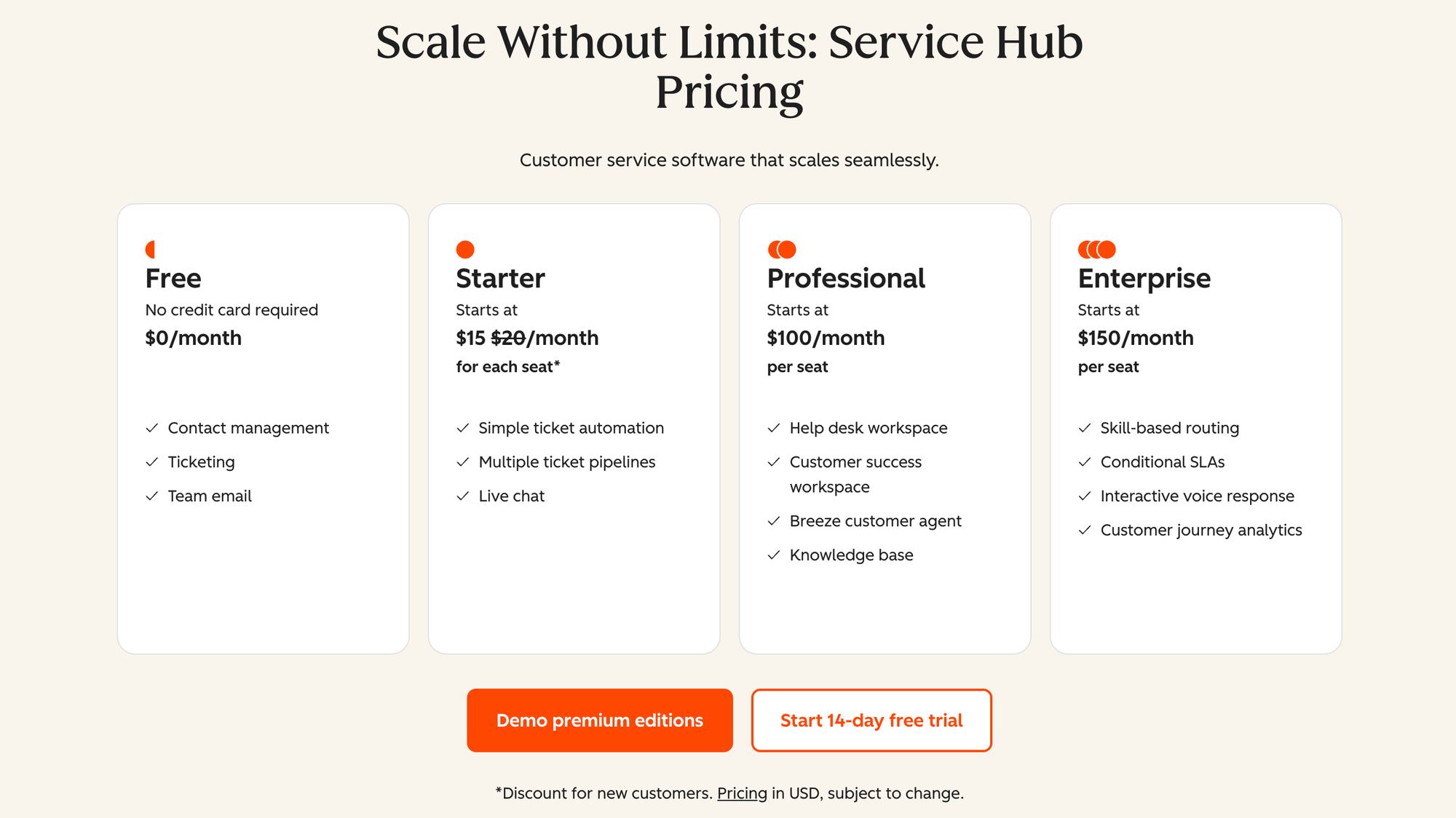
HubSpot Service Hub uses a seat-based pricing model. There is a Free plan ($0/month) for up to 2 users, which includes basic ticketing, live chat, shared inbox, contact management, and a simple help desk setup.
The first paid tier, Service Hub Starter, begins at $20 per seat/month when billed annually. It removes HubSpot branding from customer-facing assets, adds simple ticket automation and conversation routing, and includes about 500 minutes of calling per month.
The Professional tier starts at $100 per seat/month (annual billing). This tier adds more advanced features like multiple knowledge bases, conditional SLAs, calculated properties, skills-based routing, single sign-on, interactive voice response, and deeper automation & reporting. Note that there is a one-time onboarding fee (about $1,500) required in many cases.
The top tier, Enterprise, is priced at $150 per seat/month (annual billing). It includes all Professional features plus more control: advanced routing, voice response options, complex SLAs, customer journey analytics, and stronger support for customization and larger teams. There’s also a higher onboarding fee (about $3,500) for Enterprise.
Intercom
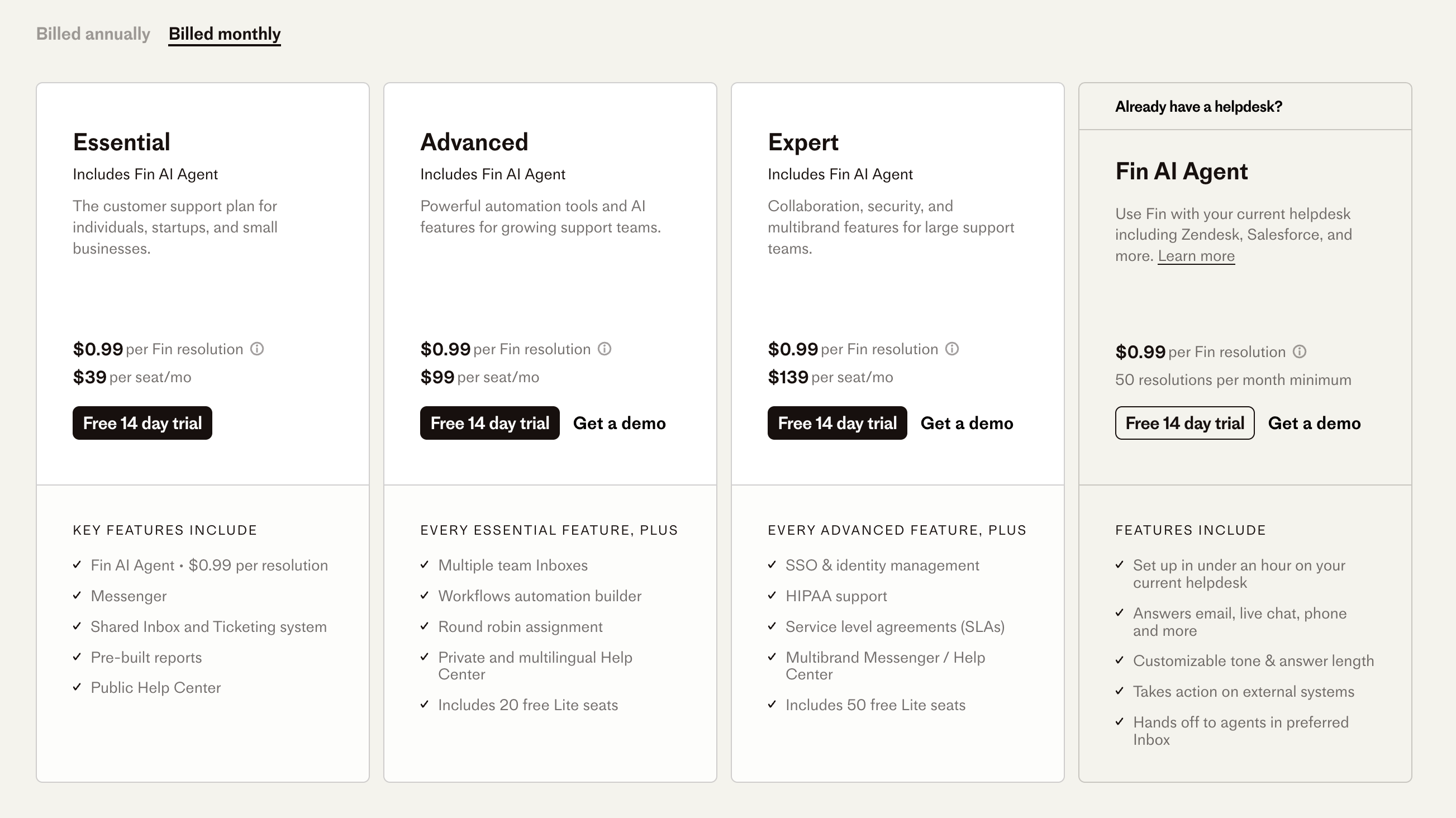
Intercom's pricing is a bit more involved because, aside from core seat-based fees, the AI layer is billed by outcome.
- Essential plan: starts at $29 per seat/month (annual billing). This gives you a shared inbox, basic messenger tools, help center, prebuilt reports, and the core Intercom features.
- Advanced plan: starts at $85 per seat/month (annual billing). Adds workflows automation, round-robin assignment to distribute tasks among agents, multiple team inboxes, and private multilingual help centers.
- Expert plan: begins at $132 per seat/month (annual billing). It includes all Advanced features plus enterprise-grade elements like SSO and identity management, SLA compliance, multibrand messenger support, and more.
The big change in 2026 is how the AI agent is priced. Fin now uses outcome-based pricing: you pay $0.99 per outcome, where an outcome is a resolution, a procedure handoff, or a disqualification. Crucially, Fin can also be bought on its own to run on any helpdesk with unlimited teammates and no per-seat cost (a 50-outcome monthly minimum applies). If you pair Fin with the Intercom helpdesk, seats start at $19 per seat/month on top of the $0.99 per outcome.
So the pricing philosophy has shifted. Instead of paying only per seat, or only per resolution, you now pay for outcomes Fin actually delivers, which is different from the seat-plus-resolution model Intercom used before. There are also usage-based costs for channels like SMS, WhatsApp, phone, or custom outbound messaging that can increase your total monthly cost depending on volume.
✨ Looking for a more affordable & modern alternative? Check out Featurebase →
HubSpot vs Intercom: final verdict
If you’re comparing HubSpot Service Hub and Intercom, they’re both strong, but they shine in different scenarios. HubSpot tends to offer a broader set of tools, especially if you’re already using HubSpot CRM or want feedback, SLAs, and advanced support features built in. Intercom excels at conversational experiences, AI-driven messaging, and fast-paced interactions.
Get HubSpot Service Hub if you’re…
- looking for a support platform that ties directly into your CRM and gives you visibility across marketing, sales, and service
- building a customer support operation that needs SLAs, multiple ticket pipelines, skill-based routing, and detailed analytics
- preferring predictable pricing per seat and features that scale as your team gets more complex
- interested in feedback collection, customer portals, or a knowledge base that integrates cleanly with your other tools
Get Intercom if you’re…
- focused on live chat, bots, and real-time conversational engagement with customers
- wanting AI-assisted messaging, inbox automation, and tools to reduce manual work for support agents
- running a support team that needs fast responses, a lightweight setup, and frequent updates to messaging or bots
- okay with usage-based costs (for AI resolutions, additional channels etc.) and willing to invest in the add-ons you’ll likely need
Or, to sum things up:
| Pros | Cons | |
|---|---|---|
| HubSpot Service Hub | • Deep integration with HubSpot CRM for full customer context • Strong ticketing, SLAs, knowledge base, and reporting • Free plan available and predictable pricing |
• Onboarding can feel heavy due to many settings • Advanced features are locked behind higher tiers • Best value if you are already in the HubSpot ecosystem |
| Intercom | • Excellent live chat and in-app messaging experience • AI bots and automation for faster responses • Easy setup and modern interface |
• Pricing can escalate with AI resolutions and add-ons • Limited native CRM context compared to HubSpot • Voice and advanced channels may require extra tools |
Featurebase: a better alternative to HubSpot and Intercom! ✨
If HubSpot is too bloated/outdated and Intercom is too expensive, consider Featurebase, a modern support platform that blends the best of both worlds.
It’s loved by thousands of fast-growing GTM and support teams from companies like Lovabale, n8n, and Instantly.
With pricing starting from just $29 per month (+ $0.29 per AI resolution), it costs a fraction of Intercom, HubSpot, and most other support platforms.
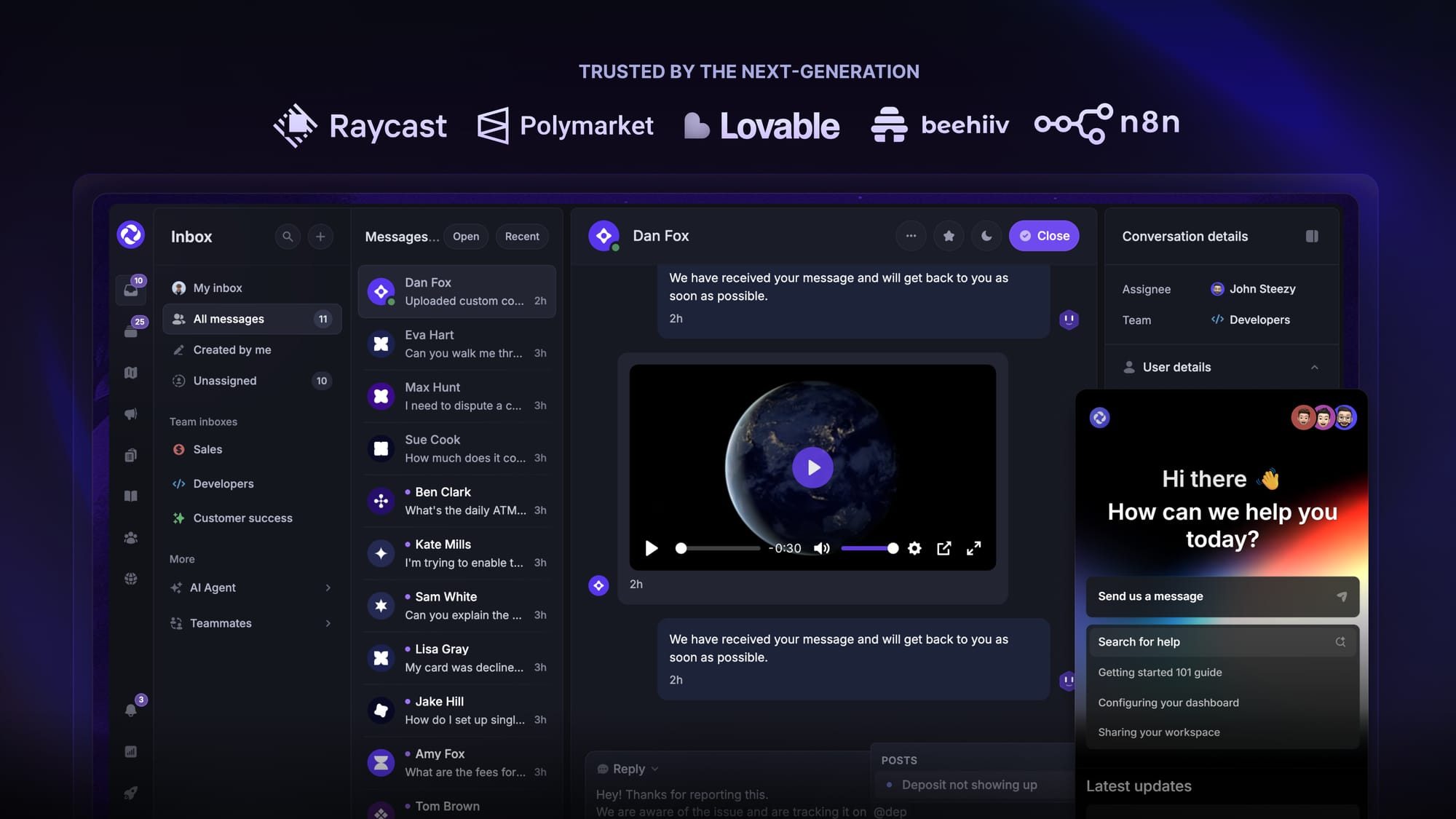
Featurebase is a modern support & feedback platform designed to help SaaS with AI-powered support, account management, and go-to-market. Instead of having 5+ different tools, Featurebase offers everything in one place to help you build products your users love:
- Support platform – Support your customers from anywhere with an omnichannel inbox and automate support with powerful AI agents.
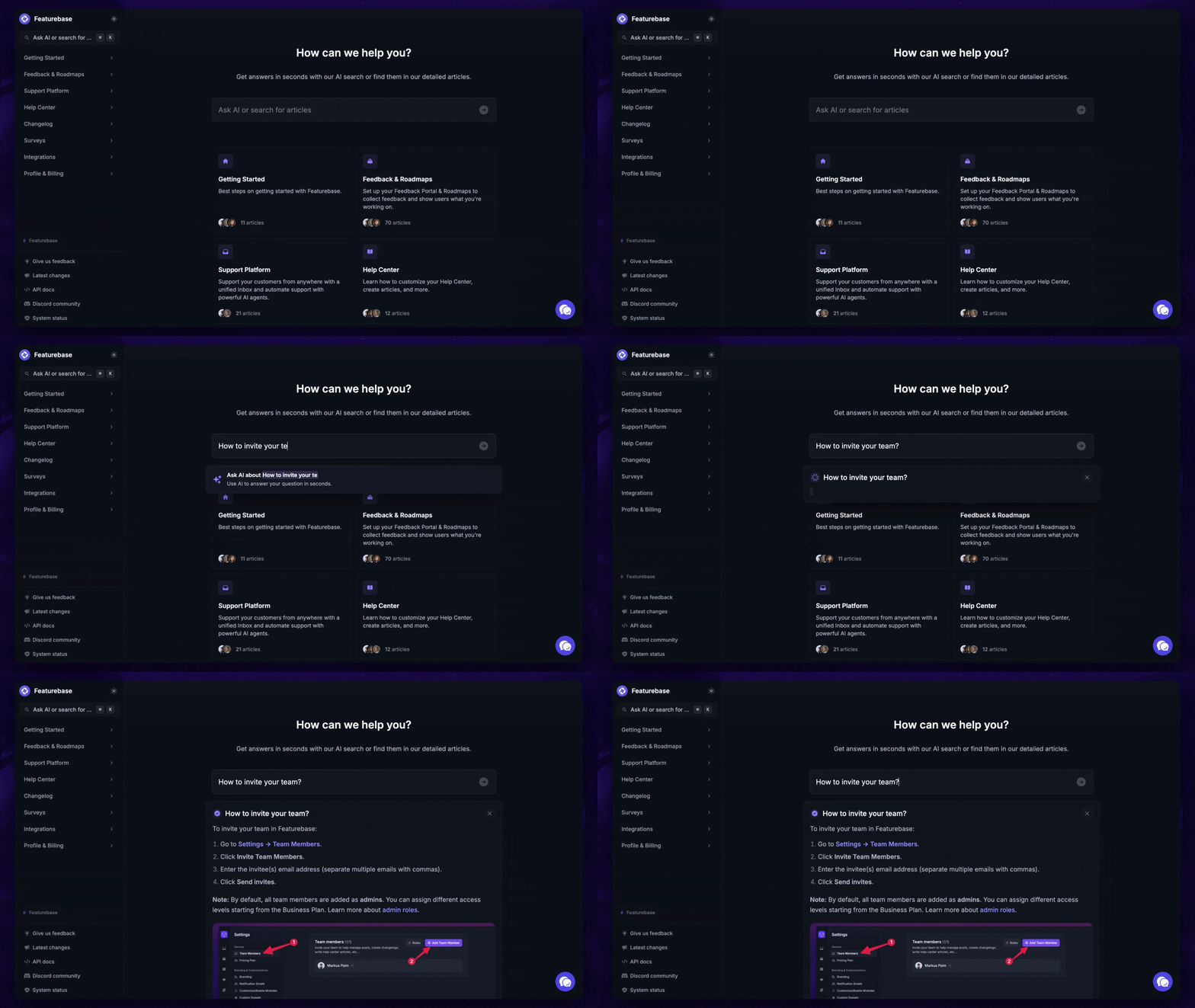
- Help Center – Provide self-serve support with a beautiful AI-powered knowledge base & bring help articles inside your product with a widget.
- Feedback collection & roadmaps – Centralize feedback with integrations, feedback widgets, AI, and a public feedback forum. Let users vote on each other's ideas, see their total revenue, and focus on the most impactful features. All upvoters will automatically be notified when you complete their request.
- Changelogs – Announce product updates and increase feature adoption with neat in-app popups, notification emails, and a dedicated updates page.
- Surveys (NPS, CSAT, etc.) – Create targeted surveys to ask users anything and measure customer satisfaction.
Plus, it integrates with many popular tools that you likely already use, such as Linear, Jira, Slack, and many more.
The onboarding is quick and doesn't require a credit card. Plus, you can automatically import your Intercom knowledge base - so there’s zero risk involved. 👇
✨ Automate your support with the fastest AI-enhanced Inbox today →
FAQs
What's the main difference between HubSpot and Intercom?
HubSpot is a CRM-first platform where support lives inside the same system as your sales and marketing data, so every ticket carries full customer context. Intercom (now Fin) is a support-first, messaging-led platform built around live chat, an AI agent, and proactive outreach. Pick HubSpot for connected customer data across teams, and Intercom for fast, conversational support.
Is HubSpot or Intercom cheaper?
It depends on your team size and ticket volume. HubSpot Service Hub starts cheaper on a per-seat basis ($20 vs $29 per seat/month) and includes a free plan for up to 2 users. Intercom's seats cost more, but its AI outcome pricing ($0.99 per outcome) versus HubSpot's ($0.50 per resolved conversation) can swing the total either way once AI volume is factored in.
Did Salesforce buy Intercom?
Salesforce signed a definitive agreement in June 2026 to acquire Fin, the company formerly known as Intercom, for roughly $3.6 billion. Intercom rebranded to Fin earlier that year, taking the name of its AI agent. As of July 2026 the deal is agreed but not yet closed, and the product still operates independently.
How does Fin's outcome-based pricing work?
Fin charges $0.99 per outcome, where an outcome is a resolution, a procedure handoff, or a disqualification, and you're only billed once per conversation. You can run Fin on its own with any helpdesk with unlimited teammates and no per-seat fee, subject to a 50-outcome monthly minimum. The trade-off is that your bill grows as Fin resolves more conversations.
Does HubSpot have an AI agent like Fin?
Yes. HubSpot's Breeze customer agent resolves queries across web, email, WhatsApp, and phone, and escalates complex cases to your team with full context. Since April 2026 it uses outcome-based pricing at $0.50 per resolved conversation, available on Professional and Enterprise plans.
Is there a more affordable alternative to HubSpot and Intercom?
Yes. Featurebase is a modern support platform that combines an AI-powered inbox, help center, and feedback tools, with plans starting at $29/month and $0.29 per AI resolution. It's built for fast-growing SaaS teams that find HubSpot too heavy and Fin too expensive, and you can import your existing Intercom knowledge base to get started quickly.
More comparisons: