Blog Customer ServiceInternal Help Desk: What It Is and How It Improves Employee Productivity
Internal Help Desk: What It Is and How It Improves Employee Productivity
Learn how an internal help desk helps employees get answers faster and helps teams manage support more efficiently.



✨ Create a beautiful AI-powered Help Center with Featurebase for free →
If employees do not know where to go for help, your internal support system is already broken.
You can have a great IT team, helpful admins, and detailed internal docs. But if requests are scattered across Slack, email, and hallway conversations, people will still waste time chasing answers instead of doing their work.
The truth is, most internal support starts out messy and stays that way for too long. Poor visibility, unclear ownership, and too many communication channels make even simple requests harder than they should be.
In this guide, I’ll walk through what an internal help desk is, how it improves employee productivity, and where a tool like Featurebase Help Center fits into a modern internal support setup. 👇
What is an internal help desk?
An internal help desk is a support system for employees inside a company.
It gives people one place to ask for help and gives teams one process for handling requests. Instead of relying on scattered messages, employees submit a ticket, and the system sends it to the right person or team.
Most companies start with internal IT use cases like password resets, app access, and device issues. But an internal help desk can also support HR, admin, finance, and operations.
That is the main difference from a customer-facing help desk. One supports buyers. The other supports employees.
A good internal help desk creates:
- One central point for requests
- Clearer ownership
- Faster response times
- Better visibility into open work
Without that structure, internal support gets messy fast.
What does an internal help desk handle?
An internal help desk can handle almost any recurring support need inside the business.
Here are some of the most common examples:
| Request type | Description |
|---|---|
| Password resets | Helps employees regain access to accounts quickly when they are locked out or forget credentials. |
| Access requests | Handles requests for tools, systems, shared drives, and permissions needed for daily work. |
| Software issues | Covers app errors, login issues, failed installs, and other tool-related problems. |
| Hardware requests | Supports laptop setup, monitor requests, replacements, and other device-related needs. |
| Onboarding tasks | Helps new hires get access, equipment, and setup support during their first days or weeks. |
| Payroll questions | Routes employee questions about pay, reimbursements, or compensation-related issues. |
| Policy questions | Gives employees a clear way to ask about internal processes, benefits, or company policies. |
| Equipment issues | Covers broken accessories, damaged devices, and other workplace equipment problems. |
| Facilities requests | Handles office access, room issues, maintenance requests, and general workplace needs. |
| Internal ticketing system | It turns scattered employee requests into trackable tickets with clear ownership and status. |
The process is usually simple. An employee submits a request through a form, portal, or desk software. The system turns that request into a support ticket. Then it uses ticket routing, assignment rules, or manual triage to send the issue to the right team.
As one help desk worker on Reddit put it, common tickets often include “password resets,” “user creation/termination tickets,” “printing issues,” “internet issues,” and the fact that “Outlook always has a variety of issues.” - Reddit post
Internal help desk vs. service desk
The terms help desk and service desk are close, but they are not always identical.
A help desk usually focuses on day-to-day support. It helps desk agents or support teams handle incoming support tickets, answer questions, and solve problems quickly. In simple terms, the desk focuses on issue resolution.
A service desk is broader. It may include formal service management, service delivery planning, and more structured workflows tied to IT service delivery. In larger companies, a service desk often plays a bigger role in long-term operations.
Still, most companies do not need to overthink the label. What matters is whether the system helps employees get help quickly, keeps the internal team organized, and improves service delivery across the business.
Why internal help desks improve productivity
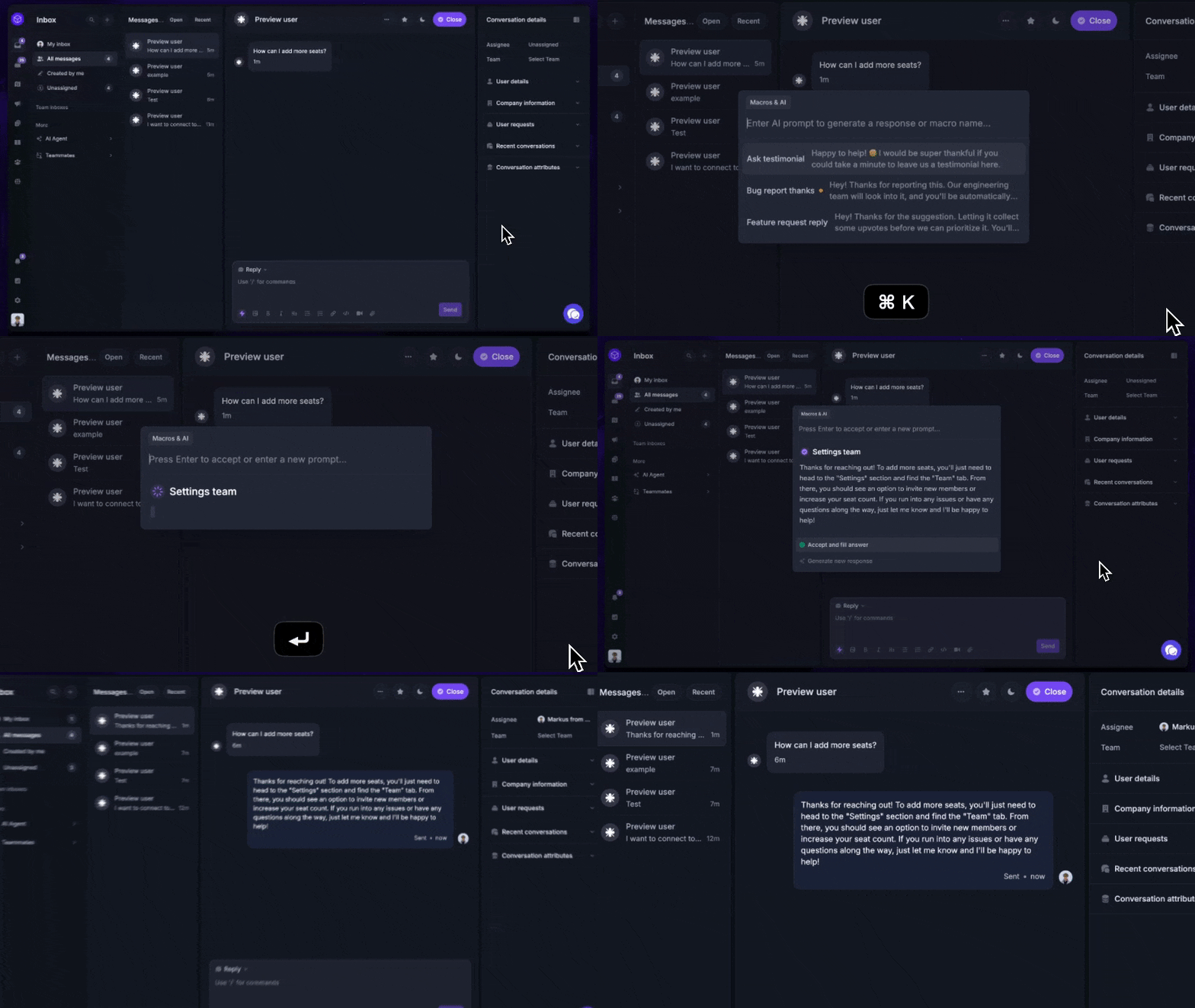
An internal help desk improves productivity by removing friction from everyday work.
When employees cannot get help quickly, projects slow down. A missing permission can delay a launch. A laptop issue can wipe out half a day. A simple payroll question can become a long follow-up thread.
A structured desk system fixes that by creating a clear path for support requests.
First, it gives employees one place to go when they need help. They do not have to guess whether to email someone, ping a coworker, or ask in a group chat.
Second, it helps support teams prioritize requests. Urgent issues can move fast. Lower-priority tasks can wait without being forgotten.
Third, it improves accountability. Every request has an owner, a status, and a next step.
That leads to:
- faster response times
- lower average resolution time
- better resolution rates
- fewer missed requests
- stronger team productivity
The impact is not only operational. Better internal support also improves employee satisfaction.
When employees know how to get help and trust that the process will work, they spend less time chasing updates and more time doing their jobs. Over time, that creates a better employee experience, enhanced employee satisfaction, and happier employees across the company.
Better internal support does not just make work easier. It can also improve employee experience. SHRM found that employees with a positive employee experience are 68% less likely to consider leaving their jobs. - SHRM.org
Signs your current support process is not working
Many companies already have some form of internal support. The problem is that it often grows without structure.
Here are a few common warning signs:
- Employee requests come through too many communication channels
- The IT team becomes the default for every issue
- Admin teams and the HR team use separate workflows
- There is no shared ticketing system
- Nobody can see total ticket volume
- Employees create tickets in one place but get updates somewhere else
- There is no knowledge base for common questions
- Simple support requests take too long to resolve
These problems usually get worse with growth. As the business adds more people, tools, and workflows, the number of internal requests rises as well. That is when a loose support process starts to hurt business operations.
Key features to look for in internal help desk software
The best internal help desk software should be easy for employees to use and structured enough for support teams to manage at scale.
Here are the features that matter most.
Ticketing and routing
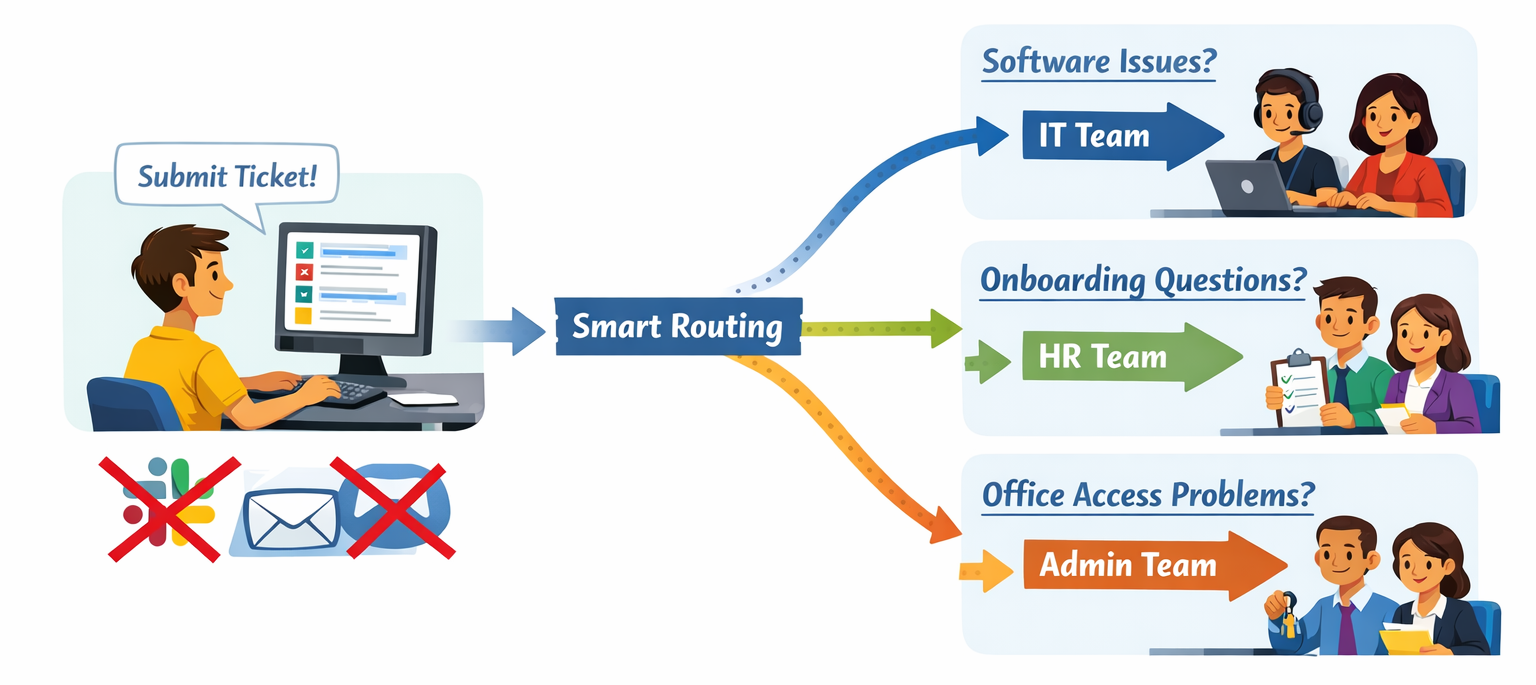
A good ticketing system should make it easy to submit, track, and route requests.
If the process feels clunky, employees will go back to Slack or email. The best systems make ticket creation simple and use smart routing rules to send each request to the right team.
For example:
- Software issues go to IT
- Onboarding questions go to HR
- Office access issues go to admin teams
This keeps requests organized and reduces manual triage.
Self-service support
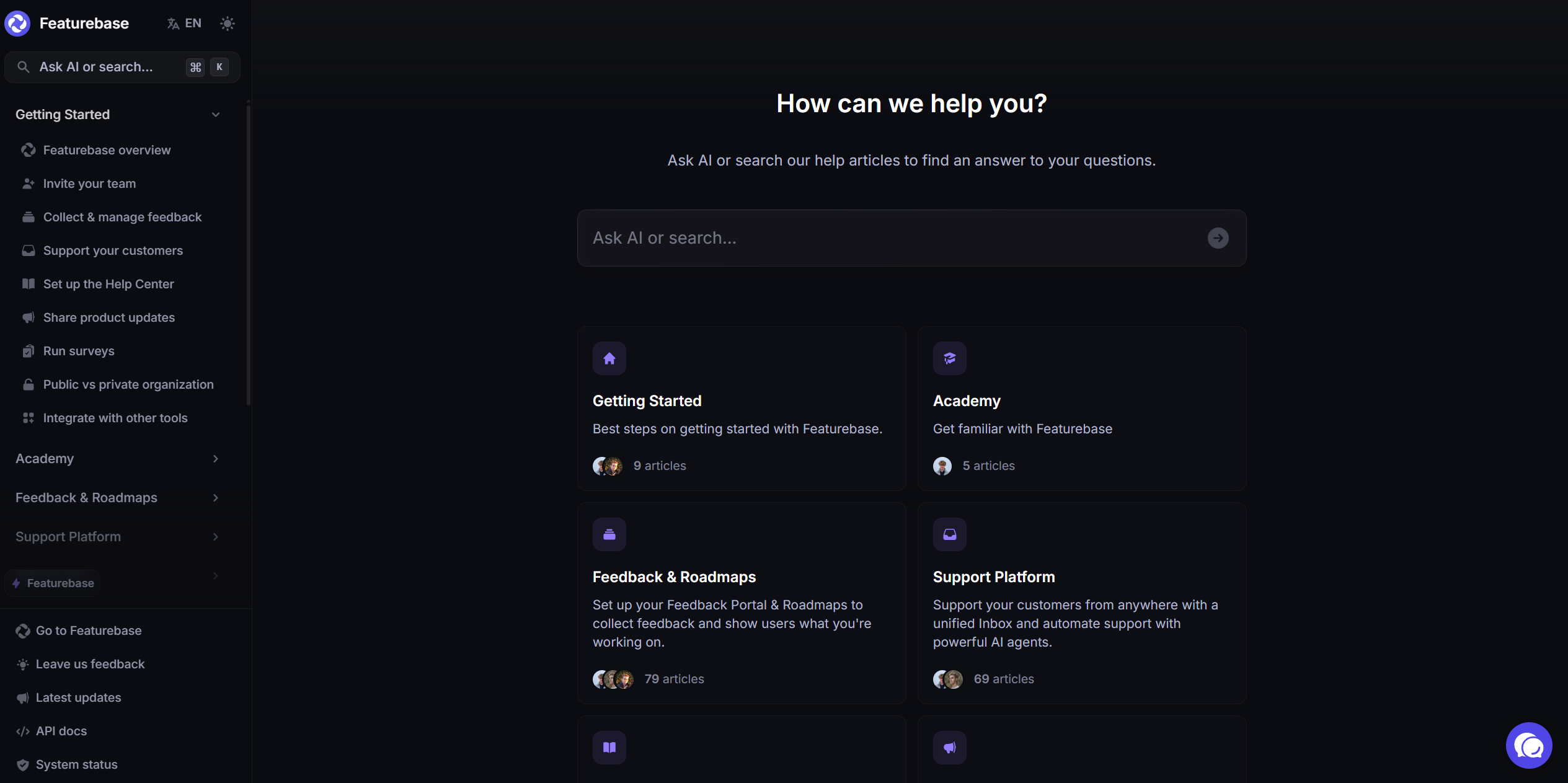
A well-designed internal help desk should include strong self-service tools so employees can solve simple problems on their own. That reduces support tickets, lowers ticket volume, and speeds up access to answers.
This usually starts with a searchable knowledge base. Employees should be able to look up setup guides, internal docs, company policies, and answers to common employee inquiries without waiting on a support team.
That is one place where Featurebase Help Center fits naturally. It gives teams a clean, searchable place to publish internal information, so employees can find answers before creating tickets. That means fewer repeated questions and a better employee experience.
Clear reporting
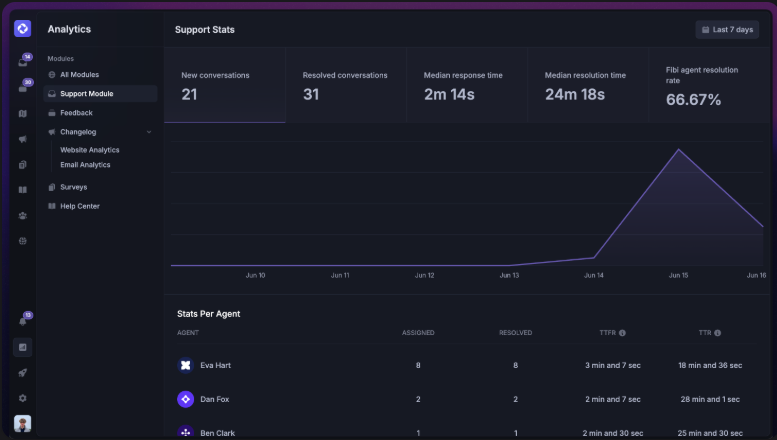
A good internal help desk system should help you measure performance, not just collect requests.
Useful metrics include:
- response times
- average resolution time
- resolution rates
- total ticket volume
- resolved tickets
- backlog trends
These numbers help teams spot bottlenecks, improve desk performance, and make better decisions about staffing and workflows.
Easy access and integrations
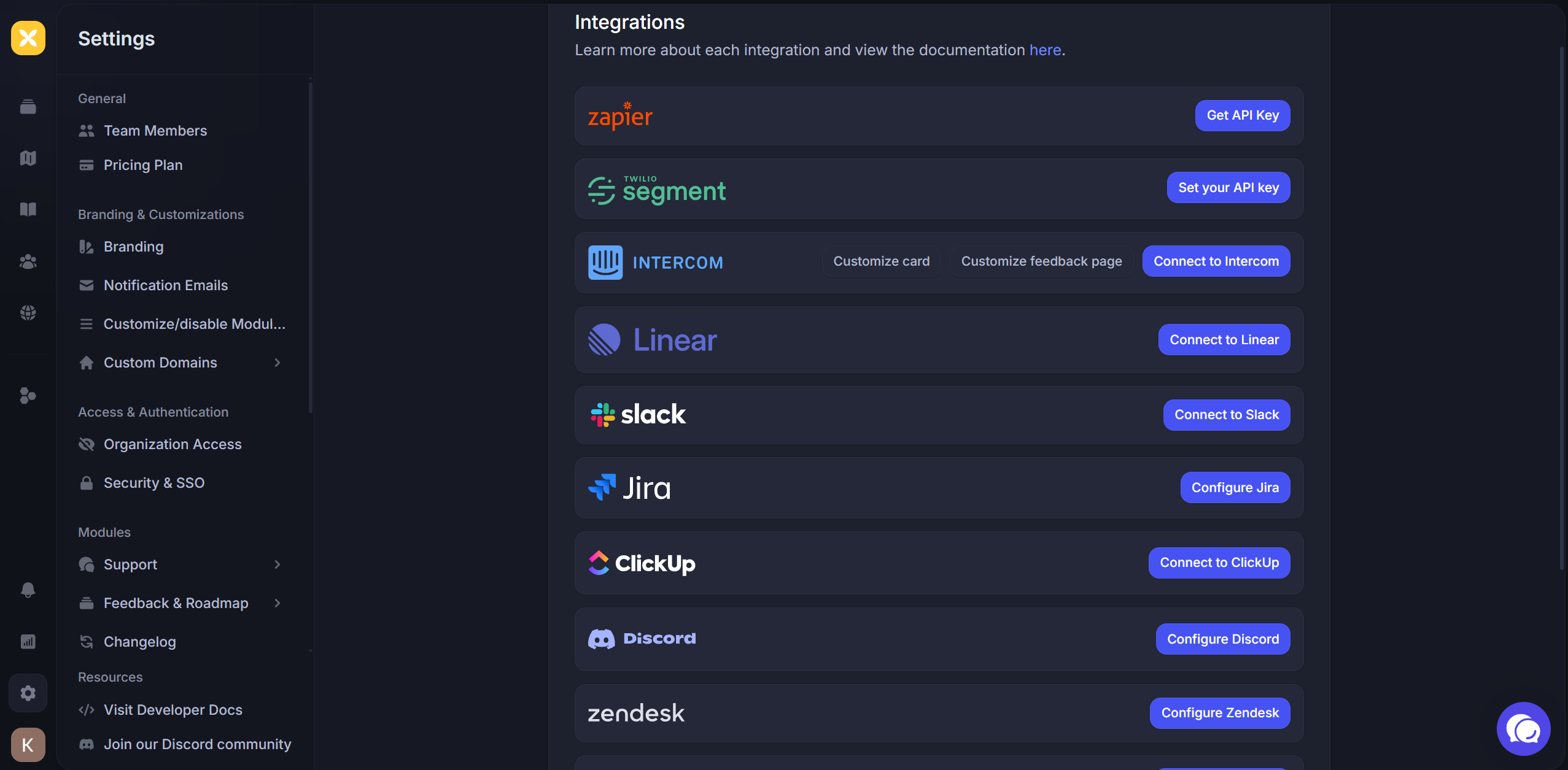
The best help desk software fits into the way employees already work.
That often means support for:
- single sign-on
- mobile apps
- chat integrations
- employee data controls
- asset management workflows
The easier the system is to access, the more likely employees are to use it consistently.
Internal help desks are not just for IT
Many people still think of an internal help desk as an IT-only tool, which is too limiting.
Yes, internal IT is often the first use case. But the same system can support multiple departments across the company.
For example:
- The HR team can manage onboarding and policy questions - often through a dedicated HR help desk ticketing system.
- Admin teams can handle office and equipment requests
- Finance can manage internal approvals
- Operations can support recurring internal requests
This is where an internal help desk becomes more than a support tool. It becomes a better system for internal service delivery across the business.
When every department handles requests in a different way, work gets fragmented. But when teams use one shared help desk software platform, the company gets better visibility, better coordination, and stronger organizational efficiency.
What good internal support looks like
Good internal support should feel simple from the employee side.
Employees should know where to go when they need help. They should be able to submit a request quickly, see status updates, and trust that the issue is moving forward.
From the support side, teams should be able to sort requests, prioritize requests based on urgency, and handle both simple and complex issues without losing track of work.
The best systems also reduce the number of tickets that need human attention. A strong knowledge base, better self-service, and clear documentation help employees solve routine problems on their own. That gives support teams more time to focus on the work that actually needs a response.
How Featurebase fits into an internal help desk
A strong internal help desk is not only about managing incoming requests. It is also about helping employees find answers before they need to ask.
That is why Help Center software matters.
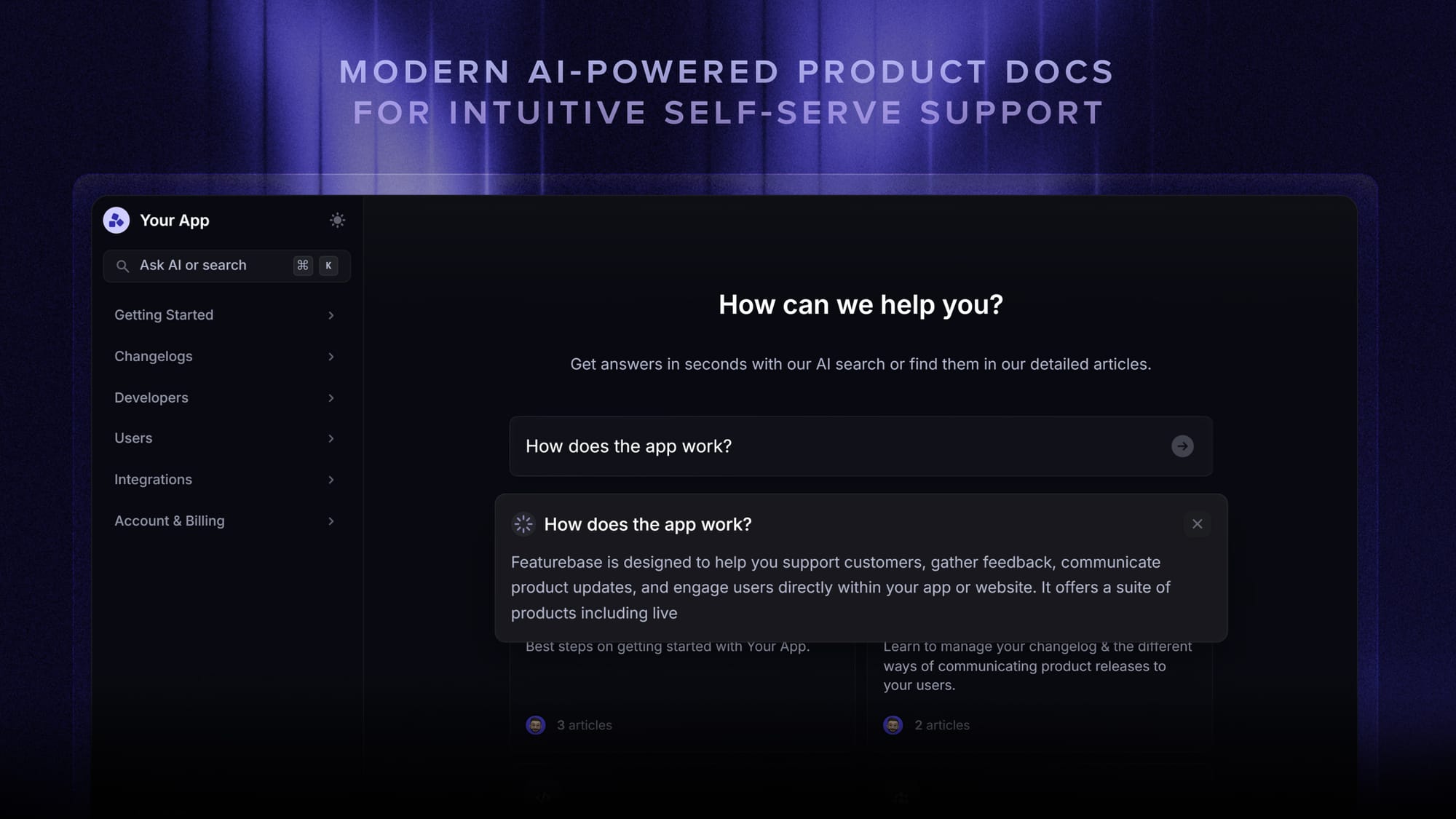
Featurebase Help Center can support a modern internal help desk by giving teams a searchable place to publish internal guides, workflows, and answers to common questions. Instead of sending employees across scattered docs and chat threads, teams can give them one place to look first.
Featurebase also works well for internal documentation. Teams can keep a public Help Center for general content while restricting specific articles to team members or selected user groups. If needed, they can also require authentication for the entire Help Center. That makes it easier to share internal docs without exposing sensitive information more broadly.
That helps in a few ways:
- Employees get answers faster
- Support teams handle fewer repeat questions
- The business improves self-service without adding more friction
- Internal support feels more consistent
For teams trying to build a better employee experience, that is a big step forward.
Conclusion
A good internal help desk gives employees one clear place to get help, reduces repeated questions, and makes internal support much easier to manage as your company grows.
Featurebase is a modern Help Center tool that helps you create a clean, searchable knowledge base with private docs, authentication, custom domains, translations, and more. It is a great fit for teams that want to improve self-service, reduce internal support load, and give employees a better place to find answers. It also comes with feedback collection, surveys, roadmaps, and changelogs, so you can manage more of your product communication in one place.
It has affordable pricing, a Free plan, and quick onboarding, so there is very little friction in trying it. If you already use another knowledge base tool, migration is straightforward too.
✨ Create a beautiful Help Center with Featurebase for free →