Top 10 Zoho Desk Alternatives to Manage Customer Interactions in 2026
Tired of Zoho Desk’s clunky UX and weak integrations? You’re not alone - many teams are looking for tools that are easier to use and actually connect with the rest of their stack. Here are the top Zoho Desk alternatives worth trying in 2025.


On this page
Providing exceptional customer service goes beyond just having a good product or service offering. To achieve great customer satisfaction, you need to prove your commitment and be there every step of the way.
Tools such as Zoho Desk allow you to do just that: manage support requests efficiently and provide a great customer experience with just one tool. But like many other tools in the Zoho ecosystem, it has a steep learning curve and doesn't play well with anything that's not a Zoho product.
If you're looking for something better, here are the best Zoho Desk alternatives worth your time in 2025. 👇
Quick overview
- ✨ Featurebase – Best modern support tool with chat, email, feedback, and help center
- Zendesk – Best enterprise omnichannel desk with ticketing, KB, and analytics
- Tidio – Best simple live chat and chatbot for small businesses and e-commerce
- Help Scout – Best email-first helpdesk with shared inbox, chat, and docs
- Front – Best collaborative inbox for email, chat, and social support
- Freshdesk – Best affordable helpdesk with tickets, knowledge base, and automation
- Intercom – Best conversational support with live chat, messaging, and in-app help
- Kayako – Best unified desk with customer logs, chat, and built-in help center
- Hiver – Best Gmail-based helpdesk with tagging, automation, and SLAs
- HubSpot – Best CRM-integrated desk linking support with sales and marketing
Why look for alternatives to Zoho Desk in the first place?
Zoho Desk is excellent at customer communication, but there are a few areas where it's lacking compared to the competition.
1. Few native integrations
Being a part of the Zoho stack, it works well with their sales CRM and other Zoho tools. However, there are multiple complaints from customers wishing for a more seamless integration with other tools such as CRMs. Out of the box, Zoho Desk doesn't offer much connectivity in terms of native integrations.
- "I wish there were more integrations available directly in the Zoho Marketplace. While the core tools are solid, having more ready-to-use apps for third-party platforms (like project management tools, shipping platforms, or chatbots) would make the setup even faster for teams like ours." (source)
2. The steep learning curve
All Zoho tools have relatively user-friendly pricing and interfaces. But the look and feel of the app and actually using it are two different things. There are many instances of customers being unhappy with how difficult it is to set things up for an efficient support process.
- "While I really like using Zoho Desk, there are a few areas that could be improved. The initial setup can feel a bit overwhelming, especially if you're not already familiar with the Zoho ecosystem. There's a bit of a learning curve when trying to customize workflows or automation rules. Also, some of the more advanced features like detailed reporting or multi-brand support are only available in higher-tier plans, which might not be ideal for smaller teams or startups on a tight budget." (source)
- "The learning curve at the beginning was a bit steep. Some settings and automation rules are not very intuitive, so it took time to figure things out. Also, the mobile app feels a bit limited compared to the desktop version, especially when checking ticket details or adding notes." (source)
3. The AI features are far behind the competition
In 2025, having AI tools for everything (including dedicated support) is becoming the norm. However, Zoho's AI tool Zia is not on the same level as the more mature agentic AI models provided by competitors such as Intercom or Tidio.
- "The biggest downside for Zoho Desk is its primitive AI offering. There isn't much from what we've seen so far when it comes to agentic AI, something that is and will be more and more important as months go by. They seem to be quite behind in this area unless they plan on acquiring and implementing an existing tool soon. Implementation from a different helpdesk is a bit of a hassle, since it functions fundamentally different than other helpdesks. This could take some time to get used to." (source)
4. Poor mobile app
Many customers complain that using Zoho Desk on the go is not a very pleasant experience. You can't provide the same service quality and support performance as the mobile app doesn't have many of the features of the full-scale version.
- "The mobile app could be a bit more responsive at times. Occasionally, some advanced settings can be tricky to find without searching the help docs. Initial setup took a bit longer than expected, but the support team was very helpful." (source)
- "Mobile app could be improved and could be more complete, because some workflows and reports are only available in the web version" (source)
The best Zoho Desk alternatives in 2025
Looking for customer service platforms that can enhance customer satisfaction and beat Zoho in terms of features and pricing? Here are some of the best Zoho Desk alternatives to help you provide superb customer experience. 👇
1. Featurebase ✨
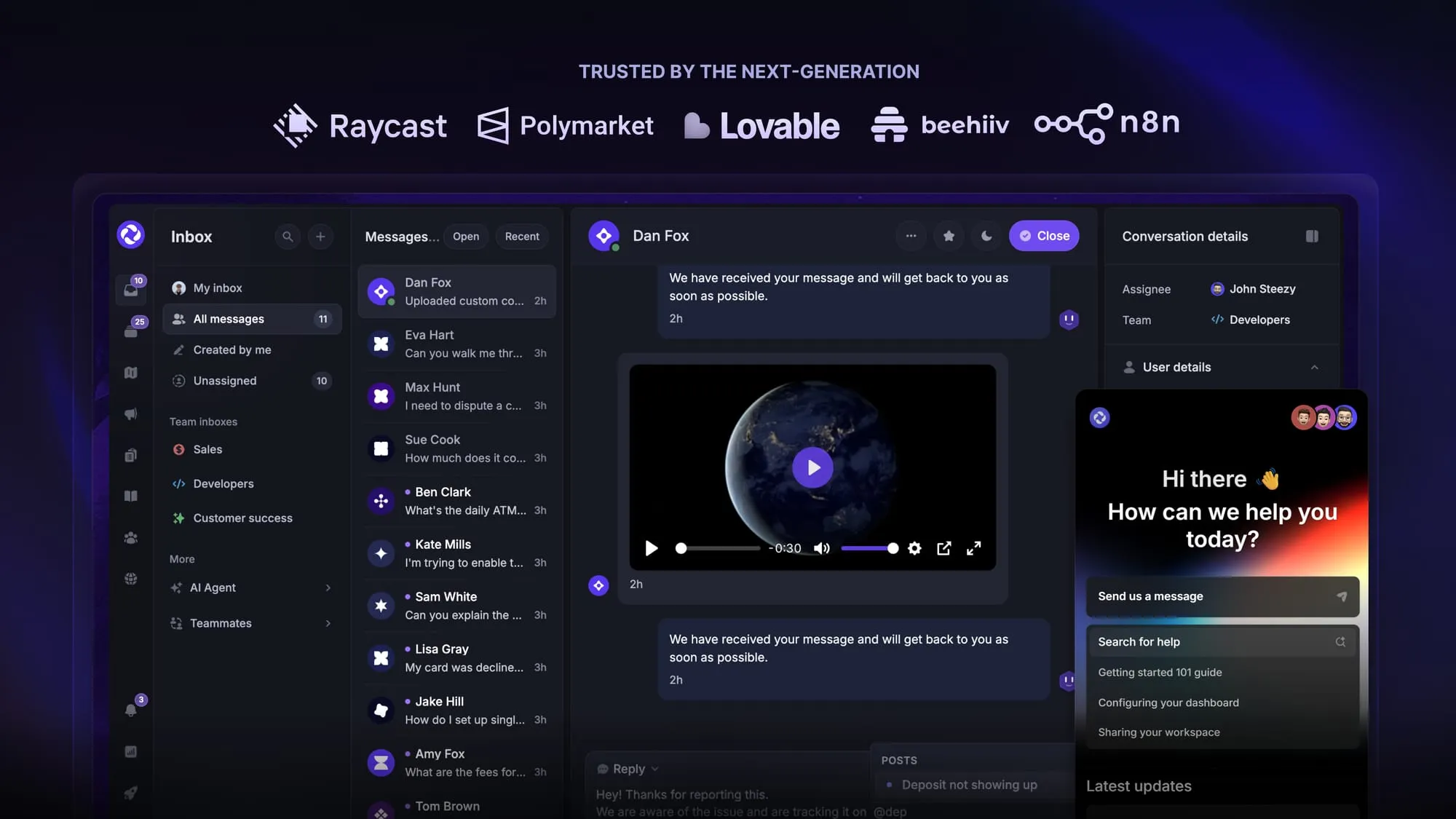
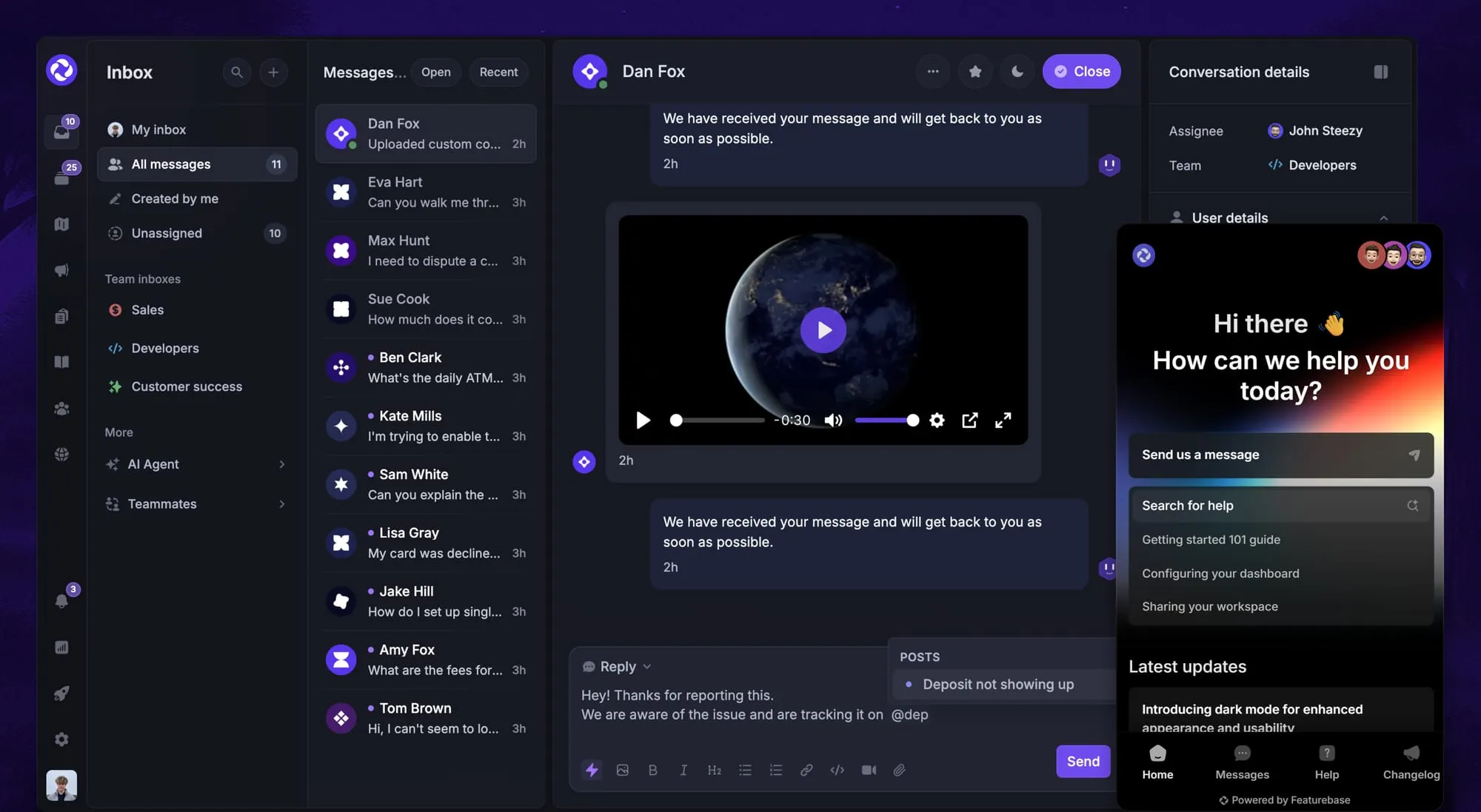
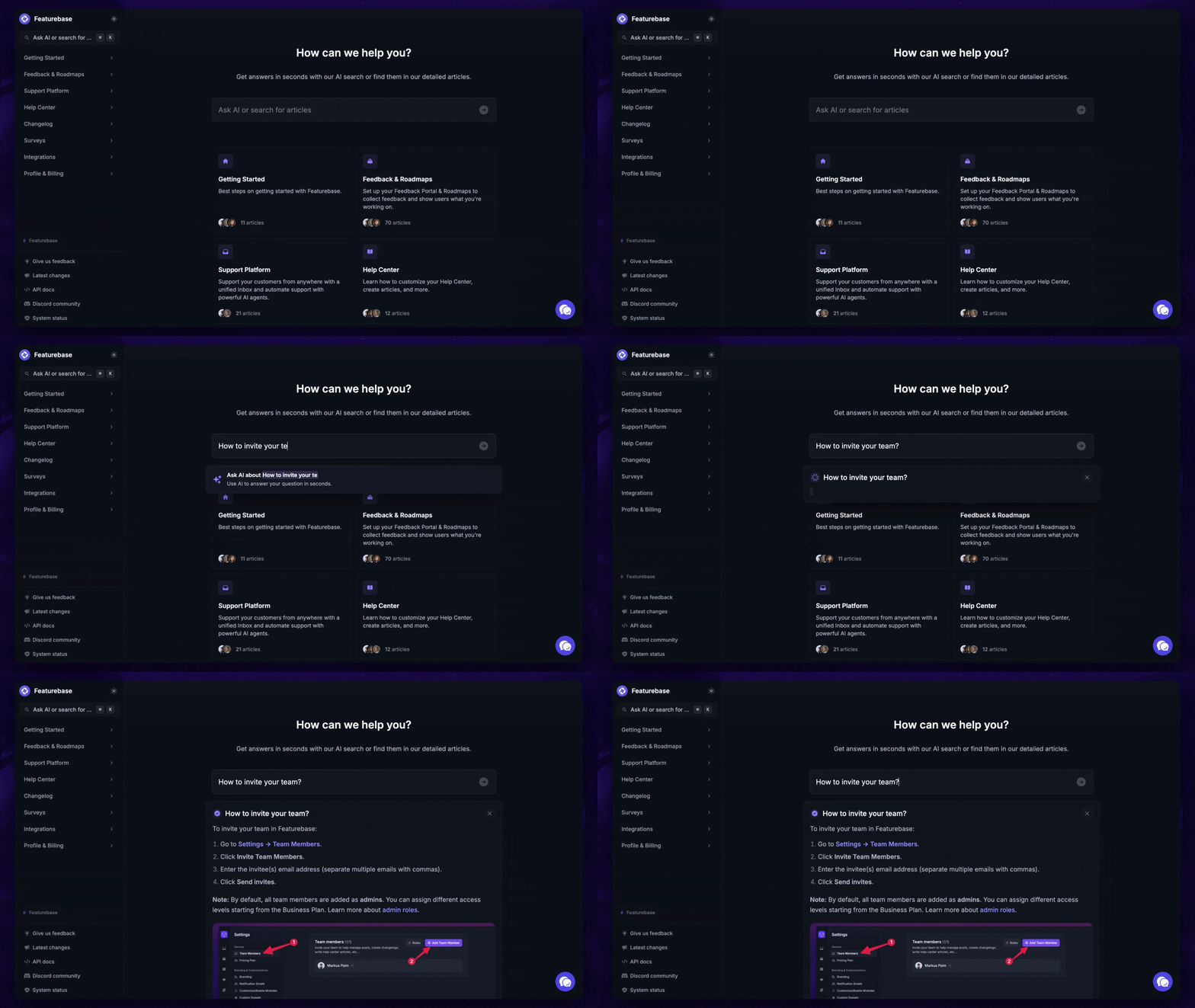
Featurebase is a modern Zoho Desk alternative that combines AI-powered support, feedback, documentation, surveys, and changelogs into a single platform for SaaS. It's loved by thousands of support teams from companies like Lovable, Raycast, and Beehiiv. 💫
Top features:
- Unified inbox – manage your live chat & email conversations in one place with your whole team
- AI agent & automations – fully automate your support with AI and endless custom workflows, like extending trials, offering discounts, qualifying leads, etc.
- Messenger widget – provide AI and human support from anywhere with a customizable in-app widget
- AI-powered Help Center – a branded knowledge base with instant AI answers
- Email support – Seamlessly provide support to your customers via email sync
- Multi-language & custom domain support – serve content in 40+ languages with your domain and branding
- Feedback tracking & roadmaps – centralize & keep track of all customer requests in one place, and show a public roadmap
- Product updates – publish and schedule public updates, push in-app notifications, and automatically email users
- Embedded surveys – run multi-step NPS, CSAT, or custom surveys targeted by user behavior or events
- Mobile app – respond to customers, receive notifications, and unblock users on the go
- Integrations – Slack, Linear, Jira, Discord, Hubspot, and many more
How it’s better than Zoho Desk: Featurebase lets you replace all your customer-facing tools by bringing your support, help center, product updates, and feedback collection to one place, providing powerful ecosystem advantages in modern support.
Pricing: Featurebase offers a generous Free plan, which includes unlimited support conversations. The paid plans start at $29 per month + $0.29 for each AI resolution. The onboarding is super fast, so there's no downside to trying it. 👇
Automate your support with the fastest AI-enhanced Inbox today
2. Zendesk
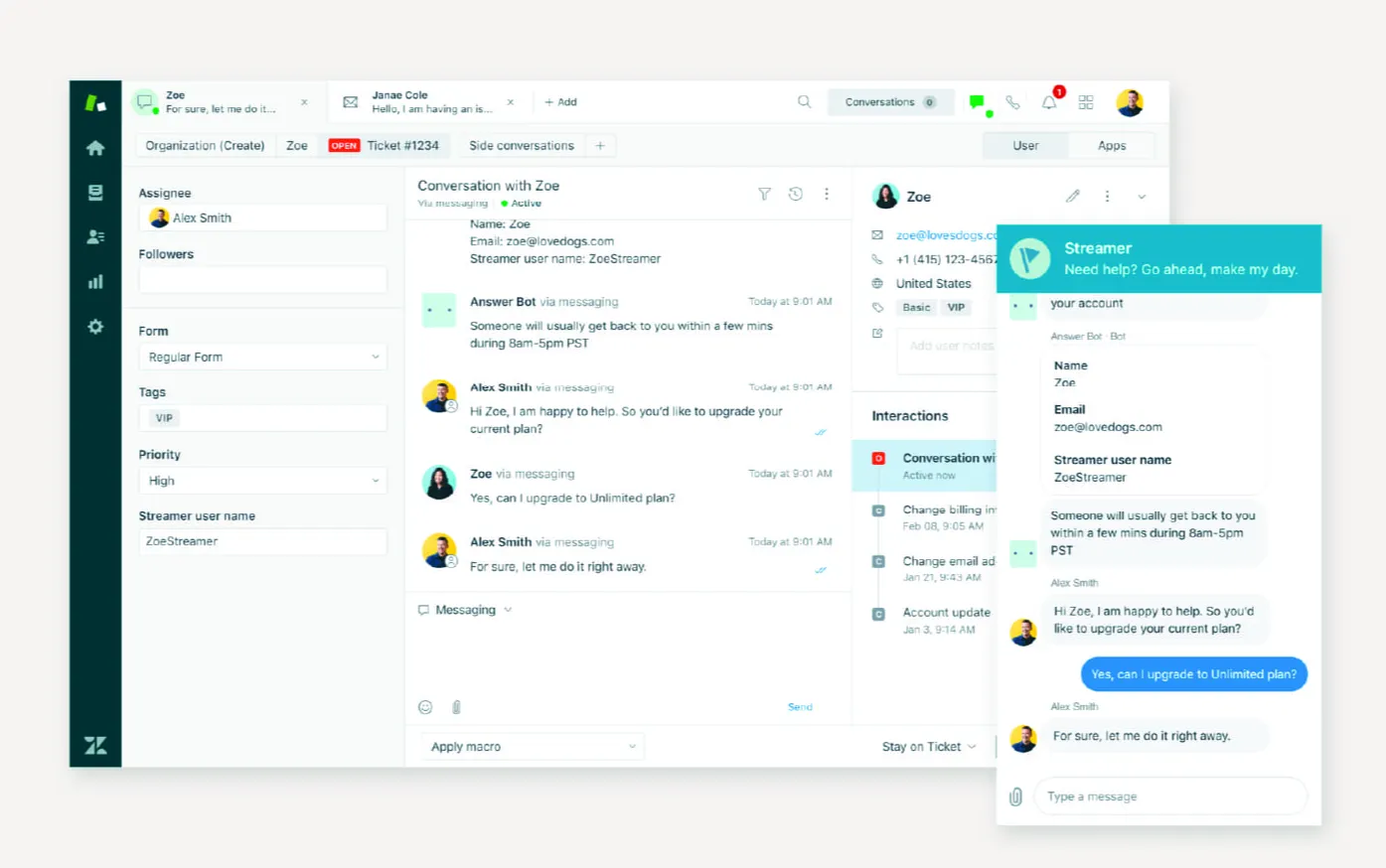
Zendesk is a widely used customer support platform that brings together email, chat, phone, and social messaging through a single interface. It includes a built-in help center that serves both external knowledge base articles and internal wiki-like documentation. It fits teams that need configurable automations, multilingual support, and ticket routing rules for large-scale customer service.
Top features:
- Omnichannel ticketing: Combine requests from email, chat, messaging, and voice channels into a single support queue for agent visibility.
- Help center with forums: Publish internal and external knowledge, community discussions, and customer support articles.
- AI agents and automation: Use bots and triggers to suggest articles, file tickets, and respond to simple questions.
- SLA routing and skills assignment: Set response targets per priority, route conversations based on agent skill and escalate after delays.
- Custom reporting with Explore: Build dashboards tracking CSAT, agent response times, article impact, and customer satisfaction metrics.
Pricing: Zendek's pricing starts at $19 per agent per month for the Support Team plan; full help center, omnichannel suppor,t and AI begin at $55 per agent per month under the Customer Service Suite.
How it’s better than Zoho Desk: Zendesk includes multibrand help center support, multilingual SLA scheduling and generative AI chatbots in mid‑tier plans that Zoho Desk reserves for enterprise plans. Its analytics and automation tools are more advanced, enabling support and success teams with better scalability without patching in separate systems.
3. Tidio
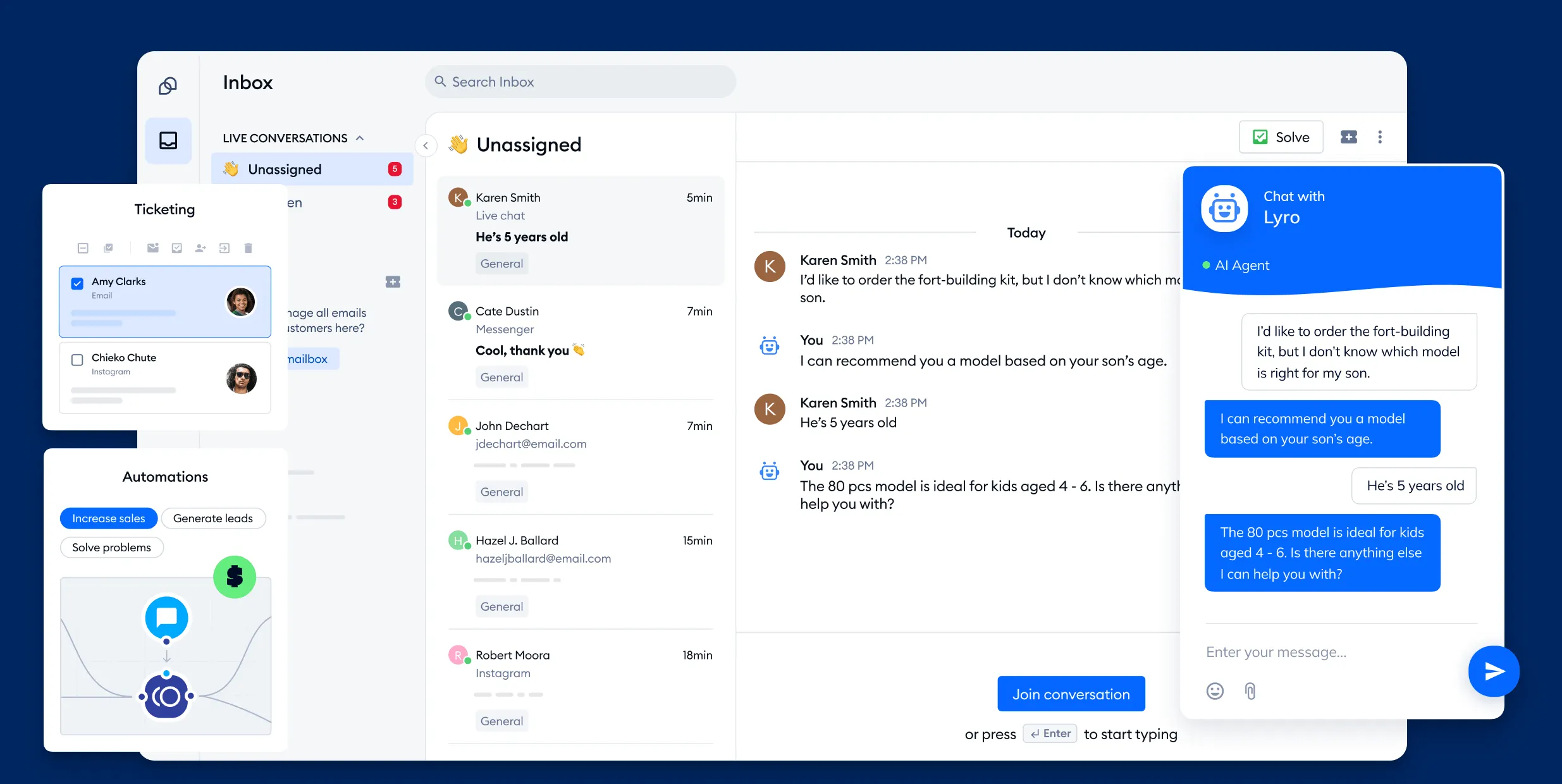
Tidio offers live chat, chatbot automation, and a shared inbox for messages from websites, emails, and social media, packaged in a simple interface. It works exceptionally well for small businesses and e-commerce teams that want to engage visitors and collect leads without building a full ticketing system.
Top features:
- Live chat widget: Add a customizable chat box to your site to assist with customer inquiries.
- Chatbot builder (Lyro): No-code chatbot with AI presets that can handle routine inquiries and lead-gathering.
- Shared multichannel inbox: Bring together chats, emails, Instagram and Facebook messages into one dashboard.
- Visitor list with targeting: Monitor who is browsing your site and trigger proactive chat invites to improve engagement.
- Prebuilt templates: Use flow templates for lead capture, support prompts or automated follow-ups without coding.
Pricing: Tidio's pricing starts at $29 per widget per month when billed annually; a free plan is available with limited usage.
How it’s better than Zoho Desk: Tidio removes the complexity of setting up ticket queues by offering visitor messaging and bot automation at a lower price point, making it more flexible for teams that want direct chat engagement over full-service support infrastructure.
4. Help Scout
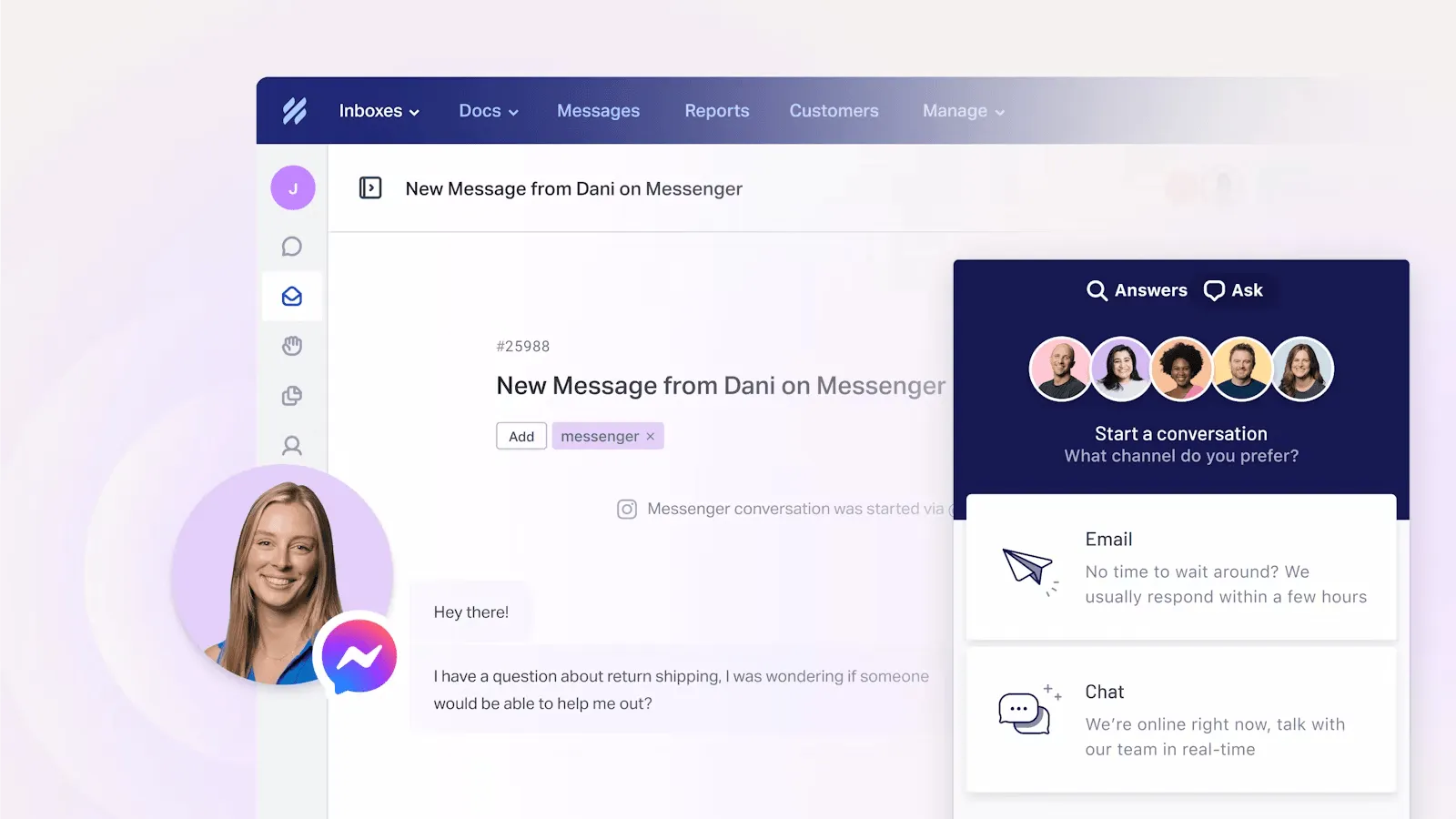
Help Scout is an email-first customer support tool with a help centre and live chat widget built for teams that want friendly, conversational support. It integrates shared inboxes, knowledge base tools and messaging into one platform. It’s a solid match for companies that favour a human touch over rigid ticket flows.
Top features:
- Shared inboxes: Let multiple users handle email, live chat, and messaging together without missing context or replies.
- Beacon chat widget: Combines help centre articles with chat support in one embedded interface on your website.
- Knowledge base: Publish searchable articles and FAQs with full text search for customers and internal teams.
- AI response drafts: Help agents write replies faster using AI‑generated response suggestions right in the inbox.
- Contact-based billing: Unlimited team members, billing only for contacts helped, helping you avoid per‑user licensing costs.
Pricing: starts at $25 per month for the Standard plan, which covers up to 100 contacts each month with unlimited users and includes the inbox, docs site, live chat and reporting features.
How it’s better than Zoho Desk: Help Scout lets you add users at no extra cost and simplifies billing by charging per contact rather than per agent. It combines email, live chat, knowledge base and AI response tools in one platform and support process without forcing you into complex per‑user plans.
5. Front
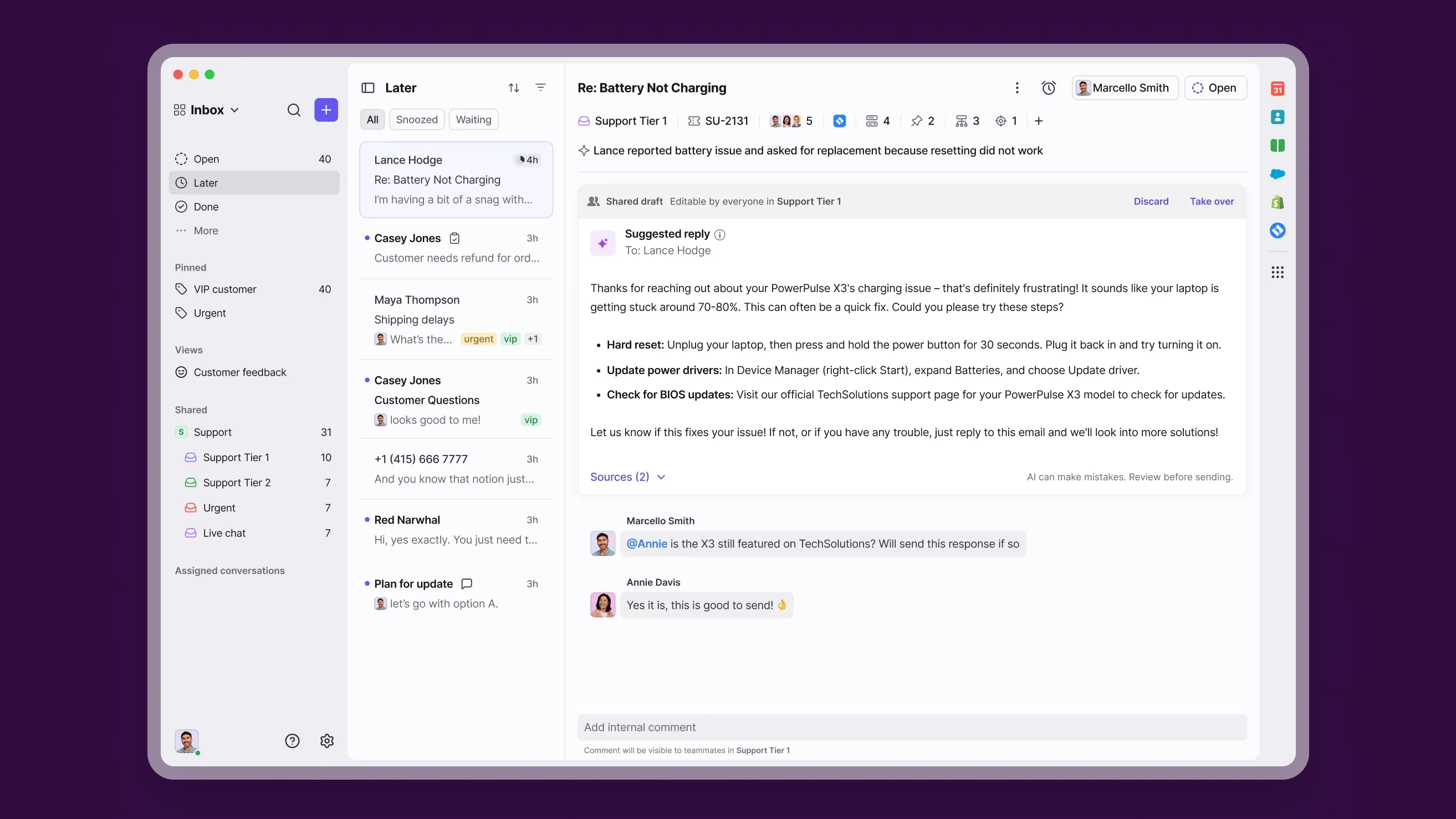
Front is a shared inbox and team inbox platform that brings email, SMS, chat and social messaging into one central workspace. It is well-suited for support, success, and operations teams that prefer to collaborate on customer threads without platform switching. The interface makes it easy to assign, comment and track messages across channels.
Top features:
- Unified inbox: Manage messages from email, SMS, chat and social in a single team mailbox with visibility into full conversation history.
- Rule-based automation: Set triggers to assign conversations, tag messages or send follow-ups based on configurable conditions.
- Shared drafts and private comments: Collaborate on replies in real time without exposing them to customers.
- Public knowledge base builder: Create a help centre using drag‑and‑drop tools, no code needed.
- Built‑in analytics: Track metrics like response time, team performance, volume trends and article impact.
Pricing: Front's pricing starts at $25 per user per month for the Starter plan, billed annually, with up to 10 seats included.
How it’s better than Zoho Desk: Front makes it easier to collaborate on live conversations by offering shared drafts, private team comments and rich multi-channel support under one roof. Its knowledge base builder comes standard at entry tiers, while Zoho Desk limits article features to paid plans.
6. Freshdesk
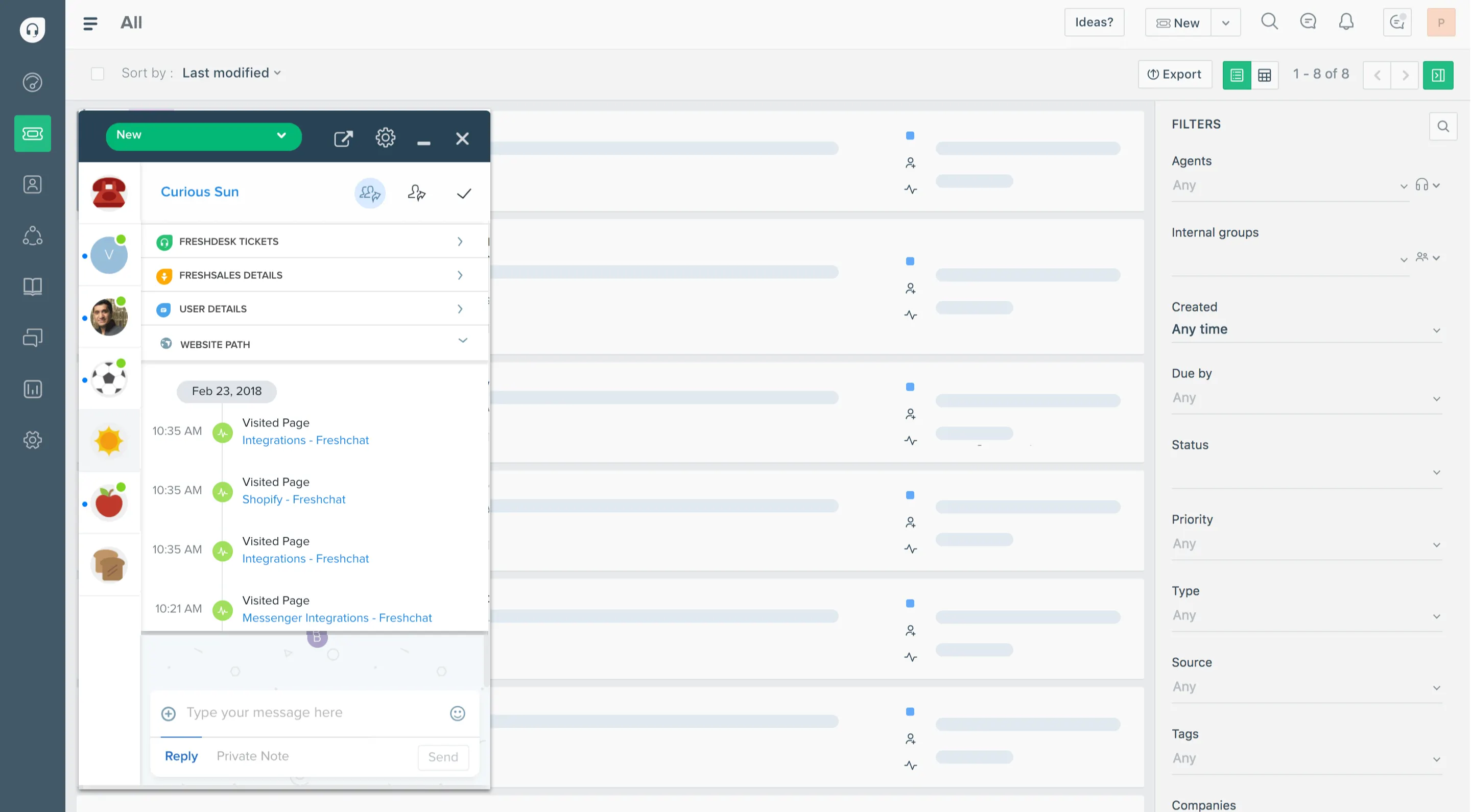
Freshdesk is a cloud-based help desk platform used by teams that support customers through email, chat, phones and social channels. It delivers ticketing, built‑in knowledge base, automation rules and AI tools, with flexible pricing plans. It works well for businesses that want customer support features without having to purchase separate apps.
Top features:
- Multichannel ticketing: Capture support requests from email, messaging apps, phone and social media in one shared ticket queue.
- Freddy AI triage: Use automation to sort tickets by urgency, suggest knowledge base articles, or draft replies for agents.
- Scenario automation: Configure conditional rules to auto‑assign, escalate or update tickets based on events or tags.
- Collaborative tickets: Allow multiple team members to help on a ticket with shared notes and collision detection.
- Self-service knowledge base: Publish multilingual FAQs and support content that helps cut ticket volume.
Pricing: Freshdesk's pricing starts at $15 per agent per month for the Growth plan (billed annually), which includes automation, reports, knowledge base, and customer surveys.
How it’s better than Zoho Desk: Freshdesk offers a free plan that supports up to three agents and includes reporting and a knowledge base, which are features that require payment in Zoho Desk. Its Freddy AI tool simplifies ticket sorting and response suggestions, and it supports knowledge base publishing at lower pricing tiers than Zoho Desk.
7. Intercom
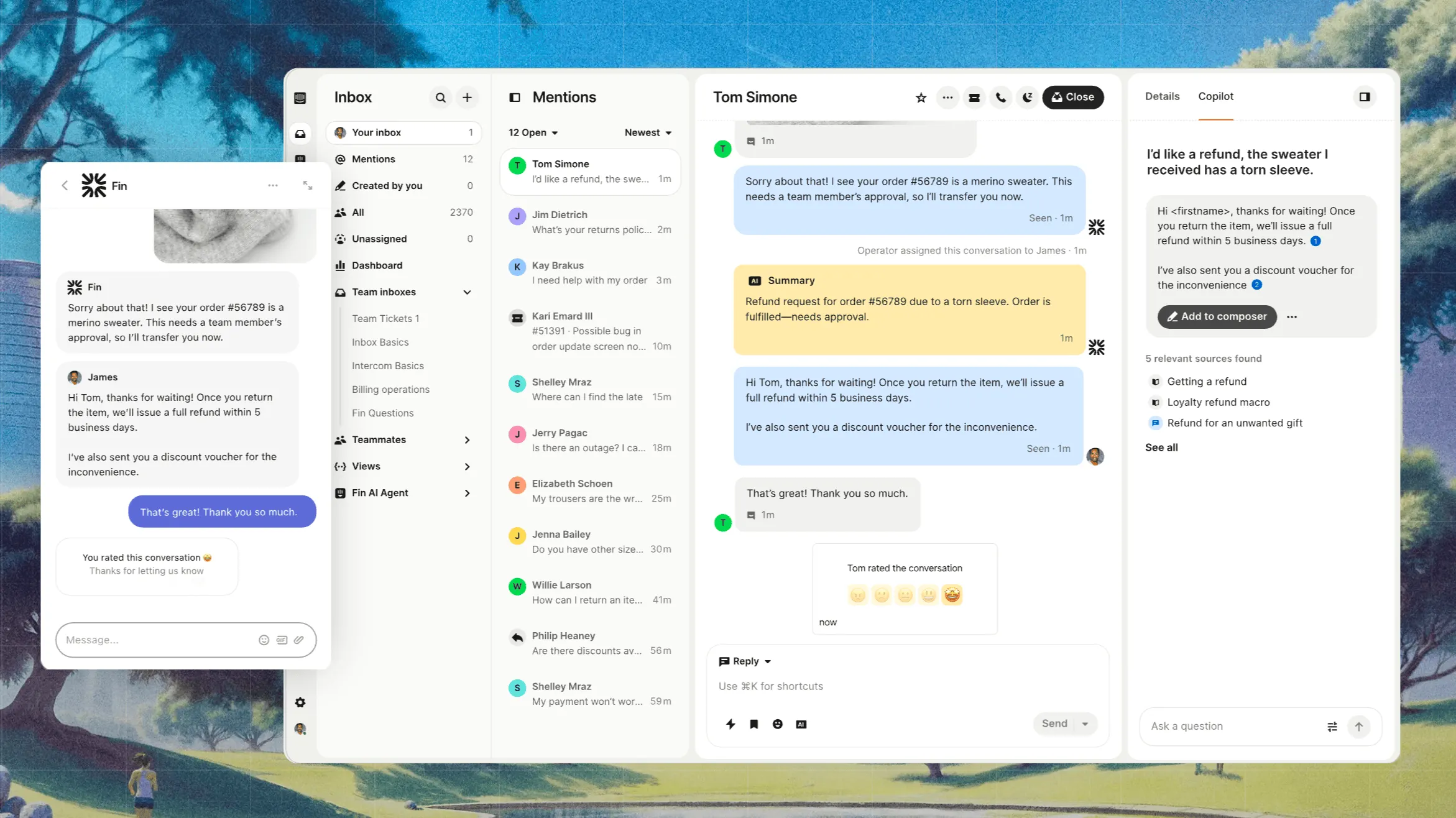
Intercom is a chat-first platform that combines live chat, customer messaging and a help centre. It’s ideal for businesses that want to offer in-app support and proactive user engagement along with self service options. It supports workflows, surveys and AI chatbot features for both support and product teams.
Top features:
- Messenger and shared inbox: Connect website chat, email and in-app messages into a single team inbox with chat-first interface.
- Fin AI agent: Automate basic questions with an AI chatbot that can direct users to support articles or collect relevant details.
- Help centre articles: Build and publish help content directly within the same interface as chat and messenger.
- Outreach tools: Use banners, product tours and auto messages to guide users or announce updates.
- Contact segmentation: Group users by behaviour or profile to send targeted messages or content suggestions.
Pricing: Intercom's pricing starts at $19 per seat per month billed annually ($29 billed monthly) for the Essential plan, which includes shared inbox, basic help centre, live chat, and reporting tools. Fin is billed separately at $0.99 per outcome. Advanced costs $85/seat/month and Expert costs $132/seat/month, billed annually.
How it’s better than Zoho Desk: Intercom integrates live chat, messaging, and help articles in one interface, giving users immediate support and guided experiences without switching apps. Its AI agent can resolve questions in chat without converting to tickets, saving time and reducing overload compared to Zoho Desk’s traditional ticket setup.
8. Kayako
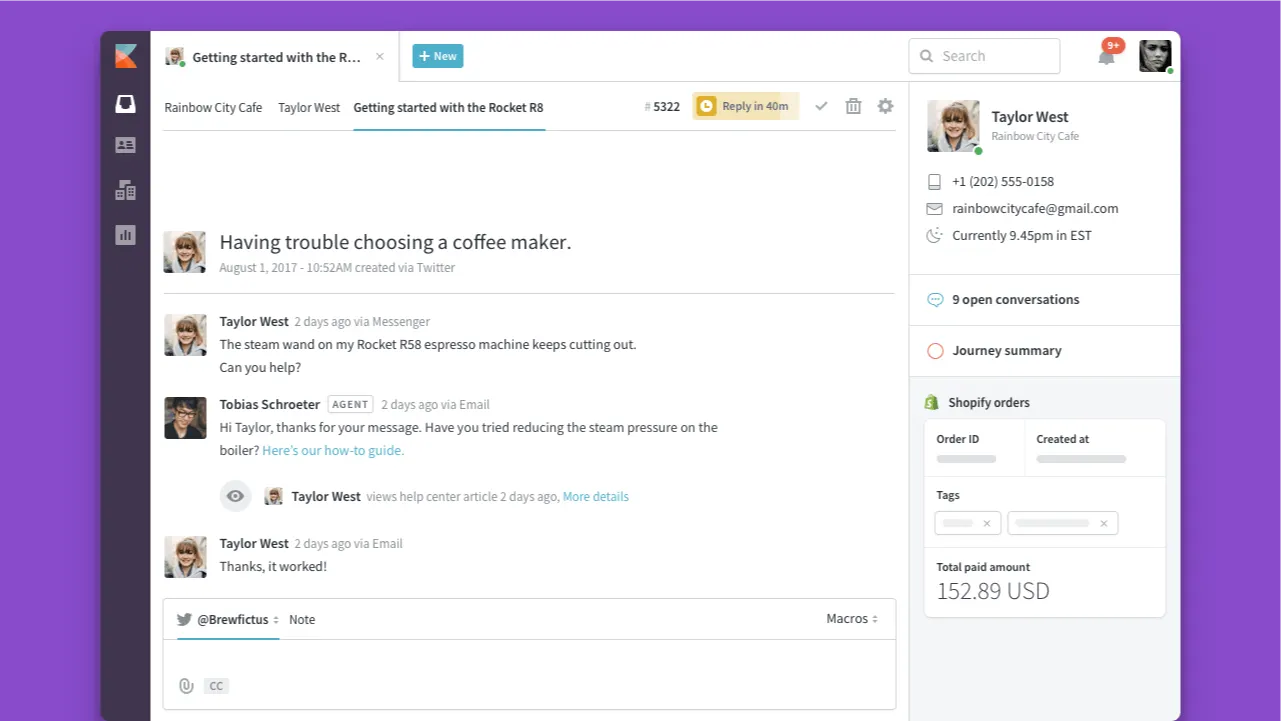
Kayako is a help desk software built around a unified customer view, capturing interactions across email, chat and social media in one timeline. It includes a public help centre and supports multi-brand and multi-language teams. It is a good match for small and mid-sized teams that value simplicity without sacrificing online documentation.
Top features:
- Shared inbox timeline: View every message, conversation and action per customer in chronological order.
- Assignment and routing rules: Automatically assign tickets or tag them based on conditions like channel, status or content.
- Built-in help centre: Publish private or public articles, support multiple brands and serve content in different languages.
- External collaborators: Invite vendors, sales or other stakeholders into tickets without extra licensing or seats.
- Collision prevention and canned replies: See when teammates are active on a ticket and reuse standard responses while maintaining speed.
Pricing: starts at $79 per month for a shared inbox and ticketing system + $1 for an AI resolved ticket.
How it’s better than Zoho Desk: Kayako offers omnichannel support and a public knowledge base out of the box, along with guest collaboration at a lower price. That avoids Zoho Desk’s add‑on pricing and third‑party dependency for similar capabilities.
9. Hiver
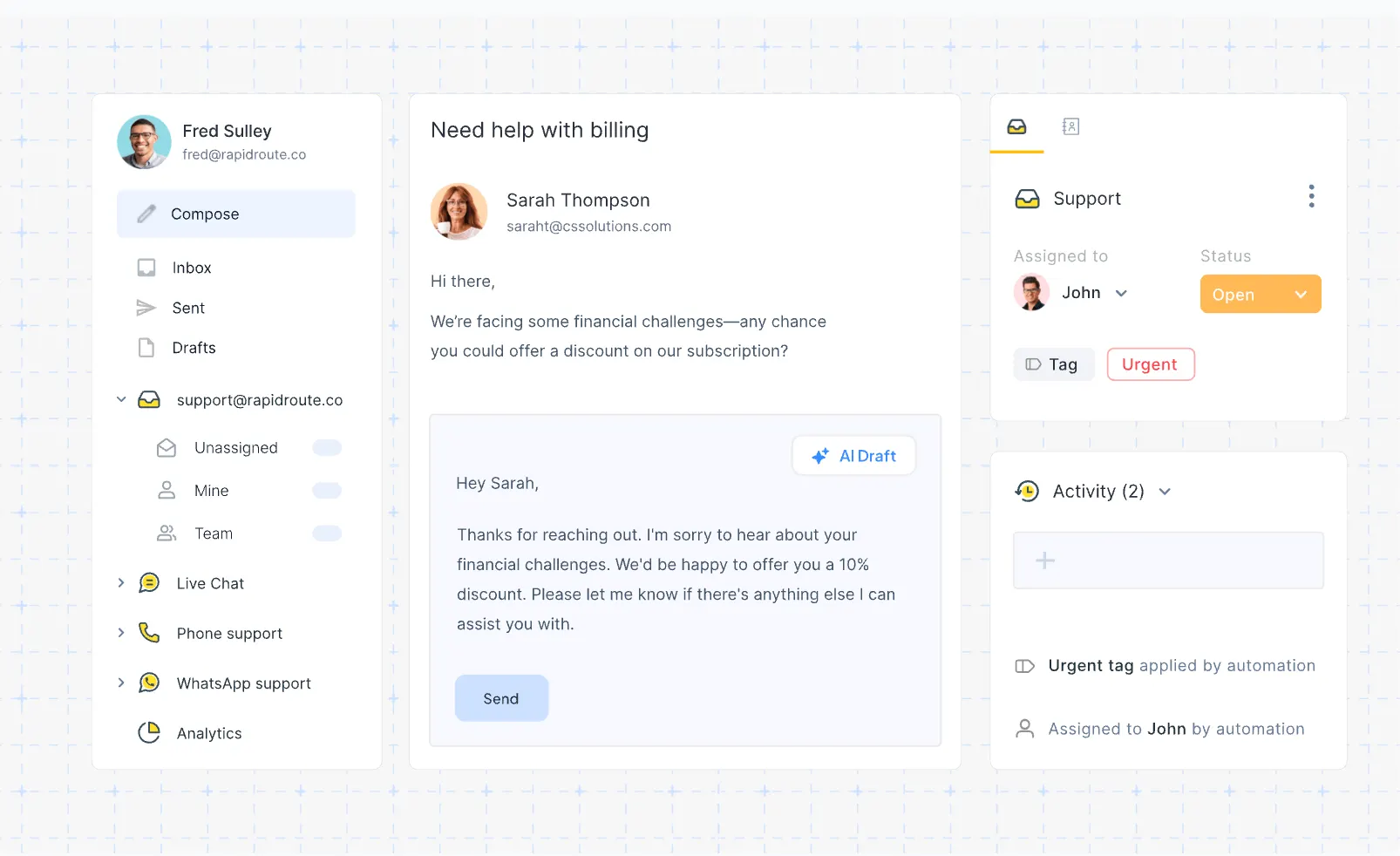
Hiver is a Gmail-native help desk solution designed for teams that prefer managing support directly from email, especially inside Google Workspace. It transforms shared inboxes like support@ into assignable, trackable tickets, with collaboration and automation tools built in. It’s ideal for teams where minimal training and fast setup are priorities.
Top features:
- Gmail shared inbox: Work from inside Gmail using labels for multiple shared addresses with centralized visibility.
- Task and SLA automation: Auto-assign and auto-close emails, set response templates and enforce service level targets.
- Notes, @mentions and collision alerts: Internal agents can leave comments and avoid replying over each other in real time.
- Multi-channel bridge: Handle live chat, WhatsApp, voice and email in the same interface with channel blending.
- Embedded knowledge base: Create FAQ-style articles that help deflect repeat questions from the inbox.
Pricing: Hiver's pricing starts at $19 per user per month with the Lite plan, billed annually. A free shared inbox option is available for basic use.
How it’s better than Zoho Desk: Hiver lets teams stay in Gmail without learning a new dashboard, cutting onboarding time. Its basic knowledge base and multi-channel inbox are included early in the plan, whereas Zoho Desk requires higher-tier upgrades for similar tools.
10. HubSpot
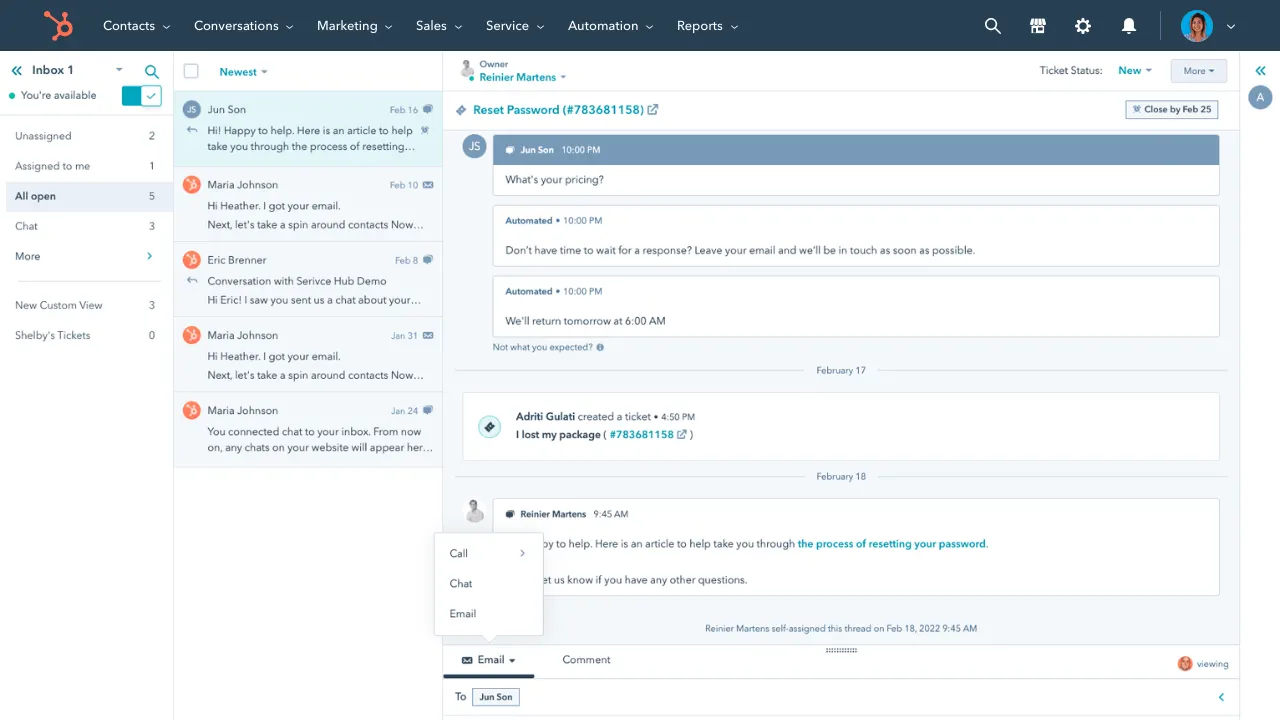
HubSpot Service Hub is the support arm of HubSpot’s all-in-one CRM platform, combining ticketing, CRM-linked contact data, chat, and knowledge management in a single system. It fits businesses that want to align support with marketing and sales activities without juggling separate apps.
Top features:
- Conversation inbox: Unify email, live chat, forms and messaging channels with full customer history.
- Built-in knowledge base management: Create help articles in multiple languages with approval workflows and search analytics.
- SLAs and routing automations: Use rules to assign tickets by agent skill, set response priorities and enforce deadlines.
- Service CRM integration: Tickets, interactions and knowledge usage all live beside marketing, sales and customer records.
- Feedback tools and satisfaction surveys: Deploy CSAT, NPS or custom surveys after support interactions.
Pricing: starts at $15 per seat per month for the Starter edition, following annual billing. Service Hub offers free tools for smaller teams.
How it’s better than Zoho Desk: With Service Hub, you gain CRM integration, free live chat, surveys and self-service help articles in entry plans. That surpasses Zoho Desk’s comparable tiers that lock those capabilities behind pricier or enterprise plans.
Conclusion
Zoho Desk is pretty affordable and comes with tons of features for customer engagement. Also, the platform integrates seamlessly with the rest of the Zoho tool stack. But it's hard not to notice its steep learning curve, limited integrations with anything that is not made by Zoho, and the poor mobile app... Among other things.
Featurebase is a modern Zoho Desk alternative with an AI-powered support inbox & help center. It comes with native ticketing, custom automation, workflows, and much more. It's loved by thousands of companies like Lovable, Polymarket, and Raycast.
What's best is that it comes with a Free plan, and the onboarding is super fast, so there's no downside to trying it out! 👇
Switch from Zoho Desk to get the fastest AI-powered inbox & help center