Blog Customer Service9 Best CRM Ticketing Systems in 2026: Features & Pricing
9 Best CRM Ticketing Systems in 2026: Features & Pricing
Compare nine CRM ticketing systems by features, pricing, and CRM integration. Find the right fit for SaaS, small businesses, and ecommerce support.



✨ Get the modern Ticketing Inbox designed for efficiency →
Support teams today deal with more customer inquiries, more channels, and higher expectations than ever. As businesses grow, support gets harder to manage when customer context is scattered across different tools.
A CRM ticketing system connects customer support requests with customer records and conversation history. Some platforms build ticketing into the CRM, while others connect a dedicated helpdesk to your existing CRM.
In this guide, I'll compare 9 options, explain their pricing and integration trade-offs, and help you choose the right fit. 👇
Key takeaways
| Tool | Best for | CRM connection | Starting price | Main trade-off |
|---|---|---|---|---|
| ✨Featurebase | Product-led SaaS | HubSpot and Salesforce integrations on Professional | Free plan, paid from $29/seat/month annually | CRM integrations require $59/seat/month Professional |
| HubSpot Service Hub | Existing HubSpot users | Native HubSpot CRM records | Free tools, displayed Starter offer $7/seat/month annually | Full helpdesk requires Professional |
| Zendesk | Complex support operations | CRM integrations and customer profiles | $19/agent/month annually | Omnichannel Suite starts at $55 |
| Freshdesk | Growing email support teams | Customer records and CRM integrations | $19/agent/month annually | Freshdesk Omni is a separate offering |
| Zoho Desk | Budget-conscious Zoho users | Connects with Zoho CRM | Free for 3 users, paid from $7/user/month annually | CRM connection and automation vary by edition |
| Intercom | Chat-first support | Customer data and CRM integrations | $19/seat/month annually ($29 monthly) + $0.99 per Fin outcome | Fin and some channels add usage costs |
| Help Scout | Smaller teams valuing simplicity | HubSpot and Salesforce integrations on Plus | Free plan, paid from $25/user/month annually | Advanced CRM integrations require Plus |
| Gorgias | Ecommerce stores | Store, order, and customer data | $10/month for 50 tickets, monthly billing | Ticket overages and AI add to cost |
| Richpanel | Ecommerce self-service | Commerce data and customer history | $69/agent/month annually | Yearly contracts and separate Customer Service AI charges |
Prices checked in September 2026. Annual prices are monthly equivalents billed annually. Entry prices do not include every feature described below.
What is a CRM ticketing system?
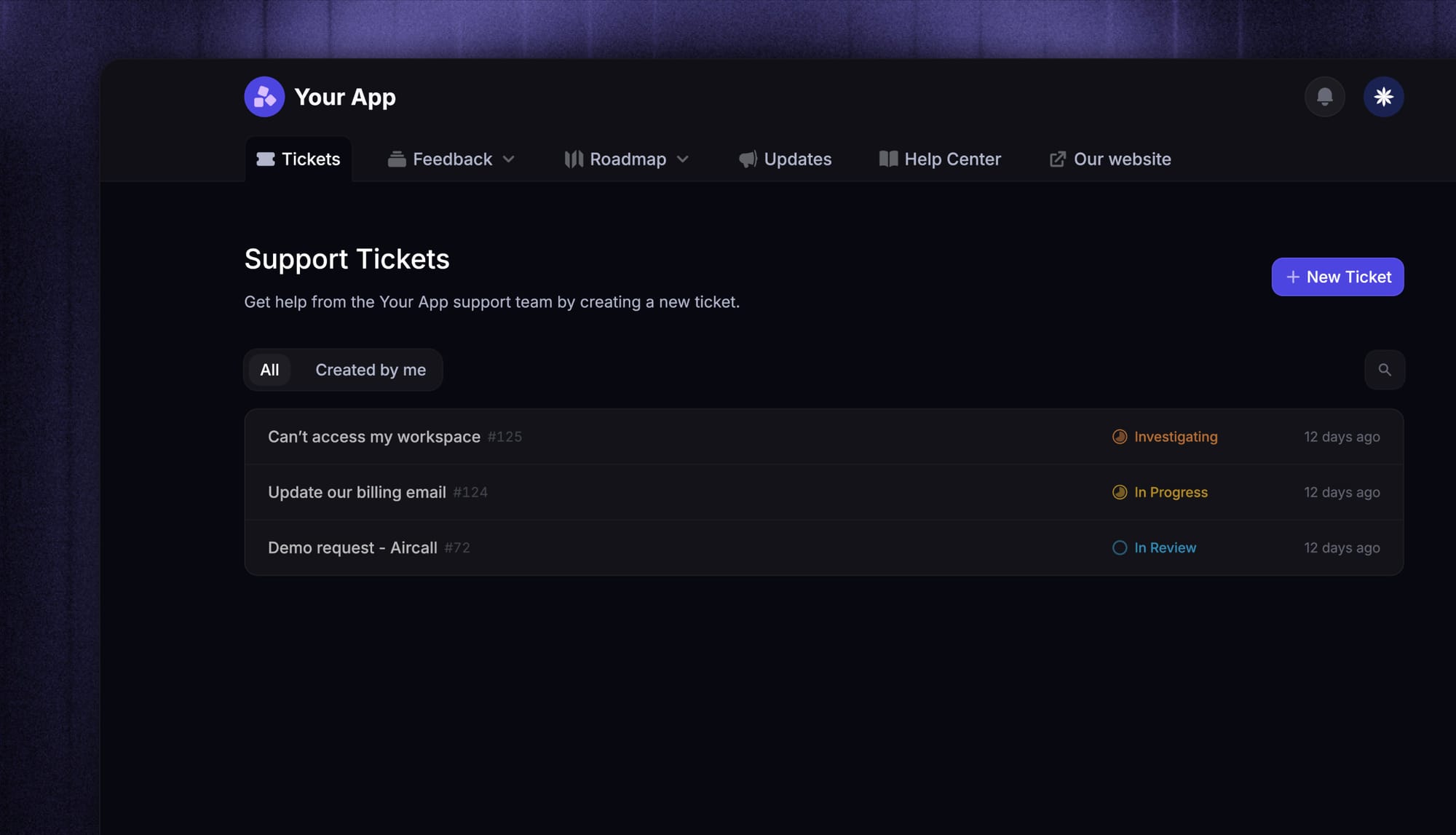
A CRM ticketing system helps businesses manage support tickets and requests, track customer conversations, and organize service work while tying each interaction back to the customer record.
A connected system keeps customer data, account history, sales context, and previous support interactions available alongside each ticket. That gives support teams more context, which is especially useful when handling more complex issues.
A helpdesk can provide this context too. The distinction is how the customer record and ticket data connect, rather than whether the product calls itself a CRM or a helpdesk.
There are 2 common approaches:
- Native CRM ticketing: Tickets live inside the CRM platform, alongside contacts, companies, and sales activity. HubSpot Service Hub follows this model.
- Helpdesk with CRM integration: Support runs in a dedicated tool that connects to a separate CRM. The integration determines which records and fields agents can see or update.
In practice, a CRM ticketing system helps teams:
- Organize incoming tickets
- Create tickets from email, live chat, forms, and other channels
- Route requests with smart routing or automated assignment rules
- Track SLAs and response times
- Give support agents access to customer data and past interactions
- Improve collaboration across sales and support teams
- Reduce manual work with automation features
For example, a customer emails about a billing problem. The system creates a ticket, matches the sender to a contact and company, and shows the account's plan and previous conversations. A routing rule assigns the issue to billing support, then the agent resolves it with the customer context in view.
That workflow only works reliably if contact matching and data sync are accurate. A sidebar showing CRM details does not necessarily mean changes flow back to the CRM.
See our full help desk software comparison.
Benefits of using a CRM ticketing system
The right CRM ticketing platform can improve both day-to-day support operations and long-term business outcomes.
1. Better customer satisfaction
When teams have immediate access to customer data, ticket history, and previous conversations, it becomes easier to resolve issues quickly and accurately. That leads to stronger customer satisfaction, especially when customers do not need to repeat themselves.
2. Stronger customer loyalty and relationships
Support plays a major role in the customer journey. Fast, consistent, and well-informed responses help build trust, improve customer loyalty, and strengthen customer relationships over time.
3. Faster handling of support tickets
A well-designed desk ticketing system helps teams prioritize, categorize, and respond to customer requests more efficiently. Features like ticket routing, automation, and templates reduce wasted time and make it easier to keep work moving.
4. Better collaboration across teams
Many issues do not belong to one department alone. A CRM-based workflow helps sales professionals, sales reps, the sales team, and the support team work from the same context instead of chasing updates across disconnected systems.
5. More efficient customer service processes
Whether you are handling higher support volume, a broader product offering, or more complex workflows, CRM ticketing helps streamline business processes and reduce repetitive work for customer service agents.
6. Better reporting and support metrics
The best tools make it easier to measure support metrics such as response times, resolution times, agent performance, SLA compliance, and workload trends. That gives teams better support data for improving operations over time.
How we evaluated these ticketing tools
We looked at these tools from the perspective of teams that need to manage real support volume, not just test features in a demo environment.
Our main question was simple:
Which CRM ticketing systems actually help teams manage support more efficiently while improving visibility, service quality, and customer satisfaction?
To answer that, we focused on five things:
- Core support features: how well each tool handles ticketing, multichannel support, knowledge base content, and customer self-service
- Workflow efficiency: automation, routing, SLA management, and the tools teams need to keep support moving smoothly
- Team usability: customer context, collaboration features, reporting, and visibility into support performance
- Business fit: whether the platform works better for smaller teams, larger support organizations, or more complex workflows
- Pricing and implementation: pricing flexibility, ease of setup, learning curve, and how well the tool fits with existing systems
We also looked at one practical question: does the platform actually make support easier to run, or does it just add another layer of software to manage?
That matters because the best CRM ticketing systems are not just feature-rich. They should help teams work faster, stay organized, and scale support more effectively.
The best CRM ticketing software for different team types in 2026
Not every tool on this list fits the same type of team. Some are broad CRM systems with strong ticketing features, while others are better suited to ecommerce, conversational support, or simpler shared-inbox workflows.
That is why this guide focuses on the best options for different team types and business needs. The right fit depends on your workflow, team size, and the level of complexity you need.
1. Featurebase ✨
Best for: Teams that want a modern CRM ticketing system with AI, self-service, and a unified support workflow
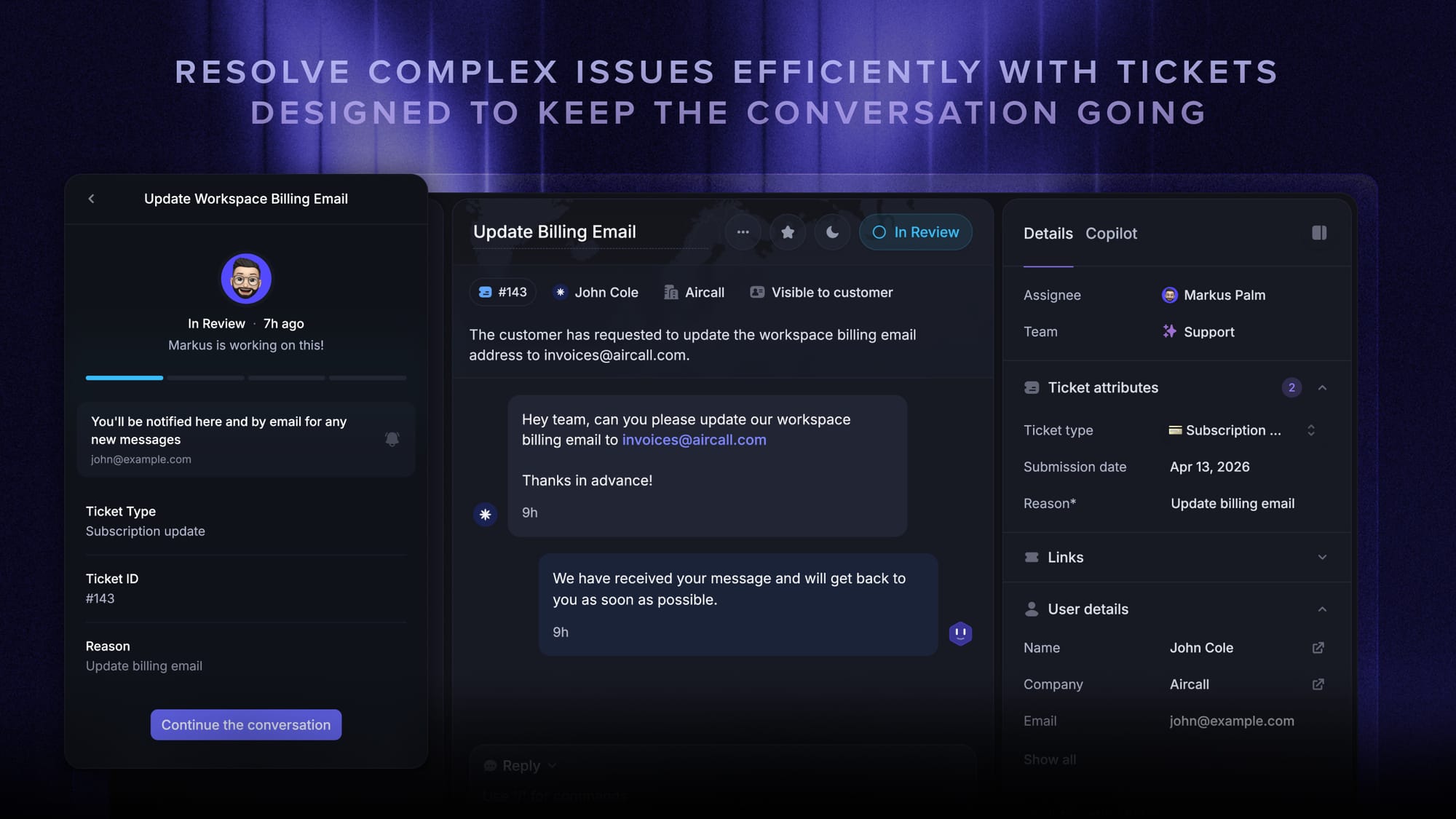
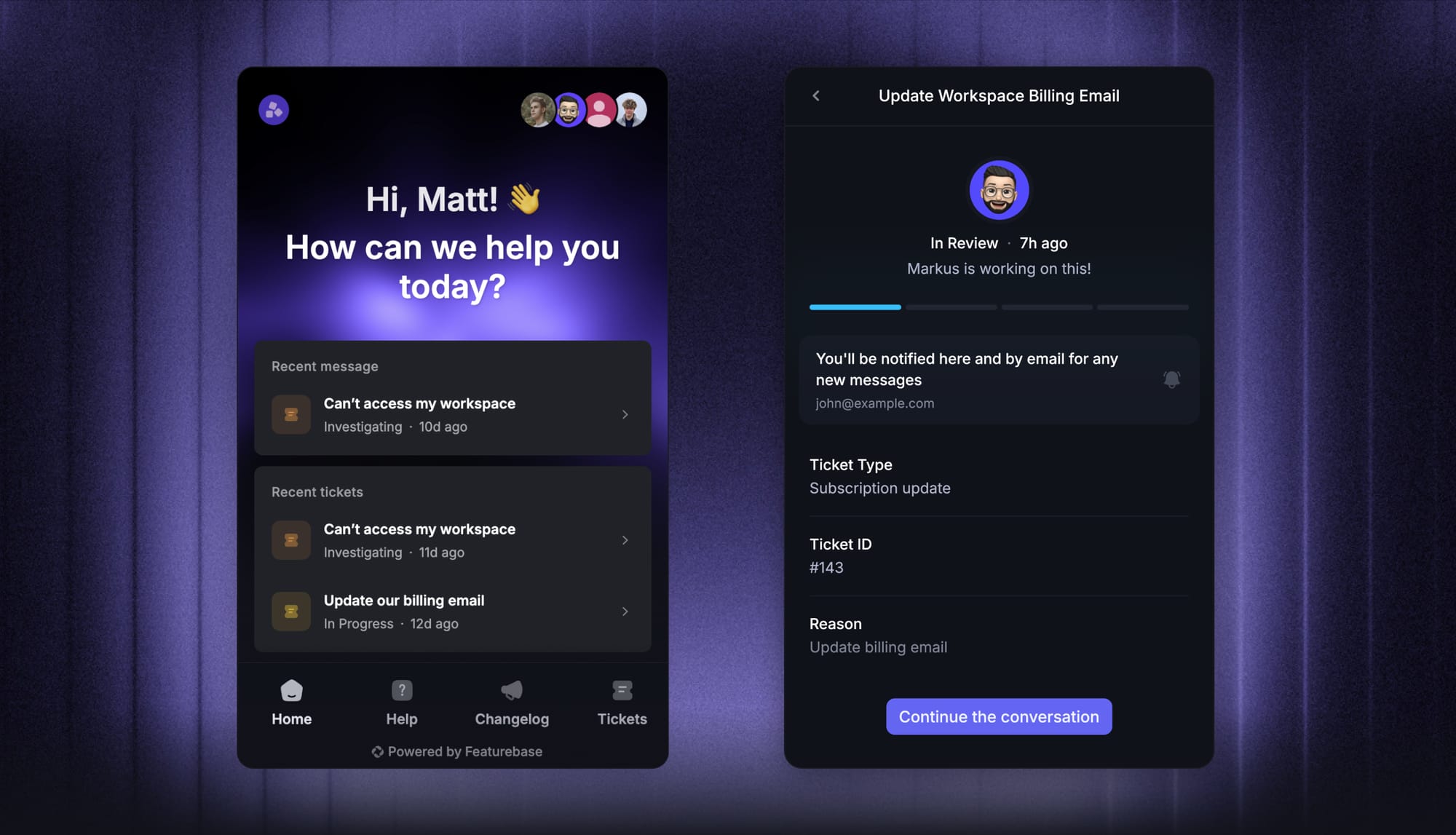
Featurebase is a modern AI customer support platform for product-led SaaS. It combines AI-powered support, help center, and feedback management into a single platform for startups that want all their customer-facing tools in one place. Featurebase is loved by thousands of support teams from companies like Lovable, Raycast, and n8n. 💫
Top features:
- Omnichannel inbox – Manage live chat, email, and Slack conversations from one AI-powered view
- Fibi AI Agent - Resolve customer issues on autopilot & run custom actions like trial extensions and refunds
- Help center with AI search – Provide instant, multilingual self-serve answers
- Workflows & automations – Auto-assign tickets, route conversations, collect customer data, and more
- AI Copilot – Help your agents answer customers faster with AI Copilot that uses your internal knowledge
- Multi-brand support – Manage multiple Help Centers and Live chats from a single workspace
- Automatic AI translations – Automatically translate all messages and help articles to your customers native language
- Service Level Agreements – Track SLAs to make sure your team responds to customers on time, every time
- Mobile app – Respond to customers, receive notifications, and unblock users on the go
- Feedback & roadmap tools – Collect feature requests and close the loop with updates
- Product updates – Publish release notes with a changelog page, in-app widget, and emails
- Integrations – Connects with Slack, Linear, Jira, HubSpot, and more
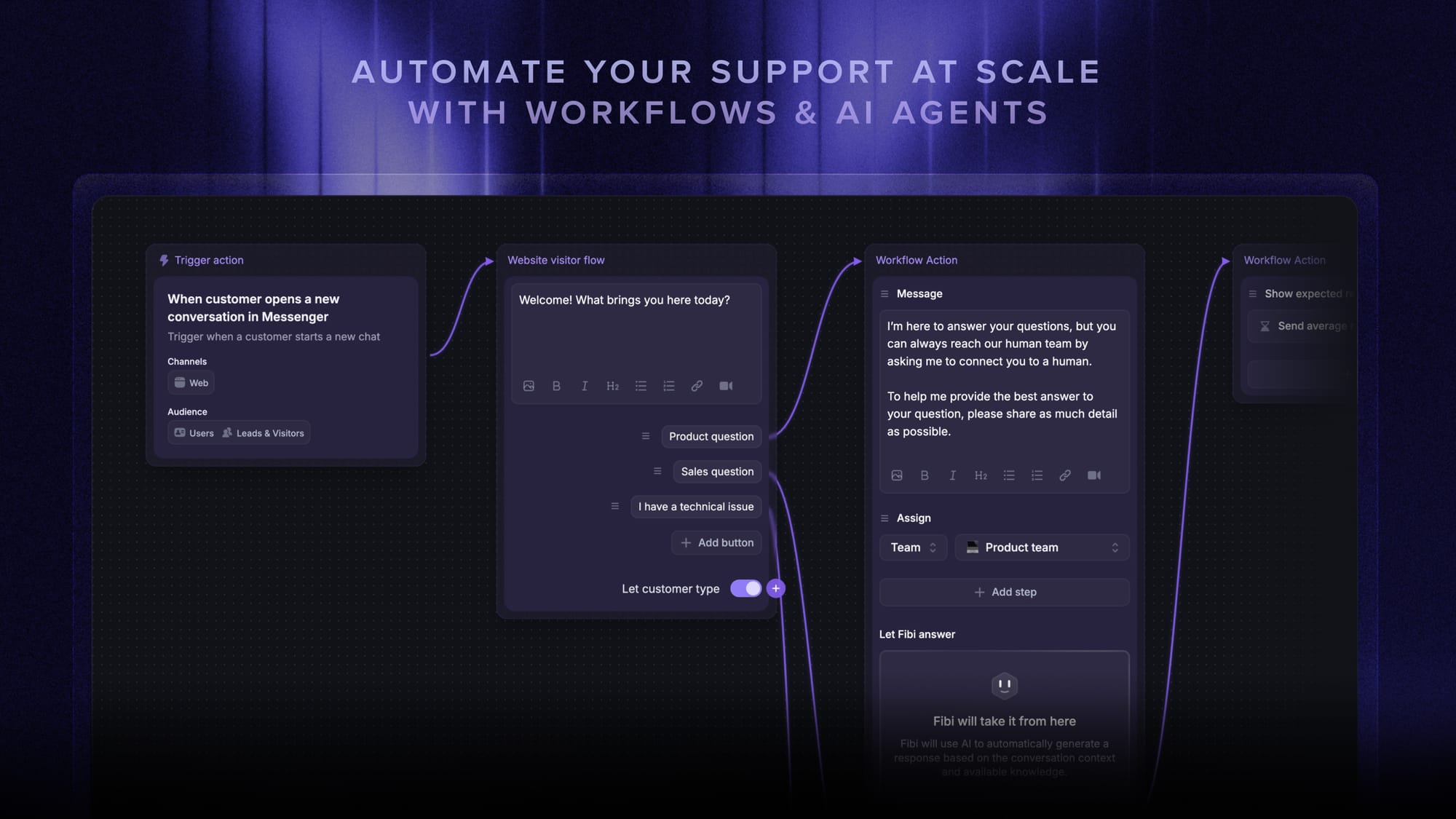
Pricing: Free plan available with unlimited conversations. Paid plans start at $29/seat/month with $0.49 per AI resolution.
Featurebase covers all the basic support features that legacy platforms do, but with a much more modern approach. It comes with AI automations, a mobile app, and multiple channels (email, live chat, Slack, etc.).
CRM connection: The HubSpot integration syncs contacts and mapped properties in both directions, with one chosen direction per attribute. It also syncs companies through matching company IDs. Agents can use customer and company context alongside support conversations.
The $29 starting price is Growth with annual billing. Professional costs $59/seat/month annually and includes HubSpot and Salesforce integrations, Workflows, Slack support, and SLAs. Enterprise costs $99/seat/month annually and adds capabilities such as multi-brand support. Linking HubSpot deals to feedback requires Enterprise.
The Free plan includes 1 seat and unlimited conversations. AI resolutions are billed separately on paid plans.

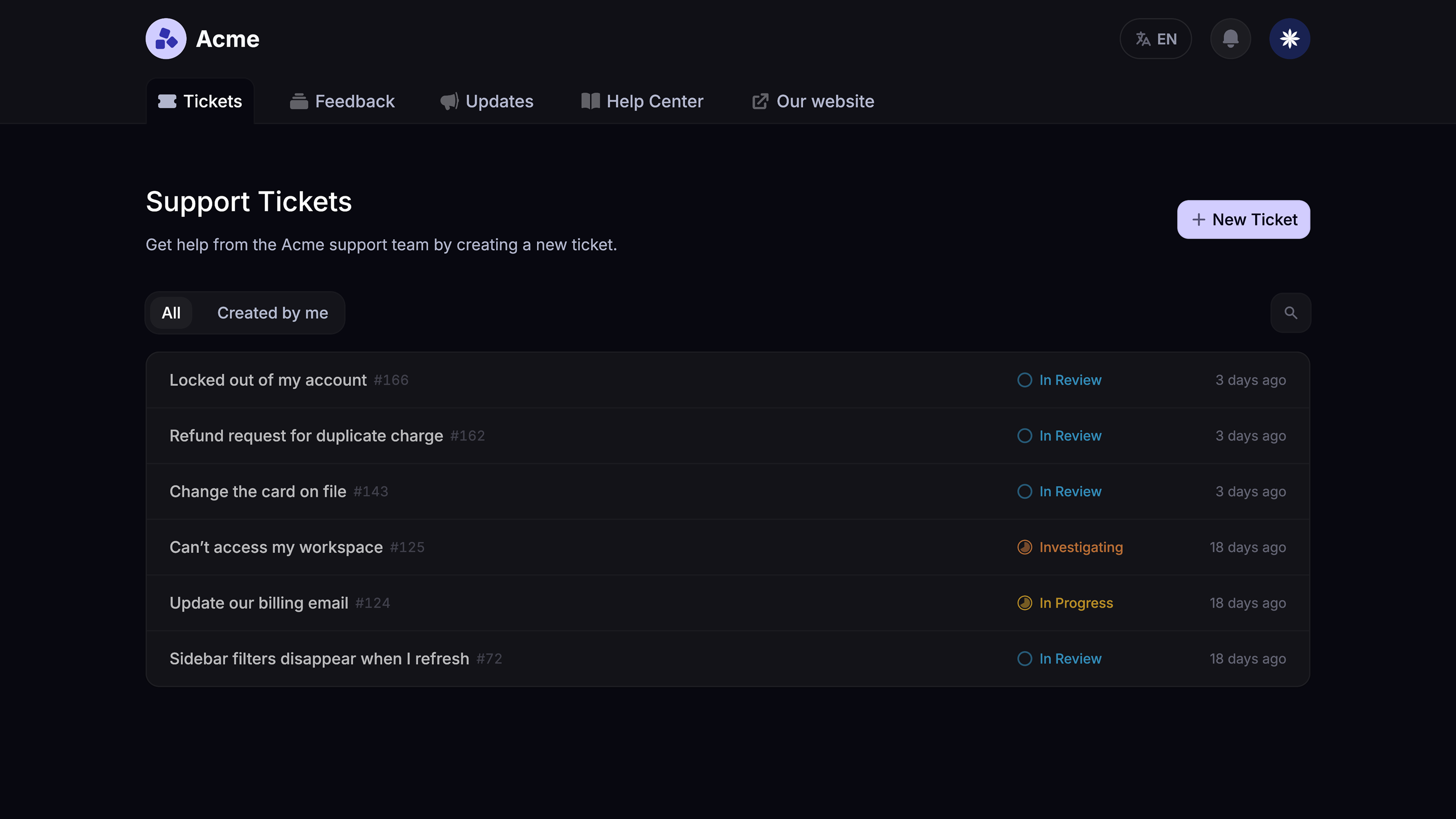
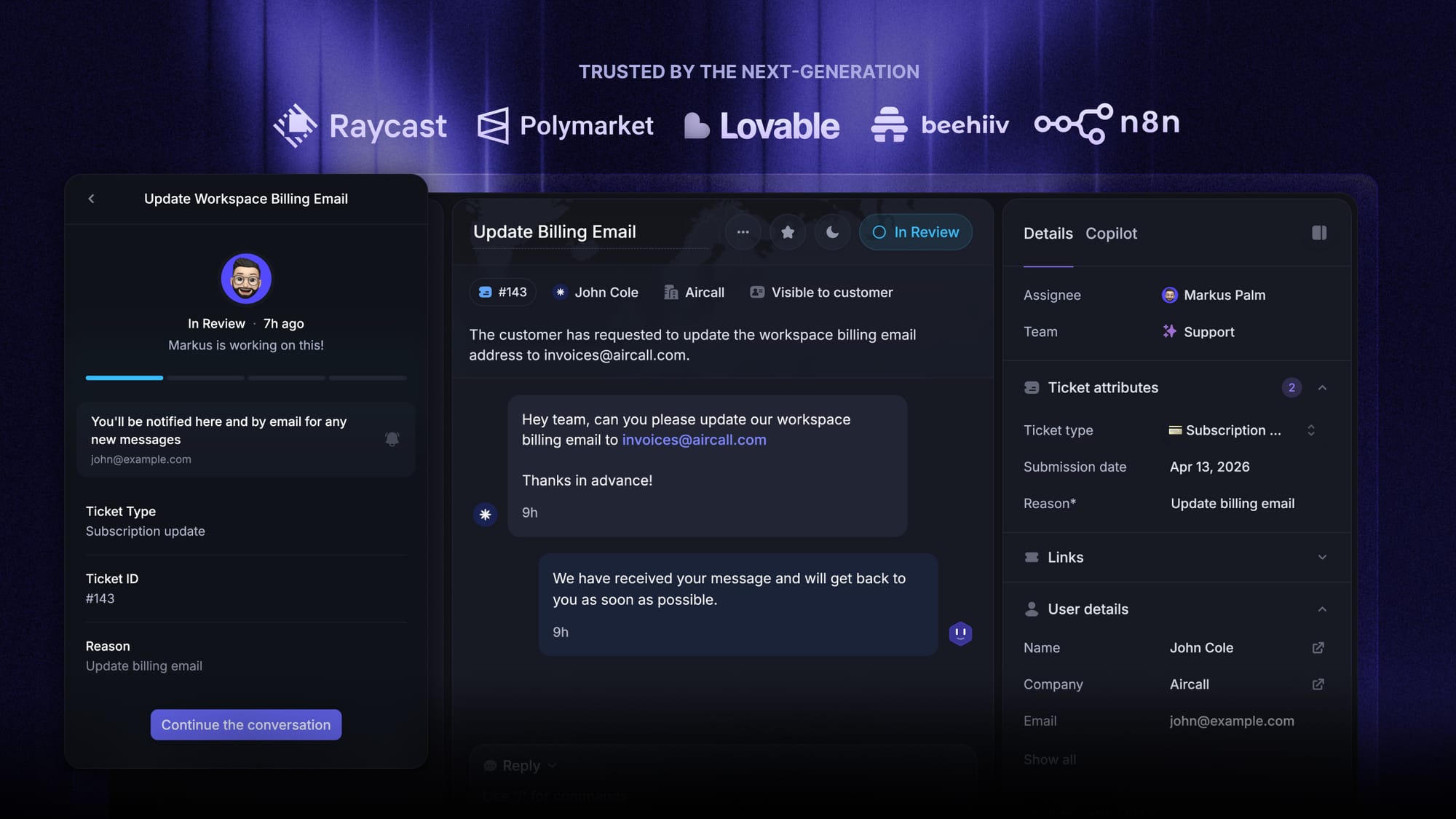
Modern Ticketing Inbox, Designed for Efficiency
Support your customers from anywhere with an AI-powered omnichannel inbox
2. HubSpot Service Hub
Best for: Teams that want support closely connected to CRM records, sales workflows, and marketing data
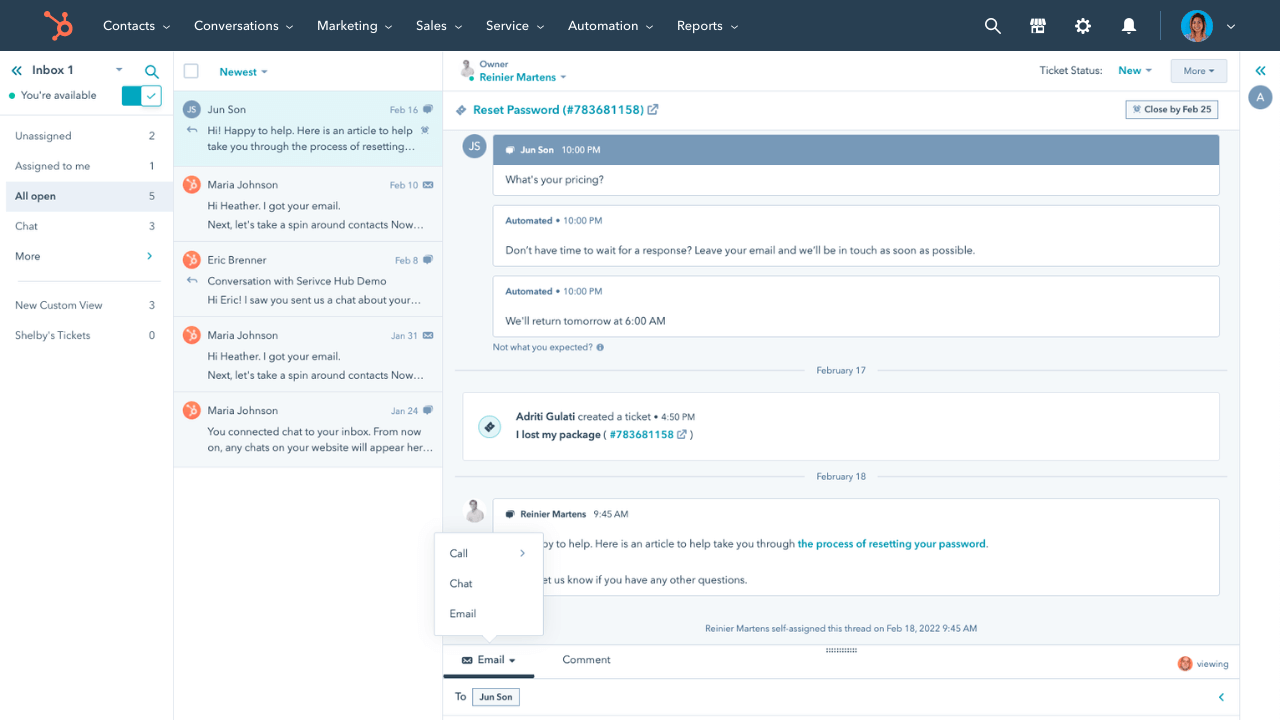
HubSpot Service Hub is a good fit for businesses that want support to sit close to the rest of the customer journey. Because it is part of the broader HubSpot ecosystem, it can connect support tickets with CRM records, sales process activity, and marketing data in a way that helps teams work from a more complete view of the customer.
That makes it especially useful for teams where support, marketing, and revenue teams all need visibility into customer relationships. It may not be the most specialized support platform on the list, but it can be a practical option for businesses that value ecosystem fit, shared customer context, and collaboration between sales and support teams.
Key features
- Shared inbox and support pipeline tools
- CRM-connected ticket records
- Self-service tools and knowledge base
- Automation and routing
- Support visibility connected to marketing tools
- Integration with broader HubSpot CRM ecosystem
Why it stands out
HubSpot Service Hub stands out because it helps teams connect support with the broader customer lifecycle. If your business already uses HubSpot, it can reduce context switching and make collaboration across the sales team, marketing, and support much easier.
CRM connection and trade-off: Service Hub uses HubSpot's native CRM records, making it a direct fit when sales and marketing already work there. The dedicated helpdesk and knowledge base require Professional or Enterprise, so the Starter price does not represent the full support workspace.
Pricing: Free tools support up to 2 users. The pricing page currently displays a $7/seat/month Starter offer with annual billing, reduced from $20. Professional starts at $90/seat/month annually and Enterprise at $150/seat/month annually, with one-time onboarding fees of $1,500 and $3,500, respectively. Confirm the Starter offer's eligibility and renewal terms.
3. Zendesk
Best for: Larger teams that need advanced workflows, routing, and enterprise-grade support operations

Zendesk is a strong option for larger support organizations that need mature ticketing workflows, deep routing logic, and more advanced operational controls. It is especially relevant for teams managing high support volume, multiple queues, and complex workflows that depend on SLA management, role-based access, and more detailed reporting.
It also performs well for businesses that need stronger omnichannel support, more formal customer service processes, and deeper visibility into support metrics and agent performance. While it can come with a steeper learning curve than lighter tools, that tradeoff is often worth it for teams that need greater depth, scalability, and workflow control.
Key features
- Advanced helpdesk ticketing system capabilities
- Omnichannel inbox across email, messaging, chat, and phone support
- Smart routing and automated assignment rules
- SLA management
- Detailed support reporting and agent performance tracking
- Strong self-service and knowledge base tools
- Scalable workflows for large service organizations
Why it stands out
Zendesk stands out because of its depth. It is a good fit for businesses that need more than basic ticketing and want stronger automation, queue management, support data, and enterprise-ready customer support teams.
CRM connection and trade-off: Zendesk combines its own customer profiles with CRM integrations. Check whether your chosen connector only displays CRM data or also syncs the fields your team needs. Its workflow depth can justify the setup effort for larger teams, but adds configuration and administration.
Pricing: Zendesk pricing starts at $19/agent/month annually for Support Team. Suite Team is $55 and Suite Professional is $115/agent/month annually. Enterprise pricing requires a quote. The $19 plan is email-focused, while Suite adds broader channels and a help center. Copilot costs an additional $50/agent/month, and AI usage can add charges.
4. Freshdesk
Best for: Growing teams that want a flexible CRM ticketing platform with a good balance of usability and features
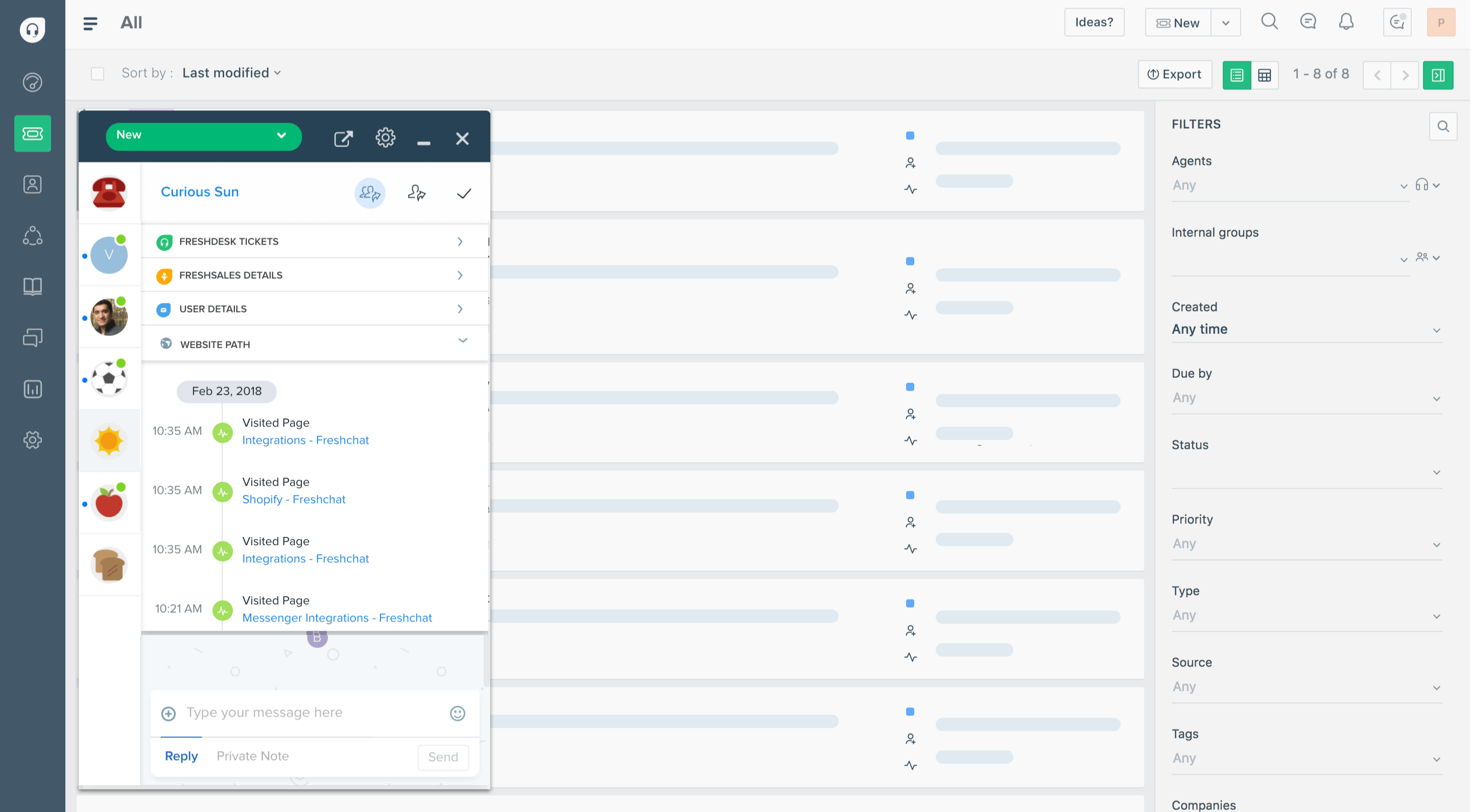
Freshdesk is a strong fit for growing support teams that need more structure than a basic helpdesk ticketing system can offer, but do not want to move too quickly into a more complex enterprise platform. It gives teams a solid mix of core ticketing features, email support, automation, self-service, and reporting, which makes it a practical option for businesses that want to improve support operations without adding too much overhead.
It is especially useful for teams that want to manage incoming email tickets, give agents better visibility into customer interactions, and build more efficient workflows over time. For a growing team, the main decision is whether email ticketing covers its needs or a broader channel offering is required.
Key features
- Email ticketing software
- Automation and ticket routing
- Self-service portal and knowledge base
- Reporting and support dashboards
- Internal notes and collaboration
- Support for routine and advanced workflows
- Flexible plans for growing teams
Why it stands out
Freshdesk stands out because it covers ticket handling, automation, self-service, and reporting in an email-focused helpdesk. Compare Freshdesk Omni separately if you need a broader omnichannel product.
CRM connection and trade-off: Customer records and CRM integrations can bring account context into the helpdesk. Verify the connector's supported fields and required plans on both sides. Freshdesk and Freshdesk Omni have different packaging, so do not assume the email plan includes the full omnichannel offering.
Pricing: Freshdesk pricing starts at $19/agent/month annually for Growth, with Pro at $55 and Enterprise at $89. Freddy AI Copilot is an additional $29/agent/month on Pro and Enterprise. AI Agent usage is billed separately, so include its session allowance and overage costs in your comparison.
5. Zoho Desk
Best for: Budget-conscious businesses that want broad ticketing and customer service functionality
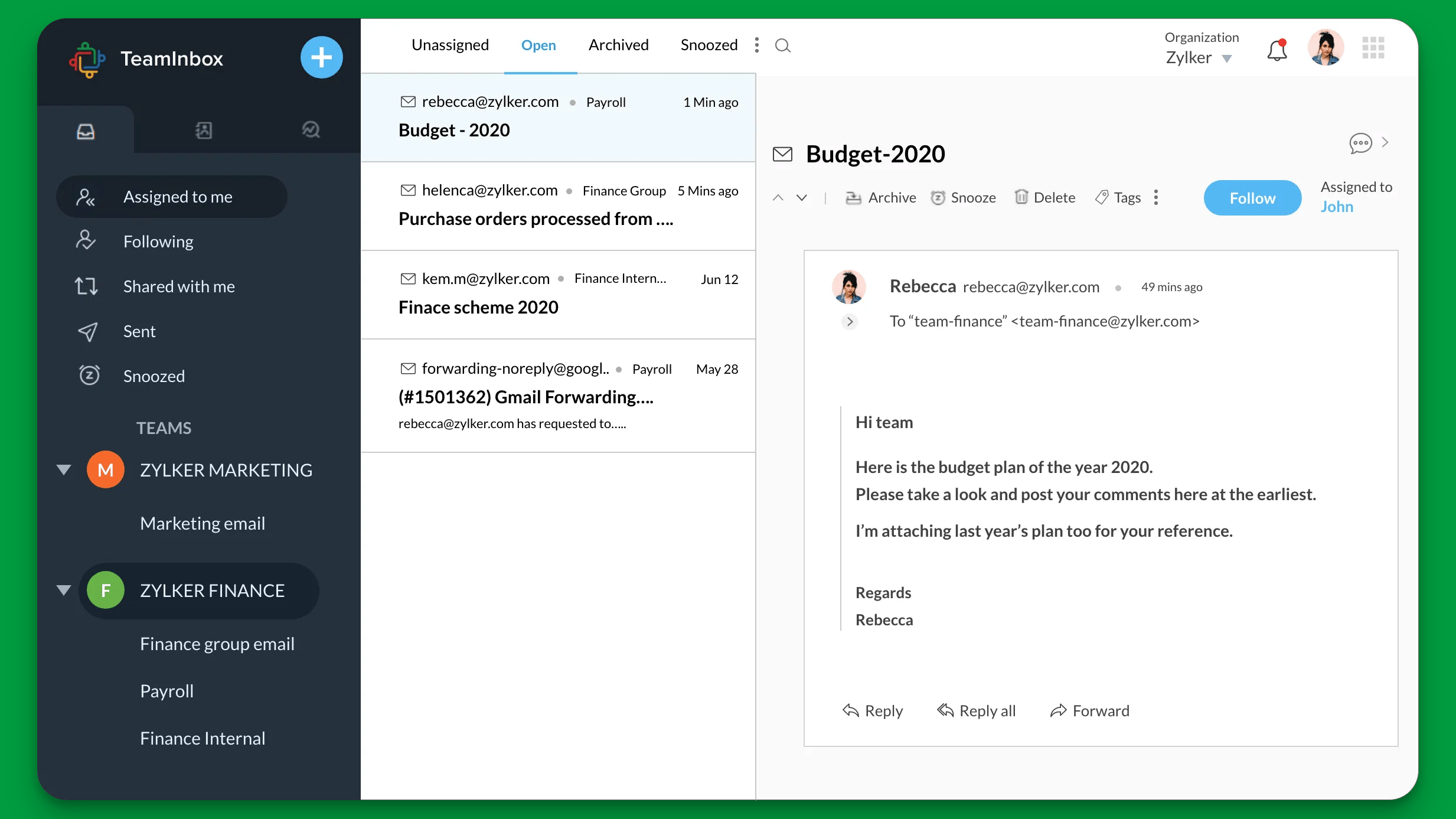
Zoho Desk is a practical choice for businesses that want strong ticketing fundamentals, useful automation features, and lower-cost entry pricing. It covers many of the core capabilities teams need, including support inbox management, self-service, workflow setup, reporting, and visibility into customer data across service interactions.
It is especially relevant for small businesses and growing teams that want pricing flexibility and broad feature coverage without stretching the budget too early. For teams comparing ticketing solutions, Zoho Desk offers a useful balance between basic features, automation, and scalability.
Key features
- Support inbox for incoming tickets
- Automation and workflow setup
- Knowledge base
- Self-service and customer portal
- Reporting and analytics
- Integrations with broader business tools
- Value-oriented pricing
Why it stands out
Zoho Desk stands out for value. It gives teams access to many of the features that matter most in day-to-day support work while keeping pricing more accessible than many larger platforms.
CRM connection and trade-off: Zoho Desk connects to Zoho CRM so support teams can access contact, account, and deal context. Desk itself is a support product, not the sales CRM. Check the required editions of both products, especially if the low entry price is driving your shortlist.
Pricing: Zoho Desk pricing includes a Free Edition for 3 users. With annual billing, Express costs $7/user/month, Standard $14, Professional $23, and Enterprise $40. Workflow depth and integration access vary by edition.
6. Intercom
Best for: Teams that prioritize conversational support, messaging, and real-time customer engagement
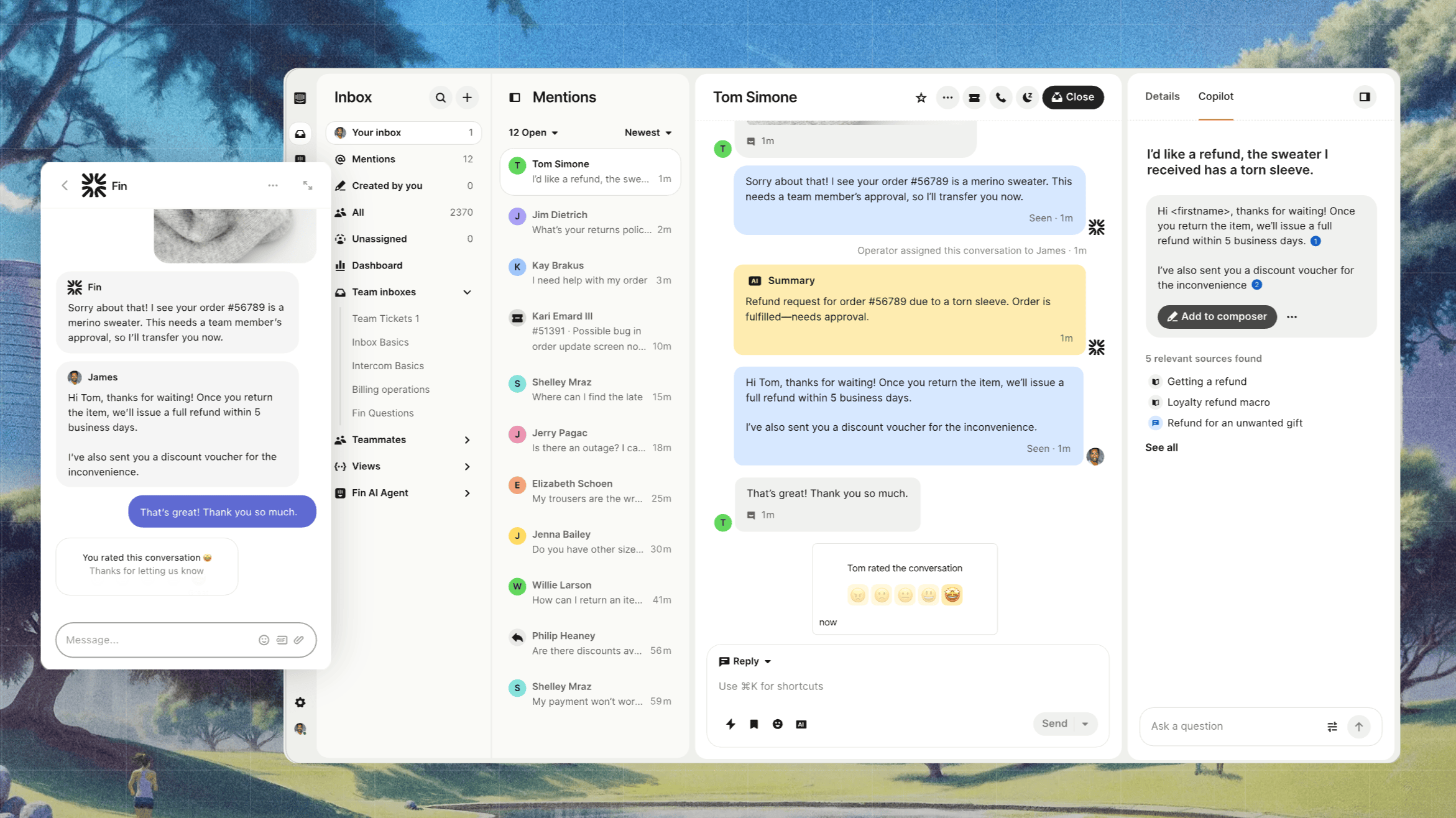
Intercom is a strong fit for teams that want support to feel more conversational and real-time alongside structured ticketing. It combines messaging, AI workflows, and customer context in a way that works well for businesses that prioritize live chat, proactive communication, and faster digital support interactions.
It is especially useful for teams that want to manage customer conversations across chat-heavy workflows while still supporting self-service and automation. It also supports ticket workflows, so a chat-first experience does not mean giving up structured issue tracking.
Key features
- Live chat and messaging
- AI support workflows
- Self-service and knowledge base
- Shared inbox for multiple teammates
- Fast customer context visibility
- Strong conversational support
- Bot and automation capabilities
Why it stands out
Intercom stands out for businesses that want customer support to feel more immediate and message-driven. It is particularly well suited to teams that want messaging, AI, and structured support workflows together.
CRM connection and trade-off: Intercom combines customer data with CRM integrations. Validate the contact and company fields you need rather than treating an integration listing as proof of full two-way sync. Fin usage and channel charges also make seat price only part of the budget.
Pricing: Essential starts at $19/seat/month, Advanced at $85, and Expert at $132, per seat/month, billed annually. Essential costs $29/seat/month with monthly billing. Fin is billed separately at $0.99 per outcome. Advanced includes more workflow capabilities, while Expert adds features such as SLAs and multi-brand support.
7. Help Scout
Best for: Smaller teams that want a lightweight support platform with strong self-service and a simple learning curve
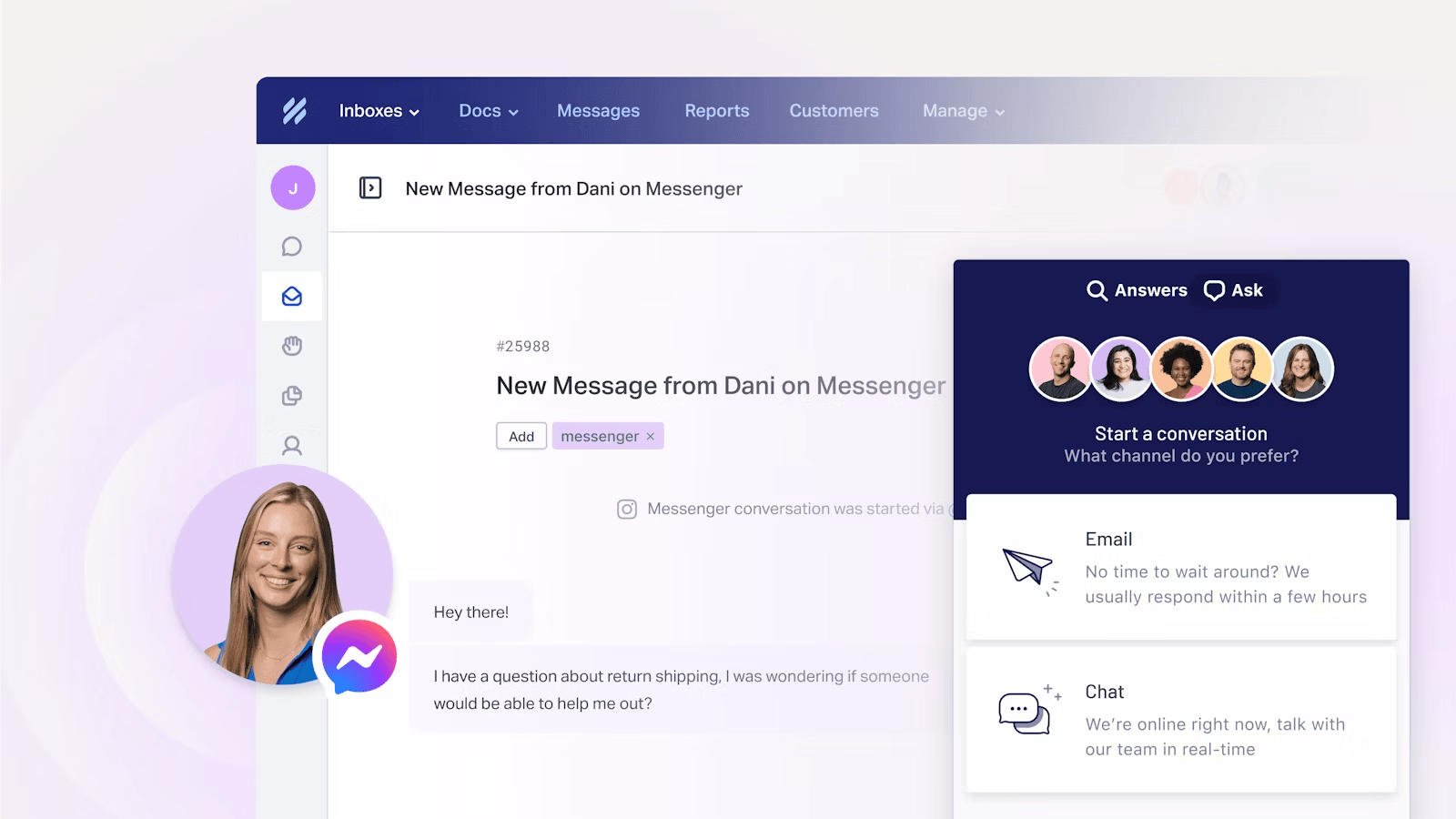
Intercom is a strong fit for teams that want support to feel more conversational and real-time rather than centered on traditional queue-based ticketing. It combines messaging, AI workflows, and customer context in a way that works well for businesses that prioritize live chat, proactive communication, and faster digital support interactions.
It is especially useful for teams that want to manage customer conversations across chat-heavy workflows while still supporting self-service and automation. Compared with more traditional help desk ticketing tools, Intercom puts more emphasis on engagement and real-time support than on rigid queue management.
Key features
- live chat and messaging
- AI support workflows
- self-service and knowledge base
- shared inbox for multiple teammates
- fast customer context visibility
- strong conversational support
- bot and automation capabilities
Why it stands out
Intercom stands out for businesses that want customer support to feel more immediate and message-driven. It is particularly well suited to teams that care more about engagement speed and live support interaction than traditional help desk structure.
Pricing: Intercom’s customer service plans start at $19 per seat/month for Essential ($29 billed monthly), $85 for Advanced, and $132 per seat/month for Expert, billed annually, while Fin AI Agent is priced separately at $0.99 per outcome.
7. Help Scout
Best for: Smaller teams that want a lightweight support platform with strong self-service and a simple learning curve
Help Scout is a good option for smaller teams that want a straightforward support platform without the weight of more complex systems. It combines a shared inbox, self-service tools, customer history, and collaboration features in a package that is easy to adopt and easy to manage.
It is especially useful for teams that care about fast onboarding, lighter workflows, and a simpler day-to-day experience. While it may not offer the same level of workflow complexity or reporting depth as larger platforms, it covers the essentials well for teams handling customer inquiries, basic queries, and lower-volume support operations.
Key features
- Shared inbox
- Strong self-service and knowledge base
- Internal notes and collaboration
- Customer history visibility
- Automation for routine workflows
- Clean UI with a gentle learning curve
Why it stands out
Help Scout stands out because it keeps support simple without feeling bare-bones. For smaller teams, that balance can be more valuable than a larger feature set that creates extra complexity or makes switching tools harder later.
CRM connection and trade-off: HubSpot and Salesforce integrations are available on Plus. That makes Help Scout a fit for a simpler support workspace connected to an existing CRM, but the Standard entry price does not include those integrations.
Pricing: The Free plan includes up to 5 users, 1 inbox, 1 Docs site, and 100 contacts per month. Annual paid plans are $25/user/month for Standard, $45 for Plus, and $75 for Pro. Pro requires at least 10 users. AI Answers costs $0.75 per resolution.
8. Gorgias
Best for: Ecommerce businesses that need support workflows built around store, order, and purchase-related requests
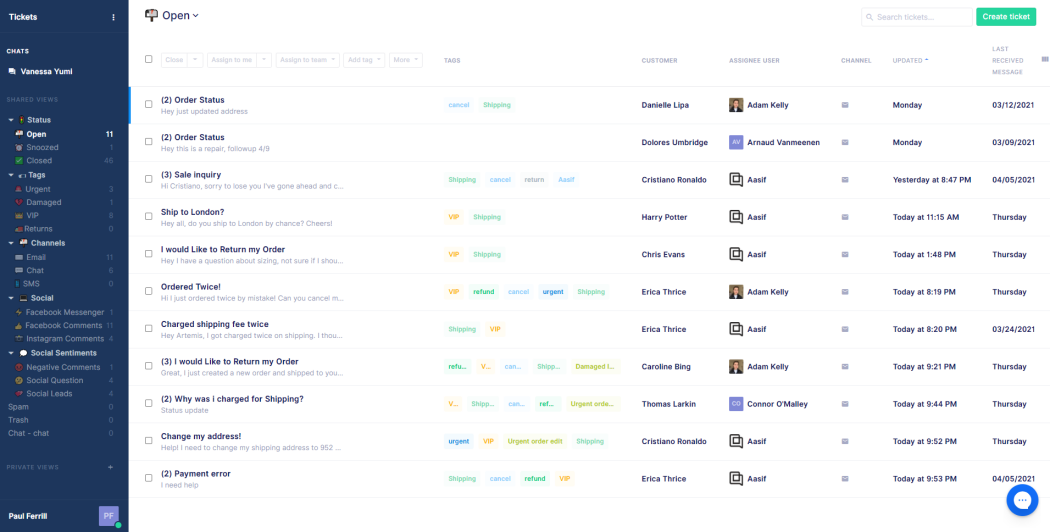
Gorgias is especially relevant for ecommerce businesses that need support tools built around order volume, delivery questions, returns, and other purchase-related workflows. It combines ticket handling with commerce-specific context, which makes it a stronger fit for online stores than for general-purpose support teams.
It is especially useful for businesses that manage high volumes of ecommerce service requests across multiple channels and want automation, macros, and customer context tailored to transactional support work. That specialization is the main reason it earns a place on this list.
Key features
- Ecommerce-first inbox workflows
- Support for high-volume requests
- Customer context inside the workspace
- Automation and macros
- Strong multichannel coverage
- Collaboration tools for support teams
Why it stands out
Gorgias stands out because it is purpose-built for ecommerce support. If your team handles store-related support requests every day, that specialization can make workflows more efficient than a broader general-purpose platform.
CRM connection and trade-off: Its main customer context comes from commerce systems, including store and order data. That is useful for purchase-related service, but it is not a replacement for a sales pipeline CRM. Budget around ticket volume as well as automation usage.
Pricing: Gorgias uses volume-based pricing. Starter costs $10/month for 50 tickets on monthly billing. With annual billing, Basic costs $50/month for 300 tickets, Pro $300/month for 2,000, and Advanced $750/month for 5,000. Overage fees apply. AI pricing varies by plan, with listed rates of $1.00, $0.90, $0.90, and $0.85 per automated interaction, respectively.
9. Richpanel
Best for: Ecommerce teams focused on self-service, ticket deflection, and customer portal workflows
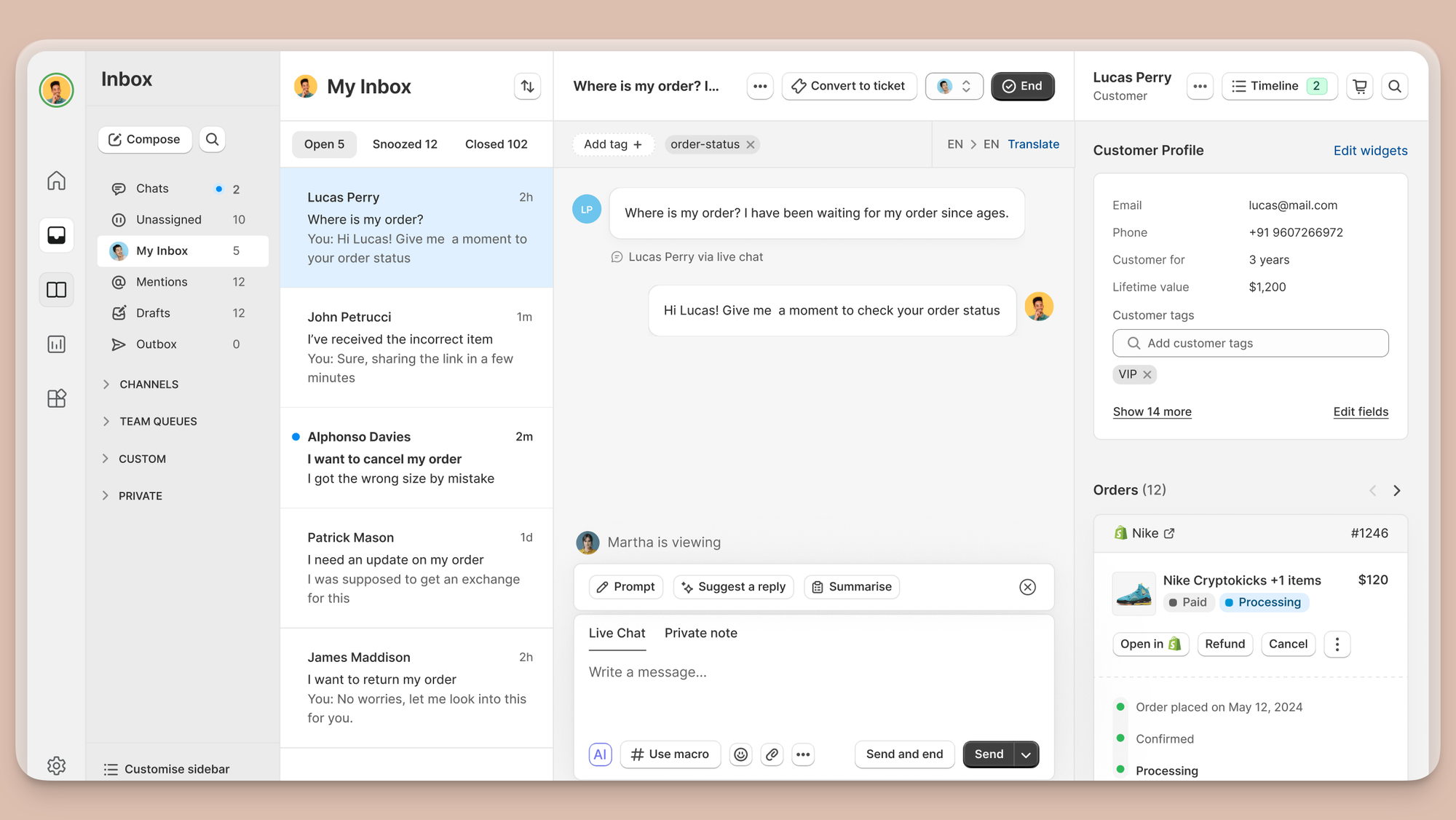
Richpanel is a strong fit for ecommerce teams that want to reduce repetitive support requests through stronger self-service and a more capable customer portal. It is especially useful when customers tend to ask predictable questions and the business wants to deflect routine issues before they become agent-handled tickets.
It also works well for teams that want support operations to rely more heavily on portals, guided flows, and customer history. Compared with broader ticketing platforms, Richpanel is more specialized around self-service and ecommerce-related support patterns.
Key features
- Strong self-service and customer portal
- Order and support context
- Workflow automation
- Help center tools
- Agent view of customer history
- Routing for escalations
Why it stands out
Richpanel stands out for teams that see self-service as a major lever for scaling support. For ecommerce businesses with repetitive support patterns, that can reduce workload and free support agents to focus on more complex customer issues.
CRM connection and trade-off: Richpanel's customer history and order context are aimed at ecommerce support. Check the exact commerce integrations you need and how escalations move from self-service to agents. Teams needing sales pipeline management should evaluate that separately.
Pricing: Pro costs $69/agent/month and Pro Max costs $99/agent/month when paid annually, equivalent to $828 and $1,188 per agent/year. Enterprise pricing is custom, and all subscriptions require yearly contracts. The Self Service Portal is free, while Customer Service AI costs $0.20 per AI-handled conversation.
Key features to look for
Not every CRM ticketing tool offers the same level of value. If you are comparing options, these are the core features that matter most.
1. Omnichannel support
Customers reach out in different ways. Some prefer email, others use live chat, forms, or messaging apps, and some still expect phone support. Strong omnichannel support lets your team manage all of those touchpoints in one place.
2. Knowledge base and customer self-service portal
A strong knowledge base and a customer self-service portal help customers resolve common issues on their own. That reduces ticket volume, improves response capacity, and often leads to better customer satisfaction.
3. Ticket routing and assignment rules
As volume grows, manual assignment becomes difficult to manage. Features like ticket routing, smart routing, and automated assignment rules help move work to the right person faster.
4. SLA management
If your team supports paying customers, enterprise clients, or different priority levels, SLA management becomes essential. It helps teams stay accountable and prevents high-priority issues from being missed.
5. Advanced automation
The best systems go beyond simple rules. Advanced automation supports escalations, status changes, tagging, workflow triggers, and handling repetitive processes. This is one of the biggest differences between basic ticketing tools and more mature platforms.
6. Team collaboration
Good support tools should make internal coordination easier. Features like notes, mentions, handoffs, and shared visibility help the entire team work together more efficiently.
7. Reporting and agent performance
Look for dashboards that help you measure service quality, workload, resolution speed, and agent performance. Good reporting helps teams improve over time rather than just process tickets.
8. Unified customer context
A strong CRM-based system should show the full picture: previous interactions, account details, product usage, and relevant records. That makes it easier to understand the customer and deliver faster, better support.
Before choosing an integration, check these details:
- Contact and company matching: Confirm how the system identifies a person and links them to the right account, including shared email addresses and duplicate contacts.
- Sync direction: Find out whether agents only see CRM data or can update it, and which system wins when values conflict.
- Field mapping: Test the fields that affect service, such as subscription plan, account owner, and renewal date.
- Integration availability: Check the required plans, permissions, connector fees, and API limits in both products.
9. Flexibility with pricing and scale
Some platforms look affordable at first, but become expensive as you add more seats, automation, or higher-volume workflows. Compare free plan access, basic plan features, and whether you will need custom pricing as your team grows.
How to choose the right CRM ticketing system for your business
The best CRM ticketing system depends on your workflow, your support volume, and the kind of customer experience you want to deliver.
I would use a small pilot to answer these questions before committing:
- Customer data ownership: Decide which system owns contacts and companies. If sales already relies on a CRM, test its native support option alongside a connected helpdesk.
- Record matching and sync: Use sample contacts, a company with several users, and a duplicate email address. Check whether the correct account appears and whether updates reach the intended system.
- End-to-end ticket handling: Run an email request, a live chat conversation, and an escalation through the tools you shortlist. Check ownership, customer history, internal handoffs, and resolution reporting.
- Channels and controls: Confirm phone, messaging, Slack, SLAs, and routing on the specific plan you would buy. A product-level feature list does not guarantee entry-plan access.
- Total operating cost: Add required seats, the CRM subscription, connector fees, AI usage, ticket overages, onboarding, and migration. Compare the annual commitment as well as the monthly equivalent.
- Ongoing maintenance: Assign an owner for data quality, automation changes, and integration failures. A workflow that requires constant manual repair can outweigh a lower license price.
If hosting control is a requirement, compare self-hosted helpdesk software separately. Include responsibility for security updates, backups, email delivery, and CRM connector maintenance in that decision.
Modern Ticketing Inbox, Designed for Efficiency
Support your customers from anywhere with an AI-powered omnichannel inbox
The right CRM ticketing system should align with how your team already works and help you deliver better customer support without adding more tools than you need.
Conclusion
The right CRM ticketing system should do more than help you manage support tickets. It should make it easier for your team to stay organized, respond faster, and deliver a better customer experience as support volume grows.
Featurebase is a modern AI customer support platform for product-led SaaS. It combines an omnichannel inbox, AI agents, a help center, and feedback management, with CRM integrations that keep customer context connected to support.
It comes with affordable pricing and a Free plan, so there's no downside to trying it. 👇
✨ Automate your support with the fastest AI-enhanced Inbox today →
FAQs
What is a CRM ticketing system?
A CRM ticketing system is a support platform that helps businesses manage tickets, conversations, and service workflows while keeping customer records and interaction history connected.
How is a CRM ticketing system different from a helpdesk ticketing system?
The categories overlap because many helpdesks integrate with CRMs. The useful distinction is whether tickets share native CRM records or use a connector, and what customer data that connection makes available.
Is a free plan enough to get started?
For many teams, yes. A free plan can be a good way to test workflows, evaluate usability, and decide whether the platform fits before moving to a paid plan. Check seat, contact, and integration limits before relying on it for your full team.
Should support and sales use the same platform?
Not necessarily, but shared visibility helps. When sales and support teams can see the same customer context, it becomes easier to deliver a better, more consistent experience.
How much does a CRM ticketing system cost?
Your cost includes the support plan plus any required CRM subscription, integration, usage, and onboarding charges. Request a quote for your expected team size and monthly volume, since a low starting price may exclude the CRM connection you need.
How long does CRM ticketing implementation take?
A basic inbox with clean customer records requires less work than a migration with custom fields, historic tickets, and complex routing. The timeline depends on data cleanup, integrations, permissions, and testing. Start with a limited pilot and confirm that customer records and ticket ownership remain accurate before rolling it out.