Blog Customer ServiceHow to Reduce Support Tickets: 10 Proven Strategies
How to Reduce Support Tickets: 10 Proven Strategies
Learn how to reduce support tickets by fixing product friction, improving self-service, and automating routine requests without hurting customer satisfaction.



High support volume is usually a symptom, not the root problem, so the fastest way to reduce tickets is to remove recurring friction, make reliable answers easier to find, and automate only requests that do not need human judgment.
This guide shows how to do that without masking unresolved issues or hurting customer satisfaction. 👇
Key takeaways
- Start by grouping tickets by cause, volume, and impact. Your largest recurring category is usually the best place to focus.
- Prevent tickets by fixing confusing product flows, weak onboarding, and surprise changes before adding more automation.
- Make self-service easier than contacting an agent. That requires up-to-date content, strong search, and in-product help.
- Use AI for repetitive, low-risk questions, but give customers a clear path to a person when the issue is sensitive or unusual.
- Featurebase✨ combines an AI-powered help center, omnichannel inbox, workflows, and Fibi AI Agent in one support platform.
- Track customer satisfaction, repeat contacts, and escalations alongside ticket volume so a falling queue reflects real resolutions.
Why high ticket volume hurts support teams
High ticket volume slows response times, increases support costs, and leaves agents with less time for complex customer problems. The pressure is likely to grow. In a McKinsey survey of 348 customer care leaders, 57% expected call volumes to increase over the next 1 or 2 years.
Hiring more agents can relieve the queue, but it does not remove the reasons customers keep asking for help. If a broken flow creates 500 tickets every month, adding headcount simply makes an avoidable problem more expensive.
The healthier goal is not the lowest possible ticket count. It is fewer preventable tickets, faster access to answers, and enough human capacity for issues that require judgment or empathy.
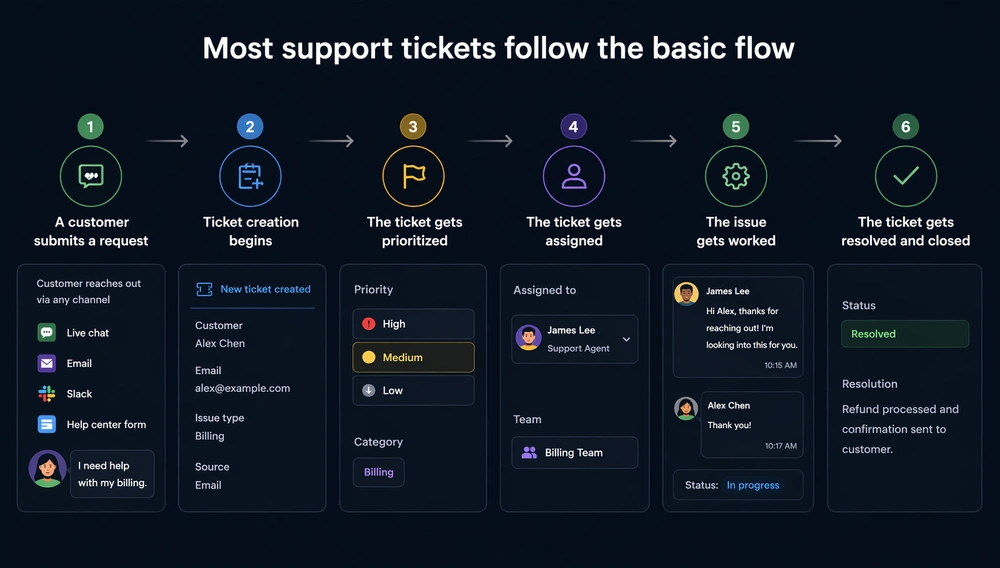
Diagnose what is creating avoidable tickets
Start with evidence from your own queue. Review a representative sample from the last 30 to 90 days, then group each support ticket by its underlying cause.
Use 3 broad categories:
- Product tickets: A confusing workflow, unclear interface, bug, or missing capability caused the request.
- Communication tickets: The customer missed or misunderstood an update, policy, outage notice, or account change.
- Genuine support tickets: The issue is unusual, sensitive, or complex enough to require a person.
Add the affected product area, customer segment, channel, and resolution outcome to each category. Then rank categories by ticket volume, agent time, customer impact, and repeat-contact rate.
A high-volume password reset issue may be easy to automate. A lower-volume billing defect may deserve priority because it puts revenue and trust at risk. Volume identifies repetition, but impact decides what to fix first.
10 ways to reduce support tickets
The strongest ticket-reduction plan combines prevention, self-service, and automation. Work through them in that order so automation is not covering up a product or content problem.
1. Fix recurring product friction
Fix the product issue that generates a recurring ticket whenever you can. A clearer error message, better default, or shorter workflow can eliminate more requests than another saved reply.
Connect high-volume ticket categories to specific screens and actions. Product analytics, session recordings, bug reports, and support notes can show where customers stall. Assign each recurring friction point to an owner and compare its ticket count before and after the change.
2. Improve user onboarding
Good onboarding prevents customers from getting lost during their first important tasks. Teach the smallest path to value instead of showing every feature at once.
Segment onboarding by role, plan, or goal when different users follow different workflows. Use a short checklist for essential actions, then offer deeper guidance only when the customer reaches the relevant feature.
3. Add contextual guidance
Put help at the moment of confusion. Tooltips, short explanations, inline validation, and targeted walkthroughs can answer a question before the customer leaves the product to open a ticket.
Use contextual help for predictable friction, not as decoration. If a tooltip needs several paragraphs to explain a workflow, the interface or process may need a larger fix.
4. Communicate product changes proactively
Tell customers about changes before they encounter them. Pricing updates, maintenance windows, feature removals, and redesigned workflows can all trigger ticket spikes when the first explanation comes from an error or surprise. A clear system for announcing product updates keeps those messages consistent.
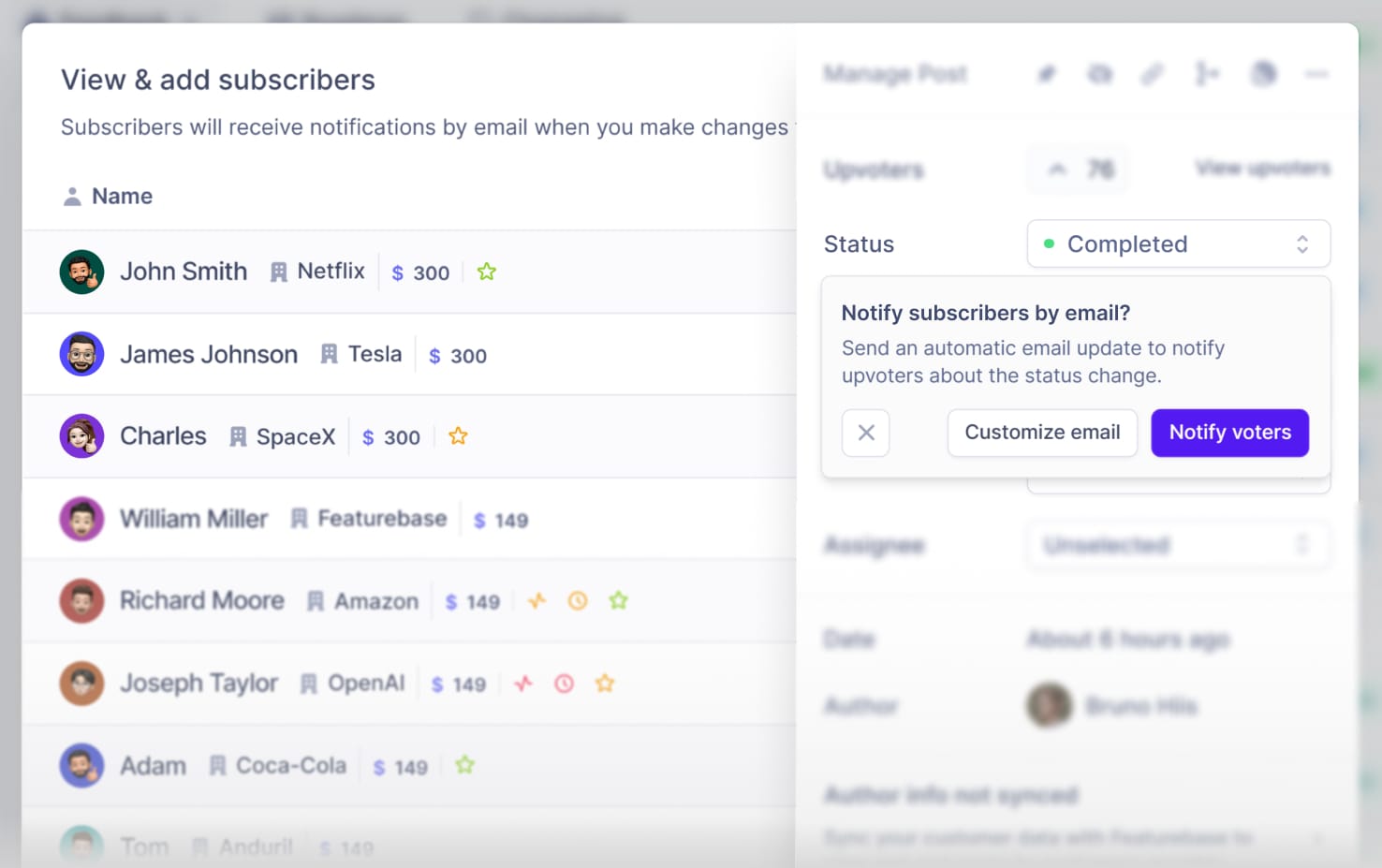
Match the channel to the impact. Use an in-app message for a changed workflow, email for an account-level policy update, and a public status notice for an outage. Clear timing and affected-user targeting matter more than sending the message everywhere.
5. Build a searchable knowledge base
A knowledge base reduces tickets only when customers can find a complete, current answer. Organize articles around the language customers use, not your internal team structure.
Create or update articles from recurring ticket categories and failed searches. Give every article an owner, review it after relevant product changes, and remove duplicate or outdated instructions.
The discovery problem is substantial. A Gartner survey of 5,728 customers found that only 14% of customer service issues were fully resolved through self-service. Strong content is necessary, but navigation and AI-powered search determine whether customers reach it.
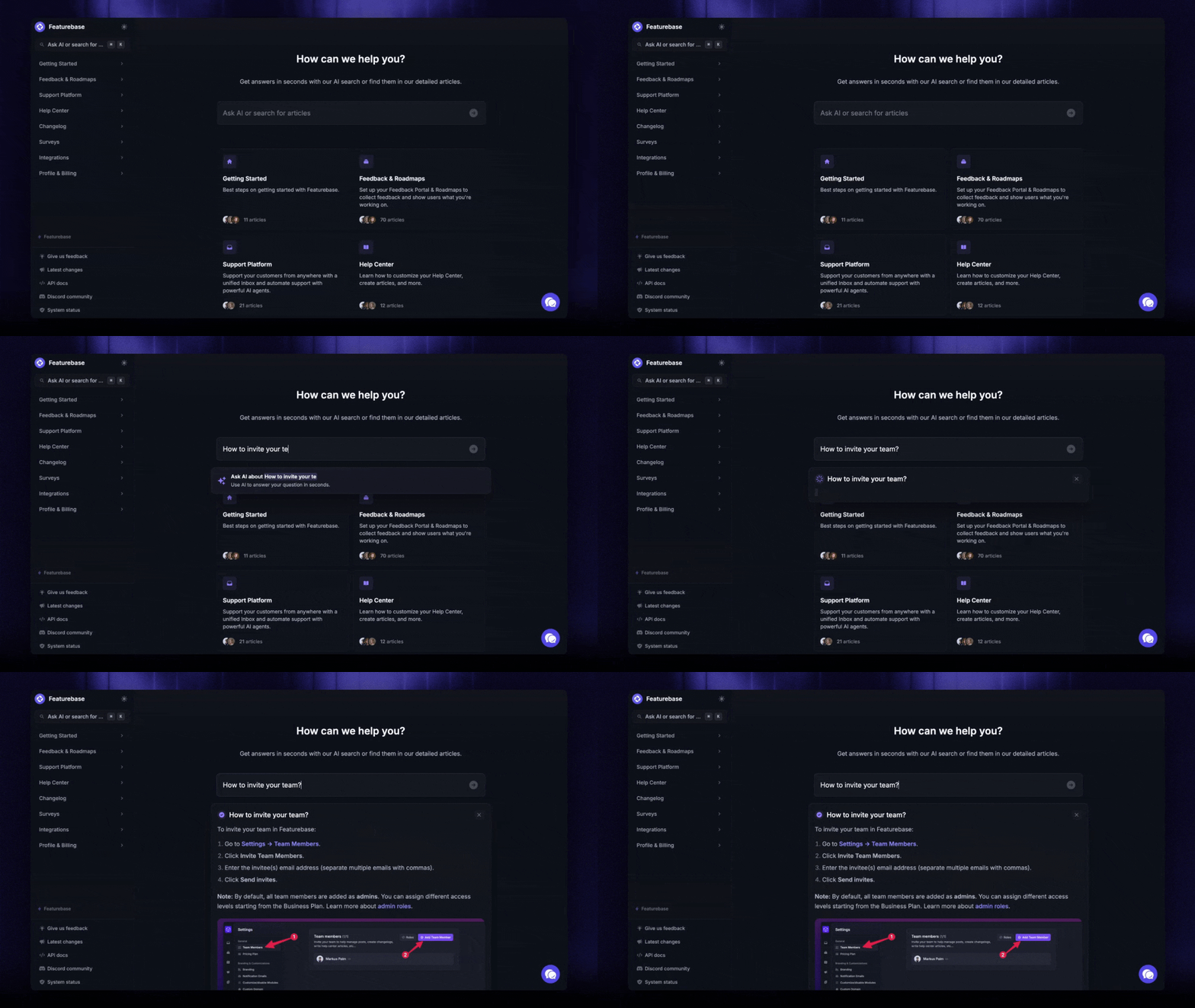
Featurebase provides a help center with AI search that gives customers instant, multilingual answers. This brings self-service content and AI support into the same customer support platform.
6. Put self-service inside the product
Make the help center available where customers already work. An in-app widget or resource center removes the context switch involved in opening another website and searching from scratch.
Surface relevant content before the ticket form, but do not trap customers in a loop of suggested articles. Let them continue to an agent if the recommendation does not solve the problem.
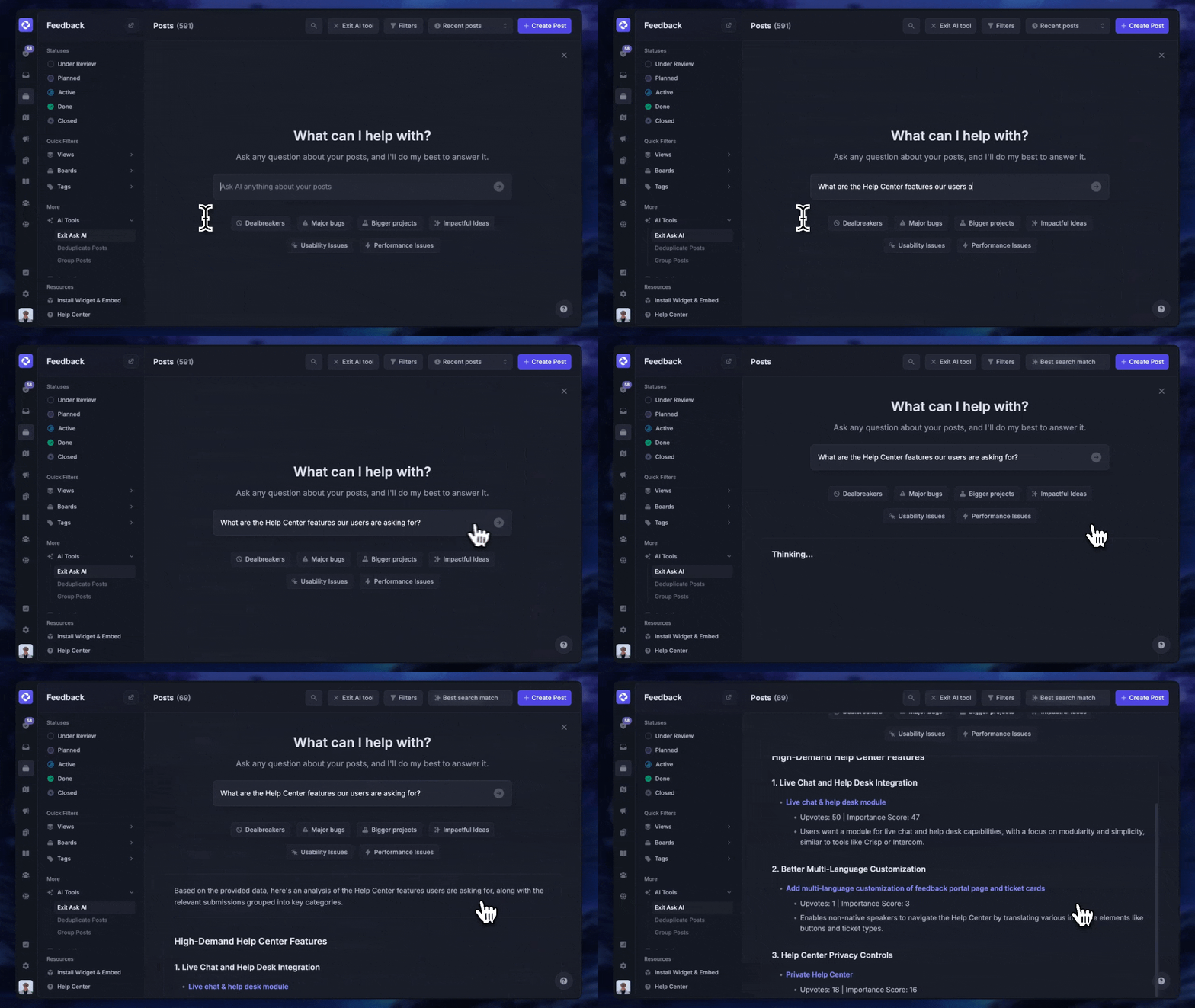
7. Use AI for repetitive, low-risk questions
Start with AI customer support software on questions that have clear answers and low downside. Account navigation, basic billing explanations, order status, and common how-to requests are safer starting points than disputes, security incidents, or emotionally charged complaints.
AI can absorb a meaningful share of routine work, but the quality of the result depends on accurate source content and sensible boundaries.
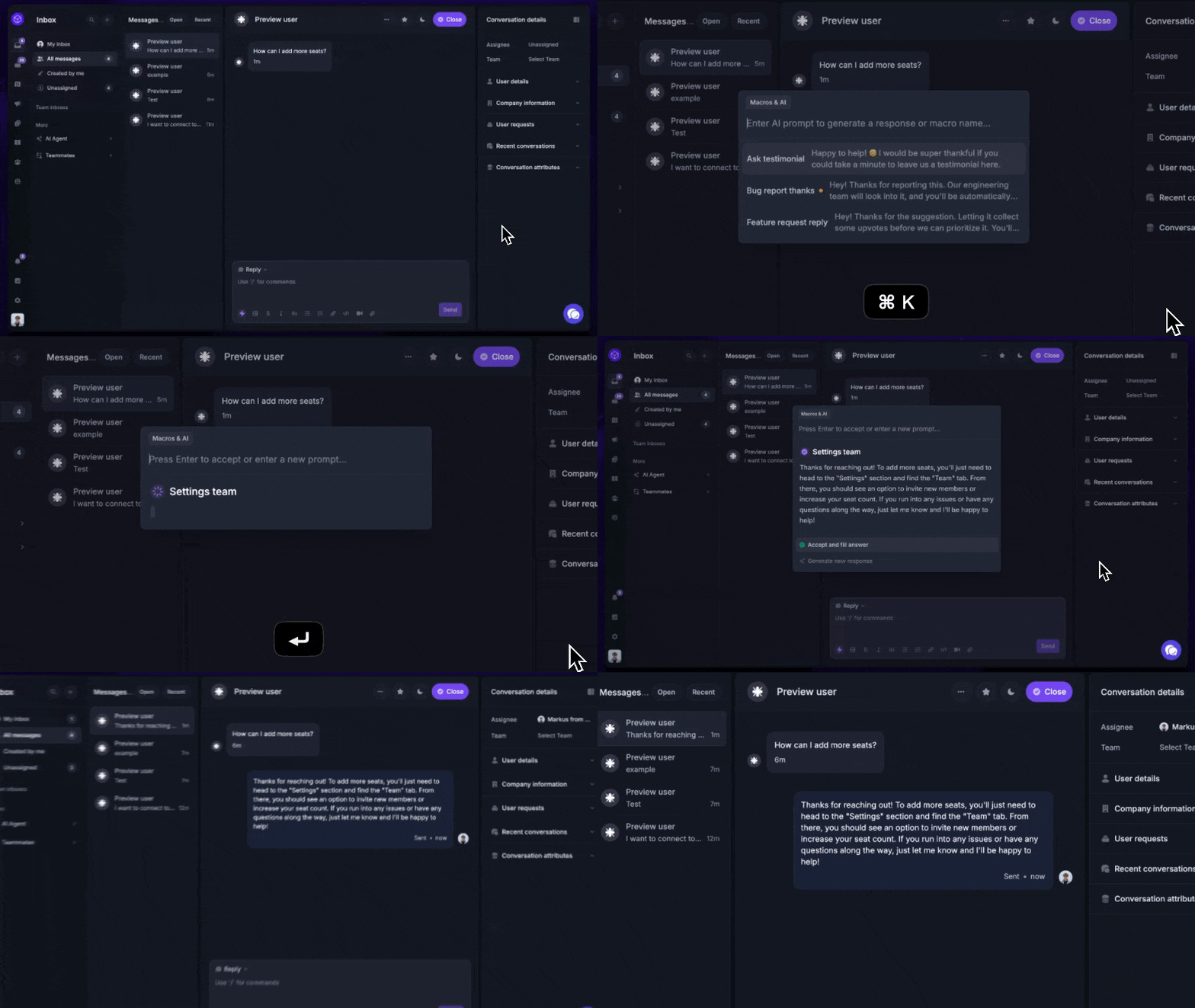
Fibi AI Agent can resolve customer issues automatically and run custom actions such as trial extensions and refunds. Human handoff remains important when an issue falls outside the approved scope.
8. Automate routine customer actions
Answering a question is only half the job when the customer still needs an agent to take action. Connect approved support workflows to tasks such as extending a trial, updating account data, checking an order, or routing a request.
Set limits around permissions, value, and risk. Low-risk actions can run automatically, while refunds above a threshold or account-security changes should require human review.
9. Preserve a clear path to human support
Automation should shorten the route to a resolution, not make a person impossible to reach. A well-designed customer support ticketing system should escalate when the customer asks for an agent, repeats the same question, expresses frustration, or raises a high-risk issue.
That access matters to customers. In a 2026 Gartner survey of 3,566 B2B and B2C customers, 87% said companies using GenAI for customer service must provide a way to reach a human agent.
Pass the conversation history, customer context, and attempted solutions to the agent. A handoff that forces the customer to start over turns a successful escalation into another source of frustration.
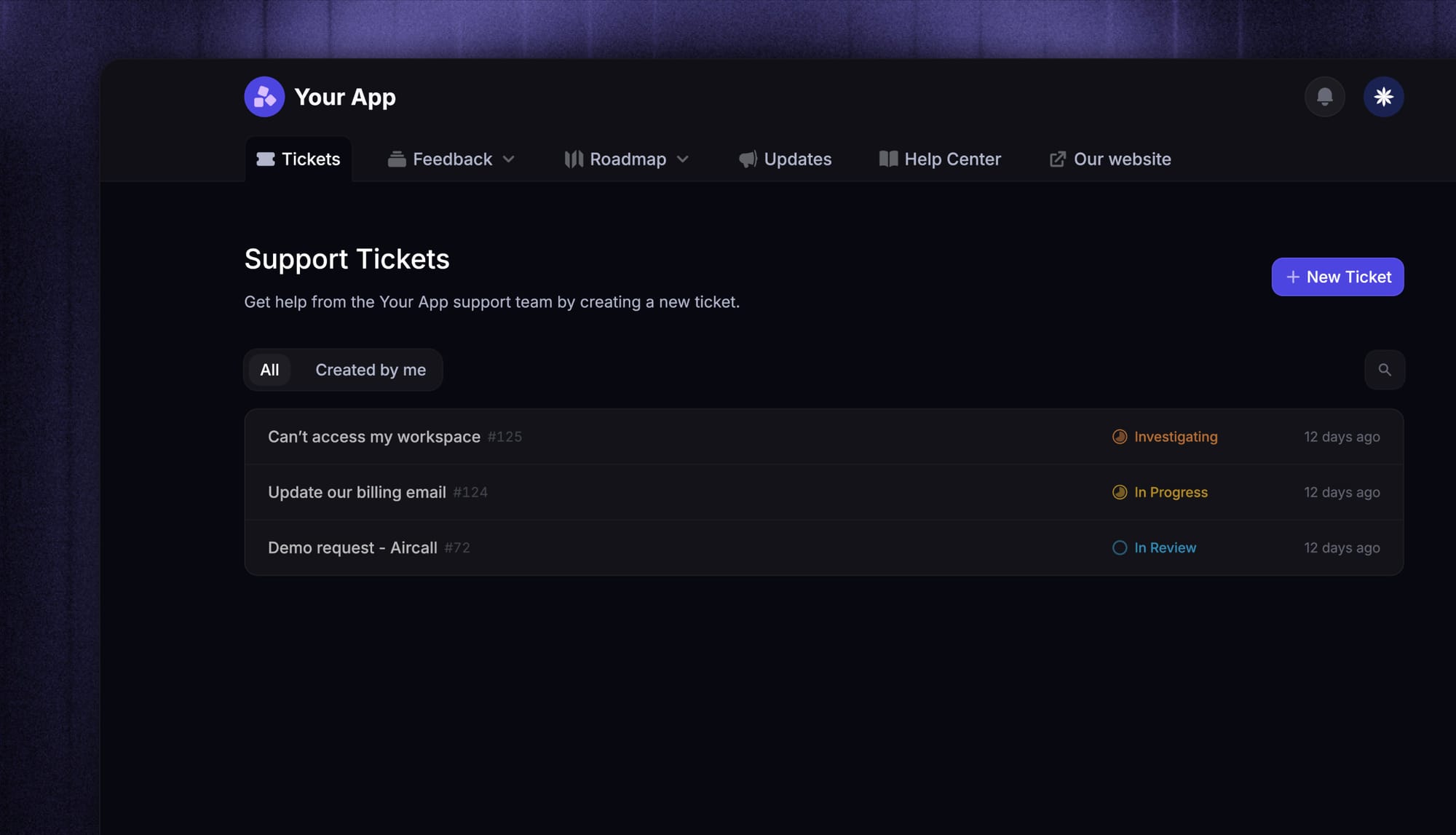
10. Turn failed searches and tickets into improvements
Treat unresolved searches, AI fallbacks, repeat contacts, and escalations as a prioritized improvement list. Each failure points to missing content, unclear product behavior, or an automation boundary that needs adjustment.
Review the top failure themes every week or month, depending on ticket volume. Assign each theme to support, product, documentation, or engineering, then measure whether the relevant category declines after the fix.
How to measure healthy ticket reduction
Ticket count alone can make a broken experience look efficient. Pair volume with resolution and customer-experience metrics to confirm that customers are actually getting help.
Ticket deflection rate
Ticket deflection rate estimates the share of customers who use self-service and do not create a ticket afterward. Use one consistent formula and time window so the trend remains comparable.
For example, if 1,000 customers use a help experience and 250 still submit tickets, the estimated deflection rate is 75%. Treat this as a directional measure because some customers may abandon the process without resolving their issue.
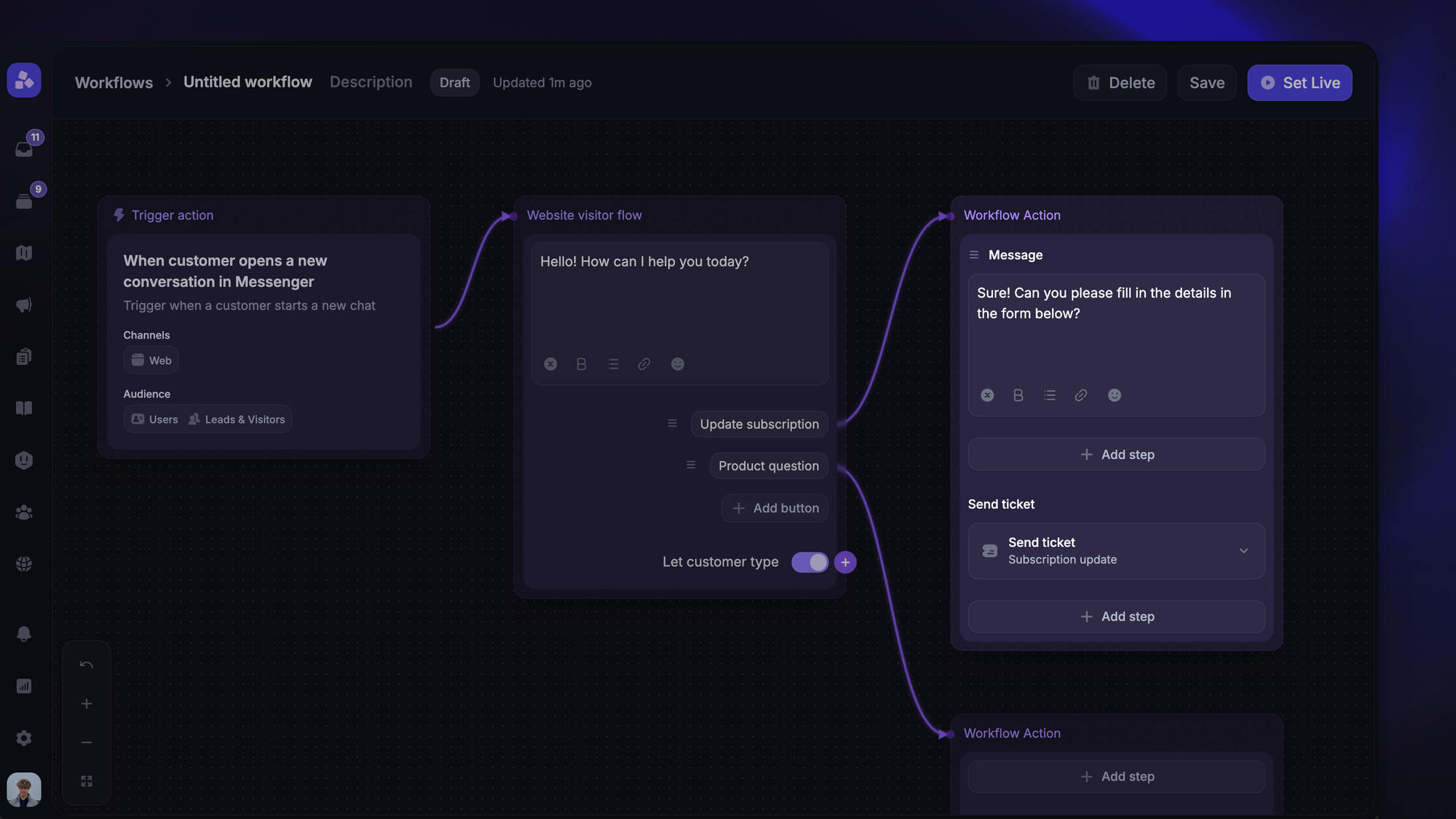
Customer satisfaction and escalation rate
Track CSAT for automated and human-assisted conversations separately. A rising deflection rate with falling CSAT or a growing escalation rate suggests that automation is answering the wrong questions or making access to agents too difficult.
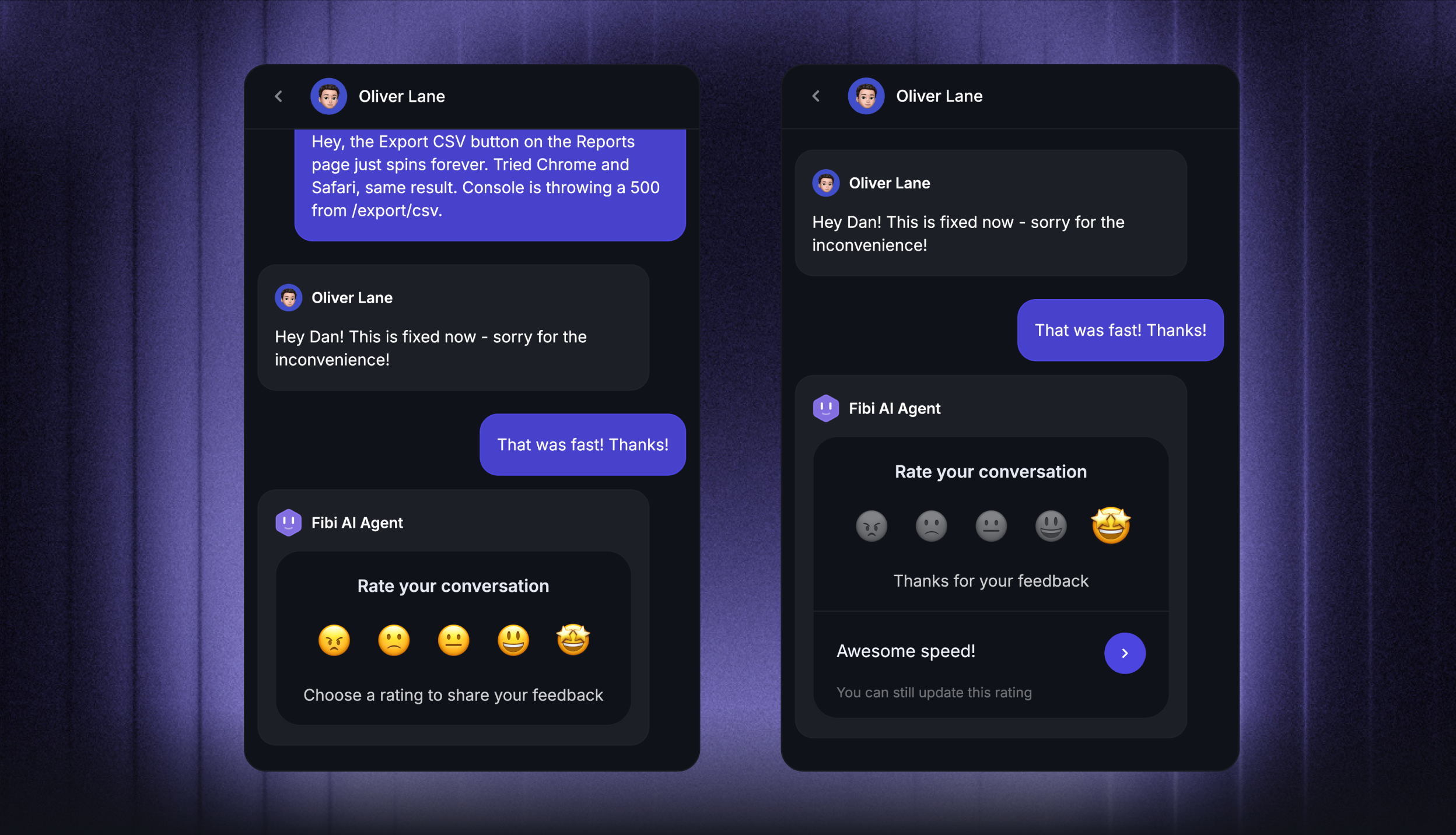
Review escalation reasons as well as the percentage. A healthy system escalates unusual and high-risk cases by design.
Repeat contacts and unresolved searches
Repeat contacts reveal whether the first answer worked. Track customers who return about the same issue within a defined period, plus searches that return no result or lead directly to a ticket.
These signals give product and documentation teams a concrete backlog. The goal is a closed loop where every recurring failure improves the product, knowledge base, or support workflow.
Reduce support tickets with Featurebase

Featurebase is a modern AI customer support platform for product-led SaaS. It combines AI-powered support, help center, and feedback management into a single platform for startups that want all their customer-facing tools in one place. Featurebase is loved by thousands of support teams from companies like Lovable, Raycast, and n8n. 💫
Top features:
- Omnichannel inbox – Manage live chat, email, and Slack conversations from one AI-powered view
- Fibi AI Agent - Resolve customer issues on autopilot & run custom actions like trial extensions and refunds
- Help center with AI search – Provide instant, multilingual self-serve answers
- Workflows & automations – Auto-assign tickets, route conversations, collect customer data, and more
- AI Copilot – Help your agents answer customers faster with AI Copilot that uses your internal knowledge
- Multi-brand support – Manage multiple Help Centers and Live chats from a single workspace
- Automatic AI translations – Automatically translate all messages and help articles to your customers native language
- Service Level Agreements – Track SLAs to make sure your team responds to customers on time, every time
- Mobile app – Respond to customers, receive notifications, and unblock users on the go
- Feedback & roadmap tools – Collect feature requests and close the loop with updates
- Product updates – Publish release notes with a changelog page, in-app widget, and emails
- Integrations – Connects with Slack, Linear, Jira, HubSpot, and more
Pricing: Free plan available with unlimited conversations. Paid plans start at $29/seat/month with $0.49 per AI resolution.
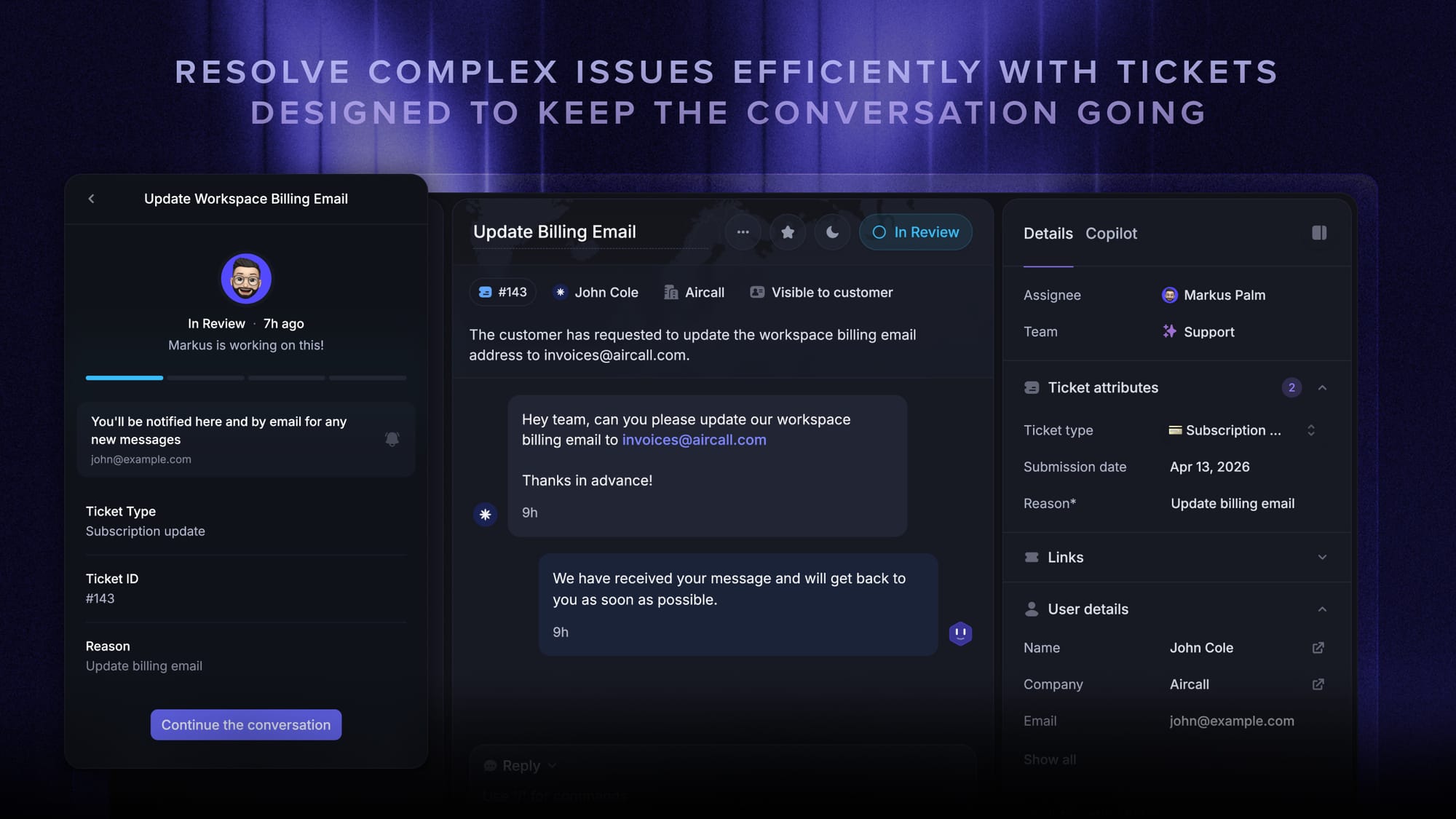
Featurebase covers all the basic support features that legacy platforms do, but with a much more modern approach. It comes with AI automations, a mobile app, and multiple channels (email, live chat, Slack, etc.).

Resolve 70% of customer requests with AI
Automatically resolve customer issues & cut down support loads for your team
Conclusion
Reducing support tickets starts with removing the recurring causes, then making trustworthy answers easy to find and automating requests with clear boundaries. Measure resolution quality alongside volume so efficiency never comes at the customer's expense.
Featurebase combines an AI-powered help center, Fibi AI Agent, support workflows, and an omnichannel inbox in one modern platform for SaaS teams.
It has a Free plan with unlimited conversations, and paid plans start at $29 per seat each month. The onboarding is fast, so there is no downside to trying it. 👇
✨ Automate your support with the fastest AI-enhanced Inbox today →

FAQs
How can I reduce invalid technical support tickets?
Require enough context to validate the issue before it enters the main queue, including the affected product area, error details, and steps already attempted. Improve request forms and documentation when the same invalid submission appears repeatedly, then train internal requesters or customers on the correct route.
Is ticket deflection the same as self-service?
No. Self-service describes the channels customers use to solve problems independently, such as a knowledge base or chatbot. Ticket deflection is the outcome measured when those channels resolve an issue before it becomes an agent ticket.
Does ticket deflection reduce customer satisfaction?
Healthy ticket deflection can improve satisfaction by giving customers a correct answer faster. Satisfaction falls when automation blocks human help, serves irrelevant content, or counts abandonment as a successful resolution.
What is the difference between ticket deflection and queue management?
Ticket deflection prevents suitable requests from entering the support queue by resolving them earlier. Queue management organizes tickets that have already been submitted through prioritization, routing, and workload controls.
Which support tickets should never be automated?
Security incidents, emotionally charged complaints, unusual exceptions, and high-value financial decisions should retain human review. Featurebase can automate routine resolutions while handing conversations to agents when an issue needs judgment or empathy.
How often should a knowledge base be updated?
Update an article whenever the related product, policy, or workflow changes. Review high-traffic articles and failed searches regularly, then prioritize content connected to repeat tickets or unsuccessful self-service attempts.