Blog Customer FeedbackHow to Increase User Engagement: 8 Proven Strategies
How to Increase User Engagement: 8 Proven Strategies
Learn how to increase user engagement with 8 proven strategies, the metrics that actually measure it, and a simple loop that keeps users coming back.


✨ Start collecting & managing feedback with Featurebase for free →
Getting people to sign up is the easy part. Getting them to come back, use the product, and stick around is where most teams struggle.
A flood of new signups means nothing if those users go quiet after day one. That's the difference between a vanity metric and real user engagement.
The good news is that engagement is something you can deliberately build. In this guide, I'll break down what user engagement actually is, the metrics that measure it, and 8 proven strategies to increase it. 👇
Key takeaways
- User engagement measures how actively people use your product: not whether they signed up, but whether they come back and get real value.
- Engagement and customer engagement aren't the same thing: one is about product usage, the other about the whole brand relationship.
- A handful of metrics tell the real story: DAU/MAU stickiness, feature adoption, session depth, and retention.
- The best strategies remove friction and give users a reason to return: strong onboarding, personalization, in-app guidance, and a real feedback loop.
- A feedback-and-updates loop is one of the most durable engagement drivers: tools like Featurebase✨ let users submit ideas, vote, and get notified the moment their requests ship.
What is user engagement?
User engagement is how actively and meaningfully people use your product over time. An engaged user doesn't just log in. They complete key actions, come back regularly, and get real value from what you've built.
Put simply, engagement is the gap between someone who signed up once and someone who made your product part of their routine.
It shows up in behavior: how often users return, how deep they go into your features, and whether they stick around month after month.
User engagement vs. customer engagement
These two terms get used interchangeably, but they measure different things. User engagement is about product usage, or how people interact with your app or website itself. Customer engagement is broader, covering the entire relationship: marketing emails, support conversations, social media, and community.
A user can be highly engaged with your product while barely engaging with your brand elsewhere, and the reverse is true too. For a product-led SaaS company, user engagement is usually the metric that predicts retention and revenue most directly.
Why user engagement matters
Engagement is the leading indicator of almost everything that matters in SaaS: retention, expansion, and word of mouth.
Engaged users stick around longer, and that compounds fast. Research from Frederick Reichheld at Bain & Company found that increasing customer retention rates by 5% increases profits by 25% to 95%. Engagement is what drives that retention in the first place.
There's also a churn side to it. When users stop engaging, they're not getting value, and a user who isn't getting value is a user who's about to leave. Low engagement is usually the quiet signal that shows up weeks before a cancellation.
And engaged users do your marketing for you. They're the ones who leave reviews, refer colleagues, and submit the feature ideas that make your product better.
The metrics that actually measure user engagement
You can't improve what you don't measure. A few core user engagement metrics tell you whether your strategies are working:
- DAU/MAU (stickiness): The ratio of daily to monthly active users. It shows how often people come back, and a ratio of 20% or higher is generally healthy for most SaaS products.
- Feature adoption: The percentage of users who actually use a given feature. Low adoption on a key feature is a sign that users aren't discovering the value you built.
- Session depth and frequency: How often users return and how much they do once they're in. Shallow, infrequent sessions point to a weak habit.
- Retention rate: The percentage of users who keep coming back over time. This is the ultimate engagement scoreboard.
Retention is worth watching closely from day one. Early retention, meaning whether users come back in their first week rather than their first month, is the clearest sign that your engagement loop is starting to work. Small gains there usually show up in the bigger numbers later.
8 proven strategies to increase user engagement
Knowing the metrics is one thing. Moving them is another. Here are 8 user engagement strategies that consistently do it.
1. Nail the first-session onboarding experience
Engagement is won or lost in the first few minutes. If a new user can't get to value quickly, they leave and rarely come back.
Good onboarding gets users to their "aha moment", the point where they first experience the core value of your product, as fast as possible. Strip out every step that doesn't move them toward it.
A few things that work: a short interactive walkthrough instead of a wall of tooltips, sensible defaults so users aren't staring at a blank state, and one clear first action to complete. The goal is a quick win, not a full feature tour.
2. Personalize the experience to each user segment
Not all users want the same thing. A solo founder and an enterprise admin have completely different goals, and showing them the same generic experience wastes both their time.
Segment users by role, plan, behavior, or lifecycle stage, then tailor what they see. That might mean different onboarding flows, different in-app messages, or different feature recommendations.
Personalization signals that you understand the user, and people engage far more with a product that feels built for them.
3. Guide users with in-app messaging and prompts
Users don't read documentation. They learn by doing, inside your product. In-app messaging like tooltips, checklists, and contextual prompts meets them where they already are.
The key is timing and relevance. A prompt that appears exactly when a user needs it drives action. A generic pop-up that interrupts them trains people to dismiss everything.
Use in-app guidance to surface features users haven't tried, nudge them toward the next valuable action, and celebrate milestones along the way. Done well, it turns passive users into power users.
4. Build a real feedback loop with your users
Few things drive engagement like feeling heard. When users can shape the product they use, they stop being passive and start being invested.
A real feedback loop has three parts:
- A frictionless way to submit ideas: users should be able to share feedback without leaving your product or filling out a long form.
- A transparent way to see what's next: a public board or roadmap shows users their input is actually being considered.
- Follow-through when something ships: closing the loop is the part most teams forget, and it's the part that matters most.
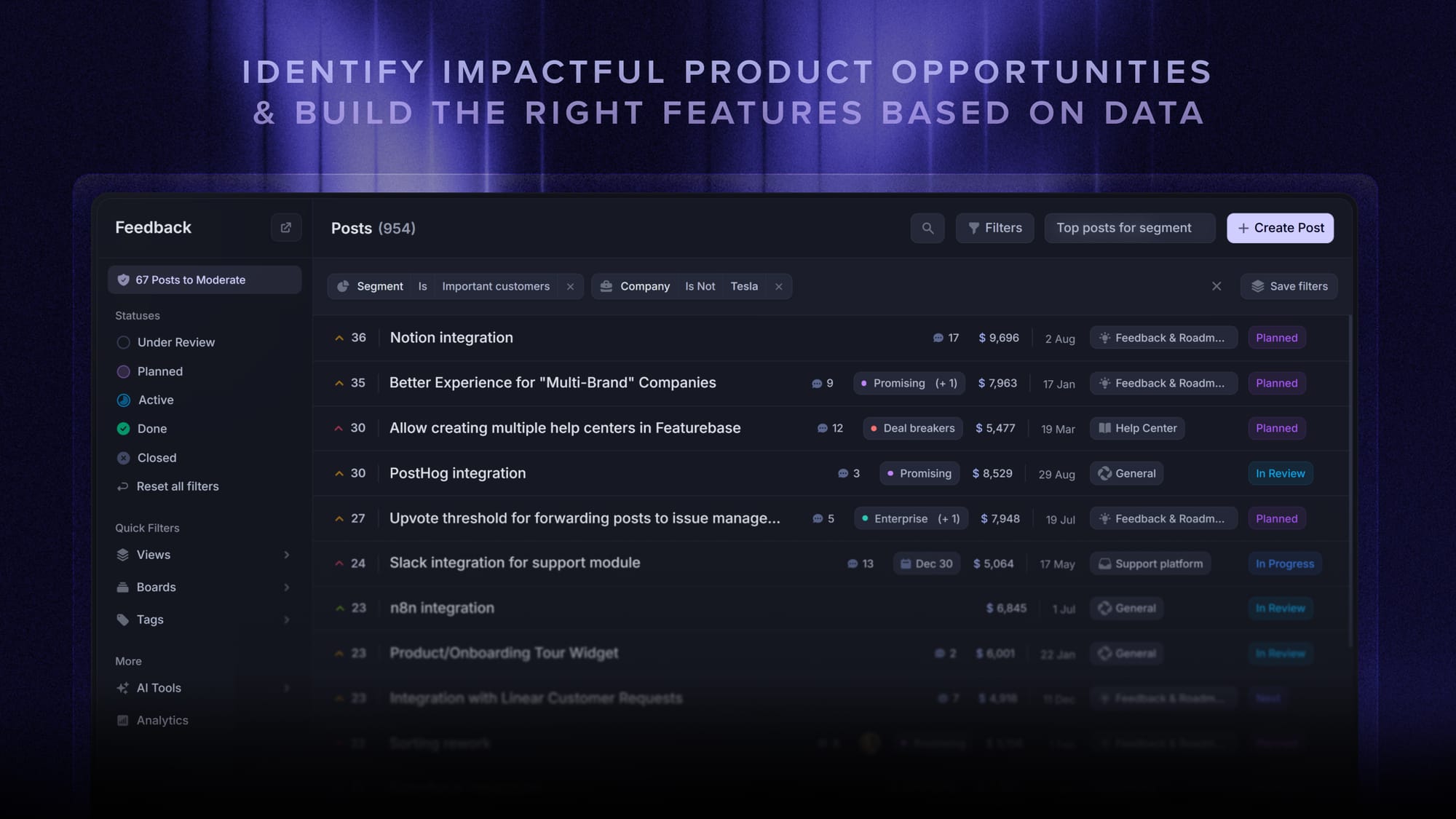
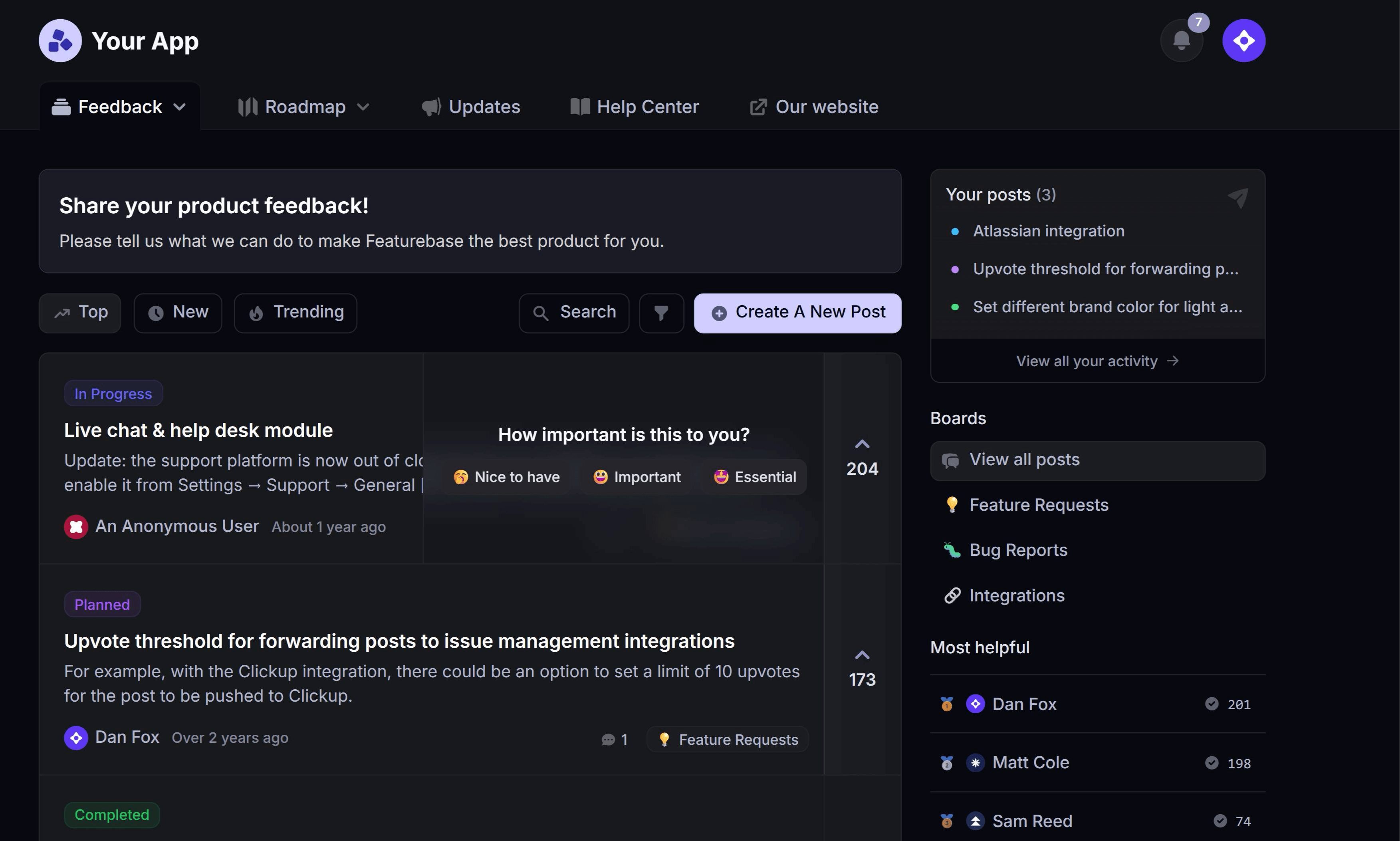
This is where a feedback tool earns its place. With Featurebase, users can post ideas and bug reports on a public board, vote on what matters most to them, and get an automatic email the moment their requested feature goes live. That "the thing you asked for is here" moment is one of the strongest re-engagement triggers there is.
5. Close the loop with product updates
Users can't engage with improvements they never hear about. If you ship a great feature and stay quiet, most of your users will never know it exists.
Announcing product updates keeps people coming back. A public changelog shows the product is alive and improving. In-app update widgets surface new features right where users can try them. Release emails pull lapsed users back with a concrete reason to return.
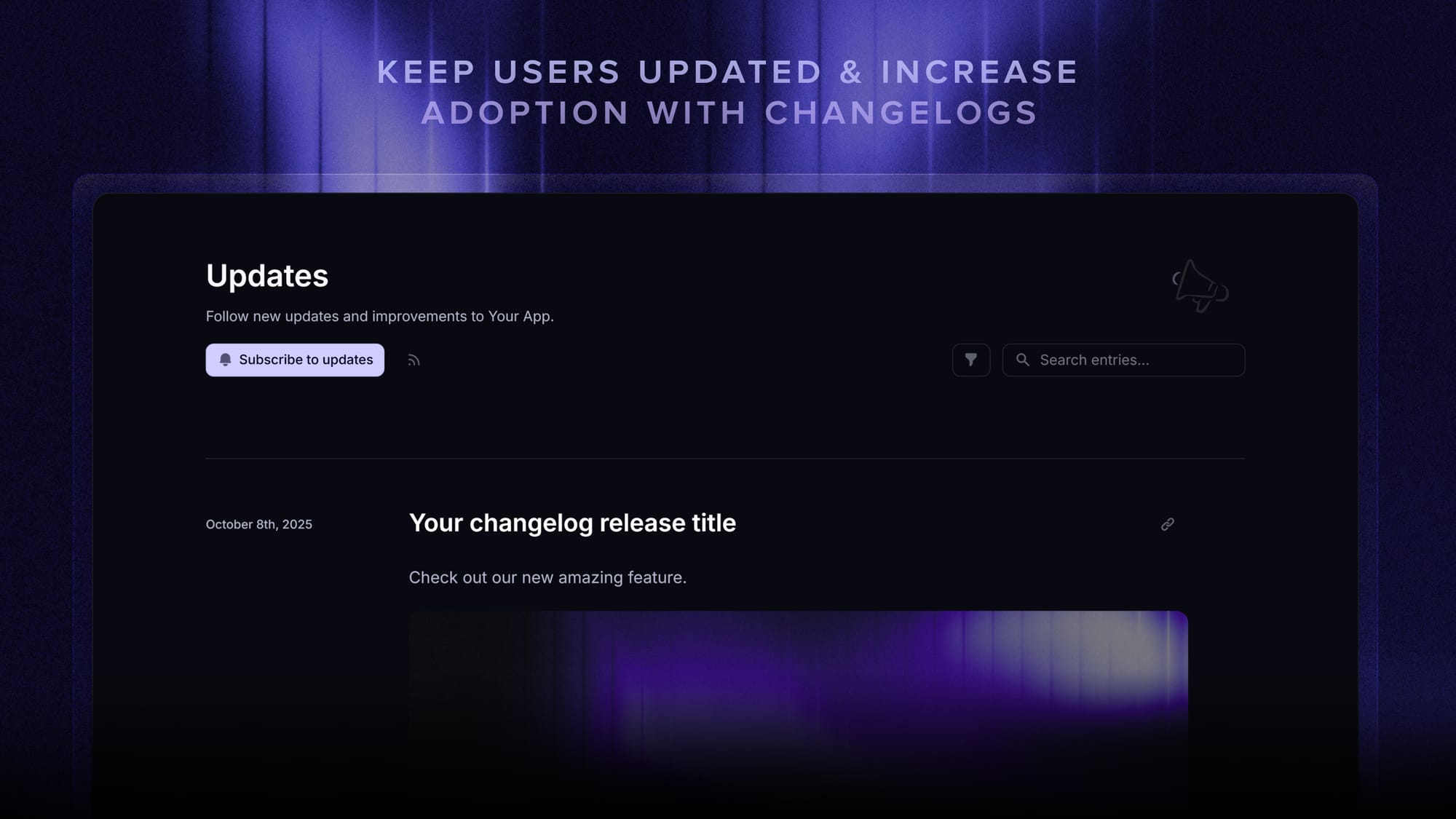
You can run all three from a tool like Featurebase, publishing an update once and sharing it across a changelog page, in-app widgets, and email. The payoff is twofold: higher feature adoption and a steady stream of reasons for users to reopen your product.
6. Use gamification and milestones (carefully)
Progress bars, streaks, badges, and milestone celebrations tap into a simple truth: people like to see themselves making progress.
Gamification works when it reinforces real value. A progress bar that shows a user how close they are to a fully set-up account is genuinely helpful. A streak that rewards daily use of a habit-based product makes sense.
It backfires when the rewards are hollow. Badges for meaningless actions, or manipulative streaks that punish users for taking a day off, erode trust. Tie every gamified element to an outcome the user actually cares about.
7. Re-engage lapsing users with lifecycle messaging
Some drop-off is inevitable, but a lapsing user isn't a lost user. Lifecycle messaging, meaning triggered emails and in-app messages based on behavior, can pull them back before they churn for good.
Watch for the warning signs: a drop in login frequency, a key feature going unused, or a renewal approaching with low activity. Each one is a trigger for a timely, relevant nudge.
The best win-back messages are specific. Instead of "we miss you", point users to a new feature that solves the problem they came for, or offer to help them get past whatever stalled them.
8. Build community and social proof
People stay where they feel part of something. A community, whether it's a forum, a Discord, or a user group, gives users a reason to engage that goes beyond the product itself.
Community also creates social proof. When users see others sharing wins, asking questions, and requesting features, engagement becomes contagious. Public feedback boards and roadmaps double as lightweight community, showing users they're not shouting into a void.
You don't need a massive community to start. Even a small, active space where users talk to each other and to your team can meaningfully lift engagement and retention.
How to know if your engagement strategy is working
Strategies are only worth running if you can tell whether they're working. Set a baseline for your core metrics before you start, then track how they move.
Watch the metrics from earlier, meaning stickiness, feature adoption, session depth, and retention, and connect them to specific changes. If you overhaul onboarding, does 7-day retention improve? If you launch a changelog, does feature adoption climb?
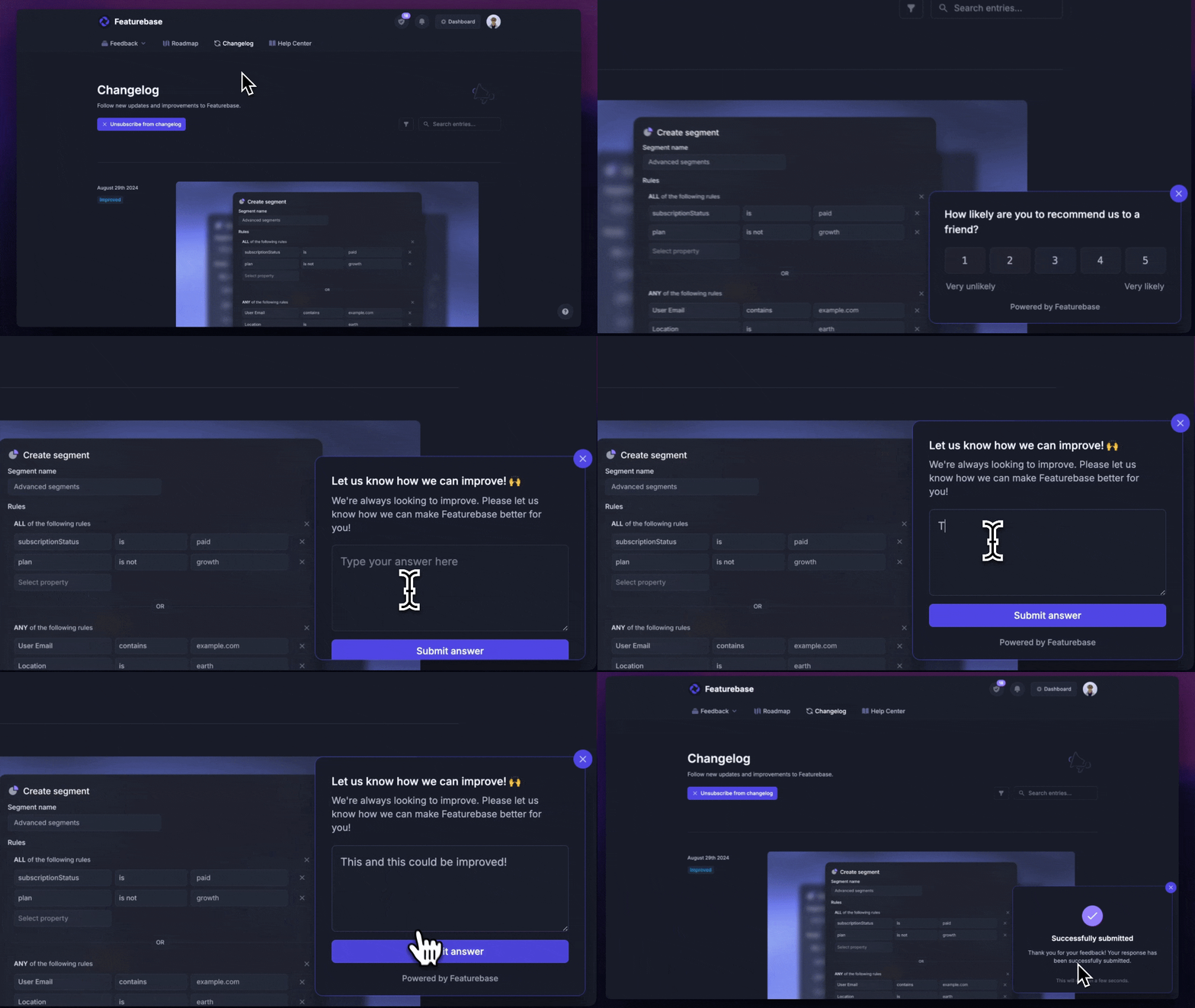
Pair the numbers with qualitative feedback. Metrics tell you what's happening, while user feedback and surveys like NPS tell you why. Running a short in-app survey after a key action is a fast way to catch the reasons behind the trends.
Engagement work is never one-and-done. Treat it as a continuous loop: measure, change one thing, measure again, and keep what works.
Conclusion
Increasing user engagement isn't about one clever trick. It's about removing friction, giving users real value, and building a loop where they feel heard and stay in the know. Get the metrics right, run the strategies, and keep iterating.
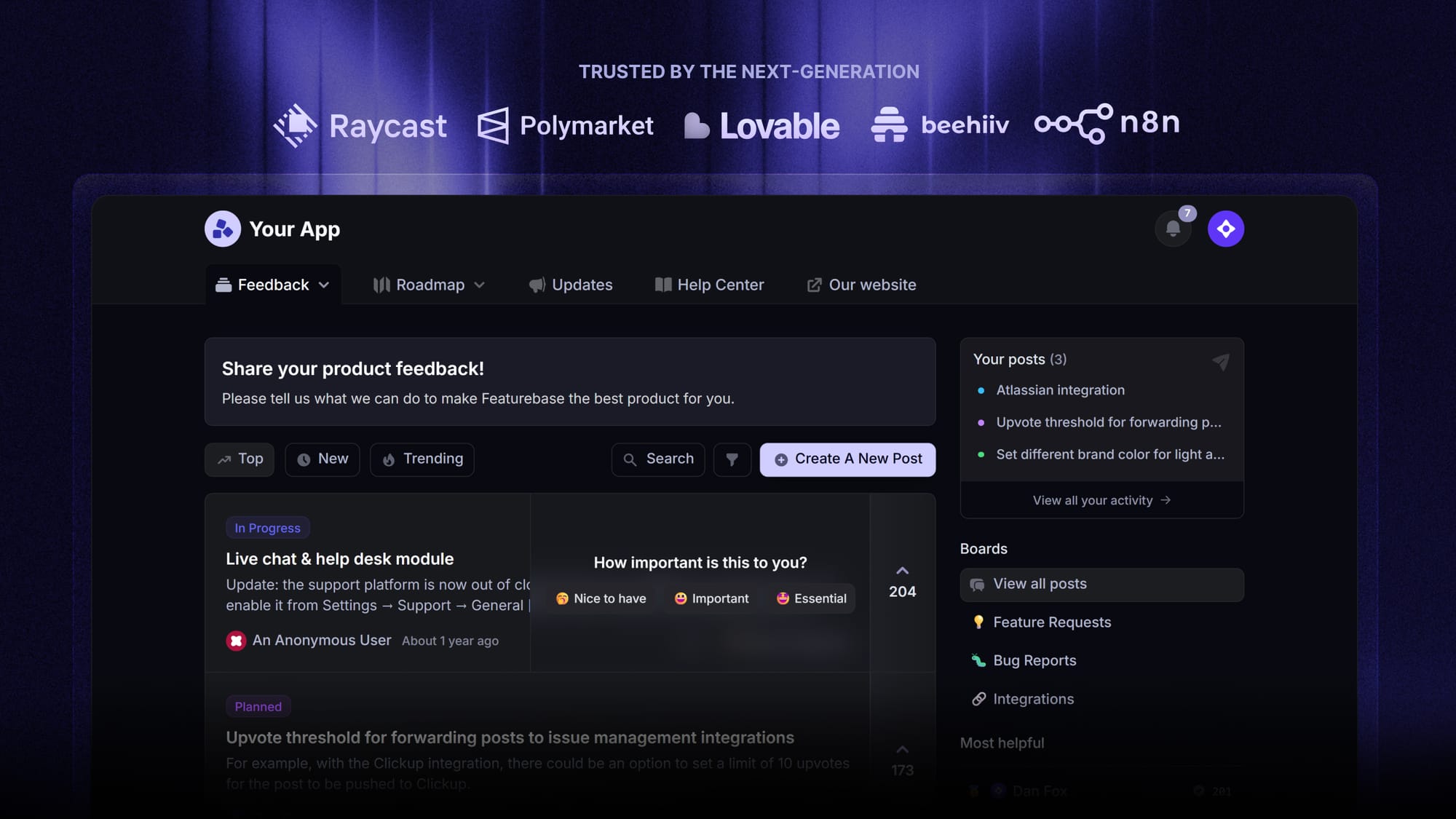
Featurebase is a feedback and product platform that helps you turn engagement into a loop. Users submit and vote on ideas in a public feedback forum, you prioritize what matters most, and you close the loop automatically with changelogs and in-app product updates when features ship.
It comes with a Free plan that includes unlimited feedback, and the onboarding takes minutes with no credit card required, so there's no downside to trying it. 👇
✨ Start collecting & managing feedback with Featurebase for free →
FAQs
What's the difference between user engagement and customer engagement?
User engagement measures how people use your product itself, like logins, feature usage, and session depth. Customer engagement is broader and covers the whole relationship with your brand, including email, support, social media, and community. For product-led companies, user engagement tends to be the stronger predictor of retention and revenue.
What is a good user engagement rate?
It depends on your product type, so benchmark against yourself before comparing to anyone else. As a rough guide, a DAU/MAU stickiness ratio of 20% or higher is considered healthy for many SaaS products, while daily-use products aim much higher. The more useful question is whether your engagement metrics are trending up over time.
How long does it take to improve user engagement?
Quick wins like better onboarding or a well-timed in-app prompt can move metrics within a few weeks. Structural changes, such as a real feedback loop, a community, or a lifecycle messaging program, usually take a quarter or more to show up in retention. Treat it as ongoing work rather than a one-time project.
How do you increase user engagement on a website?
Start with speed and clarity: fast load times, an obvious next action, and content that matches what visitors came for. Then layer in personalization and interactive elements so returning visitors see something relevant to them. Clear calls-to-action and easy navigation keep people moving through the site instead of bouncing.
How do you increase engagement in a mobile app?
Focus on a fast, frictionless onboarding that gets users to value in the very first session. Use push and in-app messaging thoughtfully to bring users back with relevant, well-timed nudges rather than spam. Personalization and rewarding regular use through progress or milestones help turn first-time users into habitual ones.
What tools help increase user engagement?
Most teams combine a few categories: product analytics to measure engagement, in-app messaging tools for onboarding and prompts, and a feedback-and-updates platform to close the loop with users. Featurebase covers that last piece, letting you collect feedback, share a public roadmap, and announce product updates so users keep coming back to a product that visibly improves.