Blog Customer ServiceThe 9 Best Customer Support Ticketing Software in 2026
The 9 Best Customer Support Ticketing Software in 2026
Support reps spend just 46% of their time with customers. Compare the 8 best ticketing tools for faster, less chaotic support.



✨ Get the modern Ticketing Inbox designed for efficiency →
Your support inbox shouldn't feel like chaos, but for most growing SaaS teams, it does. Support tickets pile up across email, Slack threads disappear before anyone responds, and customers ping the same question from three different channels.
The right customer support ticketing software fixes this. It routes every request into one place, automates the repetitive work, and gives your team the context they need to resolve issues fast. According to Salesforce's State of Service report, service reps spend less than half their time (46%) actually with customers, the rest goes to administrative work and toggling between tools.
In this guide, I'll walk you through 8 customer support ticketing platforms I've tested, ranked by who they fit best. 👇
Key takeaways – The best customer support ticketing software for 2026:
- ✨Featurebase – Best for modern, fast-growing SaaS teams that want AI-powered ticketing, feedback, and a help center in one place
- Zendesk – Best for large support teams that need a deep, customizable enterprise ticketing system
- Intercom – Best for product-led companies prioritizing in-app messaging and Fin AI resolutions
- Help Scout – Best for small, email-first support teams that want a clean shared inbox
- Freshdesk – Best for cost-conscious teams that need solid ticketing automation at scale
- HubSpot Service Hub – Best for teams already on the HubSpot CRM
- Zoho Desk – Best for teams already deep in the Zoho ecosystem
- Front – Best for collaboration-heavy support teams that work as a shared inbox
- Hiver – Best for teams that want shared inbox-style ticketing, clear ownership, AI assistance, automation, and multi-channel customer support in one workspace
What is customer support ticketing software?
Customer support ticketing software is the customer-facing version of a help desk ticket system, built specifically around support conversations that captures every customer inquiry, whether it comes from email, live chat, Slack, in-app messages, or a contact form, and turns it into a trackable support ticket your team can prioritize, assign, and resolve in one place.
The job of a ticketing system is to remove the chaos from support. Instead of agents hunting through inboxes or chasing Slack threads, every conversation lands in a unified view with full context: who the customer is, what they bought, when they last reached out, and what's been tried so far.
Modern ticketing platforms go a step further. They add automated routing so the right team members see the right tickets, AI agents that resolve common questions before a human even sees them, and reporting capabilities that surface where your team is bottlenecked. Zendesk's 2025 CX Trends report found that 61% of consumers now expect AI-driven interactions to feel tailored to them, which is reshaping what good ticketing software looks like.
There's also a related category called an internal ticketing system, built for IT and back-office teams handling employee requests and assets. The tools in this guide are customer-facing, focused on managing tickets from the people who pay you, not the people who work with you.
How we picked these tools
I evaluated each platform on the things that actually matter when you're managing support tickets day to day:
- Omnichannel ticket capture - Can it pull in support tickets from email, live chat, Slack, in-app messages, and web forms into one inbox?
- AI agents and assistants - Does it offer AI agents that resolve customer requests on autopilot, plus AI assistants that help human agents reply faster? Zendesk found that 73% of agents say an AI copilot would help them do their job better.
- Automation and ticketing workflows - How easily can you build rules for ticket assignment, intelligent routing, SLA tracking, and triage without writing code?
- Reporting capabilities - Can you see ticket volume, ticket status, response times, and agent performance in real time?
- Integrations - Does it connect to the tools your team already uses (Slack, Linear, Jira, HubSpot, Salesforce)?
- Pricing model - Does the pricing scale with your team without surprise add-ons for AI, sandboxes, or extra seats?
Each tool below was scored against these six criteria, then ranked by which team profile gets the most value from it.
The 8 best customer support ticketing software for 2026
1. Featurebase ✨
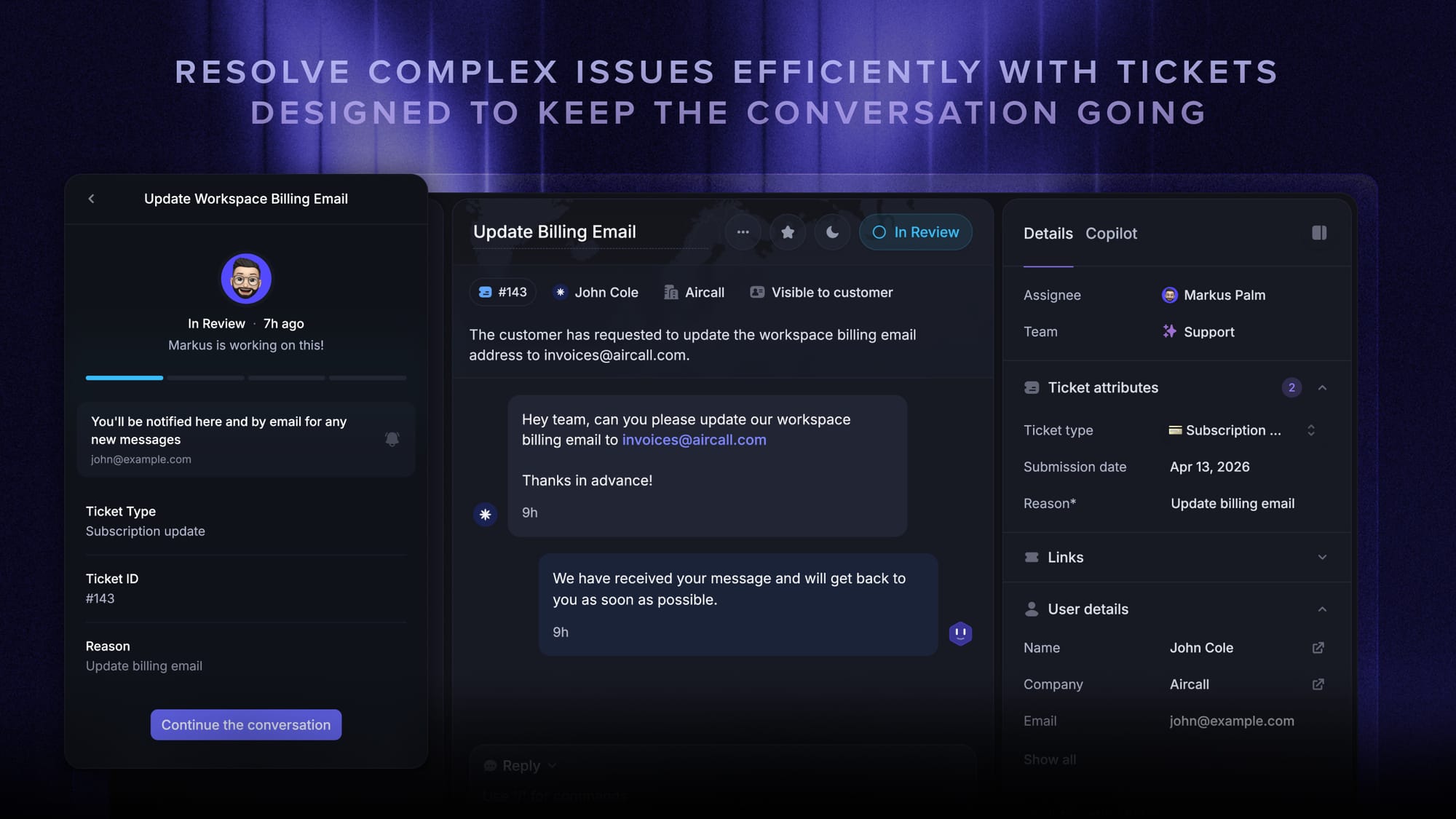
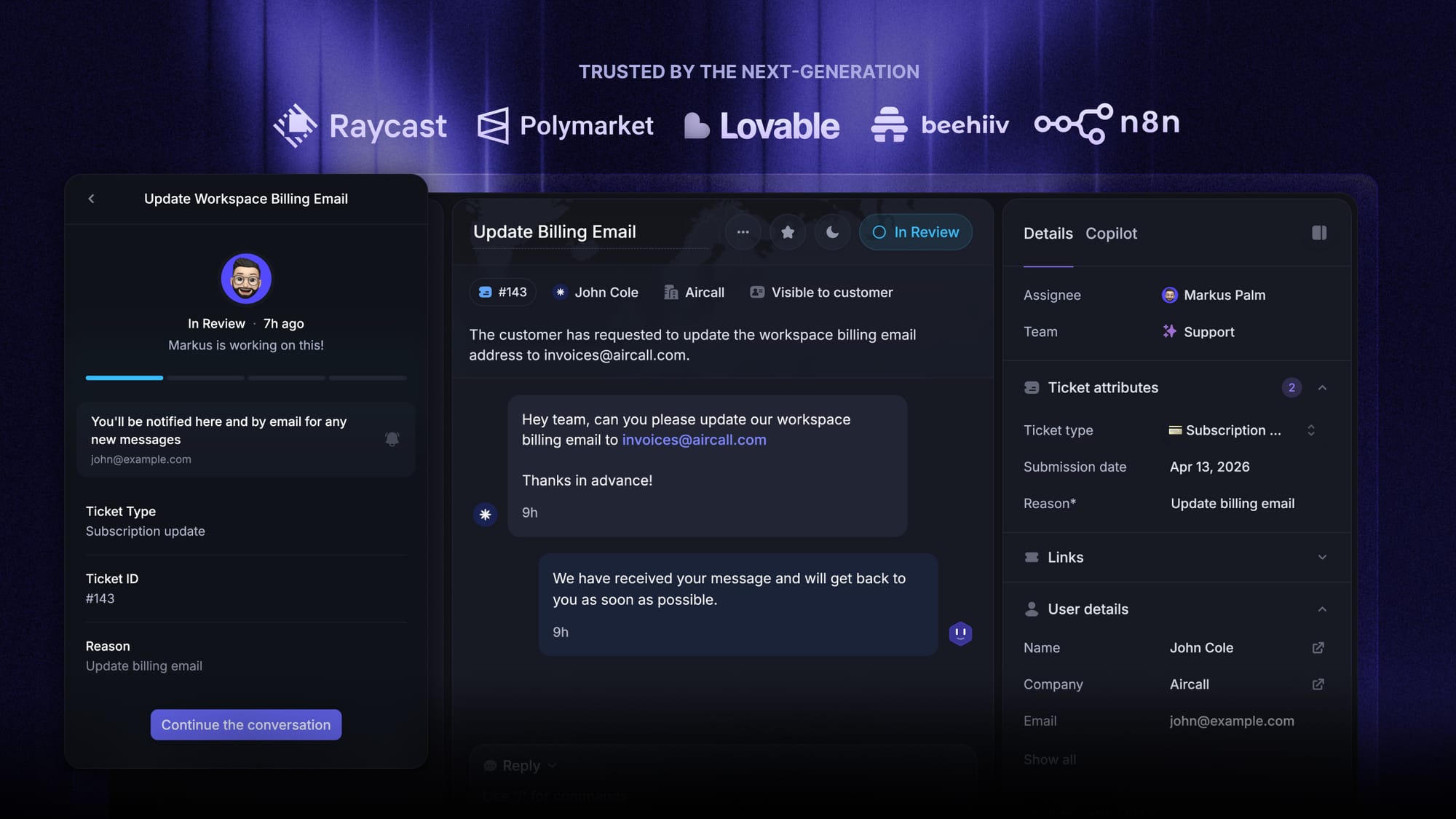
Featurebase is a modern AI customer support platform for product-led SaaS. It combines AI-powered ticketing, help center, and feedback management into a single platform for startups that want all their customer-facing tools in one place. Featurebase is loved by thousands of support teams from companies like Lovable, Raycast, and n8n. 💫
Top features:
- Omnichannel inbox – Manage tickets, live chat, email, and Slack conversations from one AI-powered view
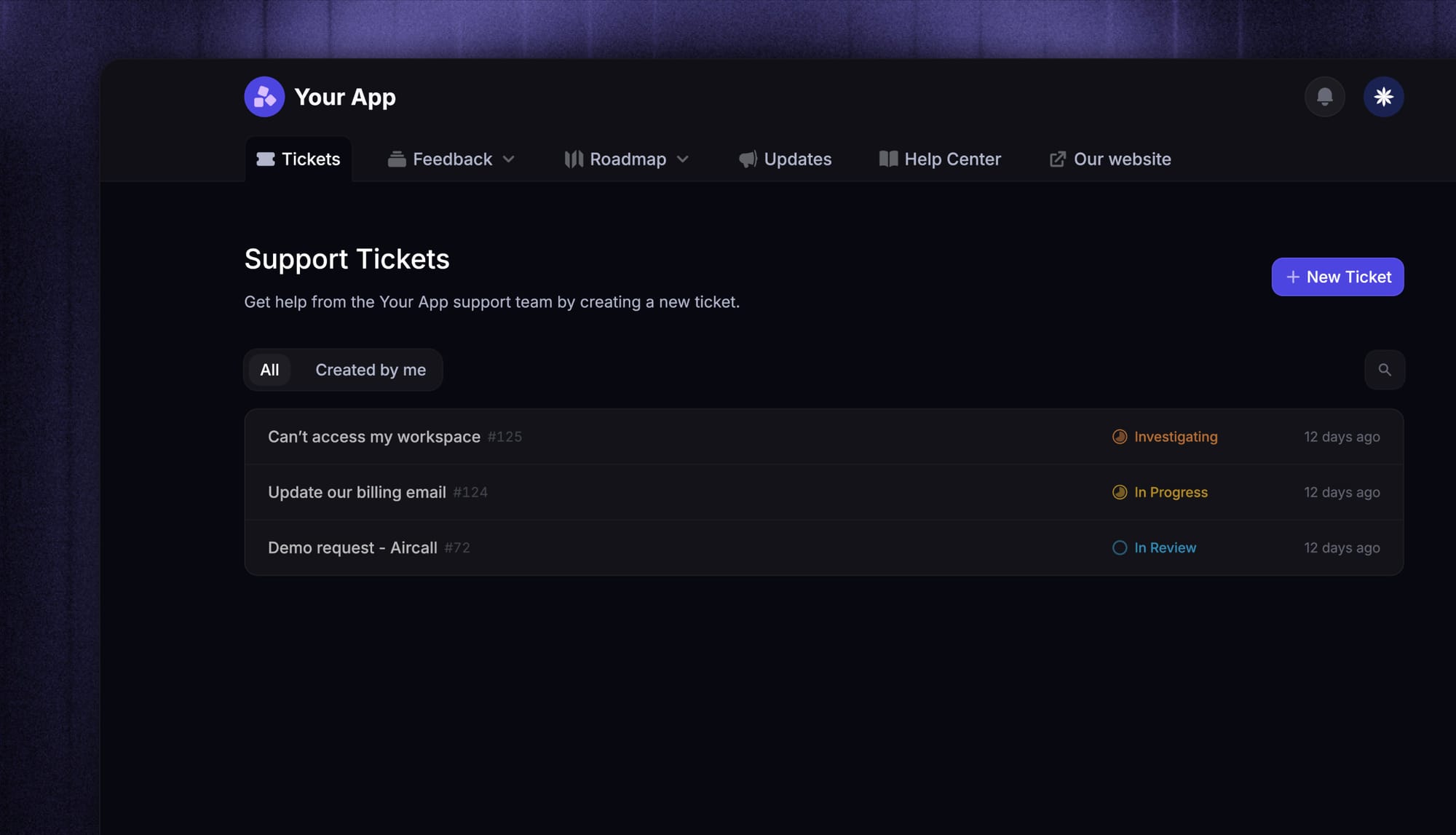
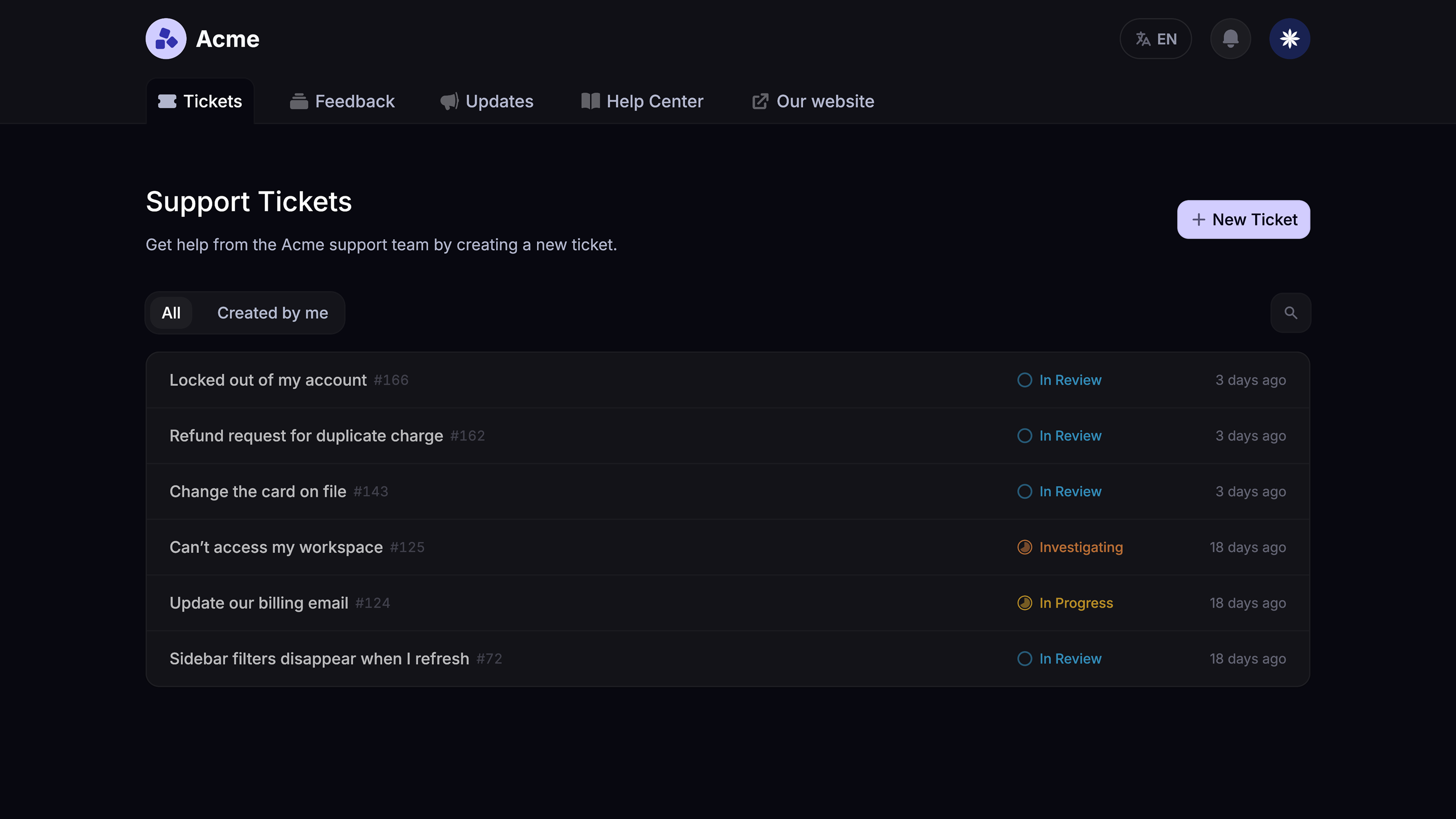
- Tickets Portal – A dedicated page where customers can submit, view, and track all their tickets in one place
- AI Copilot – Help your agents answer customers faster with AI Copilot that uses your internal knowledge
- Workflows & automations – Auto-assign tickets, route conversations, collect customer data, and more
- Service Level Agreements – Track SLAs to make sure your team responds to customers on time, every time
- Tickets in Messenger - Customers can track their tickets progress directly from your product
- Fibi AI Agent - Resolve customer issues on autopilot & run custom actions like trial extensions and refunds
- Help center with AI search – Provide instant, multilingual self-serve answers
- Automatic AI translations – Automatically translate all messages and help articles to your customers native language
- Integrations – Connects with Slack, Linear, Jira, HubSpot, and more
Pricing: Free plan available with unlimited conversations. Paid plans start at $29/seat/month with $0.29 per AI resolution.
Featurebase covers all the basic support features that legacy platforms do, but with a much more modern approach. It comes with AI automations, a mobile app, and multiple channels (email, live chat, Slack, etc.).

Modern Ticketing Inbox, Designed for Efficiency
Support your customers from anywhere with an AI-powered omnichannel inbox
2. Zendesk
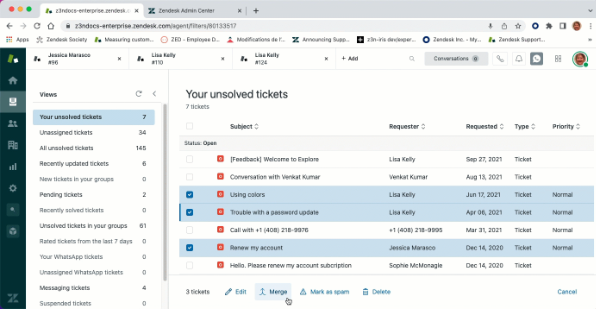
Zendesk is one of the best-known customer support ticketing systems on the market, built for large support teams that need deep configuration, omnichannel reach, and granular reporting. It has been a category leader for over a decade, with more than 6,000 user reviews on G2 averaging 4.3/5.
Top features
- Multi-channel ticketing across email, chat, voice, social, and messaging
- Workflow automations, macros, and trigger-based ticket assignment
- Reporting suite with custom dashboards and SLA tracking
- AI agents (Copilot) and automated resolutions for self-service deflection
- Marketplace with 1,500+ integrations
Pricing: Zendesk pricing starts at $19/agent/month for the Support plan, but most teams end up on the Suite (which bundles messaging, voice, and help center), where plans start at $55/agent/month (Suite Team) and run up to $169/agent/month (Suite Enterprise). Most AI tooling, quality assurance, and workforce management modules are sold as separate add-ons that can add $25-$50/agent/month each.
Limitations: Zendesk reviewers on G2 commonly note that pricing scales hard as teams grow, and that meaningful customization (admin permissions, advanced reporting) takes significant setup time. A recurring theme in G2 feedback is slow response times from Zendesk's own customer support, which feels ironic for a support platform.
Best for: Large support teams (50+ agents) at companies that already have ops resources to configure and maintain a heavyweight ticketing system.
3. Intercom
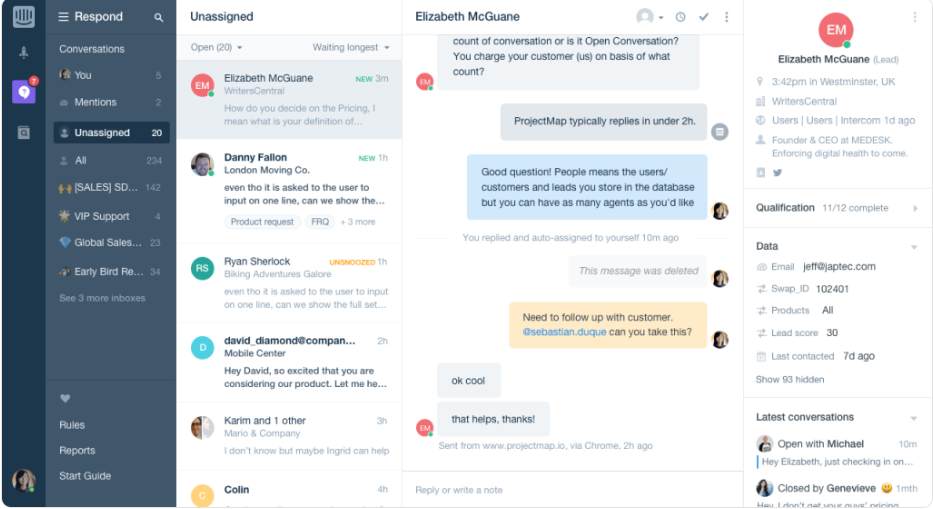
Intercom is the in-app messaging platform that pioneered the "Messenger" pattern, where your support widget sits inside your product and conversations flow naturally between live chat, AI, and email. It's particularly popular with product-led SaaS companies that want support to feel like a continuation of the product experience.
Top features
- In-app Messenger with live chat, bot flows, and proactive outreach
- Fin AI Agent that resolves customer inquiries with natural conversation
- Workflows and custom bots for routing and qualification
- Help Center with AI-powered answers
- Tight CRM-style customer profiles inside every ticket
Pricing: Intercom pricing has three tiers: Essential at $19/seat/month, Advanced at $85/seat/month, and Expert at $132/seat/month (all billed annually). Essential costs $29/seat/month billed monthly. Fin AI Agent is priced at $0.99 per outcome on top of seat costs, which adds up quickly at scale.
Limitations: Pricing is by far the most-cited complaint in Intercom's G2 reviews. Users on G2 report that the combination of per-seat pricing, $0.99-per-outcome Fin, and various add-ons makes the real monthly bill 60-80% higher than the headline rate. Intercom's pricing structure is also widely described as confusing.
Best for: Product-led SaaS teams that need an in-app Messenger and have the budget to absorb Fin's per-outcome pricing.
4. Help Scout
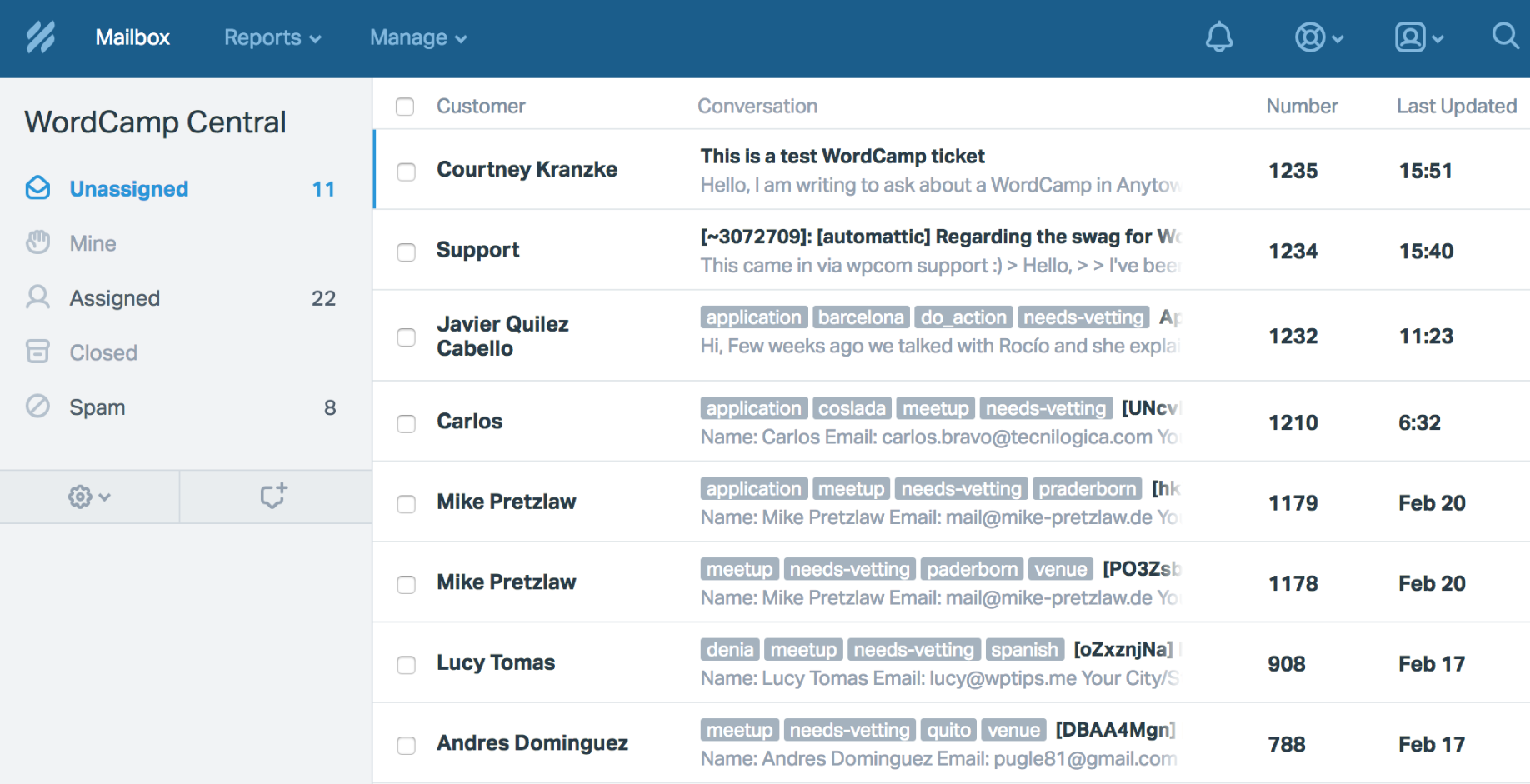
Help Scout is the email-first ticketing system that prioritizes simplicity over feature breadth. It feels less like a help desk and more like a shared Gmail inbox with collaboration features bolted on, which is exactly what email-heavy support teams want.
Top features
- Shared inboxes with clean threading and conversation history
- Help center / knowledge base builder
- Beacon chat widget for in-app support
- Saved replies, workflows, and collision detection
- AI Assist for drafting replies and AI Summarize for long threads
Pricing: Help Scout pricing starts with a free plan for up to 5 users, then three paid plans: Standard at $25/user/month, Plus at $45/user/month, and Pro at $75/user/month. AI Answers (their AI agent for ticket deflection) costs $0.75 per resolution after a 3-month free trial.
Limitations: G2 reviewers commonly note that Help Scout's reporting feels limited on lower plans, and advanced workflow customization can be restrictive for high-volume or multichannel teams. Users on G2 also flag that there's no no-code chatbot builder, so teams that want to build conversational flows have to look elsewhere.
Best for: Small, email-first support teams (typically under 20 agents) that value a clean interface and Help Scout's well-regarded customer support team over feature depth.
5. Freshdesk
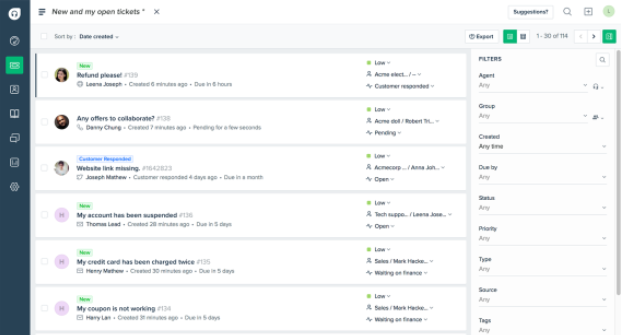
Freshdesk is the budget-friendly heavyweight in the customer support ticketing software category. It offers most of what Zendesk does at a lower price point, which makes it a popular pick for cost-conscious mid-market teams scaling their support function.
Top features
- Multi-channel ticketing (email, chat, phone, social, web forms)
- Automation rules, scenario macros, and ticket routing
- Multi-brand support with separate inboxes and help centers per brand
- Freddy AI for ticket triage and automated resolutions
- Reporting dashboards and custom report builder
Pricing: Freshdesk has a free plan that includes basic ticketing. Paid plans are Growth at $19/agent/month, Pro at $55/agent/month, and Enterprise at $89/agent/month (annual billing). Freshdesk pricing is generally lower than Zendesk's at every tier.
Limitations: G2 reviewers commonly note that advanced customization is locked behind higher plans, and that the reporting layer is functional but shallow once you need anything beyond basic dashboards. A recurring complaint is that Freshdesk only supports a single set of business hours, which is a problem for distributed teams in multiple time zones.
Best for: Cost-conscious mid-market support teams that need solid ticketing and automation without paying Zendesk-tier prices.
6. HubSpot Service Hub
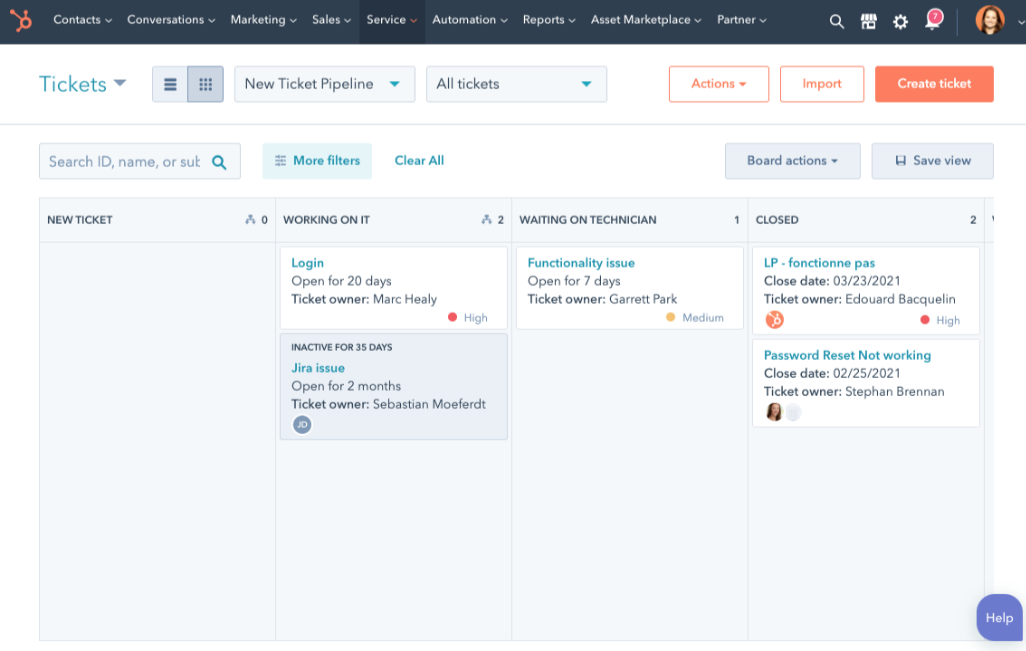
HubSpot Service Hub is the support module of the HubSpot CRM, which is its whole pitch: every ticket sits next to the customer's full contact, deal, and marketing history. For teams already living in HubSpot, this is the cleanest possible customer journey view.
Top features
- Ticketing tied directly to HubSpot contacts, companies, and deals
- Help desk inbox with email, chat, and form ticketing
- Knowledge base, feedback surveys, and customer portal
- Automation, ticket pipelines, and SLA management
- AI-powered chat and reply suggestions (Breeze AI)
Pricing: HubSpot Service Hub has a free tier for up to 2 users. Starter is $15/seat/month, Professional is $100/seat/month (with a $1,500 onboarding fee), and Enterprise is $150/seat/month (with a $3,500 onboarding fee). HubSpot pricing tends to feel expensive once you move beyond Starter.
Limitations: G2 reviewers commonly note that ticket management inside HubSpot feels less polished than dedicated help desk platforms, with extra clicks to move between contacts, tickets, and notes. A recurring theme is that AI credits run out faster than expected, and that prices ramp aggressively when you add seats or move to Professional.
Best for: Teams already using HubSpot CRM that want their support tickets tied directly to the customer record without integration glue.
7. Zoho Desk
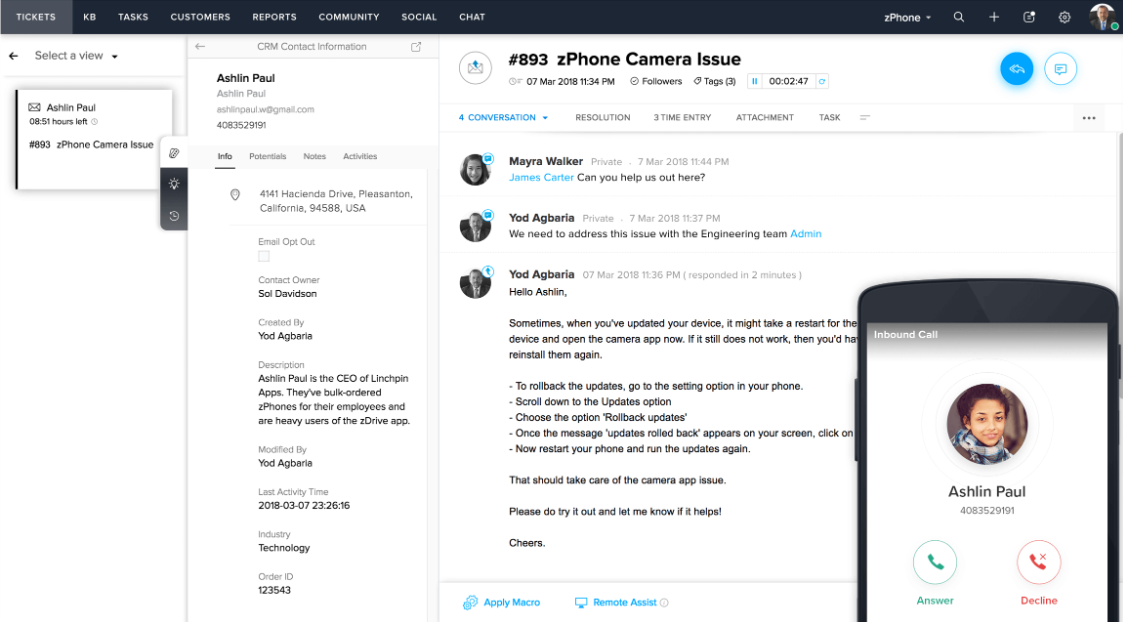
Zoho Desk is the support ticketing platform inside the Zoho ecosystem (Zoho CRM, Zoho Projects, Zoho Books, etc.). It's a strong pick for small and mid-sized businesses that want robust platforms at a budget-friendly price, especially if they already use other Zoho tools.
Top features
- Multichannel ticketing (email, social, chat, phone, web forms)
- Blueprint visual workflow designer for ticketing processes
- Zia AI for ticket tagging, sentiment analysis, and reply suggestions
- SLA management and escalation rules
- Native integration with the rest of the Zoho suite
Pricing: Zoho Desk has a free plan for up to 3 agents. Paid plans are Standard at $14/user/month, Professional at $23/user/month, and Enterprise at $40/user/month (annual billing). Zoho Desk pricing is among the most affordable per-agent rates in this guide.
Limitations: G2 reviewers commonly note that Zoho Desk's interface can feel cluttered and that the learning curve is steeper than competitors, especially when you start spanning multiple Zoho apps. A recurring complaint is that Zia's AI features feel underdeveloped compared to Intercom's Fin or Zendesk's Copilot, and that the mobile app lags behind the web experience.
Best for: Small and mid-sized teams already using other Zoho products that want affordable ticketing without paying premium per-agent rates.
8. Front
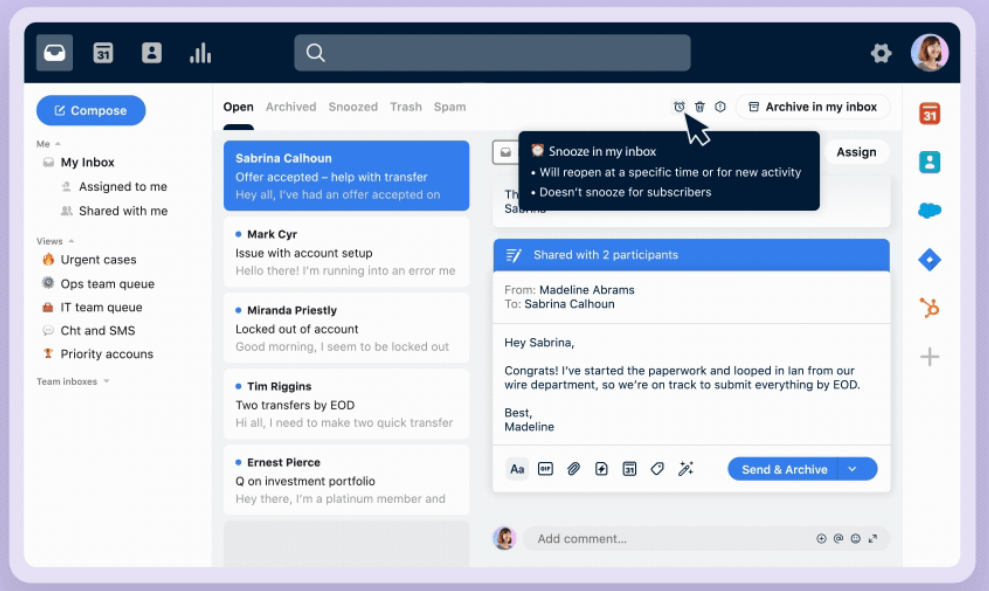
Front is the shared-inbox-first ticketing platform that treats every email, chat, and SMS as a conversation that the whole team can collaborate on. It's especially popular with support teams that work like a tight unit, with internal comments, draft sharing, and assignments built into the core experience.
Top features
- Shared inbox across email, chat, SMS, social, and voice
- Internal comments, mentions, and draft collaboration inside conversations
- Rules engine for automated routing and assignment
- AI Copilot for reply drafting and summarization
- Analytics for response time, ticket volume, and team performance
Pricing: Front has three plans: Starter at $25/seat/month (capped at 10 seats, single channel), Growth at $59/seat/month, and Scale at $99/seat/month. All plans are billed annually. Front pricing scales fast once you cross the Starter ceiling.
Limitations: G2 reviewers commonly note that Front's costs rise quickly as teams grow, and that some automations and integrations (especially HubSpot) feel less mature than competitors. A recurring theme is that Front's AI tooling feels limited compared to platforms with dedicated AI agents, and that the mobile app misses parity with desktop.
Best for: Collaboration-heavy support teams (5-30 agents) that want every conversation to feel like a shared workspace rather than individual ticket queues.
9. Hiver
Hiver is a customer support ticketing platform built for teams that want shared inbox-style ticketing without losing structure, ownership, or accountability. It helps teams manage customer conversations from channels like email, live chat, voice, WhatsApp, and customer portals in one organized support workspace.
Instead of relying on scattered inboxes, messy shared logins, or unclear ownership, Hiver turns incoming customer requests into trackable conversations. Teams can assign tickets, add internal notes, prevent duplicate replies, automate routing, monitor SLA performance, and use AI to summarize conversations or assist with faster replies.
Top features
- Shared inbox-style ticketing for customer support conversations
- Conversation assignment and clear ownership tracking
- Internal notes, mentions, and team collaboration
- Collision alerts to prevent duplicate replies
- Workflow automation for routing, tagging, prioritization, and assignment
- AI Compose, AI Summarizer, AI Copilot, and AI Agents
- Multi-channel support across email, live chat, voice, WhatsApp, and customer portals
- Analytics for response time, SLA performance, CSAT, sentiment, and workload tracking
Pricing: Hiver has a free plan available. Paid plans start at $25/user/month for Growth, with Pro at $55/user/month and Elite at $85/user/month for advanced AI, automation, reporting, SLA, CSAT, voice, customer portal, and compliance features.
Limitations: Some advanced capabilities, such as AI Agents, AI Copilot, voice, customer portal, SLA workflows, CSAT reporting, and custom reports, are available only on higher-tier plans. Teams that need highly complex enterprise workflows may also need more setup time.
Best for: Support teams that want shared inbox-style ticketing with clear ownership, internal collaboration, workflow automation, AI assistance, and multi-channel customer support in one workspace.
How to choose the right customer support ticketing platform
The right ticketing software depends mostly on your team size, support channels, budget, and how far you want to go with AI. Here’s the simplest way to think about it:
- Choose Featurebase if you’re a modern SaaS team scaling AI-first support. You get an omnichannel inbox, Fibi AI Agent at $0.29 per resolution, a help center, and a feedback portal in one platform. Pricing starts at $29/seat, and there’s a free plan.
- Choose Zendesk if you’re a large support team that needs enterprise depth. It has the configurability, reporting, and integration ecosystem big teams expect, but you’ll likely need dedicated ops resources to run it well.
- Choose Intercom if your support motion is strongly product-led and in-app. Its Messenger experience is still one of the best, but Fin support outcomes cost $0.99 each, so AI costs can climb quickly.
- Choose Help Scout if you’re an email-first small team. It’s simple, clean, and easy for support teams to adopt without much setup.
- Choose Freshdesk if you want broad help desk functionality at a lower price. It gives you many Zendesk-style capabilities without the same enterprise price tag.
- Choose HubSpot Service Hub if your team already lives in HubSpot. It makes sense when support, sales, and marketing are already connected there. Otherwise, it can feel expensive and heavier than needed.
- Choose Zoho Desk if you’re already using the Zoho ecosystem. It’s one of the cheapest per-agent options and fits best when the rest of your tools are also in Zoho.
- Choose Front if your team works from a shared inbox. It’s great for collaborative customer conversations, but it’s less focused on the traditional ticket-as-record model.
- Choose Hiver if your team wants shared inbox-style ticketing with clear ownership, internal collaboration
The biggest decision is not which platform has the longest feature list. It’s which one fits how your team already handles customer conversations. A tool that fights your workflow will slow you down, no matter how powerful it looks on paper.
Centralize support
Bring every customer conversation into one place with ticketing, AI automation, and help center tools.
Conclusion
The right customer support ticketing software brings every customer conversation into one place, automates the repetitive work, and gives your team the context to resolve issues fast.
Featurebase is a modern AI customer support platform that combines an omnichannel inbox, the Fibi AI Agent, a help center, and feedback tools in one place. It comes with workflows, SLAs, a tickets portal, and AI translations, so your team can manage support tickets across email, live chat, and Slack from a single AI-powered view.
It has a Free plan with unlimited conversations and a 10-day trial of the paid plans, no credit card required. The onboarding is quick and migration help is included, so there's no downside to trying it. 👇
✨ Centralize and automate your customer support with Featurebase today →