Knowledge Base Best Practices to Cut Support Tickets
Learn 12 knowledge base best practices that make your help center findable, accurate, and AI-ready, so customers self-serve and your support tickets drop.


On this page
You already have a knowledge base. Customers still open tickets for things it answers.
That gap almost never comes down to missing articles. It comes down to how the content is structured, written, searched, and maintained - the difference between a help center people trust and one they try once and abandon.
Below are 12 knowledge base best practices that turn your content into a self-service channel that actually deflects tickets. 👇
Create a beautiful AI-powered Help Center with Featurebase for free
Key takeaways:
- A knowledge base only cuts tickets when customers can find and trust the answer, so how you run it matters more than how many articles you have.
- Clear information architecture and answer-first writing do most of the heavy lifting, since customers arrive mid-problem and scan rather than read.
- Search is how most people use a knowledge base, so it deserves more attention than navigation.
- Accuracy comes from governance and measurement, not a one-time launch. Stale content erodes trust faster than gaps.
- Making content AI-ready is the 2026 differentiator, because your articles now power AI search and AI agents.
- You can build a free, AI-powered Help Center with Featurebase✨ and apply every practice below in one place.
What is a knowledge base?
A knowledge base is a centralized, searchable library of articles that helps people solve problems on their own, covering everything from getting started to troubleshooting and billing.
There are three common types:
- External knowledge base: public-facing content that helps your customers self-serve, usually a branded help center.
- Internal knowledge base: private content for your team, like process docs, policies, and troubleshooting runbooks.
- Hybrid knowledge base: a mix, where some content is public and some is restricted to specific roles or teams.
This guide focuses on customer-facing knowledge bases, though most of the practices apply just as well to a self-service knowledge base built for employees.
Why knowledge base best practices matter
Customers want to help themselves. 61% of them prefer to use self-service to resolve simple issues, according to Salesforce, rather than wait for an agent.
Self-service is also dramatically cheaper. Gartner puts the cost of a self-service interaction at around $0.10 versus roughly $8.01 for a live channel like phone, email, or chat. Every question your knowledge base answers is a ticket your team never touches.
But a knowledge base only delivers those savings when it works. A confusing, outdated, or hard-to-search help center sends people straight back to the support queue, which is exactly what the practices below are designed to prevent.
12 knowledge base best practices
1. Start with the questions customers actually ask
The best content answers real questions, so begin with research instead of guesswork. Mine your support inbox, chat logs, and search queries for the issues that come up most often.
When a question has no good article, that is your next article. This keeps your customer self-service tied to genuine demand rather than what your team assumes people need. Your frontline agents are the best source here, since they field these questions all day.
2. Design a clear information architecture
Information architecture is what separates a knowledge base from a long, flat list of articles. Pick broad top-level categories that match how customers think about their problems, not how your internal teams are organized.
Keep the hierarchy shallow so any article is reachable within 2 or 3 clicks. The goal is predictability: when people can guess where something lives, the whole knowledge base feels reliable. If you are unsure about your categories, test them with a few customers before you commit.
3. Write one article per problem, answer first
Customers arrive frustrated and mid-problem, so respect their time. State the solution up front, then give the step-by-step detail for anyone who wants it.
A good article follows a few simple rules:
- One problem per article: keep each article focused on a single question so it stays easy to find and easy to maintain.
- Answer first: lead with the fix, then expand, so scanners get what they need without reading the whole page.
- Plain language: write the way your customers speak and avoid internal jargon, since readers rarely have your product knowledge.
- Searchable titles: title articles with the words customers actually type, like "How to export your data" rather than "Data overview."
4. Make search the priority
Search is how most customers use a knowledge base, so treat it as the main event rather than an afterthought. Put a prominent search bar at the top of the help center, surface popular articles on the homepage, and tag articles so search returns the right results.
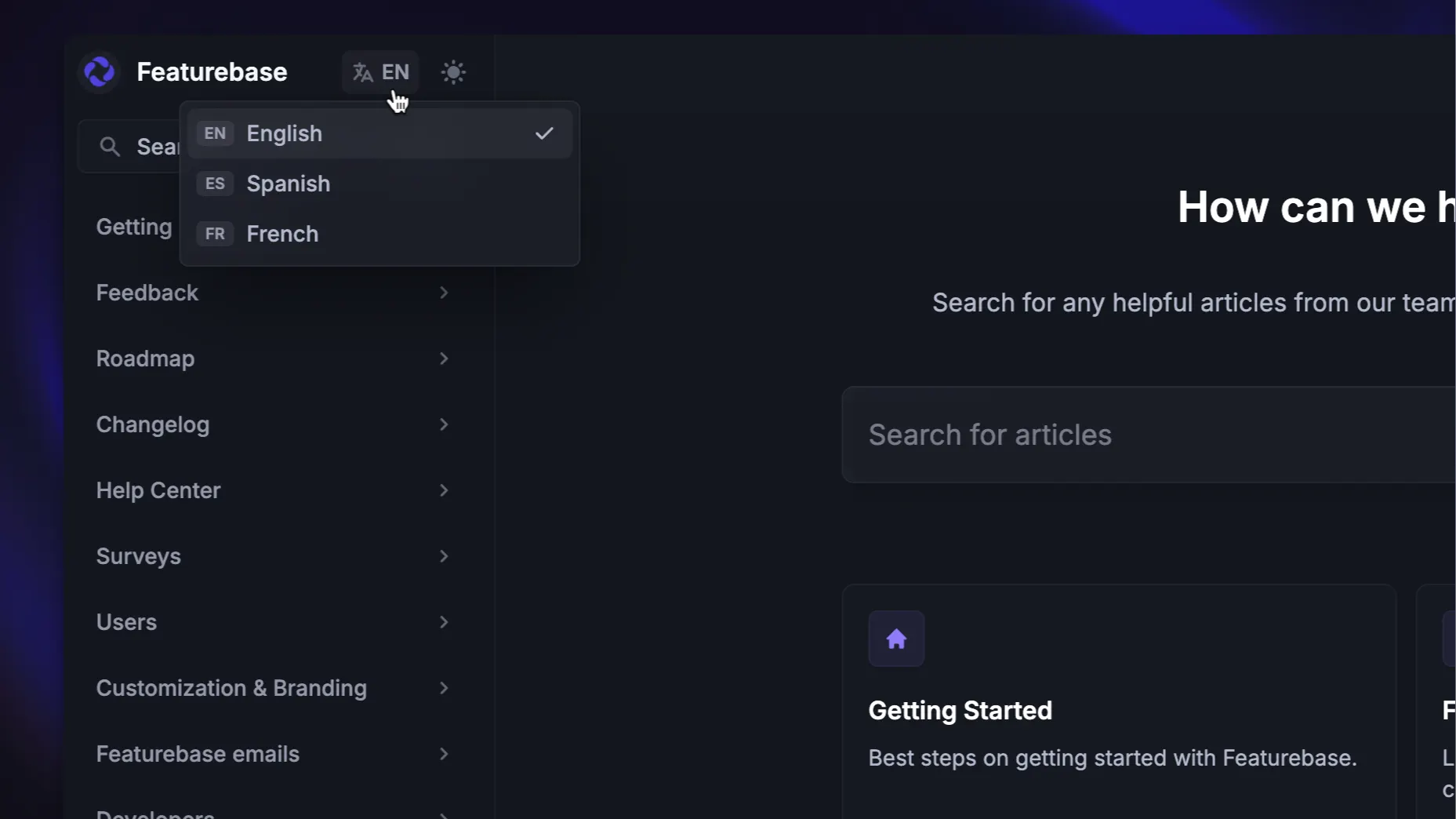
If your audience spans multiple regions, multilingual support matters too. A customer who searches in their own language and gets an English-only result will give up and open a ticket.
5. Keep a style guide for consistency
A style guide keeps tone, formatting, and structure consistent as more people contribute, and that consistency is what makes a knowledge base feel trustworthy. It covers far more than grammar, setting standards for how articles are structured, how steps are written, and how screenshots are presented.
Without one, contributors drift, and readers hit a different experience in every article. This applies to any software documentation, not just support content. A shared template for how-to, troubleshooting, and reference articles goes a long way.
6. Add visuals and multiple formats
Text alone is hard to scan, so support it with annotated screenshots, short GIFs, and video walkthroughs. Visuals help customers match what they see in your product to the steps in the article, which cuts confusion and follow-up questions.
For teams creating video walkthroughs, a video editor can help turn screen recordings into clear, polished tutorials with captions, annotations, and other visual elements.
Offer more than one format where it helps. Some people want to read a numbered list, others want to watch a 30-second clip. A well-designed FAQ section can also handle the quick, common questions that do not need a full article.
7. Make it accessible and mobile-friendly
A knowledge base only works if everyone can use it. Make it fully responsive, since a large share of traffic is on mobile, and Google treats mobile-friendliness as a ranking signal.
Build for assistive technology too. Add alt text for screen readers, keep strong color contrast, and never rely on color alone to signal meaning. Accessible content widens your audience and improves usability for everyone, not just people using assistive tools.
8. Make your content AI-ready
This is the practice that has changed most. Your knowledge base is now the source that powers AI search, AI knowledge base assistants, and AI agents, so its quality matters more than ever. An AI assistant is only as reliable as the content behind it, and vague or contradictory articles produce wrong answers that erode trust fast.
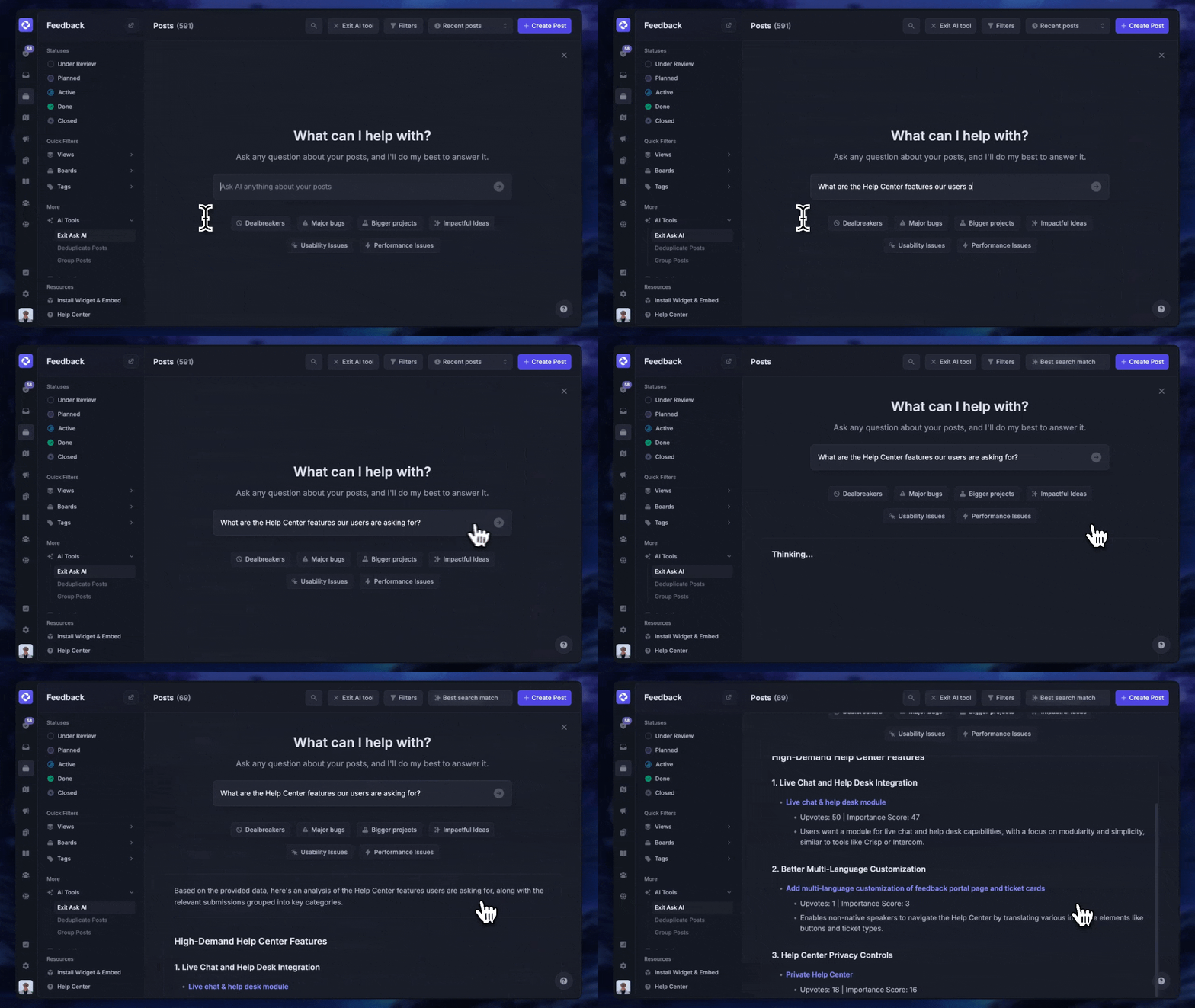
A few rules keep AI-powered self-service safe:
- Ground answers in approved content: point your AI tools only at verified, published articles so they never improvise.
- Keep source articles current: stale content becomes stale AI answers, so accuracy upstream is non-negotiable.
- Add human review for sensitive topics: billing, security, and compliance answers deserve a person in the loop.
- Monitor AI conversations for failed answers: every gap the AI hits is a signal for the next article to write.
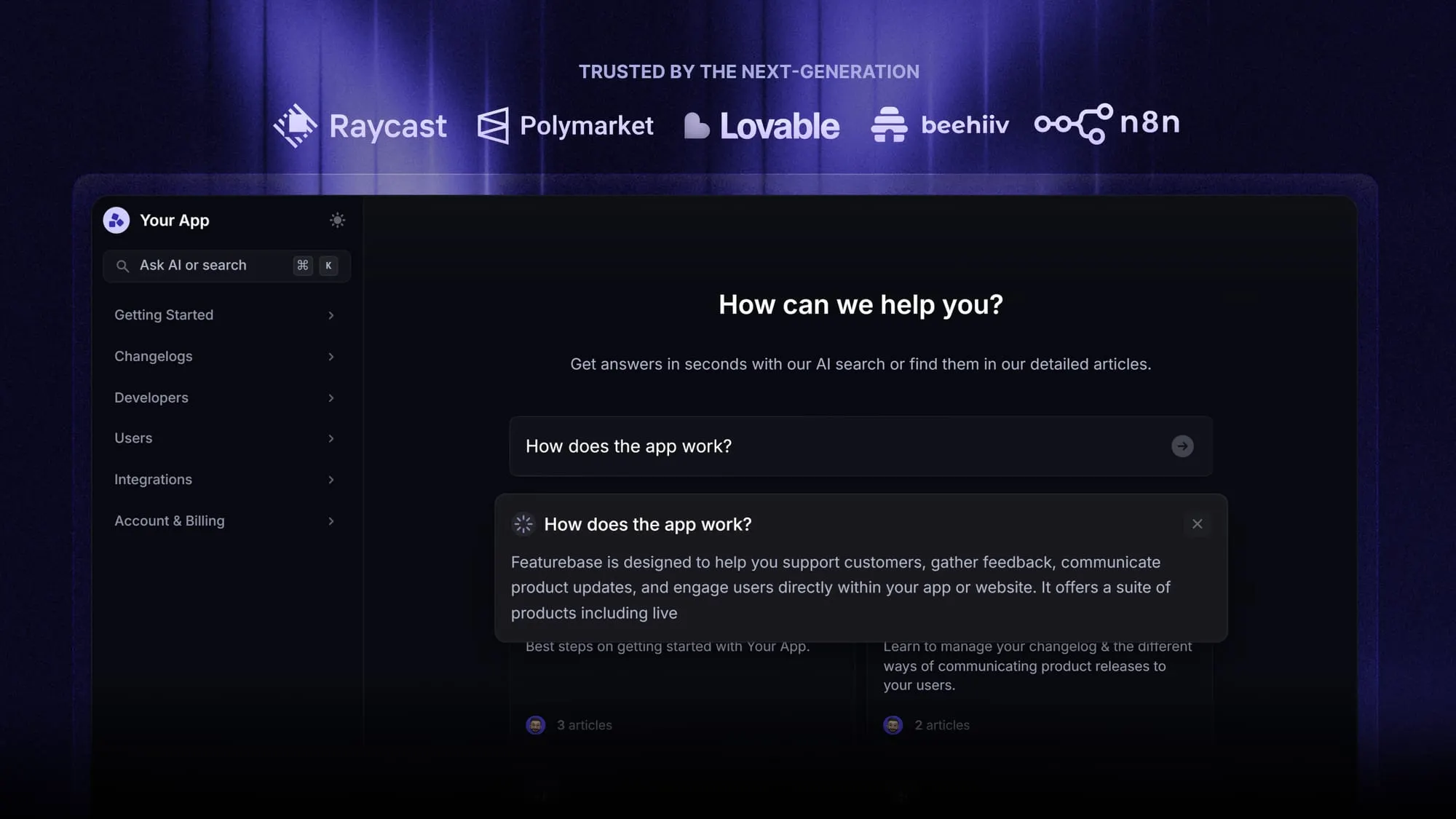
Done well, this turns your help center into an answer engine. With Featurebase, the AI-powered search surfaces summarized answers with clickable references right in the search bar, drawing only from the articles a user can access, so customers get an instant answer instead of a link to a long page.
9. Measure performance and close content gaps
You cannot improve a knowledge base you do not measure. Track how customers use it, find where they get stuck, then fix the cause rather than the symptom.
A handful of metrics carry most of the signal:
- Ticket deflection rate: how many tickets you avoid because a customer found the answer first.
- Self-service score: help-center views compared with tickets submitted, which shows whether content is doing its job.
- Search success rate: the share of searches that lead to a useful article.
- Failed searches: queries that return nothing useful, which tell you exactly what to write next.
Failed searches are gold. Feed them and article feedback back into your content plan on a regular cycle instead of writing in the dark.
10. Govern content with clear owners and review cycles
Content left untended slowly stops being useful, so treat maintenance as an ongoing job rather than a launch task. Set a review cycle, for example checking your top 20 articles monthly and running a full audit each quarter, and update articles the moment a product change ships.
Give each category a clear owner so nothing falls through the cracks, and use role-based access to separate public, customer-only, and internal content. Keep a single source of truth: when the same information lives in two places, one copy always goes stale.
11. Always give customers a path to a human
Self-service should never become a trap. Even a strong knowledge base has limits, and Gartner has found that only 9% of customers report fully resolving their issue through self-service alone.
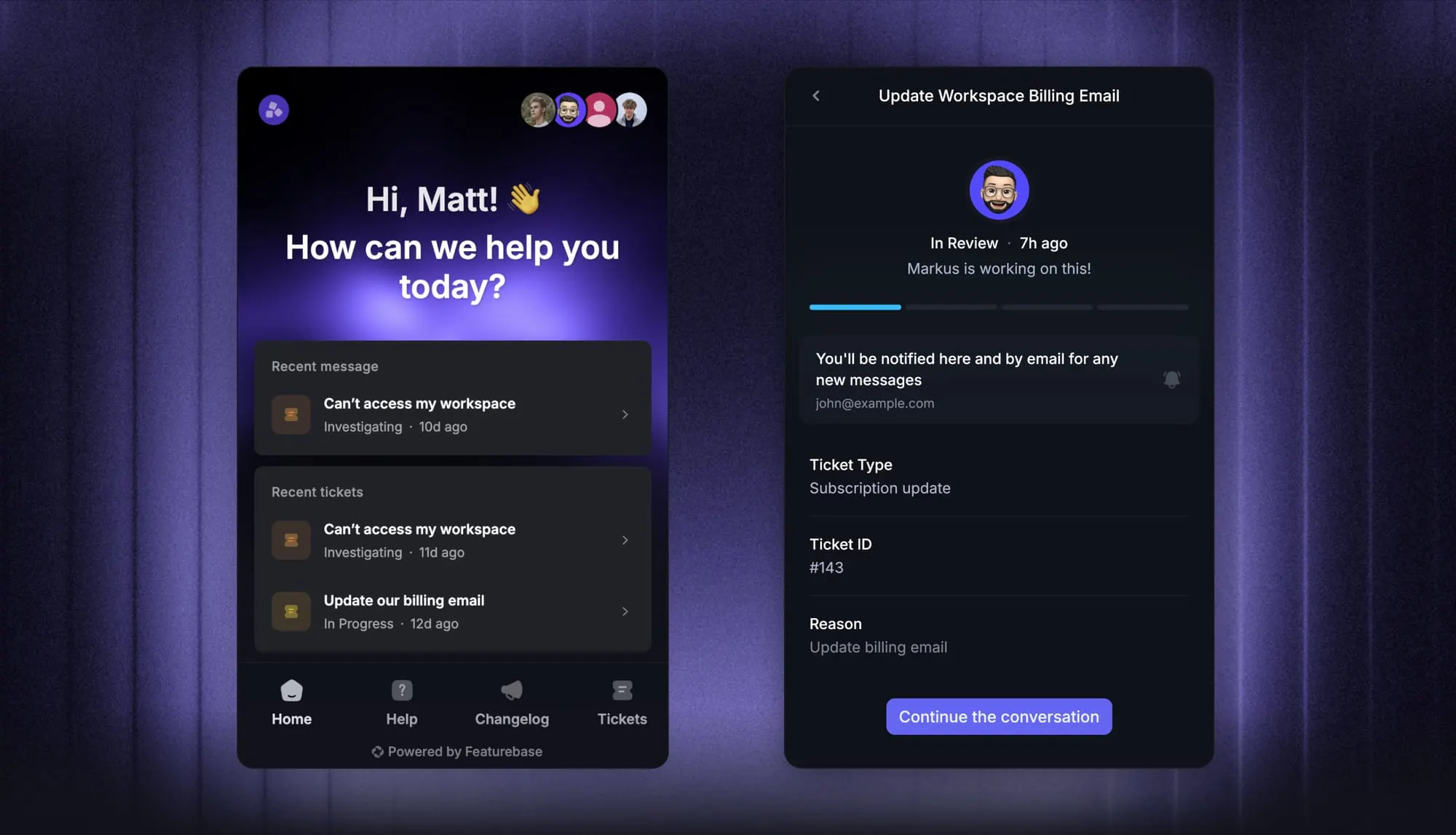
So when an article does not solve the problem, make the next step obvious: start a chat, open a ticket, or request a callback. Put that route on every page. A clear escape hatch protects satisfaction and stops a small frustration from turning into a lost customer or a wave of angry support tickets.
12. Choose knowledge base software built for self-service
The easiest way to apply every practice above is with software designed for it, where authoring, search, analytics, and AI work together instead of being bolted on.
When you evaluate tools, look for a few essentials:
- Strong search: the single most-used feature, so it needs to handle typos, partial phrases, and natural-language questions.
- Analytics and feedback: built-in reporting on views, searches, and article ratings so you can spot gaps.
- AI answers: the ability to summarize answers from your content, not just return a list of links.
- Access controls and branding: public, internal, and hybrid content on a help center that looks like yours.
A general-purpose wiki can be stretched to fit, but a dedicated platform handles these needs far more naturally because it was built around them.
Build your knowledge base with Featurebase
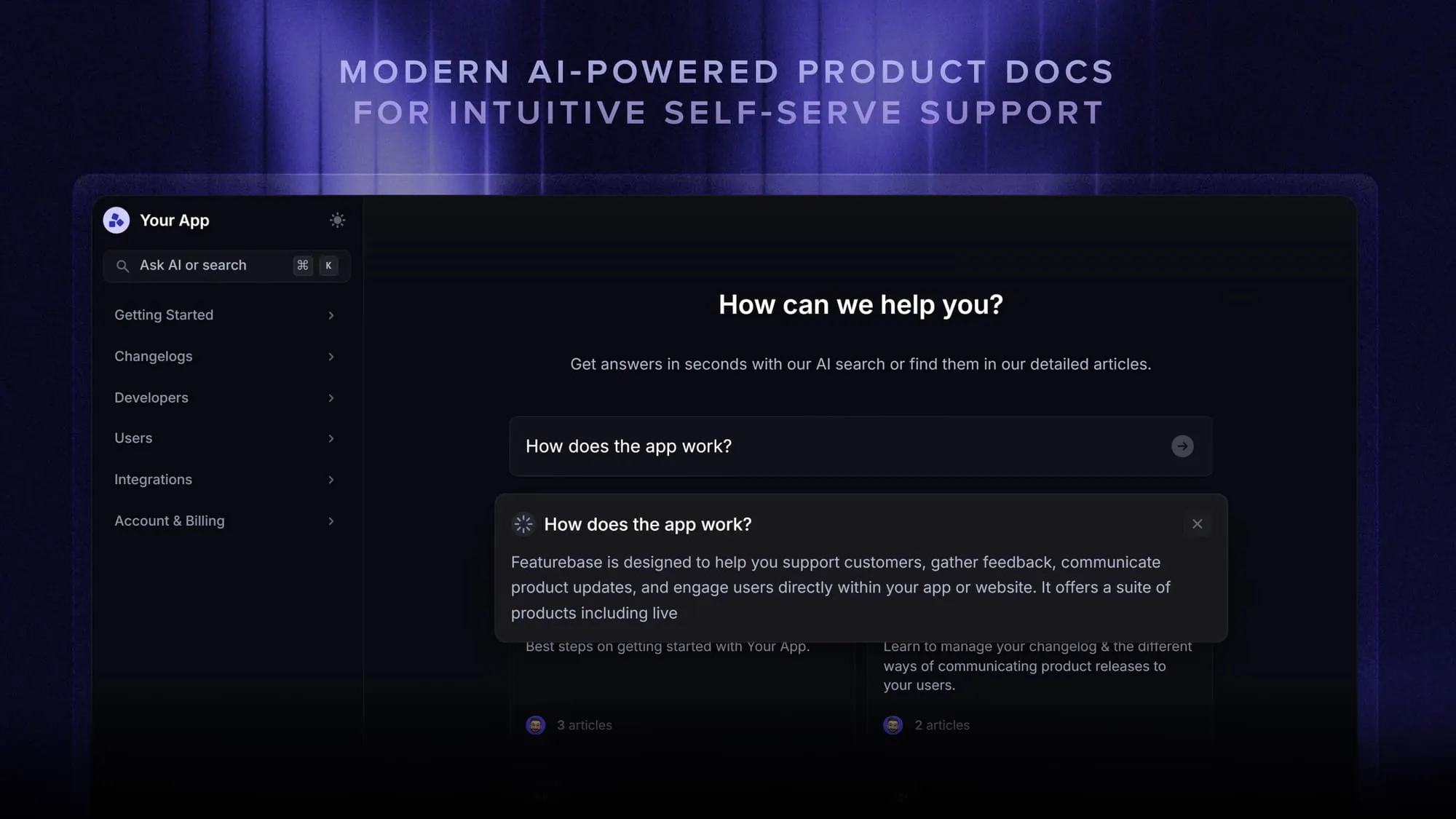
If you would rather apply these practices in a tool built for them than stitch a wiki together with a search plugin, Featurebase is a modern & powerful support platform for SaaS teams that helps you create beautiful product docs, provide AI-powered support, and collect feedback all in one place. It's loved by thousands of support teams from companies like Lovable, Raycast, and n8n. 💫
Top features:
- Public & internal help center – Create a branded, knowledge base with your domain and design for easy self-service support.
- Embeddable in-app widget – Serve help articles directly within your app, reaching users where they need assistance most
- AI-powered search answers – Summarize answers for users right in the search bar in seconds
- Automatic AI translations – Automatically translate and show your Help Center in your users native languages
- Multi-brand support – Manage multiple Help Centers and Live chats from a single workspace
- AI-powered support platform – Manage chat, email, and Slack support conversations from one AI-powered view
- Feedback & roadmap tools – Collect feature requests and close the loop with updates
- Product updates – Publish release notes with a changelog page, in-app widget, and emails
- Integrations – Connects with Slack, Linear, Jira, HubSpot, and more
Pricing: You can create a public help center with a fully free plan. Paid plans start at just $29/seat/mo for unlimited articles.
Featurebase offers a modern customer-facing product suite by integrating your help center, live chat, feedback collection, and product updates to build better products and customer experiences.
Conclusion
A knowledge base is one of the highest-leverage assets in support. It deflects repetitive questions, gives customers answers at 3 a.m., and now feeds the AI tools that answer people directly. Get the fundamentals right - clear structure, answer-first writing, strong search, accurate content, and an easy path to a human - and the ticket deflection follows.
Featurebase brings all of that together in one place, with an AI-powered help center, live chat, feedback, and product updates that work as a single customer-facing suite instead of a stack of disconnected tools.
You can create a public help center on a fully free plan, so there is no downside to trying it and seeing how many tickets your content can deflect. 👇
Create a beautiful AI-powered Help Center with Featurebase for free
FAQs
A knowledge base is a centralized, searchable library of articles that helps people solve problems on their own, covering setup, troubleshooting, billing, and product use. It can be external (public-facing for customers), internal (private for your team), or a hybrid of both. A good one reduces support tickets and improves the customer experience.
A good knowledge base is findable, accurate, clearly written, consistent, complete, and current. Each article solves one problem with the answer up front, search works well, the design is clean and accessible, and content is reviewed on a regular cycle. In 2026, it is also structured well enough for AI search and AI agents to pull correct answers from it.
There is no target number. A knowledge base should have as many articles as its audience actually needs and no more. A set of 10 accurate, well-written articles is more valuable than 100 that are outdated, redundant, or too vague to help.
Treat updates as continuous rather than a one-time project. Update any article the moment a related product change ships, review your most-visited articles monthly, and run a full content audit each quarter. Fast-moving products need more frequent reviews than stable ones.
A help center is usually a specific type of knowledge base: customer-facing and focused on a single product or service. A knowledge base is the broader concept and can also include internal documentation, process guides, and institutional knowledge. In short, a help center is one form a knowledge base can take.
Yes. Several tools offer free plans, though many limit article counts, branding, or search features. Featurebase lets you create a public, AI-powered help center on a fully free plan, so you can publish articles and offer self-service before moving to a paid plan.


