Blog Customer FeedbackSalesforce Feedback Management: Features and Pricing
Salesforce Feedback Management: Features and Pricing
Explore Salesforce Feedback Management features, Salesforce surveys pricing, licensing, and practical workflows for customer support and product teams.


Salesforce Feedback Management helps you collect customer feedback and act on it inside your CRM. But choosing between Salesforce Surveys, response packs, and Feedback Management licenses can get confusing fast.
And if your goal is to turn sales conversations into a product roadmap, you need to understand where surveys fit into that process.
In this guide, I'll break down the features, current pricing, and practical workflows so you can choose the right approach for your team. 👇
Key takeaways
- Salesforce Surveys handles survey collection: Feedback Management licenses add capabilities such as CRM personalization, data mapping, and customer journey tracking.
- Pricing depends on the license: Response packs cost $300 per 1,000 responses. Starter and Growth have separate organization-level subscriptions, covered below.
- The strongest fit is CRM-connected feedback: Think support satisfaction, onboarding surveys, and follow-up work tied to customer records.
- Product requests need an ongoing workflow: Decide how you'll consolidate requests, prioritize them, and update customers after a release.
- Featurebase✨ connects product feedback with voting, roadmaps, and customer updates, with a Salesforce integration on eligible paid plans.
What is Salesforce Feedback Management?
Salesforce Feedback Management is Salesforce's survey and feedback solution for collecting responses, connecting them with CRM data, and taking follow-up action. It helps teams understand customer experiences while keeping that information close to the people managing customer relationships.
For example, a support team can ask how a case was handled, connect the response with the relevant customer interaction, and arrange follow-up when someone reports a poor experience.
That covers an important part of customer feedback management: collecting information and making it useful to the team responsible for acting on it.
Salesforce Surveys vs. Feedback Management
Salesforce Surveys is the survey-building and response-collection capability. Feedback Management is the broader offering, with licenses that determine your response allowance and access to more advanced features.
The options are:
- Survey Response Pack: Adds response capacity for standard surveys, with features such as answer-based branching and survey invitations through Flow.
- Feedback Management Starter: Adds CRM merge fields, survey data mapping, and other advanced feedback capabilities.
- Feedback Management Growth: Expands response capacity and adds Customer Lifecycle Maps, among other capabilities.
So the buying decision comes down to what you need to do with the feedback. Sending a short questionnaire has different requirements from personalizing questions with CRM data and automatically updating records afterward.
What can Salesforce Feedback Management do?
The main benefit is connecting survey collection with the customer context and workflows already in Salesforce. Here are the capabilities that matter most when evaluating it.
Build and personalize surveys
You can create branded surveys and use branching to show different pages based on earlier answers. A customer who reports a problem can receive a relevant follow-up question without making everyone else answer it.
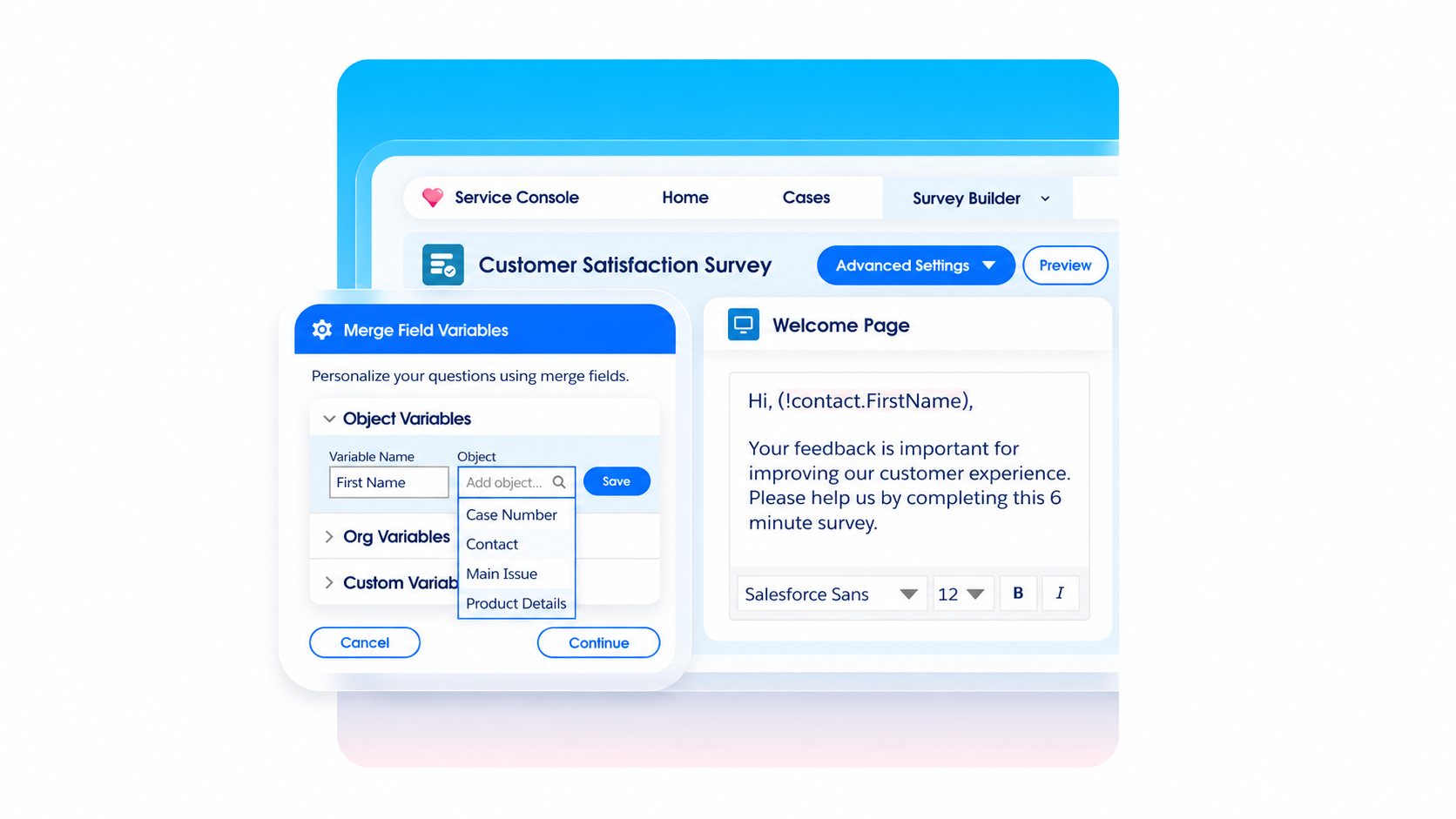
Starter and Growth also support merge fields, which insert information from Salesforce records into survey content. That can make a question refer to a specific support interaction instead of asking the customer to explain the context again.
Keep the questions focused. For customer feedback surveys, start with the decision you need to make, then ask only for information that helps you make it.
Connect responses to CRM records
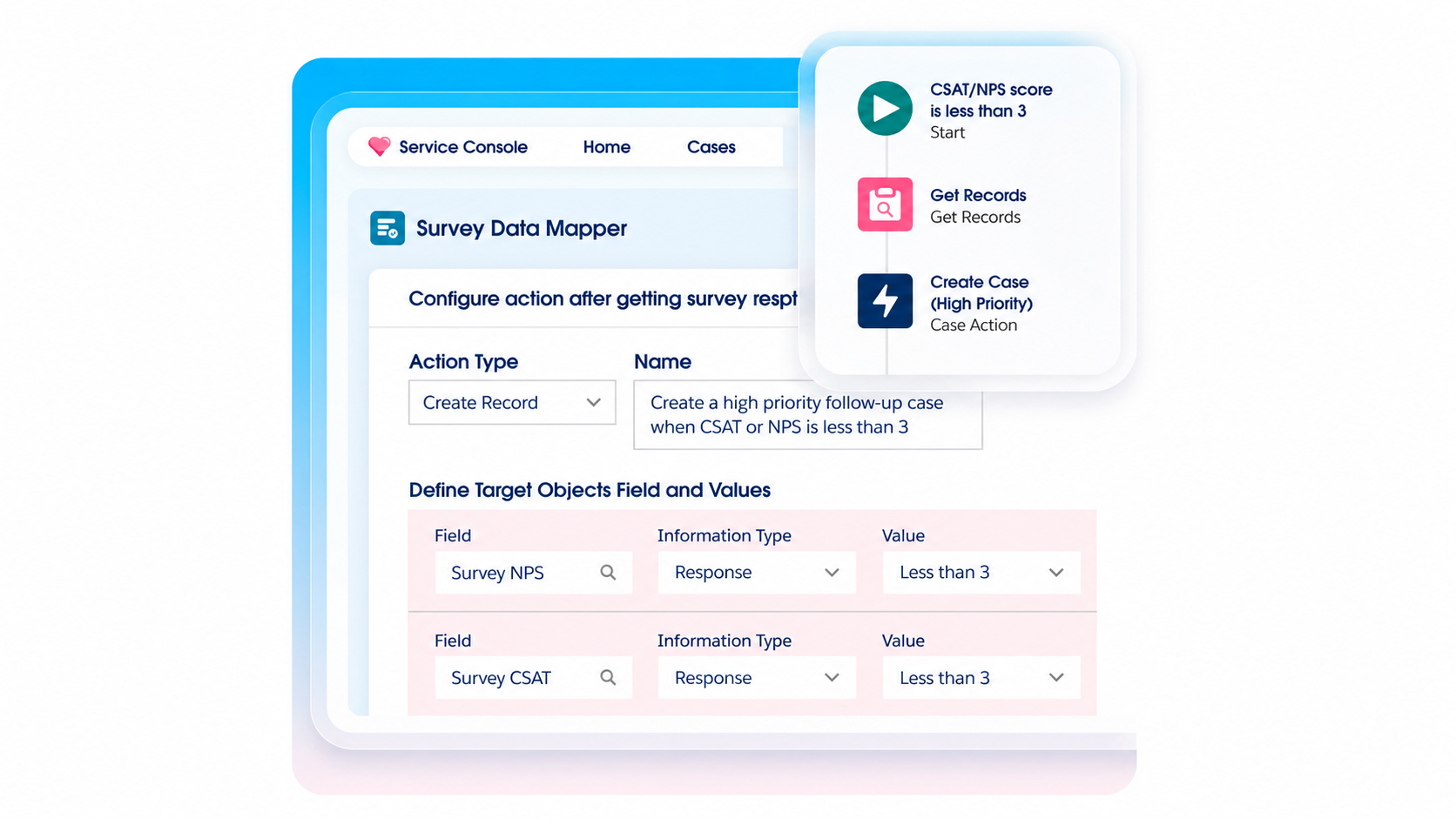
Survey Data Mapper can create or update Salesforce records from participants' answers. It's available with Starter and Growth.
For example, you could capture a customer's description of an unresolved problem in a follow-up case. The person handling that case would have the customer's words available when they reach out.
Plan the destination before collecting the response. A satisfaction score, an account detail, and a product suggestion may belong in different places and need different owners.
Data mapping also has boundaries. Salesforce documents restrictions on which question types can map to particular fields, so test the questions and destination fields your workflow actually needs.
Automate invitations and follow-ups
Salesforce Flow can send survey invitations when a condition is met, such as a support case closing. Flow-based invitations are available with the Survey Response Pack as well as Starter and Growth.
More advanced follow-up can use survey data mapping and your configured Salesforce automation. Define the owner and expected action before turning it on.
For example, a low score could create follow-up work for the support team. A positive response might simply remain available for reporting. Those are workflow choices your team needs to design and test.
Analyze satisfaction across the customer journey
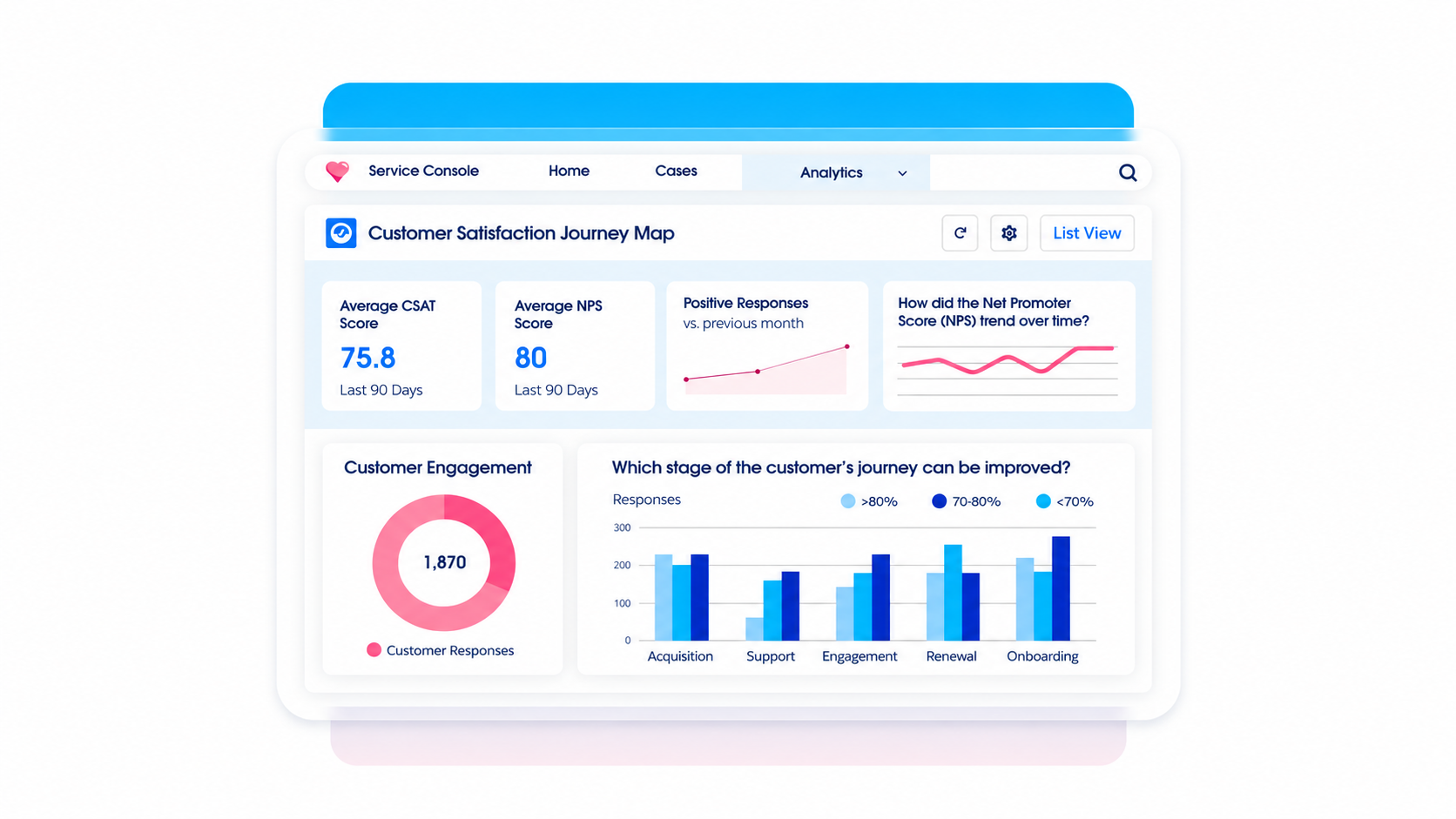
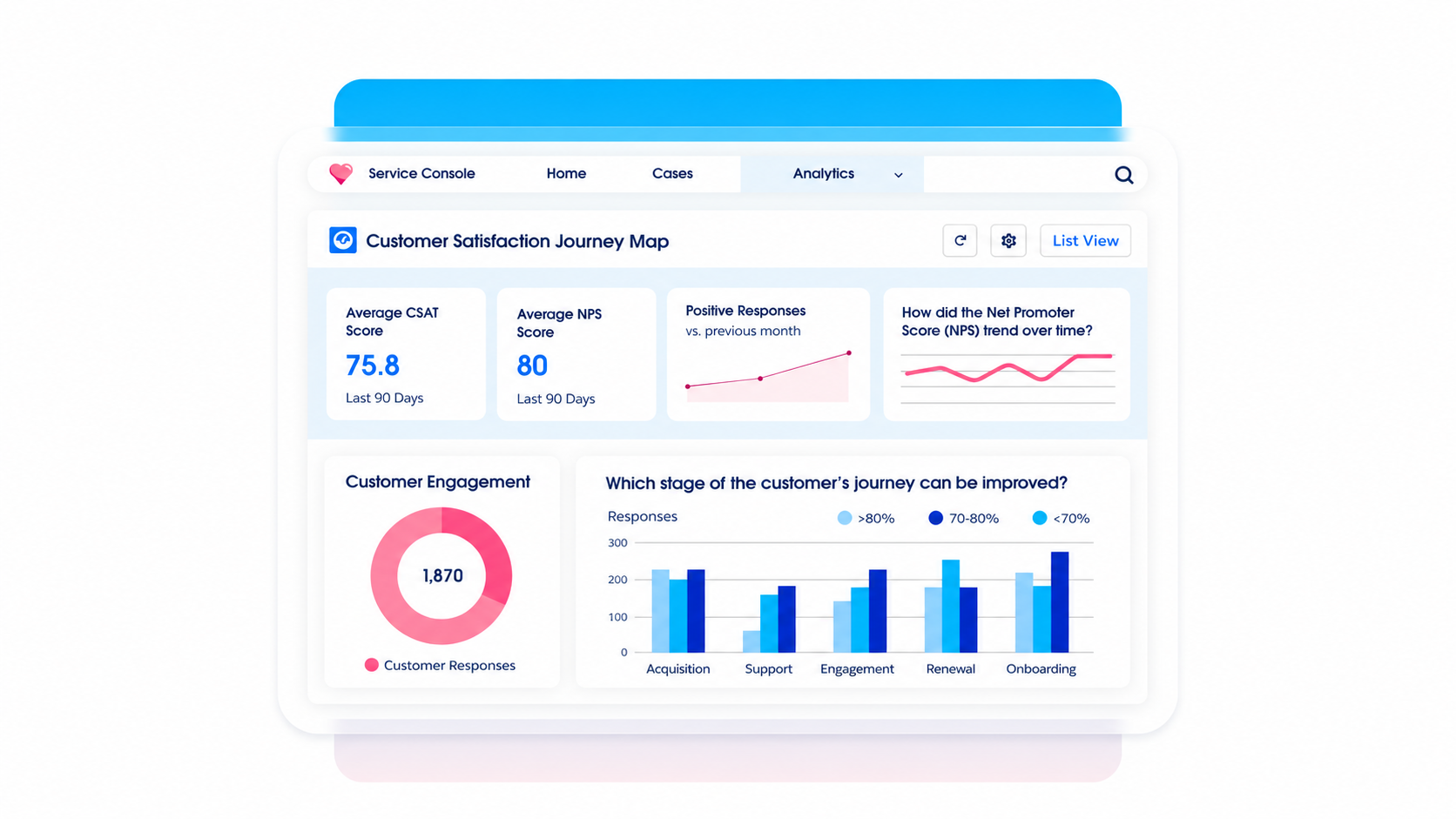
Salesforce provides survey reporting and Customer Lifecycle Analytics capabilities. Starter and Growth include 5 user licenses for the Customer Lifecycle Analytics Base App. Customer Lifecycle Maps, which associate satisfaction measures with stages of a customer journey, require Growth.
Keep NPS and CSAT separate when choosing what to measure. NPS asks about willingness to recommend, while CSAT measures satisfaction with an experience. A post-support CSAT score and a relationship-level NPS score answer different questions.
Useful customer feedback analysis also needs context. Compare similar interactions and read the comments behind changing scores before deciding what caused the change.
Use AI to create and summarize surveys
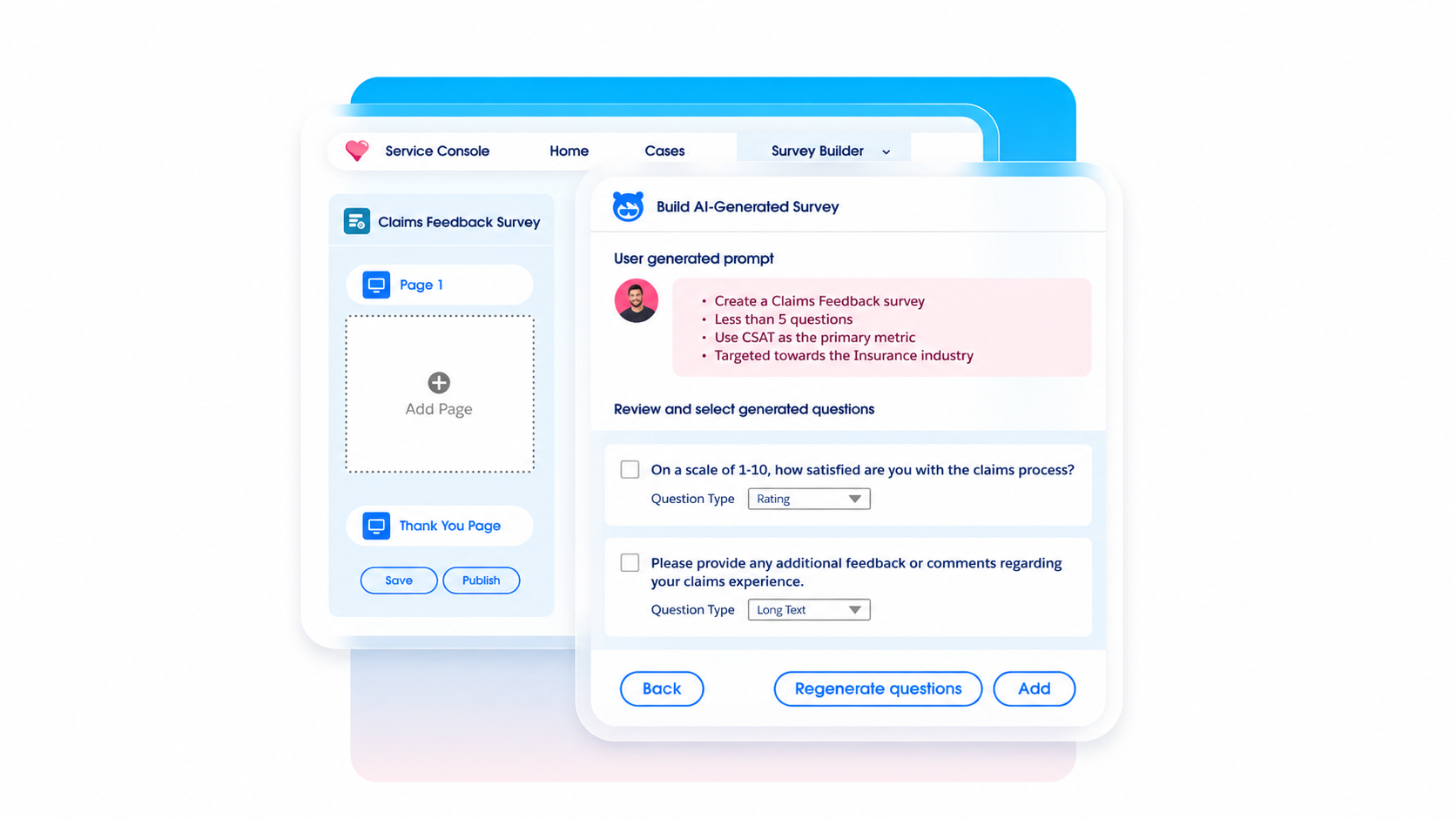
Salesforce's generative AI survey features can help draft questions, translate surveys, and summarize responses. The documentation lists Starter or Growth plus the Einstein for Service add-on among the requirements.
That distinction matters when budgeting. Seeing an AI capability on the product page doesn't establish that your existing licenses cover it.
I would use AI-generated questions as a starting point, then review them for leading language or unnecessary complexity. Likewise, check the original responses behind a summary before making a product or service decision.
Salesforce Feedback Management pricing
Salesforce surveys pricing depends on the response capacity and capabilities you buy. Salesforce positions Feedback Management as an add-on to your Service Cloud edition.
These are the public USD list prices checked on September 30, 2026:
| License | Listed price | Included responses |
|---|---|---|
| Survey Response Pack | $300 per 1,000 responses, billed annually | 1,000 per pack |
| Feedback Management Starter | $13,500 per organization/month, billed annually | 100,000 |
| Feedback Management Growth | $46,000 per organization/month, billed annually | Unlimited |
The response allowances apply over the license agreement period. Don't read Starter's 100,000 responses as a monthly allowance.
Survey Response Pack
A response pack is the capacity-based option for teams using Salesforce Surveys without the full advanced feature set.
It supports standard surveys, answer-based branching, and Flow-based invitations. Merge fields and Survey Data Mapper require Starter or Growth. Customer Lifecycle Analytics is available as an additional license.
For a straightforward satisfaction survey, check this option first. A higher tier should solve a specific requirement in your workflow.
Feedback Management Starter
Starter includes 100,000 responses, merge fields, and survey data mapping. Additional response packs can extend its response capacity.
For standard survey web embedding and post-chat surveys, Starter supports Experience Cloud sites. Its included analytics access consists of 5 Customer Lifecycle Analytics Base App user licenses.
At the listed monthly rate, the annual subscription calculation is:
Starter: $13,500 × 12 = $162,000 per year, before your underlying Salesforce subscription and other charges.
Feedback Management Growth
Growth adds unlimited responses and Customer Lifecycle Maps. It also extends standard web embedding and post-chat survey options to external websites.
The annual subscription calculation is:
Growth: $46,000 × 12 = $552,000 per year, before your underlying Salesforce subscription and other charges.
Evaluate whether those additional capabilities justify the price for your program. Unlimited survey responses alone won't tell you whether Growth is the right fit.
Other costs to account for
Build your estimate around the complete workflow:
- Underlying Salesforce subscription: The Feedback Management price doesn't replace your core CRM or Service Cloud costs.
- AI and analytics requirements: Confirm the Einstein for Service requirement for generative AI surveys and the analytics access your reporting users need.
- Distribution requirements: Check Experience Cloud and any other channel licenses needed for your chosen delivery method.
- Implementation and maintenance: Budget for survey design, permissions, automation, reporting, and ongoing administration.
Ask for a written quote covering the features, response allowance, and contract period you plan to use. That makes the proposed Salesforce Feedback Management license easier to compare with your actual requirements.
How Salesforce feedback workflows work
Start with a customer event and a clear next action. These 3 examples show how feedback can move from a response to something a team can act on.
Collect feedback after a support interaction
A resolved case is a useful moment to ask whether the customer got the help they needed.
- Trigger: A case closes and a configured Flow sends a survey invitation.
- Question: Ask about satisfaction with that interaction, with an optional comment explaining the score.
- Action: Route an unresolved issue to an owner through the follow-up process you've configured.
- Review: Check whether the customer received help and whether the same issue keeps appearing.
Keep the distinction between service and product problems clear. A customer may like the agent but remain frustrated that the product doesn't support their use case.
A useful customer feedback loop gives both problems a destination. Support can address the immediate issue, while product teams review recurring requests.
Measure the onboarding experience
Send a survey after a meaningful onboarding milestone, such as completing an initial setup or using a core feature. The milestone should be reflected in your Salesforce data if you want it to drive the invitation.
Choose customer feedback questions that reveal obstacles. For example, ask what was hardest to complete and what help the customer still needs.
An onboarding score can help you spot changes over time. The written explanation tells the customer success team where to help next.
Assign an owner for individual follow-ups and a separate review cadence for recurring themes. If several customers struggle with the same import step, more onboarding calls may help them today, while a product fix addresses the underlying problem.
Route product requests from sales conversations
Sales feedback often arrives in a call or account discussion before anyone completes a survey. Capture the request with the customer's problem, the affected workflow, and the relevant account or opportunity.
Then decide how it enters your feature request management process:
- Consolidate demand: Connect similar requests so the product team can see everyone asking for the same outcome.
- Assess impact: Consider customer context, revenue exposure, strategic fit, and implementation effort.
- Keep people informed: Give sales a reliable status to share without promising an unapproved delivery date.
Featurebase supports this handoff through its Salesforce integration, which lets salespeople create or link feedback posts from Salesforce. Opportunity linking is an Enterprise feature, so include that requirement when choosing a plan.
Is Salesforce Feedback Management right for your team?
It's a strong option when the people collecting feedback, managing customer records, and handling follow-up already work in Salesforce. The value comes from connecting those activities.
When it fits
Salesforce Feedback Management is worth evaluating when:
- Customer context already lives in Salesforce: Your team can connect responses with the relevant records and responsibilities.
- You run structured feedback programs: Support satisfaction and onboarding surveys have defined audiences, timing, and questions.
- You need CRM-driven action: Responses need to create work or update information used by service and customer success teams.
- You have Salesforce administration capacity: Someone can maintain the permissions, data mapping, and automation behind the program.
I would start with a single workflow and test it end to end. A completed survey should result in the right information reaching the right person, with a clear way to verify what happened next.
What to evaluate before buying
The most relevant Salesforce survey limitations depend on how you plan to use the product. Check these areas during a trial or demo:
- License boundaries: Confirm the exact tier for personalization, data mapping, AI, analytics, and your preferred embedding method.
- Operational limits: Test invitation volumes and account for Salesforce email-sending limits, even if your plan allows unlimited responses.
- Customer experience: Try the survey as the intended recipient, including any login requirements and mobile use.
- Product feedback handoff: Demonstrate how a free-text request becomes a prioritized item and how the customer learns about its outcome.
For product teams, decide on a feature prioritization framework before treating survey scores or deal values as a ranked roadmap. A request can be valuable without being the next thing you should build.
If your main need is a shared request backlog with voting, roadmaps, and release updates, evaluate those capabilities explicitly alongside Salesforce's survey and CRM workflows.
Managing product feedback with Featurebase
For teams collecting product requests in Salesforce, Featurebase provides a place to organize that demand and keep customers informed as decisions turn into releases.
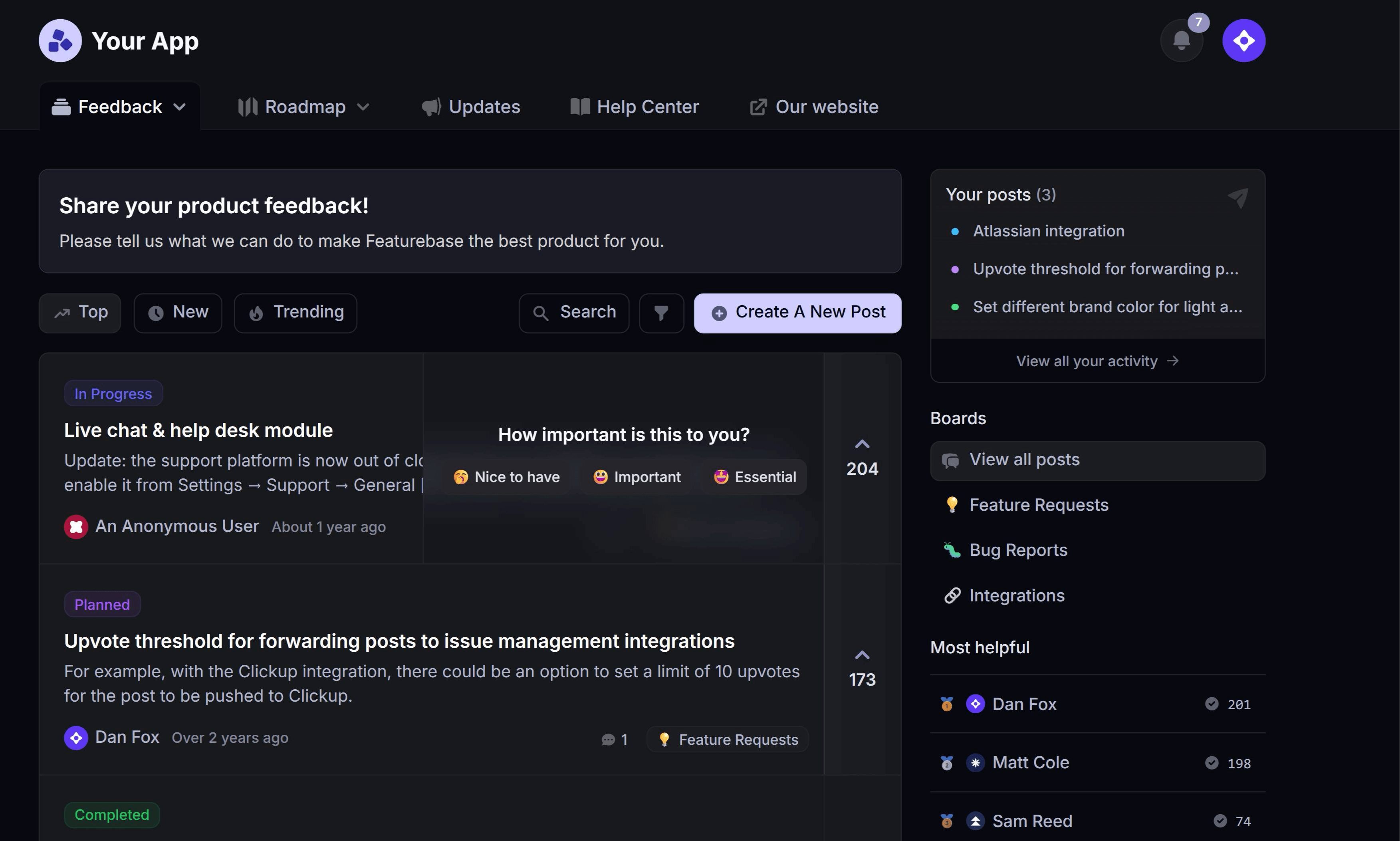
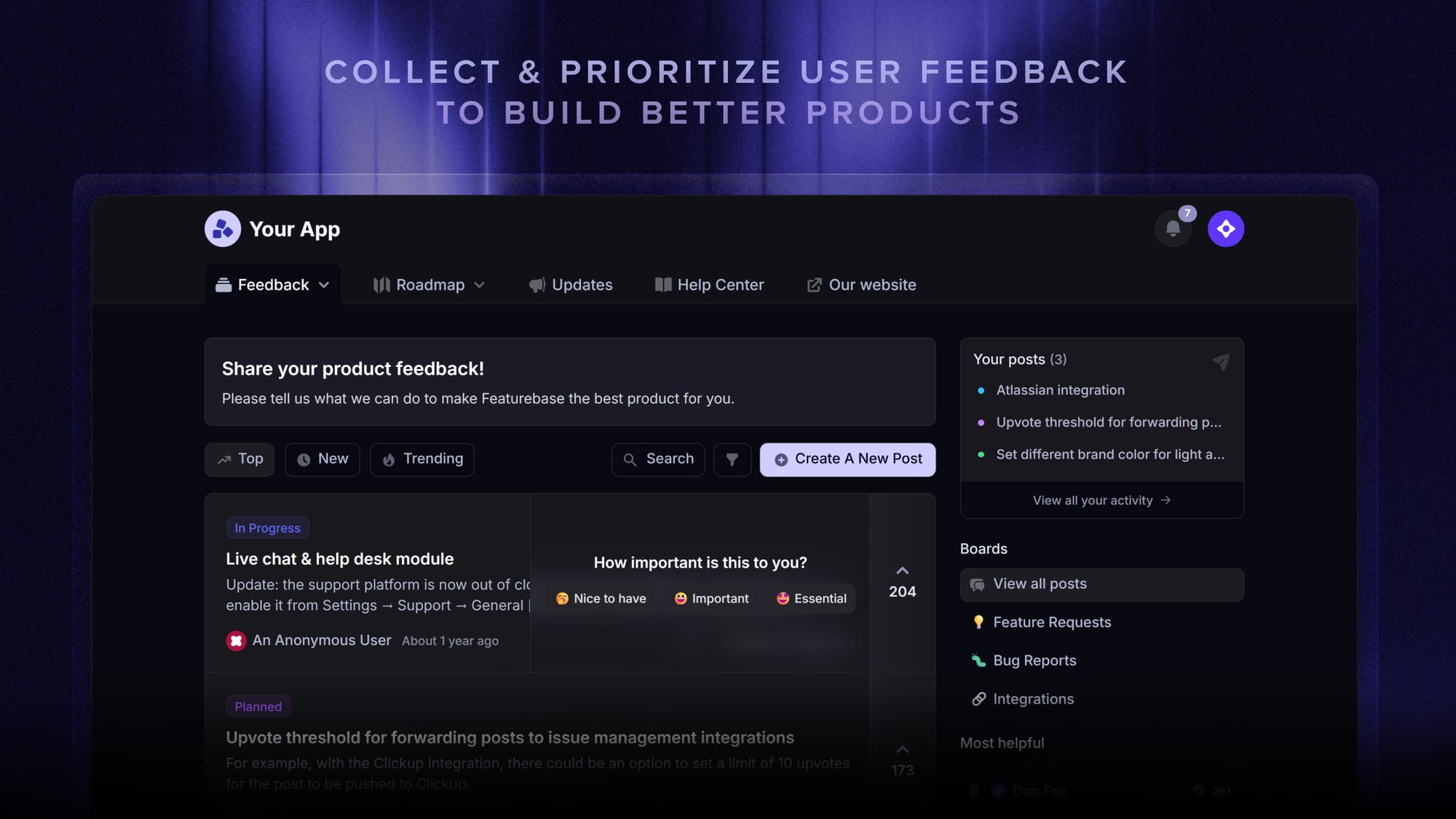
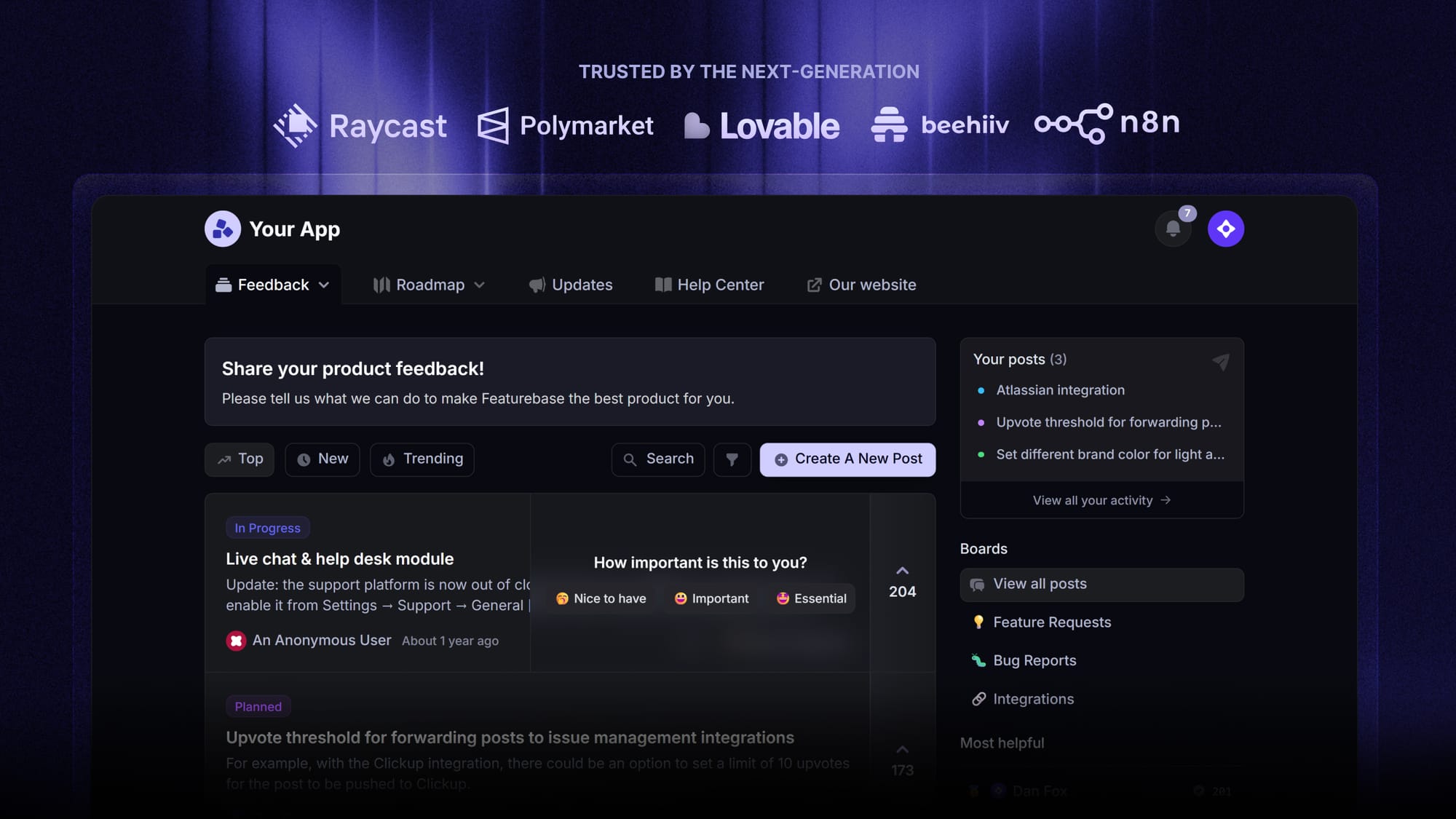
Featurebase is a modern feedback & support platform that helps product teams collect feedback, prioritize features, build roadmaps, and announce product updates - all in one place. It's loved by thousands of product teams from companies like Lovable, Raycast, and n8n. 💫
Top features:
- Feedback forum – Public feedback forum where users can submit ideas and vote on features helping you know what customers want
- In-app widgets – Embed feedback, changelog, and help center widgets directly in your product
- Prioritize by revenue – Link feedback with customer revenue, company size, and much more to better understand the impact of ideas
- AI feedback categorization - Automatically group large volumes of feedback into product areas, projects, or themes with AI.
- Automated email updates – Automatically notify users when their requested features are implemented
- Roadmaps – Create internal & public product roadmaps to keep users informed and build engagement
- Product updates – Publish release notes with a changelog page, in-app widget, and emails
- Surveys (NPS, CSAT, etc) – Create targeted surveys to ask users anything and measure customer satisfaction.
- Automatic AI translations – Automatically translate all feedback and comments to your customers / teammates native languages
- Integrations – Connects with Slack, Linear, Jira, HubSpot, and more
Pricing: Free plan available with unlimited feedback collection. Paid plans start at $29/seat/mo, billed annually.
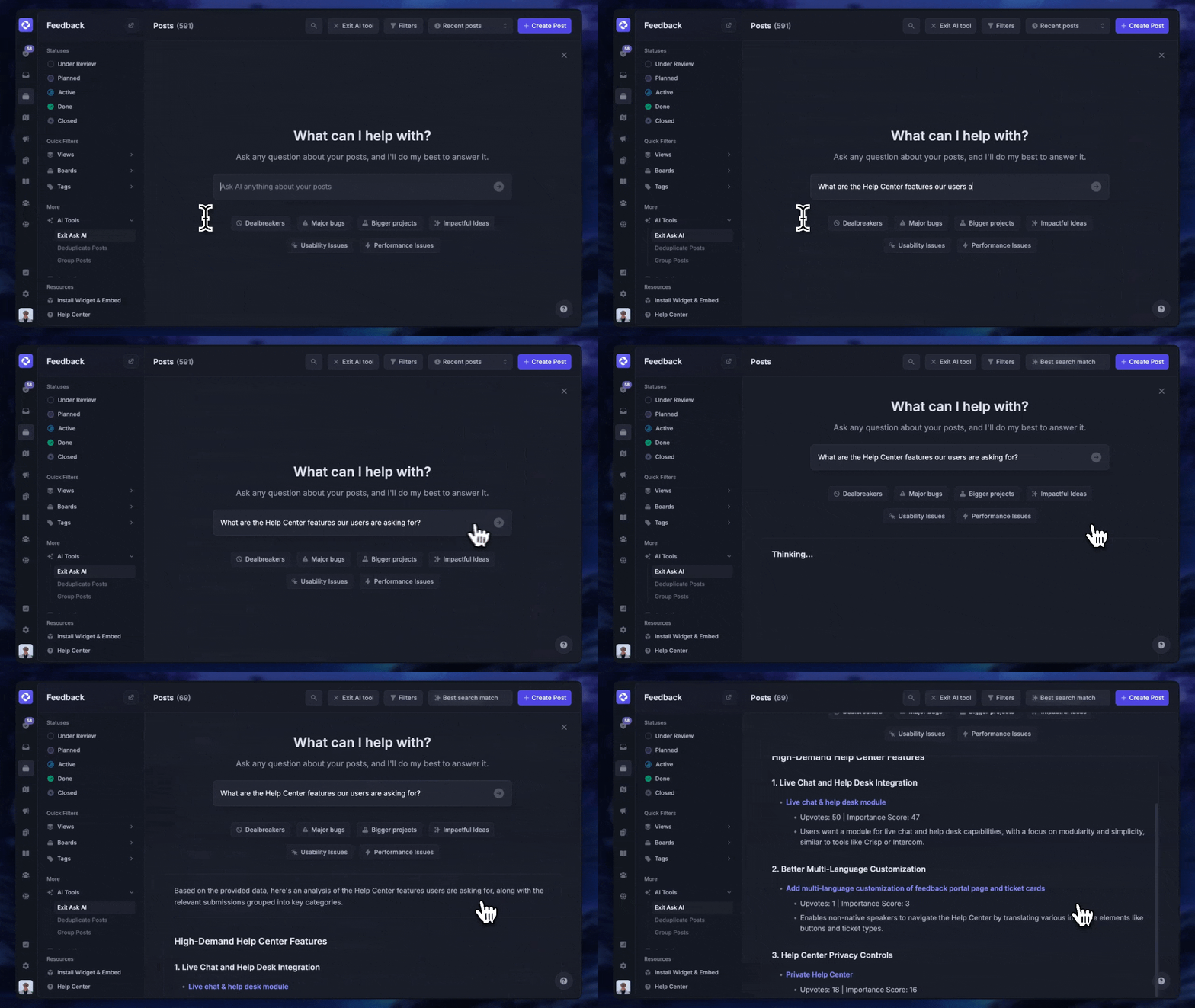
Instead of having 4+ different tools, Featurebase enables you to replace all your customer-facing tools by bringing your feedback collection, product updates, support, and help center, together in one place to help you build products your users love.
Connect Salesforce conversations to feature requests
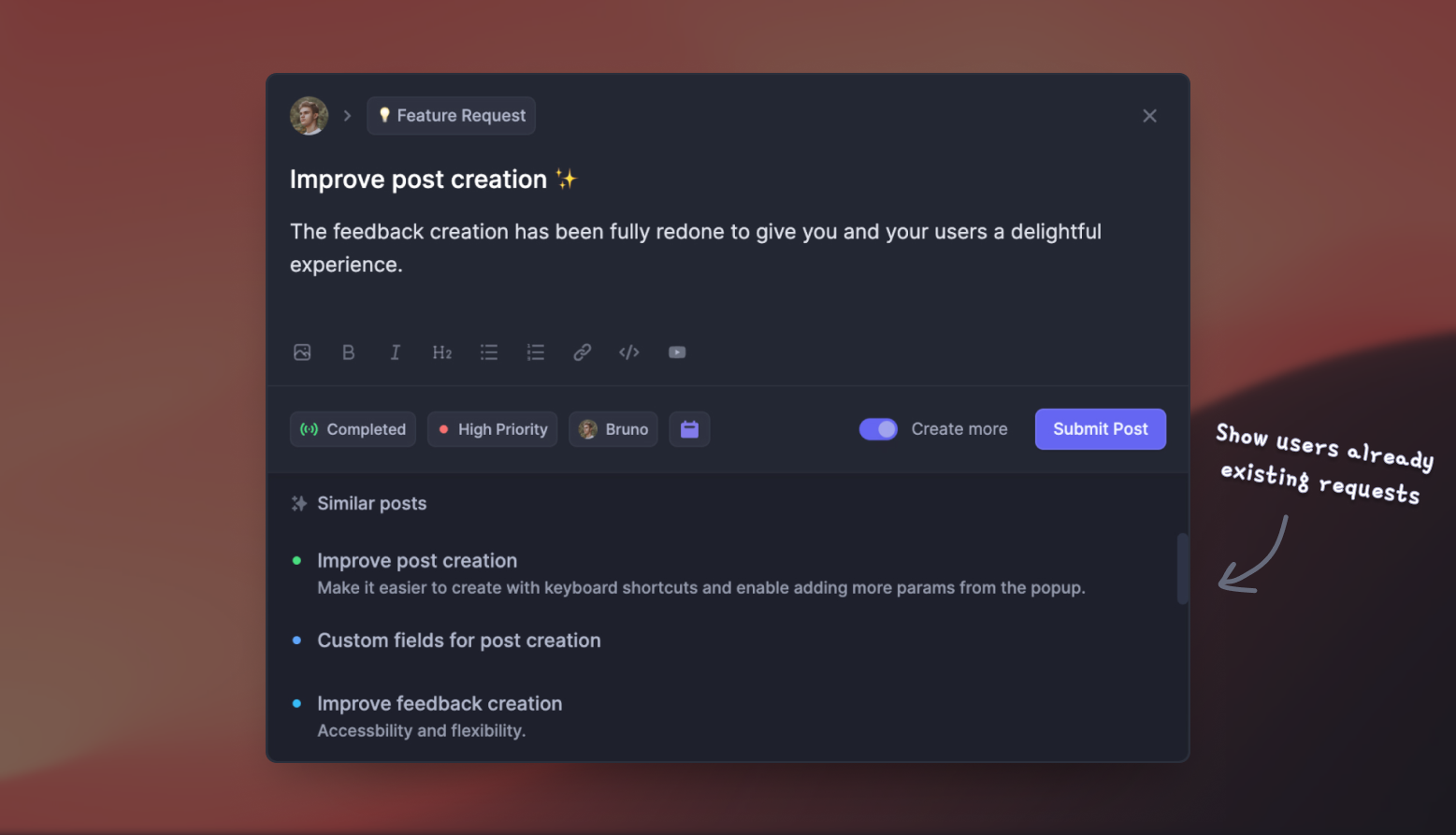
The Salesforce integration lets your team search for existing feedback posts, create new requests, and add votes on behalf of contacts and leads. You can also link Salesforce cases with feedback posts and sync mapped customer information.
That gives product teams context beyond the number of votes. They can see who asked for a change and connect the request with the customer relationship.
The Salesforce integration requires Professional or Enterprise. Linking Salesforce Opportunities requires Enterprise. Professional starts at $59/seat/month and Enterprise at $99/seat/month, both billed annually.
On Enterprise, linked opportunity values can help your team understand the pipeline associated with a request. Treat that as decision context, since building a feature doesn't guarantee the associated deals will close.
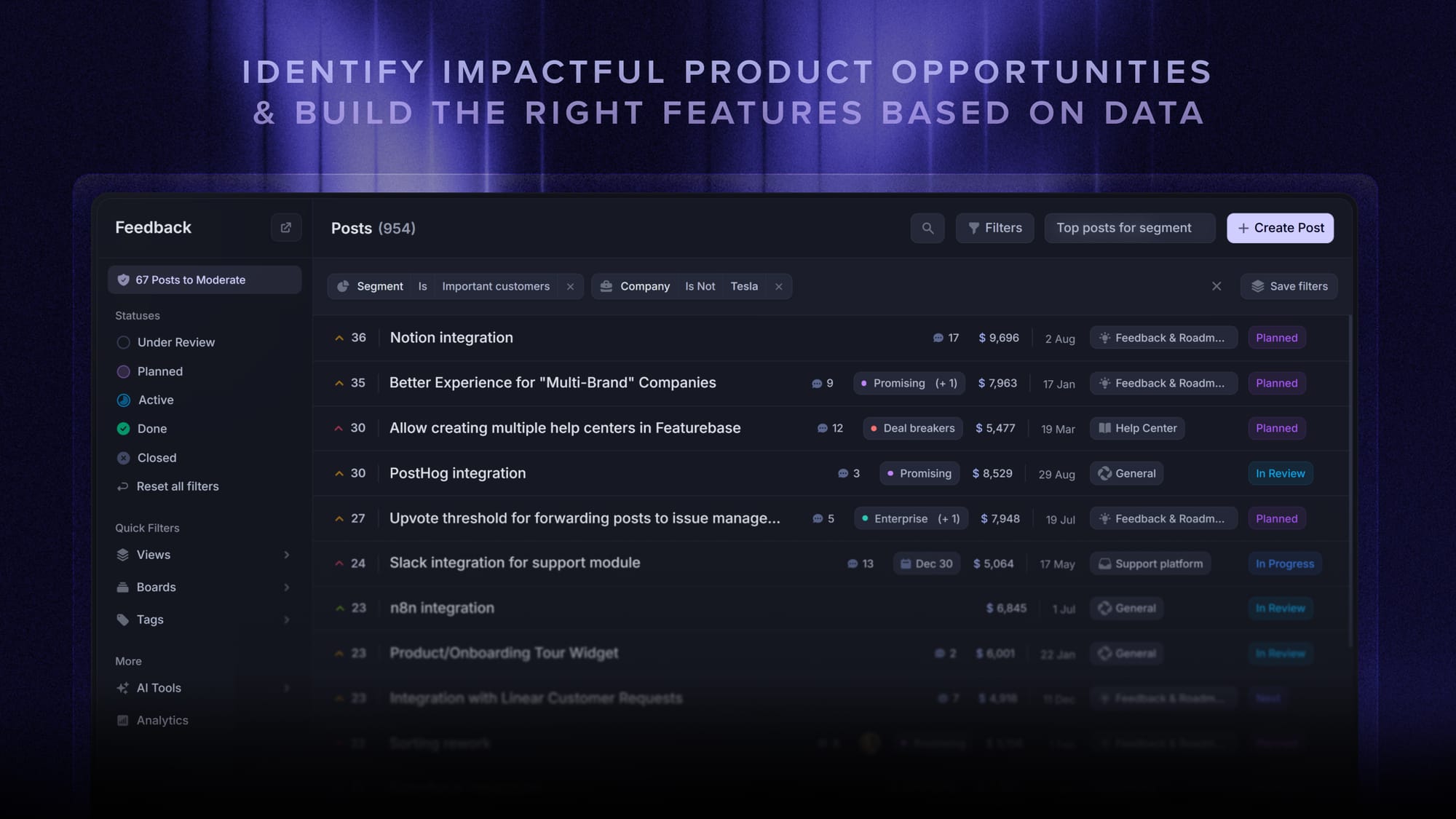
Prioritize requests and share progress
Once requests are organized, Featurebase lets you share their progress through public or internal roadmaps. You can choose the audience and structure the roadmap around statuses or dates.
If you're deciding what to show customers, these public roadmap examples can help you choose an appropriate level of detail.
When a requested feature ships, automated updates help notify the people who asked for it. Your changelog can explain what changed and how to use it.
That connects the original sales conversation with a product decision and a customer-facing update.

Turn feedback into products your users love
Centralize feedback, identify product opportunities, and build the right features
Conclusion
Salesforce Feedback Management is most useful when surveys need to connect with CRM data and service workflows. Choose a license around the actions and reporting you need, then test the complete feedback process before committing.
Featurebase is a modern & powerful feedback tool. It helps you collect feedback with a feature voting forum, surveys, embeddable widgets, and integrations. You can then analyze all of that feedback in one place by connecting it to your customers' revenue and data to make better product decisions.
It comes with affordable pricing and a Free plan allowing unlimited feedback. The onboarding is incredibly quick and doesn't require a credit card, so there's no downside to trying it. 👇
✨ Start collecting & managing feedback with Featurebase for free →
FAQs
Does every survey respondent need a Salesforce license?
External participants don't need a Salesforce community license simply to respond to a survey. Your organization still needs the appropriate survey licensing and an Experience Cloud site for the external survey-hosting approach described in Salesforce's documentation.
Can respondents save a survey and finish it later?
Salesforce supports saving and resuming authenticated surveys. Don't assume an anonymous survey offers the same experience when planning a long questionnaire.
Can you change a survey after it goes live?
You can't directly edit an active survey version. Create a new version when you need to change it, and account for the version change when comparing responses over time.
Do unfinished surveys use up your response allowance?
Salesforce's survey FAQ says incomplete surveys don't count toward purchased response packs. Starter and Growth also support capturing partially completed responses, which is a separate capability from the response-pack counting rule.
Can you include survey questions inside an email?
You can embed 1 supported question in a survey invitation email, such as an NPS or rating question. For a longer questionnaire, use the survey invitation link to direct participants to the remaining survey experience.