Self-Service Knowledge Base: How-to Guide for 2026
A self-service knowledge base helps your team and customers find information more quickly. Here's how to build and maintain one.


On this page
Create a beautiful AI-powered Help Center with Featurebase for free
Finding information is easier than ever in 2026. You open up a search engine or your favorite LLM interface and ask away, with all the knowledge of the world right at your fingertips. But finding the right information is harder than ever, partially because of so much noise.
Knowledge bases have long been one of the staples of good customer support, especially for SaaS. Instead of going through a support rep, a (potential) customer can find information on their own.
Nowadays, knowledge bases are no longer nice to have but a necessity if you care about a great customer experience. Not to mention that they are useful for internal teams, too.
A self-service knowledge base takes that concept one step further. Today, we'll show you what a self-service knowledge base is, how to build one, and maintain it for your team and users. 👇
Key takeaways:
- A self-service knowledge base is a collection of help articles, guides, FAQs, and documentation that lets customers solve problems on their own without contacting support.
- The only difference from a regular knowledge base is purpose and audience: it's built specifically so users can find answers without help from another person.
- Start with the questions customers already ask, group them into clear categories, and prioritize the articles that reduce the most support volume.
- Write in plain language, make search a priority, and always add a clear fallback to human support.
- Review articles regularly and track what customers search for to find gaps and improvement opportunities.
- Featurebase✨ lets you build an AI-powered help center with in-app widgets, AI search answers, and automatic translations, with a free plan to start.
What is a self-service knowledge base?
A self-service knowledge base is a collection of help articles, guides, FAQs, and documentation that lets customers find answers and solve problems on their own without contacting support. It is a central place where users can search for information about a product, service, or company whenever they need help.
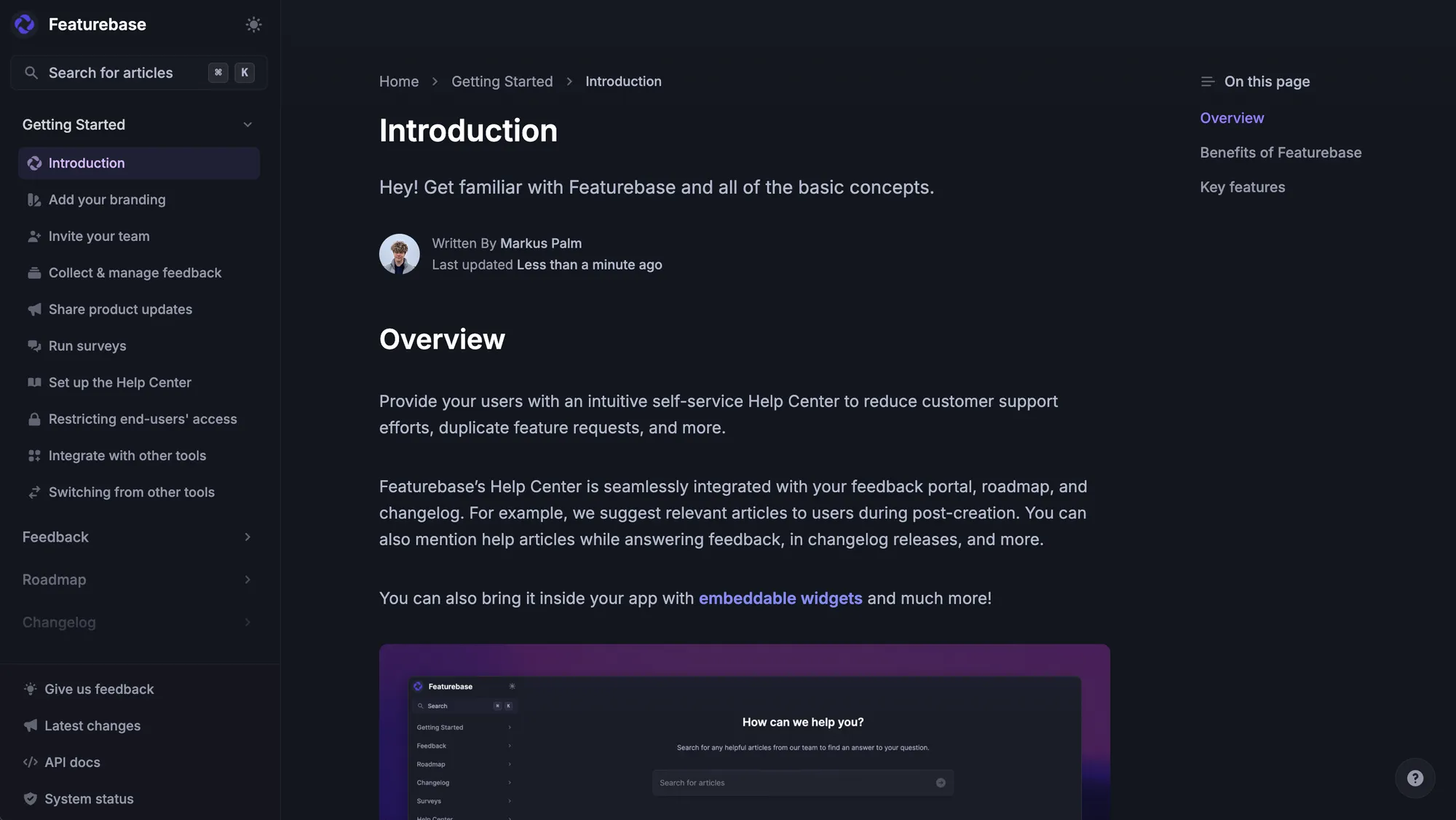
Most self-service knowledge bases include things like:
- Setup guides
- Troubleshooting articles
- Product tutorials
- Billing and account information
- FAQs
- Integration instructions
- Feature explanations
The goal is to help customers solve common issues quickly without waiting for a support agent.
For example, instead of opening a ticket to ask how to reset a password or connect an integration, a customer can search the knowledge base and follow a step-by-step guide immediately.
A good self-service knowledge base usually includes:
- A searchable help center
- Clear article categories
- Customer-friendly language
- Step-by-step instructions
- Screenshots or videos where needed
- Related article suggestions
- Easy access from inside the product or website
Many SaaS companies use self-service knowledge bases as part of their customer support strategy because they reduce repetitive support questions and give users faster access to answers.
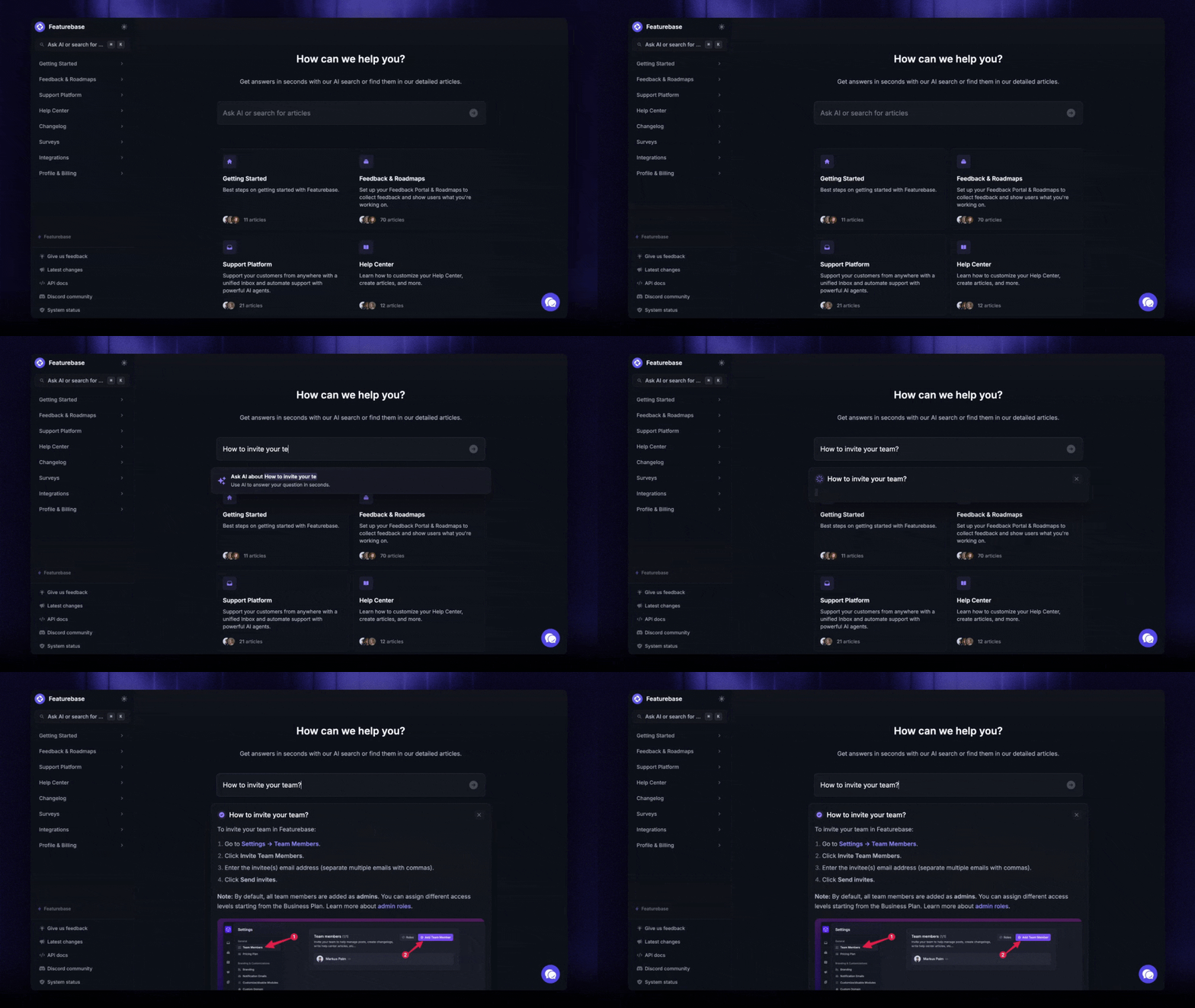
Finally, a self-service knowledge base is not just for customers. It can also be used internally as a central repository of knowledge. It can be used for quicker onboarding, help in a pinch during customer calls, or to double-check information without pulling your manager by their sleeve.
Is it different from a normal knowledge base?
Not much. The only difference between a "regular" and a self-service knowledge base is the purpose and audience.
A regular knowledge base is any organized collection of information. It can be used by employees, support agents, customers, partners, or internal teams. It might include product docs, internal processes, troubleshooting notes, policies, FAQs, onboarding guides, and support scripts.
A self-service knowledge base is a knowledge base built specifically so users can find answers on their own without contacting support, due to LLM long term memory and its ability to answer from the customised data present in it's knowledge base.
So the simple difference is: a knowledge base stores answers. A self-service knowledge base helps people find and use those answers without help from another person.
So, which one should you build?
In simple terms, a self-service knowledge base can do everything a regular knowledge base can, but not the other way around. If you're serious about knowledge management, you should start with self-service as a philosophy when building out your knowledge base.
How to build a self-service knowledge base, step by step
Whether you're building a new knowledge base from scratch or you already have one and want to make it more self-service oriented, we're here to help. These are some of the most important steps when building your self-service knowledge base.
Pair these steps with our broader knowledge base best practices for cutting support tickets.
Start with the questions customers already ask
Like most writers, I start from a blank page, but with knowledge bases, you don't have to seek inspiration. Your customers already gave you the most important starting point by asking questions. All you have to do is put together the ones that tend to repeat the most.
Check manually or look in your customer support/comms tools to find the most frequently asked questions from:
- Support tickets
- Live chat conversations
- Sales calls
- Customer success calls
- Community posts
- Customer feedback (on your website, in the product, on third-party websites)
- Internal Slack threads
Certain questions will pop up more than others and these are the foundations of your knowledge base. Answering them first does two things:
- You reduce the workload for your support team significantly right at the start
- You get inspiration for the structure, hierarchy and the topics for the rest of your knowledge base
Group questions into clear categories
At this point, you should have a starting list of questions ranging from dozens to hundreds. Once you've isolated the most frequently asked ones, you should try to group the other questions into categories that make sense.
Organize the knowledge base into categories that customers would naturally search for when they run into a problem.
For example:
- Getting started
- Account settings
- Billing
- Integrations
- Troubleshooting
- Product features
- Security
- FAQs
Decide which articles to build first
You may be tempted to create 100 articles in the first week of publishing a knowledge base. This is not only a lot of work, but it's also unnecessary. Prioritization is key, and you should tackle those issues that:
- Reduce the most support volume
- Pop up the most often
- Remove the biggest customer blockers when they want to troubleshoot on their own
Your first articles should be those around:
- How to create an account
- How to invite teammates
- How billing works
- How to reset a password
- How to use the main features
- How to fix common errors
- How to reach support if the knowledge base isn't helping
Do this first, and you can figure out the remaining entries as you go.
Use a simple article template
Knowledge bases should be built on units: articles with a completely identical structure. This way, the user knows exactly what to expect before even reaching their destination. Most knowledge base software comes with templates you can reuse for accuracy, clarity and brevity.
Here's a good starting point:
- Title: describe the task clearly
- Intro: explain what the article helps with
- Steps: walk through the process in order
- Notes: mention limits, exceptions, or plan requirements
- Related articles: link to the next useful page
This removes one part of the equation, but you still have to think about the way you write.
Write in plain language
Knowledge bases are not a place to sound smart or market your product. You should sound like a helpful customer support rep, trying to resolve the problem in as few words as possible, so that anyone can understand what you're saying.
Use short sentences. Avoid product jargon. Explain what happens after each action. Be specific about buttons, settings, permissions, and expected outcomes.
Instead of:
"Configure your workspace parameters from the administrative interface."
Write:
"Go to Settings, open Workspace, then choose the options you want to change."
The easier the article is to follow, the fewer customers will contact support.
Add screenshots or short videos (but don't overdo it)
Screenshots, images and GIFs can be incredibly helpful if the process you're explaining is confusing or has multiple steps. These are some excellent candidates for screenshots:
- Setup steps
- Dashboard navigation
- Account settings
- Error messages
- Feature examples
The downside of using images is that every time you change your product, add or remove features, or simply use different phrasing, you'll have to update your screenshots too to reflect the changes.
Make search a priority
A self-service knowledge base only works if people can find the right answer quickly.
Use customer language in your titles and headings. Add common synonyms where needed. Include the terms people actually type into search.
For example, customers might search for "cancel plan," even if your product calls it "subscription management." Your article should account for both.
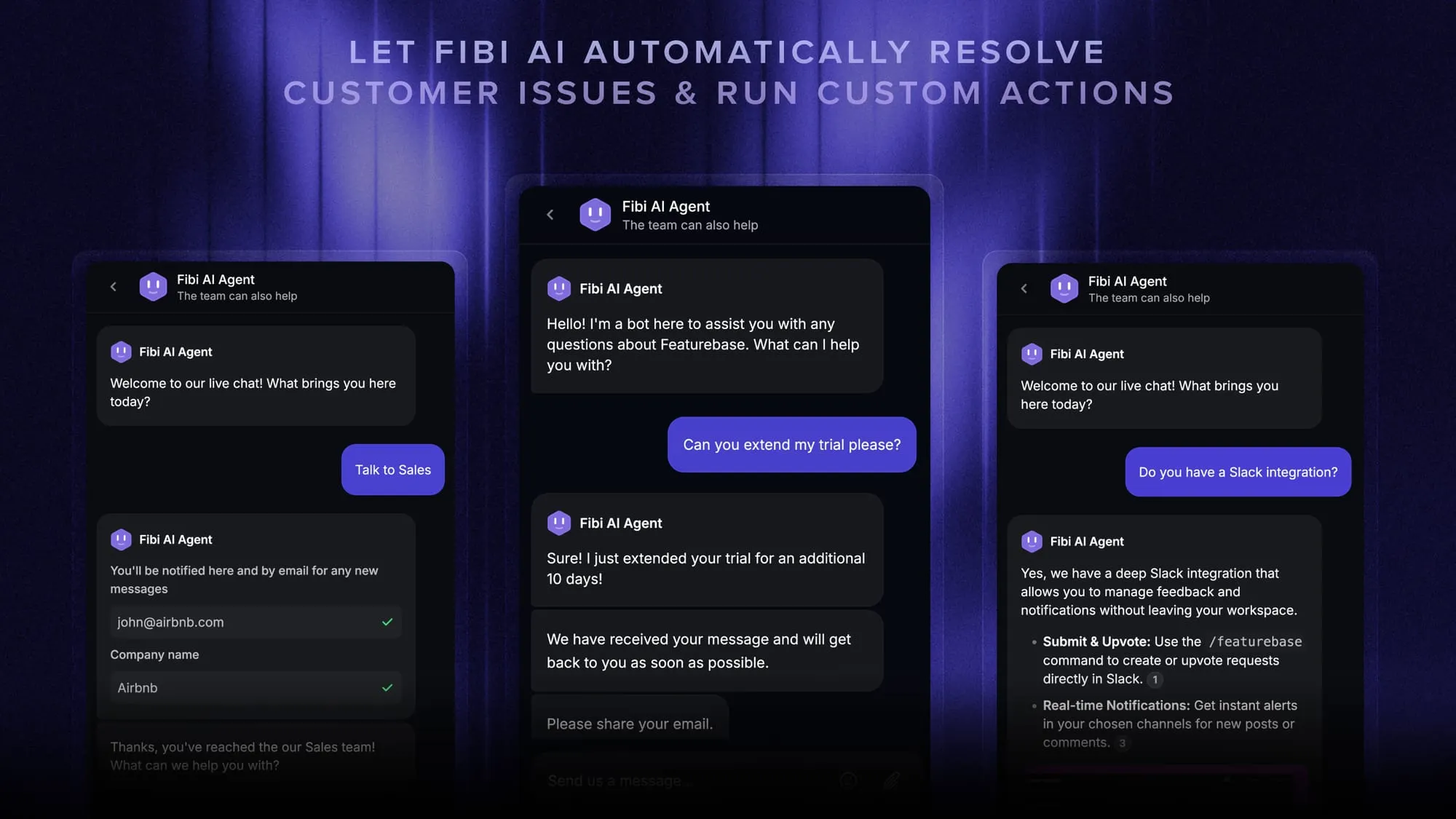
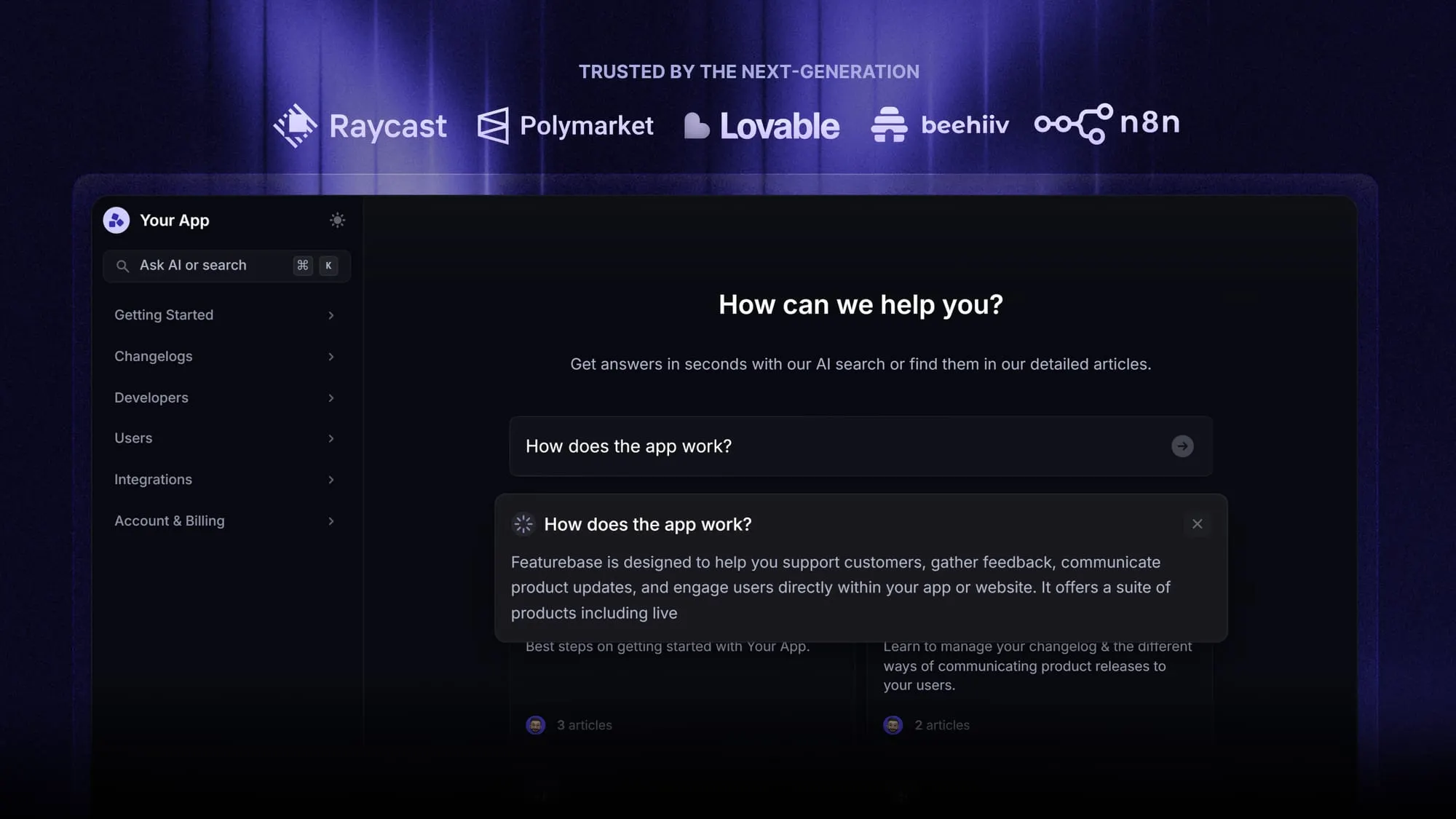
Ideally, your search should be AI-powered or connected to a self-service chatbot, so customers can ask questions in plain language instead of having to use the exact terms from your knowledge base. AI agents like Fibi in Featurebase make this possible - all you have to do is connect your knowledge base to your chatbot.
Connect related articles
Customers rarely have only one question. Add related articles at the bottom of each page so they can keep going without returning to the main help center.
For example, an article about inviting teammates could link to:
- How user roles work
- How to remove a teammate
- How billing changes when you add users
This makes the knowledge base feel connected instead of like a pile of isolated articles. You also add one more way for the user to resolve an issue on their own before getting in touch with an agent. Speaking of which…
Create a clear fallback to support
Self-service should reduce tickets, not trap customers. Add a clear way to contact support when the article does not solve the issue. This could be a chat widget, contact form, or "Still need help?" button.
The best setup gives customers two options:
- Try the article first
- Contact support if they are still stuck
That keeps the experience helpful instead of frustrating. Sometimes, the best path forward is to talk to a human being instead of going through an endless loop of support articles.
Review and update articles regularly
A knowledge base gets weaker when the product changes and the content does not. Set a review schedule for important articles. Update content when you change:
- Pricing
- Product UI
- Feature names
- Account settings
- Integrations
- Policies
- Onboarding steps
You can also use support tickets as a signal. If customers still ask about a topic after reading an article, the article probably needs work.
Track what customers search for (and how they react to it)
Search data and knowledge base analytics show what your knowledge base is missing. Look at:
- Searches with no results
- Articles with high views but low helpfulness
- Articles that lead to support tickets
- Common questions that are not documented
- Terms customers use instead of your product language
This tells you what to write next and which articles need improvement.
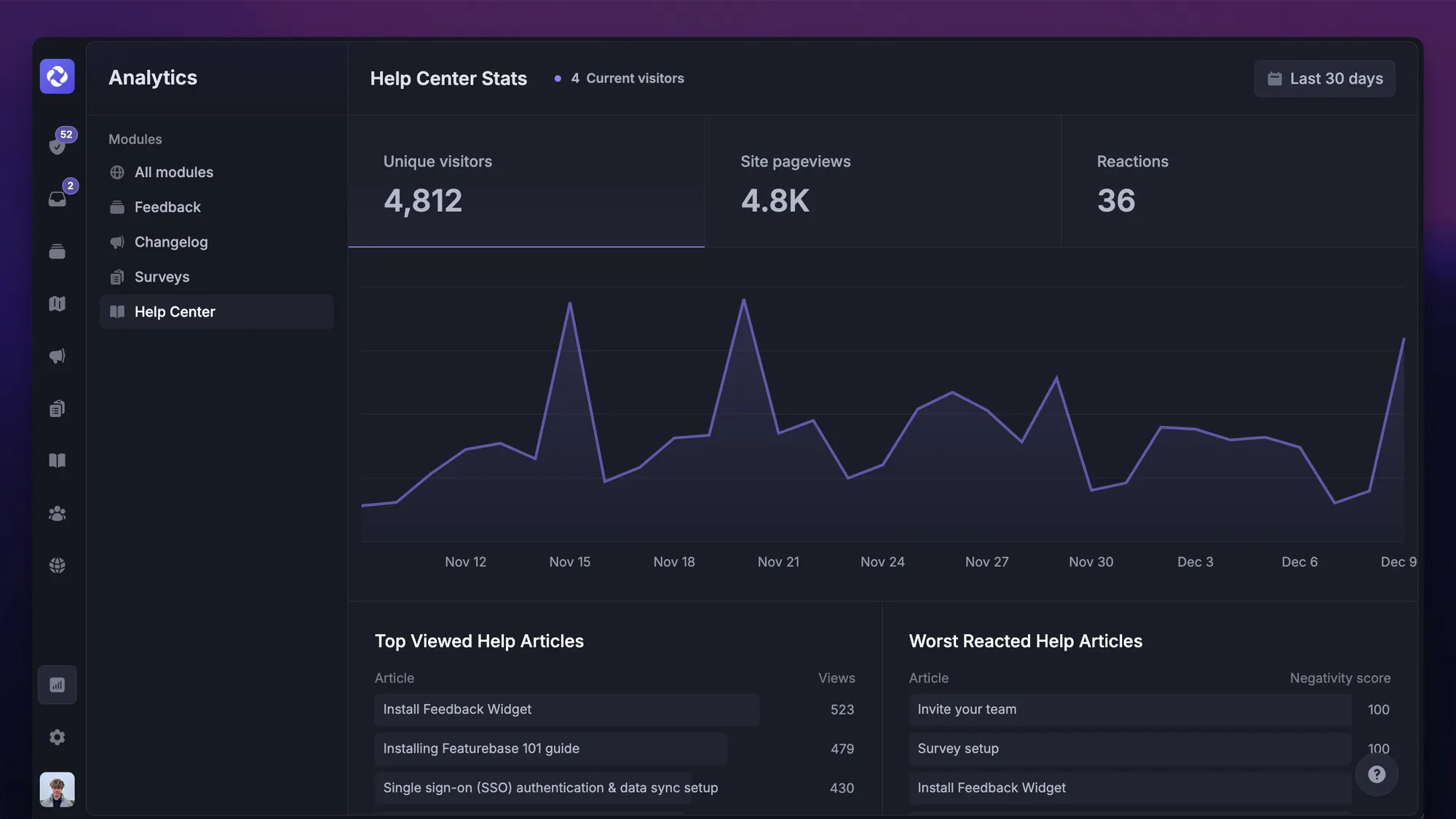
Within Featurebase, customers can also vote on knowledge base entries to say if an article has been helpful or not. This lets you see at a glance if your knowledge base is doing what it's supposed to or if you need to be clearer in terms of structure, writing or something else.
Build your self-service knowledge base with Featurebase today
A self-service knowledge base only works if customers can actually find answers quickly. That means fast search, clear organization, strong writing tools, and easy access directly inside your product.
Featurebase is a modern & powerful support platform for SaaS teams that helps you create beautiful product docs, provide AI-powered support, and collect feedback all in one place. It's loved by thousands of support teams from companies like Lovable, Raycast, and n8n. 💫
Top features:
- Public & internal help center – Create a branded, knowledge base with your domain and design for easy self-service support.
- Embeddable in-app widget – Serve help articles directly within your app, reaching users where they need assistance most
- AI-powered search answers – Summarize answers for users right in the search bar in seconds
- Automatic AI translations – Automatically translate and show your Help Center in your users native languages
- Multi-brand support – Manage multiple Help Centers and Live chats from a single workspace
- AI-powered support platform – Manage chat, email, and Slack support conversations from one AI-powered view
- Feedback & roadmap tools – Collect feature requests and close the loop with updates
- Product updates – Publish release notes with a changelog page, in-app widget, and emails
- Integrations – Connects with Slack, Linear, Jira, HubSpot, and more
Pricing: You can create a public help center with a fully free plan. Paid plans start at just $29/seat/mo for unlimited articles.
Featurebase offers a modern customer-facing product suite by integrating your help center, live chat, feedback collection, and product updates to build better products and customer experiences. The onboarding is super fast, so there's no downside to trying it. 👇
Create a beautiful AI-powered Help Center with Featurebase for free
FAQs
A self-service knowledge base is a collection of help articles, guides, FAQs, and documentation that lets customers find answers and solve problems on their own without contacting support. It works as a central place where users can search for information about a product, service, or company whenever they need help.
The only difference is purpose and audience. A regular knowledge base is any organized collection of information used by employees, agents, customers, or partners, while a self-service knowledge base is built specifically so users can find answers on their own without contacting support.
Prioritize articles that reduce the most support volume, answer the most frequently asked questions, and remove the biggest customer blockers. Good starting points include account creation, billing, password resets, main features, and common errors.
Set a review schedule for important articles and update content whenever you change pricing, product UI, feature names, integrations, policies, or onboarding steps. If customers still ask about a topic after reading an article, the article probably needs work.


