Blog Customer ServiceService desk chatbots in 2026: how they work, what they automate, and what to look for
Service desk chatbots in 2026: how they work, what they automate, and what to look for
A practical 2026 guide to service desk chatbots: how they work, the top use cases for IT and customer support teams, what to look for, and the best tools to consider.



Your IT support team is drowning in tickets. Or your customer support team is drowning in tickets. Or both, depending on the day.
A lot of those tickets are repetitive: password resets, "Where do I find X?", "How do I get access to Y?", and the same handful of questions your help center already answers. Service desk chatbots exist to take that volume off your team's plate, so your humans can focus on the issues that actually need a human.
The terminology has also shifted in 2026. What used to be a "chatbot" is now often an AI agent, and the line between internal service desk and external customer support has blurred.
So in this guide, I'll cover what a service desk chatbot actually is today, how they work under the hood, the top use cases for IT and customer support teams, what to look for when picking one, and a roundup of the tools worth considering. 👇
Key takeaways
- A service desk chatbot is an AI assistant that handles repetitive support requests through text or voice, for internal IT/HR or external customer support.
- Modern ones run on LLMs and pull from your knowledge base, ticketing system, and enterprise apps to answer questions and take real actions.
- Top use cases include password resets, software access requests, employee onboarding, customer support ticket deflection, and multilingual support.
- Look for deep Slack and Microsoft Teams integrations, workflow automations (not just answers), and transparent pricing with a free tier.
- Strong picks in 2026 include Featurebase, Zendesk, Atomicwork, Workato Workbot, and ManageEngine Zia. The right one depends on whether you skew internal IT, customer support, or both.
- For a modern AI support stack that handles customer, back-office, and tracker tickets in one place, ✨ Featurebase is worth a look, with a free plan to start.

Resolve 70% of support requests with AI
Automatically resolve customer issues & cut down support loads for your team
What is a service desk chatbot?
A service desk chatbot is an AI-driven assistant that interacts with employees or customers through text or voice interfaces, providing automated answers and actions for service-related requests.
In practice, that means it can:
- Answer common questions instantly by pulling from your knowledge base
- Create, update, and route support tickets
- Run actions inside your enterprise systems (think password resets, software access, account provisioning)
- Escalate to a human agent when something is too complex
The result is faster resolutions, lower ticket volume for support agents, and round-the-clock availability without expanding your team.
These bots show up in 2 main places:
- Internal service desks: helping employees with IT, HR, or facilities requests. Think "I forgot my Salesforce password" or "I need access to GitHub".
- Customer service teams: handling customer support questions in your product, on your website, or inside your help center.
Service desk chatbot vs AI agent vs IT help desk chatbot
Three terms get used almost interchangeably, but there are real differences worth knowing:
- Service desk chatbot: the umbrella term for any AI assistant on a service desk, internal or external.
- IT service desk chatbot (or helpdesk chatbot): a service desk chatbot focused specifically on the IT department and internal IT support team.
- AI agent (or AI assistant): the newer generation. Powered by large language models, less reliant on predefined scripts, and able to take real actions across multiple sources of truth, not just look up an answer.
The traditional chatbots most people remember (rule-based, decision-tree style) are largely gone in serious deployments. What you're actually evaluating today is an AI agent dressed up in older terminology. We've written more about the underlying tech in our guide to AI help desk software and chatbot examples if you want a deeper look.
How service desk chatbots actually work
Under the hood, every modern service desk chatbot is doing roughly four things. Understanding them helps you tell the difference between a bot that will actually move the needle and one that will frustrate users into never using it again.
Natural language processing (NLP) and large language models (LLMs)
The chatbot reads what the user types (or says), figures out their intent, and decides what to do.
Older bots did this with simple keyword matching and rule-based scripts. They'd catch "password" and respond with a hard-coded message. That works until a user phrases the request slightly differently, at which point the bot falls over.
Modern ones run on large language models with natural language processing layered on top. They understand context, recognize patterns across phrasings, and can hold a multi-turn conversation. "I can't log in" and "my password isn't working" and "locked out again" all resolve to the same intent.
Knowledge base grounding
The chatbot's brain is your knowledge base. The more complete and well-organized your help center, internal wiki, and policy docs, the better the bot performs.
Most modern AI chatbots pull from multiple sources:
- Your help center
- Internal docs in Notion or Confluence
- Ticketing system history
- And sometimes even structured data from other enterprise systems.
The chatbot's knowledge base is also why most projects that fail, fail. A bot trained on bad docs gives bad answers. Plan to invest in your documentation alongside the chatbot itself.
Workflow automations and enterprise integrations
Answering questions is the floor. The ceiling is taking action.
A good chatbot can reset a password, add a user to an Active Directory group, create a Jira ticket, post a Slack message, or update a record in your CRM. This is where workflow automations and integrations matter: the bot needs deep hooks into your enterprise systems to actually resolve the issue, not just describe how to resolve it.
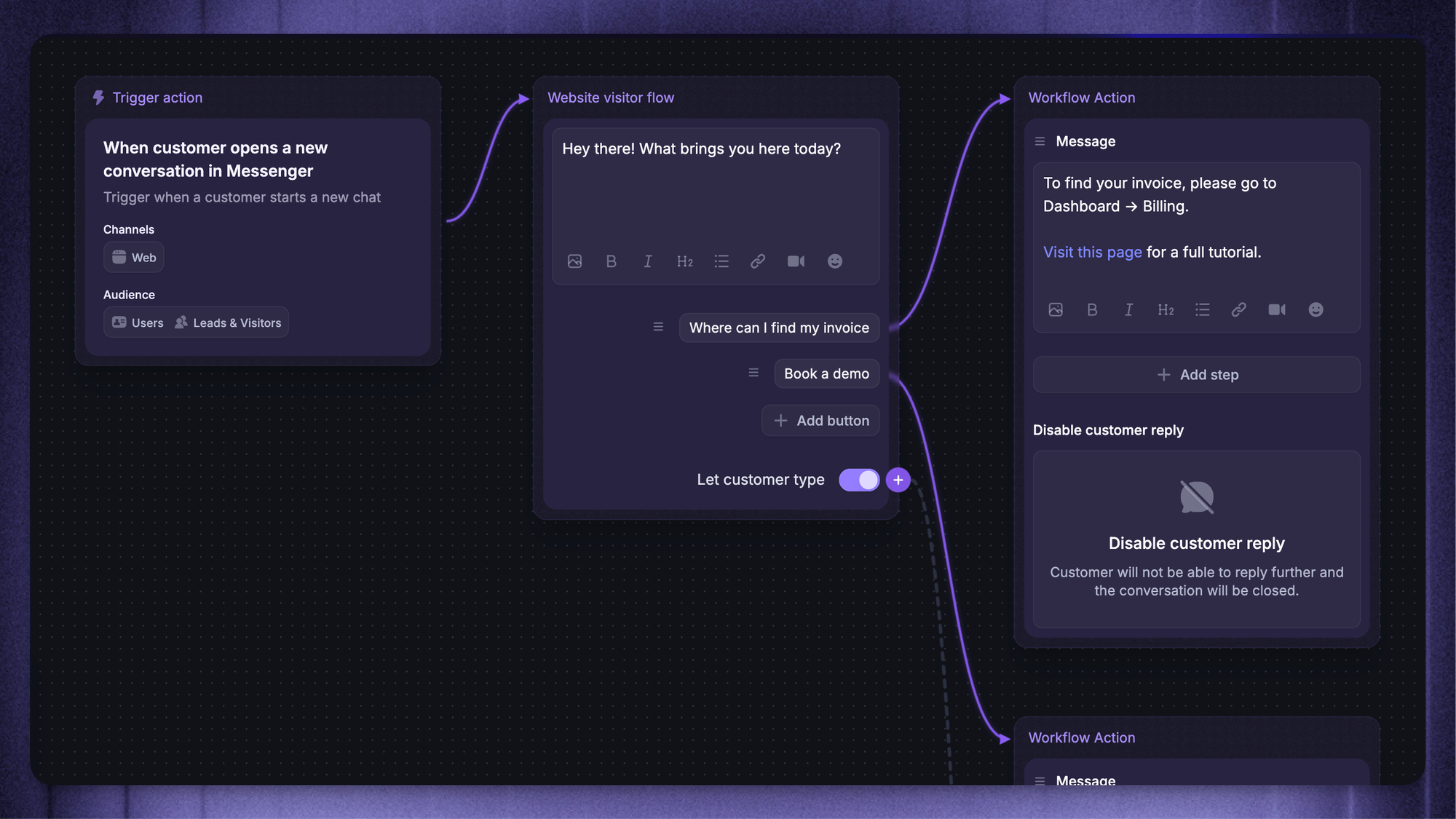
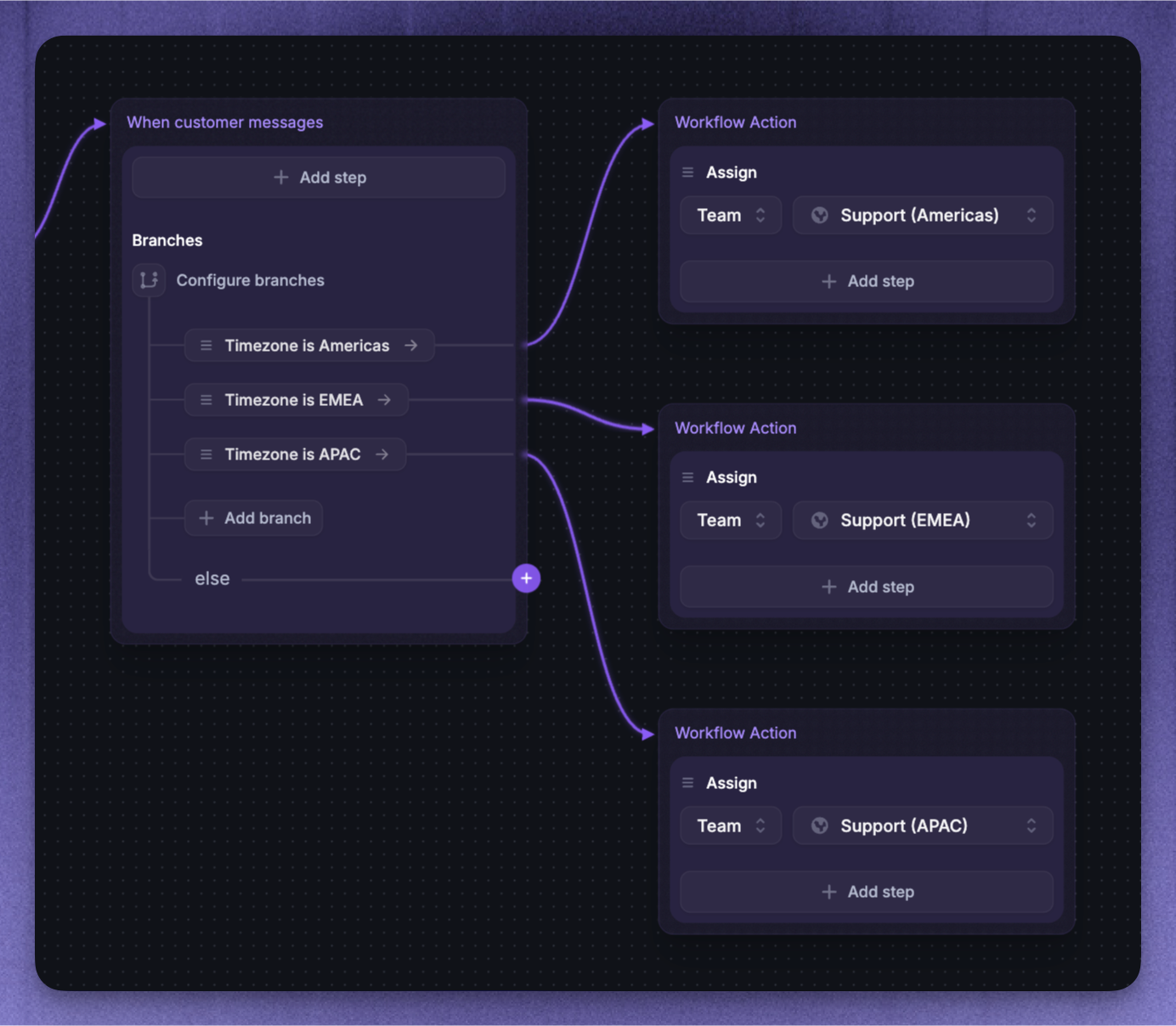
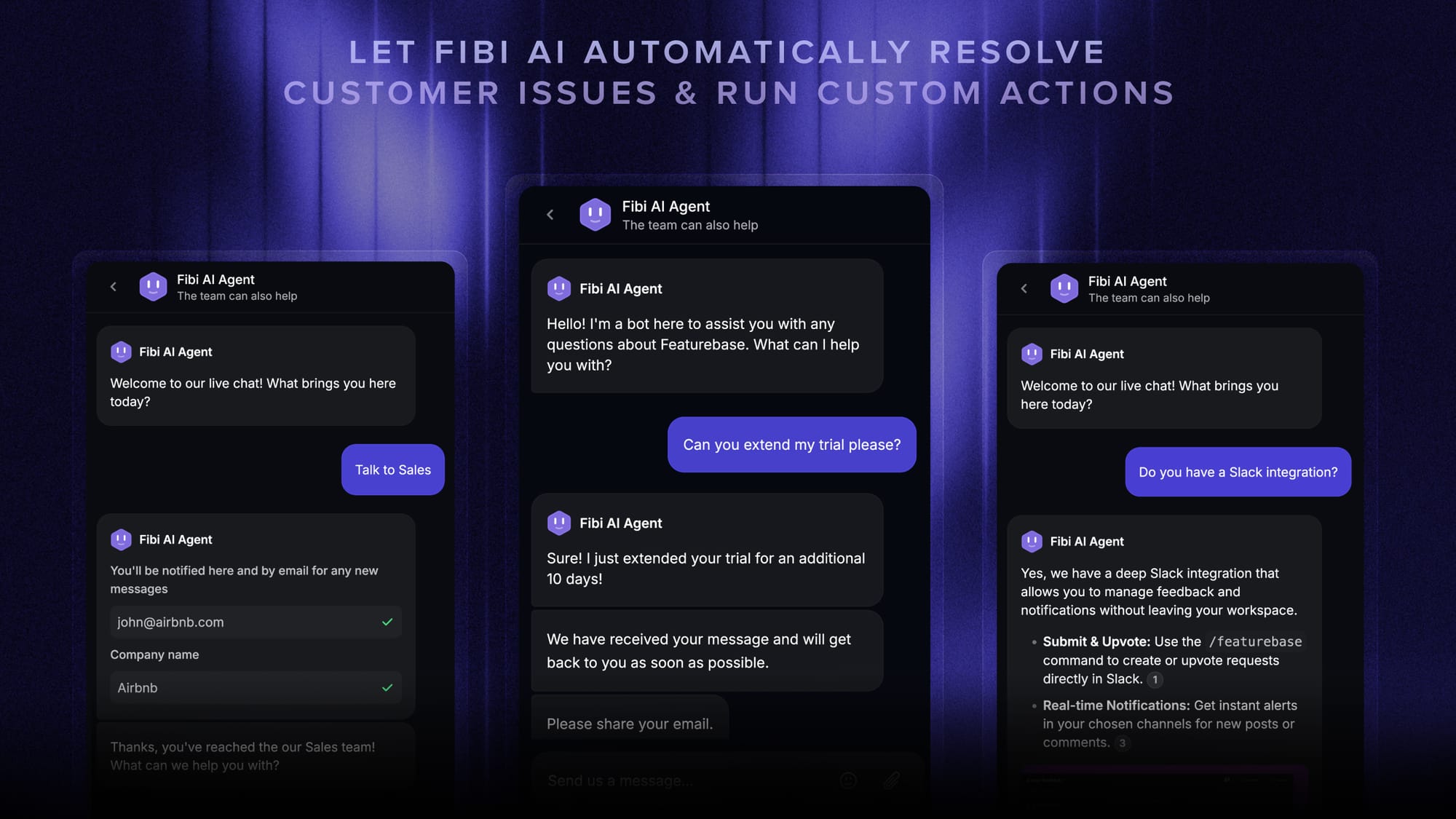
With Featurebase, for example, workflows and automations auto-assign tickets, route conversations, collect customer data, and run custom actions like trial extensions or refunds, all without an agent touching the keyboard.
Human handoff
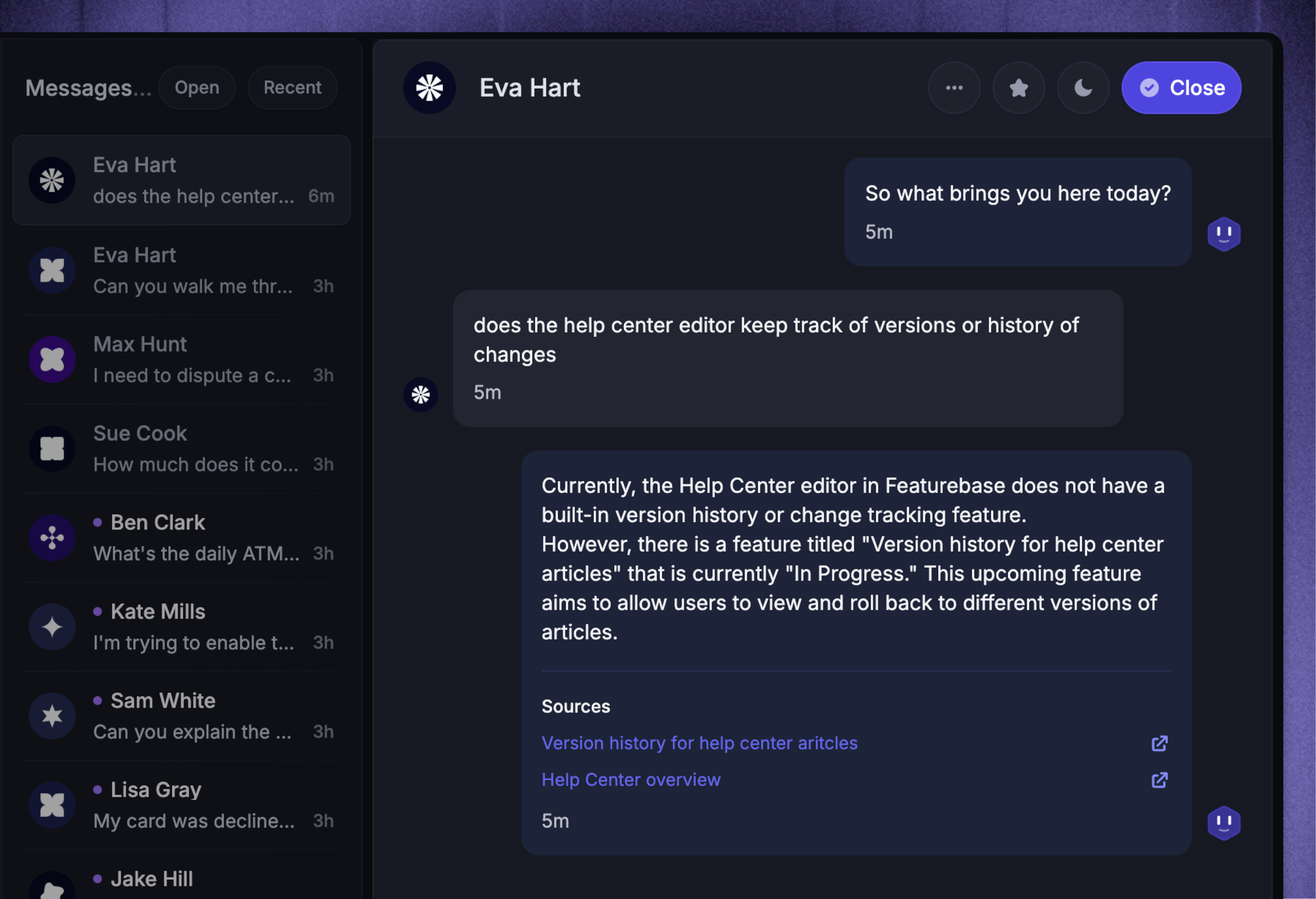
No chatbot resolves 100% of requests. The good ones know when they're stuck and hand off to a human cleanly, with full context: what the user asked, what the bot tried, what it pulled from the knowledge base, and any customer details collected upfront.
Bad bots hand off with no context, which means the user repeats themselves and the agent starts from scratch. That's the experience that makes customers hate chatbots.
Top use cases for service desk chatbots
Service desk chatbots earn their keep by knocking out repetitive tasks at scale. Here are the use cases that come up most often, split roughly into internal (IT, HR) and external (customer support).
1. Password resets and software access
Two of the most common IT service desk tickets, and two of the easiest to fully automate. A chatbot handles identity verification, runs the reset or provisions the access through your IAM tools, and notifies the employee, all without a human in the loop.
Password resets alone are one of the most expensive line items in an IT department's annual support cost. Automating them end-to-end with a chatbot is one of the fastest ROI moves you can make.
2. Asset requests, VPN issues, and other repetitive IT support tasks
Hardware requests ("I need a new monitor"), software install help, VPN troubleshooting, and connecting to internal apps are all variations on the same pattern: pull a step-by-step answer from the knowledge base, run a workflow if action is needed, escalate if it gets weird.
The best service desk chatbots for IT teams handle these end-to-end. The traditional ones answer "here's the article", which is better than nothing but leaves the actual work on the employee.
3. Employee onboarding and HR queries
Adding new hires to email distribution lists and Slack channels, answering benefits questions, walking through equipment requests, surfacing the right policy doc. Chatbots are good at all of it because the questions follow predictable patterns and the answers live in documents that already exist.
Featurebase's back-office tickets are built for exactly this: a separate ticket category for internal IT, HR, and ops requests, so employee tickets don't get mixed up with customer support and you can run different SLAs, custom fields, and assignment rules on them.
4. Customer support questions and ticket deflection
This is where the line between internal service desk and external support blurs. The same chatbot tech that resolves password resets internally can resolve "how do I cancel my subscription" externally.
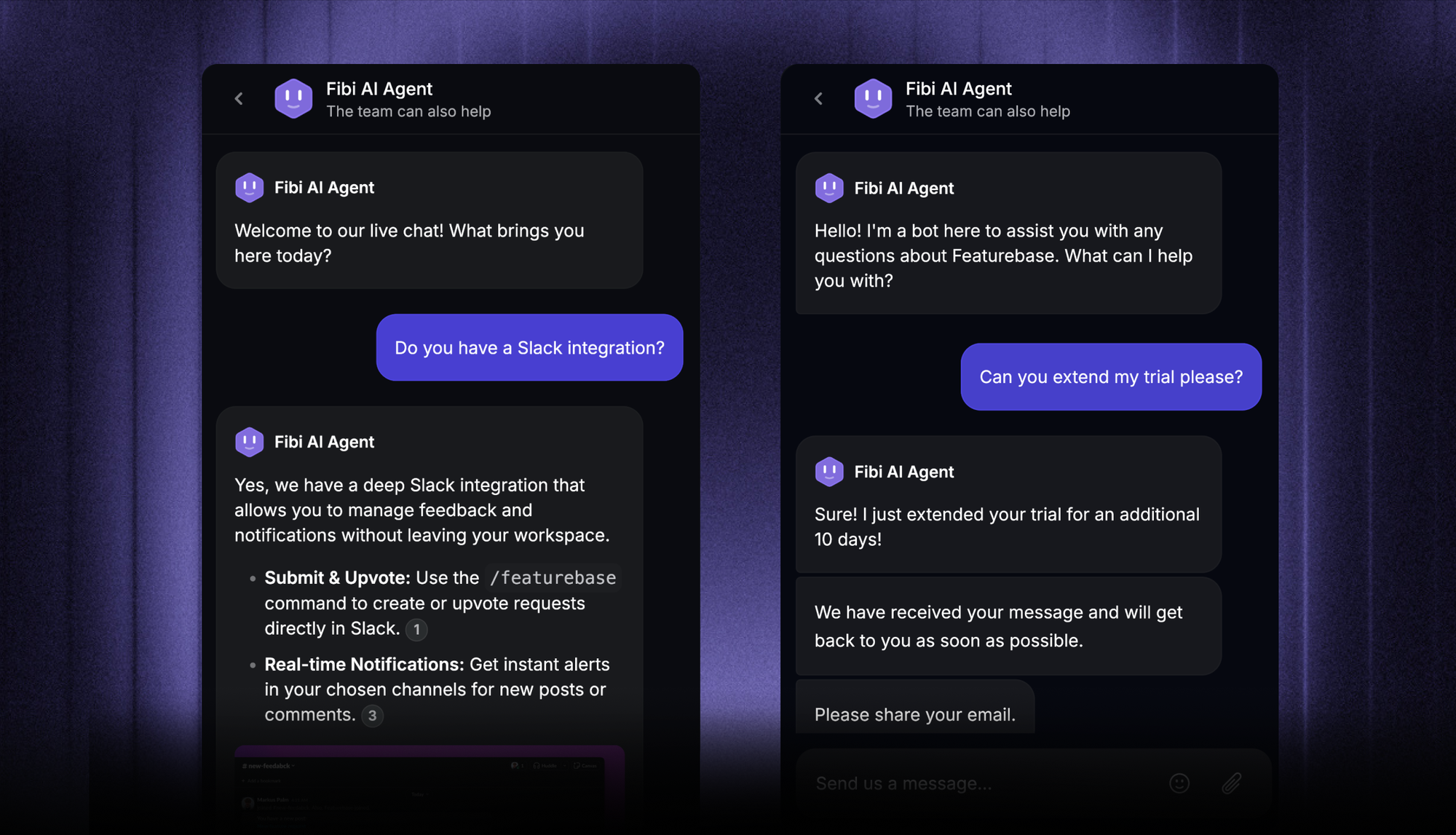
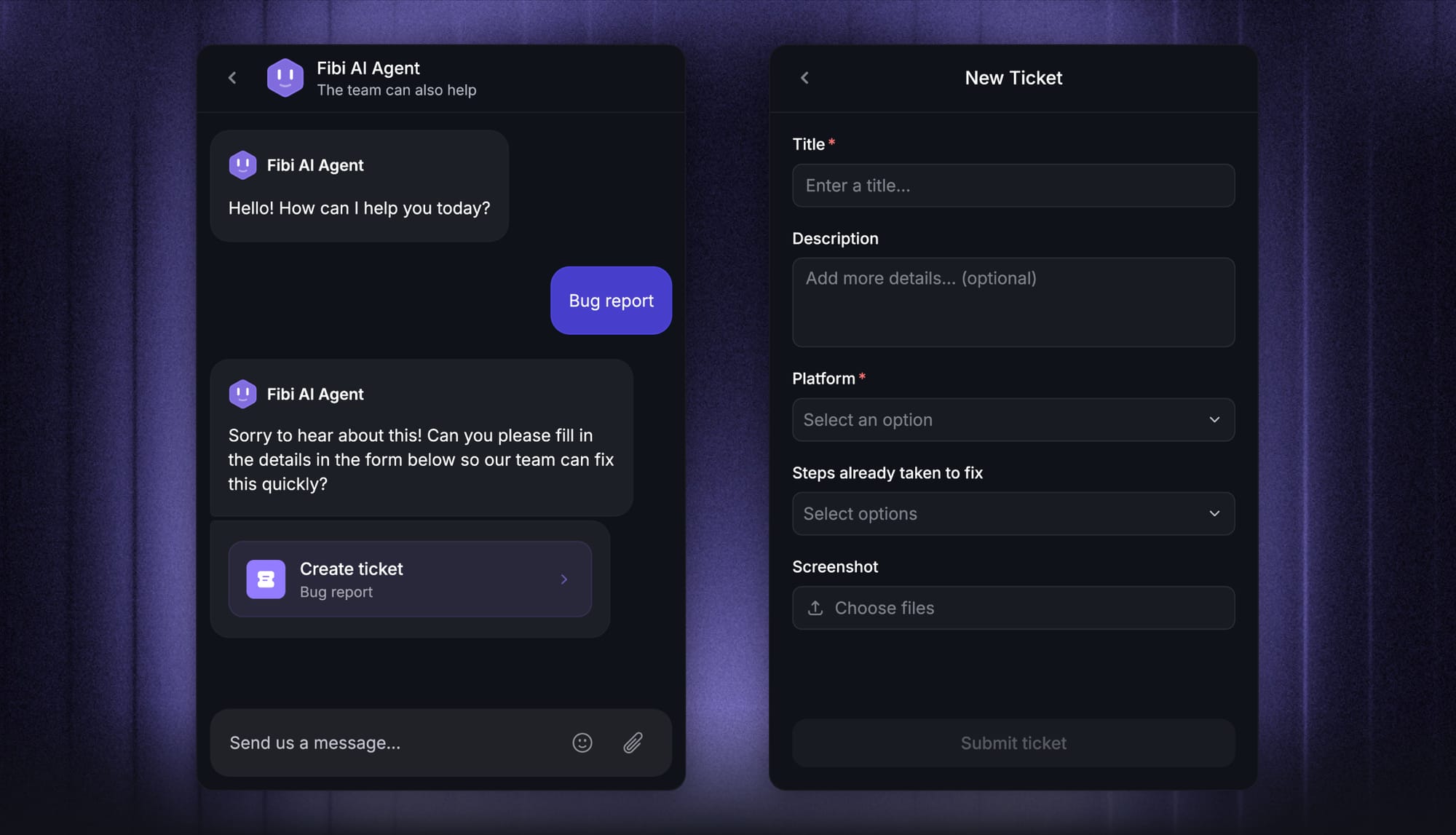
With Featurebase, Fibi AI Agent resolves customer issues on autopilot using your help center, past conversations, and custom workflows. It can run real actions, extend trials, issue refunds, update accounts, not just answer questions. For a high-volume support team this is the difference between deflecting 30% of tickets and resolving them.
If you want a deeper read on this side, check our guide to customer service software.
5. Multilingual support
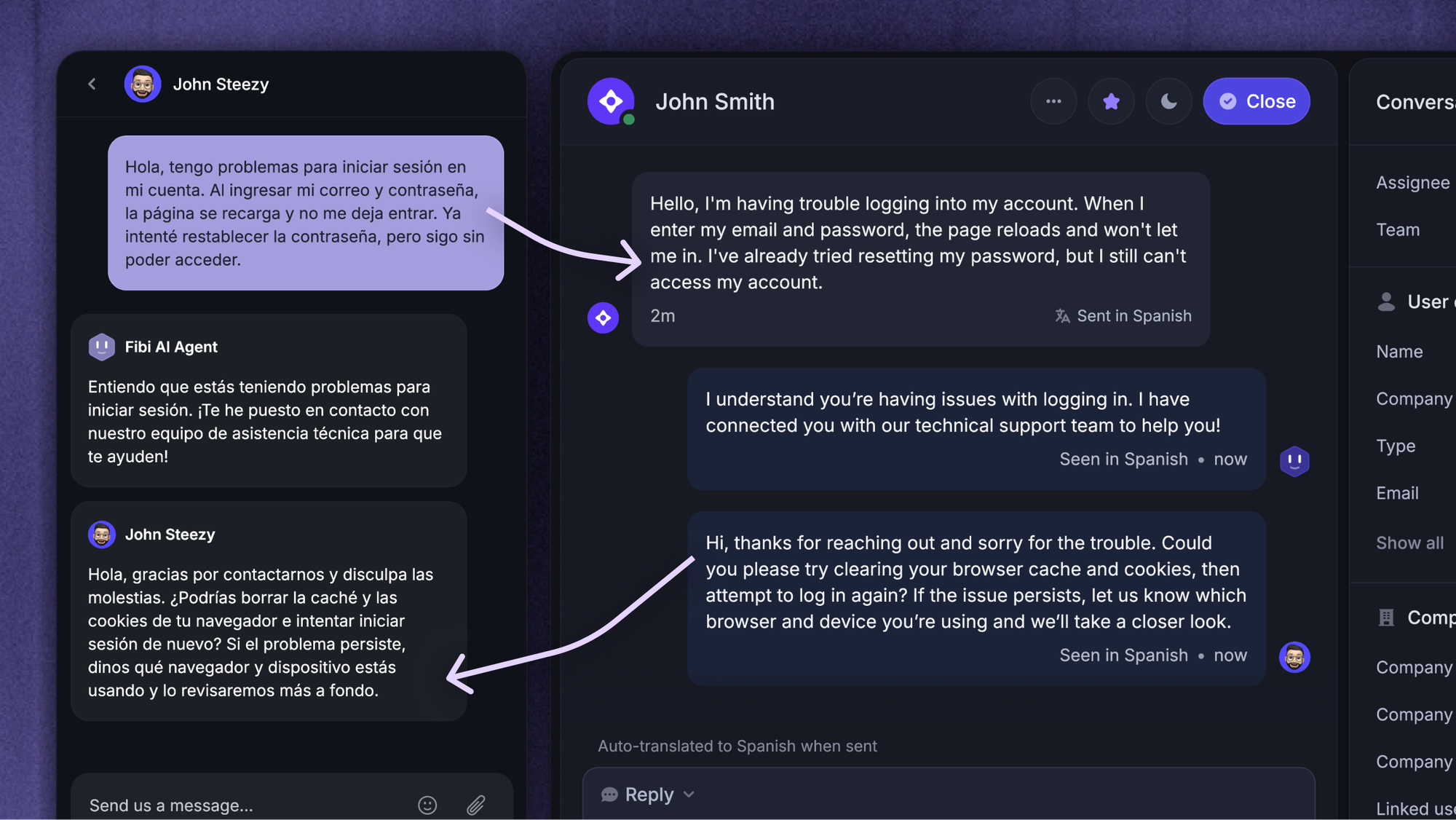
Your customer base or workforce is probably distributed across countries. A chatbot that can answer in the user's native language (and translate the conversation context for the agent on handoff) is a real unlock for global teams.
Featurebase auto-translates messages and help articles into 40+ languages, so a single chatbot covers customers and employees worldwide without separate deployments per region.
6. Proactive messaging and triage
The best chatbots don't just wait. They reach out: suggesting self-service when they detect a pattern, nudging users to update an abandoned ticket, or asking clarifying questions upfront so the routing logic can send the conversation to the right team with the right context.
This is small in any one interaction, big across thousands of tickets per month.
Benefits of using a service desk chatbot
Once you put a good service desk chatbot in place, the benefits stack up fast:
- Save time and reduce ticket volume.
Routine queries get instant answers, so your support team's queue shrinks. The agents who remain spend their time on tickets that actually need them. - 24/7 availability.
Customers and employees in any time zone get help without waiting for business hours. For globally distributed teams or product-led SaaS companies, this is a baseline expectation now, not a perk. - Higher employee and customer satisfaction.
Faster, more consistent answers translate directly into satisfaction scores. Employees stop being blocked. Customers stop churning over response times. - Lower support costs without sacrificing quality.
You can serve more users with the same headcount. Or the same users with a smaller team. Either way the unit economics of support improve. - Better data on what your users actually struggle with.
Every conversation is a data point. Across enough volume, you can see which knowledge base articles are missing, which features cause confusion, and which workflows have hidden friction. - Agent productivity, not just deflection.
Even when the bot escalates, it shows up with context: the user's details, the issue, the steps already tried. Agents start each conversation halfway done.
Limitations: where traditional chatbots fall down (and how AI agents fixed it)
Older rule-based chatbots earned a bad reputation for good reasons:
- They only handle scripted requests, and break the moment a user phrases something off-pattern
- They need constant maintenance: rules to tune, decision trees to rebuild, scripts to update
- They can't reason about context across multiple sources of truth
- They give up on more complex queries instead of escalating gracefully
The post-GenAI generation, AI agents fixed most of this. Trained on large language models, they:
- Understand intent across phrasings without explicit rules
- Pull from multiple knowledge bases and enterprise systems at once
- Run real actions through your existing tools, not just respond
- Self-improve from interactions, with less manual maintenance overhead
If you're evaluating a service desk chatbot in 2026 and the vendor is showing you a decision-tree builder, that's a flag. The bar is higher now.
What to look for in a service desk chatbot
Six things to weigh when you're comparing tools:
- Natural language understanding, not just keyword matching.
Test it with messy real-world phrasings, not the demo script. If "I can't get into my email" and "locked out of Outlook" don't resolve to the same intent, keep looking. - Tight knowledge base integration.
The chatbot is only as good as its data. Look for tools that pull from your help center, internal docs, and ticketing history natively, ideally with the ability to add custom training sources. - Slack, Microsoft Teams, and in-product surfaces.
Your users live in their existing tools. A chatbot that only works in a separate portal is a chatbot most people will avoid. The best ones surface inside Slack and Microsoft Teams for internal use, and in-product via a Messenger widget for customers. - Workflow automations with real actions.
Answering questions is table stakes. Look for the ability to run actions: reset passwords, provision access, update records, raise tickets, send notifications. - Multilingual coverage.
If your users or customers speak more than one language, native multilingual support beats bolt-on translation every time. - Transparent pricing and a real free tier.
Service desk chatbots are increasingly priced per AI resolution. Look for clear per-resolution pricing instead of seat-only models that punish you for scaling, and a free plan so you can actually test before committing.
The best service desk chatbots worth looking at in 2026
Here are five service desk chatbots worth shortlisting. Each one is strong in a slightly different direction, so the right pick depends on whether you skew toward customer support, internal IT, or both.
1. Featurebase ✨

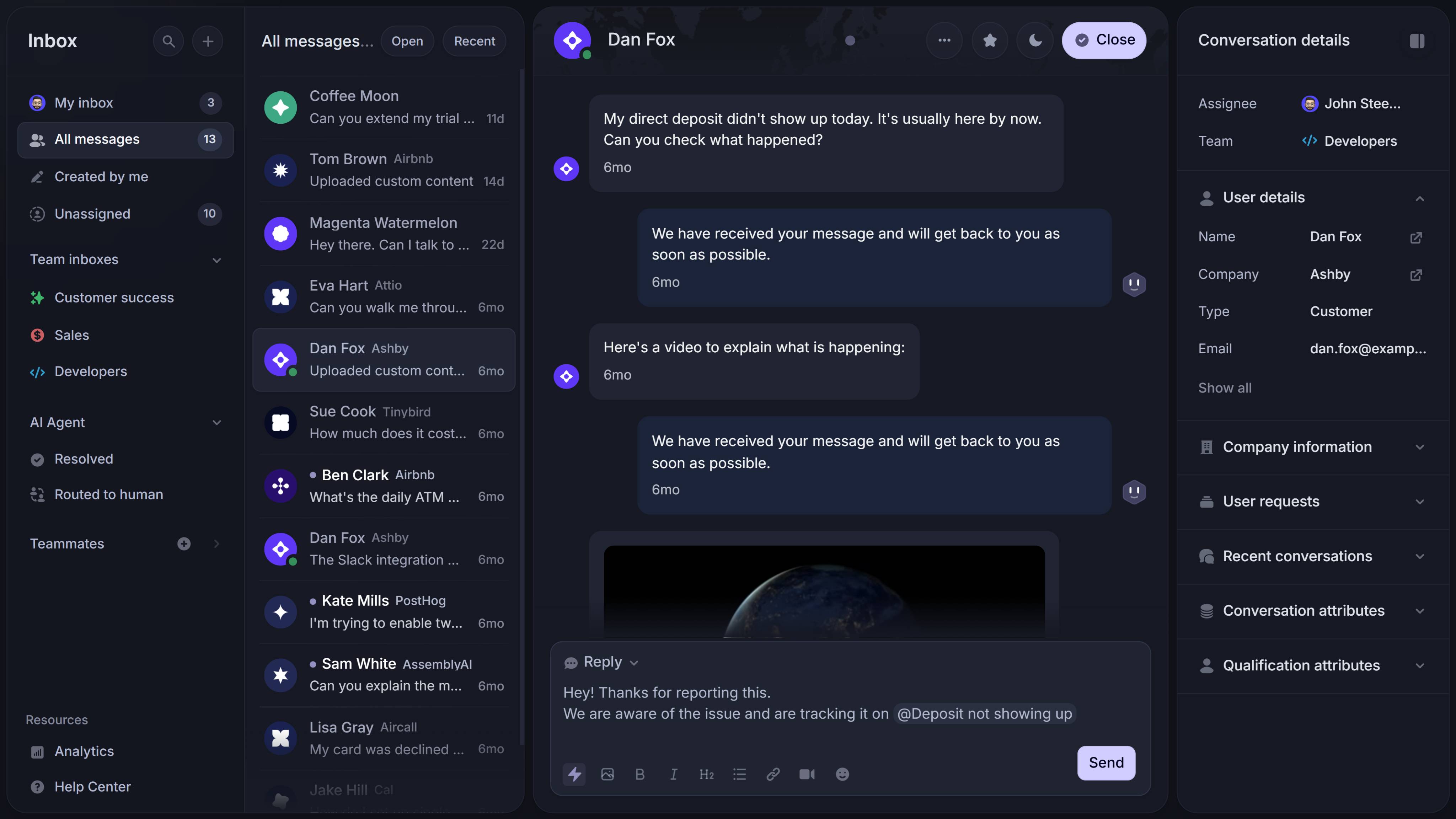
Featurebase is a modern AI customer support platform for product-led SaaS. It combines AI-powered ticketing, help center, and feedback management into a single platform for startups that want all their customer-facing tools in one place. Featurebase is loved by thousands of support teams from companies like Lovable, Raycast, and n8n. 💫
Top features:
- Omnichannel inbox – Manage tickets, live chat, email, and Slack conversations from one AI-powered view
- Three ticket types – Customer, back-office (for internal IT, HR, ops requests), and tracker tickets (for bug tracking), each with their own categories, statuses, and custom fields
- Tickets Portal – A dedicated page where customers or employees can submit, view, and track all their tickets in one place
- Fibi AI Agent – Resolves customer issues on autopilot and runs custom actions like trial extensions, refunds, and account updates
- AI Copilot – Helps your agents answer customers faster with AI Copilot that uses your internal knowledge
- Workflows & automations – Auto-assign tickets, route conversations, collect customer data, and more
- Service Level Agreements – Track SLAs to make sure your team responds to customers on time, every time
- Help center with AI search – Provide instant, multilingual self-serve answers
- Automatic AI translations – Automatically translate all messages and help articles to your customers native language
- Integrations – Connects with Slack, Linear, Jira, HubSpot, and more
Pricing: Free plan available with unlimited conversations. Paid plans start at $29/seat/month with $0.29 per AI resolution.
Featurebase covers all the basic support features that legacy platforms do, but with a much more modern approach. It comes with AI automations, a mobile app, and multiple channels (email, live chat, Slack, etc.), and the back-office and tracker ticket types make it a real fit for internal service desk use cases too, not just external customer support.
Get the fastest AI-powered Support Inbox
Support your customers from anywhere with an AI-powered omnichannel inbox
2. Zendesk

Zendesk is the long-standing incumbent in customer service software, and over the last few years they've expanded into a full Employee Service product with AI agents for both customer-facing and internal use cases.
Top features
- AI agents that resolve customer and employee queries autonomously
- Copilot for agent productivity
- ITSM-style features for internal service desks (incident management, asset tracking)
- Mature analytics and workforce management tools
- A large marketplace with 1,800+ apps and integrations
Pricing: Suite plans start around $55/agent/month, with AI agent pricing additional on top. Free trial available, no free tier.
Zendesk is the safe enterprise choice. The trade-off is cost, complexity, and a UI that shows its age in places. For smaller teams or product-led SaaS, it's often overkill.
3. Atomicwork
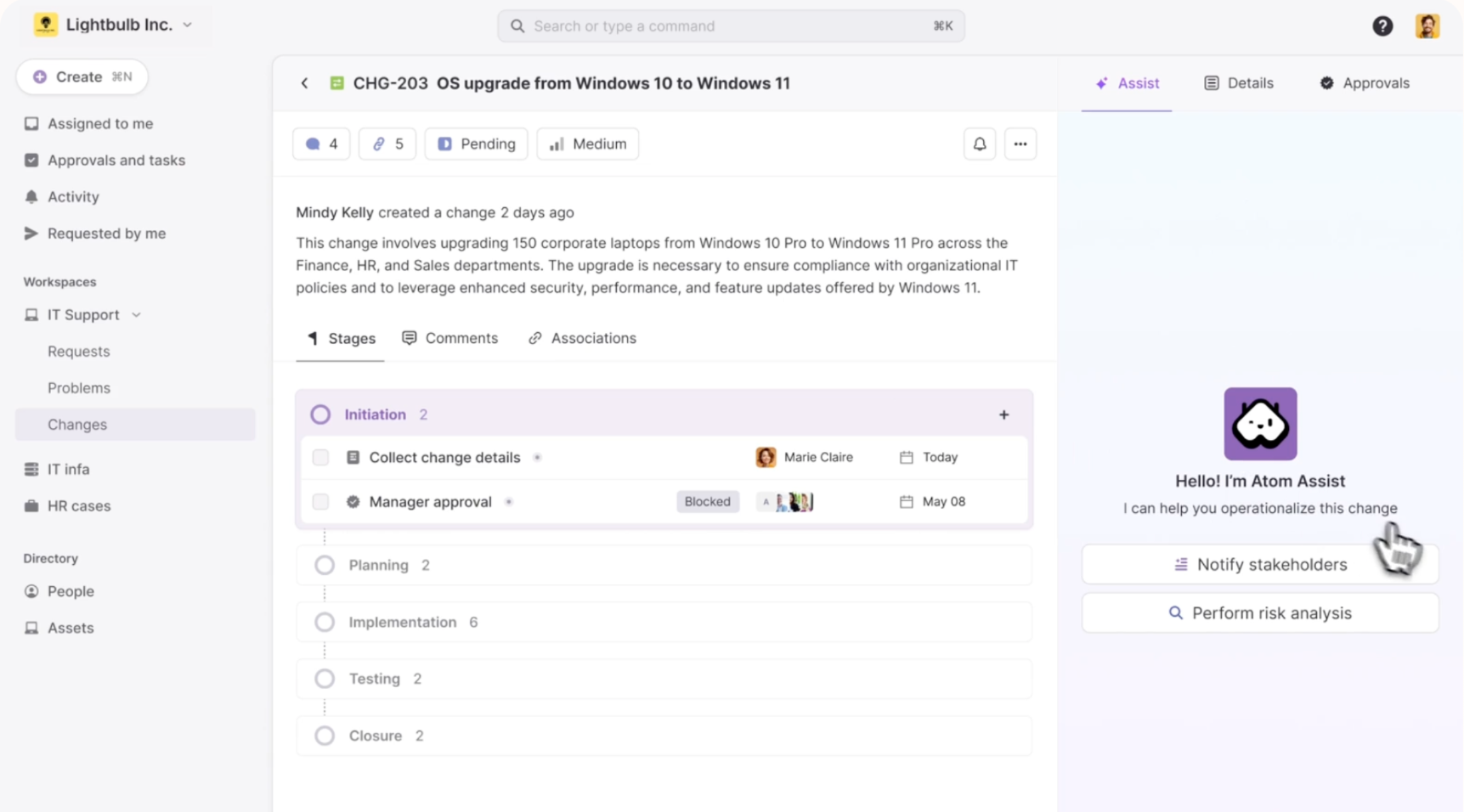
Atomicwork is an agentic ITSM platform built specifically for the internal IT service desk. Their AI assistant, Atom, sits inside Slack and Microsoft Teams and handles the full spectrum of IT support automation.
Top features
- Universal AI Agent for end-user support across Slack, Teams, and a web portal
- Modern ITSM with incident, change, request, and asset management
- Agentic IGA for access provisioning workflows
- Universal Context that pulls from Notion, Confluence, SharePoint, and other internal sources
- Tight Microsoft 365 and Okta integrations
Pricing: Custom pricing only. You'll need to book a demo for a quote.
Atomicwork is one of the strongest options if you're specifically building out a modern, AI-first IT service desk and don't need customer-facing support. The lack of public pricing is a friction point if you want to evaluate quickly.
4. Workato Workbot
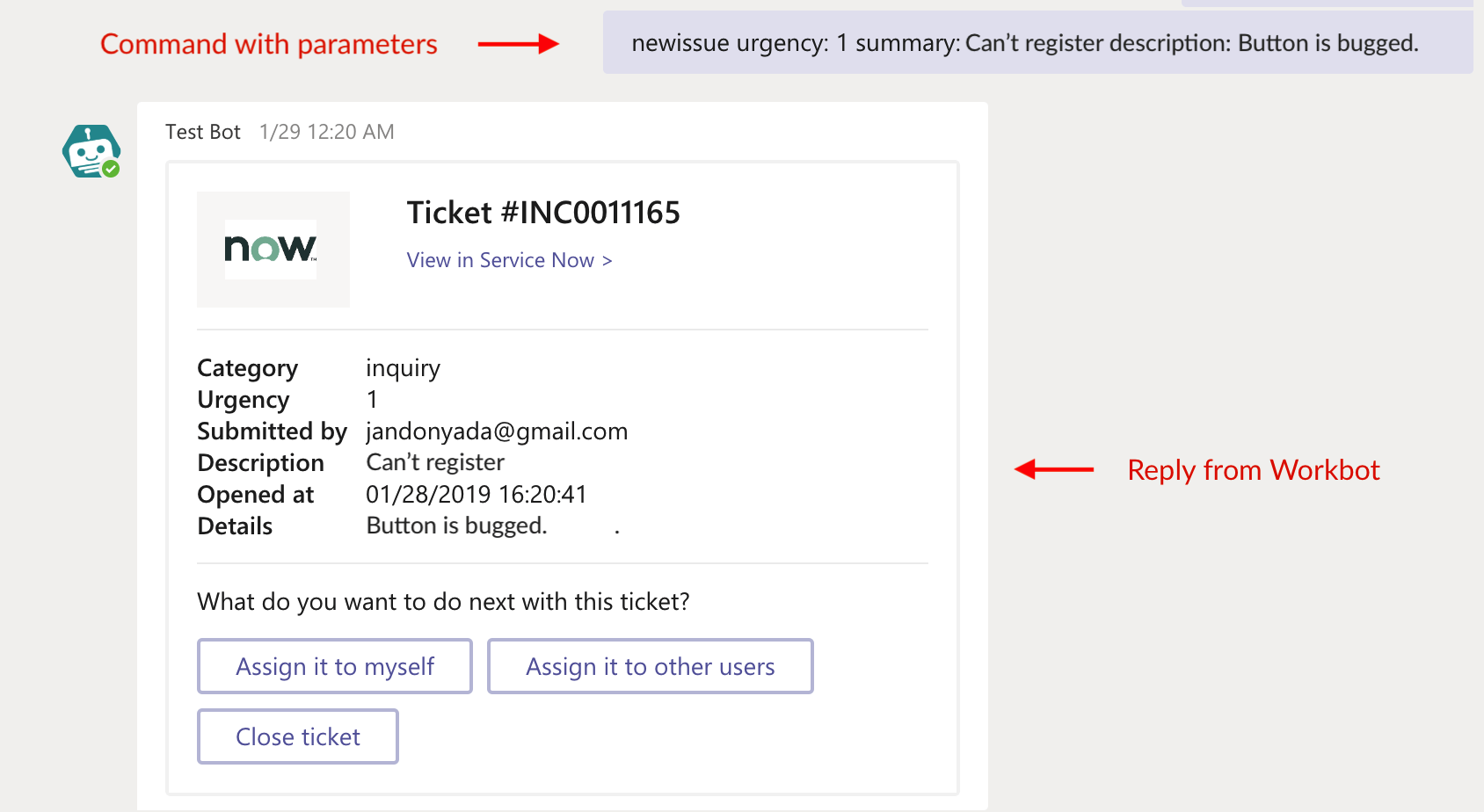
Workato is an enterprise iPaaS, and Workbot is their chatbot product that sits on top of the platform. It lives inside Slack, Microsoft Teams, or Facebook Workplace and uses Workato's automation layer to take action across enterprise apps.
Top features
- Chatbot inside Slack, Microsoft Teams, or Workplace
- Deep integration with Workato's iPaaS for enterprise workflows
- Strong ticket creation and routing capabilities
- AI workflows and agentic features
Pricing: Custom pricing only, sales-led process.
Workbot is a good fit if you're already a Workato customer or you want a chatbot that's really an automation layer in disguise. If you're not on Workato, it's a bigger commitment than the other options here.
5. ManageEngine Zia
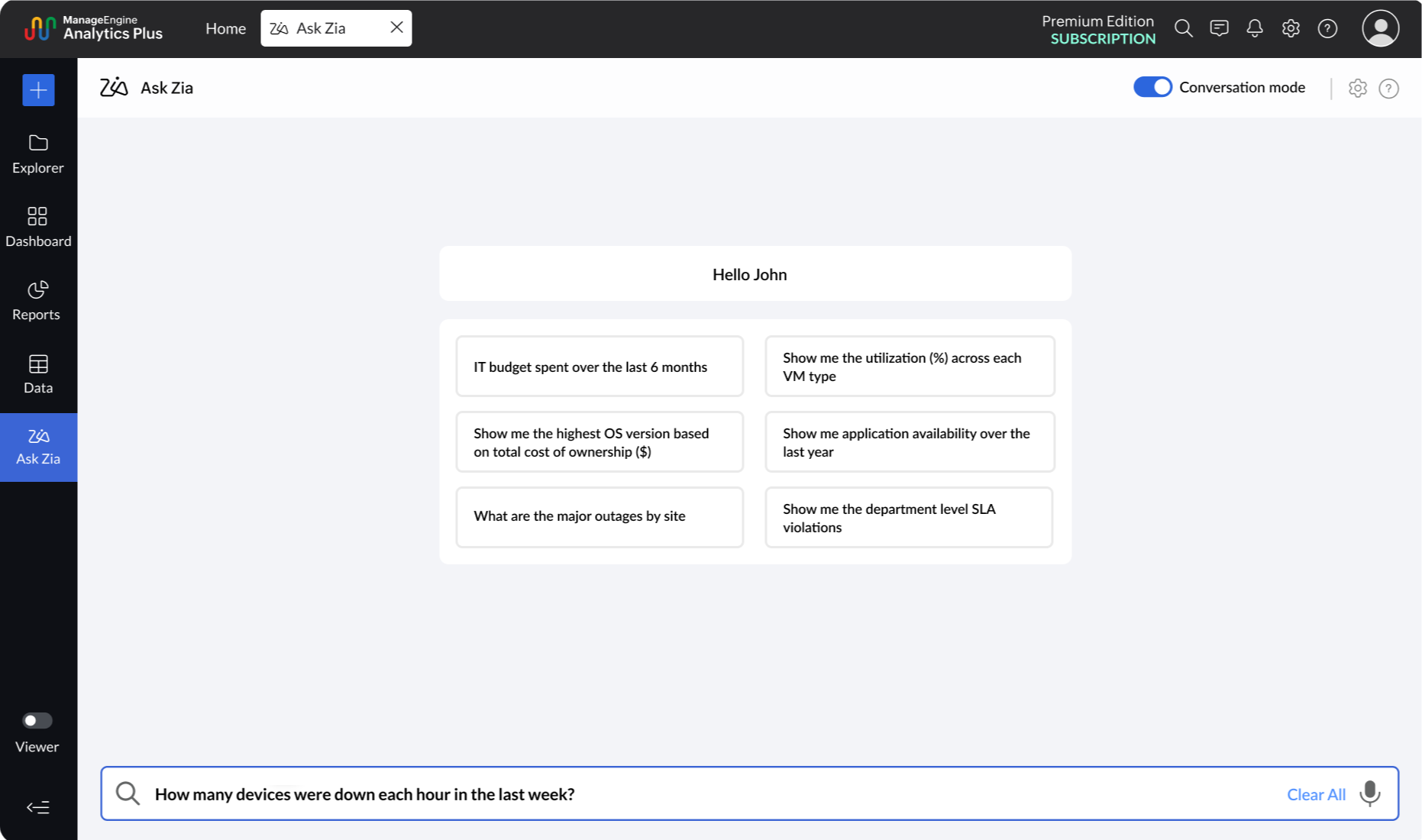
ManageEngine's Zia is the AI assistant inside ServiceDesk Plus, Zoho's ITSM product. It's been on the market a long time and is well-integrated into the ManageEngine ecosystem.
Top features
- Hands-free service management inside ServiceDesk Plus
- Contextual responses pulled from the knowledge base
- Available in third-party tools like Jira
- Multi-channel support including voice
Pricing: Bundled with ServiceDesk Plus, which starts around $10/technician/month for the Standard tier. AI features generally require higher tiers.
ManageEngine is a strong value option if you're already in the Zoho ecosystem or you want a budget-friendly ITSM with built-in AI. It's less polished than newer tools but it gets the job done.
Final thoughts
A service desk chatbot used to be a glorified FAQ widget. In 2026, the good ones are AI agents that understand context, take real actions across your enterprise systems, and resolve issues end-to-end for both employees and customers. The line between internal IT service desk and external customer support has blurred, and the platforms that handle both well will save you from running two separate stacks.
Featurebase is a modern AI-powered support platform that combines an omnichannel inbox, Fibi AI Agent, an AI-powered help center, and 3 ticket types (customer, back-office, and tracker) in one place. That means your support team can handle external customer tickets, your IT team can run internal back-office requests, and your product team can manage bug tracker tickets, all from the same workspace, with shared automations and a single help center backing it.
It comes with a Free plan and affordable paid plans starting at $29/seat/month, so there's no downside to trying it. 👇
✨ Automate your support with the fastest AI-enhanced Inbox today →