Blog Customer Service15 Best Service Help Desk Software Tools in 2026 (+ How to Choose the Right One)
15 Best Service Help Desk Software Tools in 2026 (+ How to Choose the Right One)
If every help desk tool starts to look the same after a while, you’re not alone. This guide breaks down 15 of the best service help desk software tools for 2026, from customer support platforms to IT service management systems, so you can find the one that actually fits your workflow.



✨ Automate your support with the fastest AI-enhanced Inbox today →
Service help desk software helps support teams manage customer requests, organize tickets, improve response times, and deliver better customer satisfaction across multiple channels.
But choosing the right platform is not easy.
Some desk software tools focus on basic ticket management. Others include self-service capabilities, a self-service portal, AI features, reporting, knowledge base functionality, asset management, and broader service management workflows.
That is why it helps to compare the options before choosing one.
In this guide, we review the 15 best service help desk software tools for 2026, including the top options for SaaS companies, customer support teams, IT teams, and growing businesses that need a flexible help desk system.
Short answer:
- If you want the best all-in-one service help desk software for modern SaaS teams, use Featurebase✨.
- If you want mature enterprise-ready help desk software, use Zendesk.
- If you want flexible helpdesk software for growing teams, use Freshdesk.
- If you want a strong service desk system for internal teams and service management, use Jira Service Management or Freshservice.
- If you want affordable, self-hosted helpdesk ticketing software, use osTicket or Hesk.
See the full list below for a closer look at all the tools.👇
TL;DR - comparison table of the best service help desk software tools for 2026
| Platform | Best fit for | Key strength | Pricing |
|---|---|---|---|
| ✨Featurebase | Product-led SaaS teams | Support, knowledge base, feedback, and AI in one platform | Free plan; paid plans start at $29/seat/month, with AI resolutions at $0.29 each |
| Zendesk | Larger support teams | Mature omnichannel support, automation, and reporting | Starts at $19 per agent/month billed annually |
| Freshdesk | Growing support teams | User friendly desk software with automation and self service | Starts at $19 per agent/month billed annually; free program for 1–2 agents for 6 months |
| Zoho Desk | Budget-conscious teams | Balanced help desk software with strong value | Free plan for up to 3 users; paid plans start at $7/user/month billed annually |
| Jira Service Management | IT and internal teams | Templates, workflows, and automation for service management | Free plan for up to 3 agents; paid plans start at $20 per agent/month |
| Freshservice | IT and employee service teams | ITSM, service catalog, and asset-aware workflows | Starts at $19 per agent/month billed annually; Enterprise uses custom pricing |
| HappyFox | Structured support operations | Omnichannel ticketing and cross-team support workflows | Agent-based pricing starts at $21 per agent/month |
| ManageEngine ServiceDesk Plus | IT help desk teams | Help desk plus asset management | Starts at $13 per technician/month; free Standard edition for up to 5 technicians |
| ServiceNow CSM | Enterprise service organizations | Deep customer service management and workflow automation | Custom pricing |
| Help Scout | Email-first support teams | Shared inbox, help center, and simple self service | Free plan for up to 5 users; paid plans start at $25 per user/month |
| HubSpot Service Hub | CRM-centric support teams | Customer service software tied to CRM and automation | Free plan for up to 2 users; paid plans start at $20/seat/month |
| LiveAgent | Multichannel teams on a budget | Ticketing, live chat, and phone in one system | Starts at $15 per agent/month billed annually |
| Desk365 | Microsoft-centric teams | Easy deployment and unified inbox across Teams, email, and web forms | Starts at $12 per agent/month billed annually; free plan for up to 50 tickets/month |
| osTicket | Self-hosted and open source teams | Free open source ticketing system with cloud-hosted option | Free self-hosted version; cloud-hosted pricing not publicly listed |
| Hesk | Small businesses and lean teams | Simple, secure, user friendly help desk | Free self-hosted version; Hesk Cloud starts at $29.99/month |
What is service help desk software?
Service help desk software is a desk system that helps a company manage support tickets, customer queries, service requests, and internal workflows in one place.
At a basic level, help desk software lets teams create, assign, prioritize, and track tickets from email, chat, phone, and web forms. More advanced helpdesk ticketing software adds automation, a knowledge base, reporting, self-service capabilities, and service management features.
You will also see related terms like helpdesk software, helpdesk ticketing system, ticketing system, and help desk system. In practice, they overlap a lot. The main difference is usually scope:
- Help desk software usually focuses on customer support or internal support tickets.
- Service desk software often includes broader service management workflows.
- Helpdesk ticketing software emphasizes the system used to capture, route, and resolve requests.
The best platforms support customers across multiple channels, route requests to the appropriate agents, keep support staff on the same page, and make it easier to manage ticket volume without losing context.
How we evaluated these service help desk software tools
We focused on one question:
Which service help desk software tools actually help teams resolve requests faster, improve customer satisfaction, and scale without creating more complexity?
To answer that, we looked at:
- ticket management and support tickets
- self-service capabilities and portal quality
- knowledge base functionality
- automation and AI features
- support for multiple channels
- reporting and customer satisfaction tracking
- security and admin controls
- asset management where relevant
- intuitive interface and user-friendly setup
- ability to integrate with existing tools
- pricing flexibility and total cost
We also looked at how well each solution fits different use cases. Some tools are built mainly for customer support. Others are better for service management, internal teams, or cross-functional support teams.
The 15 best service help desk software tools for 2026
1. Featurebase✨

Featurebase is our top pick for the best service help desk software for modern product-led SaaS teams.
It brings together support, self-service, and product communication in one place, which makes it a strong fit for startups that want fewer tools and a more connected customer-facing workflow. Instead of using separate tools for ticketing, help center content, feedback, and updates, teams can manage everything from one platform. It’s already used by companies like Raycast, Polymarket, and n8n.
Key features
- Omnichannel inbox
- Live chat, email, and Slack support
- AI agent and AI Copilot
- Help center with AI search
- Workflows and automations
- SLAs
- Multi-brand support
- Automatic translations
- Mobile app
- Feedback collection and roadmap tools
- Product updates and changelog tools
- Integrations with Slack, Linear, Jira, HubSpot, and more
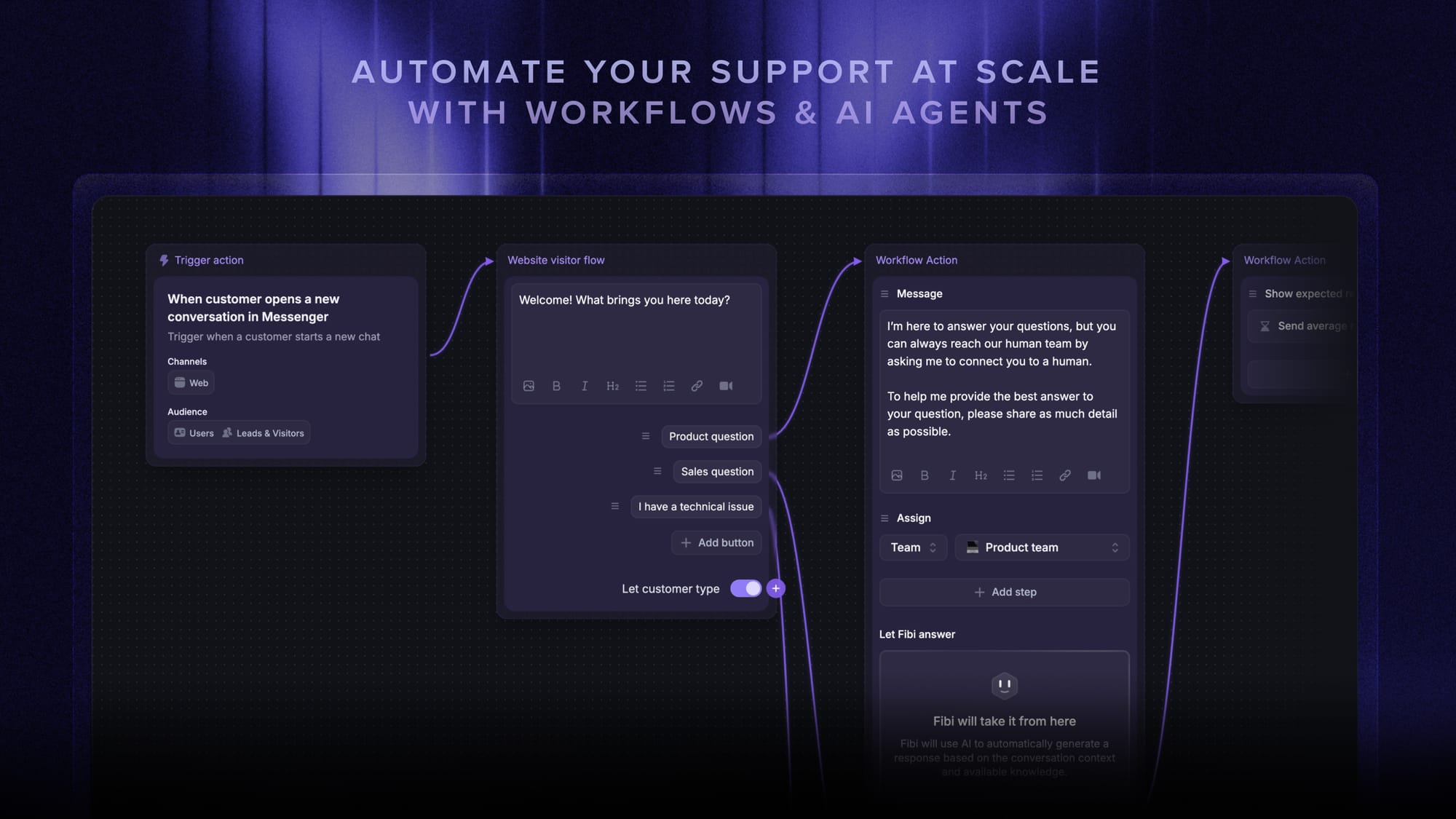
Featurebase is on this list because it covers the core service help desk software needs that modern SaaS teams care about: multiple channels, self-service capabilities, knowledge base support, automation, AI features, and fast setup. What makes it stand out is that it goes beyond a standard help desk system by also including feedback tools and product updates, which helps teams not only support customers faster but also build products users love.
Best for: Product-led SaaS teams
Pricing: Featurebase has a free plan, and its paid plans start at $29/seat/month for Growth, $59/seat/month for Professional, and $99/seat/month for Enterprise, all billed yearly, with AI resolutions charged at $0.29 each.

Get the fastest AI-powered Help Desk
Support your customers from anywhere with an AI-powered omnichannel inbox
2. Zendesk

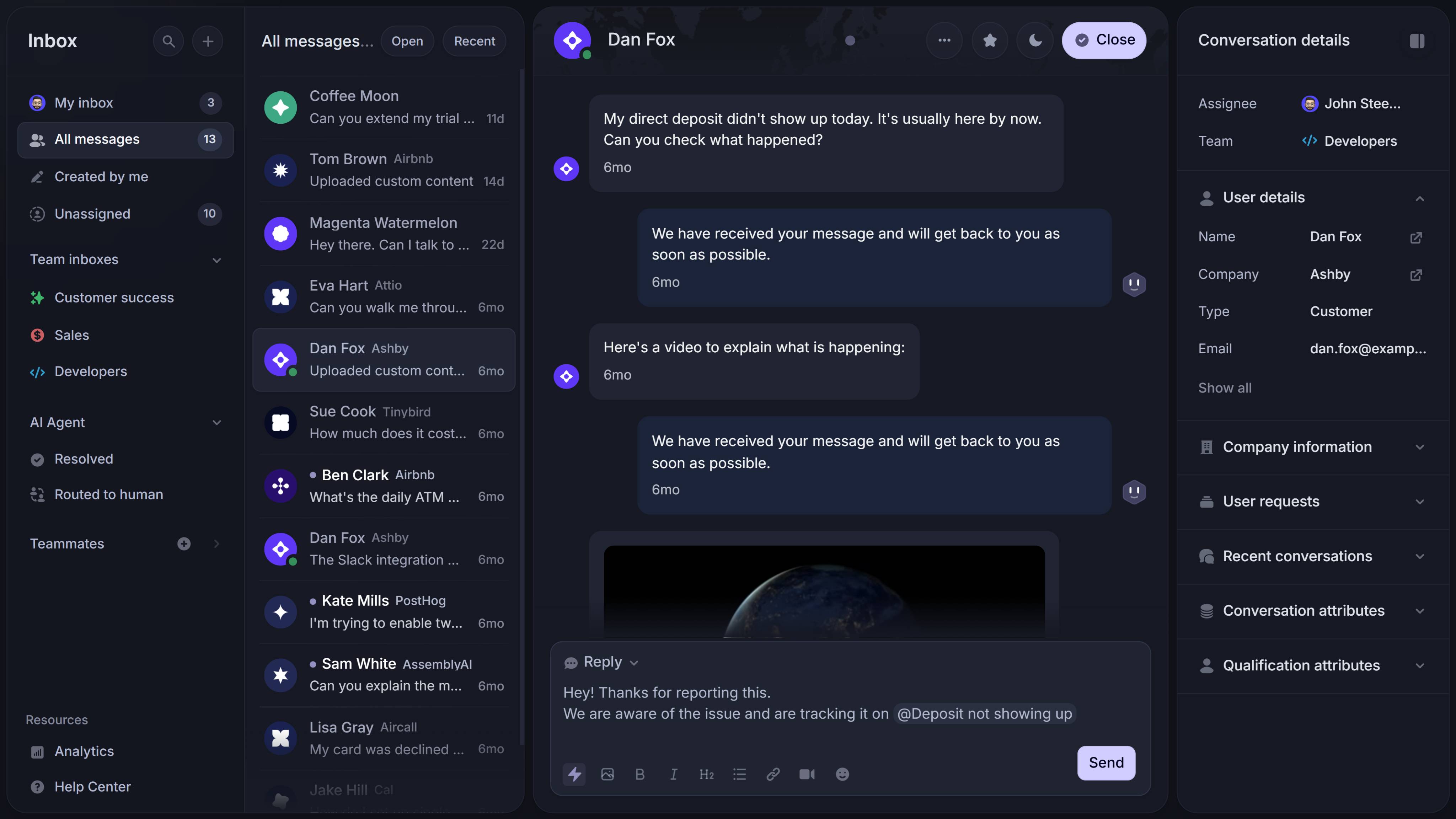
Zendesk is one of the most established names in help desk software, and it remains a strong choice for teams that need a mature, scalable platform.
Its pricing and support pages position Zendesk around core support, AI agents, Copilot, and full customer service suites, which makes it a strong fit for businesses that need multichannel support, automation, reporting, and security at scale.
Key features
- Omnichannel support
- AI agents and Copilot
- Help center and self-service
- Automation and routing
- Reporting and analytics
- Enterprise security controls
Zendesk is on this list because it performs well across almost every evaluation criterion: ticket management, multiple channels, automation, reporting, integrations, and security. It is one of the safest choices for support teams that want a proven help desk system with room to scale. The tradeoff is that smaller teams may find it heavier and more expensive than they need.
Best for: Larger support teams
Pricing: Zendesk’s pricing starts at $19 per agent/month billed annually for Support Team, while Suite Team is $55, Suite Professional is $115, and Suite Enterprise is $169 per agent/month billed annually. Monthly billing is also available at higher rates.
3. Freshdesk
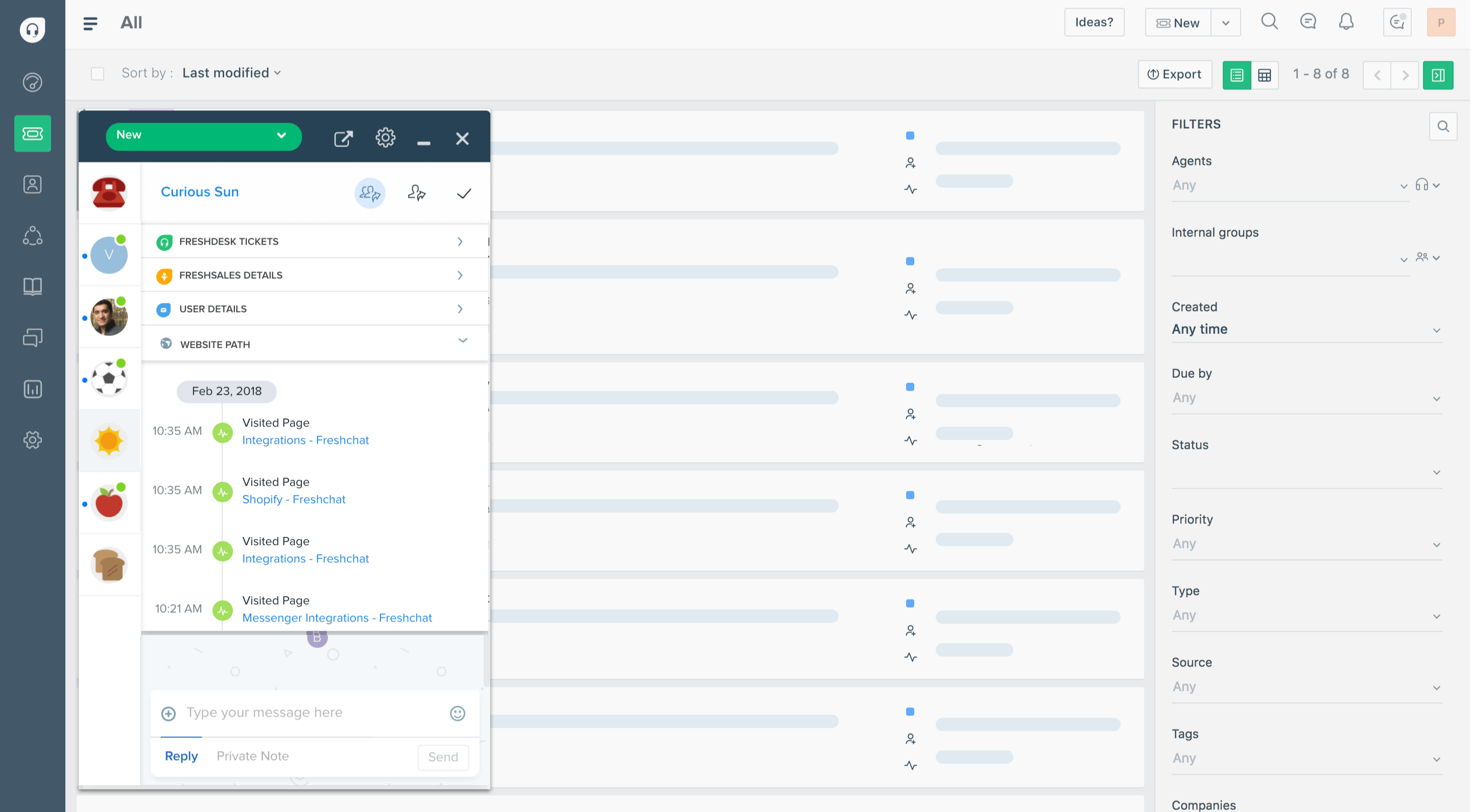
Freshdesk is a popular service help desk software option for teams that want a flexible platform with strong core support features and a relatively easy setup.
Freshworks positions it as an AI-powered customer service solution, and its pricing pages emphasize help desk capabilities like ticketing, self-service, automation, and multichannel support.
Key features
- Ticket management
- Workflow automation and routing
- Knowledge base
- Self-service portal
- Multichannel support
- Reporting and AI-assisted workflows
Freshdesk is on this list because it performs well across the core evaluation criteria that matter for most support teams. It offers strong ticket management, useful self-service capabilities, a solid knowledge base, and sufficient reporting and automation to help teams handle ticket volume without moving to a heavier enterprise setup. It is also more user-friendly than many service-management-first tools. Its main limitation is that it is less deep on asset management and internal IT workflows than tools like Freshservice or ManageEngine ServiceDesk Plus.
Best for: Growing support teams
Pricing: Freshdesk’s pricing starts at $19 per agent/month billed annually for Growth, while Pro is $55 and Enterprise is $89 per agent/month billed annually. It also offers a free program for 1–2 agents for 6 months, and Freddy AI Agent includes the first 500 sessions, then costs $49 per 100 sessions.
4. Zoho Desk
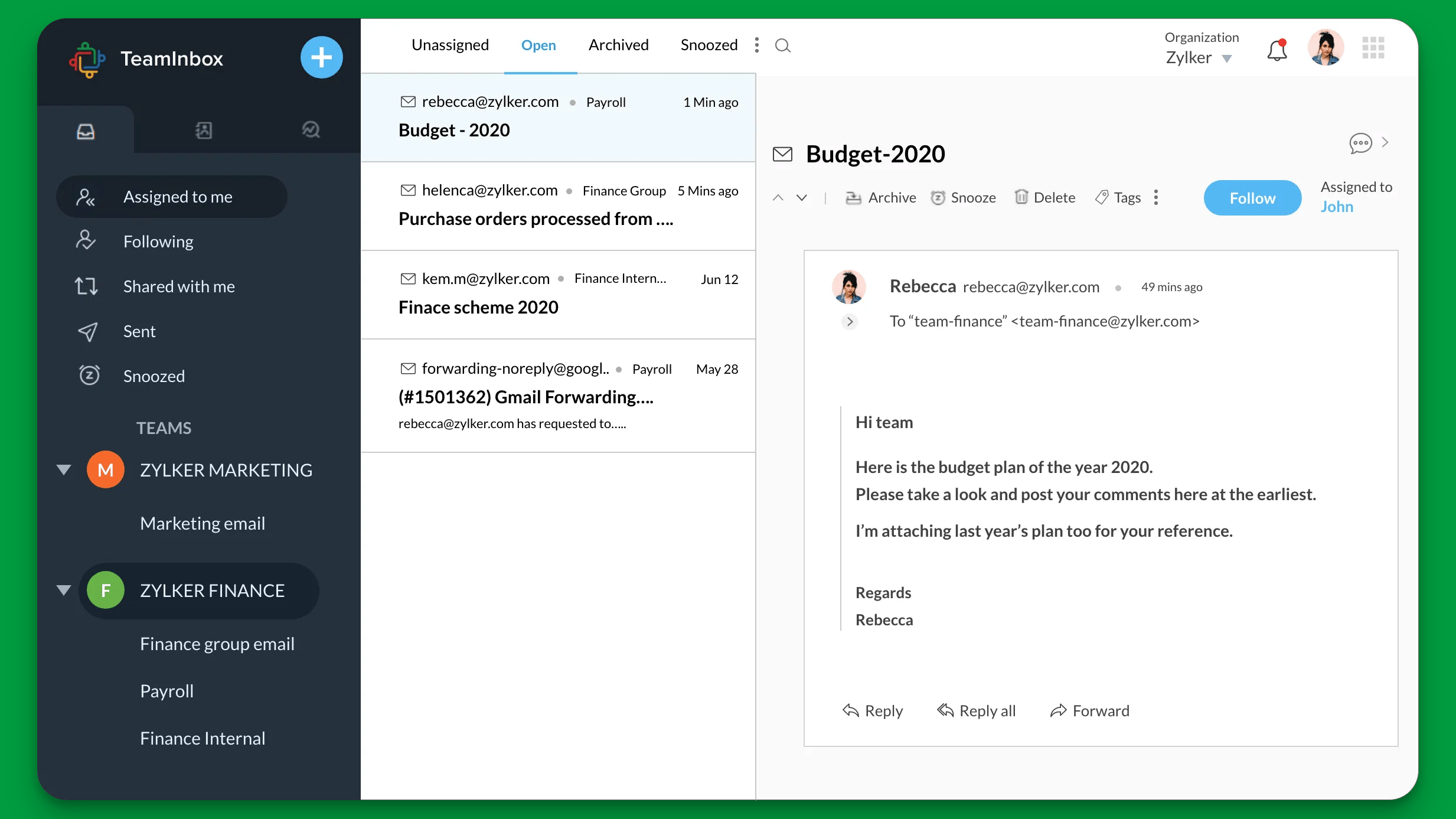
Zoho Desk is one of the best help desk software options for teams that want balanced functionality at a lower cost.
Zoho describes it as customer service help desk software for happier customers and empowered agents, with a free edition and broader plan comparison pages for evaluating features.
Key features
- Ticket management
- Knowledge base
- Self-service portal
- Workflow automation
- Reporting
- Third-party and Zoho integrations
Zoho Desk is on this list because it scores well on value. It covers the essentials that matter most for help desk buyers - ticket management, self-service capabilities, reporting, automation, and knowledge base support - without pushing teams into enterprise-level costs too early. The main tradeoff is that it does not feel as premium or as deep as some higher-end tools in reporting, workflow customization, or advanced service management.
Best for: Budget-conscious teams
Pricing: Zoho Desk offers a Free plan for up to 3 users, while its paid plans start at $7/user/month billed annually for Express, $14 for Standard, $23 for Professional, and $40 for Enterprise. Local taxes may apply.
5. Jira Service Management
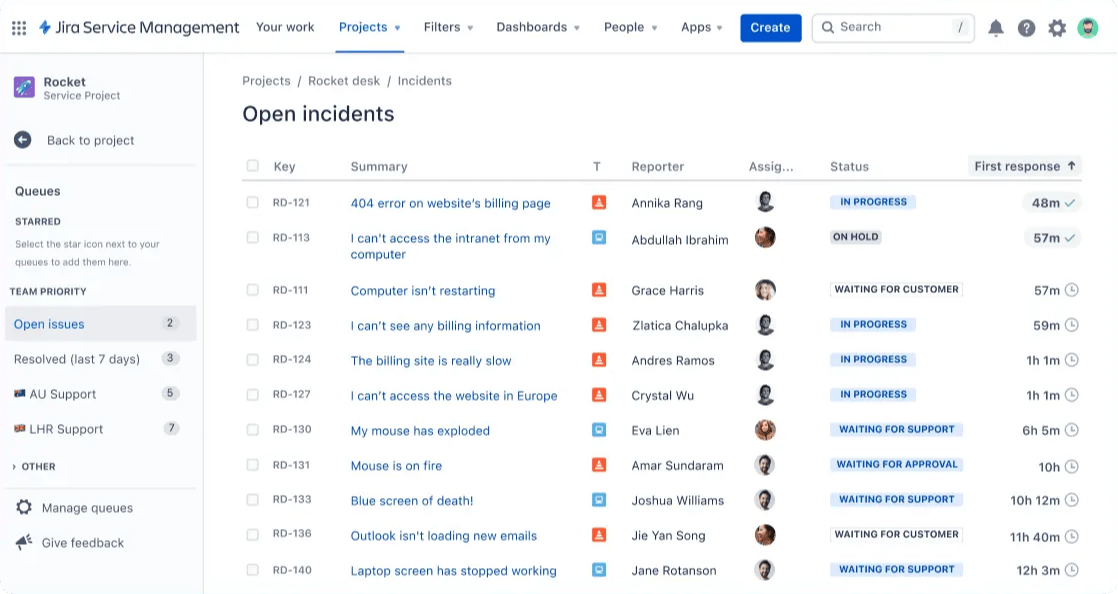
Jira Service Management is one of the strongest service desk system choices for internal support teams and operational workflows.
Atlassian highlights pre-configured templates, request types, workflows, automation, alerts, on-call schedules, and incident support, which makes it especially relevant for structured service management rather than just basic ticketing.
Key features
- Request management
- Workflow automation
- Service templates
- Incident support
- Alert routing and escalation
- Collaboration across teams
Jira Service Management is on this list because it scores highly on workflow structure, security, service management depth, and internal request handling. It is especially strong for teams that need support requests routed through well-defined processes. The tradeoff is that it is not as naturally lightweight or customer-facing as simpler help desk software built mainly for external support.
Best for: IT teams and internal service teams, and existing users of Atlassian products.
Pricing: Jira Service Management has a Free plan for up to 3 agents, while Standard is $20 per agent/month, Premium is $51.42 per agent/month, and Enterprise requires annual billing and a custom sales quote. Atlassian also includes Rovo Customer Service at $1 per resolution
6. Freshservice
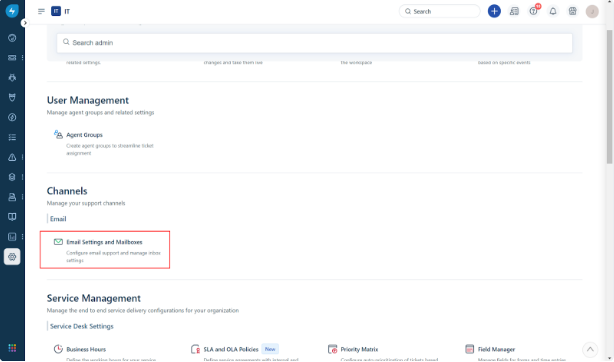
Freshservice is one of the best fits on this list for teams that need broader service management, not just customer support ticketing.
Freshworks positions it as an IT service management platform with pricing from $19/month and a free plan, alongside separate asset management capabilities and add-ons.
Key features
- ITSM workflows
- Service catalog
- Automation and AI
- Reporting
- Employee service workflows
- Asset-aware operations
Freshservice is on this list because it performs well on the criteria that matter most for service management buyers: workflow structure, reporting, security, automation, and operational depth. It is a better fit than standard customer support tools when your team needs structured internal services and asset-aware workflows. The tradeoff is that it is more ITSM-oriented than customer-support-oriented, so it may feel heavier than necessary for simpler support teams.
Best for: IT and employee service teams
Pricing: Freshservice’s pricing starts at $19 per agent/month billed annually for Starter, while Growth is $49 and Pro is $99 per agent/month billed annually. Enterprise uses custom pricing, and Freshworks highlights that Freddy AI is included at that tier.
Since both Freshdesk and Freshservice are on this list, it’s worth reading our Freshdesk vs Freshservice guide if you’re comparing the two.
7. HappyFox
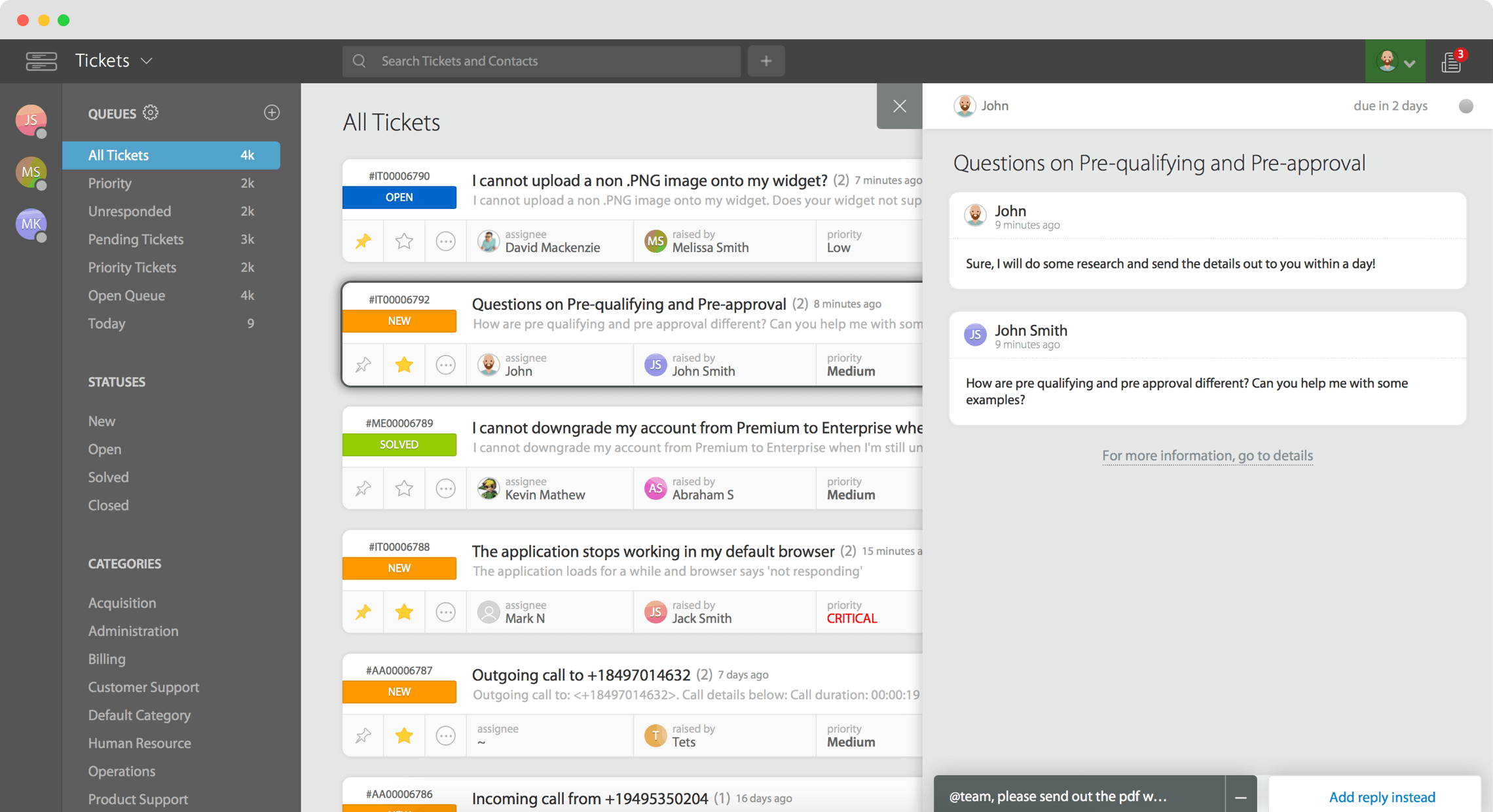
HappyFox is a strong choice for teams that want tighter control over how support requests move through the system.
Its pricing and product pages position it as an online help desk and web-based support ticket system with workflow automation, AI assistance, chat, reporting, and agent-based pricing.
Key features
- Support ticket management
- Workflow automation
- Knowledge base
- Omnichannel ticket creation
- SLA management
- Reporting and BI tools
HappyFox is on this list because it scores well on ticket management, workflow control, and process consistency. It is a good fit when teams care about structured routing, SLA-driven operations, and keeping support work organized across departments. The tradeoff is that it feels more operational than lightweight, so teams prioritizing a very simple or modern UI may prefer alternatives like Help Scout or Freshdesk.
Best for: Structured support operations
Pricing: HappyFox uses agent-based pricing, with Basic at $21 per agent/month, Team at $39, and Pro at $89 per agent/month. Enterprise Pro requires contacting sales for custom pricing, and the Basic plan is capped at 5 agents.
8. ManageEngine ServiceDesk Plus
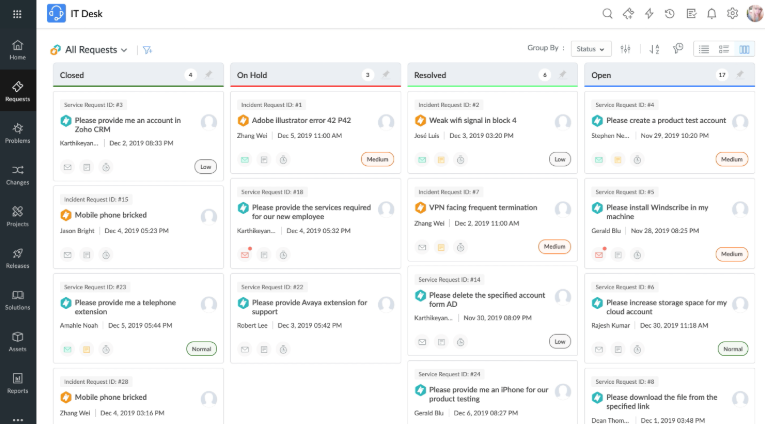
ManageEngine ServiceDesk Plus is one of the best choices for teams that want help desk and asset management in the same system.
ManageEngine positions it as help desk software with integrated asset and project management, available in Standard, Professional, and Enterprise editions, with pricing starting at $0.
Key features
- IT help desk workflows
- Asset management
- Service management editions
- Reporting
- Multiple deployment options
- Scalable plan structure
ManageEngine ServiceDesk Plus is on this list because it performs especially well on service management depth, asset management, and internal operations support. It is a stronger fit than general customer support tools when your team needs to manage systems, resources, and structured IT workflows in the same place. The tradeoff is that it is more technical and operations-heavy than a typical customer-facing help desk.
Best for: IT help desk teams
Pricing: ManageEngine ServiceDesk Plus pricing starts at $13 per technician/month for Standard, $27 for Professional, and $67 for Enterprise. It also offers a free Standard edition for up to 5 technicians, while paid tiers can include IT asset management based on edition and asset count.
9. ServiceNow Customer Service Management
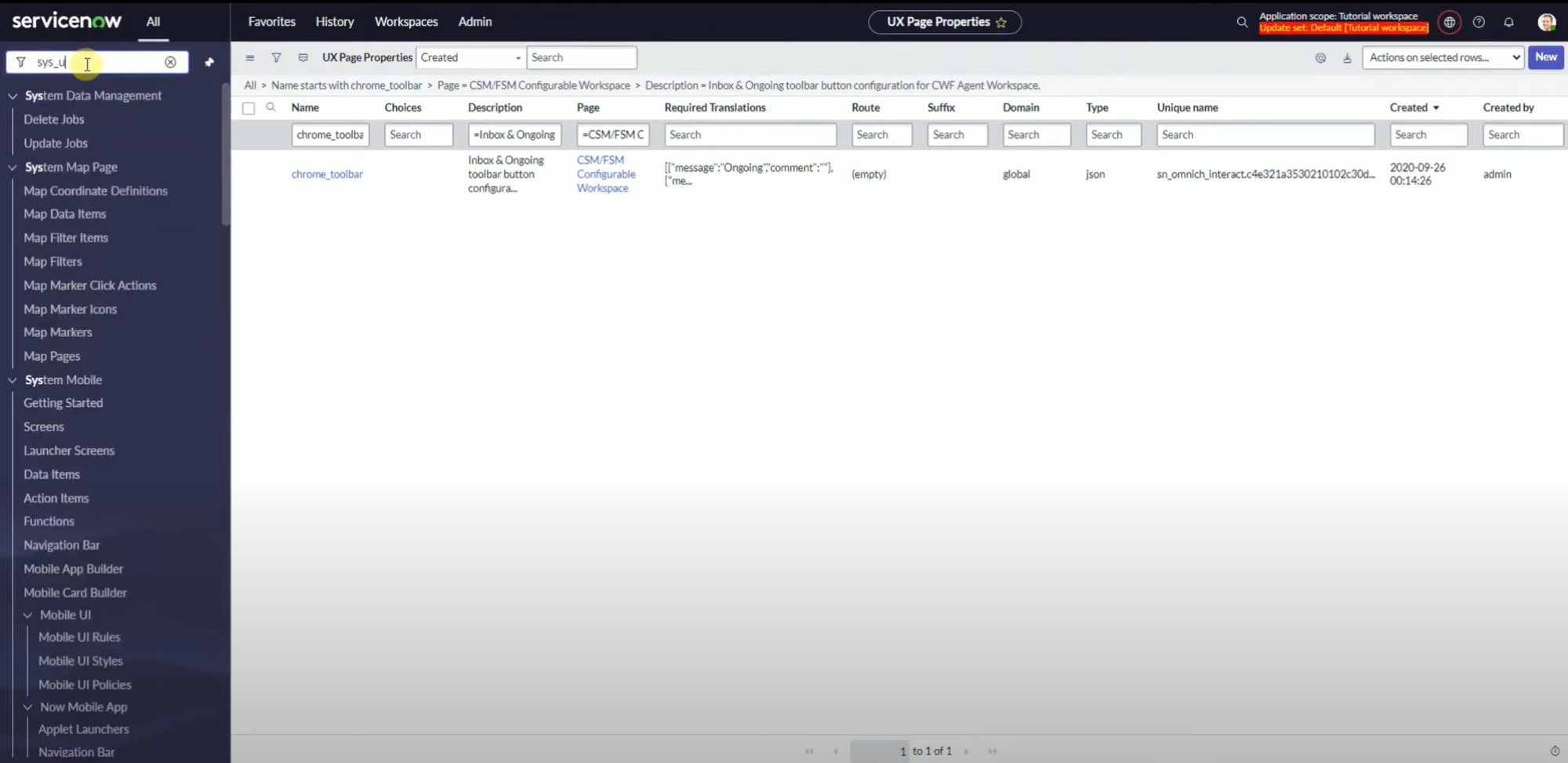
ServiceNow CSM is the most enterprise-focused option on this list.
HubSpot and ServiceNow’s own product pages frame modern customer service software around AI-powered service, retention, self-service, and large-scale service operations, while ServiceNow’s pricing is handled through custom enterprise packages rather than simple public seat tiers.
Key features
- Customer service management workflows
- Self-service
- Agent productivity tools
- Enterprise workflow orchestration
- Reporting and analytics
- Strong security and governance
ServiceNow is on this list because it scores highly on enterprise workflow depth, service management structure, security, and cross-functional coordination. It is a strong fit for organizations where support spans multiple departments and systems. The tradeoff is that it is usually too complex and too heavyweight for smaller teams that mainly want a user-friendly help desk.
Best for: Enterprise service organizations
Pricing: ServiceNow Customer Service Management uses custom package-based pricing. Its current packages include CSM Standard, CSM Professional, CSM Pro Plus, CSM Enterprise, and CSM Enterprise Plus, and you need to request a custom quote to get current pricing for your organization.
10. Help Scout
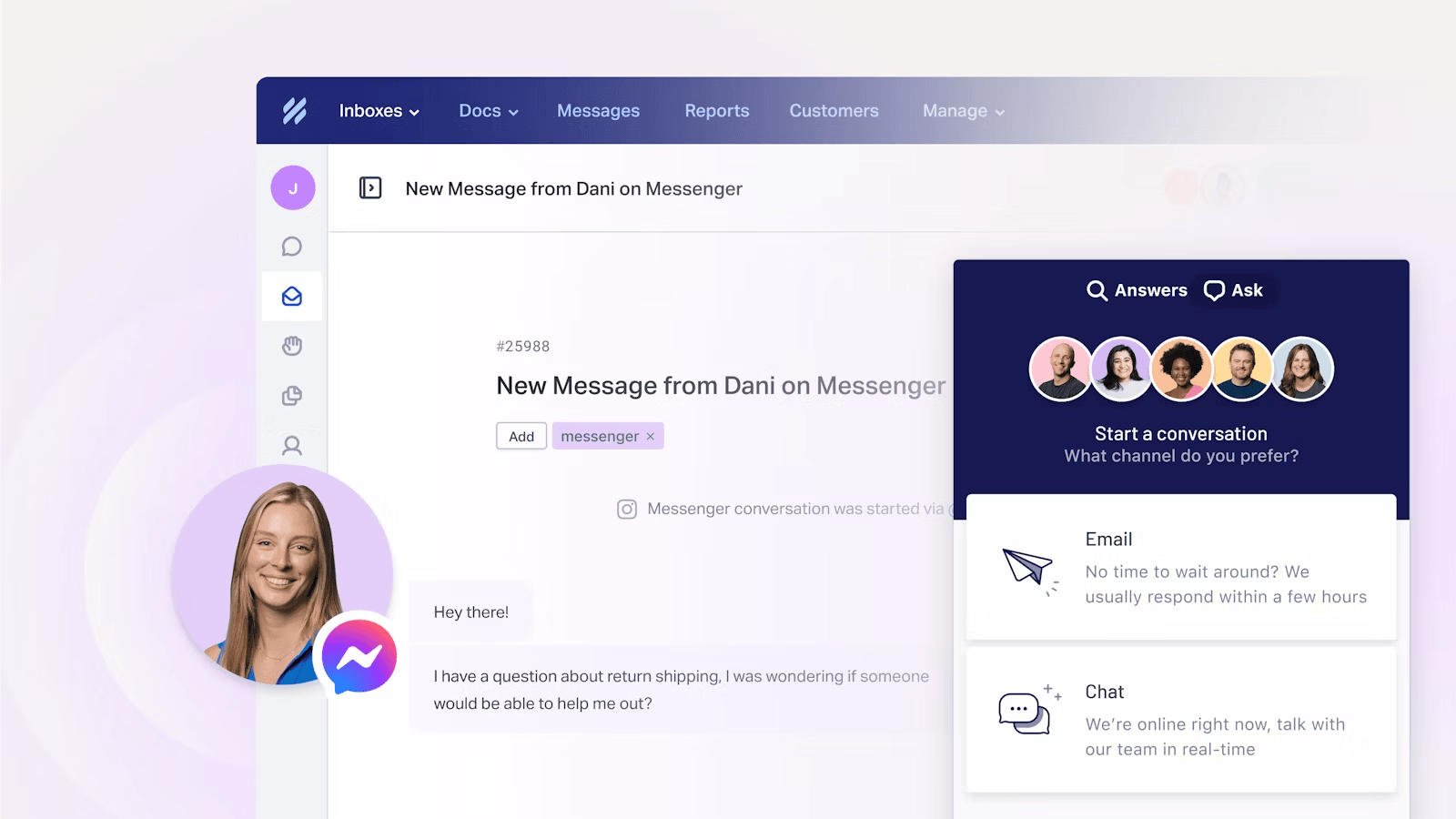
Help Scout is one of the strongest lightweight tools on this list for teams that want clean customer support workflows without a lot of complexity.
Help Scout frames itself around a shared inbox, help center, live chat, and fast onboarding, with pricing built for growing businesses and a free plan available.
Key features
- Shared inbox
- Help center
- Self-service support
- Customer communication tools
- Knowledge base
- Fast onboarding
Help Scout is on this list because it scores well on usability, knowledge base support, self-service, and day-to-day customer communication. It is especially strong for teams that want a simple, intuitive interface and do not need deep service management or asset management features. The tradeoff is that it is lighter on advanced workflow structure and operational depth than Jira Service Management, Freshservice, or ServiceNow.
Best for: Email-first support teams
Pricing: Help Scout offers a Free plan for up to 5 users, while Standard is $25 per user/month, Plus is $45, and Pro is $75 per user/month. Its AI Answers add-on costs $0.75 per resolution, with a 3-month free trial available.
11. HubSpot Service Hub
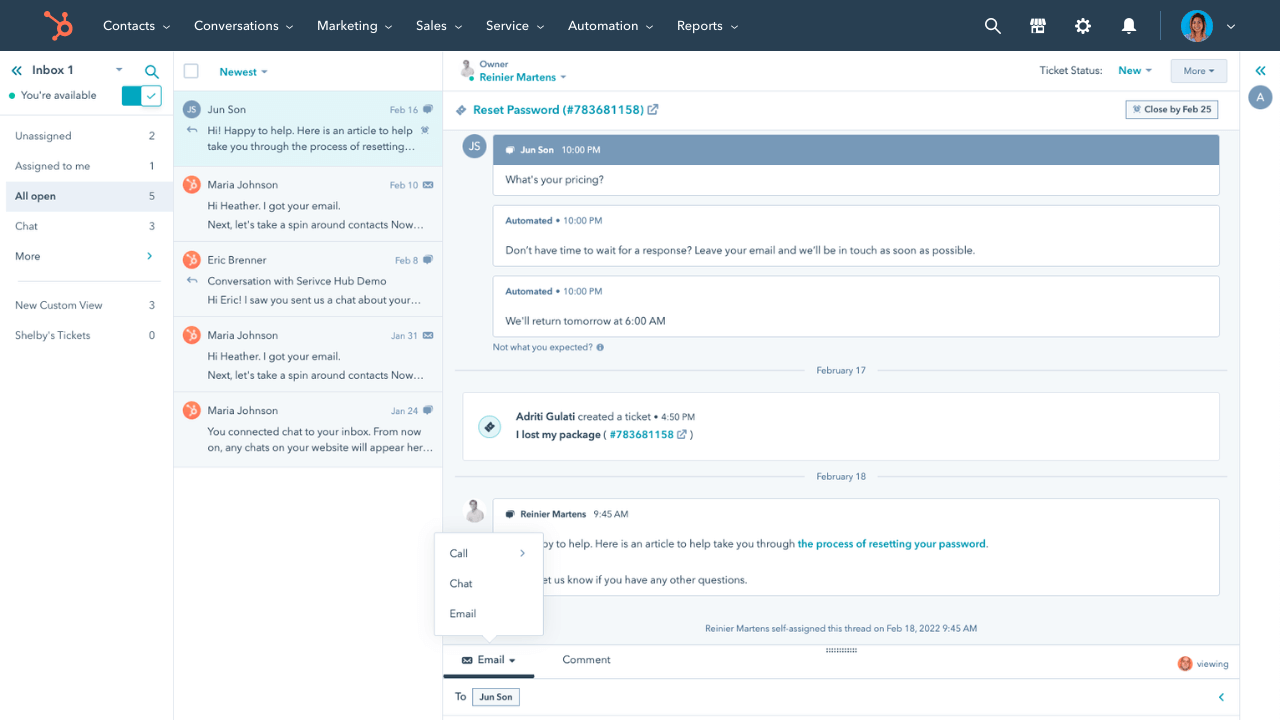
HubSpot Service Hub is a strong fit for teams that want customer support tied closely to CRM and lifecycle data.
HubSpot positions Service Hub as an AI-powered customer service platform and customer portal solution, with built-in ticketing, customer portal, and knowledge base functionality across free and paid plans.
Key features
- Help desk workspace
- Customer portal
- Knowledge base
- Ticket automation
- Conversation routing
- CRM-connected customer context
HubSpot Service Hub is on this list because it performs well on customer context, automation, self-service, and integration with the wider HubSpot ecosystem. That makes it especially valuable for teams that want support connected to sales, success, and marketing workflows. The tradeoff is that its biggest advantages depend on already being invested in HubSpot, so standalone help desk buyers may find more direct value elsewhere.
Best for: CRM-centric support teams
Pricing: HubSpot Service Hub offers a Free plan for up to 2 users, while paid plans start at $9/seat/month for Starter, $90/seat/month for Professional, and $150/seat/month for Enterprise. HubSpot also notes a required one-time onboarding fee of $1,500 for Professional and $3,500 for Enterprise.
12. LiveAgent
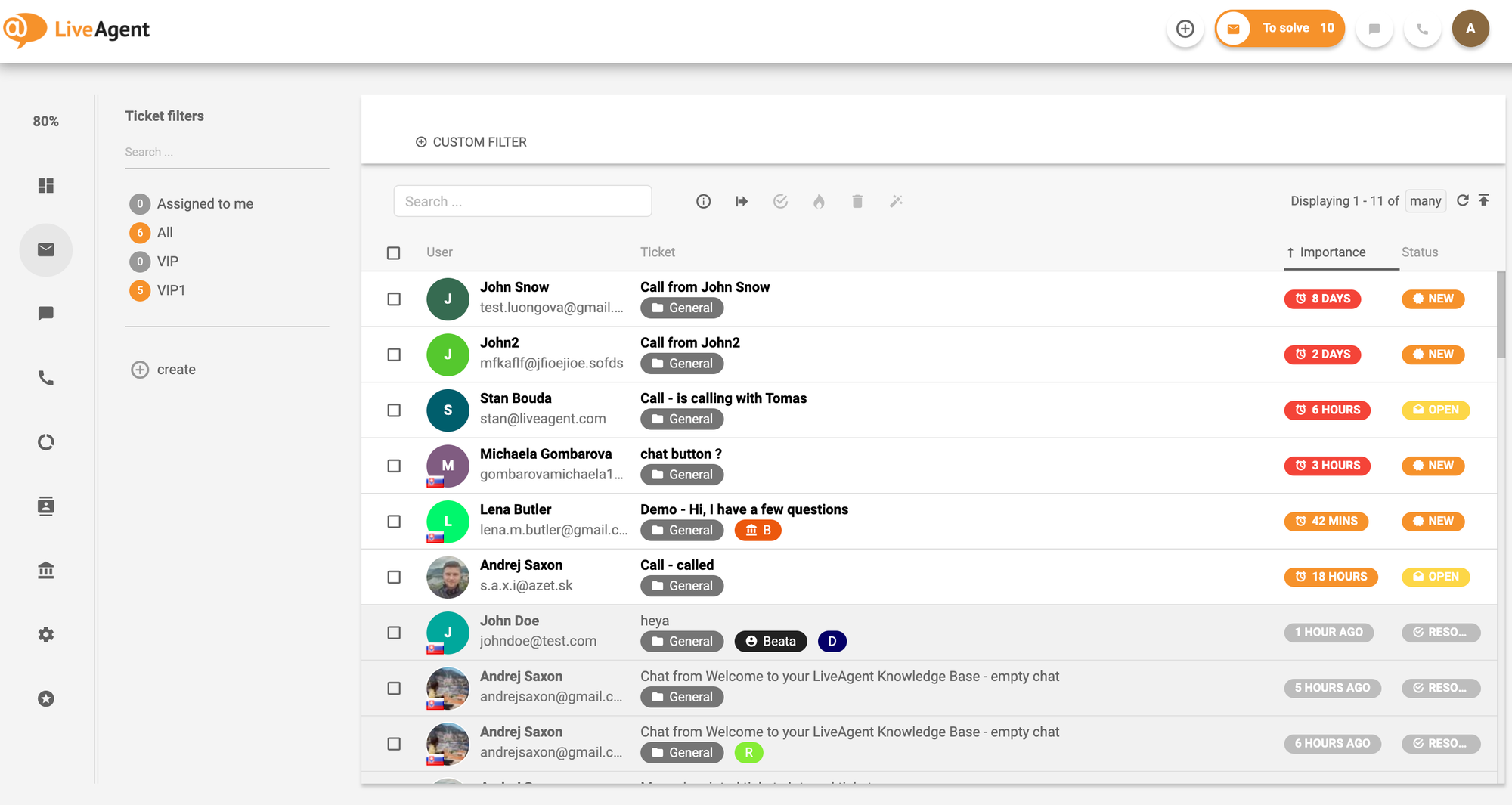
LiveAgent is a strong value option for teams that need broad channel coverage without paying premium platform prices.
Its pricing and product pages emphasize affordable plans, a 30-day free trial, and support for ticketing, live chat, social helpdesk, and voice helpdesk.
Key features
- Ticketing system
- Live chat
- Phone support
- Multichannel support
- Reporting
- Free trial
LiveAgent is on this list because it scores well on multiple channels and overall value. It is especially useful for support teams that need chat, phone, and ticketing in one place at a lower cost than many enterprise competitors. The tradeoff is that it is less polished and less deep on advanced automation or service management than some higher-end platforms.
Best for: Multichannel teams on a budget
Pricing: LiveAgent’s pricing starts at $15 per agent/month, billed annually for Small Business, $29 for Medium Business, $49 for Large Business, and $69 for Enterprise. Monthly billing is available at higher rates.
13. Desk365
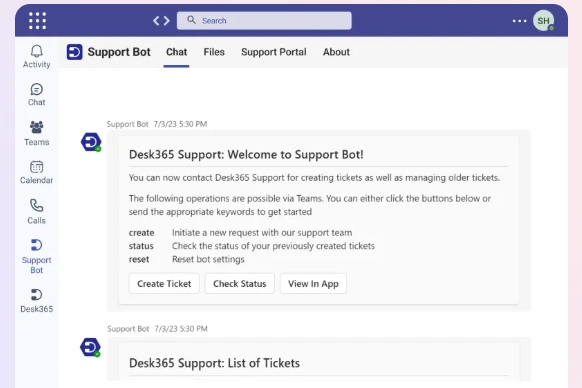
Desk365 is a practical service help desk software option for Microsoft-centric teams.
Its pricing pages emphasize automation, seamless ticket management, and lower total cost compared with more expensive competitors, while recent product updates also highlight advanced security, compliance controls, AI chatbots, and asset management in higher tiers.
Key features
- Seamless ticket management
- Automation
- Reporting
- Email and web-based support
- Microsoft ecosystem fit
- Cost-focused plan structure
Desk365 is on this list because it scores well on affordability, core ticket management, and ease of adoption for teams already using Microsoft tools. It is not the deepest service management platform here, but it gives teams a solid balance of pricing, usability, and core help desk functionality. The tradeoff is that its value is strongest when your company already works heavily inside that ecosystem.
Best for: Microsoft-centric teams
Pricing: Desk365’s pricing starts at $12 per agent/month billed annually for Standard, while Plus is $22 and Premium is $32 per agent/month billed annually. It also offers a lifetime free plan for up to 50 tickets per month, and its AI Agent add-on is priced at $50 per 1,000 credits.
14. osTicket
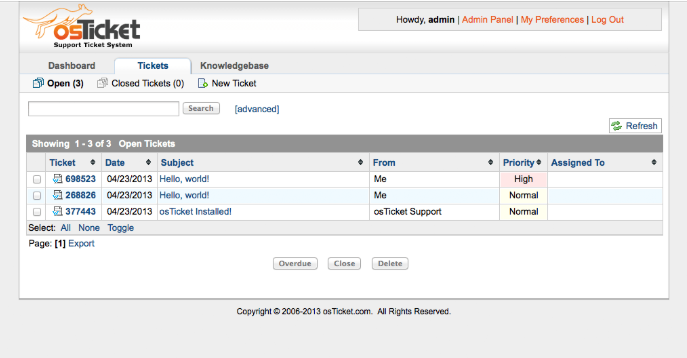
osTicket is one of the most relevant open source ticketing systems in the category.
The official site describes it as a widely used and trusted open source support ticket system that routes inquiries from email, web forms, and API, with both free and hosted editions available.
Key features
- Open source ticketing system
- Customer support portal
- Email and web-based ticket intake
- Cloud-hosted and free editions
- Customizable deployment model
- Core support workflow coverage
osTicket is on this list because it covers the essential evaluation criteria for teams that prioritize control and flexibility: core ticket management, deployment choice, and lower software cost. It is especially relevant for self-hosted teams or businesses that want open source ownership. The trade-off is that it is less polished and less feature-rich in areas such as AI, advanced reporting, and managed self-service than newer SaaS platforms.
Best for: Self-hosted and open source teams
Pricing: osTicket is free to download and use for the self-hosted version. If you prefer a managed setup, it also offers a cloud-hosted option, but the page does not list public pricing for that version.
15. Hesk
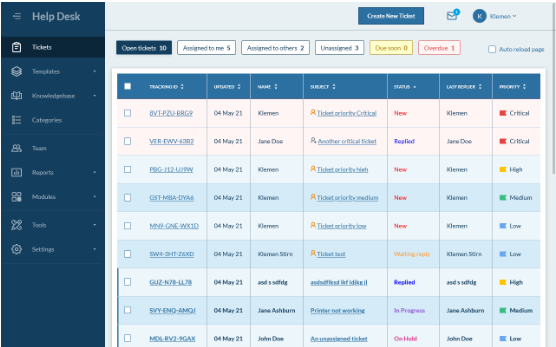
Hesk is a straightforward help desk system built for small and medium-sized teams.
The official site describes it as powerful, flexible, and free help desk software that is easy to set up, manage, and trust, with a built-in knowledge base and an optional license purchase.
Key features
- Free self-hosted help desk
- Knowledge base
- Simple setup
- Secure core ticketing
- Lightweight management
- Optional paid license and cloud option
Hesk is on this list because it performs well on simplicity, affordability, and core ticket management. It is a good fit for teams that want a user-friendly help desk without a lot of configuration overhead. The tradeoff is that it is limited compared with more advanced tools in automation, multiple channels, reporting depth, and broader service management functionality.
Best for: Small businesses and lean teams
Pricing: Hesk Cloud starts at $29.99/month or $299/year for Hesk Cloud, while Hesk Cloud Pro is $49.99/month or $499/year, and Hesk Cloud Max is $99.99/month or $999/year. If you want the self-hosted version instead, Hesk is free to download and use.
Key features to look for in service help desk software
Not every service help desk software platform is built the same way. If you are comparing solutions, here are the features that matter most.
1. Ticket management
A good help desk system should make it easy to create, assign, prioritize, and track tickets. Strong ticket management helps support teams reduce confusion, manage ticket volume, and improve ticket resolution.
2. Self-service capabilities
The best helpdesk software should include self-service capabilities like a self-service portal, knowledge base, and web forms. These features help support customers faster and reduce repetitive customer requests.
3. Knowledge base
A strong knowledge base improves customer satisfaction, reduces repeat support tickets, and gives support staff a better way to provide customers with clear answers.
4. Multiple channels
Modern customer support happens across email, chat, phone, and web. A strong desk software platform should help teams manage all of those channels without losing context.
5. Automation and AI features
Automation helps teams manage repetitive work, route support requests, and keep the right people on the same page. AI features can also summarize tickets, draft replies, and help route customer issues to the appropriate agents.
6. Reporting
Detailed reporting helps a business understand response times, support request trends, customer satisfaction, and areas where resources need to shift.
7. Asset management
For internal IT and service management teams, asset management is often essential. It helps teams manage systems, hardware, software, and related requests from the same platform.
8. Security
Support software often contains customer data and sensitive internal information. Security, permissions, and audit controls matter whether you support external customers or internal users.
9. Intuitive interface
An intuitive interface makes the platform easier for support staff, customer service staff, and other teams to adopt. That matters more than many buyers expect.
10. Flexible integrations
The right tool should integrate with the rest of your business stack so your team can manage communication, data, and workflows without constantly switching systems.
Resolve 70% of customer requests with AI
Automatically resolve customer issues & cut down support loads for your team
How to choose the right service help desk software
The best choice depends on your workflow, team size, and the kind of service you want to deliver.
- Choose Featurebase if you want a modern platform for support, self-service, and product feedback in one place.
- Choose Zendesk if you need mature functionality, extensive reporting, and a flexible enterprise-ready help desk.
- Choose Freshdesk if you want a well-rounded help desk software option for a growing customer support team.
- Choose Zoho Desk if you want strong functionality at a lower cost.
- Choose Jira Service Management if you need a service desk system for employee requests, internal support, and service management workflows.
- Choose Freshservice if your team needs more ITSM depth, service catalog workflows, and asset-aware operations.
- Choose HappyFox if structured workflows and operational control matter most.
- Choose ManageEngine ServiceDesk Plus if you want help desk plus asset management in one system.
- Choose ServiceNow CSM if your business needs enterprise-grade customer service management across teams and processes.
- Choose Help Scout if you want a clean, lightweight help desk for an email-first team.
- Choose HubSpot Service Hub if your customer support team already works heavily in the HubSpot CRM ecosystem.
- Choose LiveAgent if you need multiple channels at a more affordable price.
- Choose Desk365 if your company already uses Microsoft tools and wants easy deployment.
- Choose osTicket if you want open source flexibility.
- Choose Hesk if you want a straightforward, free, user-friendly help desk.
Conclusion
The right service help desk software should make it easier for your team to manage support requests, reduce repetitive tickets, and deliver a better customer experience.
Featurebase is a modern customer support platform built for SaaS teams. It combines an omnichannel inbox, live chat, AI chatbot, workflows, and a self-service Help Center in one place, so your team can deliver better support while staying closely connected to product feedback and customer needs. Teams like Raycast, Polymarket, and n8n already use Featurebase to power modern customer support.💫
It has a Free plan, and paid plans start at $29/seat/month billed yearly, with AI resolutions priced at $0.29 each. That makes it easy to try without a big upfront commitment.
✨ Deliver faster support with Featurebase →

FAQs
What is the difference between help desk software and service desk software?
Help desk software usually focuses on resolving tickets and customer issues. Service desk software often covers a broader scope, including service management, internal workflows, and sometimes asset management.
What should the best helpdesk software include?
The best helpdesk software should include ticket management, self-service, a knowledge base, reporting, security, and support for multiple channels. AI features and automation are becoming more important, too.
Is helpdesk ticketing software only for customer support?
No. Many platforms also support internal service teams, IT requests, employee workflows, and cross-functional service operations.
Do small businesses need a full help desk system?
Not always. But even a lightweight help desk system can help small businesses manage customer requests more consistently, improve communication, and track tickets more effectively.
What helps improve customer satisfaction the most?
Fast response times, clear communication, strong self-service, and consistent ticket resolution all contribute to better customer satisfaction.