10 Top Shared Inbox Software for Businesses in 2026
Compare 10 shared inbox software tools by features, pricing, AI costs, and team fit. Find the right option for email, live chat, and customer support.


On this page
Automate your support with the fastest AI-enhanced Inbox today
Imagine a customer calling you up about a problem with their subscription and failed payments. You're ready to resolve the issue on the spot, but there's one problem: they already talked to someone else through live chat and left all the details. You don't know who they talked to, when, or what the conversation was about.
This is where shared inbox software comes in, allowing team members to communicate with (potential) customers from one dashboard. Instead of scattered notes, emails, or calls, you have a single place for outgoing and incoming messages, helping you provide better customer service and improve team collaboration.
Today, we'll show you what shared inbox software is, how it works, and showcase the best shared inbox tools for support teams in 2026 and beyond. 👇
Key takeaways
| Tool | Best for | Starting cost | Pricing model | Main trade-off |
|---|---|---|---|---|
| ✨Featurebase | SaaS support and product feedback | Free, paid from $29/seat/month | Seats + $0.49/AI resolution | Free plan includes 1 seat |
| EmailAnalytics | Teams tracking response times in Gmail or Outlook | 14-day free trial | Per inbox | Requires Gmail or Outlook |
| Hiver | Teams that want to stay in Gmail | $25/user/month | Per user, minimum 2 seats | SLAs require Pro or above |
| Front | Collaboration across support, sales, and operations | $25/seat/month | Per seat | Starter allows 1 channel type |
| Freshdesk | Email support with structured ticketing | $19/agent/month | Per agent | Omnichannel support uses a different package |
| Missive | Shared email, team chat, and tasks | $14/user/month | Per user | Automations require Productive |
| HappyFox | Support teams needing formal ticket workflows | $24/agent/month | Per agent | Custom queues require Team or above |
| Crisp Chat | Small teams combining email and live chat | $45/workspace/month | Workspace with 4 seats | Routing requires Essentials or above |
| Help Scout | Small support teams wanting a familiar inbox | Free, paid from $25/user/month | Per user + extra inboxes | Free plan has a 100-contact monthly limit |
| Respond.io | WhatsApp and messaging-led B2C teams | $79/month | Plan + users, contact tiers on Growth+ | AI Agents require Growth or above |
All prices are in USD. Paid starting rates are billed annually, except Crisp, which is billed monthly. AI usage and add-ons can increase the total.
What is shared inbox software, and how does it help manage customer conversations?
Shared inbox software lets multiple teammates manage customer conversations from one workspace. Instead of messages landing in personal inboxes, the team can see, assign, and respond to them together. Some tools focus on email, while omnichannel platforms also support live chat, social messages, and other channels.
Here's how it works: Incoming messages from the channels you've connected appear in one inbox. Team members can then:
- Claim or assign conversations to avoid duplicate replies
- Leave internal notes or comments for context
- See full conversation history before responding
- Track the status of each conversation, such as open, pending, or resolved
This makes it clear who is responsible for what, at any moment.
A shared mailbox gives several people access to an email address. Shared inbox software adds a collaboration layer, such as conversation ownership, internal notes, collision detection, and reporting. Check which features are included in the plan you trial, especially if you're moving from a basic Outlook mailbox.
Picking the tool is only half of it, our team inbox management playbook covers the ownership, statuses, and SLAs that actually make a shared inbox work.
How shared inbox software helps customer support teams
Besides the obvious (keeping multiple team members on the same page), there are some key benefits to using a shared inbox in your customer service team:
- Reduces missed messages: Team visibility helps keep requests from getting stuck in someone's personal inbox or forgotten while they're away.
- Reduces confusion and double replies: Assignment shows who owns each request, while collision alerts warn teammates about overlapping work. Shared context also reduces the need for customers to repeat themselves.
- Creates consistency: Conversation history and internal notes help teams give informed, on-brand responses, even when customers speak to different agents over time.
- Improves visibility and accountability: Managers can see response times, workloads, and conversation outcomes without checking individual inboxes.
How to choose the right shared inbox software for your needs
Shared inbox tools come in all shapes and sizes and at different costs. Before you make a purchase (or grab a free trial), here are some things to look at first:
- List the channels you need to manage: Identify where customer conversations happen today (email, live chat, contact forms, social messaging, etc.).
- Match the tool to your team size and workflow: How many people will handle conversations? Look for clear assignment options and simple ways to hand conversations off between teammates.
- Review automation and rules: Features like auto-assignment, saved replies, tags, and status updates keep inboxes organized and reduce repetitive work.
- Prioritize collaboration features: Internal notes, @mentions, and full conversation history are essential so anyone can jump in with the right context.
- Check reporting and visibility: Look for views into message volume, response speed, and conversation status across the team.
- Look at integrations: The tool should connect with your CRM, issue tracker, or project tools.
- Confirm access control and security: Look for user roles, permissions, and basic security measures.
- Test usability before committing: Grab a free trial and see how long it takes to get set up.
If you need tracked tickets, formal escalation, SLAs, and reporting beyond a basic shared inbox, an email ticketing system is usually the next step up.
Check the full cost and your existing email setup
Connecting Gmail or Outlook doesn't necessarily mean working inside that interface. Confirm where agents will reply and whether the tool can import your messages, attachments, and customer history.
Then calculate the cost of the plan your team needs:
- Seats and inboxes: Include minimum seat commitments, extra inboxes, and everyone who needs to reply.
- Channels and automation: Check the tier that includes your routing rules, SLAs, and required channels.
- AI usage: Separate writing assistance from autonomous resolutions, then check allowances and overage charges.
For example, 5 seats at $25 per month cost $125 per month before add-ons. If a required feature sits on a higher plan, use that plan's price in your budget.
Trial the workflow before moving the whole team
Use a small set of real support scenarios to test:
- Ownership and handoffs: Have 2 agents open the same request, check collision warnings, and reassign it with an internal note.
- Accountability: Review the activity history after a conversation is moved or closed, and check who can delete messages.
- Migration: Test a history import, incoming mail, and outgoing replies. Recreate routing rules and choose one place for agents to respond before switching the whole team.
The best shared inbox tools for managing customer communication in 2026
The best shared inbox tools only start with inbox management. We've chosen the tools below because of their great mix of (AI) features, ease of use, and predictable costs. Here are your best choices for handling customer requests in a collaborative inbox in 2026. 👇
1. Featurebase ✨
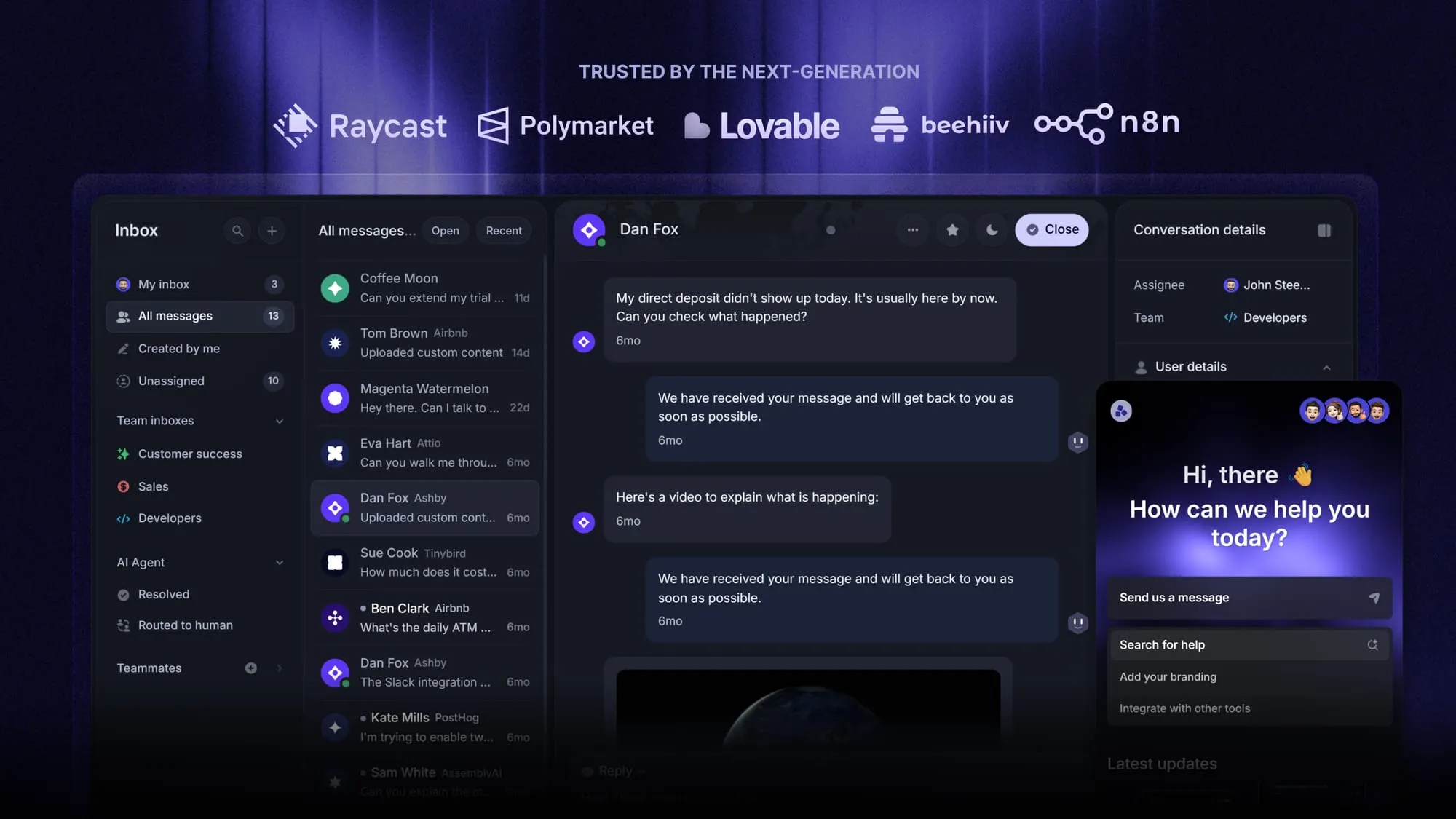
Featurebase is a modern AI customer support platform for product-led SaaS. It combines AI-powered support, help center, and feedback management into a single platform for startups that want all their customer-facing tools in one place. Featurebase is loved by thousands of support teams from companies like Lovable, Raycast, and n8n. 💫
Top features:
- Omnichannel inbox – Manage live chat, email, and Slack conversations from one AI-powered view
- Fibi AI Agent - Resolve customer issues on autopilot & run custom actions like trial extensions and refunds
- Help center with AI search – Provide instant, multilingual self-serve answers
- Workflows & automations – Auto-assign tickets, route conversations, collect customer data, and more
- AI Copilot – Help your agents answer customers faster with AI Copilot that uses your internal knowledge
- Multi-brand support – Manage multiple Help Centers and Live chats from a single workspace
- Automatic AI translations – Automatically translate all messages and help articles to your customers native language
- Service Level Agreements – Track SLAs to make sure your team responds to customers on time, every time
- Mobile app – Respond to customers, receive notifications, and unblock users on the go
- Feedback & roadmap tools – Collect feature requests and close the loop with updates
- Product updates – Publish release notes with a changelog page, in-app widget, and emails
- Integrations – Connects with Slack, Linear, Jira, HubSpot, and more
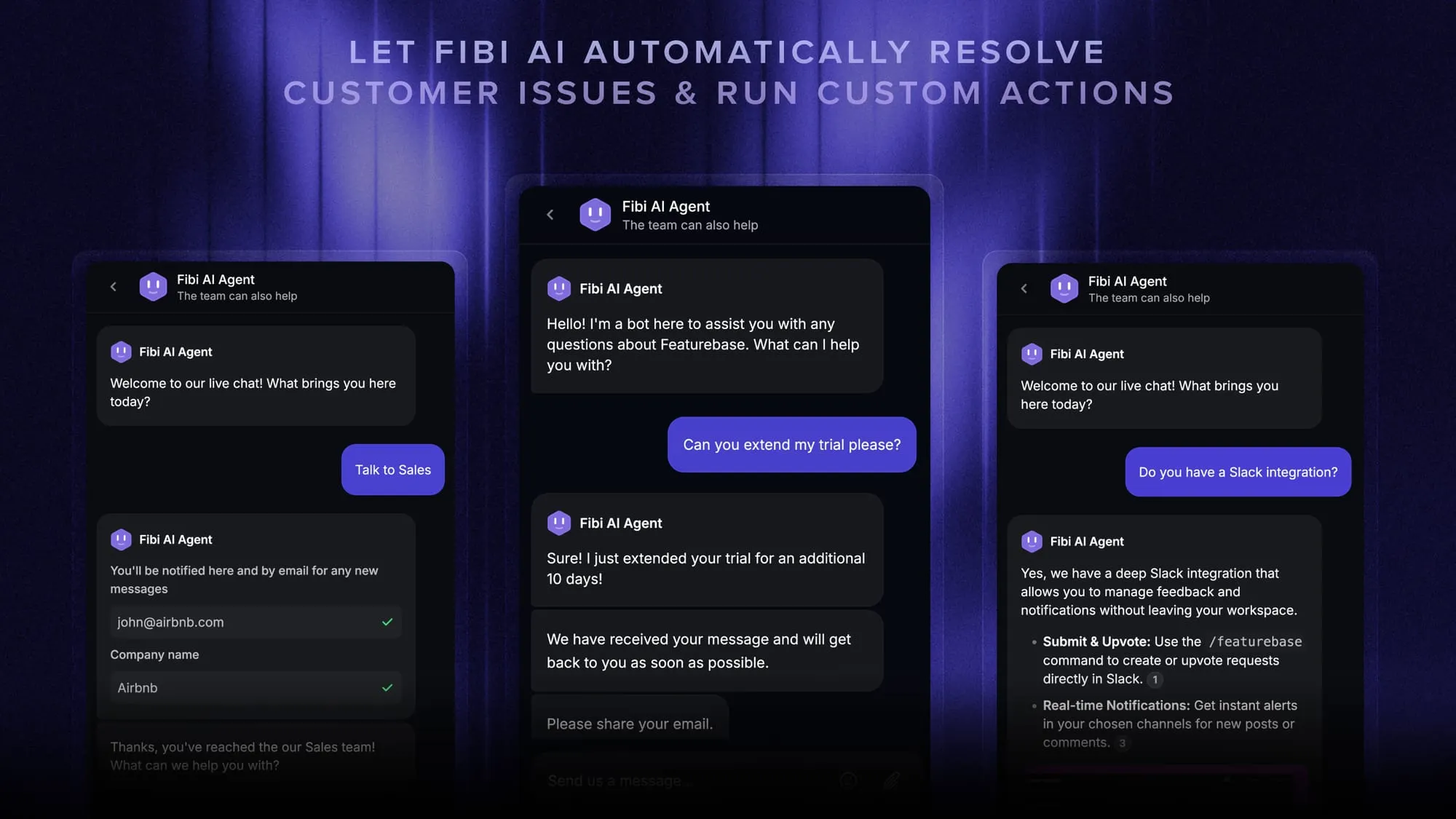
Pricing: Free plan available with unlimited conversations. Paid plans start at $29/seat/month with $0.49 per AI resolution.
The Free plan includes 1 seat, and the $29 starting rate is billed annually. Advanced features depend on the plan, and unlimited AI Copilot usage is a paid add-on.
Featurebase covers all the basic support features that legacy platforms do, but with a much more modern approach. It comes with AI automations, a mobile app, and multiple channels (email, live chat, Slack, etc.).
2. EmailAnalytics
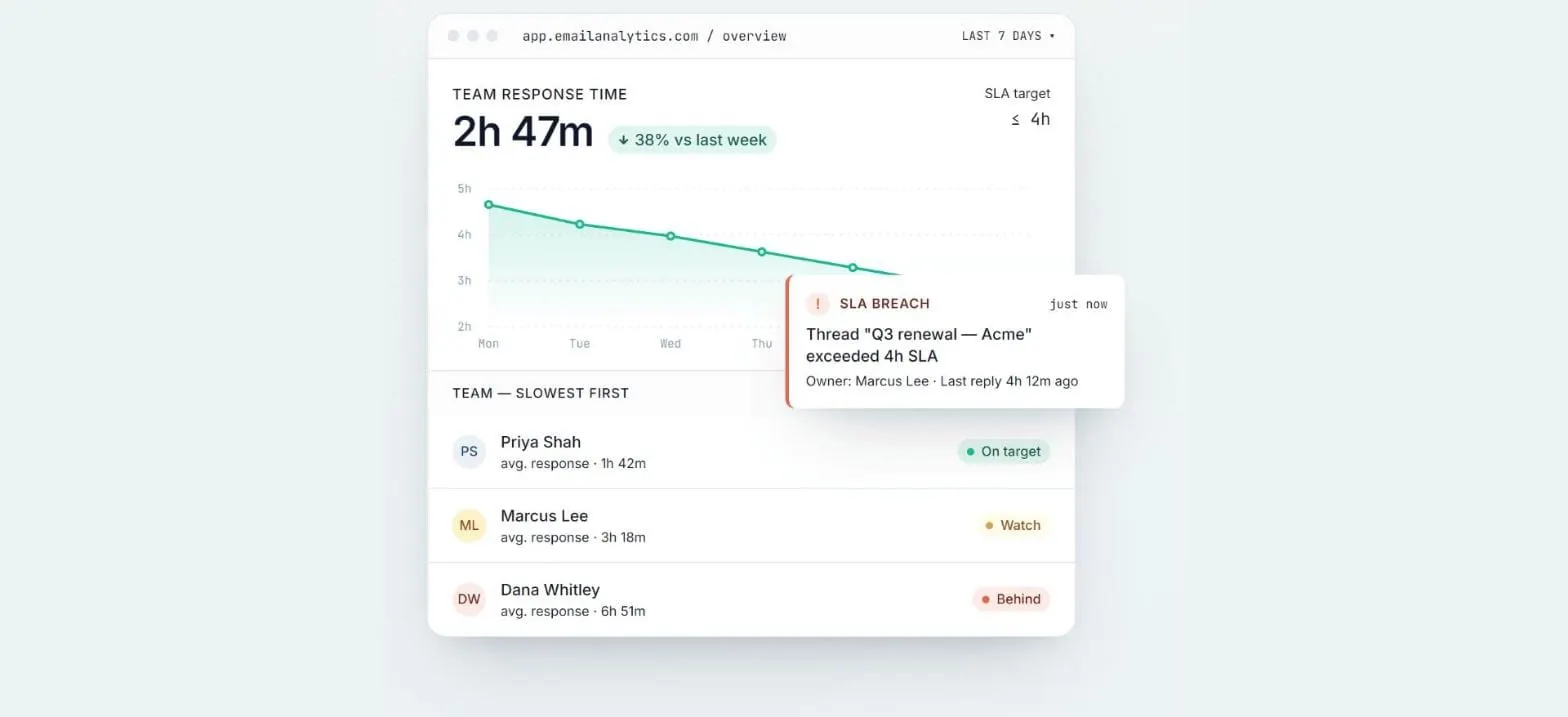
EmailAnalytics adds response-time reporting to the inboxes your team already uses. It connects to Gmail and Outlook, including Outlook shared mailboxes, through their APIs, so there's nothing to install.
Key features
- Average response time by person, team, and shared mailbox
- Email volume and workload per teammate
- SLA monitoring with real-time email alerts
- Up to two years of email history synced at setup
- PDF and CSV report exports
Pricing: EmailAnalytics is priced per inbox and offers a 14-day free trial.
EmailAnalytics if your team already works from a shared mailbox and wants hard numbers on how fast it gets answered.
3. Hiver
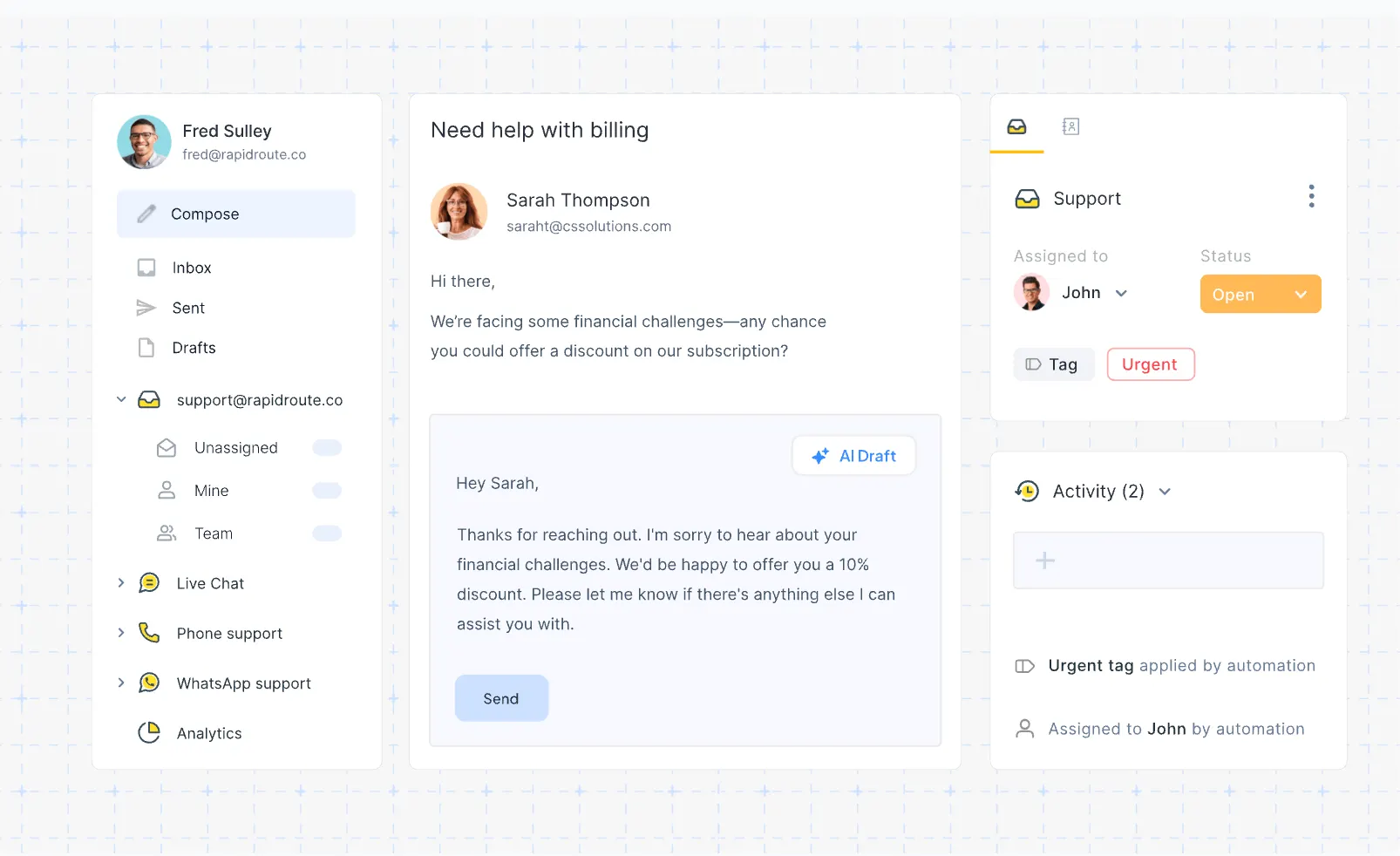
Hiver offers shared inbox software inside Gmail and through a standalone product, Hiver Omni. Hiver in Gmail suits teams that want to manage support@ or sales@ without moving out of their existing email interface.
Hiver Omni works with Gmail, Outlook, and other providers in a separate workspace. That distinction matters when choosing which product to trial.
Key features
- Shared inboxes with conversation ownership and status tracking
- Internal notes and mentions for private team discussions
- Collision alerts to flag overlapping work on a conversation
- Rule-based automation for repetitive inbox tasks
- Analytics for tracking the conversations your team handles
Pricing: Hiver pricing starts at $25 per user per month for Growth, billed annually, with a minimum of 2 seats. Pro starts at $55 per user per month annually and adds SLAs, advanced analytics, and premium integrations.
For teams outgrowing Google Collaborative Inbox, Hiver in Gmail is worth shortlisting. Check both the product interface and the plan's feature limits before committing.
4. Front
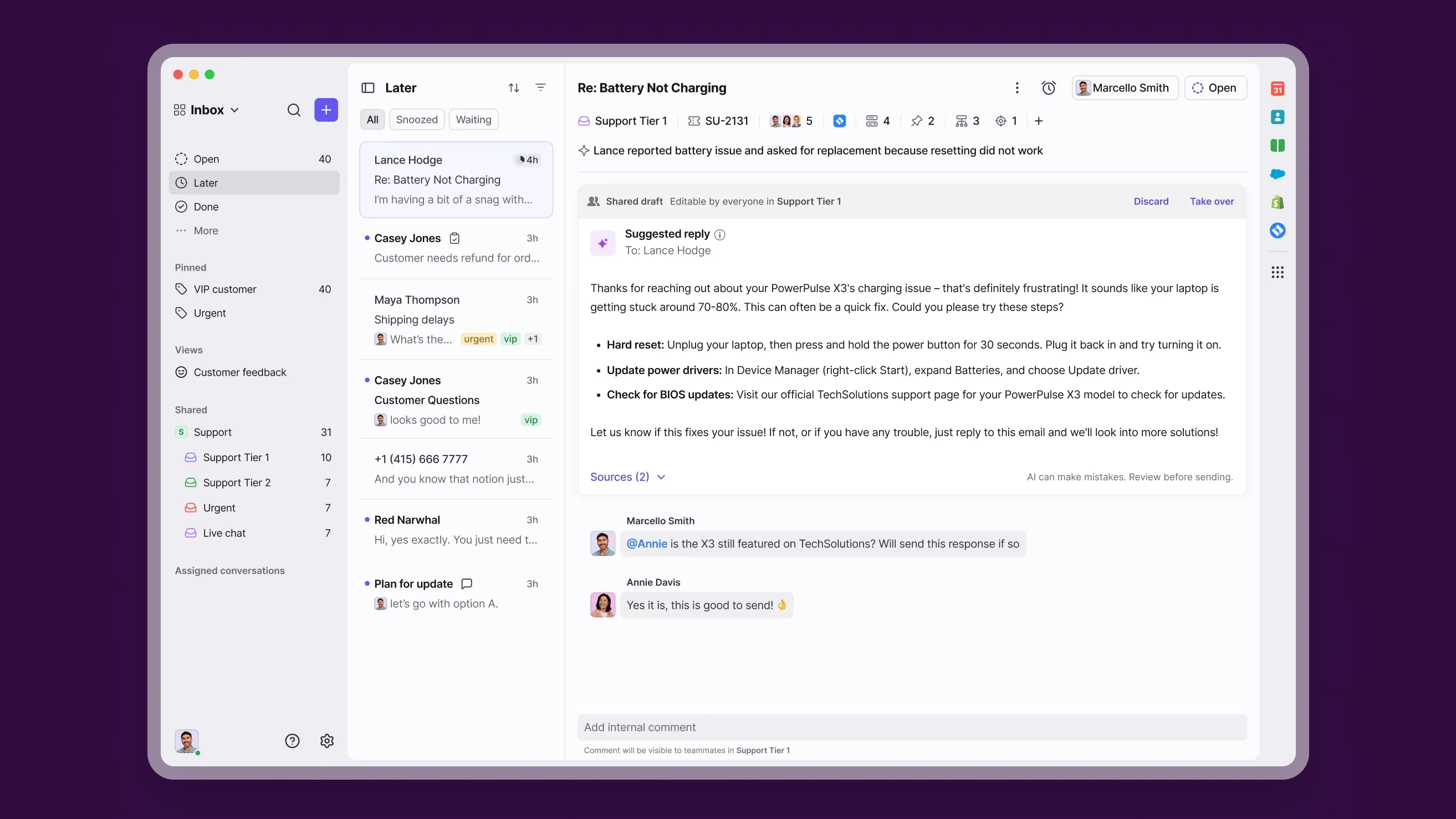
Front is a shared inbox platform for support, sales, and operations teams that work on customer conversations together. Its comments and shared drafts are useful when a reply needs input from several teammates.
Key features
- Shared inboxes with individual conversation ownership
- Private comments for discussing requests with teammates
- Shared drafts for preparing replies together
- Collision alerts to flag concurrent work
- Multiple channel types in one workspace on Professional and Enterprise
Pricing: Front pricing starts at $25 per seat per month for Starter, billed annually, with up to 10 seats. Professional starts at $65 per seat per month annually. AI Copilot costs an additional $20 per seat per month on these plans.
Starter supports 1 channel type, such as email. A team handling both email and live chat needs Professional or above, so the $25 entry price won't cover that workflow.
5. Freshdesk
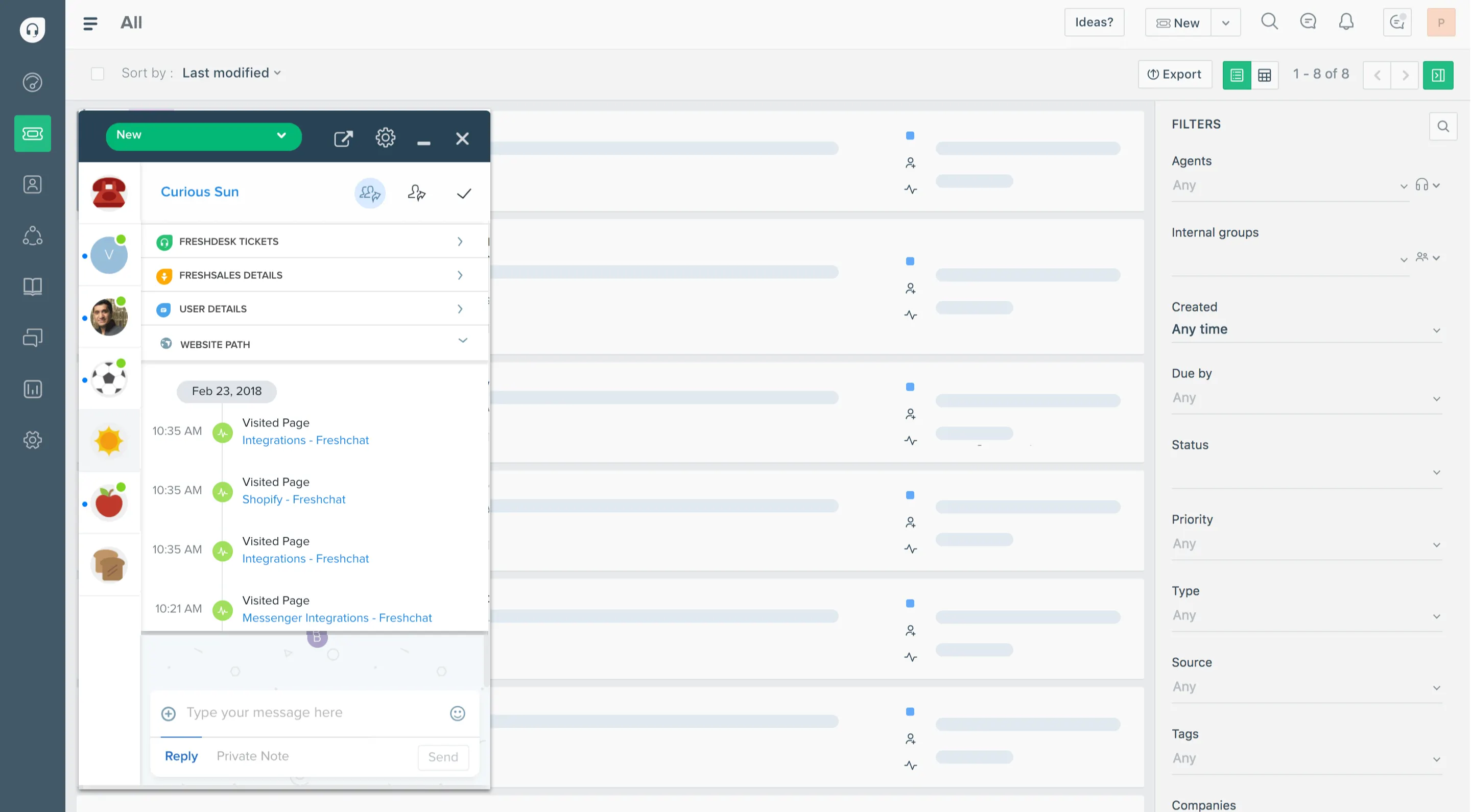
Freshdesk combines shared email handling with structured ticketing. It suits support teams that need to track each request through assignment, prioritization, and resolution.
Key features
- Email-to-ticket conversion for tracking incoming requests
- Ticket ownership, statuses, and priorities
- Agent collision detection to reduce duplicate work
- Canned responses for common questions
- Automation rules for assigning and organizing tickets
Pricing: Freshdesk pricing starts at $19 per agent per month for Growth, billed annually. This is the email-focused Freshdesk package. Freshdesk Omni has separate pricing, and AI add-ons can increase the cost.
Freshdesk is a useful step up when your team needs a ticket queue with clear status tracking. Confirm the product package before comparing its price with tools that include live chat and other channels.
6. Missive
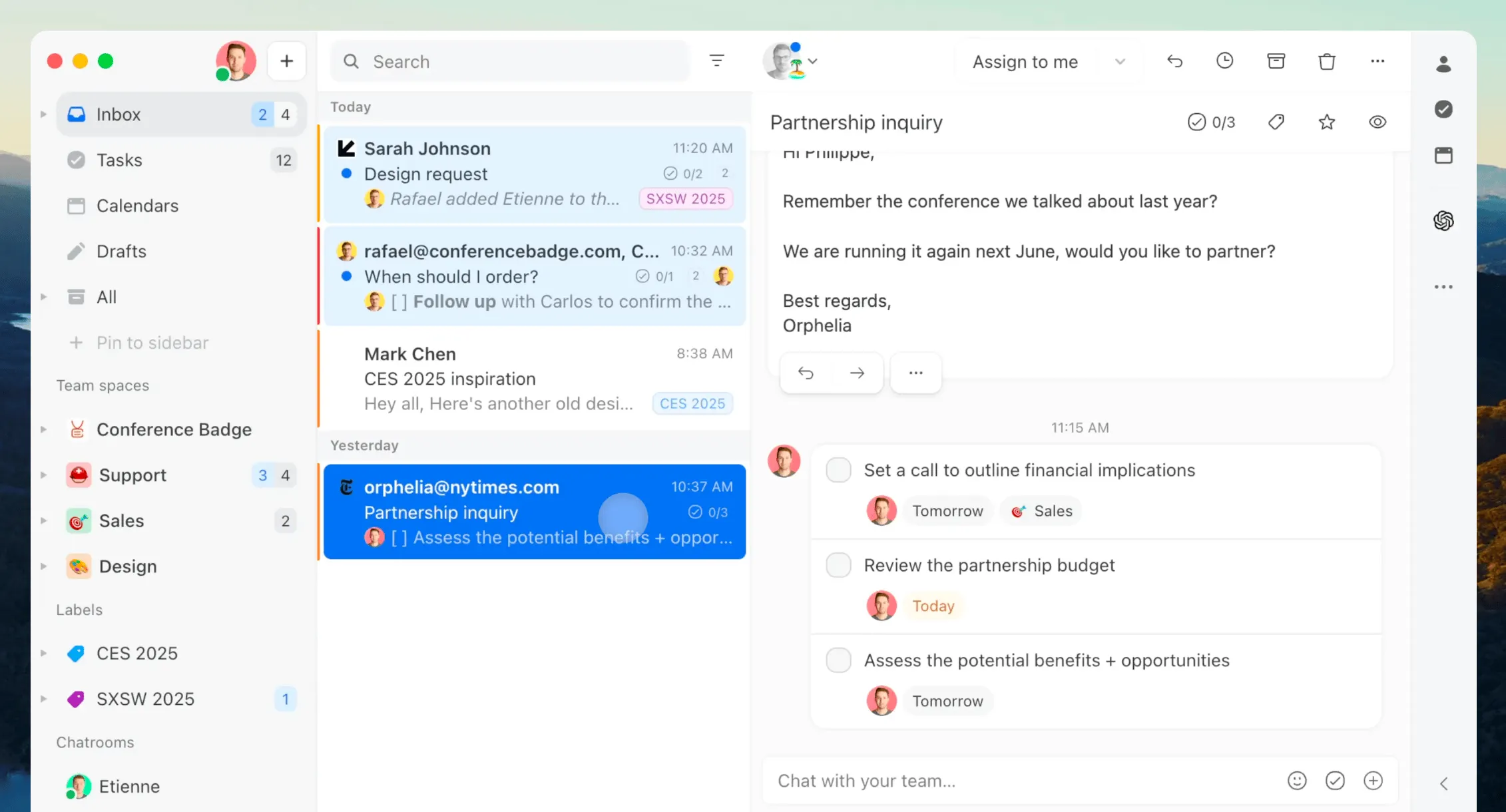
Missive is a shared inbox and team communication tool that brings email, chat, and tasks into one collaborative workspace. It's built for teams that need real-time collaboration on shared messages while keeping everything organized and actionable.
Key features
- Shared and personal email accounts in the same app
- Internal chat and mentions alongside email conversations
- Collaborative drafts for preparing replies together
- Conversation assignment and team inboxes
- Tasks with due dates and assignees
Pricing: Missive pricing starts at $14 per user per month for Starter, billed annually, for up to 5 users. Productive starts at $24 per user per month annually and adds rules, integrations, and basic analytics.
Missive fits teams whose email work extends beyond customer support, such as coordinating client projects. If you need automatic routing or connected business tools, budget for Productive from the start.
7. HappyFox
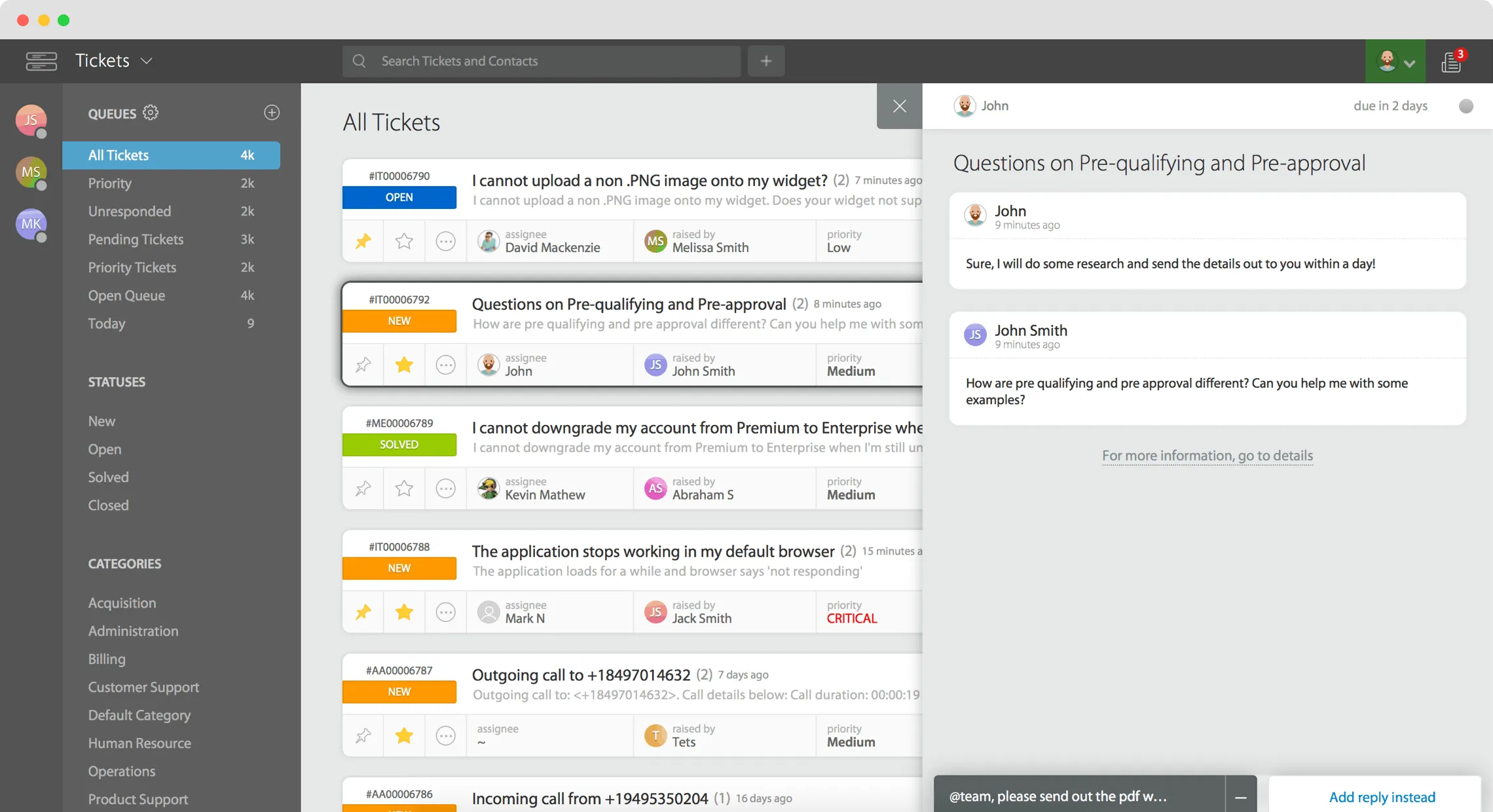
HappyFox is a helpdesk for teams that want formal processes around incoming requests. It combines email ticketing with SLA management, automation, and a knowledge base.
Key features
- Email ticketing across multiple support mailboxes
- Private notes and ticket ownership for team handoffs
- Smart rules and canned actions for repetitive work
- SLA tracking for response and resolution targets
- Custom ticket queues on Team and higher plans
Pricing: HappyFox pricing starts at $24 per agent per month for Basic, billed annually, with up to 5 agents. Team starts at $49 per agent per month annually and adds custom queues. Pro adds proactive agent collision detection at $99 per agent per month annually.
HappyFox suits teams that need more control over ticket workflows. Check which collaboration features your team requires, because the entry plan doesn't include every feature listed across the product.
8. Crisp Chat
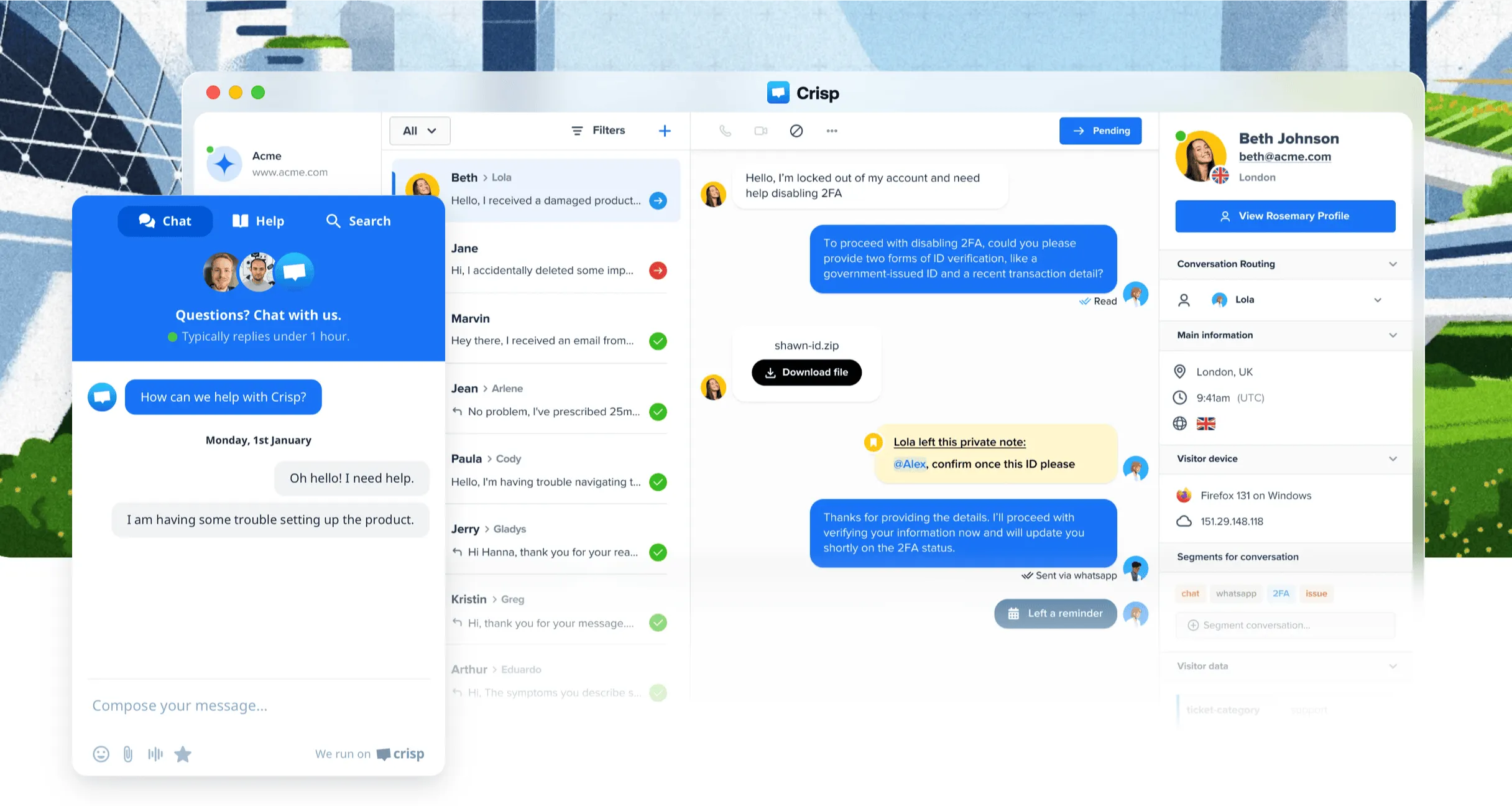
Crisp Chat combines website chat and a shared inbox with workspace pricing that includes multiple seats. It's worth considering when several teammates need to handle both email and live chat.
Key features
- Website live chat and a shared email inbox on Mini and above
- Private notes for discussing customer conversations
- Saved reply shortcuts for common questions
- Internal search across messages and customer information
- Routing rules, a knowledge base, and broader messaging channels on Essentials and above
Pricing: Crisp pricing starts at $45 per workspace per month for Mini, billed monthly, with 4 seats and shared email. Essentials costs $95 per month with 10 seats. The Free plan includes 2 seats for live chat, but no shared email inbox.
The bundled seats can suit a small team, but compare feature tiers as well as headcount. A 4-person team that needs automatic routing will need Essentials even though Mini has enough seats.
9. Help Scout
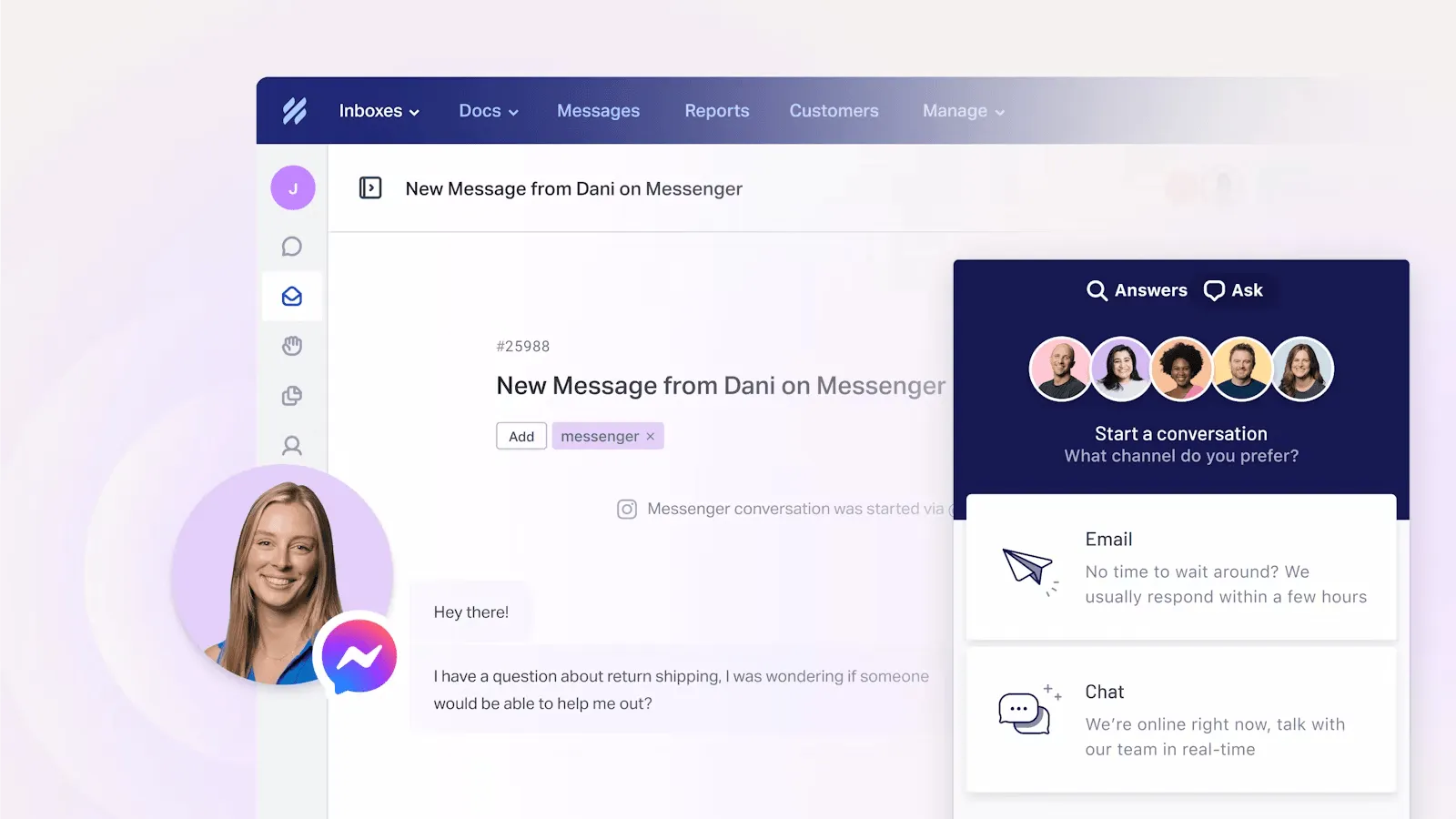
Help Scout is a customer support platform with an inbox that feels familiar to teams moving from email. It combines shared conversations with live chat and a Docs knowledge base.
Key features
- Shared inboxes with conversation ownership and customer history
- Private notes for collaboration behind the scenes
- Collision detection to flag overlapping replies
- Saved replies and workflows for recurring requests
- Live chat and self-service content through its website widget
Pricing: Help Scout pricing starts at $25 per user per month for Standard, billed annually, with 2 inboxes. Extra inboxes cost $10 per month each on annual billing. The Free plan includes 5 users, 1 inbox, and 100 contacts per month. AI Answers costs $0.75 per resolution.
Help Scout is worth considering for a small support team that wants email, chat, and help content together. Watch inbox counts if you support several brands, and distinguish the Free plan's contact allowance from a message limit.
10. Respond.io
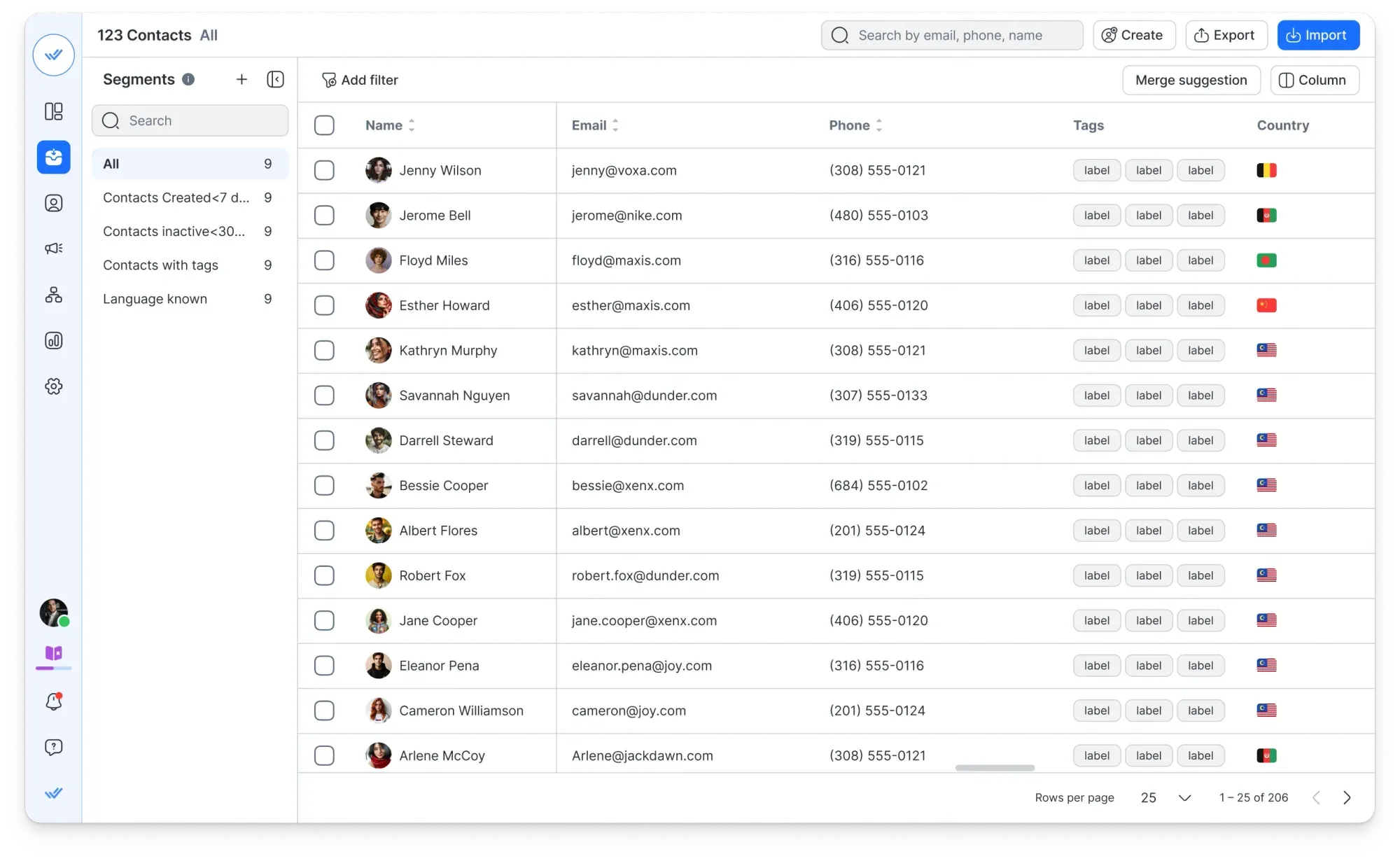
Respond.io is a conversation platform for teams managing sales and support through messaging channels such as WhatsApp, Instagram, and Telegram. It suits businesses that need to qualify leads and route chats across a team.
Key features
- A shared workspace for messaging channels and email
- Conversation assignment and customer context
- AI assistance for drafting, refining, and summarizing replies
- AI Agents and automated workflows on Growth and above
- CRM integrations and lifecycle tracking
Pricing: Starter costs $79 per month, billed annually, with 5 users. Growth starts at $159 per month annually with 10 users and 1,000 monthly active contacts, adding AI Agents and workflow automation. WhatsApp fees, extra users, and applicable usage overages cost extra.
Respond.io is a strong fit when messaging conversations feed a sales process. Price the Growth plan if automation is central to your workflow, and estimate active contacts alongside your team size.
Manage customer conversations efficiently with Featurebase ✨
When you get overwhelmed with incoming requests, the key isn't always adding new agents. Sometimes, you can create great customer relationships simply by choosing the right customer service platform.
Featurebase is a modern AI-powered shared inbox and support platform that brings all your customer conversations into one place. It comes with an AI Copilot to help agents respond faster, automatic message translations, SLA tracking, and workflows to automate repetitive tasks. It's loved by thousands of support teams from companies like Lovable, Raycast, and n8n. 💫
You get all the benefits of a shared team inbox with AI features on top, letting you cut down on response times, improve your agents' productivity, and save money on AI responses. There's a free plan for 1 seat with no credit card required, so there's no downside to trying it. 👇
Automate your support with the fastest AI-enhanced Inbox today
FAQs
Many shared inbox tools connect to Gmail and Outlook, but connecting an account doesn't mean the tool runs inside your existing email interface. Hiver in Gmail keeps that interface, while standalone platforms provide a separate workspace. Check support for your mailbox type and history import during the trial.
Yes, but the limits matter. Help Scout's Free plan supports up to 5 users, 1 inbox, and 100 contacts per month, while Crisp's Free plan supports live chat rather than a shared email inbox. Featurebase offers unlimited conversations on its Free plan with 1 seat, so a team needing multiple replying agents should budget for a paid plan.
Choose a helpdesk when your support process needs structured tickets, formal escalation, multiple SLA policies, or detailed reporting. A simpler shared inbox can work well when the main problem is assigning emails and preventing duplicate replies. Some products combine both, so compare the workflow and plan limits rather than relying on the category name.
Missive is a useful fit for teams combining shared email, internal chat, and tasks, while Help Scout suits teams focused on straightforward customer support. Hiver in Gmail fits teams that want to keep working in Gmail. Trial your preferred option with a real handoff and a duplicate-reply scenario before committing.
Some plans include AI writing assistance or summaries, while autonomous AI agents may require a higher plan or separate usage charges. For example, Respond.io offers AI Agents from Growth, while Help Scout charges separately for AI Answers resolutions. Compare the included allowance, overage rate, and spending controls as well as the seat price.


