Blog Customer ServiceBotpress Pricing Guide: How Much Does It Really Cost?
Botpress Pricing Guide: How Much Does It Really Cost?
Botpress pricing starts free, but paid plans include conversation limits and AI allowances. Compare plans, add-ons, and real-world costs before you choose.



✨ Looking for a Botpress alternative that brings support & feedback together? Meet Featurebase →
Botpress has a free plan, but the subscription price doesn't tell you what a busy month will cost. Conversation packs, AI usage, and storage can all change the total.
And with different prices for monthly and annual billing, it's easy to start with the wrong number.
In this guide, I'll break down Botpress pricing plans, explain the extra charges, and walk through practical examples so you can budget before launching your agent. 👇
Key takeaways
- Botpress has a free plan: It includes 100 conversations, 3 seats, and 3 AI agents, with no paid top-ups.
- Plus starts at $150/month with annual billing: Monthly billing costs $189. Team costs $750/month billed annually or $939 billed monthly.
- Conversation volume affects your bill: Plus includes 250 conversations/month, while Team includes 1,500. Additional capacity comes in paid packs of 100.
- AI usage is included, but limited: Plus includes $25 of AI usage and Team includes $150. Extra AI credits can recharge automatically.
- Featurebase✨: Paid plans start at $29/seat/month billed yearly, plus $0.49 per AI resolution. Its free plan includes live chat but no AI.
What is Botpress?
Botpress is a platform for building and running AI customer service agents that answer questions and take actions across connected tools. You can create a support agent around your knowledge base, then add workflows for more specific customer requests.
It also includes Botpress Desk, a helpdesk where your team can manage conversations alongside AI. That makes the product relevant both to people building custom agents and teams evaluating an AI-powered support platform.
For pricing, the distinction that matters is what happens after launch. An agent that answers occasional questions has different usage needs from one handling a steady stream of customer conversations.
Botpress pricing plans
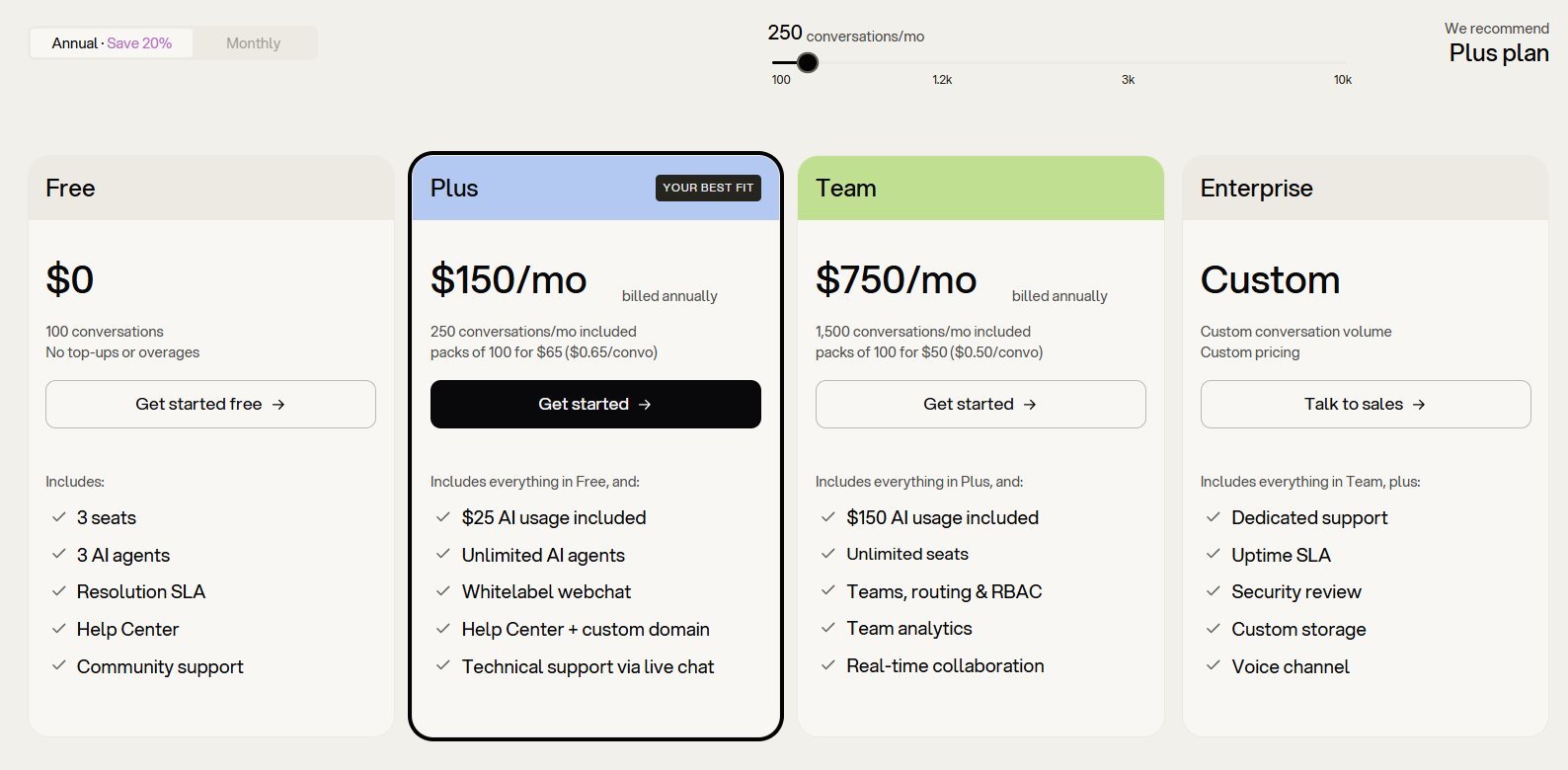
Botpress currently offers Free, Plus, Team, and Enterprise plans. Here's how the published subscription prices compare.
| Plan | Monthly billing | Monthly equivalent, billed annually | Included conversations |
|---|---|---|---|
| Free | $0 | $0 | 100 |
| Plus | $189/month | $150/month | 250/month |
| Team | $939/month | $750/month | 1,500/month |
| Enterprise | Custom | Custom | Custom |
Prices checked October 8, 2026, in USD. The Free plan lists 100 conversations without specifying a monthly reset. Annual rates are monthly equivalents, not month-to-month subscriptions.
For a full year, the advertised annual rate works out to $1,800 for Plus or $9,000 for Team, before additional usage and add-ons.
Free
The Botpress free plan gives you enough access to explore the platform and test a focused use case. It includes 3 seats, 3 AI agents, a Help Center, and community support.
The main limit is its 100-conversation allowance with no top-ups or overages. I'd use it to check answer quality and see whether the builder suits your workflow before committing to a production rollout.
Keep testing in your usage estimate, too. Conversations in Botpress's emulator count toward the allowance.
Plus
The Botpress Plus plan costs $150/month billed annually or $189 billed monthly. It includes 250 monthly conversations, $25 of AI usage, and unlimited AI agents, with 3 workspace seats.
It also adds:
- Botpress branding removal from webchat
- A custom domain for your Help Center
- Technical support through live chat
Plus is worth considering when you want a branded customer-facing agent and only a few people need access. But unlimited agents doesn't mean unlimited conversations. Running more agents can still increase usage against the same allowance.
Team
The Botpress Team plan costs $750/month billed annually or $939 billed monthly. It includes 1,500 monthly conversations, $150 of AI usage, and unlimited seats and AI agents.
The upgrade also brings team routing and assignment, role-based access control, team analytics, and real-time collaboration in Studio.
I'd compare Team against Plus with the extra capacity you actually need. Team's higher subscription can make sense when you need its permissions and collaboration features, even before considering the larger conversation allowance.
Enterprise and managed services
Botpress Enterprise pricing is custom. It adds negotiated conversation volume and storage, dedicated support, an uptime SLA, a security review, and the voice channel.
Botpress also offers a service to build and manage agents for you. Its current pricing page directs you to contact the team for a quote.
Ask the quote to separate the platform subscription from implementation and ongoing service fees. That makes it easier to compare outsourcing with doing the work internally.
How Botpress calculates your bill
Your total Botpress cost has several moving parts:
| Cost component | What you're paying for |
|---|---|
| Subscription | Your plan's features and included usage |
| Conversation packs | Additional conversation capacity |
| AI credit grants | Extra AI usage beyond the included allowance |
| Storage add-ons | Additional data and file capacity |
| Implementation | Your team's time or separately quoted services |
This is why I'd budget from an expected workload first, then choose the plan. Comparing only the starting subscription leaves out the usage that makes the agent useful.
What counts as a conversation?
Botpress counts an exchange once it contains at least 2 messages from the end user during the billing month. AI-only and human-assisted exchanges use the same conversation meter.
There are a few details to account for:
- Cross-month conversations: A conversation spanning 2 months counts in both.
- Anonymous sessions: Separate anonymous sessions count separately.
- Testing: Emulator conversations count, too.
- Voice: Every 3 minutes of a voice call counts as 1 conversation.
A conversation therefore doesn't mean a successfully resolved support issue. If you're comparing conversation-based pricing with resolution-based pricing, use the same sample of customer requests and calculate each vendor's billable units separately.
Included AI usage and credit top-ups
Plus includes $25 of AI usage, and Team includes $150. That allowance covers the cost of calls to AI models.
When the workspace reaches 95% of its AI spend limit, Botpress's pricing FAQ says it automatically purchases a $10 AI credit grant at cost. Free and Community plans don't support this recharge.
At the time of checking, the $10 purchase amount and 95% trigger weren't configurable. Custom recharge settings and a monthly spending cap were listed as coming soon.
If you're researching Botpress AI Spend, look at the terms for your current workspace. Older pay-as-you-go descriptions don't match the new Free, Plus, and Team allowances.
Botpress features that affect the price
The most useful plan comparison starts with the features your team will actually use. A bigger conversation allowance won't solve a missing permission or channel requirement.
| Requirement | Plan detail to consider |
|---|---|
| Remove webchat branding | Plus or above |
| Use a custom Help Center domain | Plus or above |
| Give more than 3 teammates access | Team adds unlimited seats |
| Route work across teams and control permissions | Team adds routing and RBAC |
| Build collaboratively in real time | Included with Team |
| Offer a voice channel | Listed under Enterprise |
For example, a low-volume deployment can still need Team if several people maintain the agent and manage conversations. A deployment with fewer collaborators may be able to stay on Plus and add conversation capacity.
Write down those must-haves before estimating chatbot pricing. It prevents a cheap-looking plan from becoming an immediate upgrade.
Extra costs & limitations
The main extras are published, but you still need to account for when they activate and whether they recur.
Automatic conversation packs
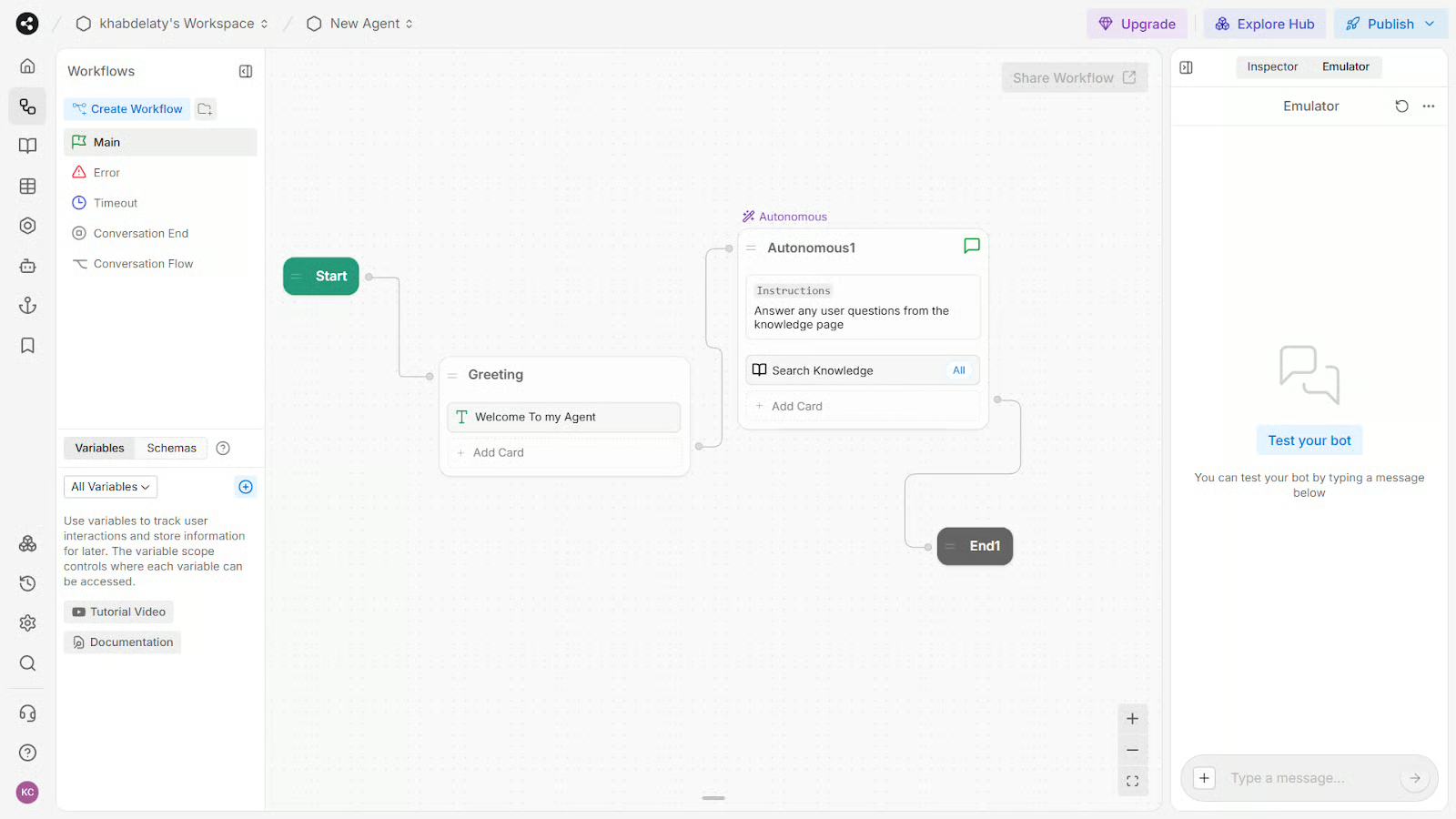
Plus charges $65 per 100 additional conversations. Team charges $50 per 100.
Botpress adds a pack automatically when you reach 95% of your conversation quota. Its current FAQ says you can't disable conversation auto-recharge on paid plans.
That means you can incur a charge before using every conversation already included. Purchased packs also stay on your plan month to month until removed.
After a launch or unusually busy period, review the capacity you're still paying for. A quieter following month doesn't automatically remove the packs added during the spike.
Storage add-ons
Plus and Team offer a $40/month storage add-on. Each add-on includes 100,000 table rows, 1 GB of vector storage, and 10 GB of file storage.
These are separate resources. Table rows hold structured data, vector storage supports knowledge retrieval, and file storage holds uploaded files.
Before buying more storage, check which limit you're approaching. A large collection of files and a large searchable knowledge base don't necessarily use capacity in the same way.
Setup and ongoing maintenance
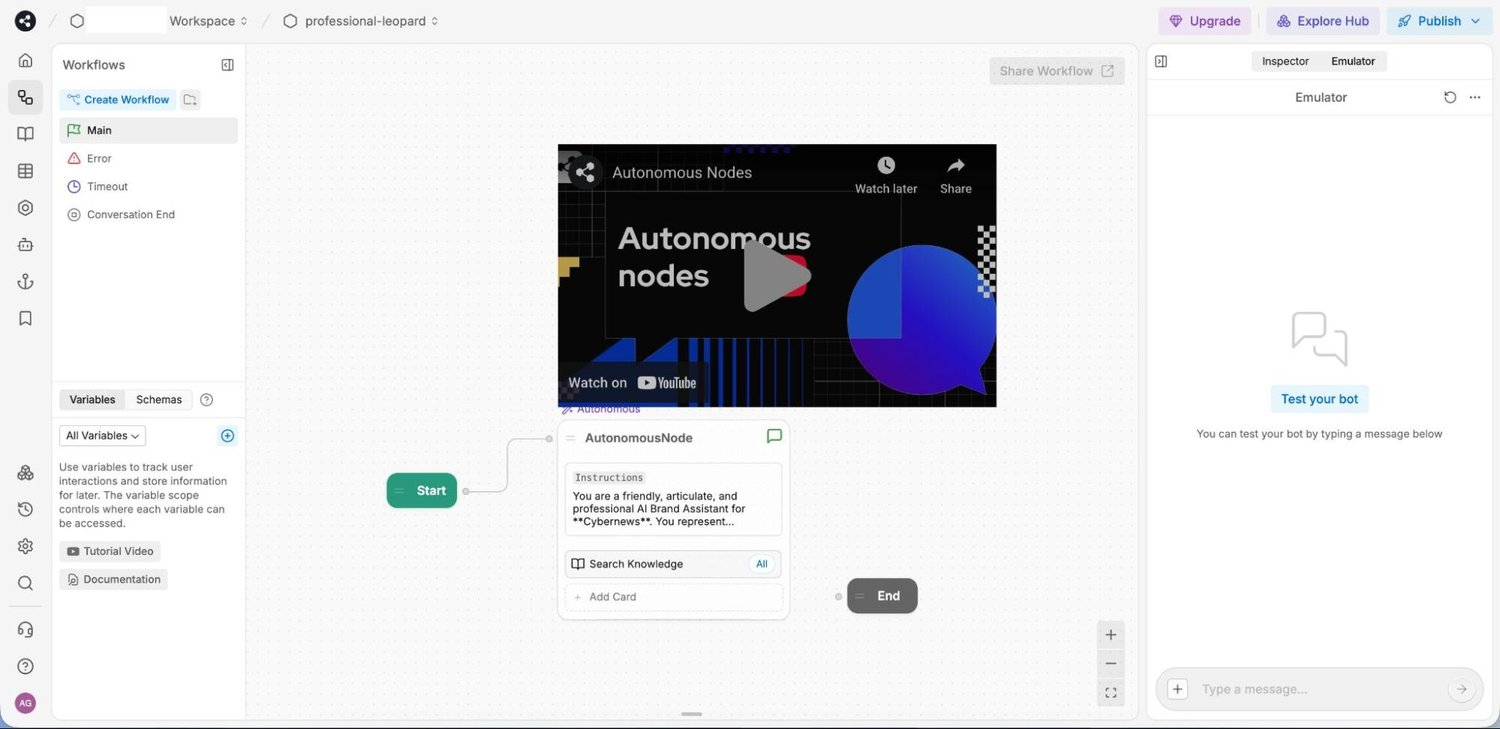
Your team's time is another cost to budget, even when it doesn't appear on a Botpress invoice.
Typical work includes:
- Preparing accurate help content and removing outdated answers
- Connecting tools and testing any actions the agent can take
- Reviewing failed answers and maintaining the agent as your product changes
A straightforward question-answering agent may need less work than one handling account changes across several systems. Test your actual customer support automation use case before estimating ongoing effort.

Resolve 70% of customer requests with AI
Automatically resolve customer issues & cut down support loads for your team
Real-world Botpress pricing examples
Let's turn the pricing model into a few budgets. These are illustrative scenarios, not customer invoices, and exclude taxes, external services, and implementation time.
The paid examples use annual subscription rates expressed per month. They assume AI usage stays below its recharge trigger and no extra storage is needed.
Testing a support agent
Suppose you're testing a focused support agent with 2 teammates and expect 60 counted conversations across customer tests and emulator sessions.
If your other requirements fit the Free plan, that stays within its published 100-conversation allowance.
Platform cost: $0.
This is a test budget, not an assumption that Free provides 100 fresh conversations every month.
The useful outcome is evidence: which questions the agent answers well, where a person needs to step in, and whether the platform fits your team.
Running a customer-facing agent
Suppose you choose Plus and handle 500 conversations in a month, starting with its 250 included conversations and no existing packs.
Budget for 3 additional packs, bringing capacity to 550 conversations. This gives the usage room to stay below 95% of the expanded allowance.
Monthly equivalent: $150 + (3 × $65) = $345.
With monthly subscription billing: $189 + $195 = $384.
The subscription advertised at $150 now represents less than half the total. Those packs also remain part of your recurring capacity until removed.
Handling higher support volume
Now suppose you need Team's collaboration features and handle 1,800 conversations in a month, starting with 1,500 included and no existing packs.
Allow for 4 packs, bringing capacity to 1,900. Buying only 3 would leave usage above the 95% recharge threshold for a 1,800-conversation allowance.
Monthly equivalent: $750 + (4 × $50) = $950.
With monthly subscription billing: $939 + $200 = $1,139.
These pack estimates apply the published 95% trigger to the expanded quota. Confirm the resulting capacity in your workspace when budgeting. Any AI credit grants or storage add-ons would increase these totals.
Other things to consider before choosing a plan
I'd make the decision around these questions:
- Peak conversation volume: Forecast a normal month and a launch month. Average traffic can hide the period when extra packs become recurring costs.
- Team access: Plus includes 3 seats. If more people need to collaborate, account for Team before comparing usage prices.
- Support outcomes: Track resolved requests and successful handoffs alongside conversation volume. A lower bill isn't much help if customers still need to repeat themselves.
- Ongoing ownership: Assign someone to review answer quality, keep content current, and monitor usage after launch.
- Billing flexibility: Annual rates lower the subscription equivalent, but monthly billing lets you evaluate the fit with a shorter commitment.
Run the same representative questions through each shortlisted product. Include ambiguous questions and cases that need human help, so you're evaluating the whole support experience.
Botpress alternatives worth considering
If the plans don't fit your workflow or budget, these 3 alternatives are worth comparing:
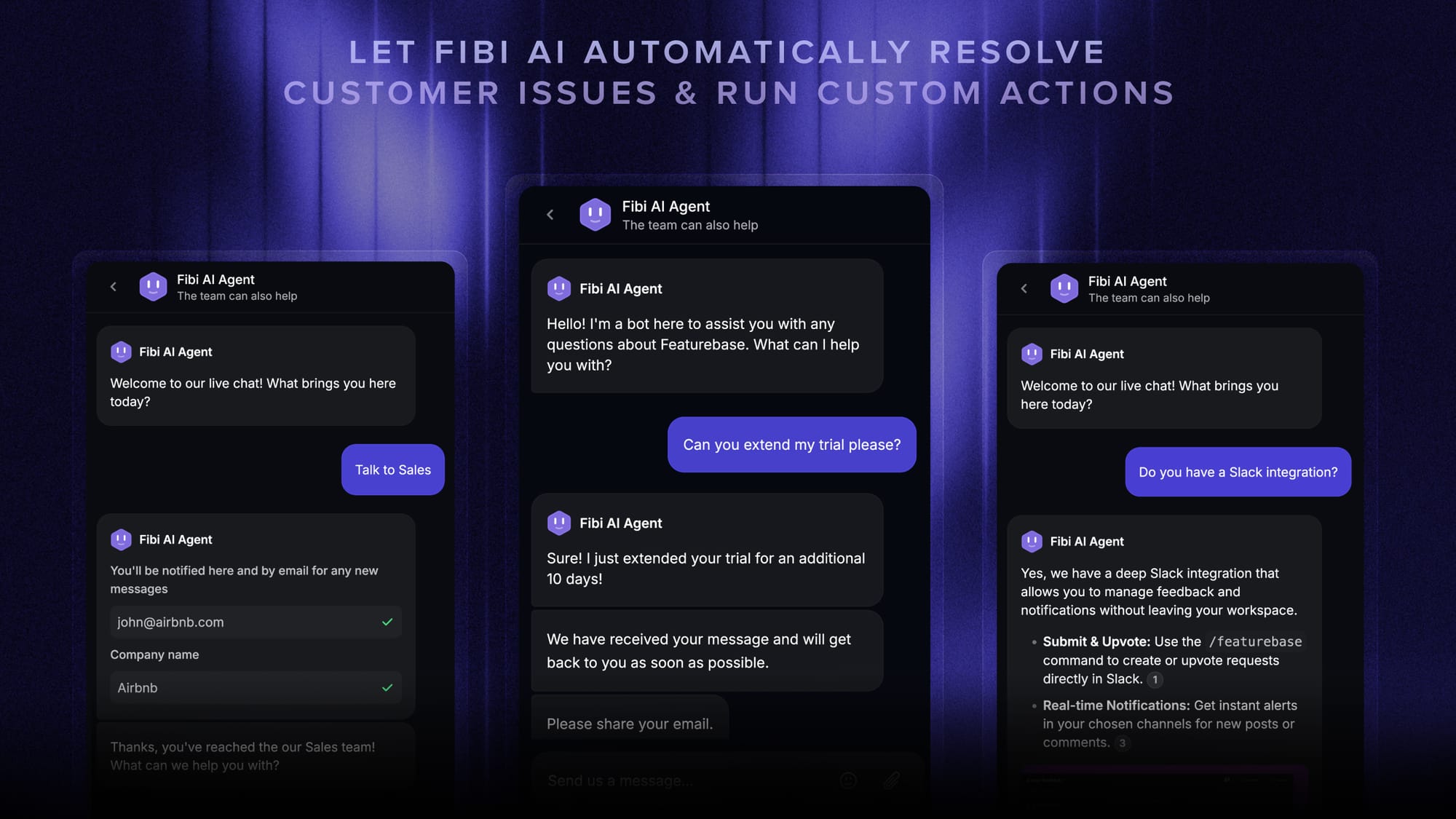
- Featurebase: An AI customer support platform that brings support, a help center, and feedback management together. Paid plans start at $29/seat/month billed yearly, plus $0.49 per AI resolution. It's worth considering when you want customer questions and product feedback in one place.
- Voiceflow: An AI agent platform for designing and deploying conversational experiences. Consider it when building and iterating on custom conversation flows is central to the project.
- Intercom: A customer service platform with Fin AI. Consider it when you want to evaluate AI automation alongside an established support workspace.
For Featurebase, the billing distinction matters: Fibi counts confirmed or assumed resolutions after answering a customer. An assumed resolution means the customer leaves without requesting further help. This is a different unit from Botpress's counted conversations, so the per-unit prices aren't directly interchangeable.
Featurebase's free plan includes 1 seat, live chat, and unlimited conversations, without AI. Slack support and advanced workflows require higher paid plans than Growth.
Get the best Botpress alternative
Automatically resolve 70% of customer requests & cut down manual support loads
So, is Botpress pricing worth it?
Botpress is worth considering when you want to build custom AI agents and its included features fit your support workflow. Budget for the subscription, recurring conversation packs, and any extra AI or storage usage before deciding.
Featurebase combines AI-powered support, a help center, and feedback management in one platform. Fibi answers customer questions using your help content and can run custom actions, while your team handles conversations that need a person.
There's a Free plan for trying live chat without a credit card. AI is available on paid plans, so you can explore the support workspace before committing to automation. 👇
✨ Bring AI support & customer feedback together with Featurebase →

FAQs
Does Botpress use the same pricing across Desk, Studio, Viber, and ADK?
Yes. Botpress says the same plans, prices, and conversation counts apply across Desk, Studio, Viber, and ADK, regardless of which products you use. They also share the AI spend meter and category breakdown.
Can I use Botpress with my existing helpdesk?
Yes. Botpress Desk can connect to an existing helpdesk such as Zendesk or Intercom. You can also use Botpress's built-in helpdesk, depending on whether you want to keep or replace your current support workspace.
Do unused Botpress credits roll over?
Unused conversations in purchased packs expire at the end of the month. Purchased AI credit grants work differently: unused balances can carry over for up to 12 months from the end of the purchase month. Check which type of capacity you're buying before treating it as prepaid usage for later.
Does Botpress offer nonprofit or education discounts?
Botpress has a Botpress for Good program for nonprofit organizations, educational institutions, and open-source projects. You need to apply to learn whether you qualify and what terms are available. Its pricing page doesn't publish a universal discount percentage.
Does the new pricing apply to existing Botpress workspaces?
Botpress's May 14, 2026 announcement said the new pricing applied to workspaces created after that date, with existing workspaces retaining their plans at the time. That announcement doesn't establish the current terms of every older account. If you already use Botpress, check your workspace's plan and any subsequent pricing notices.