Blog Customer ServiceWhat Is Customer Service Automation? A Practical Guide
What Is Customer Service Automation? A Practical Guide
Customer service automation uses AI and workflows to resolve support requests faster. Learn how it works, what to automate first, and how to keep the human touch.



Support volume climbs every year, but headcount rarely keeps pace. Meanwhile customers expect instant answers at 2am, on whatever channel they happen to be using.
Customer service automation is how modern teams close that gap, using AI and workflows to handle routine requests so agents can focus on the conversations that actually need a human.
In this guide, I'll break down what it is, how it works, what to automate first, and how to roll it out without making support feel robotic. 👇
Key takeaways:
- Customer service automation uses technology - AI agents, chatbots, ticket routing, IVR, and self-service - to resolve or speed up support requests with little or no agent involvement.
- It works through a simple loop: detect the customer's intent, pull the right information, then resolve the issue or escalate it to a human with full context.
- The biggest wins are 24/7 availability, faster resolutions, lower cost per contact, and freeing agents for complex, high-empathy work.
- The main risk is losing the human touch, so every automated flow needs a clear, easy path to a real person.
- Featurebase✨ combines an omnichannel inbox, the Fibi AI Agent, and an AI-powered help center so you can automate support without stitching together 5 separate tools.
- The safest way to start is to automate high-volume, repetitive, low-emotion tasks first, then expand as you measure results.
What is customer service automation?
Customer service automation is the use of technology - chatbots, AI agents, automated workflows, and self-service tools - to handle customer support tasks with little or no human involvement.
Instead of an agent manually answering every question, tagging every ticket, and routing every request, software takes over the repetitive parts. That covers everything from a chatbot answering "where's my order?" to a system that automatically sends a billing dispute to the right team.
The goal isn't to remove people from support. It's to take the routine, high-volume work off their plate so they can spend time on the issues that genuinely need human judgment and empathy.
How does customer service automation work?
Under the hood, most customer service automation follows the same 4-step loop, whether the request arrives by chat, email, or phone:
- Intent detection: The system reads the incoming message and uses natural language processing (NLP) to work out what the customer actually wants - tracking an order, resetting a password, disputing a charge - and often picks up on tone or frustration too.
- Information retrieval: It checks the request against connected systems like your knowledge base, CRM, and order database to find the relevant answer or action.
- Resolution or action: When it finds a match, it completes the task instantly - sharing a tracking link, sending a reset email, answering the question, or updating a record.
- Escalation: If it can't resolve the issue or senses the customer is upset, it hands the conversation to a human agent along with the full context, so the customer never has to repeat themselves.
The better the system, the more it learns from each interaction and the more accurate it gets over time. That's why a steadily growing share of routine requests now get resolved without a human ever stepping in.
Types of customer service automation
Customer service automation isn't a single tool - it's a set of them. Here are the 7 you'll run into most often:
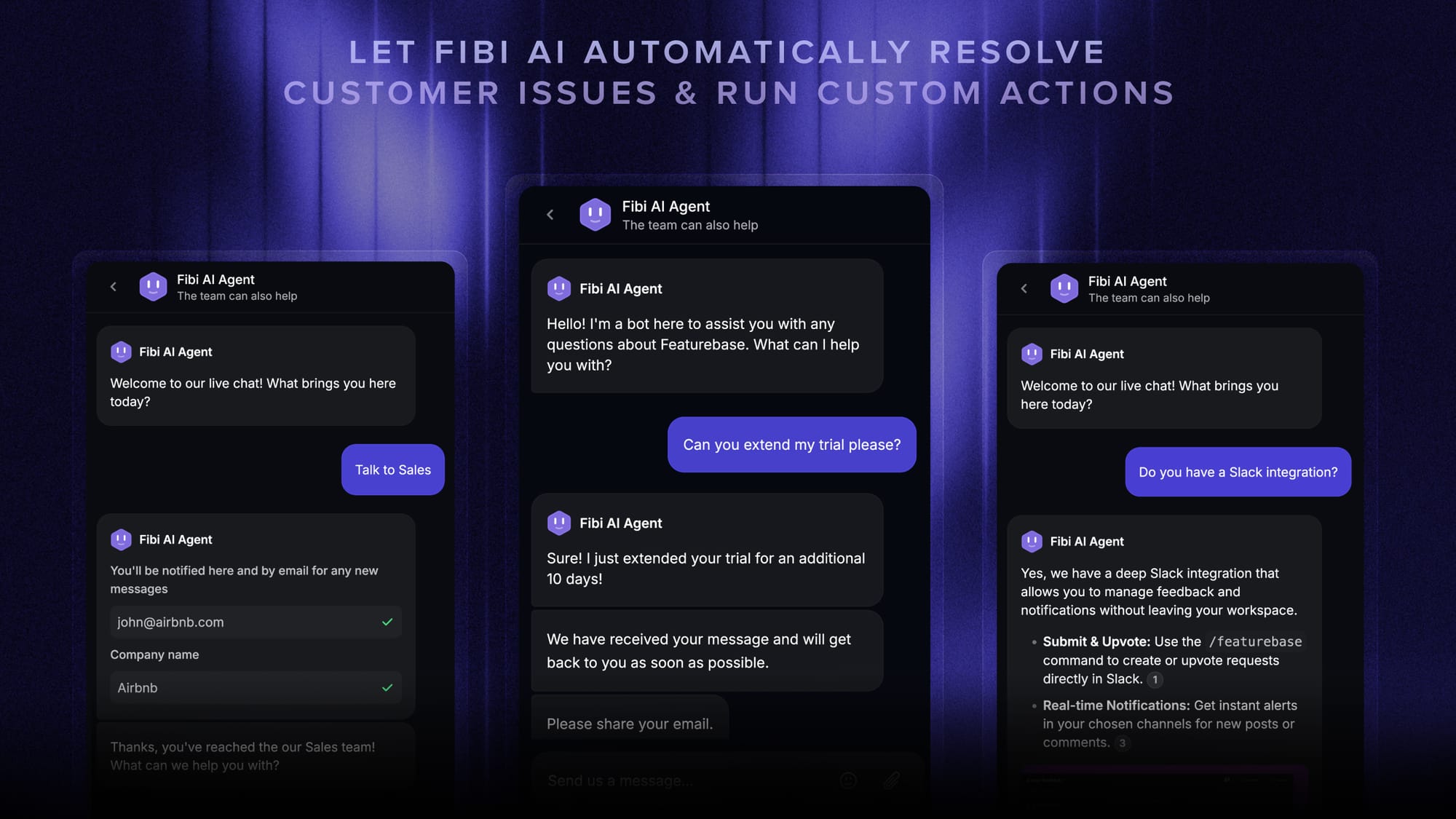
- AI agents and chatbots: AI agents and chatbots or called as "customer service bots" handle common questions and simple tasks like order tracking or password resets, and increasingly resolve multi-step issues end to end before escalating.
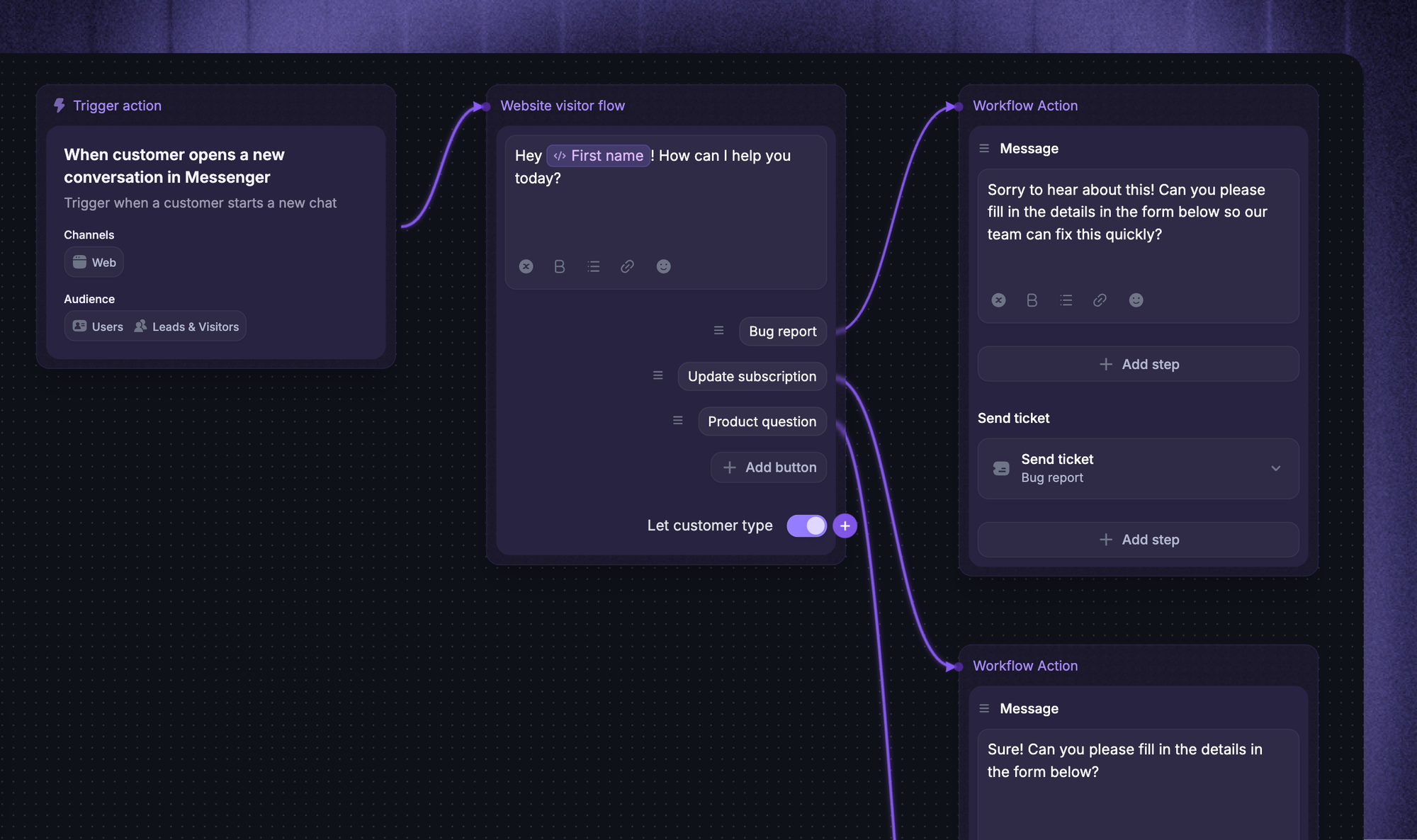
- Automated ticket routing: Categorize incoming tickets by topic, urgency, and priority, then send each one to the agent or team best equipped to handle it.
- Interactive voice response (IVR): Greet callers, gather details, answer common questions, and direct them to the right department without an agent picking up.
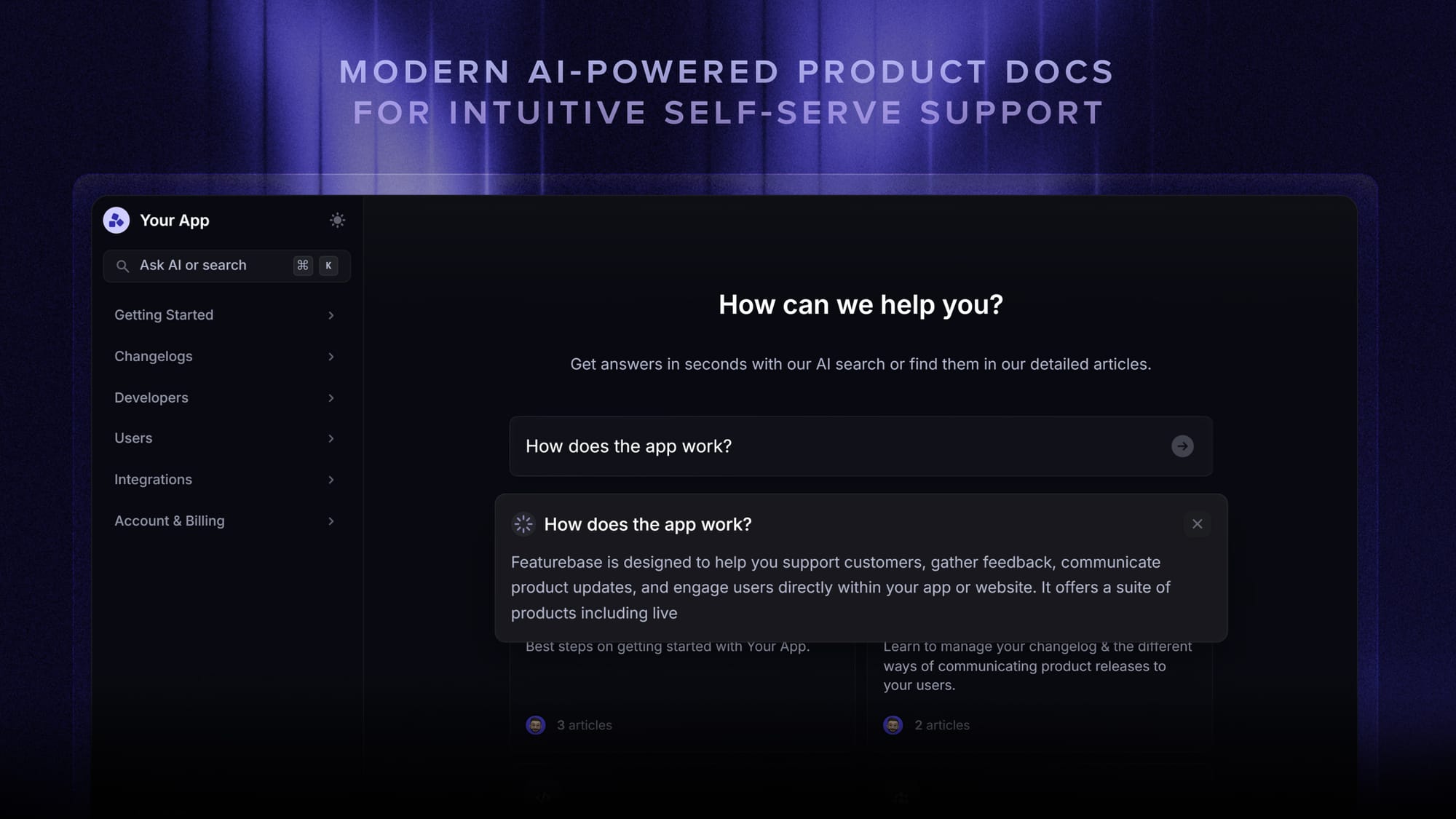
- Knowledge base and self-service: Let customers find their own answers through help articles, FAQs, and troubleshooting guides, deflecting tickets before they're ever created.
- Automated responses and follow-ups: Acknowledge inquiries instantly, send order confirmations, and trigger reminders so nothing slips through the cracks.
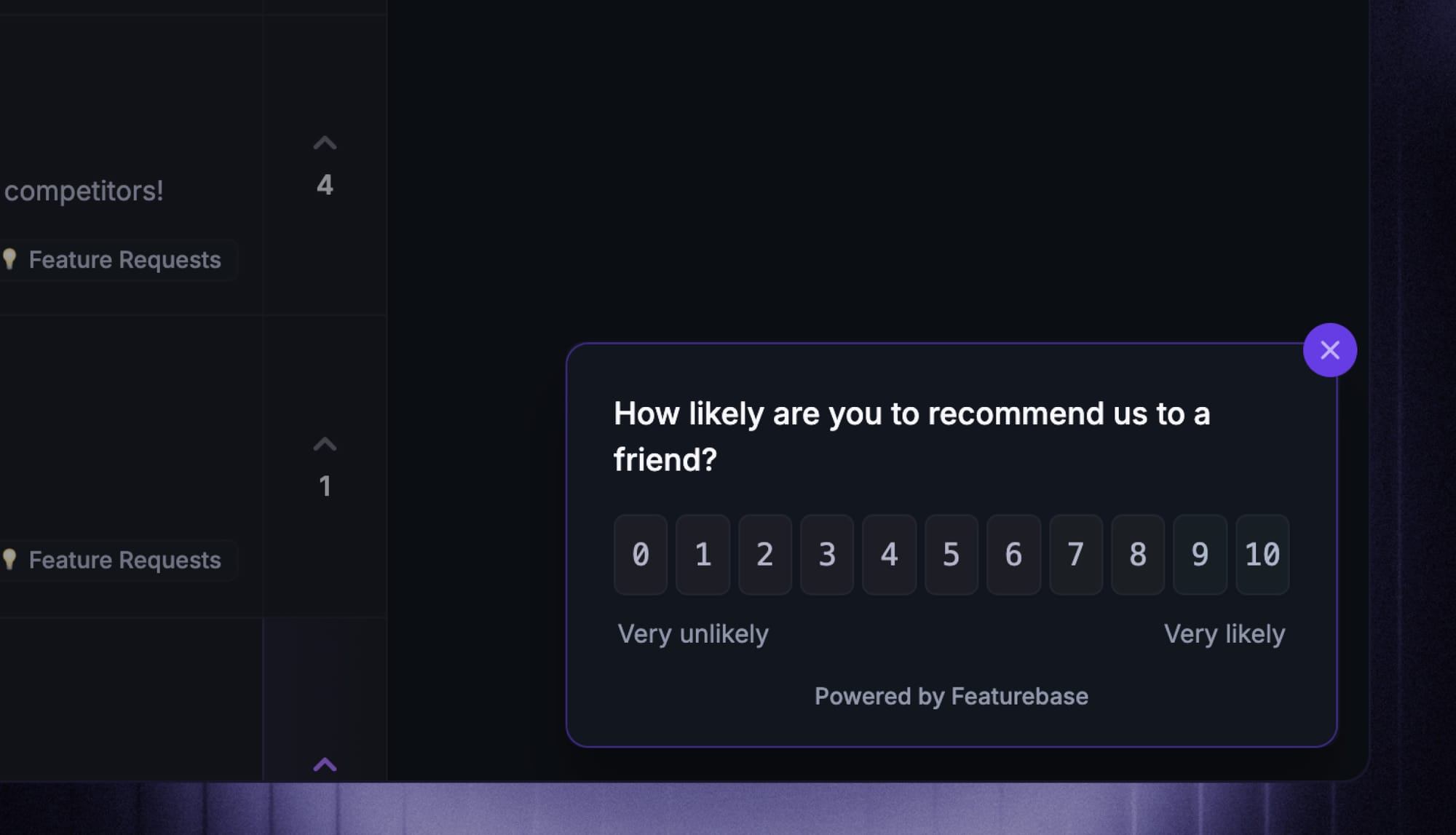
- Automated surveys: Fire off CSAT or NPS surveys at the right moment - right after a resolution, say - to measure satisfaction without manual effort.
- Workflow automation: Run behind-the-scenes rules that update records, tag conversations, and move tasks forward automatically.
Most teams end up running several of these at once, which is where an all-in-one platform helps. With Featurebase, for example, an omnichannel inbox pulls live chat, email, and Slack into one view, the Fibi AI Agent resolves common issues on autopilot, and an AI-powered help center answers questions before they ever become a ticket - so you're not wiring together a separate tool for each type of automation.
Benefits of customer service automation
Done right, automation pays off across cost, speed, and team morale. The main benefits:
- 24/7 availability: Automated systems answer questions and resolve simple issues around the clock, across time zones, without anyone working the night shift.
- Faster resolutions: Instant responses to FAQs and smart routing cut wait times and improve first-contact resolution.
- Lower cost to serve: McKinsey found that revamping customer experience with technology can reduce cost to serve by 20 to 40 percent.
- More time for complex work: Offloading repetitive tickets lets agents focus on high-value, high-empathy conversations that need a human.
- Consistency at scale: Automation delivers the same on-brand answer every time and handles spikes in volume without a dip in quality.
The limitations (and how to work around them)
Automation isn't magic, and pretending otherwise is how teams end up with angry customers. The real limitations, and how to handle each:
- Lack of human touch: Bots can feel impersonal and struggle with empathy. Work around it by routing sensitive or emotional issues straight to a person.
- Limited problem-solving: AI falters on unusual or complex problems it wasn't trained for. A clear escalation path keeps customers from getting stuck in a loop.
- Setup and maintenance cost: Automation takes time, money, and upkeep to do well. Start small with high-impact use cases and expand as you prove value.
- Privacy and security risk: Automated systems process sensitive customer data, so choose tools with strong encryption, access controls, and compliance certifications.
How to automate your customer service in 6 steps
You don't automate everything overnight. A staged rollout keeps quality high and your team on board:
- Map your support requests: Look at where customers reach out and what they ask most. Common, repetitive questions are your best automation candidates.
- Pick the tasks to automate first: Focus on high-volume, low-complexity work like FAQs, order status, and routing before touching anything sensitive.
- Choose the right tools: Look for natural language understanding, deep integrations with your CRM and knowledge base, omnichannel support, and analytics. Or if you want a shortlist to start from, compare the best customer service automation software before committing to a tool.
- Flag what stays human: Decide which interactions - billing disputes, complaints, anything emotional - always go to a live agent, and build those escalation rules in from day one.
- Test before you launch: Run mock inquiries to check routing accuracy and response quality, and fix gaps before customers ever see them.
- Monitor and improve: Track performance, review conversation logs, and refine your flows as customer needs shift. Automation is never set-and-forget.
Best practices for balancing automation and the human touch
The teams that win with automation treat it as a partner to their agents, not a replacement. A few principles worth sticking to:
- Always offer an escape hatch to a human: Give customers an obvious "talk to an agent" option in every bot and IVR flow. Nothing frustrates people faster than a trap with no exit.
- Automate the boring stuff, not the emotional stuff: Use automation for repetitive, transactional tasks, and reserve empathy-heavy moments for people.
- Keep your knowledge base current: Your AI is only as good as the content it draws from, so audit help articles and canned responses regularly.
- Watch the metrics together, not in isolation: A high automation resolution rate paired with falling CSAT is a red flag that your bot is closing conversations without truly solving them.
Support your customers with Featurebase

If you want to automate support without duct-taping 5 different tools together, that's exactly what we built Featurebase for.
Featurebase is a modern AI customer support platform for product-led SaaS. It combines AI-powered support, help center, and feedback management into a single platform for startups that want all their customer-facing tools in one place. Featurebase is loved by thousands of support teams from companies like Lovable, Raycast, and n8n. 💫
Top features:
- Omnichannel inbox – Manage live chat, email, and Slack conversations from one AI-powered view
- Fibi AI Agent - Resolve customer issues on autopilot & run custom actions like trial extensions and refunds
- Help center with AI search – Provide instant, multilingual self-serve answers
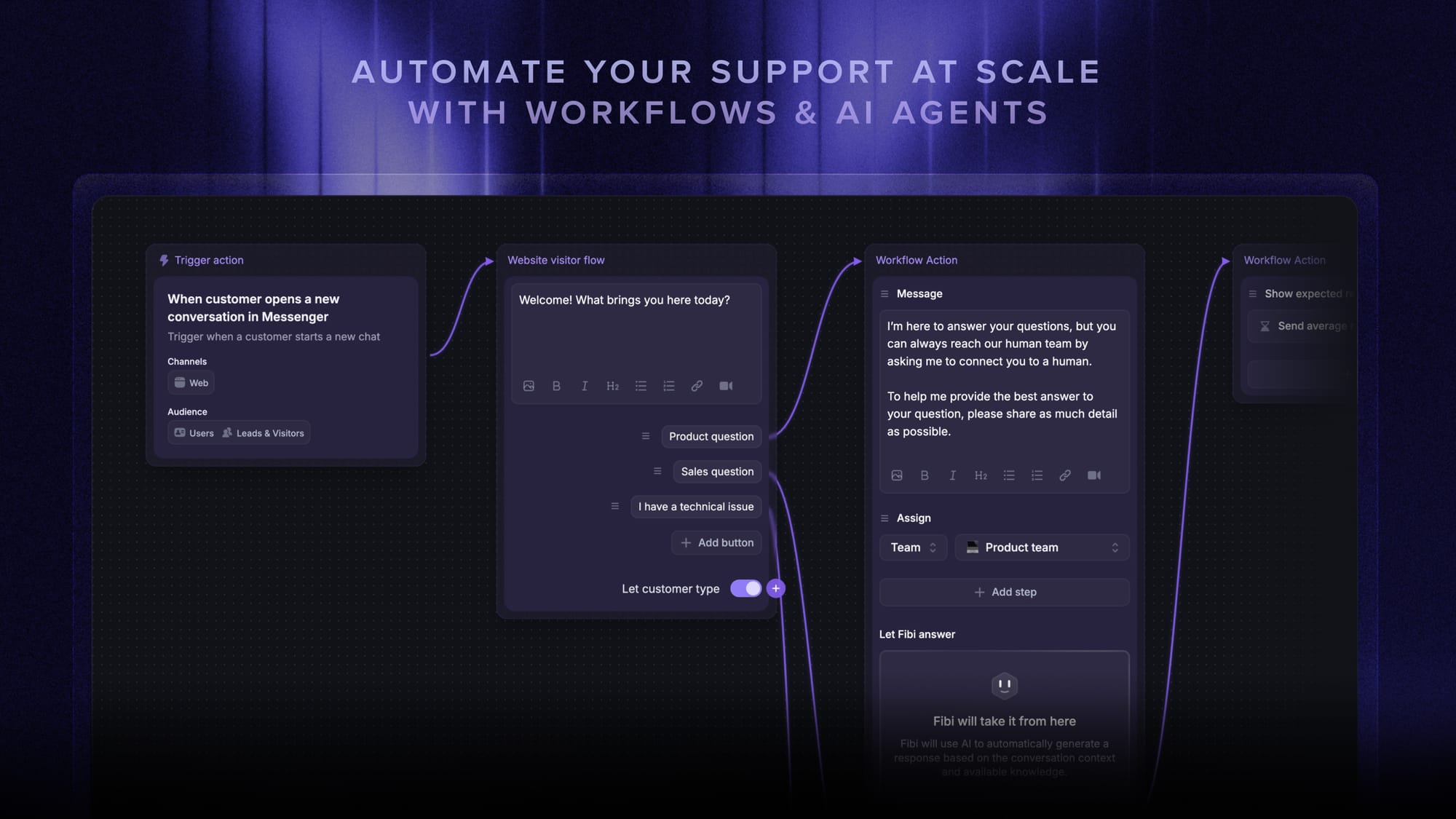
- Workflows & automations – Auto-assign tickets, route conversations, collect customer data, and more
- AI Copilot – Help your agents answer customers faster with AI Copilot that uses your internal knowledge
- Multi-brand support – Manage multiple Help Centers and Live chats from a single workspace
- Automatic AI translations – Automatically translate all messages and help articles to your customers native language
- Service Level Agreements – Track SLAs to make sure your team responds to customers on time, every time
- Mobile app – Respond to customers, receive notifications, and unblock users on the go
- Feedback & roadmap tools – Collect feature requests and close the loop with updates
- Product updates – Publish release notes with a changelog page, in-app widget, and emails
- Integrations – Connects with Slack, Linear, Jira, HubSpot, and more
Pricing: Free plan available with unlimited conversations. Paid plans start at $29/seat/month with $0.49 per AI resolution.
Featurebase covers all the basic support features that legacy platforms do, but with a much more modern approach. It comes with AI automations, a mobile app, and multiple channels (email, live chat, Slack, etc.).

Start automating your CX support!
Automatically resolve 70% of customer requests & cut down manual support loads
Conclusion
Customer service automation has gone from nice-to-have to the default way modern support teams keep up with demand. Done well, it means faster answers, round-the-clock coverage, lower costs, and agents who get to spend their time where it matters. Done badly, it means customers stuck in a bot loop with no way out. The difference comes down to automating the routine work while keeping a clear, easy path to a human.
If you want a single platform to do exactly that, Featurebase brings your inbox, AI agent, help center, and feedback tools together so you can automate support without losing the personal touch. There's a free plan with unlimited conversations, so there's no downside to trying it. 👇
✨ Automate your support with the fastest AI-enhanced Inbox today →

FAQs
Which technologies power customer service automation?
Most customer service automation runs on a mix of artificial intelligence (AI), natural language processing (NLP), and machine learning, which power chatbots and AI agents. Around those sit rule-based workflow automation, interactive voice response (IVR) for phone support, and CRM integrations that give the system the customer context it needs to respond accurately.
What's the difference between customer service automation and AI customer service?
Customer service automation is the broad category: any technology that handles support tasks without a human, including simple rule-based tools like autoresponders and ticket routing. AI customer service is one part of that - the tools that use AI and NLP to actually understand and respond to customers, like AI agents. In short, all AI customer service is automation, but not all automation uses AI.
Which customer service tasks should you automate first?
Start with tasks that are high-volume, repetitive, and low on emotion: answering FAQs, tracking orders, resetting passwords, routing tickets, and sending follow-up surveys. These are quick to automate and free up the most agent time, while sensitive or complex issues stay with your people.
What is the ROI of customer service automation?
ROI usually shows up as a lower cost per contact, higher ticket deflection, and hours of agent time saved on routine work. McKinsey found that revamping customer experience with technology can cut cost to serve by 20 to 40 percent. To track it, watch cost per resolution, automation resolution rate, and CSAT together so speed gains don't quietly hurt satisfaction.
Can customer service be fully automated?
Not entirely, and it shouldn't be. Automation can resolve a large and growing share of routine requests on its own, but complex, sensitive, or emotionally charged issues still need human judgment and empathy. The best setups automate the repetitive work and route everything else to an agent with full context.
What's the best customer service automation software for small teams?
The best fit for a small team is a tool that bundles the essentials - AI chatbot, shared inbox, help center, and automated routing - without enterprise pricing or a heavy setup. Featurebase is a strong option here, with a free plan that includes unlimited conversations and an AI agent, so small teams can automate support without paying per seat for tools they won't use.