Blog Customer ServiceCustomer Service Scheduling Software: 9 Tools Compared
Customer Service Scheduling Software: 9 Tools Compared
Compare 9 customer service scheduling tools for appointment booking, staff coverage, and field visits, with pricing, features, and limitations.



Customer service scheduling software can mean booking customer calls, planning support shifts, or dispatching technicians. Choose the wrong type, and you'll still be juggling calendars or struggling to cover the queue.
The right tool should make it easier for customers to get help and for your team to deliver it. In this guide, I'll compare 9 tools by their role, features, pricing, and limitations so you can find the right fit. 👇
Key takeaways
| Tool | Category | Best for | Starting cost | Main limitation |
|---|---|---|---|---|
| Calendly | Meeting scheduling | Customer calls and team booking links | Free plan. Standard from $10/seat/month annually | Round-robin booking requires Teams or higher |
| Acuity Scheduling | Appointment scheduling | Paid appointments with intake forms | From $16/month annually | No permanent free plan, and Starter includes 1 calendar |
| Setmore | Appointment scheduling | Simple booking for small teams | Free for up to 4 users. Pro from $5/user/month annually | Two-way calendar sync requires Pro |
| Square Appointments | Booking and payments | Service businesses using Square | Free plan. Plus from $49/location/month | Payment processing costs extra, and advanced booking features require paid plans |
| SimplyBook.me | Appointment scheduling | Configurable service booking | Free plan. Basic from $11.90/month annually | Booking volume and premium feature limits vary by plan |
| Assembled | Workforce management | Planning support-agent coverage | From $25/agent/month, plus a platform fee | Forecasting and scheduling capabilities vary by tier |
| Zendesk Workforce Management | Workforce management | Support teams using Zendesk | WFM quote required. WEM bundle is $50/agent/month annually, plus base subscription | Bundle pricing includes more than workforce management |
| Jobber | Field-service management | Booking jobs through to invoicing | Core from $29/month annually for 1 user | Larger teams and additional automation need higher plans |
| ServiceTitan | Field-service management | Dispatch and operations for trades | Custom pricing per technician | Requires a sales quote and broader implementation planning |
Prices are in USD and were checked in October 2026. Annual prices are monthly equivalents billed yearly. Each entry explains the relevant plan limits, and transaction or usage charges can increase the total.
What is customer service scheduling software?
Customer service scheduling software helps businesses coordinate when customers receive service and which employees are available to provide it. Depending on the product, that can mean letting customers book appointments, creating support-agent schedules, or assigning technicians to service visits.
These are different jobs. Before comparing features, decide which scheduling problem you're trying to solve.
Customer appointment scheduling software
Appointment scheduling software lets customers choose an available time through an online booking page. The booking appears on the relevant calendar, and the software can send confirmations or reminders.
This category fits scheduled customer calls, consultations, and in-person services. Look for calendar sync, time-zone handling, booking rules, and an easy way for customers to reschedule.
For example, a customer success team might offer 30-minute onboarding calls. The booking system needs to check the host's availability and leave room between sessions. A paid consultation business may also need intake forms and payment processing before confirming an appointment.
Support workforce scheduling
Workforce management software helps managers plan how many agents should be working and when. It uses information such as expected contact volume and handling time to support staffing decisions.
This category fits teams managing ongoing queues rather than individual customer bookings. Useful capabilities include demand forecasting, shift planning, break scheduling, and schedule adherence reporting.
Imagine your support queue gets busiest after a weekly product release. A workforce planning tool can help you schedule coverage for that period while keeping training and breaks visible. A customer booking link alone won't answer that staffing question.
Field-service scheduling
Field-service scheduling software coordinates work that happens at a customer's location. It connects appointment times with technician assignments and the details needed to complete a job.
For repair, installation, and maintenance businesses, the schedule also has to account for travel and changing job durations. Dispatchers need a practical way to adjust the day when an urgent request arrives or a visit runs late.
These systems often extend into quotes, invoicing, and payments. That makes them useful when the customer experience spans the original booking, the visit itself, and the final bill.
9 customer service scheduling tools compared
The tools below cover customer appointment booking, support workforce scheduling, and field-service dispatch. The recommendations are based on current product documentation, published pricing, and supporting review research.
1. Calendly
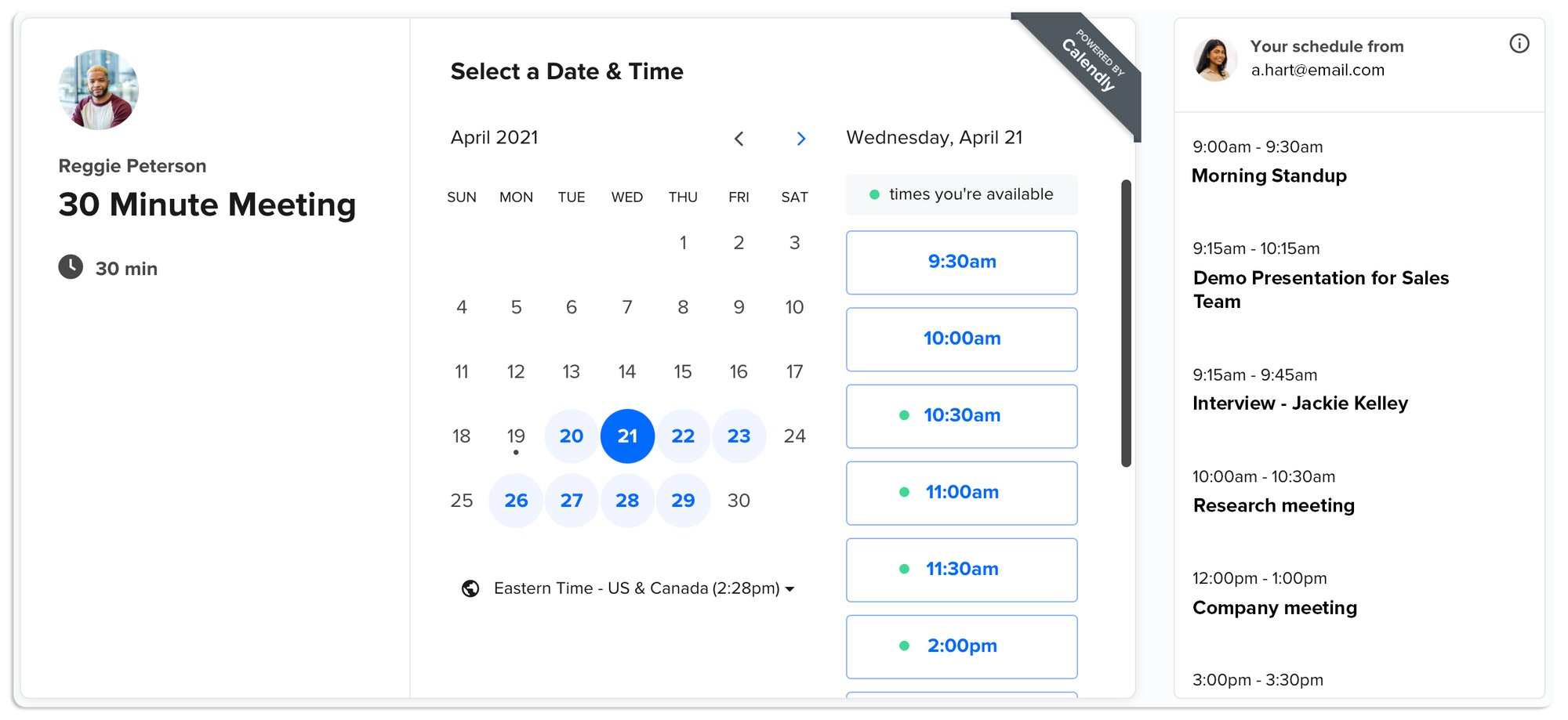
Calendly is a good fit when customers need to book time with your team for onboarding, troubleshooting, or account reviews. You share a booking link, customers choose an available slot, and Calendly checks connected calendars for conflicts.
Its main advantage is keeping the booking process simple. A support specialist can offer a specific call type without negotiating times across a long email thread.
Top features
- Booking pages with configurable availability and event types
- Calendar connections that check for scheduling conflicts
- Automated reminders and follow-ups on paid plans
- Round-robin scheduling and routing on Teams and higher
- Payment collection through Stripe and PayPal on paid plans
Best fit: Teams offering scheduled customer conversations, particularly when different specialists need their own availability or a shared booking process.
Main trade-off: The free plan supports 1 event type and 1 calendar connection. Team distribution is a separate buying decision, since round-robin booking starts with Teams rather than Standard.
For example, someone offering a single weekly support session may find the free plan sufficient. A team sharing incoming bookings across several agents should budget for the team features from the start.
Calendly also doesn't calculate how many agents you need to cover an incoming support queue. Keep meeting availability aligned with the time agents must spend handling unscheduled requests.
Pricing: A free plan is available. Standard starts at $10/seat/month billed annually, while Teams starts at $16/seat/month billed annually. Seats are for meeting hosts, so include everyone who needs to accept bookings when calculating the cost.
2. Acuity Scheduling
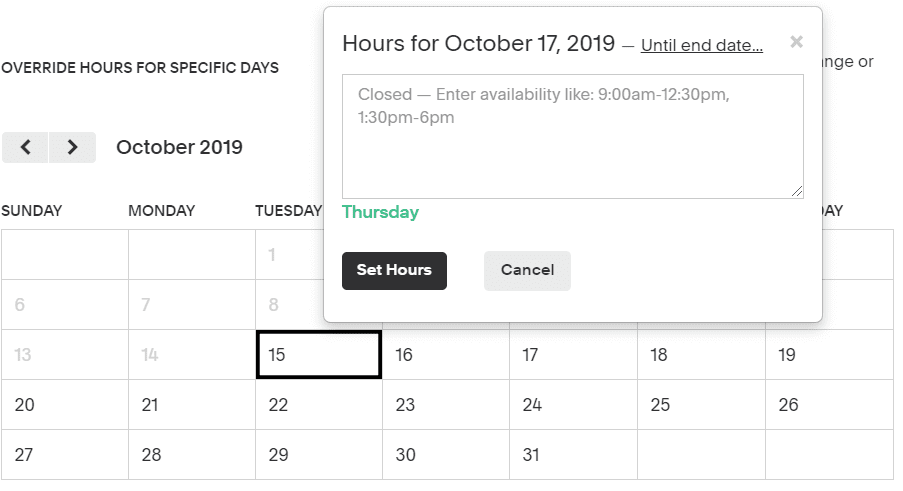
Acuity Scheduling suits businesses where an appointment includes more than choosing a time. It brings booking, intake forms, and payment collection together, which is useful for consultations and other paid services.
Customers can provide information before the appointment, helping your team arrive prepared. That makes Acuity worth considering when staff currently spend time collecting the same details after every booking.
Top features
- Client self-scheduling with unlimited services and appointments
- Intake forms for collecting information before a session
- Payments and deposits through supported processors
- Confirmation, reminder, and follow-up emails
- Calendar connections and automatic client time-zone conversion
Best fit: Appointment-based businesses that need to collect customer details and payment as part of booking.
Main trade-off: There is no permanent free plan, and the entry plan includes only 1 bookable calendar. Text reminders, appointment packages, and a waitlist require Standard or higher.
For a consultant offering several services on one calendar, the entry plan can be a sensible starting point. If each employee or location needs separate availability, count those calendars before comparing the monthly price with other booking apps.
I would also check how the intake form fits the actual service. A short form that helps the appointment is useful, but a long questionnaire can make a simple booking feel like paperwork.
Pricing: Starter costs $16/month billed annually, or $20 month to month, for 1 calendar. Standard starts at $27/month billed annually for up to 6 calendars. A 7-day free trial is available.
3. Setmore
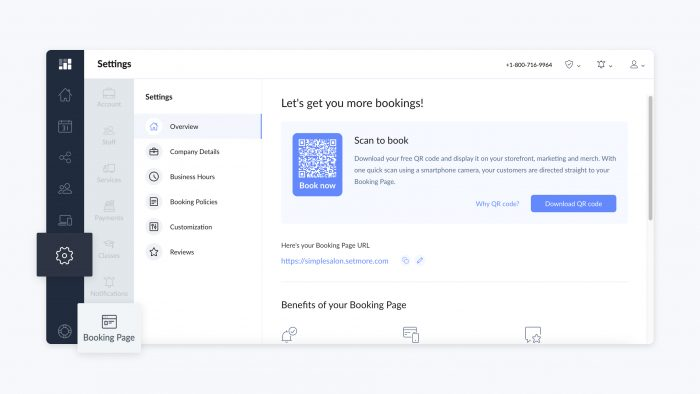
Setmore offers a straightforward way for customers to book services through a public booking page. Its free plan supports up to 4 users and unlimited appointments, making it a useful starting point for a small team moving away from manual bookings.
It fits businesses that want customers to see available services and times without first calling or emailing. Staff can manage appointments through the calendar and mobile apps.
Top features
- Customizable booking pages and website booking widgets
- Staff calendars and availability management
- Email confirmations and appointment reminders
- Payment integrations for collecting money at booking
- Two-way calendar sync and recurring appointments on Pro
Best fit: Small service businesses that need an accessible online booking system with room for several staff members on the free plan.
Main trade-off: Two-way calendar sync requires Pro. If staff already manage their day through Google Calendar or Microsoft 365, that connection may be essential from the beginning.
Supporting review feedback is positive about easy booking, but some users report calendar and integration issues. Test changes in both systems during your trial, including a cancellation and an appointment moved to a different time.
The practical question is whether Setmore will become the main schedule or needs to stay synchronized with another one. A free booking page is less useful if someone still has to copy events between calendars every day.
Pricing: The Free plan supports up to 4 users. Pro costs $5/user/month billed annually, or $12/user/month billed monthly. The paid price is per user, even though the plan allows a larger team.
4. Square Appointments
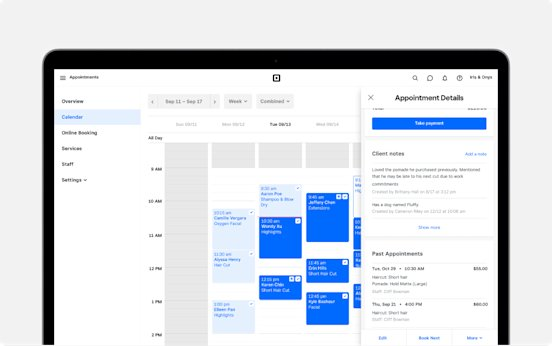
Square Appointments combines customer booking with Square's payment tools. It's a natural shortlist option for service businesses that need to manage an appointment and take payment when the customer arrives or books online.
That connection is especially relevant for salons, studios, and other businesses with a physical service location. The appointment is part of a larger customer transaction, and keeping those details together can reduce duplicate administration.
Top features
- An online booking website and booking integrations
- Staff calendars with customizable availability
- Appointment reminders and customer communication tools
- Integrated payment processing and point-of-sale functionality
- Advanced booking options, including resources and multi-staff appointments, on applicable plans
Best fit: Service businesses that already use Square or want booking and payments within the same platform.
Main trade-off: Compare the subscription and processing costs together. A free booking plan still has payment processing charges, while requirements such as Google Calendar sync and more advanced appointment management can lead to a paid plan.
If you're already committed to another payment processor, consider the cost and disruption of changing it. That decision may matter more than the difference between 2 appointment-scheduling subscriptions.
Before choosing a tier, map a real appointment from booking through checkout. Include any deposit, cancellation, or multi-staff requirement so you can confirm that the plan covers the whole transaction.
Pricing: Square Free has no monthly subscription fee. Square Plus costs $49/location/month, and Premium costs $149/location/month. Payment processing fees apply separately, and paid plans offer a 30-day trial.
5. SimplyBook.me
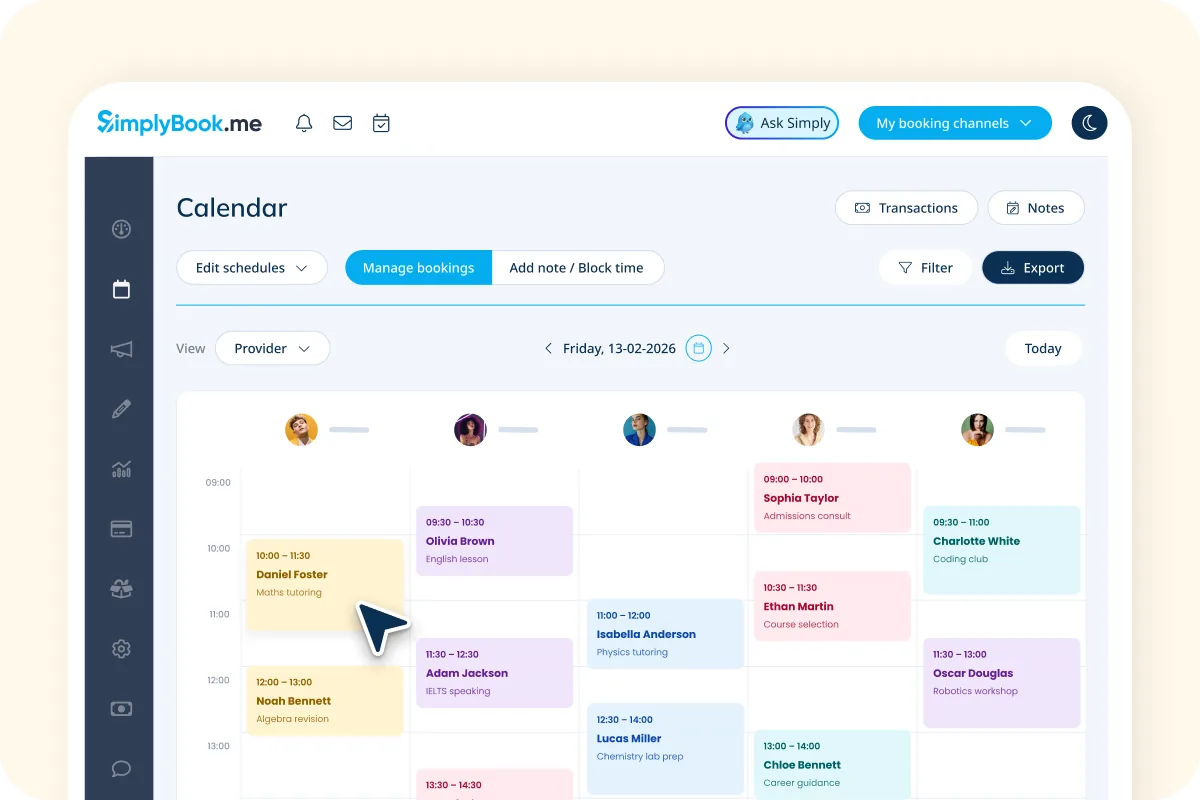
SimplyBook.me is designed for businesses that want more control over how customers book services. It combines a booking website or widget with a selection of optional features for different business needs.
That flexibility can help when a basic booking link doesn't cover your service. The important step is deciding which features you need before choosing a subscription.
Top features
- A booking website and an embeddable booking widget
- Service-provider availability and resource scheduling
- Calendar synchronization options
- Payment integrations and booking notifications
- Optional features for needs such as memberships, packages, and intake forms
Best fit: Service businesses that need to tailor the booking experience around several providers, service types, or customer requirements.
Main trade-off: Plans limit monthly bookings and the number of premium custom features. A plan can support enough employees but still be too restrictive for the number of appointments or optional features you need.
For example, list payment collection, calendar sync, and intake requirements before selecting a tier. Check how each requirement is counted, then leave room for the months when bookings increase.
The range of options also calls for a more deliberate setup than a single meeting link. Start with the booking journey customers actually need and add extra features once that works well.
Pricing: Free includes 50 bookings/month, 1 provider, and 1 premium custom feature. Basic starts at $11.90/month billed annually, or $13.90 monthly, for 100 bookings, 5 providers, and 3 premium custom features. SMS credits cost extra.
6. Assembled
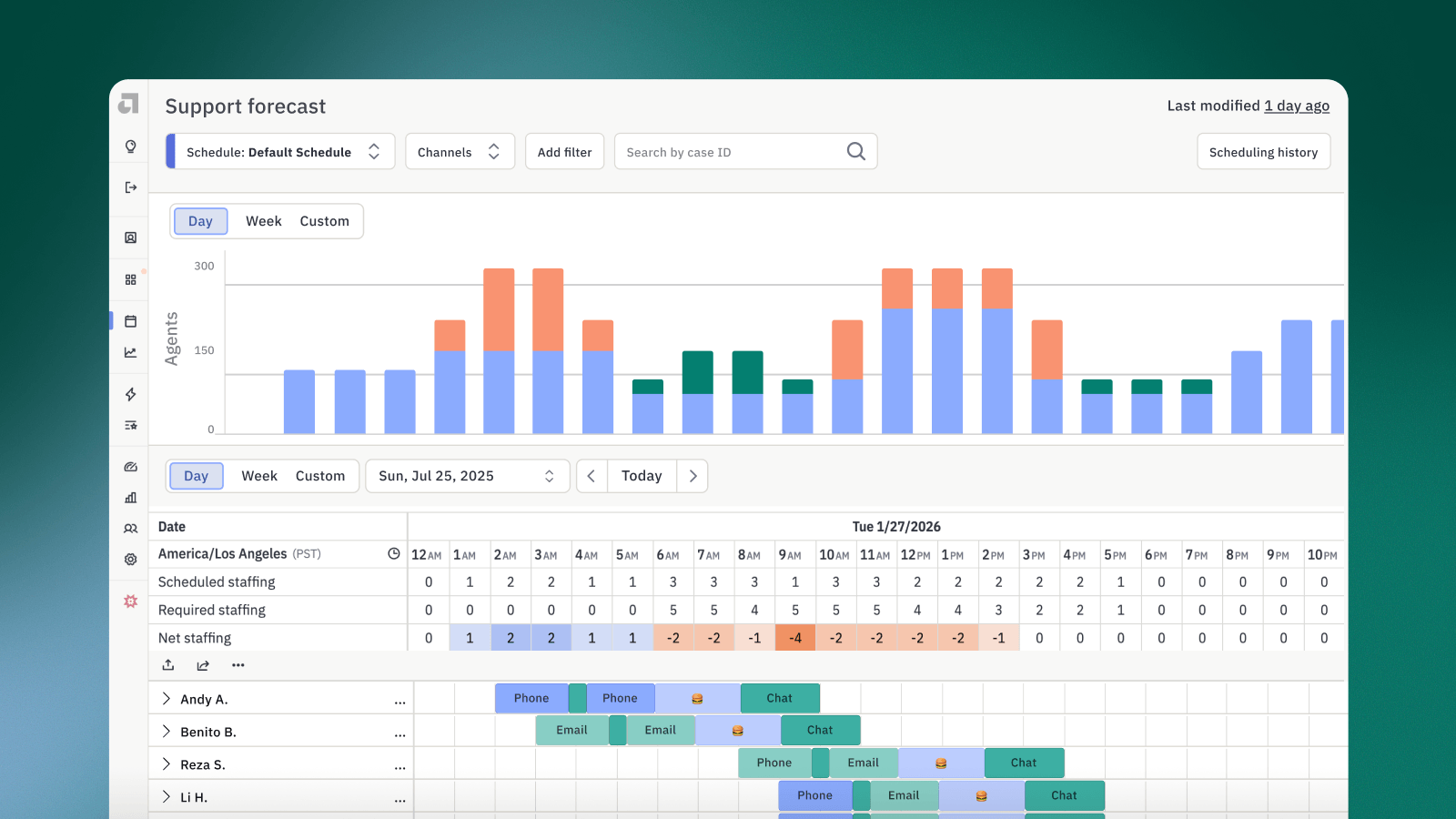
Assembled is workforce management software for support operations. It helps teams forecast demand, plan staffing, and understand whether actual coverage matches the schedule.
This is the category to consider when your problem is an understaffed queue or constant manual changes to agent shifts. If you're comparing call center scheduling software, evaluate the forecasting and coverage tools against your actual channels.
Top features
- Support-agent scheduling and reusable schedule templates
- Forecasting across support channels on applicable tiers
- AI-assisted schedule generation on higher plans
- Real-time adherence monitoring and staffing reporting
- Time-off and shift-swap automation on higher plans
Best fit: Support teams that need a repeatable way to plan coverage across changing contact volumes and working hours.
Main trade-off: The entry price isn't the full bill. Assembled charges a platform fee in addition to the per-agent subscription, and its detailed plan information places forecasting and AI schedule generation in Pro.
Treat the demo as a chance to test your own staffing assumptions. Ask the vendor to show how a forecast changes when one queue gets busier or more experienced agents are unavailable.
The reporting also needs to support a management decision. If you can see a coverage gap but still have to rebuild the schedule manually, ask which tier provides the automation you expected.
Pricing: Workforce management starts at $25/agent/month, plus a platform fee. Pro is listed at $45/agent/month. Confirm the billing commitment, platform fee, and exact forecasting features in your quote because the headline product summary is broader than the entry tier.
7. Zendesk Workforce Management
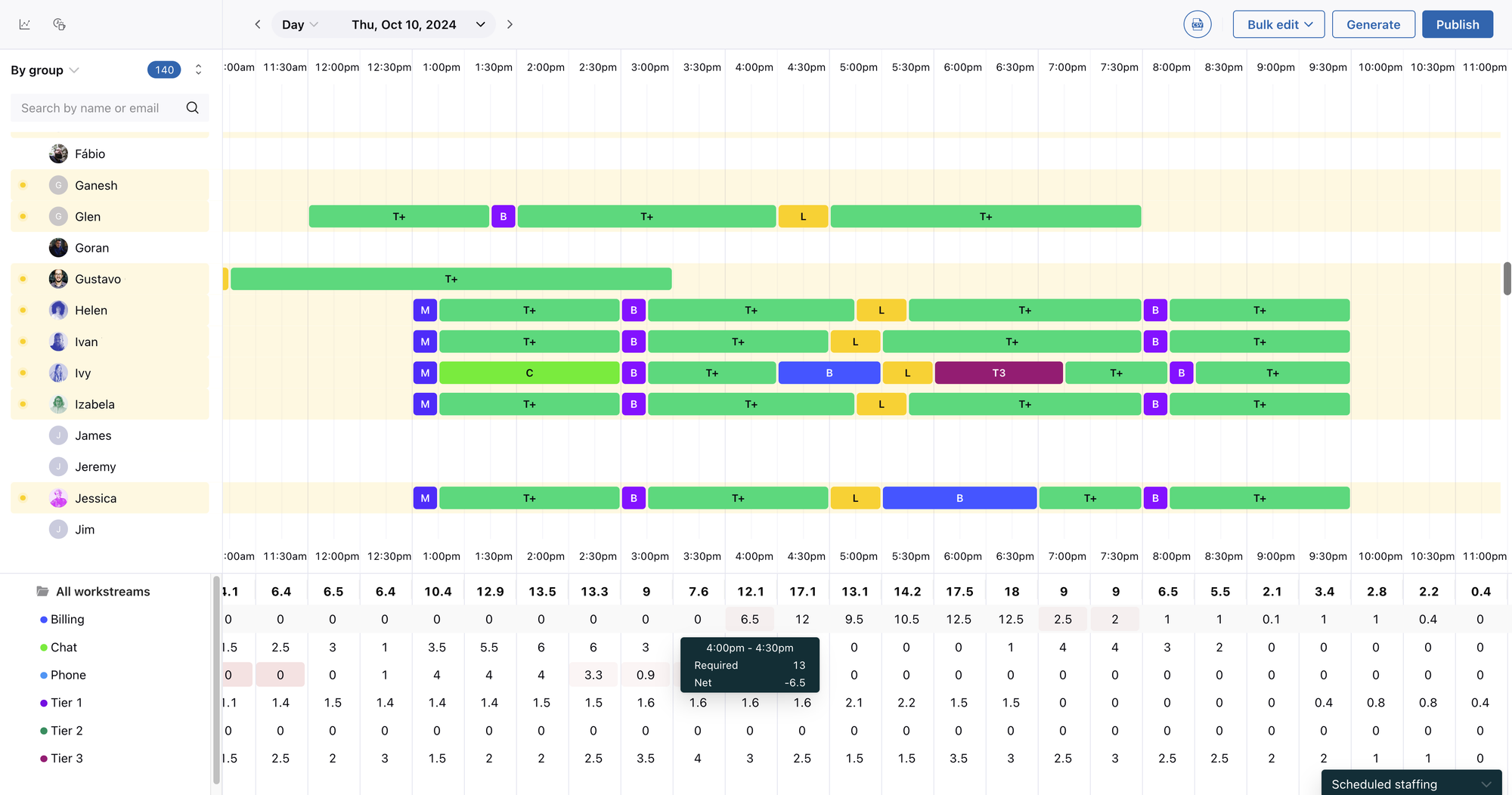
Zendesk Workforce Management helps support managers forecast staffing requirements, create agent schedules, and track adherence. It is worth evaluating when your customer service operation already runs on Zendesk.
The appeal is planning coverage close to the support work itself. Managers can account for activities such as ticket handling, breaks, and training instead of treating every hour on the schedule as identical.
Top features
- AI-powered staffing forecasts based on historical data
- Automated scheduling for agents and their activities
- Visibility into individual schedules
- Real-time agent activity and adherence tracking
- Reporting on how agents spend time in and outside Zendesk
Best fit: Zendesk teams that want workforce planning connected to their existing support operation.
Main trade-off: Workforce management has to be priced separately from the base support subscription. A low entry price for Zendesk's ticketing software doesn't establish the cost of the scheduling system.
It also helps to decide whether you need workforce management alone or a broader package. Quality assurance may be useful, but it should be an intentional purchase rather than an overlooked part of a bundle.
For the evaluation, choose a busy period from your actual support history. Compare the proposed schedule with what happened, including training, time off, and the channels that needed immediate attention.
Pricing: Request a quote for standalone WFM. The published Workforce Engagement Bundle costs $50/agent/month, paid yearly, in addition to a base Zendesk subscription. That bundle includes workforce management and quality assurance, so treat it as a bundle cost when reviewing Zendesk pricing.
8. Jobber
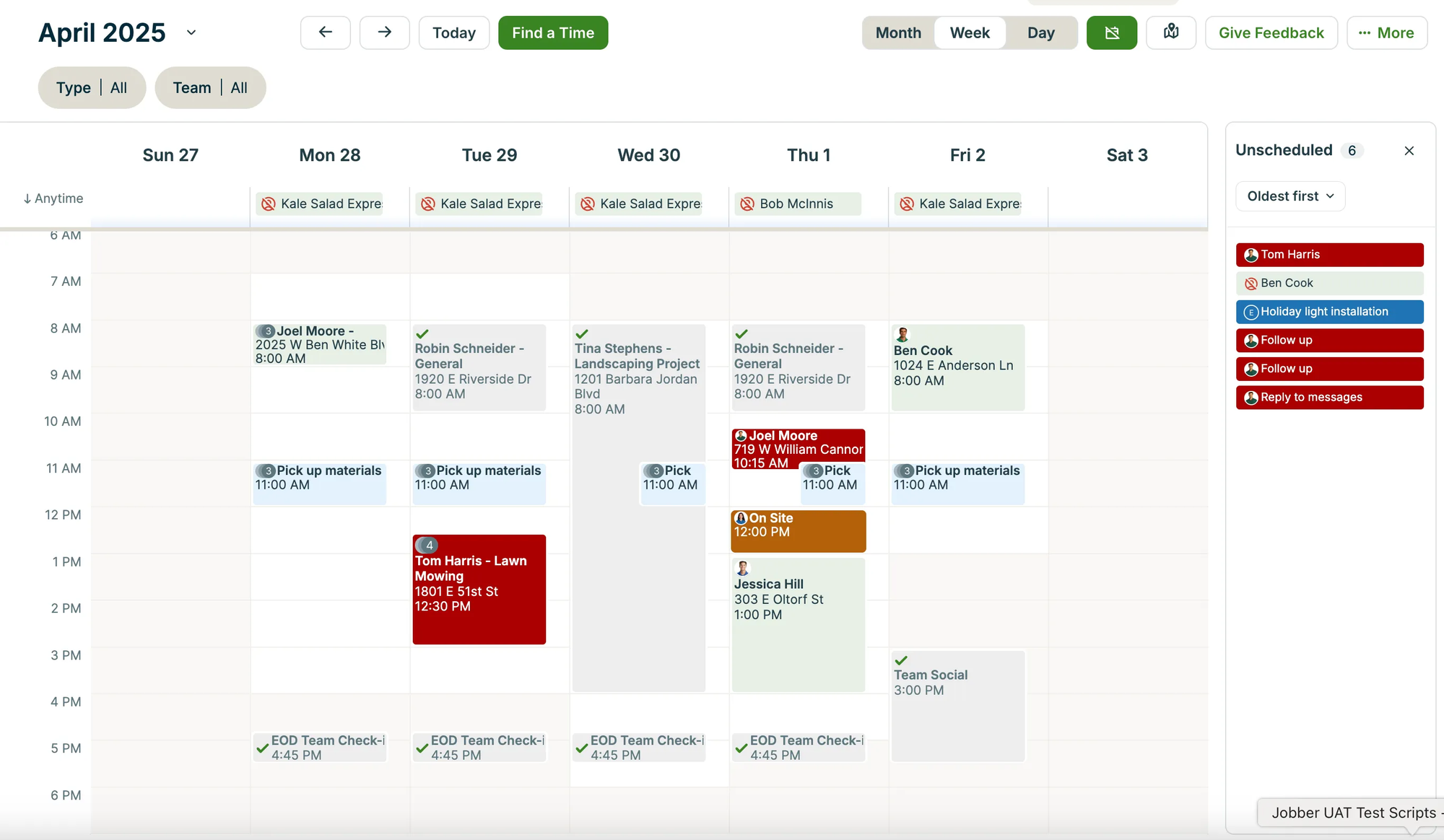
Jobber connects field-service scheduling with the work before and after a visit. A business can book a job, prepare a quote, manage the service, and send an invoice through the same platform.
That makes it a useful choice when your scheduling problem includes keeping track of customer and job details. A calendar entry alone doesn't tell the team what was quoted or whether the customer has paid.
Top features
- Online job booking and scheduling
- Quotes connected to customer work
- Invoicing and online payment collection
- Built-in reporting for business performance
- An app marketplace for connecting other business tools
Best fit: Field-service businesses that want a connected process from the initial booking to the final payment.
Main trade-off: The lowest-priced Core plan is for 1 user. A business with office staff and several technicians should compare the relevant team plan, including any reminders, time tracking, or follow-up automation it needs.
Reviews highlight its approachable interface and practical job-management workflows. The more useful buying test is whether those workflows match how your team already operates.
For example, walk through a customer requesting a visit, accepting a quote, and changing the date. Confirm who sees the update and whether the office needs to re-enter any information before the job can proceed.
Pricing: Core starts at $29/month billed annually for 1 user, or $49/month with no annual commitment. Higher plans add users and features. A 14-day free trial is available.
9. ServiceTitan
ServiceTitan brings scheduling and dispatch into a broader operating system for trade businesses. It is a stronger fit when the office must coordinate customer calls, technician assignments, and the commercial details of each job.
Its scope goes well beyond a public appointment calendar. That can be valuable for a busy dispatch operation, but it also makes the buying process more involved.
Top features
- Scheduling and technician dispatch
- Call booking connected to service work
- Invoicing and a shared pricebook
- Mobile estimates on applicable packages
- Broader reporting and operational tools on higher packages
Best fit: Trade businesses that need dispatch and scheduling tied to the way they quote, deliver, and bill for work.
Main trade-off: Pricing is quote-based, and the broader platform needs a thoughtful implementation. Supporting review themes include both useful integrated workflows and a learning curve.
Ask for a demonstration using a realistic dispatch problem, such as a technician running late while an urgent job arrives. The team needs to see how the schedule changes and how the updated assignment reaches the people doing the work.
Then involve the office staff who will use it every day. A platform may cover more functions than a basic booking app, but those functions only help when the team can keep the information accurate.
Pricing: ServiceTitan uses custom per-technician pricing across its Starter, Essentials, and The Works packages. Request an itemized quote covering the package, implementation, and any additional products you need.
How to choose customer service scheduling software
The best customer service scheduling software fits your actual workflow and removes work from it. I would compare a short list using the same customer journey, staffing constraints, and cost assumptions.
Start with the scheduling problem
Write down what currently goes wrong. A customer waiting 3 days to find a meeting time is a different problem from a chat queue with too few agents after lunch.
- Customers can't book easily: Prioritize online booking, available time slots, reminders, and rescheduling.
- Support coverage misses demand: Prioritize workforce forecasting, shift planning, and visibility into actual staffing.
- Field visits are hard to coordinate: Prioritize technician assignment, job details, and the ability to adjust dispatch plans.
You may need more than one category, but each product should have a clear job. That keeps you from buying a broad system while leaving the original bottleneck unresolved.
Test availability and calendar sync
A booking page is only useful if the availability behind it is accurate. Check which calendars it reads, where new appointments are written, and whether changes move in both directions.
Include these situations in your test:
- A conflicting event: Add an internal meeting to an employee's calendar and check whether that time becomes unavailable to customers.
- A rescheduled appointment: Move a booking and confirm that the old slot is released and the new one is blocked.
- Time off or a different time zone: Check how the customer sees availability when the host is away or works in another region.
- Preparation time: Confirm that your team can leave the gap it needs before or after a service.
For workforce scheduling, apply the same discipline to breaks and training. Published working hours should reflect usable coverage, not just the time someone starts and finishes their day.
Check the handoff between systems
Scheduling is often the start of a service interaction. The person handling the appointment still needs the customer's context and a clear owner for follow-up work.
Look at what passes into your CRM or helpdesk when a booking is created. Then test a cancellation or change, because an integration that only creates records may leave outdated information behind.
Good customer service collaboration also requires clear ownership. Decide who responds when a customer replies to a reminder with a question, or when a booking needs specialist attention.
Ask vendors to distinguish native integrations from connections that need a separate automation service. Both can work, but the second option can add subscription costs and another workflow to maintain.
Compare the price of your actual setup
The lowest displayed price is a starting point. Build a cost estimate using the number of people, locations, and bookings you expect to support.
- Seats or users: Include everyone who needs their own calendar or access to the scheduling workflow.
- Locations or calendars: Check whether separate service locations or staff calendars change the required tier.
- Usage charges: Account for payment processing, SMS credits, booking limits, or AI usage where relevant.
- Add-ons and setup: Include platform fees, required base subscriptions, onboarding, and integrations.
For example, 5 Calendly Teams seats at the published annual rate of $16 per seat come to $80/month, billed as $960/year. That is a more useful comparison than the single-seat price if all 5 people need to host bookings.
Also distinguish annual billing from a monthly payment on an annual commitment. The amount paid today and the length of the contract are separate decisions.
Reduce avoidable demand before adding more coverage
Some scheduling pressure comes from work customers could complete without an appointment. Review why people contact the team before opening more time slots or adding shifts.
In Salesforce's 2025 State of Service research, service representatives reported spending 46% of their time with customers, with administrative tasks and internal responsibilities taking part of the rest. The report draws on a survey of 6,500 service professionals across 40 countries. Source: Salesforce State of Service.
That makes administrative work worth examining alongside staff availability. Better booking rules can reduce coordination, while customer service automation can handle repetitive requests that don't need a scheduled conversation.
Keep a clear path to a person for complex requests, and measure how much work still reaches the team before changing staffing assumptions.
Run a pilot with clear success measures
Start with one team, service, or queue so you can see the effect of the new workflow. Record the current problem before introducing the tool, then compare results after people have learned the process.
Choose a few customer service metrics that reflect what you're trying to improve:
- Appointment booking: Track manual scheduling time, no-shows, and booking errors.
- Support coverage: Track response times, service-level performance, and the gaps between planned and actual coverage.
- Field visits: Track missed arrival windows, dispatch changes, and repeat administration.
Give the team a clear definition of success through your customer service standards. Faster scheduling matters, but so does whether customers can get the service they expected.
Support customers before and after appointments with Featurebase

An onboarding call may start with a booking link, but a customer can still need an integration guide before the call or help resolving an issue afterward. Those questions need a clear place to go and someone responsible for answering them.
Featurebase helps software teams handle that ongoing customer support with an omnichannel inbox, Fibi AI Agent, and a help center. It's a useful addition when your customer base is growing faster than your support team and you want to automate repetitive questions.
- Omnichannel inbox – Keep customer conversations together so your team can follow up with context.
- Fibi AI Agent – Answer routine product questions using your help content and past support conversations.
- Help center – Give customers a place to find answers without waiting for the next available call.
For example, a customer asking how to import data may get the answer from your help content. A more involved troubleshooting request can go to a teammate with the conversation history available.
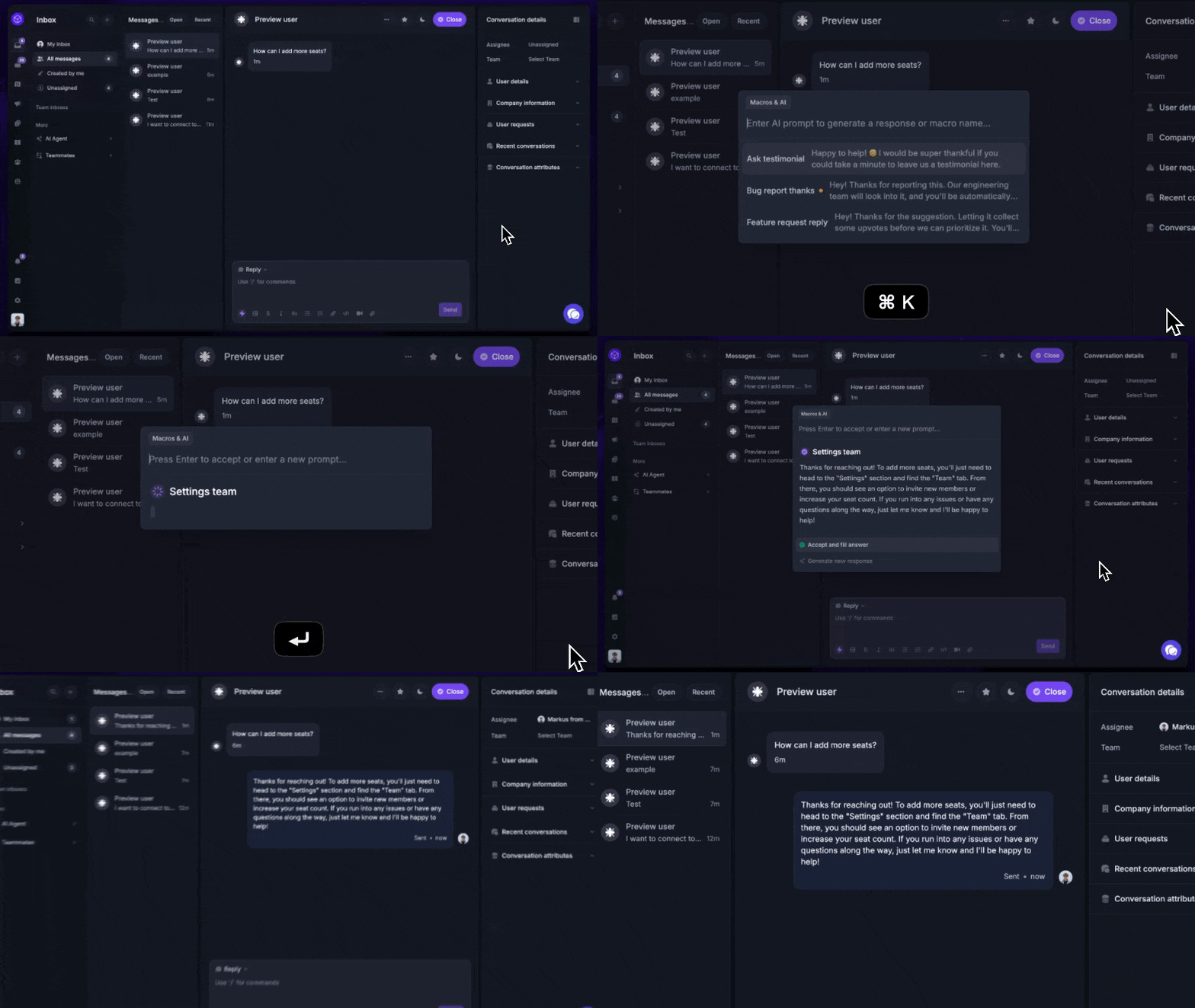
Your scheduling tool continues to manage bookings or staff coverage. Featurebase handles the customer questions around that work.
Fibi AI Agent requires a paid plan and has usage-based charges.

Resolve 70% of customer requests with AI
Automatically resolve customer issues & cut down support loads for your team
Conclusion
Choose customer service scheduling software that matches the work you need to coordinate, whether that's appointments, support shifts, or field visits. Test availability, notifications, and the total cost of your required features before committing.
Featurebase helps software teams handle the customer support around those appointments. It brings an omnichannel inbox, a help center, and AI-powered support together so your team can answer questions and manage follow-ups as your customer base grows.
It comes with a Free plan for core support and straightforward onboarding, so there's no downside to trying it. 👇
✨ Automate your support with the fastest AI-enhanced Inbox today →

FAQs
Which integrations should customer service scheduling software support?
Prioritize the calendar and customer system your team already uses. Appointment tools may need CRM, video meeting, and payment connections, while workforce tools need dependable support-volume and employee-availability data. Check whether integrations update existing records and cancellations, not just create a new event.
Can scheduling software handle urgent customer requests?
Software can help you identify available capacity and reassign work, but your team still needs rules for what counts as urgent. Reserve capacity where appropriate and decide who can change an existing appointment or shift. Confirm that schedule changes notify everyone affected, including the customer when a promised time moves.
How long does it take to switch from manual scheduling?
A simple booking page generally needs less preparation than workforce scheduling connected to historical support data. The work includes confirming availability, moving existing appointments, testing notifications, and training the people using it. Pilot one service or team first, then expand once bookings and changes behave reliably.
Can agents receive schedule updates and swap shifts?
Some workforce management tools support notifications, time-off requests, and shift swaps, but availability varies by product and plan. Check whether swaps require approval and preserve the skills or channel coverage your team needs. A booking app's staff calendar does not automatically include employee shift-swapping functionality.
How does AI help with customer service scheduling?
AI can help forecast contact volume and generate staffing schedules from defined requirements. In customer support platforms, AI can also resolve routine requests, changing how much work needs human attention. Evaluate forecast accuracy and the resulting service performance instead of treating every AI feature as the same capability.