Blog Comparisons9 Best Free Customer Service Software Tools in 2026
9 Best Free Customer Service Software Tools in 2026
Discover the 9 best free customer service software tools in 2026 - what each free plan actually includes, who it's best for, and when to upgrade.



✨ Automate your support with the fastest AI-enhanced Inbox today →
They say the best things in life are free, but free customer service software rarely lives up to the label. Some tools hand you a genuine forever-free plan, others a 14-day trial dressed up as "free", and plenty cap you so hard you hit a paywall in week one.
This guide sorts the real free plans from the trials. For each of the 9 tools below, you'll see exactly what you get for $0, who it fits, and where the free tier runs out. 👇
Key takeaways:
| Tool | Free option | Starting price | Best for | Main trade-off |
|---|---|---|---|---|
| ✨Featurebase | Free plan, unlimited conversations | $29/seat/mo | Modern SaaS teams wanting support and feedback in one | Newer than legacy help desks |
| Zoho Desk | Free plan, 3 agents | $7/agent/mo | Multichannel support on a tight budget | Cluttered UI, dated AI |
| Freshdesk | Free plan, 2 agents | $19/agent/mo | Fast ticketing setup | Automation and AI gated to paid tiers |
| HubSpot Service Hub | Free tools, 2 users | $20/seat/mo | Teams already on HubSpot CRM | Steep Starter-to-Pro price jump |
| Tidio | Free plan, 50 conversations/mo | $29/mo | Live chat and AI for small stores | Free conversation cap hits fast |
| Jira Service Management | Free plan, 3 agents | $20/agent/mo | IT and internal service teams | Steep learning curve |
| LiveAgent | Free plan (limited) | $15/agent/mo | Many channels in one inbox | Only 7-day ticket history on free |
| Help Scout | Free plan, 5 users | $21/user/mo | Simple, human email support | Best AI locked to higher plans |
| Zendesk | No free plan (14-day trial) | $19/agent/mo | Scaling teams needing a mature platform | No free plan, costs stack up |
What is free customer service software?
Free customer service software is a support tool you can use at no cost to organize customer questions, reply faster, and keep every conversation in one place instead of a shared email inbox. It usually bundles a ticketing system, live chat, a knowledge base, and some automation.
The catch is that "free" means 3 very different things, and knowing which one you're signing up for saves a lot of frustration:
- A forever-free plan: You use a limited set of features indefinitely, with no time limit. The caps are usually on agents, conversations, or advanced features, but the price stays $0.
- A free trial: You get full access to a paid plan for a fixed window (often 14 or 30 days), then you either pay or lose access. Great for testing, not for running support long-term.
- A capped freemium tier: A free plan that's technically forever but throttled hard enough (a handful of conversations, one inbox, no automation) that most teams outgrow it within weeks.
Most tools on this list offer a real free plan. A couple, like Zendesk, only offer a trial. We flag which is which for every entry below.
What to look for in free customer service software
A free plan is only useful if it covers the basics your team actually needs. As you compare tools, weigh these 5 things:
- The channels you support on: Check that the free plan covers where your customers actually reach you, whether that's email, live chat, social media, or Slack. Many free tiers limit you to one or two channels.
- Self-service and knowledge base: A knowledge base lets customers solve simple issues without opening a ticket. Most customers would rather help themselves for simple questions, so a searchable help center quietly cuts your ticket volume.
- AI and automation: Automation routes and tags tickets so nothing slips, and AI agents can now resolve common questions on their own. On free plans, though, AI is usually capped or credit-limited, so check the allowance.
- Integrations: Your support tool should connect to the CRM, billing, and project tools you already run. Weak integrations mean copy-pasting between tabs all day.
- Where the free tier runs out: Look at the agent cap, conversation cap, and which features are paywalled. The real question isn't whether a plan is free, but how long it stays useful before you have to pay.
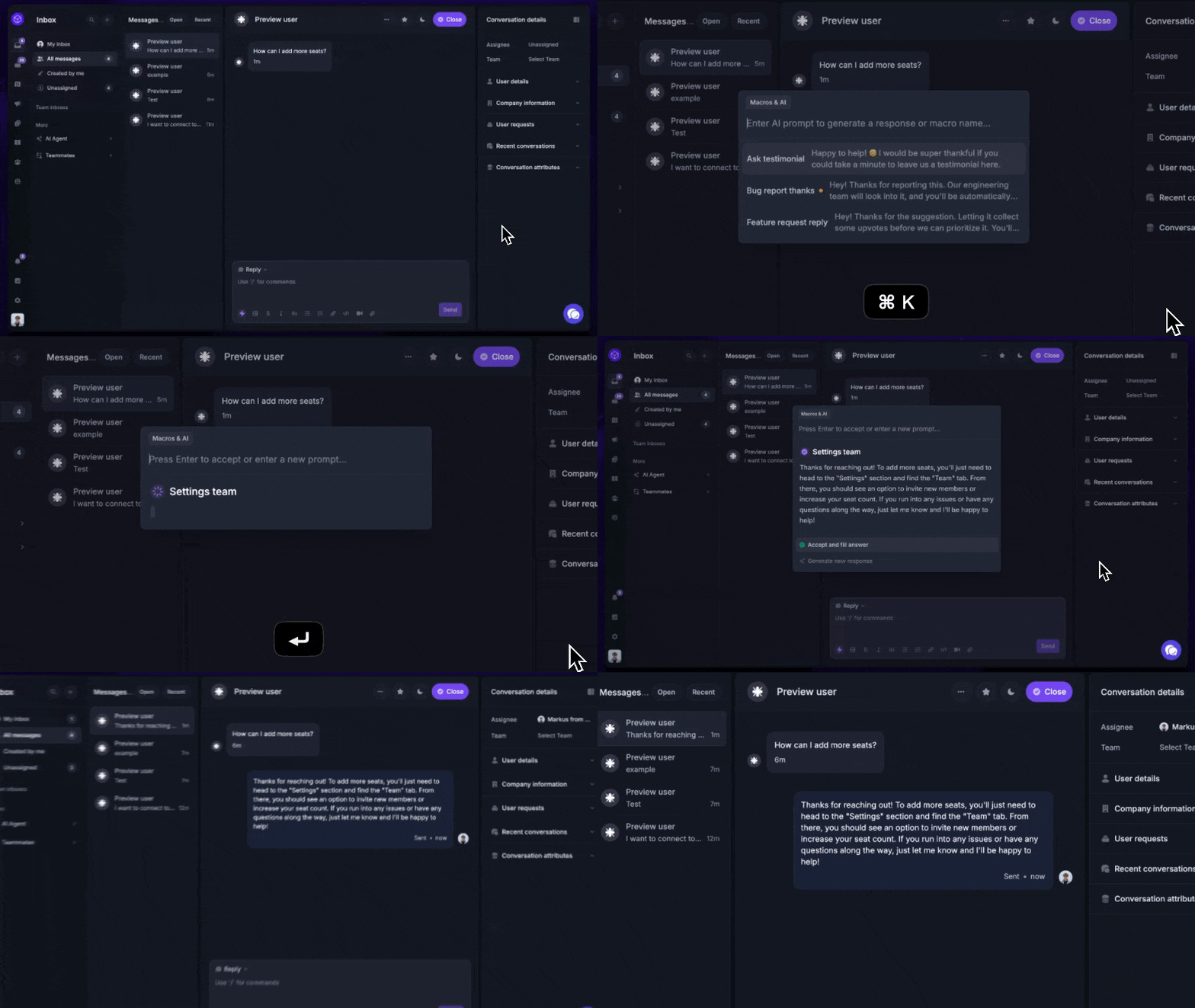
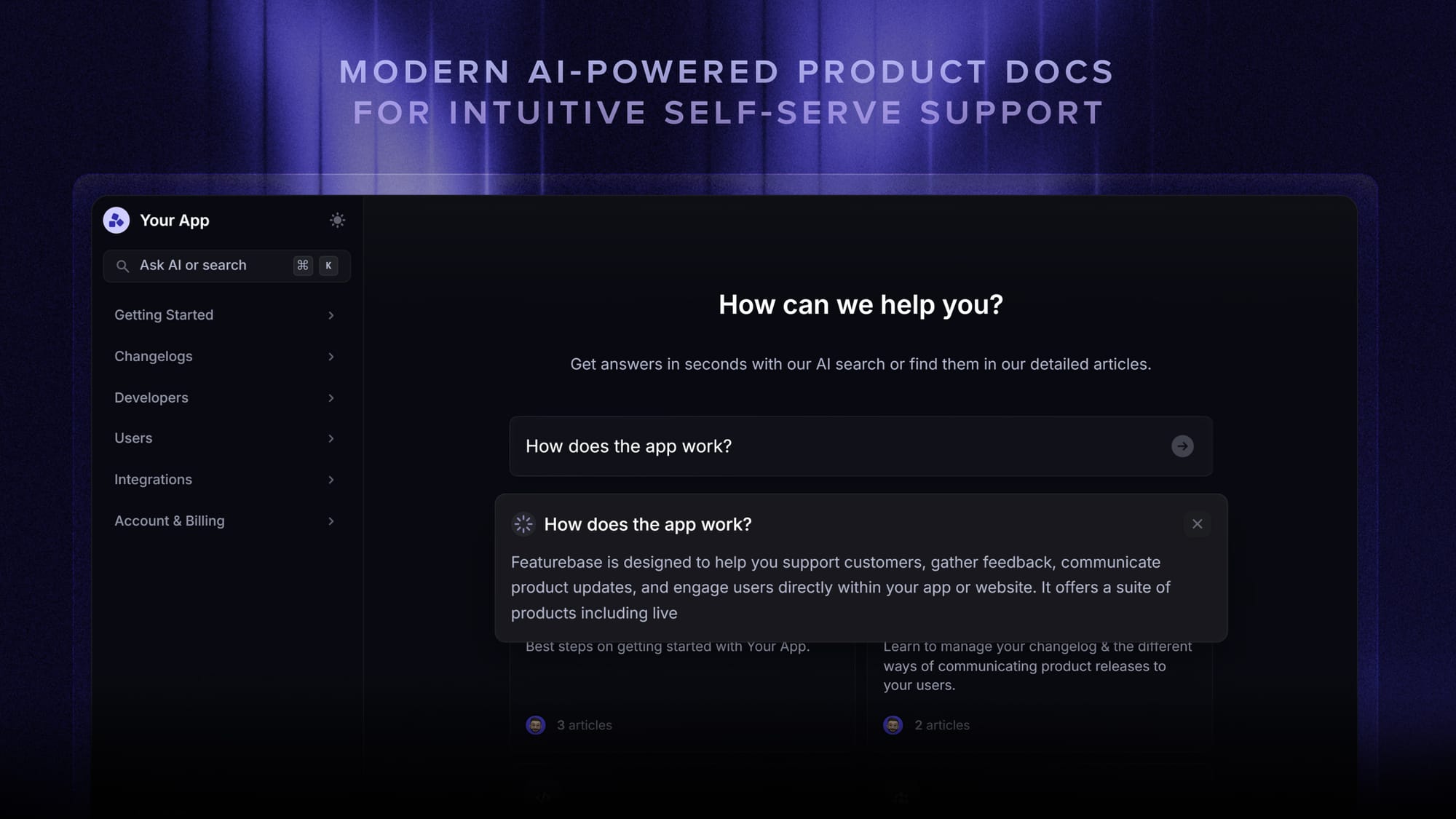
On the AI point, some modern tools bake real automation into their free plan rather than dangling it behind an upgrade. With Featurebase, for example, the Fibi AI Agent can resolve repetitive questions on its own and an AI-powered help center answers customers directly in the search bar, so you deflect tickets instead of just organizing them.
The 9 best free customer service software tools
Here's the breakdown. Featurebase leads off, followed by 8 well-known tools ranked by how genuinely useful their free offering is.
1. Featurebase ✨

Featurebase is a modern AI customer support platform for product-led SaaS. It combines AI-powered support, help center, and feedback management into a single platform for startups that want all their customer-facing tools in one place. Featurebase is loved by thousands of support teams from companies like Lovable, Raycast, and n8n. 💫
Top features:
- Omnichannel inbox – Manage live chat, email, and Slack conversations from one AI-powered view
- Fibi AI Agent - Resolve customer issues on autopilot & run custom actions like trial extensions and refunds
- Help center with AI search – Provide instant, multilingual self-serve answers
- Workflows & automations – Auto-assign tickets, route conversations, collect customer data, and more
- AI Copilot – Help your agents answer customers faster with AI Copilot that uses your internal knowledge
- Multi-brand support – Manage multiple Help Centers and Live chats from a single workspace
- Automatic AI translations – Automatically translate all messages and help articles to your customers native language
- Service Level Agreements – Track SLAs to make sure your team responds to customers on time, every time
- Mobile app – Respond to customers, receive notifications, and unblock users on the go
- Feedback & roadmap tools – Collect feature requests and close the loop with updates
- Product updates – Publish release notes with a changelog page, in-app widget, and emails
- Integrations – Connects with Slack, Linear, Jira, HubSpot, and more
Pricing: Free plan available with unlimited conversations. Paid plans start at $29/seat/month with $0.49 per AI resolution.
Featurebase covers all the basic support features that legacy platforms do, but with a much more modern approach. It comes with AI automations, a mobile app, and multiple channels (email, live chat, Slack, etc.). The free plan stands out because it doesn't cap your conversations the way most freemium tiers do, and you get feedback, roadmap, and changelog tools in the same workspace.
✨ Try Featurebase for free →
2. Zoho Desk
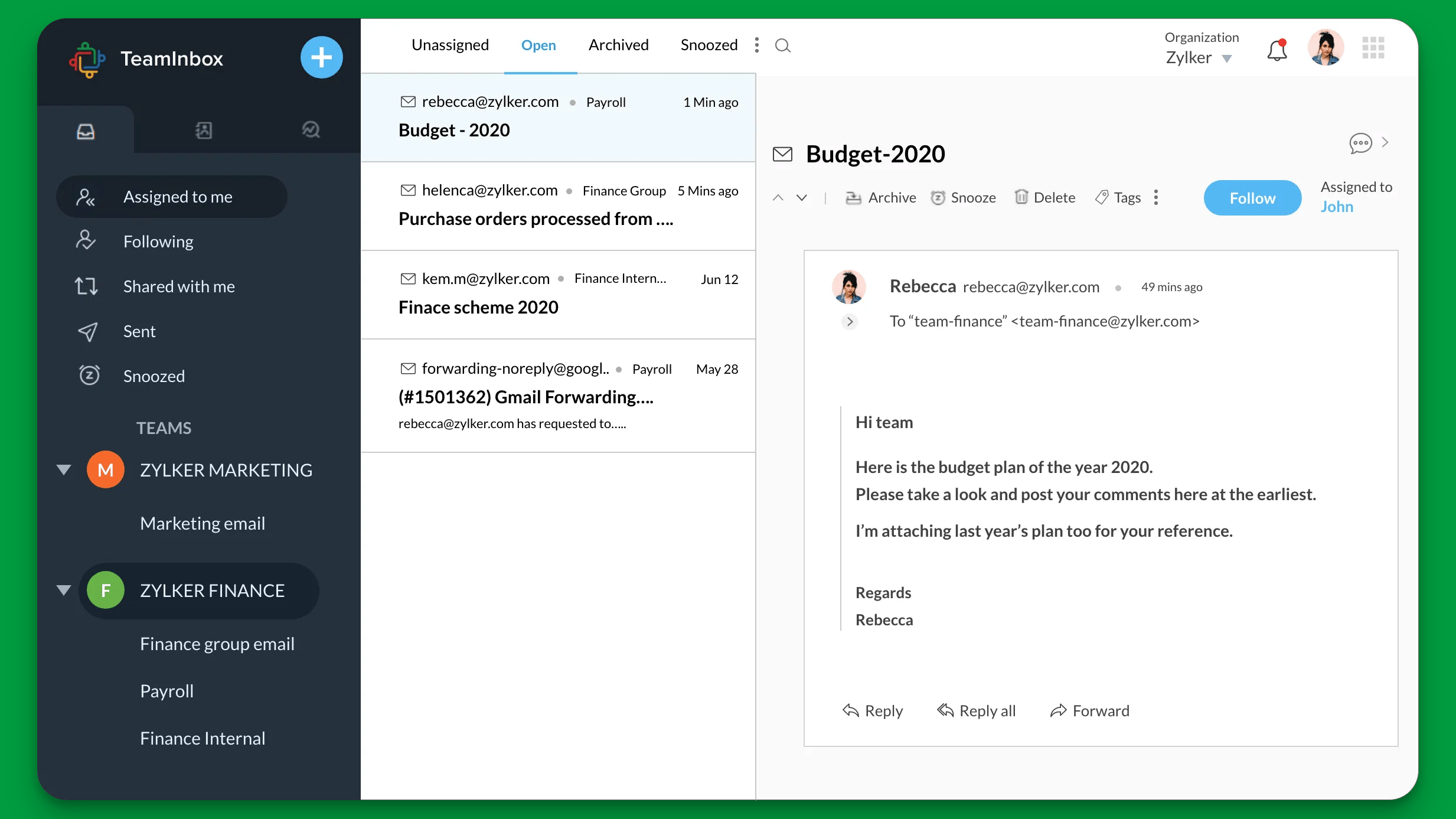
Zoho Desk is a customer support platform built for small teams that want real multichannel support without paying upfront. It's one of the few free plans that genuinely covers multiple channels, and if you already live in the Zoho ecosystem, everything connects out of the box.
Key features
- Multichannel ticketing across email, web forms, live chat, phone, and social
- Zia AI assistant for reply suggestions and sentiment analysis
- Knowledge base and self-service help center
- Workflow automation (Blueprints) and SLA tracking
- Deep integration with Zoho CRM and the wider Zoho suite
- Multi-language help desk
Pricing: free for up to 3 agents (email ticketing, help center, and multi-language support). Paid plans start at $7/agent/month (Express, billed annually), rising to $40/agent/month for Enterprise.
Zoho Desk is excellent value for multichannel support on a budget. The main trade-offs, according to G2 reviewers, are a cluttered, text-heavy interface and a steep learning curve once you start configuring workflows, with a Zia AI assistant that feels dated next to newer tools.
3. Freshdesk
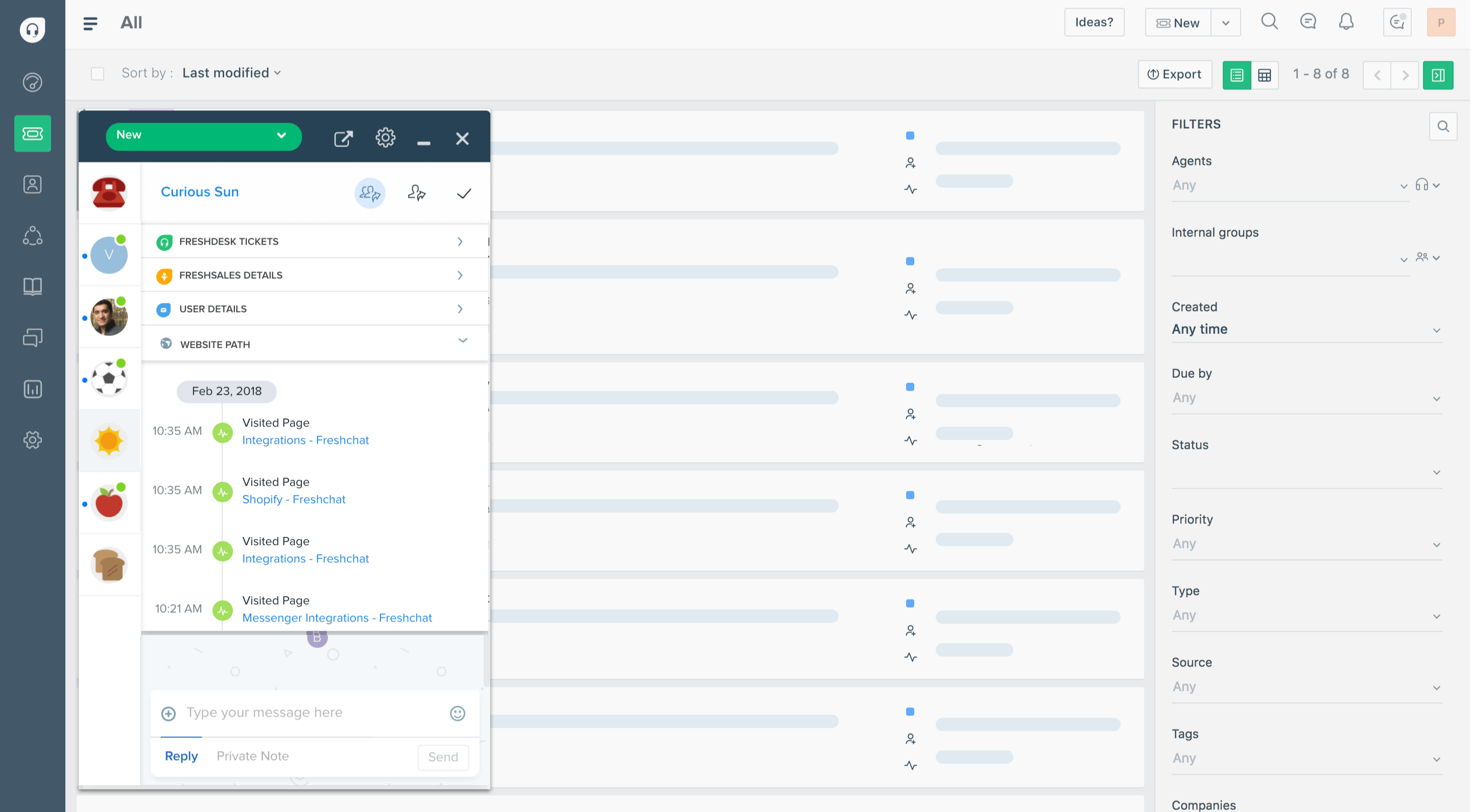
Freshdesk is a help desk platform built for teams that want a ticketing system running in an afternoon. Its free plan is a clean way to move a small team off a shared inbox and get organized fast.
Key features
- Email, live chat, and social ticketing in a unified agent workspace
- Ticket automation, canned responses, and collision detection (paid)
- Freddy AI for ticket routing and reply drafting (paid)
- Knowledge base and self-service portal
- SLA management and reporting dashboards
- 1,000+ marketplace integrations
Pricing: free for up to 2 agents (email and live chat ticketing, basic knowledge base). Paid plans start at $19/agent/month (Growth, billed annually), with Pro at $55 and Enterprise at $89.
Freshdesk is one of the fastest help desks to set up, but the free program covers just 1-2 agents for the first 6 months, and automation, SLAs, and AI all sit behind paid tiers. A recurring theme in G2 feedback is that features teams expect to be standard require an upgrade, and that Freshdesk's own support can be slow to respond.
4. HubSpot Service Hub
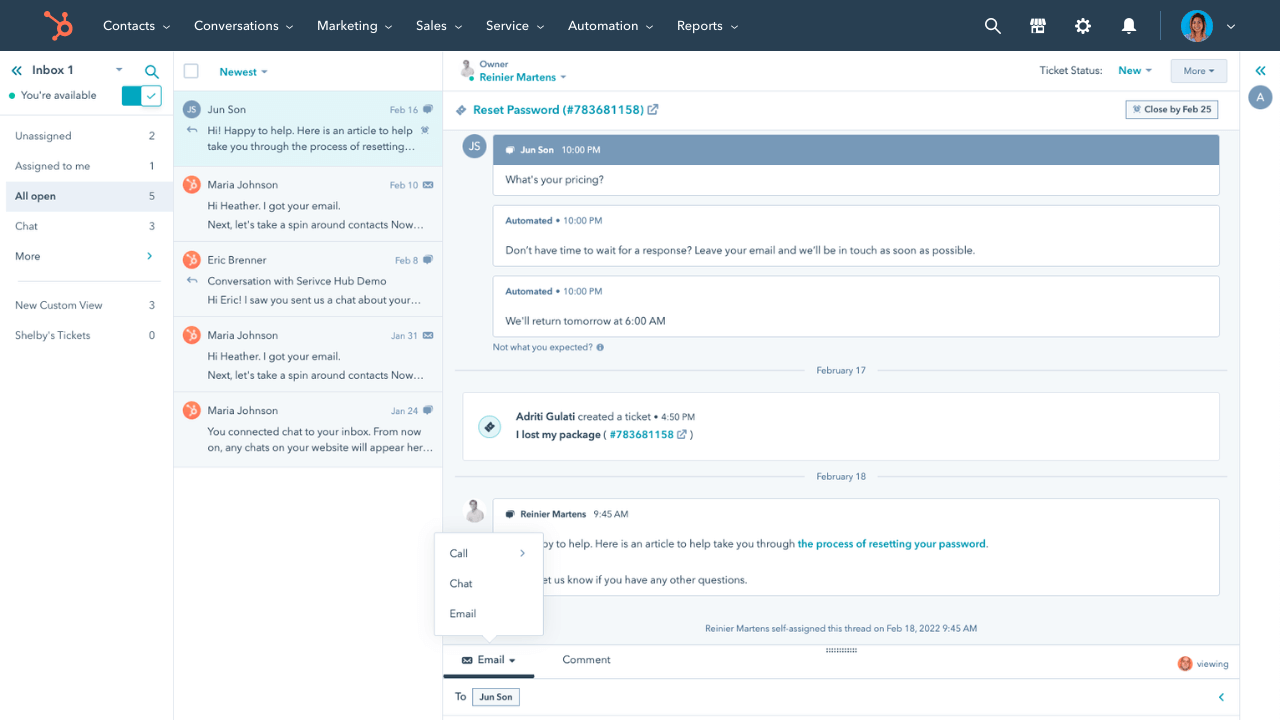
HubSpot Service Hub is a support tool built for teams that already use HubSpot's CRM. Because it shares data with HubSpot's sales and marketing tools, your support team sees the full customer history without asking another department, and the free tools tier is surprisingly capable.
Key features
- Shared inbox and ticketing tied to the HubSpot CRM
- Live chat and conversational bots
- Knowledge base builder
- Customer health scores and NPS/CSAT surveys (paid)
- SLA tracking and workflow automation (paid)
- Native connection to HubSpot Sales and Marketing Hubs
Pricing: free tools for up to 2 users (ticketing, shared inbox, live chat, and basic reporting). HubSpot's paid plans start at $20/seat/month (or $7/seat billed annually), and Professional jumps to roughly $90-100/seat/month.
HubSpot Service Hub is a strong pick if you already run HubSpot. The trade-offs that G2 reviewers cite most are a steep jump from the Starter to the Professional tier, AI credits that run out quickly, and limited customization as costs climb.
5. Tidio
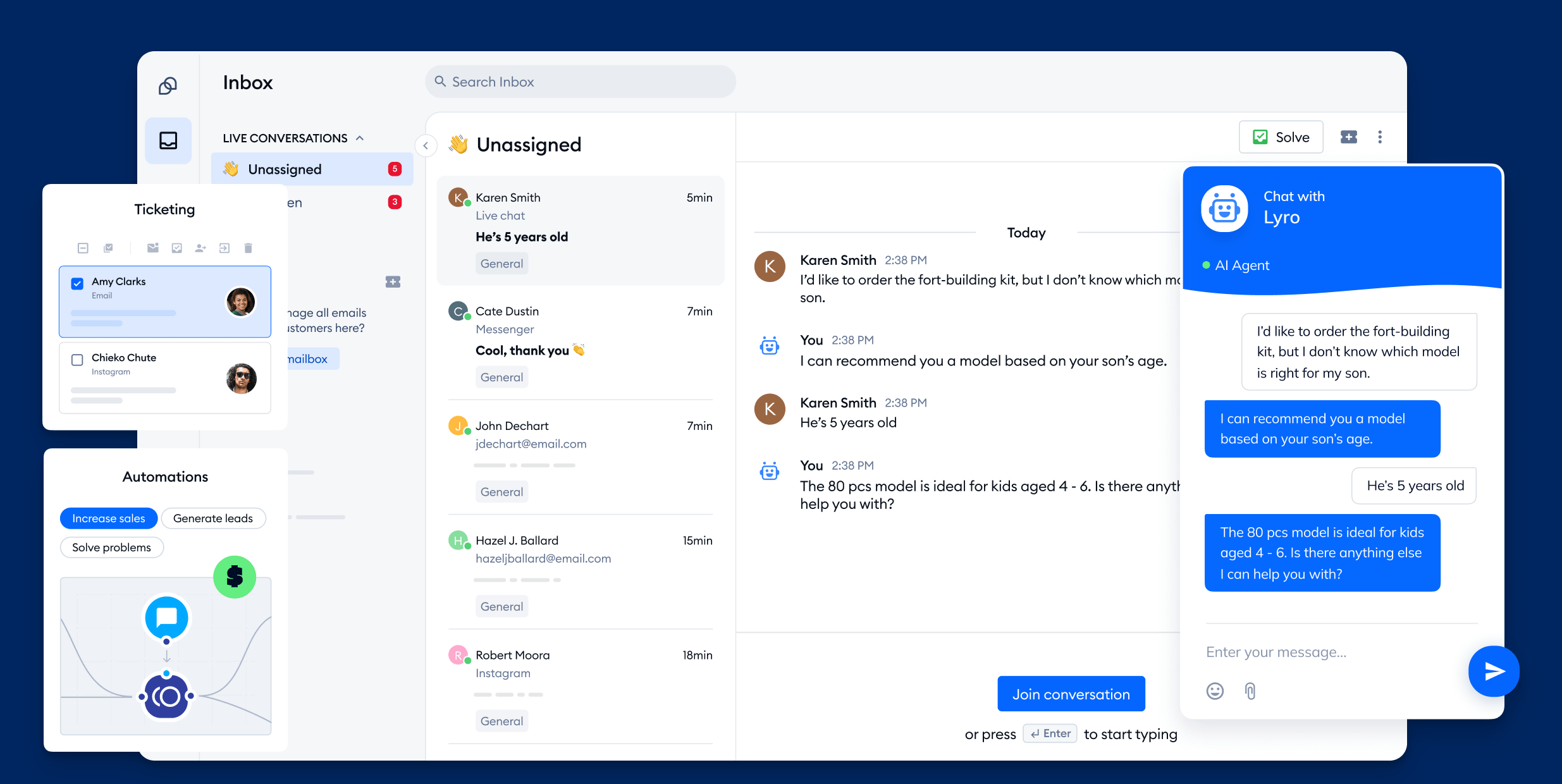
Tidio is a customer service platform built around live chat, with a Lyro AI agent that handles common questions automatically. Setup takes minutes and the widget drops cleanly onto Shopify, WordPress, and most site builders, which is why it's popular with small online stores.
Key features
- Live chat widget with visitor tracking
- Lyro AI agent for automated replies
- Chatbot flow builder for common queries
- Multichannel inbox (email, Messenger, Instagram)
- Ecommerce integrations (Shopify, WordPress, Wix)
- Pre-built automation templates
Pricing: free plan with up to 50 conversations/month (live chat and basic chatbot flows). Tidio's paid plans start at $29/month (Starter), with Lyro AI and Flows billed as separate add-ons.
Tidio is a great entry-level tool for chat-first teams. The catch, and the most common complaint in G2 reviews, is that the free conversation cap fills up faster than expected. Reviewers also note you have to choose either Lyro AI or custom flows rather than running both, and that reporting is thin.
6. Jira Service Management
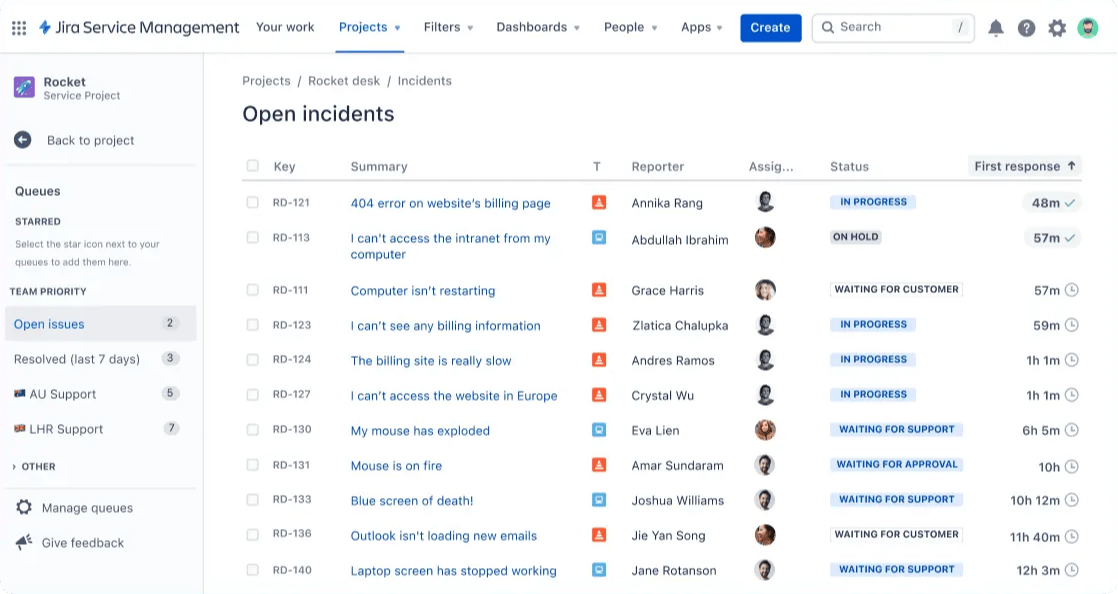
Jira Service Management (JSM) is a service desk built for IT and internal support teams, especially those already in the Atlassian stack. It organizes incidents, service requests, and changes into clear workflows with proper ownership, which makes it a strong fit for internal helpdesks.
Key features
- ITSM workflows for incidents, requests, changes, and problems
- Self-service portal and knowledge base via Confluence
- Alerts, on-call scheduling, and incident management
- Automation rules and SLA management
- Deep integration with Jira and the Atlassian stack
- Asset and configuration management (paid)
Pricing: free for up to 3 agents (ITSM and customer service templates, alerts, on-call scheduling). Standard is $20/agent/month and Premium is around $51/agent/month.
JSM brings real structure to internal support. Its trade-offs, per G2 reviewers, are a steep learning curve, basic out-of-the-box reporting, and weak native integrations with non-Atlassian tools like Slack or Microsoft Teams. The jump from free to paid also stings for teams that need just a few more agents.
7. LiveAgent
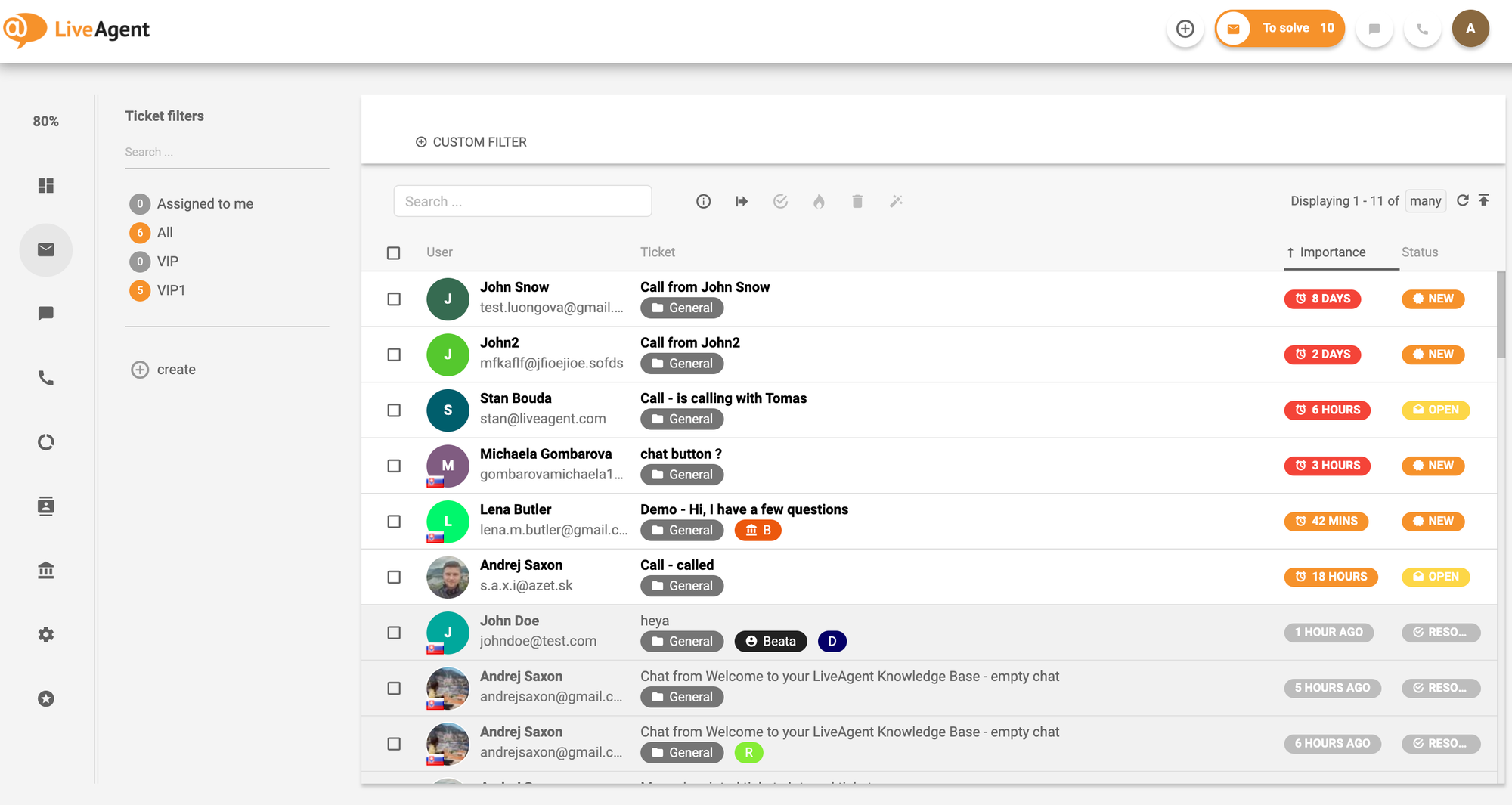
LiveAgent is a help desk built for teams that want many channels funneled into one inbox. It pulls email, live chat, a call center, and social messages into a single ticket stream, and its multi-site live chat is a standout for teams juggling more than one website.
Key features
- Universal inbox for email, live chat, calls, and social
- Built-in call center with IVR (paid tiers)
- Multi-site live chat with proactive invitations
- Knowledge base and customer portal
- AI answer assistant and chatbot on all plans
- Gamification and agent performance reports
Pricing: free plan (1 chat button, 1 phone number, 1 email address, 7-day ticket history) plus a 30-day trial. LiveAgent's paid plans start at $15/agent/month (Small), with Medium at $29 and Large at $49.
LiveAgent packs an impressive number of channels into one tool. The free plan is more of a taster, though, since the 7-day ticket history means older conversations drop off. G2 reviewers also note a laggy mobile app and extra fees for some messaging channels like WhatsApp.
8. Help Scout
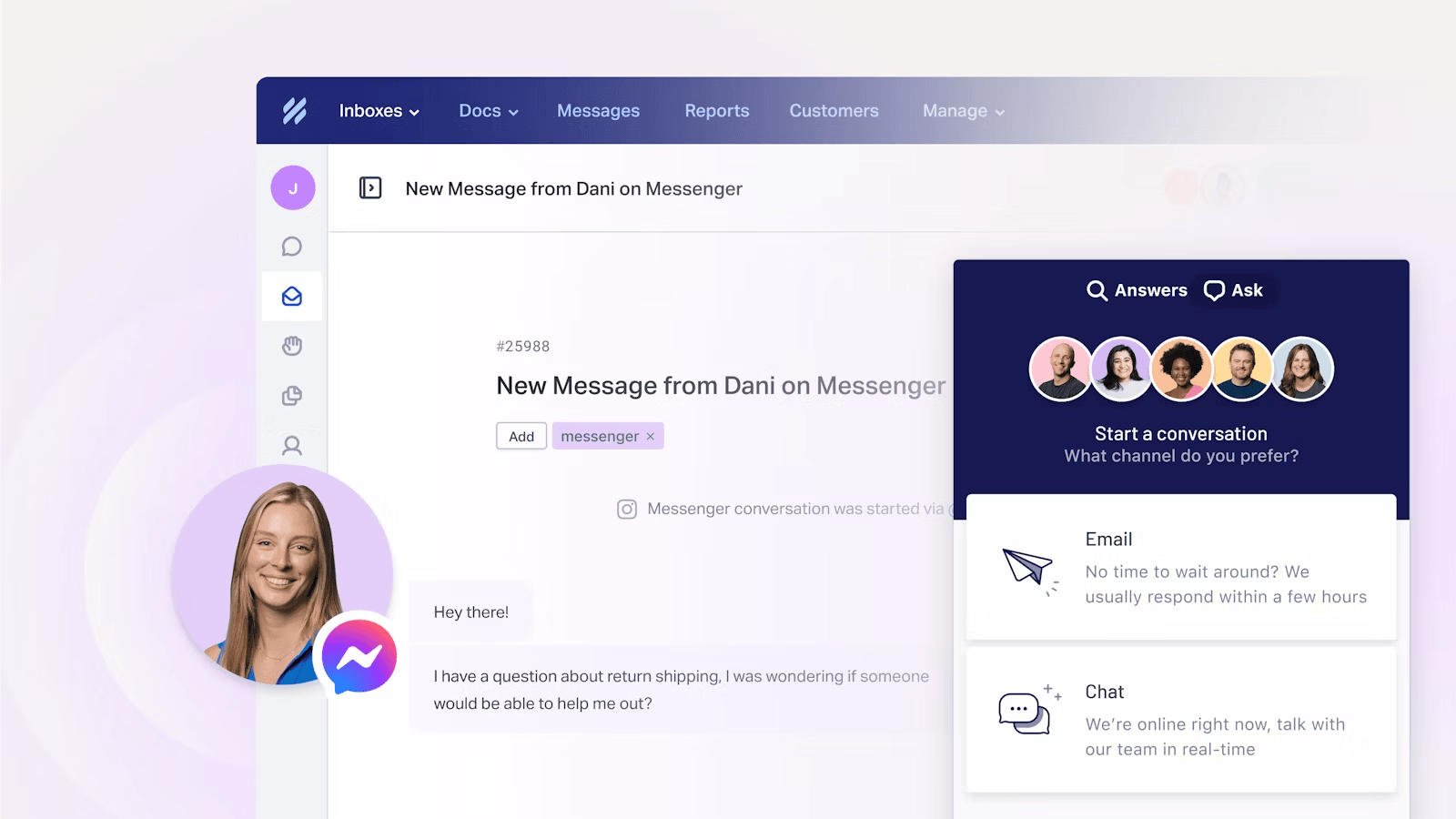
Help Scout is a customer support platform built for teams that want simple, human, email-style support. Its shared inbox feels like email, so agents need almost no training and customers get personal replies rather than robotic ticket numbers.
Key features
- Shared inbox that feels like email
- Docs knowledge base for self-service
- Beacon live chat and help widget
- Saved replies, workflows, and collision detection
- AI Assist, AI Drafts, and AI Summarize (higher plans)
- Reporting on volume, customer happiness, and team performance
Pricing: free for up to 5 users (1 shared inbox, 1 Docs site, up to 100 contacts/month). Paid plans start at about $21/user/month (Standard, billed annually), with AI Answers billed at $0.75 per resolution.
Help Scout is one of the easiest tools to adopt. The 100-contact free cap makes it best for very low volume, and G2 reviewers note that the AI features that actually save time (AI Drafts and AI Summarize) are locked to higher plans, with no native WhatsApp or voice and fairly basic reporting.
9. Zendesk
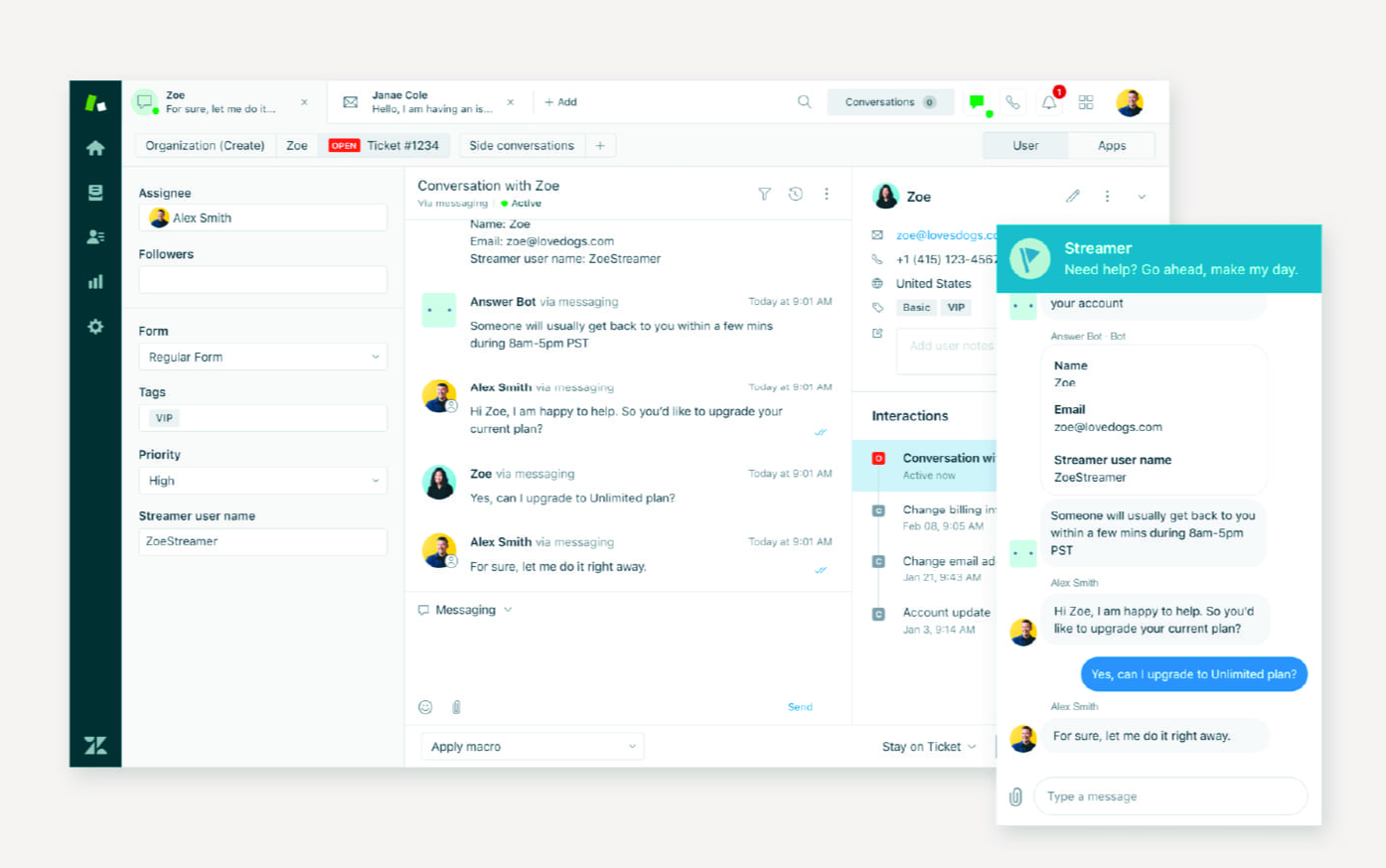
Zendesk is the enterprise default for customer service, built for scaling teams that need a mature, battle-tested platform. It's dependable at high volume, deeply configurable, and handles complex support operations once it's set up.
Key features
- Omnichannel ticketing across email, chat, voice, and social
- AI agents with automated triage and routing
- Help center and community forums
- Workflow automation, macros, and SLAs
- 1,500+ app marketplace integrations
- Advanced analytics and reporting
Pricing: no forever-free plan (14-day trial, plus a 6-month program for eligible startups). Paid plans start at $19/agent/month (Support Team), with the full Suite Team at $55/agent/month.
Zendesk is the most capable platform on this list, but it's the odd one out for a "free" shortlist since there's no permanent free plan. G2 reviewers also point to pricing that's hard to budget against, long setup cycles, and heavy reliance on admins, with AI resolutions billed on top of seats as you grow.
How to choose the right free tool (and when to upgrade)
Start with your channels and volume. If most of your support comes through email, a simple shared inbox like Help Scout or Freshdesk is plenty. If live chat drives your conversations, Tidio or LiveAgent fit better. If you want support, self-service, and product feedback in one place, Featurebase covers all three on a single free plan.
Then be honest about how long free will last. A free plan is the right starting point, but it's worth watching for the signs you've outgrown it:
- You're hitting agent or conversation caps: When tickets get missed because you're out of seats or conversations, the cap is costing you more than a paid plan would.
- You need automation and SLAs: Manual routing and tagging eat hours once volume climbs, and free tiers rarely include real automation or SLA tracking.
- You want AI that actually resolves tickets: Free AI is usually capped. If deflection matters, a paid tier with proper AI agents pays for itself.
- Reporting isn't enough to manage the team: When you can't see response times or agent workload clearly, it's time for the analytics that live on paid plans.
The goal isn't to avoid paying forever. It's to get real value at $0 while you're small, then upgrade on your own timeline instead of being forced off a trial.

Free SaaS that punches above its weight
Automatically resolve 70% of customer requests & cut down manual support loads
Conclusion
"Free" customer service software ranges from genuinely useful forever-free plans to 14-day trials with a countdown clock. The tools above all earn a spot, but they solve different problems: Zoho Desk and Freshdesk for classic ticketing, Tidio and LiveAgent for chat-heavy teams, Jira Service Management for internal IT, and Zendesk when you're ready to scale into an enterprise platform.
If you want the most from a single free plan, Featurebase brings support, an AI help center, and product feedback together in one modern platform - with AI automations and a mobile app that most legacy help desks charge extra for. The free plan comes with unlimited conversations and fast onboarding, so there's no downside to trying it. 👇
✨ Automate your support with the fastest AI-enhanced Inbox today →

FAQs
Is customer service software really free?
Some of it genuinely is. Tools like Zoho Desk, Jira Service Management, and Help Scout offer forever-free plans you can use indefinitely, while others (like Zendesk) only offer a time-limited free trial. The free versions are real, but they come with caps on agents, conversations, or advanced features, so read the limits before you commit.
What is the best free customer service software?
It depends on your channels and team size. Zoho Desk and Freshdesk are strong for classic email ticketing, Tidio and LiveAgent suit chat-heavy teams, and Jira Service Management fits internal IT support. Featurebase is a good pick for modern SaaS teams because its free plan bundles support, an AI help center, and product feedback in one place with unlimited conversations.
What's the difference between a free plan and a free trial?
A free plan lets you use a limited set of features indefinitely at no cost, which is ideal for small teams that want a permanent free option. A free trial gives you full access to a paid plan for a fixed window, usually 14 or 30 days, after which you have to pay or lose access. Trials are best for testing a tool before buying, not for running support long-term.
Is free customer service software good enough for a small business?
For most small businesses with low ticket volume, yes. A free plan can handle email, live chat, and a basic knowledge base perfectly well when you're starting out. You'll typically outgrow it when you add agents, need automation and SLAs, or hit conversation caps, at which point a low-cost paid tier makes sense.
Do free customer service tools include AI features?
Increasingly, yes, but usually in limited form. Many free plans include a basic chatbot or AI assistant, while more powerful AI agents that resolve tickets on their own are often capped by credits or reserved for paid tiers. If AI deflection is a priority, check exactly how many AI resolutions the free plan allows.
When should you upgrade from a free plan to a paid one?
Upgrade when the free plan starts costing you more than it saves. The clearest signals are hitting agent or conversation caps, needing automation and SLA tracking, wanting AI that actually resolves tickets, and outgrowing basic reporting. If any of those slow your team down, a paid tier usually pays for itself quickly.