Blog Customer ServiceCustomer Service vs. Customer Support: What's the Difference?
Customer Service vs. Customer Support: What's the Difference?
Customer service vs customer support: Learn the key differences, where they overlap, and why getting them right matters when 32% of customers leave after one bad experience.



✨ Automate your support with the fastest AI-enhanced Inbox today →
Customer service and customer support get used interchangeably, but they're not the same thing. Support is one slice of service - the reactive, technical part. Service is the whole umbrella: onboarding, billing, success, feedback, and yes, support.
Mixing the two up costs you in staffing, routing, and metrics. And 32% of customers will stop doing business with a brand they love after just one bad experience, per PwC.
In this guide, I'll break down what each term means and how to set up your team and tools so both get handled well. 👇
Key takeaways
- Customer service is the umbrella term. It covers every interaction a customer has with your brand across the entire customer lifecycle, from pre-sale through onboarding, billing, success, and feedback.
- Customer support is a subset of customer service. It's the reactive, technical slice that kicks in when a customer hits a problem with your product.
- The two differ on scope, timing, skills, channels, and metrics. Customer service is proactive and relationship-driven. Customer support is reactive and resolution-driven.
- Both functions need their own metrics. Service teams track satisfaction, retention, and expansion revenue. Support teams track first contact resolution, response time, and ticket volume.
- A tool like ✨ Featurebase lets you cover both sides in one platform - an AI-powered omnichannel inbox and help center for customer support, plus feedback collection and roadmap tools for the broader customer service relationship.
What is customer service?
Customer service is the entire experience a customer has with your business, from the moment they land on your homepage to the day they renew or churn. It's the umbrella term that covers every interaction, every channel, and every team that touches the customer.
Customer service focuses on the whole relationship, not just fixing what's broken. It includes:
- Onboarding new customers and helping them get value fast
- Answering pre-sale questions about features, pricing, and fit
- Handling billing and account changes
- Processing returns, refunds, and exchanges
- Replying to comments and questions on social media
- Collecting customer feedback to inform the roadmap
- Upselling and cross-selling when the moment is right
- Building long-term customer loyalty through proactive check-ins
Good customer service is proactive. It reaches out before something breaks, anticipates what customers need next, and turns one-time buyers into repeat customers.
Examples of customer service
A few quick scenarios that fall under customer service (but not customer support):
- A new SaaS user gets a "welcome" email with a 5-minute setup guide and a link to book a call with the team
- A customer asks on Twitter whether your product integrates with HubSpot, and your team replies within an hour
- An ecommerce shopper requests a return on a sweater that didn't fit, and the team processes the refund and offers a free exchange
- A customer success manager runs a quarterly check-in with a key account and surfaces three feature requests for the product team
None of these involves fixing a broken thing. They're all about delivering a positive customer experience across the entire customer journey.
What is customer support?

Customer support is a specific type of customer service that helps people solve problems with your product. It's reactive - it kicks in after a customer reaches out with a question, a bug, or a "this isn't working" message.
Customer support focuses on resolution. The goal is to unblock the customer as fast as possible, with as little back-and-forth as possible. Support is most prominent in SaaS, IT, ecommerce, and any business where the product itself is complex enough to generate technical questions.
A few things that fall squarely under customer support:
- Troubleshooting bugs and errors
- Walking customers through setup or configuration
- Explaining how a feature works (or why it isn't)
- Diagnosing integration issues with third-party tools
- Resetting passwords, restoring access, or recovering data
- Escalating product issues to engineering when needed
Support agents tend to have deeper product knowledge than general customer service reps. They're the ones who know the platform inside-out, and they're often the closest link between your customers and your engineering team.
Examples of customer support
A few quick scenarios that are clearly customer support:
- A SaaS user emails support because their Slack integration stopped syncing, and the agent walks them through reconnecting the workspace
- A customer can't log in after a password reset, so the agent verifies their identity and manually restores access
- A developer reports that the API is returning 500 errors, and support reproduces the bug and escalates to engineering
- A user asks why a webhook is firing twice, and the agent identifies a race condition and files a ticket
Each one starts with a customer hitting a problem they can't solve on their own. That's the defining feature of customer support.
✨ Automate your support with the fastest AI-enhanced Inbox today →
Customer service vs customer support: 5 key differences
The terms overlap, but they aren't interchangeable. Here are the 5 axes where customer service and customer support actually diverge.
| Category | Customer service | Customer support |
|---|---|---|
| Scope | Entire customer lifecycle | Product-specific issues |
| Timing | Proactive and ongoing | Reactive (after a problem) |
| Skills | Communication, empathy, broad product knowledge | Deep technical expertise |
| Channels | Email, chat, phone, social, in-person, surveys | Email, chat, ticketing, in-app |
| Success metric | Satisfaction, retention, lifetime value | First contact resolution, response time |
1. Scope (umbrella vs subset)
Customer service encompasses every customer interaction across the entire customer experience. Customer support is one slice of that umbrella, focused on solving technical problems and product issues.
If a customer asks "where's my order?" that's customer service. If they ask "why does my order show as delivered when I don't have it?" that's still customer service. But if they say "the tracking page is broken and I can't see status updates" - now you're in customer support territory.
2. Timing (proactive vs reactive)
Customer service is mostly proactive. Service teams reach out before a problem shows up - a welcome email, an onboarding call, a check-in three months in. They build strong customer relationships by staying in touch.
Customer support is reactive by definition. Support agents don't ping customers out of the blue. They wait for a ticket, then jump in to fix what's broken. The two timing modes are different because the goals are different: service builds the relationship, support protects it.
3. Skills required
The skills overlap, but the centre of gravity is different:
- Customer service skills. Service-side roles lean on communication, empathy, listening, and broad product knowledge. The job is to make the customer feel heard and to point them toward the right next step. You don't need to know every API endpoint, but you do need to know who in the company does.
- Customer support skills. Support-side roles lean on technical expertise, debugging, and methodical problem-solving. You need deep product knowledge - not just what the platform does, but how it behaves under edge cases. Strong written communication matters too, since most support happens in writing.
Both roles need empathy. Both need patience. But a great customer service agent and a great customer support agent often look like different people.
That difference is exactly why hiring for each role calls for different customer service interview questions that probe for the right mix of skills.
4. Channels and touchpoints
Customer service shows up everywhere the customer does:
- Email and live chat
- Phone and SMS
- Social media (Twitter, Facebook, LinkedIn)
- In-app messaging
- Surveys (NPS, CSAT, post-purchase)
- In-person, for physical retail
Customer support is usually narrower:
- Email and ticketing
- Live chat (often inside the product)
- Help center/knowledge base self-service
- In-app messengers
- Phone, occasionally, for enterprise tiers
The overlap is real - both teams use email and chat. But customer support tools are typically tighter and more workflow-driven, since the work is about resolving issues rather than building relationships.
5. Success metrics
This is where the difference shows up clearest. The metrics each team optimises for are completely different:
- Customer service metrics. Customer satisfaction score (CSAT), Net Promoter Score (NPS), retention rate, customer lifetime value, expansion revenue. Service teams measure whether the customer is happy with the whole relationship.
- Customer support metrics. First contact resolution, average response time, ticket volume, time-to-resolution, customer effort score. Support teams measure how fast and how cleanly they unblock the customer.
If you track support metrics on a service team (or vice versa), you'll optimise for the wrong thing. A customer success manager judged on first contact resolution will rush through quarterly reviews. A support agent judged on retention will get blamed for churn they didn't cause.
How customer service and customer support work together
The two functions aren't competitors. They're two halves of the same job: making sure customers stick around, get value, and tell their friends.
In practice, here's how they overlap:
- Customer support generates the most useful service signal you have. Every support ticket is a data point about what's confusing, broken, or missing in your product. Service teams (and product teams) should mine support data constantly. If 40 customers asked the same "how do I export my data" question last month, that's not a support issue - that's a product gap and a service opportunity.
- Customer service hands warm leads to customer support. A customer success manager noticing that an account is misusing a feature should be able to loop in a support agent without making the customer repeat themselves. Clean handoffs are what separate a smooth customer experience from a frustrating one.
- Both teams feed product feedback into the roadmap. Support hears about bugs and friction. Service hears about strategic gaps and feature requests. The product team needs both, and the easiest way to get them is a shared system where every interaction (ticket, chat, feedback submission) lands in one place.
The "service as a revenue function" trend backs this up. 85% of service decision makers now say their teams are expected to contribute a larger slice of revenue this year, per Salesforce. That means service teams need visibility into what support is hearing, and support teams need visibility into which accounts are growing or at risk.
A modern platform that handles both is the simplest way to make this work. With Featurebase, the same workspace covers the support side (omnichannel inbox, AI agent that resolves common questions, help center) and the broader service side (feedback collection, public roadmap, product updates) - so support tickets, feature requests, and product announcements all live next to each other instead of in 4 different tools.

Keep support and service teams aligned
Manage support requests, customer feedback, product updates, and roadmap priorities from one shared workspace.
How to deliver great customer service and customer support
The fundamentals overlap. The specifics differ. Here's what actually moves the needle on both.
1. Define one philosophy and process for both teams: Service and support should share a north star (the customer wins) and a clear escalation path. Without that, customers get bounced between teams and have to repeat themselves. Write down what each team owns, where the handoffs happen, and what "good" looks like for each.
2. Give agents the right tools: Service teams need a CRM, a survey tool, and visibility into product usage. Support teams need a helpdesk, a knowledge base, and a way to escalate to engineering. The closer these tools are to one unified inbox, the less context gets lost.
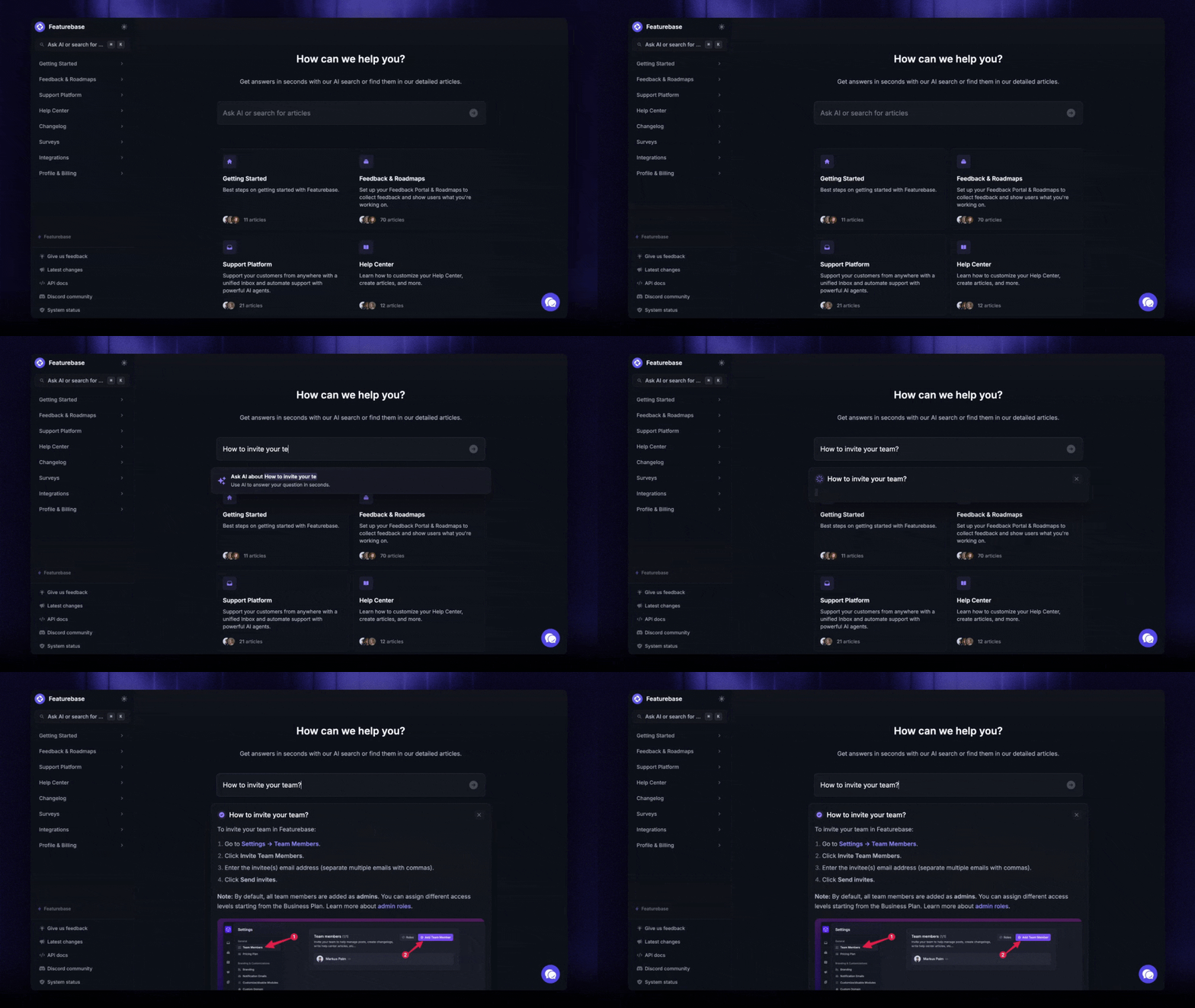
3. Invest in self-service: The fastest customer support is no support at all. A good help center with AI search can deflect 30-50% of common questions before a human ever sees them. And it doubles as a customer service asset - prospects use it to evaluate your product before they buy.
4. Use AI where it adds value, not everywhere: AI agents are excellent at resolving repetitive support questions (password resets, billing questions, "how do I export"). They're less great at the relationship-building work that lives on the service side. Use AI to free up your humans for the conversations that actually need a person.
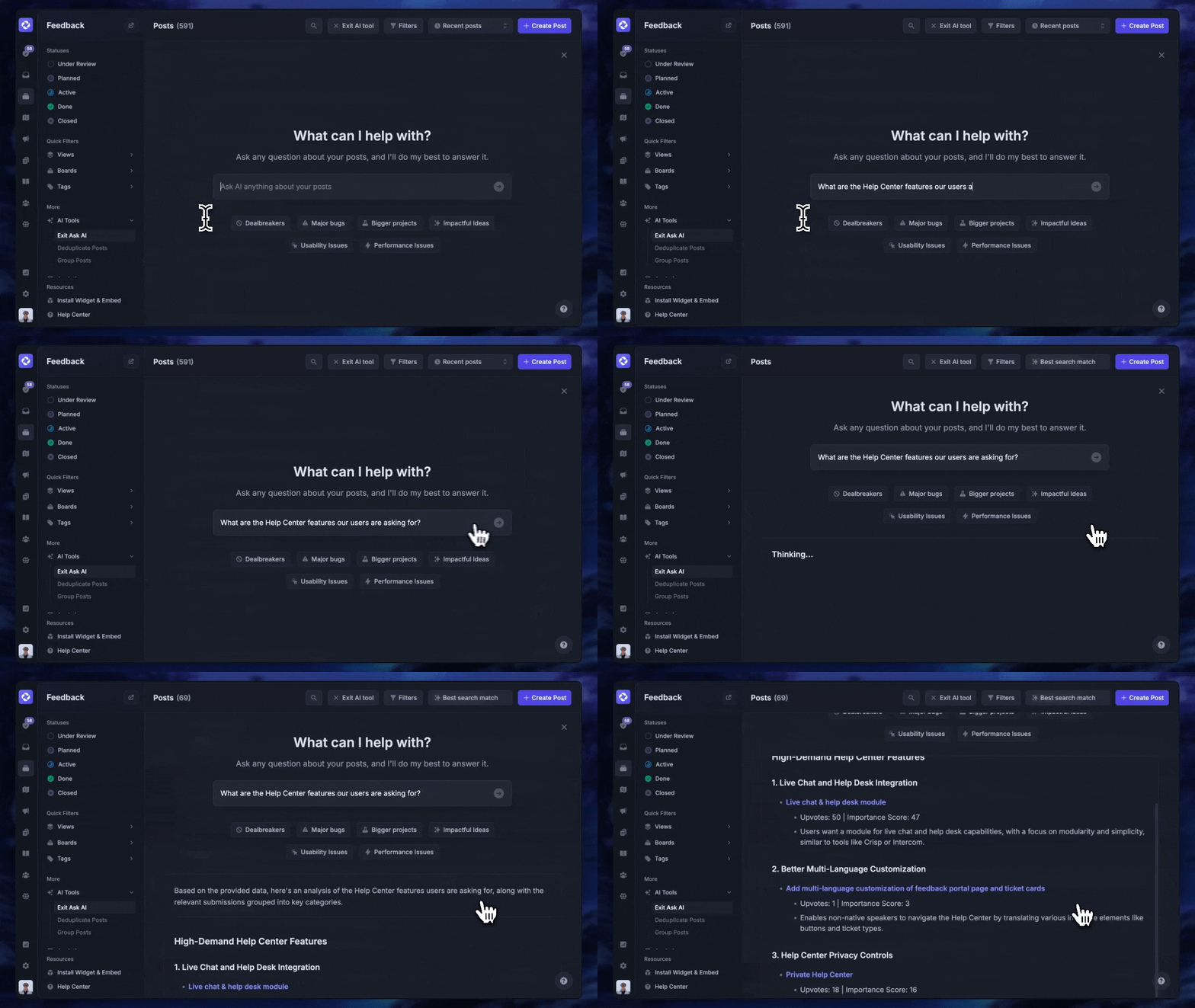
5. Track first contact resolution on support, satisfaction on service: Pick the metric that matches the function. Don't punish a support agent for a customer who churned three months later because of a pricing change, and don't punish a customer success manager because a bug took 2 days to fix.
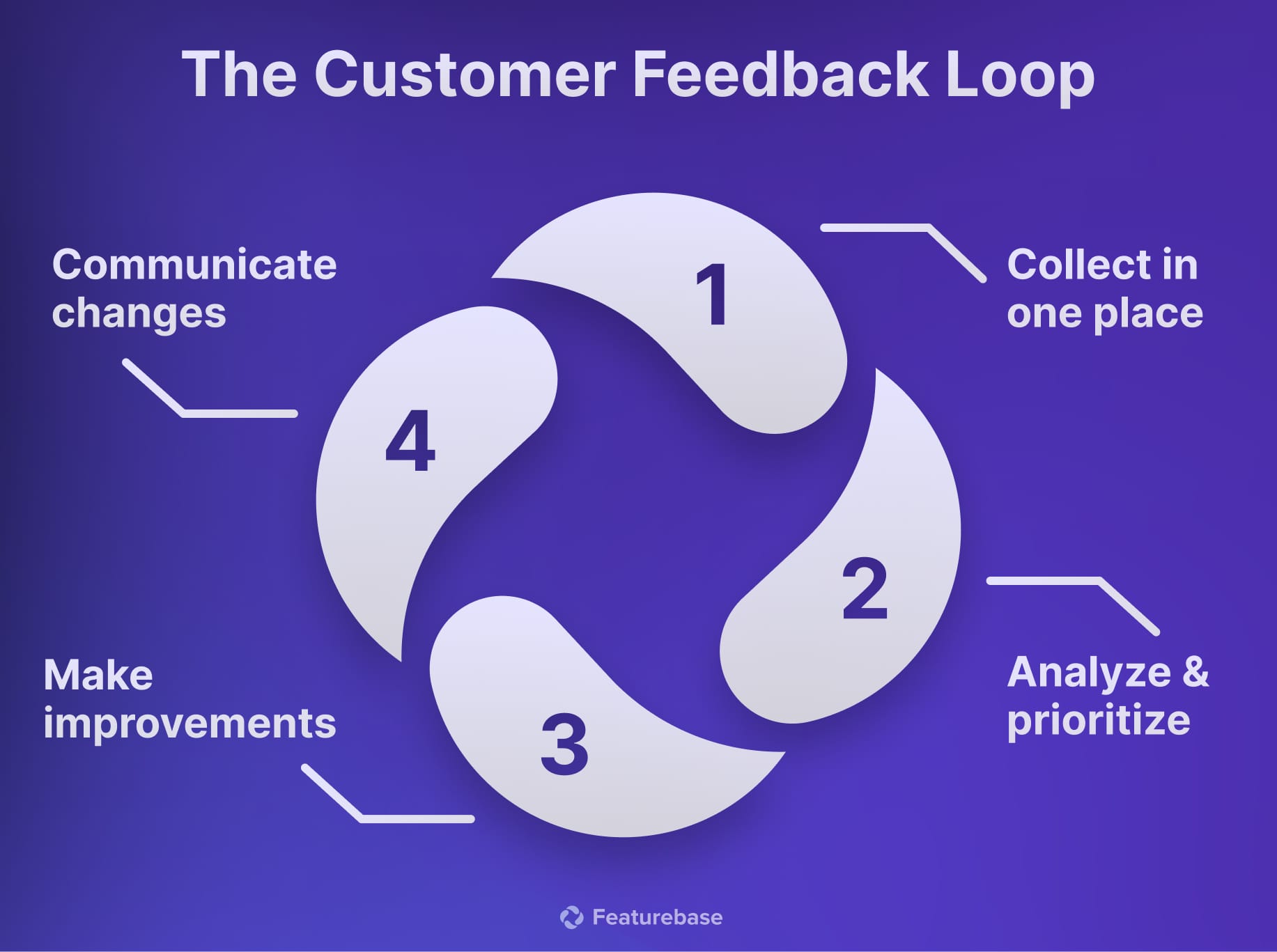
6. Close the feedback loop: When a customer raises a feature request to your service team, or a recurring bug to your support team, tell them when it ships. This is the highest-leverage retention move you can make, and almost nobody does it well. A dedicated feedback portal and product changelog are the easiest way to do it at scale.
What tooling for both sides actually looks like
Most teams end up running 4-5 separate tools to cover what this guide has described: a helpdesk for tickets, a knowledge base for self-serve answers, a feedback portal for feature requests, a roadmap, and a changelog. The handoffs between those tools are usually where context gets lost.
A simpler setup is to put both sides into one workspace. Featurebase✨ is one example, and it's worth showing how the pieces map back to the customer service vs customer support distinction we drew above.
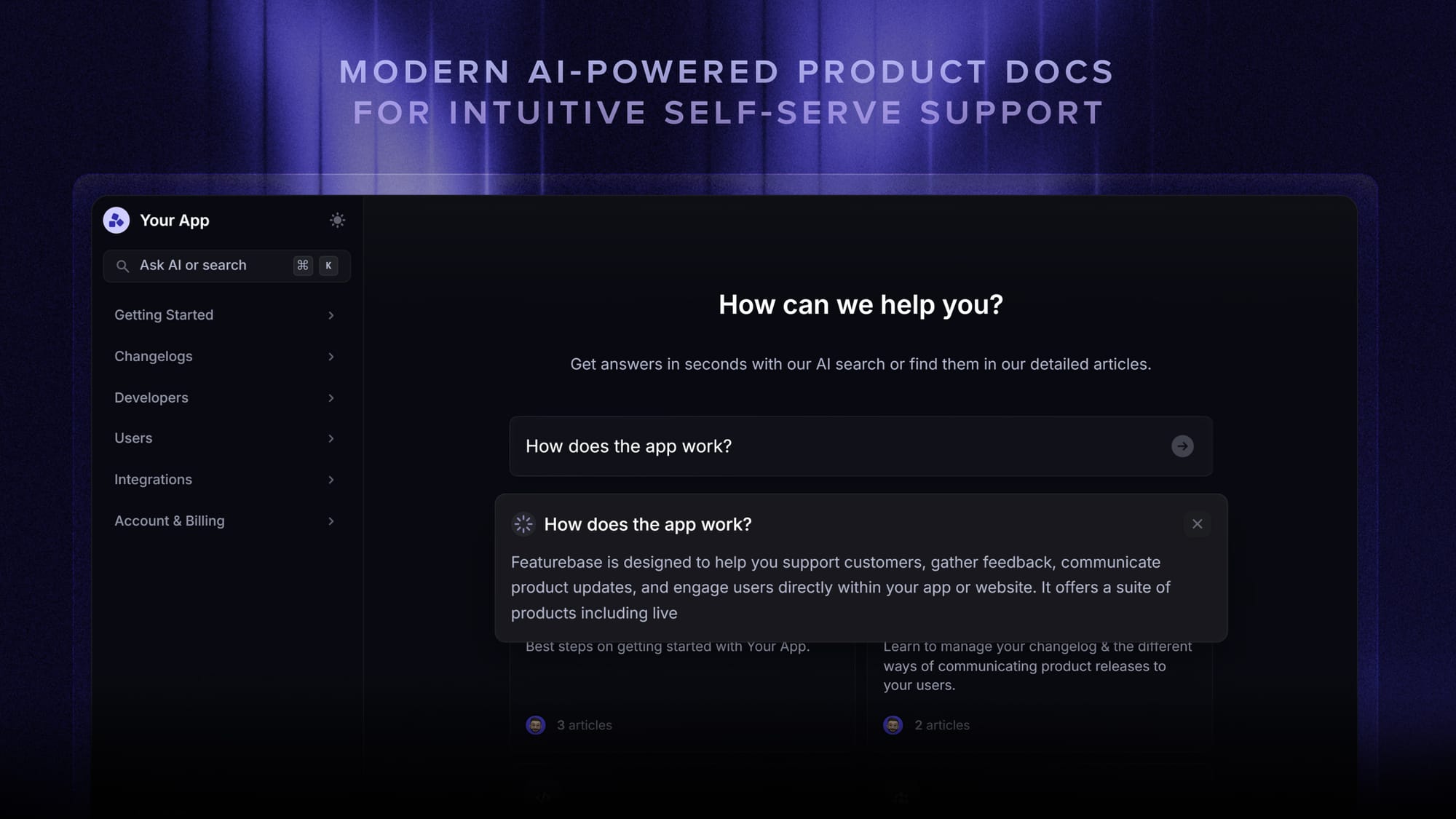
On the customer support side (reactive, technical, ticket-driven), the relevant features are:
- Omnichannel inbox – Manage live chat, email, and Slack conversations from one AI-powered view
- Fibi AI Agent - Resolve customer issues on autopilot & run custom actions like trial extensions and refunds
- Help center with AI search – Provide instant, multilingual self-serve answers
- AI Copilot – Help your agents answer customers faster with AI Copilot that uses your internal knowledge
- Workflows & automations – Auto-assign tickets, route conversations, collect customer data, and more
- Service Level Agreements – Track SLAs to make sure your team responds to customers on time, every time
- Multi-brand support – Manage multiple Help Centers and Live chats from a single workspace
- Mobile app – Respond to customers, receive notifications, and unblock users on the go
On the broader customer service side (proactive, relationship-driven, lifecycle-spanning), the relevant features are:
- Feedback & roadmap tools – Collect feature requests and close the loop with updates
- Product updates – Publish release notes with a changelog page, in-app widget, and emails
- Automatic AI translations – Automatically translate all messages and help articles to your customers native language
- Integrations – Connects with Slack, Linear, Jira, HubSpot, and more
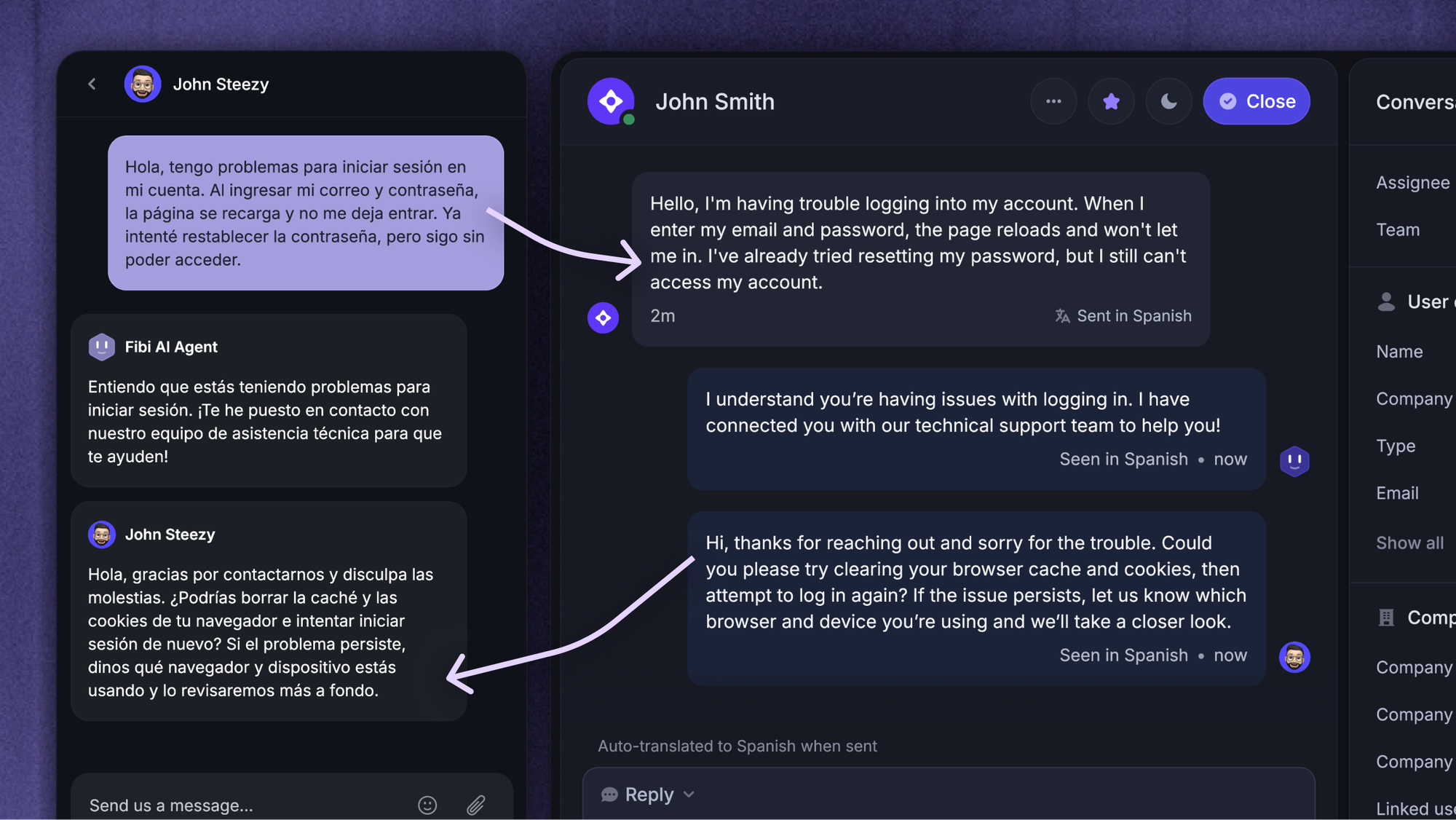
The reason this matters is the feedback loop. When a support ticket flags a recurring product gap (say, 40 customers asking the same "how do I export" question), that signal needs to reach the people building the product. If support and feedback live in different tools, the loop usually breaks. If they live in the same workspace, it doesn't.
Featurebase has a Free plan with unlimited conversations, and paid plans start at $29/seat/month with $0.29 per AI resolution.
Final thoughts
Customer service and customer support aren't the same thing, even if your team uses the words that way. Service is the umbrella - the whole customer relationship, from first touch to renewal. Support is a subset - the reactive, technical work that happens when something breaks. Getting the distinction right changes how you staff each function, how you measure it, and which tools you put behind it.
Featurebase is a modern AI customer support platform that helps you handle both sides in one place. You can run live chat, email, and Slack conversations through an AI-powered omnichannel inbox, deflect common questions with an AI help center, and collect feature requests directly from your customers - all while keeping support and service workflows in a single tool.
It comes with a Free plan and unlimited conversations, paid plans start at $29/seat/mo, and onboarding takes minutes, so there's no downside to trying it. 👇
✨ Automate your support with the fastest AI-enhanced Inbox today →