Blog Customer ServiceWhat is a Support Ticket? How It Works + Examples
What is a Support Ticket? How It Works + Examples
Support tickets help teams organize customer issues, assign ownership, and track progress from first message to resolution. This guide covers what a support ticket is, how it works, and what to look for in a modern support ticket system.


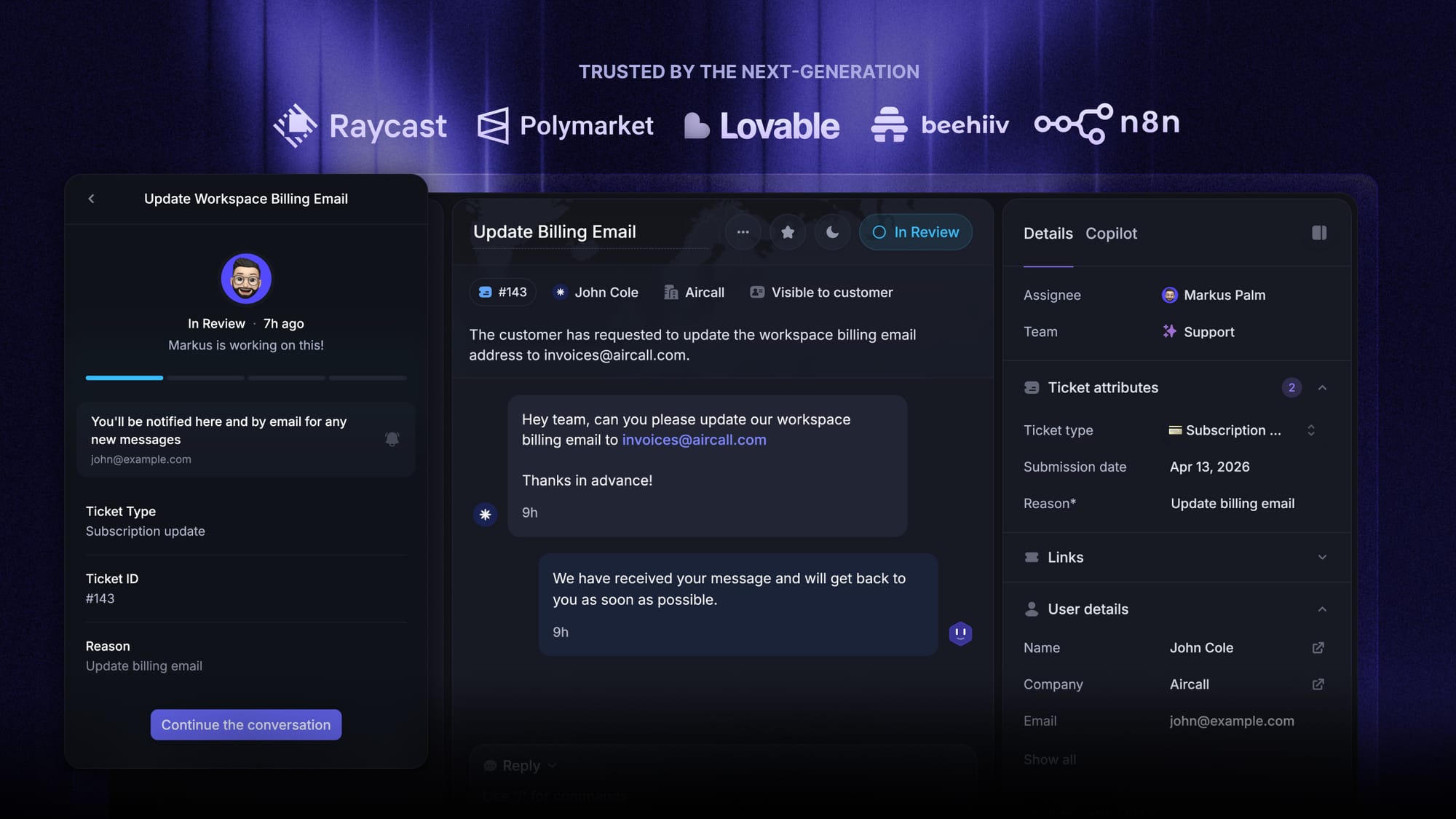
✨ Get the modern Ticketing Inbox designed for efficiency →
Customer support gets messy faster than most teams expect.
At first, a shared inbox or Slack channel might feel good enough. But once more customer requests start coming in, things break down fast. Messages get missed. Two people reply to the same issue. Nobody knows who owns what. And customers end up waiting longer than they should.
A support ticket gives every issue a clear place to live. It helps your team track the problem, assign it to the right person, and move it through the support process without losing context.
In this guide, I’ll explain what a support ticket is, how it works, what it includes, and what to look for in a support ticket system.👇
Key takeaways:
- A support ticket is a structured record of a customer issue, question, or request.
- A good support ticket system helps your team stay organized as ticket volumes grow.
- Great support is not just about faster response times. It is also about clear ownership, visibility, and consistency.
- Self-service matters, but customers should still have an easy way to reach a human agent.
- In my view, the best tools combine ticketing, help center, and automation in one platform.
- Tools like Featurebase✨ stand out. It combines AI-powered ticketing, help center, and feedback tools in a single platform for product-led SaaS teams.
What is a support ticket?
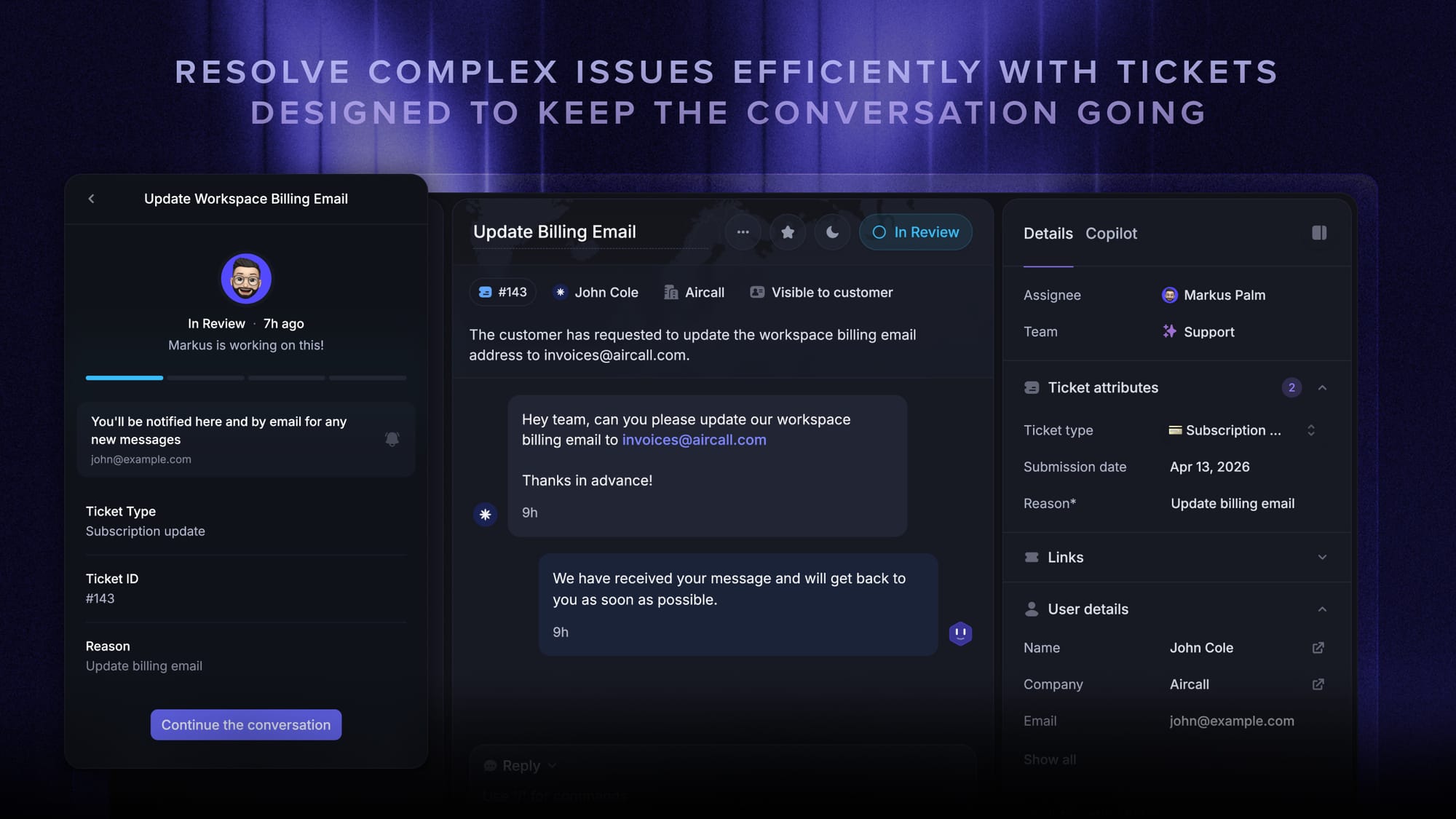
A support ticket is a record of a customer issue, question, or request sent to a support team.
It is usually created when a customer reaches out via email, live chat, Slack, a contact form, or another support channel. The ticket stores the conversation, the current status, the priority level, and the person responsible for resolving it.
In simple terms, a support ticket helps your team keep track of a problem from the first message to the final resolution.
Without a ticketing system, support often gets spread across inboxes, chat threads, and internal notes. With one, everything stays in one system.

Modern Ticketing Inbox, Designed for Efficiency
Support your customers from anywhere with an AI-powered omnichannel inbox
Why support tickets are important
Support tickets are not just a way to log issues. They give your team structure.
That structure matters because customer support is rarely as simple as one person answering one question. A single issue may involve support agents, support representatives, technical support, or even other teams like engineering or billing.
A proper support process helps customer service teams:
- keep customer inquiries organized
- assign tickets to the appropriate team
- track progress across existing tickets
- share status updates with customers
- improve response times
- maintain service quality as the business grows
That is why support tickets are so important. They turn scattered customer interaction into something your team can actually manage.
They also improve the customer experience. When customers know their request was received, who owns it, and what happens next, it builds trust. That usually enhances customer satisfaction and makes it easier to meet customer expectations.
How a support ticket works
Most support tickets follow the same basic flow, even if the exact workflow changes from company to company.
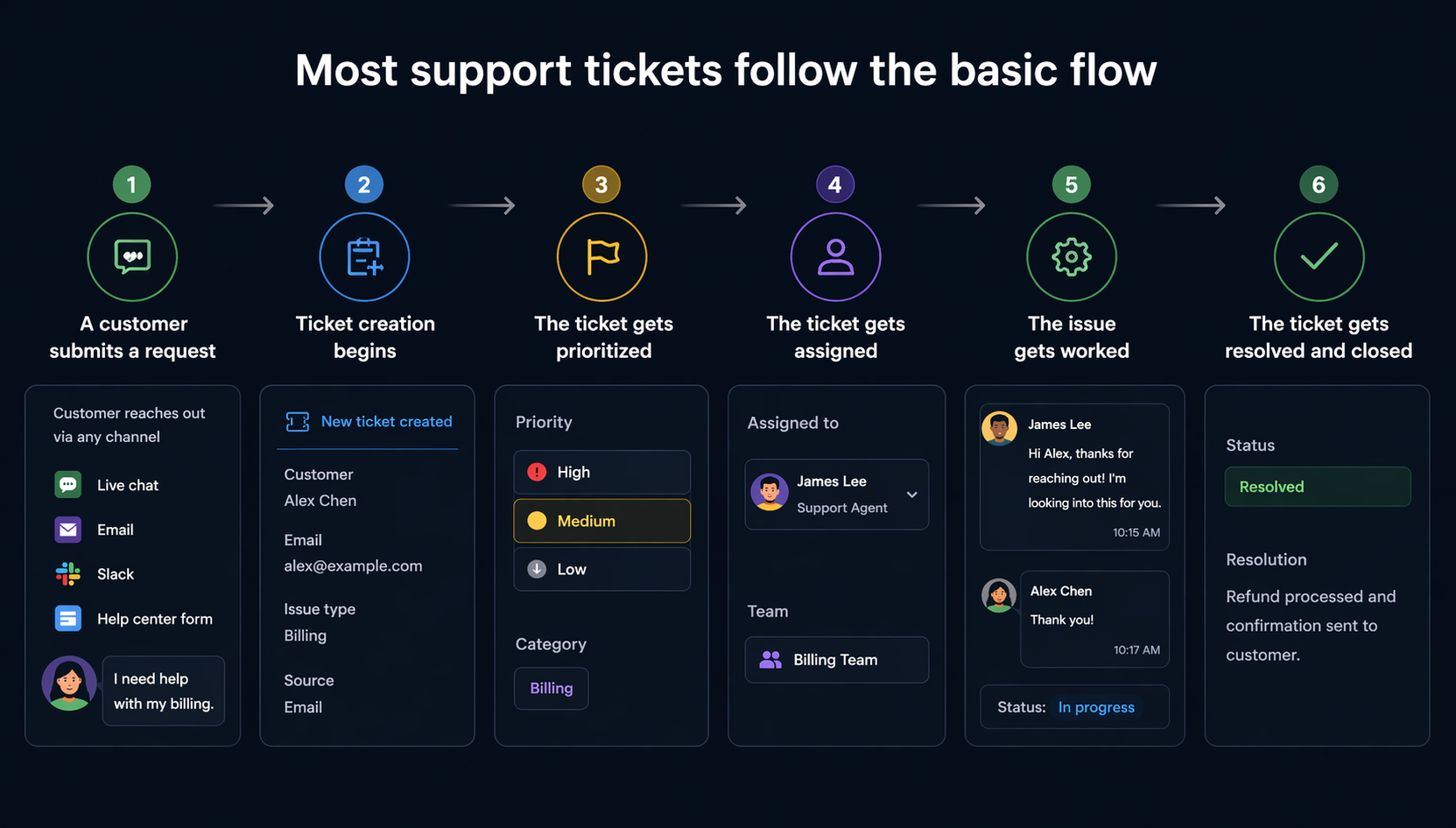
1. A customer submits a request
The process starts when a customer contacts your business.
That request could be:
- a billing issue
- a bug report
- a feature question
- a refund request
- a login problem
- a software installation request
- a general support question
These service requests can come from various platforms like live chat, email, Slack, or a help center form.
2. Ticket creation begins
Once the message comes in, the system creates a ticket.
This ticket creation step stores the customer’s message, contact details, and other relevant information in one place. That gives your support team a clear record to work from.
3. The ticket gets prioritized
Next, the ticket is categorized and assigned a priority level.
This is where teams decide what needs urgent attention and what can wait. For example, a broken login flow affecting many users is more urgent than a basic product question.
4. The ticket gets assigned
Once the issue is understood, the team can assign tickets to the right person.
Some teams do this manually. Others use automated ticket routing to automatically route tickets based on predefined criteria like channel, urgency, account type, or issue category.
This helps each request get to the appropriate team faster.
5. The issue gets worked on
Now the real support work begins.
Support agents or support representatives review the issue, reply to the customer, ask follow-up questions, and work toward a solution. If needed, they may bring in technical support, service teams, or other teams.
Throughout this stage, the ticket acts as the source of truth. Everyone can see what has happened, what is still open, and what the next step is.
6. The ticket gets resolved and closed
Once the issue is solved, the ticket is marked as resolved or closed.
Many customer support teams also use closed tickets for future reference. The resolution can feed into internal documentation, improve the knowledge base, or help teams spot patterns in customer issues.
What does a support ticket include?
Most support tickets contain the same key elements, even if the layout varies from one tool to another.
The main key components are:
- ticket ID
- customer name
- contact details
- issue summary
- full description
- status
- priority level
- assigned rep or team
- timestamps
- conversation history
- internal notes
- attachments
These details make ticket management and ticket handling much easier.
Anyone on the team can open the ticket and quickly understand the situation. That is especially useful when handling high ticket volumes or when a ticket gets reassigned.
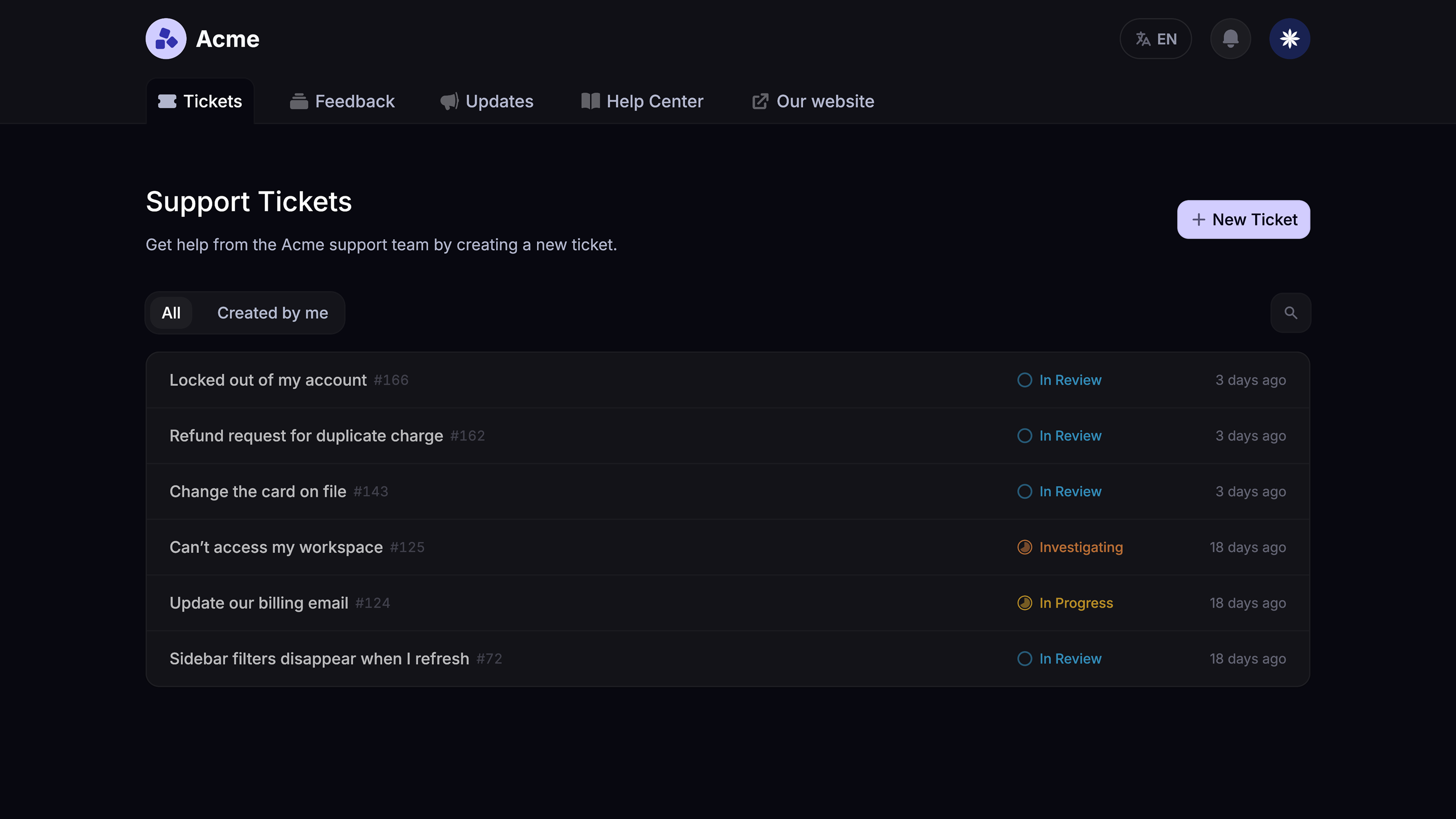
Support ticket example
Here’s a simple example of what a support ticket might look like.
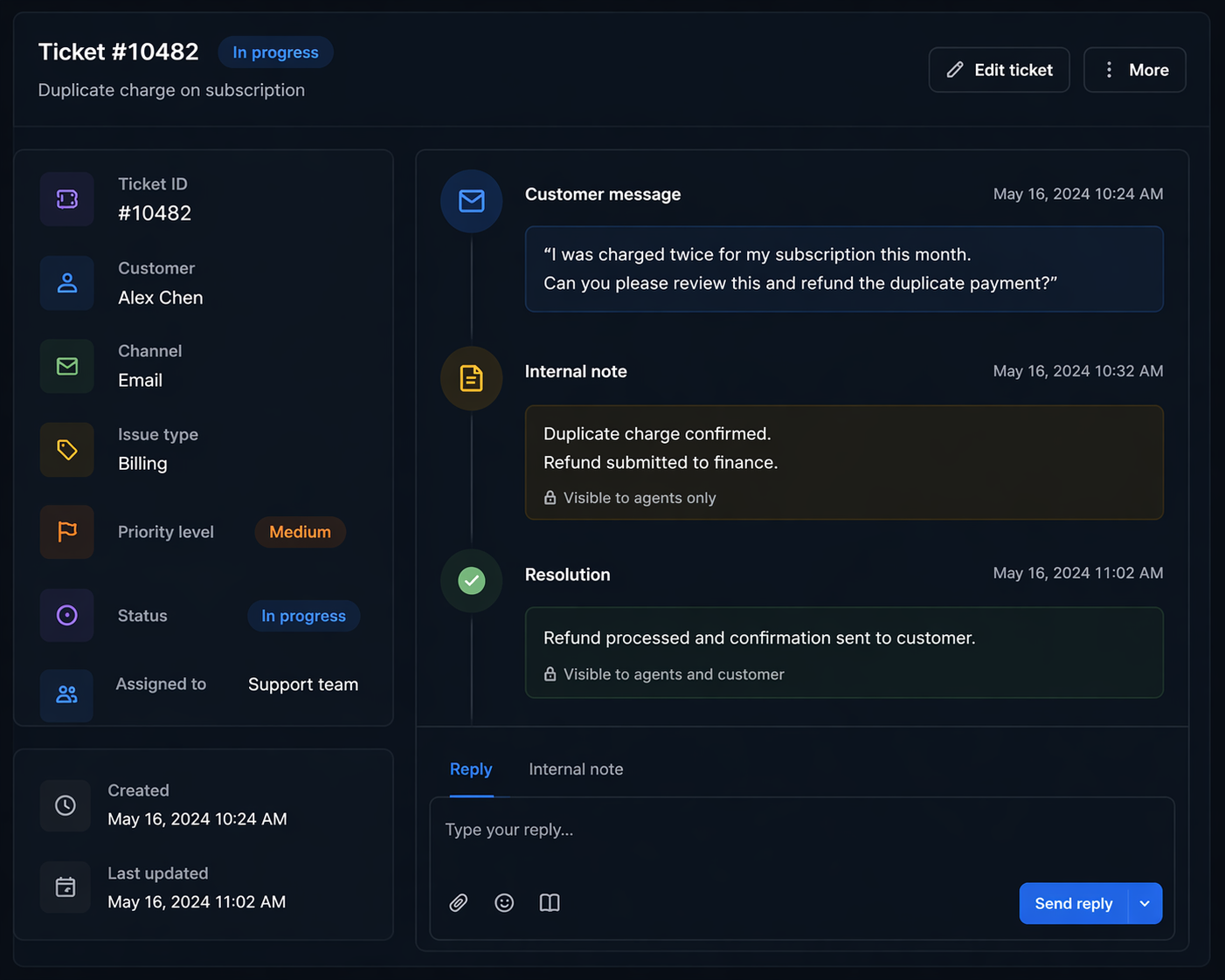
This is a simple example, but it shows the value of a support ticket. It keeps all relevant information in one place and makes it easier to track progress from start to finish.
What is a support ticket system?
A support ticket system is the software your team uses to manage tickets.
It helps your team collect, organize, assign, prioritize, and resolve customer issues in a more consistent way. A strong customer support ticket system also gives customers more visibility into what is happening with their requests.
At a basic level, a ticketing system should help you:
- collect customer requests from multiple channels
- organize them in one system
- assign tickets to the right people
- reduce repetitive tasks with automation
- improve response times
- monitor service level agreement targets
- track performance data
- support self-service options through a knowledge base
This is where a lot of teams get stuck. They think a help desk is just a place to store messages. But the real value is in creating better internal processes and giving support staff a cleaner way to work.
A good system should support both sides of the experience:
- the internal side for your team
- the external side for your customers
That means it is not enough to just manage queues. Customers should also be able to submit tickets easily, get status updates, and find additional resources without friction.
What makes a good support ticket system?
Some tools are fine for basic ticket handling, but feel clunky once ticket volumes rise or your support process becomes more complex.
In my view, a good support ticket system should do a few things really well.
It should support multiple channels
A strong system should support omnichannel support, so customer queries from live chat, email, Slack, and other channels can live in one place. That creates better collaboration and gives your team more context.
It should reduce manual work
That is where automated workflows, automated responses, and automated ticket routing help. These features reduce repetitive tasks, speed up ticket handling, and make it easier to ensure consistency across the support process.
It should make self-service easy
Some customers want to talk to a person right away. Others would rather solve simple problems on their own.
That is why self-service options matter. A good knowledge base should be easily accessible and help customers get answers without waiting for a reply.
But self-service should not become a dead end. Customers still need an easy path to a human agent when the issue is more complex.
It should help teams make better decisions
A good system gives teams valuable insights into ticket volumes, common customer issues, response times, bottlenecks, and overall service quality. That performance data helps teams make informed decisions and regularly assess what is working.
It should fit into the rest of your stack
Support does not happen in isolation.💯
That is why integration capabilities matter. Your ticketing system should connect with the tools your company already uses, whether that is Slack, Linear, Jira, HubSpot, or something else.
Common challenges support tickets solve
A lot of teams only realize they need a proper support ticket system once things start breaking.
Here are some of the most common problems support tickets solve.
- Missed requests
Without a structured system, customer inquiries can easily get lost in busy inboxes or chat threads. - Slow response times
When ownership is unclear, response times suffer. - Duplicate replies
Without visibility, two people can end up replying to the same customer. - Poor escalation
If there is no clear process for ticket escalation, complex issues can sit too long before reaching the right team. - Lack of visibility
Customers want to know their issue is moving. Support teams also need visibility into open work, backlog, and ownership. - Fragmented tools
When ticketing, help center, and support services live in separate tools, the workflow gets harder for everyone.
Support ticket system vs help desk
People often use these terms interchangeably, and that is mostly fine. But there is a small difference.
| Term | What it means |
|---|---|
| Support ticket | An individual customer issue, question, or request. |
| Ticketing system | The tool used to create, organize, assign, and manage support tickets. |
| Help desk | The broader support setup, including ticket workflows, reporting, knowledge base content, and the people handling support. |
In practice, the lines often blur. Many modern tools now combine ticketing and help desk features in one platform.
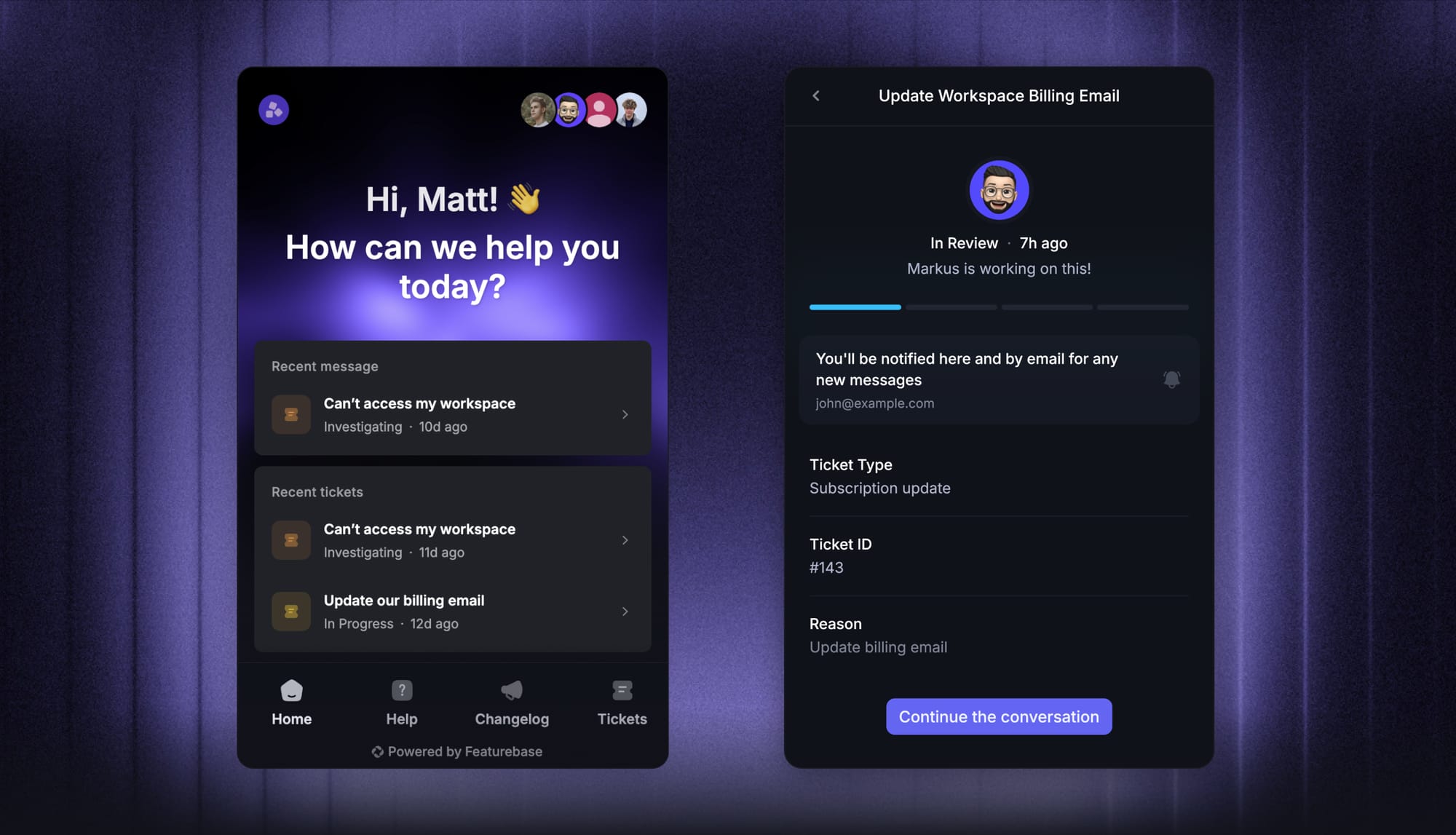
That is also how we think about it at Featurebase. Instead of forcing teams to stitch together separate tools, Featurebase brings together AI-powered ticketing, a help center, and feedback management in one place. So if you need both a support ticket system and a modern help desk, you do not have to choose between them.
Conclusion
A support ticket helps your team keep customer issues organized, track progress, and resolve requests without losing context. Once ticket volumes grow, having a proper support ticket system becomes much more than a nice-to-have.
Featurebase is a modern & powerful AI ticketing tool for product-led SaaS. It helps you manage tickets across email, live chat, and Slack from one place, while also giving customers a dedicated Tickets Portal to submit, view, and track their requests. You also get AI Copilot, workflows and automations, SLA tracking, and a help center with AI search.
It comes with affordable pricing and a Free plan, and paid plans start at $29/seat/month. The onboarding is quick, so there’s no real downside to trying it. 👇
✨ Get the modern Ticketing Inbox designed for efficiency →