Blog Customer ServiceCustomer Support for Startups: Build a Scalable System
Customer Support for Startups: Build a Scalable System
Build customer support for your startup with practical steps for choosing channels, organizing requests, adding AI, and knowing when to hire or outsource.



✨ Automate your Startup's support pipeline with the fastest AI-enhanced Inbox today →
Customer support for startups gets messy when questions land in the founder's inbox, product chat, and Slack, with no clear owner for the next reply.
In this guide, I'll show you how to organize those conversations, set realistic response expectations, and use self-service and AI while keeping human help easy to reach. 👇
Key takeaways
- Start with reliable coverage: Choose support channels your customers use and your team can maintain.
- Make ownership clear: Every open conversation needs someone responsible for the next action.
- Reduce repeat work: Turn common questions into help articles, saved replies, and tested AI answers.
- Measure the outcome: Track response times alongside resolution quality, customer satisfaction, and unresolved work.
- Featurebase ✨: Bring customer support, help content, and product feedback into one platform.
What good customer support looks like at a startup
Good customer support helps customers get past problems and keep using your product. That includes answering setup questions, investigating bugs, explaining billing, and following up when a fix is ready.
Early on, founders handling support directly can learn where users struggle. The trouble starts when that knowledge stays in private inboxes and everyone assumes someone else has replied.
A useful starting point is simple: customers know where to ask, someone owns the answer, and unresolved issues stay visible. A customer waiting for a bug fix should know who is investigating and when to expect another update, even when you cannot promise a resolution date.
Your process should also preserve what you learn. Repeated confusion about an integration may call for clearer documentation or a product change.
How to set up customer support for startups
Build these 7 habits into the way your team works. You can start with a modest setup and add capabilities as the work demands them.
1. Choose channels you can consistently cover
Look at where customers already ask for help and what they need to share:
- Email support: Useful for detailed questions, attachments, and conversations that can happen asynchronously.
- In-app chat: Useful when customers need help while using a feature. Show expected reply times when your team is offline.
- Shared customer channels: Useful when account relationships already run through Slack or Teams, provided requests reach your support queue.
Phone support may be necessary when customers need a live conversation to explain an urgent or complex problem. Choose it because it fits their needs and your coverage.
Start with the channels you can maintain. Calling a widget “live chat” sets an expectation, so be clear about staffed hours and what happens outside them.
2. Give every conversation an owner
Once several people answer customers, a shared inbox or ticketing system helps prevent duplicate replies and forgotten requests. Choose customer support software that makes assignment, conversation history, internal notes, and open work easy to see.
For each request, record who owns it, what happens next, and whether you are waiting on the customer or someone internally. Assign a backup when the owner is unavailable.
If engineering investigates a bug, the support owner should still keep the customer updated. An internal handoff should not leave the customer wondering who to contact.
Keep the initial workflow simple. A few clear statuses are easier to maintain than a complicated process nobody follows.

3. Set response expectations and escalation rules
Publish your support hours, time zone, and expected first response time. Separate acknowledging a request from solving it, especially when another team needs to investigate.
Use customer impact to prioritize requests. Here's an illustrative starting point:
| Priority | Example | Next action |
|---|---|---|
| Critical | A service outage blocks many customers | Alert the incident owner and share updates through a central channel |
| High | A customer cannot complete a core task | Assign an owner, investigate, and agree on the next update |
| Routine | A customer asks how to configure a feature | Answer through the normal queue and share relevant guidance |
Choose response targets your team can meet. Where contracts include service level agreements (SLAs), make those commitments visible to the people handling the queue.
Escalation notes should include the customer's goal, business impact, troubleshooting already attempted, and the promised follow-up. That prevents customers from repeating the whole story.
4. Turn recurring questions into self-service answers
Start your knowledge base with questions customers actually ask. Review recent conversations and prioritize topics that recur or block people from getting value.
A useful first set might cover getting started, account access, billing, and common integration problems. Each article should answer a specific question, explain the steps, and show what success looks like.
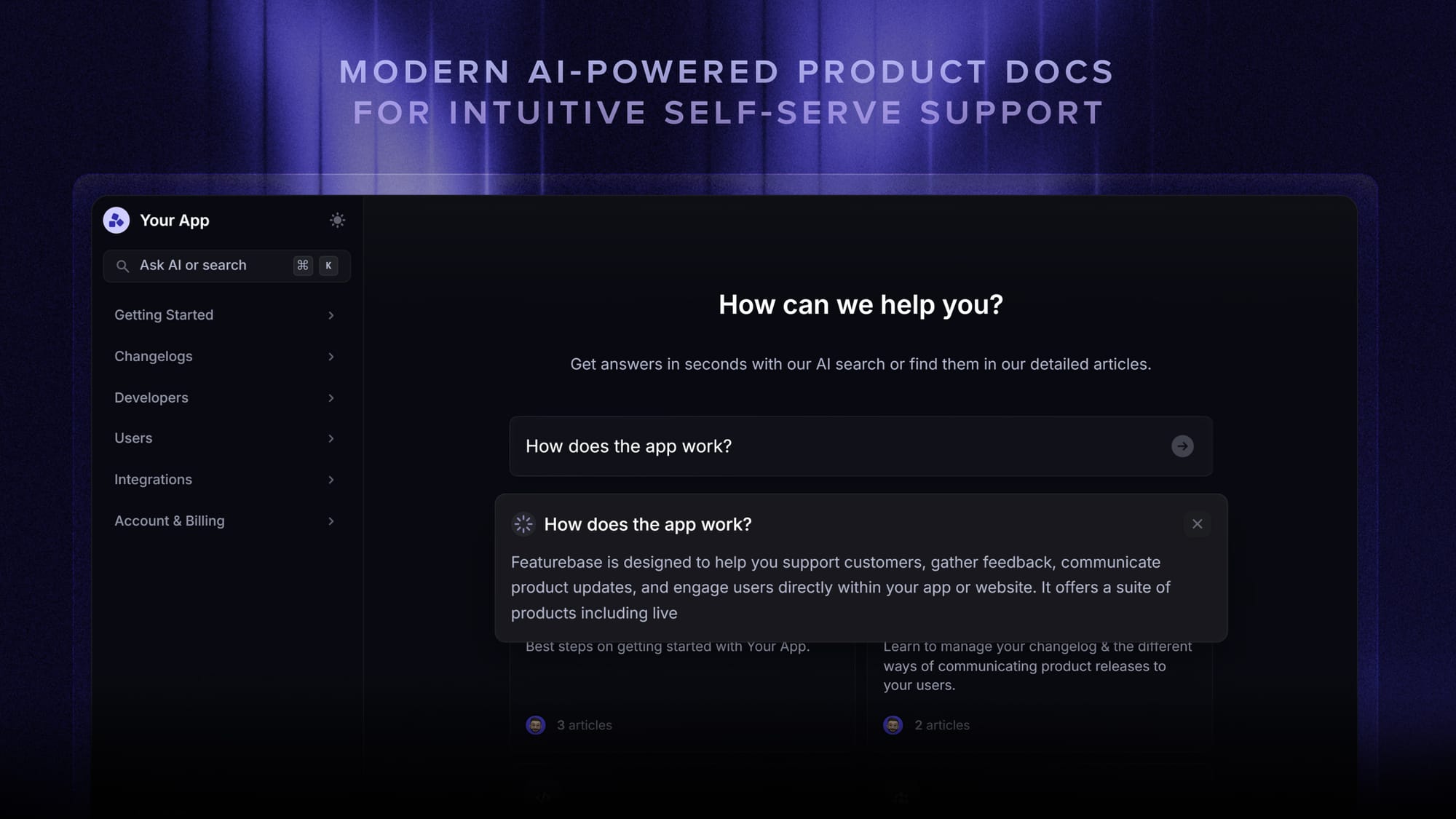
Put self-service support where customers need it, such as beside a confusing setting or inside your support widget. Keep a route to human help when the article does not solve the problem.
Give documentation an owner and update it when the product changes. Saved replies can point customers toward maintained articles while leaving room for a personal answer.
5. Add AI with a clear path to human help
Start AI customer support with a defined set of questions and reliable source material. Test it against real examples, including incomplete questions and cases it should hand over.
AI can also assist your team. Research involving 5,172 customer support agents found an average 15% increase in issues resolved per hour with AI assistance. The study examined agents at a large software company, so treat it as evidence for testing assistance rather than a forecast for your startup.
Agree on handoff rules before expanding automation. Customers asking for a person, unresolved troubleshooting, and exceptions requiring approval need a clear next step.
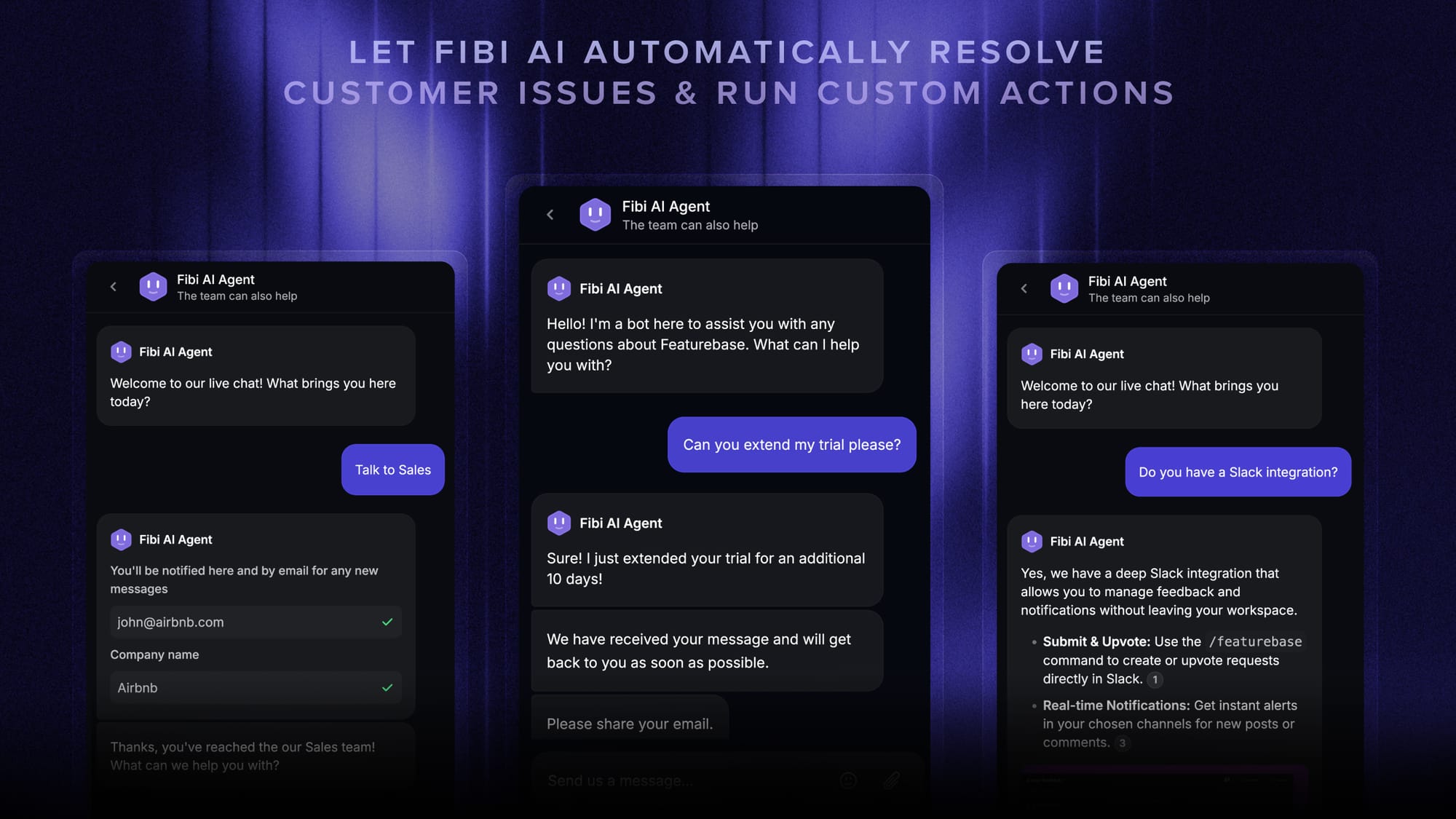
For example, Featurebase's Fibi AI Agent can answer questions using connected help content, then hand the conversation to a teammate with context when more help is needed. AI availability and workflow features depend on the plan.
Review a sample of automated conversations regularly. A customer leaving the chat does not necessarily mean the problem was solved.
6. Track support quality and recurring problems
Give your customer support team a small dashboard:
- First response time: How long customers wait for a useful initial reply. Keep automated acknowledgments separate.
- Resolution time: How long requests take to resolve. Break this down by issue type so complex investigations do not hide routine delays.
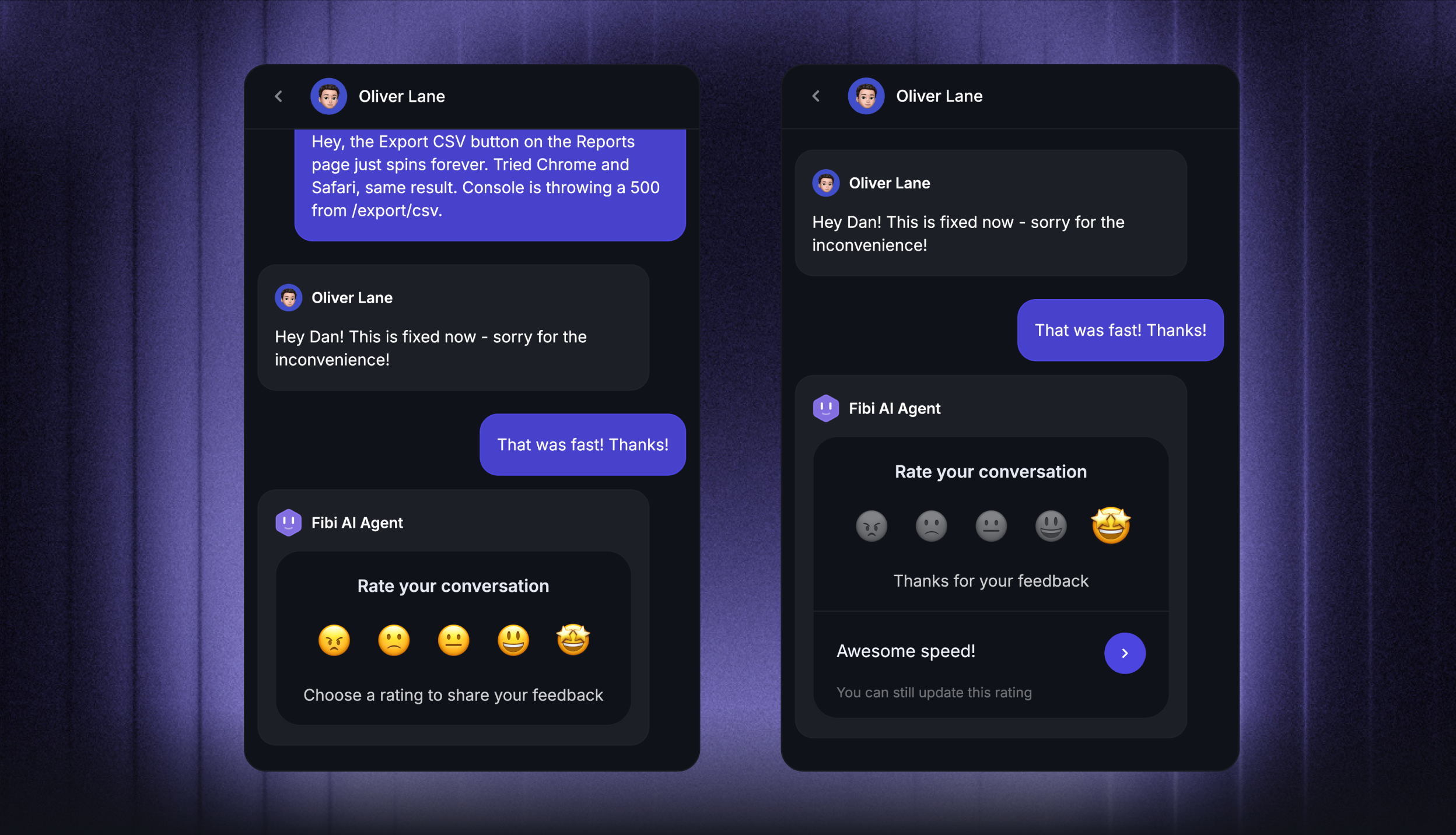
- Customer satisfaction (CSAT): How customers rate the help they received. Read comments and check how many people responded.
- Backlog age: How long unresolved requests have been waiting, especially those blocked internally.
Review these together. Faster replies mean little if customers repeatedly reopen the same issue. If you use AI, also check human handoffs and distinguish customer-confirmed resolutions from assumed ones.
Use a weekly review to choose a specific improvement, such as fixing an onboarding article or clarifying who handles billing exceptions.
7. Feed customer insights back into the product
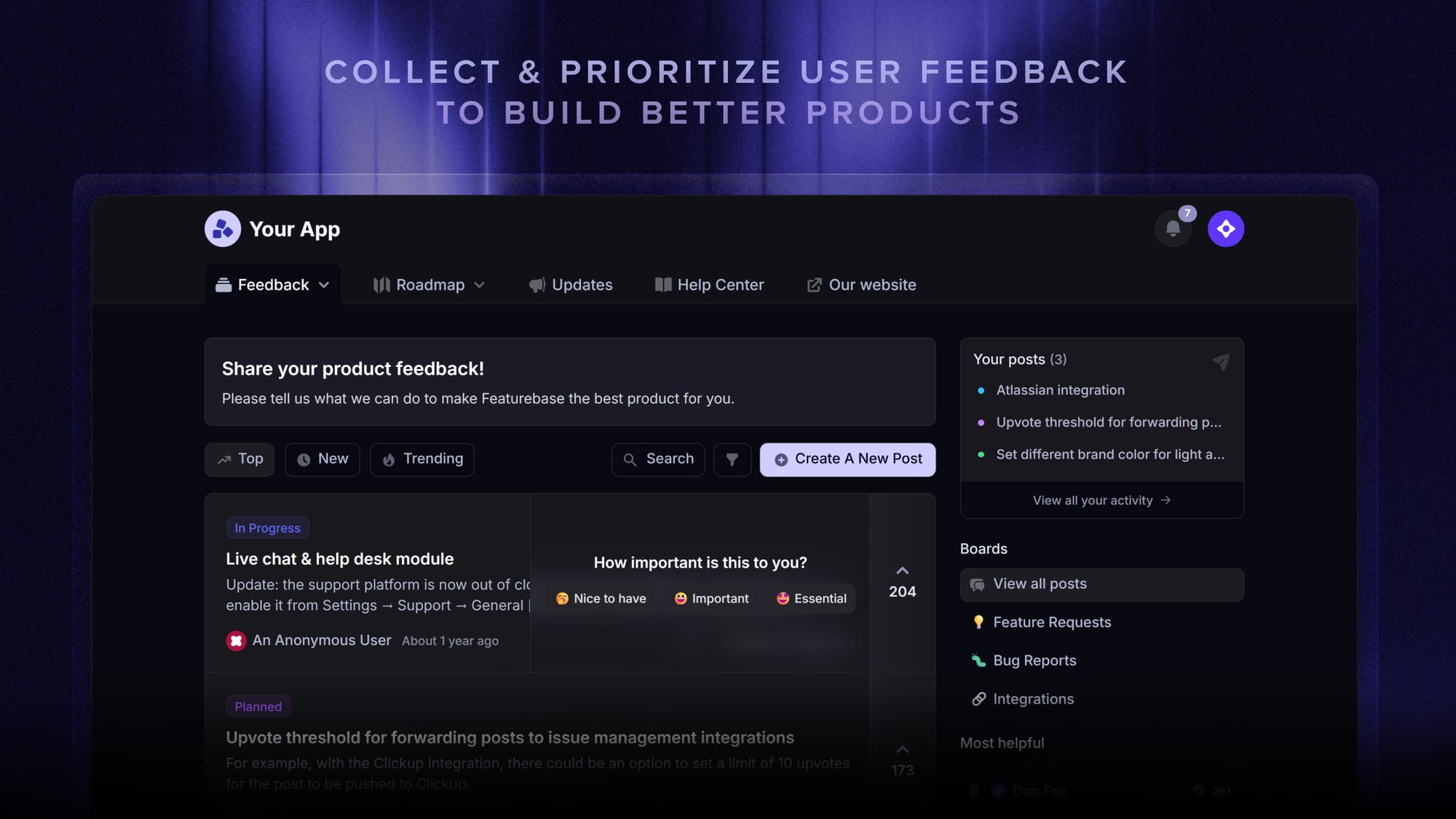
Tag recurring themes and bring a short summary to product and engineering. Include what customers were trying to achieve, where they got stuck, and how often the problem appeared.
Preserve the original conversations so the product team can investigate without relying on a vague label like “integration issue.” Keep track of affected customers so someone can follow up when there is progress.
For example, repeated questions about importing data might lead to a better article, clearer error messages, or a change to the import flow. After shipping the improvement, check whether those questions decline.
Avoid promising a feature or release date before the team has committed to it.
When to hire or outsource customer support
Review staffing when unresolved work keeps growing, support coverage repeatedly fails, or founders spend more time managing the queue than learning from customers.
Estimate the workload first: time spent handling conversations, investigating issues, maintaining documentation, and reviewing quality. Then check which recurring work better processes could remove.
- Hire internally: Choose this when the work needs deep product knowledge, frequent engineering collaboration, and someone accountable for improving support.
- Customer support outsourcing: Consider this when you have documented workflows and a defined coverage need, such as another time zone or language.
- Keep founders involved: Review conversations and difficult cases, even after daily queue ownership moves to someone else.
Before outsourcing, agree on training, access permissions, quality review, escalation, and how customer insights reach your team. A provider still needs someone inside the startup who owns the relationship and the customer experience.

Resolve 70% of customer requests with AI
Automatically resolve customer issues & cut down support loads for your team
Conclusion
Customer support for startups works best when the basics are dependable: clear channels, visible ownership, useful answers, and consistent follow-up. Add automation and staffing around the problems your team actually encounters.
Featurebase is a modern AI customer support platform for product-led SaaS. It combines AI-powered support, help center, and feedback management into a single platform for startups that want all their customer-facing tools in one place.
The Free plan includes 1 seat, live chat, and unlimited conversations. AI and email support require a paid plan, so choose the plan that matches your workflow. 👇
✨ Automate your support with the fastest AI-enhanced Inbox today →

FAQs
How long does startup support software take to set up?
A basic setup may take a few hours or days, while a rollout with migration and custom integrations can take weeks. Test receiving, assigning, answering, and escalating requests before opening the new channel to customers.
Can I bring old support conversations into a new tool?
Check the platform's import options before choosing it. Confirm whether it preserves messages, attachments, customer identities, and internal notes, then test a small sample. Keep access to your old records until you have checked the migration.
Do I need a developer to set up support software?
Standard inbox configuration often needs no coding, while adding an in-app widget may need help from a developer. Custom integrations and account-specific actions can require more technical work. Ask what your intended setup requires before committing.
How should a startup budget for customer support software?
Include seats, AI usage, add-ons, and the time needed for implementation and maintenance. Compare costs at your current workload and a higher-volume scenario. Check which features remain available when a trial or startup discount ends.
What is the difference between a support ticket and product feedback?
A support ticket tracks an individual request through to resolution. Product feedback records an insight or request that may influence future product decisions. One conversation can produce both, so connect the records while keeping responsibility for the customer's immediate issue clear.