Blog Customer ServiceCustomer Self-Service: Benefits, Examples, and Tips
Customer Self-Service: Benefits, Examples, and Tips
Customer self-service is the modern stack of tools that lets your customers resolve issues themselves without waiting for a support agent.



✨ Automate your support with the fastest AI-enhanced Inbox today →
Most of your customers don't want to talk to support. 61% would rather solve simple issues themselves than wait in a queue, and yet only 14% of self-service attempts actually fully resolve the issue.
That's the gap this guide is about. I'll cover what customer self-service is, the 5 types of tools that make it work, the best practices for actually deflecting tickets (instead of just adding noise), and the common pitfalls to dodge. 👇
Key takeaways:
- Customer self-service is any system that lets customers get answers, complete tasks, or resolve issues without contacting a live agent. Help centers, FAQs, AI chatbots, in-app widgets, and community forums are the five main types.
- The biggest payoff is for customers - 61% of them prefer it for simple issues, and it works around the clock without phone support staffing costs.
- Done badly, self-service generates new tickets instead of deflecting them. The 14% Gartner full-resolution rate is the symptom of bad search, missing escape hatches, and stale content.
- The best self-service is findable from inside your product, AI-powered so the right answer surfaces fast, measured at the search-bar level (empty searches = your content gaps), and one click away from a human.
- Tools like Featurebase✨ bundle all five self-service tool types - AI-powered help center, in-app Messenger, Fibi AI Agent, FAQ pages, and feedback forum - on a Free plan that lets you ship customer self-service in an afternoon.
What is customer self-service?
Customer self-service is any system that lets a customer find an answer, complete a task, or resolve an issue without talking to a human agent. The customer does the work, and the company provides the tools that make it possible.
That's the key distinction from traditional customer service software. With regular customer service, an agent handles the case. With customer self-service, the customer handles it themselves using resources you've built: a help center article, an AI chatbot conversation, a FAQ page, a community forum thread, or an in-app widget. The agent only gets involved if the self-service path fails.
Most modern support stacks combine both. The self-service layer handles the easy 80% of tickets (password resets, billing questions, "how do I export a CSV"), and the human-staffed layer catches everything that needs judgment, empathy, or a workaround.
Why customer self-service matters
There are three reasons this matters more than most teams give it credit for.
Customers prefer it for simple issues
This is the surprise that catches most support leaders. We assume customers want a human. They don't, at least not for routine issues. Salesforce found that 61% of customers prefer self-service for resolving simple issues. They'd rather skip the queue and find the answer themselves.
The reasons make sense once you think about how you behave as a customer:
- Speed: You can find the answer in 30 seconds instead of 20 minutes on hold.
- Control: You don't have to explain your situation to a stranger.
- Convenience: You can solve it at 11 PM without waiting for business hours.
Self-service isn't a downgrade for the customer experience. For most issues, it's the experience your customers actually want.
It cuts support costs at scale
Every ticket your team doesn't handle is a ticket you don't pay for. A help-center article that resolves 200 tickets a month costs nothing once it's written, while the equivalent volume across live chat and phone support eats real agent hours.
The math compounds at scale. Salesforce's 2025 State of Service report found that 80% of high-performing service organizations offer self-service to their customers, compared to just 56% of low performers. The high performers aren't using self-service because they're cheap. They're using it because it's the only way to keep up with rising customer expectations without scaling headcount linearly.
The other operational benefit: your support staff stops spending their day on the same five questions and starts spending it on the genuinely tricky cases. The ones that actually need a human.
It works around the clock
Your team sleeps. Your help center doesn't. A customer in Singapore at 3 AM their time gets the same answer as a customer in San Francisco at 11 AM. No hiring an overnight team, no time-zone juggling, no "we'll get back to you in 6 hours" auto-replies.
For SaaS in particular, this matters. Your users sign up at all hours and hit blockers at all hours. Self-service is what lets them keep going instead of bouncing.

Deflect repetitive tickets with AI self-service
Use Featurebase to answer common questions automatically, surface help inside your product, and route complex issues to your team when needed.
5 types of customer self-service tools
Self-service isn't one thing. It's five. ost growing companies eventually run all of them, layered together. To decide which to invest in, compare the leading customer self-service software.
Knowledge base/help center
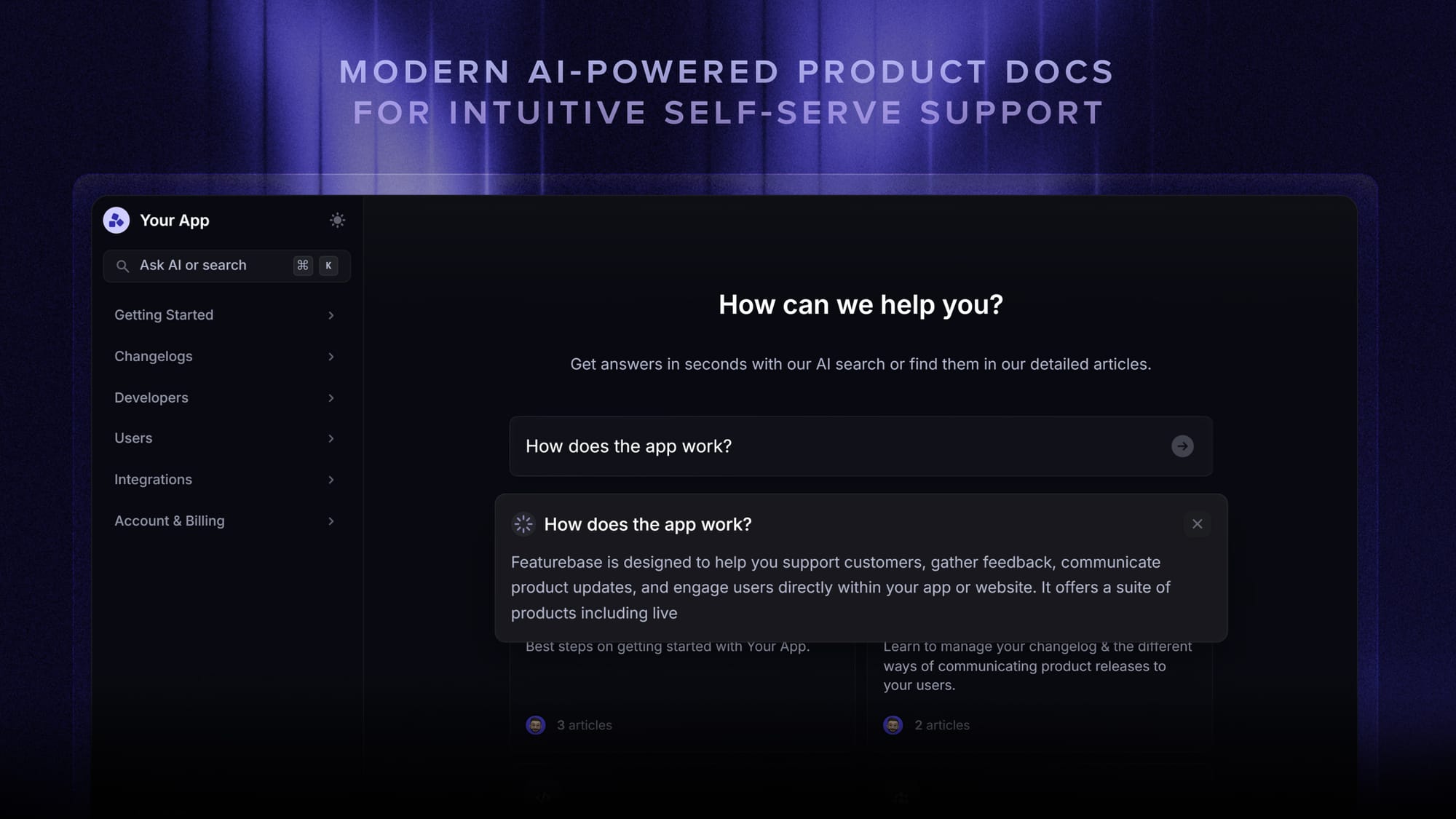
The foundation. A help center is a structured library of articles that explains how your product works, how to handle common situations, and how to troubleshoot the most-frequent errors. Customers find articles either through a search bar or by browsing categories.
A good AI-powered knowledge base returns useful answers even when the customer's search query doesn't match your article titles exactly. That matters, because customers rarely use the same vocabulary your docs team does. If you're shopping around, our best knowledge base software breakdown covers the main options.
FAQ pages
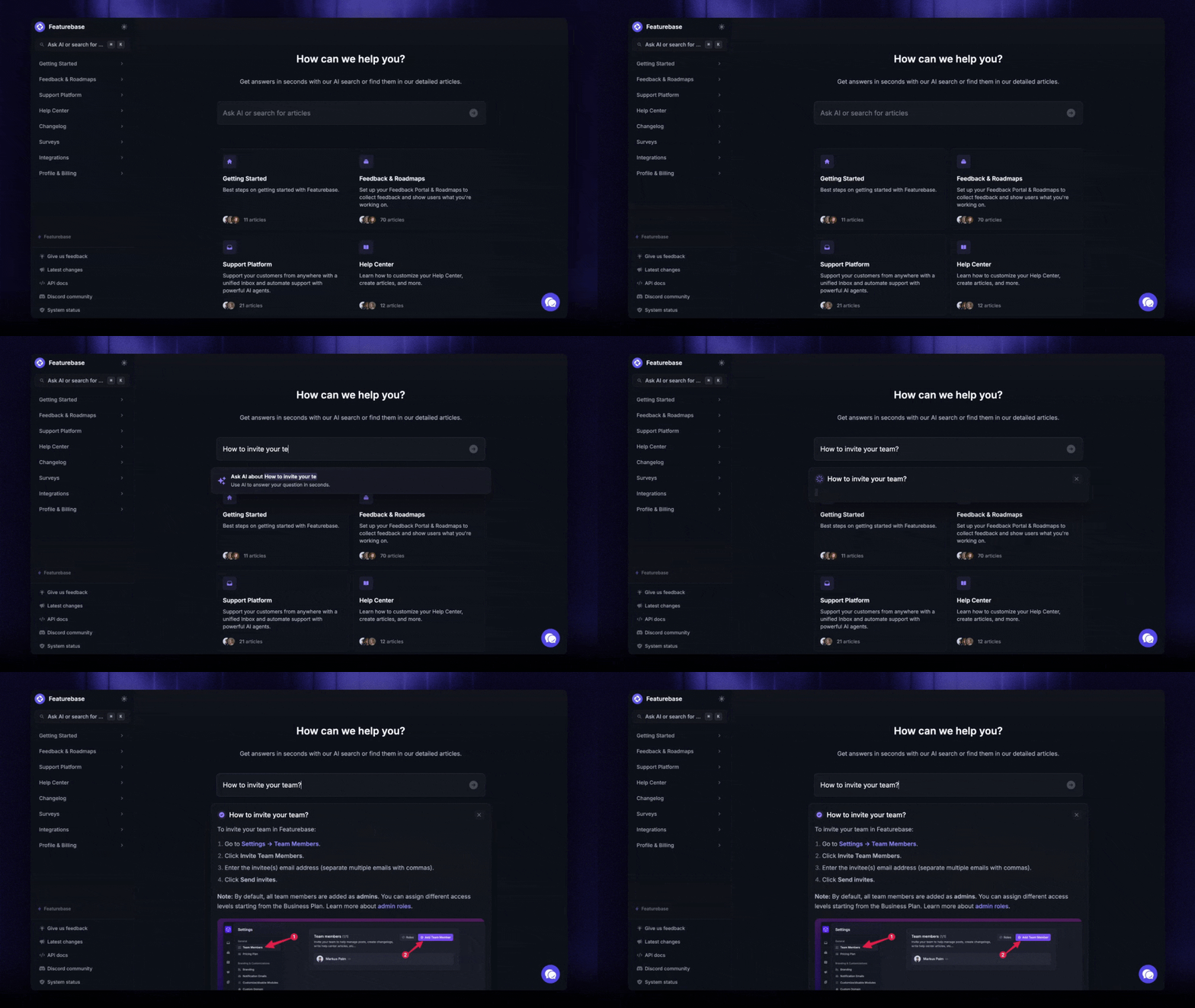
A FAQ page is the lighter-weight cousin of the help center. It's a single page (or a few) listing the most common questions and direct, short answers. FAQs work best for high-traffic topics where the answer is one paragraph: pricing tiers, refund policies, what's included in the free plan, supported integrations.
The classic mistake is treating FAQs as a dumping ground for every question anyone has ever asked. That kills findability. Keep the FAQ short and use the help center for everything else.
AI chatbots and AI agents
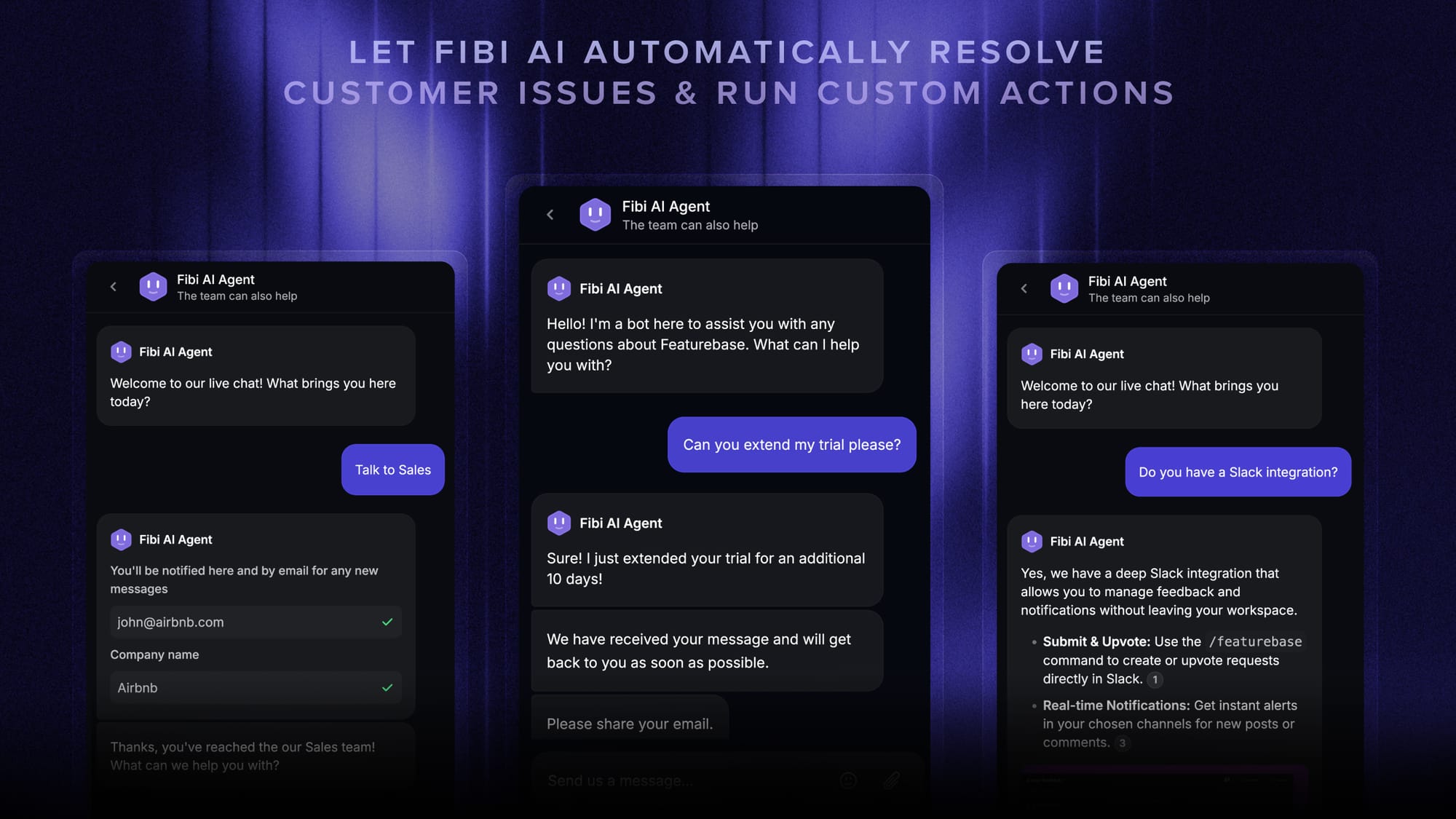
A chatbot sits in the corner of your product or website, answers customer questions in plain language, and (when it can't) hands the conversation off to a human. Modern AI agents go further: they don't just answer questions, they actually take actions like extending a trial, resetting a password, or processing a refund.
The honest framing is that chatbots used to be terrible. True conversational customer service simply didn't exist yet. Modern AI chatbots trained on your help center and customer data are dramatically better, and they're now the highest-leverage piece of any self-service stack.
For companies looking to build even more powerful conversational agents, RAG development services can integrate vector search and retrieval‑augmented generation with your help center, elevating accuracy and context awareness beyond rule‑based bots.
If you want to see how real teams are using them, the chatbot examples post walks through 12 patterns from live products.
In-app help widgets
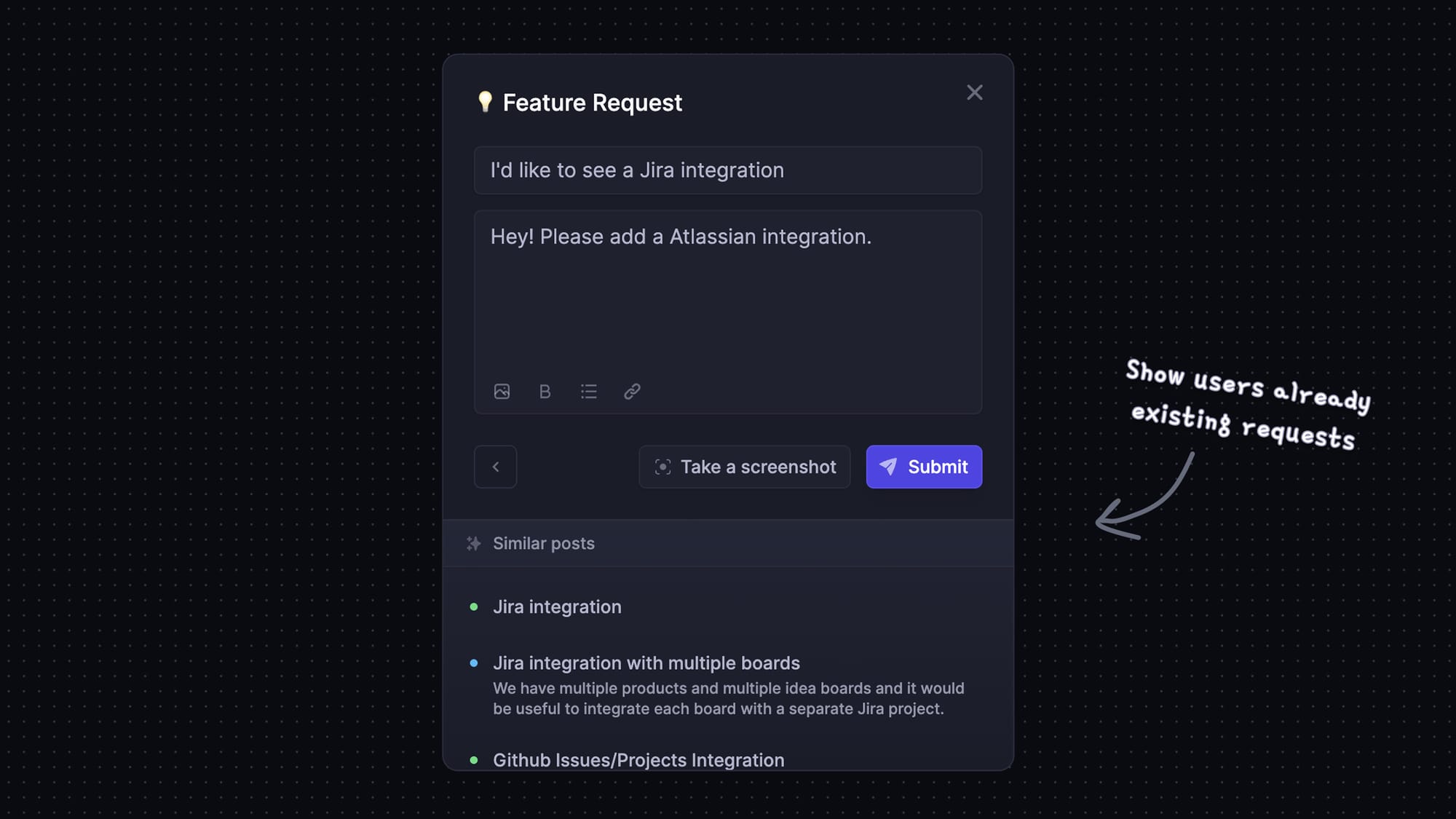
In-app help widgets surface relevant articles, contextual chatbots, or contact forms from inside your product itself, not on a separate help-center page the customer has to go find. The customer hits a problem, clicks the help icon, and gets a curated answer right where they're working.
The discoverability advantage is huge. Customers rarely think to leave your product and search Google when they hit a snag. They'll click the help icon if it's there.
Community forums
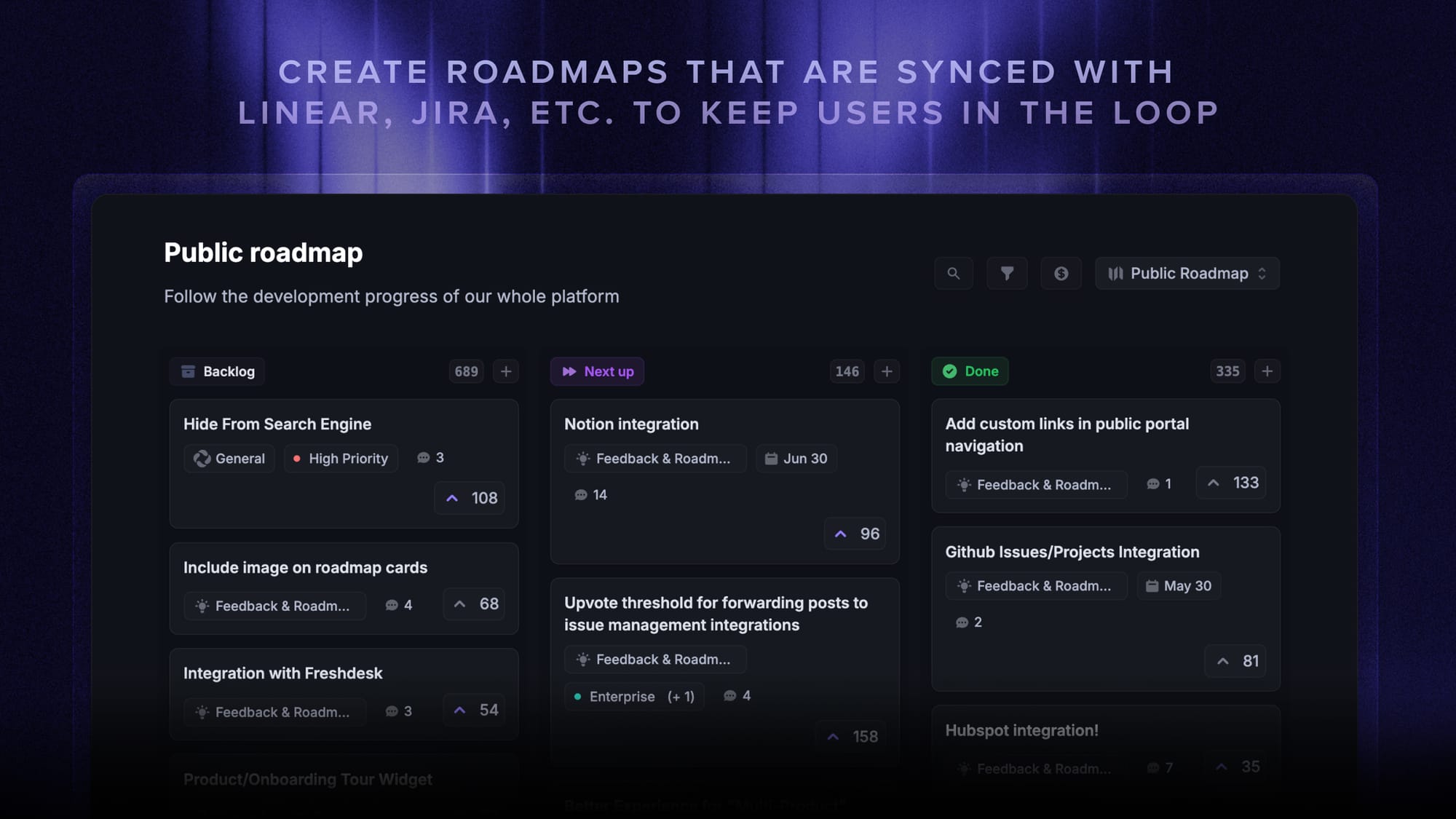
A community forum is a public space where customers ask questions, answer each other, and discuss the product. The best ones become a self-reinforcing knowledge layer: a customer asks a question, another customer answers it, and the next person who searches Google finds the thread before they ever contact support.
Forums work best for products with power users (developers, designers, prosumers) and worst for one-off purchases where customers have no reason to come back. They're also the slowest of the five to set up. Empty forums look worse than no forum, so you need a critical mass before they start generating value.
Customer self-service best practices that actually deflect tickets
These are the four practices that separate self-service that works from self-service that just adds noise.
Make it findable, not just available
The single biggest mistake is hiding the help center on a footer link nobody clicks. If a customer has to leave your product, find your website, scroll to the footer, and click "Support" to find a help article, you've already lost most of them.
The fix is to surface help from inside your product. Add a help widget to your main app, link to the most-relevant help article inside empty states and error messages, and make the search bar one click away. Self-service that customers can't find is the same as no self-service.
Use AI to surface the right answer
This is where the 14% full-resolution stat from Gartner becomes actionable. The reason self-service attempts fail isn't usually that the answer doesn't exist. It's that customers can't find it. They search "how do I cancel" and the article is titled "Subscription management overview".
AI search closes this gap. Instead of matching keywords, it understands intent and returns the article that actually answers the question. AI agents go one step further by combining the answer with an action (the customer doesn't just get told "click here to cancel", the bot can cancel for them).
Always have an escape hatch to a human
This is the rule customers care about most. The fastest way to make customers hate your self-service is to trap them inside it. A chatbot that won't escalate, a help center with no "contact us" link, a community forum where the last reply was three months ago and your team never showed up.
Always have a one-click path to a human. A "talk to a person" button in the chatbot. A "didn't find what you needed?" link at the bottom of every help article. A live chat or email option visible from the help center home. Self-service that doesn't include an escape hatch is just an obstacle course.
Measure what gets deflected and what backfires
Most teams measure self-service success with vanity metrics: number of help articles published, number of chatbot conversations. These don't tell you what's working.
The metrics that matter:
- Empty searches: queries that returned zero results in your help center. Each one is a content gap to fill.
- Article exits to contact: articles where customers click "contact us" after reading. These articles aren't answering the question they're meant to.
- AI agent resolution rate: percentage of bot conversations that ended without a handoff to a human. The closer this is to the 14% baseline, the more work your bot needs.
- Ticket deflection rate: how much your overall ticket volume dropped after launching self-service, holding customer growth constant.
Track these monthly. Each one points to a specific fix.
✨ Automate your support with the fastest AI-enhanced Inbox today →
Why most customer self-service fails (and how to fix it)
The 14% number isn't an indictment of self-service as a concept. It's an indictment of how most teams implement it. Three failure modes account for almost all of it.
The first is stale content. Customer self-service content goes out of date the moment your product ships an update. A help article that describes an old UI, a FAQ entry that lists outdated pricing, a chatbot trained on a help center from two product versions ago. These don't just fail to deflect tickets, they generate new ones from confused customers.
The second is a bad search. If a customer can't find the right article in 5 seconds, they'll give up and email support. AI search and good content tagging fix this. Legacy keyword search rarely does.
The third is no escalation path. Customers will tolerate a chatbot that doesn't solve their issue, but only if they can escape it to a human in one click. The chatbots customers hate are the ones that loop them through the same five canned responses with no way out.
The fix in all three cases is the same: treat self-service like a product, not a one-time content drop. Ship it, measure it, find the holes, fix them. The same discipline behind any good customer service strategy applies here, just pointed at a different surface.
How Featurebase helps you ship customer self-service
Featurebase is a modern AI customer support platform for product-led SaaS. It combines AI-powered support, help center, and feedback management into a single platform for startups that want all their customer-facing tools in one place. Featurebase is loved by thousands of support teams from companies like Lovable, Raycast, and n8n. 💫

Top features:
- Omnichannel inbox – Manage live chat, email, and Slack conversations from one AI-powered view
- Fibi AI Agent - Resolve customer issues on autopilot & run custom actions like trial extensions and refunds
- Help center with AI search – Provide instant, multilingual self-serve answers
- Workflows & automations – Auto-assign tickets, route conversations, collect customer data, and more
- AI Copilot – Help your agents answer customers faster with AI Copilot that uses your internal knowledge
- Multi-brand support – Manage multiple Help Centers and Live chats from a single workspace
- Automatic AI translations – Automatically translate all messages and help articles to your customers native language
- Service Level Agreements – Track SLAs to make sure your team responds to customers on time, every time
- Mobile app – Respond to customers, receive notifications, and unblock users on the go
- Feedback & roadmap tools – Collect feature requests and close the loop with updates
- Product updates – Publish release notes with a changelog page, in-app widget, and emails
- Integrations – Connects with Slack, Linear, Jira, HubSpot, and more
Pricing: Free plan available with unlimited conversations. Paid plans start at $29/seat/month with $0.29 per AI resolution.
Featurebase covers all the basic support features that legacy platforms do, but with a much more modern approach. It comes with AI automations, a mobile app, and multiple channels (email, live chat, Slack, etc.).
Turn support questions into instant answers
Featurebase helps SaaS teams combine AI support, help docs, live chat, and feedback in one workspace.
Conclusion
Customer self-service is the most-asked-for, most-under-delivered piece of the modern support stack. Customers want it. Most companies ship a version of it that doesn't quite work. The companies that close the gap (findable from inside the product, AI-powered, with a one-click human escape hatch, and measured at the search-bar level) are the ones their customers stay loyal to.
Featurebase is a modern AI customer support platform that bundles every self-service tool you need (AI-powered help center, in-app Messenger widget, Fibi AI Agent, feedback forum) into a single workspace. You can ship a full customer self-service stack in an afternoon, not a quarter.
It comes with a Free plan and the onboarding is super quick, so there's no downside to trying it. 👇
✨ Automate your support with the fastest AI-enhanced Inbox today →

FAQs
What is the difference between customer service and customer self-service?
Customer service is when an agent on your team handles a customer's issue directly through chat, email, or phone. Customer self-service is when the customer resolves it themselves using tools you've provided (help center, FAQ, chatbot, in-app widget). Most modern support stacks layer both. Self-service handles the easy, repetitive questions, and agents catch everything that needs judgement or empathy.
What are the most common customer self-service tools?
The five most common are help centers (also called knowledge bases), FAQ pages, AI chatbots and agents, in-app help widgets, and community forums. Most growing companies run a combination of all five rather than picking just one. The help center is the foundation, the in-app widget makes it findable, and the AI chatbot handles the long tail of unique questions.
How can I get customers to use self-service more?
Three things: discoverability, search quality, and timing. Surface the help center from inside your product (not just on the website footer), use AI search so customers find the right article on their first try, and link to the most-relevant article inside empty states, error messages, and onboarding emails. Customers don't avoid self-service. They just can't find it.
What's the cheapest way to add customer self-service to my business?
You don't need a $500/month enterprise platform. Featurebase has a free plan that includes a full help center with AI search, an in-app Messenger widget, and a public feedback forum, which covers the basic self-service surface for most startups. You can ship the first version in an afternoon and upgrade only when your ticket volume justifies it. For a wider comparison, our free knowledge base software breakdown covers the main free-tier options.
How often should I update self-service content?
At minimum, review your help center monthly and update any article that touches a feature your product shipped or changed since the last review. Beyond the calendar, track two signals: empty searches in your help center (each one is a content gap to fill) and articles where customers click "contact support" after reading (these aren't answering the question). The fastest-growing products end up reviewing self-service content weekly because the product changes that often.