Blog Customer ServicePost-Purchase Customer Support: 7 Ways to Build Loyalty
Post-Purchase Customer Support: 7 Ways to Build Loyalty
A 5% retention lift can boost profits by up to 95%. Learn 7 post-purchase support tactics that turn first-time buyers into loyal customers.



✨ Automate your support with the fastest AI-enhanced Inbox today →
More than half of consumers will leave you after a single bad post-purchase experience. The flip side is just as stark: customers who feel cared for after the sale become your most valuable repeat buyers and brand advocates.
Post-purchase customer support is the highest-leverage retention work most teams under-invest in. The good news is it's not complicated, just rarely done well.
In this guide, I'll walk through what good post-purchase customer support looks like end-to-end, the 7 tactics that compound for customer loyalty, and how to measure if it's working. 👇
Key takeaways:
- Post-purchase customer support starts at "thank you for your order" and never really ends. It covers order updates, self-serve answers, returns, channel coverage, proactive check-ins, and the feedback loop back to product.
- A 5% retention lift can boost profits by as much as 95% (Bain & Company). Post-purchase support is the single biggest lever you have for customer retention.
- The 7 tactics that compound: set expectations early, build self-serve, cover the channels customers use, make returns effortless, personalize the first 30 days, close the feedback loop, and measure the right metrics.
- ✨ Featurebase gives you an omnichannel inbox, AI-powered help center, and feedback tools in one place so your post-purchase support workflow lives under one roof, free plan available.
What is post-purchase customer support?

Post-purchase customer support is everything your team does after a customer hits "buy". It covers order confirmations, shipping updates, self-serve answers in your help center, live chat and email replies, returns and refunds, proactive check-ins, and the feedback you collect along the way.
The goal isn't just to put out fires. It's to make every interaction after the sale reinforce the decision to buy, so the first purchase becomes the second, and the second becomes the third.
Post-purchase support vs. customer service vs. post-purchase marketing
These three terms get used interchangeably, but they aren't the same thing:
- Customer service is the broad umbrella, all the people, processes, and tools you use to help customers across the whole journey, before and after the sale.
- Post-purchase marketing is the upsell, loyalty, and lifecycle email layer, the campaigns designed to drive the next purchase.
- Post-purchase customer support sits in the middle, it's the part of the customer journey from order confirmation through onboarding, returns, and ongoing help, owned mainly by the customer support team but feeding into everything from retention to product.
If marketing's job is to bring buyers in, post-purchase support's job is to keep them.
Why post-purchase support is the highest-leverage retention work you can do
Acquisition is expensive. Retention compounds. The Bain & Company research that shaped a generation of customer loyalty thinking found that a 5% increase in customer retention can boost profits by as much as 95%. The reason is simple: existing customers cost less to serve, buy more over time, and refer new buyers at zero acquisition cost.
The post-purchase phase is where retention is won or lost. According to the Zendesk Customer Experience Trends Report 2026, two-thirds of consumers who believe a business cares about their emotional state will likely become repeat customers. Care after the sale, in other words, predicts whether they come back.
The pattern shows up in churn data too. Customers rarely complain about a bad post-purchase experience, they just quietly stop buying. Investing in this phase isn't a nice-to-have, it's the highest-ROI work the customer support team can do.

Turn post-purchase questions into loyalty
Use AI to answer common order, return, and product questions faster, while your team focuses on the moments that keep customers coming back.
1. Confirm, set expectations, and pre-empt the "where is my order" ticket
The first 24 hours after a purchase are where most preventable tickets are born. Customers who haven't received a clear order confirmation, a tracking link, and a realistic delivery window will reach out. Multiply that by your order volume and you've built yourself an avoidable inbox.
A clean confirmation flow does three things at once:
- Confirms the purchase clearly: The customer sees an order number, the items, the shipping address, and a delivery estimate within minutes of checkout. This eliminates the most common source of post-purchase dissonance, which is the lingering worry that the order didn't go through.
- Sets realistic expectations: Underpromise on delivery, overdeliver on speed. A 5-7 day estimate that lands in 4 days feels like a win. A 3-day estimate that lands in 4 feels like a failure.
- Pre-empts the obvious follow-up questions: Link to your return policy, your help center, and your support channel in the same email. Tell the customer what to do if the order doesn't arrive, before they have to ask.
Proactive communication at this stage cuts inbound volume materially, and the customer registers it as competence rather than chasing.
2. Build a self-serve layer that handles the repeat questions
Most of what hits a support inbox after a sale is the same handful of questions. Where is my order, how do I return it, how do I reset my password, what's your warranty policy, how do I cancel. If those questions land in a real inbox every time, your team drowns in tickets your help center should have caught.
A good AI-powered knowledge base is the cheapest support staff you'll ever hire. The bar is higher than it used to be, though, customers expect to type a half-sentence question and get a clean answer, not 12 articles to read through.
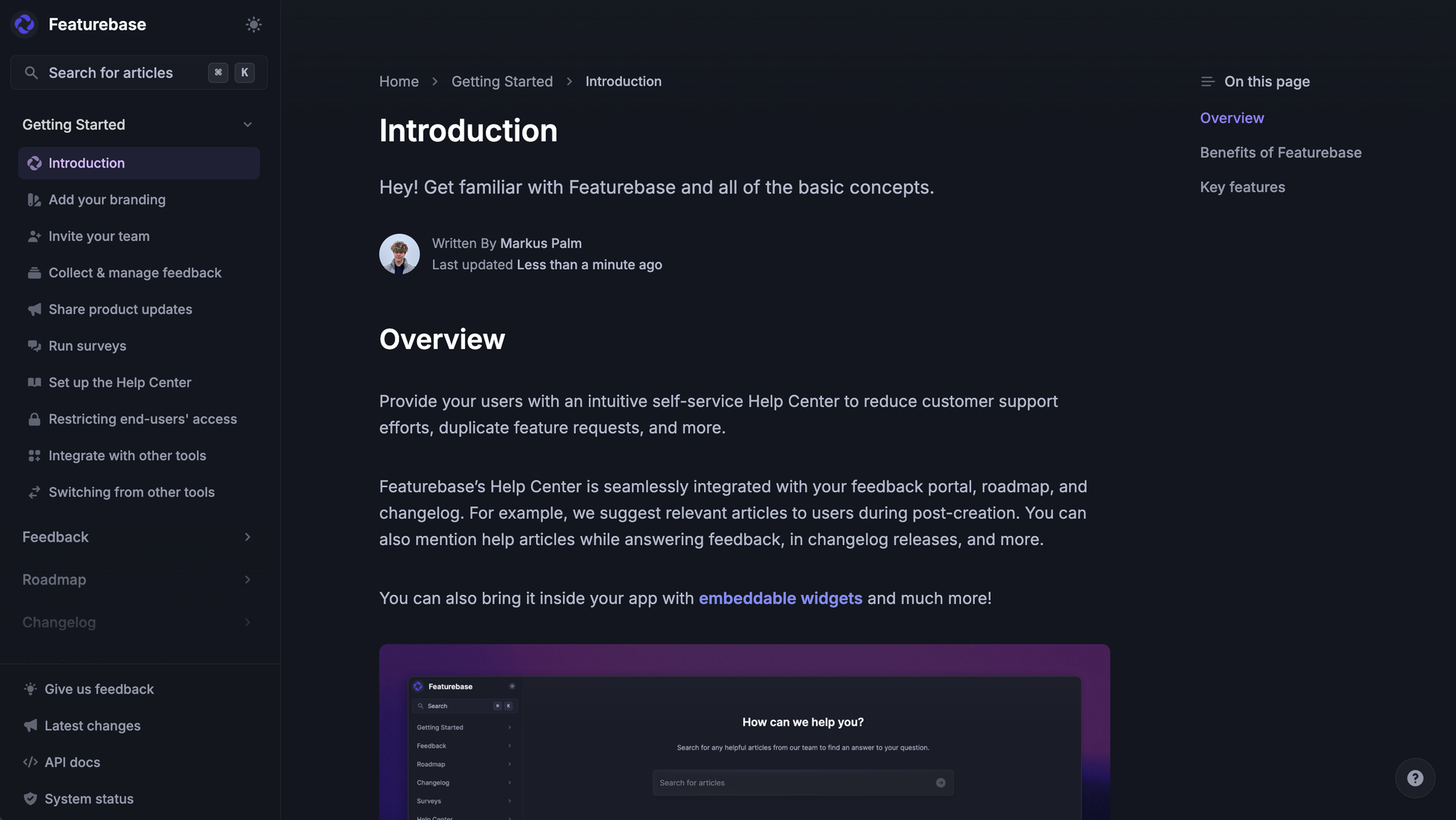
With Featurebase you can serve customers an AI-powered help center where the search bar returns instant, multilingual answers from your own articles. The same content lives inside your product as an in-app widget, so customers don't have to leave what they're doing to find help. When the AI can't resolve a question, a built-in human handoff brings your support team in without the customer losing context.
To build a self-serve layer that actually deflects tickets, focus on three things:
- Write articles from real ticket data, not guesses Pull your top 20 ticket categories from the past 90 days and write one article for each. Don't speculate about what customers want answered.
- Surface help where the question gets asked Embed search in the support widget, in checkout confirmation emails, and in the order status page. Make finding the article take fewer clicks than opening a ticket.
- Keep it current A help article with stale pricing or screenshots erodes trust faster than no article at all. Review the top 20 quarterly.
A well-tended customer self-service layer routinely handles 60% or more of repeat post-purchase questions without a human touching the conversation.
✨ Automate your support with the fastest AI-enhanced Inbox today →
3. Be reachable on the channels your customers actually use
Email is the default, but it's no longer enough. Different customers want different channels for different problems, and forcing everyone through one path creates friction exactly when you want the experience to feel effortless.
The channels worth covering:
- Email: Still the workhorse for anything that needs documentation, a thread, or attachments. Make sure replies route into a unified inbox so the support team sees full context.
- Live chat in your product or website: The highest-intent channel, and customers reach out the moment they hit friction. Live chat conversions on follow-up purchases are materially higher than email, because you're catching customers while the intent is fresh.
- Messenger or in-app widget: SaaS and product-led companies, the messenger widget keeps support inside the experience customers have already opened.
- Slack or community: For B2B and developer-led products, customers often live in Slack. Meeting them there beats forcing them into an email thread.
- Social media DMs: For consumer brands, a meaningful share of post-purchase questions land in Instagram or X DMs. Ignoring them is a public signal that you don't care.
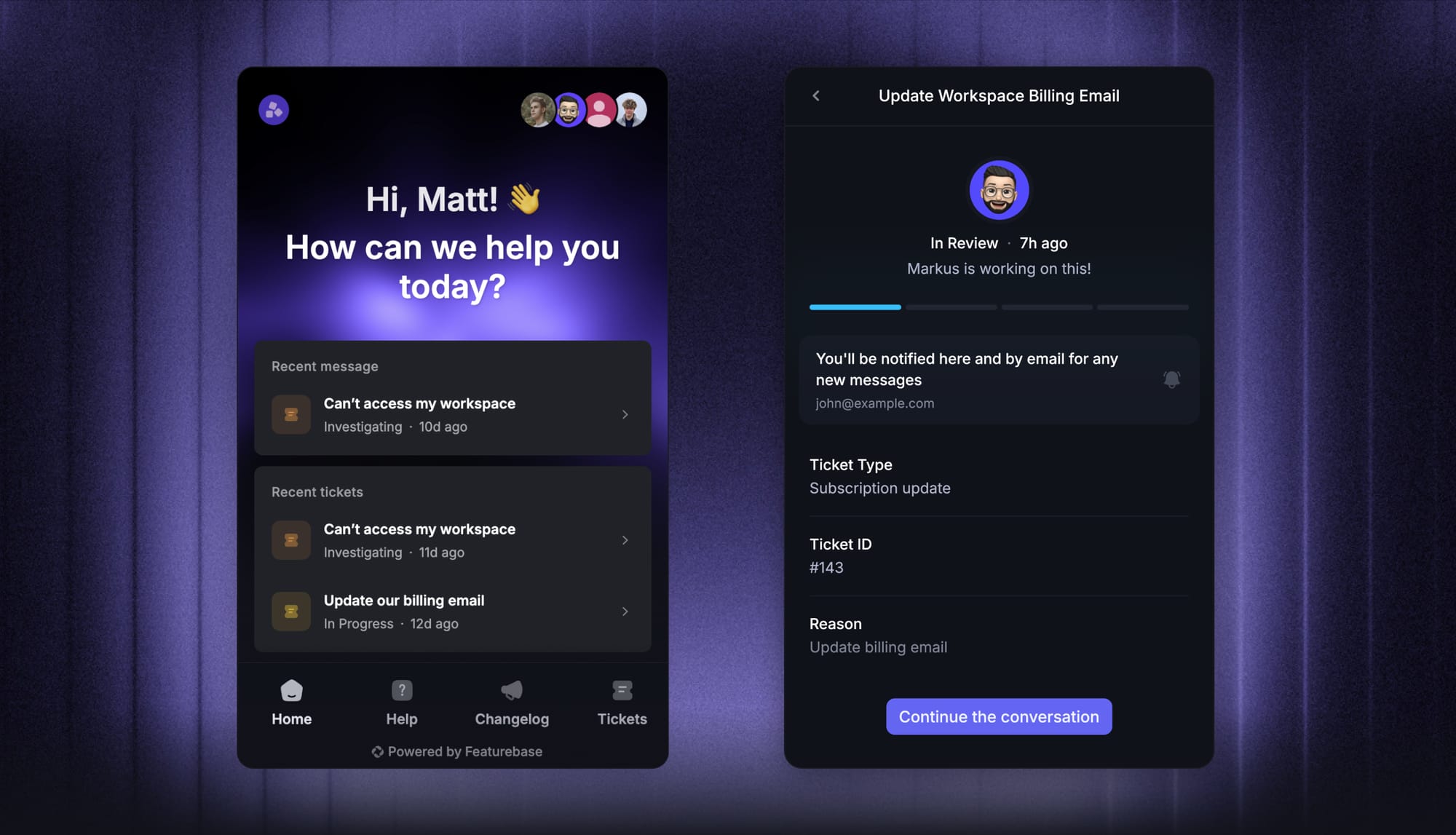
The key is consistency: a customer who emails on Monday and DMs on Wednesday should hit the same agent (or at least the same case) without having to repeat themselves. An omnichannel support platform makes this possible without your team manually stitching threads together.
4. Make returns, refunds, and exchanges effortless (and proactive)
Returns are usually framed as a cost center, but they're a leading indicator of retention. A customer who returns one item and gets a smooth exchange is more likely to come back than a customer who never returned anything but had a clunky experience trying.
What an effortless, hassle-free returns process looks like:
- A return policy that's findable in two clicks and written in plain language
- A self-service return portal where the customer prints a label, no email back-and-forth required
- A clear timeline for when the refund or exchange will land, and a notification when it does
- Refunds processed within the window you promised, every time
Then make returns proactive. If your data shows a customer received a damaged item or the wrong size, reach out before they reach you. A "we noticed your order had an issue, here's a replacement on the way" message turns a churn moment into a loyalty moment.
The teams that get this right also use return data as a product signal. Three customers returning the same SKU with the same reason in a week is a quality issue your product team needs to see.
5. Personalize the first 30 days, not just the marketing emails
Personalized communication is one of the most-talked-about and least-well-executed parts of post-purchase customer experience. Most brands stop at the customer's first name in an email subject line. Real personalization uses purchase history and behavior to send the right help at the right time.
The 30 days after the sale are when personalization pays the most. A few tips on what to send:
- For physical products: A setup guide or care tip 3 days after delivery, tailored to the specific item the customer bought. A skincare brand might send usage instructions for sensitive skin, while a cookware brand might send seasoning tips.
- For SaaS: A feature-discovery email targeted to the plan tier and what the customer has and hasn't done yet. Don't send "5 features you'll love" if they've already used 3 of them.
- For ecommerce repeat categories: A gentle reminder when the natural replenishment cycle approaches. Skincare, supplements, and consumables all have predictable cycles worth tracking.
- For complex purchases: A check-in from a real human at the 14-day mark. "How's it going so far, anything I can help with?" The signal that a person noticed beats any automation.
Use what you already know about the customer, past purchases, plan, location, in-app behavior. Don't ask them to fill out a survey to tell you things you already have in your customer data.
The point of personalized communication isn't volume. It's relevance. One well-timed message beats five generic ones, and over-emailing in the post-purchase window is one of the fastest ways to push customers toward unsubscribe.
6. Close the feedback loop back to product
This is where most post-purchase support teams leak value. Customer feedback comes in through support tickets every day. Bug reports, feature requests, "I wish your product did X". If that signal stays trapped in helpdesk tags and never reaches product, your team is doing all the work of collecting voice-of-customer data without anyone benefiting from it.
A closed feedback loop has four parts:
- Capture: Every support agent can tag a request, bug, or idea on a ticket in one click, without leaving the conversation.
- Centralize: Tagged requests roll up into a single feedback view alongside in-app submissions and survey responses, so product sees one consolidated list instead of digging through five tools.
- Prioritize: Product can see which requests come from the highest-revenue customers, what the total volume looks like, and which themes are growing fastest.
- Close the loop: When the team ships a fix or a feature, the customers who originally asked for it get notified automatically.
Featurebase connects post-purchase support and product work in one place. Support agents tag feedback as it comes in, the requests link to a public roadmap, and customers automatically hear back when their requested change ships. A complaint becomes a "we heard you" moment, which is one of the strongest retention signals you can send.
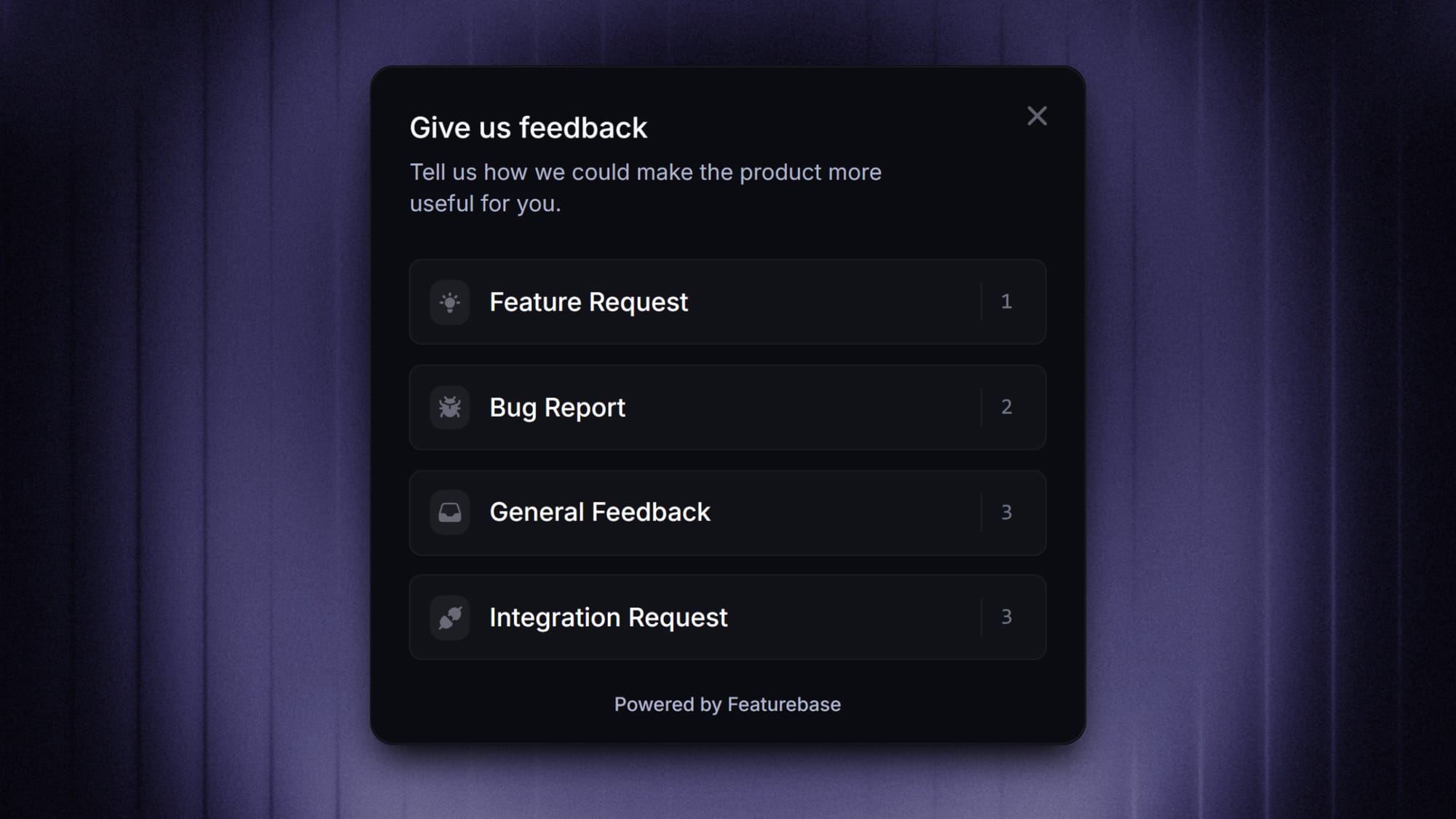
Closing the loop also changes the support team's job. Tickets stop feeling like an endless treadmill and start feeling like research that ships product.
7. Use these 4 metrics
You can't improve what you don't measure, and most teams measure the wrong things. Ticket volume and first response time tell you about throughput, not about whether the post-purchase experience is doing its job.
Four metrics that actually map to retention:
- Repeat purchase rate (RPR): The share of customers who buy a second time within a defined window (60 or 90 days). The single most direct measure of whether post-purchase support is converting one-time buyers into loyal customers.
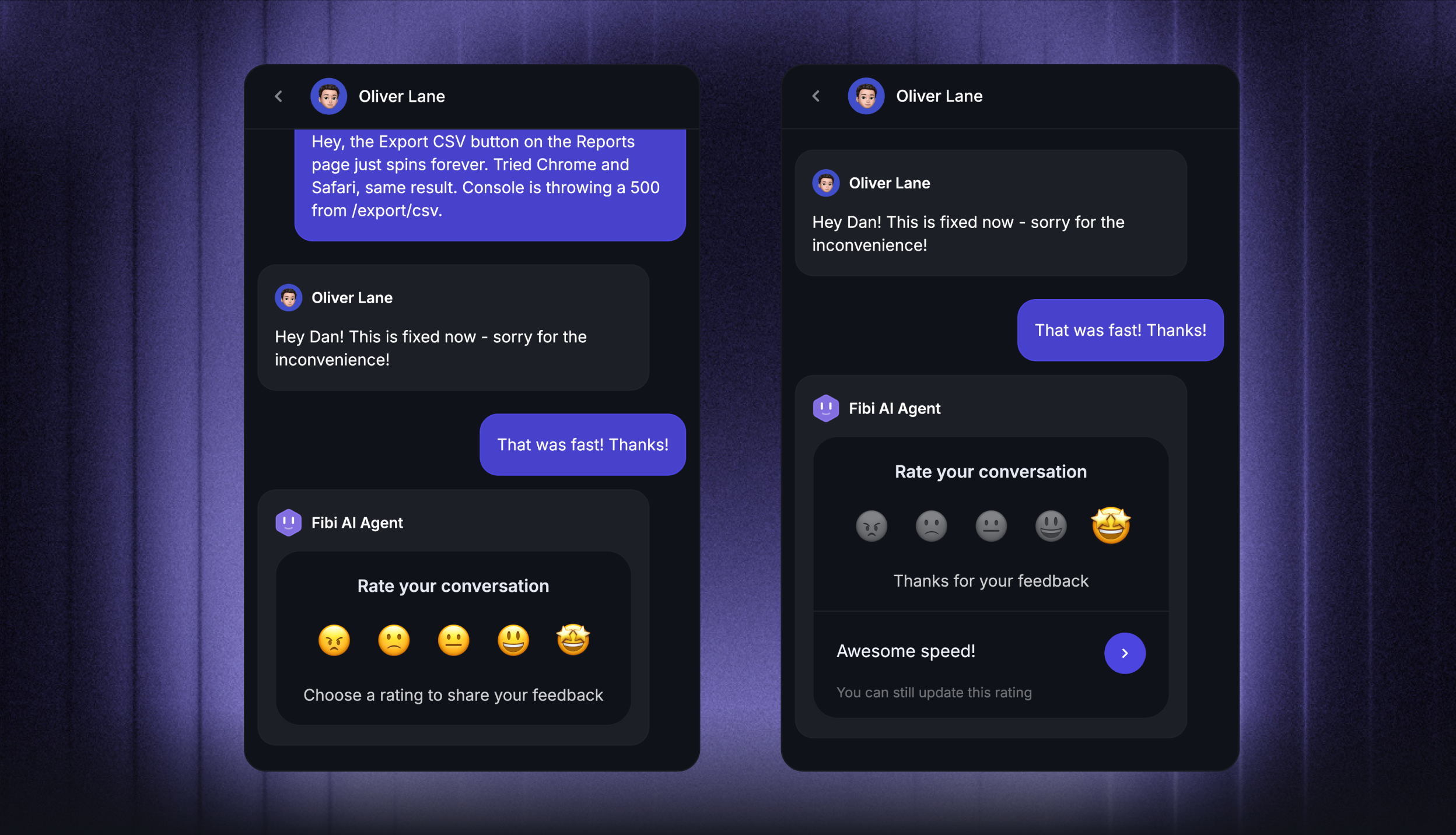
- Customer satisfaction (CSAT): after a support interaction Specifically measure CSAT on tickets resolved in the first 30 days post-purchase. If post-purchase CSAT is materially lower than your overall CSAT, the experience is breaking somewhere in that window.
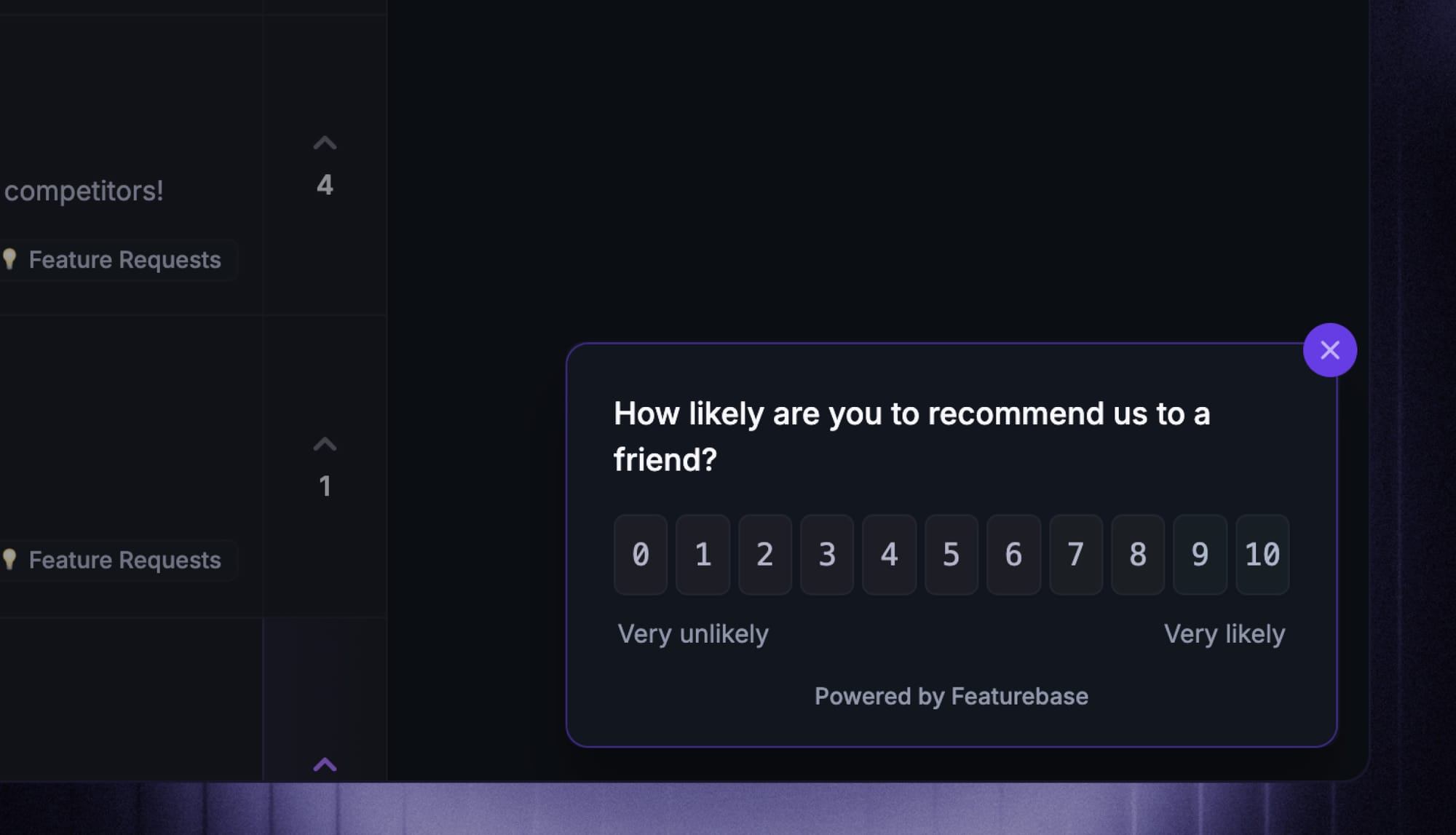
- Net Promoter Score (NPS) at 30 days: A 0-10 willingness-to-recommend question at the 30-day mark. NPS at this point is a strong leading indicator of repeat purchases and word-of-mouth referrals.
- First-touch resolution rate on post-purchase tickets: What percentage of post-purchase tickets get resolved on the first reply. High first-touch resolution correlates with happy customers, low effort, and lower support cost.
Build a simple dashboard with these four. Track them by cohort (customers who bought in January, February, and so on) and watch how each cohort behaves over time. Cohort drift is the earliest signal that something in the post-purchase experience has changed.
Common pitfalls (and what to do instead)
A few traps to avoid as you build your post-purchase support workflow:
- Treating support as a cost center, not a retention engine. The post-purchase phase is where customer loyalty is forged. Staff and invest accordingly. Every dollar you spend on better post-purchase support compounds via repeat customers and brand advocates.
- Over-automating with no human handoff. AI chatbots that can't escalate cleanly to a real agent train customers to dread reaching out. Build the handoff before you scale the bot.
- Ignoring the feedback you're already collecting. Every ticket is a research interview. If support insights never reach product, you're paying twice for the same data without anyone benefiting from the second collection.
- Optimizing only for first response time. Speed matters, but resolution matters more. A 2-minute reply that doesn't actually solve the problem is worse than a 20-minute reply that does.
- Forgetting that returns are a retention channel. A great return experience builds more loyalty than a perfect first delivery. Make the unhappy path easy and customers will trust the happy path more.
Avoid the support traps that hurt retention
Let AI handle repeat questions, while humans step in where trust matters.
Wrapping up
The companies that win post-purchase customer support don't run it as a ticket-closing operation. They run it as a flywheel: confirm and set expectations, deflect repeat questions with self-serve, cover the channels customers use, make returns effortless, personalize the first 30 days, close the feedback loop back to product, and measure repeat purchase rate as the north star.
Each piece reinforces the next. Better self-serve frees up agents to handle the conversations that actually need a human. Better feedback loops let product fix the root causes of tickets. Better metrics tell you what's working before churn shows up in the data.
Featurebase is a modern AI-powered support platform built for product-led SaaS and ecommerce teams who want post-purchase support to feel like a product, not a chore. It combines an omnichannel inbox, an AI help center, an in-app messenger, and feedback and roadmap tools in one place, so your support, self-serve, and product feedback workflow lives under one roof instead of stitched across 4+ tools.
It comes with a Free plan and unlimited conversations. The onboarding takes minutes and doesn't require a credit card, so there's no downside to trying it. 👇
✨ Automate your support with the fastest AI-enhanced Inbox today →