Blog Customer ServiceHelp Desk Software Requirements: A Buyer’s Checklist for Support Teams
Help Desk Software Requirements: A Buyer’s Checklist for Support Teams
Choosing help desk software gets a lot easier when you know what actually matters. This guide covers the key requirements to look for, from ticketing and automation to self-service, reporting, and privacy, so you can pick a tool that fits your support team.



✨ Automate your support with the fastest AI-enhanced Inbox today →
When support teams rely on shared inboxes and disconnected tools, things break fast. Tickets get missed, repetitive questions pile up, and it gets harder to maintain service quality as ticket volume grows.
A help desk system can fix that. But the tool itself is not the solution. What matters is whether it fits your workflow, support volume, and customer expectations. We’ve seen this firsthand at Featurebase. Most teams do not struggle because they lack tools. They struggle because their inbox, documentation, and workflows live in too many places.
In this guide, we’ll break down the help desk software requirements that actually matter, what to look for in a ticketing system, and how to choose a tool that helps your team work faster and support customers better.👇
Key takeaways:
- The best help desk software is the one that fits your workflow, not the one with the most features.
- Core requirements usually include ticket management, automation, a knowledge base, a self-service portal, reporting, and data security.
- A good ticketing system should help your team handle support requests faster and more consistently.
- Help desk software and service desk software often overlap, but service desk tools usually support broader internal workflows.
- If you want support, documentation, and customer communication to work together, it is worth looking at tools like Featurebase✨ that connect the inbox, messenger, help center, and AI workflows in one place.
What are help desk software requirements?
Help desk software requirements are the features, workflows, and technical needs your support team should define before buying a tool.
Some are simple. You may need a better way to manage support tickets, assign work, or reduce repetitive tasks.
Others are more strategic. You may need stronger reporting, better data security, or a self-service portal that helps customers solve simple issues on their own.
The goal is not to build a huge wish list. It is to define what your team actually needs to deliver efficient customer support without adding more complexity.
That matters because many teams buy desk software based on demos, brand recognition, or long feature lists. Then they realize the tool does not fit their support process, customer support communication flow, or ticket volume.
Why defining requirements matters before buying
A new help desk can improve support operations fast. But it can also create more mess if the fit is wrong.
We see this a lot. A team buys a help desk solution because it looks powerful, only to find that it is hard to use, missing key workflows, or too expensive once the team grows.
That usually creates three problems:
- support agents work around the tool instead of with it
- customer queries take longer to resolve
- support costs rise without much improvement in customer satisfaction
Clear help desk software requirements help prevent that.
They make it easier to compare options fairly. They also help you separate must-have features from nice-to-have ones. That matters because a small support team does not need the same desk system as a large service desk.
Clear requirements also help you improve support efficiency. If you know which routine tasks slow the team down, which support requests are most common, and which channels matter most, it gets much easier to choose the right help desk software.
Core help desk software requirements
Most support teams do not need every advanced feature on the market. But they do need a few essentials.
Here are the help desk software requirements we think matter most.
Ticket management system
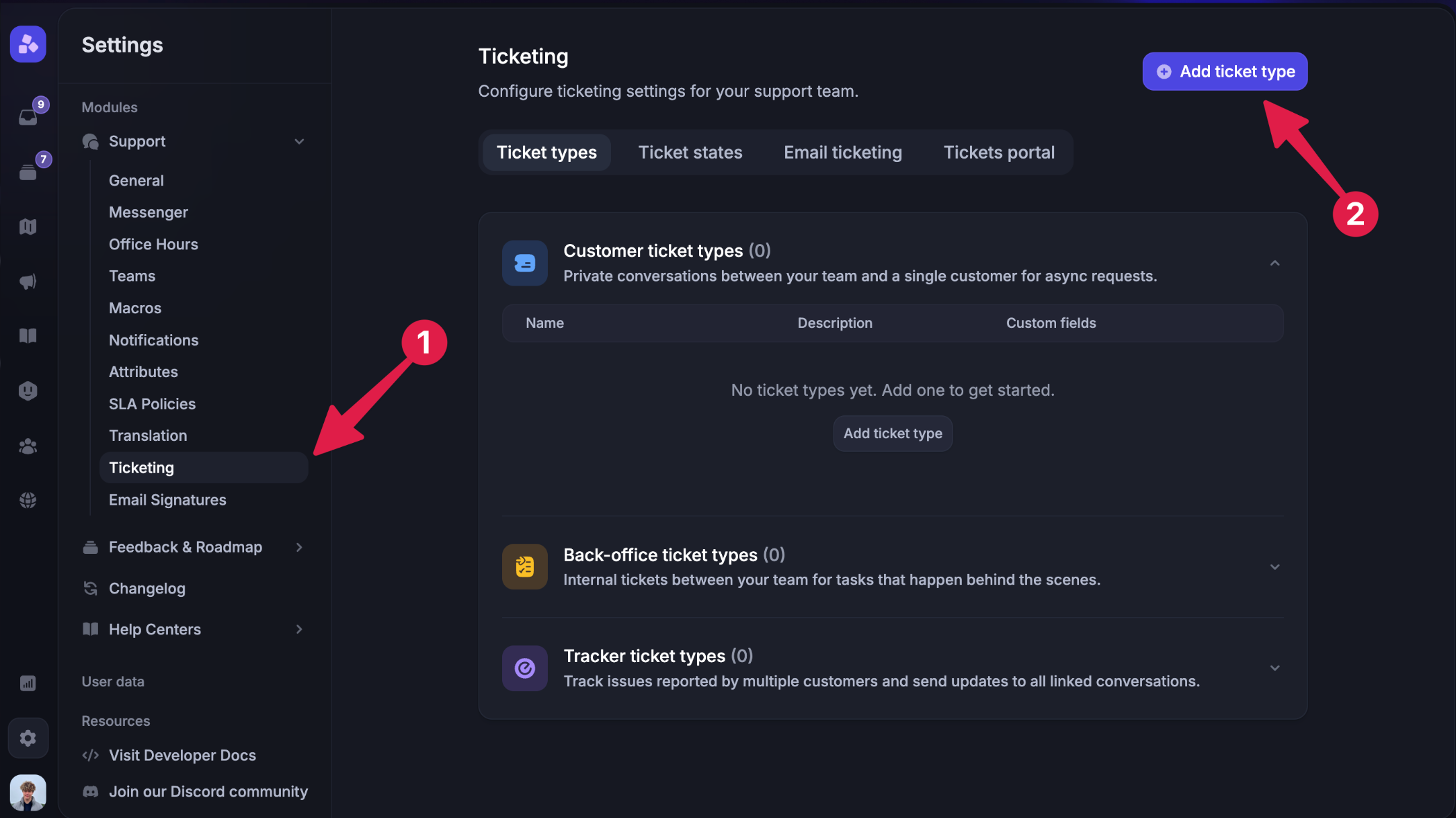
Ticket management is the foundation of any help desk system.
A good ticketing system should make it easy to receive, organize, assign, prioritize, and resolve support requests in one place. It should give your support team a clear view of what is open, what needs attention, and who owns each issue.
At a minimum, your ticket management system should support:
- ticket assignment
- priority levels
- tags or categories
- status tracking
- internal notes
- clear ownership
- SLA or response targets if needed
Without strong ticket management, even the best help desk ticketing software will feel messy. Your team will spend more time sorting work than solving problems.
At Featurebase, we think this part should feel simple. Our Inbox is built around a unified view of conversations, teammate collaboration, search and filters, and shared visibility so no question sits unanswered.
Automation for routine tasks
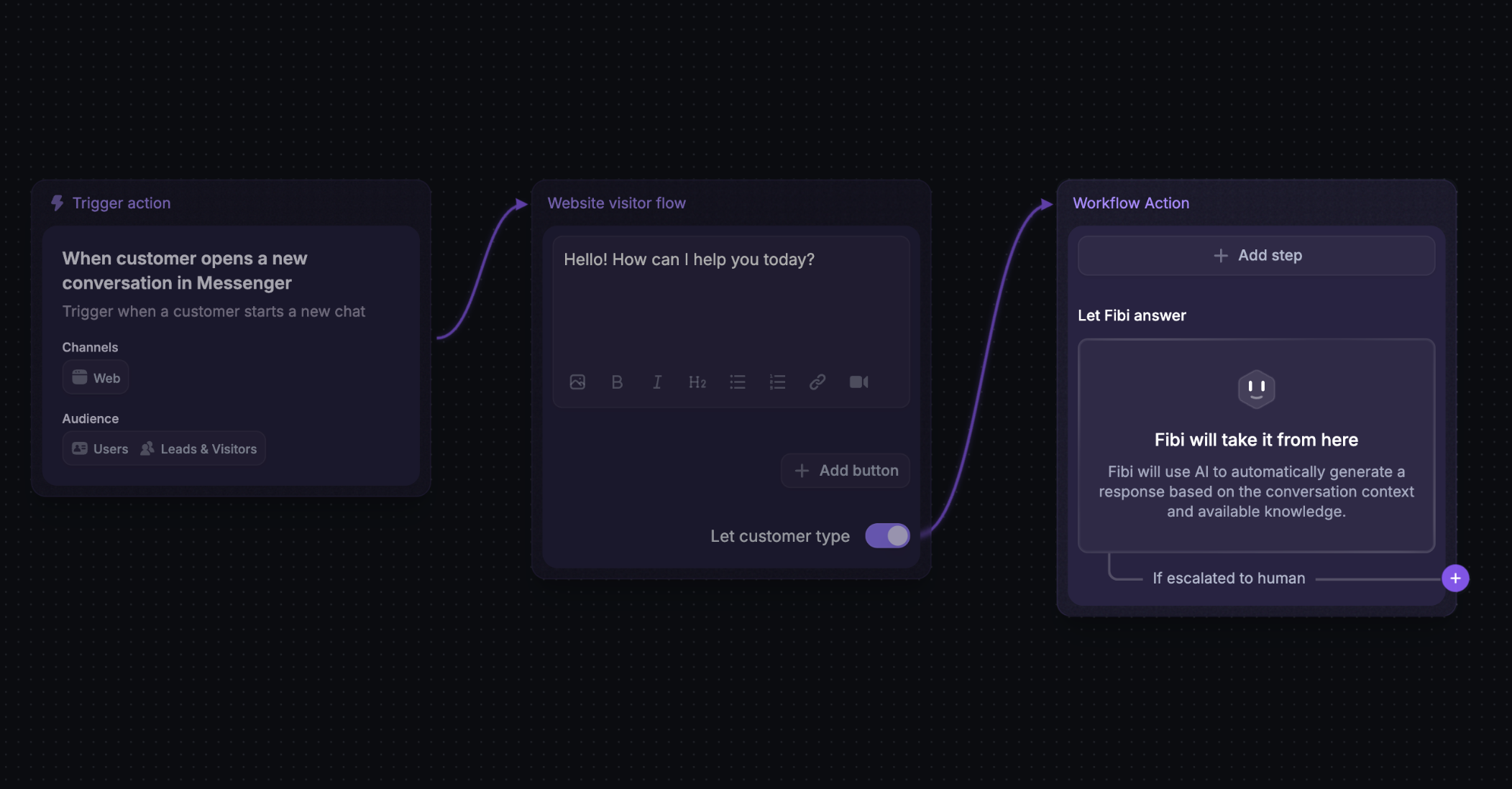
Support teams waste a lot of time on routine tasks.
That includes assigning tickets, changing statuses, sending follow-ups, tagging conversations, and answering the same questions over and over. These tasks may seem small, but they add up fast.
That is why automation is one of the most important desk software requirements.
A good help desk system should help with:
- automated ticket routing
- rule-based assignment
- auto-replies and acknowledgments
- workflow triggers
- reminders and follow-ups
- saved replies for repetitive tasks
Automating routine tasks can improve support efficiency and reduce support costs. It also helps ensure consistent service quality across the whole support team.
But we would not overdo it. The goal is to remove manual work, not make the support process feel robotic.
That is how we think about automation in Featurebase too. The Inbox supports AI replies, macros, and no-code workflows for things like auto-routing new tickets, auto-snoozing inactive chats, prioritizing urgent issues, auto replies for support emails, CSAT surveys, and SLA tracking.
Knowledge base
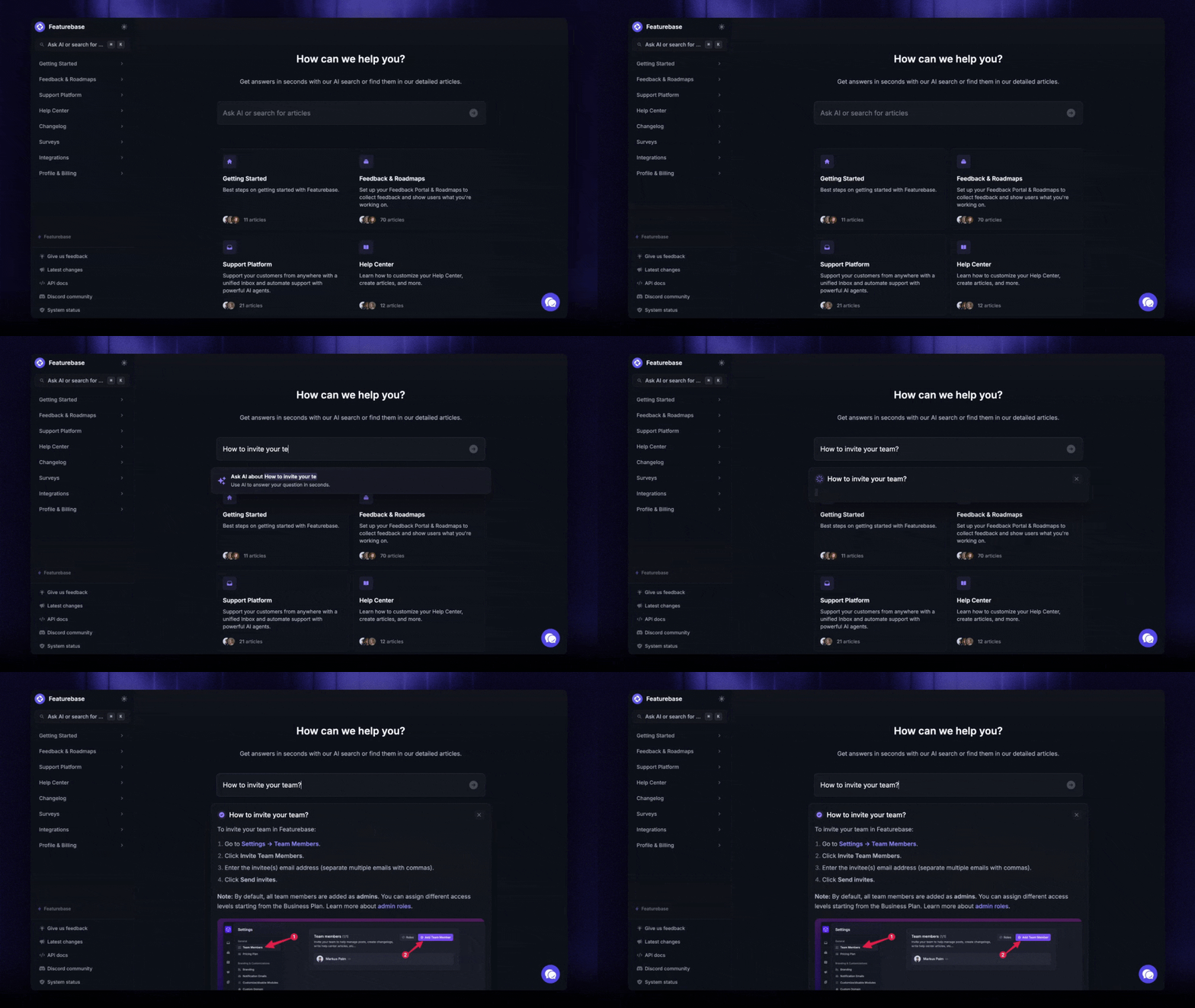
A strong knowledge base is one of the highest-leverage parts of a help desk solution.
It helps customers answer simple questions without contacting support. It also gives support staff a single place to find accurate information when they need it.
That matters because many support teams are slowed down by avoidable questions. If customers keep asking the same thing, the issue may not be staffing. It may be missing documentation.
A good knowledge base should be:
- easy to search
- easy to update
- organized around real customer needs
- useful for both customers and support agents
- able to support AI-powered self-service
This is also why we think the knowledge base should not feel separate from the rest of the support workflow. In Featurebase, support teammates can reference relevant help articles right from the Inbox, and the Messenger can surface help articles directly to customers. That makes self-service more useful and gives agents better context without switching tools.
Self-service portal
A self-service portal gives customers a clear place to find help before they contact your team.
This can reduce support requests, improve response times, and create a better customer experience. It is especially useful for teams handling high ticket volume or recurring product questions.
A good self-service portal should help customers:
- search help articles quickly
- browse common topics
- submit requests when needed
- move from self-service to human support without friction
The self-service portal benefit is simple: fewer avoidable tickets and faster answers for users.
That is the approach we’ve taken with Featurebase. The Messenger is deeply connected to the rest of the platform, so customers can view help articles, changelog updates, and even submit feedback from the same experience. That makes self-service feel connected instead of bolted on.
Privacy controls for your help center
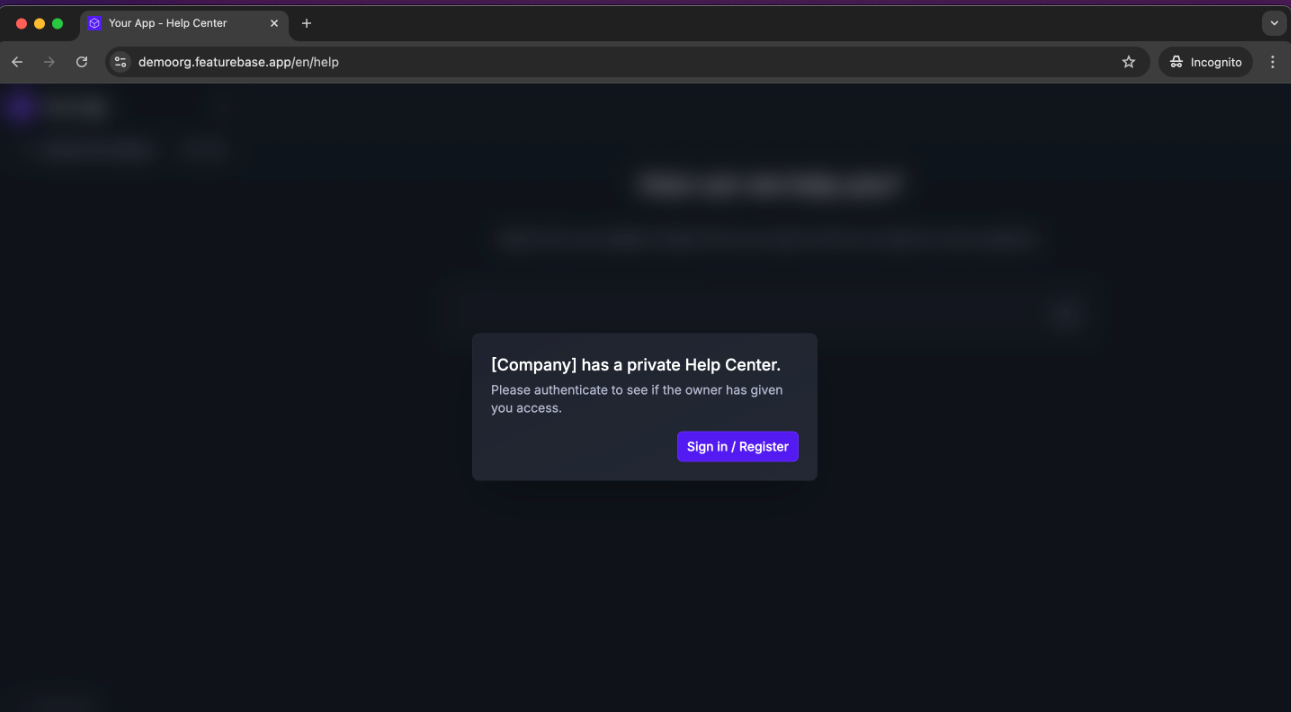
Not every help article should be public.
Some teams want a public help center for general product education, but still need to keep internal docs or customer-specific content private. Others want the whole help center locked behind login so only authenticated users can access it.
That is why privacy controls should be part of your buyer’s checklist.
A good help center should let you:
- keep some articles public
- restrict certain content to team members
- limit access to specific customer segments
- keep restricted content out of search engines
- require login for the full help center when needed
This is especially important for B2B teams, internal support use cases, and companies that need to protect sensitive information while still offering self-service.
Featurebase supports both models. You can keep your Help Center public and restrict selected articles to team members or specific user groups, or require authentication for the whole portal when you want tighter control. Based on your product context, restricted articles are also excluded from search engine indexing, which is exactly the kind of detail many buyer guides miss.
Customer support communication
Support rarely happens in one channel.
Some customers email your team. Others use chat, forms, in-app widgets, or phone support. Your help desk software should support the channels that matter to your workflow and bring them into one place.
This is a core part of good customer support communication.
Without it, teams end up switching between tools and losing context. That makes it harder to answer customer queries, maintain consistent support, and deliver a consistent and seamless experience.
Your desk software does not need to support every channel. But it should support your most important ones well.
Featurebase’s support docs are a good example of what that can look like. The platform supports both Messenger and email support, and the Messenger is customizable, multi-brand, and translatable for different customer experiences.
Reporting and analytics tools
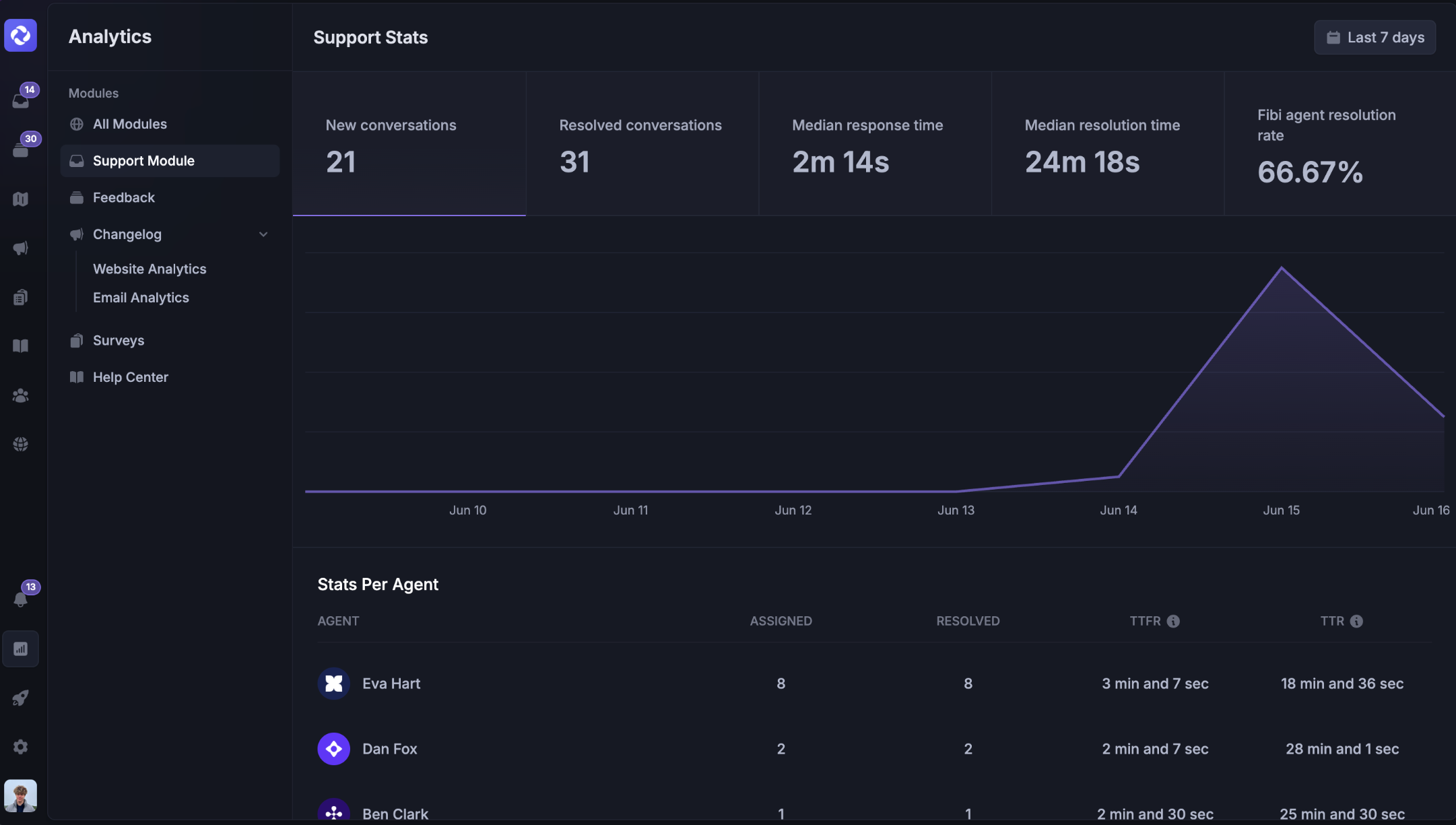
If you cannot see what is happening in support, you cannot improve it.
That is why reporting and analytics tools belong on every buyer’s checklist.
A good help desk should show you:
- ticket volume
- response times
- resolution times
- backlog trends
- common issue categories
- agent workload
- customer satisfaction results
These insights help you improve support operations and make better staffing and process decisions.
They also help you spot deeper problems. If one issue keeps driving support tickets, the real fix may not be faster replies. It may be a product issue, poor onboarding, or weak documentation.
It's also important to note that for agencies and service-based teams, tracking support workload alongside billable hours can also help measure team utilization and improve resource planning.
The best reporting tools help you move from reacting to improving. That matters a lot to us at Featurebase because support should not just answer tickets. It should also surface insights that improve the product and customer experience.
Data security
Support teams handle customer data every day.
That may include account details, billing questions, internal notes, or other sensitive customer data. If your help desk software cannot protect that information, it is not a serious option.
At a minimum, look for:
- role-based permissions
- audit logs
- secure access controls
- data export and deletion options
- support for privacy and compliance needs
If you work with regulated markets or global users, you may also need support for the General Data Protection Regulation and other compliance standards.
Data security is not just a legal requirement. It is part of building trust with customers. For agents’ login credentials, compare how Bitwarden and 1Password handle security and choose a password manager that supports your team’s password and access policies.
In practice, it also overlaps with help center privacy, as identity governance best practices include permissions. Restricting article visibility, limiting access by segment, and requiring authentication are part of protecting customer data and internal knowledge, not just organizing articles.
Integrations and connected workflows
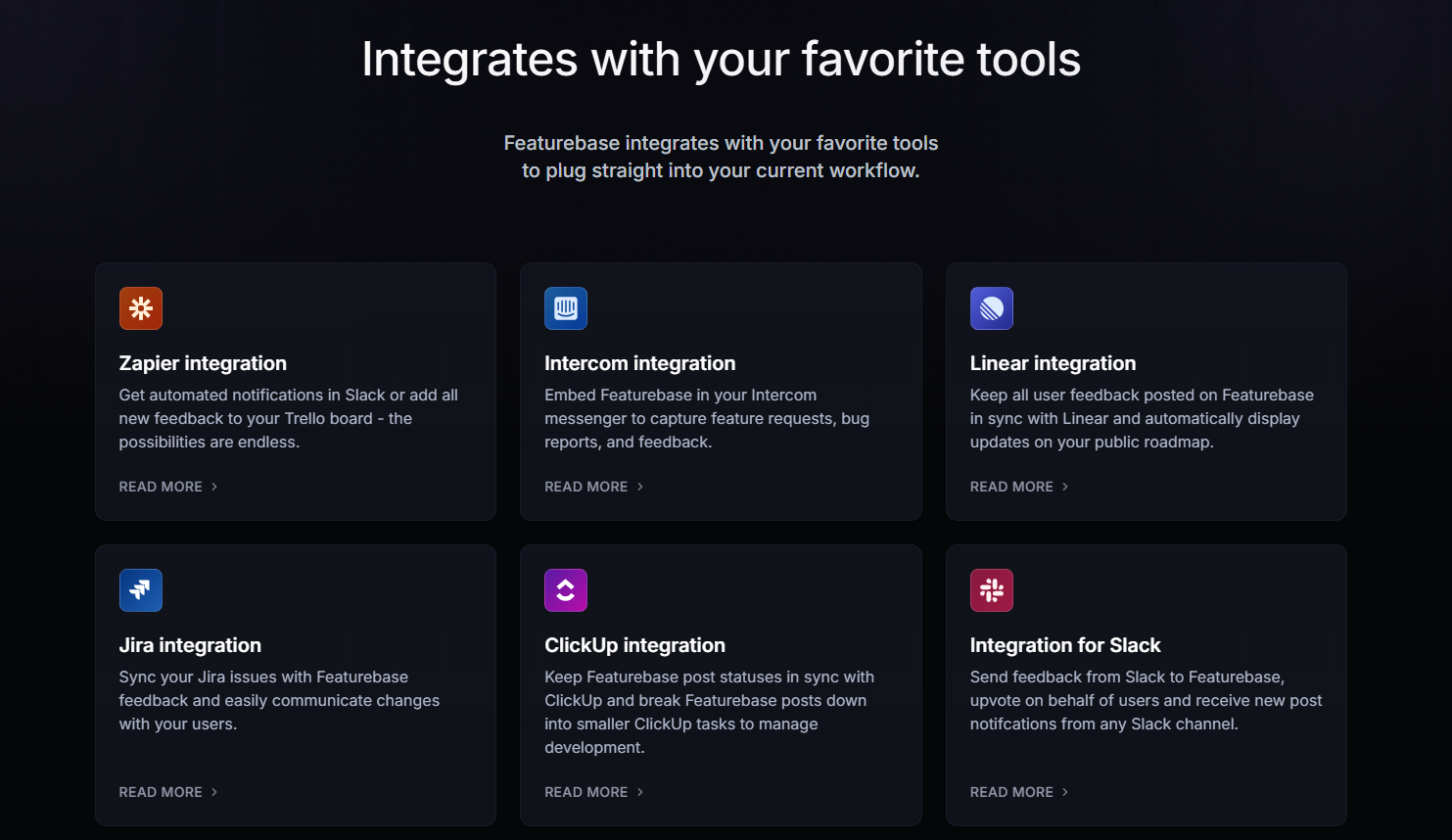
Most support teams do not work in a single tool.
Your help desk should connect with the tools you already use, whether that is your CRM, product analytics, engineering tracker, Slack, or existing knowledge management systems.
Good integrations reduce manual work and improve context. They help support agents see relevant customer data, link tickets to bugs, and work faster without switching tabs all day.
For some teams, integrations with asset management or internal systems also matter. That is more common in IT or service desk software use cases, but it is still worth considering.
We think this is one of the biggest reasons teams end up replacing their desk software later. If the system cannot fit into your current workflow, it creates more friction than value.
This is also where Featurebase is different from a standalone ticketing tool. Because the Inbox is tied to the broader Featurebase ecosystem, teams can turn support conversations into feedback posts, subscribe users to existing requests, and keep support, feedback, and product communication connected.
Ease of use
This one gets ignored too often.
A help desk system can have great features and still be painful to use. If the interface is slow, cluttered, or confusing, your support staff will feel it every day.
That is why an intuitive interface should be one of your core requirements.
A good tool should make it easy to:
- find ticket history
- reply fast
- collaborate internally
- access the knowledge base
- move through the support process without friction
Ease of use has a direct effect on support efficiency. It also affects adoption, training time, and service quality.
At Featurebase, we care a lot about this. The Inbox docs emphasize fast performance, teammate collaboration, powerful search and filtering, and an intuitive editor because support tools should feel clean and fast, not like something your team has to fight through.
Multi-language support
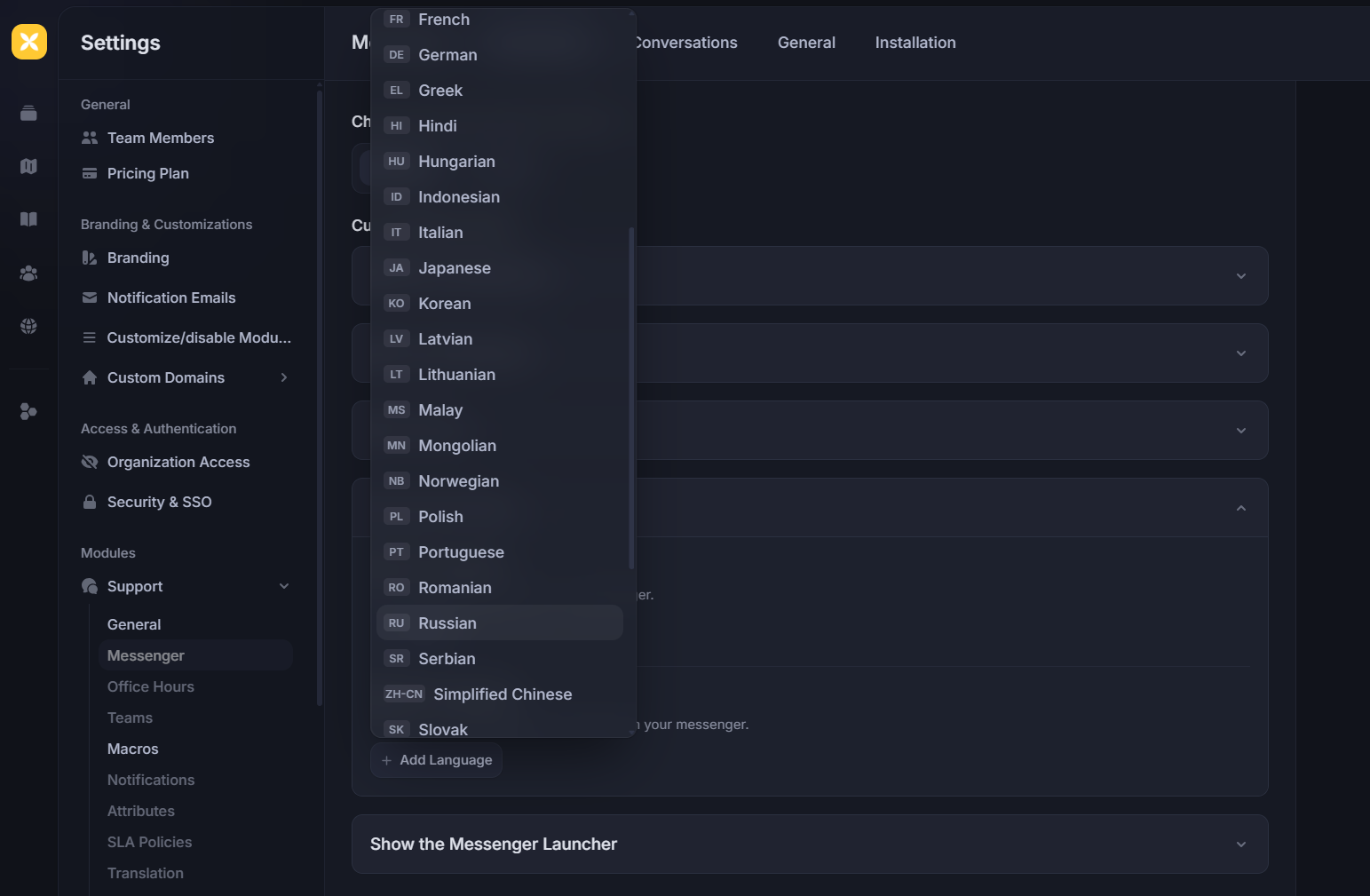
If you support customers across regions, multi-language support stops being a nice-to-have fast.
It affects both the customer experience and your internal workflow. Customers want help in their language. Teammates want to work in the language they are most comfortable with.
A good help desk should make that easier.
Featurebase supports this in two useful ways. The Messenger can be translated automatically for customers, and AI Inbox Translations can translate incoming customer messages into each teammate’s preferred language and translate replies back into the customer’s language. That removes language barriers without forcing teams to switch tools.
A buyer’s checklist for support teams
If you are comparing help desk software, here is the checklist we would use.
| Question | Why it matters |
|---|---|
| Can it handle your core ticketing workflow? | Your team needs a clear way to manage requests from intake to resolution. |
| Does it reduce repetitive work? | Automation should save time and improve support efficiency. |
| Is the knowledge base actually useful? | Better documentation reduces avoidable tickets. |
| Does it offer a strong self-service portal? | Customers should be able to find answers without always contacting support. |
| Does it support your main channels? | The tool should fit the way your team already communicates with customers. |
| Are reporting and analytics strong enough? | You need visibility into workload, trends, and customer satisfaction. |
| Does it protect customer data? | Security and privacy should be built in, not added later. |
| Does it fit your current stack? | Good integrations reduce friction and keep workflows connected. |
| Is the pricing easy to understand? | Costs should still make sense as your team grows. |
Help desk software vs service desk software
Help desk software usually focuses on customer support. It helps teams manage customer queries, support requests, and ticket resolution.
Service desk software is usually broader. It often includes internal workflows, approvals, and structured service requests across teams like IT or HR.
The line is blurry, and many tools now support both. But if your team mainly handles external customer support, a help desk system is usually the better fit.
Common mistakes to avoid
Even smart teams make bad software decisions when the evaluation process is weak.
The most common mistakes are buying for features instead of fit, ignoring the knowledge base, over-automating too early, underestimating adoption, and focusing only on price. The best tool is the one that fits your workflow and helps your team deliver better support consistently.
How to choose the right help desk software
Once your requirements are clear, the next step is to match them to the way your team actually works.
Start with your current support process. Look at where tickets get stuck, which questions come up most often, and which repetitive tasks take the most time. Then sort your requirements into three buckets:
| Requirement type | What to include | Examples |
|---|---|---|
| Must-haves | Features you need right away | Ticket management, automation, knowledge base, self-service portal, reporting |
| Nice-to-haves | Useful features, but not essential on day one | Asset management, deeper customization, advanced workflows |
| Future needs | Features that may matter as the team grows | Multi-lingual support, broader service desk workflows, more advanced support operations |
It also helps to involve support agents early. They usually know where the workflow breaks better than anyone else.
Before making a final decision, test the tool against real support scenarios. That is the fastest way to see if it actually fits your team.
If you want a support inbox, knowledge base, self-service portal, messenger, and AI workflows in one place, check out our blog about help desk management softwares
Final thoughts
The right help desk software should make support easier to run, not harder. If you define your requirements clearly before buying, it gets much easier to choose a tool that improves ticket management, self-service, automation, and the overall customer experience.
Featurebase is a modern support platform built for exactly that. It gives you a shared Inbox, a customizable Help Center, a self-service portal, AI-powered workflows, analytics, and support channels like live chat and email in one place. It also connects support with feedback, changelogs, and roadmaps, so your team can do more than just answer tickets. It's loved by thousands of support, product, and marketing teams from companies like Lovable, Raycast, and n8n. 💫
It comes with affordable pricing and a Free plan for 1 seat with live chat, unlimited conversations, unified inbox and ticketing, and a Help Center with up to 50 articles. Paid plans start at $29/seat/month billed yearly on Growth, then $59/seat/month for Professional and $99/seat/month for Enterprise, with $0.29 per AI resolution on paid plans.
You can also try all features with a 10-day free trial, so there’s very little friction in giving it a try.👇
✨ Get started with Featurebase for free →