Blog Customer ServiceJira Chatbot: How to Automate Your Service Desk
Jira Chatbot: How to Automate Your Service Desk
A Jira chatbot deflects repetitive tickets and surfaces answers right inside Jira. Here's what one actually does, Atlassian's native options, and when to look beyond them.



✨ Automate your support with the fastest AI-enhanced Inbox today →
If your team runs on Jira, the queue never really stops. Password resets, access requests, "what's the status of JIRA-123?" - the same low-value questions land over and over and pull your team away from real work.
A Jira chatbot is built to absorb that load. It deflects the repetitive stuff, triages what's left, and surfaces answers where people already work.
In this guide, I'll explain what a Jira chatbot is, break down Atlassian's native options, cover the use cases that actually move the needle, and show you when a third-party tool makes more sense. 👇
key takeaways:
- A Jira chatbot does 3 jobs: it deflects repetitive requests, fetches information like ticket status or knowledge base articles, and takes actions like creating or updating issues.
- Atlassian has 3 native options: the JSM Virtual Agent for ticket deflection, Rovo Chat for conversational search, and Rovo Agents for task automation. They're easy to confuse and serve different jobs.
- The biggest wins are Tier-1 deflection, conversational bug reporting, and internal knowledge: these are where a chatbot pays for itself fastest.
- Native tools are optimized for Confluence: if your knowledge lives in Notion, Google Docs, or past tickets, a third-party tool usually unifies it better.
- Featurebase✨ is a modern AI support platform that resolves customer questions on autopilot and connects to Jira, so customer-facing requests flow straight into the issues your team tracks.
What is a Jira chatbot?
A Jira chatbot is a conversational assistant that plugs into your Atlassian setup and lets people interact with Jira in plain language. Instead of filling out a form, a user just types "I need to reset my password" or "log a bug in the mobile app project," and the bot takes it from there.
It's part of a much bigger shift. Gartner predicts that agentic AI will autonomously resolve 80% of common customer service issues without human intervention by 2029. The chatbot sitting on top of Jira is one of the most practical places that shift shows up day to day.
Under the hood, a Jira chatbot has 3 core jobs:
- Deflect: it answers common questions on the spot so they never become a ticket a human has to touch.
- Fetch: it looks up a ticket's status, pulls project details, or finds the right article from your knowledge base.
- Act: it connects to Jira to create, update, or comment on issues without anyone opening the interface.
The whole point is to meet people where they already work, whether that's Slack, Microsoft Teams, or a service portal, and give them a faster path into Jira. If you've seen a customer service chatbot software on a website, this is the same idea pointed at your internal and customer-facing requests.
The native options: Jira's built-in chatbots explained
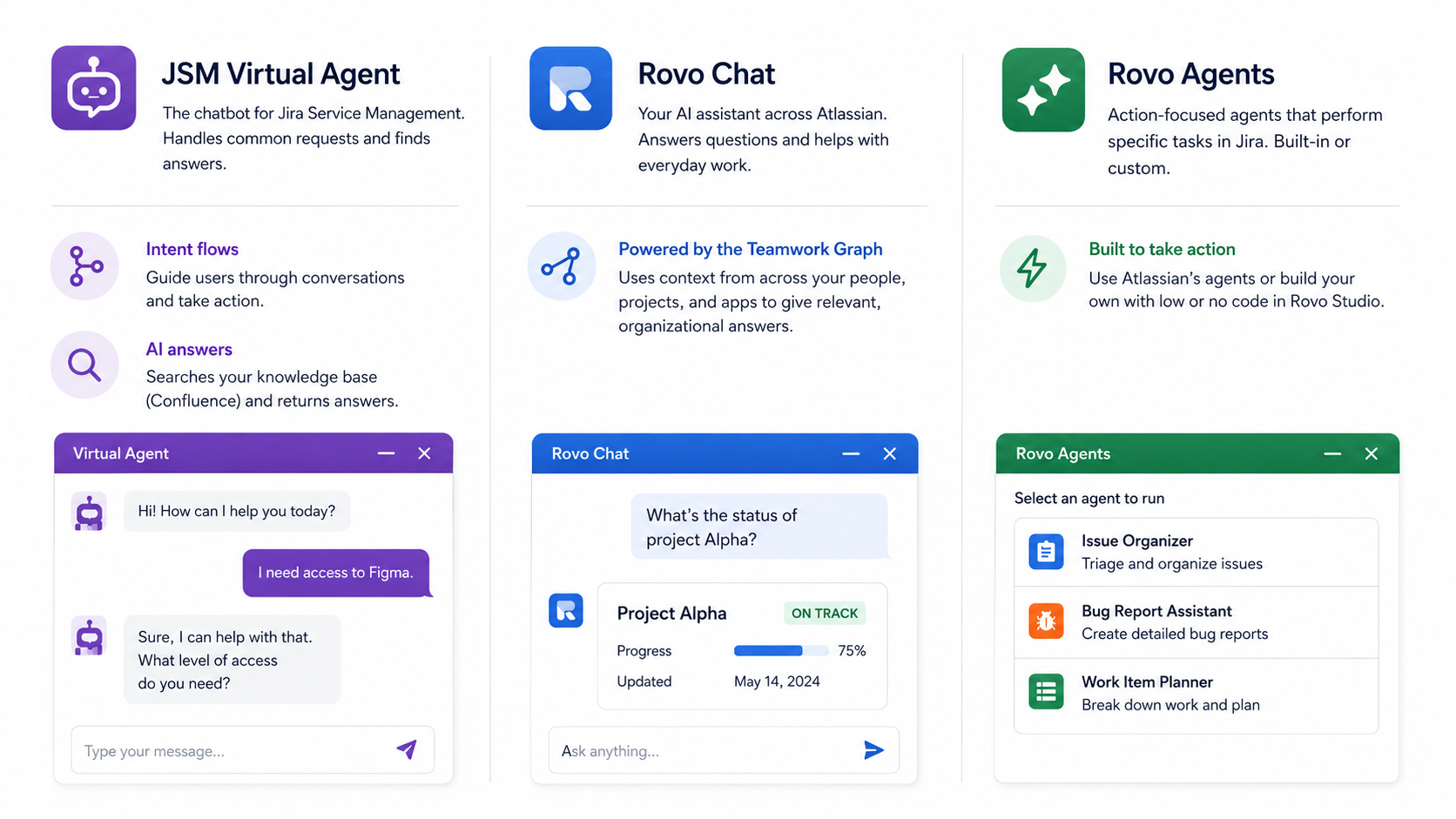
Atlassian doesn't ship one "chatbot." It ships 3 different things that all get called chatbots, and teams mix them up constantly. Here's how they actually differ.
JSM Virtual Agent
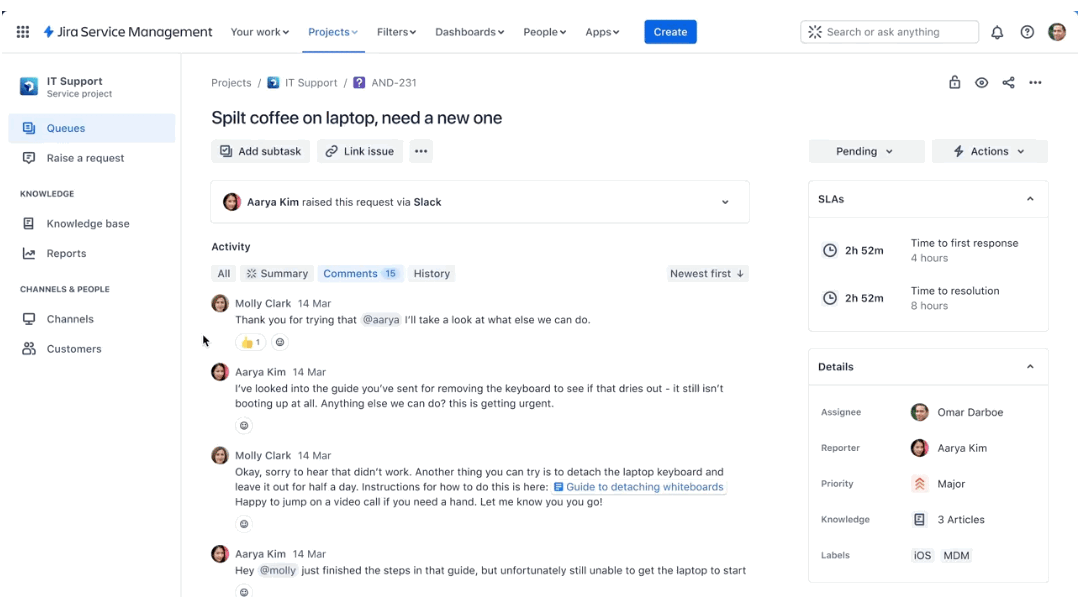
The Virtual Agent is the chatbot for Jira Service Management. It's powered by Atlassian Intelligence and built to handle straightforward requests on your service desk, acting as a first point of contact that resolves simple queries and pulls answers from your knowledge base.
It runs on two main building blocks:
- Intent flows: pre-built conversation scripts you create to handle a specific request, like guiding a user through software access questions and then taking action.
- AI answers: generative AI that searches a knowledge base, which for most teams means Confluence, and returns an answer directly in the chat.
The Virtual Agent lives in the Jira customer portal and can also be connected to Slack and Microsoft Teams. It's included in Jira Service Management Premium and Enterprise plans.
Rovo Chat
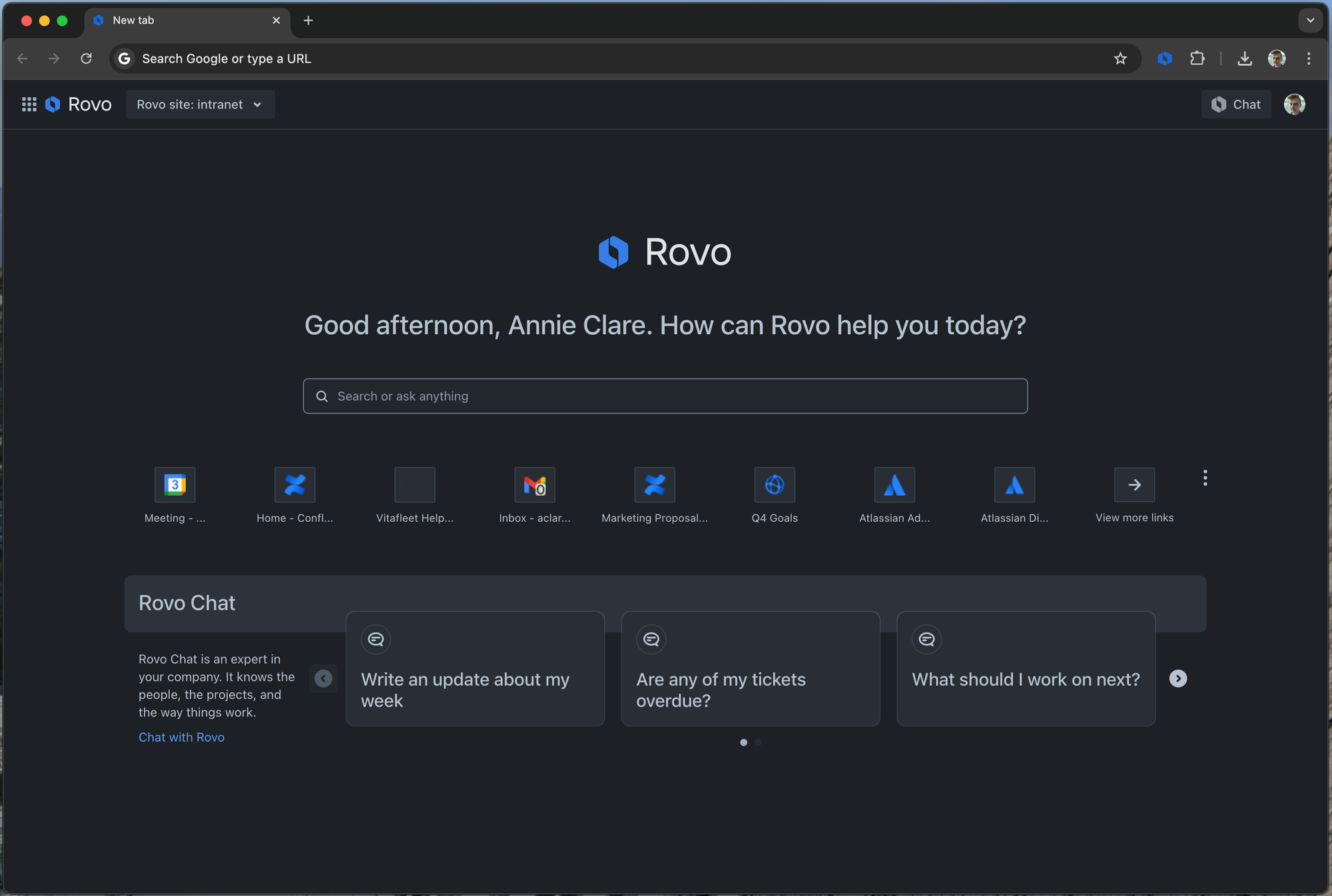
Rovo is Atlassian's flagship AI tool, included in Premium and Enterprise plans. On the surface Rovo Chat is a simple chatbot you can use inside Jira, Confluence, and JSM to ask questions or knock out small tasks like summarizing notes or drafting an update.
What makes it different is that it draws on the Teamwork Graph, a layer of data across the Atlassian platform that connects your people, projects, and apps. That context is what lets Rovo give answers that are specific to your organization rather than generic.
Rovo Agents
Rovo Agents are less about chatting and more about doing. Each agent is designed to perform a specific action rather than hold a conversation. Rovo ships with a set of out-of-the-box agents, and you can build custom ones for your own use cases.
For software teams, agents like the Issue Organizer or Bug Report Assistant tend to be the most useful. Business teams running projects in Jira lean more on agents like Work Item Planner or Progress Tracker. You can build your own with low or no code in Rovo Studio.
What can a Jira chatbot actually do?
A chatbot is only worth setting up if it earns its keep. These are the 3 use cases where it consistently does.
Deflect repetitive ITSM tickets
This is the headline use case. A chatbot instantly resolves common Tier-1 requests, like password resets, VPN access questions, and software permissions, that would otherwise clog the queue.
The numbers back it up. Atlassian reported that FanDuel cut tickets that required human intervention by 85% using its virtual agent. When a request does need a person, the bot acts as an efficient front desk: it gathers the device type, error messages, and other context, creates a detailed Jira ticket, assigns it to the right team, and sets the priority. It's the same logic behind any good service desk chatbot, just wired into Jira.
Speed up software development cycles
Developers lose focus every time they context-switch into Jira. A chatbot keeps them in flow.
- Conversational bug reporting: a tester types "log a high-priority bug in the web app project" from Slack, and the bot asks for the environment and steps to reproduce before filing it.
- Instant status updates: instead of logging in, anyone can ask "what's the status of JIRA-123?" or "show me all open tasks for the next sprint" and get an answer in seconds.
Unlock internal knowledge for employees
A Jira chatbot can become the single place employees go for answers. Train it on company handbooks and internal guides, and it can field everything from the holiday schedule to the expense policy without a ticket.
You can also scope it by team so answers stay relevant and secure. An IT chatbot trained on technical docs and an HR chatbot trained on policies are very different things, and keeping them separate matters. This is where a strong internal knowledge base does the heavy lifting: the chatbot is only as good as the content it can reach.
Native vs third-party: What to weigh before you commit
Atlassian's native tools are a genuinely strong, deeply integrated option. But they aren't automatically the right call for every team. A few things are worth weighing honestly.
- Where your knowledge lives: the Virtual Agent is optimized for Confluence. If your answers are scattered across Notion, Google Docs, SharePoint, or past helpdesk tickets, a tool with a broader AI knowledge base reach will usually answer more questions correctly.
- Setup effort: building intent flows is thorough work. You define training phrases, map conversation paths, and configure each step. That accuracy is great once it's live, but it's not a same-afternoon project.
- Plan gating: the AI features are bundled into Jira Service Management Premium and Enterprise. You get a lot in those plans, but you can't buy the chatbot on its own.
It's also worth being realistic about the ceiling. Gartner found that only 14% of customer service issues are fully resolved in self-service today, so the knowledge your bot can reach, and how flexibly it can act, makes a real difference to how many tickets you actually deflect.

Turn customer requests into Jira issues automatically
Use Featurebase to deflect support tickets with AI and send the right issues straight to Jira.
Featurebase: a modern AI support platform that connects to Jira
If your real goal is deflecting customer-facing support tickets, and not just routing internal IT requests, it's worth looking beyond the Atlassian stack.
Featurebase is a modern AI customer support platform for product-led SaaS. It combines AI-powered support, a help center, and feedback management into a single platform for teams that want all their customer-facing tools in one place. It's loved by thousands of support teams from companies like Lovable, Raycast, and n8n. 💫
Top features:
- Omnichannel inbox – Manage live chat, email, and Slack conversations from one AI-powered view
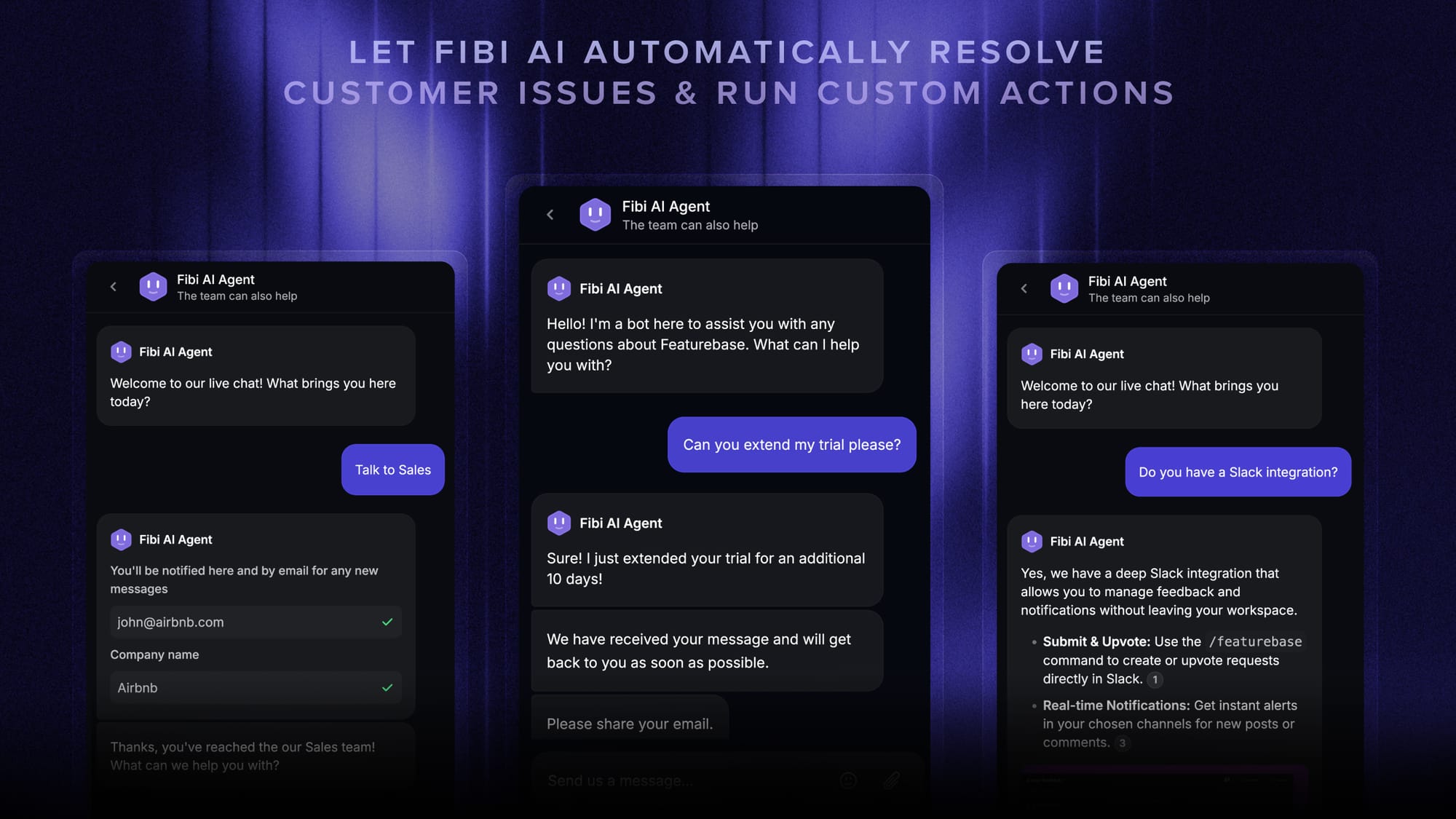
- Fibi AI Agent - Resolve customer issues on autopilot & run custom actions like trial extensions and refunds
- Help center with AI search – Provide instant, multilingual self-serve answers
- Workflows & automations – Auto-assign tickets, route conversations, collect customer data, and more
- AI Copilot – Help your agents answer customers faster with AI Copilot that uses your internal knowledge
- Multi-brand support – Manage multiple help centers and live chats from a single workspace
- Automatic AI translations – Automatically translate all messages and help articles to your customers' native language
- Service Level Agreements – Track SLAs to make sure your team responds to customers on time, every time
- Mobile app – Respond to customers, receive notifications, and unblock users on the go
- Feedback & roadmap tools – Collect feature requests and close the loop with updates
- Product updates – Publish release notes with a changelog page, in-app widget, and emails
- Integrations – Connects with Slack, Linear, Jira, HubSpot, and more
Pricing: Free plan available with unlimited conversations. Paid plans start at $29/seat/month with $0.29 per AI resolution.
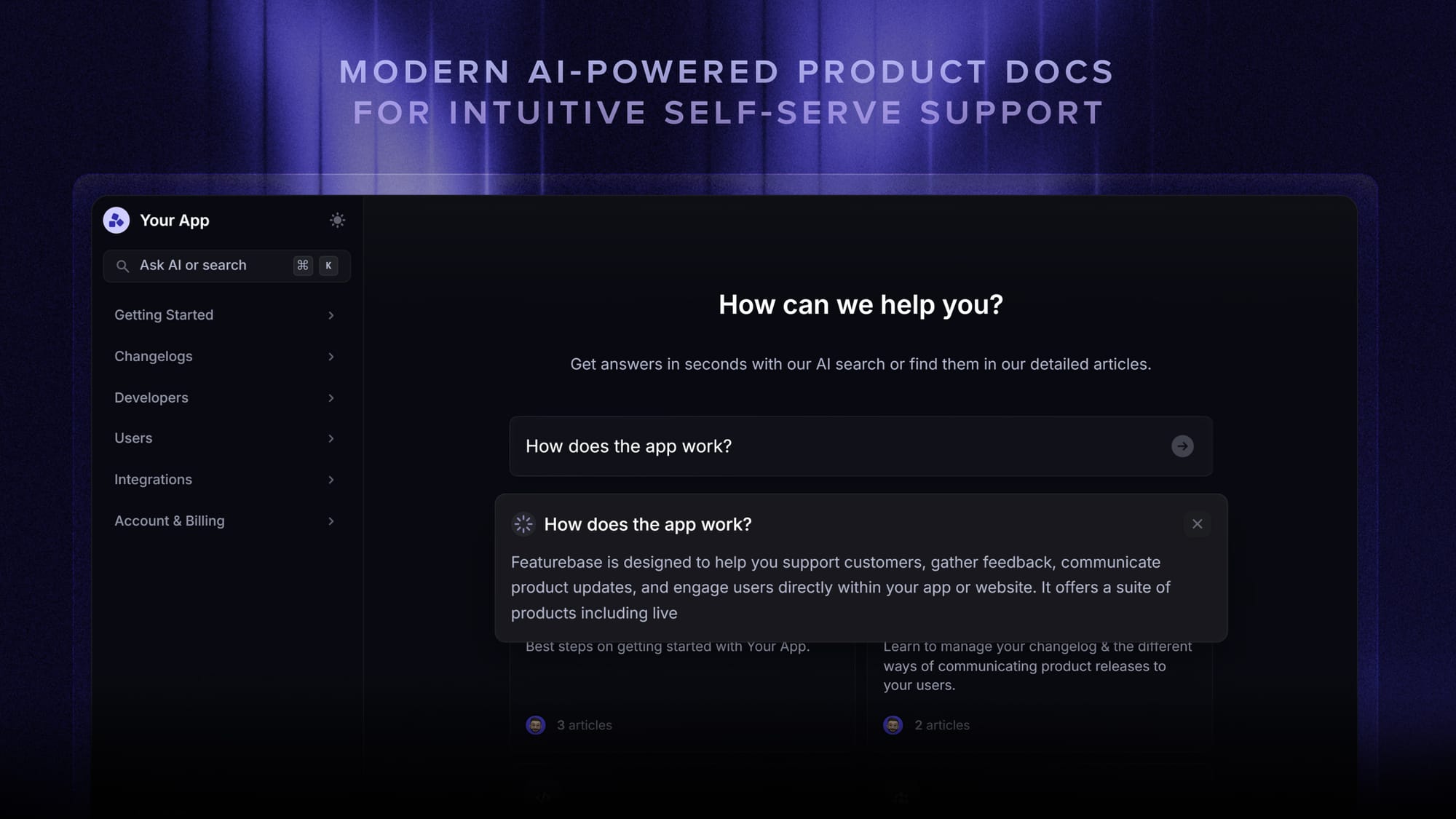
Featurebase covers all the basic support features that legacy platforms do, but with a much more modern approach. And because it connects to Jira, customer requests captured in your AI-powered help center and inbox can flow straight into the issues your engineers already track.
Conclusion
A Jira chatbot is one of the highest-leverage things a busy support or development team can set up. It deflects the repetitive requests, triages the rest, and keeps your people focused on work that actually pushes things forward. Atlassian's native Virtual Agent and Rovo are a solid choice for teams committed to the Atlassian ecosystem.
If your need is really customer-facing support, Featurebase is a modern AI support platform that resolves customer questions on autopilot, unifies your help center and feedback in one place, and connects to Jira so nothing falls through the cracks.
It comes with a Free plan and the onboarding takes minutes, so there's no downside to trying it. 👇
✨ Automate your support with the fastest AI-enhanced Inbox today →

FAQs
Does Jira have an AI chatbot?
Yes. Jira Service Management includes the Virtual Agent, an AI chatbot powered by Atlassian Intelligence that deflects and triages requests. Atlassian also offers Rovo Chat for conversational search across Jira and Confluence, and Rovo Agents for task automation.
How do I create a chatbot in Jira?
For service desk deflection, you build a JSM Virtual Agent using intent flows, which are conversation scripts that define what the bot asks and does. For broader automation, you can build custom Rovo Agents with low or no code in Rovo Studio. Third-party tools that connect to Jira are usually faster to get live if you don't want to build flows from scratch.
What's the difference between a JSM Virtual Agent and a Rovo Agent?
The Virtual Agent is a conversational chatbot that talks with users to deflect and resolve service desk tickets. A Rovo Agent is built to perform a specific action, like organizing issues or drafting bug reports, rather than hold a conversation. In short, one chats, the other does.
How does a Jira chatbot reduce ticket volume?
It answers common questions instantly so they never become tickets, and it auto-triages the ones that do need a human by gathering context and routing them correctly. That combination is why teams using virtual agents report large drops in tickets requiring human intervention.
Can a Jira chatbot use knowledge sources beyond Confluence?
Atlassian's native Virtual Agent is optimized for Confluence as its knowledge source. If your documentation lives in Notion, Google Docs, SharePoint, or past support tickets, a third-party platform with broad integrations will usually pull from those sources and answer more questions accurately.
How much does a Jira chatbot cost?
Atlassian's Virtual Agent isn't sold on its own. It's bundled into Jira Service Management Premium and Enterprise plans, so the cost scales with your agent count. Third-party tools price differently: Featurebase, for example, has a free plan and paid plans starting at $29/seat/month, so you can add AI support without an enterprise contract.