Blog Customer ServicePylon AI Review: Features, Pricing & B2B Support Fit
Pylon AI Review: Features, Pricing & B2B Support Fit
Pylon AI review covering its support agents, Slack integration, pricing questions, strengths, and trade-offs to help you decide if it fits your B2B team.



Pylon is worth considering if your support team spends too much time piecing together customer conversations across Slack, email, and internal tools. It brings those conversations into one platform and adds AI agents that can investigate issues and help move them toward resolution.
But choosing a new helpdesk means evaluating more than an AI demo. In this Pylon AI review, I’ll break down its features, pricing questions, and trade-offs so you can decide whether it fits your team. 👇
Key takeaways
- Built for B2B support: Pylon combines customer conversations with account context, making it relevant for teams managing ongoing business relationships.
- AI availability needs checking: Pylon describes Assist, Background, Slack, and Support agents, but its documentation labels Assist Agent, Support Agent, and Skills as beta with limited access.
- Pricing needs a current quote: Pylon’s pricing URL redirects to a demo form. Confirm rates, included AI usage, and contract terms directly.
- Fit matters more than feature count: Evaluate the channels, integrations, and workflows your team actually uses.
- Featurebase✨ is another option: It combines AI support, a help center, and feedback management for product-led SaaS teams.
What is Pylon?
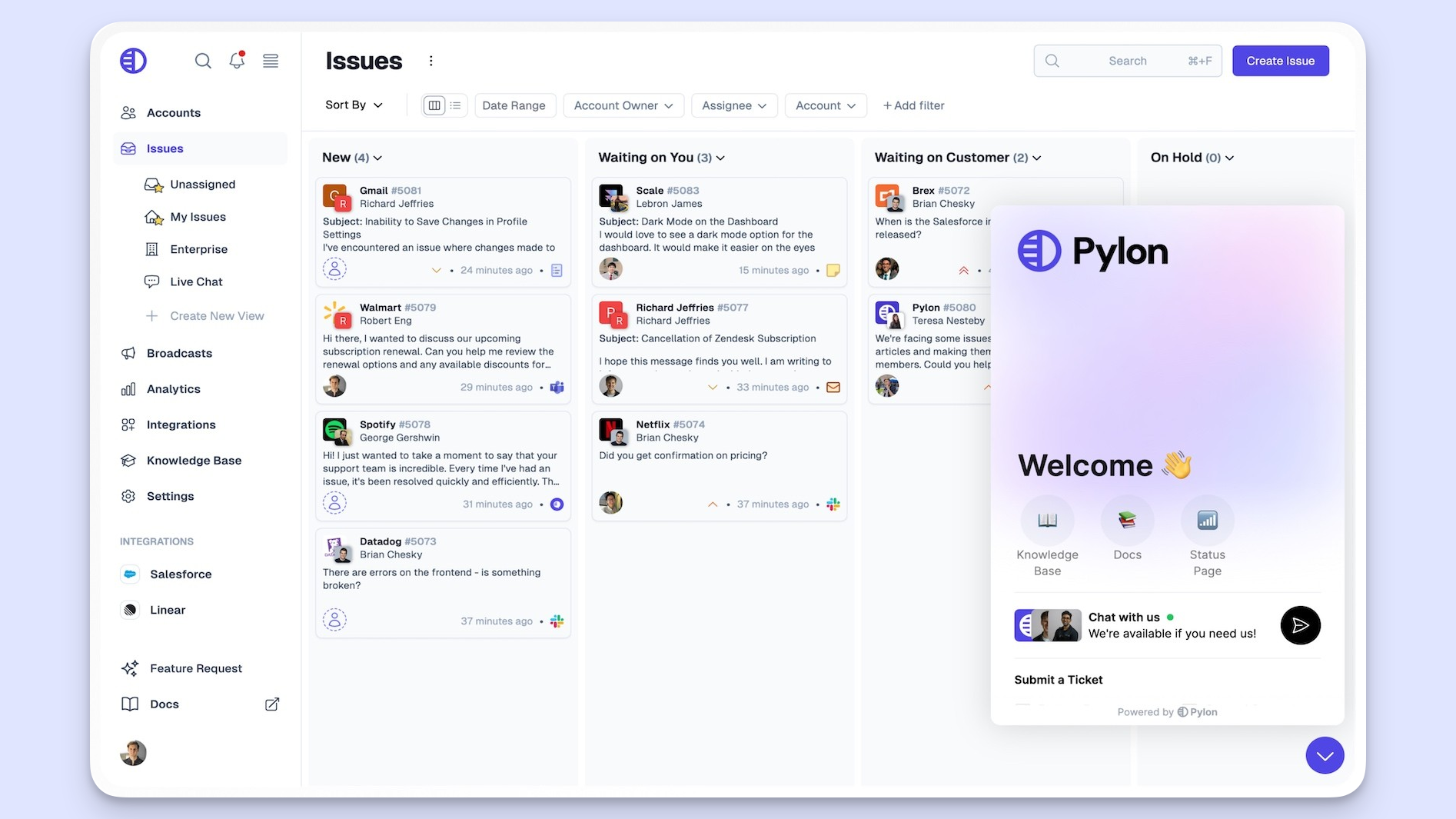
Pylon is a B2B customer support platform that brings Slack Connect, Microsoft Teams, email, and in-app chat into one workspace. It helps teams manage customer issues while keeping the wider account relationship in view.
That account focus matters when several people at the same customer company contact you through different channels. Pylon combines ticketing with account information, a knowledge base, reporting, and feature-request tracking to support those ongoing relationships.
Its AI agents add investigation, assistance, and automation across that work, with some capabilities currently documented as beta. I’d put Pylon on the shortlist for teams managing shared customer channels and complex accounts, where coordinating the conversation is a substantial part of the support job.
How Pylon’s AI agents work
Pylon markets 4 AI agents with different roles. Its documentation currently labels Assist Agent, Support Agent, and Skills as beta, with access limited to beta participants. Confirm availability in your proposed package before treating a demo capability as something your team can deploy.
Assist Agent
Assist Agent works alongside a teammate inside Pylon. According to Pylon, it can investigate a question using the current issue, customer history, and connected systems, then propose actions for review.
My take: This is the most sensible starting point for evaluating Pylon’s AI. A teammate reviews its proposed work, giving you a chance to assess the evidence and correct mistakes before expanding automation. That is a rollout preference, not a claim about measured accuracy.
Background Agent
Background Agents run when defined events trigger them. Pylon describes uses such as investigating new issues, reviewing completed work, and updating connected records.
This is relevant when your team repeats the same preparation before responding. During evaluation, check whether the output removes work from the queue or still needs substantial human investigation.
Slack Agent
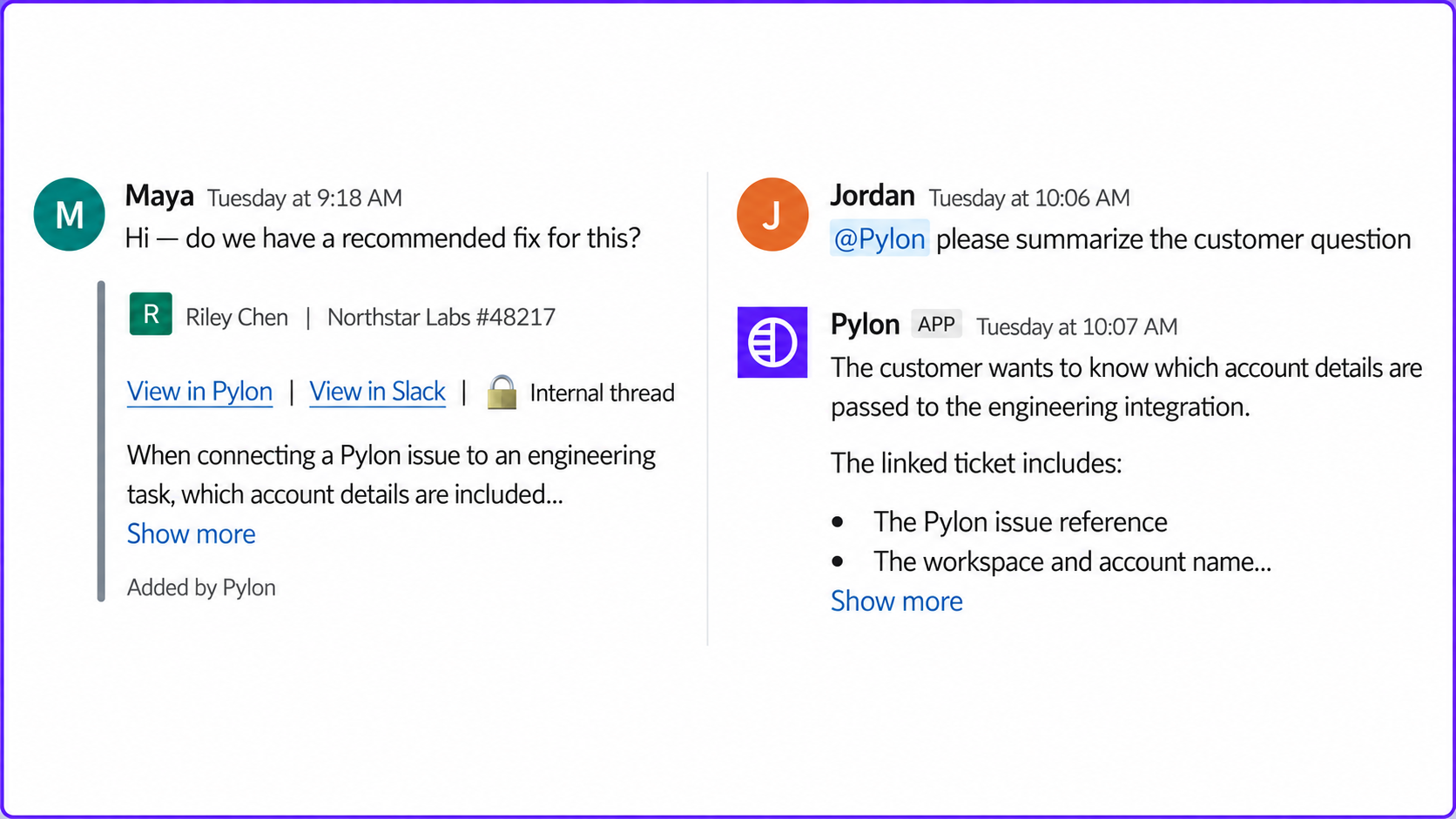
Slack Agent lets teammates access Pylon’s context and actions from Slack. It serves a different purpose from the Slack Connect integration, which brings customer conversations into the support platform.
That distinction is useful for customer success or sales teams asking about an account. They may need information from support without opening the helpdesk themselves.
Support Agent
Support Agent is Pylon’s customer-facing AI agent. Pylon describes it as handling eligible issues and escalating others with relevant context for a person to continue.
Its usefulness depends on the work you let it handle. Evaluate answer quality, action accuracy, and handoffs separately. A polished reply is only useful when the underlying issue is understood.
Where Pylon stands out
Support built around customer conversations
Imagine a customer reporting a bug in Slack while another contact follows up by email. Your team needs ownership and continuity across both conversations. That is the kind of coordination problem to bring into a Pylon demo.
G2 review summaries highlight Slack and Teams integration, ease of use, and customer support as recurring strengths. Those themes support putting Pylon on a shortlist, while leaving room to test the details that matter to your own team.
My take: Pylon’s strongest reason to make your shortlist is its fit for B2B customer conversations. If shared Slack channels create daily coordination problems, that is a more concrete buying reason than the AI label alone. Its Slack Connect integration brings those conversations into a managed support workflow.
Account context for B2B relationships
Account intelligence can help support teams understand a request in the context of a broader relationship. Pylon’s product positioning makes this central to the platform.
For your evaluation, choose an account with several open issues and multiple contacts. Ask the vendor to show how an agent finds the relevant history and identifies what still needs attention.
The value comes from making better support decisions with less searching. That matters more than how much customer data appears on a dashboard.
AI across several stages of support
Pylon covers internal assistance, background work, access through Slack, and direct customer support. This gives buyers several ways to introduce AI into their operation.
Pylon’s Connectors let agents retrieve information and take actions in external systems through MCP or custom APIs. Administrators choose the tools available to agents, while connected systems enforce their own permissions. Connecting a system does not automatically import all its data.
That flexibility is useful, but I’d judge it by one complete workflow using your actual tools. Access to a connector alone does not establish that an agent can finish your team’s task reliably.
Feature requests linked to customer evidence
Pylon also documents AI detection and grouping of feature requests from issues and call recordings. Requests can retain customer evidence, link to accounts and product tickets, and lead to customer updates through Broadcasts.
This makes the product comparison closer than a simple support-versus-feedback split. If closing the loop on requests matters to you, compare the actual collection, prioritization, and update workflows in both products.
Pylon pricing: what to confirm before buying
Pylon’s pricing URL currently directs visitors to a demo booking form. You’ll need a current quote to establish what your team would pay.
Avoid building a budget from older plan tables alone. Previously published seat prices, minimums, or AI add-on charges may not describe the package you’re offered today.
I’d ask for a written breakdown covering these items:
| Cost area | What to confirm |
|---|---|
| Seats | Paid user types, minimum seats, and access for occasional collaborators |
| Channels | Whether your required Slack, Teams, email, and chat workflows are included |
| AI agents | Included agents, usage allowances, billing units, and overage terms |
| Account intelligence | Included capabilities and any separately charged components |
| Implementation | Migration scope, onboarding assistance, and additional charges |
| Contract | Billing frequency, commitment, renewal terms, and seat changes |
Ask for a cost estimate based on your current team and expected usage. Then request the same calculation for a busier month. This exposes which parts of the bill change with headcount or support volume.
An annual quote should also show the payment schedule. A monthly equivalent helps comparisons, but it doesn’t tell you whether you can pay monthly or reduce the commitment later.
Pylon’s limitations and trade-offs
You need a sales conversation to establish the price
My take: The lack of a public price is buying friction, especially for a small team building a shortlist. It does not establish that Pylon is expensive. It means you need a quote before you can judge value.
It also means a useful comparison requires equivalent scope. Include your required channels, AI capabilities, and implementation support when comparing Pylon with another platform.
Some workflows need closer evaluation
G2 summaries include complaints about customization, missing features, and a learning curve. They don’t establish that a particular capability is unavailable today, but they identify areas worth checking.
Bring concrete examples instead of asking whether Pylon supports “advanced reporting” or “flexible automation”:
- Reporting: Recreate a report your support lead uses to make staffing or service decisions.
- Integrations: Walk through an issue that needs an update from engineering and a reply to the customer.
- Routing: Test an exception that involves account ownership, urgency, or multiple teams.
An integration logo alone doesn’t establish whether the workflow you need is supported.
Beta access and setup effort deserve attention
Pylon’s beta labels are a meaningful qualification to its AI offering. Ask which features you can use today, what limits apply, and what happens if a capability your workflow depends on changes during the beta.
The Support Agent documentation also describes an iterative process of identifying automation opportunities and building Skills. Skills are reusable instructions for specific workflows, which need reviewing and testing.
My take: Budget for someone to own the rollout and maintain those workflows. I would start with a narrow, repeatable task and expand after reviewing results. A broad feature set is less useful if nobody has time to configure it.
Pylon’s testing tools support simulated conversations and test cases built from past issues. Include incomplete questions and cases that require a human, then track the corrections your team makes.
Who should consider Pylon?
Pylon belongs on the shortlist when customer channels and account context are central to your support operation. It is particularly relevant when your team is struggling to coordinate ongoing B2B conversations across tools.
Consider it when:
- Your customers regularly contact you through shared Slack or Teams channels.
- Several contacts within an account raise related questions.
- Support work often requires information from customer success or engineering.
- You want to evaluate AI assistance alongside customer-facing automation.
Look more broadly if your main requirement is a straightforward email inbox, internal employee support, or a narrowly scoped AI addition to an existing helpdesk. Start with the work you need to improve and compare platforms against that requirement.
Pylon already covers feature requests and customer updates. For product-led SaaS teams comparing how those workflows connect with support, Featurebase is another option worth considering. 👇

Resolve 70% of customer requests with AI
Automatically resolve customer issues & cut down support loads for your team
Featurebase: an alternative for product-led SaaS
Featurebase is a modern AI customer support platform for product-led SaaS. It combines AI-powered support, help center, and feedback management into a single platform for startups that want all their customer-facing tools in one place.

Top features:
- Omnichannel inbox – Manage live chat, email, and Slack conversations from one AI-powered view
- Fibi AI Agent – Resolve customer issues on autopilot & run custom actions like trial extensions and refunds
- Help center with AI search – Provide instant, multilingual self-serve answers
- Workflows & automations – Auto-assign tickets, route conversations, collect customer data, and more
- AI Copilot – Help your agents answer customers faster with AI Copilot that uses your internal knowledge
- Multi-brand support – Manage multiple Help Centers and Live chats from a single workspace
- Automatic AI translations – Automatically translate all messages and help articles to your customers’ native language
- Service Level Agreements – Track SLAs to make sure your team responds to customers on time, every time
- Mobile app – Respond to customers, receive notifications, and unblock users on the go
- Feedback & roadmap tools – Collect feature requests and close the loop with updates
- Product updates – Publish release notes with a changelog page, in-app widget, and emails
- Integrations – Connects with Slack, Linear, Jira, HubSpot, and more
The connection between support and feedback is especially useful for product teams. You can turn a customer conversation into a feature request and keep interested users informed as it progresses.
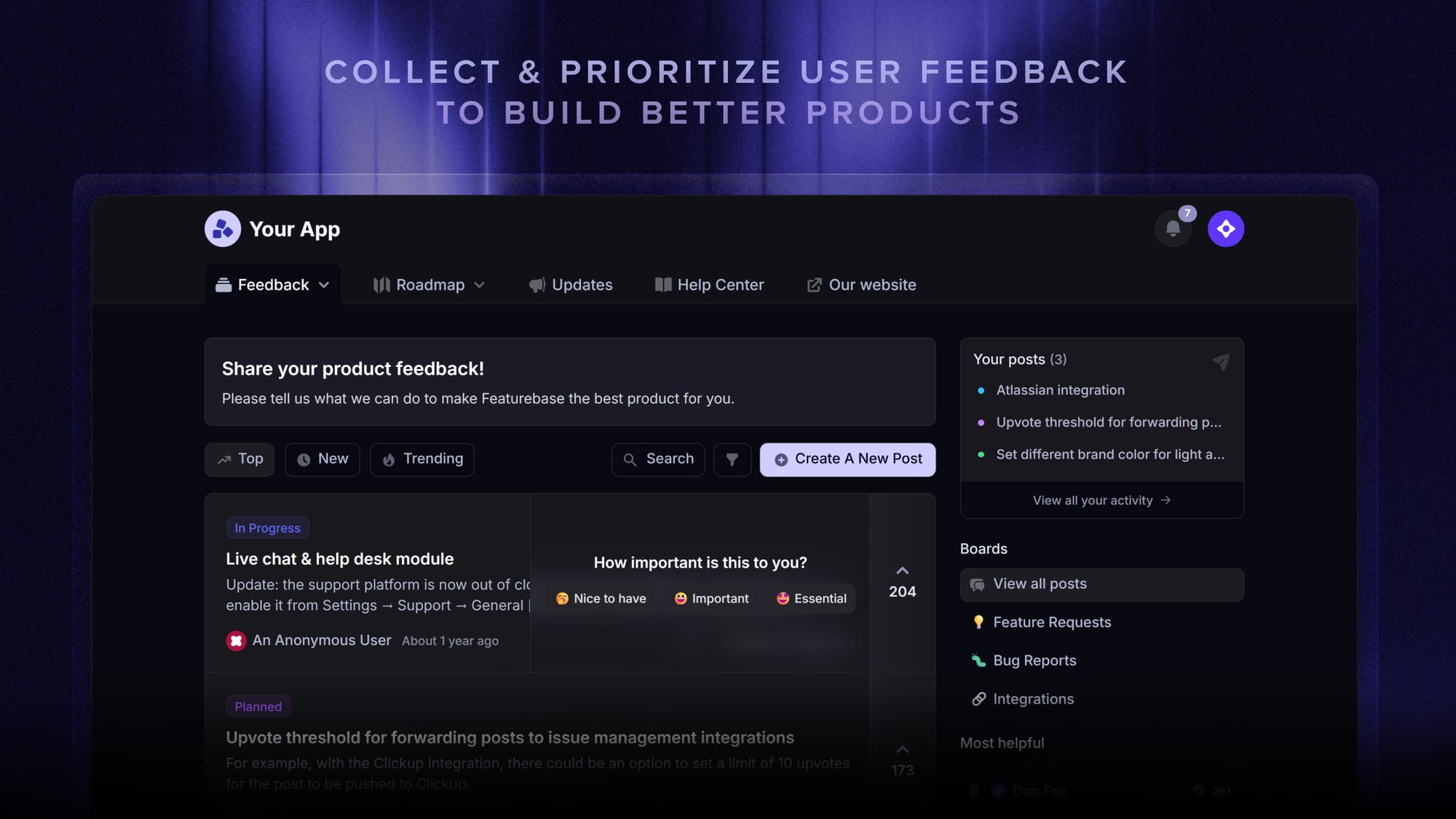
Pricing: The Free plan includes 1 seat and unlimited live-chat conversations, without AI. Paid plans start at $29/seat/month, billed annually, with $0.49 per Fibi AI resolution. Slack support, workflows, and SLAs start on Professional at $59/seat/month, billed annually. Multi-brand support is an Enterprise feature.
That gives you a public starting point for comparing costs while keeping the features you need in view.
Conclusion
My verdict: I’d shortlist Pylon for B2B teams whose support work revolves around shared customer channels and account relationships. I’d be less inclined to migrate solely for AI without confirming beta access and testing representative issues. Its fit for your daily work and a written quote should carry more weight than the demo.
Featurebase combines AI-powered support, a help center, and feedback management for product-led SaaS teams. It helps you answer customers and carry their requests through to product updates in the same platform.
Its Free plan lets you start with live chat before choosing a paid plan for AI and additional channels. 👇
✨ Automate your support with Featurebase →

FAQs
Can you test Pylon before migrating your helpdesk?
Pylon documents simulated conversations and test cases built from past issues. Support Agent is currently documented as beta, so confirm that your evaluation includes access to it and which data you can use. Agree on success criteria before deciding whether to migrate.
How much work does switching to Pylon involve?
The scope depends on your existing ticket history, integrations, routing rules, and reporting requirements. Ask for a migration plan that identifies what transfers automatically and what your team must rebuild. Include training and a plan for handling conversations during the transition.
Is Pylon suitable for a small support team?
A small team can have complex support needs, particularly when it serves larger business accounts. Compare the proposed cost with the coordination problems you need to solve, and confirm any minimum purchase. Team size alone won’t tell you whether the platform is a good fit.
Should you replace your helpdesk or add an AI tool?
Consider replacement when the existing platform makes your core support workflows difficult. If those workflows already work well and your main need is assistance with repetitive questions, evaluate an AI addition alongside a full migration. Compare the implementation effort and ongoing ownership required by each route.
Does Pylon offer a free plan or trial?
The public buying page reviewed directs visitors to book a demo and doesn’t establish current free-plan or trial terms. Ask whether an evaluation workspace is available, how long you can use it, and which features are included. A sales demo and a trial workspace provide different opportunities to assess the product.