10 Best B2B Customer Support Software Tools for 2026
Compare 10 B2B customer support software tools for 2026, with current pricing, account features, SLAs, AI capabilities, and practical trade-offs.


On this page
When multiple people from the same customer account contact you via email, live chat, and Slack, a basic shared inbox can leave your team chasing context while the SLA clock keeps ticking.
This guide compares 10 B2B customer support software tools by account visibility, collaboration, automation, and real pricing, so you can find the right fit for your support workflow. 👇
Key takeaways
| Tool | Best for | Starting paid price | Standout B2B feature | Main trade-off |
|---|---|---|---|---|
| Featurebase | Connecting support and product feedback | $29/seat/month | Support, feedback, and updates together | Slack and SLAs require Professional |
| Pylon | Support across shared customer channels | $89/seat/month | Slack support and account context | AI credits and account intelligence cost extra |
| Zendesk | Complex support operations | $19/agent/month | Configurable ticket routing and workflows | Omnichannel Suite starts at $55/agent/month |
| Intercom | In-app support with AI | $29/seat/month before promotions | Fin AI Agent with Messenger | SLAs require Expert |
| Freshdesk | Structured email ticketing | $19/agent/month | Ticket workflows and escalation | Multiple SLA policies require Pro |
| Front | Collaborative customer communication | $25/seat/month | Shared inboxes and internal collaboration | Starter supports one channel type |
| HubSpot Service Hub | Teams already using HubSpot CRM | $7/seat/month, new-customer offer | CRM-connected service workflows | Full helpdesk starts on Professional |
| Help Scout | Personal support with simple collaboration | $25/user/month | Company grouping on Plus | Advanced reporting and customization need scrutiny |
| Zoho Desk | Support within the Zoho ecosystem | $7/user/month | Account records and process automation | More configuration as workflows grow |
| TeamSupport | Account-level customer operations | $45/month advertised | Customer intelligence and product context | Base-price seat unit needs confirmation |
Prices are in USD and reflect annual billing checked in November 2026. These are entry prices, and the B2B features highlighted may require higher plans. AI usage and other add-ons can cost extra. HubSpot's entry price is promotional. TeamSupport's public page does not clearly specify the seat unit for its base prices.
What is B2B customer support software?
B2B customer support software helps businesses manage support requests from other businesses. It brings customer conversations, ticket ownership, support history, and response targets into a shared workspace.
The B2B part matters because a customer account usually includes several people with different responsibilities. An administrator might report an integration failure, a finance contact might question the invoice, and an account manager might need an update before a renewal meeting.
A useful B2B helpdesk helps your team connect those conversations without exposing information to people who should not see it. Your agents need enough context to understand the account, while customers need clear access to their own requests and relevant documentation.
When comparing B2B customer service software, look for these foundations:
- Account context: See the company, contacts, previous issues, and relevant customer data behind a request.
- Clear ownership: Assign tickets, collaborate internally, and keep someone responsible when engineering or customer success gets involved.
- Service commitments: Track service-level agreements, business hours, priorities, and escalation paths.
- Connected support: Bring the channels your customers use into a workflow your team can manage.
Capabilities vary considerably between plans. Shared inbox software can provide basic collaboration at its entry price while reserving company management, customer portals, or advanced SLAs for higher tiers. The shortlist below calls out those distinctions.
10 best B2B customer support software tools
I've compared these tools using current vendor documentation and pricing, with G2 review themes used to identify practical trade-offs. Start with the entries that match how your customers contact you and how your team resolves their requests.
1. Featurebase ✨
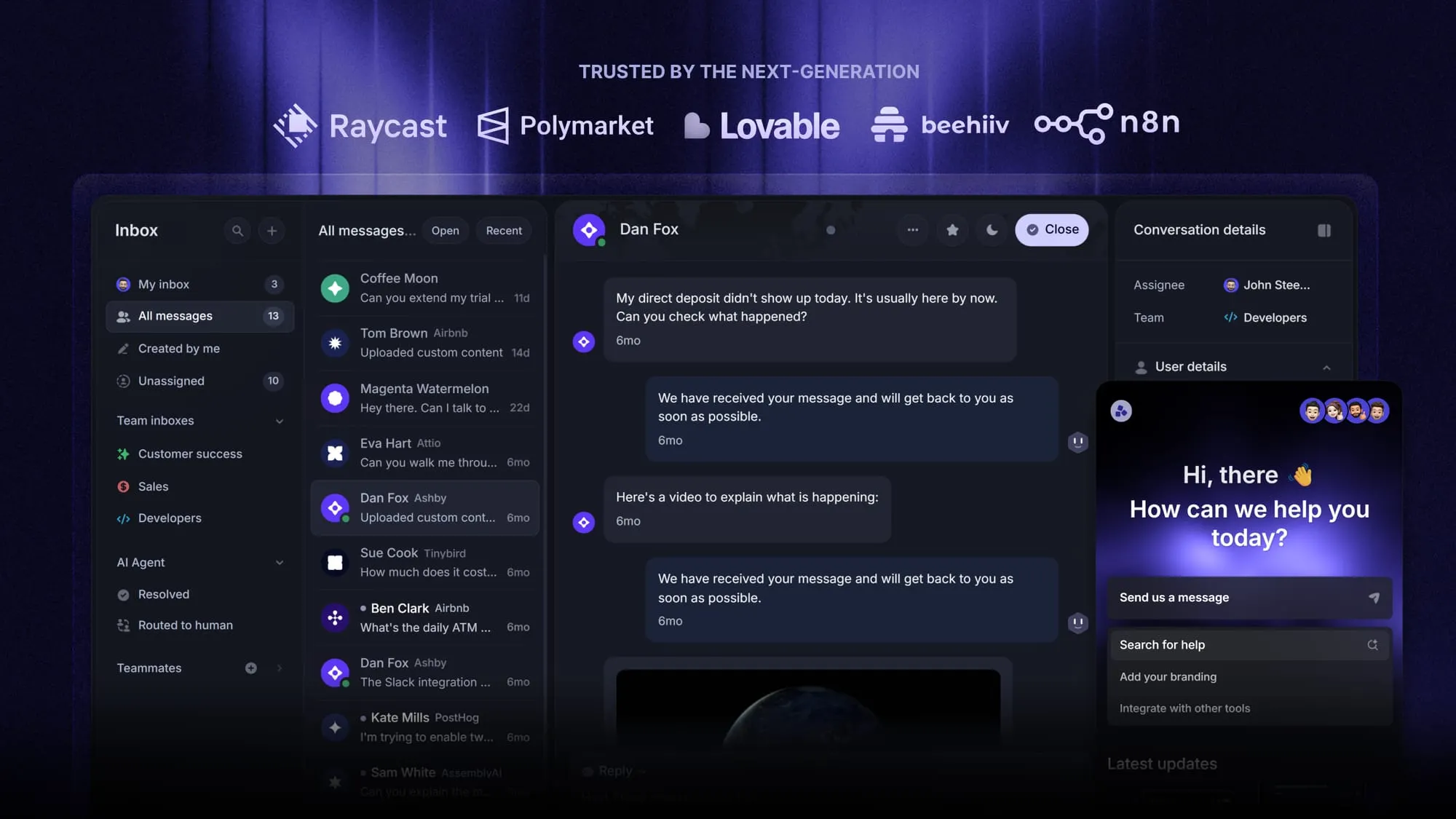
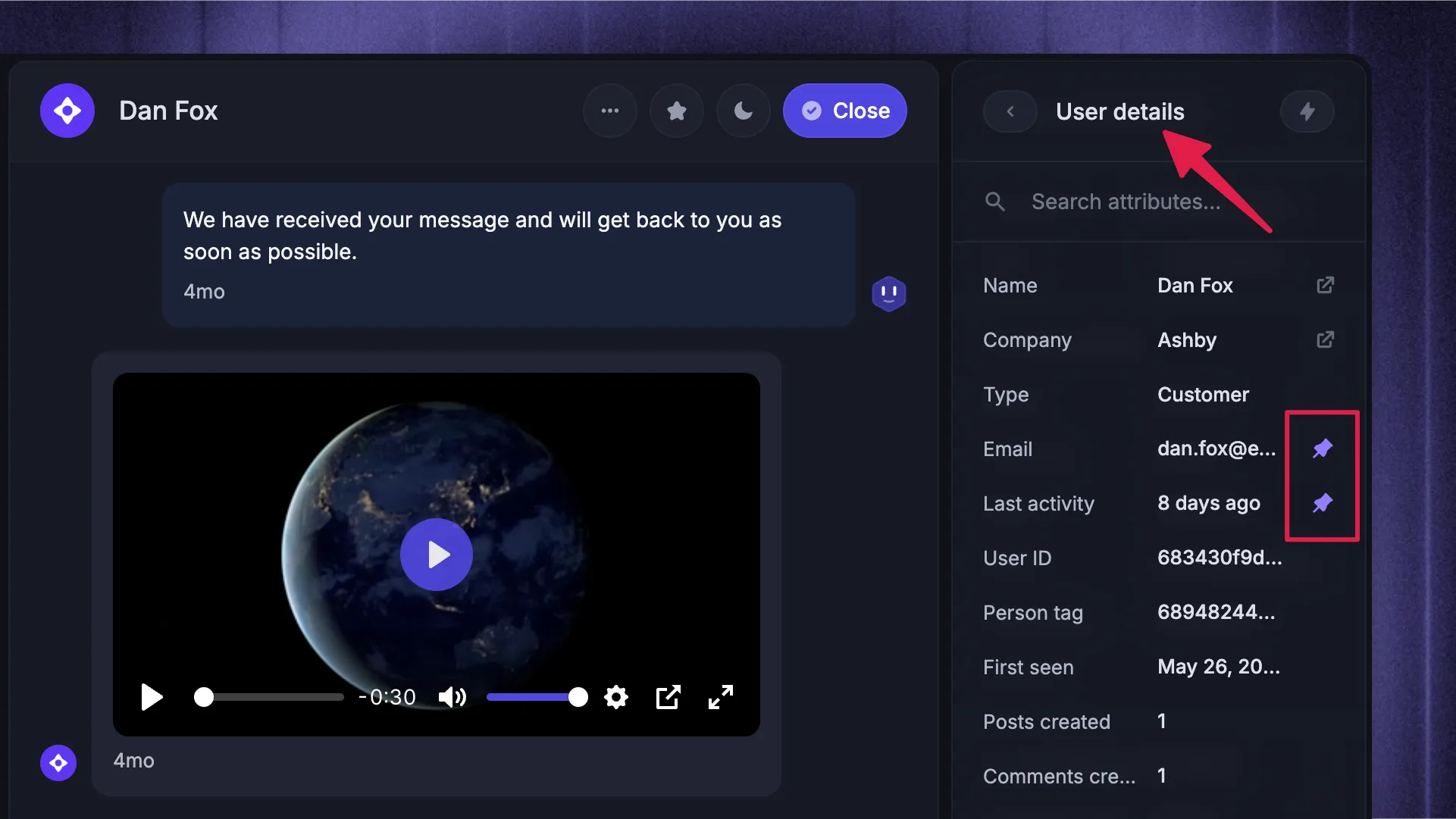
Featurebase is a modern AI customer support platform for product-led SaaS. It combines AI-powered support, help center, and feedback management into a single platform for startups that want all their customer-facing tools in one place. Featurebase is loved by thousands of support teams from companies like Lovable, Raycast, and n8n. 💫
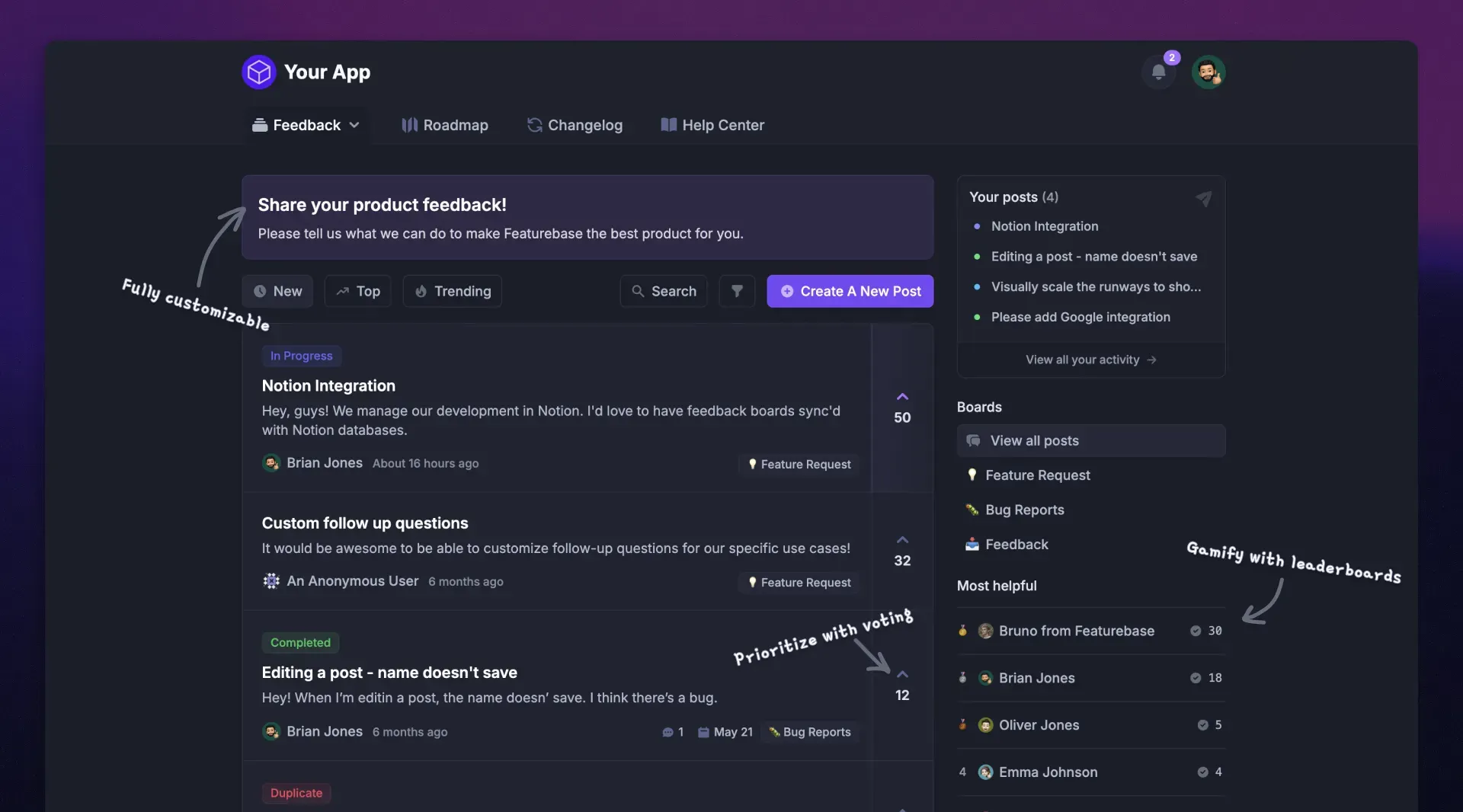
For B2B software teams, the appeal is keeping support connected to the product conversation. Customers can ask for help, find documentation, submit feature requests, and follow updates within the same platform. Your support team can handle immediate problems while keeping product feedback visible.
Top features:
- Omnichannel inbox – Manage live chat, email, and Slack conversations from one AI-powered view
- Fibi AI Agent - Resolve customer issues on autopilot & run custom actions like trial extensions and refunds
- Help center with AI search – Provide instant, multilingual self-serve answers
- Workflows & automations – Auto-assign tickets, route conversations, collect customer data, and more
- AI Copilot – Help your agents answer customers faster with AI Copilot that uses your internal knowledge
- Multi-brand support – Manage multiple Help Centers and Live chats from a single workspace
- Automatic AI translations – Automatically translate messages and help articles into your customers' native language
- Service Level Agreements – Track SLAs to help your team respond within agreed targets
- Mobile app – Respond to customers, receive notifications, and unblock users on the go
- Feedback & roadmap tools – Collect feature requests and close the loop with updates
- Product updates – Publish release notes with a changelog page, in-app widget, and emails
- Integrations – Connects with Slack, Linear, Jira, HubSpot, and more
Best for: Software teams whose customer base is growing faster than their support capacity and who want support, feedback, and communication in one place.
Pricing: Free plan available with unlimited conversations. Paid plans start at $29/seat/month, billed annually, with $0.49 per AI resolution.
The Free plan includes 1 seat and live chat. Email starts on Growth. For Slack, workflows, SLAs, and a private multilingual Help Center, budget for Professional at $59/seat/month, billed annually. Multi-brand support is on Enterprise, and the features above are available across different plans.
Featurebase brings AI automations, a mobile app, and support for email, live chat, and Slack into the same platform as your documentation and customer feedback.
If your agents regularly turn support conversations into product requests, that combination makes Featurebase a strong place to start your evaluation.
Automate your support with the fastest AI-enhanced Inbox today
2. Pylon
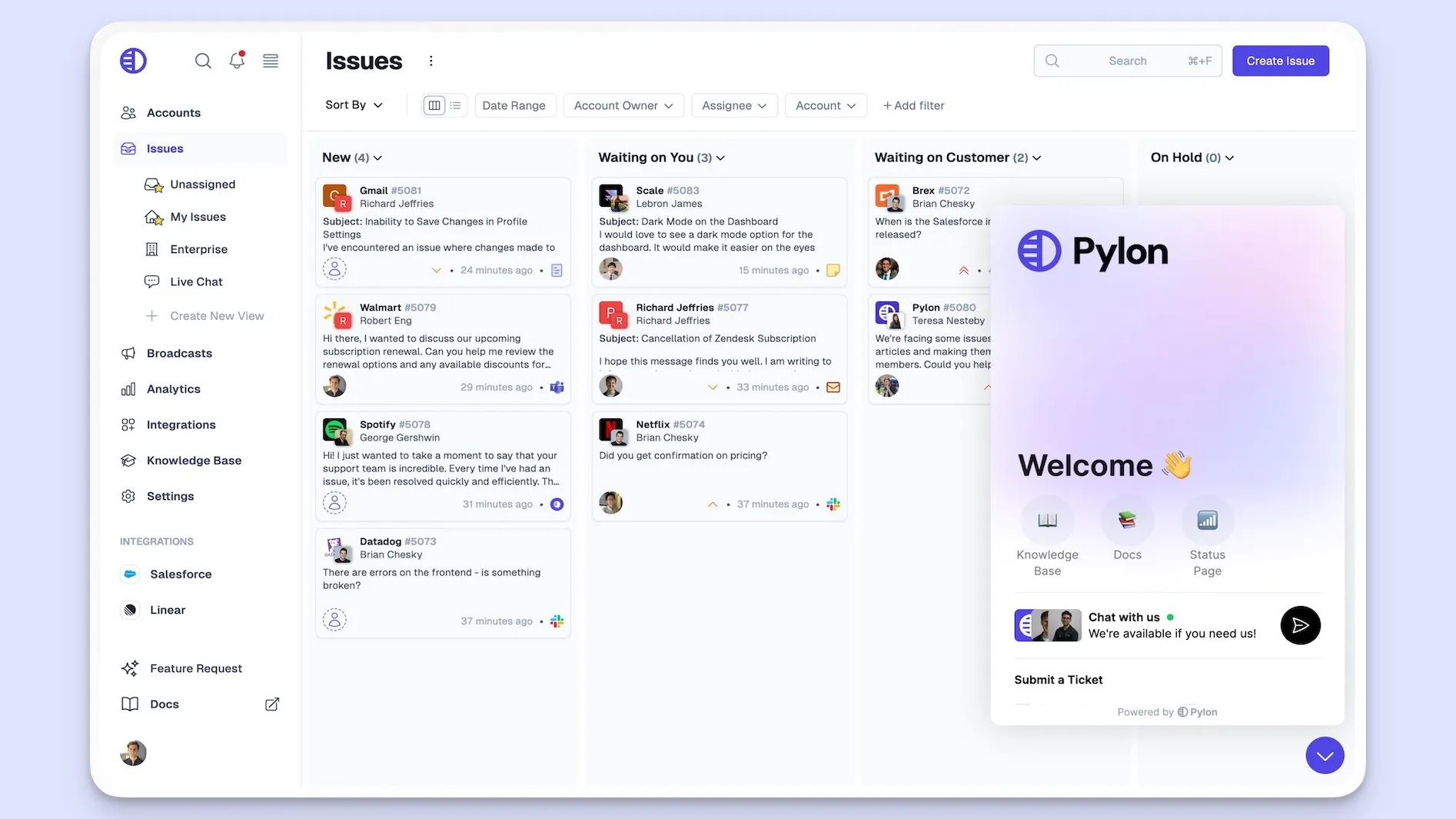
Pylon is built around B2B support across customer channels, including shared Slack conversations. It brings requests into one workspace and connects support activity with information from the tools your team already uses.
That makes it relevant when customer conversations are spread across Slack, email, and internal teams. An agent can work from a common queue, while account context helps the team understand the relationship behind an issue.
Top features
- Slack Connect support, email, and a chat widget
- Assignment rules, service-level agreements, and support hours
- CRM and product ticketing integrations
- Knowledge base and support reporting
- Customer portal and custom reporting on Advanced
- Optional Account Intelligence with account timelines and health scores
Best for: Teams that support customers in shared channels and want support activity connected to their wider account workflow.
Pylon's account intelligence deserves a separate evaluation from its core ticketing. If customer success wants health scoring and account-level insights, include that team in the demo. If the immediate requirement is simply handling customer Slack requests, start by evaluating the core support workflow.
What to consider: G2 reviewers praise the consolidated context, Slack integration, and responsive support. Reported friction includes configuring analytics, API limitations, and adapting new workflows. Ask the vendor to demonstrate your actual reporting requirements rather than assuming a dashboard will answer every account question.
Pylon pricing: Starts at $89/seat/month, billed annually, for Professional. Advanced is $139/seat/month and adds capabilities including the customer portal and custom reports.
AI features consume separately purchased credits. Account Intelligence costs $10 per customer account/month, with a 50-account minimum. A minimum seat requirement also applies, although the public pricing page does not state the number. These details can make the complete quote materially different from the seat price alone.
3. Zendesk
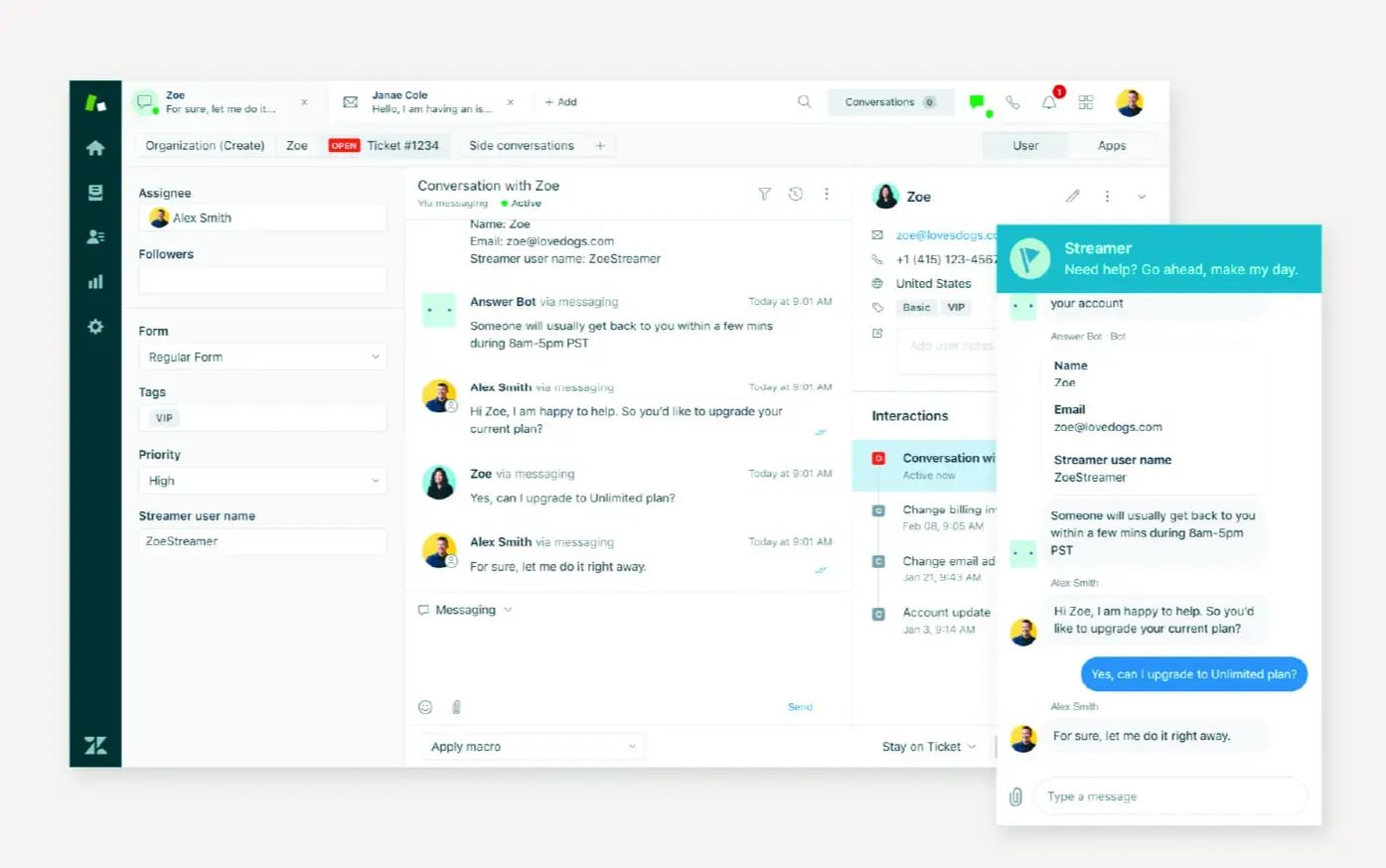
Zendesk is an established customer service platform for teams that need structured ticketing, configurable workflows, and multiple support channels. It is worth considering when routing and reporting requirements have become too involved for a basic shared inbox.
The platform gives support operations teams considerable room to shape how requests move through the business. That flexibility is useful when different products, regions, or specialist teams need different processes, provided someone owns the configuration.
Top features
- Email ticketing with customer context and conversation history
- Ticket routing, triggers, and workflow automation
- Messaging, live chat, and telephony through Suite plans
- Knowledge base and AI agents through Suite plans
- Skills-based routing on Suite Professional
- Advanced governance options on enterprise plans
Best for: Support teams that need configurable processes across several channels and have the operational capacity to maintain them.
What to consider: G2 feedback highlights dependable ticket organization, integrations, and flexible workflows. Recurring complaints concern setup complexity, the learning curve, growing costs, and custom reporting. Decide who will maintain routing rules and reports after implementation, since those responsibilities remain even when the product supports the required workflow.
Zendesk pricing: Starts at $19/agent/month, billed annually, for Support Team. This is the basic ticketing option. Suite Team starts at $55/agent/month and adds messaging, live chat, telephony, a knowledge base, and AI agents.
Suite Professional costs $115/agent/month, billed annually. Compare the plan containing your required channels and controls, and include any AI usage or additional services in the quote.
4. Intercom
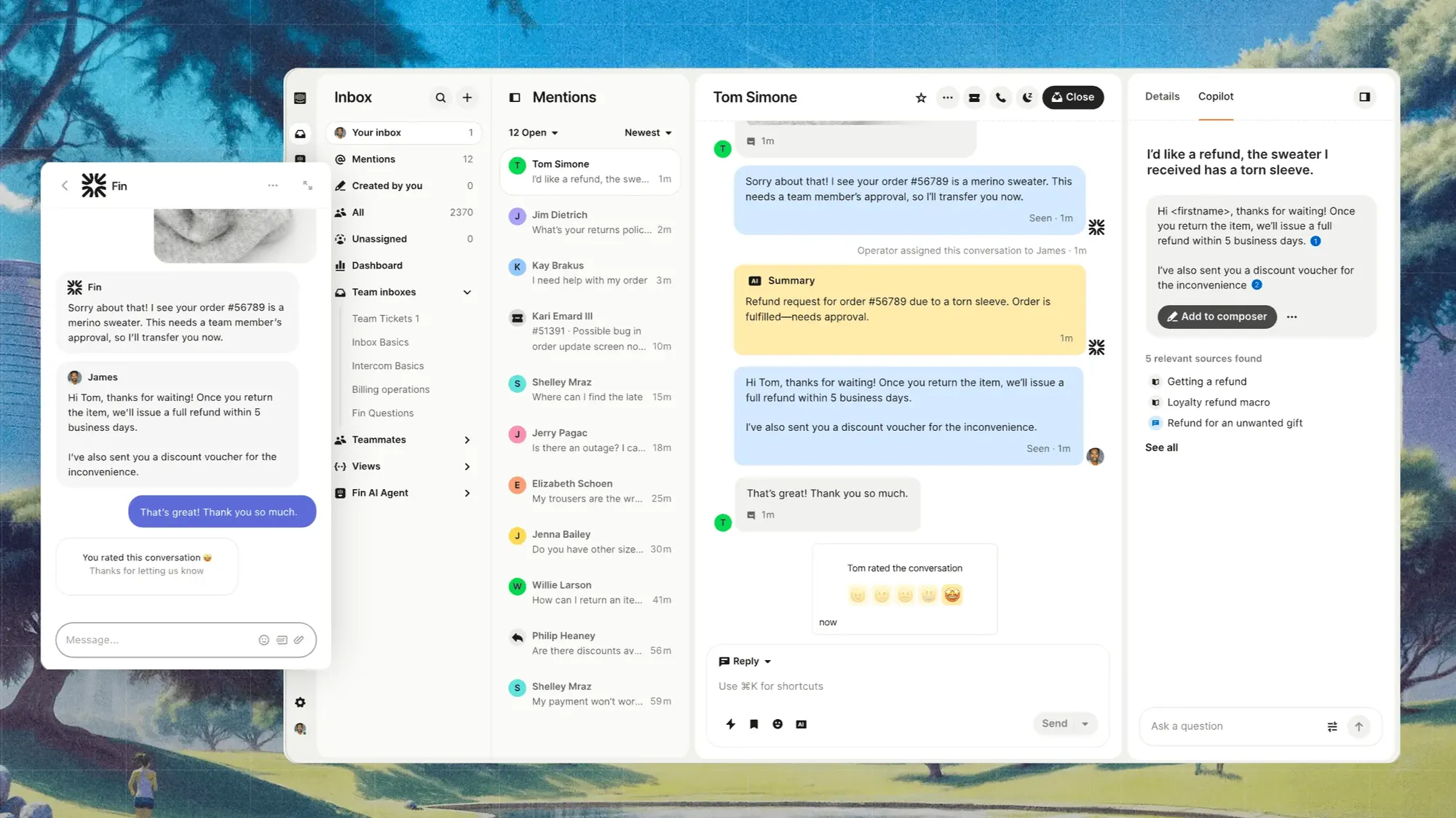
Intercom combines its helpdesk and Messenger with Fin AI Agent. It is a natural candidate for software companies that want customers to get help inside the product and use AI to handle repeat questions before involving an agent.
The appeal is the continuity between automated and human support. Your evaluation should follow that whole journey, from the first answer to a useful handoff when the request needs judgment or technical investigation.
Top features
- Messenger live chat and a shared inbox
- Fin AI Agent trained on support content
- Public Help Center and basic automation
- Workflow builder and multiple team inboxes on Advanced
- Private and multilingual Help Center on Advanced
- SLAs and additional security controls on Expert
Best for: Teams that prioritize in-app conversations and want AI support closely connected to their helpdesk.
Fin can also work with an existing helpdesk, so adopting the AI agent does not always require moving the entire support operation to Intercom. For a full platform comparison, separate that standalone AI option from the cost and capabilities of Intercom's own helpdesk plans.
What to consider: G2 feedback on Fin commonly praises routine-question automation, approachable setup, and use of existing help content. Complaints include inaccurate or incomplete answers to complex questions, usage costs, and the work needed to tune escalation. Test a multi-step technical issue as well as a simple question with a clear documentation answer.
Intercom pricing: Essential starts at $29/seat/month before promotions, billed annually. The current page also advertises $19/seat/month for new customers. Advanced costs $85/seat/month, while Expert costs $132/seat/month, billed annually.
Fin costs $0.99 per outcome. If contractual SLAs are essential, evaluate Expert from the start. The cheaper entry plan does not represent the cost of that requirement, and additional AI or outbound products may increase the total.
5. Freshdesk
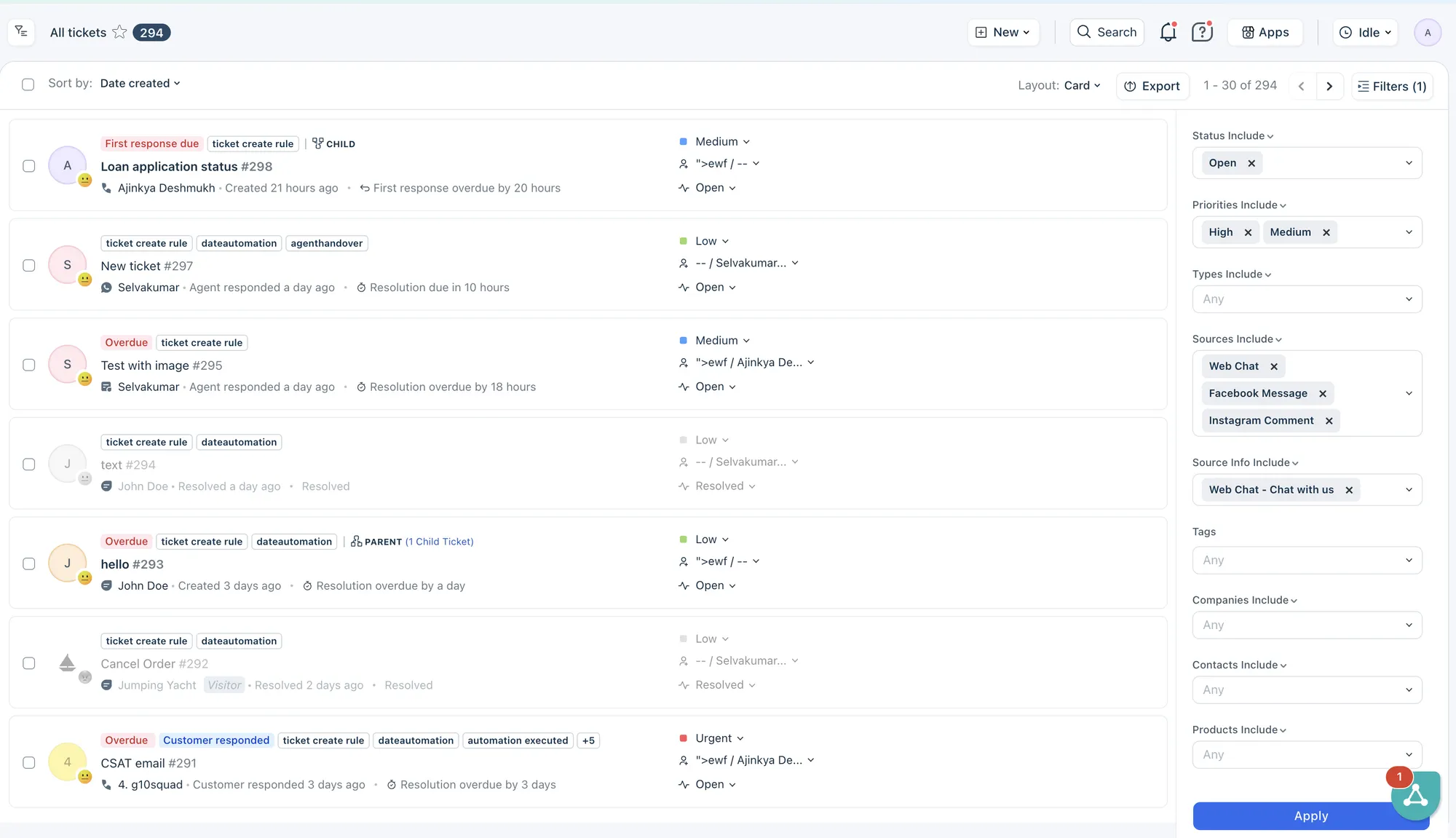
Freshdesk is a ticketing platform with shared inboxes, customer self-service, automation, and reporting. It suits teams that want to give email support more structure through clearer assignments, repeatable processes, and escalation rules.
For B2B support, the practical question is how well it handles requests that remain open while several people investigate. Threads and tasks let agents coordinate work around the ticket, while higher plans add capabilities for more involved support operations.
Top features
- Email ticketing and a shared inbox
- Internal threads and tasks linked to tickets
- Customer portal and knowledge base
- Freddy AI Agent for email support
- Multiple SLA policies and intelligent routing on Pro
- External collaborators and custom reporting on Pro
Best for: Teams formalizing email support and escalation without immediately committing to a broader customer engagement platform.
Keep the product scope clear when comparing quotes. Freshdesk's email ticketing plans and Freshdesk Omni are different offerings. If live chat, messaging, or other channels are central to your support model, evaluate the appropriate offering rather than assuming they are included in the entry price below.
What to consider: G2 reviewers often value the quick adoption, ticket organization, and automation. Reported limitations include reporting depth, customization, and performance during busy periods. Put your existing tags, ticket categories, and reporting questions into the trial so you can see whether the workflow feels manageable after initial setup.
Pricing: Starts at $19/agent/month, billed annually, for Growth. Pro costs $55/agent/month, and Enterprise costs $89/agent/month, billed annually.
Freddy AI Agent includes an initial allowance of 500 sessions, once per account. Additional sessions cost $49 per 100 sessions. Freddy AI Copilot is a separate $29/agent/month add-on for eligible plans. An AI session has its own billing definition, so avoid treating it as interchangeable with another vendor's successfully resolved conversation.
6. Front
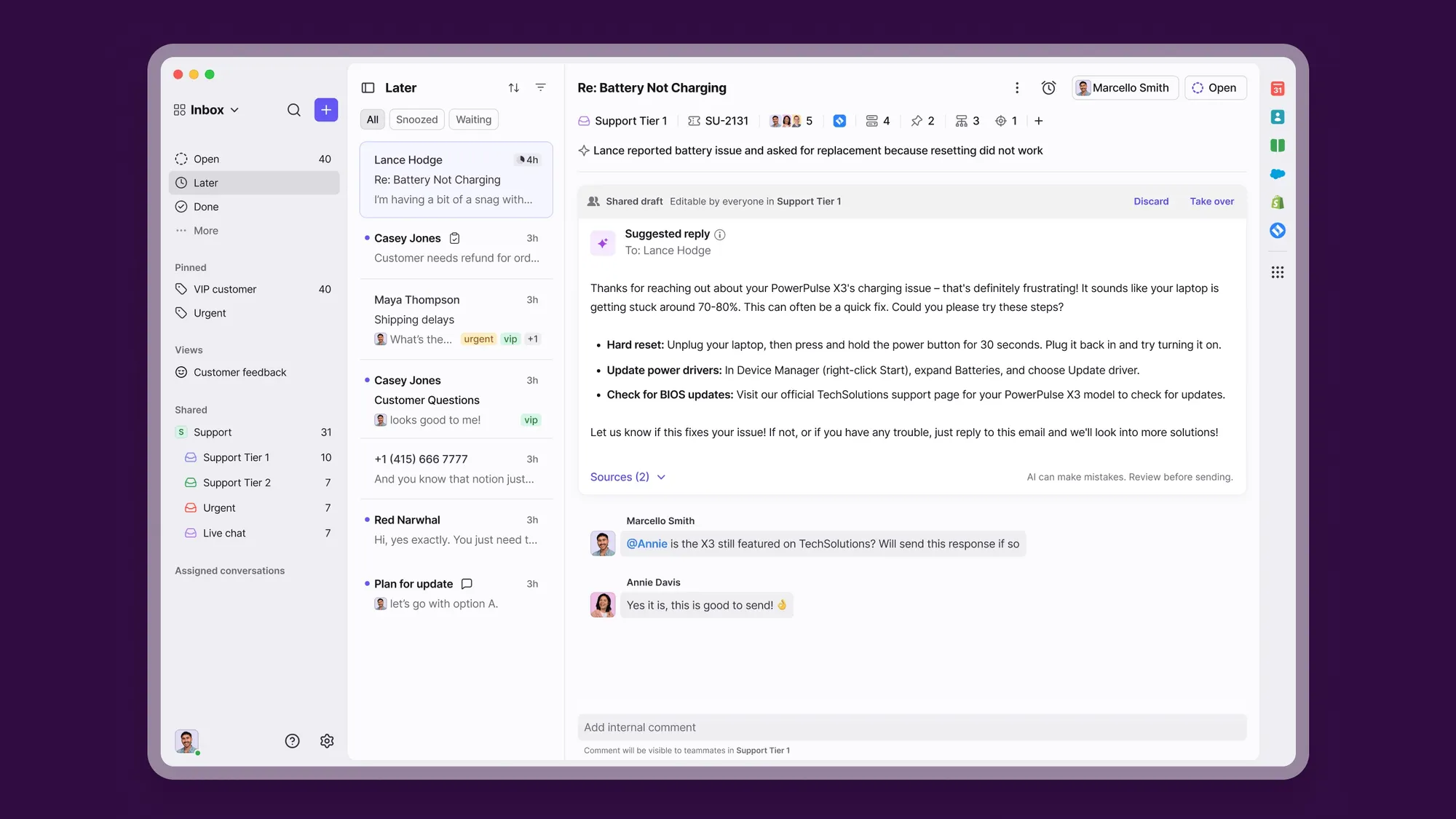
Front centers support around shared inboxes and team collaboration. It is particularly relevant when customer communication regularly involves account managers, operations, or specialists alongside the support team.
Rather than having agents forward long email chains to obtain an answer, the team can work around the conversation using assignments and internal comments. That can suit B2B relationships where the person responsible for the reply needs input from several colleagues.
Top features
- Shared inboxes, ticketing, and conversation assignments
- Internal collaboration around customer messages
- Workflow rules and macros
- Knowledge base and reporting
- Omnichannel support on Professional and Enterprise
- Autopilot and Copilot AI options
Best for: Teams that need to coordinate customer replies across departments while keeping a familiar communication workflow.
What to consider: Users on G2 praise shared inboxes, comments, assignments, and collaboration. Some report difficulty finding older conversations and friction with API-based automation. If long-running customer relationships are central to your work, test search using a real account with a substantial communication history.
Front pricing: Starts at $25/seat/month, billed annually, for Starter. Starter supports one channel type and up to 10 seats. Professional costs $65/seat/month, supports omnichannel communication, and allows up to 50 seats. Enterprise costs $105/seat/month, billed annually.
Autopilot starts at $0.39 per conversation. Copilot costs $20/seat/month as an add-on on Starter and Professional and is included in Enterprise. For a team handling both email and chat, Professional is the relevant starting comparison.
7. HubSpot Service Hub
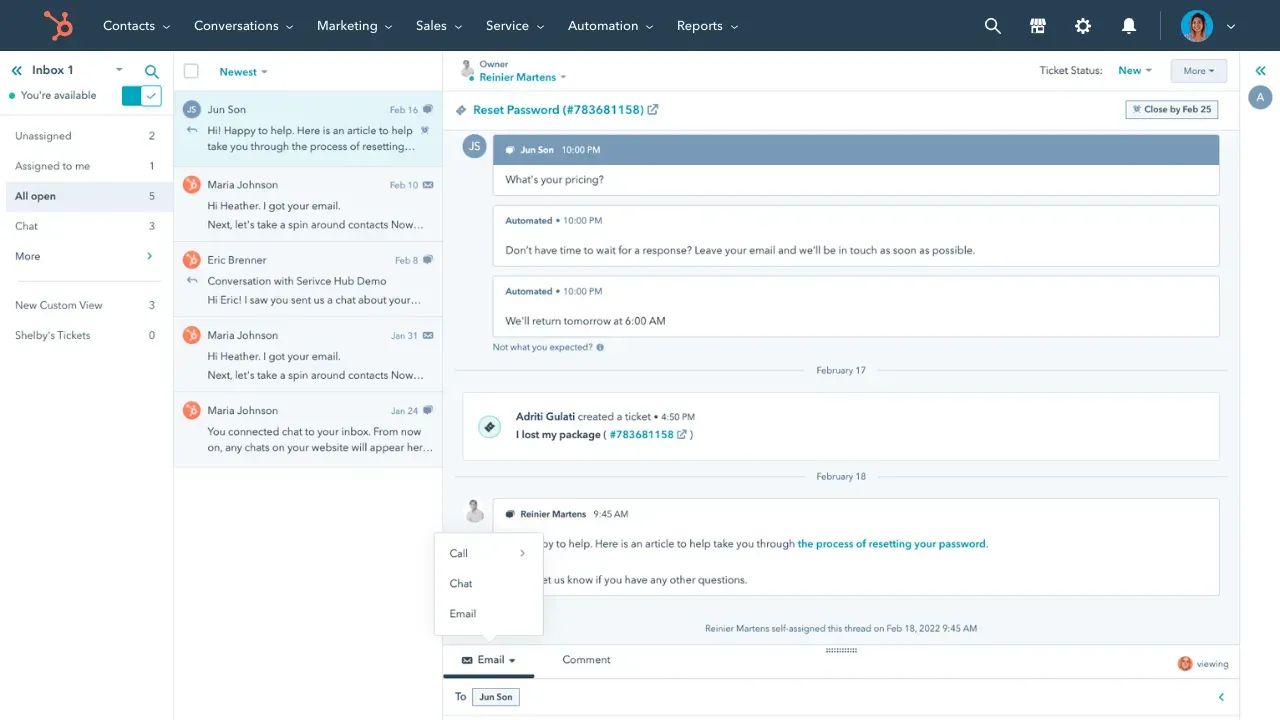
HubSpot Service Hub connects customer support with HubSpot's CRM. It makes particular sense when sales and customer success already work in HubSpot and your agents need access to the same customer records.
That shared context can help during an escalation involving a commercial relationship. A support conversation may affect a renewal, involve an account owner, or reveal an issue that customer success needs to follow up. Evaluate whether the records your team maintains are useful enough to support those decisions.
Top features
- Ticketing connected to HubSpot CRM
- Help Desk Workspace on Professional
- Customer success workspace on Professional
- Knowledge base and customer portal on Professional
- Customer feedback surveys and Customer Agent
- Conditional SLAs and skills-based routing on Enterprise
Best for: Businesses already invested in HubSpot that want service and account teams working from connected customer information.
What to consider: G2 reviewers appreciate the connected features, ease of use, and centralized ticket handling. Recurring concerns include reporting customization, workflow flexibility, and capabilities restricted to higher plans. Map the handoff between sales, support, and customer success during the trial, including who can view and update each record.
HubSpot pricing: Starter is advertised at $7/seat/month, new-customer offer, with annual billing selected. The page also displays a regular price of $20/seat/month.
Professional starts at $90/seat/month, billed annually, plus a required $1,500 onboarding fee. Enterprise is listed at $150/seat/month, plus $3,500 onboarding. Account for AI credits and the relevant seat types when comparing the full cost, rather than treating the promotional Starter price as the price of a complete B2B helpdesk.
8. Help Scout
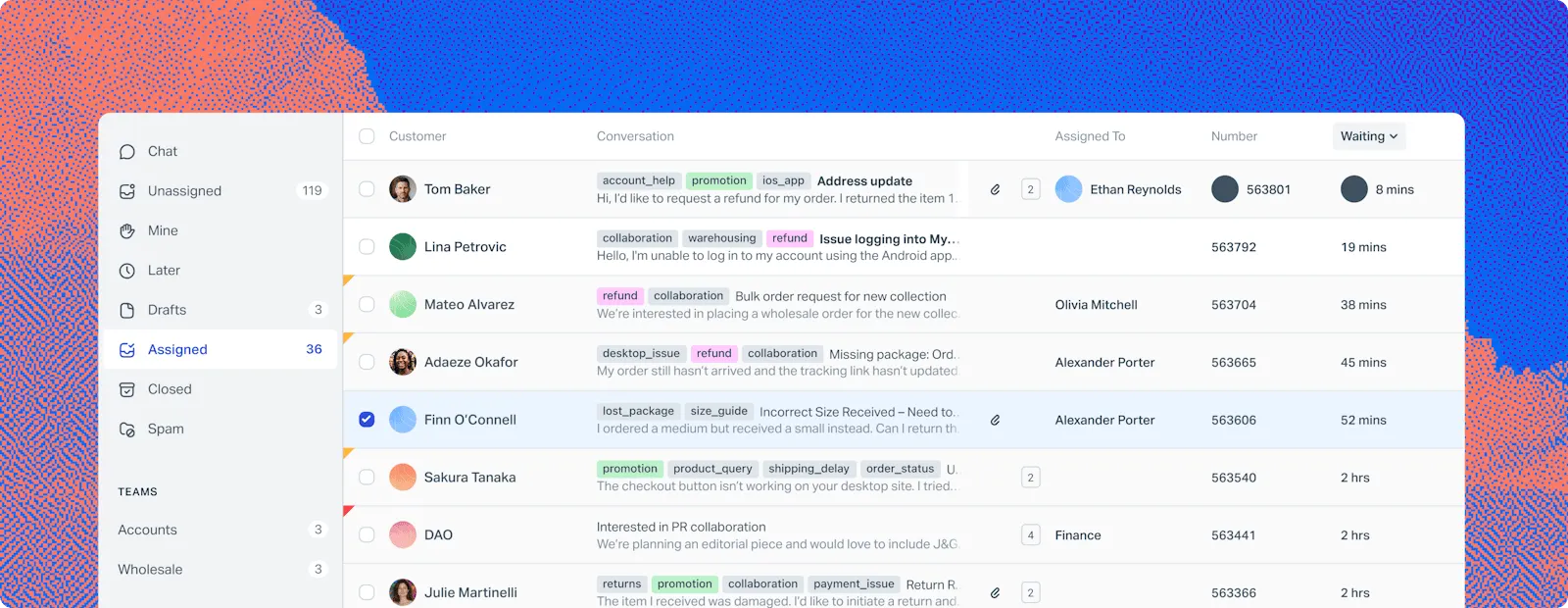
Help Scout combines a shared inbox, live chat, and a knowledge base with a relatively straightforward support experience. It is worth a look when your team wants personal customer conversations and useful collaboration without extensive day-to-day administration.
Its current plans also include capabilities relevant to B2B support. Plus adds company grouping, a secure customer portal, advanced SLAs, and integrations with tools such as Salesforce, HubSpot, and Jira.
Top features
- Shared inboxes, saved replies, and customer history
- Live chat and knowledge base tools
- One basic SLA policy on Standard
- Company grouping and a secure customer portal on Plus
- Advanced workflows and round-robin routing on Plus
- Envoy AI assistant priced per resolution
Best for: Teams that value a simple support workflow and want to preserve a personal conversation with customers as volume grows.
What to consider: G2 themes include an approachable interface, collaboration, and an easy-to-use knowledge base. Complaints focus on advanced reporting, customization, and feature restrictions. If leadership needs detailed reporting across accounts, products, or support tiers, test those questions before deciding the simpler interface covers everything you need.
Pricing: Starts at $25/user/month, billed annually, for Standard. Plus costs $45/user/month, and Pro costs $75/user/month, billed annually. Pro has a 10-user minimum.
The Free plan includes 5 users, 1 inbox, and 1 Docs site, with limits including 100 contacts per month. Envoy costs $0.75 per resolution. For company grouping and the customer portal, use Plus as the basis for your comparison.
9. Zoho Desk
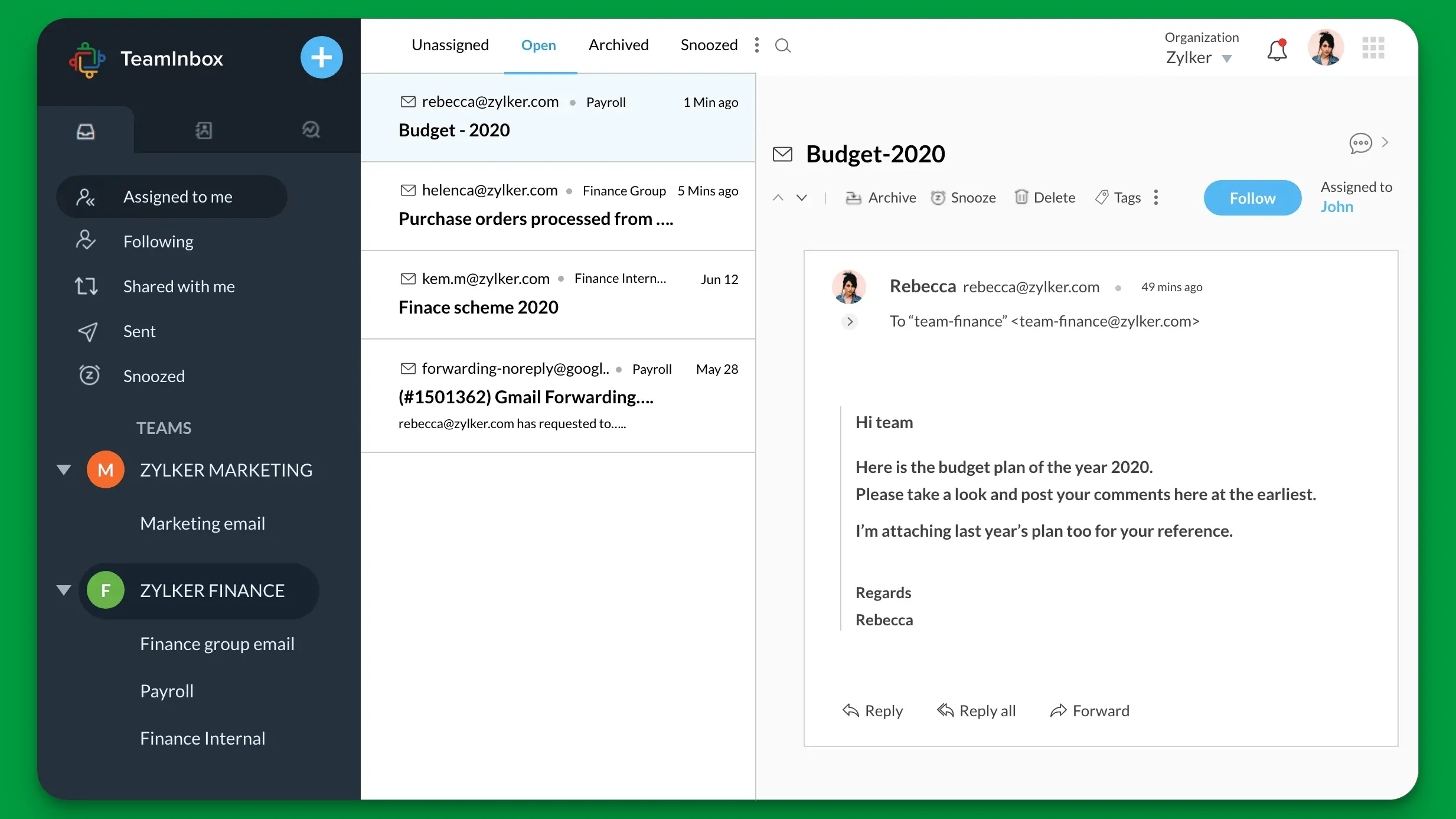
Zoho Desk provides ticketing, automation, customer records, and self-service across several pricing tiers. It is a particularly relevant option if your business already uses Zoho applications and wants support to fit into that existing environment.
For B2B teams, its account records and process controls are useful starting points. Higher plans add functionality such as multiple departments, parent-child ticketing, and more structured automation, which can help organize requests involving several internal teams.
Top features
- Email ticketing with contact and account management
- Workflow rules and multilevel escalation
- Knowledge base and customer satisfaction ratings on Standard
- Blueprints and multiple departments on Professional
- Parent-child ticketing and webhooks on Professional
- Skills-based assignment and sandbox on Enterprise
Best for: Teams building support processes around the Zoho ecosystem and those wanting a low entry price with room for more advanced workflows.
What to consider: G2 feedback often praises ticket management, integrations, and automation. Reported friction includes the learning curve, interface navigation, and configuration complexity. Try changing an existing process during the evaluation, such as adding a new escalation rule, to see how comfortably the team can maintain the setup.
Pricing: Starts at $7/user/month, billed annually, for Express. Standard costs $14/user/month, Professional costs $23/user/month, and Enterprise costs $40/user/month, billed annually.
A Free edition includes 3 user licenses. AI capabilities and allowances vary by edition and configuration, so confirm which AI agent or assistant functions are included in the plan you are evaluating.
10. TeamSupport
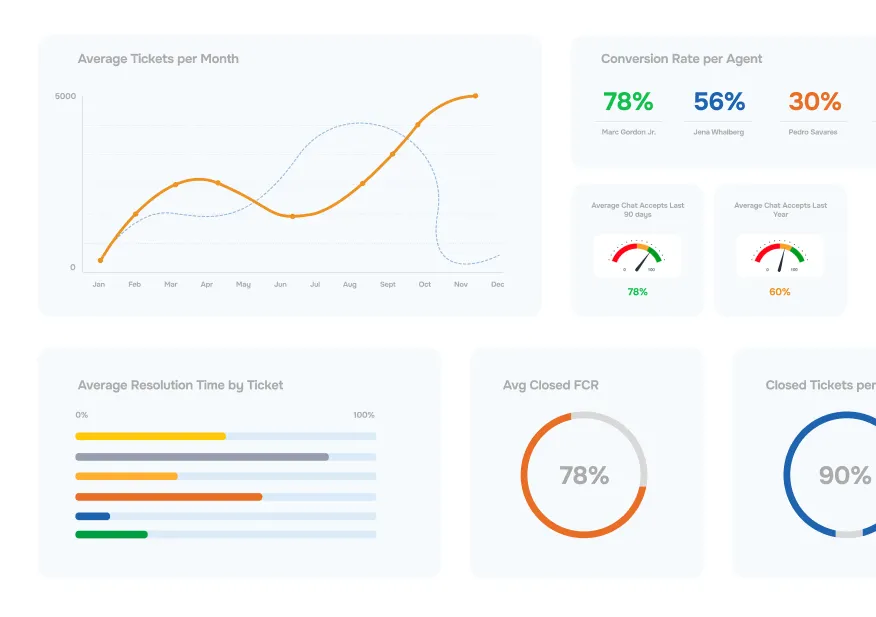
TeamSupport focuses on B2B customer operations, connecting support with account intelligence and cross-functional work. It is relevant when your team needs to understand how individual tickets relate to the customer's broader relationship with the business.
That account-level emphasis can be useful when several requests concern the same customer, product, or implementation. Support managers and customer success teams can evaluate the relationship together instead of relying on an isolated ticket count to decide what needs attention.
Top features
- Ticketing with customer and product information
- Customer intelligence and distress signals
- Customer portal for submitting and tracking requests
- Playbooks for cross-functional customer work
- Knowledge base, custom fields, and automation
- Kevin AI tools for ticket assistance and summaries
Best for: B2B teams that want support, customer success, and account-level signals to inform the same customer workflow.
During a demo, ask how an account owner identifies an emerging issue and coordinates a response. Account intelligence should help someone decide what to do next and follow through with the customer.
What to consider: G2 feedback includes praise for ticket organization, usability, and vendor support. Reported concerns include loading speed, the learning curve, integrations, and search. Validate the history lookup and reporting tasks your team performs most often.
Pricing: Starts at $45/month advertised, billed annually, for Starter, which is limited to 5 users. Professional is listed at $65/month and Scale at $85/month, billed annually. The public page does not clearly state the base-price seat unit, so confirm this before calculating your team's total.
Messaging and live chat are listed separately at $15/month/agent, and training fees are also published. Distinguish available Kevin assistance features from automatic response and routing capabilities marked as coming soon.
How to choose B2B customer support software
Start with a few real support situations your team struggles to handle today. A useful trial should show how a B2B customer support platform manages those situations across customer accounts, channels, and internal teams.
Use the same scenarios with each shortlisted tool. This makes the differences in everyday work much easier to see.
Account context and access
An account view is only useful when it contains the information agents need. Decide which customer details affect support, then check how the software makes them available and keeps them current.
- Customer identity: Connect several contacts to the right company, including customers with multiple domains or business units.
- Relevant context: Make the support tier, previous issues, account owner, and important product information available to agents.
- Access boundaries: Check who can see tickets, internal notes, attachments, and private documentation.
Use a realistic account with an administrator, an end user, and an external consultant. Each may need different visibility. Internal account context should help your team coordinate, while customer-facing permissions should reflect what each person is entitled to see.
Also check how information moves from your CRM. Decide which system owns each field and what happens when records disagree. A useful integration needs clear ownership and reliable updates.
SLAs and engineering handoffs
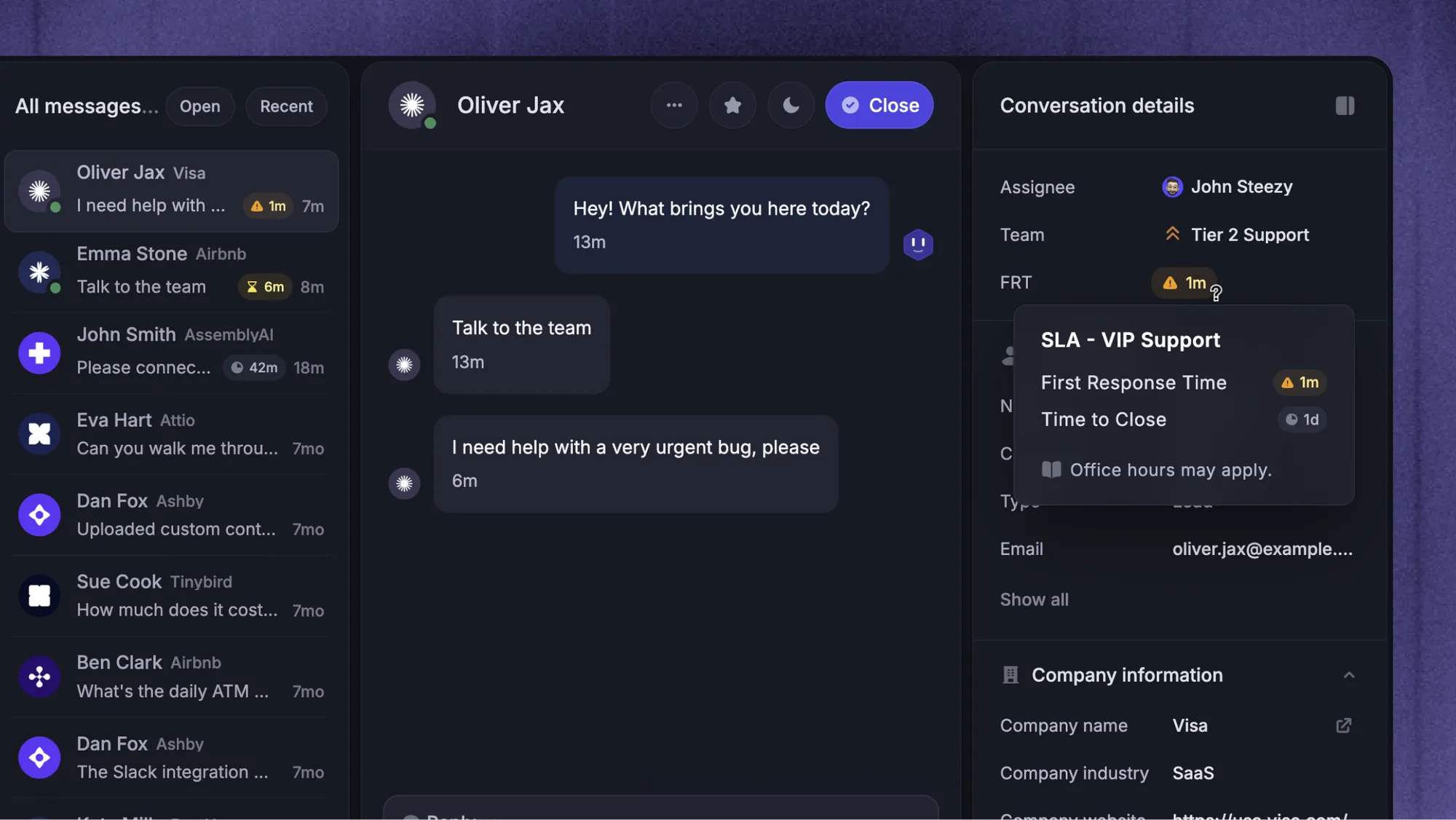
An SLA badge tells you little about whether the software can represent your actual customer commitments. Bring a real support agreement and check the relevant response targets, business hours, priority rules, and escalation behavior.
Distinguish the first reply from subsequent replies and resolution time. A fast acknowledgment does not mean the customer's issue is fixed, and a ticket waiting for engineering still needs a clear owner and customer communication plan.
For a technical escalation, test this sequence:
- A customer reports a problem that affects a business-critical workflow.
- Support gathers the reproduction details and assigns the right priority.
- Engineering receives the necessary context through the issue tracker.
- Support follows the investigation and keeps the customer informed.
- The team confirms the fix and closes the request with a useful explanation.
Look at what agents must copy manually, where status updates appear, and who remains accountable. Check whether engineers can contribute through limited-access seats or their existing tools, since requiring a full support license for every occasional collaborator changes the cost.
Customer channels and AI handoff
Choose channels around customer behavior. A software company supporting customers in shared Slack channels has different requirements from a team handling most requests through email and an in-app messenger.
For every important channel, verify that the integration supports the work itself. Receiving a notification, creating a ticket, and carrying on the customer conversation are different capabilities. Ask what happens to replies, attachments, ownership, and SLA tracking across the full exchange.
Evaluate AI customer support software using questions your team actually receives:
- A routine question: The answer should come from current, approved documentation.
- An account-specific request: The system should use authorized customer context and respect permission boundaries.
- An uncertain answer: The customer should get a clear path to a person when AI cannot resolve the issue.
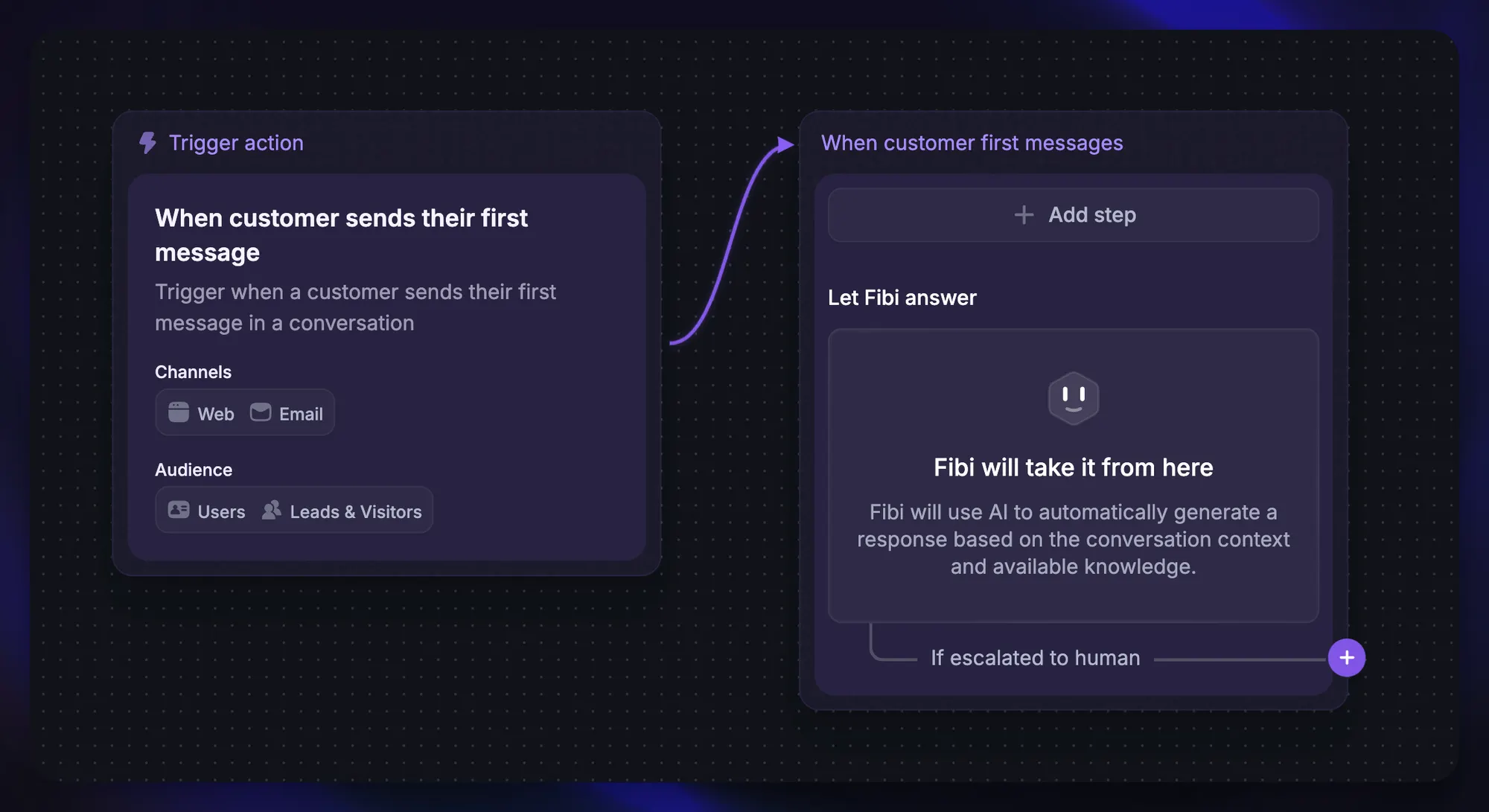
Featurebase's Fibi AI Agent, for example, can hand the conversation to a teammate who sees the existing exchange and the sources behind its replies. That preserved context is worth testing in any platform, particularly when a technical problem has already required several messages.
Assess the knowledge base alongside the AI. Your team needs a practical way to correct outdated answers and maintain content. Reliable customer support automation depends on useful source material and a support team that can improve it over time.
Total cost and trial workflow
Compare the cost of the plan you need. Entry prices are useful for orientation, but the complete budget should reflect your required capabilities and expected usage.
- Seats: Count agents, administrators, and occasional collaborators, including minimum commitments.
- Feature tiers: Include the plan needed for SLAs, account features, private documentation, and customer channels.
- Usage: Understand AI sessions, resolutions, outcomes, or credits and what triggers a charge.
- Additional costs: Include onboarding, migration, extra inboxes, messaging, and integrations where applicable.
For example, 5 Featurebase Professional seats cost $295/month with annual billing. Adding 1,000 Fibi resolutions at $0.49 each brings that example to $785/month, before any other optional charges. The calculation is more useful than comparing only the $29 Growth entry price when Slack and SLAs are required.
During the trial, have the agents who will use the platform handle representative requests. Include a reopened ticket, a second contact from the same company, and an issue that needs an engineering update. Check whether managers can review response times, SLA performance, and customer satisfaction without assembling the same report manually every week.
Finally, plan the move. Confirm how conversations, users, help articles, and attachments transfer, then assign an owner for routing rules and documentation. A clear migration plan makes it easier to judge the effort involved in changing systems.
Conclusion
The right B2B support software should fit your customer relationships, channels, and service commitments. Shortlist tools around the work your team needs to do, then compare the relevant plans and run the same real support scenarios in each.
Featurebase combines AI-powered support, a help center, feedback management, and product updates in one platform. It's a strong fit for software teams that want to automate more support while keeping customer feedback connected to their product.
It comes with a Free plan, and you can try the paid features without a credit card. Start with the workflows your team handles every day and see how they fit. 👇
Automate your support with Featurebase's AI-powered inbox
FAQs
Free support tools can cover basic needs when request volume is manageable and your team does not need complex service commitments or access controls. Check limits on users, contacts, channels, and documentation, since these vary substantially. A paid plan becomes relevant when a specific requirement, such as multiple SLA policies or company-level visibility, exceeds what the free version offers.
Measure the value of useful agent time saved against the total cost of the software, implementation, and ongoing content maintenance. Include quality measures such as reopened conversations, incorrect answers, customer satisfaction, and successful human handoffs. An apparent increase in automated resolutions is less valuable if customers return with the same unresolved problem.
Support software can track setup questions, document recurring blockers, and help support and customer success coordinate their replies. A shared history also lets a new agent understand what the customer has already tried. More involved onboarding projects may still need dedicated task planning, dependencies, or implementation tools, so check which parts of the process the support platform actually covers.
Many platforms offer natural-language search or AI answers that let customers describe a problem without knowing the exact article title. Evaluate whether answers cite relevant sources and respect access permissions for private content. Keep the underlying documentation current, since better search cannot compensate for an incorrect or missing explanation.
A customer portal can use native integrations, APIs, or middleware to exchange information with a CRM, issue tracker, or other system. Decide which records and status updates should synchronize and which information should remain internal. Test error handling and permissions so a failed update or an internal engineering note does not create confusion for the customer.


