Blog ComparisonsHappyFox vs Zendesk: Features, Pricing & Reviews (2026)
HappyFox vs Zendesk: Features, Pricing & Reviews (2026)
Choosing between HappyFox and Zendesk? One is simple and affordable, while the other is powerful but pricey. Both have clear strengths and some big trade-offs. In this post, we’ll compare them side by side and help you decide which one fits your team best.


✨ Looking for a modern & affordable alternative to HappyFox and Zendesk? Check out Featurebase →
Making a bet when it comes to real-life decisions like choosing a brand of ketchup doesn't have major consequences. Getting an off-brand Heinz imitation only costs you a few bucks and a bad sandwich. When choosing software, especially something your customers will interact with, the stakes are much higher.
Zendesk is a safe bet, a world-class help desk automation tool with thousands of happy customers. On the other hand, HappyFox is a lesser-known and (arguably) cheaper alternative that can help you resolve customer queries effectively.
Which one is the right choice for your team? Let's compare HappyFox vs Zendesk side by side. 👇
TL;DR: HappyFox vs Zendesk
- HappyFox is lighter and simpler, with fast setup, straightforward ticketing, and predictable pricing that includes unlimited agent plans.
- Zendesk is broader and more powerful. It comes with deep automation, advanced analytics, and a huge app marketplace, but at a higher cost.
- HappyFox is easier to learn, making it attractive for smaller teams that don’t want to spend weeks on onboarding or complex workflows.
- Zendesk comes with a steeper learning curve, but you're rewarded with stronger customization and scalability for large operations.
- HappyFox support is solid but limited. On the other hand, Zendesk has a richer ecosystem with community forums, training programs, and premium tiers.
- Pricing is structured differently: HappyFox offers both per-agent and unlimited options, while Zendesk charges per agent and becomes pricey as you scale.
- Bottom line: HappyFox works well for small to mid-sized teams that want simplicity, while Zendesk is more geared toward larger organizations that need enterprise-level features and integrations.
In short, Zendesk can quickly become very pricey, while HappyFox can feel outdated, limited, and behind with AI features.
If you're after a more modern alternative, check out Featurebase (👋 that's us). We're a powerful alternative to Zendesk and HappyFox - but we’ll stay unbiased in this comparison, promise.
HappyFox vs Zendesk: Core features
When you’re choosing customer service software, it’s easy to get lost in long feature lists. What matters more is how each tool helps your team handle tickets, automate routine work, and give customers consistent answers. Here’s how HappyFox and Zendesk compare on those essentials.
HappyFox
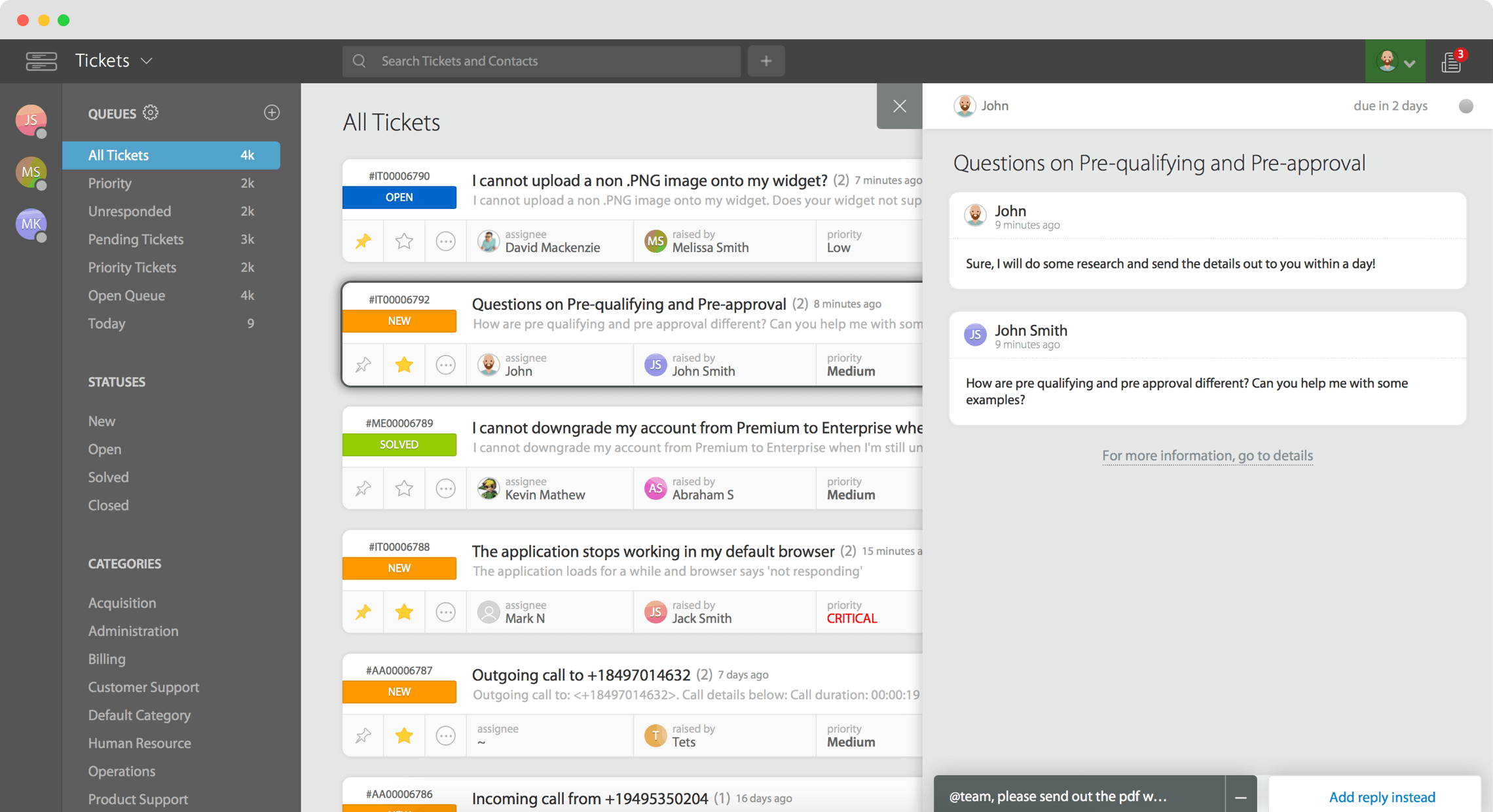
HappyFox offers a feature set focused on helping teams work efficiently, especially around tickets, workflows, and visibility. Some of its strongest capabilities:
- Ticket management & shared inbox — Converts messages from email, phone, chat, web forms into tickets; supports custom statuses, custom priorities, custom fields. HappyFox also allows bulk updates (change status, assign, close, etc.), merge, clone, and forward tickets.
- Workflows & automation — Smart rules, auto-assignment, SLA enforcement, scheduled tickets or reminders (recurring tasks), agent collision detection (so multiple agents don’t work on the same ticket).
- Omnichannel ticket creation / multi-channel support — HappyFox supports tickets from multiple sources (email, chat, web forms, phone, social media to some extent). All channels feed into unified queues.
- Reporting, dashboards & performance visibility — Customizable dashboards, role-specific metrics, real-time updates, scheduled reporting, data export; SLA performance tracking.
- Permissions, roles & customization — Ability to define roles, set up permissions, custom ticket fields, custom workflows; branding and UI elements can be adjusted.
- Self-service knowledge base & multilingual support — Knowledge base to help customers find articles; support for multiple languages; ability to maintain an internal knowledge base too.
Zendesk

On the other hand, Zendesk offers a stronger toolset, especially for teams that expect more scale, more channels, and more analytic depth. Key features include:
- Advanced automation & AI tools — More sophisticated routing based on agent skills and availability, automation rules, macros, triggers; AI-assisted suggestions or bots in higher plans.
- Strong SLA, escalation & workflow tools — More control over escalation paths, SLAs by priority or channel, business hours, escalation alerts, and more complex routing.
- Knowledge base & self-service portal — Well-built help center, knowledge base, community forums; strong search; multilingual content. Can integrate the knowledge base with other channels to surface content proactively.
- Deep reporting & analytics + dashboards — Real-time dashboards, custom reports, benchmarking, agent and ticket performance metrics, customer satisfaction tracking; large-scale usage with visibility into many dimensions.
- Customization, flexibility & integrations — Custom roles, permissions, custom fields; large marketplace of integrations with other tools; APIs; ability to tailor workflows heavily.
- Unified omnichannel support — Handles incoming support via email, chat, voice, social media, and messaging platforms. Offers a unified agent interface so you don’t have to switch systems per channel when you manage customer interactions.
In conclusion:
- If you want fewer moving parts and a faster setup, HappyFox can feel lighter and more straightforward. You get strong ticketing, decent automation, and good reporting without needing a large support team.
- For high-volume teams, many channels, or those that need more complex routing or escalation, Zendesk gives more tools. The trade-off is more configuration and potentially higher cost.
- HappyFox is solid for multilingual and multi-brand support, but Zendesk tends to provide more polish and depth in internationalization, knowledge base integrations, and AI-assisted workflows where available.
Customization and integration capabilities
HappyFox
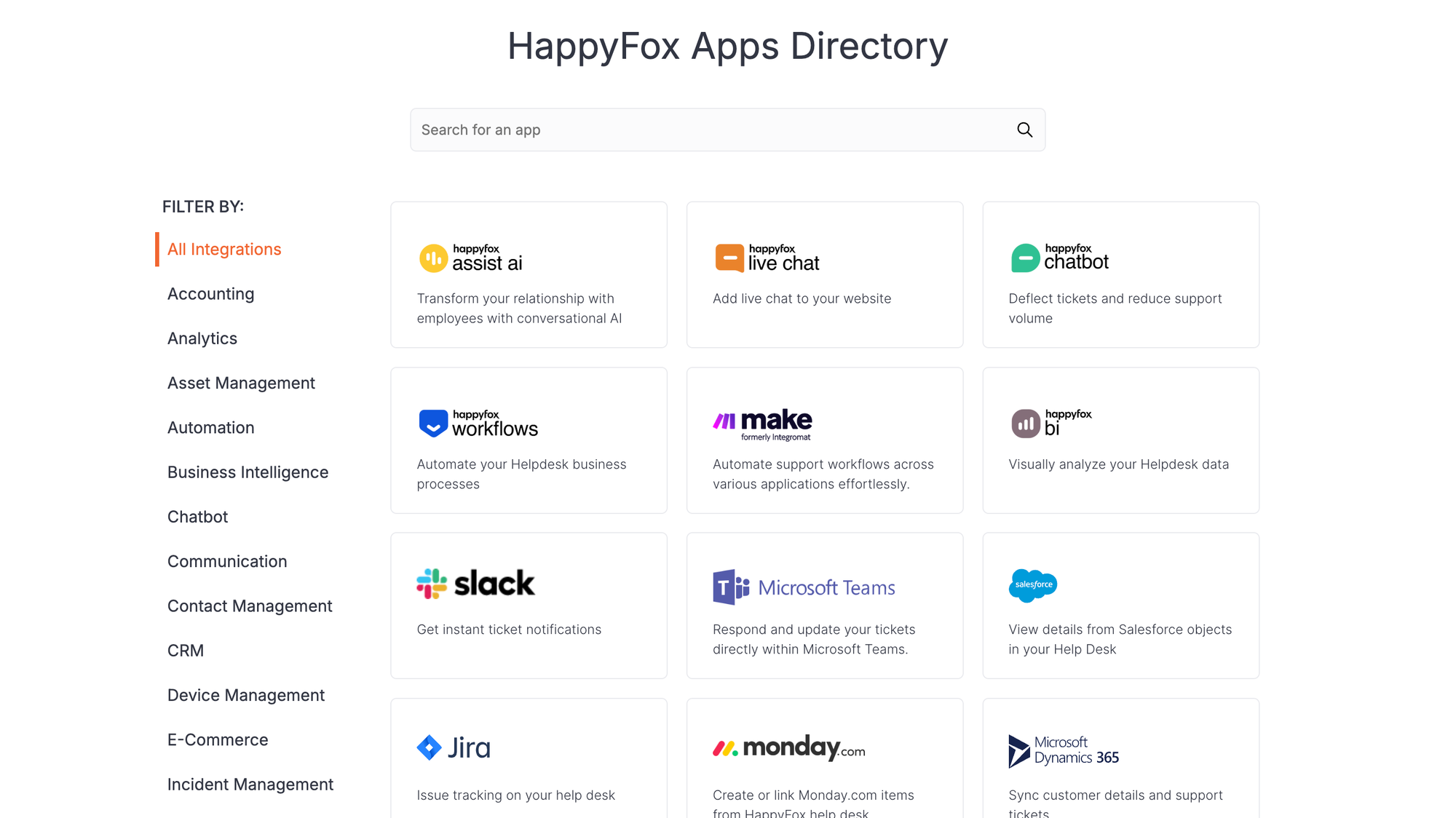
HappyFox keeps things straightforward. You can set up custom fields, adjust ticket forms, and build workflows that reflect your team’s process. Branding is simple, with options to add your logo, colors, and custom domain so the help desk feels native.
When it comes to integrations, HappyFox supports popular tools like Slack, Salesforce, and Microsoft Teams. Through Zapier, it connects with hundreds of additional apps, which is usually plenty for small and mid-sized teams.
Zendesk
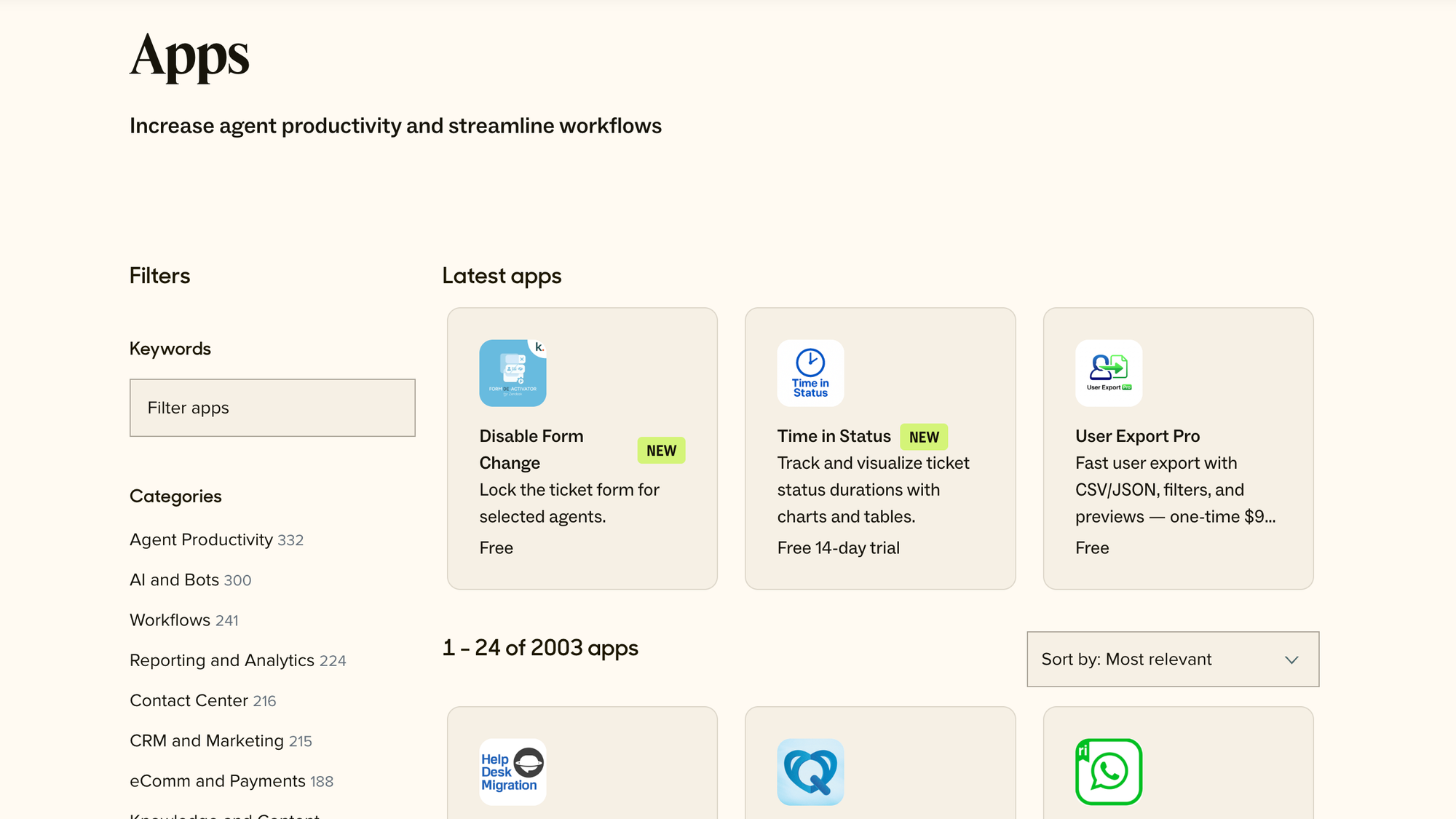
Zendesk, on the other hand, is built for heavy customization. It allows granular roles and permissions, conditional workspaces, and advanced escalation paths. This gives larger teams the control they need when handling complex operations.
Zendesk wins in terms of integrations. Their marketplace has over 1,000 apps, covering CRMs, analytics platforms, e-commerce, and more. Plus, its API and webhooks let developers build custom apps or link internal systems directly.
In short: HappyFox gives enough flexibility for smaller teams that just want to get going quickly, while Zendesk offers a much deeper toolkit if you’re ready to invest time and resources.
Ease of use and learning curve
HappyFox gets a lot of praise for its clean interface and straightforward setup. Most teams can get ticketing and workflows running quickly without needing a long onboarding period. The menus are intuitive, and smaller teams especially appreciate not having to wade through layers of settings before they can start helping customers.
Zendesk is a much more capable tool, but that comes at a cost. New users frequently mention a steeper learning curve, especially when it comes to customizing workflows, roles, and integrations. While the agent workspace is polished, admins may need to spend more time configuring everything to match their processes.
Support and available resources
HappyFox gives customers a good baseline of help options. You’ll find a knowledge base with step-by-step articles, email support, and live chat on higher plans. Their documentation is clear, but the community presence is smaller, so most of your help comes directly from HappyFox’s own team. Training resources exist, but they’re not as extensive as what you’d see from larger vendors.
Zendesk offers a much bigger ecosystem. Beyond direct support, there’s an active community forum, detailed documentation, and webinars. Larger customers can access dedicated account managers and premium support tiers with faster response times. Zendesk University adds structured learning paths, making it easier to train new agents at scale.
Bottom line: HappyFox covers the basics well, but Zendesk gives you a far richer set of resources and learning programs, which can matter a lot for bigger teams or complex setups.
Pricing plans and value for money
The two tools have completely different approaches to pricing plans.
HappyFox pricing
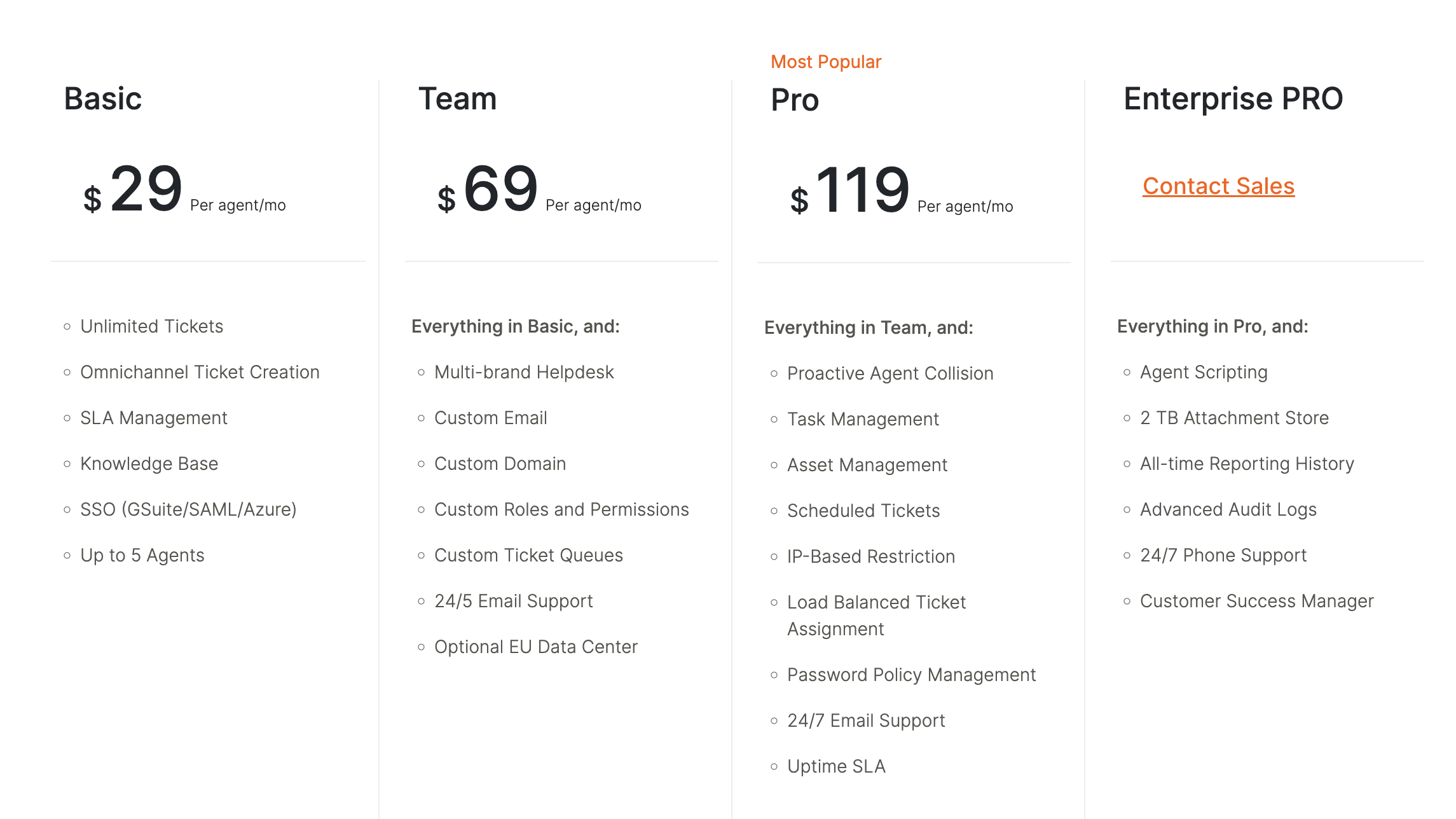
HappyFox has two types of pricing tiers. You can get the agent based pricing or the unlimited plan, depending on the size of your support team and your budget. There is no free trial or plan, and you cannot test HappyFox before committing. The only thing you can really do is attend a demo.
You can purchase all plans annually or for two years up front, which significantly reduces the price per agent per month.
The agent based pricing starts at $29 per agent per month for the Basic plan, when paid monthly. This plan gets you:
- Unlimited Tickets
- Omnichannel Ticket Creation
- SLA Management
- Knowledge Base
- SSO (GSuite/SAML/Azure)
You can purchase the Basic plan for up to five agents.
The Team plan is $69 per agent per month, and it comes with everything from Basic, plus:
- Multi-brand Helpdesk
- Custom Email
- Custom Domain
- Custom Roles and Permissions
- Custom Ticket Queues
- 24/5 Email Support
- Optional EU Data Center
The Pro plan is $119/agent/month and it includes everything from Team, along with:
- Proactive Agent Collision
- Task Management
- Asset Management
- Scheduled Tickets
- IP-Based Restriction
- Load Balanced Ticket Assignment
- Password Policy Management
- 24/7 Email Support
- Uptime SLA
The last plan is Enterprise Pro, with features such as agent scripting, increased storage, advanced audit logs and others. The pricing is not available publicly.
If you want to purchase HappyFox with unlimited agents, you can only do so for a year or two up front, as there are no monthly plans.
The Growth plan is $1,999 per month for unlimited agents, when paying annually, or $1,599/agent/month if paying for two years. Besides unlimited agents, you also get 20,000 tickets per year and 20 custom fields.
The other two plans are:
- Scale ($3,999/$3,199 per month) for 150,000 tickets
- Scale Plus ($5,999/$4,799 per month) for 300,000 tickets
- Ultimate (undisclosed pricing) for up to a million tickets
Zendesk pricing
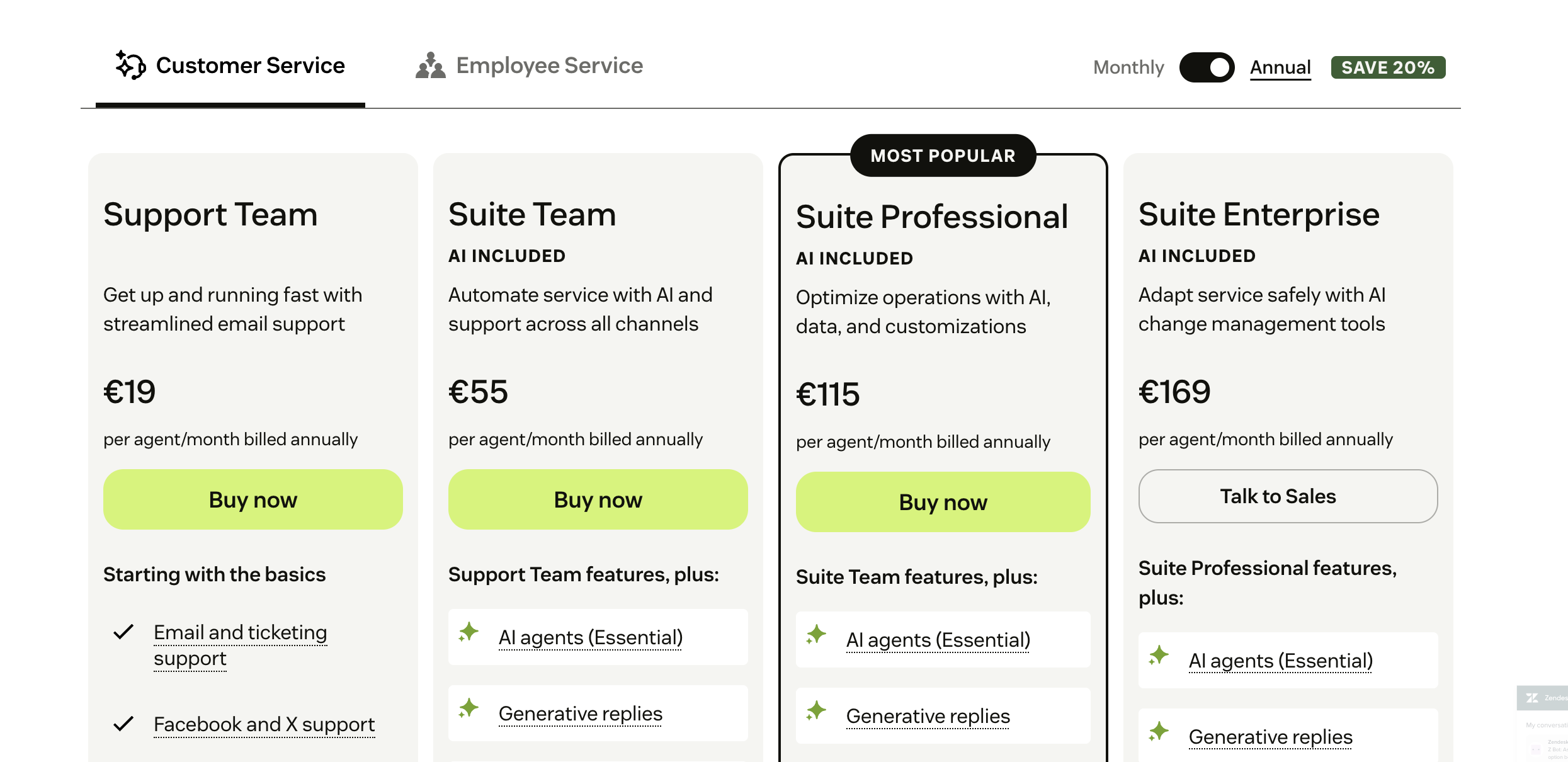
Zendesk's pricing sticks to a per-agent model, with plans that scale in both cost and feature depth. There is no unlimited agent option, and every plan increases linearly as you add people to your team. A free trial is available, but there’s no permanent free plan.
The most affordable entry point is the Support Team plan at $19 per agent per month when billed annually, or $25 if paid monthly. This plan includes:
- Email, X/Twitter, and Facebook ticketing
- Basic help center
- Business rules (triggers and automations)
- Pre-defined reports and dashboards
The Support Professional plan costs $55 per agent per month (annual billing) and adds:
- SLA management
- Multilingual support
- CSAT surveys
- Advanced reporting and dashboards
The Support Enterprise plan is $115 per agent per month, with features such as:
- Skills-based routing
- Custom team roles and permissions
- Sandbox for testing workflows
- Advanced data privacy and security controls
Zendesk also offers the Zendesk Suite, which bundles ticketing with live chat, voice, messaging, and help center features. Pricing starts at $55 per agent per month for Suite Team, with higher tiers (Growth, Professional, Enterprise) ranging up to $169 per agent per month. Enterprise Plus is available with custom pricing.
Value for money
HappyFox gives you the option to go with per-agent pricing or unlimited agent plans, which can be cost-effective for larger teams that don’t need enterprise-grade features. However, it doesn't have a free trial, which makes it harder to test before committing.
On the other hand, Zendesk offers a free trial and a lower entry price per agent. However, the cost climbs steeply as you scale and unlock advanced features. For small teams, Zendesk can feel affordable at first, yet once you need SLAs, advanced automation, or multi-channel support, the monthly bill rises quickly.
In short, HappyFox can deliver better value for mid-sized teams that want predictable spend, while Zendesk is often more expensive but justifies the price with deeper features and a stronger ecosystem.
✨ Looking for a more affordable and modern alternative? Check out Featurebase →
What user reviews are saying
HappyFox
HappyFox reviews are mostly favorable, but this doesn't mean that there are no complaints. For example, users find that dashboards and reports are fairly confusing.
- "SLA's need some work as they don't function as they should. Reporting could do with enhancing on the scheduling side of things, as I would like to see the same functionality that is available manually in the scheduled reports." (G2 review)
- "Would like better reporting features and the ability to assign tickets to multiple users at a time, not individually. With HelpDesk pilot I was able to search for admin staff and then filter by open, closed, on hold, etc." (G2 review)
To add to this, there are customization issues as well:
- "Not as personalizable as i would like. I'd like to personalize the whole of it." (G2 review)
- "The chat in the front is not customizable." (G2 review)
In general, most of the complaints about HappyFox are regarding UX and user interface issues.
Zendesk
We've shared feedback from Zendesk users across multiple points on the Featurebase blog, so we'll spare you the details. The main things you should know about Zendesk are:
- Getting started can be really difficult, and the initial setup process is one of the most common complaints about Zendesk
- Zendesk's strongest benefit is also its biggest weakness: customization is excellent but it too takes time and effort to properly set up
- Pricing is okay if you have a small customer support team. As your team grows (and you need more features for your customer service operations), Zendesk can get pricey
Which one is the right customer service platform for you?
If you’re looking for easy ticket management, simple automation, and predictable pricing, HappyFox is often the easier option. This help desk software is quick to set up, doesn’t overwhelm new agents, and offers unlimited agent plans that can make sense for growing teams on a tighter budget.
Zendesk is different. It’s the platform you choose if you expect to scale and need advanced features along the way. With its deep automation, extensive app marketplace, and global infrastructure, Zendesk is built for teams that want to deliver support across every channel and track performance with detailed analytics. The trade-off is higher cost and a steeper learning curve, but those investments pay off if your needs are complex and you need excellent customer service responsiveness.
HappyFox is an excellent choice for:
- Small to mid-sized teams that want a clean, easy-to-use system for customer support tasks
- Companies that value predictable pricing with unlimited agent options
- Teams that don’t need enterprise-level features but want solid ticketing and workflows for customer requests
Zendesk is an excellent choice for:
- Larger teams expecting to scale across multiple channels, looking for enhanced support services
- Businesses that need advanced automation, reporting, and integrations
- Organizations that can invest time and budget (for the initial setup) into a more complex but powerful platform
Or if you want a more modern alternative that doesn't compromise on usability and has an affordable pricing... 👇
Try Featurebase, the modern alternative to Zendesk and HappyFox! ✨
If HappyFox is too old and basic, but Zendesk is too expensive, consider Featurebase, a modern support platform that blends the best of both worlds.
It’s loved by thousands of fast-growing support teams from companies like Lovabale, n8n, and Instantly.
With pricing starting from just $29 per user per month (+ $0.29 for every AI resolution), it costs a fraction of Zendesk, HappyFox, and most other support platforms.
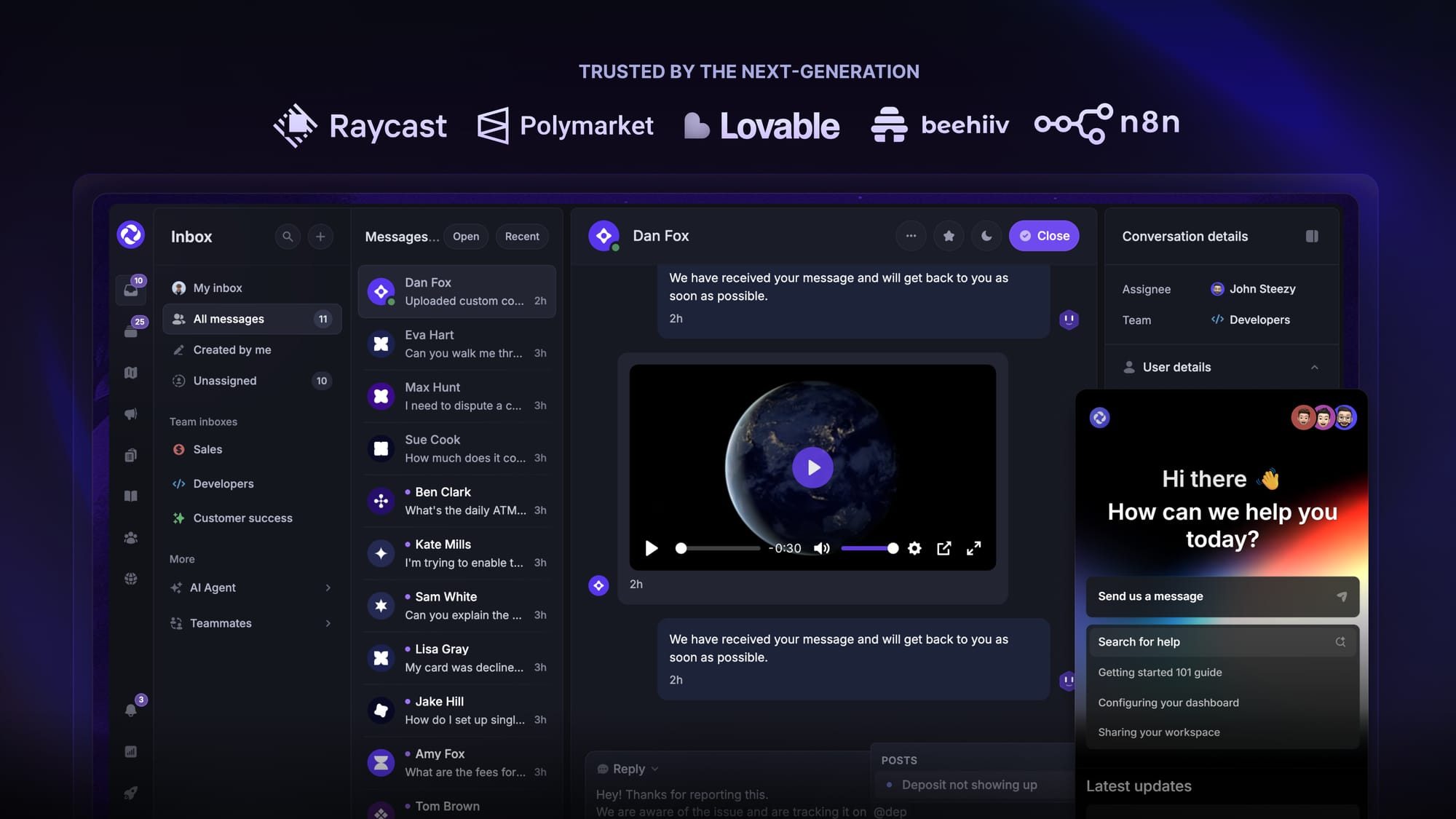
Some of the many Featurebase features include:
- Unified inbox – manage your live chat & email conversations in one place with your whole team
- AI agent & automations – fully automate your support with AI and endless custom workflows, like extending trials, offering discounts, qualifying leads, etc.
- Messenger widget – provide AI and human support from anywhere with a customizable in-app widget
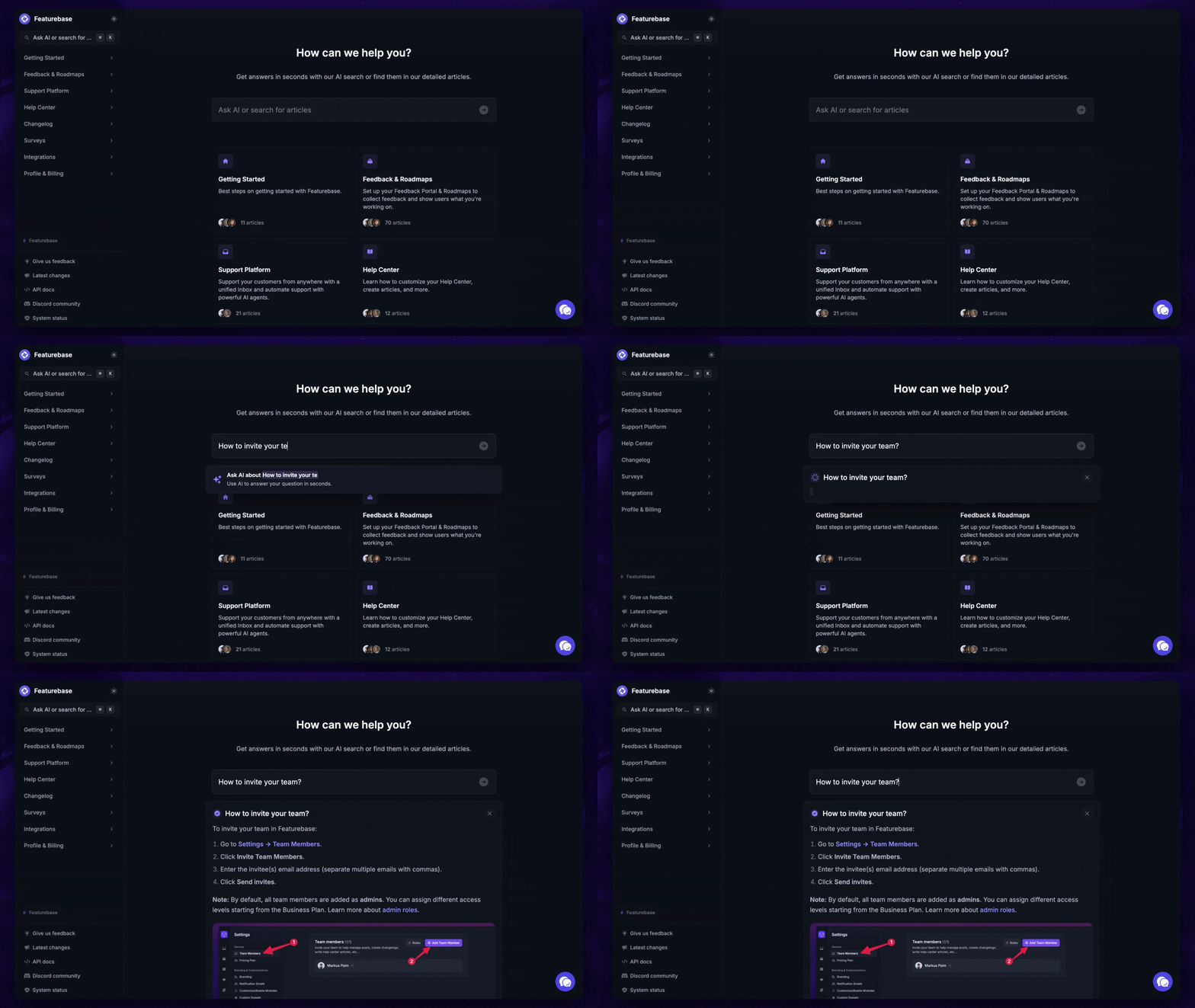
- Help Center – a branded knowledge base with instant AI answers
- Email support – seamlessly provide support to your customers via email sync
- Native ticketing – centralize & keep track of all customer requests in one place
- Multi-language & custom domain support – serve content in 40+ languages with your domain and branding
- Mobile app – respond to customers, receive notifications, and unblock users on the go
- Integrations – Slack, Linear, Jira, Discord, Hubspot, and many more
- Plus, feedback collection, product roadmaps, release notes, and customer surveys – all in one place
Long story short, Featurebase gives you all the powerful support capabilities of Zendesk and HappyFox, but without the super expensive pricing. Don't just take our word for it. You can try Featurebase completely free and see for yourself.
The onboarding is quick and doesn't require a credit card. Plus, you can automatically import your Zendesk knowledge base - so there’s zero risk involved. 👇
✨ Automate your support with the fastest AI-enhanced Inbox today →
More comparisons: