Blog Customer FeedbackQualitative vs Quantitative Feedback: Which Should You Collect?
Qualitative vs Quantitative Feedback: Which Should You Collect?
Which is better for your business, qualitative or quantitative feedback? The only good answer is: both. We explain why.


Collecting feedback is like exercising: we all know it’s beneficial for us and that we should do it. But how do you even get started? And what’s the best way to go about it? In the case of feedback, there is a fork in the road: qualitative or quantitative feedback?
Today, we break down the differences and similarities and help you decide which type of customer feedback is the best for your business. 🤔
Key takeaways:
- Qualitative feedback is the descriptive, storytelling side. It tells you why customers feel the way they do, in their own words, through interviews, open-ended surveys, focus groups, and reviews.
- Quantitative feedback is the numbers side. It tells you what is happening at scale, through NPS, CSAT, CES, polls, in-app surveys, and product analytics.
- Use both: quantitative shows you where to look, qualitative shows you why it matters. The strongest feedback strategies pair the two and let one inform the other.
- The best place to start: pick the single decision you need to make, then choose the feedback type that answers it fastest. Layer the other type in to add context or scale.
- Featurebase✨ gives you both in one place - a public feedback portal, in-app widgets, surveys, and AI-powered analysis - so you can collect, sort, and act on every type of feedback without juggling tools.
Quick comparison: Qualitative vs quantitative feedback
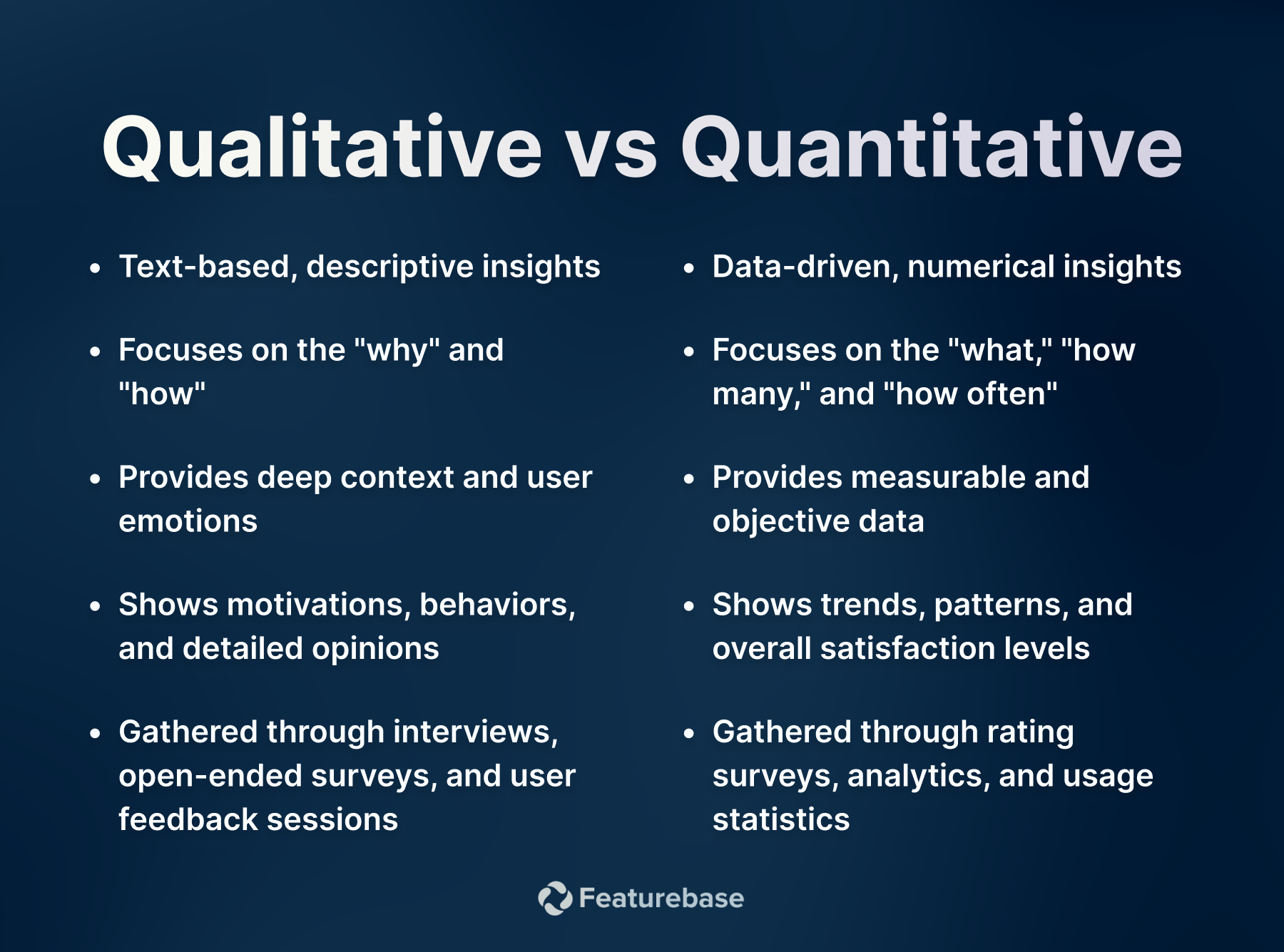
A side-by-side look at how the two feedback types differ in practice. Use this as a quick reference, then read the rest of the guide for context on each row.
| Aspect | Qualitative feedback | Quantitative feedback |
|---|---|---|
| What it answers | Why and how | What and how much |
| Data type | Words, observations, emotions | Numbers, scores, percentages |
| Common methods | Customer interviews, open-ended surveys, focus groups, reviews | NPS, CSAT, CES, polls, feedback portals, analytics |
| Sample size | Small (depth over breadth) | Large (breadth over depth) |
| Best for | Discovering unknowns, exploring motivations, generating hypotheses | Tracking trends, measuring change, validating hypotheses |
| Time to collect | Hours to weeks per session | Minutes to hours per response |
| Effort to analyze | High (themes, coding, interpretation) | Low (averages, percentages, trend lines) |
✨ Start collecting customer feedback with Featurebase for free →
Now, let's take a deeper look into both, which one you should collect, and how to do it. 👇
What is qualitative feedback?
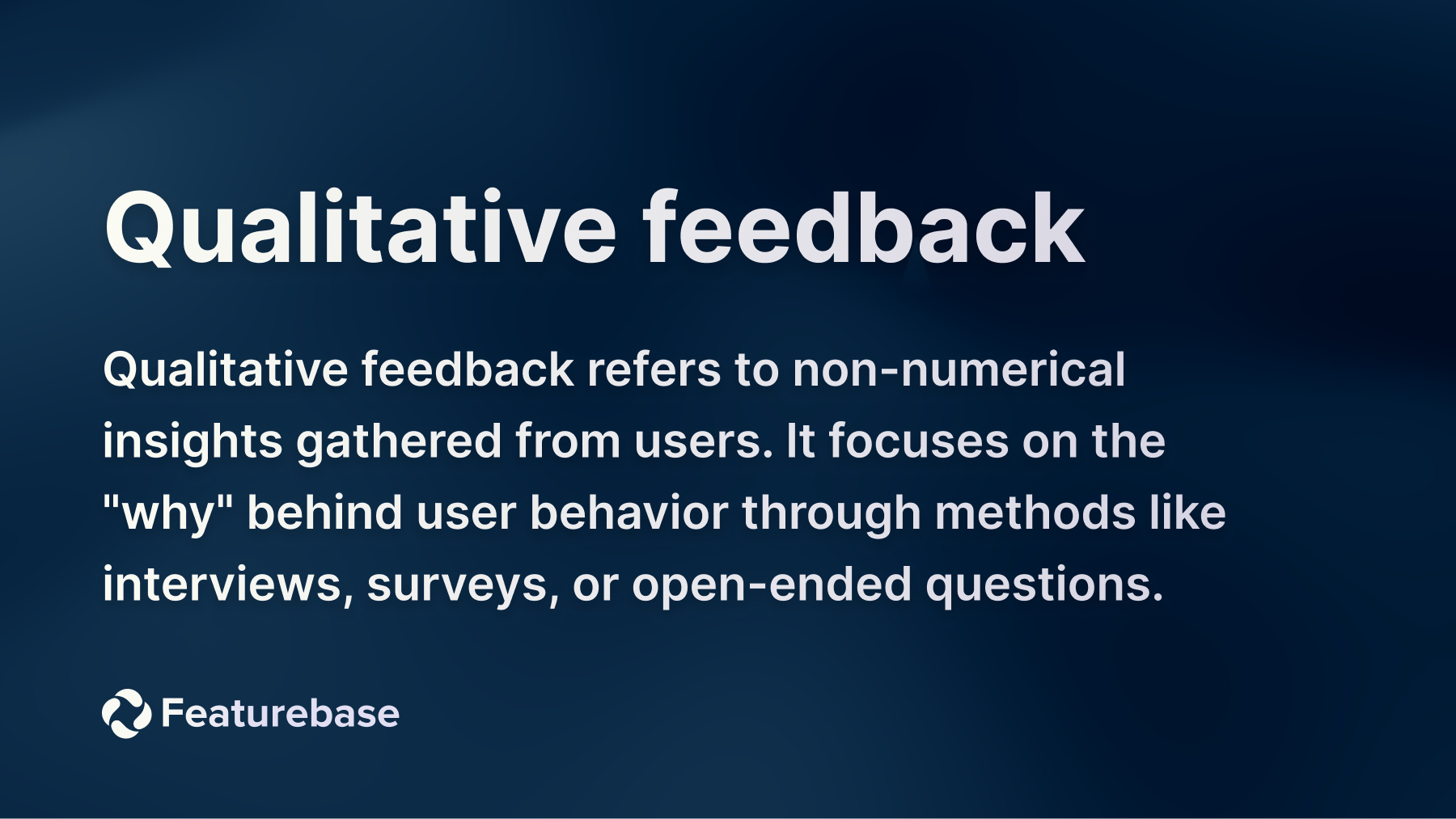
Qualitative feedback is descriptive feedback containing your customers’ subjective thoughts and feelings about your products, services, and overall business. Qualitative feedback, such as customer interviews, shows you how customers feel about your business at length.
For example, you may have a 1:1 conversation with a customer to reveal their experience with your customer service.
Pros: provides broader, richer insights compared to quantitative feedback, personalized and flexible, encourages reflection and critical thinking
Cons: more difficult to measure and compare; requires extensive time and money to collect, analyze, and extract the most useful feedback
What is quantitative feedback?
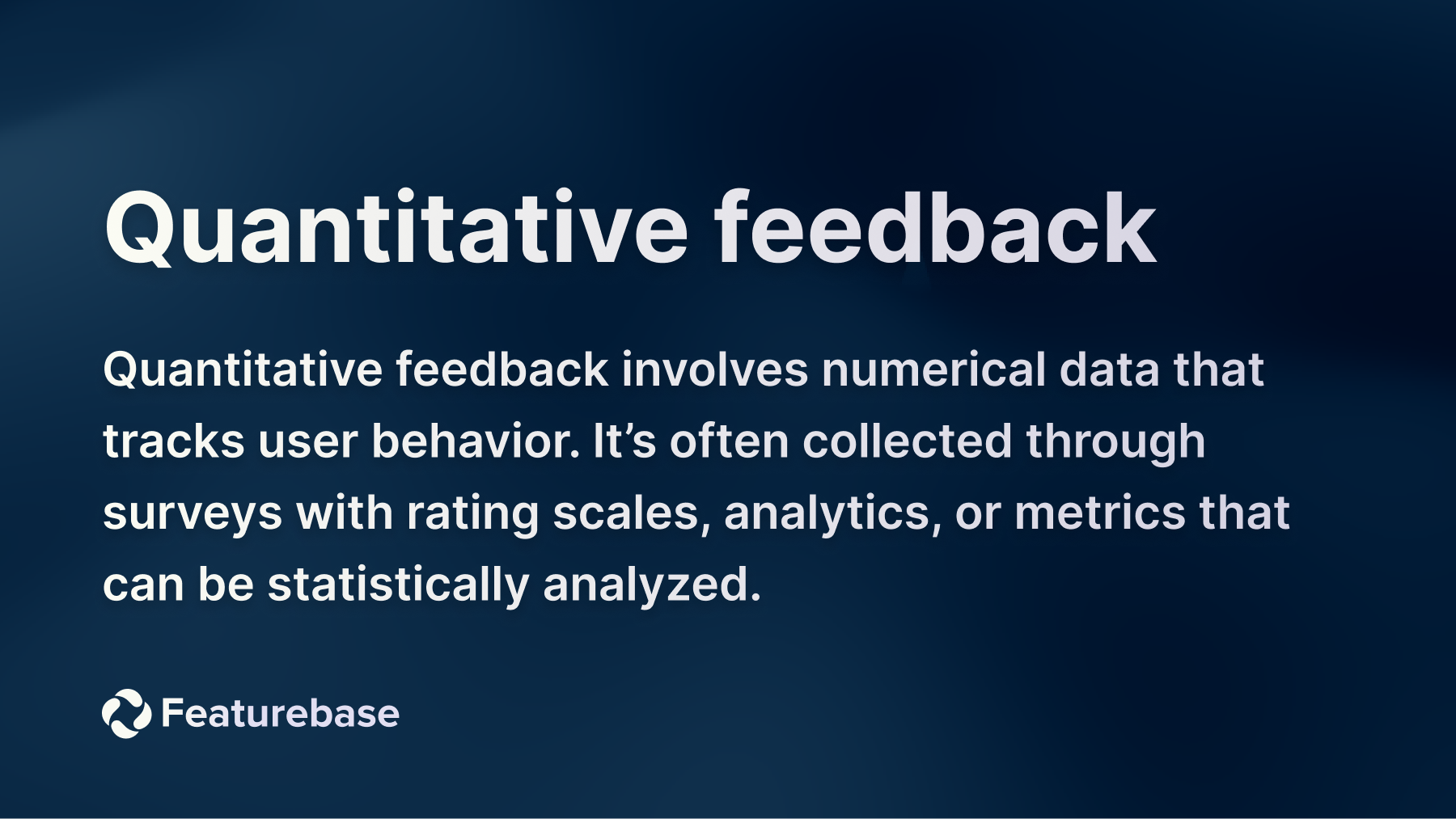
Quantitative feedback is the kind of feedback you can measure. For example, an NPS or CSAT survey score on a scale from 1 to 10. The aim of quantitative feedback is to get quick insights and make key decisions based on those insights.
For example, you launch a new feature in your product and run a CES (customer effort score) survey to determine how easy or difficult it is to use. If the CES score is too high, you need to make radical changes to the user and customer experience.
Pros: quicker and easier to collect; gives instant valuable insights, more objective and precise, easy to scale
Cons: does not have the depth of qualitative feedback, there is a lack of context, can lead to misinterpretation
How to collect qualitative feedback
If you prefer getting descriptive, actionable product insights from your customers, you’ll want to collect qualitative feedback. While getting started with these qualitative insights can feel overwhelming, there are many methods and formats to choose from. Even if you’re a complete beginner, there are qualitative methods that can work for you.
1. Customer interviews
This is by far the best method to collect qualitative feedback from real people. One-on-one (or one-to-many) user interviews allow you to ask your customers as many main and follow-up feedback questions as you want. They are very time-consuming but provide the most detailed and insightful feedback when done right.
User interviews can be:
- Structured (with strict sets of questions)
- Semi-structured (with some questions, but allow for flexibility)
- Unstructured (free form with open-ended responses, allowing you to come up with questions on the spot)
Since they can take quite a bit of time, make sure to reserve interviews for only the most valuable customers or the target audience with the most interesting comments and feedback.
While they can yield the most in-depth feedback and stories of personal experience, there are a few things you should be aware of. Qualitative analysis can be lengthy and complex, and you may need to offer something to the customer in exchange for their time.
P.S. Kill two birds with one stone and use these interviews to build testimonials.
2. Focus groups
A focus group is a set of your most valuable customers by some criterion. For example, the highest account value, the longest time being a customer, or similar. By putting them in one place (physically or virtually), you can get a deeper understanding of how customers perceive your product/service/features, etc.
In sessions led by a moderator, focus group participants can share their nuanced insights about pricing, features, competitor analysis, positioning and more. Once again, this feedback collection strategy demands plenty of time, so carefully consider your desired goals and outcomes.
P.S. You can also look into customer advisory boards
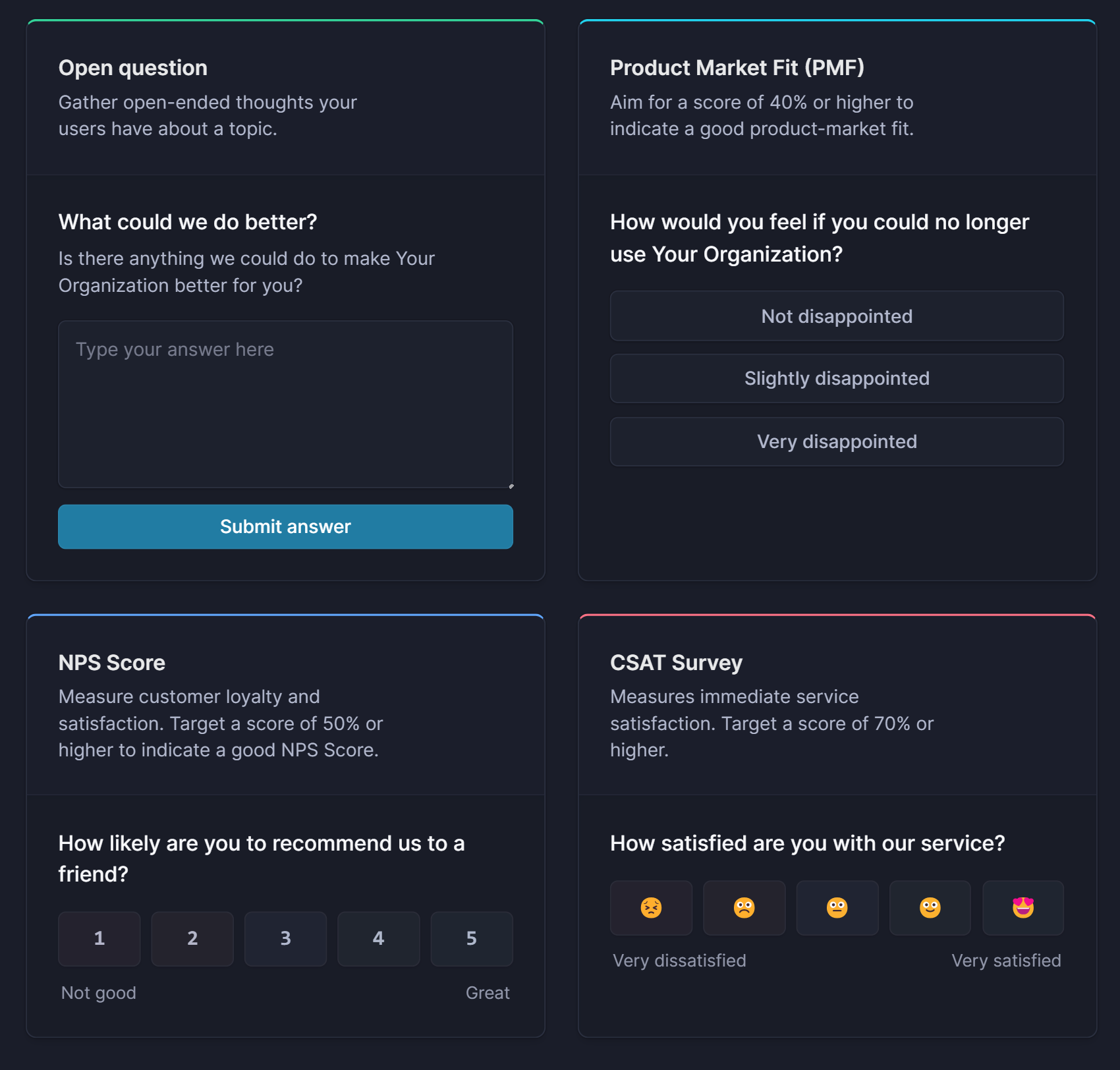
3. Open-ended survey questions
Modern survey tools come in many formats that you can try out. Besides the most common ones (CSAT, NPS, CES, etc.), you can also run open-ended surveys. Simply ask a number of questions and give your customers the space to share their subjective insights.
Compared to other qualitative feedback methods, these surveys can be pretty easy to administer to a large audience during different customer interactions. On the other hand, feedback analysis takes considerably more time compared to standard survey types.
✨ Start running surveys & collecting feedback with Featurebase for free →
4. Feedback forms
Feedback platforms such as Featurebase allow you to add feedback forms directly on your website or in your app to get qualitative responses. You can ask open-ended questions about your product, which is where in-app feedback forms really shine.
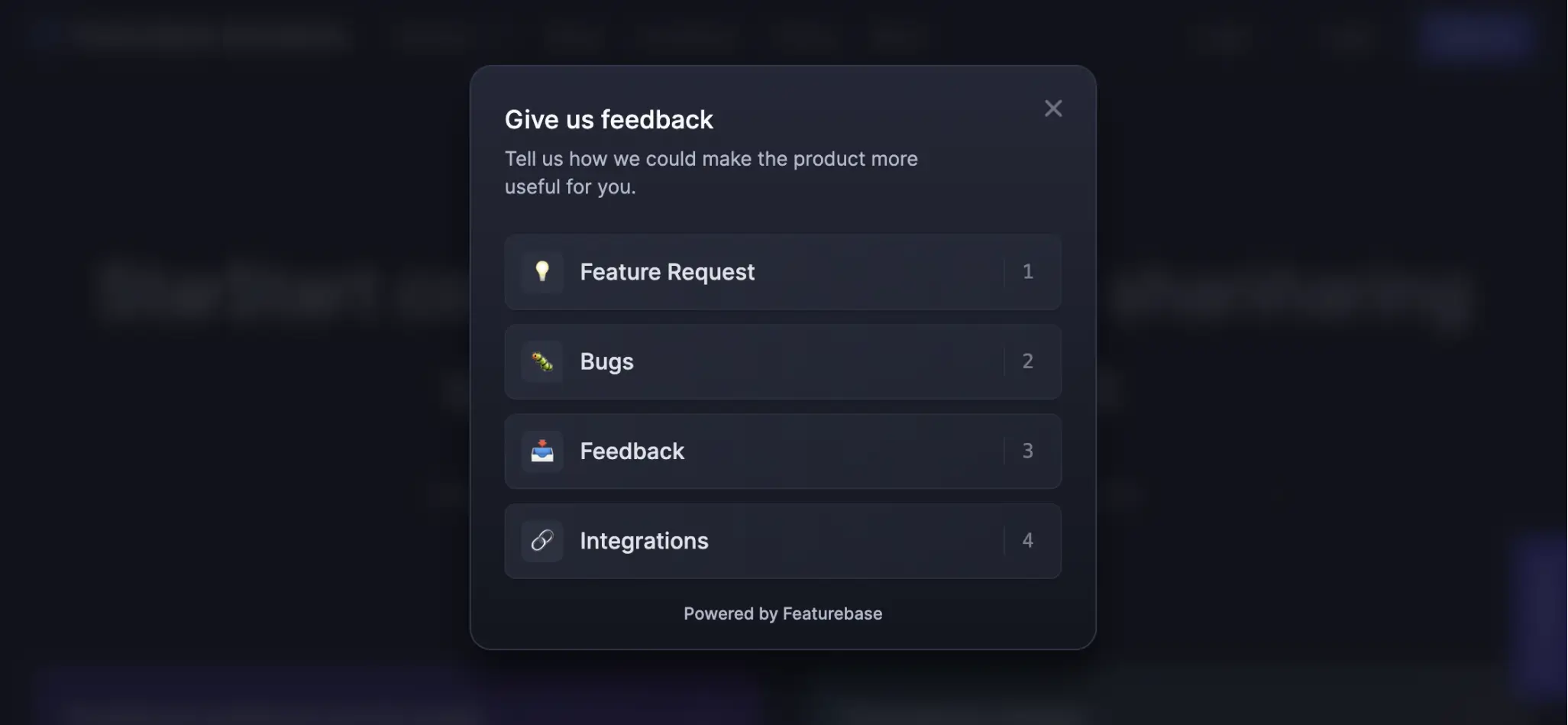
They are versatile and can be used in a number of applications. And with a tool like Featurebase, you can use AI to sort feedback into topics. This can save considerable time with qualitative feedback analysis and management.
5. Online reviews and social media
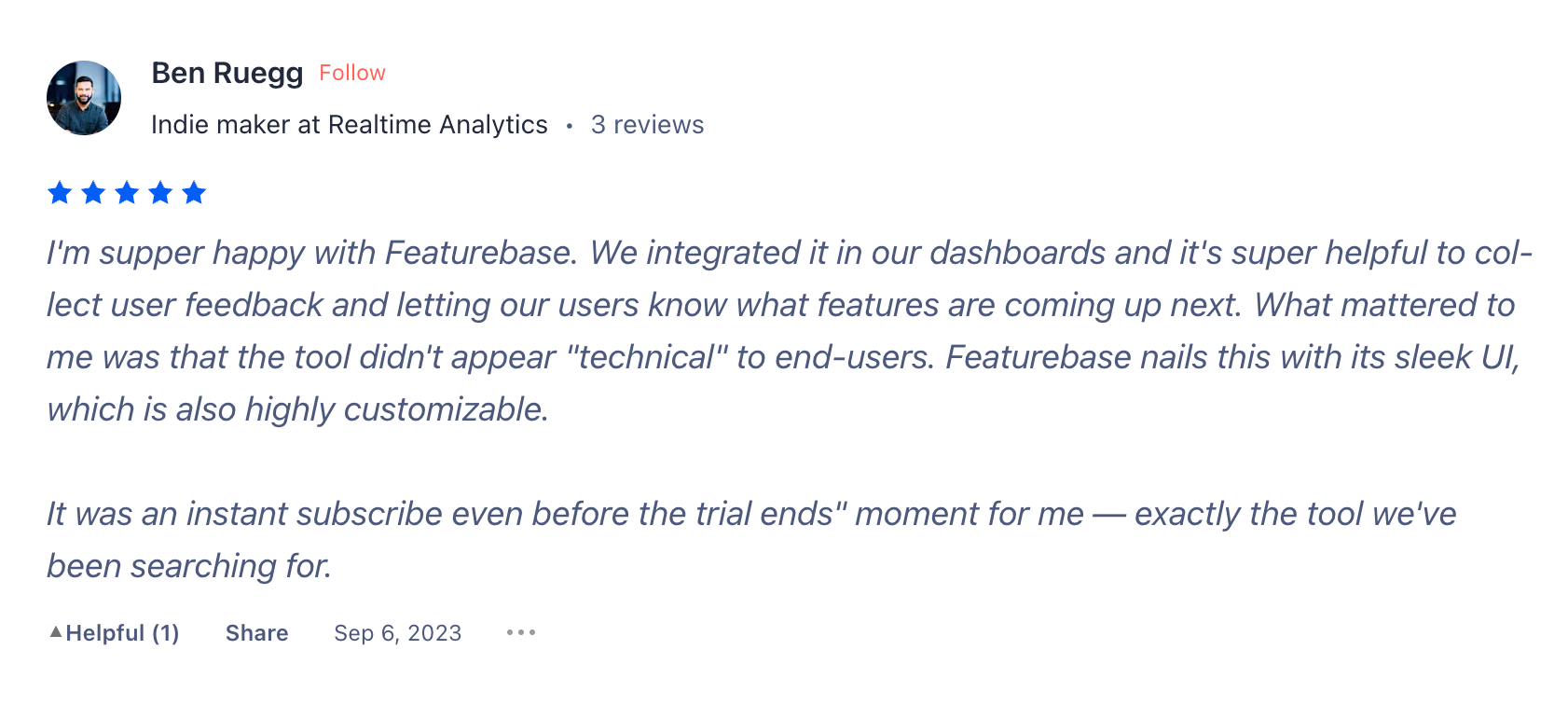
People will share their thoughts about you on other platforms, such as social media, blogs, and websites. For example, in the software world, ratings and customer reviews from platforms like G2 and Capterra are very important. If you’re in hospitality, comments on Yelp will be highly relevant.
The same goes for social media, articles, videos, and other content formats. There is a world of information out there, and revealing it all can be very difficult.
A good way to save time is to use social listening tools such as Hootsuite or Prowly. Just load up your most important keywords, and you'll get real-time notifications every time someone mentions your brand. With new AI features, these tools can also sort mentions according to sentiment.
This allows you to make more informed decisions and stay in the loop if a crisis is looming. You’ll also get a comprehensive understanding of how customers talk about you, helping you inform future sales and marketing campaigns.
How to collect quantitative feedback
Unlike qualitative feedback, the quantitative type is easy to run and share among your customers. With the right customer feedback tools, you can send out feedback forms to thousands of users and get the results almost instantly. These are some of the formats for quantitative analysis that you should consider.
1. Feedback portal
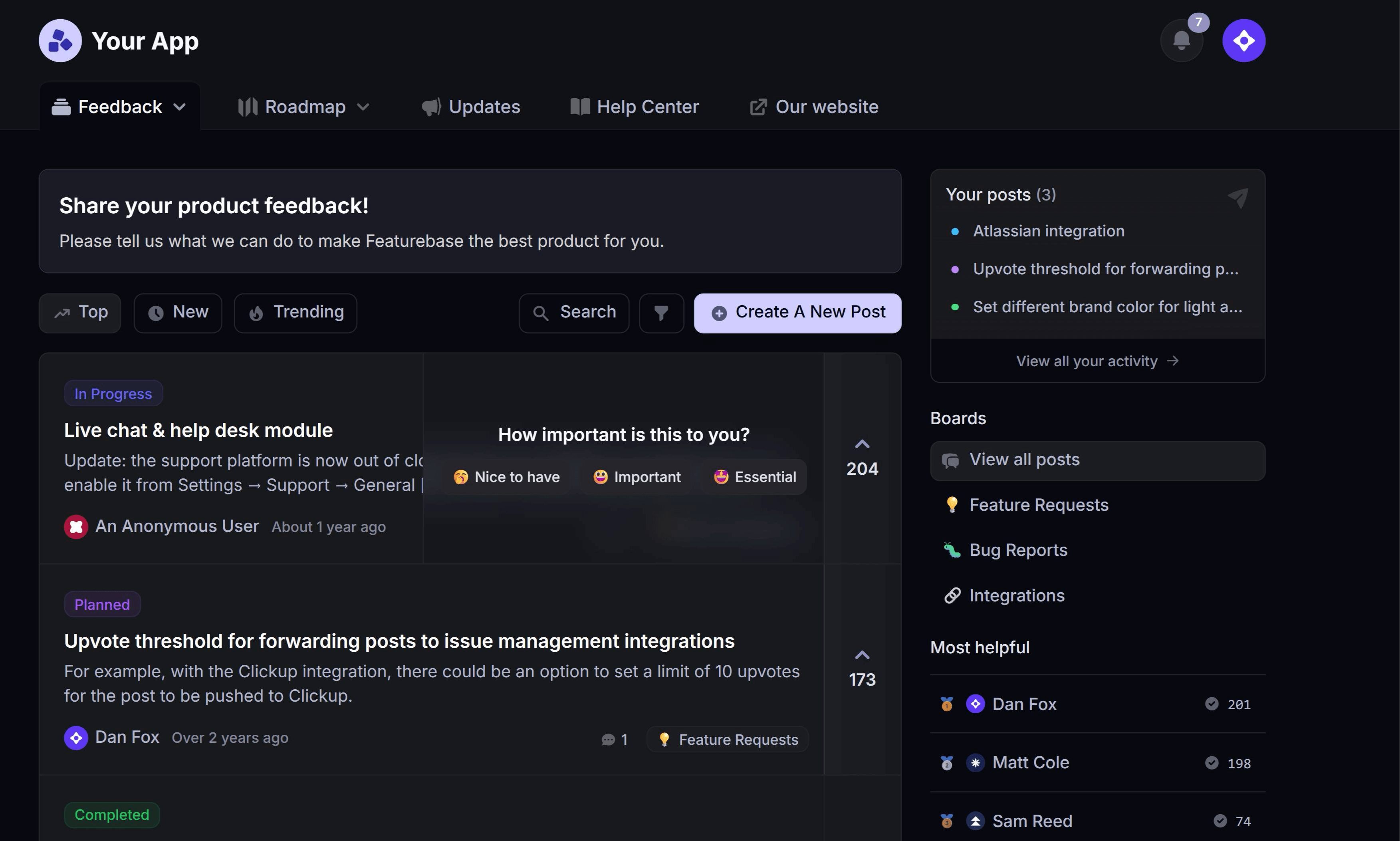
With a tool such as Featurebase, you can let your customers voice their opinions, no matter where they are. Your website, app, or email—take your pick. Customers can then vote on each other's ideas so you can get a better picture of what to prioritize.
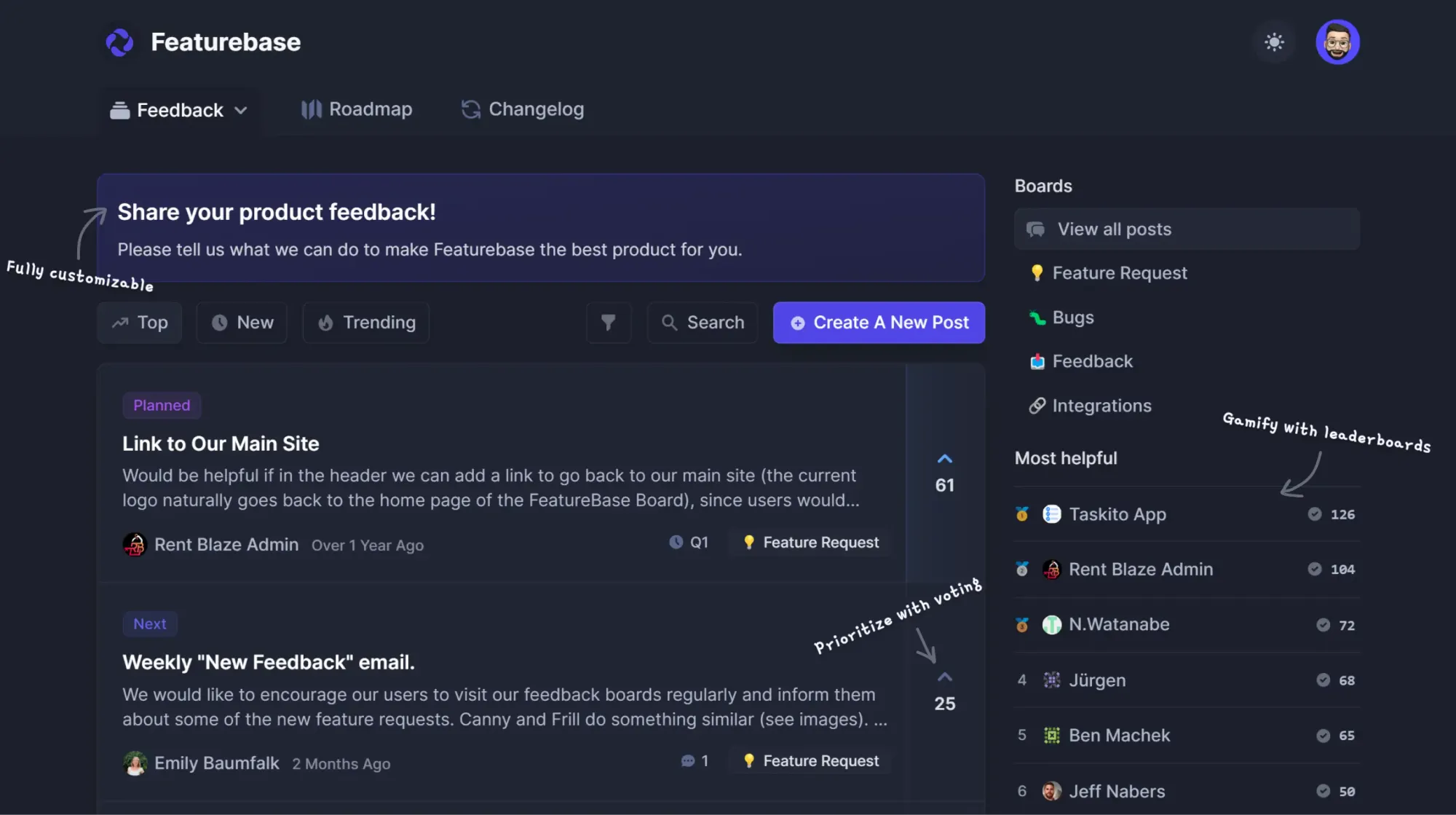
Here, you can analyze the entries with AI and organize the feedback based on topics. You can also prioritize based on customer revenue because not every feedback is equal. For example, you can put a higher value on feedback entries and survey results from customers with a higher lifetime value.
2. Surveys and questionnaires
If you haven’t created one yourself, you’ve still probably participated in countless surveys and questionnaires.
Modern survey tools come with templates that allow you to create a survey in seconds. Simply choose what you want the survey for and then distribute it using your preferred channel. This feedback type lets you collect a high number of individual responses and yields a high response rate since it is so easy to complete.

Examples include:
- CSAT (customer satisfaction score)
- NPS (Net Promoter Score)
- CES (Customer Effort Score)
- Product feedback
- Event
- Market research
- And others
Most of these have standard formats that you can adapt to your needs and use cases. The best part is that you can capture quantitative insights and set some key metrics for user satisfaction. For example, an NPS score is one key metric that you can track and compare over time to get a complete picture of your progress.
Once you’ve created a survey, it’s time to distribute it.
Common channels include email, website, SMS, social media, in-app, push notifications, and others.
You can distribute through one or multiple formats, depending on where your customers spend time the most. For example, having in-app surveys for your product can help get great quantitative metrics without disrupting the user experience.
3. Polls
Simpler than surveys and easy to conduct, polls are excellent when you want to make a quick decision. Don’t know which font is better for a dashboard? Wondering which product name your audience loves better? Just run a poll.
This is a great format for situations when you have narrowed down your top choices and just need a quick count of your customers' votes. You don’t want a deep dive, just a quick understanding of customer needs and desires.
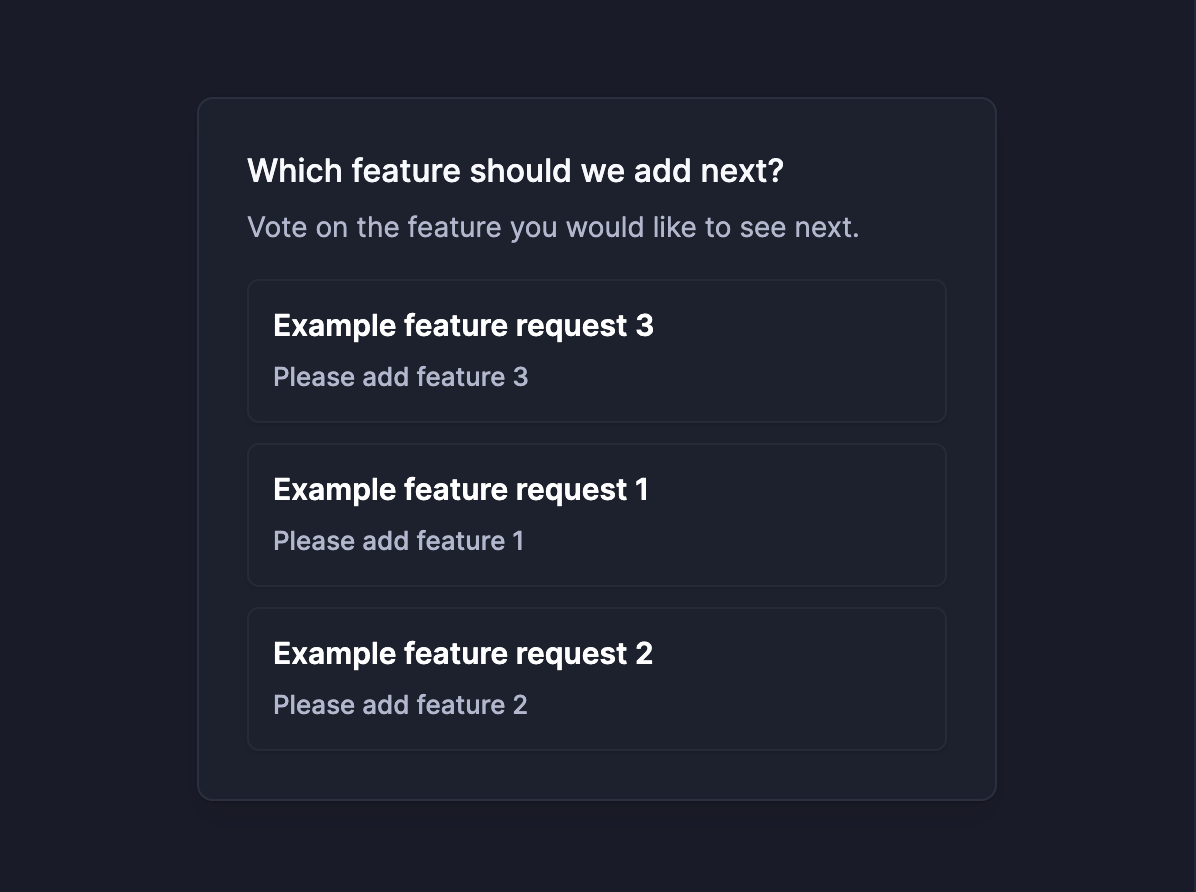
Say you use Featurebase to collect feedback, as shown in the feedback portal section. You can transform some of the most popular ideas into a poll and ask your users which one they would like to see first, for example. 👇
✨ Start running surveys & collect feedback with Featurebase for free →
4. Website analytics
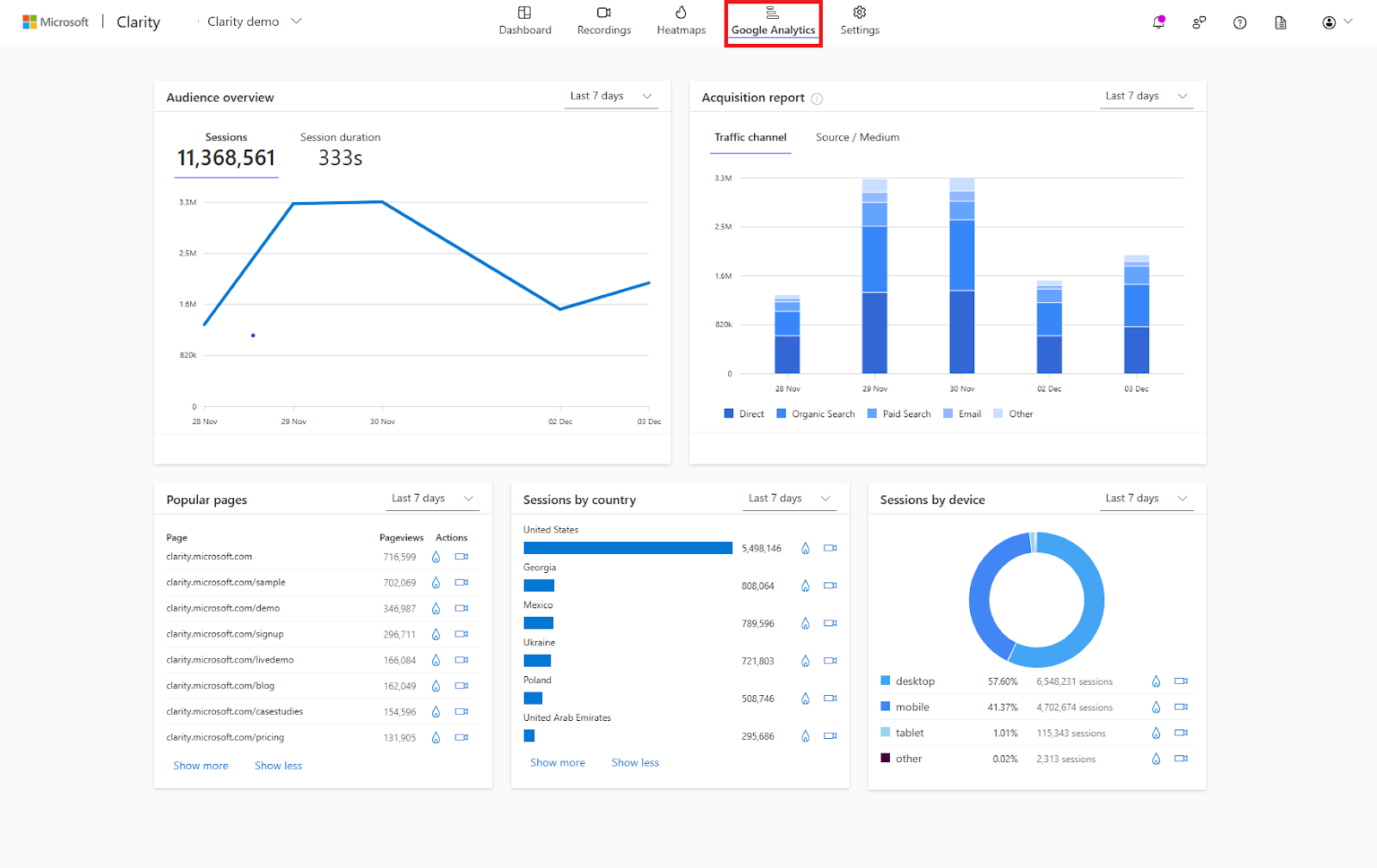
There is a plethora of free and paid tools that can show you what customers do on your website or within your product. The most notable example is Google Analytics, a free app that can show you crucial website metrics. Where users are coming from, which actions they are taking, which pages are their last before they bounce from a website, and more.
For more detailed insights, you can use qualitative feedback apps such as Hotjar or Microsoft Clarity. This product can record individual sessions from your website visitors and feedback users, helping you identify bottlenecks in your UX. There are also heatmaps of your website and visualizations where more “heat” means higher visitor activity.
How to analyze qualitative and quantitative feedback
Collecting feedback is only half the job. The harder half - and the one most teams under-invest in - is turning that feedback into something you can act on. The analysis approach is fundamentally different for each type, so it pays to be deliberate about it. For a deeper dive, see our full guide to customer feedback analysis.
Analyzing quantitative feedback
Quantitative analysis is about averages, segments, and trend lines. Take your NPS, CSAT, or CES scores and slice them in three ways:
- Over time: is the score moving up, down, or sideways? A two-month dip in CSAT is a signal. A flat-line month is also a signal.
- By segment: enterprise versus self-serve, new users versus power users, free plan versus paid. The aggregate score almost always hides the most useful story.
- Against benchmarks: your own historical baseline first, then industry averages second. Internal trend beats external comparison.
Most modern feedback tools (Featurebase included) ship with a dashboard that does the first two automatically. Compare related metrics side by side, like NPS vs CSAT, so you're not optimising for one number at the expense of another.
Analyzing qualitative feedback
Qualitative analysis is about themes and coding. You're reading a stack of interview transcripts, open-ended survey responses, and support tickets, then grouping what people said into recurring patterns. The classic approach:
- Read through every response once, without coding, just to absorb the shape of the data.
- On the second pass, tag each response with a short label ("onboarding confusion", "pricing surprise", "missing integration", etc.).
- Group the tags into themes. Count how often each theme appears.
- Pull two or three representative quotes per theme. The quotes are what you take to product and design conversations.
AI dramatically speeds this up. Featurebase's AI feedback categorisation reads incoming feedback as it lands and groups it into product-area buckets automatically, so the manual coding step is mostly done for you by the time you sit down to review.
Combining the two
The real win is reading the quantitative data first, then using qualitative to explain what it shows. CSAT drops 7 points one week? Pull the open-text comments from the same week and look for themes. Feature X has the highest vote count on the portal? Read the comments under those votes to understand which underlying problem they're really asking you to solve. The numbers point you at the question. The words give you the answer.
Which type of feedback should you collect?
The honest answer is: both, almost always. But if you have to start with one, the choice depends on the decision you're trying to make right now.
Lean qualitative when:
- You're exploring a new problem and don't yet know what you're looking for
- A metric moved and you need to understand why
- You're shaping a roadmap or a positioning bet and need real-customer language to ground it
- You're early-stage and don't have the volume yet for quantitative to be reliable
Lean quantitative when:
- You need to track something over time (NPS, CSAT, feature adoption)
- You have a hypothesis and want to test how widespread it is
- You're reporting to a stakeholder and need a number
- You have enough users that even a 5% response rate gives you a usable sample
A worked example: say you launch a new pricing page and watch trial-to-paid conversions drop 12%. That's the quantitative signal. The quantitative data tells you something is wrong, but it does not tell you what. To find out, you might:
- Run a one-question in-app survey on the pricing page asking "Anything stopping you from upgrading today?"
- Pull every support ticket with the word "pricing" from the last 30 days and read them
- Set up 5 fast 20-minute calls with users who hit the page but didn't convert
- Cross-reference the open-text responses against the quantitative drop-off funnel
By the end of that week you'll know whether the issue is price, plan structure, page copy, or something operational, and you'll have language to fix it with.
This is the mixed-methods pattern that the most rigorous research teams use, and the same logic applies to product, marketing, and customer success. Quantitative tells you where to look, qualitative tells you why it matters. If you're collecting both types of feedback and reading them together, you're already ahead of most teams.
Common pitfalls to avoid
A few traps almost every team falls into at least once. Worth flagging upfront so you don't.
- Treating quantitative as objective truth: a 7.2 average CSAT is not a fact about your customers, it's an average of many small judgements made under specific conditions. The same survey on a different day, after a different interaction, with a different sample, gives you a different number. Trends are more reliable than absolute values.
- Reading qualitative as statistics: four customers in a focus group saying "I want feature X" is not a mandate. It's a signal worth following up on quantitatively. Acting on small qualitative samples as if they were representative is the fastest way to ship the wrong thing.
- Picking one and never the other: teams that live in quant lose touch with the human story. Teams that live in qual ship roadmaps that don't survive contact with the user base. The cost of running both is much smaller than the cost of being wrong.
- Collecting without analyzing: a feedback portal stuffed with 4,000 unread posts is worse than no portal at all, because it signals to users that their voice goes nowhere. Set a regular review cadence (weekly, biweekly, or monthly depending on volume) and stick to it.
Start collecting feedback today with Featurebase
There is no such thing as the best feedback method or channel. No matter what type of service or product you sell, collecting both qualitative and quantitative feedback is what separates the teams that ship the right things from the teams that ship a lot of things.
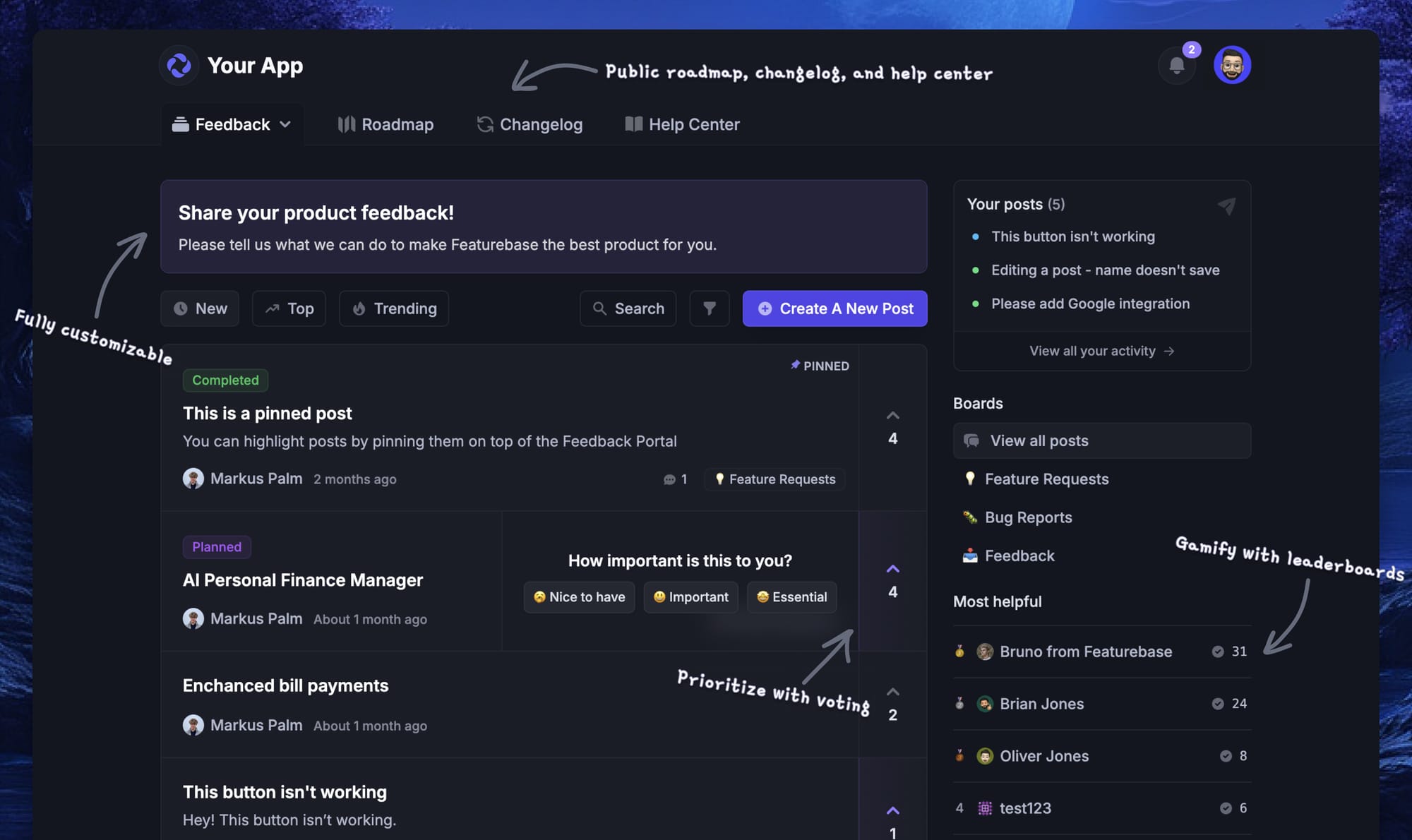
Featurebase is a modern feedback & support platform that helps product teams collect feedback, prioritize features, build roadmaps, and announce product updates - all in one place. It's loved by thousands of product teams from companies like Lovable, Raycast, and n8n. 💫
Top features:
- Feedback forum – Public feedback forum where users can submit ideas and vote on features helping you know what customers want
- In-app widgets – Embed feedback, changelog, and help center widgets directly in your product
- Prioritize by revenue – Link feedback with customer revenue, company size, and much more to better understand the impact of ideas
- AI feedback categorization - Automatically group large volumes of feedback into product areas, projects, or themes with AI
- Automated email updates – Automatically notify users when their requested features are implemented
- Roadmaps – Create internal & public product roadmaps to keep users informed and build engagement
- Product updates – Publish release notes with a changelog page, in-app widget, and emails
- Surveys (NPS, CSAT, etc) – Create targeted surveys to ask users anything and measure customer satisfaction
- Automatic AI translations – Automatically translate all feedback and comments to your customers / teammates native languages
- Integrations – Connects with Slack, Linear, Jira, HubSpot, and more
Pricing: Free plan available with unlimited feedback collection. Paid plans start at $29/seat/mo.
Instead of having 4+ different tools, Featurebase enables you to replace all your customer-facing tools by bringing your feedback collection, product updates, support, and help center, together in one place to help you build products your users love. The onboarding is amazingly quick, so there's no downside to trying it. 👇
✨ Start collecting & managing feedback with Featurebase for free →
FAQs
What's the difference between qualitative and quantitative feedback?
Qualitative feedback is descriptive and captures the why behind customer behaviour, usually through interviews, open-ended responses, focus groups, and reviews. Quantitative feedback is numerical and measures what is happening at scale, usually through NPS, CSAT, CES, polls, and product analytics. Qualitative answers questions you don't yet know how to ask, while quantitative answers questions you already know how to score.
What are examples of qualitative feedback?
Common examples include 1:1 customer interview transcripts, open-ended survey responses ("What's one thing we could improve?"), support ticket conversations, focus group recordings, public reviews on G2 or Capterra, social media mentions, and verbatim comments left under feature requests in a feedback portal. Anything where the answer is words, not a number, counts as qualitative.
What are examples of quantitative feedback?
Common examples include NPS scores (0-10), CSAT ratings (1-5 or 1-10), CES scores, multiple-choice survey results, in-app star ratings, feature-vote counts in a public portal, survey response rates, and product-analytics metrics like time-on-page or feature adoption. Anything you can put on a chart counts as quantitative.
How do you analyze qualitative and quantitative feedback?
Quantitative feedback is analyzed by looking at averages, trends over time, and how a metric moves across segments (plan tier, account age, geography). Qualitative feedback is analyzed by reading through every response, tagging recurring patterns, grouping the tags into themes, and pulling representative quotes. AI tools speed both up. Featurebase, for example, auto-categorizes incoming feedback into product areas as it lands, so the manual coding step is mostly done by the time you sit down to review.
Can quantitative feedback replace qualitative feedback?
No. They answer different questions. Quantitative tells you the size and direction of a problem, while qualitative tells you what the problem actually is. Teams that rely only on numbers ship roadmaps that look good on a dashboard but miss the underlying customer reality. Teams that rely only on words ship features that delight a vocal few and don't move the metrics. The strongest teams collect both and read them together.
Which is better: qualitative or quantitative feedback?
Neither is "better" in the abstract - they answer different questions. Start qualitative when you're exploring something new or trying to understand why a metric moved. Start quantitative when you need to track something over time or report a number to a stakeholder. The two together beat either one alone, almost every time.