Zendesk Review 2026: An Honest Look at Features and Cost
75% of CX leaders expect AI to handle most customer interactions soon. But does Zendesk’s AI actually live up to the hype?


On this page
,✨ Psst...looking for a modern AI-powered alternative to Freshdesk? Check out Featurebase →
Zendesk is still the default pick when a team types "best customer service software" into Google. But the bill of materials has changed. Pricing now spans 7 plan rows, AI features sit behind a stack of add-ons, and the question of whether Zendesk delivers on its promise is fair game again.
This is an honest Zendesk review. We're a Zendesk alternative ourselves, so we have skin in the game, but the goal here is to give you the kind of breakdown you'd want before signing the order form: what Zendesk actually does, what it really costs, what real users complain about, and who should pick it (or not). 👇
Key takeaways:
- The most complete support platform on the market: mature ticket management, deep AI features, 1,800+ integrations in the Zendesk Marketplace, and dashboards via Zendesk Explore. It scales to enterprise.
- Pricing starts at $19/agent/month for the Support Team plan, but most teams need the Suite, which starts at $55 and goes up to $209/agent/month with the new Suite + Copilot Enterprise bundle.
- AI features are split across the base plan and add-ons: basic AI agents and generative replies are included in Suite tiers, but advanced AI agents, Copilot, quality assurance, and workforce management each cost extra.
- No free plan, just a 14-day free trial of Suite Professional. Zendesk also offers 6 months free for qualified startups.
- Overkill (and overpriced) for small teams under 10 agents: the seat economics, setup overhead, and add-on dance favor mid-market and enterprise.
- Featurebase✨ is a modern alternative for product-led SaaS teams that want omnichannel support, AI agents, and a help center in one tool, with a real free plan and AI resolution included in the base price.
What is Zendesk?
Zendesk is a customer service platform that started in 2007 as a simple ticketing system and has grown into what the company now calls a "resolution platform" - an AI-first customer service solution that combines ticketing, omnichannel messaging, voice, a help center, AI agents, and reporting under one roof. The Zendesk Support Suite (its flagship product line) is used by everyone from Uber and Shopify to corner-shop ecommerce stores, and powers support operations across more than 100,000 paying organizations.
The platform sits in a customer service software category that's growing fast - from $9.29 billion in 2024 to $11.01 billion in 2025, with growth to around $22 billion by 2029. Zendesk is the category leader, but the field below it (Intercom, Freshdesk, Help Scout, Front, Gorgias, and a wave of newer AI-native tools) is the most competitive it has ever been.
In 2026, Zendesk pitches itself as the platform built for the AI era. The Zendesk dashboard now leads with Copilot, autonomous AI agents, and the Zendesk + Forethought integration. Whether that pitch holds up depends on what plan you buy and how many add-ons you're willing to stack.
Zendesk's core features
Zendesk's product surface is wide. Here's what you actually get when you sign up, organized by what most support teams care about.
Omnichannel ticketing
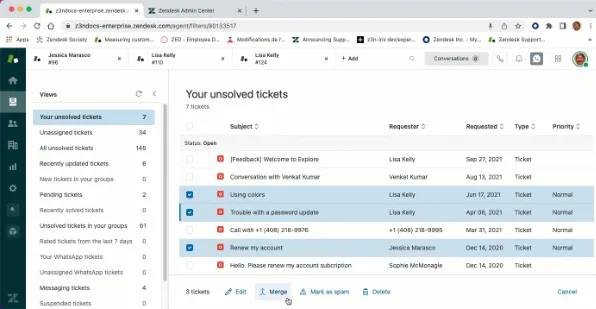
The heart of Zendesk is the ticketing system. Every customer interaction - email, live chat, social messaging, voice, web form, WhatsApp, Facebook Messenger - lands in the agent workspace as a ticket. From there, agents can reply, route, escalate, tag, and resolve customer issues across every support channel from a single unified inbox. Support tickets carry conversation history, customer data, and prior context with them as they move between agents.
This matters because 79% of customers expect consistent, connected interactions across departments and touchpoints - and personalized service across multiple channels is what defines modern customer relationships. Stitching that together yourself with separate inboxes is a losing game past 3 or 4 channels. Zendesk handles the stitching well: conversation history follows the customer across channels, agent assignment carries over, and there's a single customer database backing the whole thing.
The Agent Workspace itself is dense - in a good way for teams who live in it 8 hours a day, in a bad way for new hires getting started. Macros, business rules, skills-based routing, and conditional ticket fields cover almost every workflow you'd want, but the configuration surface is wide.
AI agents and Copilot
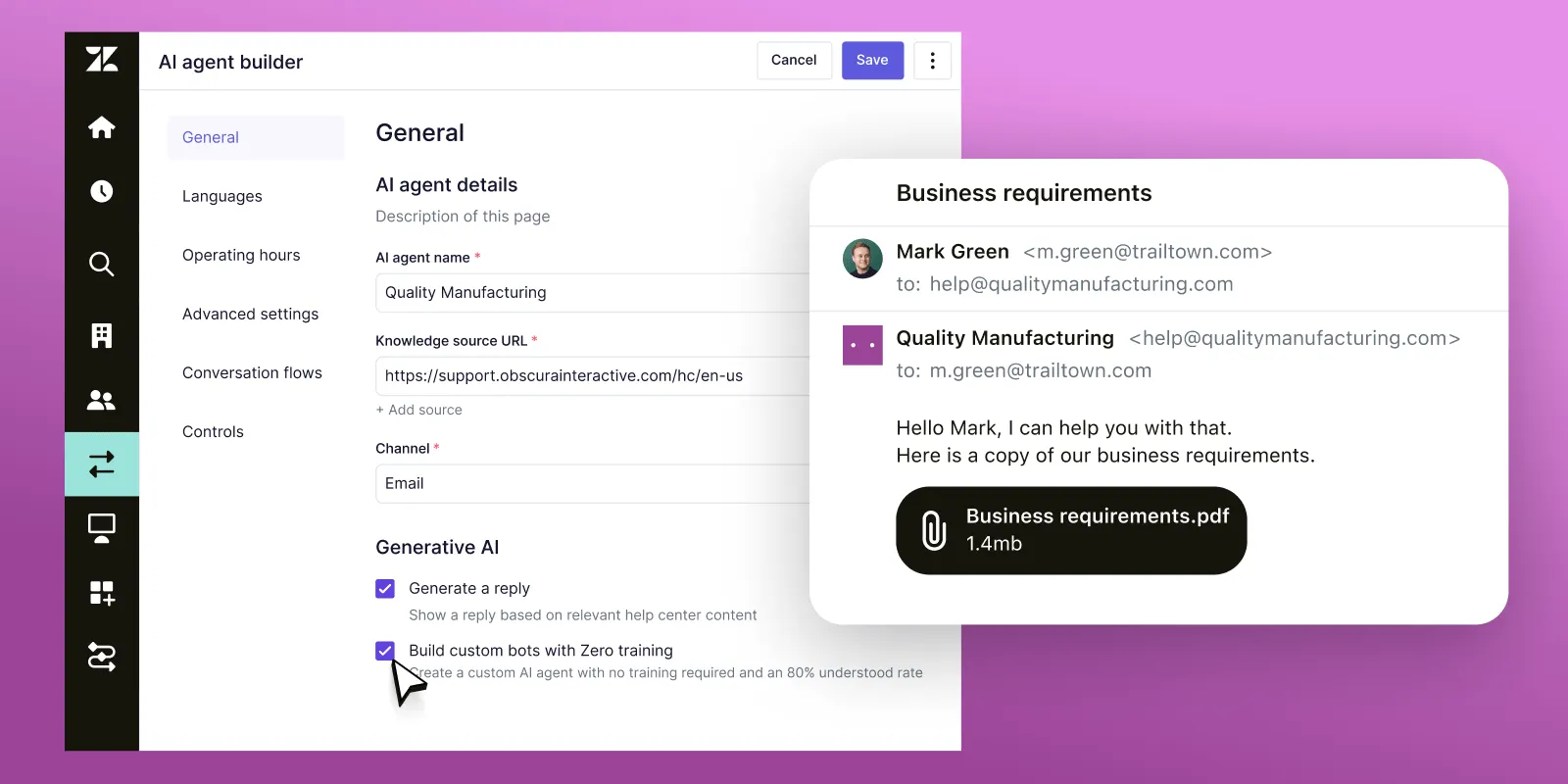
This is the area Zendesk has invested the most in over the last two years, and the part where it's easiest to get confused about what you're paying for.
There are 3 separate AI products:
- AI agents (basic): included in every Suite plan. Handles generative replies, simple intent detection, and basic automated resolutions. Good for FAQ-style queries.
- Advanced AI agents: the autonomous AI agents that reason, run multi-step workflows, and take real actions across systems. Built on the Zendesk + Forethought stack. No public price. Talk-to-sales at every tier.
- Copilot: agent-assist AI that suggests replies, summarizes tickets, and pulls from your knowledge base. $50/agent/month as a standalone add-on, or bundled into Suite + Copilot Professional ($155) and Suite + Copilot Enterprise ($209).
75% of CX leaders expect 80% of customer interactions to be resolved without human intervention in the next few years, per Zendesk's own 2025 CX Trends Report. The pitch is that Zendesk's AI gets you there. The reality is that you need the Advanced AI add-on to deliver that autonomously, and the cost adds up fast for teams of any meaningful size.
Help center and knowledge base
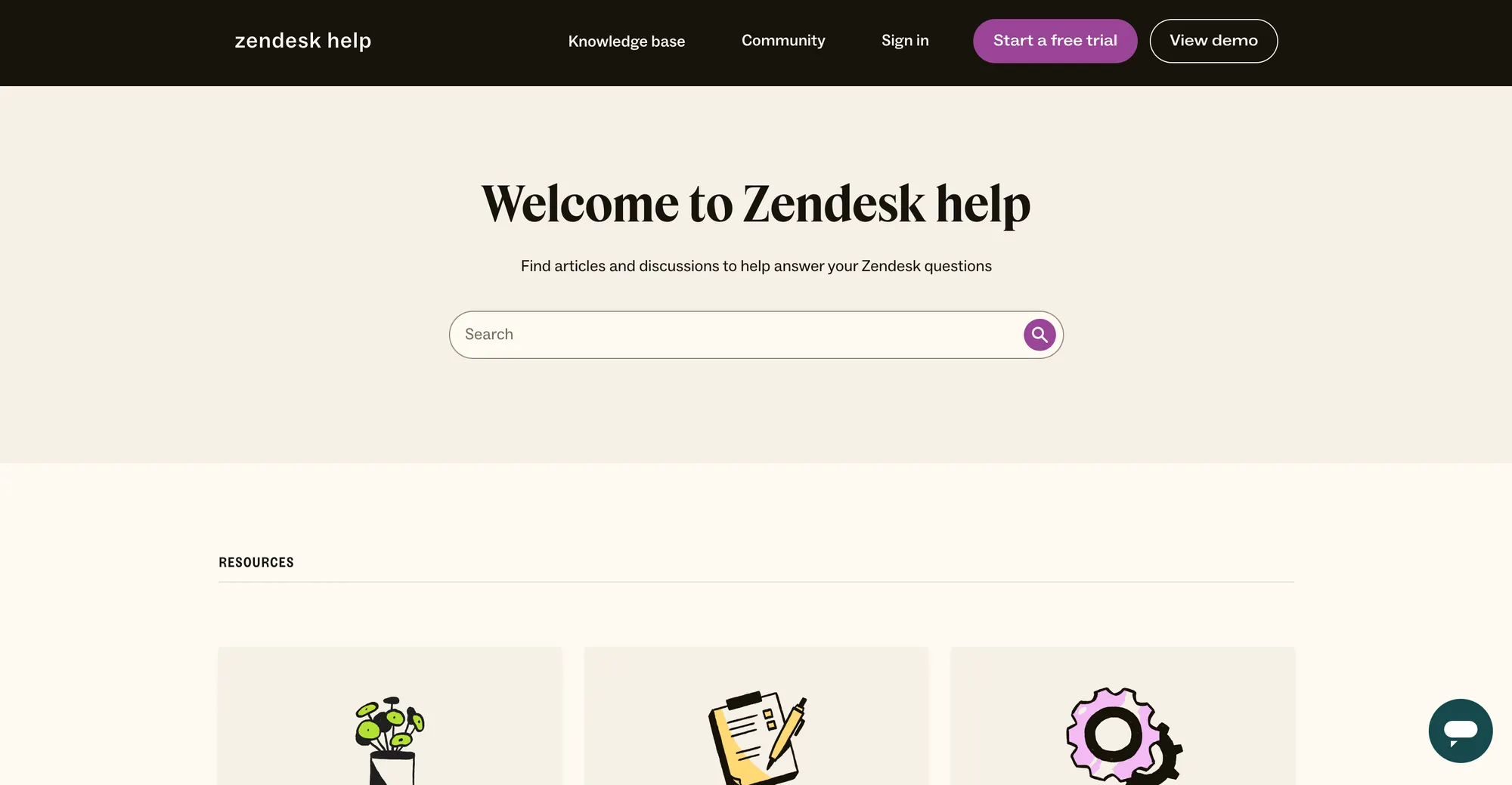
Zendesk includes a hosted knowledge base in every Suite plan. You can publish branded articles, organize them into sections and categories, embed search inside your product, and serve self-service answers to customers before they ever open a ticket. AI-powered insights surface gaps in your help content based on actual ticket volume.
Higher Suite tiers unlock multi-brand support (up to 5 help centers on Professional), AI-powered article search inside the help center, and community forum functionality. The help center is one of the parts of Zendesk that just works without much fuss, and a well-maintained one drives ticket deflection in a real way. You can read our Zendesk knowledge base breakdown if you want a deeper look at that surface alone.
Reporting and analytics
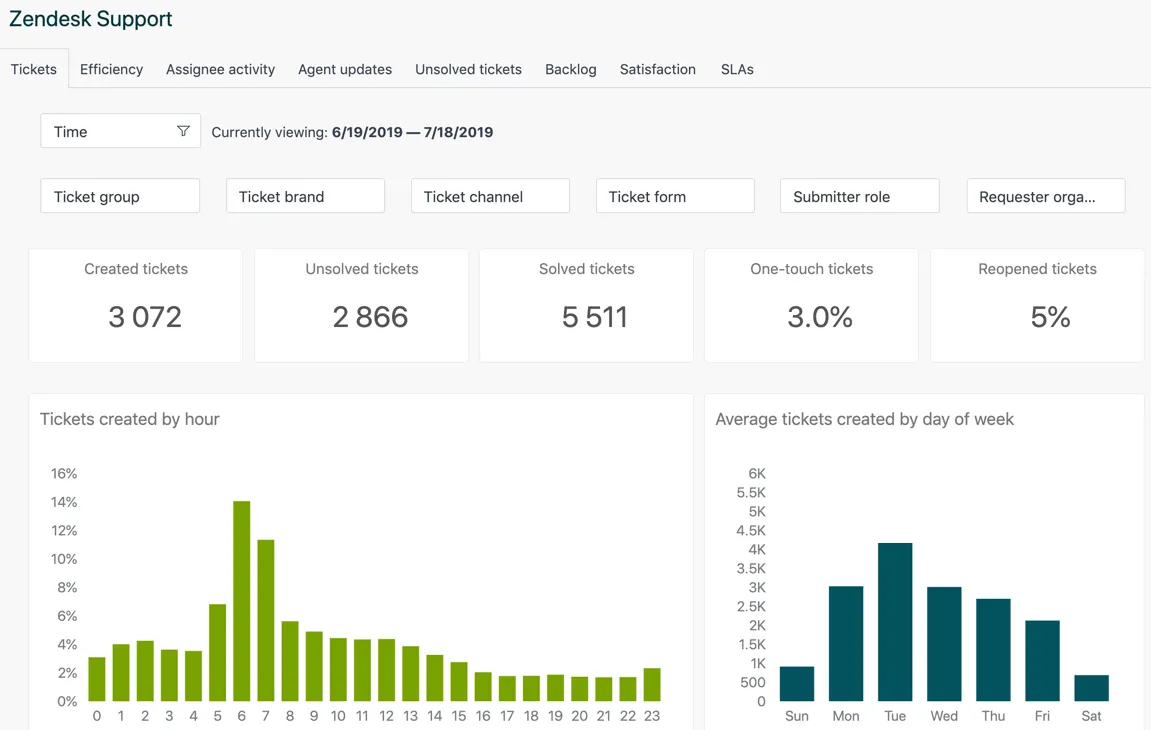
Zendesk Explore is the built-in reporting tool. Prebuilt dashboards cover agent performance, ticket volume, customer satisfaction (CSAT), response times, and channel mix. You also get visual data alerts that flag anomalies (sudden ticket spikes, response time degradation, low CSAT trends).
Customizable reporting and custom dashboards open up on Suite Professional. Until then, you're working with the prebuilt set, which covers the basics but doesn't give you ad-hoc slicing. Most ops teams end up exporting data to a BI tool by the time they're at scale, which Zendesk supports cleanly via API.
Workflows and automations
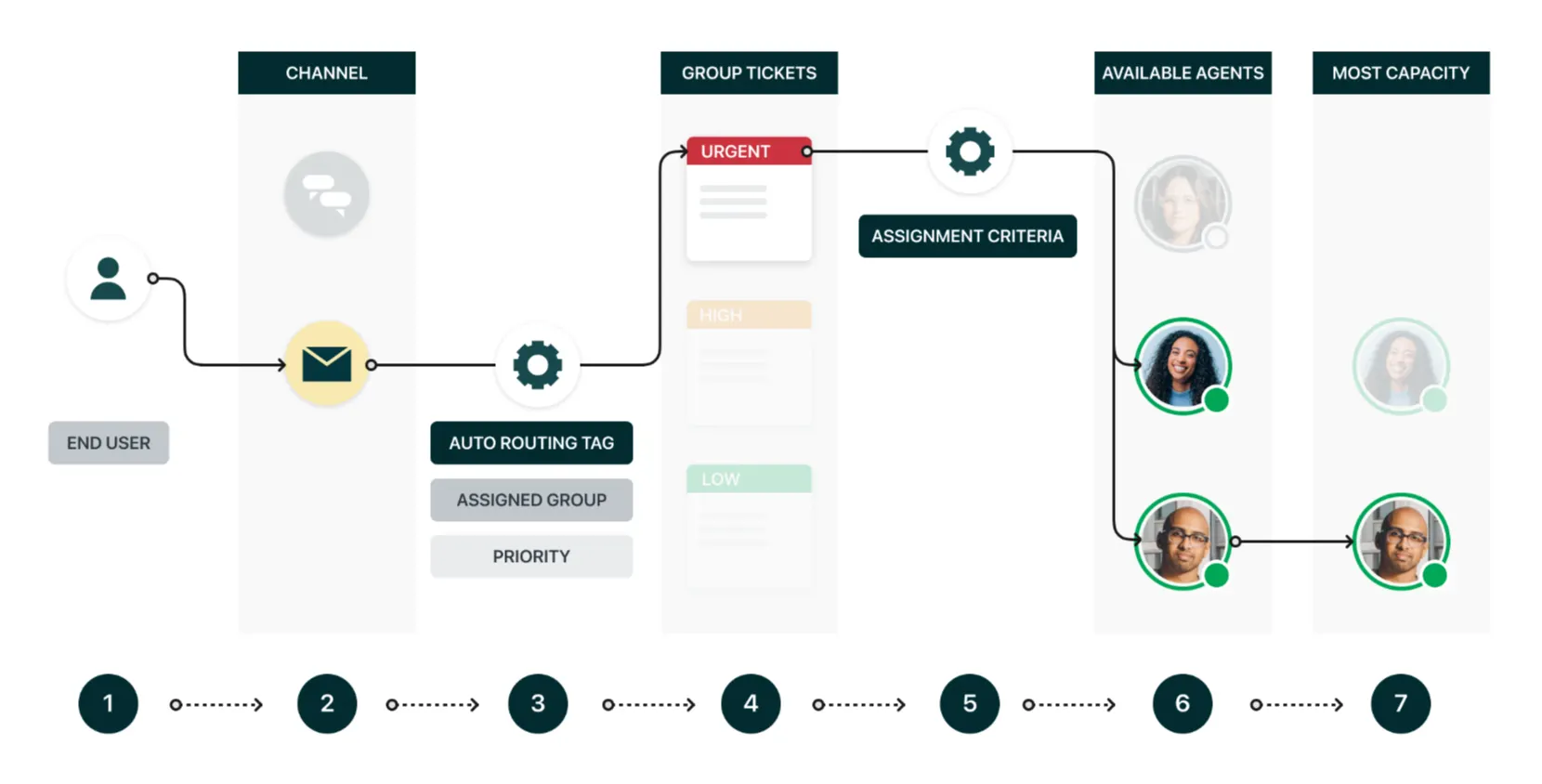
Zendesk's automation stack is one of its strongest features and a real reason teams stay. Macros let agents one-click standard responses. Triggers fire on ticket events (creation, update, status change) and can apply tags, route conversations, send notifications, or call webhooks. Business rules handle SLAs, priority escalation, and time-based actions. Skills-based routing assigns tickets to the right agent based on language, channel, product area, and 20+ other attributes.
On top of that, the Zendesk Marketplace has 1,800+ pre-built integrations and partners. Salesforce, HubSpot, Slack, Jira, Shopify, and most major CRMs are first-class. The API and SDK are extensive enough that almost anything you'd want to build on top is buildable.
Zendesk pricing in 2026
Zendesk pricing is where most reviews get muddy, so here's the clean version. There are two product lines: Support (the original email-only ticketing tool, build-your-own style) and Suite (the all-in-one omnichannel package most teams buy today). The annual prices below assume annual billing - monthly billing runs about 20-25% higher.
| Plan | Price (per agent / month, annual) | What you get |
|---|---|---|
| Support Team | $19 | Email and basic web-form ticketing only |
| Support Professional | $49 | + Business rules, CSAT surveys, multilingual content |
| Support Enterprise | $99 | + Custom roles, sandbox, advanced AI agents (light) |
| Suite Team | $55 | Full omnichannel, basic AI agents, knowledge base, 50+ AI automated resolutions |
| Suite Growth | $89 | + Self-service portal, multilingual help center, SLA management |
| Suite Professional | $115 | + Custom dashboards, skills-based routing, HIPAA, side conversations |
| Suite Enterprise | Custom | + Advanced security, custom roles, multiple sandboxes |
| Suite + Copilot Professional | $155 | Suite Pro + unlimited Copilot for every agent |
| Suite + Copilot Enterprise | $209 | Suite Enterprise + unlimited Copilot |
Then come the add-ons, each priced per agent per month:
- Advanced AI agents: Talk to sales. The autonomous reasoning agents.
- Copilot: $50 (or bundled into the Suite + Copilot plans above)
- Quality assurance: $35. Auto-evaluates 100% of conversations across human and AI agents.
- Workforce management: $25. Forecasting, scheduling, real-time agent monitoring.
- Workforce Engagement Bundle: $50. QA + WFM together at a discount.
- Advanced Data Privacy and Protection: $50.
- Contact Center: $50. Voice and call-center tooling.
The headline numbers and the realistic numbers are different. A 10-agent team on Suite Growth ($89) that adds Copilot ($50) and QA ($35) is paying $174/agent/month - roughly $20,880/year for a mid-market support stack. Layer on Advanced AI agents (custom pricing, often $50+/agent based on usage) and the per-seat cost crosses $200/month before you've added workforce management.
If you want the full pricing breakdown including overage charges and the math on real-world team sizes, our Zendesk pricing guide covers the whole stack.
What real users say about Zendesk
Pulling from G2 reviews, the Zendesk subreddit, Quora threads, and Gartner Peer Insights - here's the recurring pattern in real customer feedback.
The praise is consistent. The ticketing system works. Macros and triggers save real time once configured. The integration with other tools (Slack, Jira, Salesforce, HubSpot) is robust. Conversation history is reliable. The unified inbox does what it says. Once a team is past the setup hump, day-to-day usage feels stable and the platform doesn't fight you.
The complaints cluster around 4 themes:
- Price grows faster than value: This is the most common one. The base Suite plan looks reasonable until the AI features you actually want are gated behind the Advanced AI add-on, Copilot is another $50, and a 6-person team is suddenly $150-200/agent/month. Teams describe a feeling of being upsold at every renewal.
- Customer support quality from Zendesk itself: The irony is not lost on anyone. Multiple reviewers report slow response times from Zendesk's own support, escalations that get bounced back, and 24/7 premier support that requires an upgrade. For a customer service platform, this lands badly.
- Steep learning curve: Zendesk's setup is not a weekend project. Configuring business rules, triggers, automations, custom fields, and routing the way you actually want takes weeks if you don't already have a support-ops resource. Once dialed in, it works - getting there is the cost.
- AI features feel half-finished without the add-on: Basic AI agents are okay for FAQs, but the autonomous resolution Zendesk markets requires the Advanced AI Agents add-on. Customers say the marketing oversells what's included.
The verdict from most long-term users is that Zendesk is the safest enterprise help desk software pick, but rarely the one anyone is excited about.
Where Zendesk falls short
A few honest gaps worth flagging if you're evaluating.
The AI add-on stack. Zendesk's pricing page lists Copilot, advanced AI agents, QA, WFM, and contact center as separate per-agent line items. Each one is reasonable in isolation. Stacked, they double the cost of the base plan. Modern platforms like Featurebase's support suite include AI resolution in the base price ($0.29 per AI resolution on top of a $29/seat plan), which makes the unit economics easier to predict.
No free plan. Zendesk offers a 14-day Suite Professional trial and a 6-month free program for qualified early-stage startups, but no permanent free plan. For founder-led teams or anyone wanting to test on a real workflow before paying, this is friction.
Setup overhead. Implementing Zendesk properly is a 4-8 week project for a team that doesn't already have someone who's done it before. The platform rewards investment, but the upfront time cost is real.
Per-seat cost grows linearly. Unlike platforms that flatten AI cost per resolution, Zendesk's pricing scales linearly with every new agent. A 50-agent team on Suite Professional + Copilot is paying $7,750/month before add-ons. For teams where most of the volume could be automated, this is paying twice for the same work.
Reporting depth is plan-gated. Custom dashboards, custom roles, and side conversations all unlock on Suite Professional. SMB plans give you the prebuilt views and not much else. If reporting is a deciding factor, you're effectively starting at $115/agent/month.
For a deeper look at the trade-offs, our Zendesk pros and cons guide walks through each in more detail with examples.
Who Zendesk is actually for
Zendesk is the right pick for support orgs that look like this:
- 50+ support agents with a real ops function. The platform's depth pays back when you have someone whose job is to maintain the configuration.
- Mid-market and enterprise companies that need compliance certifications (HIPAA on Suite Professional, advanced security on Enterprise), multi-brand support, sandbox environments, and the audit controls.
- Teams with budget for the add-on stack. If you're going to use Copilot, advanced AI agents, QA, and WFM, you need to be comfortable spending $150-250/agent/month all-in.
- Workflow-heavy support operations. If you need 20+ triggers, 50+ macros, conditional routing, and SLA tiers, Zendesk handles this better than any modern competitor.
- Companies already embedded in Salesforce, HubSpot, or Jira. The integrations are best-in-class.
Zendesk is the wrong pick for:
- Small teams under 10 agents. The seat economics don't work, and the setup overhead is hard to justify.
- Founder-led startups who need something running today, not in 6 weeks.
- Teams that want AI-first resolution baked in, not stacked as add-ons.
- Anyone who values product simplicity over feature depth. Zendesk's strength (configurability) is also what makes it hard to live with.
If you fit the second list more than the first, a modern alternative like Featurebase is worth a look before you sign the order form.
A modern alternative to Zendesk: Featurebase
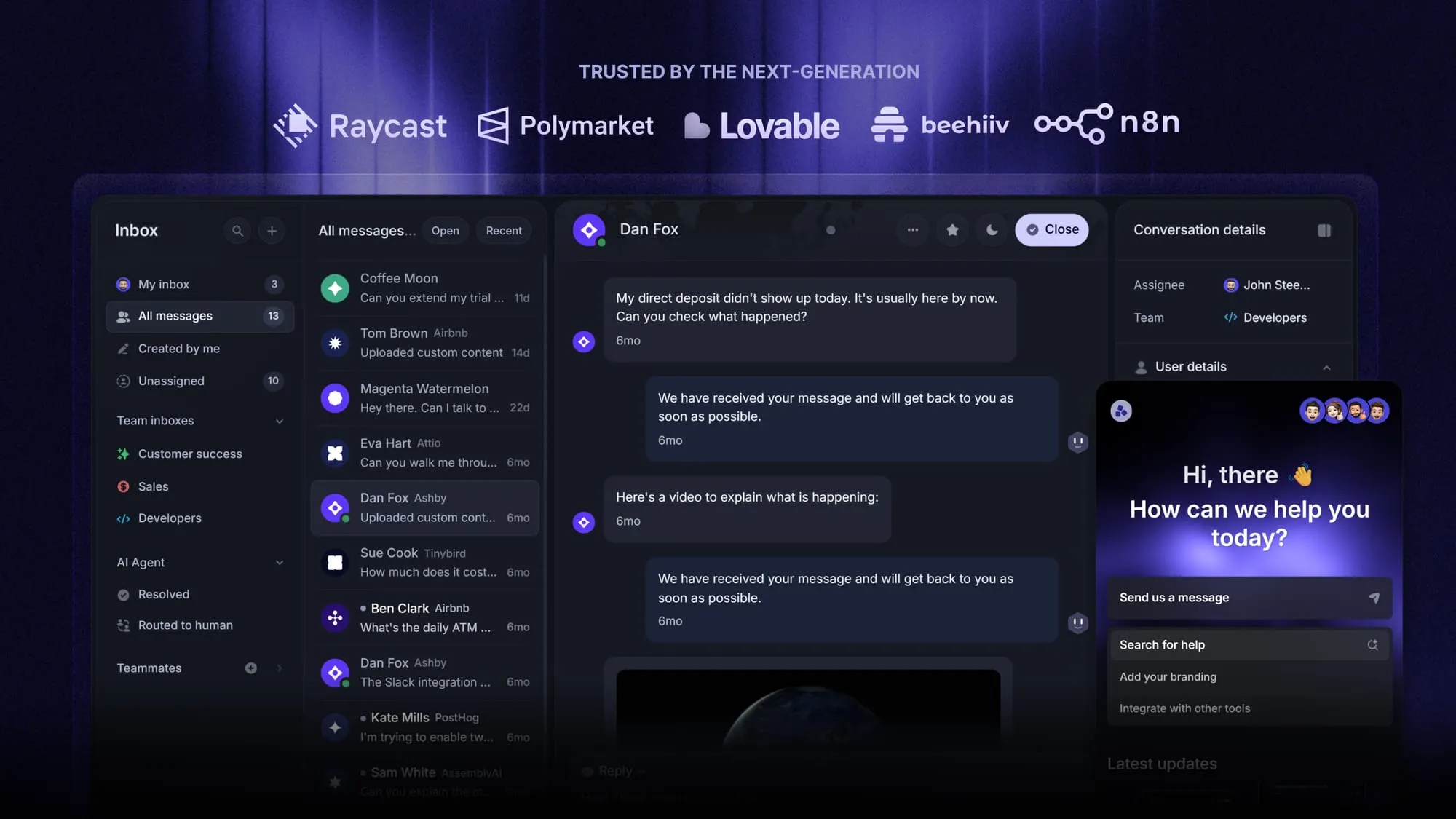
Featurebase is a modern AI customer support platform for product-led SaaS. It combines AI-powered support, help center, and feedback management into a single platform for startups that want all their customer-facing tools in one place. Featurebase is loved by thousands of support teams from companies like Lovable, Raycast, and n8n. 💫
Top features:
- Omnichannel inbox – Manage live chat, email, and Slack conversations from one AI-powered view
- Fibi AI Agent - Resolve customer issues on autopilot & run custom actions like trial extensions and refunds
- Help center with AI search – Provide instant, multilingual self-serve answers
- Workflows & automations – Auto-assign tickets, route conversations, collect customer data, and more
- AI Copilot – Help your agents answer customers faster with AI Copilot that uses your internal knowledge
- Multi-brand support – Manage multiple Help Centers and Live chats from a single workspace
- Automatic AI translations – Automatically translate all messages and help articles to your customers native language
- Service Level Agreements – Track SLAs to make sure your team responds to customers on time, every time
- Mobile app – Respond to customers, receive notifications, and unblock users on the go
- Feedback & roadmap tools – Collect feature requests and close the loop with updates
- Product updates – Publish release notes with a changelog page, in-app widget, and emails
- Integrations – Connects with Slack, Linear, Jira, HubSpot, and more
Pricing: Free plan available with unlimited conversations. Paid plans start at $29/seat/month with $0.29 per AI resolution.
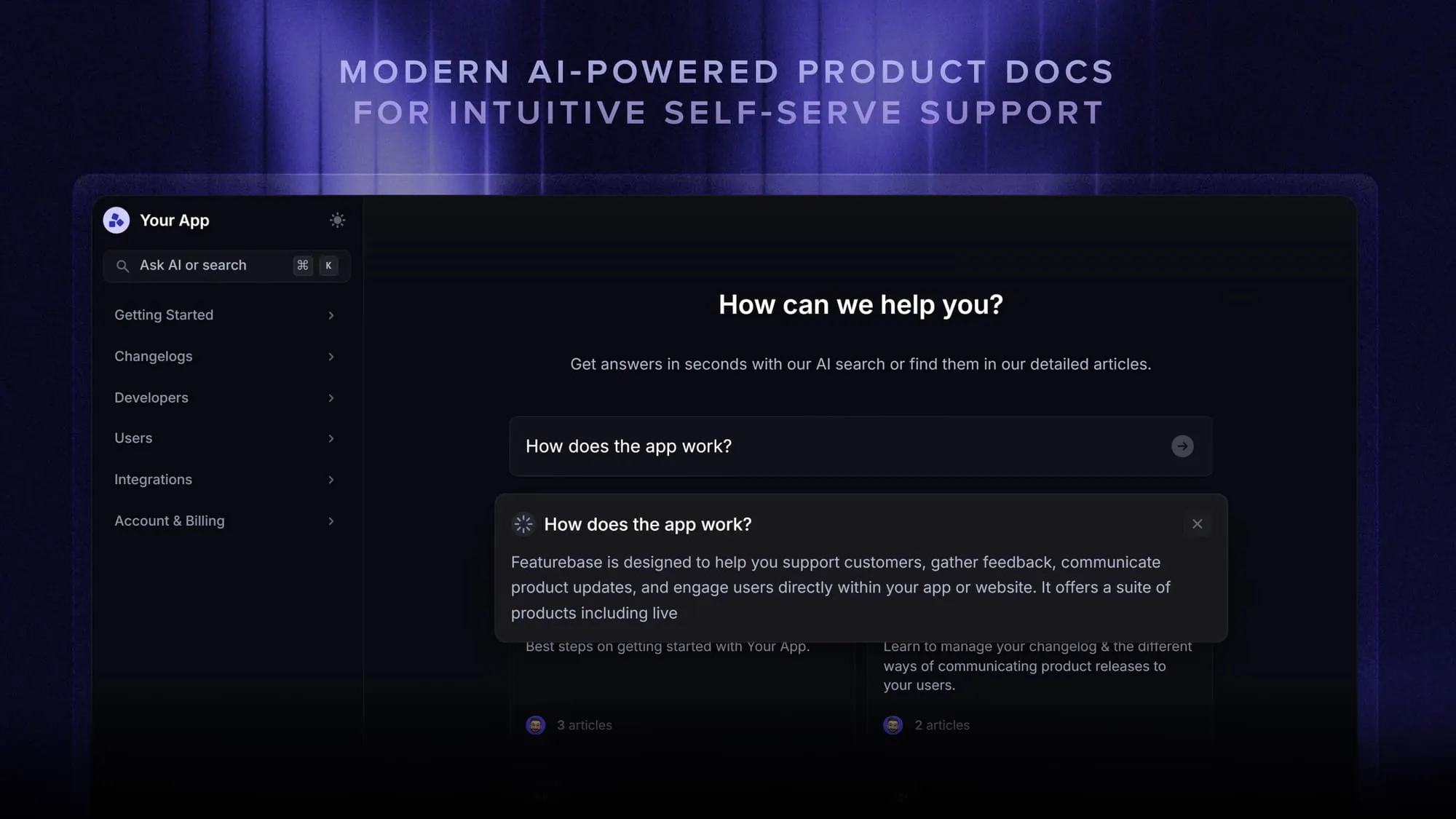
Featurebase covers all the basic support features that legacy platforms do, but with a much more modern approach. It comes with AI automations, a mobile app, and multiple channels (email, live chat, Slack, etc.).
Conclusion
Zendesk in 2026 is still the safest enterprise pick for customer support software. The product is mature, the integrations are deep, the workforce management and quality assurance add-ons are real, and the AI agents (with the Advanced add-on) genuinely automate work. For a 100-agent support org with budget and ops resources, it's hard to beat.
But for most teams reading this review, Zendesk is overkill and overpriced. The add-on stack pushes real-world per-agent costs to $150-250/month, the AI features that are advertised are mostly behind paywalls, and the setup overhead is a real tax on smaller teams. The pricing-to-value curve flattens fast above 50 agents and falls off below 10.
Featurebase is a modern AI customer support platform built for product-led SaaS teams that want everything Zendesk does well (omnichannel inbox, AI agents, help center, integrations) without the add-on layering, the steep learning curve, or the enterprise price tag. It comes with a feedback portal, public roadmaps, and changelog on top - so you can collapse 4 tools into 1.
It has a real Free plan with unlimited conversations and onboarding takes hours, not weeks, so there's no downside to trying it. 👇
Automate your support with the fastest AI-enhanced Inbox today
FAQs
No. Zendesk offers a 14-day free trial of the Suite Professional plan, and qualified early-stage startups can get 6 months free through the Zendesk for Startups program. There's no permanent free plan, which puts it behind modern alternatives that offer a real free tier.
Zendesk Suite plans start at $55/agent/month for Suite Team (annual billing), with Suite Growth at $89, Suite Professional at $115, and Suite Enterprise on custom pricing. The newer Suite + Copilot bundles are $155 (Pro) and $209 (Enterprise). Add-ons like Copilot ($50), Quality Assurance ($35), and Workforce Management ($25) stack on top, so realistic all-in costs land at $150-250/agent/month for most teams.
For most teams under 10 agents, no. The per-seat cost, the add-on stack, and the 4-8 week setup overhead don't pay back for smaller teams without a dedicated support-ops resource. Larger SMBs (20-50 agents) with mature support workflows and budget for the add-ons get reasonable value, but founder-led startups and lean teams tend to outgrow the cost before they grow into the platform.
Basic AI agents and generative replies are included in every Suite tier. The Advanced AI Agents add-on (the autonomous, multi-step agents Zendesk markets most heavily) requires a sales call at every tier including Enterprise, with no public price. Copilot, the agent-assist AI, is a separate $50/agent/month add-on or bundled into Suite + Copilot Professional ($155) and Suite + Copilot Enterprise ($209).
Primarily a helpdesk. Zendesk's flagship product is its customer service suite (ticketing, omnichannel, AI agents, help center, analytics). Zendesk also offers Zendesk Sell, a separate sales-focused CRM, but that's a smaller product line and most teams using "Zendesk" are using the support suite, not the CRM.
The right alternative depends on team size and use case. Featurebase is the closest modern alternative for product-led SaaS teams that want omnichannel support, AI resolution, a help center, and a feedback portal in one tool with a real free plan. Intercom is the closest AI-first alternative for high-touch product support. Help Scout is the long-running pick for small teams that want simple shared inboxes without the configuration overhead. Our full Zendesk alternatives roundup covers the full shortlist with pricing and trade-offs.