Zendesk Pros & Cons: 2026 Research from Real User Reviews
The most important Zendesk pros and cons to help you choose your next customer service platform.


On this page
Choosing Zendesk as a customer service platform can feel like going to McDonald's when you visit a new country. You know what you're getting, and it will probably work fine.
But the safe choice is not always the best one.
Zendesk is one of the biggest names in customer support software, yet many teams eventually discover that it comes with trade-offs. Pricing can climb quickly, advanced features are not always easy to configure, and customization often requires more effort than expected.
In this guide, we'll break down the most important Zendesk pros and cons based on real user reviews, so you can decide whether it's the right customer service platform for your team. 👇
Short overview
| Pros | Cons |
|---|---|
| Strong ticketing system with powerful routing | Pricing increases quickly as teams grow |
| Reliable customer support | Advanced setup can be difficult |
| Extensive help center and learning resources | Customization options are limited |
| AI agents can resolve common issues before escalation | Reporting features require expensive plans |
Looking for a modern & affordable alternative to Zendesk? Check out Featurebase
Zendesk pros
1. Zendesk customer support is excellent
Zendesk generally offers two types of support: live chat and messaging (during business hours), and you can access this on the cheapest Support Team plan. All plans beyond that get phone support, and customer reviews speak very highly of the service they get.
But if you want to solve your own problems without talking to support agents, Zendesk has your back, too. There is a very detailed help center available on their website with a solid search function for all your questions.
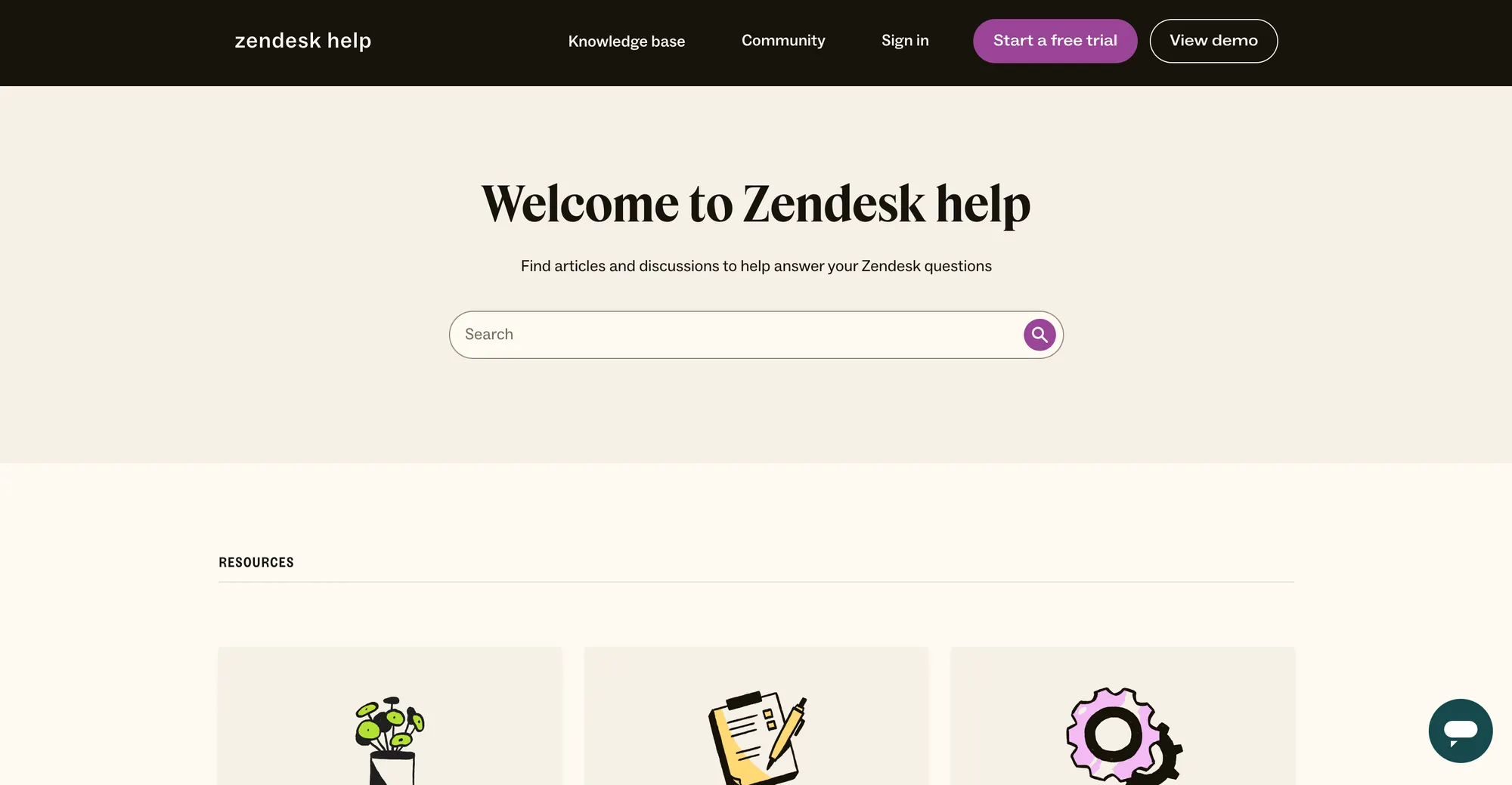
Their YouTube channel (41k subscribers at the time of writing) is very active and packed with tutorials on how to use the various Zendesk features.
Here are some of the many praises it gets in customer reviews:
- "I found the initial overview of Zendesk's YouTube videos extremely helpful in understanding how Zendesk could fit into our operations and be the solution to a lot of our pinch points. Although it required several days of trial-and-error setup, I was able to get Zendesk up and running and our team was able to transition into the software, feeling more comfortable about the information coming in." - G2 review
- "Zendesk was straightforward to set up, thanks to its comprehensive library of online resources and outstanding customer support. As a small nonprofit, we required a system that was robust, affordable, and simple to implement." - G2 review
If you want to know how it compares to another giant in this field, you can read our comparison of Zendesk vs Salesforce.
2. The ticketing system makes for a great customer service experience
Zendesk's ticketing is one of the best in the industry and it can save your business a lot of time and potential headaches. You get a shared inbox with all tickets for an easy overview in your entire team. You can set up macros for the most common customer interactions and resolve many of them with AI instead of escalating. As one user puts it:
- "A centralized place for reviewing what information comes in that is accessible to multiple users without the need for a shared Gmail inbox. I love that we can reduce the energy spent on tickets with pre-built macros; I love that we can feel a proper sense of accomplishment with "resolved" and "closed" tickets." - G2 review
The ticketing system also lets you assign tasks internally based on the rules you set yourself.
- "I appreciate how Zendesk Support Suite helps us organize our tickets effectively. It allows us to automatically assign tasks based on tags that we've created, equipped with specific names and triggers, thus enhancing our efficiency. The user-friendly and intuitive web UI layout stands out to me as it simplifies navigation, making it easier to manage various tasks." - G2 review
When AI agents (or your own team) communicate with customers, responses come linked with knowledge base articles. This streamlines ticket management and allows many customer issues to get solved before someone talks to a real agent in your team.
- "Additionally, I appreciate the quick and easy routing capability for support tickets, allowing us to efficiently manage inquiries and direct them to appropriate departments like legal, technical, or product support. The internal linking of knowledge base articles within support tickets provides a seamless experience that expedites ticket responses and keeps our processes organized." - G2 review
Zendesk cons
1. Zendesk pricing is expensive
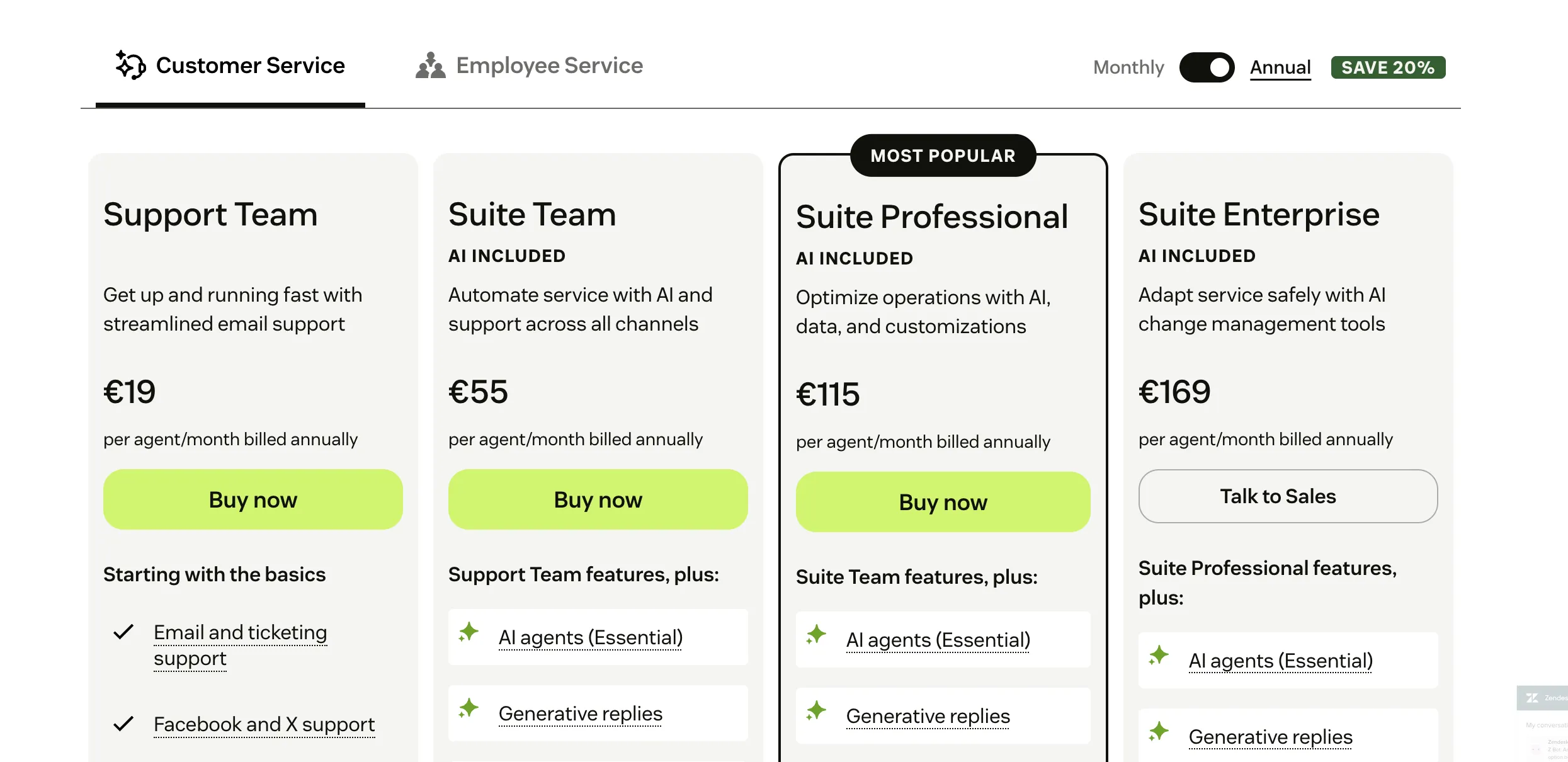
At the face of it, Zendesk seems like a great deal at $19 per user per month for the cheapest plan, but this is merely the beginning of the story on Zendesk pricing.
To get features such as help center and basic AI agents, you'll need the Suite Team plan that comes in at $55 per user per month. For more customization, SLA management, call center features and other tools, you'll have to go for the Professional or Enterprise plans at $115 and $169, respectively.
The numbers add up, and even smaller customer service teams can end up paying thousands per month for Zendesk invoices.
Then there is the elephant in the room: AI agents. On top of the subscription, you pay for resolutions driven by AI agents. In other words, you don't pay for all customer interactions when the AI talked to your customers - only those when the AI actually solves the problem.
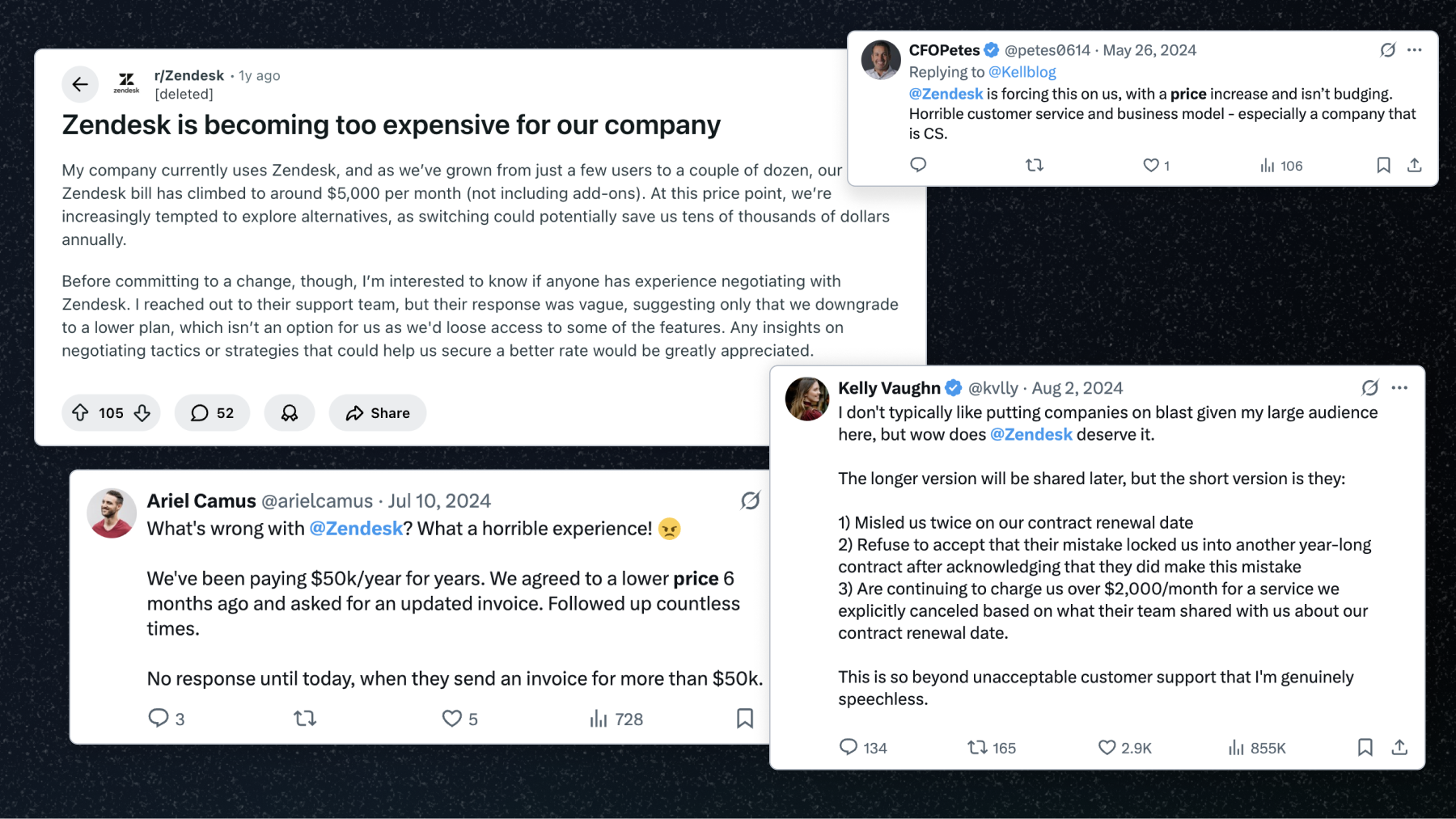
There are countless examples of businesses complaining about their monthly Zendesk costs.
- "My company currently uses Zendesk, and as we've grown from just a few users to a couple of dozen, our Zendesk bill has climbed to around $5,000 per month (not including add-ons). At this price point, we're increasingly tempted to explore alternatives, as switching could potentially save us tens of thousands of dollars annually." - Reddit post
As costs increase, many teams start looking for alternatives and ways to export data from Zendesk without disrupting customer support operations.
In short, if you need advanced features and AI agents that actually improve customer satisfaction, be prepared to fork out some serious cash on Zendesk.
2. Zendesk can be difficult to use
One of the most common comments about Zendesk is that getting started is relatively easy, but once you start setting up some more advanced features, you may hit a roadblock. If you're just setting up your customer service operations, you may need some help with Zendesk.
However, if you need a robust ticketing system that uses AI to its full extent and across the entire customer lifecycle, there is a steep learning curve. If you're switching from another customer service software, be prepared to talk to Zendesk customer support often.
This ties back to cost again, as you may face downtime until Zendesk is properly set up for managing customer relationships. The great news is that Zendesk's own customer support is pretty good.
- "Basic setup is fairly quick, but advanced workflows may need a little bit of technical skills. And the interface could have been a bit better by adding more graphical 3d effects. Customer support is real quick and professional, though response quality may vary by plan." - G2 review
- "Some of the admin settings feel weirdly buried, and things like setting up more complex workflows or automations can be clunky unless you know exactly where everything lives. The reporting side is also quite limited unless you pay for the higher tiers, and sometimes the interface still has that mix of old and new screens that don't feel consistent. None of it's deal-breaking, but it does make the platform feel a bit dated in places." - G2 review
PS. You might want to read our comparison of Zendesk vs Help Scout, too.
3. Customization is limited
No two businesses are the same. This includes positioning, pricing, and the types of customer interactions that you handle. If you truly want to streamline support operations, you need a customer service platform that adapts to how you work, and Zendesk falls short here.
If you want to embed Zendesk in your website or in-app chat, you'll face hurdles immediately. As users report, only the basic customization is possible, and even that requires technical expertise.
- "Customization and branding (where it is allowed) is entirely code-dependent, and still manages to be extremely limited. Many key touch points for customers offer zero customization ability, namely user login and email templates, interrupting customer experiences and creating barriers to cohesive communications." - G2 review
But even beyond that, you want to be able to customize what the tool looks like from your end so you can maximize customer service performance, and in general, to make the experience easy for your CS team. Well, it's not going to be easy:
- "The Agent workspace is clumsy and inefficient, and basically non-customizable despite the "customization" feature which offers basically no options. Ticket views are clunky to create and manage, and contain way too much white space (again, no customization options), causing constant vertical and horizontal scrolling.
- The rest of the agent interface truly serves no practical purpose: an uneditable and useless Dashboard, an old report viewer that just tells you to use the new one instead, and a User/Organizations list which can't be filtered, sorted, or utilized in any useful way." - G2 review
In short, you'll have a hard time customizing Zendesk for yourself and your customers.
4. The reporting features are expensive (and limited)
Zendesk has different levels of reports, depending on your plan.
In the most affordable, Team Suite plan, you get the basic agent performance and ticket trend reports. Basically, a snapshot of the most common customer inquiries, the communication channels they come from and which agents perform well.
If you want advanced reports, such as those for automated resolutions, you'll have to upgrade to the Suite Team plan at $55 per user per month.
Then there is the customizable reporting with real-time insights. This lets you create drag-and-drop reports with customer data, the entire customer journey, and interactions across multiple channels. Of course, you also see performance by your own and AI agents.
The downside? You only get this in the Suite Professional plan at $115 per user per month.
On top of that, the reporting features also come with a steep learning curve:
- "Additionally, Zendesk Explore, the reporting tool, has a learning curve and sometimes lacks flexibility for non-technical users who want to build real-time, granular reports quickly." - G2 review
This is the short version of the trade-offs - our full Zendesk review walks through Zendesk's features, pricing, and user feedback in depth.
Your customer service team deserves better than Zendesk ✨
Zendesk is not a bad tool. With more than 200,000 customers worldwide, it clearly works for many large enterprises. However, the customer support landscape has changed significantly since Zendesk was founded in 2007. Modern support teams expect faster automation, simpler workflows, and pricing that scales more predictably.
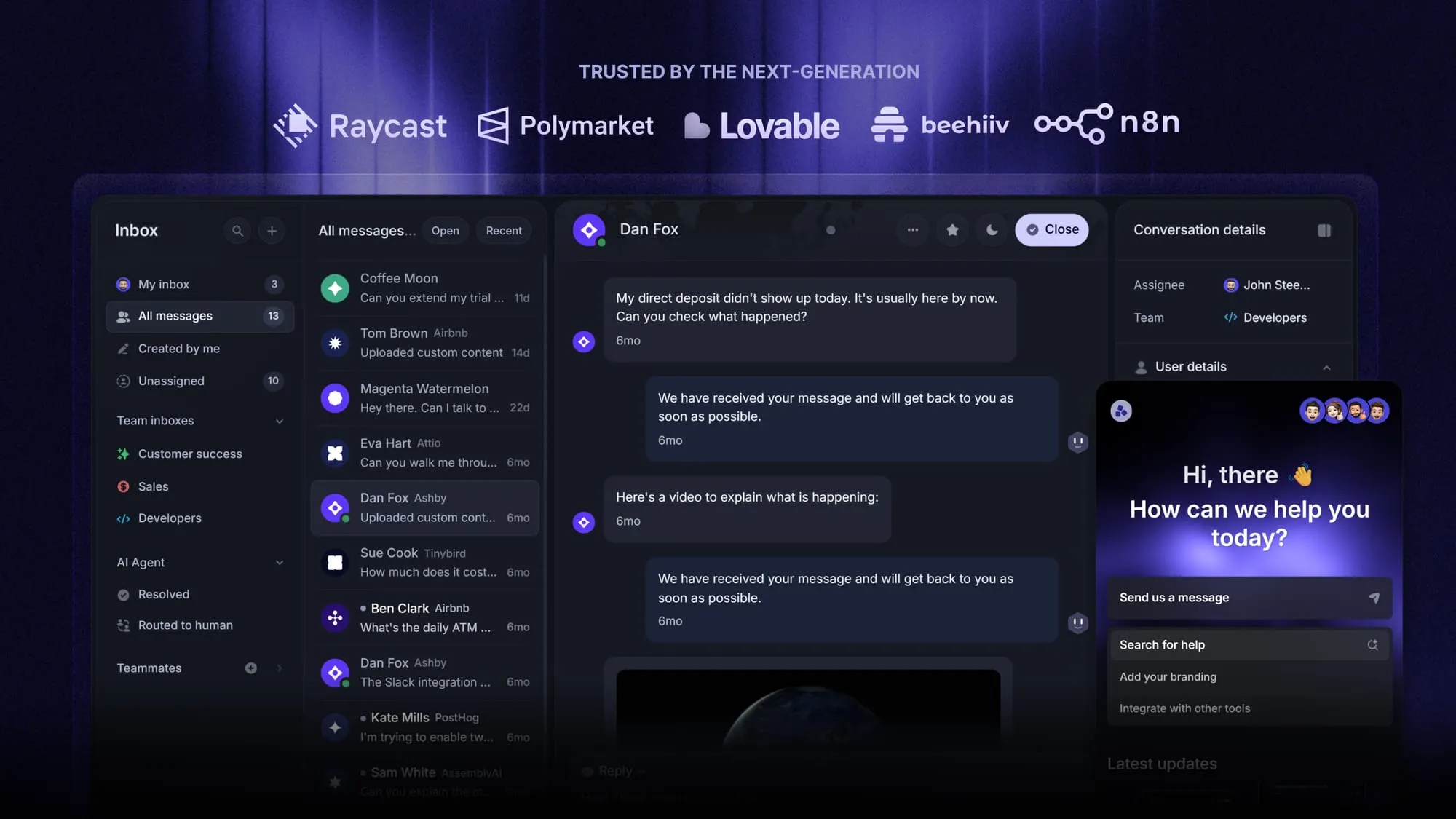
This is where newer tools like Featurebase come in. It's is a modern AI customer support platform designed specifically for product-led SaaS companies. Instead of combining dozens of legacy tools and add-ons, it brings customer support, help centers, and feedback management into one platform.
Top features:
- Omnichannel inbox – Manage live chat, email, and Slack conversations from one AI-powered view
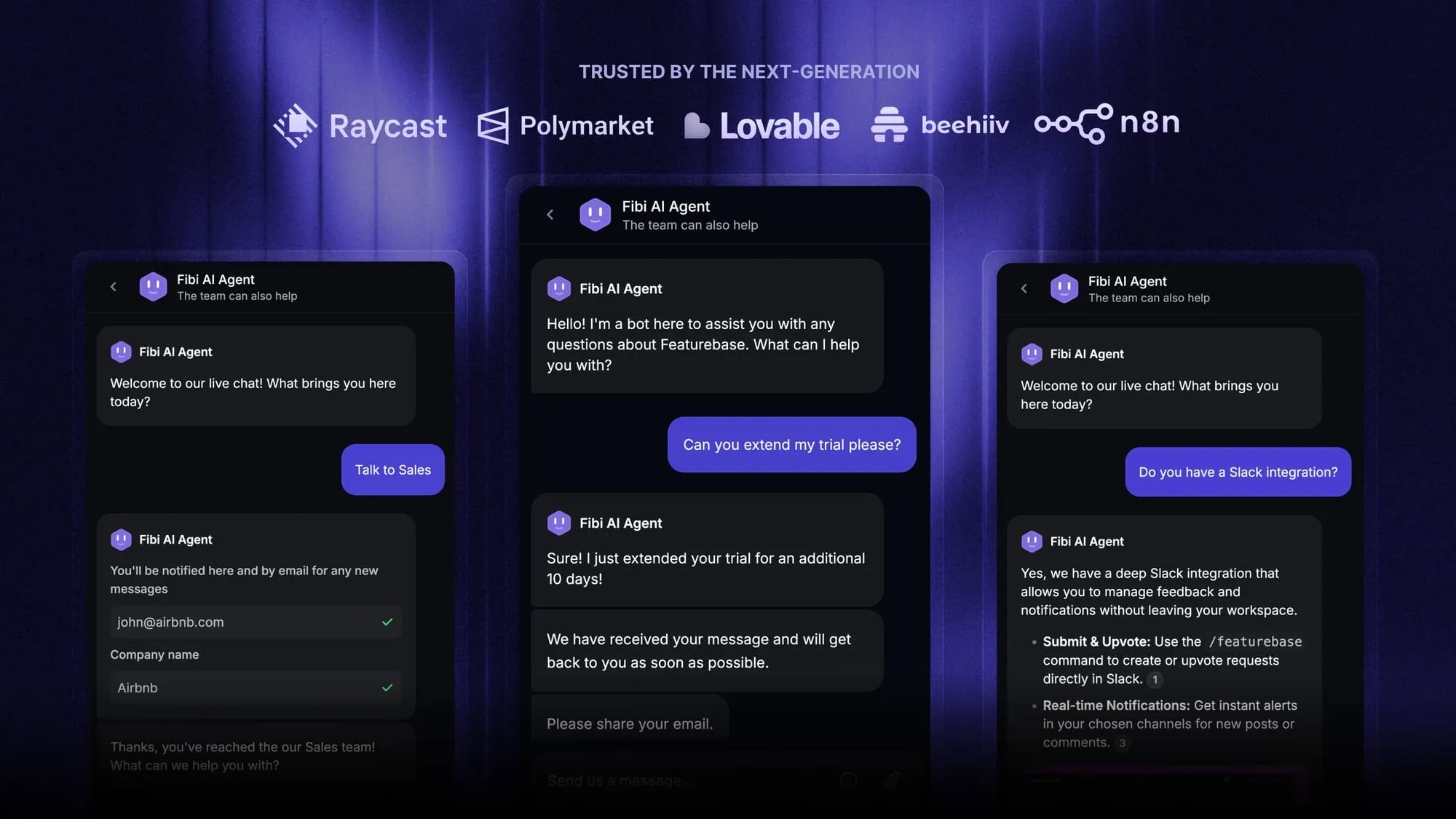
- Fibi AI Agent - Resolve customer issues on autopilot and run actions like trial extensions or refunds
- Help center with AI search – Provide instant self-serve answers for customers
- Workflows & automations – Automatically assign tickets, route conversations, and collect customer data
- AI Copilot – Help agents answer customers faster using internal knowledge
- Multi-brand support – Manage multiple help centers and live chats from one workspace
- Automatic AI translations – Translate conversations and help articles instantly
- Service Level Agreements – Track SLAs and response times easily
- Mobile app – Respond to customers and receive notifications on the go
- Integrations – Connect with Slack, Linear, Jira, HubSpot, and more
Pricing: Free plan available with unlimited conversations. Paid plans start at $29 per seat per month with $0.29 per AI resolution.
Instead of paying for multiple tools like Zendesk, product feedback platforms, and changelog tools, many teams use Featurebase to bring everything into one place.
What's best is that it comes with a Free plan, and you can migrate your existing Zendesk knowledge base with one click, so there's no downside to trying it out! 👇
Automate your support with the fastest AI-enhanced Inbox today
More on Zendesk: