Blog Customer ServiceLive Chat Scripts: 50+ Examples for Faster Support
Live Chat Scripts: 50+ Examples for Faster Support
Get 50+ live chat scripts for every support scenario - greetings, troubleshooting, refunds, escalations, and more - plus the rules for keeping them human, not robotic.



✨Automate your support with the fastest AI-enhanced Inbox today →
Your agent opens a chat, freezes for a second, then types something a little off. Multiply that by 80 chats a day and you get slow replies, mixed messages, and support that feels improvised.
Live chat scripts fix that - but only if they don't read like a robot wrote them.
Below are 50+ ready-to-use live chat scripts for every common scenario, plus the rules for adapting them so they still sound human. Copy, tweak, and ship. 👇
Key takeaways:
- A live chat script is a pre-written, adaptable response - a starting point your agents personalize, not a word-for-word monologue.
- Scripts speed up replies, keep your brand voice consistent, and lower agent stress during busy periods.
- The best scripts are short, conversational, and easy to personalize on the fly.
- Group your scripts by scenario (greetings, troubleshooting, refunds, escalations, and so on) so agents find the right one fast.
- Review your scripts every quarter against real chat logs and cut the ones nobody uses.
- Featurebase✨ lets you save every script as a reusable macro and drop it into any conversation in one click.
What are live chat scripts?
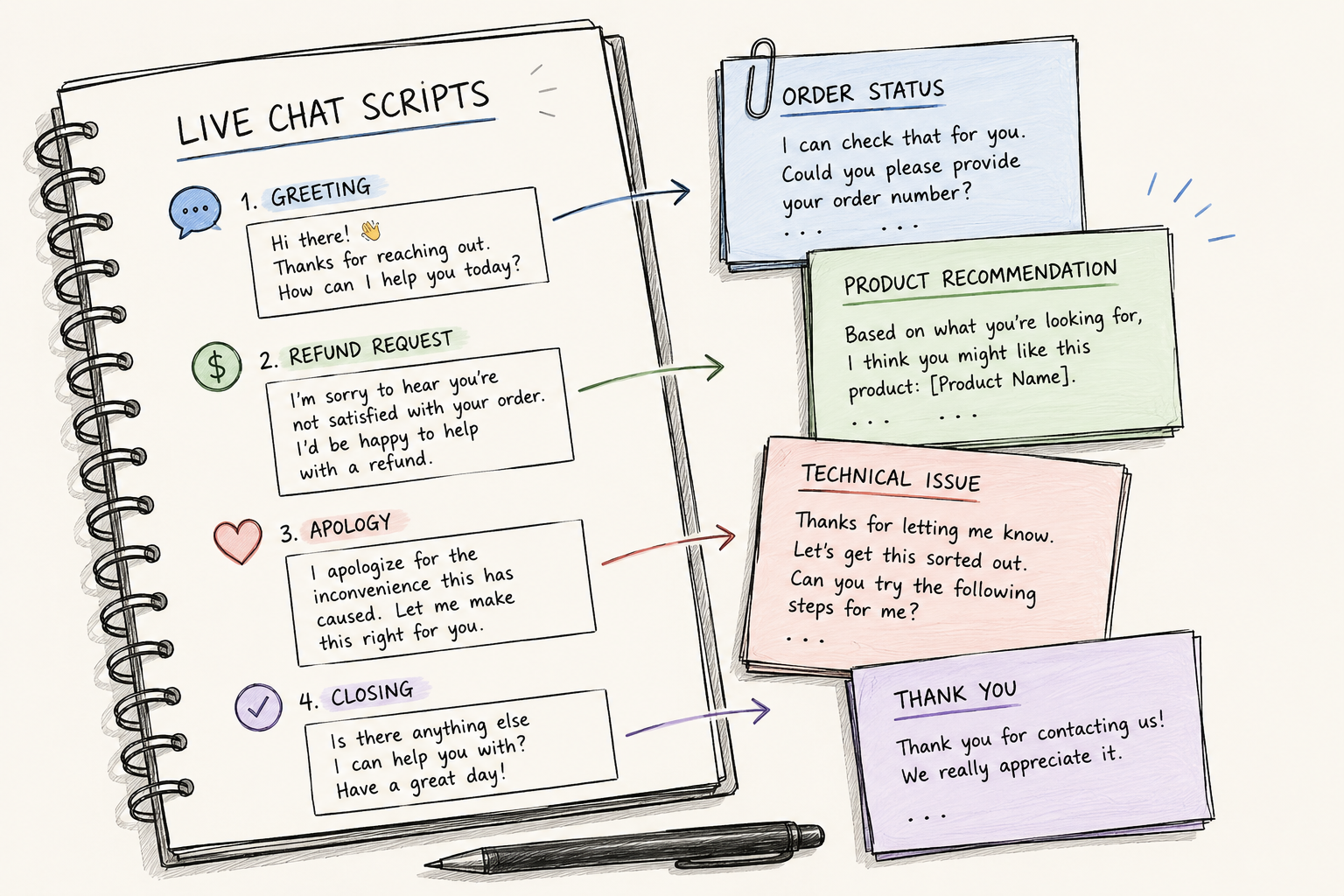
A live chat script is a pre-written response your support or sales team uses to handle a common chat scenario. Think of it as a skeleton: the agent fills in the specifics for the actual customer instead of typing every reply from scratch.
Scripts aren't meant to be read word-for-word. The good ones handle the hard part (what do I say first?) and leave room for the agent's own voice. A greeting, a refund explanation, an apology, a closing line - each becomes a reusable starting point.
You'll also hear them called canned responses, chat templates, or saved replies. Same idea: a tested message your team can reuse to reply faster and stay on-brand across every live chat software conversation.
Why use live chat scripts?
Spontaneous replies sound nice in theory, but at volume they get slow and inconsistent. Scripts give you 3 things winging it can't:
- Faster replies: Agents stop retyping the same answer and pick a tested one, which keeps first response times low even during busy spells.
- Consistency: Every customer gets the same on-brand answer, whether they reach a brand-new hire or your most senior agent.
- Less agent stress: Juggling several chats at once is far calmer when reliable wording is already there to lean on.
Scripts also make onboarding faster. New agents learn the right responses to common scenarios in days, not weeks, which is one less thing to worry about when your team grows.
50+ live chat script examples by scenario
Here's the library. Each script uses placeholders like [Name] and [Company] - swap in the real details and adjust the tone to match your brand before you send.
Greeting and welcome scripts
The first line sets the tone. Keep greetings warm, use the customer's name when you can, and get to "how can I help" fast. The same warmth works when you're reaching out proactively to a browsing visitor.
- Hi [Name], thanks for reaching out! I'm [Agent] from the [Company] team. How can I help today?
- Welcome back, [Name]! Great to see you again. What can I do for you?
- Hi there! I noticed you've been looking at [page or feature] - happy to answer any questions about it.
- Hey [Name], you're through to [Agent]. What brought you in today?
- Thanks for your patience, [Name]. I'm here now and ready to dig into this with you.
Buying-time and hold scripts
Sometimes you need a minute. Say so clearly instead of going silent and leaving the customer guessing.
- Great question! Give me one moment to pull up your account and I'll be right back.
- I want to get this right, so let me check with my team. I'll have an answer for you shortly.
- Thanks for waiting! Still digging into this - it's a less common issue, but I'm on it.
- One sec while I look that up for you.
- Apologies for the short wait, [Name]. I'm reviewing the details now and won't be long.
Information-gathering scripts
You can't solve what you can't see. These scripts ask for details without making the customer feel interrogated.
- Happy to help! Could you share your account email or order number so I can pull up the details?
- To point you in the right direction, when did you first notice this and what were you trying to do?
- Got it. Can you tell me a bit more about [issue] so I can find the fastest fix?
- Mind sending a quick screenshot of what you're seeing? That'll help me spot the problem.
- Just to confirm I've got this right - you're trying to [task] but running into [issue], correct?
Troubleshooting scripts
When you're fixing a technical issue over chat, lead with the most likely fix and keep each step short.
- Sorry you're hitting this. Let's start with the most common fix: [step]. Can you try that and let me know?
- Thanks for those details. Try clearing your cache and refreshing - that clears this one up more often than not.
- This might be faster to show than tell. Want me to send a quick screen-share link?
- We're aware of this one and our team is on a fix. In the meantime, here's a workaround: [steps].
- Before I let you go, try it once more on your end so we know it's solid.
Transferring and escalation scripts
Handoffs go wrong when the customer has to repeat themselves. Pass full context along, and be upfront when you need to escalate the conversation to someone else.
- Our [team] handles this best, so let me transfer you now. One moment.
- Thanks for explaining all that. I'm passing it to [colleague], who specializes in this, with full context so you won't have to repeat yourself.
- This needs a closer look from our technical team. I'm flagging it now and someone will follow up within [timeframe].
- I'd like to loop in my supervisor to make sure we resolve this properly. Bear with me a moment.
- That's a great suggestion - I'm sending it straight to our product team for review.
Handling angry or frustrated customers
Acknowledge the emotion before the fix. A cheerful canned line lands badly when someone is upset.
- I completely understand the frustration, [Name]. Let's get this sorted right now.
- You're right to be annoyed about this, and I'm sorry. Let me see exactly what happened.
- That's time you shouldn't have lost. I genuinely apologize, and I'll make it right.
- I hear you. Give me a moment to look into [issue] and I'll come back with a real fix, not a brush-off.
- I don't want to see you go. Before you decide, can I ask what would make this right for you?
Sales, upsell, and cross-sell scripts
Live chat is a natural place to suggest more - as long as you're helping, not just pushing.
- Great choice! Customers who pick [product] often pair it with [add-on] - want me to show you why?
- Based on what you've described, [plan] might fit you better than [plan]. Happy to walk through the difference.
- You're [amount] away from free shipping - add [item] and it's covered.
- Want to see [product] in action? I can set up a quick demo at a time that works for you.
- Since you'll likely outgrow [plan] soon, it may be worth starting on [plan]. No pressure, just flagging it.
FAQ and quick-answer scripts
Most chats are the same handful of questions. Keep crisp answers ready for the ones you hear daily.
- Standard shipping takes [X] business days, and you'll get a tracking email the moment it ships.
- You can return any item within [X] days for a full refund. Here's the full policy: [link].
- We accept [payment methods]. Need a hand with checkout?
- Yes, we offer [feature]! Want a quick walkthrough?
- We don't have [feature] just yet, but I'll pass your request to our product team - they track these closely.
After-hours and offline scripts
When you're not online, set expectations clearly so customers know exactly when to expect a reply.
- Thanks for reaching out! Our team is offline right now but back at [time]. Leave the details and we'll reply first thing.
- You've reached us outside live chat hours ([hours]). Drop your question here or email [email] and we'll get back to you.
- We're closed for [holiday] and back on [date]. In the meantime, our help center may have a quick answer: [link].
- Our agents are away, but our AI assistant can help with common questions right now - just ask.
- It's after hours here, but your message is in the queue. Expect a reply by [time] tomorrow.
Closing and feedback scripts
Don't let a chat trail off. Confirm the issue is solved, invite one last question, and ask for feedback while you're connected.
- Glad we got that sorted, [Name]! Anything else I can help with before you go
- Happy I could help. I'll send a quick summary to your email so you have it on record.
- Thanks for reaching out to [Company] - have a great rest of your day!
- Before you head off, would you mind rating this chat? It takes a few seconds and helps us improve: [link].
- If anything else comes up, we're just a chat away. Take care!
How to write live chat scripts that don't sound robotic
A script only works if it sounds like a person wrote it. A few rules keep them human:
- Write how you talk: Swap stiff lines like "We appreciate your inquiry" for "Great question!" Read each script out loud - if it sounds awkward spoken, rewrite it.
- Leave room to personalize: Add the customer's name, reference what they said earlier, and let agents adapt the wording. A script is a starting point, not a cage.
- Keep it short: If a reply runs more than 2 short paragraphs, it's too long for chat. Break it into steps.
- Organize by scenario: Group scripts so agents find the right one in seconds instead of scrolling through a giant doc. Pair them with solid customer service skills and your team will sound sharp every time.
Speaking of finding them fast: scripts buried in a spreadsheet get ignored. Store them where your team already replies. With Featurebase you can save every script as a reusable macro and drop it into any conversation with a quick shortcut, so the right wording is always one keystroke away.
Common live chat script mistakes to avoid
- Reading scripts word-for-word: The fastest way to sound robotic is to paste without adapting. Treat every script as a draft the agent finishes.
- Ignoring the customer's mood: A cheery canned line lands badly when someone is upset. Acknowledge the emotion, then move to the solution.
- Using jargon: "Clear your cache" means nothing to most people. Try "let's clear your browser's temporary files - here's how."
- Letting scripts go stale: Outdated scripts hand customers wrong info. Review them against your support metrics on a schedule and remove what nobody uses.
- Only pushing the sale: People come to chat for help, not a pitch. Solve the problem first, and the upsell can wait.
Where to store and manage your live chat scripts
Writing good scripts is half the job. The other half is keeping them somewhere your team can actually reach mid-chat. A shared doc or spreadsheet works at first, but the moment an agent has to alt-tab and search for a refund script while a customer waits, they'll just wing it.
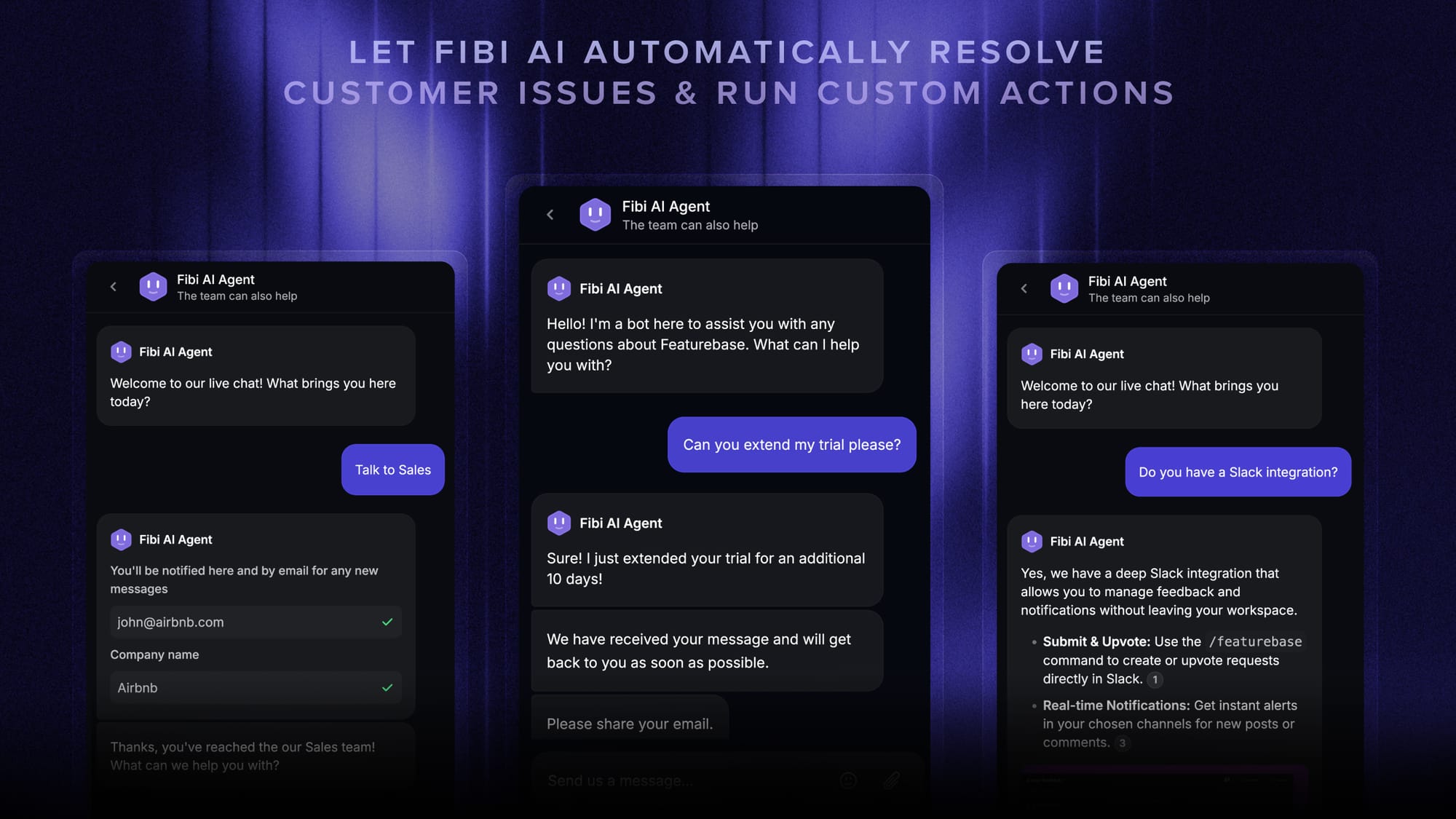
The better setup is to keep scripts inside the tool where you reply, so they're a shortcut away. Most live chat and help desk platforms handle this through saved replies or macros, and increasingly through AI that drafts a reply for you. A few things worth looking for:
- Reusable macros: Save each script once and insert it with a short keystroke, so the wording stays consistent and nobody retypes it.
- AI-drafted replies: Let an assistant draft a response from your past conversations and help docs, in your tone, when no saved script fits.
- One source of truth: Update a script in one place and have every agent get the new version, instead of chasing outdated copies.
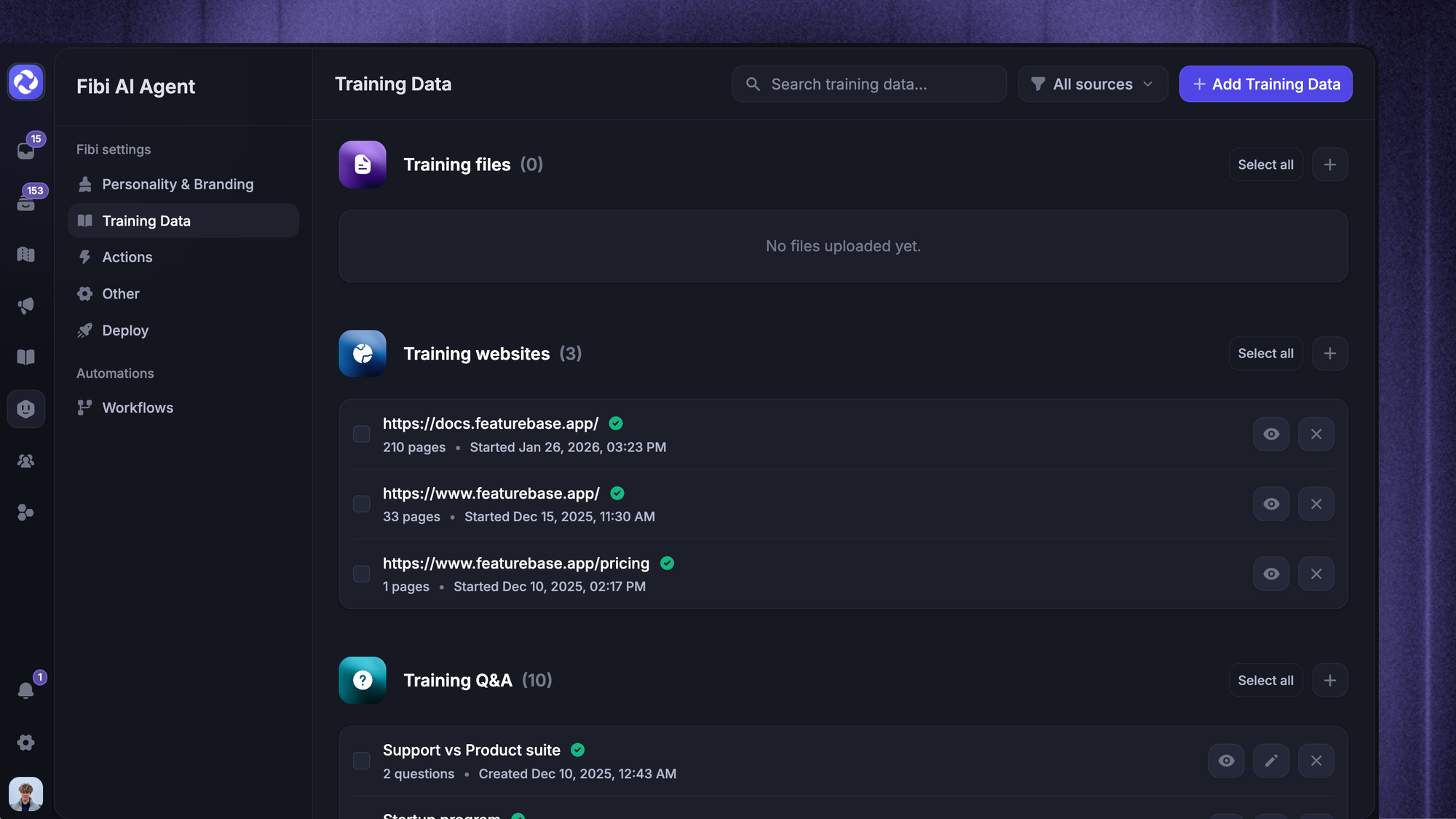
Featurebase is one option that does this. Its inbox lets you store scripts as macros, drop them in with a shortcut, and use AI replies to draft answers in your own voice, while automating the repetitive replies so agents focus on the chats that need a human. There's a free plan if you want to test the workflow before committing.
Conclusion
Live chat scripts aren't about sounding scripted. They're about giving your team a reliable starting point so every reply is fast, consistent, and genuinely helpful. Build a library for your top scenarios, keep it human, and refine it as you learn what your customers actually ask.
Featurebase is a modern AI-powered support platform that lets you handle live chat, email, and Slack from one inbox, save every script as a reusable macro, and let Fibi AI Agent resolve common questions for you. It also brings your help center, feedback, and product updates together in one place.
It comes with a Free plan and quick onboarding that doesn't need a credit card, so there's no downside to trying it. 👇
✨ Automate your support with the fastest AI-enhanced Inbox today →
FAQs
Do live chat scripts actually reduce response time?
Yes. Most of an agent's delay isn't typing speed, it's deciding what to say. A tested script removes that pause, so replies go out faster without feeling rushed. Across dozens of chats a day, those saved seconds add up to noticeably lower response times.
How often should you update your live chat scripts?
Review them at least once a quarter. Pull your recent chat transcripts, look for new questions your scripts don't cover, and rewrite any that aren't landing. If a script hasn't been used in a full quarter, it probably doesn't fit your team, so cut it.
Can you use the same script for live chat, email, and phone?
Use one base message, but adapt it per channel. Chat replies are short and snappy because the customer is reading in real time, email can be longer and more structured, and phone needs to sound natural out loud. Copying a script word-for-word across all three usually feels off in at least one.
What's the difference between a live chat script and a chatbot script?
A live chat script is wording a human agent adapts in a real conversation. A chatbot script is an automated flow, a decision tree of triggers and pre-set replies that runs without a person. Many teams use both: the bot handles repetitive questions, and agents use scripts for everything that needs a human touch.
How many live chat scripts does a support team need?
There's no magic number. Cover your most common scenarios first - greetings, top FAQs, troubleshooting, escalations, and closings - then add scripts as recurring questions show up in your chat logs. Starting with 10 to 15 solid scripts beats launching 50 you'll never use.
Can AI write your live chat scripts?
Yes. AI can draft scripts and even reply for you using your past conversations and help center content. With Featurebase, AI replies draft responses in your brand's tone of voice, and Fibi AI Agent can resolve common questions on its own, so your team writes fewer scripts from scratch.