Blog Customer ServiceMultilingual Live Chat: A Practical Guide for SaaS
Multilingual Live Chat: A Practical Guide for SaaS
Multilingual live chat lets your team support customers in any language, in real time. Here's how it works, why it matters, and how to set it up.



✨Stop losing customers because of language barriers →
A customer opens your chat widget and types a question in German. Your agents only speak English. By the time someone pastes the message into Google Translate and pieces together a reply, the customer has given up, or started looking at a competitor who answers in their language.
Multilingual live chat closes that gap. It lets you chat with customers in their own language, in real time, without staffing a native speaker for every market.
Here's how it works, why it matters, and how to set it up. 👇
Key takeaways:
- Multilingual live chat lets your team hold real-time chat conversations with customers in their own language, usually through automatic translation rather than a roomful of native speakers.
- It runs on 4 building blocks: automatic language detection, real-time message translation, language-based routing, and multilingual self-service.
- It pays off. 75% of consumers are more likely to buy from a brand again when customer care is in their language, according to CSA Research.
- You don't need to hire a native speaker for every market. AI translation lets a small team support dozens of languages from one inbox.
- Featurebase✨ offers multilingual live chat out of the box, with automatic AI translation across an omnichannel inbox and a help center in 40+ languages.
What is multilingual live chat?
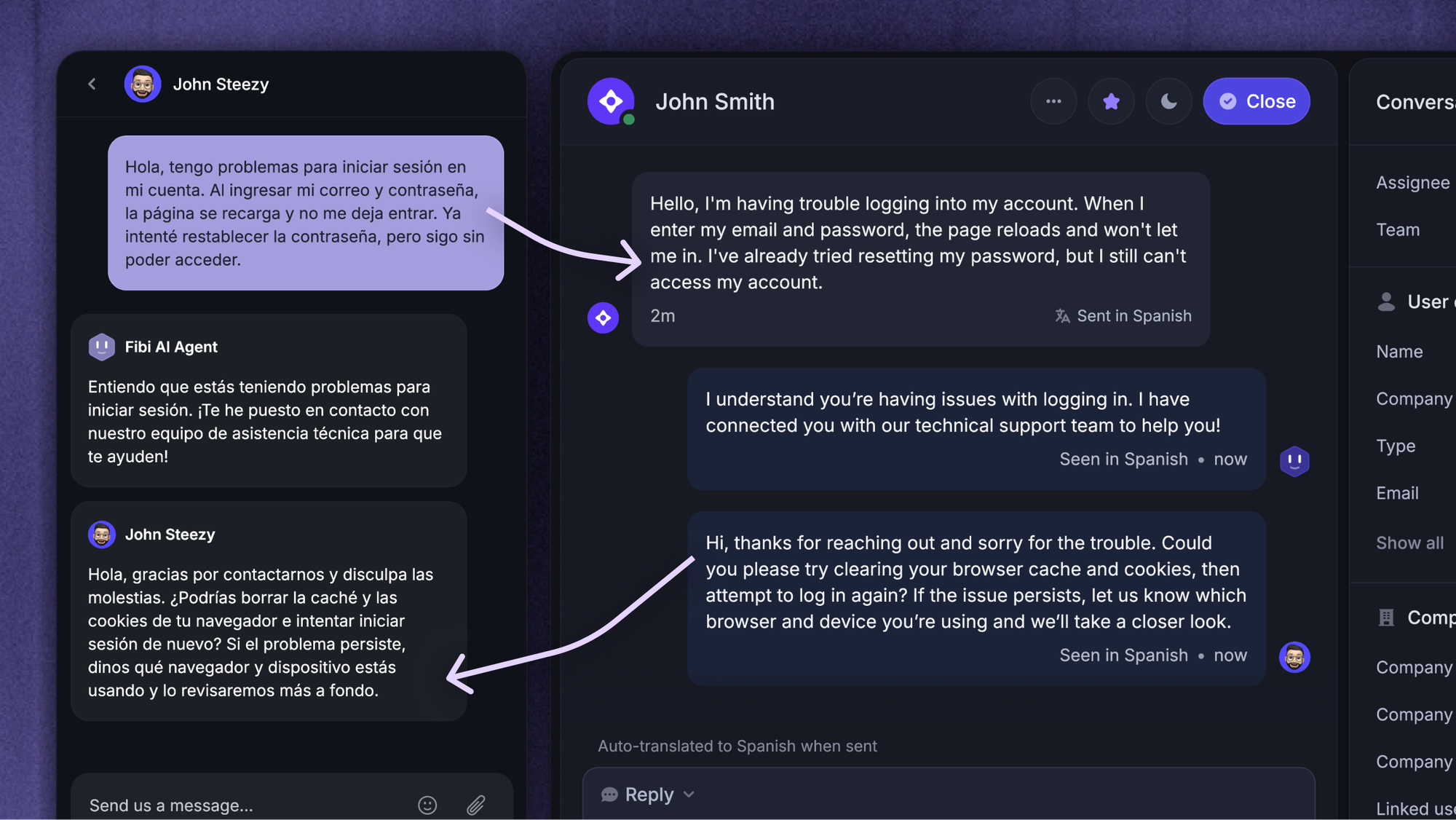
Multilingual live chat is live chat support that works across multiple languages. A customer types in their preferred language, your agent reads and replies in theirs, and software translates the conversation in both directions in real time.
It's different from a chatbot. A chatbot replies automatically from a script or an AI model. Multilingual live chat is a real human conversation with translation layered on top. Most modern support tools combine the two: a bot handles common questions in any language and hands off to a human when the issue needs one.
The result is simple. Your customer feels like they're talking to someone who speaks their language, even when they aren't.
Why multilingual live chat matters
Supporting customers in their own language isn't a nice-to-have. It changes whether they buy and whether they stay.
CSA Research surveyed 8,709 consumers across 29 countries and found that 75% are more likely to buy from the same brand again when customer care is in their language. The same study found that 40% won't buy from websites in another language at all.
For a SaaS company, that shows up in 3 ways:
- Higher conversions: Prospects who can ask pre-sales questions in their own language are far more likely to sign up than those forced to puzzle through a second one.
- Wider reach: You can enter new markets without building a local support team for each one, which makes expansion cheaper and faster.
- Stronger retention: Customers who get help in their language feel understood, renew more often, and are less likely to leave for a competitor who speaks to them directly.
How multilingual live chat works
Multilingual live chat looks like magic to the customer, but under the hood it's 4 moving parts working together.
Automatic language detection
The first thing the software does is work out what language the customer is using. It reads the visitor's browser settings or the language of their first message, then sets the conversation to that language automatically. The customer never has to pick from a dropdown or find a language toggle.
Real-time message translation
This is the core of it. As the customer types, their message is translated into your agent's language, and your agent's reply is translated back, both within the same chat window.
With Featurebase, for example, live chat messages are automatically translated into the customer's native language across 40+ languages, so an English-speaking agent and a Spanish-speaking customer each read the conversation in their own language without copying anything into a separate tool.
Language-based routing
If you do have agents who speak certain languages, routing sends each conversation to the right person. A message in French goes to your French speaker, a message in Japanese goes to the agent who handles Japanese, and everything else falls back to automatic translation. This keeps your best native-language coverage where it matters most.
Multilingual self-service
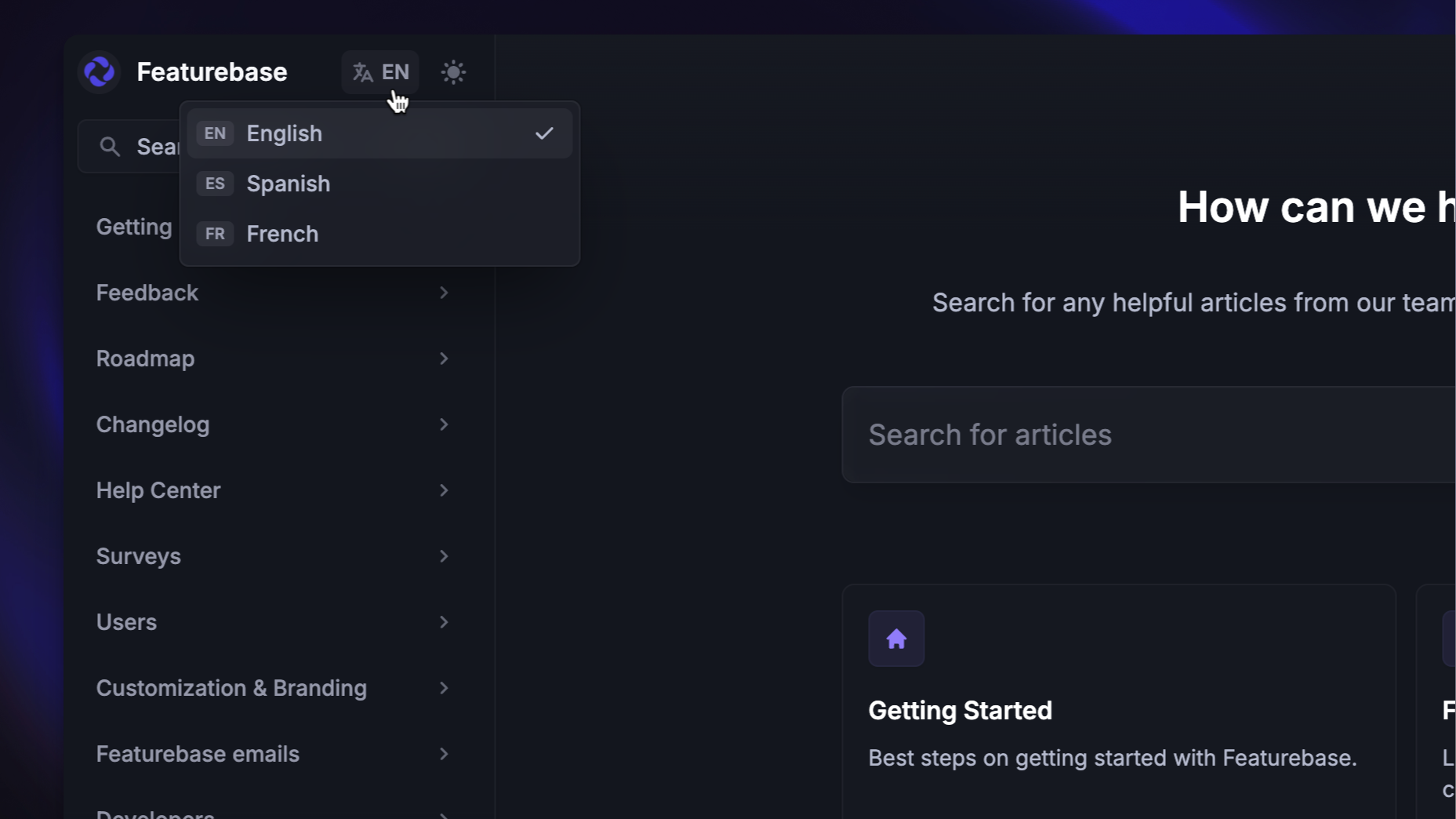
Not every question needs an agent. A multilingual help center and an FAQ chatbot let customers find answers in their own language before they ever start a chat, which cuts your volume and gives instant help around the clock.
How to set up multilingual live chat
You don't need a big project to get started. Most teams can be live in a few days. Here's the sequence:
- Pick your priority languages: Look at where your customers and signups actually come from, and start with the 3 to 5 languages that cover the most people rather than trying to support everything at once.
- Turn on automatic translation: Switch on real-time translation and language detection in your chat tool so incoming messages are handled in the customer's language from the first reply.
- Translate your canned responses and help articles: Your saved replies, macros, and knowledge base carry most of your common answers, so translating them once gives every language consistent, on-brand support.
- Route the languages you staff: Send conversations in languages your team speaks natively to those agents, and let automatic translation cover the rest.
- Test with native speakers, then launch: Run a few real conversations in each language with someone fluent before you roll out, so you catch awkward translations and tone issues early.
What to look for in multilingual live chat software
Most live chat tools claim some language support, but the gap between basic and built-for-global is wide. Look for:
- Built-in real-time translation: Translation should happen inside the chat automatically, not by your agents pasting text into a separate tool, so conversations stay fast and natural.
- Automatic language detection: The tool should set each conversation to the customer's language on its own, without forcing the customer to choose.
- A multilingual help center: Self-serve answers in the customer's language deflect a large share of chats before they start, so translation should extend to your articles, not just live messages.
- Quality and brand controls: Glossaries and custom terms keep product names and key phrases translating consistently, so the bot doesn't mangle your branding across languages.
- Security and compliance: Customer messages pass through translation systems, so standards like GDPR and SOC 2 matter, especially if you handle sensitive data.
This is where an all-in-one platform helps. With Featurebase, you can run live chat, email, and Slack from one omnichannel inbox with translation across 40+ languages, and pair it with a multilingual AI help center so customers can self-serve in their own language too.
Where Featurebase fits
If you're evaluating tools, it's worth knowing which ones treat translation as a core feature rather than a paid add-on. Featurebase is one of them.
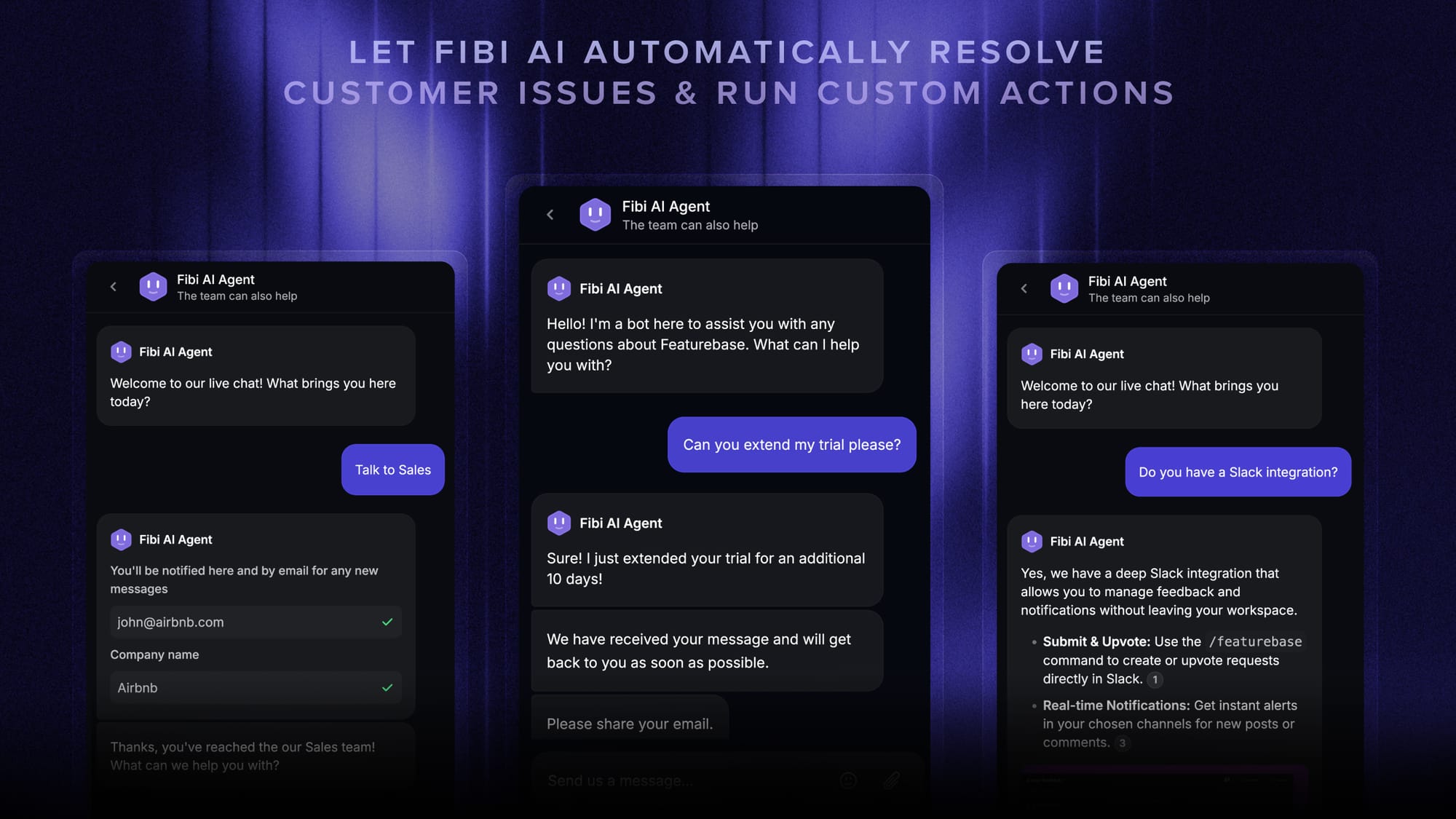
It runs live chat, email, and Slack from a single inbox and translates messages automatically into the customer's language across 40+ languages, so your team reads and replies in their own language while the customer sees theirs. The same translation extends to the help center, so customers can self-serve in their language before they ever start a chat.

That covers the building blocks from earlier in this guide: automatic detection, real-time translation, and multilingual self-service, without a separate translation layer to manage. There's a free plan if you want to see how it handles your own languages.
Conclusion
Multilingual live chat used to mean hiring native speakers for every market or pasting messages into a translation tool between replies. It doesn't anymore. With automatic language detection and real-time translation, a small team can support customers in dozens of languages and make each conversation feel local.
Featurebase is a modern AI support platform that lets you do exactly that. Run live chat, email, and Slack from one omnichannel inbox with automatic translation in 40+ languages, plus a multilingual AI help center so customers can self-serve in their own language.
It comes with a Free plan and fast onboarding that doesn't require a credit card, so there's no downside to trying it. 👇
✨ Automate your support with the fastest AI-enhanced Inbox today →
FAQs
What's the difference between multilingual live chat and a multilingual chatbot?
Multilingual live chat is a real conversation between a customer and a human agent, with software translating the messages in both directions. A multilingual chatbot replies automatically using a script or AI model. In practice most modern support tools combine both: a bot answers common questions in any language and hands off to a human agent when the issue needs one.
How accurate is AI translation for live chat conversations?
Modern AI translation is highly accurate for everyday support conversations, and it keeps improving as models get better. Accuracy depends on your content, so adding a glossary of your product names and key terms helps the tool stay consistent. Test it with real conversations in each language before you roll out, especially for technical or sensitive topics.
Do I need a separate chat widget for each language?
No. One widget with automatic language detection and translation handles every language from the same setup. The tool reads each visitor's language and adjusts the conversation on its own, so you don't manage a separate widget, inbox, or workflow per market.
How many languages can multilingual live chat support?
It depends on the tool. Basic live chat apps cover a handful of languages, while modern AI-powered platforms commonly support 40 to 100 or more. If you're expanding globally, check that the tool's language list covers your current markets and the ones you plan to enter next.
Can a small team offer multilingual live chat without hiring native speakers?
Yes. Real-time translation lets an English-speaking team chat with customers in dozens of languages without adding headcount. With Featurebase, for example, messages are translated automatically into the customer's native language across 40+ languages, so a small team can cover global support from one inbox. Native speakers are still useful for high-stakes accounts, but they're no longer a requirement to get started.
How much does multilingual live chat software cost?
Pricing ranges widely. Some tools include a free tier, while others charge per agent seat plus a fee for each AI resolution or translated message. Translation is increasingly built into the core product rather than sold as a separate add-on, so check whether multilingual support is included in the plan you're considering or priced on top.