Escalation Management: Process, Types & Best Practices
Escalation management gets stuck customer issues to the right person fast. Learn the types, the escalation matrix, SLAs, the process, and best practices.


On this page
- Key takeaways
- What is escalation management?
- Why escalation management matters
- The 4 types of escalation
- What is an escalation matrix?
- The escalation management process, step by step
- Common escalation management challenges
- Escalation management best practices
- Metrics that show escalation management is working
- Escalation management software
- Conclusion
Automate your support with the fastest AI-enhanced Inbox today
Every support team hits the same wall. A ticket lands that the frontline agent can't solve alone, and the customer is already frustrated. What happens next decides whether it resolves quietly or turns into a churned account and a bad review.
Escalation management is the system for that moment. Done well, it moves the problem to the right person fast and keeps the customer informed. Done badly, tickets bounce between teams while the customer waits.
This guide covers what escalation management is, why it matters, the types of escalation, the escalation matrix, a repeatable process, and the best practices that keep escalation rates low. 👇
Key takeaways
- Escalation management is the process of moving an unresolved customer issue to someone better equipped to handle it - a specialist, a manager, or another team.
- There are 4 types of escalation: functional (sideways, to expertise), hierarchical (up, to authority), automatic (triggered by rules), and priority-based (high-stakes cases routed straight to senior staff).
- An escalation matrix, backed by clear SLAs, maps who handles what, when an issue moves up a tier, and what the next step is at each level.
- Tracking your escalation rate, first contact resolution, and resolution time tells you whether the process is actually working.
- A clear process, well-defined tiers, and strong self-service all reduce how often issues need to escalate in the first place.
- Featurebase✨ brings your inbox, routing workflows, tickets, and AI agent into one place, so escalations move to the right person automatically instead of stalling in a queue.
What is escalation management?
Escalation management is the process of handing an unresolved customer issue to someone better positioned to solve it, whether that's a technical specialist, a senior agent, or a manager with the authority to make a call.
It exists because not every issue can, or should, be solved by the first person who picks it up. Some need deeper product knowledge. Some need sign-off on a refund or an exception. Some are urgent enough that they can't sit in a normal queue. Escalation management is how you route those cases without losing time or context.
The goal isn't to escalate more. It's to escalate the right things, to the right people, at the right moment. A good process makes escalations rare, fast, and invisible to the customer. It also overlaps closely with complaint management, since many escalations start as a complaint a frontline agent can't fully resolve.
The term is used in customer support, customer success, and IT. In IT support and ITSM, escalation management is a formal ITIL practice for routing incidents and requests to the right resolver, but the core idea is identical across every context: get the issue to whoever can actually fix it.
Why escalation management matters
A structured escalation process isn't bureaucracy for its own sake. It protects the things that keep a support operation healthy.
- It protects customer retention: A frustrated customer who waits without answers is a customer who starts looking at competitors. Fast, well-communicated escalations are what turn a potential churn moment into a save.
- It keeps operations running: Getting complex issues to the right resolver quickly stops minor problems from snowballing into outages, backlogs, or angry accounts that eat a whole team's day.
- It optimizes your team: When Tier 1 handles routine questions and only the genuinely hard cases move up, your specialists spend their time where it actually counts instead of triaging noise.
- It prevents repeat issues: Every escalation is data. Logged and reviewed, it surfaces the product bugs, knowledge gaps, and process holes that cause the same escalation over and over.
The 4 types of escalation
Most escalations fall into one of 4 categories. Knowing which type you're dealing with tells you where the ticket should go.
Functional escalation
Functional escalation moves an issue sideways to someone with the right expertise, not necessarily someone more senior. It happens when a request falls outside the agent's area of knowledge, like a billing question that needs the finance team or a bug that needs engineering.
The person receiving the escalation isn't higher up the chain, they just know something the first agent doesn't. Most day-to-day escalations are functional.
Hierarchical escalation
Hierarchical escalation moves an issue up to someone with more authority, usually a supervisor or manager. It's used when a case needs a decision the agent can't make alone, like approving a large refund, handling an angry high-value account, or resolving a dispute.
This type is about permission and ownership rather than expertise. The manager steps in because they can make the call, not because they know the product better.
Automatic escalation
Automatic escalation is triggered by predefined rules rather than a person deciding to escalate. A ticket that breaches its response-time target, a message flagged as urgent, or a VIP customer's request can all trigger an automatic move to the next tier.
This is where customer service automation does the heavy lifting. Instead of relying on an agent to notice a stalled ticket, rules watch every conversation and escalate the ones that meet your criteria.
Priority-based escalation
Priority-based escalation routes the most critical cases straight to senior staff, skipping the normal tier-by-tier path. It applies to high-value customers, time-sensitive issues, or anything with serious business impact that can't wait in a queue.
A related variant is external escalation, where an issue has to go to a third party like a vendor, partner, or regulator because the resolution sits outside your organization. Both share the same principle: some cases are important enough to break the standard flow.
What is an escalation matrix?
An escalation matrix is the document that turns escalation from a judgment call into a repeatable rule. It defines who handles which issues, when a case should move up a tier, and what the next step is at each level.
Most support teams organize their matrix around tiers. Each tier handles a defined scope, and anything beyond that scope moves to the next one.
| Tier | Who handles it | Typical scope |
|---|---|---|
| Tier 1 | Frontline agents | Common questions, how-tos, known fixes (~80% of issues) |
| Tier 2 | Specialists or senior agents | Technical issues, product edge cases |
| Tier 3 | Engineering or product experts | Bugs, deep technical problems |
| Tier 4 | Managers or leadership | High-stakes accounts, legal, executive calls |
The matrix works hand in hand with your service level agreements (SLAs). SLAs set how long an issue can sit at each tier before it escalates, which keeps cases moving even when someone forgets to follow up. A common approach is to trigger an escalation once a case reaches 75-80% of its resolution target, before the SLA is actually breached.
The point of the matrix is to remove hesitation. When an agent knows exactly what qualifies for Tier 2 and how to move it there, escalations happen faster and fewer issues get stuck at the wrong level.
The escalation management process, step by step
A reliable escalation process looks roughly the same across teams. The details change, but the sequence holds.
- Define your tiers and SLAs: Decide what each tier handles and how quickly issues should move between them. Your response and resolution targets are what tell an agent when a case has waited too long and needs to escalate.
- Set clear escalation triggers: Document the exact conditions that justify moving a ticket up, whether that's a missed target, a specific issue type, or a customer's plan level. Vague criteria are the main reason issues escalate too early or too late.
- Route the issue with full context: When a ticket moves, the next person needs real collaboration and the whole history, not a cold handoff. Escalations fail most often when the receiving agent has to ask the customer to repeat everything.
- Keep the customer informed: Tell the customer their issue is being escalated and set an expectation for the next update. Silence during an escalation is what turns a solvable problem into a complaint.
- Resolve and close the loop: Once the issue is solved, confirm with the customer and make sure the resolution gets back to them clearly. A fixed issue the customer never hears about still feels unresolved.
- Review what escalated and why: Log every escalation and look for patterns. If the same issue keeps escalating, the real fix is usually upstream: a knowledge gap, a product bug, or a tier that's scoped too narrowly.
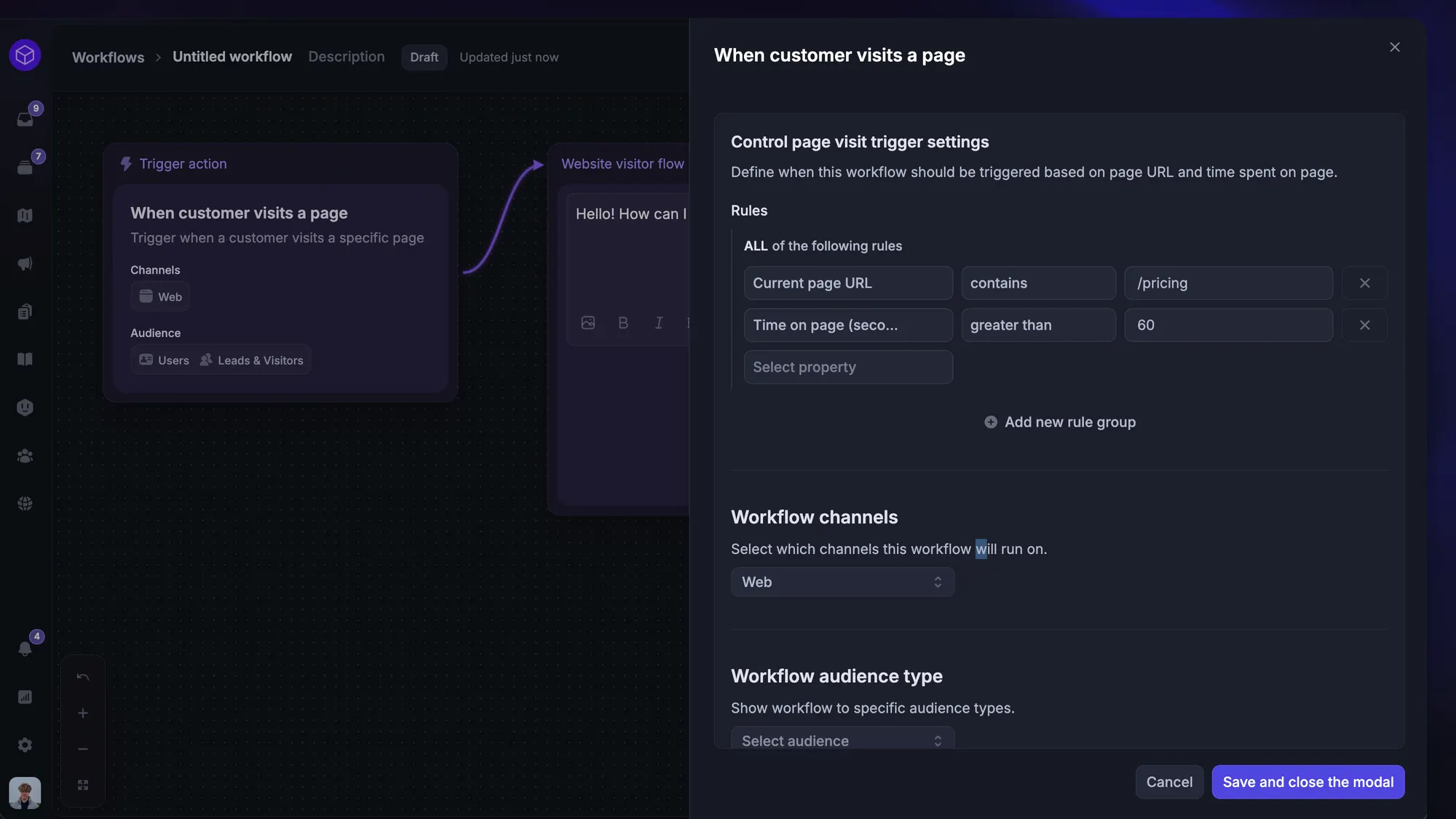
This is where support tooling earns its keep. In Featurebase, for example, Workflows route each conversation to the right team or teammate based on attributes like issue type, plan, or urgency, and can automatically reassign a conversation if a teammate goes unresponsive - so an escalation keeps moving instead of stalling in one person's queue.
Common escalation management challenges
Even a documented process runs into the same recurring problems. Knowing them upfront makes them easier to design around.
- High escalation volumes: When too many issues escalate, it usually signals gaps in frontline knowledge or authority rather than genuinely hard cases. It overwhelms your senior staff and slows everything down. The fix is upstream: better training and wider tier-1 permissions.
- Slow resolution times: Delays after an escalation compound frustration even when the final outcome is good. They usually come from unclear ownership, understaffed upper tiers, or clunky handoffs that add friction at every step.
- Customer frustration: Many customers read an escalation as a brush-off. Positioning it as access to a specialist, rather than a failure, plus proactive updates on time to resolution, keeps them onside while you work the fix.
- Broken handoffs: When context gets lost between tiers, customers repeat themselves and resolution time balloons. Standardized handoff notes and warm transfers are what stop cases from ping-ponging between teams.
Escalation management best practices
The teams with the lowest escalation rates tend to do the same handful of things well.
- Empower Tier 1 to solve more: The fastest escalation is the one that never happens. Give frontline agents the knowledge, macros, and permissions to resolve common issues themselves instead of passing them up by default.
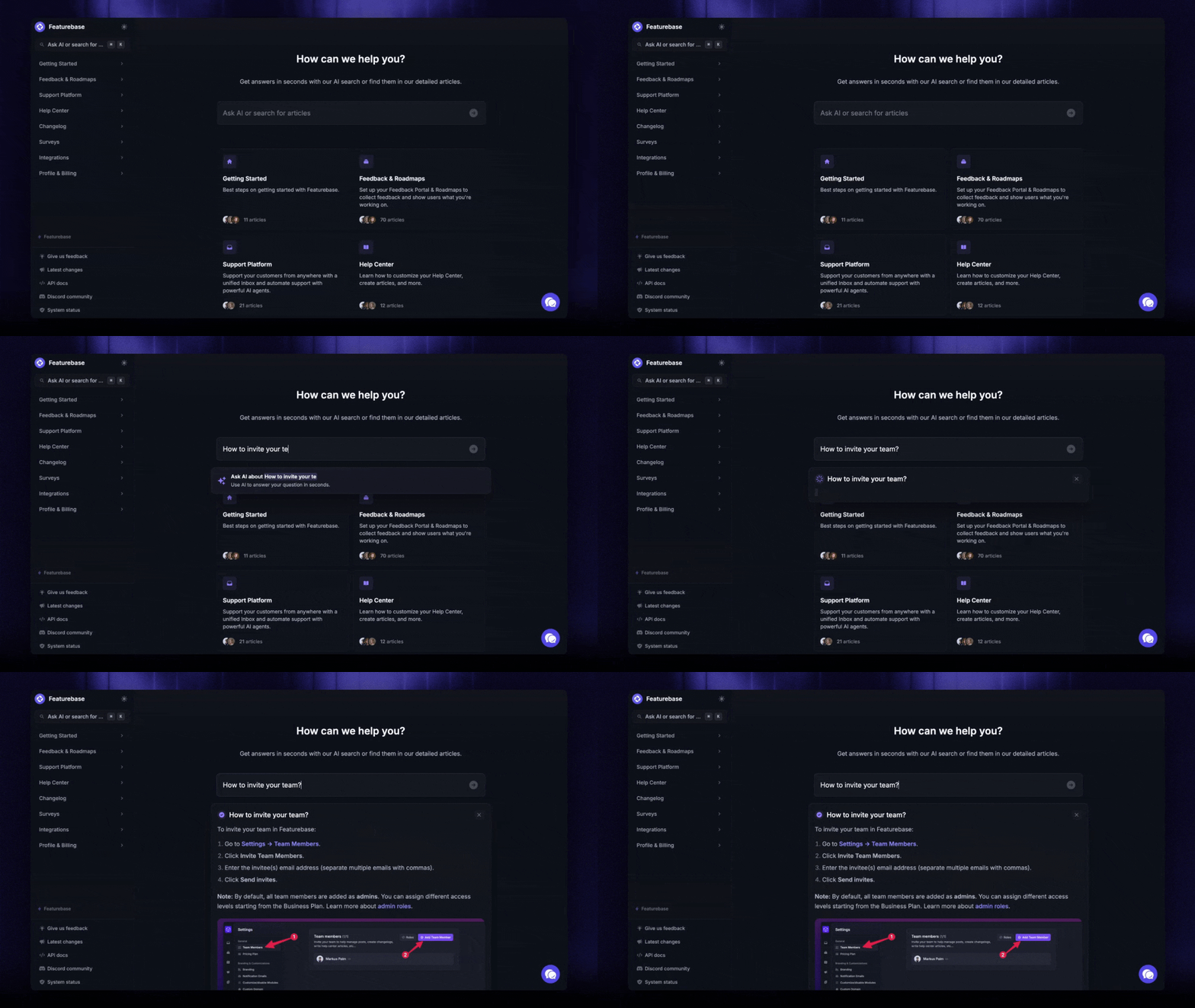
- Lean on self-service: A strong self-service experience and an up-to-date knowledge base deflect routine questions before they ever reach an agent, leaving more room for the cases that genuinely need escalating.
- Make escalation criteria explicit: Ambiguity is expensive. When agents aren't sure whether to escalate, they either sit on issues too long or kick everything upstairs. Written triggers remove the guesswork.
- Protect handoff context: Every escalation should carry the full conversation, customer details, and what's already been tried. This single habit does more for resolution speed than almost anything else.
- Invest in communication and de-escalation skills: The soft skills matter as much as the process. Active listening, empathy, and calm de-escalation are what keep a frustrated customer engaged while their issue moves up the chain.
- Review escalations regularly: Track your escalation rate and the reasons behind it. Recurring escalations point to a fixable root cause, and watching your customer service metrics over time tells you whether changes are actually working.
Metrics that show escalation management is working
You can't improve what you don't measure. A few core metrics tell you whether your escalation process is healthy.
- Escalation rate: The share of total cases that get escalated. Most teams aim to keep routine escalations in the low double digits or below - a persistently high rate points to frontline gaps.
- First contact resolution (FCR): The percentage of issues solved on the first interaction. Higher FCR means fewer escalations and is one of the strongest signals of a well-equipped tier 1.
- Resolution time by tier: How long escalated cases take to close at each level. Watching this by tier reveals exactly where cases stall.
- CSAT on escalated cases: Satisfaction scores for escalated issues should ideally match your general scores. If they drop sharply, the handoff or communication is breaking down.
Escalation management software
You can run escalation management on a spreadsheet and a shared mailbox, but it breaks down as volume grows. The right software makes routing, tracking, and reviewing escalations automatic rather than manual.
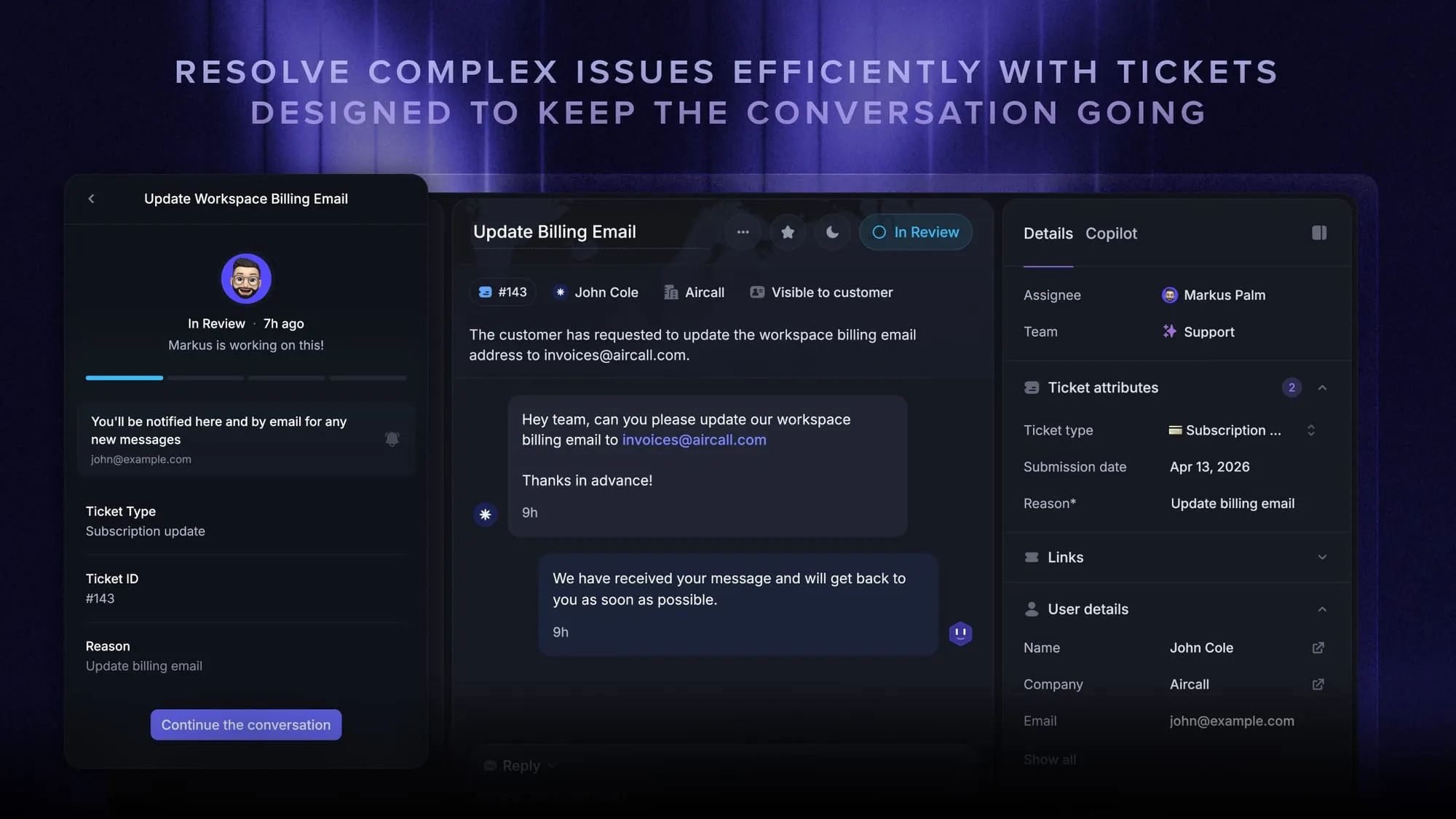
When you're evaluating tools, look for a few things: a shared inbox so nothing gets lost, workflow-based routing so issues reach the right tier without manual triage, SLA tracking so stalled tickets escalate on their own, and a way to handle internal ticket escalation across teams. A proper ticketing system usually anchors all of this.
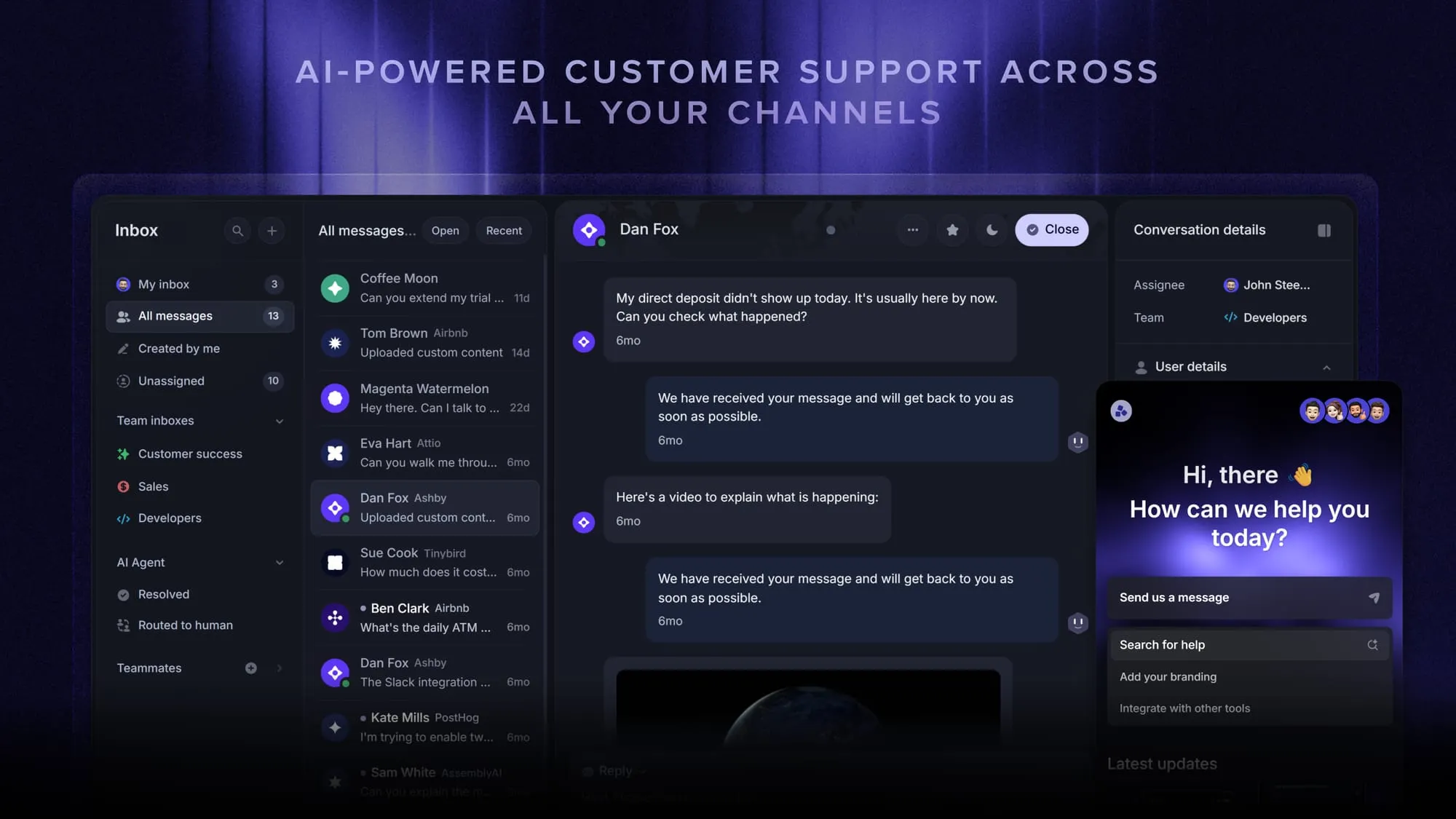
Featurebase covers this in a single support platform. Its Workflows handle routing and SLA-based escalation, back-office tickets let you track internal escalations and cross-team requests without exposing them to the customer, and the Fibi AI Agent resolves tier-1 questions on its own before handing anything more complex to a human with full context attached. That means fewer issues reach an agent, and the ones that do arrive already routed.
Conclusion
Escalation management isn't about moving more tickets around. It's about having a clear system so the issues that genuinely need a specialist or a manager get there fast, with full context, while the customer stays informed. Define your tiers and SLAs, write down your triggers, protect handoff context, and review what keeps escalating - and most of your hard cases resolve before they become real problems.
Featurebase is an AI-powered customer support platform that brings your omnichannel inbox, routing workflows, tickets, SLAs, and AI agent together in one place. It automatically routes and escalates conversations to the right team, reassigns stalled tickets, and lets Fibi resolve routine questions before they ever reach your queue - so escalations move on their own instead of getting stuck.
It comes with a free plan and onboarding takes minutes, so there's no downside to trying it. 👇
Automate your support with the fastest AI-enhanced Inbox today
FAQs
Escalation management is the process of moving an unresolved customer issue to someone better equipped to handle it, such as a specialist, a senior agent, or a manager. It exists so that complex, high-stakes, or urgent cases get to the right person quickly instead of stalling with whoever picked them up first.
The main types are functional, hierarchical, automatic, and priority-based. Functional escalation moves an issue sideways to the right expertise, hierarchical escalation moves it up to someone with more authority, automatic escalation is triggered by predefined rules like a missed SLA, and priority-based escalation routes critical cases straight to senior staff. Some teams also use external escalation for issues that must go to a vendor or partner.
Functional escalation is about expertise and hierarchical escalation is about authority. A functional escalation sends the issue to a person who knows how to solve it, like an engineer or a billing specialist, regardless of rank. A hierarchical escalation sends it up the chain to a supervisor or manager who can make a decision the agent isn't authorized to make.
An escalation matrix is a document that defines who handles which issues, when a case should move up a tier, and what the next step is at each level. It usually organizes support into tiers backed by SLAs, so agents know exactly what qualifies for escalation and where to send it, which removes hesitation and keeps issues moving.
There's no universal number, but many support teams aim to keep routine escalations in the low double digits or below as a share of total cases. A persistently high escalation rate usually points to gaps in frontline knowledge or authority rather than unusually hard cases, and is a signal to invest in training or widen tier-1 permissions.
The most effective way is to resolve more issues at the frontline. Empower tier-1 agents with the knowledge and permissions to solve common problems, deflect routine questions with a strong self-service knowledge base, and review recurring escalations to fix their root causes. Clear escalation criteria also prevent issues from being escalated too early.
The best tool depends on your volume and channels, but look for workflow-based routing, SLA tracking, internal ticketing, and a shared inbox so nothing slips. Featurebase combines all of these in one support platform, with automated routing, back-office tickets for internal escalations, and an AI agent that resolves routine questions before they reach a human.