Blog Customer ServiceBotpress Reviews: Features, Pricing, Pros and Cons
Botpress Reviews: Features, Pricing, Pros and Cons
Comparing Botpress reviews? Explore its AI features, current pricing, pros, cons, and support tools to decide whether it fits your team.



✨ Looking for a Botpress alternative that brings support & feedback together? Meet Featurebase →
Botpress gives you plenty of control over AI agents. But before you choose it, you need to understand the workflows you'll build, the support tools you'll get, and how the bill changes as usage grows.
In this Botpress review, I'll break down its current features, pricing, and user feedback, explain its strengths and limitations, and help you decide whether it fits your team. 👇
Key takeaways
- Botpress combines AI agent building with customer support tools: Studio lets you design workflows, while Desk provides a native helpdesk for customer conversations.
- Its biggest strength is flexibility: You can combine visual flows, knowledge bases, integrations, and custom code to handle tasks beyond answering FAQs.
- Paid plans start at $150/month billed annually or $189 month-to-month: Plus includes 250 monthly conversations. Additional conversation packs and AI usage can increase your costs.
- Complex workflows need someone to maintain them: A visual builder makes getting started easier, but integrations, testing, and exception handling still take work.
- Featurebase✨ is worth comparing when you want connected support and feedback: It brings AI support, a help center, feature requests, and product updates into one platform.
What is Botpress?
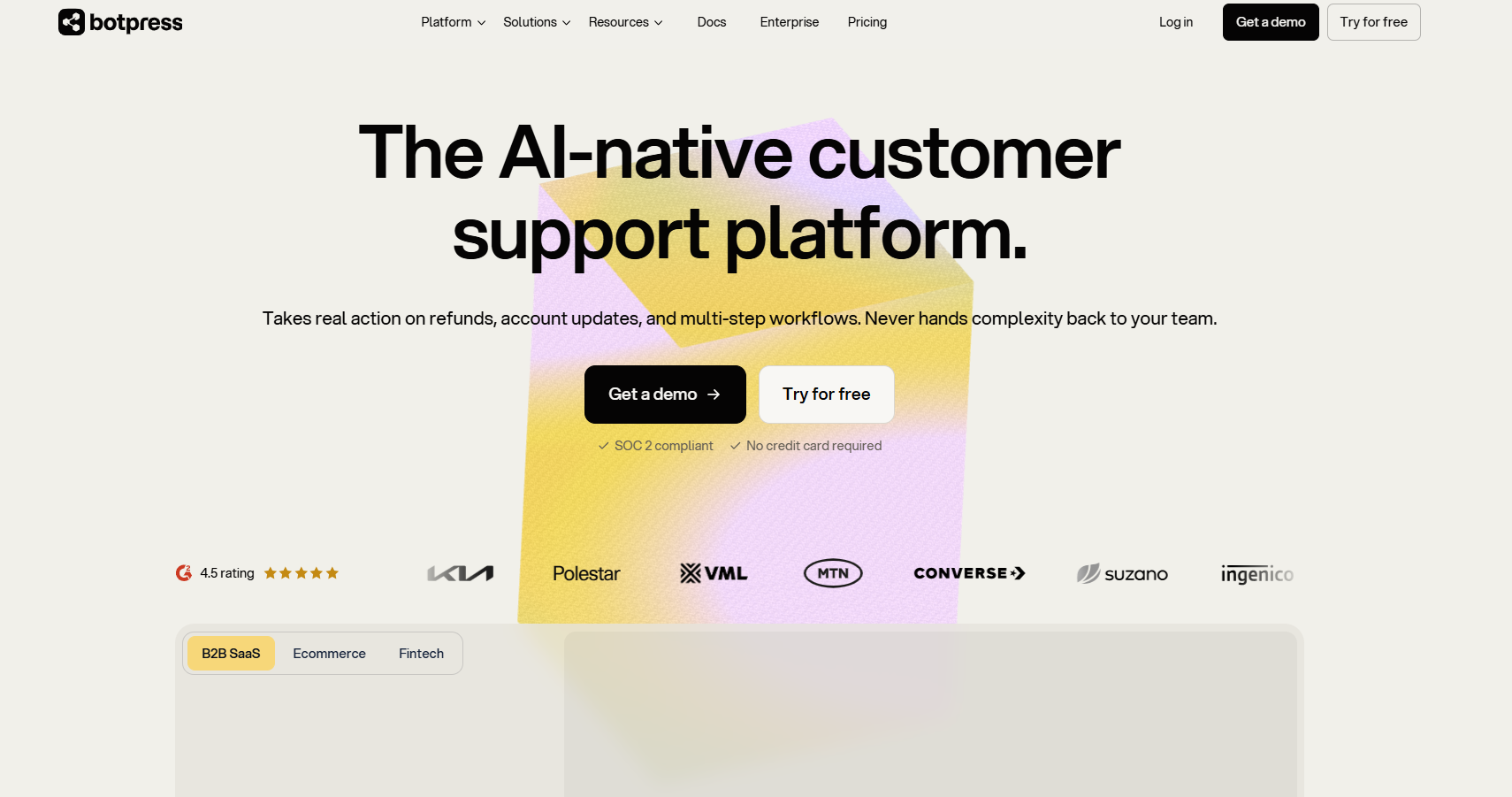
Botpress is a cloud-based AI agent and chatbot builder. You give an agent knowledge, define what it can do, connect it to other systems, and make it available through customer-facing channels.
That can mean a chatbot answering questions from your documentation. It can also mean a conversational AI agent checking an account, collecting missing information, and calling an API to complete a support request.
The practical difference is how much of the interaction you want to design. If your customer support process needs specific steps and business rules, Botpress gives you tools to build those into the conversation.
Botpress Studio and Botpress Desk
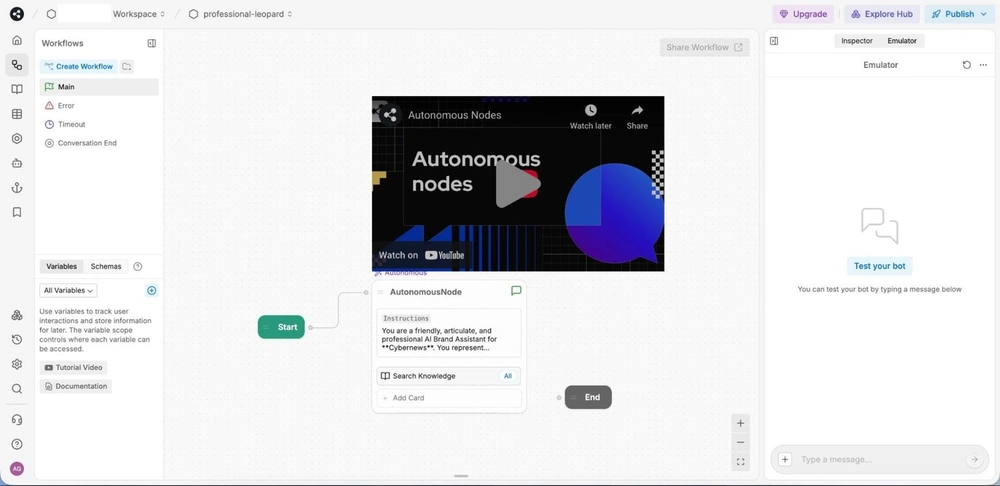
For this review, 2 parts of the platform matter most:
- Botpress Studio is the visual environment for designing agent behavior, adding knowledge, connecting tools, and testing conversations.
- Botpress Desk is the helpdesk where teams organize customer conversations, route work, and handle cases that need a person.
This matters when evaluating Botpress for customer support. You're choosing a platform that can cover both agent building and the human side of the support workflow.
Desk includes helpdesk features such as priorities, tags, custom statuses, saved views, and macros. The available collaboration features still depend on your plan, so check the plan limits against how your team works.
Botpress's main features
The most useful way to assess Botpress AI is to follow a customer request from the first question to the final action. Can the agent find the answer, complete the task, and leave your team with enough context if it needs help?
Visual workflows and autonomous actions
Botpress Studio uses a drag-and-drop canvas to organize conversation flows. You can define a sequence of steps, branch based on customer input, and add custom code when the workflow needs it.
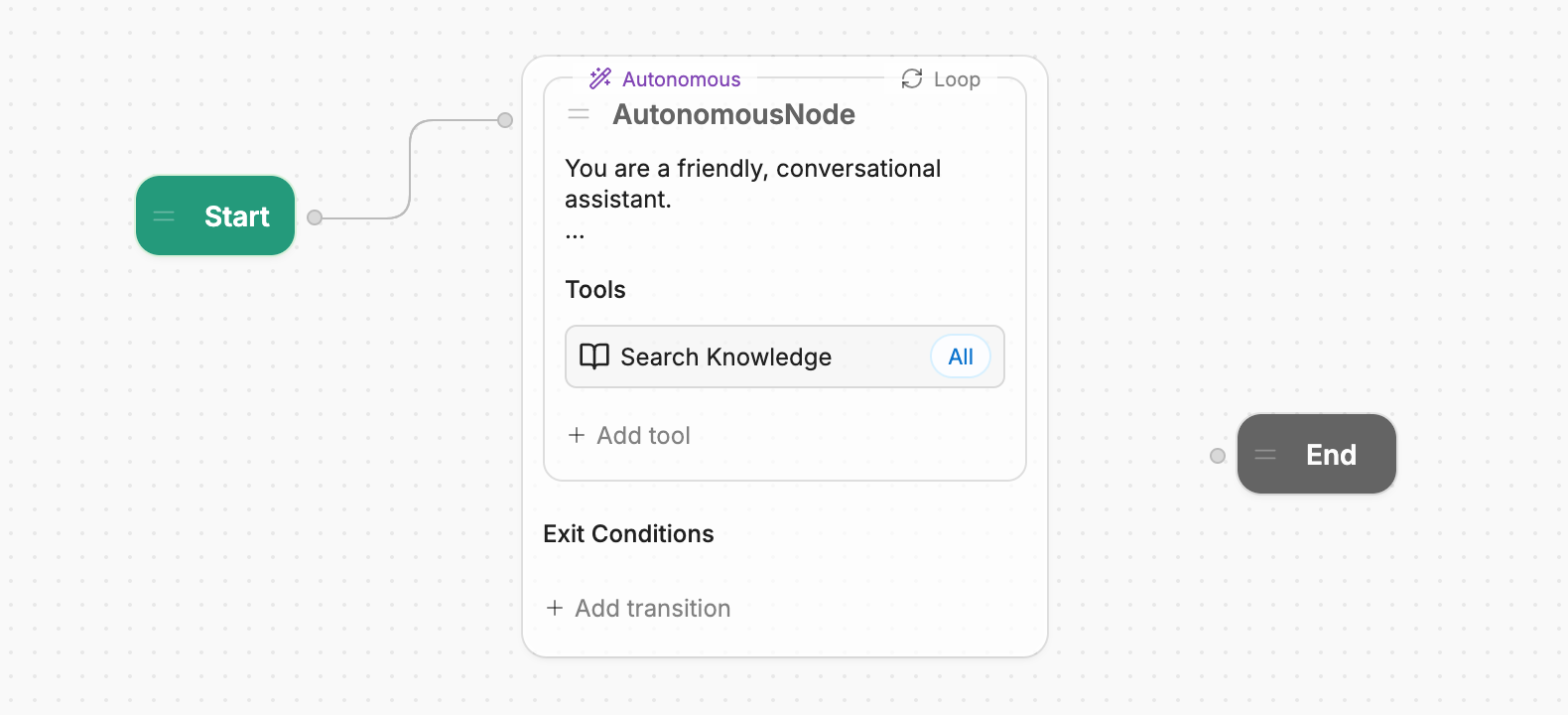
Its Autonomous Engine also lets an AI agent decide which available tools to use within the instructions and constraints you provide. That gives you flexibility when customers ask for the same thing in different ways.
Imagine a customer asking for a trial extension. A workflow could collect their account details, check eligibility through your systems, apply an approved extension, and explain the result.
The useful part is connecting the answer to an action. The work for your team is defining the eligibility rules, permissions, and fallback behavior that make that action reliable.
Knowledge bases and connected data
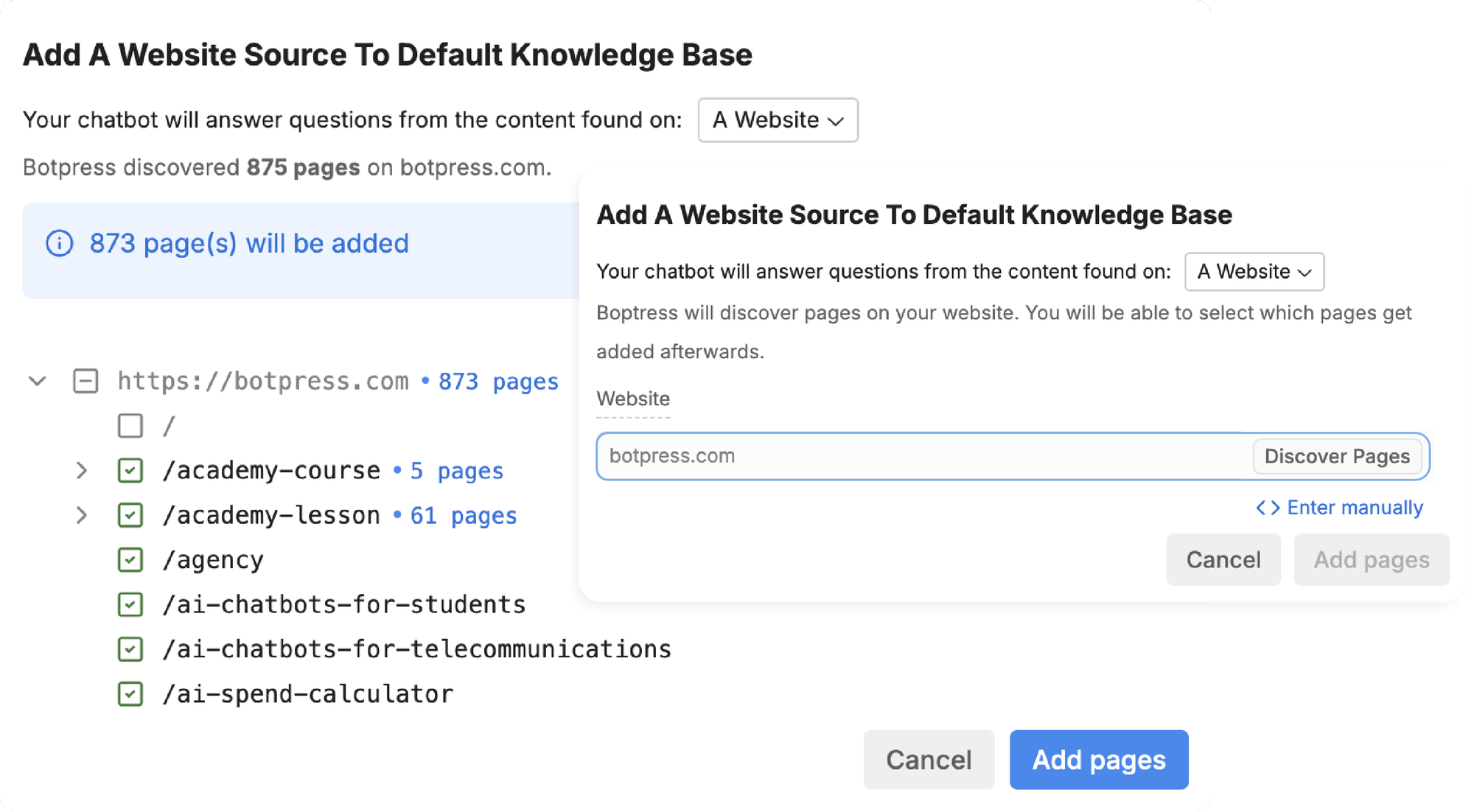
Botpress can use documents, websites, spreadsheets, and structured data in an AI knowledge base. Its Tables feature stores information an agent can retrieve or update across interactions.
For a support team, those sources serve different purposes:
- Help articles explain how the product works.
- Policy documents define what the company allows.
- Connected account data provides context for an individual customer's request.
Combining them can make a chatbot more useful than one that only searches public documentation. A customer asking about a feature may need both a general explanation and an account-specific eligibility check.
Keep those responsibilities clear. A knowledge base can explain the cancellation policy, but checking whether a particular subscription has been canceled requires current account information.
Channels, integrations, and human support
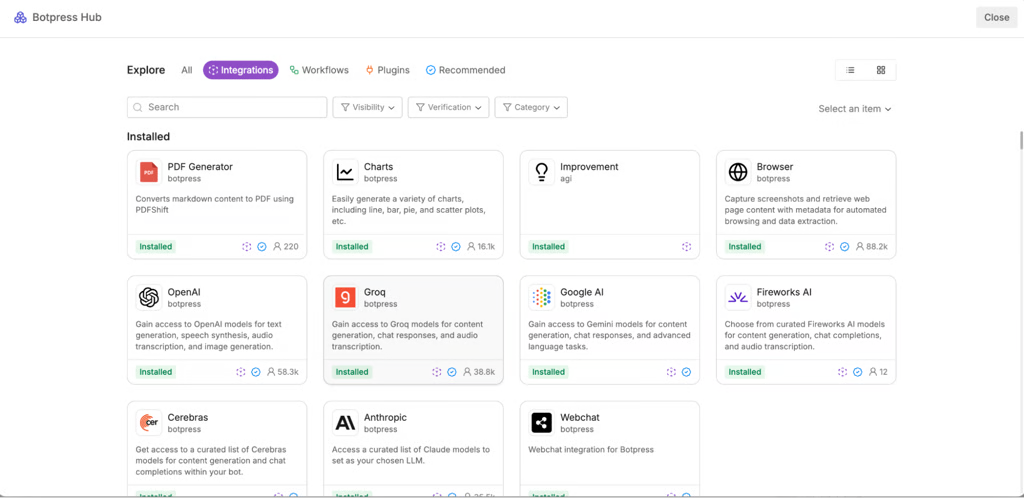
Botpress supports customer interactions through webchat, email, and messaging channels. Its integration ecosystem also covers services such as WhatsApp, Slack, and Telegram, depending on the connection you're using.
Desk supports human handoff and adds helpdesk tools for organizing conversations, routing them, and giving teammates a place to reply. Team-level capabilities include routing, permissions, and collaboration.
I would assess a channel using an actual support scenario. For example, check what happens when a customer sends an attachment, returns to a previous conversation, or asks to speak to a person.
Also confirm which features your chosen plan includes. Voice appears in Botpress's product offering, but the pricing page lists the voice channel under Enterprise.
Testing and analytics
Studio includes a conversation emulator for trying interactions before deployment. You can inspect behavior and debug workflows as you build them.
The important question is whether your test cases reflect real customer behavior. A successful answer to a straightforward question tells you little about what happens when a customer changes their mind halfway through an action.
Before launch, I'd test:
- A question with a clear answer in the knowledge base.
- A request with missing or ambiguous information.
- An action that fails because a connected service is unavailable.
- A conversation that needs human help.
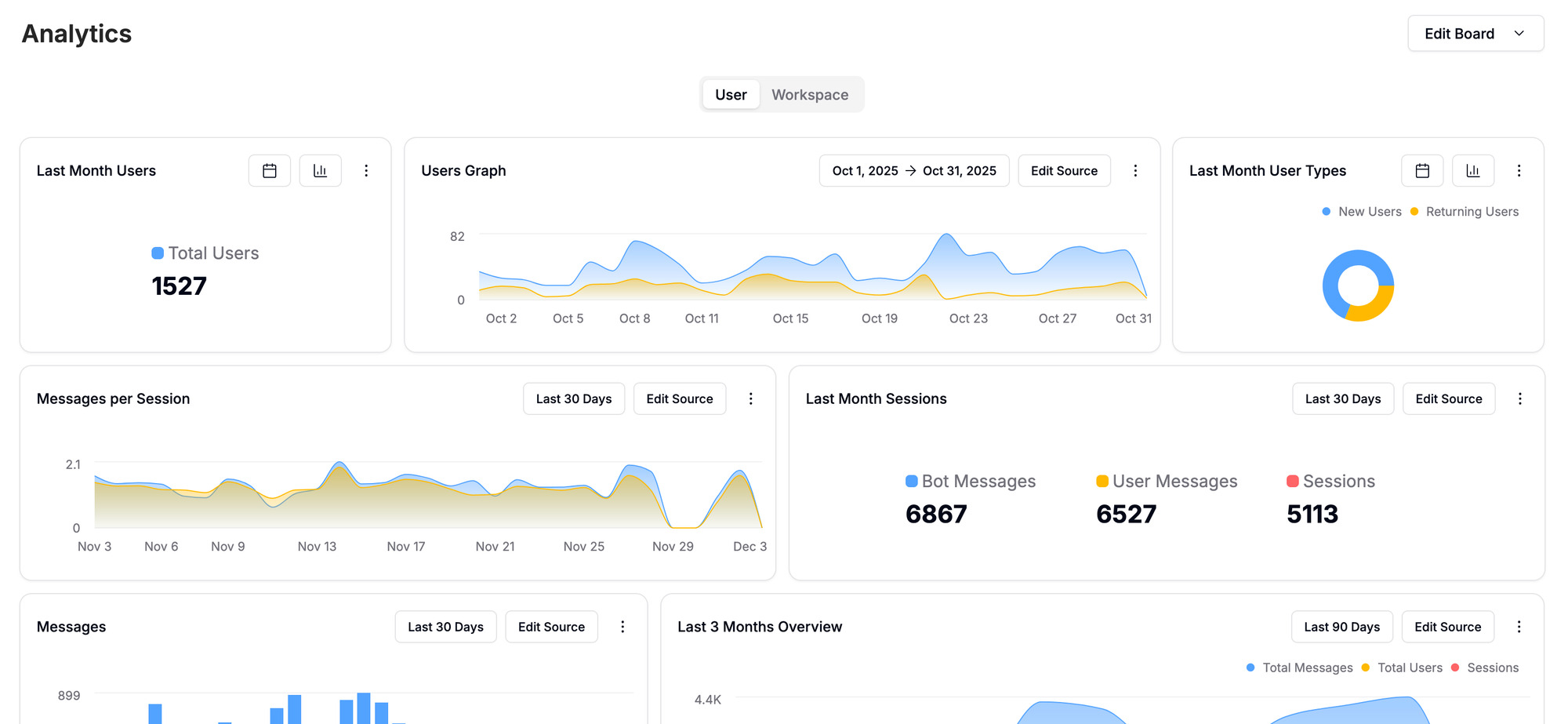
Botpress also provides analytics, with team analytics included in the Team plan. Ask for the specific reports you'll use to review unresolved conversations, customer experience, and operating costs, rather than relying on the presence of an analytics dashboard alone.
Botpress pricing explained
Botpress pricing combines a plan fee, a conversation allowance, and included AI usage. The main budgeting issue is what happens when you go beyond those allowances.
The prices below are in USD and were checked on October 8, 2026. Annual prices are monthly equivalents billed annually.
Free, Plus, Team, and Enterprise
| Plan | Monthly equivalent, billed annually | Month-to-month price | Included conversations | Included seats |
|---|---|---|---|---|
| Free | $0 | $0 | 100 conversations | 3 |
| Plus | $150 | $189 | 250/month | 3 |
| Team | $750 | $939 | 1,500/month | Unlimited |
| Enterprise | Custom | Custom | Custom | Confirm in quote |
The Free plan includes 3 AI agents. Paid plans include unlimited AI agents, although conversation and AI usage allowances still apply.
Plus includes $25 of AI usage, whitelabel webchat, a custom domain for your help center, and technical support through live chat. It's the starting paid option when those capabilities and the included capacity cover your needs.
Team includes $150 of AI usage, unlimited seats, teams and permissions, routing and assignment, team analytics, and real-time collaboration. You may need it for how your team operates even before conversation volume makes the upgrade attractive.
Enterprise adds custom commercial terms and requirements such as the voice channel, a security review, dedicated support, and an uptime SLA. Get those requirements reflected in the quote.
Botpress also offers a Built For You service for teams that want implementation help. Its current pricing page directs buyers to contact the company, so budget for that separately from the published self-service plans.
If you already have a Botpress workspace, check its billing settings. The May 2026 pricing announcement introduced these plans for new workspaces, with existing workspaces initially retaining legacy pricing.
What counts as a conversation?
A billable conversation is an exchange with at least 2 end-user messages during the billing month. It doesn't have to end in a successful resolution.
There are a few details worth including in your forecast:
- A conversation spanning 2 billing months counts in both months.
- Separate anonymous sessions count separately.
- AI-only and human-assisted conversations follow the same counting rule.
- Emulator conversations count too.
This means your bill depends on measured conversation activity. If an AI agent tries to help and a teammate finishes the request, that interaction can still count toward your conversation allowance.
Conversation packs and AI usage
Additional capacity comes in packs of 100 conversations:
- Plus: $65 per pack.
- Team: $50 per pack.
Botpress automatically adds a pack when you reach 95% of your allowance. You cannot disable conversation auto-recharge on paid plans, and added packs continue month-to-month until you remove them.
Unused conversation capacity expires at the end of the month. A busy launch month can therefore affect the next month's bill if you leave the extra packs in place.
AI usage has a separate allowance. The current pricing FAQ says Botpress automatically purchases a $10 AI credit grant when a paid workspace reaches 95% of its AI spend limit.
Those unused credits can carry over for up to 12 months from the end of the purchase month. The FAQ lists customizable recharge thresholds and monthly spend caps as coming soon, so don't budget as though a configurable hard cap is already available.
Storage is another possible cost. The published $40/month storage add-on includes 100,000 table rows, 1 GB of vector storage, and 10 GB of file storage.
2 examples of how costs add up
Let's compare 2 Plus-plan scenarios. Both assume you start the month without retained conversation packs, stay within your included AI allowance, and need no storage add-ons.
| Monthly usage | Additional conversation packs | Annual-plan monthly equivalent | Month-to-month cost |
|---|---|---|---|
| 200 conversations | None | $150 | $189 |
| 500 conversations | 3 packs at $65 | $345 | $384 |
For the second scenario, 3 packs add 300 conversations to the base allowance of 250. The calculation is $150 + (3 × $65) = $345 on the annual plan's monthly-equivalent basis.
These are plan and conversation costs, not all-inclusive quotes. AI top-ups, storage, and any separate channel-provider charges would be additional, and annual billing still involves an annual plan commitment.
The 95% trigger also means Botpress can purchase more capacity before you have exhausted the current allowance. Forecast using that threshold rather than assuming extra charges start only after the last included conversation.
What users like about Botpress
The recurring positive themes in G2 review summaries are ease of use, a clean interface, integration options, and flexibility. I'd read those as evidence of what users value, while assessing the product against your own support process.
Visual building with room for custom logic
Botpress gives people a visual way to understand a conversation flow. That can make it easier to discuss what the agent should do with teammates who aren't writing the integration code.
At the same time, developers can add custom logic when a prebuilt action doesn't cover the requirement. This is useful when your support process involves proprietary systems or rules that are specific to your product.
For example, your team may want different behavior for trial accounts, paid customers, and users waiting for a particular feature. A configurable workflow gives you room to define those paths explicitly.
The benefit is strongest when that control solves a real operational need. If you never need custom behavior, you may get less value from the extra building options.
Flexible integrations and workflows
The ability to connect an AI agent to other software through integrations and chatbot APIs is another reason to consider Botpress. An agent can become part of an existing process instead of ending every useful interaction with instructions for the customer to do something elsewhere.
For your evaluation, pick a task customers frequently need help completing. Map which data the agent needs, which system performs the action, and what the agent should tell the customer afterward.
That exercise makes the value of an integration concrete. It also reveals whether you're buying a ready-to-use connection or taking on a custom implementation project.
Botpress limitations to consider
The main trade-offs are the time needed to maintain complex behavior, variable usage costs, and the work required to keep answers reliable.
Complex workflows still require technical ownership
A no-code starting point doesn't remove the need to understand your systems. Custom actions still need appropriate permissions, valid inputs, error handling, and someone who knows what to change when an API changes.
G2 summaries also surface difficulties connecting workflows, testing particular scenarios, and navigating parts of the interface or documentation. These are useful issues to check during a trial, rather than reasons to assume every deployment will be difficult.
Before committing, decide who owns:
- Business rules: What the agent may approve, change, or promise.
- Connected systems: Authentication, integrations, and failures.
- Quality checks: Reviewing conversations and testing changes.
Botpress can be a good choice when those responsibilities have owners. It becomes harder to justify when everyone expects the initial setup to be the last time anyone works on it.
Usage needs active monitoring
Conversation billing can be useful when you know your support volume. The challenge is accounting for auto-added packs, their renewal behavior, and AI credit purchases.
I would compare a normal month with a busy month before choosing an annual plan. Include launches, seasonal demand, testing activity, and conversations that need both AI and human attention.
Also compare plans on required features. Staying on Plus because its base price is lower won't help if your workflow requires Team-level routing or collaboration.
There isn't a universal cheapest plan. The right comparison uses your volume, your seat requirements, and the features your team actually needs.
Results depend on knowledge quality and testing
Connecting a knowledge base gives the agent information to work with. Following knowledge base best practices helps your team keep that information current, consistent, and suitable for customers.
If 2 documents describe different refund rules, a more elaborate workflow won't resolve the underlying policy conflict. Someone needs to decide which source is authoritative.
The same applies to missing information. An agent needs a sensible next step when it cannot establish an answer, whether that's asking a clarifying question or handing the conversation to your team.
Start with a defined support use case and review the outcomes before expanding. Measure whether customers get the right result and whether teammates receive usable context when they take over.
Who should use Botpress?
Botpress is worth considering when you need configurable AI agents and have a clear reason to connect them to your business systems. The stronger the need for custom workflows, the more relevant its flexibility becomes.
I'd shortlist it when:
- Your support requests involve account lookups, actions, or conditional workflows.
- You want visual building with the option to add custom code.
- Someone can own testing, integrations, and ongoing improvements.
- You're comfortable forecasting and monitoring conversation-based costs.
I'd compare other options when:
- Your main need is answering straightforward questions from help content.
- You want a support workflow your team can operate with fewer custom components.
- Connecting support conversations to feature requests and product updates is a priority.
- You need billing controls or deployment arrangements that the current plans don't provide.
This is where a focused trial helps. Choose a representative request, include a failure case, and follow it through to completion before expanding to more workflows.
Featurebase: An alternative for connected support and feedback
Featurebase is a better Botpress alternative when you want AI support and a built-in way to manage the feedback that comes out of it. Your team can answer questions, track feature requests, and keep customers updated without moving that work between separate tools.
The billing model also works differently. Featurebase includes unlimited support conversations, with paid plans charging for seats and AI resolutions. You don't have to buy extra conversation packs when your inbox gets busier.

Top features:
- Omnichannel inbox: Manage live chat, email, and Slack conversations in one place.
- Fibi AI Agent: Answer customer questions and run custom actions like trial extensions and refunds.
- Help center with AI search: Give customers instant, multilingual answers from your help content.
- Workflows & automations: Route conversations, assign tickets, and collect customer information automatically.
- Feedback & roadmaps: Organize feature requests and keep customers informed as work progresses.
- Product updates: Announce releases through a changelog, in-app widgets, and emails.
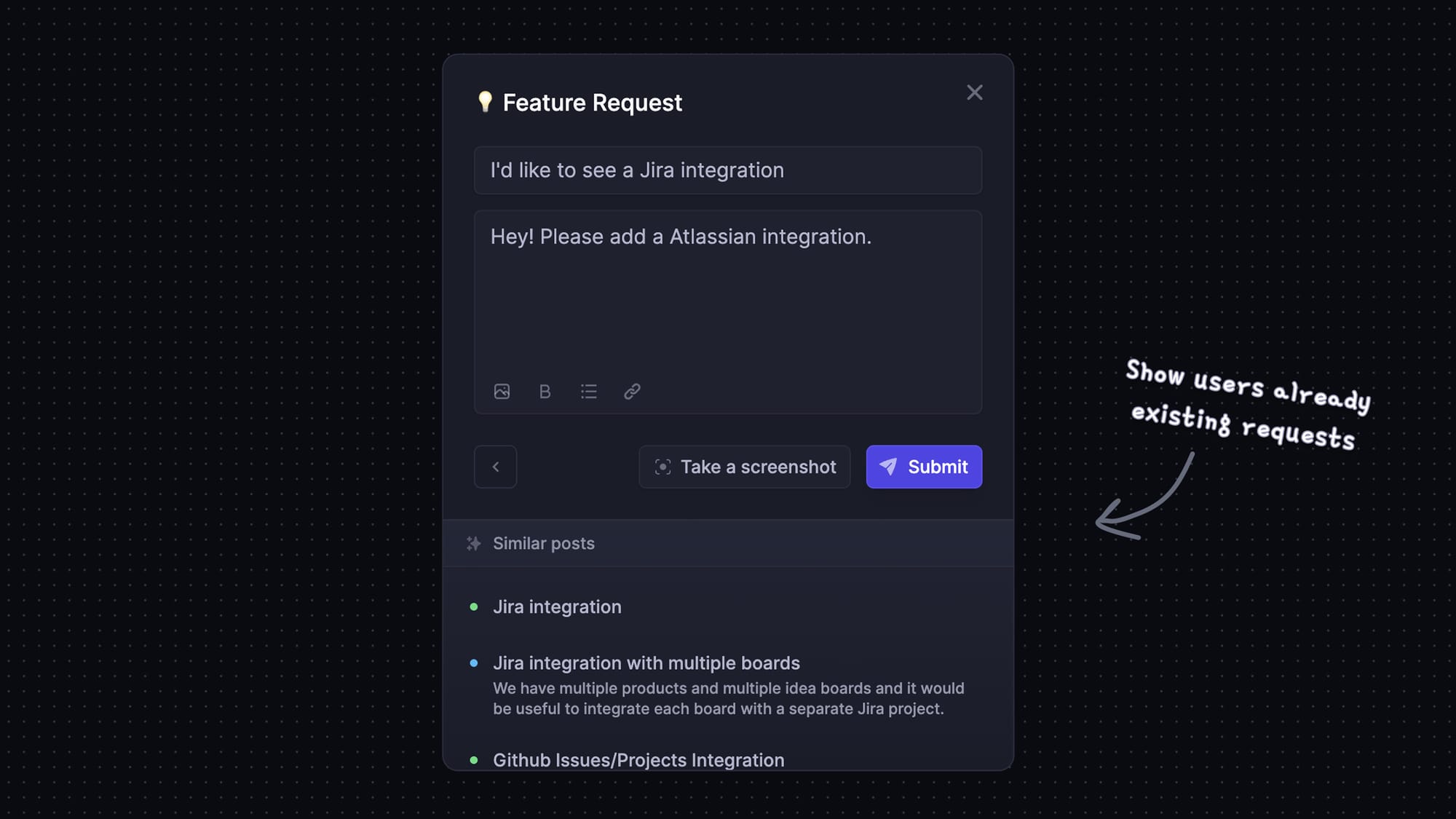
For example, if a customer asks for a missing integration, you can track the feature request and subscribe them to updates. When it ships, they hear about it without your team manually following up on the conversation.
Pricing: Paid plans start at $29/seat/month billed annually, plus $0.49 per AI resolution. The Free plan includes 1 seat and unlimited conversations, without Fibi AI. Slack support and workflows require Professional or above.

Resolve 70% of customer requests with AI
Automatically resolve customer issues & cut down support loads for your team
Conclusion: Is Botpress worth it?
Botpress is worth considering if you need flexible AI workflows and can maintain the integrations, knowledge, and testing behind them. Its native helpdesk broadens what you can manage, while conversation packs and AI allowances deserve careful budgeting.
Featurebase is a modern AI customer support platform that brings your inbox, help center, feedback, and product updates together. It's a strong alternative when your team wants to automate support and keep customers informed about the requests that matter to them.
It comes with a Free plan, so you can try the core workflow before choosing a paid plan for AI support. 👇
✨ Automate your support with the fastest AI-enhanced Inbox today →

FAQs
Is Botpress completely free?
Botpress has a Free plan, but it isn't an unlimited production service. Free workspaces cannot buy overages or use the paid plans' automatic top-ups, so you'll need to upgrade when the free capacity no longer covers your needs.
Is Botpress open-source, and can you self-host it?
Botpress Cloud is the current hosted platform for new users. The older open-source v12 product and self-hosted versions have been sunset and are no longer offered for new deployments or downloads. Botpress says customers with active v12 subscriptions remain supported.
Does Botpress use ChatGPT?
Botpress can use OpenAI models, but it is a separate application from ChatGPT. It supports multiple large language models and lets you configure the models used in different parts of an agent's workflow. You aren't limited to a single model for every task.
Can Botpress keep its knowledge base up to date?
Yes, but website content is indexed once by default. You can schedule recrawling to refresh those pages, while other sources may use integrations or API-based updates. Choose the update method that matches how often your source content changes.
Can Botpress hand conversations to an existing helpdesk?
Yes. Botpress supports connecting to existing helpdesks such as Zendesk and Intercom, so adopting its AI agents doesn't automatically require a helpdesk migration. Check the handoff behavior, conversation context, and integration requirements for the workflow you plan to use.
Can you remove Botpress branding?
The Plus plan includes whitelabel webchat, and higher paid plans inherit that capability. It also includes a custom domain for the help center. Check each customer-facing channel separately, since removing webchat branding doesn't establish what branding controls an external messaging service provides.