Blog Customer ServiceBest Customer Service Analytics Software in 2026
Best Customer Service Analytics Software in 2026
Customer service analytics software turns support conversations into insights you can act on. Here are the 8 best tools for 2026, with pricing, pros, and who each one fits.



✨ Automate your support with the fastest AI-enhanced Inbox today →
Most support teams sit on a mountain of tickets, chats, and survey responses. The problem is they can't see the patterns hiding inside all that data.
So recurring issues go unnoticed, agents keep answering the same questions, and big CX decisions turn into guesswork. Customer service analytics software fixes that by turning raw interaction data into the trends, sentiment, and metrics you can actually act on.
Below are the 8 best customer service analytics tools for 2026, with honest pricing, trade-offs, and who each one is really for. 👇
Key takeaways:
| Tool | Best for | Starting price | Free option | Main trade-off |
|---|---|---|---|---|
| ✨Featurebase | Product-led SaaS teams wanting service + feedback insight in one tool | $0 (Free plan) | Yes | Not a dedicated enterprise speech-analytics suite |
| Zendesk | Established support teams already living in a help desk | $19/agent/mo | No | Explore reporting has a learning curve, best reports gated to top tiers |
| Intercom | Teams that want AI resolution and conversation analytics together | $19/seat/mo billed annually ($29 monthly) + $0.99 per Fin outcome | No | Per-outcome pricing gets unpredictable, deeper analytics paywalled |
| Qualtrics | Enterprises running structured VoC across the whole journey | Custom | No | Expensive and complex, overkill for small teams |
| Medallia | Large orgs wanting real-time experience signals at scale | Custom | No | Reporting feels clunky, needs specialist setup |
| SentiSum | Support teams that want AI tagging and sentiment on tickets | $3,000/mo | No | Support-only scope, entry price is steep |
| Observe.AI | Contact centers automating QA and agent coaching | Custom | No | Transcription accuracy complaints, enterprise-priced |
| CallMiner | Enterprises needing deep speech and compliance analytics | Custom | No | Long implementation, steep learning curve |
What is customer service analytics software?
Customer service analytics software collects data from your support interactions and turns it into insights about what customers need, how your team is performing, and where the experience breaks down.
It pulls from your tickets, live chats, calls, emails, and surveys, then surfaces patterns you would never catch by reading conversations one at a time. Think recurring complaint themes, sentiment trends, resolution times, and the topics driving the most contacts.
Why does this matter? Because acting on how customers feel pays off directly. According to Bain & Company, a Promoter is worth 600% to 1,400% more in lifetime value than a Detractor. Analytics is how you find the Detractors and fix what's turning them off before they leave.
The main types of customer service analytics
Most tools combine a few different types of analysis. It helps to know the difference so you can tell what a tool actually does:
- Descriptive: Tells you what happened. Ticket volume, average response time, and CSAT scores over the last month all live here.
- Diagnostic: Tells you why it happened. This is where sentiment analysis and customer feedback analysis come in, grouping conversations into themes so you can see what's driving a spike in contacts.
- Predictive: Tells you what's likely to happen next, like which accounts are at risk of churning based on their support history.
- Prescriptive: Recommends what to do about it, from suggested agent responses to flagged coaching moments.
Cheaper, support-focused tools tend to nail descriptive and diagnostic. Heavier enterprise suites push into predictive and prescriptive.
What to look for in customer service analytics software
Not every tool tracks the things that matter to a support team. Before you commit, check that it covers these:
- The right metrics: At minimum you want CSAT, CES, first response time, resolution time, and ticket volume by category. Our guide to customer service metrics breaks down which ones actually move the needle.
- Omnichannel coverage: Your customers reach you on email, chat, social, and phone. The tool should analyze all of it in one place, not just one channel.
- Sentiment and auto-categorization: Manually tagging thousands of tickets doesn't scale. AI that groups conversations by theme and reads sentiment is what turns raw volume into a usable signal.
- Real-time and historical views: Real-time dashboards catch problems as they happen. Historical data lets you spot trends and prove whether a change worked.
- Integrations: The tool has to connect to your help desk, CRM, and product data so you get a full picture instead of a silo.
This is also where a platform like Featurebase earns its place. Its AI automatically groups large volumes of feedback and conversations into product areas and themes, so instead of reading tickets one by one, you see the top issues ranked by how often they come up.
You can pair that with Featurebase surveys to measure CSAT and NPS right alongside the qualitative signal, so satisfaction scores and the reasons behind them live in the same place.
The best customer service analytics software in 2026
Here's a closer look at each tool, what it's best at, and the trade-offs to weigh.
1. Featurebase ✨

Featurebase is a modern AI support and feedback platform for product-led SaaS. Its analytics angle is different from the enterprise suites on this list: instead of dedicated speech analytics, its AI reads your support conversations and feedback and groups them into clear themes, so you can see what customers keep contacting you about and act on it.
It's a good fit for startups and growing SaaS teams that want service and feedback insight in one place, without a months-long rollout or enterprise pricing.
Key features:
- AI categorization that groups conversations and feedback into product areas and themes
- CSAT and NPS surveys to measure satisfaction alongside the qualitative signal
- Revenue-based prioritization to see which issues actually matter
- Omnichannel inbox with the Fibi AI Agent for live chat, email, and Slack
- Help center with AI search and feedback and roadmap tools
Pricing: Free plan available with unlimited conversations. Paid plans start at $29/seat/month with $0.49 per AI resolution.
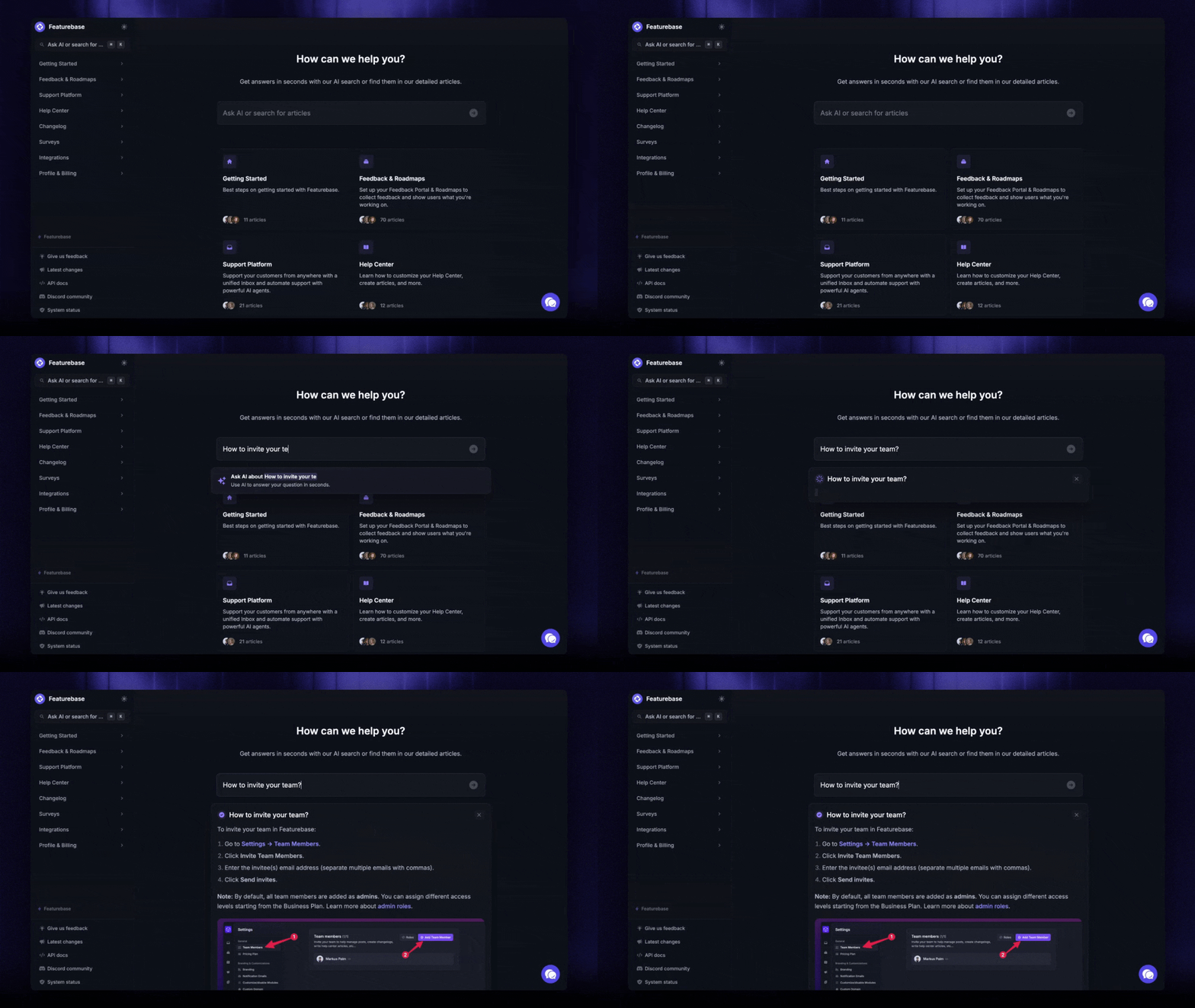
The trade-off: Featurebase isn't a dedicated call-center or speech-analytics tool, so if your core need is transcribing and scoring high volumes of phone calls, a specialist like CallMiner or Observe.AI will go deeper. For text-based support and feedback insight, though, it's the fastest and most affordable pick here.

Get the best CX software for just $29/seat/month
Automatically resolve 70% of customer requests & cut down manual support loads
2. Zendesk
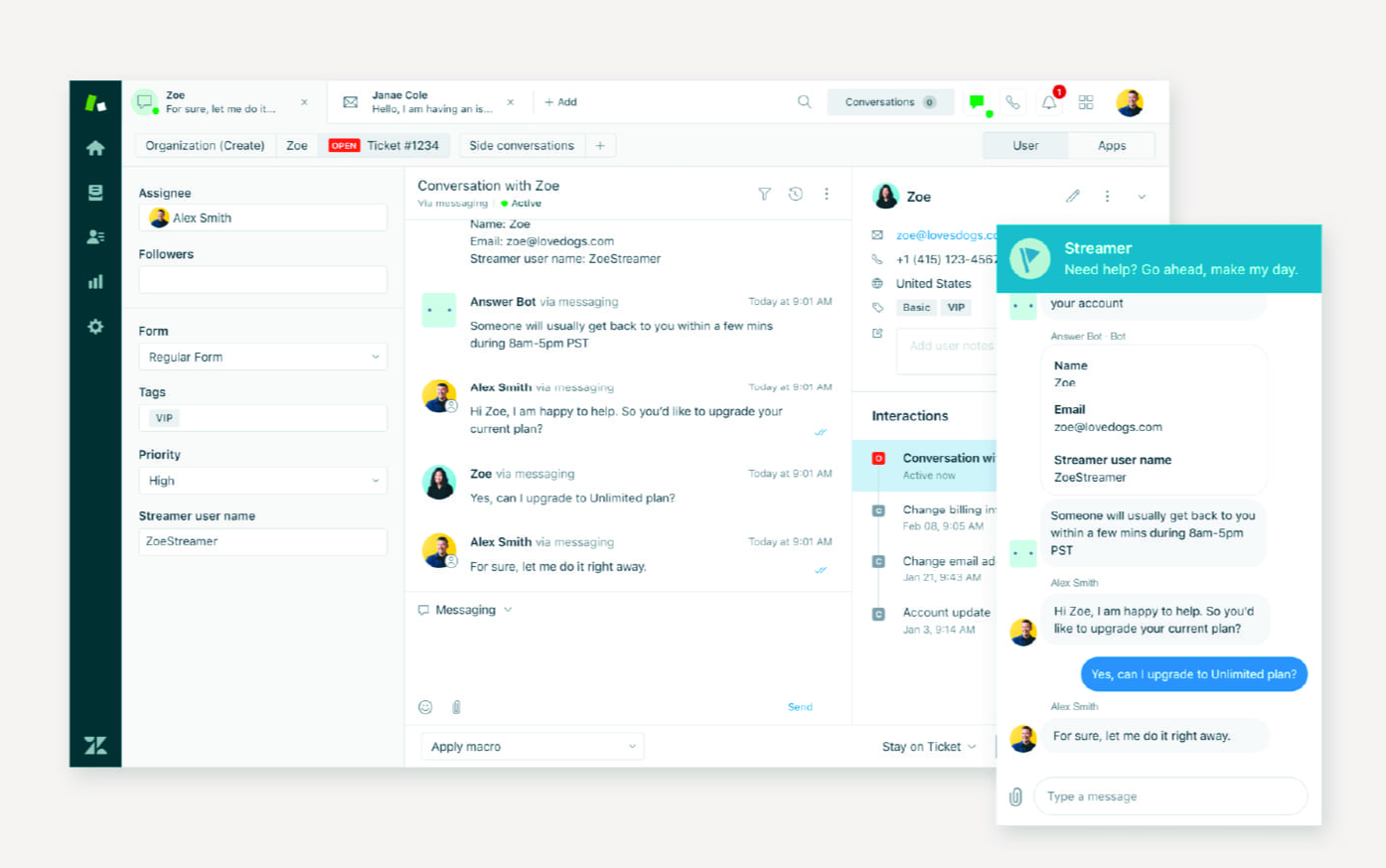
Zendesk is one of the best-known help desks, and its reporting engine, Explore, is where the analytics live. It pulls data from every support channel and gives you dashboards for response times, resolution trends, and agent performance.
For teams already running Zendesk, it's the natural choice. Explore covers near real-time and historical reporting, and the 1,800+ app marketplace means you can plug in almost anything.
Key features:
- Explore reporting across email, chat, social, and voice
- Prebuilt and customizable dashboards
- Agent performance and productivity tracking
- Omnichannel data in one view
Pricing: Zendesk pricing starts at $19 per agent/month on the Support Team plan, with Suite plans at $55 and $115. There's no free plan, just a 14-day trial.
The trade-off: G2 reviewers consistently flag that Explore has a real learning curve for non-technical users, and the most useful custom reports are gated to the pricier tiers. Add-ons and rising per-seat costs also stack up fast as you scale.
3. Intercom
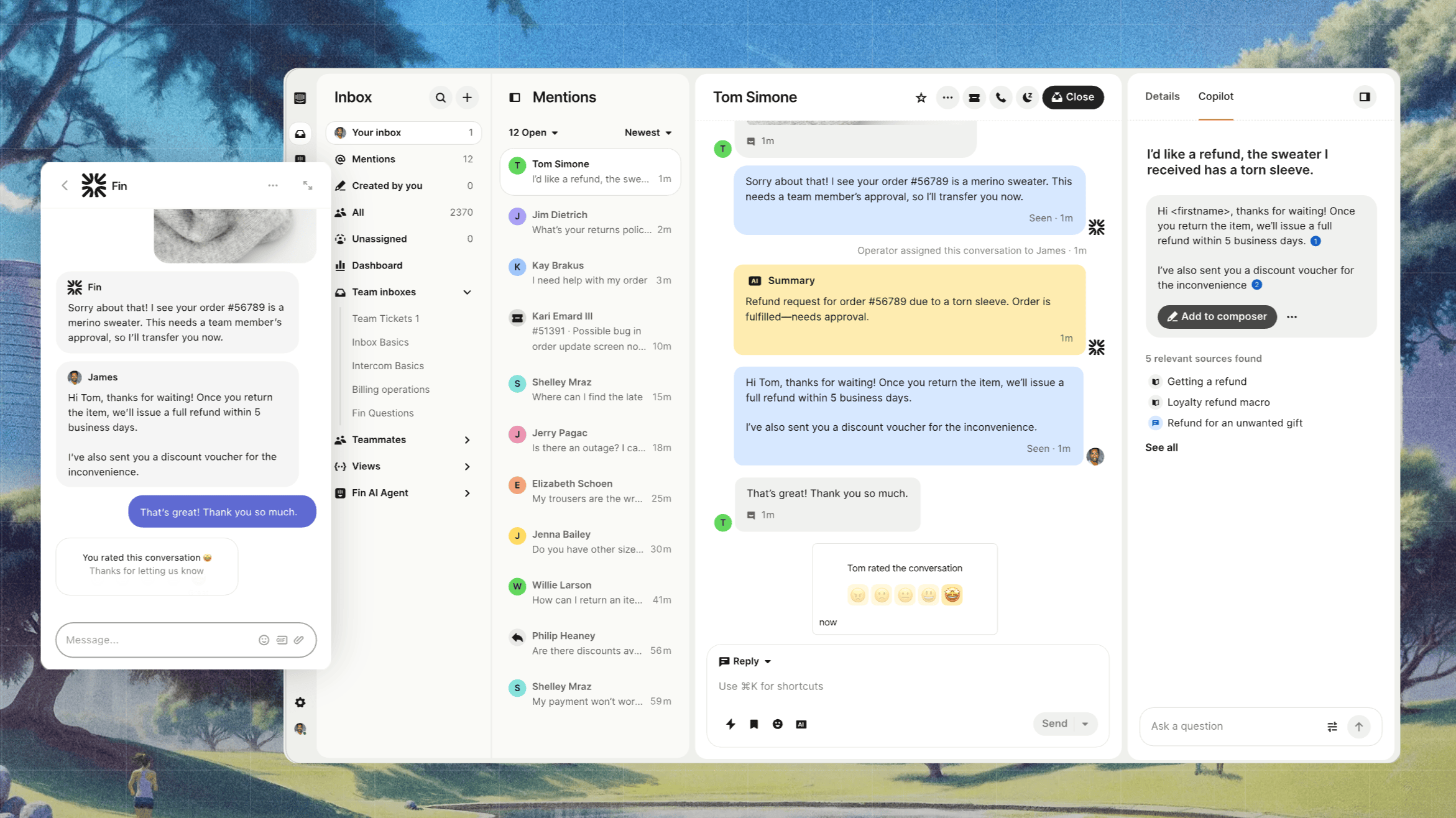
Intercom pairs a support platform with Fin, its AI agent, and layers analytics on top of both. Its Topics Explorer groups conversations into themes, and its dashboards track resolution rates and a no-survey CX score.
It's a strong fit if you want AI resolution and conversation analytics from the same tool, especially if you're already using Intercom's Messenger.
Key features:
- Topics Explorer for AI-grouped conversation themes
- CX Score to gauge support quality without surveys
- Fin performance and resolution dashboards
- Reporting across human and AI agents
Pricing: Intercom pricing starts at $19/seat/month for Essential billed annually ($29 billed monthly), with Advanced at $85 and Expert at $132 per seat/month billed annually. On top of seats, Fin costs $0.99 per outcome. There's no free plan.
The trade-off: because Fin charges per outcome, the better it performs the more you pay, and reviewers report support bills that are hard to predict. G2 users also note the built-in analytics lack granularity for tracking agent-level performance, with deeper reporting sitting behind higher tiers.
4. Qualtrics
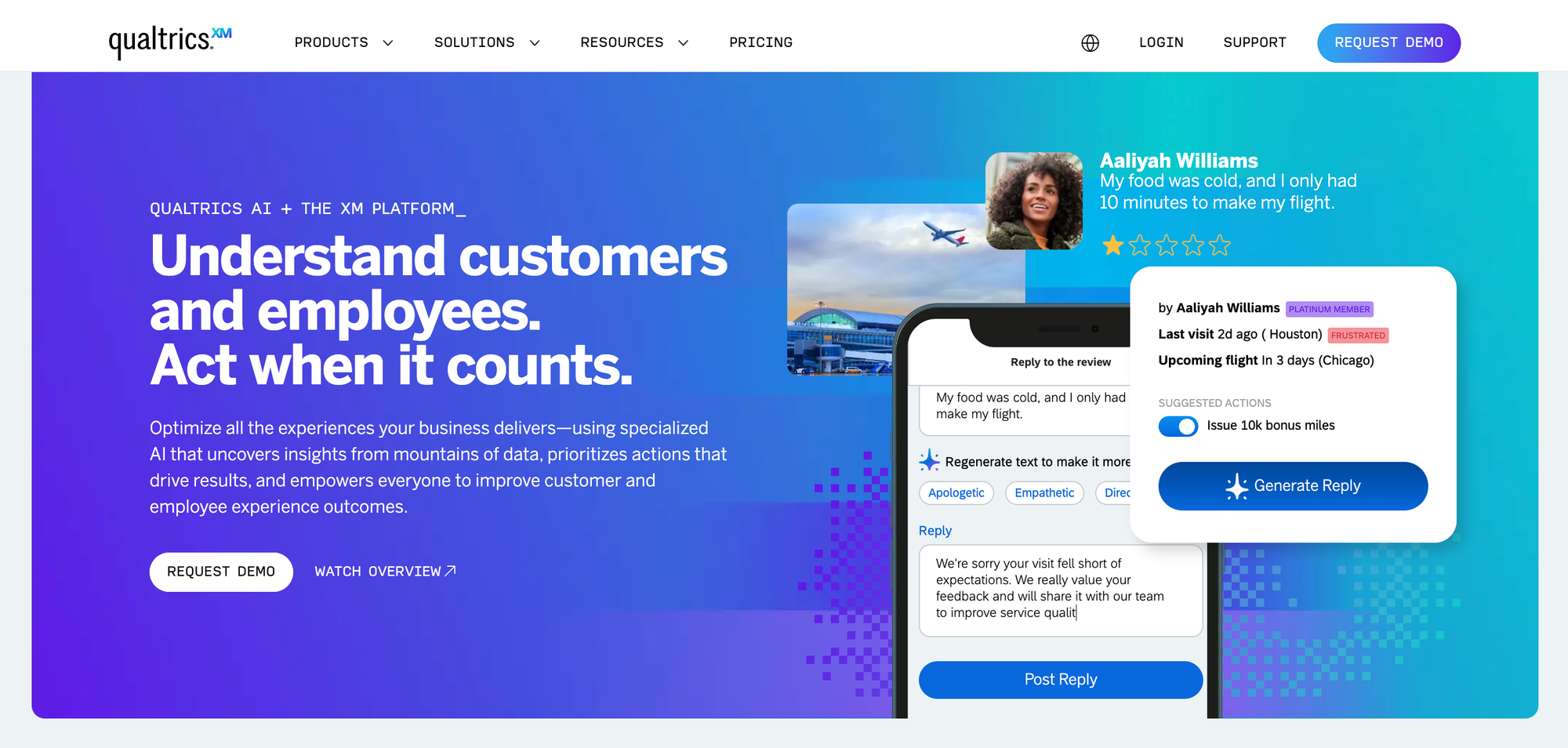
Qualtrics is an enterprise experience management platform with best-in-class text analytics. Its XM Discover engine reads survey responses, chats, and call transcripts to score sentiment, effort, and intent across the entire customer journey.
It's built for large organizations running structured voice-of-customer programs, not for a lean support team wanting quick dashboards.
Key features:
- XM Discover text and sentiment analytics
- Omnichannel feedback collection and analysis
- Closed-loop action management
- Contact center quality management
Pricing: Qualtrics pricing is custom and quote-based. Public data suggests a median spend in the tens of thousands per year, and there's no free plan.
The trade-off: G2 reviewers repeatedly call out opaque, expensive pricing and a steep learning curve. Launching a program can take weeks or months and often needs consultants, which makes it overkill for smaller teams.
5. Medallia
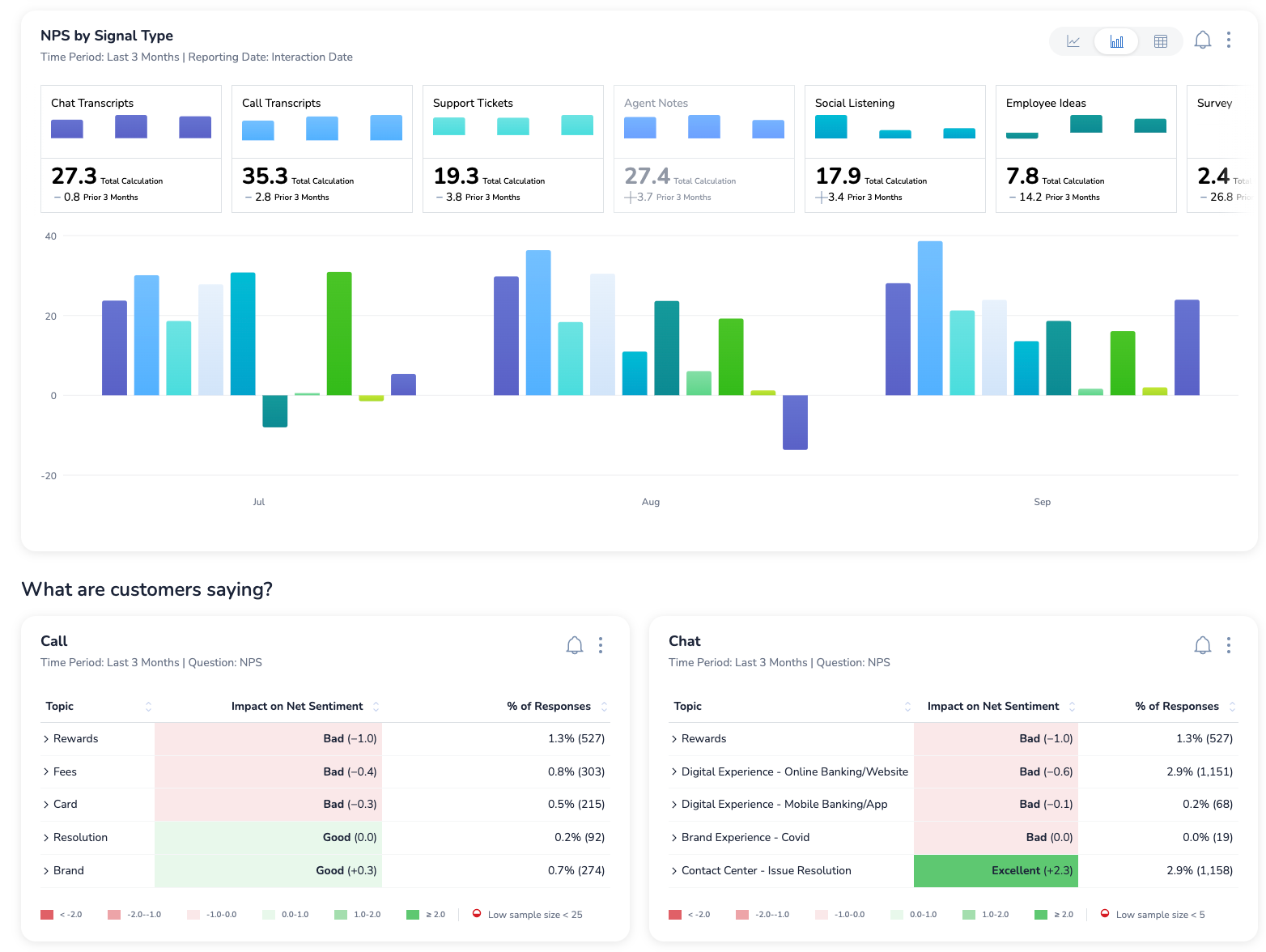
Medallia is another enterprise experience platform, focused on capturing and analyzing experience signals across every touchpoint. It ingests surveys, call transcripts, web behavior, and social data to build a real-time view of customer sentiment.
It suits large orgs that need experience insight at scale and have a team to run it.
Key features:
- Feedback capture across web, app, and contact center
- AI text analytics on open-ended responses
- Role-based dashboards and alerts
- Cohort and segment tracking
Pricing: Custom, quote-based, with no free plan.
The trade-off: reviewers on G2 find the reporting clunky and time-consuming, often needing heavy customization. The platform requires specialist expertise to configure, and the price is steep for smaller organizations.
6. SentiSum
SentiSum is a dedicated customer service analytics tool built around AI tagging and sentiment analysis. It reads 100% of your support tickets, categorizes them automatically, and surfaces the trends and pain points driving contacts.
It's a good fit for support teams whose main signal comes from service interactions and who want that analyzed without manual tagging.
Key features:
- AI tagging and sentiment analysis on every ticket
- Automatic categorization of support conversations
- Trend and root-cause dashboards
- Integrations with major help desks
Pricing: Starts at $3,000/month, scaling by channels, users, and ticket volume. There's no free plan.
The trade-off: G2 reviewers note the AI isn't 100% accurate and still needs some manual input. The support-first scope means it's focused on ticket analysis rather than a broader product or journey view, and the entry price is high for smaller teams.
7. Observe.AI
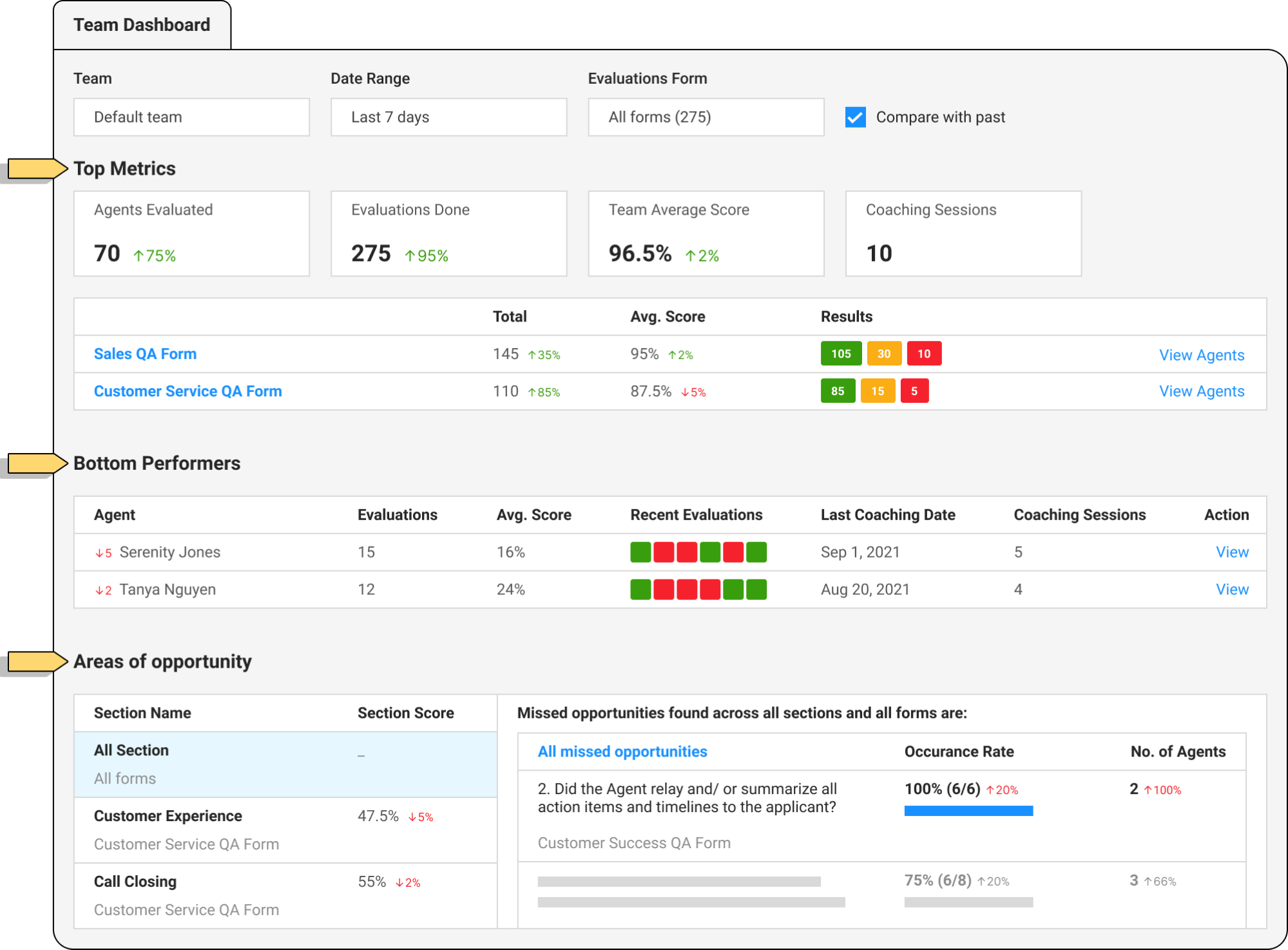
Observe.AI is a contact center intelligence platform focused on quality assurance and agent coaching. It transcribes and analyzes calls and chats, automatically scores interactions, and surfaces coaching moments across 100% of conversations instead of a small sample.
It's built for contact centers drowning in call volume that want to move QA from sampling to full coverage.
Key features:
- Automated QA scoring on every interaction
- Speech-to-text transcription and analysis
- Agent coaching workflows
- Sentiment and moment detection
Pricing: Custom, typically enterprise-level, with no free plan.
The trade-off: transcription accuracy is the single most common complaint from reviewers, especially with accents or noisy audio and multilingual support. It's also priced and built for larger contact centers, so smaller teams tend to feel it's more than they need.
8. CallMiner
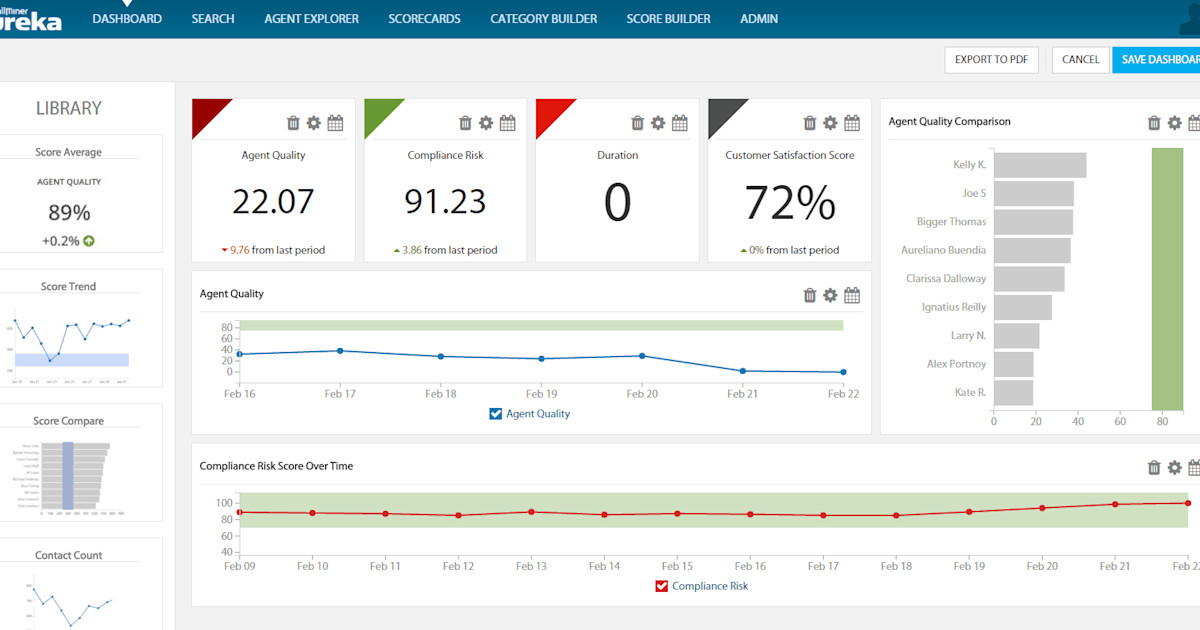
CallMiner is a veteran speech and interaction analytics platform aimed at enterprises. Its Eureka engine analyzes calls at scale, automatically categorizing them, detecting emotion, and flagging compliance risks and emerging trends.
It's the pick for large operations that need deep speech analytics and strong compliance coverage.
Key features:
- Speech analytics across large call volumes
- Automated categorization and emotion detection
- Compliance monitoring
- QA automation and root-cause analysis
Pricing: Custom, enterprise-focused, with no free plan.
The trade-off: reviewers point to a long implementation, with G2 averaging around 5 months before teams are fully up and running. The learning curve is steep and the cost sits firmly in enterprise territory.
How to choose the right customer service analytics tool
The best tool depends less on feature count and more on your team size, budget, and where your data lives.
- Small and mid-size SaaS teams: You want fast setup, a free or affordable plan, and analytics tied to your support and feedback. Featurebase fits here.
- Established help desk teams: If you already run Zendesk or Intercom, their built-in reporting may be enough before you add a specialist tool.
- Enterprises with formal VoC programs: Qualtrics and Medallia give you depth and scale, but budget for cost and setup time.
- High-volume contact centers: Observe.AI and CallMiner are built for call-heavy QA and compliance needs.
Two more things decide fit fast. First, check the metrics each tool tracks against the ones your team already reports on. Second, if your priority is coaching and call review, weigh the customer service quality assurance features specifically, since not every analytics tool does QA well.
Conclusion
Customer service analytics software is only worth it if it turns your support data into decisions. The right pick depends on whether you need lightweight dashboards, deep speech analytics, or enterprise-grade VoC, so match the tool to your team instead of chasing the biggest name.
Featurebase is a modern AI support and feedback platform that helps you manage conversations, collect feedback, and see what customers keep asking about, all in one place. Its AI groups feedback and conversations into clear themes, surveys measure CSAT and NPS, and revenue-based prioritization shows you which issues actually matter.
It comes with a Free plan, and the onboarding takes minutes with no credit card required, so there's no downside to trying it. 👇
✨ Automate your support and turn conversations into insight with Featurebase for free →

FAQs
What metrics should customer service analytics software track?
At a minimum, look for CSAT, Customer Effort Score (CES), first response time, resolution time, and ticket volume broken down by category. Sentiment and trend analysis add the "why" behind those numbers. The exact set depends on your goals, so start with the metrics your team already reports on and make sure the tool covers them.
How much does customer service analytics software cost?
It ranges widely. Modern SaaS tools start free or around $19 to $29 per seat per month, while dedicated analytics platforms like SentiSum begin near $3,000 per month. Enterprise suites such as Qualtrics, Medallia, Observe.AI, and CallMiner are custom-quoted and often run into tens of thousands per year.
What's the difference between customer service analytics and customer experience analytics?
Customer service analytics focuses on your support interactions: tickets, chats, calls, and the metrics around them. Customer experience (CX) analytics is broader, covering the entire journey including marketing, product, and post-purchase touchpoints. Service analytics is essentially a focused subset of CX analytics.
Do you need a separate tool for customer service analytics?
Not always. Many help desks include built-in reporting that's enough for basic tracking. You'll want a dedicated tool when you need deeper sentiment analysis, automatic ticket categorization, or coverage across channels your help desk can't analyze on its own.
How long does it take to implement customer service analytics software?
It depends on the tool. Modern SaaS platforms can be live in minutes to a few days, since they connect to your existing stack quickly. Enterprise speech-analytics suites are a different story, with some like CallMiner averaging around 5 months to full deployment.
What's the best customer service analytics tool for small teams on a budget?
Look for tools with a free plan or low per-seat pricing and quick setup. Featurebase is a strong option here, since it offers a free plan and combines support, feedback analysis, and CSAT/NPS surveys in one tool, so small teams get insight without paying for a separate enterprise platform.
Can AI analyze customer service conversations automatically?
Yes. Most modern tools use AI to transcribe calls, detect sentiment, and automatically group conversations into themes, so you don't have to tag tickets by hand. Some also score interactions for quality and flag coaching moments, turning thousands of conversations into a signal your team can act on.