Ticket Tagging: Examples, Best Practices, and Automation
Build a practical ticket tagging system with SaaS examples, a starter taxonomy, governance rules, automation tips, and reports that reveal recurring issues.


On this page
Automate your support with the fastest AI-enhanced Inbox today
If your team uses login, login-issue, and account-access for the same problem, your reports split one issue into 3 categories. Your routing rules might treat them differently, too.
Ticket tagging works best when everyone agrees on what each label means. In this guide, I'll show you how to build a small SaaS support taxonomy, apply it consistently, and use automation and reports to make those tags useful. 👇
Key takeaways
- Organize support tickets by issue type, product area, and severity, with clear definitions for each value.
- Use structured fields for information that needs exactly one answer, such as priority.
- Give someone ownership of your tag list, and check dependencies before retiring tags.
- Combine rules and AI suggestions with human review for uncertain classifications.
- Count unique tickets in reports, and distinguish tagging coverage from classification accuracy.
- ✨ Featurebase connects conversation tags, support workflows, reporting, and product feedback in one platform.
What is ticket tagging?
Ticket tagging is the process of applying short labels to support tickets so your team can organize, find, and analyze related requests. Manual ticket tagging relies on agents to choose the labels. Software can also apply them through automation rules or AI classification.
For example, type_bug and area_integrations describe different things about the same ticket: something isn't working, and it affects an integration.
Those labels become inputs to ticket routing, prioritization, and reporting. Applying a tag only changes how a ticket is handled if a person or workflow acts on it.
Tags, categories, and custom fields
These terms often overlap, but they serve different purposes:
- Tags: Flexible labels that can coexist on a ticket, such as an issue topic and a release identifier.
- Categories: The groups you use to organize requests. A category might be stored as a tag or a field.
- Custom fields: Structured information, such as a dropdown for the primary issue type or a date for an affected renewal.
Use single-select fields when conflicting values would cause problems. A ticket shouldn't simultaneously have 2 current priority levels just because separate automations added different tags.
A starter ticket tagging taxonomy for SaaS support
A tag taxonomy is your agreed set of labels and their definitions. I'd start with the 15 values below, then adapt the product areas to your app.
The prefixes make a flat tag list easier to scan. If your helpdesk supports structured fields, you can use the same definitions as dropdown values instead.
Issue type: what does the customer need?
Choose 1 primary issue type for each distinct request. Use the customer's actual need and your investigation to classify it.
| Tag | Apply it when | Don't use it for |
|---|---|---|
type_bug |
Existing functionality fails to behave as expected | A capability the product has never offered |
type_how_to |
The customer needs guidance using existing functionality | A confirmed defect |
type_billing_request |
The customer needs an invoice explanation, refund, or subscription adjustment | Broken billing functionality, which belongs under bug |
type_account_request |
The customer needs an account, membership, or access change | A software defect preventing authorized access |
type_feature_request |
The customer wants new or changed functionality | Help finding an existing feature |
If a conversation contains independent requests, split the work when appropriate or record a primary type plus secondary topics. Don't treat a multi-topic conversation as a mutually exclusive category in reports.
Product area: where does it happen?
Keep the product area separate from the issue type. An invoice page can generate both how-to questions and bug reports.
| Tag | Scope |
|---|---|
area_auth |
Sign-in, password resets, SSO, and authentication |
area_billing |
Invoices, subscriptions, payment methods, and charges |
area_integrations |
APIs, webhooks, and third-party connections |
area_reporting |
Dashboards, exports, and analytics |
area_workspace |
Members, roles, workspace settings, and collaboration |
area_mobile |
Functionality specific to your mobile app |
Choose the area that owns the problem. A sign-in failure experienced on a phone can stay under authentication unless the mobile app itself is the cause. Keep the device or channel in its own field if you need that context.
Severity: how much is the problem affecting customers?
Severity describes impact. Priority determines how soon your team should act, considering urgency, commitments, and customer context as well.
Here is a starting severity model to adapt to your service:
| Value | Working definition |
|---|---|
severity_critical |
A widespread failure blocks a core service with no viable workaround |
severity_major |
A core workflow is blocked for a customer or subset of users, with no viable workaround |
severity_minor |
Functionality is impaired, but a reasonable workaround exists or the impact is limited |
severity_none |
No service failure is reported, such as an administrative request or product question |
These are example definitions, not universal incident levels. Follow your incident process for suspected security issues or data loss. A feature request can still deserve high priority even when its service severity is severity_none.
Leave uncertain values unclassified in a review queue until someone has enough context. Unknown doesn't mean low severity.
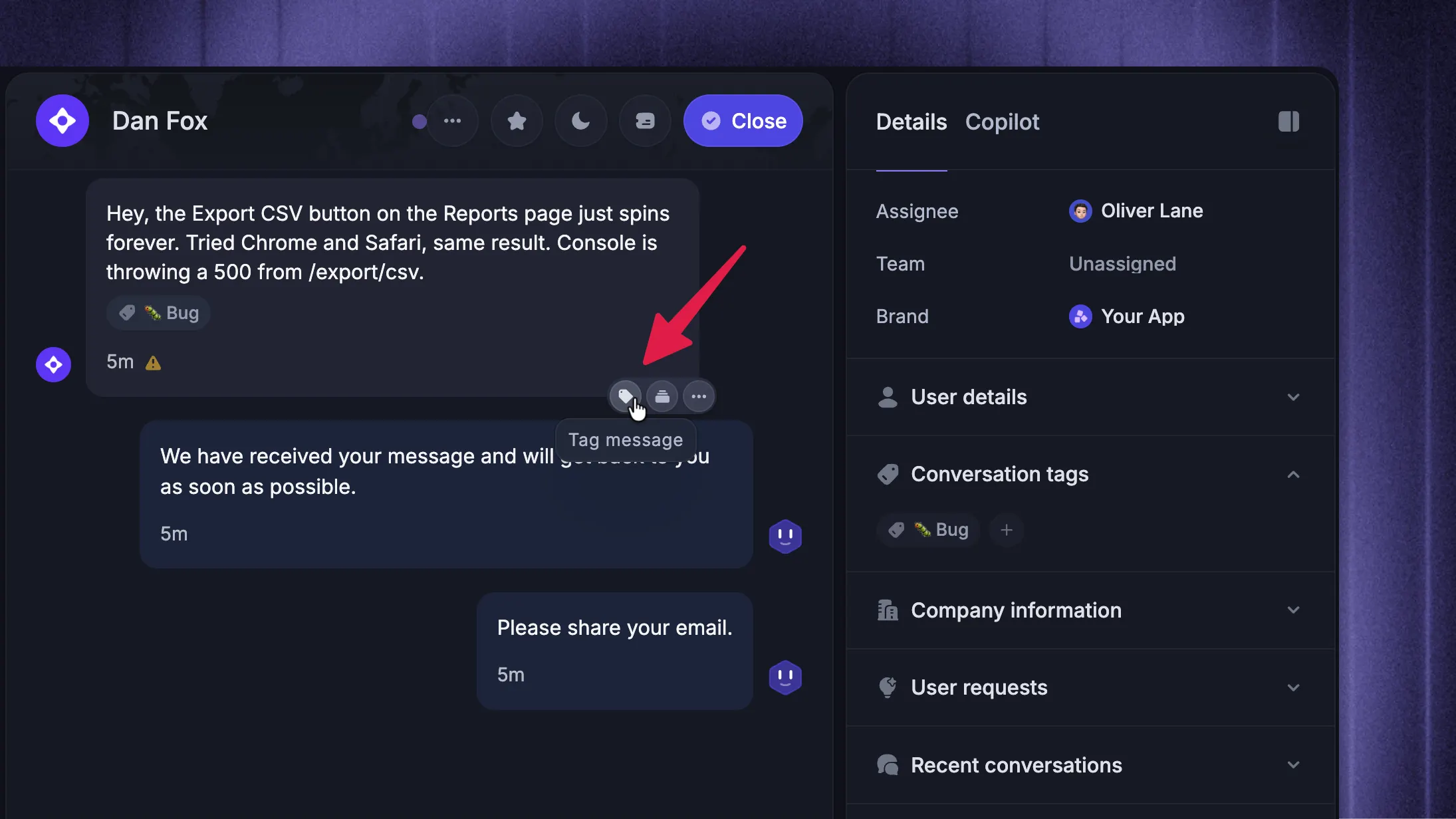
5 ticket tagging examples
These examples show the classification after the relevant facts have been checked. A customer's first message alone may not establish the issue type or severity.
| Support request and confirmed context | Issue type | Product area | Severity |
|---|---|---|---|
| “Our team can't sign in.” A regression blocks 5 users, with no alternative login method. | type_bug |
area_auth |
severity_major |
| “Why is this invoice higher?” The customer added seats and needs an explanation. | type_billing_request |
area_billing |
severity_none |
| “The integration stopped syncing.” A confirmed defect affects automatic sync, but manual import works. | type_bug |
area_integrations |
severity_minor |
| “Can I schedule an XLSX export?” Scheduled exports aren't available in the product. | type_feature_request |
area_reporting |
severity_none |
| “Please transfer workspace ownership.” An authorized administrator needs an account change. | type_account_request |
area_workspace |
severity_none |
The invoice example would change if an investigation uncovered a duplicate-charge defect. Update the classification when the facts change, and keep the investigation details in the ticket.
Ticket tagging best practices
Good tag governance keeps ticket categorization consistent: agree on when tags apply, who maintains them, and how changes affect existing work.
Define when each tag applies
Give each tag a short definition, an inclusion example, and an exclusion example. “Use for bugs” leaves agents guessing. “Existing functionality fails to work as designed, after checking permissions and expected behavior” gives them something to work with.
Add a tag only if it supports a useful search, workflow, or reporting question. Keep channel, assignee, and status in their native fields when those already exist.
Make classification part of ticket handling: add known information during ticket triage, then confirm it at resolution. Missing labels should create a review task without delaying urgent help.
Assign ownership and control new tags
Let agents propose labels, with a support operations owner approving additions. Each proposal should explain:
- The distinction: What information the existing taxonomy cannot capture.
- The use: Which report or action needs the new tag.
- The definition: When to apply it and when to choose something else.
Pick one naming convention, such as lowercase words joined with underscores. Avoid synonyms and vague labels like misc that quietly become permanent dumping grounds.
For rollout, have 2 teammates independently classify the same small sample of tickets. Discuss disagreements and revise the definitions before expanding automation.
Review tags without breaking workflows or reports
Start with a monthly review of unused tags, duplicates, missing classifications, and frequently corrected labels. Adjust the cadence once the taxonomy settles.
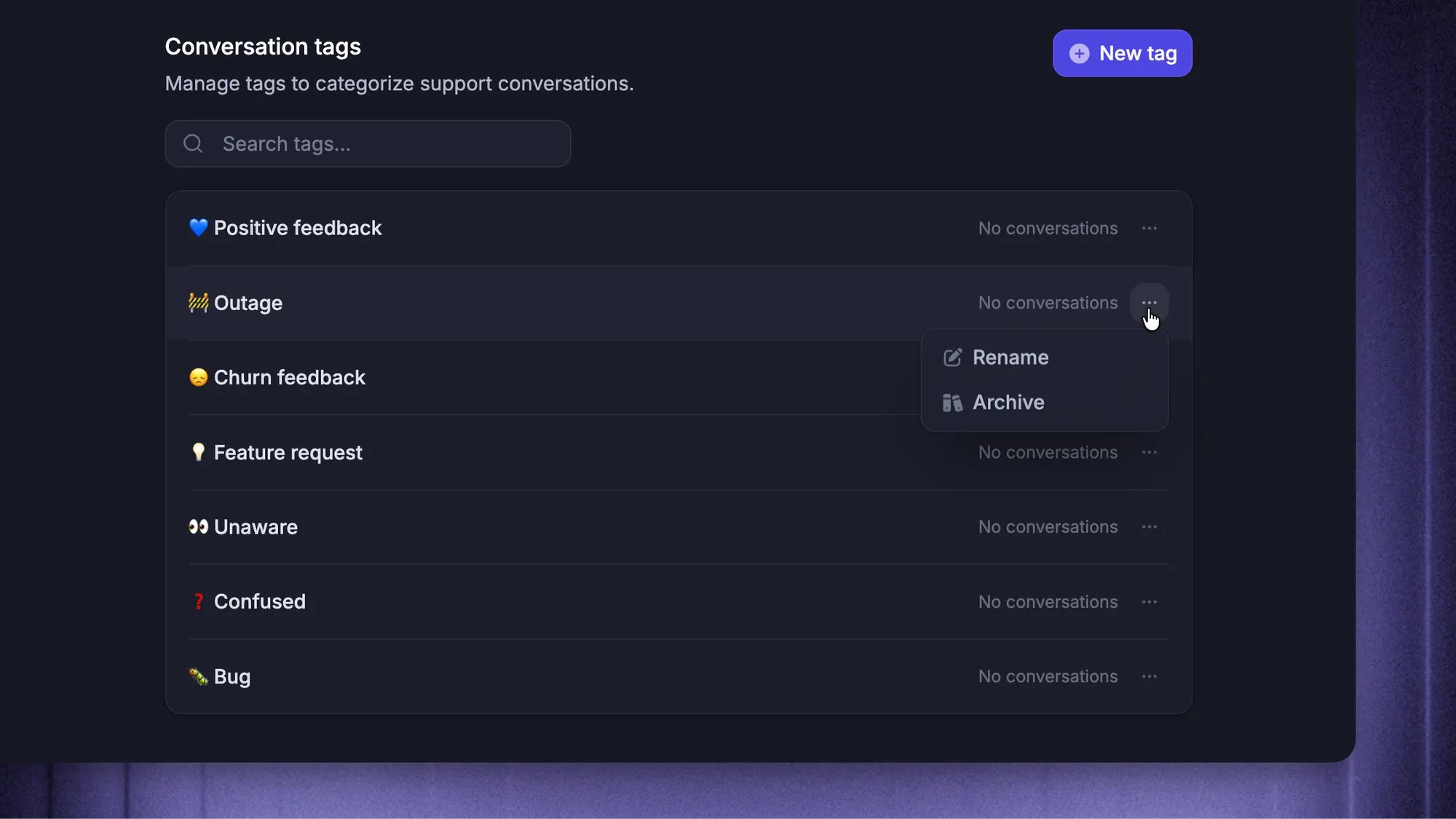
Before renaming or retiring a tag, check its routing rules, saved views, integrations, and reports. Record the replacement and change date, then archive it where supported so historical data remains available.
A rare label can still matter. Don't remove an incident tag purely because its ticket volume is low.
How to automate ticket tagging
Automated ticket tagging is easier to evaluate once your team agrees on the taxonomy. Start with clear inputs, then add interpretation where it earns its place.
Use rules for predictable inputs
Rules work well with structured information: a validated form selection, a known error code, or a specific product surface.
For example, a request submitted through an integration support form can receive area_integrations. It still needs a separate decision about whether the customer has a bug, a question, or a feature request.
Keywords need more care. “This isn't a billing issue” contains “billing,” but that doesn't make it a reliable billing classification.
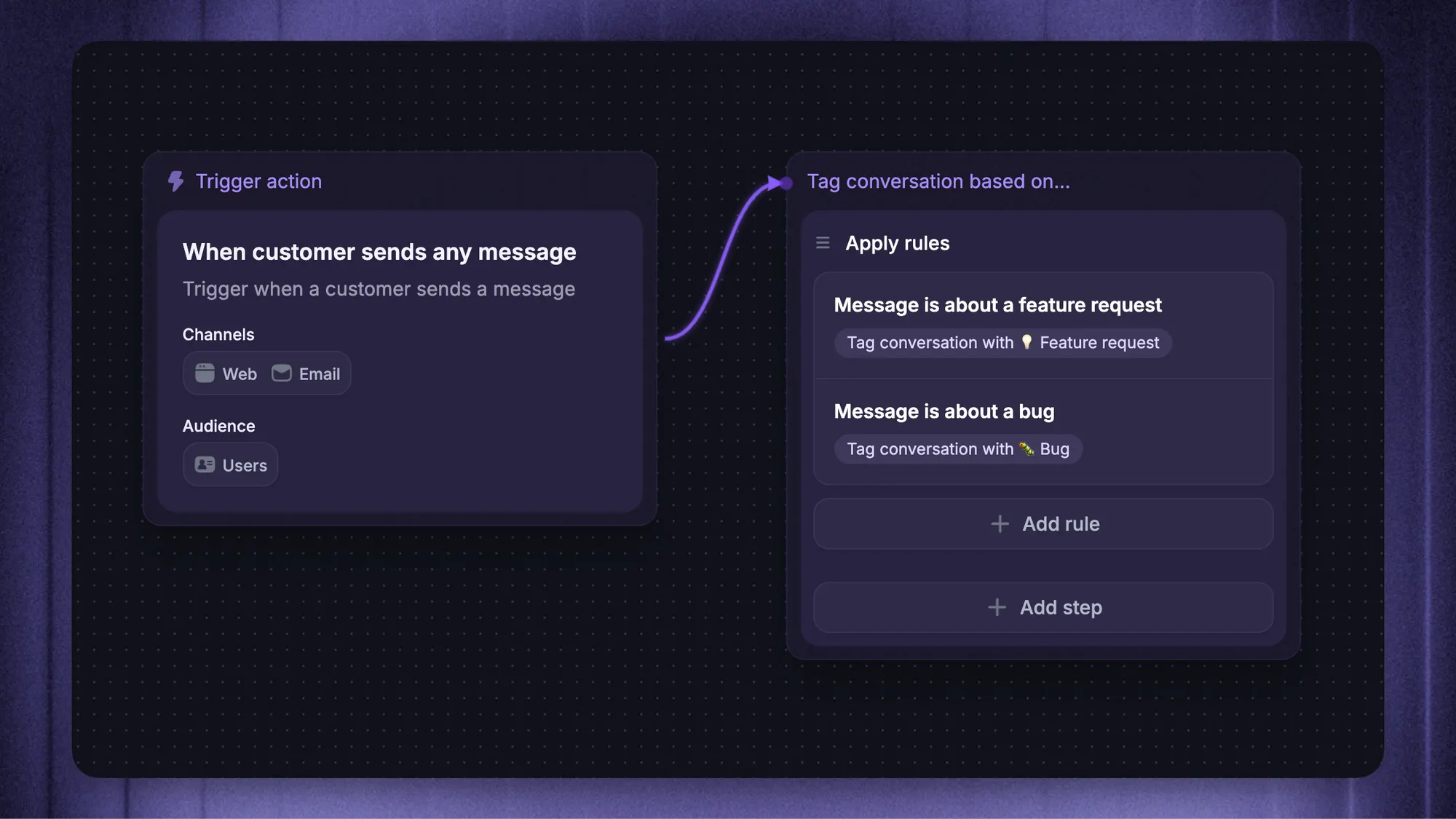
Featurebase's Workflows can apply existing conversation tags based on message content, source, and customer attributes. They can also remove tags when conditions change, helping keep classifications consistent as conversations develop.
Use AI classification for varied customer language
AI ticket classification can map differently worded requests to a shared set of labels. Give the classifier approved values, definitions, and examples instead of letting it invent new tags.
Ask it to leave uncertain cases for review. Evaluate each dimension separately: identifying the product area correctly doesn't mean the model has enough evidence to determine severity.
Protect agent corrections from being overwritten by the next automation run, and define which source wins when rules and AI disagree.
Validate suggestions before they drive actions
Start with suggestions on previously reviewed tickets, then monitor a limited live rollout. Include uncommon issues, ambiguous messages, and the languages your customers use.
Check these separately:
- Coverage: How many tickets receive the required classifications?
- Correctness: How often do proposed labels match a reviewed answer?
- Consequences: Which errors send work to the wrong team or hide an urgent issue?
Keep uncertain and high-impact classifications under human review until your evidence supports broader automation. Recheck performance after product launches or taxonomy changes.
How to use ticket tags in reports
Useful support ticket reporting starts with a decision you need to make. Choose the tags and metrics that answer it, then identify who can act on the findings.
Measure coverage and recurring issues
Track both tickets with any tag and tickets with all required dimensions completed. Those are different measures.
In a hypothetical week with 100 tickets, 80 might have a tag, while only 65 have a reviewed issue type, product area, and severity. Tagging coverage is 80%, but complete classification is 65%.
Use those denominators consistently. A rising integration ticket count could reflect a product problem, more integration users, or better tagging coverage. Check which changed before drawing conclusions.
Compare response times and satisfaction
Group first response time, resolution time, and CSAT by issue type or product area. Show ticket counts alongside the averages so a handful of responses doesn't look like a dependable trend.
For product feedback, also count distinct customers or accounts. Repeated tickets from 1 account shouldn't look like demand from 10 separate customers.
Avoid double-counting and misleading trends
One ticket can match several tags. In an illustrative report, 40 bug tickets and 50 integration tickets with 20 in both groups represent 70 unique tickets, not 90.
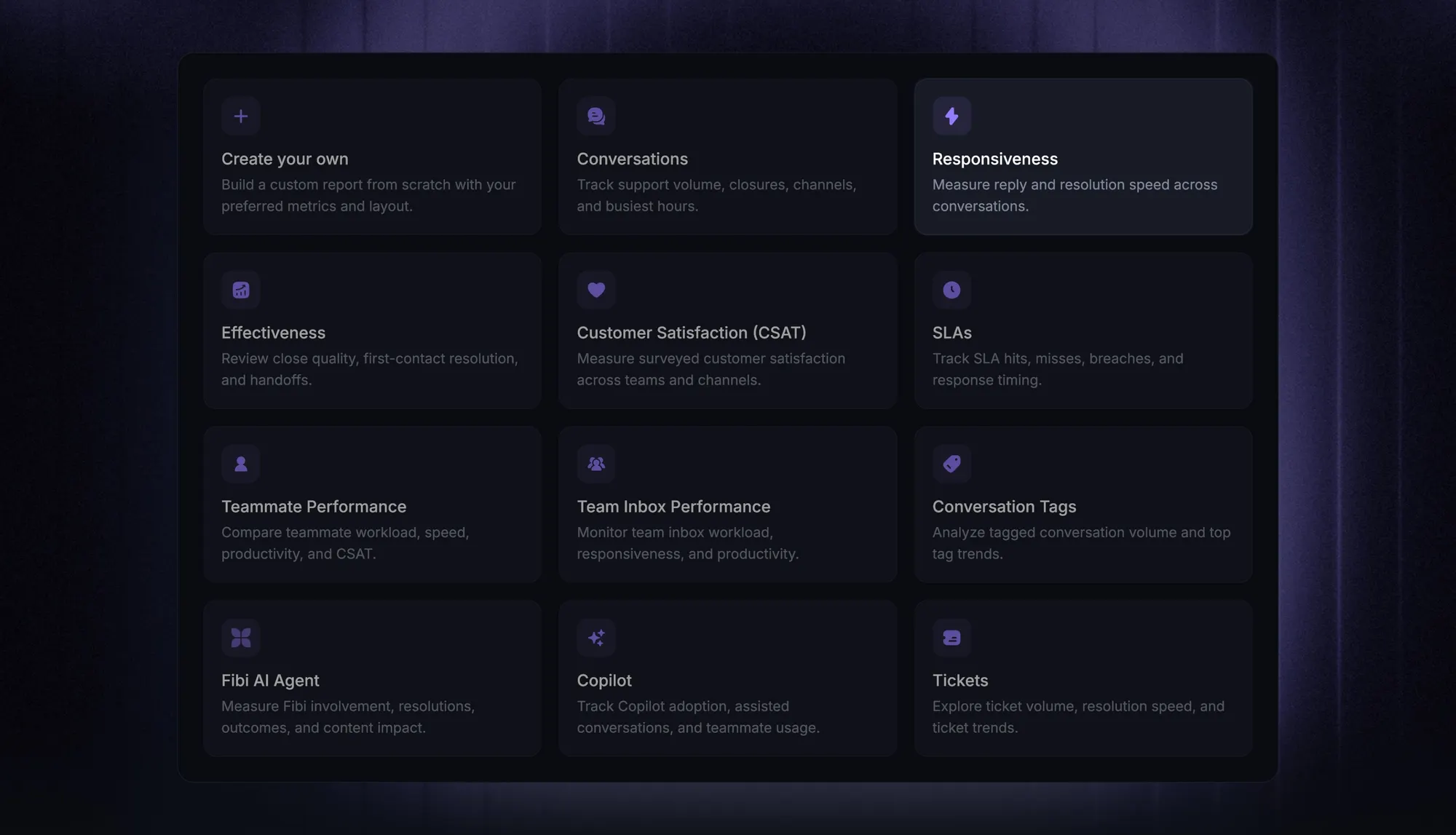
Featurebase's Conversation Tags report shows tagging coverage and tag volume. It uses current tags and groups conversations by their start date, so adding or removing a tag can change an earlier period's results.
Record taxonomy changes alongside reports. If you need a fixed historical comparison, save a snapshot or use reporting that preserves the relevant historical values.
Connect tagged conversations to support and product work with Featurebase
Tags become useful when someone acts on the patterns they reveal. An integration label can inform ticket routing, severity can support triage, and recurring feature requests can become evidence for product decisions.
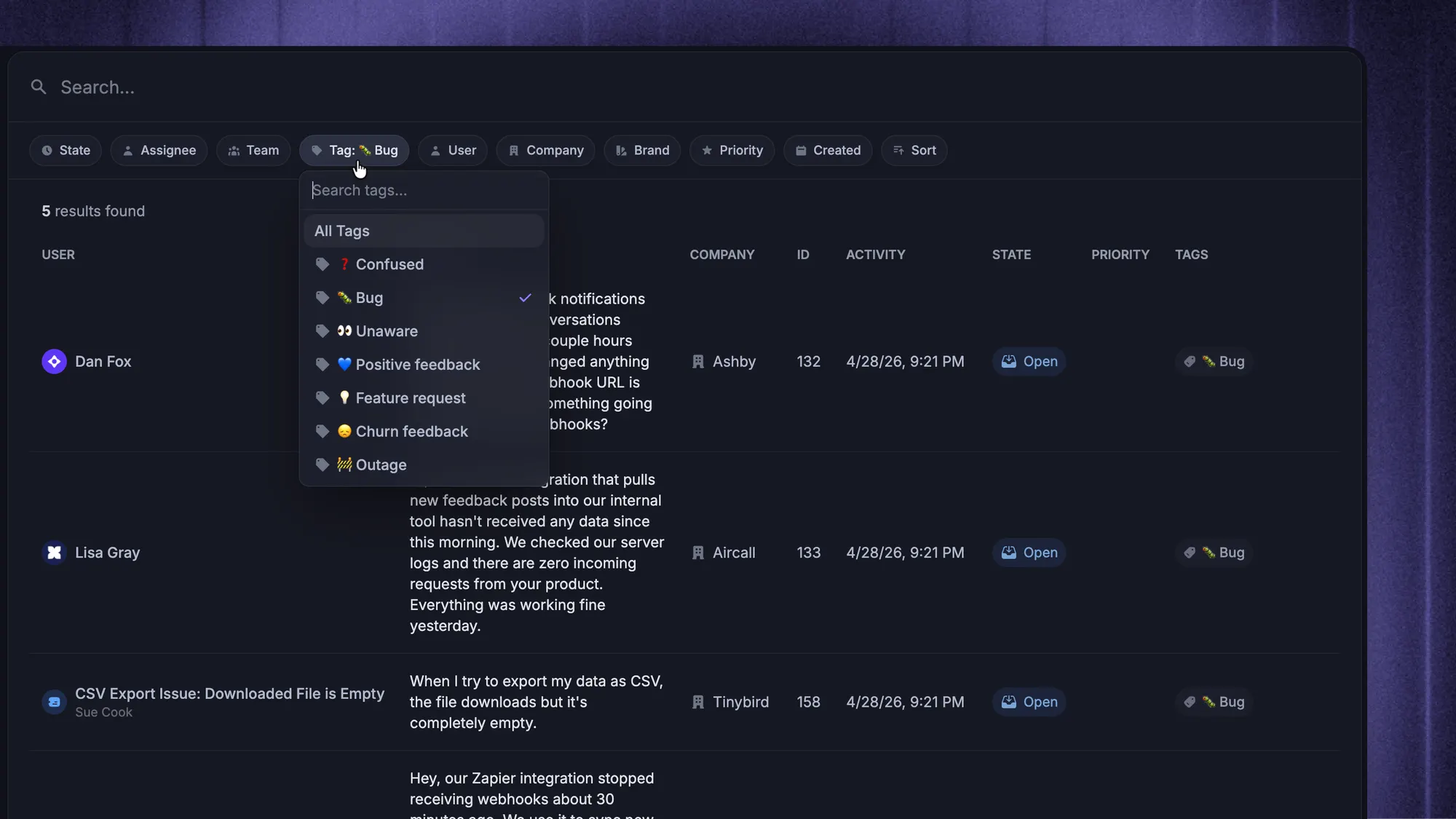
In Featurebase, your team can create a product Request or link a support conversation to an existing one. That preserves the customer's context beyond a generic type_feature_request label.
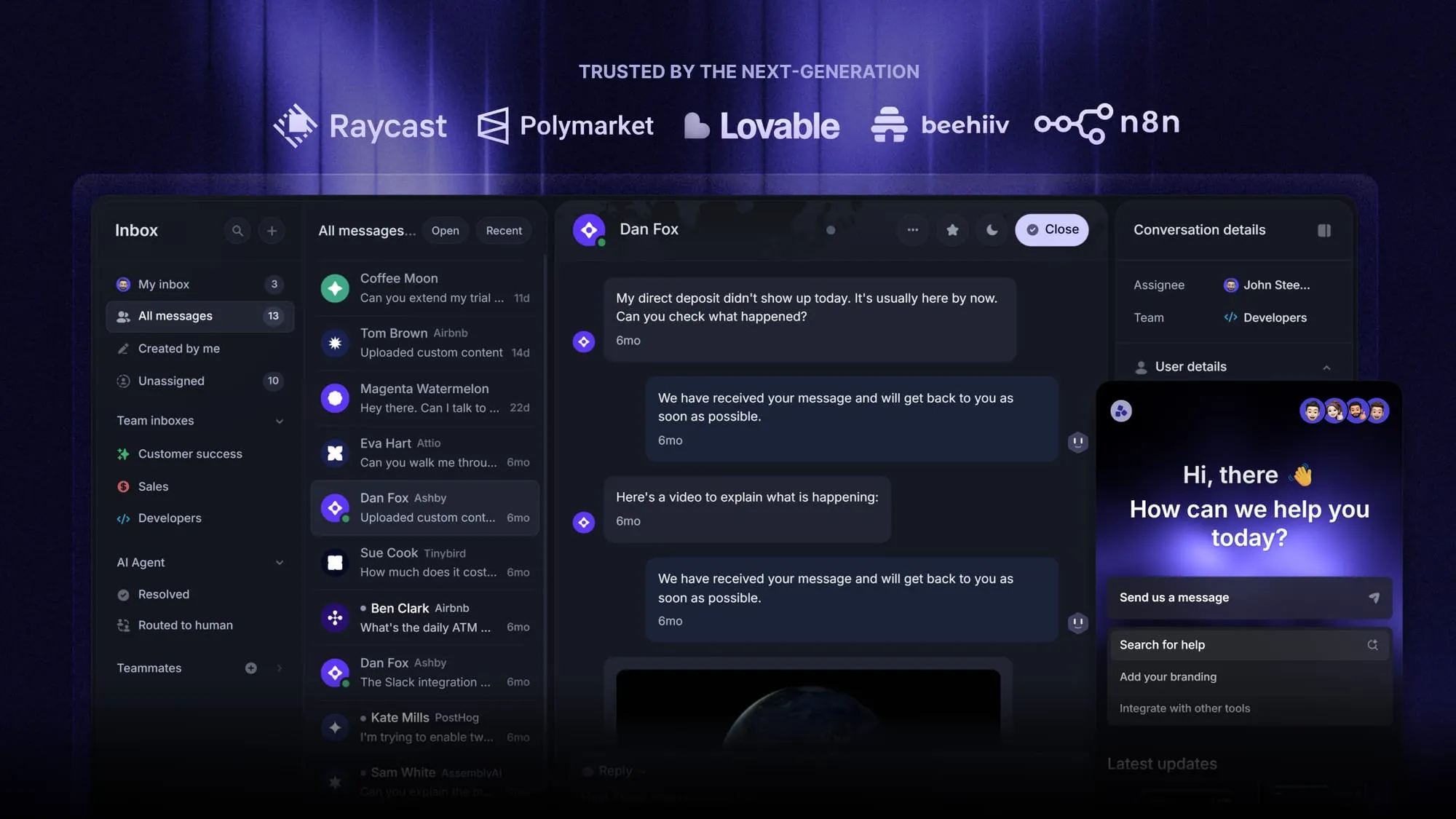
Featurebase is a modern AI customer support platform that brings tagged conversations, support workflows, and product feedback together. It combines AI-powered support, help center, and feedback management into a single platform for startups that want all their customer-facing tools in one place. Featurebase is loved by thousands of support teams from companies like Lovable, Raycast, and n8n. 💫
Top features:
- Omnichannel inbox – Manage live chat, email, and Slack conversations from one AI-powered view
- Fibi AI Agent - Resolve customer issues on autopilot & run custom actions like trial extensions and refunds
- Help center with AI search – Provide instant, multilingual self-serve answers
- Workflows & automations – Auto-assign tickets, route conversations, collect customer data, and more
- AI Copilot – Help your agents answer customers faster with AI Copilot that uses your internal knowledge
- Multi-brand support – Manage multiple Help Centers and Live chats from a single workspace
- Automatic AI translations – Automatically translate all messages and help articles to your customers native language
- Service Level Agreements – Track SLAs to make sure your team responds to customers on time, every time
- Mobile app – Respond to customers, receive notifications, and unblock users on the go
- Feedback & roadmap tools – Collect feature requests and close the loop with updates
- Product updates – Publish release notes with a changelog page, in-app widget, and emails
- Integrations – Connects with Slack, Linear, Jira, HubSpot, and more
Featurebase offers a Free plan. Reports are included from Growth, while Workflows are included from Professional, so choose a Featurebase plan that covers the tagging process you want to run.
Conclusion
A useful ticket tagging system starts with clear definitions, a manageable taxonomy, and someone responsible for keeping it consistent. Automate the classifications you can trust, review the exceptions, and use the reports to decide what needs attention.
Featurebase brings support conversations, automation, reporting, and product feedback into one platform, helping your team turn tagged requests into useful follow-up work.
It comes with a Free plan, so you can explore the Inbox before choosing the reporting and automation features you need. 👇
Automate your support with the fastest AI-enhanced Inbox today
FAQs
Visibility depends on your helpdesk and how it exposes ticket data. Check the customer portal, email templates, and integrations before treating tags as private. Keep customer-facing categories separate from internal operational labels where possible.
Keep one canonical set of tag values across languages so reporting stays consistent. Translate definitions, examples, or display labels where your software supports it. Creating separate tags for each language can split the same issue across several categories.
Don't assume a new rule will classify historical tickets. Check whether it runs only on new events or supports a separate backfill. Test historical changes on a small sample before applying them broadly.
That depends on what the export and import tools preserve. Map tag names, structured fields, and archived values before migration, then compare a sample of imported tickets with their originals. Rebuild any workflows that depend on the old values or identifiers.
Keep topic labels that still describe the issue, and reassess the current severity and priority. If the customer has raised a separate problem, create linked work or classify it separately. Preserve enough history to explain why the classification changed.