Ticket Routing: Rules, Examples, and Automation
Learn how ticket routing works, with practical rules for skills, language, customer tier, and availability, plus automation examples and fallback queues.


On this page
Get the modern Ticketing Inbox designed for efficiency
A ticket can reach the right department and still land with the wrong person. The billing specialist is offline, the customer needs French, or the premium support queue is already full.
Good ticket routing accounts for those details before assigning the request. In this guide, I'll show you how to combine routing rules, handle exceptions, and automate assignments so every ticket has a clear next owner. 👇
Key takeaways
- Route in stages: Choose the responsible team, identify qualified agents, then check availability and capacity.
- Combine conditions: Issue type, customer tier, language, and expertise should work together in the same assignment decision.
- Define a fallback: Every unmatched or unassignable ticket needs a monitored queue, a responsible person, and a deadline.
- Automate with guardrails: Rules handle known conditions. AI can interpret requests, while eligibility checks control where they go.
- Featurebase ✨: Use Workflows to route conversations and team assignment methods to distribute them, with availability depending on your plan.
What is ticket routing?
Ticket routing is the process of assigning a customer support request to the team or agent responsible for handling it. It uses information about the request, customer, and available agents to decide where the ticket goes next.
For example, a subscription invoice dispute belongs with billing. A failed API integration needs someone with technical expertise. Automated ticket routing applies these decisions through software instead of requiring someone to assign every request manually.
Ticket triage determines what the issue is and how urgently it needs attention. Routing uses that information to choose an owner. Omnichannel routing extends the coordination across channels, such as email and live chat.
Here, we'll focus on the assignment decision: which team should receive the request, who can work on it, and what happens when the preferred route isn't available.
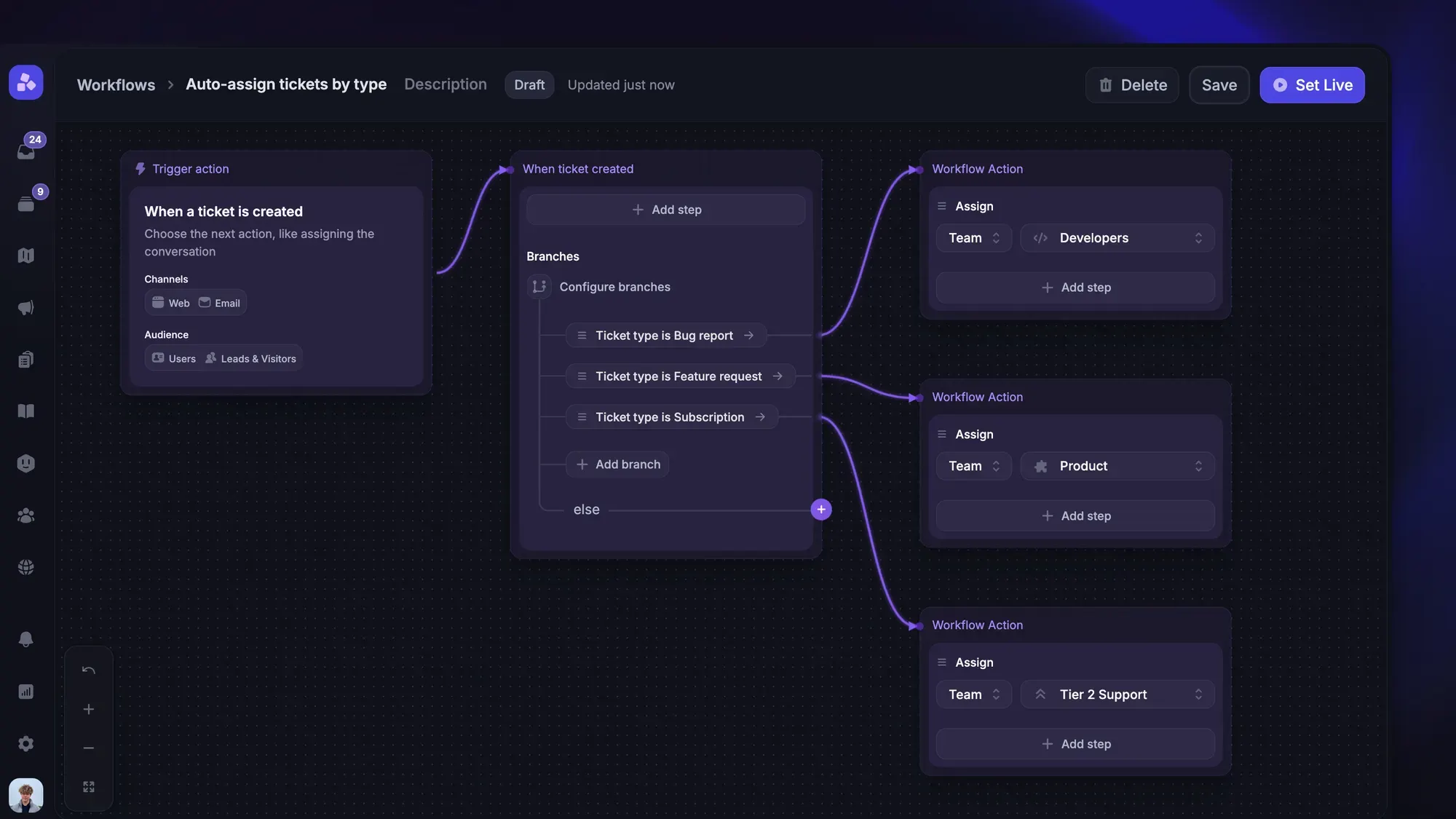
Build ticket routing rules in the right order
Start by separating team selection from agent selection. A single rule that sends every premium customer to a named agent will break as soon as that person is unavailable or the issue needs a different specialist.
Choose the team, then an eligible agent
Use this sequence to build a routing policy:
- Choose the responsible team: Match the issue to billing, technical support, account access, or another defined queue.
- Apply eligibility requirements: Filter for the permissions, expertise, and language support needed to handle it.
- Apply service commitments: Use customer tier and ticket priority to determine queue order and the response deadline, including any service-level agreement (SLA).
- Check agent availability and capacity: Find an eligible agent who is accepting work and has room for another ticket.
- Assign or trigger the fallback: Record the destination and the reason for the decision.
These routing methods handle different parts of the decision:
- Skills-based routing: Determines who qualifies for a request.
- Round-robin assignment: Rotates tickets between eligible agents.
- Workload-based routing: Selects eligible agents according to their current workload.
These methods can work together. You might filter for billing expertise and French, then distribute work among the available agents using workload balancing.
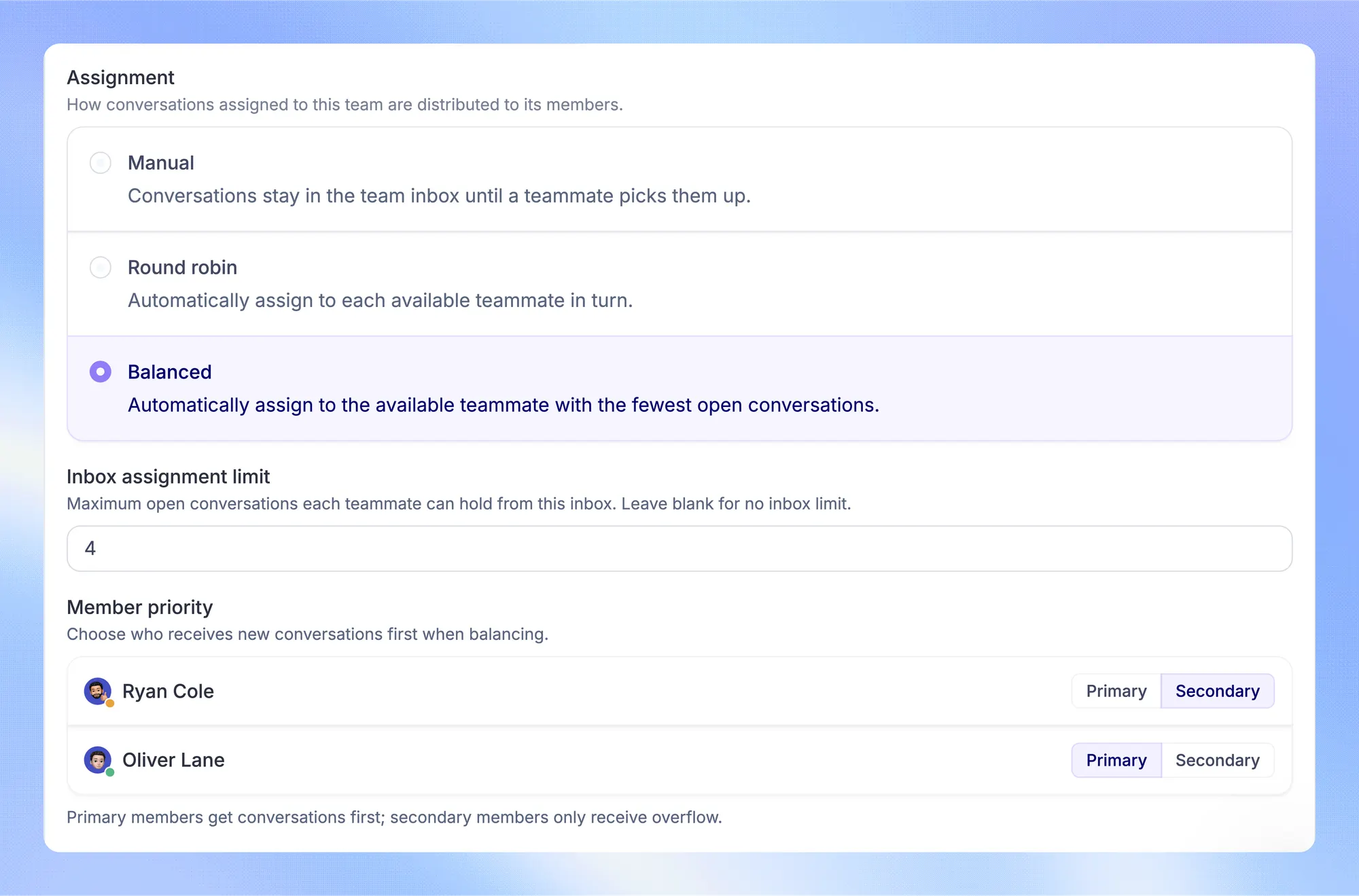
Resolve overlapping rules before assignment
Suppose a ticket matches both “premium customer” and “billing issue.” If separate automations each assign a team, the final owner may depend on execution order.
Instead, make premium billing an explicit combination: billing owns the issue, eligible agents need billing access, and the premium support commitment sets the response target.
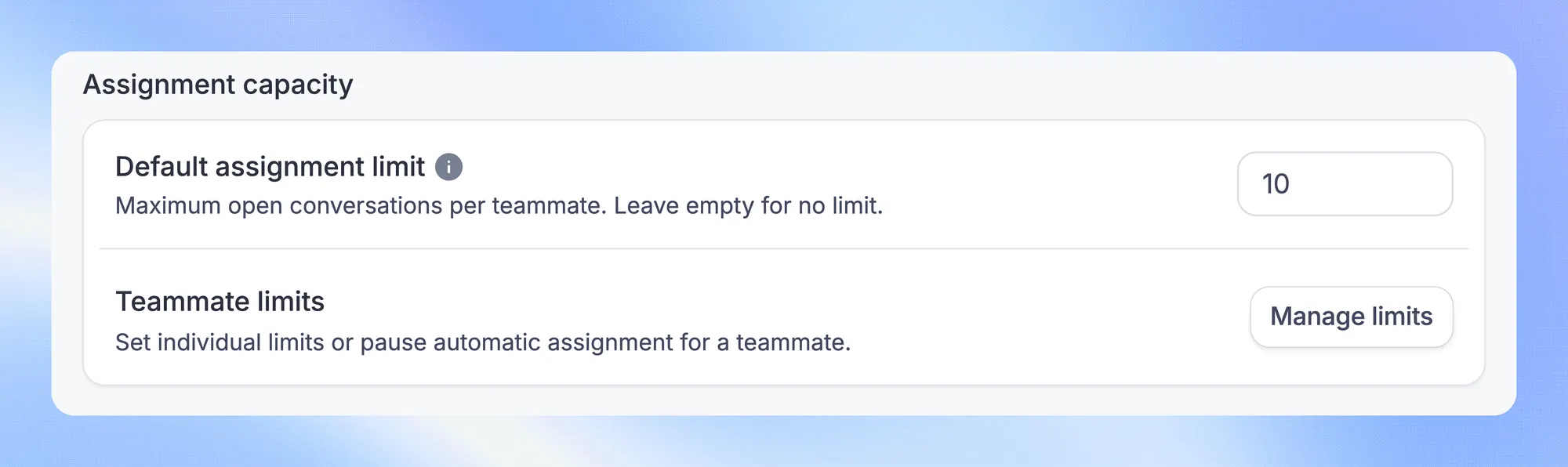
Keep mandatory requirements separate from preferences. A faster response target shouldn't make an agent without refund permissions eligible. An account manager can remain informed without becoming the person expected to resolve the billing problem.
Document whether your helpdesk stops at the first matching rule or applies multiple matching rules. Keep assignment in a single controlled decision path, even if other automations add tags or send notifications.
6 ticket routing rules with practical examples
Use these as building blocks. Each row describes a routing condition and the fallback it needs, rather than a separate automation that can overwrite the others.
| Routing condition | Preferred destination | Eligible-agent rule | Fallback |
|---|---|---|---|
| Issue type: invoice dispute | Billing queue | Billing knowledge and account access | Billing review queue |
| Customer tier: premium account | Relevant specialist queue with premium priority | Qualified for the issue | Duty lead monitors the response deadline |
| Language: French requested | Relevant queue with French coverage | French proficiency or approved translation support | Language assistance queue |
| Expertise: API authentication failure | Technical support queue | API troubleshooting experience | Technical escalation queue |
| Availability: outside office hours | Qualified on-call or regional team | On duty and accepting work | Next-shift queue with a monitored deadline |
| Capacity: primary team is full | Approved overflow team | Same essential qualifications, spare capacity | Original team queue, monitored by its lead |
The wider ticket handling process covers what happens after assignment. For routing, make the destination and exception behavior explicit enough that 2 people would make the same decision.
A premium billing request in French
A premium customer writes in French to dispute an invoice. Here's how the combined policy could work:
- Team: Billing owns the request because resolving it requires billing access.
- Eligibility: Select agents who can handle the dispute and communicate in French, directly or through approved translation support.
- Priority: Apply the premium response commitment within that eligible pool.
- Distribution: Assign an available agent with capacity, using the team's chosen method.
- Fallback: If nobody qualifies, retain the ticket in billing review and alert the duty lead to arrange language assistance before the response deadline.
The customer tier changes the service commitment. It doesn't remove the need for billing expertise or understandable communication.
A technical issue when every specialist is unavailable
An API authentication ticket arrives after the technical team's shift. The queue is correct, but there is no eligible agent to receive it.
If qualified on-call coverage exists, route it there. Otherwise, keep it in a visible technical waiting queue with the next shift responsible for follow-up. The duty lead should monitor any deadline that could expire before then.
An acknowledgment can explain the expected response window. Sending the ticket to a generalist who cannot investigate it only creates another handoff. If the issue meets your incident criteria, invoke that escalation process immediately.
Design fallback queues that keep tickets moving
A fallback is a defined next action for a request that cannot follow its preferred route. “Send everything else to General” is incomplete unless someone monitors General.
Distinguish 3 situations:
- No matching rule: Send the ticket to a general review queue where someone can identify the right destination.
- Missing or uncertain information: Request the missing detail or send the ticket for manual review before making a specialist assignment.
- No eligible capacity: Keep the ticket with its responsible team or use approved overflow coverage without dropping essential requirements.
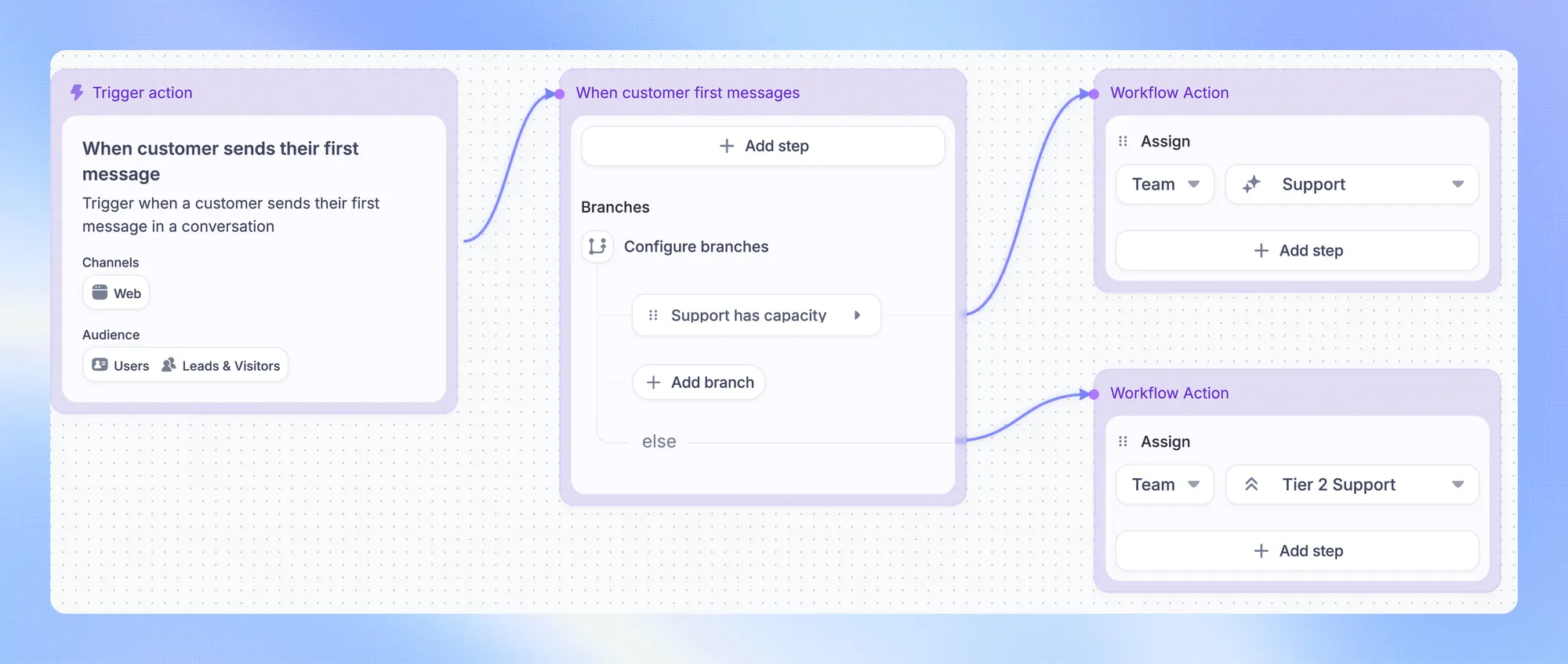
For each fallback, record its queue owner, the next action, the maximum waiting time, and the escalation destination. Tie that waiting time to your actual support commitments. A queue that opens tomorrow cannot satisfy a response due tonight.
Also define what causes another assignment attempt: an agent becoming available, capacity opening up, a scheduled check, or a manual review. Don't assume tickets waiting unassigned will automatically redistribute when somebody returns.
For example, Featurebase's Balanced assignment on Enterprise considers availability and assignment limits, leaving work in the team inbox until an eligible teammate can receive it. Its Round robin method doesn't balance existing workload or enforce those limits.
When a waiting deadline is at risk, use a documented ticket escalation process. Moving the ticket to another unmonitored queue doesn't solve the ownership problem.
How to set up automated ticket routing
Turn the routing policy into automation only after the conditions and exceptions are clear. Start with a common request type that has a reliable destination, then expand after reviewing real assignments.
Use explicit rules for known conditions
Use structured fields wherever possible: issue category, account tier, requested language, product area, and support hours. Define what happens when a field is blank or outdated.
Write each rule as a testable statement. For example: “If category is billing and tier is premium, use the billing queue with the premium response target. Assign only to eligible agents, otherwise notify the billing duty lead.”
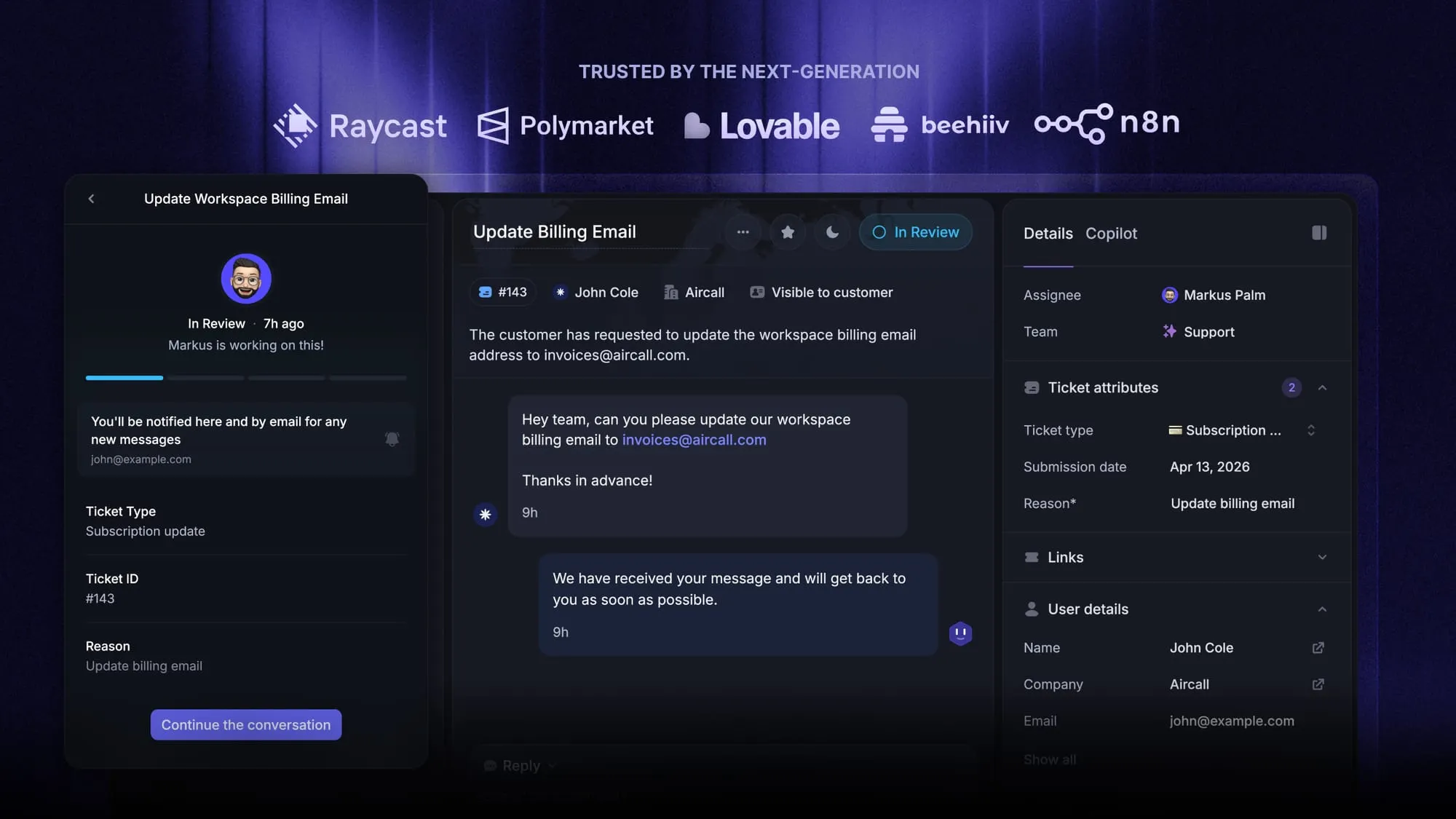
Featurebase Workflows can branch on customer and conversation attributes to route requests to teams. Live Workflows require Professional or Enterprise, and the team's assignment method then determines how work reaches individual agents. These support automation tools separate routing from agent distribution.
Use AI to interpret requests, then apply routing constraints
Intelligent ticket routing typically adds AI to infer information such as intent or language from the customer's message. This helps when customers describe the same problem in different ways.
For example, “You charged me twice” can be classified as a billing issue even without the word “invoice.” The resulting classification becomes an input to your existing eligibility and assignment rules.
Keep ambiguous requests on a review path. If your system exposes confidence scores, choose thresholds using reviewed examples from your own queue. Avoid treating an AI label as permission to bypass access restrictions, service commitments, or capacity checks.
Test edge cases before expanding
Replay a sample of historical tickets against the proposed rules and compare the suggested owners with the teams that actually resolved them. Include cases where:
- Several rules match the same ticket.
- A required field is missing or the customer has changed plans.
- Every qualified agent is away or at capacity.
- The request arrives outside support hours.
- A customer's message contains several unrelated issues.
Check both the initial assignment and the fallback. Record the matched rule, destination, and exception reason so reviewers can explain mistakes. Where possible, test suggestions without changing live ownership before enabling assignment.
Ticket routing mistakes to avoid
Most routing problems are easier to fix when you can identify the decision that caused them. Watch for these patterns:
- Competing assignment rules: Multiple automations change the owner independently. Consolidate assignment decisions and make exceptions explicit.
- Overly broad keyword matches: “Payment” might mean an invoice question or a broken payment integration. Use the issue context before choosing a team.
- Stale eligibility data: An agent's old skill profile or availability status keeps attracting unsuitable work. Review these fields when roles and shifts change.
- Confusing equal volume with equal workload: Round robin can give agents the same number of new tickets while leaving very different amounts of work on their plates.
- Unmonitored fallback queues: A ticket receives a queue label but nobody is responsible for checking it. Assign a queue owner and an overdue review process.
- Repeated reassignment: Every customer reply restarts routing and sends the ticket elsewhere. Define which events justify a fresh assignment decision.
Measure whether tickets reach the right owner
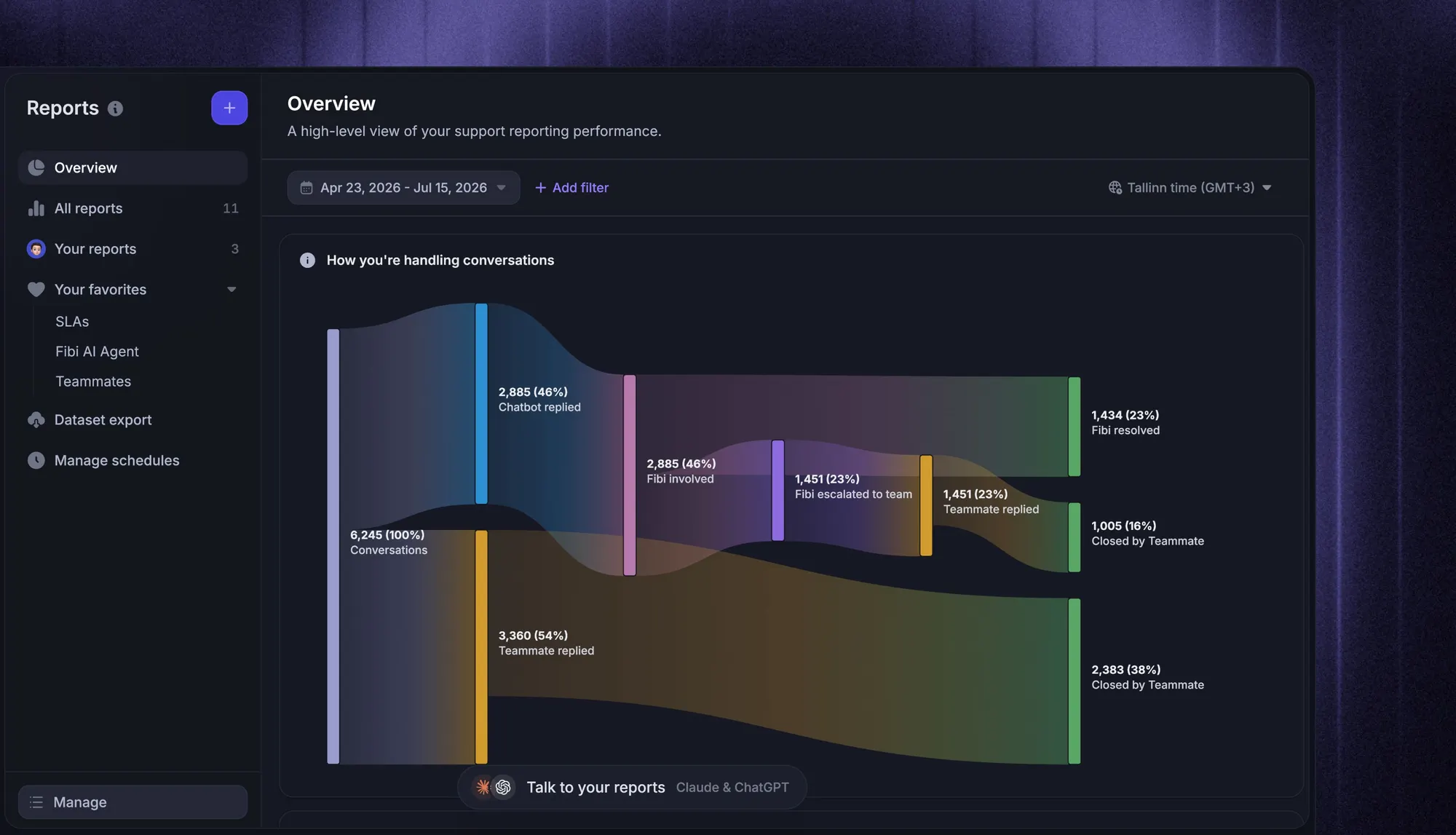
Ticket routing automation is working when requests reach qualified owners with fewer avoidable delays and transfers. Track these measures by route, language, and customer tier:
- Time to qualified assignment: How long it takes for an eligible agent to own the ticket. Keep this separate from simply entering a team queue.
- Misroute rate: Tickets transferred because the original destination was wrong, divided by routed tickets. Exclude planned specialist escalations.
- Fallback volume and age: How many tickets enter exception queues and how long the oldest unresolved requests have waited.
- Response deadline misses: Which routes repeatedly assign tickets too late for an agent to respond on time.
Compare assignment speed with first response time. A ticket can be assigned immediately and still sit untouched with an overloaded agent.
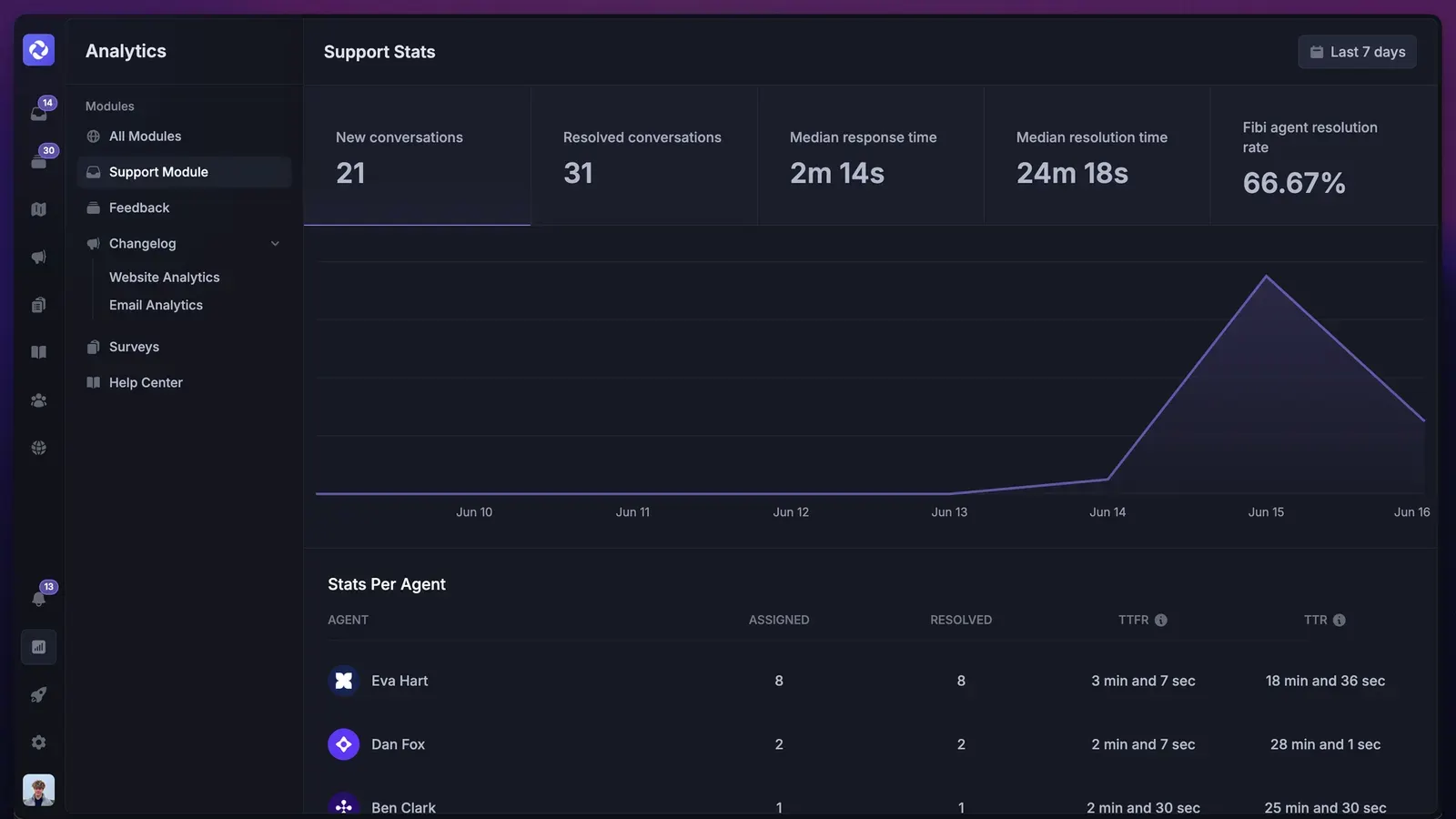
Review examples behind the numbers before changing rules. A rising fallback rate might indicate missing customer data, a coverage gap, or a new issue category. Each needs a different fix.
Conclusion
Start with the responsible team, preserve essential qualifications, and assign within available capacity. Then make the fallback just as clear as the preferred route. A useful routing policy explains who owns the next action even when nobody can resolve the issue immediately.
Featurebase combines AI-powered support, a help center, and feedback management in one platform for software teams that want their customer-facing tools together.
The Free plan includes a support inbox with unlimited conversations. Live Workflows require Professional, while Balanced assignment and assignment limits require Enterprise. You can explore the inbox for free and choose the plan with the automation your team needs. 👇
Get the modern Ticketing Inbox designed for efficiency
FAQs
Check whether your helpdesk includes assignment rules and the customer fields those rules need. If you add an external integration, confirm it can update ownership reliably and record assignment history. Keep a single source of truth for the ticket's current owner.
Prefer the previous agent when they remain qualified and available within the required response window. Define an alternative for long absences, changed responsibilities, or a reopened issue that needs different expertise. Preserve the earlier conversation history during the handoff.
A ticket can involve several collaborators, but designate 1 person responsible for customer communication and follow-up. Other teams can work through linked tasks or clearly assigned contributions. This keeps shared work from turning into uncertain ownership.
Allow authorized agents to correct assignments and capture a short reason for the change. Protect that correction from being immediately overwritten by the same automation. Review override reasons to find missing exceptions or inaccurate routing inputs.
Name a support operations owner to manage the overall policy, with queue leads responsible for their coverage and eligibility requirements. Keep a change log and review rules when products, support commitments, or team responsibilities change. Give each rule a clear purpose so obsolete exceptions are easier to retire.