In-App Customer Support: Examples and Best Practices for SaaS
Learn how in-app customer support works, with SaaS examples and best practices for contextual help, AI answers, human handoffs, and measuring resolutions.


On this page
Automate your support with the fastest AI-enhanced Inbox today
A customer gets stuck importing data into your SaaS, opens the help menu, and finds a generic article that doesn't explain the error. They're still stuck, just with another tab open.
Good in-app customer support connects that moment to an answer the user can act on. It also gives them a clear path to a teammate when self-service isn't enough.
In this guide, I'll walk through practical examples, best practices, and ways to check whether your support actually helped. 👇
Key takeaways
- Help belongs near the problem: In-app support lets customers find answers or start a conversation while using your product.
- Context makes answers useful: The current task, account permissions, and steps already tried can change the right response.
- AI needs a handoff path: Customers should be able to reach a teammate without repeating the conversation.
- Measure the outcome: Combine resolution data with repeat contacts, satisfaction, and evidence that users completed their task.
- ✨ Featurebase brings conversations, help content, and AI assistance into your web app.
What is in-app customer support?
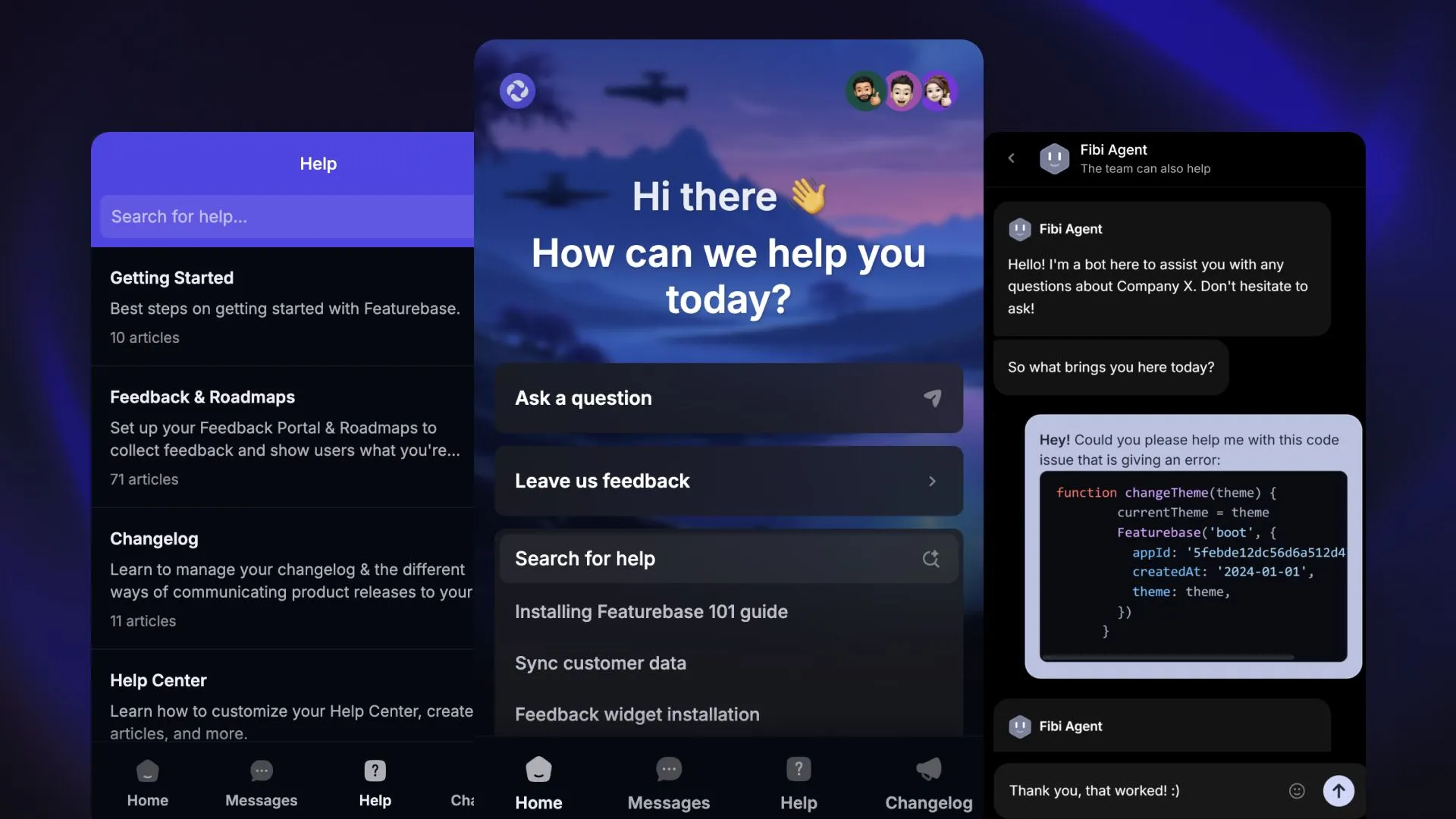
In-app customer support is assistance customers can access while using your product. It includes embedded help articles, AI answers, and conversations with your support team.
For example, someone struggling to invite a colleague could open relevant instructions beside the invite form. If those instructions don't solve the problem, they could start a conversation from the same screen.
The benefit is continuity. Users can keep their work in view while getting help, and your team can use relevant product context to investigate the issue. That context depends on what your integration supplies, so adding a chat bubble alone won't provide it.
In-app customer service also gives recurring questions somewhere useful to go. A question about an unclear setting can become better help content or a clearer interface, reducing the need for customers to ask again.
How in-app customer support works
Different problems need different kinds of help. These 3 approaches work best when customers can move between them easily.
Contextual help content
Contextual help appears alongside the feature or task it explains. It might be a short tooltip, a troubleshooting article, or an embedded help center that opens without covering the customer's work.
This is customer self-service with a useful starting point. Someone looking at a failed export should see export troubleshooting before general account documentation.
In-app guidance can also prevent confusion. A brief explanation beside a setting may answer the question before the user needs to contact support.
AI assistance
AI customer support lets users describe their problem in their own words and receive an answer based on your product knowledge. It can ask follow-up questions when the request is unclear.
The quality of that answer depends on the sources and context available. An AI agent can explain a documented feature limit, but an account-specific answer requires reliable account data. A billing change requires a permitted action connected to your billing system.
Start with questions you can answer consistently, then expand AI customer service agents to more complex workflows after reviewing their performance.
Live chat and asynchronous conversations
In-app chat connects users with your team inside the product. Live chat supports a conversation while both people are available. Asynchronous messaging lets the customer leave a message and return to the reply later.
Be clear about which experience you're offering. Show a realistic response expectation, preserve the conversation, and explain how customers will know when someone replies.
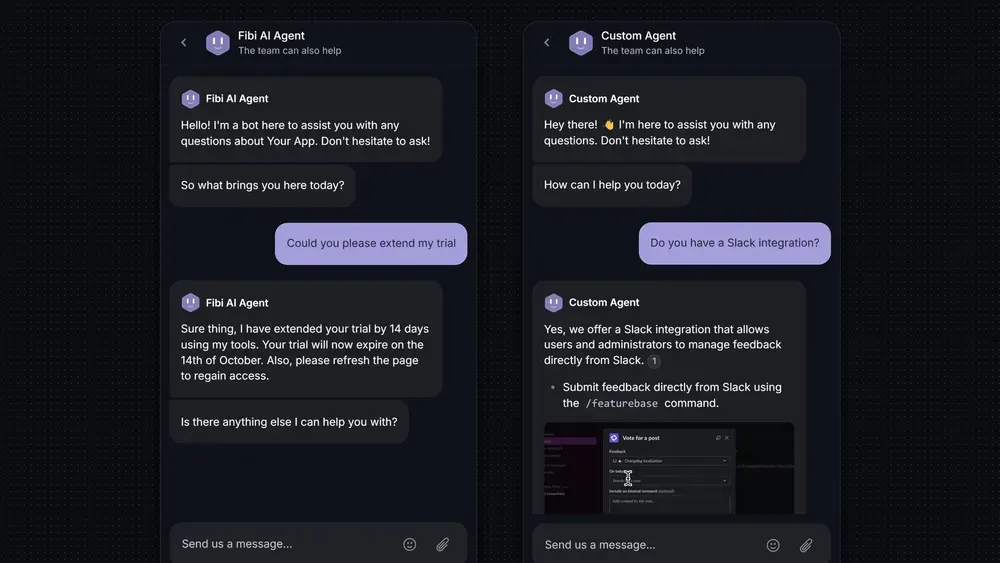
3 in-app customer support examples for SaaS
These illustrative scenarios show how the support experience can change based on what the customer needs.
1. Help a user fix a failed data import
A customer uploads a CSV file, but the import fails because the date format doesn't match the required format.
The error message names the affected column and offers an in-app help article with an accepted format and a sample row. The customer corrects the file and retries without losing the import settings.
If the retry fails, a support message can include the error code and import step. Your team can investigate without asking the customer to reconstruct the whole attempt.
Useful outcome: The customer completes the import. Opening the article is an intermediate step.
2. Explain why a feature is unavailable to their account
A user asks an AI assistant why they can't export a report.
If the support integration provides verified account and role information, the assistant can distinguish between a plan restriction and a permissions issue. It can then explain the appropriate next step, such as asking a workspace administrator for access.
If that information isn't available, the assistant should ask a clarifying question or involve a teammate. Guessing that the user needs an upgrade creates a new problem.
Useful outcome: The user understands the restriction and who can resolve it.
3. Escalate a broken integration with the context intact
A customer reconnects an integration after following the suggested troubleshooting steps, but syncing still fails. They ask to speak with someone.
The conversation moves to the team responsible for integrations, along with the transcript, error message, and troubleshooting already attempted. The teammate can start investigating the failed sync instead of repeating the reconnect instructions.
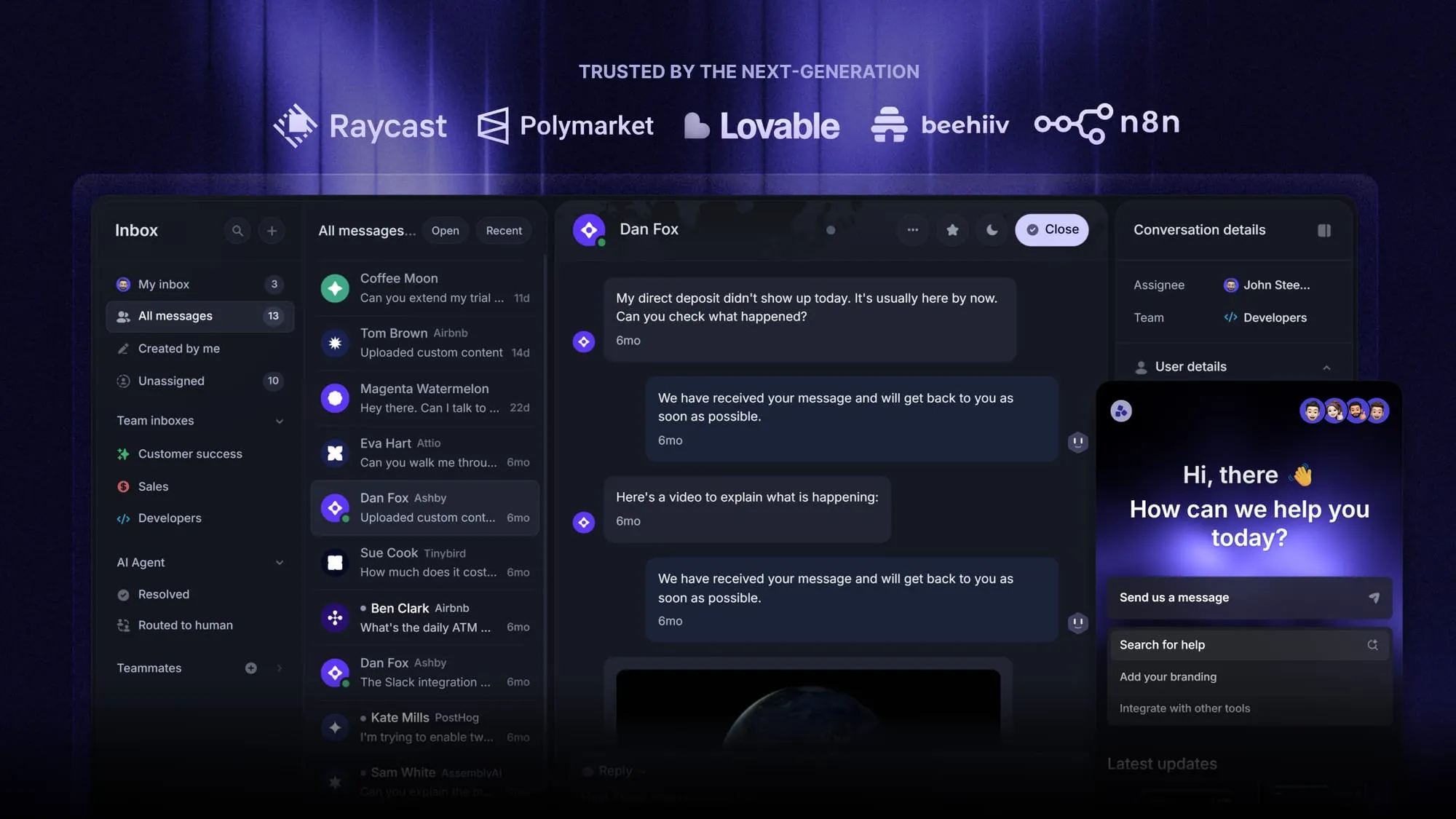
Featurebase's Messenger gives customers access to help articles and conversations inside a web app. With teammate handoff enabled, Fibi AI Agent can pass a conversation to your team when a customer asks for a person or Fibi cannot resolve the request.
Useful outcome: A teammate owns the unresolved issue, and the customer knows what happens next.
6 best practices for in-app customer support
Start with the moments that generate repeated questions or stop users from completing important tasks. Then improve the whole path from asking for help to getting unstuck.
1. Make help easy to find without interrupting work
Keep a recognizable help button in a consistent location. Add specific help beside difficult tasks, and make sure customers can dismiss it without losing their progress.
Test the experience with keyboard navigation and smaller screens. A support panel that covers the error message makes troubleshooting harder.
Use proactive chat selectively. A prompt after repeated import failures has a clear purpose. Opening a chat window every time someone visits a page can get in the way.
2. Match the answer to the current task
Organize help around what users are trying to accomplish. “Fix a failed CSV import” is easier to recognize in that moment than “Data management overview.”
A useful knowledge base article gives the user a specific next step, explains what success looks like, and covers what to do if the step fails.
Match the content to the customer's product version and permissions where relevant. Instructions for an administrator won't help someone who cannot access those controls.
3. Preserve useful customer context
Decide which information the support team needs, then make it available through your product integration. A practical starting point includes:
- Customer and workspace: Identify the person and the account where the issue occurred.
- Task and error: Include the relevant screen, attempted action, and error message.
- Access and environment: Supply the role, plan, browser, or app version when it affects troubleshooting.
- Steps already tried: Preserve the conversation and any troubleshooting the customer reported completing.
Keep observations separate from assumptions. Viewing an article doesn't prove the customer followed it. An old account attribute may also need checking before it informs an answer.
4. Ground AI answers in maintained product knowledge
Give the AI current documentation with clear ownership. When a feature changes, update the relevant help content as part of the release process.
Test questions with incomplete information, ambiguous wording, and requests your product cannot fulfill. Check whether the agent asks for clarification or hands off appropriately.
For customer support automation that changes an account, define what the AI may do and when confirmation is required. A trial extension and a general explanation of trial limits need different permissions.
Review answer quality whenever you add a knowledge source or change a workflow. Accurate source material still needs testing in real conversations.
5. Make the handoff to a teammate clear
Offer a visible way to request human help. Also define when the system should initiate a handoff, such as repeated unsuccessful troubleshooting or a request that requires specialist access.
Your ticket escalation process should identify an owner and preserve the evidence collected so far. Customers need to know that the request has reached a team, whether a reply will be immediate, and where to find updates.
Measure the waiting time after the handoff. An instant automated greeting can hide a long delay before a person starts helping.
6. Turn recurring questions into better help and product fixes
Review repeated issues with support and product teammates. Decide whether each pattern needs clearer documentation, a better AI answer, or a change to the product itself.
For content problems, apply knowledge base best practices and assign someone to maintain the fix. For product problems, capture the affected task and evidence that customers keep getting blocked.
Then check whether the same issue becomes less frequent. In-app feedback can inform this review, while the support conversation remains focused on resolving the customer's immediate problem.
How to measure whether users get useful answers
Measure whether customers get unstuck, alongside how much work your team handles. A lower ticket count can mean better self-service, but it can also mean users stopped trying to reach you.
In a December 2023 survey of 5,728 customers, Gartner found that only 14% of customer service issues were fully resolved in self-service. That cross-industry result is a useful reminder to verify outcomes, rather than treating self-service usage as success. Source: Gartner
Start with these customer service metrics:
| Signal | What to check | What can mislead you |
|---|---|---|
| Confirmed resolution | Whether the customer says the answer solved their problem | Treating silence as confirmation |
| Repeat contact | Whether the same customer returns with the same issue within a defined period | Counting only reopened threads and missing new conversations |
| Response and handoff time | Time to a useful answer and time from handoff to a teammate's reply | Counting an automated acknowledgment as helpful support |
| Customer satisfaction | Ratings for AI and teammate interactions, with response counts | Drawing conclusions from very few ratings |
| Task completion | Whether the user completes the blocked action after receiving help | Assuming help caused every subsequent completion |
Separate assumed resolutions from confirmed ones
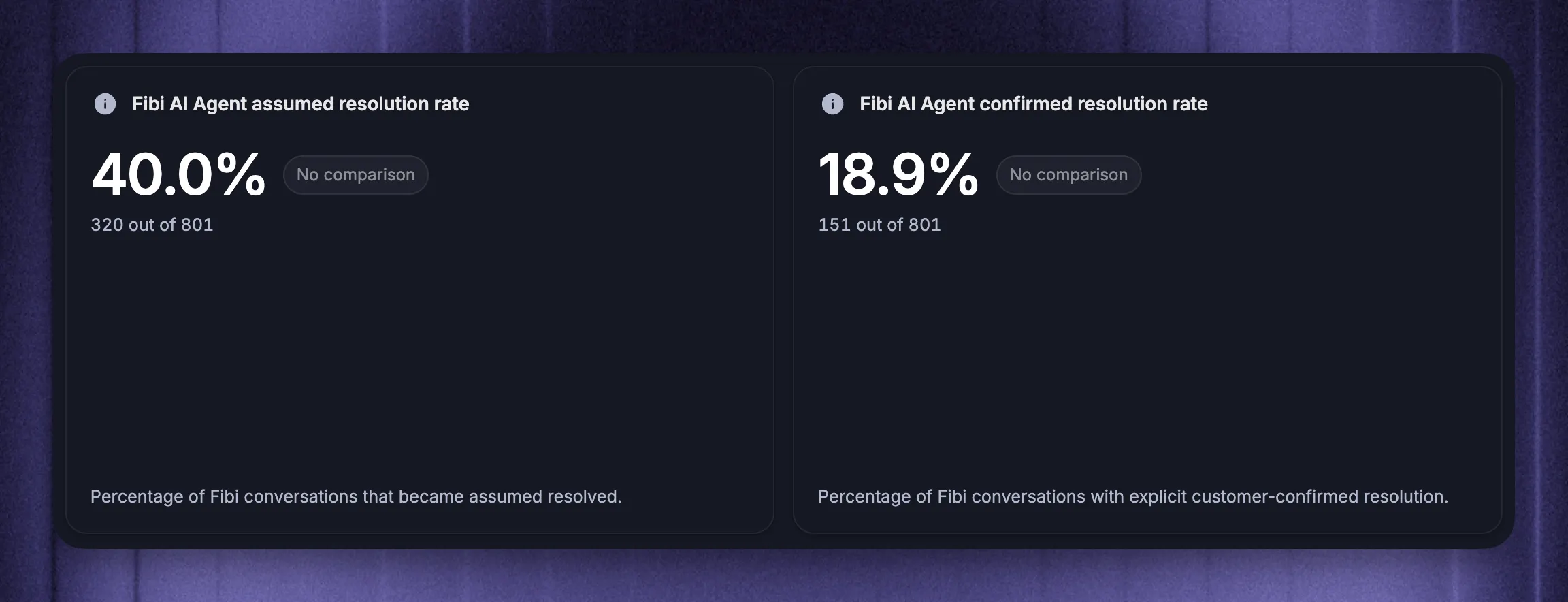
An assumed resolution may mean the customer left after receiving an answer. A confirmed resolution means they explicitly indicated that it solved the issue. Keep those results separate when evaluating AI performance.
Featurebase's Fibi reports distinguish assumed and confirmed resolutions and include deflection, escalation, and CSAT. Those views help you assess automation alongside customer outcomes.
Define each metric's denominator and reporting period. For example, the share of AI-handled conversations confirmed resolved answers a different question from the share of all support conversations handled by AI.
Look beyond a single conversation
Choose a follow-up window appropriate to the issue and check for repeat contacts within it. A customer opening another thread about the same failed import should appear in your review, even if the original conversation remains closed.
Review first response time alongside time to resolution. Break results down by issue type so that fast answers to simple questions don't hide a backlog of difficult cases.
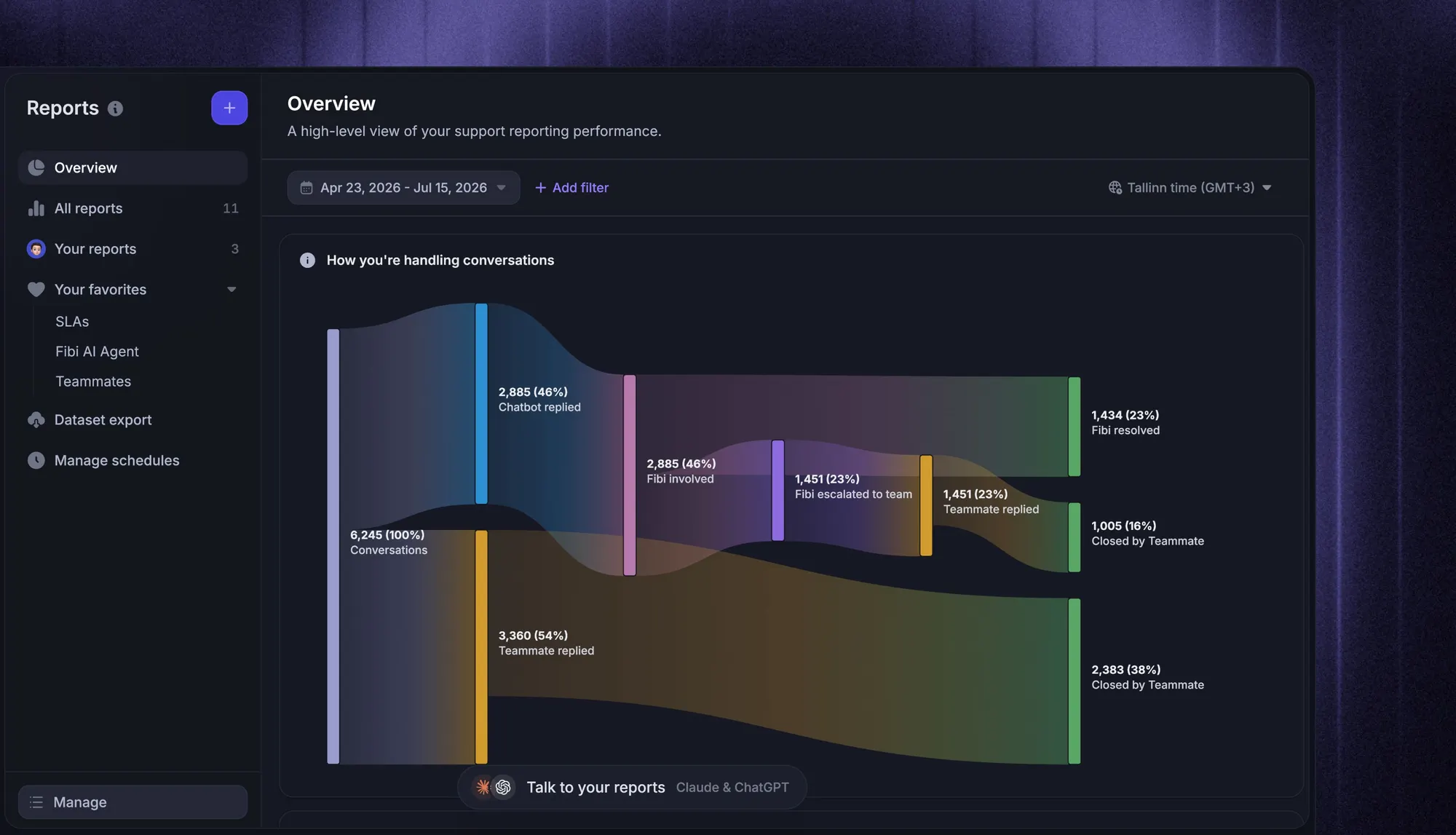
Sample conversations from both resolved and escalated groups. Check whether the answer was accurate, whether the suggested action was possible for that user, and whether the handoff preserved context. Use what you find to update the content or workflow, then compare the next equivalent reporting period.
Conclusion
Good in-app customer support helps users finish what they came to do. Put relevant help near the problem, preserve context, and make it easy for a teammate to take over when needed.
Featurebase is a modern AI customer support platform for product-led SaaS. It combines AI-powered support, help center, and feedback management into a single platform, with Messenger bringing help and conversations into your web app.
The Free plan includes 1 seat, live chat, a Help Center, and unlimited conversations. Fibi AI Agent is available on paid plans. 👇
Automate your support with the fastest AI-enhanced Inbox today
FAQs
No. It can serve browser-based SaaS products as well as native mobile apps. Check platform compatibility carefully, because a web widget doesn't automatically provide a native iOS or Android integration.
Usually, some development work is needed to connect support to your product and identify signed-in customers correctly. The scope depends on your application and the context you want to share. For basic web installation steps, our guide to adding chat to your website covers the setup, while our website chat widgets comparison covers tool selection.
Yes. Help content and AI answers can remain available when your team is offline, and customers can leave messages for later replies. State your team's availability clearly and explain how urgent unresolved issues are handled.
Share only the information needed for the support task and restrict access by role and workspace. Verify customer identity before showing account-specific information or allowing account changes. Avoid collecting passwords, access tokens, or unnecessary sensitive data in conversations and attachments.
Keep an accessible fallback for customers who cannot sign in or open the product. Email can also carry updates when someone leaves an in-app conversation. Connect those channels to the same support record where your tools support it, so switching channels doesn't require starting over.