Blog Customer ServiceWhat Is a Help Desk Ticket System? How It Works + Best Software
What Is a Help Desk Ticket System? How It Works + Best Software
Because obviously shared inboxes, spreadsheets, and Slack threads are a great way to run support. Here’s what a help desk ticket system actually does and which tools are worth considering in 2026.



✨ Get the modern Ticketing Inbox designed for efficiency →
Support gets messy fast when requests live in shared inboxes, chat threads, spreadsheets, and scattered internal processes. Messages get buried. Ownership gets blurry. Customers wait longer than they should.
A help desk ticket system fixes that. It gives teams one place to manage support requests, track progress, and resolve issues more effectively.
In this guide, we’ll explain what a help desk ticket system is, how it works, and which features matter most if you’re choosing the right software for your team.👇
Key takeaways:
- A help desk ticket system is software that helps teams manage support requests through a structured workflow.
- Good help desk software helps support teams organize tickets, assign ownership, and improve response times.
- Modern ticketing system tools often include automation, reporting, a knowledge base, web forms, and support across multiple channels.
- A good desk system helps teams handle ticket volume, reduce manual effort, and deliver a better customer experience.
- Help desk ticketing software is useful for customer support, internal operations, and service desk workflows.
- Tools like Featurebase✨ show how modern ticketing systems can support different ticket workflows, automate ticket creation, and keep customers updated on progress.
What is a help desk ticket system?
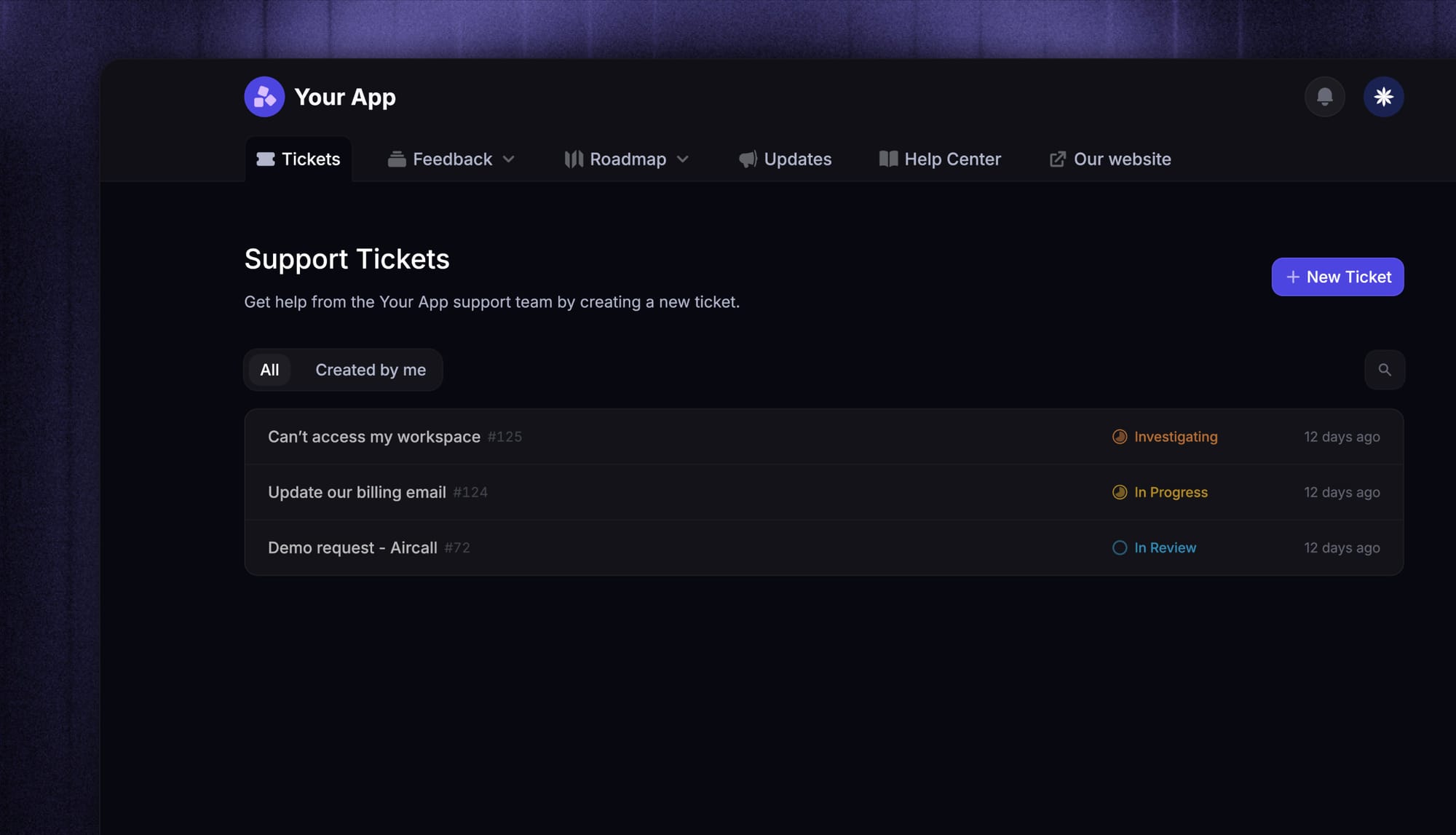
A help desk ticket system organizes every support ticket - the record of a single customer issue into one trackable ticket so teams can assign ownership, prioritize issues, and resolve them more efficiently, with a clear owner and status.
Many teams start with email, chat, and spreadsheets. That works for a while, but as support volume grows, requests get buried, ownership becomes unclear, and response times start to slip. A proper help desk gives teams a clearer way to organize work, track progress, and keep support moving. Unlike a shared inbox, it also adds ownership visibility, ticket routing, status tracking, and better customer updates.
Most modern help desk software includes ticket management, ticket routing, automation, reporting, a knowledge base, and self-service options like web forms.
How a ticketing system works
A ticketing system follows a simple workflow, even if the details vary from one company to another.
1. A support request comes in
A customer or internal user submits a support request through email, chat, a portal, or web forms. Some companies also collect service requests through in-app widgets or embedded help centers.
This is the starting point for ticket creation.
2. The system turns the request into a ticket
Once the request is captured, the system creates a ticket and stores the relevant details in one place. That usually includes the issue, timestamps, attachments, owner, and status.
This makes it easier to track work without losing context across different tools.
3. The ticket gets categorized and routed
The desk software then applies predefined rules to classify the ticket. It may be tagged by topic, urgency, or request type.
This is where ticket routing matters. The right tool helps teams send tickets to the right person, queue, or team automatically.
4. Agents work the issue
Once assigned, support teams can investigate, ask follow-up questions, collaborate with other teams, and work toward ticket resolution.
Simple issues may be handled quickly with saved replies or self-service content. More complex requests may need internal notes, escalations, or deeper technical expertise.
5. The customer gets updates
A strong help desk ticketing workflow keeps users informed. That means better communication, clearer ownership, and more visibility into what happens next.
This is especially important for longer-running issues where customers want progress, not silence.
6. Managers review what is happening
Once tickets are resolved, teams can use reporting to review response times, resolution times, backlog, and recurring issue types.
That helps organizations improve workflows, allocate resources better, and see where things are slowing down before everyone starts pinging each other in panic. 😄
Help desk vs service desk vs ticketing system
These terms often overlap, but they are not exactly the same.
| Term | What it means |
|---|---|
| Help desk | A help desk is usually focused on handling questions, issues, and support requests. It is designed to help customers or internal users get answers and resolve problems quickly. |
| Service desk | A service desk often has a broader scope. In many organizations, it includes not just support but also formal service delivery, internal operations, approvals, and structured processes tied to ITSM solutions or shared services. |
| Ticketing system | A ticketing system is the workflow engine underneath either model. It is the part that captures requests, organizes work, assigns owners, and tracks progress. |
In practice, many teams use these terms loosely. What matters most is whether the software helps your team manage work clearly and support people consistently.

Modern Ticketing Inbox, Designed for Efficiency
Support your customers from anywhere with an AI-powered omnichannel inbox
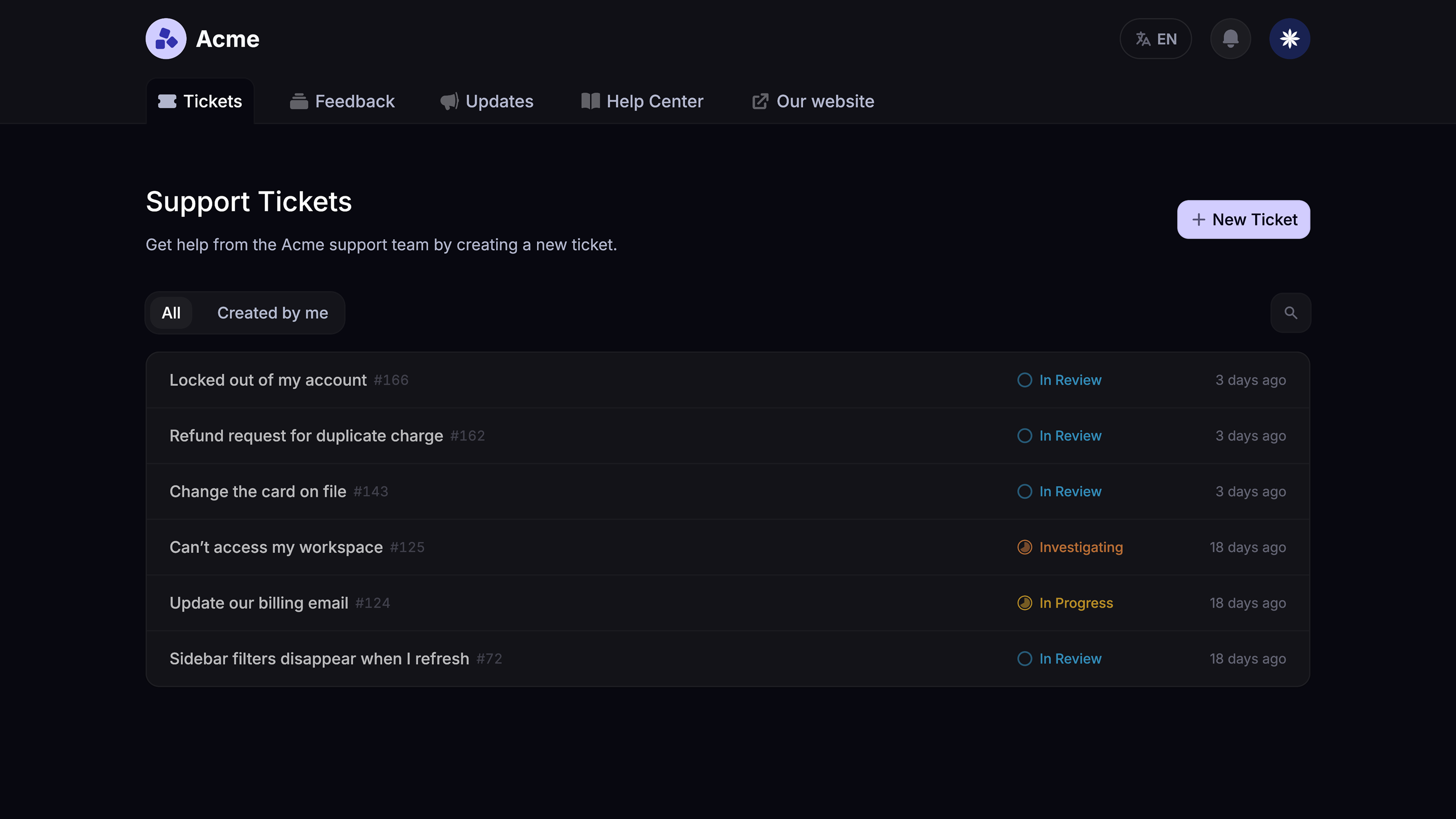
Key features to look for in help desk software
The best help desk software should make it easier to manage support requests from intake to resolution. At a minimum, that means strong ticket management, support across multiple channels, a built-in knowledge base, automation, ticket routing, reporting, and solid security.
Good software should help your team organize tickets, clearly assign ownership, and keep work moving with minimal manual effort. It should also make it easier to track response times, monitor backlog, and spot recurring issues before they turn into bigger problems.
Self-service matters too. A strong knowledge base and tools like web forms can reduce repetitive questions and make it easier for users to get help in the right format. As your support operation grows, features like prebuilt integrations, AI features, and an intuitive interface become more important as well.
The right tool should not just have more features. It should help your team work faster, stay organized, and deliver more consistent support.
Common use cases for a help desk ticketing system
A help desk ticketing platform can support a wide range of workflows across both customer-facing and internal teams.
Customer support
This is the most common use case. Teams use tickets to answer questions, solve product issues, manage account changes, and keep customers updated.
Technical support
When a request needs more technical expertise, tickets help the it team or specialists investigate the issue and collaborate on a fix.
Billing and account changes
Many service requests involve subscription updates, refunds, invoices, or data access. These usually need clear ownership and consistent tracking.
Internal support
Internal teams also use help desk systems for onboarding, access requests, HR questions, hardware support, and internal operations.
Cross-functional collaboration
Some issues cannot be handled by one person alone. Tickets make it easier to collaborate across support, finance, operations, and product teams without losing context.
That is one reason modern ticketing systems matter. Some requests are simple and can be handled quickly, while others need longer-running workflows, internal collaboration, and better customer visibility. Featurebase’s own ticket docs reflect that distinction by separating quick conversations from more complex ticket workflows and supporting Customer, Back-office, and Tracker tickets for different use cases.
Signs your company needs a help desk ticket system
Not every company needs a full support platform right away. But there are some clear signs when it is time.
You probably need a help desk ticket system if:
- requests are getting lost in email
- customers wait too long for replies
- the team has no clear way to track ownership
- repeat questions are eating up support staff time
- support work is spread across too many tools
- managers cannot see backlog or trends clearly
- collaboration across teams is slow or inconsistent
When those problems show up, a proper system stops being a nice-to-have and starts becoming necessary infrastructure.
Best help desk ticket system software to consider in 2026
There is no single best help desk ticket system for every company. The right fit depends on your team size, support model, ticket volume, and workflow complexity.
If you want a broader roundup focused on managing support at scale, see our guide to help desk management software.
Below are six of the best tools to consider.
1. Featurebase ✨
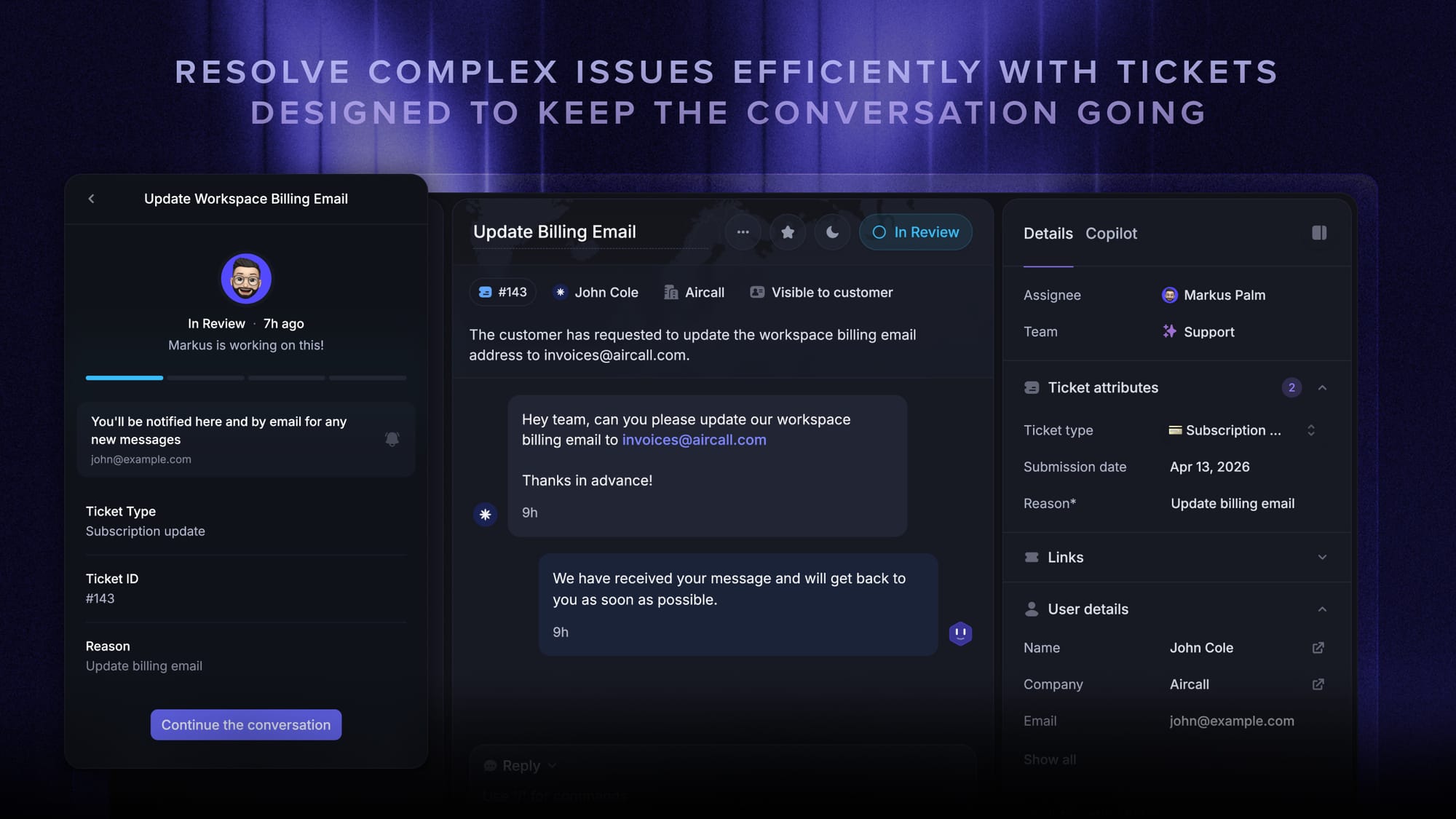
Featurebase is our top pick for the best help desk ticket system for modern product-led SaaS teams.
It brings together ticketing, live chat, a help center, and customer feedback tools in one place, which makes it especially relevant for teams that want to manage both support and self-service without relying on several separate products. Compared with more traditional help desk tools, its positioning is broader than just ticket management, since it also includes live chat, knowledge base, and feedback workflows on the same platform.
Key features
- Omnichannel inbox – Manage tickets, live chat, email, and Slack conversations from one AI-powered inbox
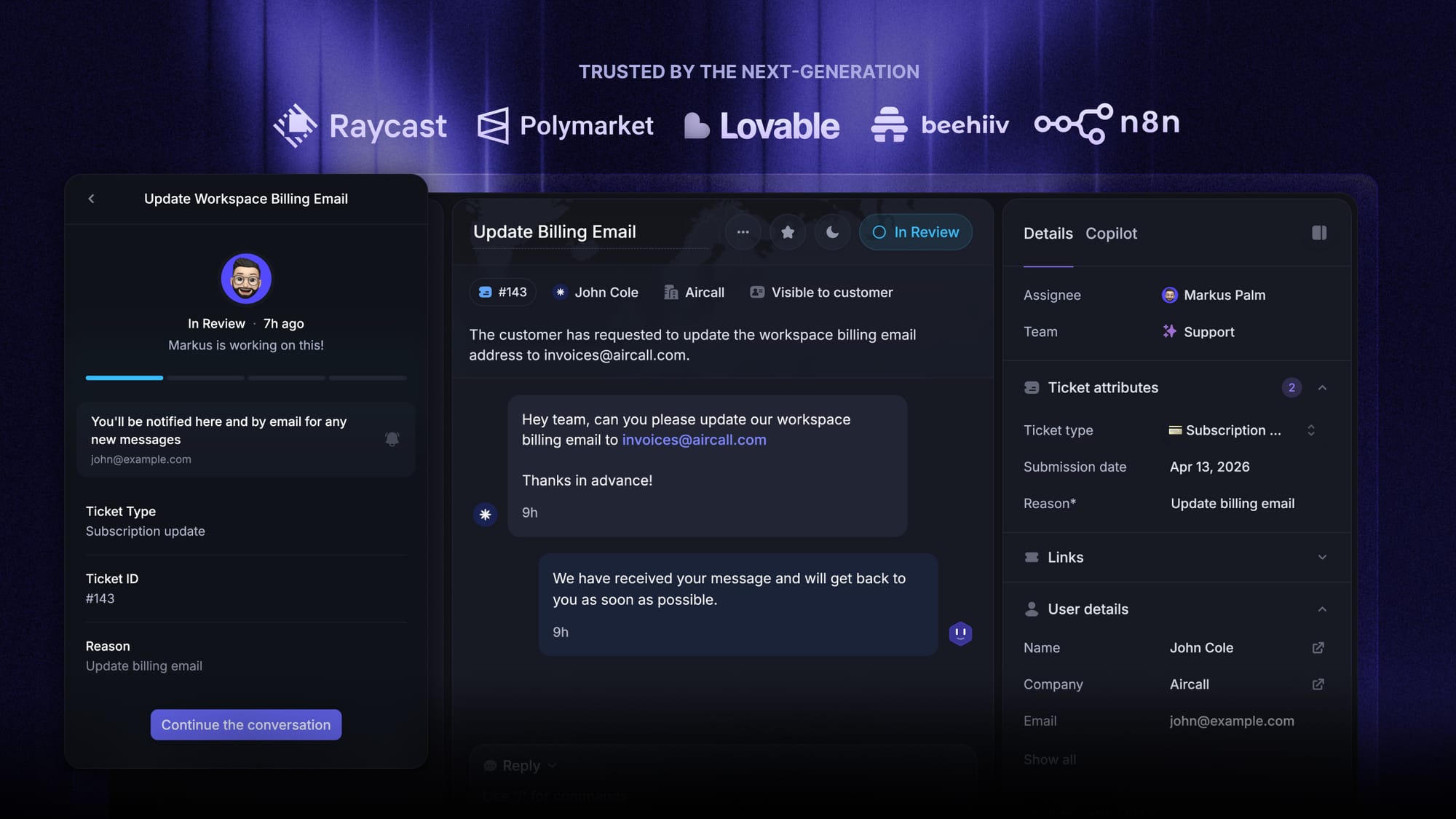
- Tickets Portal – Give customers a dedicated place to submit, view, and track tickets
- AI Copilot – Help agents reply faster using AI powered by your internal knowledge
- Workflows & automations – Automatically route tickets, assign owners, collect data, and streamline support workflows
- Service Level Agreements – Track SLAs and keep response times on target
- Tickets in Messenger – Let customers track ticket progress directly inside your product
- Fibi AI Agent – Resolve issues automatically and run actions like refunds or trial extensions
- Help center with AI search – Offer fast, multilingual self-service support
- Automatic AI translations – Translate conversations and help articles for global customers
- Integrations – Connect with Slack, Linear, Jira, HubSpot, and more
Best for: Product-led SaaS teams that want support, self-service, and ticketing in one platform.
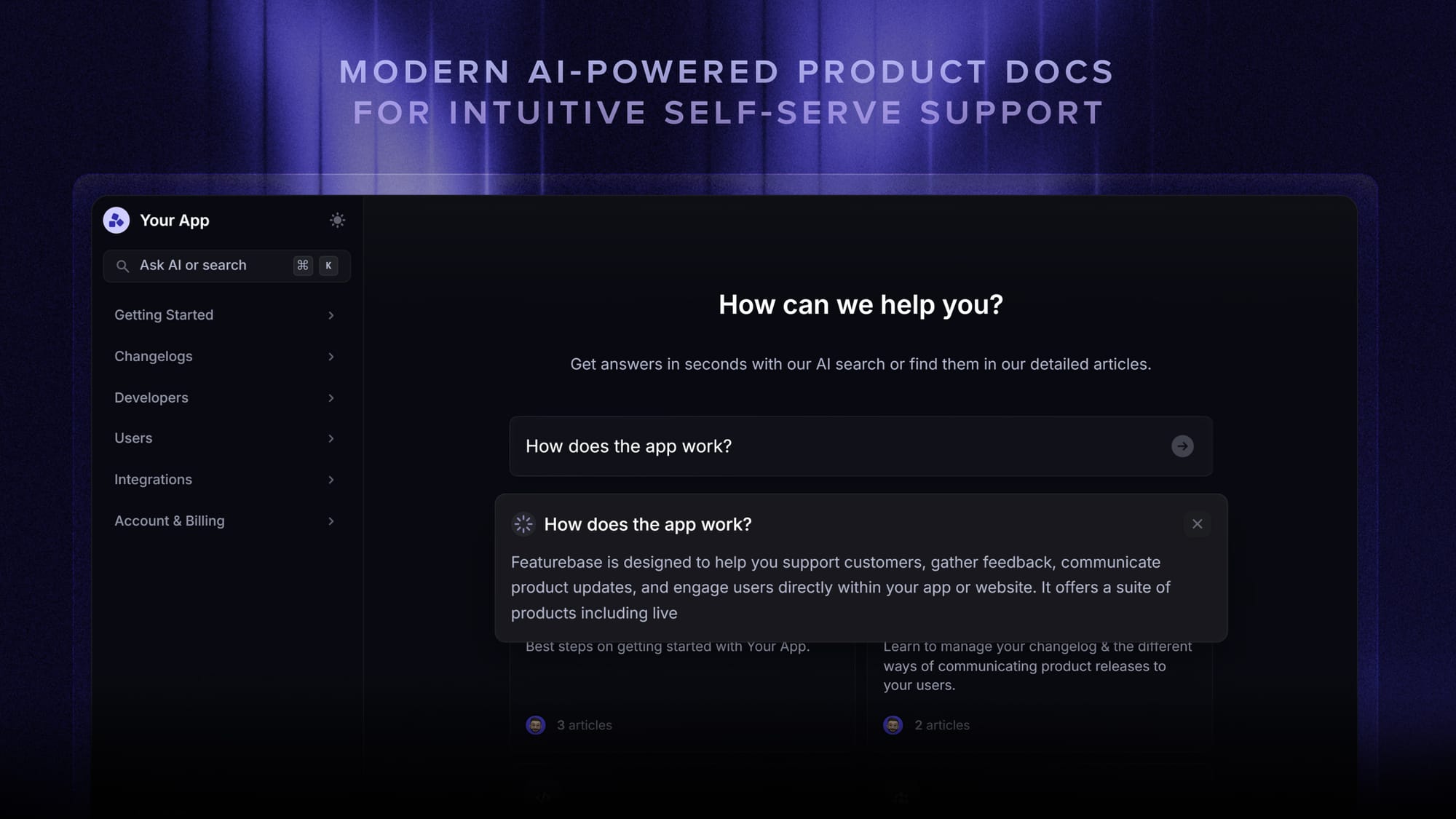
Featurebase is best suited to SaaS teams that want an all-in-one support setup rather than a more traditional help desk alone. That will appeal more to teams that value having tickets, chat, self-service, and feedback connected in one system, while teams looking for deeper enterprise support operations may prefer tools with a narrower service focus.
Pricing: Featurebase offers a free plan, with paid plans starting at $29/seat/month for Growth, $59/seat/month for Professional, and $99/seat/month for Enterprise, plus $0.29 per AI resolution on paid plans.
✨ Get the modern Ticketing Inbox designed for efficiency →
2. Zendesk
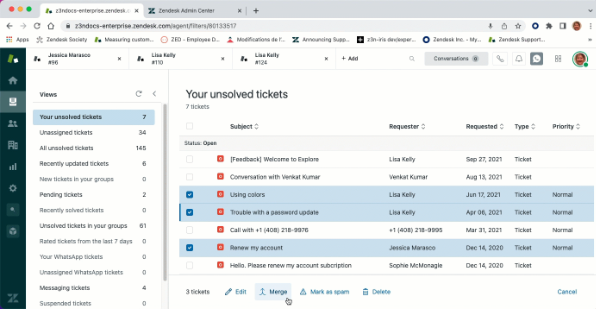
Zendesk is one of the most established names in help desk software, and it remains a strong choice for teams with more advanced support operations.
It is built for organizations that need mature workflows, deeper reporting, stronger admin control, and better handling of higher ticket volume.
Key features
- Omnichannel ticketing system
- Advanced ticket routing and assignment
- Knowledge base and self-service tools
- Automation rules and SLA support
- Reporting and analytics
- AI tools and suggestions
- Security and admin controls
Best for: Teams with complex support operations and higher ticket volume.
Zendesk is a strong fit when your support teams need deeper workflow structure and more operational control. It is more than many small teams need, but for companies managing more complexity, it remains one of the safest choices.
Pricing: Zendesk pricing starts at $19/month on its official pricing page, with higher-tier suite plans available above that starting price.
3. Freshdesk
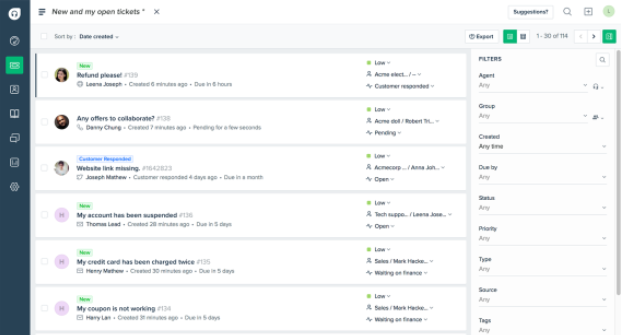
Freshdesk is a popular option for growing teams that want flexible help desk software with automation, reporting, and multichannel support.
It offers a strong balance between usability and functionality, which makes it a good step up from a basic shared inbox without feeling overly heavy.
Key features
- Shared inbox and support tickets management
- Automation rules
- Ticket routing
- Knowledge base and self-service
- Reporting and dashboards
- Live chat and multichannel support
- AI features for repetitive work
Best for: Growing teams that want flexible help desk software with automation.
Freshdesk makes sense for teams that want solid ticket management, useful automation, and enough flexibility to grow without immediately moving into a more enterprise-style service desk tool.
Pricing: Freshdesk has a free plan for 1–2 agents for 6 months, and paid plans start at $19/agent/month billed annually for Growth, $55 for Pro, and $89 for Enterprise.
4. Zoho Desk
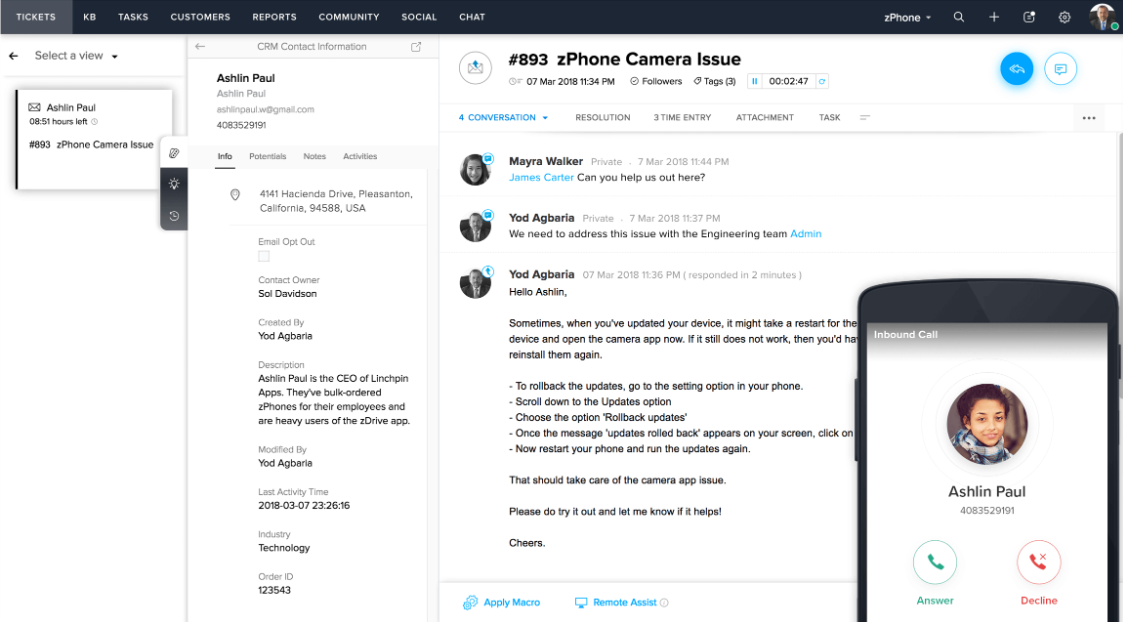
Zoho Desk is a practical choice for teams that want a broad feature set at a lower cost.
It covers the basics well while still offering enough automation, self-service, and reporting for growing support operations.
Key features
- Help desk ticketing for support teams
- Ticket tracking and status updates
- Knowledge base and self-service portal
- Automation rules and predefined rules
- Custom reports and dashboards
- Support across multiple channels
- Integrations with the wider Zoho ecosystem
Best for: Budget-conscious teams and small business support teams.
Zoho Desk is especially relevant if cost matters but you still want real help desk ticketing functionality rather than a bare-bones inbox. It gives smaller teams a broad feature set without the higher price tag of more premium platforms.
Pricing: Zoho Desk has a free plan for up to 3 users, and paid plans start at $7/user/month billed annually for Express, $14 for Standard, $23 for Professional, and $40 for Enterprise.
5. Jira Service Management
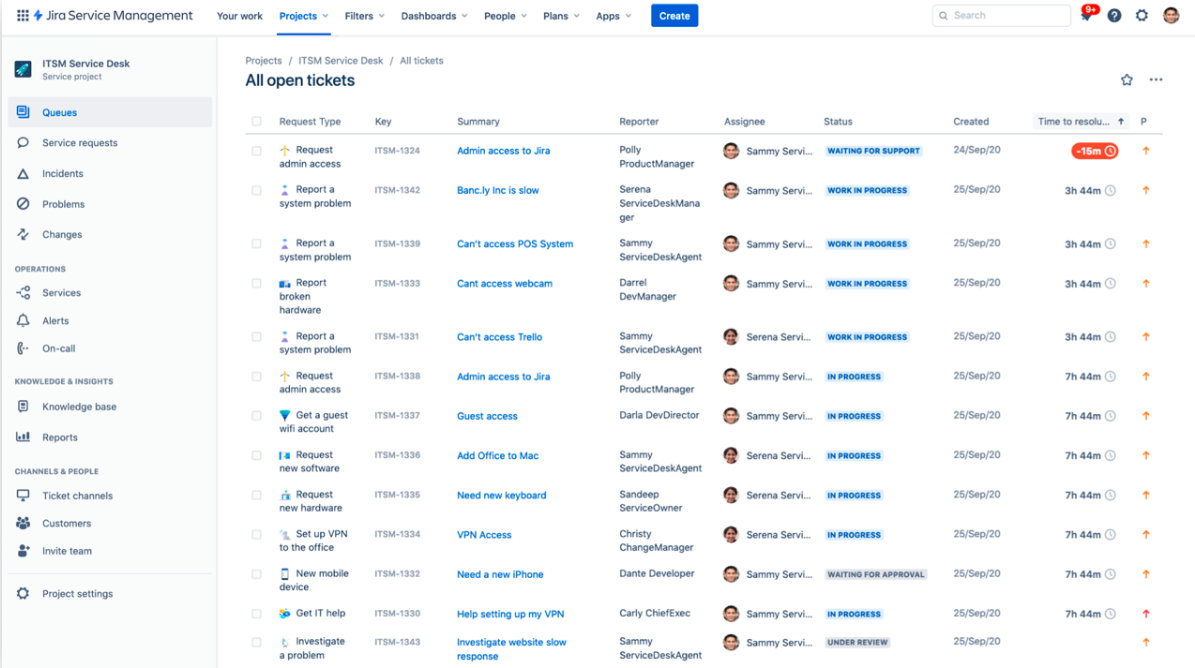
Jira Service Management is one of the strongest options for internal service desk workflows and technical teams.
It is especially useful when support overlaps with IT, engineering, onboarding, access requests, or other internal service requests that need more structure and process control.
Key features
- Service desk workflows for internal teams
- Request management for service requests
- Automation for repetitive tasks
- Knowledge base integration
- Reporting tools
- Strong fit for engineering and IT workflows
- Structured workflow controls
Best for: IT teams and internal service desk environments.
Jira Service Management stands out because it is built for structured internal workflows, not just external customer support. It is often a better fit than a customer-support-first platform when the it team needs stronger process control and deeper collaboration around technical work.
Pricing: Jira Service Management has a free plan, with Standard starting at $20 per agent/month and Premium at $51.42 per agent/month.
6. Intercom
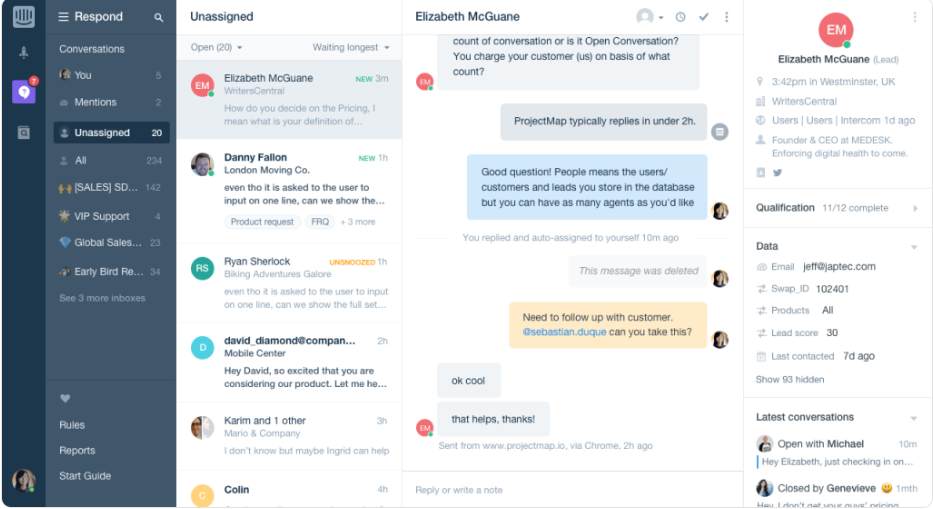
Intercom is one of the strongest options for chat-first support teams.
Rather than centering everything around a traditional desk system, it focuses more on conversations, messaging, and in-product support. That makes it especially useful for SaaS teams that want to resolve support requests quickly in a more conversational way.
Key features
- Live chat and messaging-first support
- AI agents and AI capabilities
- Shared inbox and team collaboration
- Knowledge base tools
- Automation workflows
- Customer conversation history
- Support across multiple channels
Best for: Chat-first SaaS teams.
Intercom is best for teams that care more about speed, messaging, and in-product support than about a more formal ticket-heavy workflow. It is a strong fit when fast communication matters more than rigid process structure.
Pricing: Intercom’s customer service platform starts at $29 per seat/month billed annually for Essential, with Advanced at $85 and Expert at $132 per seat/month, and Fin AI Agent priced at $0.99 per outcome.
How to choose the right help desk software
The best help desk software depends on how your team works.
Some teams need more structure and control. Others care more about speed, self-service, and keeping support organized across channels. The right tool should support your workflow without adding extra complexity.
- Choose Featurebase✨ if you want an all-in-one support platform for SaaS with tickets, live chat, self-service, and feedback in one place.
- Choose Zendesk if you need more advanced workflows and reporting.
- Choose Freshdesk if you want flexibility and solid multichannel support.
- Choose Zoho Desk if you want a lower-cost option with a broad feature set.
- Choose Jira Service Management if your workflows are more technical or process-heavy.
- Choose Intercom if your team is chat-first and focused on fast conversations.
The right tool should help your team stay organized, respond faster, and scale support more easily.
Modern Ticketing Inbox, Designed for Efficiency
Support your customers from anywhere with an AI-powered omnichannel inbox
Conclusion
A good help desk ticket system helps teams stay organized as support volume grows. It gives you a clearer way to manage requests, assign ownership, and keep customers updated without relying on scattered tools or manual follow-up.
Featurebase is a support platform for SaaS teams that brings together tickets, live chat, a knowledge base, and automation in one place. It is used by thousands of teams, including companies like Lovable, Raycast, and n8n, and is a good fit for teams that want to manage support and customer communication without relying on several separate tools.💫
It offers a free plan, and paid plans start at $29/seat/month for Growth. AI resolutions are priced at $0.29 each on paid plans, which makes it easy to start small and scale over time.👇
✨ Get the modern Ticketing Inbox designed for efficiency →
FAQs
What is a help desk ticket system?
A help desk ticket system is software that helps teams collect, organize, assign, and resolve support requests. It turns incoming issues into trackable tickets so support teams can manage work more efficiently.
What is the difference between a help desk and a service desk?
A help desk is usually focused on support and issue resolution, while a service desk often includes a broader service model with internal workflows, approvals, and structured service delivery.
What features should help desk software include?
The most important features include ticket management, automation, ticket routing, a knowledge base, reporting, security, integrations, and support for multiple channels.
Does help desk software need AI features?
Not always, but AI features can be useful for tagging, suggested replies, search, and summaries. They work best when they reduce manual effort without hurting service quality.
What is the best help desk ticket system?
The best option depends on your needs. Some teams want enterprise depth, while others need a modern, flexible platform. Featurebase, Zendesk, Freshdesk, Zoho Desk, Jira Service Management, and Intercom are all strong options depending on your workflow and budget.