Blog Customer ServiceConversational AI Agent: How It Works and Use Cases
Conversational AI Agent: How It Works and Use Cases
Learn what a conversational AI agent is, how it works, and 6 practical use cases. Compare chatbots and copilots, then plan your customer support rollout.



✨ Automate your support with the fastest AI-enhanced Inbox today →
A conversational AI agent can answer a customer's question, check their account, and complete a routine request in the same conversation. It needs useful knowledge, reliable integrations, and a clear path to your support team.
In this guide, I'll explain how conversational AI agents work, walk through practical examples, and show you what to check before using one for customer support. 👇
Key takeaways
- Conversational AI agents: They use natural language to help people complete a goal through answers, connected tools, or both.
- Knowledge and integrations: Account lookups, trial extensions, and booking changes require access to relevant information and systems.
- A focused pilot: Start with a defined support task, then test unclear requests, failed actions, and human handoffs before expanding.
- Customer outcomes: Measure these alongside automation rates. A conversation ending doesn't always mean the problem is solved.
- Featurebase✨: Combines Fibi AI Agent, a help center, and human support in one platform.
What is a conversational AI agent?
A conversational AI agent is software that understands requests expressed in everyday language and works toward a goal through dialogue. It can answer questions, gather missing details, and use connected tools to complete tasks within the permissions you give it.
For example, a customer might say, “Our trial expires tomorrow, but the team hasn't finished testing.” The agent could check the account's eligibility, offer an extension allowed by your policy, and update the trial after the customer agrees.
That workflow connects the conversation, your policy, and the account system. You can deploy conversational AI agents through text or voice, depending on the platform.
Conversational AI agents vs. chatbots and copilots
These names overlap. A product called a chatbot may include agent capabilities, and a scripted bot can still run a predefined action through an integration.
The main differences are how the system handles changing requests and who controls the work.
| System | How it typically works | Example |
|---|---|---|
| Rule-based chatbot | Follows predefined branches and responses | Offers a billing menu and starts a fixed invoice workflow |
| Conversational AI chatbot | Interprets natural language and answers using available knowledge | Explains why an invoice includes a prorated charge |
| Conversational AI agent | Chooses permitted next steps, uses tools, and checks results | Retrieves the invoice, investigates the charge, and submits an eligible correction |
| AI copilot | Helps a person who remains responsible for the interaction | Drafts an explanation for a support rep to review and send |
Ask vendors to demonstrate the full request, including an exception and a handoff.
How does a conversational AI agent work?
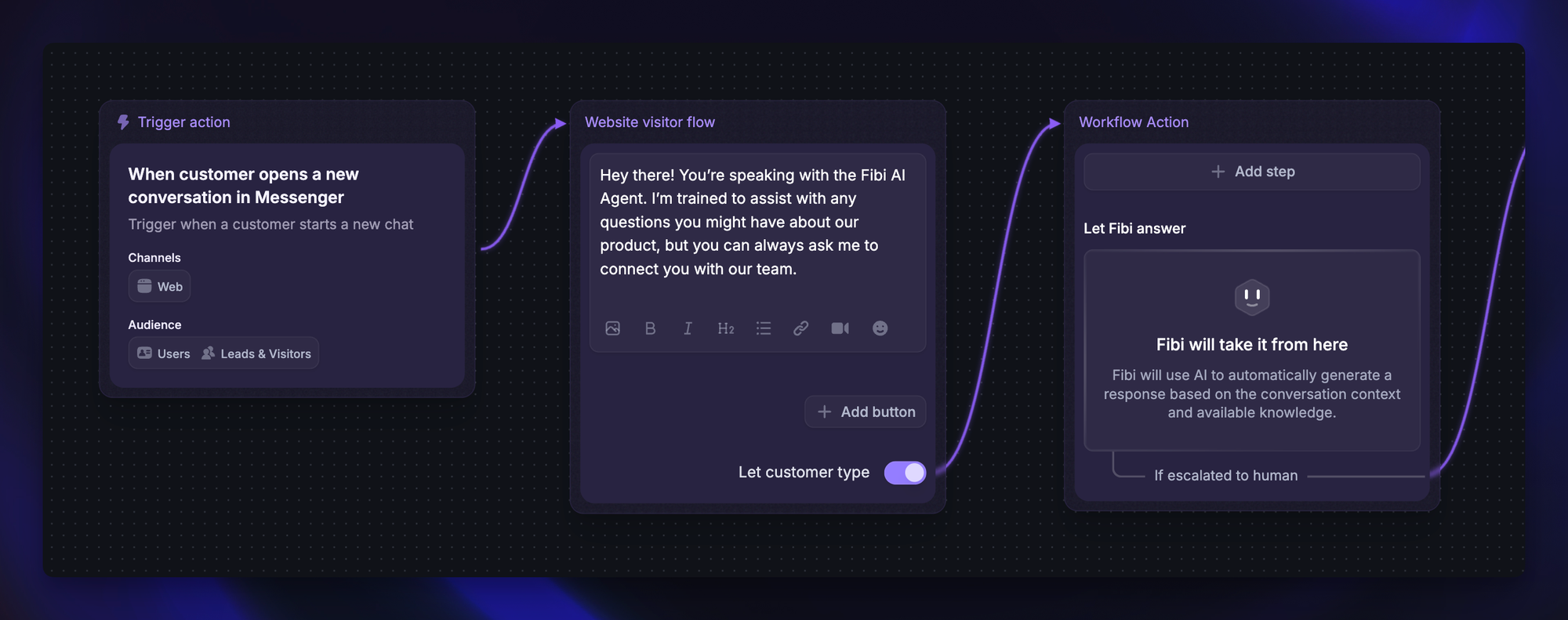
Modern agents often combine a large language model (LLM), business knowledge, conversation context, and tools. Here's what happens during a typical support interaction.
1. Understand the request and conversation context
Natural language processing helps the agent interpret the customer's goal, even when people phrase the same request differently.
“Can we get another week?” only makes sense if the agent knows the conversation is about a trial. When essential details are missing, it should ask a follow-up question.
Many voice deployments also use speech recognition and text-to-speech. They need to handle interruptions and confirm details that might be misheard.
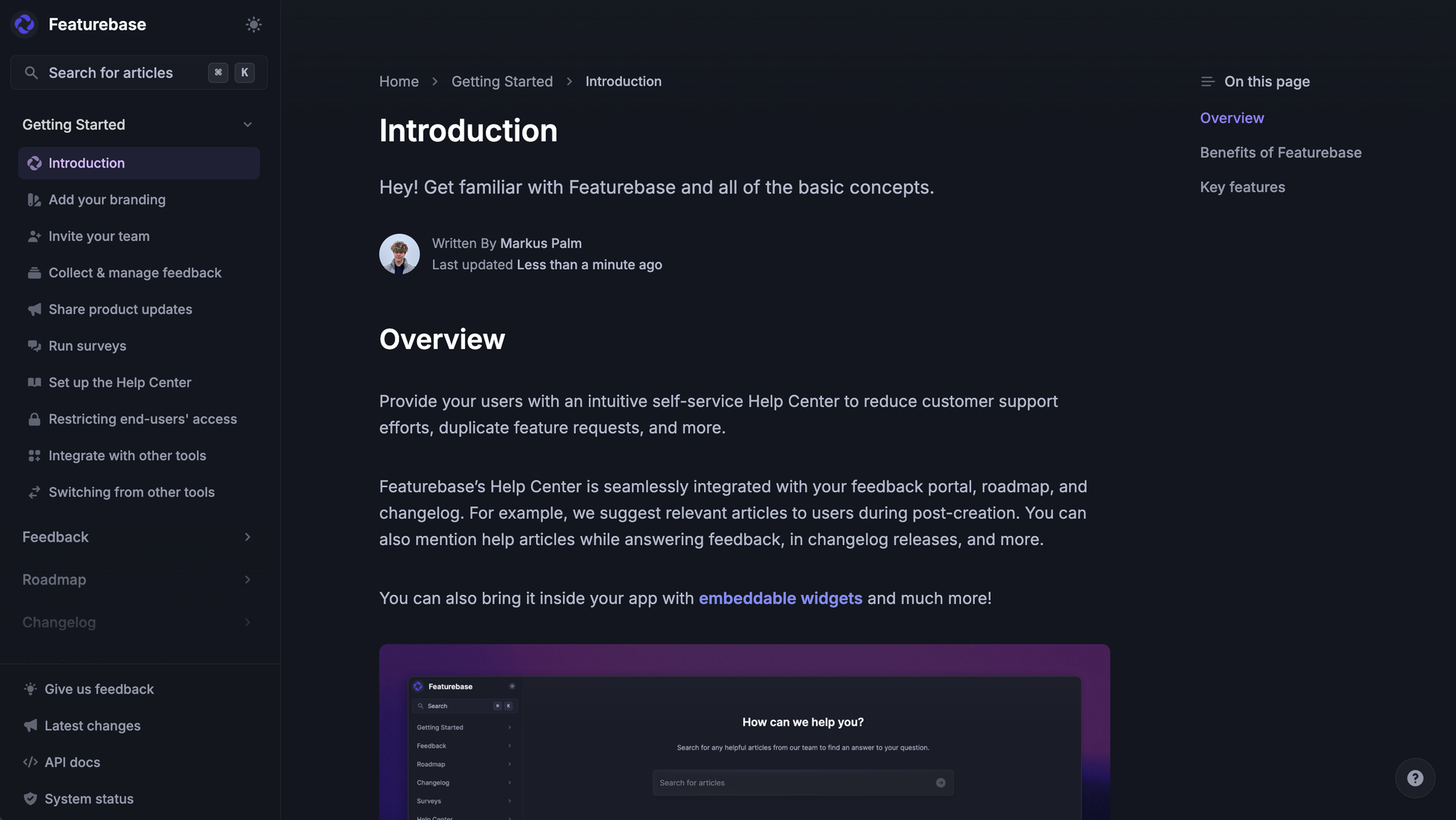
2. Retrieve relevant knowledge and customer data
The agent needs your actual policies and account information to give a useful answer.
- Knowledge sources: Help articles, product documentation, and approved support answers explain how your business works.
- Customer context: Account details identify the user's plan, previous requests, or current trial status.
- Live system data: Connected tools retrieve information that can change, such as an invoice balance or delivery update.
Retrieval-augmented generation (RAG) is one approach to supplying relevant source material when an answer is generated. Updating that material and retraining the underlying model are different processes.
3. Answer, take an action, or hand off
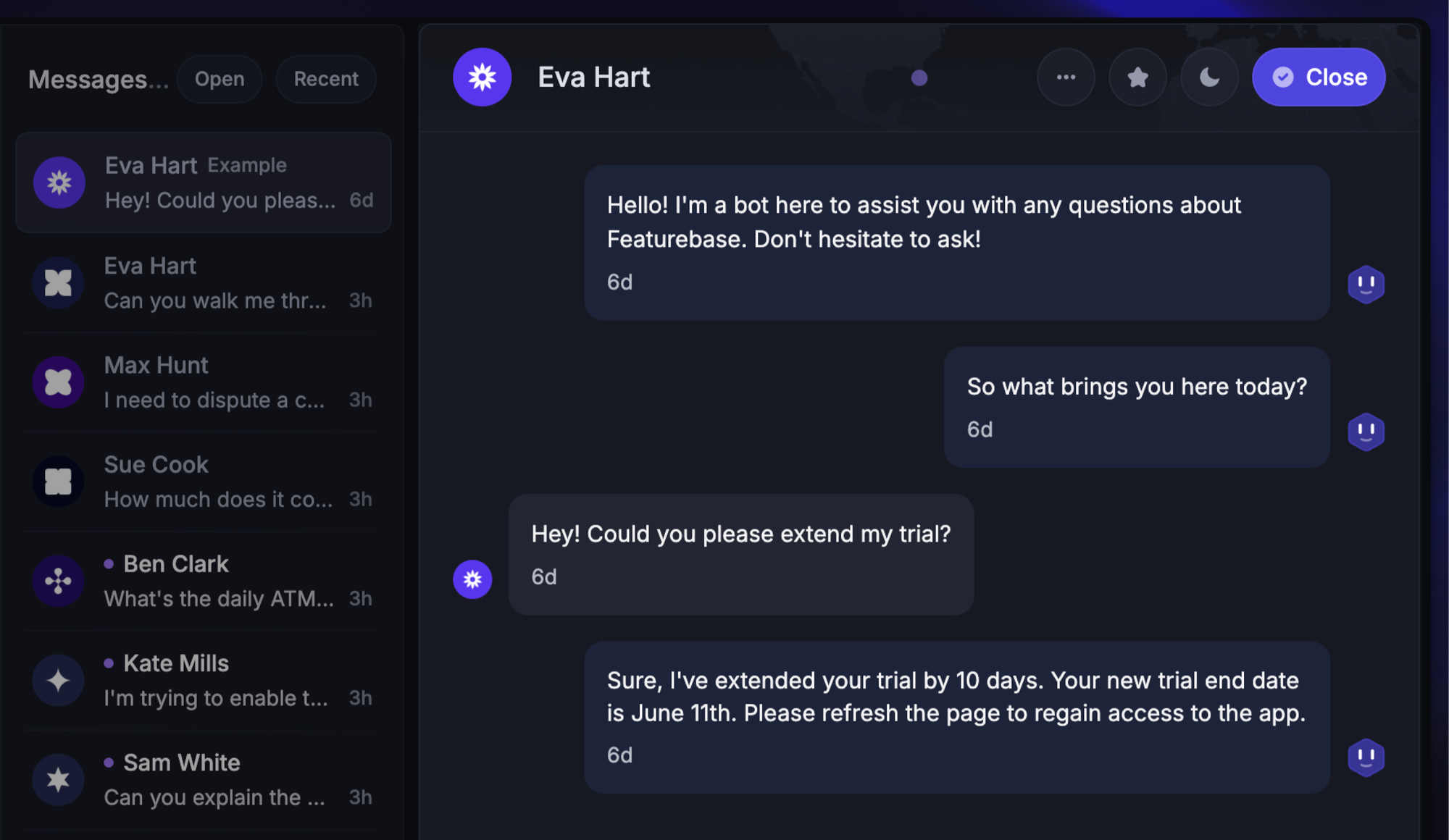
An informational question may only need an answer. Changing something requires an action through a connected system, often using an API.
For the trial example, the agent checks eligibility and requests the extension through your account system. Your application should enforce the policy and verify the customer's access, even if the AI misinterprets a message.
If the request falls outside the agent's scope, it should hand over the conversation with the relevant details and work already attempted.
4. Confirm the outcome
The agent checks the tool's response before telling the customer what happened. It should only confirm an extension when the account system reports success.
If the request times out, it needs a recovery path. Checking whether the change already happened before trying again can prevent duplicate actions.
Example: “Your trial now ends on October 14” is a useful confirmation when it reflects the saved account record. “I've taken care of it” leaves the customer guessing.
6 practical conversational AI agent use cases
The best starting point is a request your team understands well. These conversational AI examples show what an agent could do when it has the necessary knowledge, integrations, and permissions.
1. Answer product questions
Customers often need an answer that depends on their situation: “Can I invite a contractor without giving them billing access?”
An agent can ask which role the contractor needs, retrieve the relevant permissions documentation, and explain the available options. If the feature depends on the customer's plan, an account lookup can make the answer more specific.
Keep the source material clear about what's available today. A planned feature shouldn't be presented as something the customer can already use.
2. Guide customers through troubleshooting
A customer says their data import failed. The agent asks about the file type and error message, checks the troubleshooting documentation, and suggests the next relevant step.
With an appropriate integration, it could also retrieve the import's status or error details. If that doesn't resolve the issue, it can pass the findings to a teammate so the investigation continues from there.
3. Retrieve account and billing information
Requests such as “Where can I find last month's invoice?” are good candidates for a connected workflow.
After verifying access, an agent can retrieve the right invoice or explain the current subscription using account data. Refunds and billing changes need separate rules, since permission to view an invoice doesn't automatically include permission to change a charge.
4. Check orders and delivery updates
For ecommerce teams, an agent can retrieve a customer's order and explain the latest tracking status in the conversation.
The value comes from using current information. If the carrier hasn't provided an estimated delivery date, the agent should explain what's known and offer the next available step.
Changing an address or arranging a replacement requires additional integrations and eligibility checks beyond a status lookup.
5. Extend trials within your policies
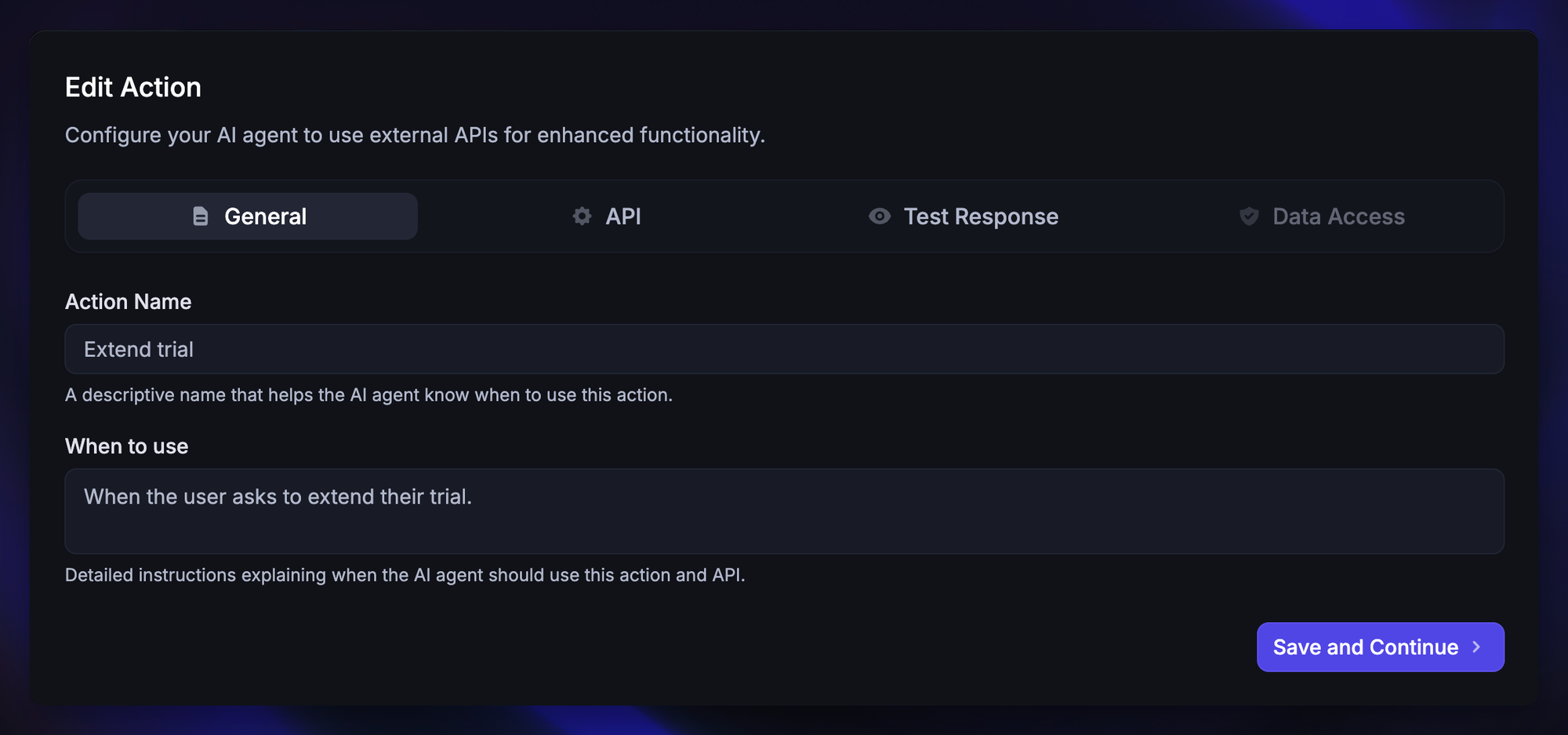
An agent can check whether the account qualifies, establish the permitted extension, and update the expiry date through your subscription system. Requests for exceptions can go to a person.
For example, Featurebase's Custom Fibi Actions let teams connect external APIs to carry out workflows such as trial extensions and account lookups. Your team defines the integration and the rules it must follow.
6. Book or change appointments
A customer asks to move their onboarding call to next week. An agent connected to your scheduling system can check availability, clarify the time zone, and confirm the chosen slot.
The workflow should check that the new booking succeeded before removing the original appointment. If there are no suitable times, it can collect the customer's preferences for a teammate to handle.
Benefits of conversational AI for customer service
Conversational AI for customer service can reduce the work needed to complete a support request. The main benefits include:
- Faster help outside business hours: Customers can get answers and complete supported tasks while your team is offline. Make the availability of human follow-up clear.
- Less repetitive work: Routine lookups and account changes can be completed without a teammate opening several systems for each conversation.
- More capacity during busy periods: Automation can handle eligible requests as volume grows, leaving the team more time for cases that need judgment.
- Less customer effort: The agent can gather details as part of the conversation and carry them into the next step or handoff.
- More consistent policy application: Shared knowledge and enforced action rules give customers a more predictable experience across supported workflows.
Challenges to plan for
Plan for these common problems before giving an agent more responsibility.
Incorrect answers and outdated knowledge
Missing documentation, conflicting policies, and stale pricing pages can lead to incorrect answers. Assign an owner to maintain your knowledge base as the product changes.
Check how your platform refreshes external content. Some sources update automatically, while others require a manual refresh. Reviewing conversations only helps if someone also corrects the underlying knowledge or workflow.
Data access and action permissions
An agent should only retrieve information and perform actions the customer is authorized to access. A typed email address by itself doesn't establish identity.
Enforce access restrictions in the connected systems, limit the data returned, and define which actions need confirmation or human review. Customer messages shouldn't be able to override those controls.
Failed actions and poor handoffs
Integrations fail, customers change their minds, and some requests need an exception. Decide what the agent should do in each situation.
A useful handoff includes the customer's goal, relevant account details, attempted steps, and the reason assistance is needed. Let customers request a person without repeatedly sending them through the same automated troubleshooting.
How to choose and launch a conversational AI agent
I would start with a workflow your team already resolves consistently, then compare support platforms using the same sample of real requests.
Use this checklist to turn the evaluation into a focused pilot:
- Choose a measurable task: Pick a request such as retrieving invoices or extending eligible trials. Define exactly what a successful result looks like.
- Check the knowledge and integration fit: Confirm that the platform can use your documentation and connect to the system that completes the task. Ask whether the connection can read information, make changes, or both.
- Define ownership and limits: Assign someone to maintain the knowledge, review conversations, and handle failures. Specify when the agent must stop or involve a teammate.
- Test realistic conversations: Use anonymized examples from support, including vague wording, follow-up questions, and requests that change midway through.
- Launch to a limited audience: Start with 1 channel or request type. Review the early conversations before expanding to more customers.
- Improve from observed failures: Group problems by cause, such as missing knowledge, incorrect interpretation, or a failed integration. Fix the cause and rerun the relevant examples.
Give each vendor the same difficult cases. For the trial-extension example, I'd include:
| Test | What a successful response should do |
|---|---|
| Eligible customer requests more time | Apply the permitted extension and confirm the saved expiry date |
| Customer has already used the extension | Explain the policy and offer the appropriate next step |
| Customer asks about someone else's account | Require the necessary authorization |
| Account system is unavailable | Explain that completion hasn't been confirmed and follow the recovery path |
| Customer asks for a person | Hand over with the conversation context |
Rerun these tests when you change the agent's knowledge, instructions, or integrations.

Resolve 70% of customer requests with AI
Automatically resolve customer issues & cut down support loads for your team
How to measure conversational AI agent performance
Agree on metric definitions before comparing results. Platforms may count resolutions differently or measure only conversations the AI handled.
Track these measures together:
- Task completion: Did the intended result happen in the connected system, such as an invoice being retrieved or an appointment being saved?
- Resolution quality: Did the answer actually address the customer's issue? Review a sample of conversations as well as the dashboard total.
- Repeat contacts: Do customers return with the same problem after an interaction is marked resolved?
- Handoffs: Why did the agent escalate, and did the teammate have enough context to continue?
- Customer satisfaction: How do customers rate the experience, and how many people submitted a rating?
Separate outcomes confirmed by customers from those inferred because a conversation went quiet. Silence may mean the answer helped, but it can also mean the customer gave up.
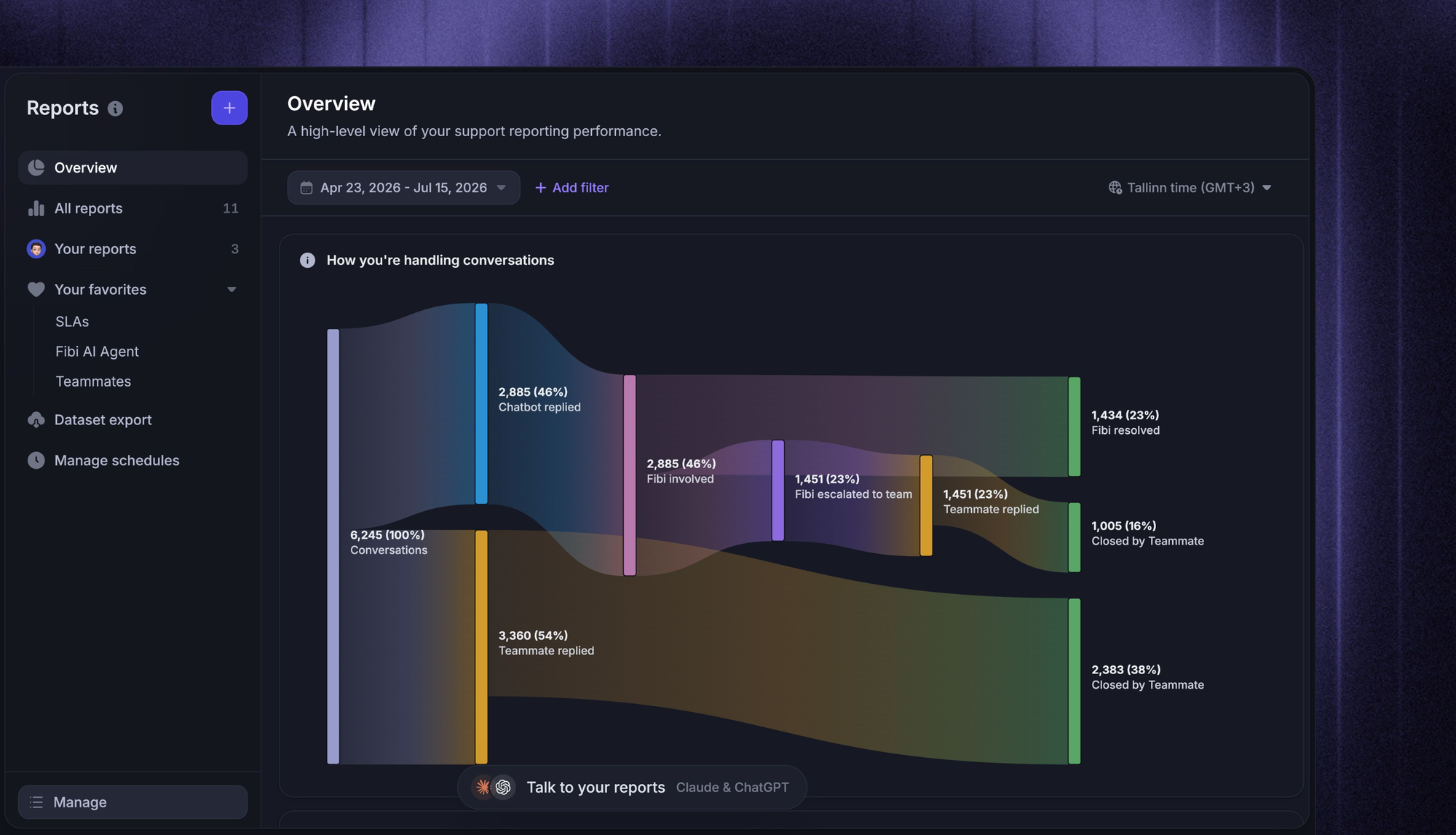
Featurebase's Fibi AI Agent reporting separates assumed and confirmed resolutions and includes handoff and CSAT reporting. Those distinctions help teams investigate what's behind the headline result.
Using Featurebase for conversational AI support
Featurebase is a modern AI customer support platform for product-led SaaS. It combines AI-powered support, help center, and feedback management into a single platform for startups that want all their customer-facing tools in one place. Featurebase is loved by thousands of support teams from companies like Lovable, Raycast, and n8n. 💫

Top features:
- Omnichannel inbox – Manage live chat, email, and Slack conversations from one AI-powered view
- Fibi AI Agent - Resolve customer issues on autopilot & run custom actions like trial extensions and refunds
- Help center with AI search – Provide instant, multilingual self-serve answers
- Workflows & automations – Auto-assign tickets, route conversations, collect customer data, and more
- AI Copilot – Help your agents answer customers faster with AI Copilot that uses your internal knowledge
- Multi-brand support – Manage multiple Help Centers and Live chats from a single workspace
- Automatic AI translations – Automatically translate all messages and help articles to your customers native language
- Service Level Agreements – Track SLAs to make sure your team responds to customers on time, every time
- Mobile app – Respond to customers, receive notifications, and unblock users on the go
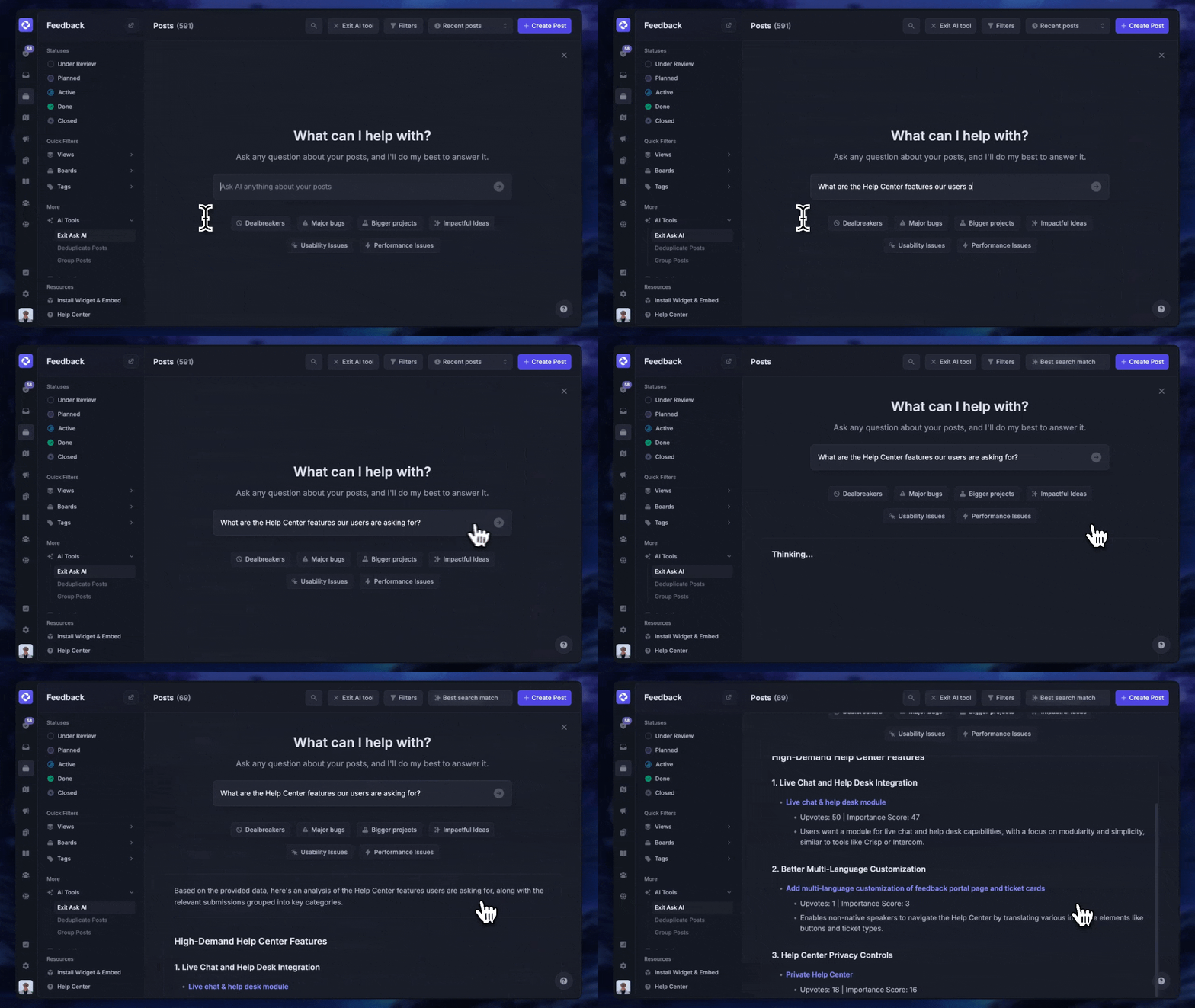
- Feedback & roadmap tools – Collect feature requests and close the loop with updates
- Product updates – Publish release notes with a changelog page, in-app widget, and emails
- Integrations – Connects with Slack, Linear, Jira, HubSpot, and more
Fibi can use your help center, feedback portal, and product updates to answer customers. Custom sources add knowledge from files, websites, and Q&A snippets, while Custom Fibi Actions connect it to external systems for supported tasks.
Pricing: Featurebase has a Free plan with unlimited conversations. Fibi is available on paid plans, starting at $29/seat/month, billed annually, plus $0.49 per AI resolution. Features such as Slack support and Workflows require higher plans.
Conclusion
A useful conversational AI agent understands the request, works with reliable information, and completes the steps your team has authorized. Start with a clear task and use real conversations to check how well it performs.
Featurebase brings Fibi AI Agent, your help center, and human support together, helping your team answer customers and automate routine work from one platform.
You can start with Featurebase's Free plan for live chat and unlimited conversations. Paid plans add Fibi AI Agent when you're ready to automate. 👇
✨ Explore AI customer support with Featurebase →

FAQs
What is a conversational AI platform?
A conversational AI platform provides the tools to create, deploy, and manage agents or chatbots. It may include knowledge management, integrations, conversation routing, analytics, and support channels. An agent is the system handling a particular interaction, while the platform provides the surrounding capabilities.
Is conversational AI the same as generative AI?
Conversational AI focuses on understanding and responding within a dialogue. Generative AI creates content, such as text, images, or audio. An LLM-powered conversational agent uses generative AI to produce replies, alongside other components that retrieve information, manage context, and execute actions.
How much does a conversational AI agent cost?
Common pricing models include subscriptions, paid seats, and usage charges based on conversations, resolutions, or voice minutes. Your total cost can also include integration work, knowledge maintenance, and quality reviews. Estimate the bill using your expected workload and check what the vendor counts as a billable outcome.
Can you build a conversational AI agent without coding?
Many platforms let you create a knowledge-based agent using uploaded content and visual tools. Built-in integrations can also make some actions available without custom code. Workflows that depend on your own account or billing systems may need developer help to connect APIs and enforce access rules.
How do you measure ROI from conversational AI?
Estimate the value of time saved and any measurable business gains, then subtract the full operating cost over the same period. Divide that net benefit by the operating cost and multiply by 100 to express ROI as a percentage. Count human review, maintenance, and repeat contacts in the calculation, and distinguish time freed up from cash savings you actually realize.