Blog Customer FeedbackClose-Ended Survey Questions: Types and Examples
Close-Ended Survey Questions: Types and Examples
Close-ended survey questions give you clean, countable data instead of messy paragraphs. Here are the main types, real examples, and when to use each one.


✨ Start running surveys & collecting feedback with Featurebase for free →
The way you phrase a survey question decides what data you get back. Ask it one way and you get a tidy percentage. Ask it another and you get 300 paragraphs nobody has time to read.
Close-ended survey questions are the format built for clean, quantifiable answers. They give respondents a fixed set of options to choose from, which makes the results fast to answer and easy to analyze at scale.
Below I'll break down the main types of close-ended questions, show real examples for each, and cover when to use them (and when an open-ended question is the better call). 👇
Key takeaways
- Close-ended questions give respondents fixed answer options to choose from, such as yes/no, multiple-choice, or a rating scale, instead of a blank text box.
- They produce quantitative data that's fast to answer and easy to compare across hundreds or thousands of responses.
- The main types are dichotomous, multiple choice, rating scale, Likert scale, ranking, and matrix questions.
- Use them when you want to measure, track, or benchmark something, and pair them with the occasional open-ended question when you need the "why" behind a number.
- Well-written close-ended questions cover every likely answer, avoid leading language, and offer one clear choice per option.
- You can run close-ended surveys like NPS, CSAT, and multiple choice directly inside your product with Featurebase surveys.
What are close-ended survey questions?
A close-ended survey question is one that gives respondents a predefined set of answers to choose from. They pick an option (or a few), and that's it. There's no free-text box to fill in.
The classic example is a yes/no question, but close-ended questions cover far more than that. Rating scales, multiple choice, Likert scales, and ranking questions are all close-ended, because in every case the respondent chooses from options you've already written.
This is what makes them different from open-ended questions, which leave the answer wide open. Close-ended questions trade depth for structure. You lose the surprising, in-their-own-words detail, but you gain data you can actually count, chart, and compare.
That trade-off is the whole point. When you survey 500 people and want to know what percentage are happy, you need close-ended questions. Reading 500 paragraphs and guessing at a number isn't a plan.
Types of close-ended survey questions (with examples)
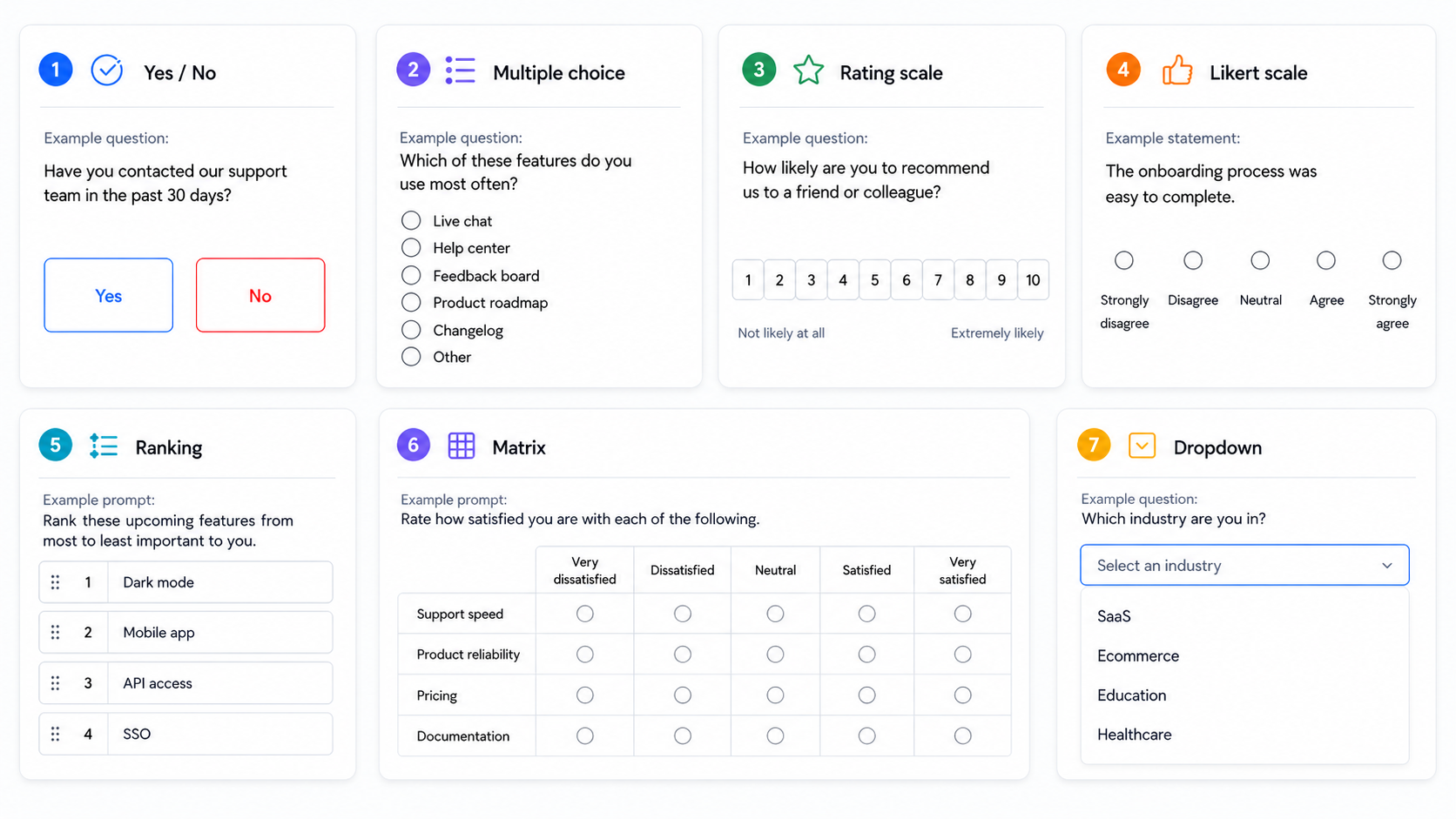
Close-ended questions are one branch of the wider set of survey question types, and each format fits a different job. Here are the 6 you'll use most, with a real example for each.
Dichotomous (yes/no) questions
A dichotomous question offers exactly two options, usually yes/no, true/false, or agree/disagree. They're the simplest close-ended format and work well for a clear, binary fact.
Example:
- Have you contacted our support team in the past 30 days? (Yes / No)
They're quick to answer, but they can't capture nuance. "Yes" and "No" leave no room for "sort of," so save them for questions that genuinely have two answers.
Multiple choice questions
Multiple choice questions give respondents a list of options to pick from. You can let people select one answer or several, depending on the question.
Example:
- Which of these features do you use most often? (Live chat / Help center / Feedback board / Product roadmap / Changelog)
The trick with multiple choice is coverage. Your options need to include every answer people might reasonably give, which is why an "Other" choice is often worth adding.
Rating scale questions
A rating scale asks respondents to score something on a numeric range, usually 1 to 5 or 1 to 10. They're perfect for measuring intensity, like satisfaction or likelihood.
Example:
- On a scale of 1 to 10, how likely are you to recommend us to a friend or colleague?
That specific example is a Net Promoter Score question, one of the most common rating scales in SaaS. The numeric format means you can track the score over time and spot trends fast.
Likert scale questions
A Likert scale measures agreement across a balanced range, typically 5 points from "strongly disagree" to "strongly agree." It's the go-to format for attitudes and opinions.
Example:
- The onboarding process was easy to complete. (Strongly disagree/Disagree/Neutral/Agree/Strongly agree)
Likert scales give you more texture than a plain yes/no because they capture how strongly someone feels, not just which side they land on.
Ranking questions
A ranking question asks respondents to put a set of options in order of preference or importance. It's useful when you need to know priorities, not just individual opinions.
Example:
- Rank these upcoming features from most to least important to you: dark mode, mobile app, API access, SSO.
Ranking forces trade-offs, which is exactly what you want when everything looks important in isolation. The catch is that ranking gets tiring past 5 or 6 items, so keep the list short.
Matrix and dropdown questions
These two formats handle bulk and length. A matrix question groups several statements that share the same rating scale into one grid, so respondents can rate them all at once. A dropdown question tucks a long list of options (like country or industry) into a single menu to save space.
Example of a matrix question:
- Rate how satisfied you are with each of the following: support speed, product reliability, pricing, documentation. (Very dissatisfied → Very satisfied)
Matrix questions keep long surveys compact, but don't overload a single grid or people start clicking straight down the same column to get it over with.
Close-ended vs open-ended questions
The fastest way to understand close-ended questions is to hold them next to their opposite. Open-ended questions give respondents a blank text box and let them answer in their own words.
Neither type is better. They answer different questions and produce different data.
| Aspect | Close-ended questions | Open-ended questions |
|---|---|---|
| Answer format | Pick from fixed options | Free-form text |
| Data produced | Quantitative (countable) | Qualitative (descriptive) |
| Speed to answer | Fast | Slower |
| Analysis | Easy to chart and compare | Manual reading and tagging |
| Best for | Measuring and benchmarking | Exploring the "why" |
| Main drawback | Can miss unexpected answers | Hard to analyze at scale |
The practical move is to use both. Lead with close-ended questions to get your numbers, then add one or two open-ended follow-ups when you need context a scale can't give you.
When to use close-ended questions
Use close-ended questions whenever your goal is to measure, track, or compare something rather than explore it. If you want a number you can report or a trend you can watch, close-ended is the format.
They shine in a few specific situations:
- Large sample sizes: When hundreds or thousands of people will answer, manual reading isn't realistic. Close-ended questions let you analyze every response instantly.
- Tracking over time: A consistent rating scale lets you benchmark this quarter against last quarter. You can't do that with paragraphs.
- Quick pulse checks: When you want a fast read without adding friction, a single tap on a scale beats asking someone to write.
There's also a hard data point behind the "less friction" argument. In a Pew Research Center analysis of its surveys, the average item nonresponse rate for close-ended questions sat between 1% and 2%, compared with roughly 18% for open-ended questions. People are far more likely to skip a question that asks them to type.
The flip side: close-ended questions can only tell you what you already thought to ask. If you're exploring a new problem and don't know the possible answers yet, start with open-ended questions, then convert the common themes into close-ended options later.
How to write effective close-ended questions
A close-ended question is only as good as its answer options. Get those wrong and you'll collect clean data that means nothing. These rules for good survey questions keep them sharp.
- Cover every likely answer: Your options should include every response a reasonable person might give. When you can't list them all, add an "Other" option so nobody is forced into a wrong box.
- Keep options mutually exclusive: No answer should overlap with another. Age ranges like "20-30" and "30-40" are a classic trap, because a 30-year-old fits both. Use "30-39" instead.
- Avoid leading language: Don't nudge people toward an answer. "How great was our new feature?" assumes it was great. "How would you rate our new feature?" doesn't.
- Ask one thing at a time: A question like "How fast and helpful was support?" is really two questions. Split it, or you won't know which part a low score refers to.
- Keep the scale balanced: A rating scale should have as many positive options as negative ones, with a neutral middle. Lopsided scales quietly skew your results.
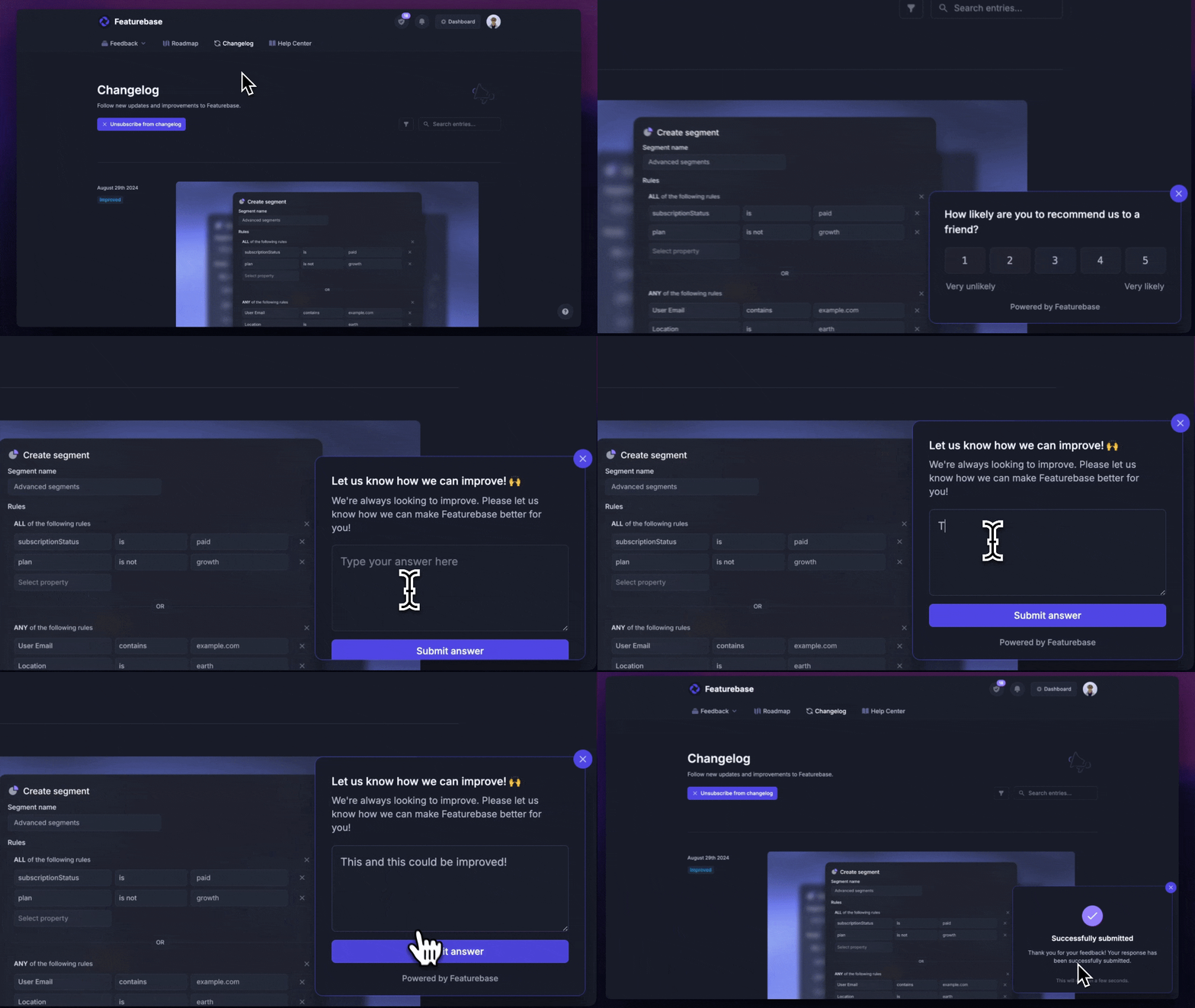
One more tip: a close-ended question doesn't have to be a dead end. With Featurebase, you can run in-app surveys that attach a conditional follow-up, so when someone gives a low rating, you can automatically ask an open-ended "what went wrong?" only to the people who need it. You get the clean number and the context, without adding length for everyone else.

Start running surveys & collecting feedback
Create targeted NPS, CSAT, multiple-choice, or text response surveys for free
Close-ended survey question examples by use case
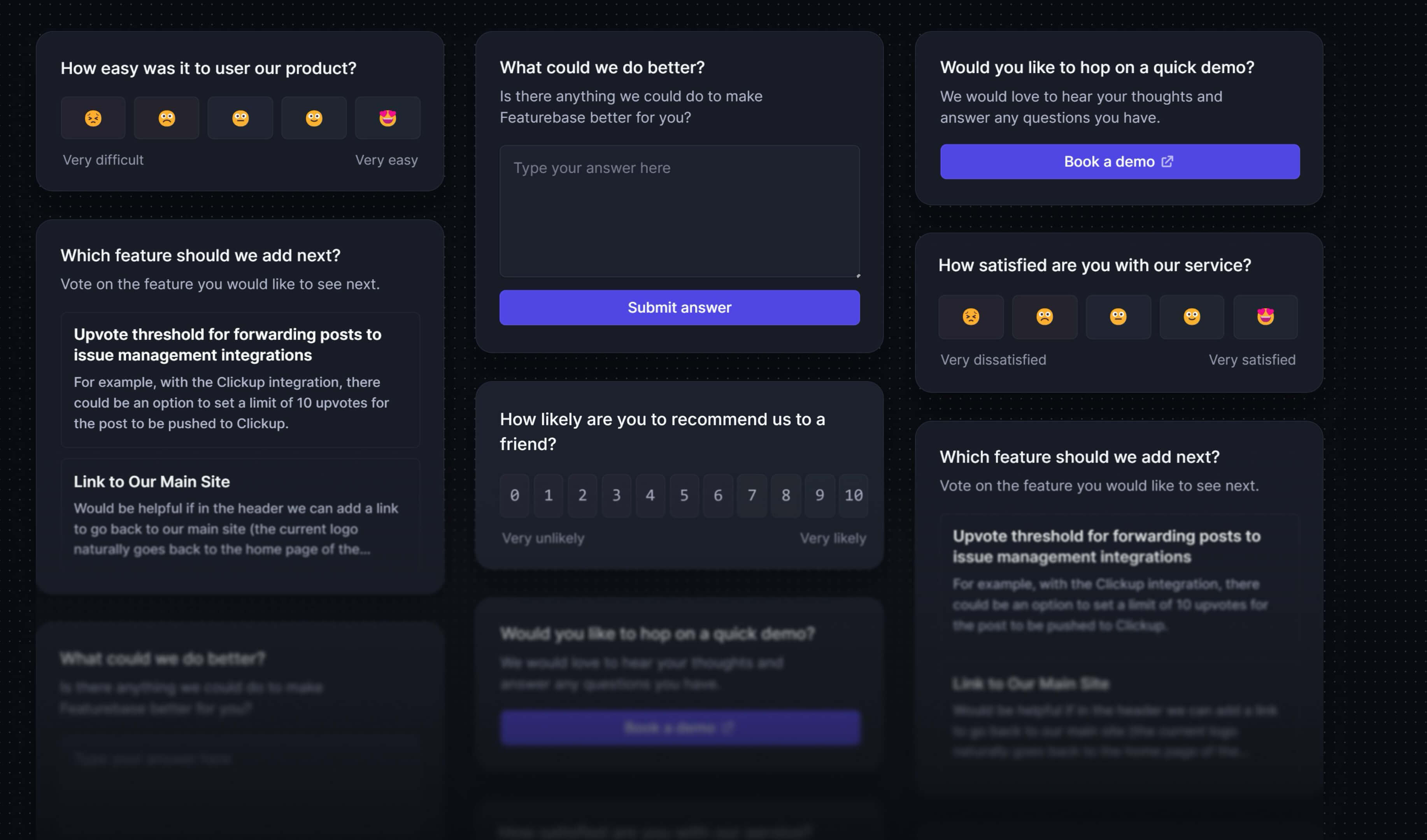
The best way to write your own is to start from proven examples. Here are close-ended survey question examples grouped by the jobs you'll most often use them for.
Customer satisfaction
These customer satisfaction survey questions measure how people feel about your product or a specific interaction.
- Overall, how satisfied are you with our product? (Very dissatisfied → Very satisfied)
- How likely are you to recommend us to a friend? (0 to 10)
- How easy was it to get your issue resolved today? (Very difficult → Very easy)
Product feedback and feature priority
These help you decide what to build and what's already working.
- Which feature do you rely on most? (multiple choice)
- Rank these upcoming features by how much you'd use them. (ranking)
- How well does our product meet your needs? (Not at all → Extremely well)
Onboarding and activation
These catch friction while new users are still forming an opinion.
- Were you able to set up your account without contacting support? (Yes / No)
- How clear were the setup instructions? (Very unclear → Very clear)
- How long did it take you to get value from the product? (Under a day / A few days / A week / Longer)
Demographics and segmentation
These let you slice every other answer by who gave it.
- What's your role? (Founder / Product / Engineering / Marketing / Other)
- How large is your company? (1-10 / 11-50 / 51-200 / 201-1000 / 1000+)
- Which plan are you on? (Free / Pro / Business / Enterprise)
Notice that every option is distinct and the ranges never overlap. That's the discipline that turns a list of questions into usable data.
Collect close-ended survey responses with Featurebase
Writing good close-ended questions is half the job. You also need a way to ask them where your users actually are, and to turn the answers into decisions.
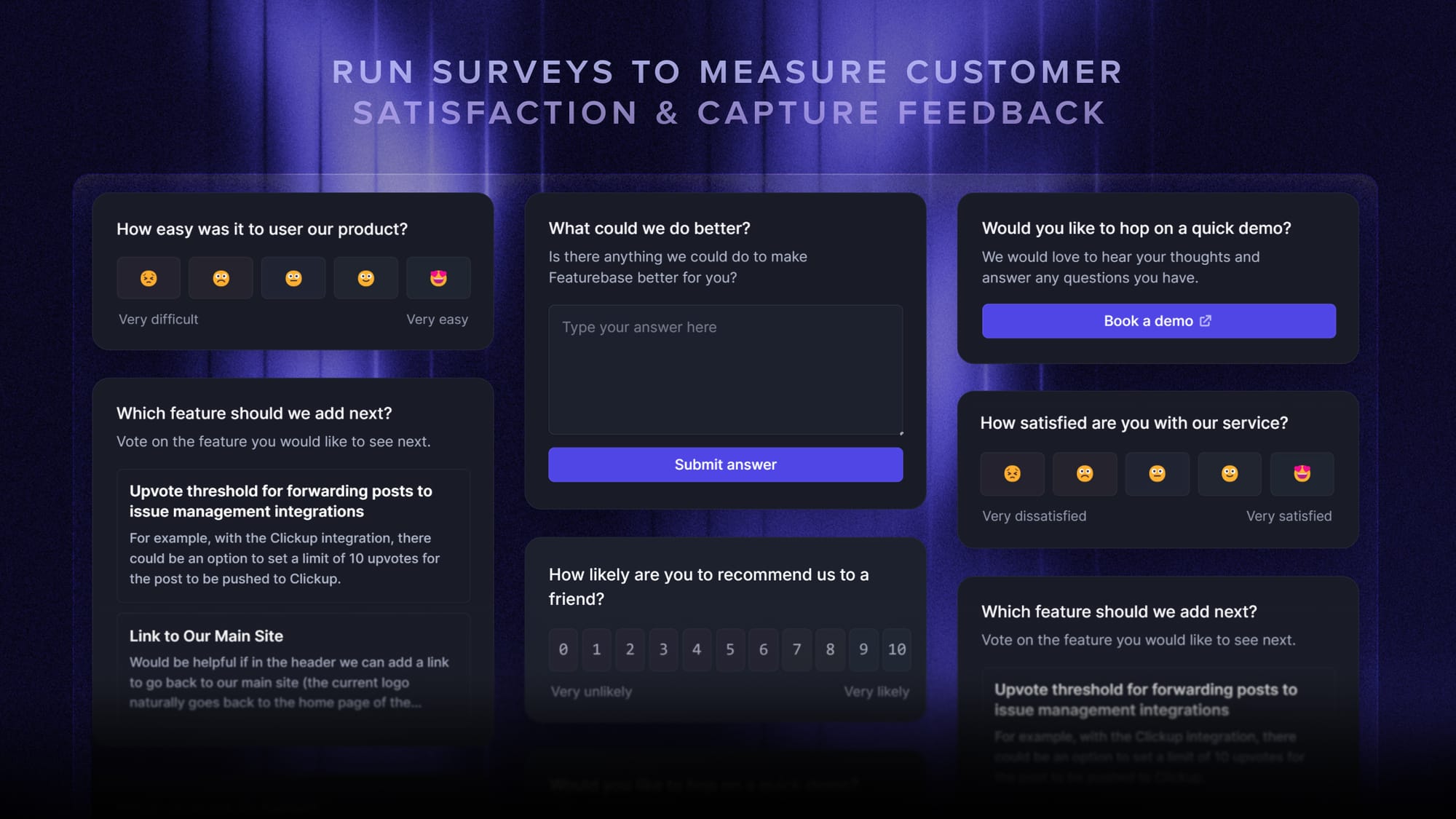
Featurebase is a modern feedback & support platform that helps product teams collect feedback through multi-step surveys, integrations, and a feedback portal, all in one place, to make better product decisions. It's loved by thousands of product teams from companies like Lovable, Raycast, and n8n. 💫
Top features:
- Surveys (NPS, CSAT, etc) – Create targeted no-code surveys to ask users anything and measure customer satisfaction.
- User targeting – Target specific user segments based on properties like plan, role, location, etc.
- Conditional multi-step surveys – Ask follow-up questions based on conditional logic and users' answers
- In-app widgets – Collect ideas, bug reports, and suggestions directly from your website or webapp with interactive widgets
- Feedback forum – Public feedback forum where users can submit ideas and vote on features helping you know what customers want
- Prioritize by revenue – Link feedback with customer revenue, company size, and much more to better understand the impact of ideas
- Integrations – Connects with Slack, Linear, Jira, HubSpot, and more
- Plus, help center, product roadmaps, release notes, and customer surveys – all in one place
Pricing: Free plan available with unlimited survey responses and feedback. Paid plans start at $29/seat/mo.
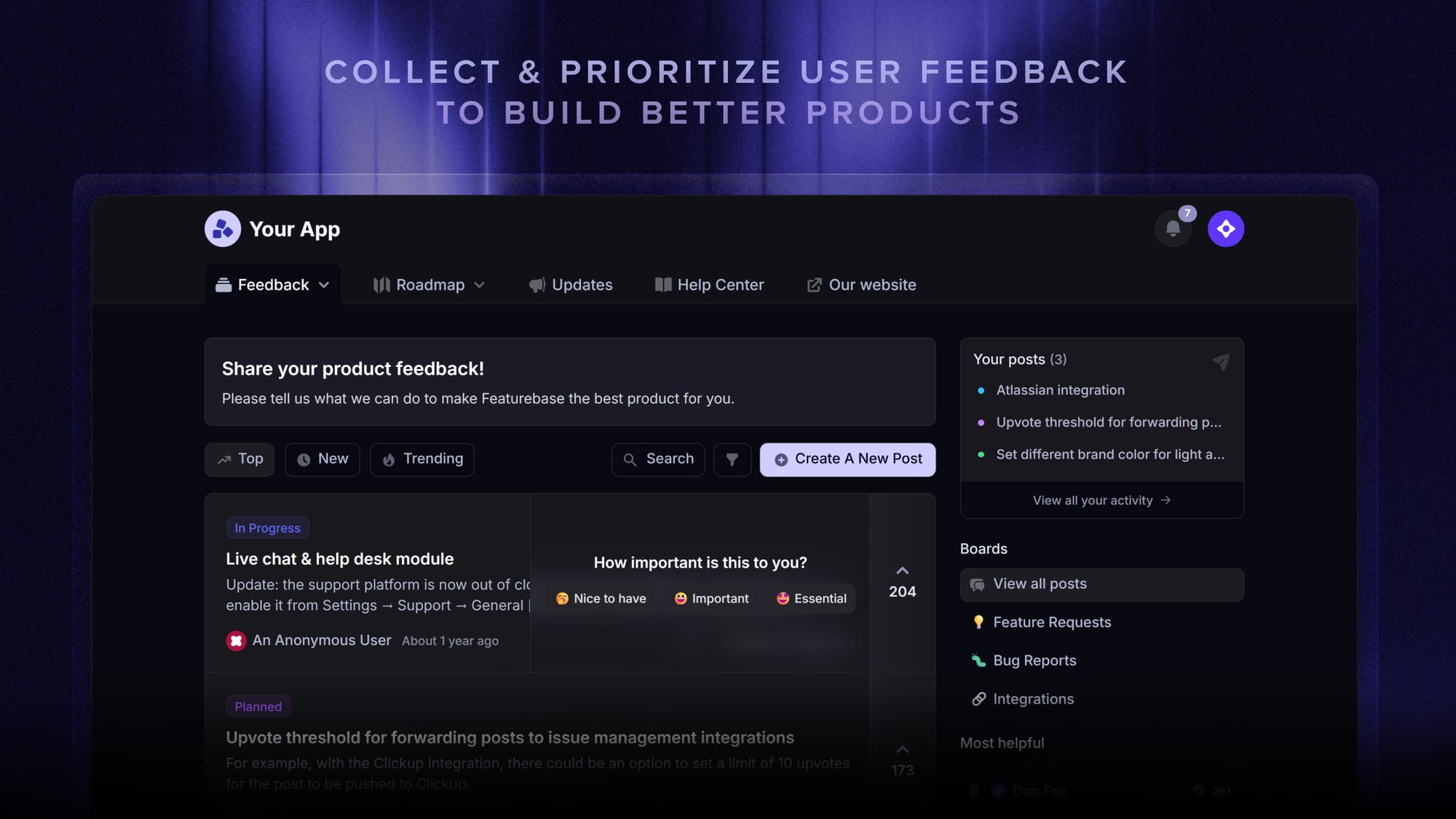
Instead of having 4+ different tools, Featurebase enables you to replace all your customer-facing tools by bringing your feedback collection, product updates, support, and help center together in one place, helping you build products your users love.
Conclusion
Close-ended survey questions are how you turn opinions into data. By giving people fixed options, whether it's a yes/no, a rating scale, or a multiple choice list, you get answers that are quick to give and simple to measure across your whole user base.
Featurebase is a modern feedback tool that lets you run close-ended surveys like NPS, CSAT, and multiple choice right inside your product with targeted, multi-step widgets. You can collect the responses, connect them to customer revenue and data, and turn survey answers into product decisions, all in one place.
It comes with a Free plan that includes unlimited survey responses, and the onboarding is quick and doesn't require a credit card, so there's no downside to trying it. 👇
✨ Start running surveys & collecting feedback with Featurebase for free →
FAQs
What is an example of a closed-ended survey question?
A simple example is "Are you satisfied with our product? (Yes / No)." Any question that gives respondents a fixed set of answers to choose from is close-ended, including rating scales, multiple choice lists, and Likert scales.
What are 5 closed-ended survey questions?
Five common ones are: "How satisfied are you with our product?" (rating scale), "Would you recommend us?" (yes/no), "Which feature do you use most?" (multiple choice), "How much do you agree that setup was easy?" (Likert scale), and "Rank these features by importance" (ranking). Each gives the respondent set options rather than a blank text box.
Are closed-ended questions qualitative or quantitative?
They're quantitative. Because everyone chooses from the same fixed options, the answers turn into counts and percentages you can chart and compare. Open-ended questions, by contrast, produce qualitative data you have to read and interpret.
Can you use both open-ended and closed-ended questions in one survey?
Yes, and most good surveys do. A common pattern is to lead with close-ended questions to gather your numbers, then add one or two open-ended follow-ups to capture the reasoning behind them. This gives you measurable data plus the context to explain it.
What is a simple closed-ended question?
A simple closed-ended question is one with a single, clear-cut answer from a short list, like a yes/no or true/false question. "Did you find what you were looking for today? (Yes / No)" is about as simple as it gets.
How many answer choices should a closed-ended question have?
For most multiple choice questions, aim for 4 to 6 options so the list is complete without being overwhelming. Rating scales usually work best at 5 or 10 points, and you should keep the options mutually exclusive so no answer overlaps another.