Blog Customer ServiceCustomer Service Improvement Plan: Template + Examples
Customer Service Improvement Plan: Template + Examples
Create a customer service improvement plan with 7 practical steps, a copyable template, 3 examples, and a 30/60/90-day rollout to track your progress.



When customers keep chasing refunds or explaining the same problem to another agent, "improve support" isn't much of a plan. The fix could be a clearer answer, a smoother handoff, or a change to the product itself. Each calls for different work.
I'll walk you through a customer service improvement plan that helps you choose where to start, with 7 steps, a copyable template, 3 examples, and a 30/60/90-day rollout. We'll also look at where better tools can help. 👇
Key takeaways
- Start with a recurring problem: Find out why customers keep contacting you before adding training, automation, or another tool.
- Give the work an owner: A useful plan names the change, the person responsible, the resources they need, and the deadline.
- Keep speed and quality together: A quick reply doesn't help much if the customer still has to chase their refund.
- Try a small change first: A pilot in your billing queue is easier to learn from and adjust than a new process rolled out to everyone.
- Featurebase✨: A good fit for SaaS teams that want to handle support questions and act on recurring product feedback in the same platform.
What is a customer service improvement plan?
A customer service improvement plan sets out how your team will fix a specific support problem. It names what's going wrong, what you'll change, who's doing the work, and how you'll know it helped.
Take a refund request that sits unanswered while support waits for finance. The plan might give an agent authority to approve certain refunds, define which exceptions need finance, and set a target for response time. That's work someone can carry out.
The stakes extend beyond the inbox. In PwC's 2025 survey of 5,511 US consumers, 29% reported abandoning a brand because of a poor online or in-person customer experience. That finding covers the wider customer experience, of which support is a part.
Repeated complaints, growing queues, and reopened tickets are useful starting points. They give you something concrete to investigate and improve.
Team improvement plans vs. employee performance plans
A team plan deals with shared problems: outdated answers, unclear responsibilities, or too few people covering a busy queue. An individual customer service performance improvement plan, often called a PIP, focuses on a particular employee's performance and development.
If every agent gives a different answer about subscription cancellations, the first fix is a clear cancellation policy and current documentation. Coaching becomes useful once people have reliable guidance to work from.
This guide focuses on team-wide improvements.
How to create a customer service improvement plan
I'd start with a problem narrow enough to describe in a sentence, such as "customers wait too long for billing replies." These 7 steps turn customer service improvement strategies into a plan with specific work and a finish line.
1. Establish your current performance baseline
Start with a recent period that reflects your usual workload, such as the previous 4 weeks. Note any outage, launch, or staffing change that made those weeks unusual.
Then choose the customer service metrics that explain the problem:
| Metric | What it tells you | What to read alongside it |
|---|---|---|
| Customer satisfaction score (CSAT) | How customers rate an interaction | Response count, survey coverage, and written comments |
| First response time | How long customers wait for an initial reply | Whether the reply helped and how many conversations still await a response |
| Resolution time | How long issues take to resolve | Reopened cases and time spent waiting for another team |
| First contact resolution (FCR) | Whether an issue is resolved during the first interaction | Case complexity and repeat contacts within a defined period |
| Customer effort score (CES) | How easy or difficult customers found the experience | Survey wording, scale direction, and reasons for difficulty |
| Repeat-contact rate | How often customers return about the same issue | A consistent definition of the issue and follow-up window |
For slow refund replies, first response time and customer comments are more useful starting points than a dashboard full of unrelated scores. Reopened cases can reveal whether faster replies actually helped.
Keep the comparison fair. Use the same channel and business-hours rules, and separate an automated acknowledgment from a useful answer. The median shows the typical wait, but the longest waits and unanswered messages still need attention.
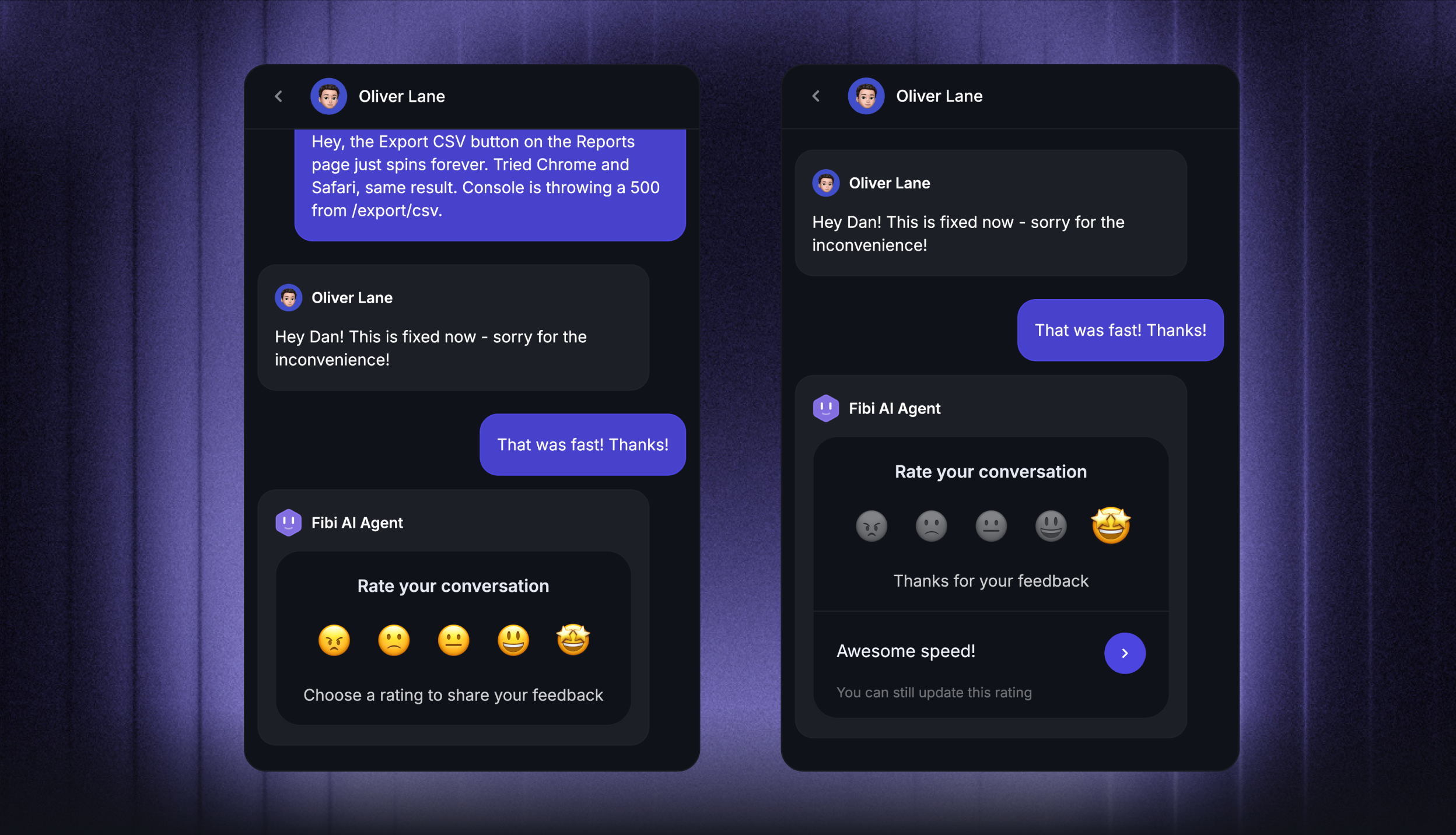
Featurebase's Customer Satisfaction and Responsiveness reports let you review customer ratings, written remarks, and response performance. A comment such as "quick reply, but nobody explained when I'd get my money back" gives a score useful context.
2. Find the causes behind customer complaints
A ticket tagged "billing" could mean a missing invoice, an unexpected renewal, or a failed refund. Those problems won't all respond to the same fix.
Read a mix of recent conversations, including complaints, positive feedback, escalations, and reopened cases. Your agents can also point out where they regularly get stuck, such as waiting for approval on a subscription change.
Analyze the customer feedback and group your findings by cause. Follow the conversation from the customer's first attempt to help themselves through to the final answer.
For example, a customer might find an outdated cancellation article, receive a conflicting answer from an agent, then contact you again after another charge. The delay in answering is only part of that problem.
The cause tells you where the work belongs:
- Missing knowledge: Correct the cancellation article and give agents an accurate answer to use.
- Unclear ownership: Name who approves a refund and who keeps the customer updated.
- A product defect: Give engineering the details needed to investigate, while support explains the available workaround.
3. Choose your priorities and set SMART goals
I'd fix a problem that prevents customers from accessing a paid account before polishing answers to a more common formatting question. Ticket volume matters, but the impact on the customer matters too.
Keep the first round small enough that the team has time to do the work. Turn your priorities into SMART customer service goals:
- Specific: Name the problem and affected customers.
- Measurable: Include today's result and the target.
- Achievable: Allow for the people, time, and help you'll need.
- Relevant: Tie the change to something customers struggle with.
- Time-bound: Give it a deadline and review dates.
Here's a hypothetical example:
Reduce median first response time for billing emails from 8 to 4 business hours within 60 days, while keeping billing CSAT at or above its current 88% baseline.
The CSAT condition matters. It gives the team a reason to notice if faster replies become rushed or incomplete.
These figures are example targets, not industry benchmarks. Your target should reflect your current performance, service commitments, and available capacity.
4. Define actions, owners, and resources
A customer service action plan needs to spell out what will change during an agent's day. For the billing goal above, that could mean:
- Routing: Billing questions go to a named queue, with someone covering it when the main owner is away.
- Knowledge: Agents have updated answers for common invoice questions.
- Coverage: Someone has time set aside for billing requests during the hours when delays build up.
- Review: The team discusses response times and customer comments at its weekly meeting.
Give each action 1 accountable owner. "Support and finance" is too vague if each team thinks the other is writing the refund guidance.
Include the time, access, budget, and help that person needs. If finance must approve a new reply template, its review belongs in the schedule. Otherwise, you can reach the deadline with a finished template nobody is allowed to use.
5. Equip your team with training and clear processes
Customer service training works best here when it addresses a conversation agents already find difficult. Practice explaining a subscription downgrade, handling a refund exception, or handing a technical issue to engineering.
For a handoff, the next person needs the customer's goal, what you've already tried, and what needs to happen next. That saves the customer from explaining the whole problem again.
A few supporting changes make the new process easier to use:
- A current knowledge base: Customers and agents can find the same accurate explanation of a policy or product feature.
- Practical coaching: A real conversation shows where an answer became confusing and how to make it clearer.
- Clear decision authority: Agents know which refunds or subscription exceptions they can approve and which need help.
- Escalation rules: The next team knows what information it needs, and someone remains responsible for customer updates.
Make room for agents to point out problems with the process. A handoff form that takes longer to complete than the urgent issue allows needs simplifying.
6. Pilot the changes
Try the new approach in a defined queue or issue type, with a start date, owner, and review date. Billing emails are a more useful test than changing every support channel at once.
Decide what would justify expanding or stopping the pilot. A new subscription-change template might shorten replies, for example, but it needs revision if customers misunderstand when the new price takes effect.
For customer service automation, start with questions that have dependable answers. A request for an invoice can follow a different path from a disputed charge that needs human judgment, and customers need a clear route to that human help.
Compare similar cases before and after the change. Where practical, leave a comparable group on the existing process. A week with fewer difficult cases can make a weak process look successful.
7. Review results and adjust your plan
Use a short weekly review to decide what happens next. The useful discussion is why a result changed and what the team will do about it.
Suppose response times improve, but customers still return to ask when their refund will arrive. The routing change may be working, while the reply still needs a clear explanation of timing.
Or perhaps you've written a better help article, but agents keep using an old saved reply. That's an adoption problem. Another training session won't fix a product bug, either, so keep the original cause in view.
Include any effects on other queues or workloads. Moving an agent into billing may help billing customers while leaving technical requests waiting longer.
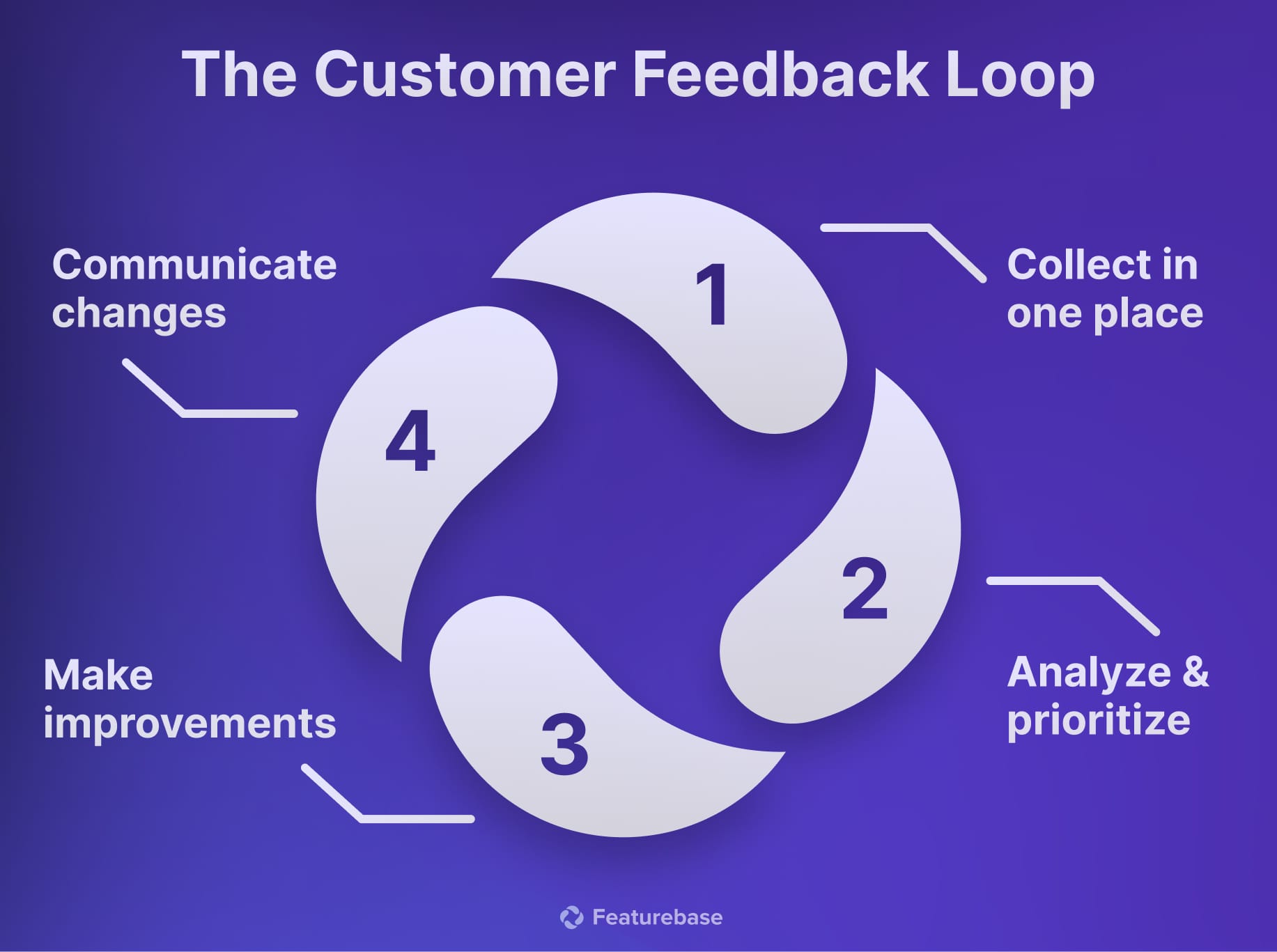
When a change works, put it into your documentation and onboarding. Close the customer feedback loop by telling affected customers when the issue they reported is fixed.
Customer service improvement plan template
Copy this into a shared document for each priority. If you're using a spreadsheet, give each action its own row and keep the goal visible.
| Field | What to write |
|---|---|
| Problem | The specific difficulty, channel, and affected customers |
| Supporting evidence | Ticket examples, customer comments, and the likely cause |
| Baseline | Current result, measurement period, and metric definition |
| Target | The result you want and when you want to reach it |
| Actions | The changes someone needs to make |
| Owner | The person responsible for each action |
| Resources | Time, budget, training, access, and help from other teams |
| Deadline | Due dates for the actions and overall goal |
| Review schedule | When you'll meet, who needs to attend, and where you'll record progress |
| Quality checks | What you'll watch to catch problems the change might cause |
At each review, add a short note with the latest result, anything blocking the work, and the next decision. That gives the next person enough context without turning the plan into a second reporting job.
3 customer service improvement plan examples
These examples are hypothetical. The numbers show how to write a measurable plan, not company results or recommended benchmarks.
Reduce slow email responses
Billing emails bounce between support and finance. Neither team has clear responsibility for the first reply, so customers wait even when the answer is straightforward.
| Plan element | Example |
|---|---|
| Baseline | Median first response: 8 business hours. Billing CSAT: 88%. |
| Goal | Reach a 4-business-hour median within 60 days, with CSAT at least 88%. |
| Actions | Route billing emails to a dedicated queue, assign backup coverage, and update invoice reply templates. |
| Owner | Support lead, with a named finance contact for exceptions. |
| Resources | Time set aside for queue coverage and finance review of templates. |
| Review | Weekly, using the same business-hours definition and billing ticket criteria. |
| Quality checks | Read a sample of first replies and look for unresolved follow-ups. |
Include emails that haven't received a reply in the review. A report based only on answered messages can miss the customers who are still waiting.
Prevent repeat how-to questions
Customers keep asking how to invite teammates. The guide is hard to find, and it doesn't explain why someone without the right permissions can't send an invitation.
| Plan element | Example |
|---|---|
| Baseline | 40 teammate-invitation questions per 1,000 active accounts each month. |
| Goal | Reduce that rate to 25 within 90 days without increasing unresolved invitation complaints. |
| Actions | Rewrite the guide, surface it near the invitation flow, and test AI answers using the updated content. |
| Owner | Support knowledge owner, with product help for placement. |
| Resources | Article editing time, product review, and a limited AI pilot. |
| Review | Weekly checks, plus a monthly comparison using the same active-account definition. |
| Quality checks | Review failed self-service attempts, AI handoffs, and customer comments. |
Measuring questions per 1,000 active accounts keeps growth from distorting the result. A lower raw ticket count could simply mean fewer people are using the product.
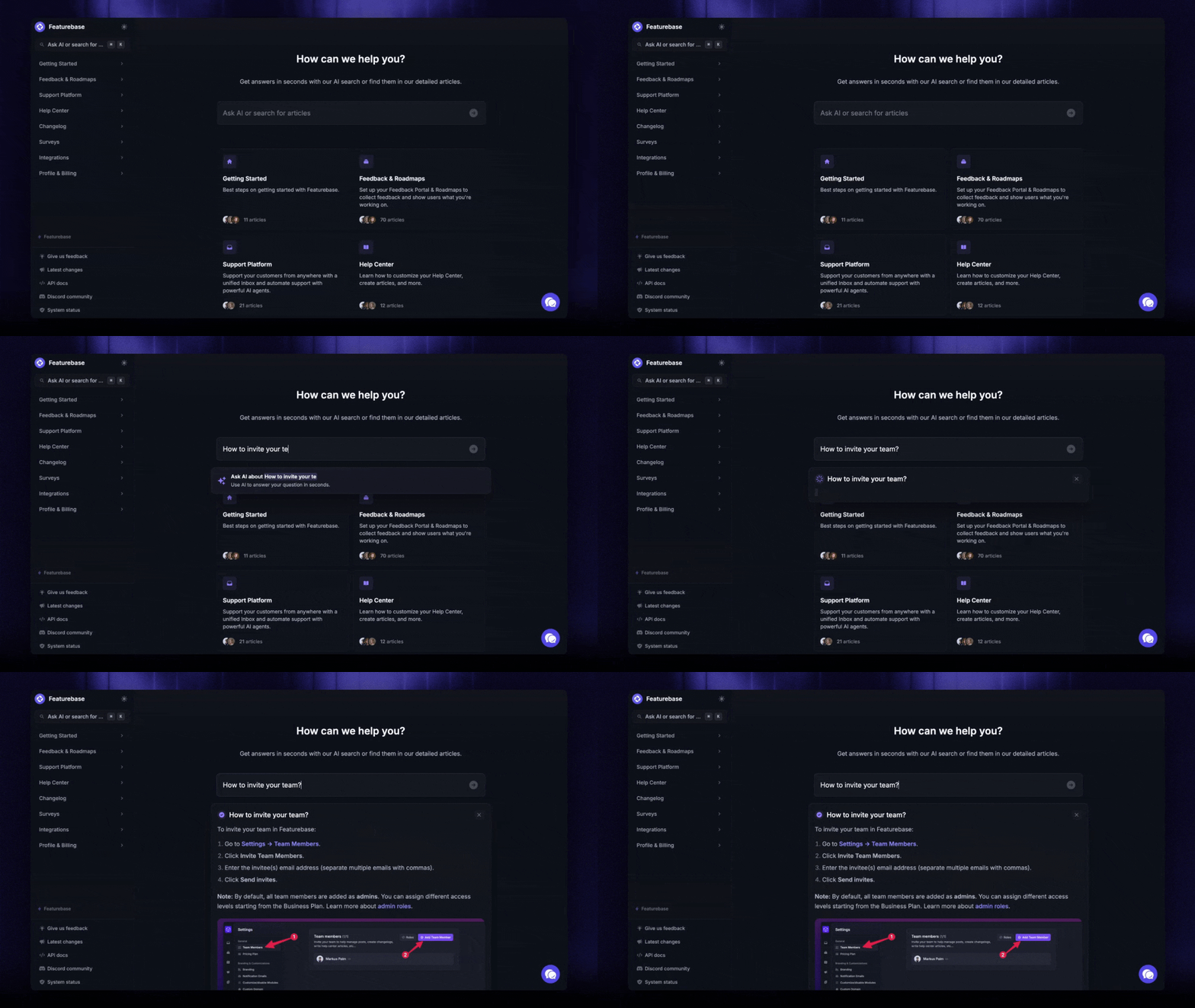
Featurebase's Fibi AI Agent can answer questions using Help Center content. Its reporting separates assumed resolutions from customer-confirmed ones, so you can distinguish a customer saying the answer helped from a conversation treated as resolved without that confirmation.
Improve handoffs for complex issues
An agent sends a technical issue to engineering without the troubleshooting history. The customer has to repeat the details, and nobody is sure who should send the next update.
| Plan element | Example |
|---|---|
| Baseline | A ticket review finds missing troubleshooting notes in 12 of 40 escalations. |
| Goal | Reduce incomplete handoffs to 4 or fewer in the next comparable 40-case review within 60 days. |
| Actions | Introduce a handoff checklist, practice using it, and assign 1 person to own customer updates. |
| Owner | Support operations lead, with an engineering counterpart. |
| Resources | Shared checklist, practice sessions, and an agreed escalation route. |
| Review | Weekly conversation reviews using the same checklist. |
| Quality checks | Confirm the checklist doesn't delay urgent escalations. |
Define a complete handoff before counting it. The next person should have enough context to continue troubleshooting, even if some optional fields are empty.
A 30/60/90-day rollout for your improvement plan
A 90-day schedule gives the work some structure. A reply-template fix may take less time, while a billing change that needs engineering could take longer.
| Period | Focus | What should be ready |
|---|---|---|
| Days 1–30 | Record current performance, find the cause, and launch a focused pilot. | A completed plan, agreed targets, named owners, and early pilot feedback. |
| Days 31–60 | Adjust the change, coach the team, and clear anything blocking the work. | Updated guidance, evidence the team is using it, and a comparison with the baseline. |
| Days 61–90 | Expand changes that are helping and see whether the improvement lasts. | A results review, updated procedures, and the next priority. |
Use each milestone to make a decision. If customers understand the new subscription explanation and fewer come back confused, expand its use. If the wording still creates questions, revise it before rolling it out further.
Keep a short record of launches, outages, staffing changes, and policy updates. Those events help explain a change in performance that your plan didn't cause.
When work slips, name what's blocking it. Waiting for an engineering fix calls for a different response from giving agents time to practice a new process.
Put your improvement plan into practice with Featurebase
For SaaS teams whose support conversations regularly turn into product requests, I'd choose Featurebase over assembling separate tools for support, help content, and feedback. Bringing those jobs into the same platform is its most useful buying reason.

A subscription question, for example, might reveal that customers need a more flexible way to manage seats. Support needs to answer today's question, while product needs a place to collect that recurring request. Featurebase combines support with feedback and roadmap tools, plus a changelog for sharing updates when something changes.
That combination is useful in a few specific ways:
- Routine answers can use your help content: Fibi can answer from Help Center content. It also supports custom actions, such as trial extensions and refunds, when you've configured the action and its rules.
- Human support has a shared inbox: Agents can manage live chat, email, and Slack conversations in one place. Routing and assignment workflows help give requests an owner when someone needs to step in.
- Product feedback has a place beyond the ticket: Feedback collection, roadmaps, and product updates support the work of recording recurring requests, communicating plans, and telling customers what shipped.
I'd favor this setup when recurring product questions are a meaningful part of your support workload. If your immediate problem is an unclear refund policy or too little queue coverage, that still needs attention alongside any software change.
Pricing: The Free plan includes 1 seat and unlimited conversations. Paid plans start at $29/seat/month billed annually, or $37/seat/month billed monthly. Fibi is available on paid plans at $0.49 per AI resolution. Feature availability varies by plan.
The seat price and AI resolution charge are separate parts of the cost, so include both when estimating a paid setup that uses Fibi.

Resolve 70% of customer requests with AI
Automatically resolve customer issues & cut down support loads for your team
Conclusion
Start your customer service improvement plan with a problem customers already feel: a refund they have to chase, a subscription answer they can't understand, or a handoff that makes them repeat themselves. Give someone the time and authority to fix it, then use the results to decide what comes next.
Featurebase is a strong fit for SaaS teams that need to answer those questions and bring recurring product feedback into the same workflow. Its combination of support, help content, AI, and feedback tools gives those teams a practical reason to consolidate.
You can explore Featurebase with a Free plan or try paid features with a trial, with no credit card required to get started. 👇
✨ Automate your support with Featurebase →

FAQs
How do you measure customer service improvement?
Compare results across similar cases using the same metric definitions, and look for a change that lasts beyond a single good week. Ticket volume and complexity can move the numbers even when the process hasn't improved. If several changes happened together, report their combined result rather than crediting one without evidence.
What are the most important customer service skills?
Core customer service skills include listening, clear communication, product knowledge, empathy, and sound judgment. Their importance varies with the job: a technical issue needs careful diagnosis, while a disputed renewal may need a calm explanation of the policy and available options. Coach those specific behaviors using real conversations.
How can you improve customer service quickly?
Choose a recurring problem your team can fix without waiting on a larger project. Correcting an outdated refund answer or giving an overlooked queue a clear owner can be a useful first step. A product defect or a shortage of agents will need a longer plan.
Which customer service tools should you prioritize?
A shared inbox with clear assignment is useful when requests get lost between teammates. Better help content and customer self-service are more relevant when agents spend their day answering the same how-to questions. I'd start with whichever addresses the recurring problem, including capabilities your current tools already offer.
Can NPS measure the success of a service improvement plan?
Net Promoter Score measures willingness to recommend your company, so product quality, pricing, and other experiences can all affect the answer. It's useful for broader relationship trends, but it won't isolate the effect of a new support process. Use it alongside service-specific measures such as CSAT and repeat contacts.