Blog Customer Service15 Customer Service Software Examples for 2026
15 Customer Service Software Examples for 2026
Compare 15 customer service software examples, including features, current pricing, free-plan limits, and trade-offs to find the right fit for your team.



✨ Automate your support with the fastest AI-enhanced Inbox today →
Slow replies, a messy inbox, and customers repeating themselves across 3 different channels. That is what bad customer service software feels like, and switching tools once you have outgrown one is painful.
The hard part is not finding options. It is figuring out which type actually fits your team, your budget, and the channels your customers use.
So here are 15 real customer service software examples, covering who each one is for, their features, pricing, and honest trade-offs. 👇
Key takeaways:
| Tool | Best for | Starting price | Free plan | Standout |
|---|---|---|---|---|
| ✨Featurebase | Modern SaaS teams wanting AI support + feedback in one | $0 (free), then $29/seat/mo | Yes, unlimited conversations | Fibi AI Agent at $0.49/resolution |
| Kayako | Mid-market teams scaling support with AI | $1 per resolved ticket | No | AI Agent with outcome-based pricing and expert-led implementation |
| Chatbase | AI customer service alongside an existing or built-in helpdesk | $0 (free), then $40/month | Yes, 50 message credits/month | AI agents that answer, take action, and hand off to human |
| RingCentral CX | Support teams running phone and digital channels together | $65/user/mo | No | Voice + 20+ digital channels with real-time AI agent assist |
| Zendesk | Enterprises standardizing support across departments | $19/agent/mo | No (14-day trial) | Mature, deep platform and reporting |
| Freshdesk | Value buyers wanting a full suite | $19/agent/mo | Yes (limited) | Freddy AI across the Freshworks suite |
| Intercom | Product-led SaaS wanting AI plus in-app chat | $19/seat/mo billed annually ($29 monthly) + $0.99 per Fin outcome | No (trial) | Fin AI agent for autonomous resolution |
| Help Scout | Small teams wanting a simple shared inbox | $25/user/mo | Yes (100 contacts) | Email-style inbox, fast setup |
| Zoho Desk | Zoho users wanting affordable ticketing | $7/user/mo | Yes (3 agents) | Low cost inside the Zoho ecosystem |
| WotNot | Medium and enterprise teams wanting no-code AI chatbots | $99/mo | No (free trial) | No-code bot builder across web, WhatsApp, and voice |
| Gorgias | Shopify and DTC ecommerce | $10/mo (flat) | No (trial) | Native Shopify order actions |
| HubSpot Service Hub | Teams already on HubSpot CRM | $7/seat/mo | Yes (2 users) | CRM-native ticketing |
| Salesforce Service Cloud | Large enterprises on Salesforce | $25/user/mo | No (trial) | Deep CRM data and customization |
| LiveAgent | Multichannel support on a budget | $15/agent/mo | Yes (limited) | Many channels in one inbox |
| Tidio | SMBs and ecommerce teams wanting chat, automation, and AI in one tool | $24.17/month | Yes | Lyro AI agent + ecommerce automation |
What is customer service software?
Customer service software is any tool that helps a team receive, manage, and respond to customer questions across channels like email, live chat, social, and phone. It replaces scattered inboxes and spreadsheets with one place to track every conversation, automate repetitive replies, and measure how support is performing.
In a 2025 survey, Gartner found that service leaders expected self-service and live chat to rank ahead of phone and email among their most valuable customer service technologies by 2027. That is a forecast of technology priorities, rather than a measurement of which channels customers use most.
With cloud-based customer service software, agents access the platform online while the vendor manages its infrastructure. Your team still needs to maintain its support content, permissions, and integrations.
Most tools fall into a few broad types:
- Helpdesk and ticketing: Turns every request into a trackable ticket with status, priority, and assignment. Best when volume is high and nothing can slip.
- Shared inbox tools: A team email inbox with collaboration and light automation. Feels like email but built for support.
- Live chat and messaging: Real-time chat on your site or in your app, usually paired with chatbots for instant answers.
- AI support platforms: Use AI agents to answer questions and complete connected tasks, with human handoff when needed. Some include a helpdesk, while others connect to the one you already use.
- CRM-integrated service tools: Support that lives inside your CRM, so agents see the full customer history alongside sales data.
- Knowledge bases and self-service tools: Publish searchable answers and guides so customers can solve common problems without opening a ticket.
What to look for in customer service software
A few capabilities separate a tool you will still love in 2 years from one you will be migrating off:
- Omnichannel inbox: Email, chat, social, and SMS in one view so agents stop tab-switching and customers get consistent answers.
- Automation and workflows: Auto-assignment, routing, and macros that take the repetitive busywork off your team.
- A knowledge base for self-service: Customers need accurate, searchable answers. Follow knowledge base best practices and review failed searches to find missing or outdated content.
- AI agents and copilots: Modern AI customer support software can resolve routine tickets on its own and draft replies for agents. Check whether the agent can complete an action, such as changing an order, or only suggest an answer.
- Reporting and SLAs: Dashboards and service-level tracking so you know response times, resolution rates, and where the bottlenecks are.
- Human handoff: Customers should be able to reach a person without repeating their issue. In Gartner's 2026 survey of 3,566 customers, 87% considered access to a human essential when companies use GenAI for customer service.
- Channels included in your plan: Confirm which email, social, messaging, and phone channels your chosen tier supports. A platform offering a channel does not mean its cheapest plan includes it.
Modern platforms bundle most of these. Featurebase, for example, pairs an omnichannel inbox with the Fibi AI Agent that can resolve tickets and run actions like refunds and trial extensions, so you are not stitching 5 separate tools together.
14 customer service software examples for 2026
Here are 14 examples worth knowing, starting with the most modern all-in-one option and covering enterprise, ecommerce, and small-team picks.
1. Featurebase✨

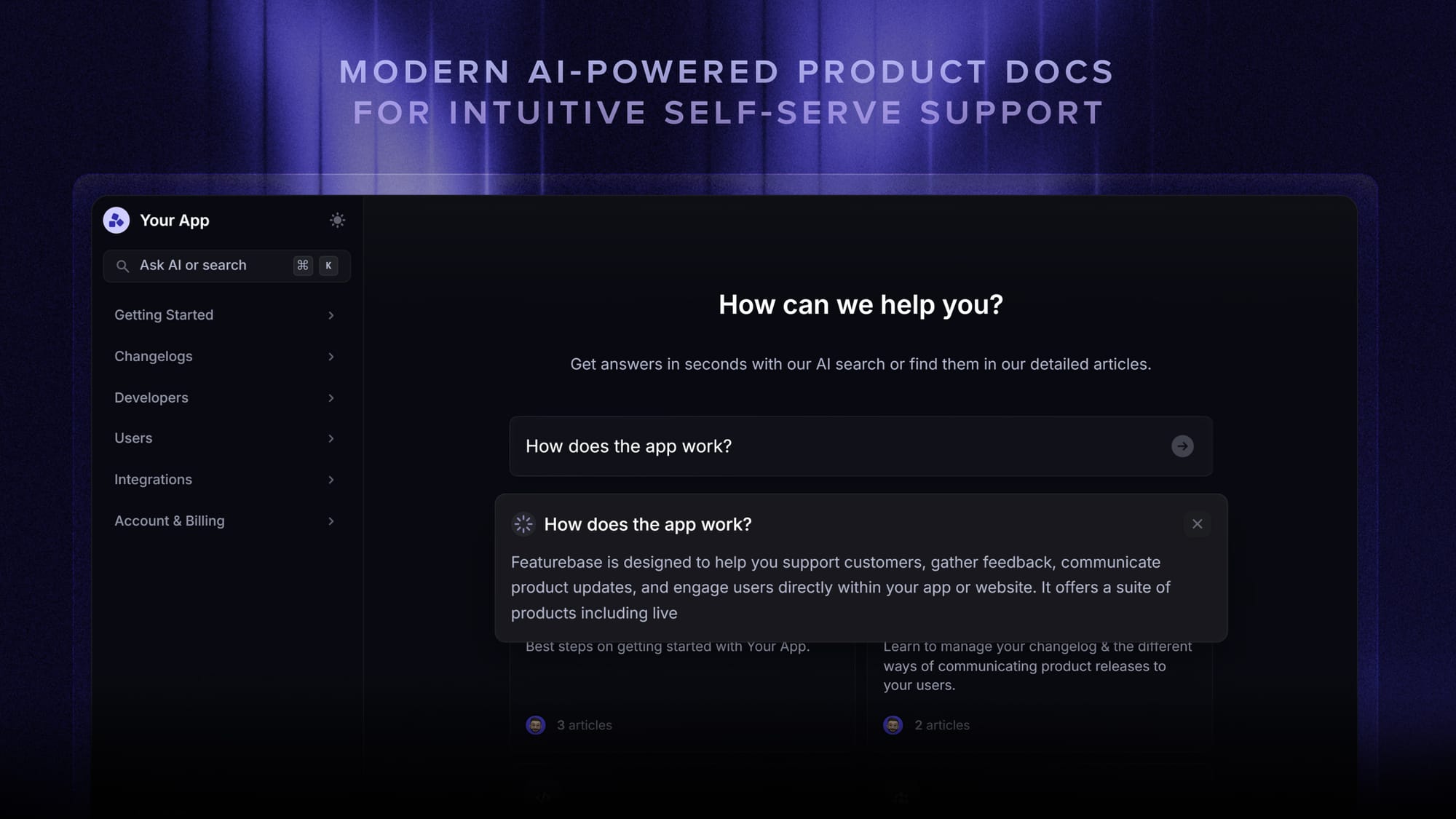
Featurebase is a modern AI customer support platform for product-led SaaS. It combines an omnichannel inbox, help center, and feedback tools in one place, and it is used by support teams at companies like Lovable, Raycast, and n8n.
Key features
- Omnichannel inbox across live chat, email, and Slack
- Fibi AI Agent that resolves tickets and runs actions like refunds and trial extensions
- Help center with AI search and automatic translations
- Workflows, SLAs, and an AI Copilot for agents
- Built-in feedback, roadmap, and changelog tools
Its strength is bundling support and product feedback in one modern platform with flat AI pricing, which suits fast-growing SaaS teams that don't want a separate stack. The trade-offs are that it is newer than legacy incumbents like Zendesk, it does not host native phone or voice (it integrates with tools like Aircall instead), and it is built for SaaS rather than ecommerce-specific workflows.
Pricing: Free plan with unlimited conversations, then paid plans from $29/seat/month with $0.49 per AI resolution.
Best for: Modern SaaS teams that want AI support and product feedback in a single tool.

Everything your support team needs
Automatically resolve 70% of customer requests & cut down manual support loads
2. Kayako
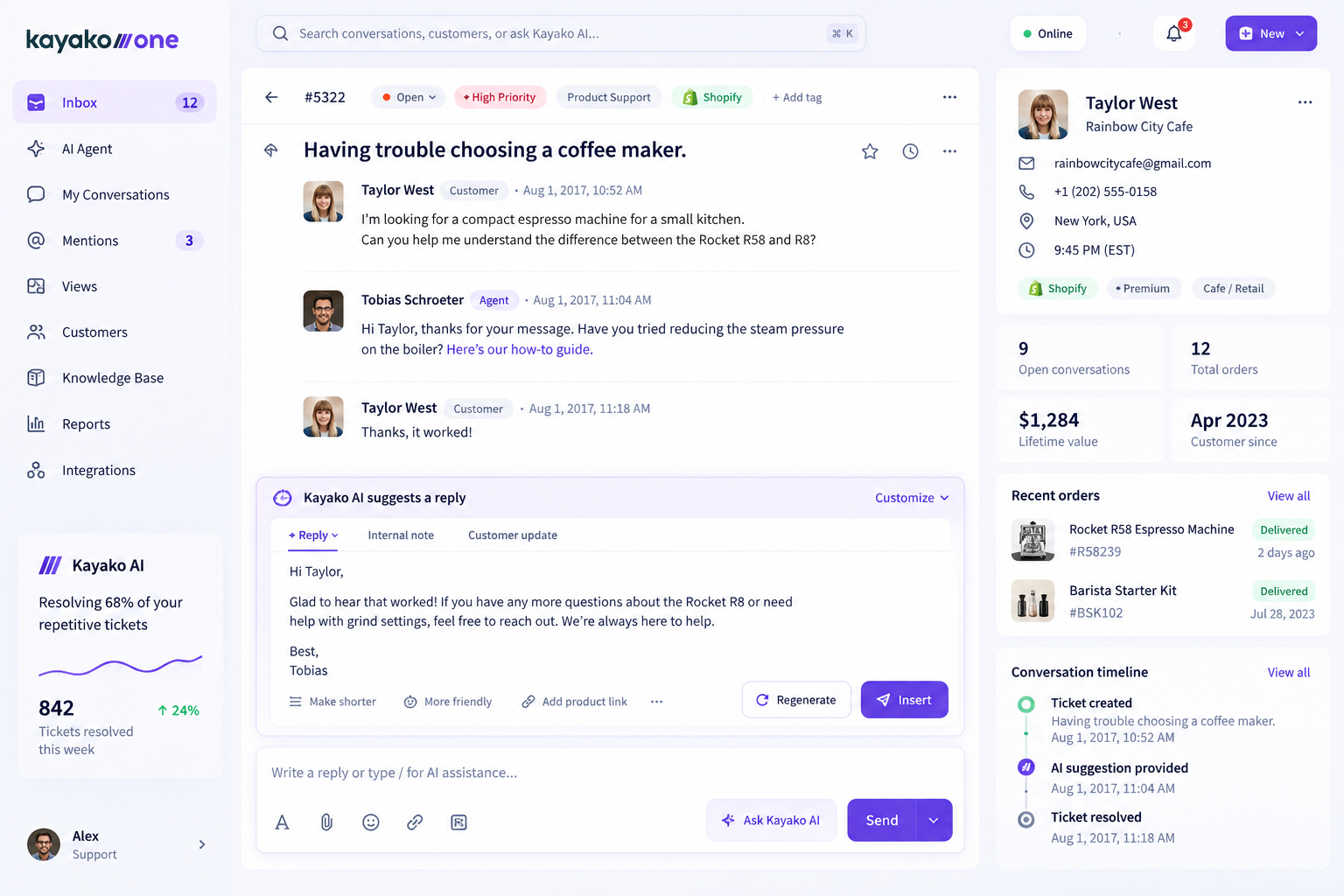
Kayako is an AI-powered customer support platform built for mid-market teams that want to scale support without scaling headcount. Its AI Agent can work with existing helpdesks such as Zendesk, Freshdesk, and Intercom, allowing teams to introduce AI without migrating their entire support operation.
Key features
- AI Agent that triages, responds to, and resolves repetitive support tickets
- Works with existing helpdesks through API integrations
- Expert-led implementation with a phased rollout, starting with one support queue
- Progressive automation, from intelligent triage and agent assist to autonomous resolution
- KPI tracking for metrics including CSAT, first-contact resolution, response time, and cost per ticket
Its main differentiator is the combination of AI automation, zero-migration deployment, and outcome-based pricing. Rather than requiring teams to replace their existing helpdesk, Kayako can be deployed on a single support queue and expanded as the AI proves its performance. The trade-off is that Kayako is designed primarily for mid-market, higher-volume support operations, and its expert-led implementation is more involved than a purely self-serve AI tool.
Pricing: $1 per ticket resolved, with a $15,000 one-time onboarding fee for production deployments.
Best for: Mid-market support teams that want to automate repetitive tickets, reduce support costs, and scale resolution capacity without replacing their existing helpdesk.
3. Chatbase
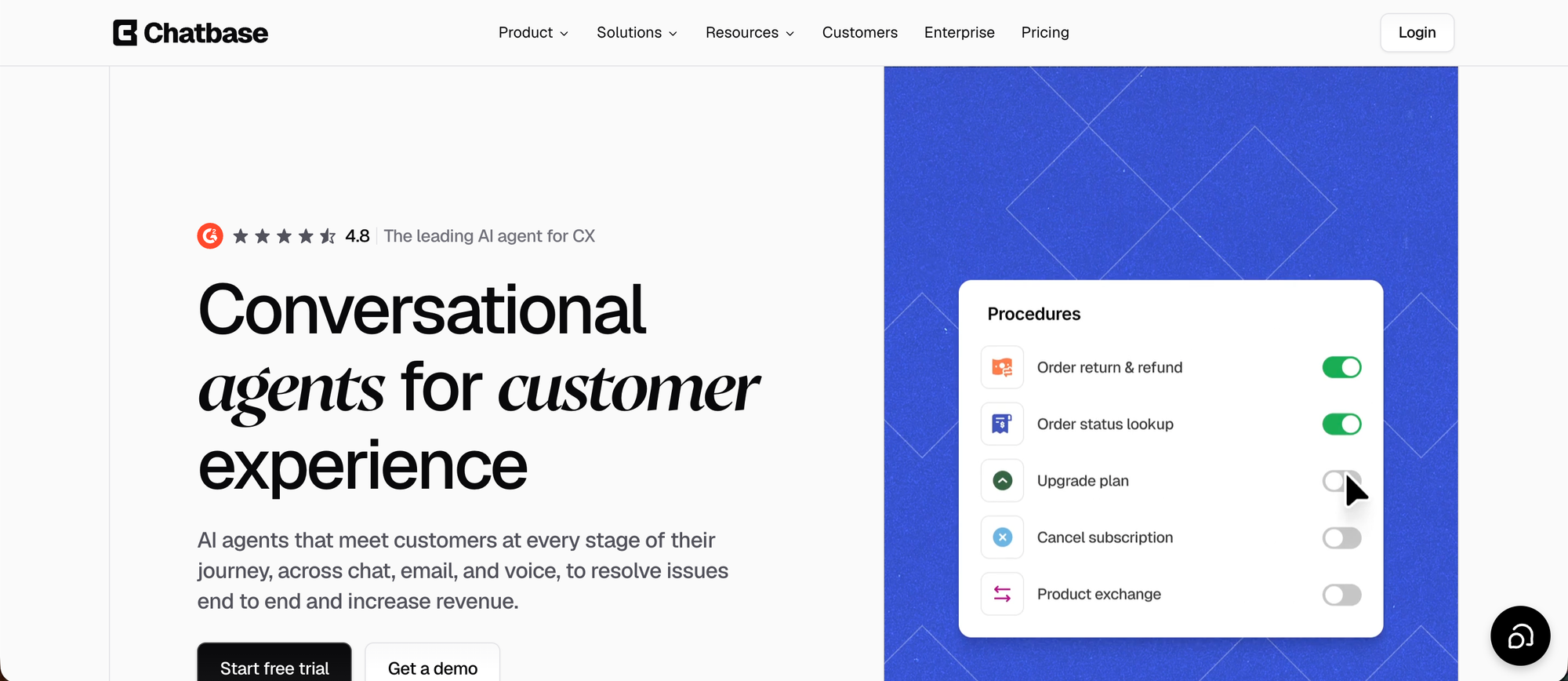
Chatbase helps teams build AI customer service agents trained on their support content. Agents can answer questions across website chat, email, WhatsApp, and social channels, use connected tools to complete tasks, and hand conversations to a person when needed. Teams can use Chatbase’s built-in helpdesk or connect an existing one, such as Zendesk or Gorgias.
Key features
- AI agents trained on websites, documents, and support content
- Actions that can retrieve Shopify products and orders or work with connected systems
- Built-in helpdesk with ticket assignment, custom views, reporting, and AI-assisted replies
- Live handoff and ticket creation with conversation context
- Integrations with Zendesk, Salesforce, Freshdesk, Intercom, Gorgias, and other support tools
The option to keep an existing helpdesk makes Chatbase useful for teams that want to add AI without moving their entire support operation. Jumia’s J Force program, for example, reports that its Chatbase agent handles 50% of support volume and resolves 80% of queries without a human. The main plan limitation is that the free tier has no AI Actions, while the built-in helpdesk starts on Standard.
Pricing: Free plan with 50 message credits per month. With monthly billing, Hobby starts at $40/month with 700 credits, while Standard starts at $150/month and includes the helpdesk. Plans use message credits rather than a separate per-resolution AI fee.
Best for: Teams that want AI agents to handle customer requests across channels while keeping their current helpdesk or using one built into the same platform.
4. RingCentral RingCX
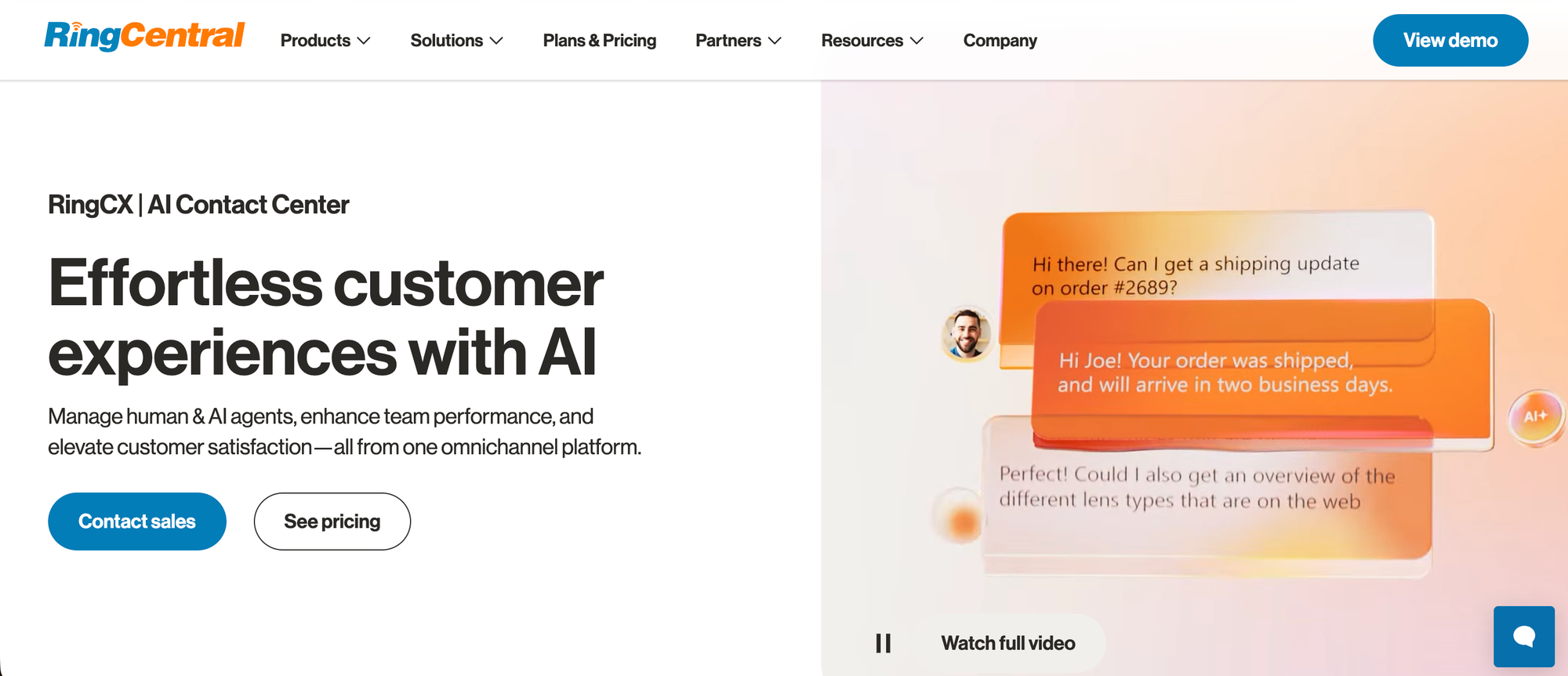
RingCX is RingCentral’s AI contact center platform for teams that run phone support alongside digital channels. Human and AI agents work from the same omnichannel workspace, and a new contact center can be deployed in a few days.
Key features:
- Voice plus 20+ digital channels, including website, email, social media, and messaging
- Intelligent Virtual Agent (IVA), a no-code self-service bot for voice, chat, and messaging that hands off to a live agent with the full conversation context
- AVA Agent Assist for real-time answers during live interactions, plus AVA Supervisor Assist for team insights
- AI Quality Management and AI Interaction Analytics for scorecards, transcripts, call summaries, and sentiment analysis
- 250+ pre-built reports with custom and live dashboards
- Integrations with Salesforce, ServiceNow, HubSpot, Zendesk, and Google
RingCX’s strength is voice. Teams that take a high share of phone calls get call routing, recordings, and AI coaching in the same place as chat and email, without bolting a separate phone system onto a helpdesk. Because it integrates with Zendesk, Salesforce, and HubSpot, teams can keep their existing ticketing setup. The trade-off is that pricing is per user, which suits steady, staffed teams more than small teams handling mostly email and chat.
Pricing: Monthly plans start at $65 per user with unlimited minutes, and paying annually saves up to 15%. Higher tiers and AI add-ons are priced separately.
Best for: Customer service teams handling a high volume of phone calls alongside digital channels.
5. Zendesk
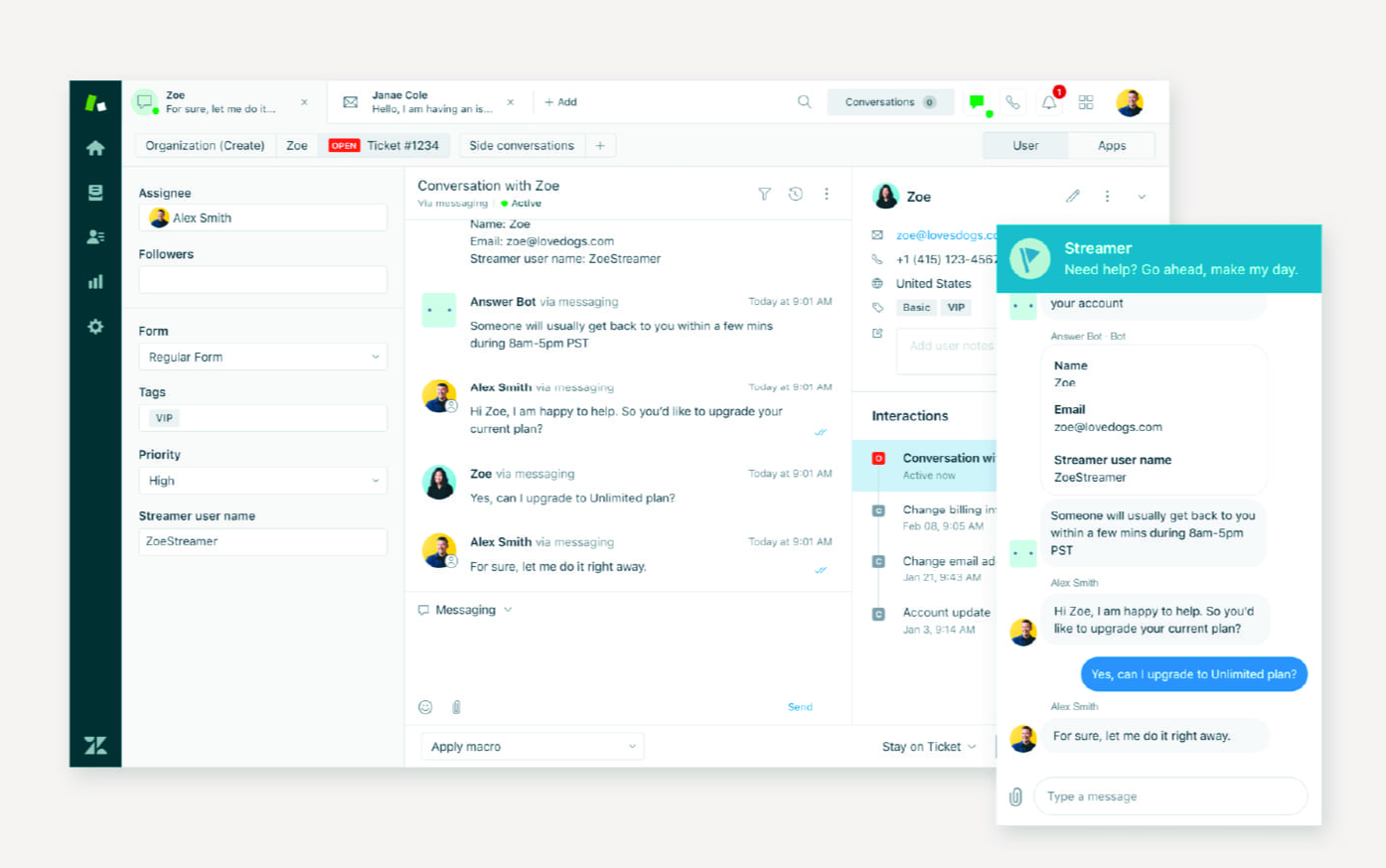
Zendesk is an established enterprise helpdesk for organizations coordinating support across multiple teams. Its routing, reporting, and integrations suit operations with complex support requirements.
Key features
- Ticketing across email, chat, social, and voice
- Automation, triggers, and macros
- Reporting and analytics dashboards
- A large app marketplace and integrations
Where it shines is depth and maturity. G2 feedback highlights setup complexity and the cost of adding capabilities as teams grow. Compare the exact plan and optional AI products you need rather than assuming the entry price covers the full suite.
Pricing: Support Team starts at $19/agent/month for basic ticketing, while Suite Team starts at $55/agent/month, both billed annually. Copilot and additional AI usage can add to the bill. No free plan.
Best for: Large organizations standardizing one platform across many departments.
6. Freshdesk
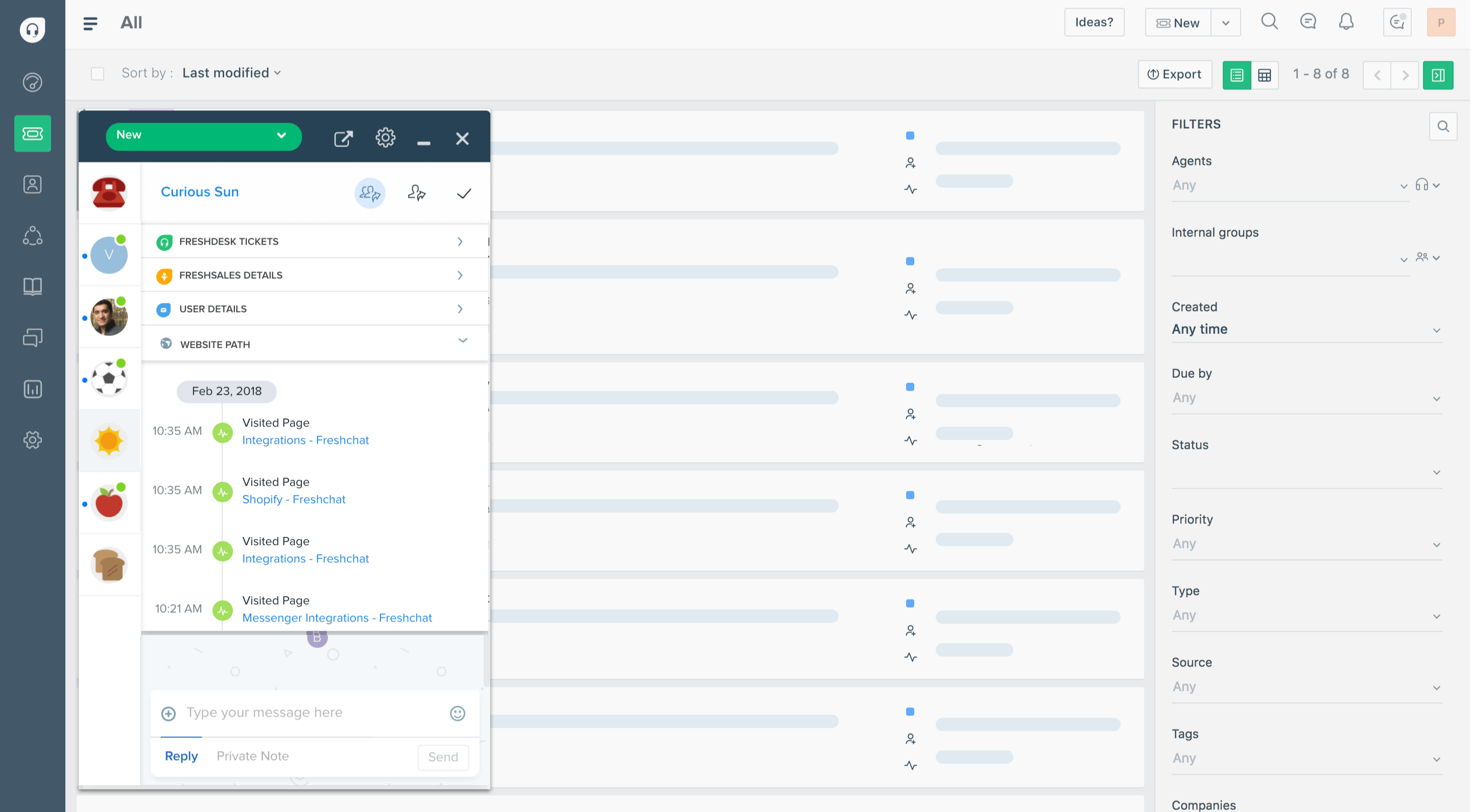
Freshdesk, from Freshworks, is a helpdesk for teams starting with email-based support and shared-inbox workflows. It is a common first tool for teams graduating from a shared Gmail inbox. Check the separate Freshdesk Omni offering if you need a broader set of channels.
Key features
- Email ticketing and shared inbox with automation
- Freddy AI agent and copilot
- Knowledge base and self-service portal
- Integrations across the Freshworks suite
Reviewers praise the clean interface and time-saving automation rules. Recurring G2 feedback points to limits in customization and features that require higher plans. Budget for the package that covers your channels and reporting needs.
Pricing: The free program supports up to 2 agents for 6 months. Growth costs $19, Pro $55, and Enterprise $89 per agent/month, billed annually. The first 500 Freddy AI Agent sessions are included, with additional sessions priced at $49 per 100.
Best for: Growing teams that want email ticketing, automation, and a knowledge base. For the enterprise contrast, see our Freshdesk vs Salesforce comparison.
7. Intercom
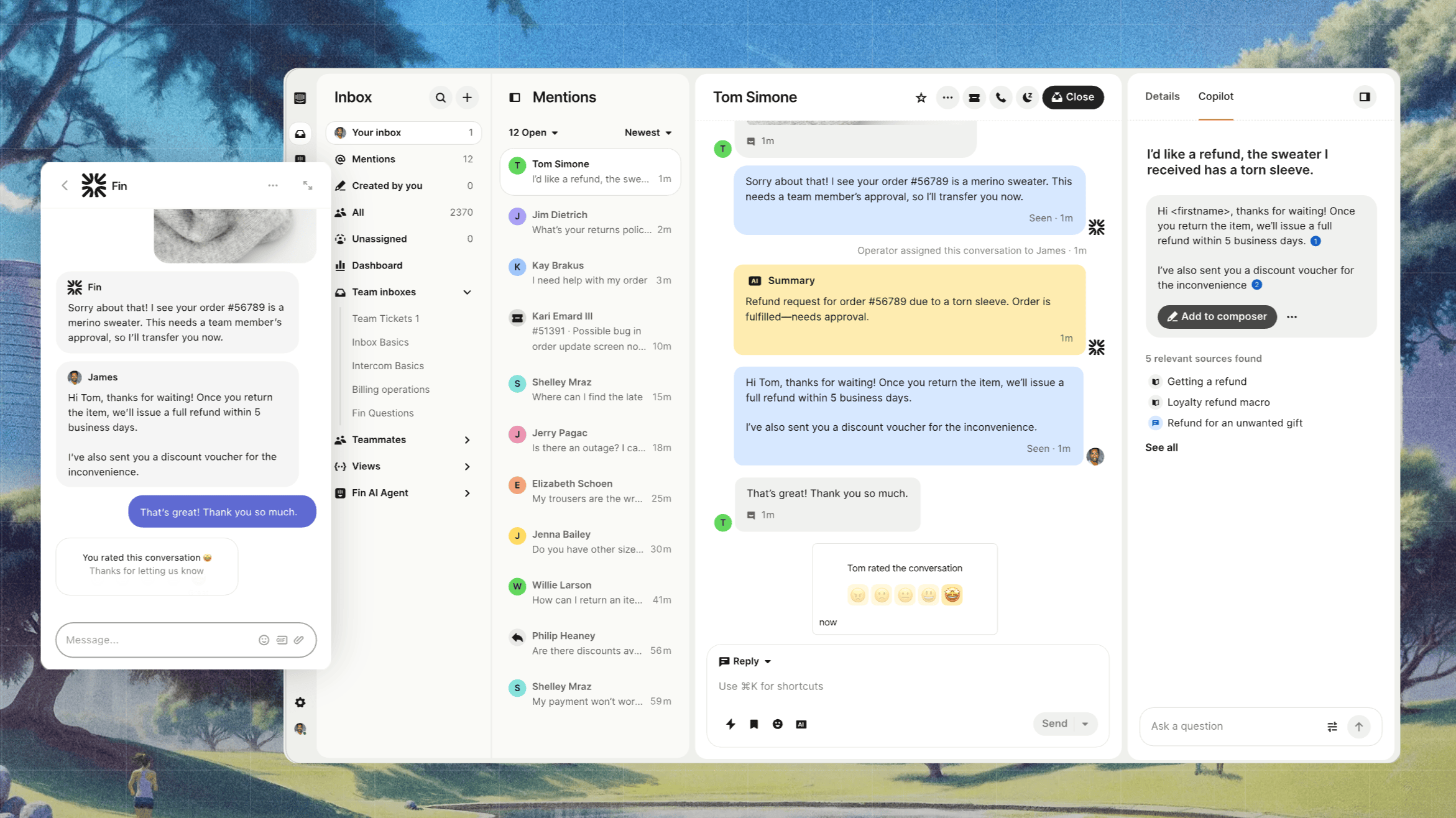
Intercom is the go-to for product-led SaaS teams that lead with in-app messaging and live chat. Its Fin AI agent answers support questions and can carry out connected actions.
Key features
- Messenger and shared inbox across chat, email, and social
- Fin AI agent for autonomous resolution
- Workflows, bots, and outbound messaging
- Strong in-app and product-tour tooling
Reviewers value Fin's ability to handle routine questions and reduce manual work. G2 feedback also highlights difficulty with nuanced requests and the need to maintain accurate support content. Test escalation rules carefully and include usage charges in your budget.
Pricing: Essential starts at $19/seat/month, Advanced at $85, and Expert at $132 per seat/month, billed annually. Essential costs $29/seat/month billed monthly. Fin is billed separately at $0.99 per outcome. No free plan.
Best for: SaaS teams that want AI resolution and in-app chat in one place.
8. Help Scout
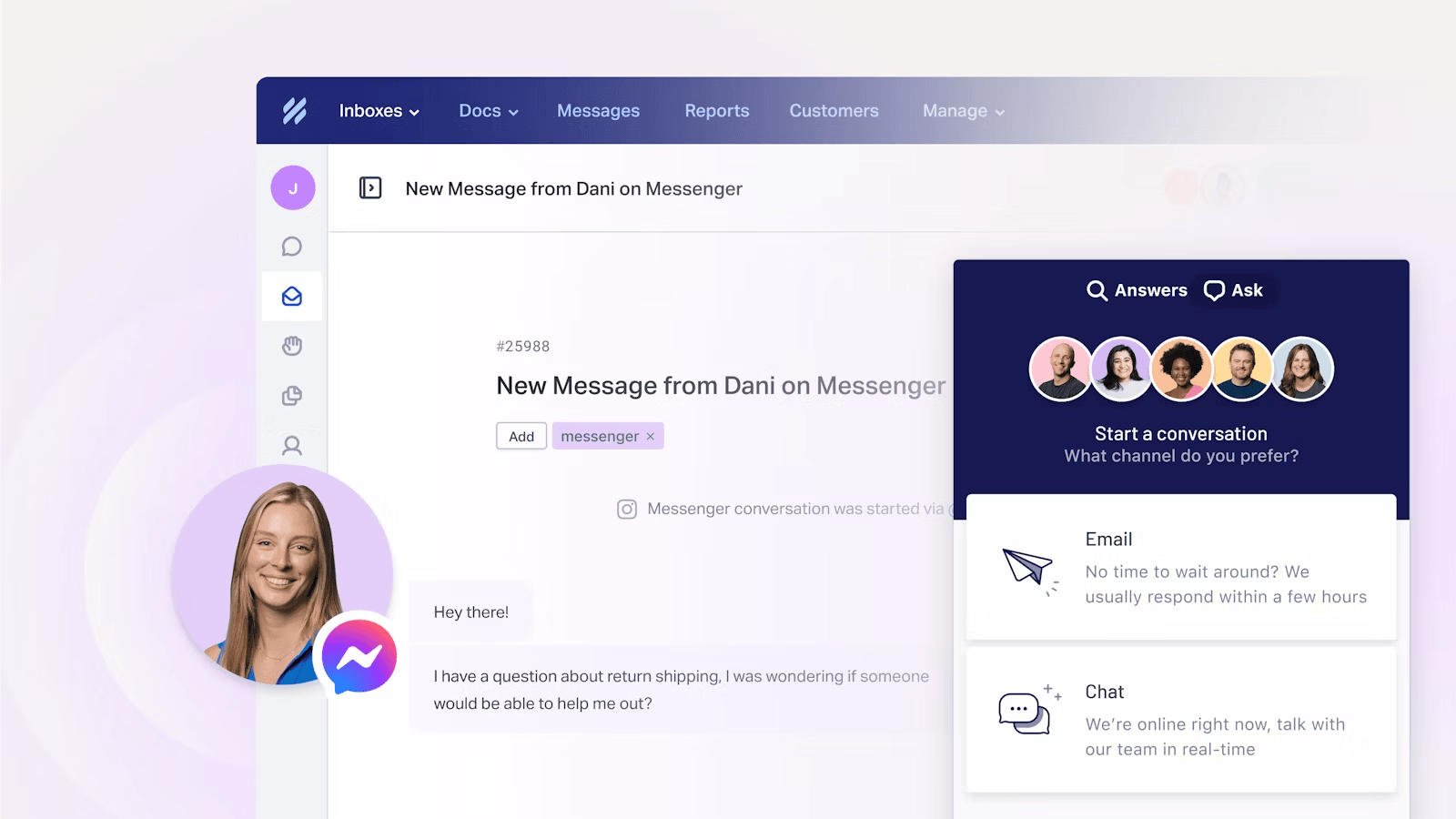
Help Scout focuses on support that feels like a personal email conversation. It looks and works like a shared email inbox, which makes it a favorite for small teams that want tidy conversations without a heavy helpdesk.
Key features
- Shared inbox with collaboration tools
- Knowledge base (Docs) and a chat widget (Beacon)
- Workflows, routing, and SLAs with capabilities that vary by plan
- AI inbox assistance and the AI Answers add-on
Its strengths are ease of setup and a familiar shared-inbox experience. G2 feedback flags reporting and customization limitations for more demanding workflows. Advanced workflows require Plus, while unlimited workflows and more routing options sit on Pro.
Pricing: Free includes 5 users, 1 inbox, and 1 Docs site. Standard costs $25, Plus $45, and Pro $75 per user/month with annual billing. AI Answers costs $0.75 per resolution.
Best for: Small teams that mostly need a clean shared inbox.
9. Zoho Desk
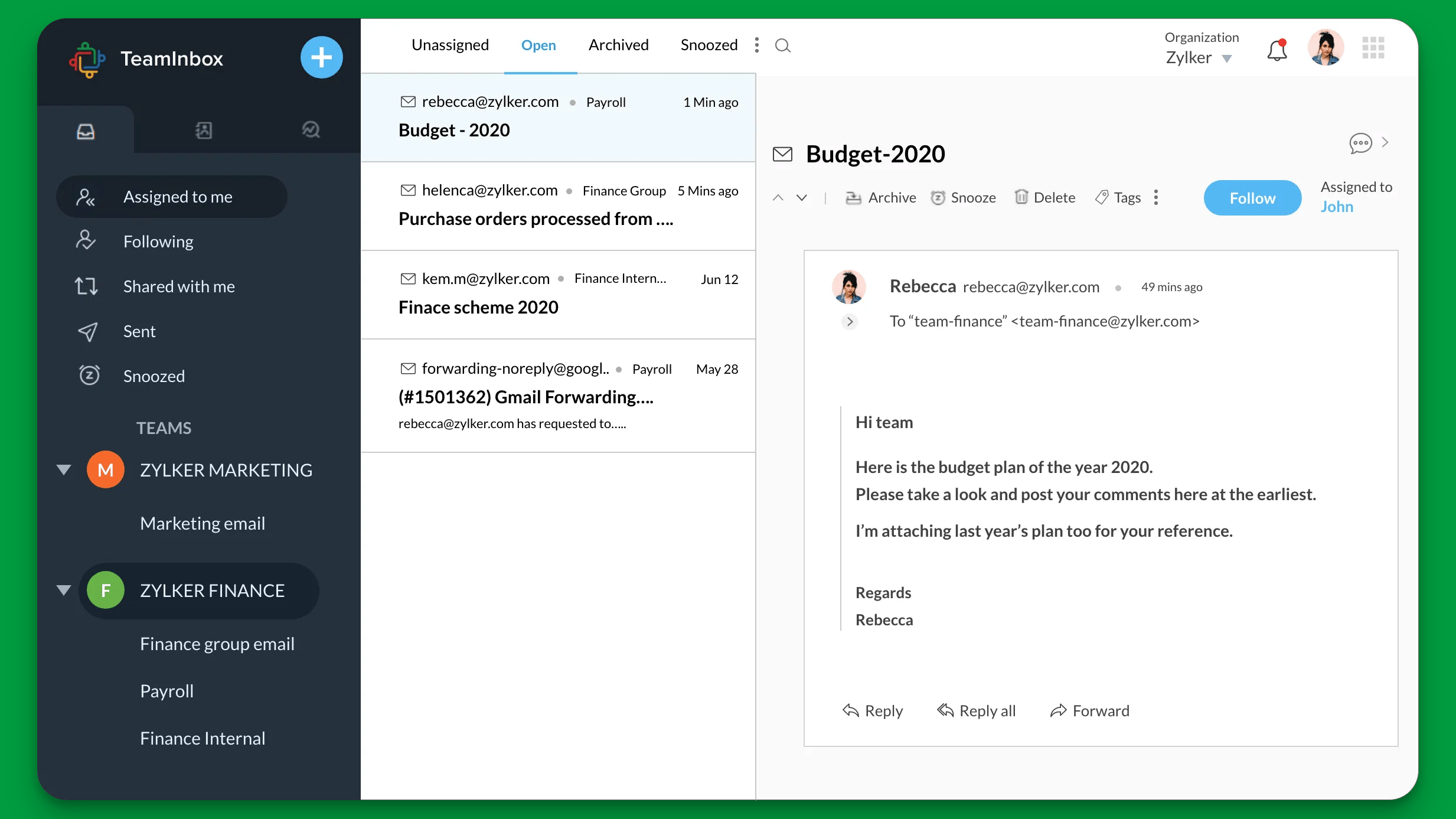
Zoho Desk is the affordable, ecosystem-friendly choice, especially if you already use other Zoho products. It packs a lot of ticketing power into a low per-user price.
Key features
- Ticketing and automation, with Blueprint process management on Professional and above
- Zia AI assistant
- Knowledge base and self-service portal
- Deep integration with the Zoho suite
Reviewers highlight the low cost and the tight Zoho ecosystem fit. Advanced automation can take time to configure, and the range of options can be overwhelming at first. Check the plan requirements for the Zia features and workflows you intend to use.
Pricing: Free for up to 3 agents, then Express at $7, Standard at $14, Professional at $23, and Enterprise at $40 per user/month (billed annually).
Best for: Budget-conscious teams already inside the Zoho ecosystem.
10. WotNot
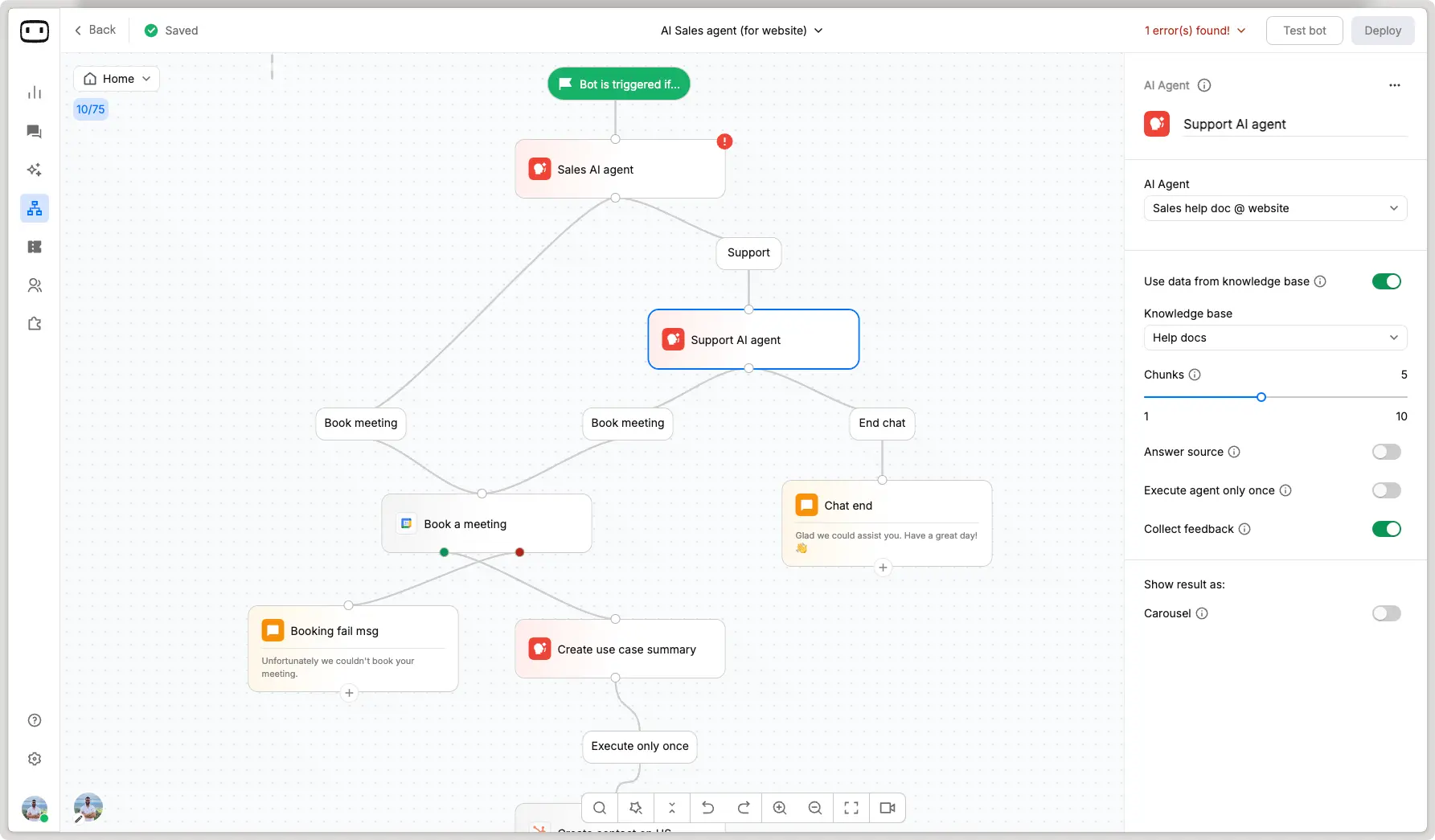
WotNot is a no-code AI chatbot and AI agent platform for teams that want to build automated support conversations. Its visual builder and AI Studio let teams create flows and ground answers in their own support content.
Key features
- Visual chatbot builder for conversation flows
- AI Studio for knowledge-based agents
- Multiple language-model options
- Integrations with business tools and support systems
- Live chat for human handoff on Premium
G2 reviewers value the approachable builder and helpful support. More complex flows and integrations can require extra work. Plan selection matters too, since live chat is listed on Premium rather than the entry-level Lite plan.
Pricing: Lite starts at $29/month with 1,000 chats and 1,000 AI credits. Starter costs $99/month and Premium $299/month, billed monthly. Enterprise pricing is custom, and a 14-day trial is available.
Best for: Teams that want to build no-code support bots and choose their plan around required integrations and human handoff.
11. Gorgias
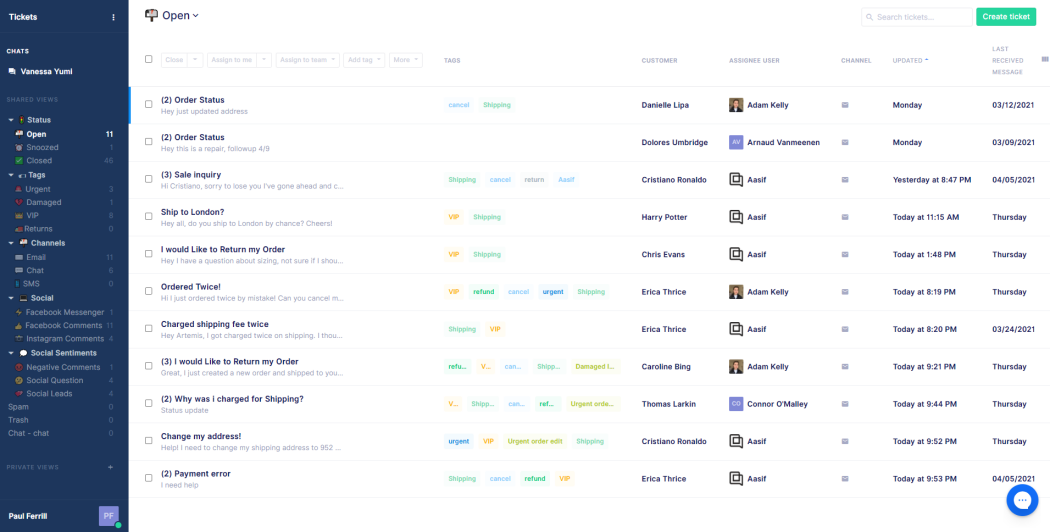
Gorgias is built specifically for ecommerce, with native Shopify integration. Agents can issue refunds, edit orders, and track shipments without leaving the helpdesk.
Key features
- Deep Shopify, Magento, and BigCommerce actions
- Centralized inbox across email, chat, social, and SMS
- Automation, macros, and intent detection
- AI Agent for ecommerce support
Its ecommerce integrations are a strong fit for retail support, but pricing is a recurring concern in G2 feedback. Gorgias bills by ticket volume, so seasonal peaks can increase costs. AI automation, voice, and SMS can add separate charges.
Pricing: Starter costs $10/month, billed monthly, for 50 tickets. With annual billing, Basic costs $50, Pro $300, and Advanced $750 per month. AI automated interactions cost $1.00 on Starter, $0.90 on Basic and Pro, and $0.85 on Advanced. Ticket allowances and overages also affect the bill.
Best for: Shopify and DTC ecommerce brands with predictable ticket volume.
12. HubSpot Service Hub
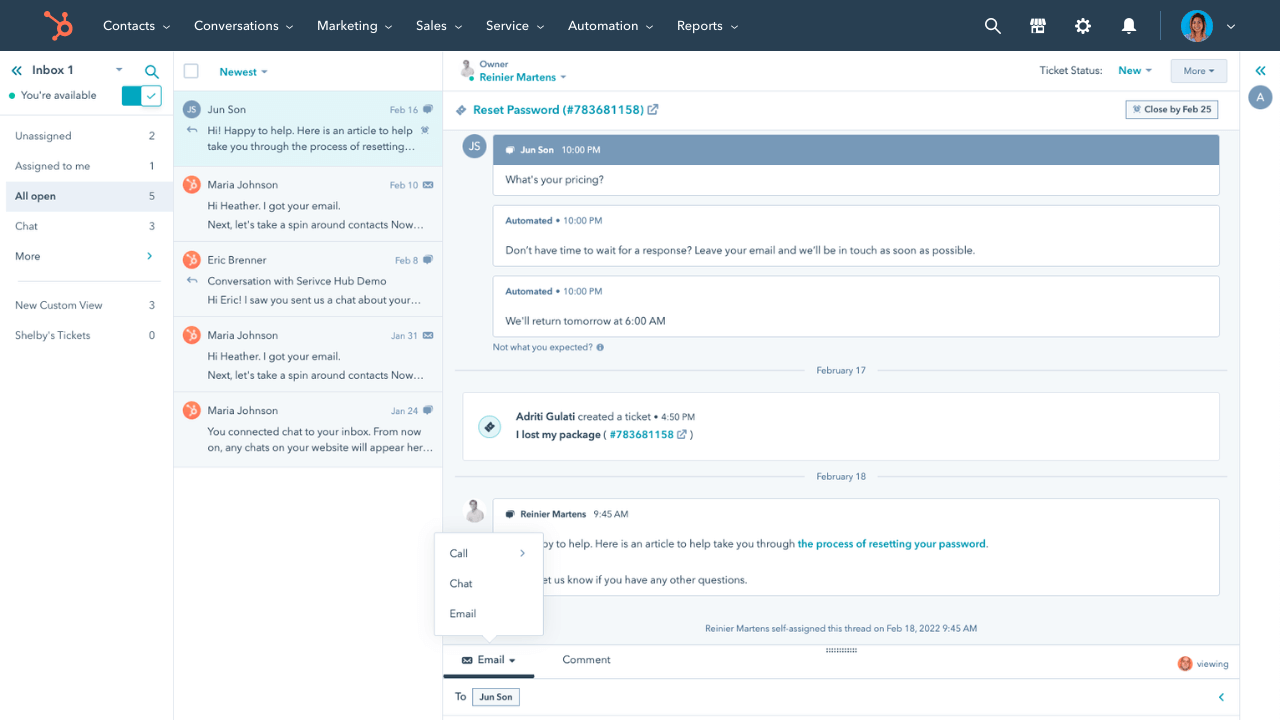
HubSpot Service Hub is the natural pick if you already run HubSpot CRM. Support tickets live right alongside your sales and marketing data, giving agents full customer context.
Key features
- Ticketing, shared inbox, and live chat
- Knowledge base and customer portal
- Automation and CRM-native workflows
- NPS, CSAT, and CES surveys
Reviewers value the ease of use and unified CRM view. The main trade-off is the jump to higher tiers for advanced workflows, reporting, and other service features. Review the plan requirements for your support process before choosing the Starter offer.
Pricing: Free tools support up to 2 users. HubSpot advertises its discounted Starter Customer Platform bundle at $7/seat/month with annual billing. Service Hub Professional starts at $90/seat/month billed annually, plus a $1,500 onboarding fee. The Starter offer is promotional, so check its terms when buying.
Best for: Teams already invested in the HubSpot CRM ecosystem.
13. Salesforce Service Cloud
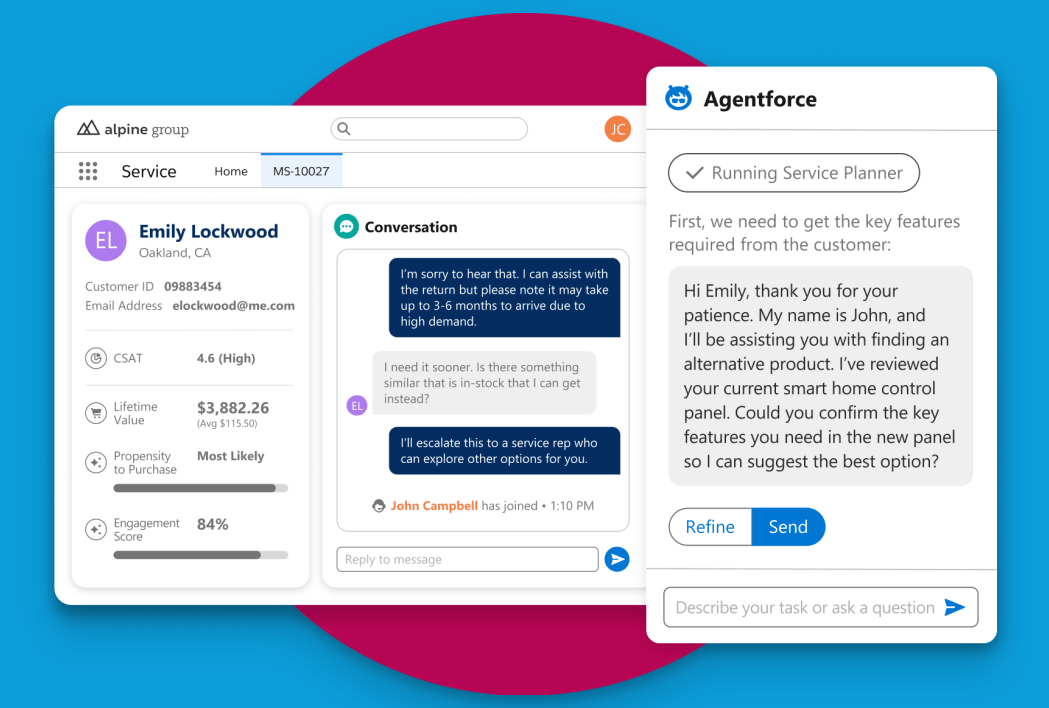
Salesforce Service Cloud is the enterprise standard for large organizations already running Salesforce. It centralizes every support interaction next to the full customer record and scales to almost any level of complexity.
Key features
- Case management across every channel
- Omnichannel routing and telephony
- Einstein AI and Agentforce automation
- Extensive customization and API access
Its strength is consolidating scattered data into one system of record. G2 reviewers flag setup complexity, ongoing administration, and costs as trade-offs. Required integrations, AI usage, and implementation work should be part of your budget.
Pricing: Starter Suite starts at $25/user/month, billed monthly or annually. Pro Suite starts at $100/user/month with an annual contract. Core costs $195, Advanced $395, and Max $550 per user/month, billed annually. No free plan.
Best for: Large enterprises already standardized on Salesforce.
14. LiveAgent
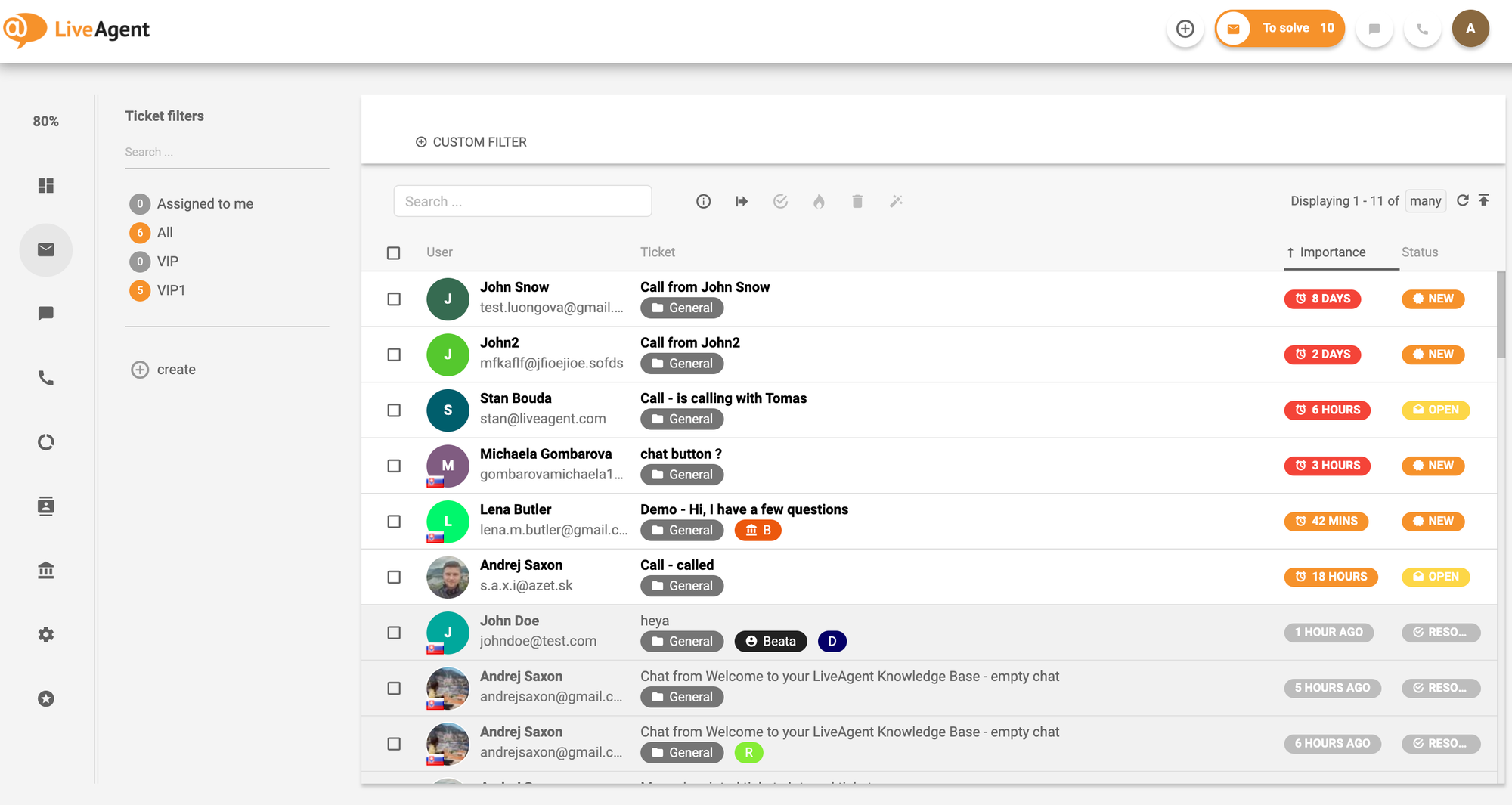
LiveAgent is an affordable, channel-rich helpdesk that bundles ticketing, live chat, a call center, and social support into one inbox. It is a solid budget option for teams that juggle many channels.
Key features
- Universal inbox across email, chat, social, and calls
- Multi-site live chat with real-time notifications
- Ticketing with automated distribution
- AI agents and agent-assistance features
Reviewers appreciate the ticketing tools and the range of channels available. The practical limitation is that those channels are not all included in the entry plan. The call center starts on Medium, while social channels are included on Large or available as add-ons to lower plans.
Pricing: A limited free plan includes 7 days of visible ticket history and 1 email channel. With annual billing, Small costs $15, Medium $29, Large $49, and Enterprise $69 per agent/month. Check AI usage and channel add-ons separately.
Best for: Teams that need many support channels on a tight budget.
15. Tidio
Tidio is an AI-powered customer service platform built for small and mid-sized businesses, with a strong focus on ecommerce. It combines live chat, ticketing, no-code automation, and Lyro, an AI agent that answers customer questions using your existing support content.
Key features
- Lyro AI Agent for automated customer support with human handoff when needed
- Shared inbox for live chat, email, Messenger, Instagram, and WhatsApp
- No-code Flows for FAQs, lead generation, and abandoned cart recovery
- Ticketing, macros, routing, and automatic conversation assignment
- Integrations with Shopify, WooCommerce, WordPress, HubSpot, Salesforce, and Zapier
- Mobile apps for iOS and Android, plus desktop apps
Tidio's biggest strength is that it brings live chat, automation, and AI support into one relatively easy-to-set-up platform. The main trade-off is usage-based pricing. Customer service conversations, Lyro AI, and Flows have separate allowances, so costs can increase as support volume grows. Starter includes 50 Lyro conversations as a one-time allowance rather than a recurring monthly allocation.
Pricing: Free includes 50 billable conversations per month. Starter starts at $24.17/month and Growth at $49.17/month, billed annually. Plus starts at $300/month plus usage. Recurring Lyro AI capacity starts at $32.50/month for 50 AI conversations, billed annually.
Best for: Ecommerce stores and small to mid-sized businesses that want live chat, helpdesk functionality, automation, and an AI agent in one platform, with costs tied to their conversation volume and selected products.
How to choose the right customer service software
There is no single best tool, only the best one for your size, channels, and budget. A few quick rules to narrow it down:
- Small team or tight budget: Start with a free or low-cost plan like Help Scout, Zoho Desk, or Featurebase's free tier.
- Ecommerce: Prioritize order actions and Shopify depth, such as the workflows available in Gorgias.
- Enterprise or CRM-heavy: Lean toward Zendesk, Salesforce Service Cloud, or HubSpot Service Hub for breadth and governance.
- AI-first or SaaS: Test whether the platform resolves your common requests and check how the AI is metered before you commit.
Whatever your shortlist, run the AI on a sample of your own tickets and add up the total bill, including per-resolution AI fees, at your real volume. That is what separates a tool that demos well from one that actually resolves.
Use this calculation to compare the plans on your shortlist:
Monthly cost: Seat or platform fees + AI usage + ticket overages + required add-ons. Account for one-time onboarding and migration costs separately.
Then run a small pilot before moving your whole team:
- Use 25 recent requests: Include common questions, account changes, and situations that require a person. Run the same sample through each shortlisted tool.
- Check completed work: Confirm that answers are correct and actions actually succeed. Record unresolved requests and reopened conversations separately.
- Test handoff and reporting: Check what context reaches the agent and whether you can track response times, resolution times, and customer satisfaction.
- Check the move: Confirm you can import your support history, connect your essential systems, and export your data later.
Use your normal monthly volume and a busy-month scenario when calculating costs. A low starting price is less useful if your required channel or workflow needs a much higher plan.
Get the best customer service software
Automatically resolve 70% of customer requests & cut down manual support loads
Conclusion
Customer service software has moved well beyond the basic ticket queue. The best examples now resolve routine work automatically, keep every channel in one inbox, and give your team the context to handle the rest, without you paying for and stitching together 5 different tools.
Featurebase is a modern AI customer support platform that brings your omnichannel inbox, AI agent, help center, and feedback tools together in one place. It handles the repetitive volume with the Fibi AI Agent, gives customers instant self-serve answers, and helps you close the loop with product updates and roadmaps.
It comes with a Free plan with unlimited conversations, and the onboarding is quick with no credit card required, so there is no downside to trying it. 👇
✨ Automate your support with the fastest AI-enhanced Inbox today →
FAQs
What is the best customer service software for small businesses?
For a small team that mostly needs a clean, simple inbox, Help Scout is one of the easiest places to start. If budget is the priority, Zoho Desk and Featurebase both offer capable free or low-cost plans. The right choice depends on whether you want a plain shared inbox or a platform that will also automate the repetitive volume as you grow.
How much does customer service software cost?
The examples in this guide range from free plans to enterprise subscriptions costing hundreds of dollars per user each month. Some charge per seat, while others charge for ticket volume or AI usage. Compare the total cost for your team rather than treating those different billing units as interchangeable.
Is there free customer service software?
Yes. Help Scout, Zoho Desk, HubSpot Service Hub, Chatbase, LiveAgent, and Tidio offer ongoing free options with limits on users, features, or usage. Freshdesk's free program lasts 6 months, so it is different from an ongoing free plan. Our guide to free helpdesk software compares more options.
What's the difference between customer service and CRM software?
Customer service software is built to manage support conversations: tickets, live chat, and knowledge bases that help you resolve customer issues. CRM software is built to manage relationships and sales data across the whole customer lifecycle. They overlap when a CRM adds a service module (like HubSpot or Salesforce), but a dedicated service tool usually offers deeper support-specific features like SLAs, routing, and AI resolution.
Can I add AI customer service to my existing helpdesk?
Yes. Tools such as Chatbase and Intercom's Fin can connect to an existing helpdesk, which can reduce the amount of migration work. Check whether the integration preserves conversation history, supports the actions you need, and passes unresolved requests to the right team.
What happens when an AI agent cannot resolve a request?
The request should pass to a human agent with the conversation history and any information already collected. Decide who owns these requests outside business hours and what response expectation the customer receives. Customers should also be able to ask for a person before getting stuck in repeated automated replies.