Blog Customer Service13 Best Free Help Desk Software for 2026
13 Best Free Help Desk Software for 2026
Need help finding free help desk software? Here are 12 of the best options for 2026, compared by free limits, key features, and best fit.



✨ Automate your support with the fastest AI-enhanced Inbox today →
Free help desk software can be a smart way to get started, especially for small teams that need a better way to manage support without adding another monthly bill.
But not every free customer service tool offers the same value. Some limit the number of agents, some lock important features behind paid plans, and others are only free if you host them yourself.
That’s why it’s worth comparing the options before you choose one.
If you specifically want ticketing-focused free tools, see our companion roundup of the best free help desk ticketing systems.
Short answer:
- If you want the best modern all-in-one support platform for SaaS, use Featurebase✨
- If you want the best free IT help desk for small teams, use Spiceworks Cloud Help Desk
- If you want a strong free option for internal service management, use Jira Service Management
- If you want open-source self-hosted help desk software, use osTicket or FreeScout
See the full list below for a closer look at all the tools.👇
TL;DR - Comparison table of the best free help desk software in 2026
| Platform | Best fit for | Free user limit | Key strength | Pricing |
|---|---|---|---|---|
| ✨Featurebase | SaaS teams that want support, feedback, and a help center in one platform | 1 seat | Support + feedback + help center in one platform | Free plan forever, paid from $29/seat/month |
| HubSpot Service Hub | Teams that want help desk workflows inside HubSpot CRM | Up to 2 users | Native HubSpot CRM integration | Free plan, paid from $15/seat/month |
| Spiceworks Cloud Help Desk | Internal IT help desks for small teams | 1–5 admin/technician seats | Free cloud-based IT help desk | Free plan, paid from $5/seat/month |
| osTicket | Teams that want a self-hosted ticketing system with full control | Unlimited | Mature open-source ticketing system | Free plan / self-hosted free |
| FreeScout | Teams that want a self-hosted shared inbox/help desk | Unlimited | Shared inbox with open-source flexibility | Free plan / self-hosted free |
| Zoho Desk | Small support teams that want a free cloud help desk | Up to 3 users | Strong free plan for small support teams | Free plan, paid from $14/user/month |
| Jira Service Management | Internal IT and ops teams managing requests and approvals | Up to 3 agents | Strong for internal service workflows | Free plan, paid plans available |
| Freshdesk | Small teams that want a familiar SaaS help desk | Up to 2 agents | Easy setup and familiar interface | Free plan, paid from $15/agent/month |
| Raiseaticket | Teams that want a fully free cloud help desk | Not clearly capped | Fully free cloud help desk | Free plan |
| HESK | Teams that want a simple self-hosted PHP help desk | Unlimited | Lightweight self-hosted help desk | Free plan / self-hosted free |
| Libredesk | Teams that want a modern open-source support desk | Unlimited | Modern self-hosted support platform | Free plan / self-hosted free |
| Trudesk | Teams that want a lightweight open-source help desk | Unlimited | Lightweight open-source help desk | Free plan / self-hosted free |
| Hiver | Teams that need a free shared inbox and help desk workspace for customer support | Free forever plan available | Shared inbox, ticketing, collaboration, AI assistance, automation, and omnichannel support | Free plan, paid from $25/user/month |
What is help desk software?
Help desk software helps teams manage tickets in one place.
It gives you a better way to handle customer questions, bug reports, and internal requests without relying on shared inboxes or spreadsheets. Most helpdesk software includes ticket tracking, collaboration, automation, reporting, and a knowledge base.
Some tools are cloud-based, while others are self-hosted or open source.
How we evaluated these free help desk platforms
We focused on one question: Is the free plan actually useful?
To answer that, we looked at:
- free user or agent limits
- core ticketing features
- ease of setup
- automation and reporting
- collaboration features
- whether a knowledge base is included
- whether the free plan is genuinely usable or just a limited trial
We also looked at fit because some tools are better suited to SaaS teams. Others are better for internal IT, and some are a better choice if you want an open source or self-hosted setup.
Our goal was not to list every free tool. It was to find the ones that are good enough to use in real teams.
Quick note: Most free help desk tools are enough for small teams at the start, but they will not take you as far as the paid plan. If you need more seats, stronger workflows, or more advanced features, you will usually need to upgrade.
Top 12 free help desk software in 2026
1. Featurebase✨
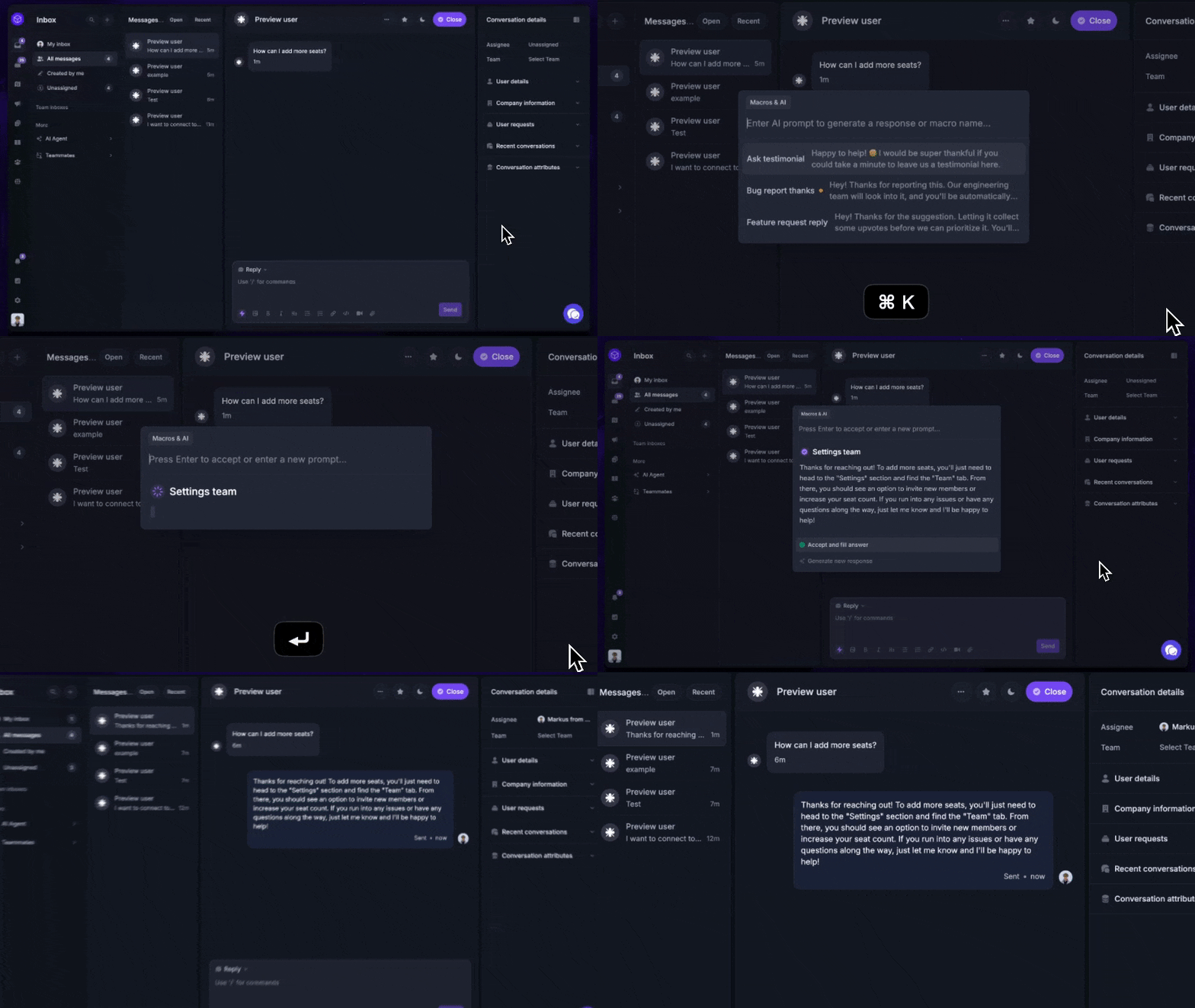
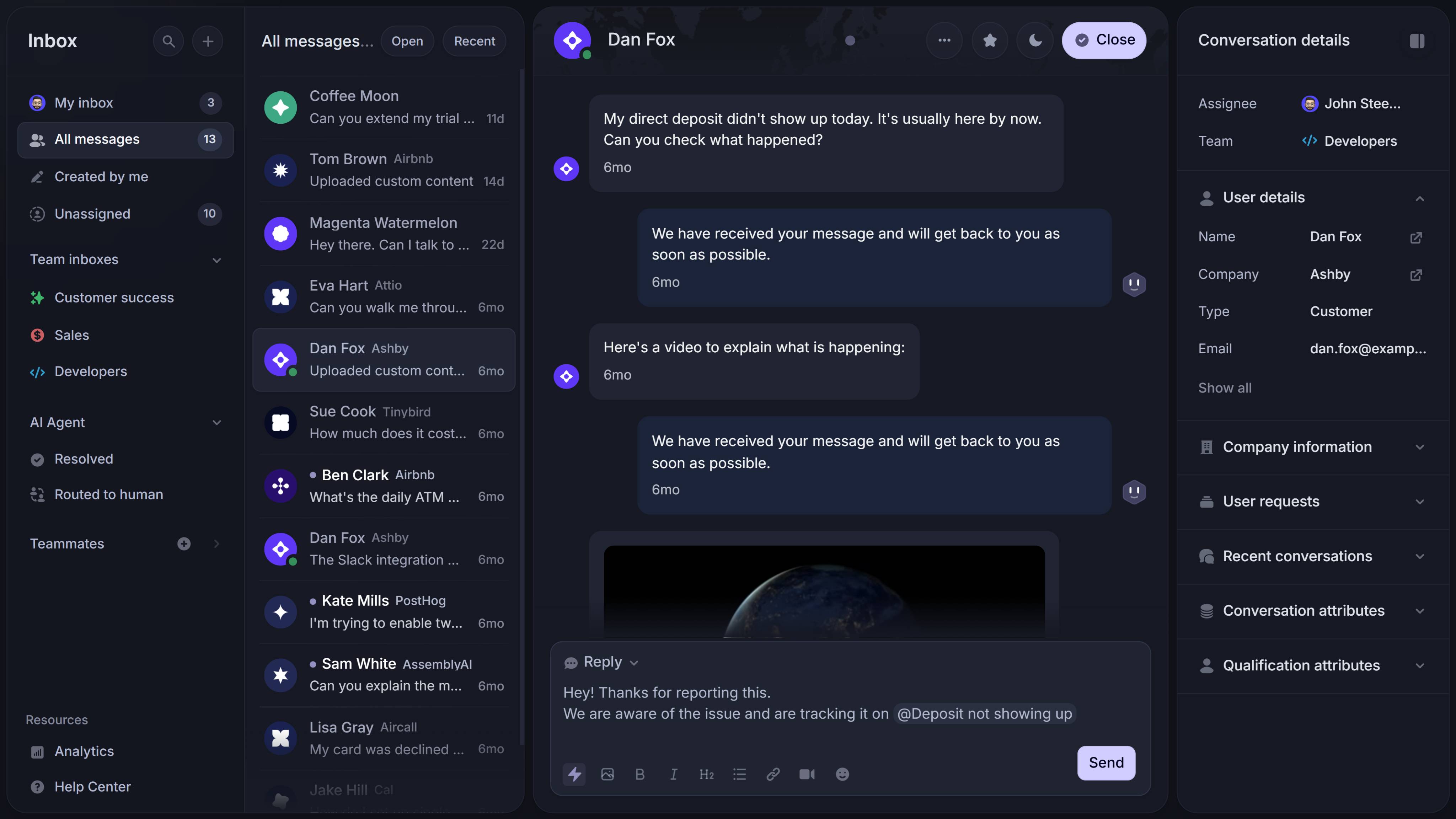
Featurebase (that's us!) is a modern AI support platform for product-led SaaS teams. It combines support, a help center, and feedback tools in one place, so teams can manage customer conversations, improve self-serve support, and keep product feedback connected without juggling multiple tools.
Key features:
- Omnichannel inbox – Manage live chat, email, and Slack conversations from one place
- AI agent – Resolve common customer issues automatically and run actions like trial extensions or refunds
- Help center with AI search – Give customers instant self-serve answers through a built-in knowledge base
- Workflows and automations – Route conversations, collect customer data, and reduce repetitive tasks
- AI Copilot – Help support agents reply faster using your internal knowledge
- Multi-brand support – Manage multiple help centers and support channels from one workspace
- Automatic AI translations – Translate support messages and help articles for global customers
- SLAs – Track response targets and help ensure timely responses
- Feedback and roadmap tools – Collect feature requests and close the loop with updates
- Integrations – Connect with Slack, Linear, Jira, HubSpot, and more
Featurebase is on this list because it offers one of the most complete free help desk software options for SaaS teams. The free plan is available forever, and it gives teams a modern way to manage support tickets, run a knowledge base, and improve the customer experience from one platform. Compared with more basic free ticketing systems, it does a better job of bringing support, feedback, and product communication together.
Best for: SaaS teams that want support, a help center, and feedback in one platform.
✨ Automate your support with the fastest AI-enhanced Inbox today →
2. HubSpot Service Hub
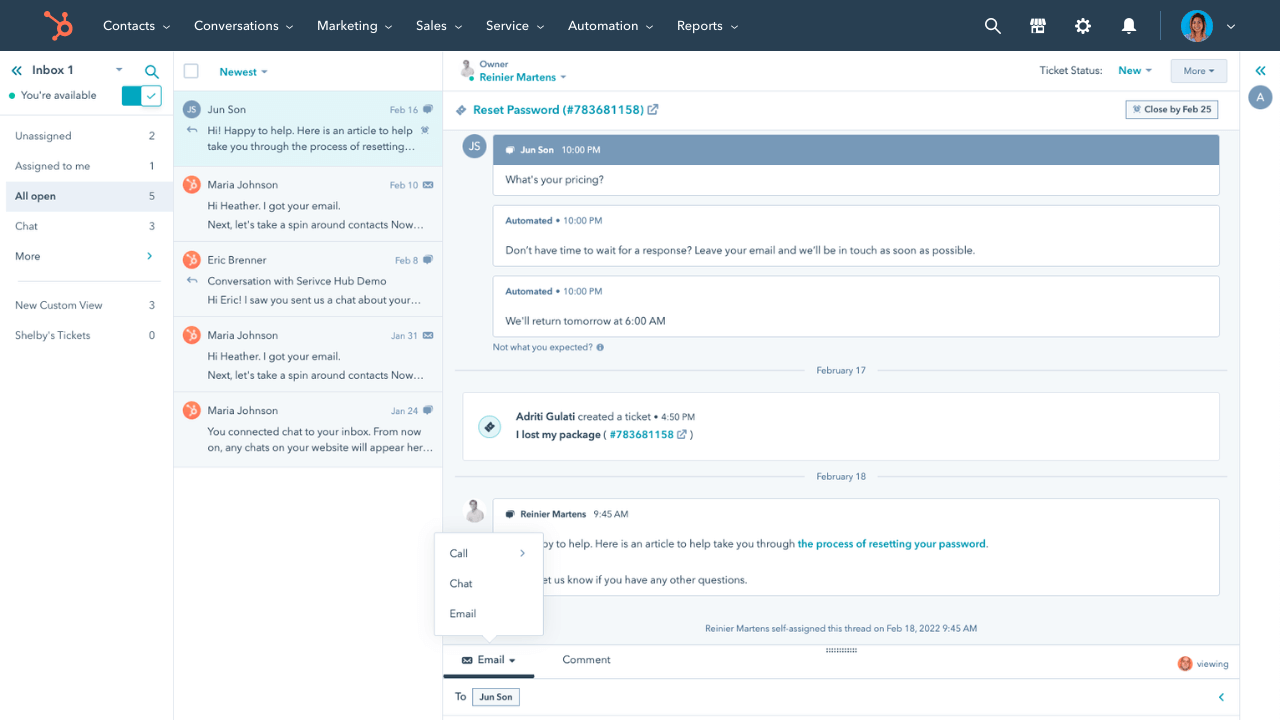
HubSpot Service Hub is help desk software for teams that want to run support inside the HubSpot ecosystem. It is a strong fit for businesses that already use HubSpot CRM and want to connect support tickets, customer data, and service workflows in one place.
Key features
- Ticketing inside HubSpot CRM
- Shared inbox for email and support conversations
- Knowledge base tools
- Live chat and customer portal features
- Automation and reporting tools
HubSpot Service Hub is on this list because it gives teams a real free helpdesk option inside a broader customer platform. It is especially useful for support teams that want to track tickets, streamline support operations, and connect support with sales and marketing activity from the same account.
Best for: Teams already using HubSpot CRM.
3. Spiceworks Cloud Help Desk
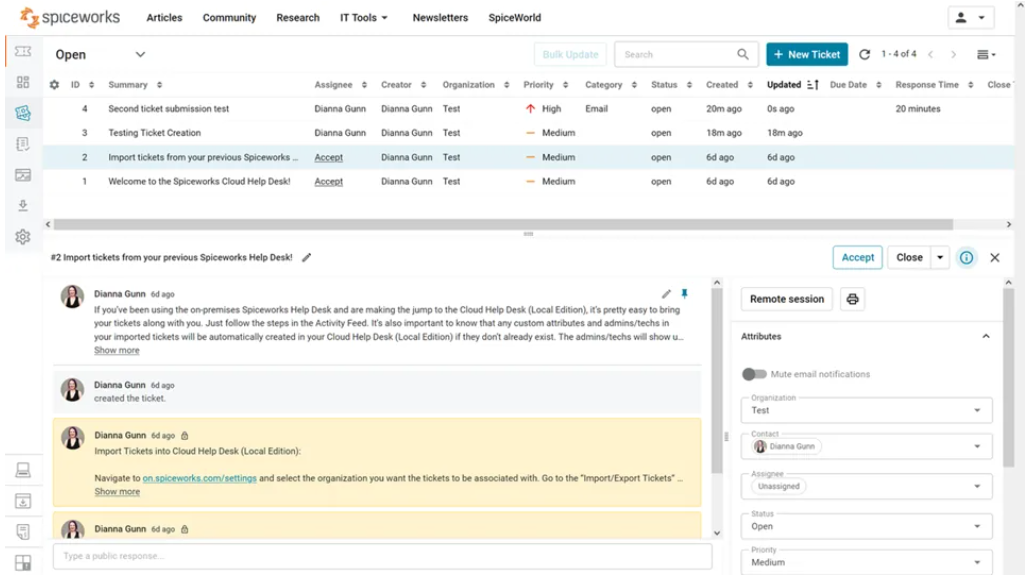
Spiceworks Cloud Help Desk is a cloud-based desk tool built for internal IT teams. It is designed to help small teams manage employee requests, organize support tickets, and keep internal support operations moving without the cost of a large enterprise platform.
Key features
- Ticket tracking for internal requests
- Custom ticket queues
- End-user portal and web forms
- Reporting dashboards
- Integration with other Spiceworks tools
Spiceworks is on this list because it is one of the few free ticketing systems that is clearly built for IT teams and still useful on the free plan. It gives small teams a reliable way to manage and prioritize multiple tickets and ensure timely responses without paying from day one.
Best for: Small IT teams that want a free cloud-based internal help desk.
4. osTicket
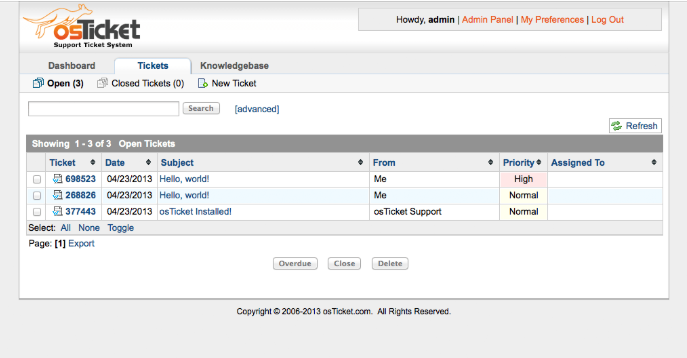
osTicket is one of the best-known open-source and self-hosted help desk platforms. It is built for teams that want more control over ticket workflows, hosting, and setup than most cloud tools allow.
Key features
- Open-source ticketing system
- Ticket tracking and request management
- Web forms for ticket intake
- Customizable workflows and fields
- Self-hosted deployment
osTicket is on this list because it remains one of the most trusted free help desk software options for teams that want full ownership of their setup. If you can host it yourself, it gives you a solid way to manage tickets and build a reliable help desk without paying for SaaS paid versions.
Best for: Teams that want a mature self-hosted ticketing system with full control.
5. FreeScout
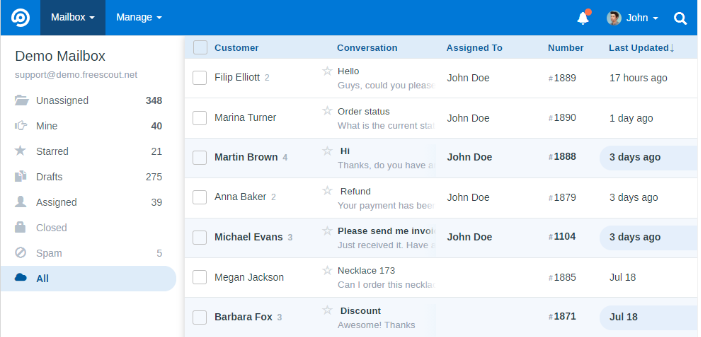
FreeScout is a self-hosted shared-inbox and help desk software platform for teams seeking a simpler way to manage customer conversations. It feels closer to an email-based support workspace than a heavy enterprise service desk.
Key features
- Shared inbox for team email support
- Conversation assignment and internal notes
- Knowledge base support through modules
- Workflow tools for support agents
- Open-source self-hosted setup
FreeScout is on this list because it is one of the better free helpdesk tools for teams that want flexibility without a bloated interface. It gives support teams a practical way to handle customer requests, reduce manual effort, and keep communication organized in a self-hosted environment.
Best for: Teams that want a self-hosted shared inbox with help desk features.
6. Zoho Desk
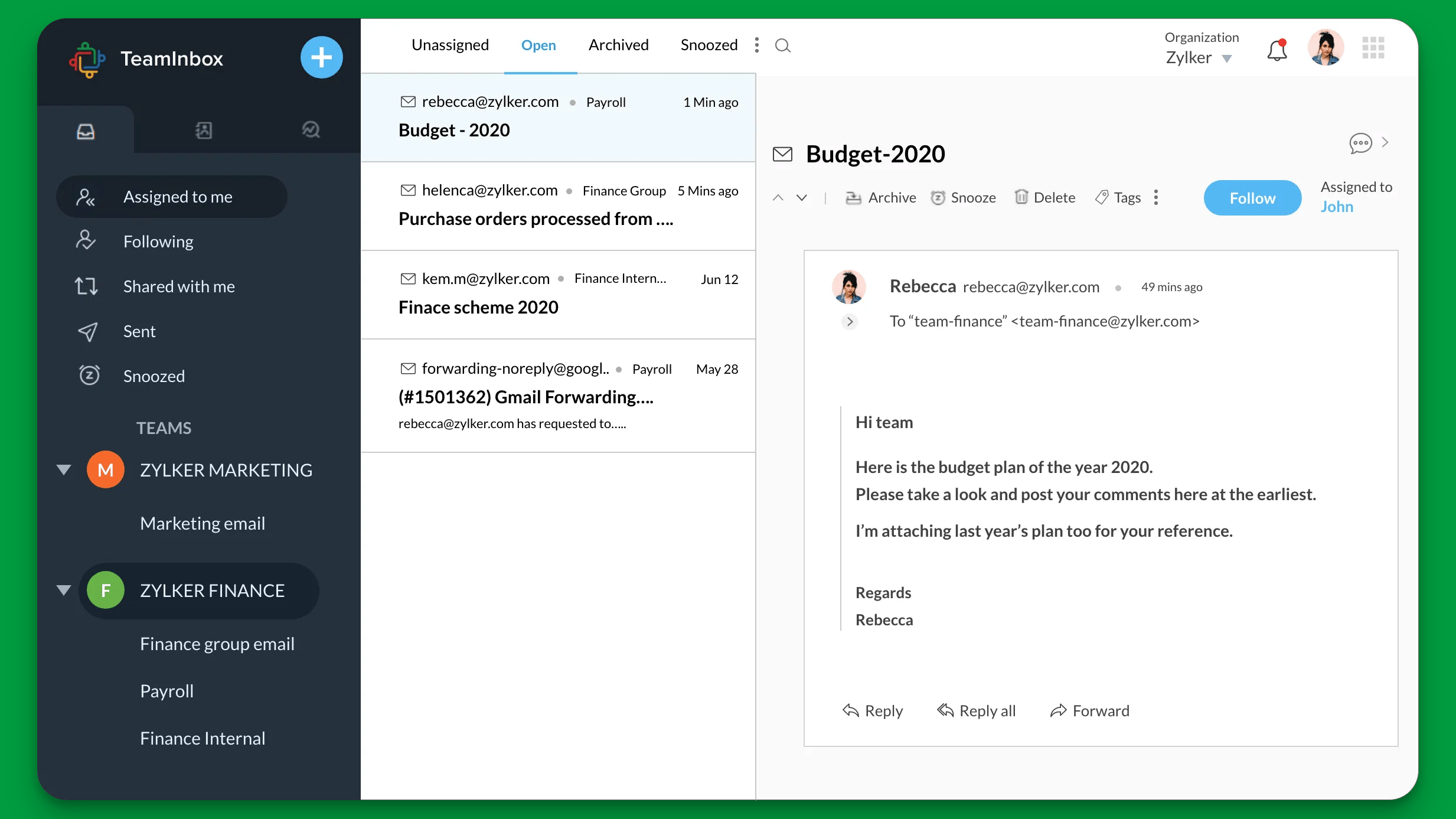
Zoho Desk is a cloud-based help desk platform for small and growing support teams. It is designed to help businesses handle support tickets, organize customer conversations, and improve service workflows without having to start with an expensive plan.
Key features
- Ticket management across channels
- Built-in knowledge base
- Workflow automation
- Customer portal
- Reporting and collaboration features
Zoho Desk is on this list because it offers one of the more usable free help desk software plans for small teams. Its free tier gives teams a way to manage tickets and support customers with real structure, while still leaving room to upgrade later if they need more automation or advanced reporting tools.
Best for: Small support teams that want a free cloud help desk.
7. Jira Service Management
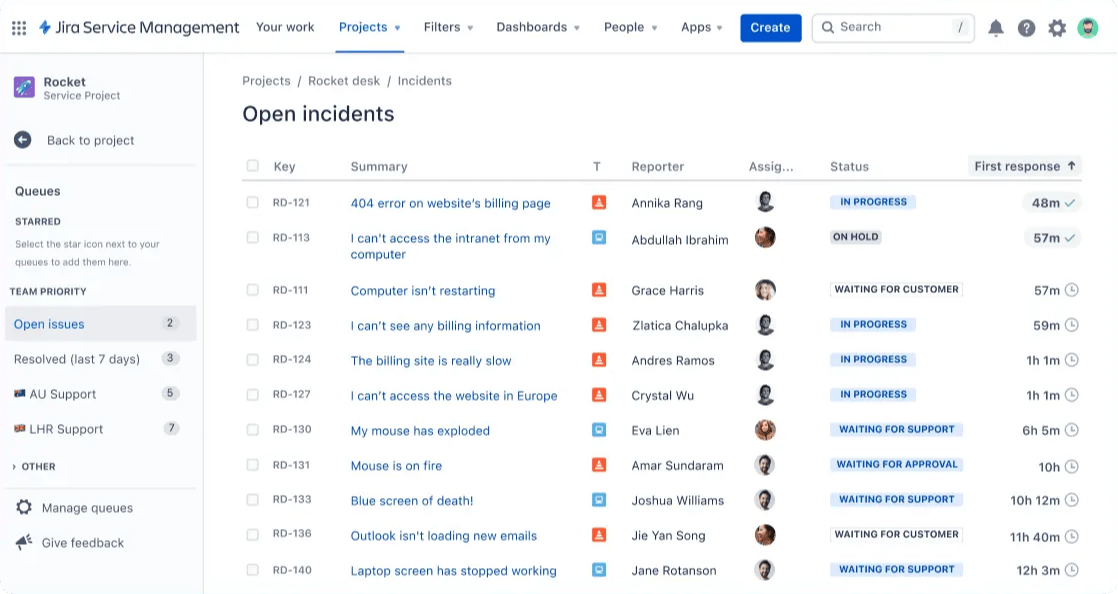
Jira Service Management is a help desk and service desk platform built for internal IT, operations, and request-heavy workflows. It is best suited to teams that need more structure than a lightweight ticketing tool can offer.
Key features
- Request tracker for internal service workflows
- Approval flows and request types
- Incident and change management tools
- Integration with Jira's ecosystem
- Reporting and workflow automation
Jira Service Management is on this list because it is one of the strongest free ticketing systems for internal teams. For businesses that need a more structured way to handle requests, approvals, and support tickets, it offers a practical free entry point before moving to a paid version.
Best for: Internal IT and ops teams that need structured service workflows.
8. Freshdesk
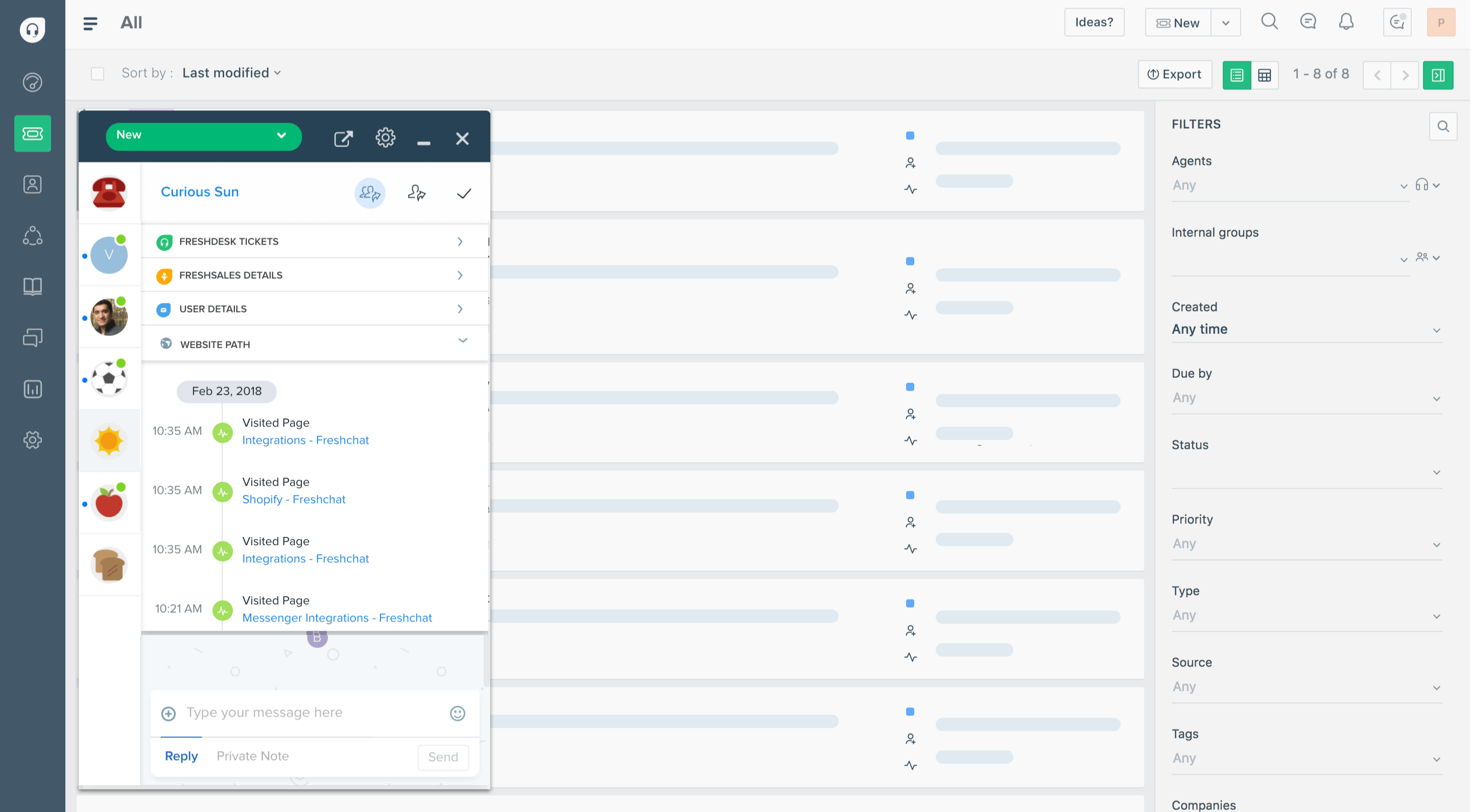
Freshdesk is a cloud-based help desk platform for teams that want something familiar, easy to launch, and easy to use. It is a good fit for businesses that need a better way to manage support tickets and customer conversations without a long setup process.
Key features
- Email and ticket management
- Knowledge base
- Collaboration features for support agents
- Automation for repetitive tasks
- Reporting and ticket tracking
Freshdesk is on this list because it remains one of the most recognizable free help desk software options for smaller teams. It gives teams a straightforward way to track tickets, support customers, and improve the customer experience, even if the free plan is more limited than some readers might expect.
Best for: Small teams that want an easy-to-use cloud-based help desk.
9. Raiseaticket
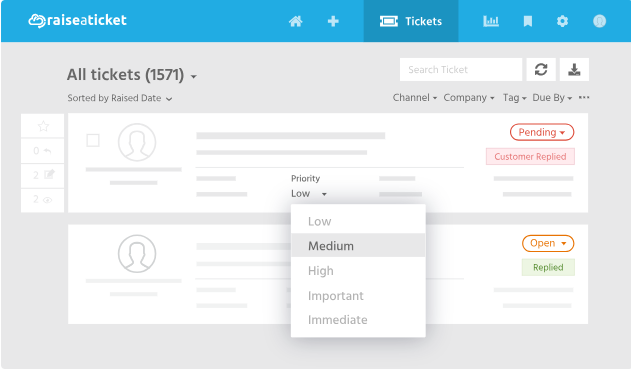
Raiseaticket is a cloud-based help desk tool designed for teams that want a simple and completely free way to run support. It focuses on the basics of ticketing, communication, and team workflows without a complicated pricing model.
Key features
- Ticket tracking and management
- Email support workflows
- Knowledge base tools
- Reporting and dashboards
- Team collaboration features
Raiseaticket is on this list because it is one of the clearest examples of free helpdesk software that aims to stay free. For teams that want to avoid hidden costs, it offers a useful way to manage tickets and support customers without being pushed into an early upgrade.
Best for: Teams that want a fully free cloud help desk.
10. HESK
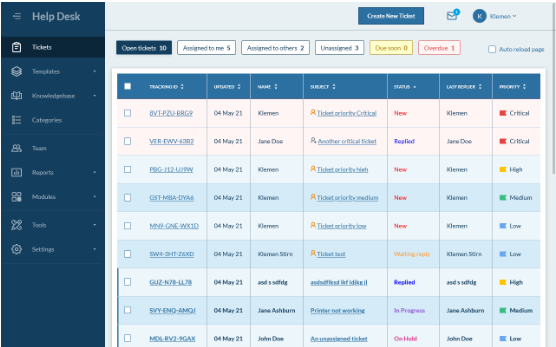
HESK is a lightweight, self-hosted help desk system for teams that want a simple setup and a focused ticketing workflow. It is especially useful for small businesses or internal teams that do not need a large, complex desk software platform.
Key features
- Ticket management and tracking
- Web forms for ticket creation
- Knowledge base support
- Basic reporting tools
- PHP/MySQL self-hosted setup
HESK is on this list because it gives teams a reliable, free help desk software option that stays focused on the basics. If you want to manage tickets, support users, and avoid the cost of bigger cloud platforms, HESK is still a practical choice.
Best for: Teams that want a simple self-hosted PHP help desk.
11. Libredesk
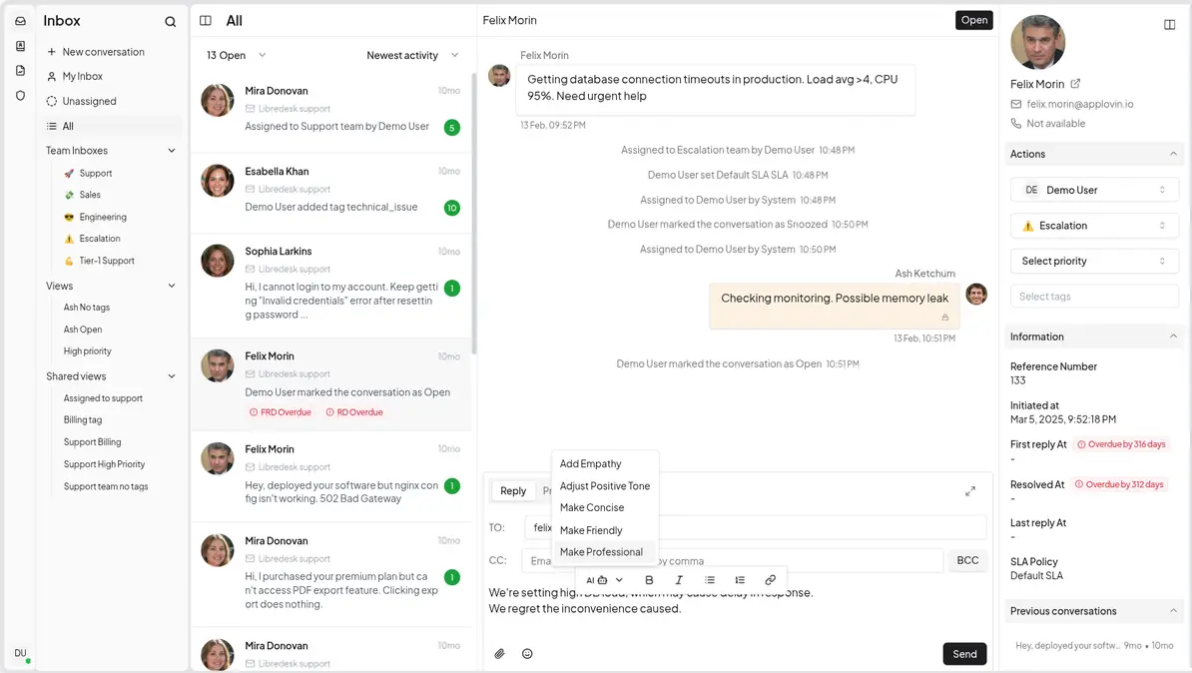
Libredesk is a newer, open-source, self-hosted support platform with a more modern feel than many older help desk tools. It is designed for teams that want more flexibility and a cleaner product experience without paying for SaaS desk software.
Key features
- Shared inbox for support conversations
- Automation tools
- Customer satisfaction surveys
- Permissions and team management
- Modern self-hosted deployment options
Libredesk is on this list because it offers a promising free helpdesk option for teams seeking modern open-source software. It gives teams a way to manage support tickets, improve the support experience, and maintain control over their own hosting and data.
Best for: Teams that want a modern open-source support platform.
12. Trudesk
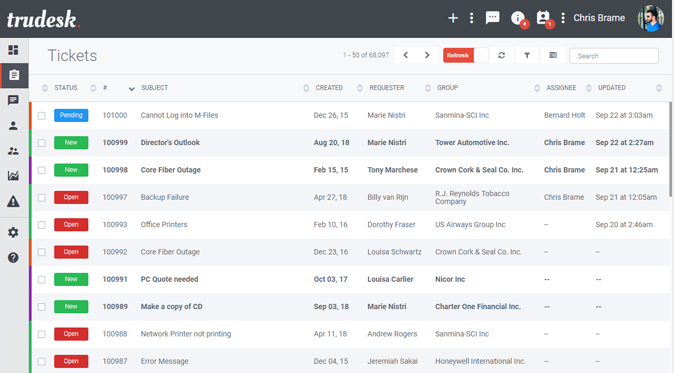
Trudesk is a lightweight, open-source help desk platform built for teams that want a simpler support setup. It is more developer-friendly than many traditional ticketing systems and works well for smaller teams that value simplicity.
Key features
- Open-source help desk setup
- Ticket tracking and assignment
- Team collaboration features
- Self-hosted deployment
- Basic workflow management
Trudesk is on this list because it gives technical teams a lean, free help desk software option that is easier to host and manage than some larger platforms. It is a good fit for teams that want to track tickets, support users, and avoid paying for features they may not need yet.
Best for: Teams that want a simple open-source help desk with a lightweight setup.
13. Hiver
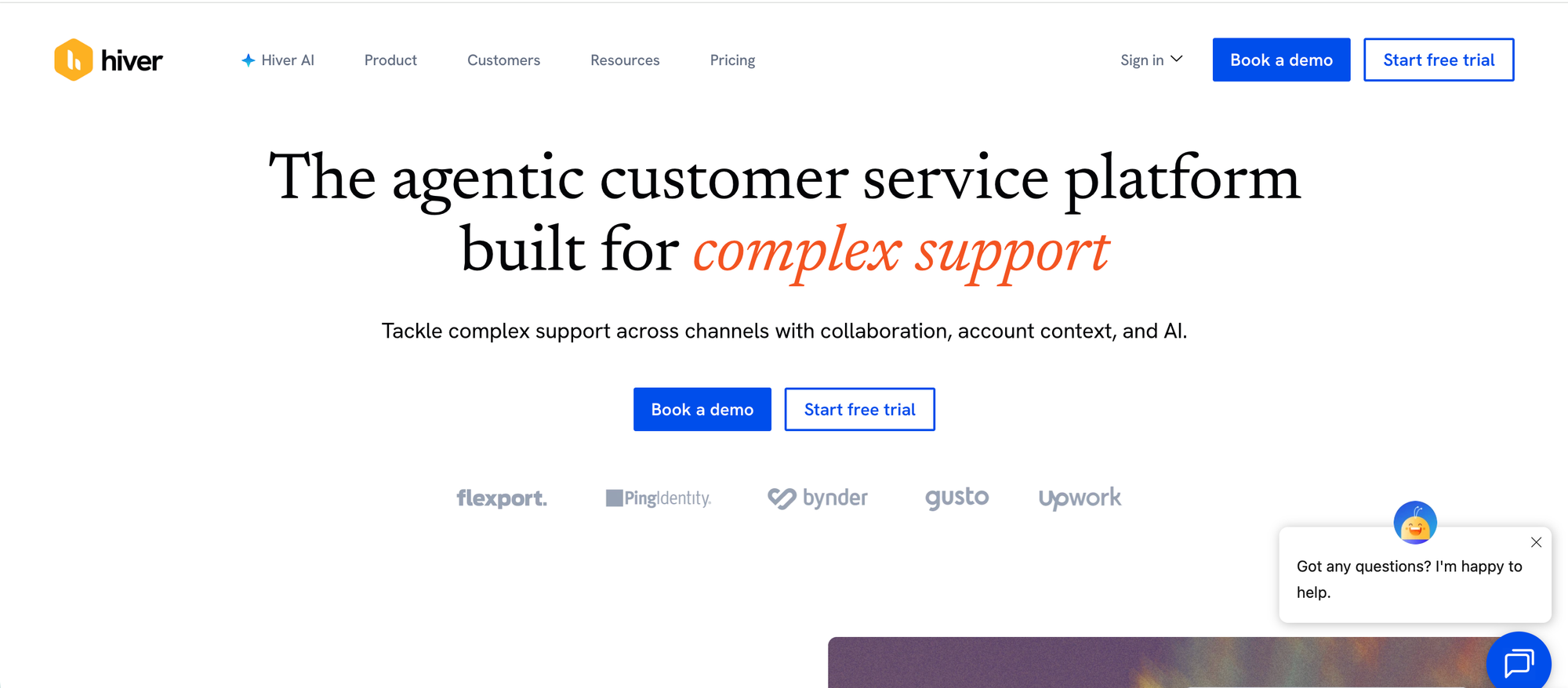
Hiver is a help desk and shared inbox platform for teams that need to manage customer conversations from one organized workspace. It helps teams handle support requests, assign ownership, collaborate internally, automate repetitive work, and track performance without relying on scattered inboxes or messy shared logins.
Hiver’s free plan gives small teams a practical way to get started with customer service. Teams can manage tickets, use shared inboxes, collaborate on conversations, build a knowledge base, and support customers across key channels. As support volume grows, Hiver’s paid plans add AI Compose, AI Summarizer, AI Agents, AI Copilot, workflow automation, SLA tracking, CSAT surveys, voice, customer portal, and advanced reporting.
Key features
- Shared inboxes for managing team support conversations
- Ticketing and support channels
- Email, live chat, and knowledge base
- Internal collaboration and conversation ownership
- Views for organizing support work
- Slack and basic integrations
- AI Compose and AI Summarizer on paid plans
- AI Agents and AI Copilot on higher plans
- Workflow automation, SLA tracking, CSAT surveys, and reporting on advanced plans
Hiver is on this list because it offers a free forever plan for teams just getting started with customer service. It is useful for small support teams that want a simple help desk setup with shared inboxes, ticketing, collaboration, and room to scale into AI-powered support workflows later.
Best for: Small teams that want a free shared inbox and help desk platform with collaboration, ticketing, and scalable AI support features.
How to choose a help desk platform
Most teams should start with a cloud-based help desk. It is easier to set up, easier to maintain, and much faster to roll out.
If you run a SaaS company, Featurebase is the best choice on this list. It gives you support, AI-powered knowledge base, and feedback tools in one platform, which is more useful than a basic ticketing tool for most modern teams.
As support, onboarding, product education, and customer communication start living in the same ecosystem, maintaining consistency across those customer-facing touchpoints often becomes a larger operational challenge. Superside’s design systems research similarly highlights how reusable systems and shared standards become increasingly important as organizations scale.
If you run internal IT, Spiceworks Cloud Help Desk is the best free option for small teams. If you need more structure for approvals, requests, and service workflows, Jira Service Management is the stronger choice.
If you want full control and do not mind handling your own setup, go with osTicket or FreeScout. Those are the best self-hosted options on this list. Choose osTicket if you want a more traditional ticketing system. Choose FreeScout if you want something closer to a shared inbox.
For most teams, the shortlist is simple:
- Choose Featurebase for modern SaaS support
- Choose Spiceworks for free internal IT help desk needs
- Choose Jira Service Management for structured internal service workflows
- Choose osTicket or FreeScout if you want open-source or self-hosted software
If you are unsure, start with Featurebase, Spiceworks, or osTicket based on your use case.

Get the fastest AI-powered Support Inbox
Support your customers from anywhere with an AI-powered omnichannel inbox
Conclusion
The best free help desk software is the one that fits your team today and still works as your support grows. For internal IT, Spiceworks and Jira Service Management are strong choices. For self-hosted teams, osTicket and FreeScout stand out. But for modern SaaS teams, the best option is Featurebase.
Featurebase is a modern support platform that combines ticketing, a shared inbox, a knowledge base, AI support tools, and feedback collection in one place. That means you can manage support, help customers faster, and keep product feedback connected without relying on separate tools.
It has affordable pricing and a Free plan forever, so it is easy to try without a big commitment. The onboarding is fast, and you can get started in minutes. 👇
✨ Automate your support with the fastest AI-enhanced Inbox today →