Blog Customer ServiceBest free help desk ticketing systems in 2026
Best free help desk ticketing systems in 2026
Compare the best free help desk ticketing systems in 2026, including free plans, key features, limitations, and best use cases.



✨ Get the modern Ticketing Inbox designed for efficiency →
Free help desk ticketing systems can help you manage support requests without paying for another expensive tool.
But many free support platforms come with tradeoffs. Some limit agents, ticket volume, automation, reporting, or customer portal features. Others are free and open source, but need technical setup and ongoing maintenance.
We reviewed the best free help desk software options for 2026 to show what each tool is actually good for, where the limits are, and when it makes sense to upgrade.👇
Short answers:
- Choose Featurebase✨ if you want a free help desk ticketing system for SaaS teams. Ticketing is included in the Free plan, with unlimited support conversations, plus feedback, knowledge base, roadmap, and changelog features in one place.
- Choose Zoho Desk if you want traditional help desk software with a free plan for a small support team.
- Choose Spiceworks if you need a completely free help desk for IT or internal support.
- Choose osTicket if you want a free and open-source ticketing system and have the technical skills to self-host it.
- Choose Jira Service Management if you need a free ticketing system for ITSM workflows, SLAs, and internal service requests.
Best free help desk ticketing systems at a glance
| Tool | Best for | Free option | Main strength | Main limitation |
|---|---|---|---|---|
| ✨Featurebase | SaaS teams | Free plan | Support, feedback, knowledge base, roadmap, and changelog in one place | Not built for traditional IT asset management |
| Zoho Desk | Small support teams | Free plan | Traditional help desk software with core ticketing | Agent and feature limits |
| Spiceworks | IT teams | Completely free | Internal support and IT ticket tracking | Less suited for SaaS customer support |
| osTicket | Technical teams | Free open source version | Self-hosted ticketing system with strong control | Needs technical setup |
| Hesk | Very small teams | Free edition | Simple self-hosted help desk and knowledge base | Limited advanced automation |
| Jira Service Management | ITSM teams | Free plan | SLAs, workflows, and internal service requests | Can feel heavy for small teams |
| HubSpot Service Hub | CRM-led teams | Free plan | Support tied to customer records | Advanced features require paid versions |
| FreeScout | Shared inbox teams | Free and open source | Email-based support without licensing fees | Requires self hosting |
| Request Tracker | Technical support teams | Free and open source | Flexible request tracking | Steeper learning curve |
| Raiseaticket | Basic cloud help desk | Free tool | Simple ticket management | Less depth than larger platforms |
What is a help desk ticketing system?
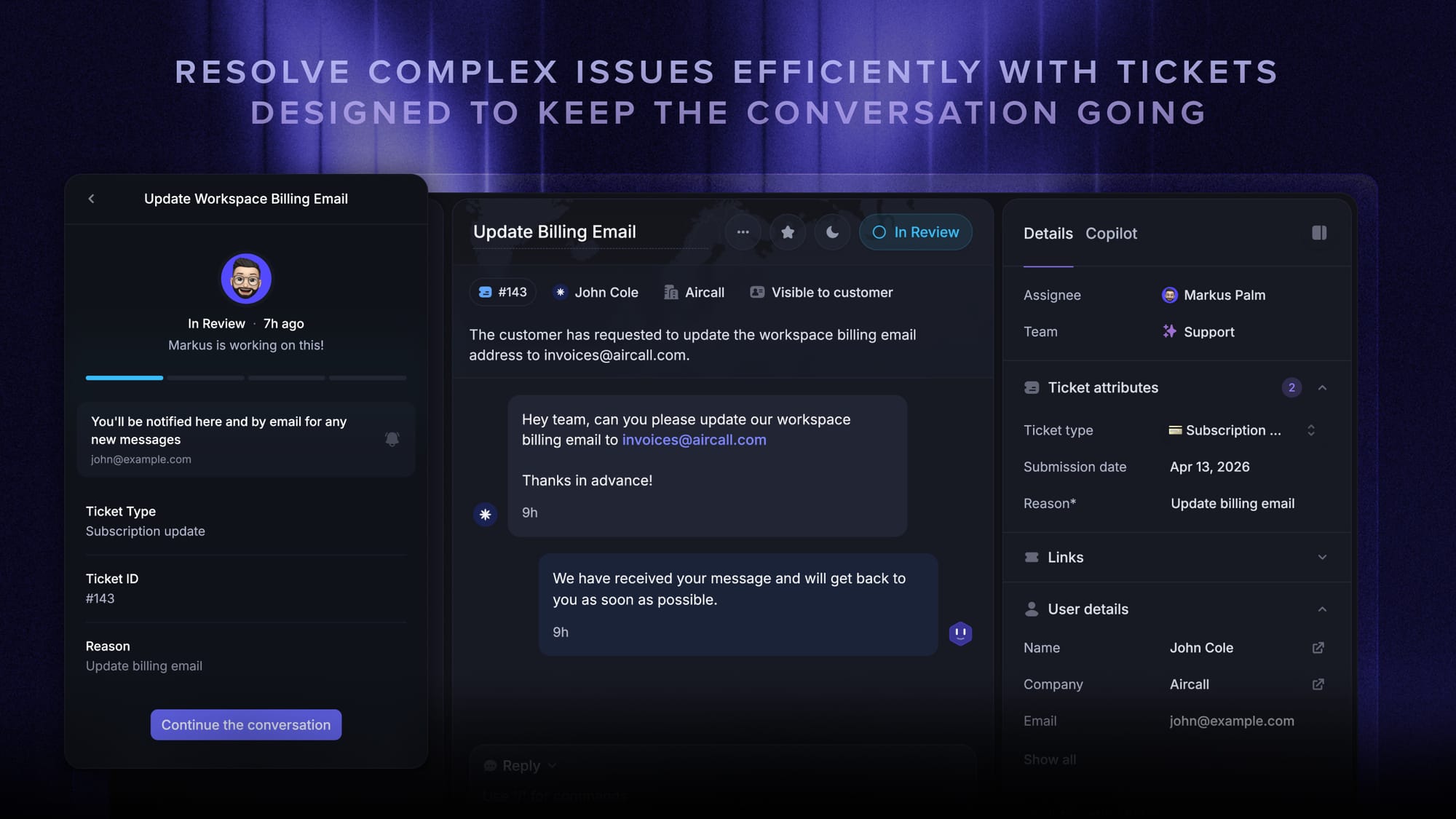
A help desk ticketing system turns customer requests into support tickets your team can track, assign, and resolve.
Without one, support often gets scattered across email, chat, spreadsheets, and internal notes. That makes it easy to miss messages, duplicate replies, or lose the full customer history.
With one, every request gets an owner, status, priority, and conversation history. That gives support teams a clear way to manage tickets, track service level agreements, and respond on time.
Many help desk tools also include web forms, support portals, a built-in or an AI knowledge base, solution articles, automation, and reporting.
How does a help desk ticketing system work?
A help desk ticketing system starts by collecting a request from email, live chat, web forms, a customer portal, or another support channel.
It then creates a ticket with the customer’s message, status, owner, priority, and history. From there, your team can assign it, reply, leave internal notes, escalate the issue, or close it once it is resolved.
Free plans usually cover the basics, like ticket tracking and simple assignment. Paid plans often unlock more agents, multiple channels, advanced automation, reporting, SLAs, custom ticket fields, and deeper integrations.
For a deeper dive on the mechanics, see our guide on how a ticketing system works.
Best free help desk ticketing systems in 2026
Below are the best free help desk ticketing systems to consider in 2026.
1. Featurebase✨
Best for: Product-led SaaS teams that want AI-powered ticketing, self-serve support, and feedback management in one place.
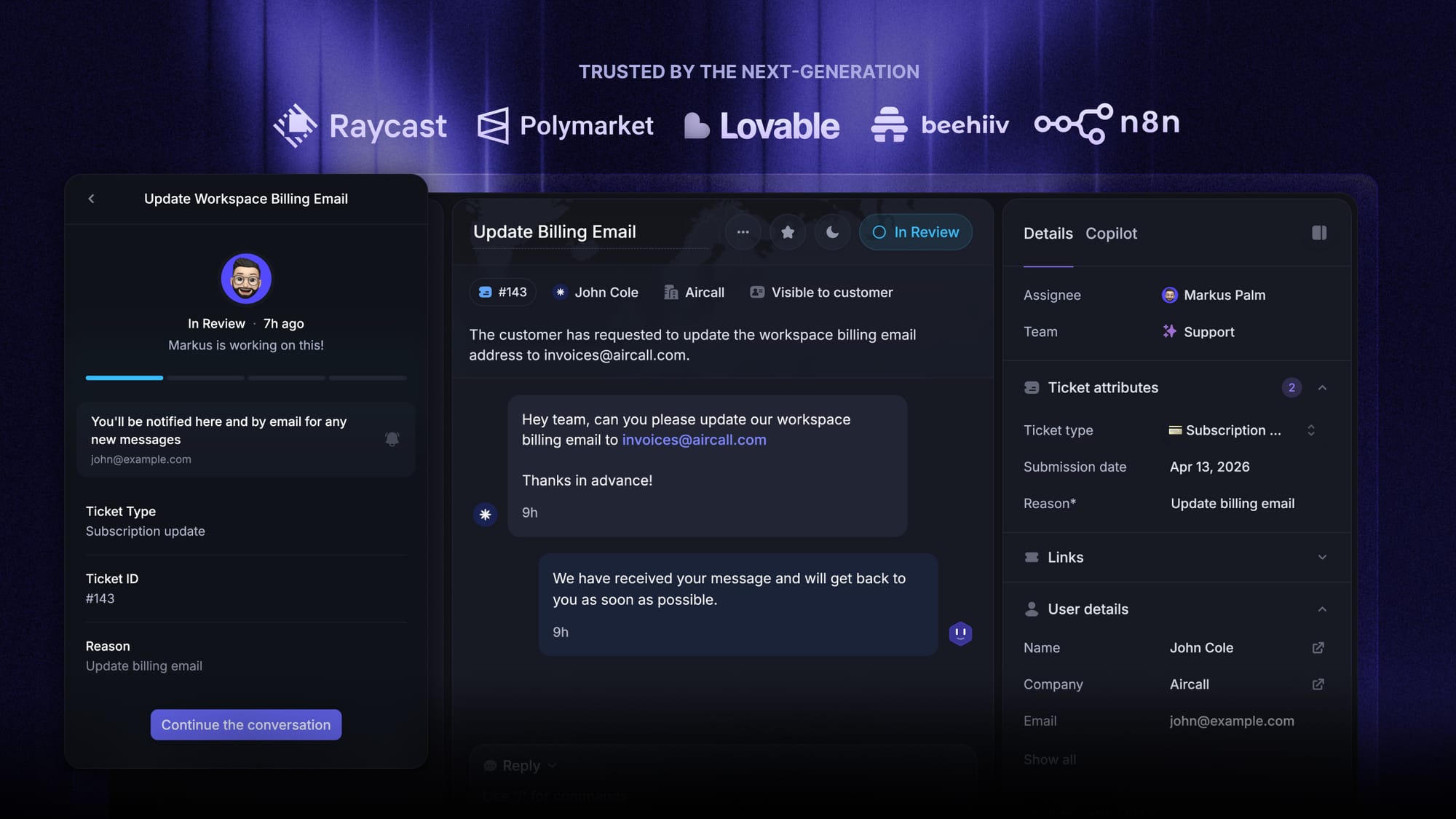
Featurebase is a modern AI customer support platform for product-led SaaS. It combines AI-powered ticketing, a help center, and feedback management into a single platform for startups that want all their customer-facing tools in one place.
What makes it different is that it is not just another ticketing system built around a basic inbox. Featurebase gives teams an AI-powered omnichannel inbox for tickets, live chat, email, and Slack, while also connecting support with self-service and product feedback.
That makes it especially useful for teams that want support to stay close to the product experience, instead of being split across multiple disconnected tools.
Top features
- Omnichannel inbox – Manage tickets, live chat, email, and Slack conversations from one AI-powered view
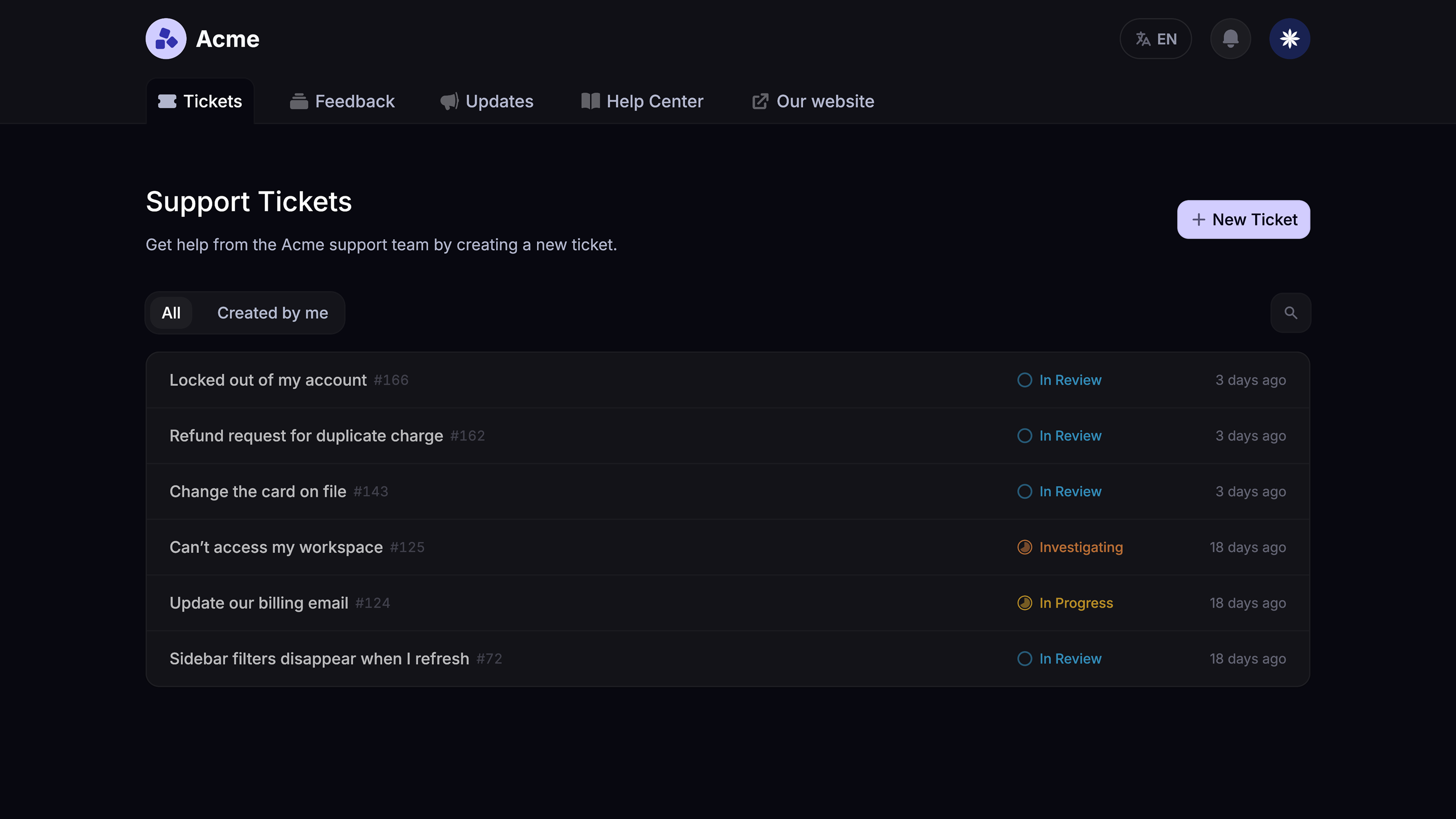
- Tickets Portal – Give customers a dedicated place to submit, view, and track all their tickets
- AI Copilot – Help agents answer customers faster using internal knowledge
- Workflows and automations – Auto-assign tickets, route conversations, collect customer data, and reduce manual effort
- Service Level Agreements – Track SLAs so your team responds to customers on time
- Tickets in Messenger – Let customers track ticket progress directly inside your product
- Fibi AI Agent – Resolve customer issues automatically and run custom actions like trial extensions or refunds
- Help center with AI search – Give customers instant, multilingual self-serve answers
- Automatic AI translations – Translate messages and help articles into your customers’ native language
- Integrations – Connect with Slack, Linear, Jira, HubSpot, and more
Why it stands out: Featurebase covers the same core support needs as many legacy platforms, but with a more modern approach. It combines AI automations, multiple channels, and a tightly connected support experience without forcing teams to stitch together separate tools.
Limitations: Teams looking for a traditional IT-focused service desk, asset management, or broader ITSM workflows may prefer a platform built specifically for internal operations.
Pricing: Featurebase has a Free plan with ticketing included and unlimited support conversations. Paid plans start at $29/seat/month, plus $0.29 per AI resolution. Multi-brand ticket support is available on the Enterprise plan.
2. Zoho Desk
Best for: Budget-conscious teams that want traditional help desk software with a usable free plan.
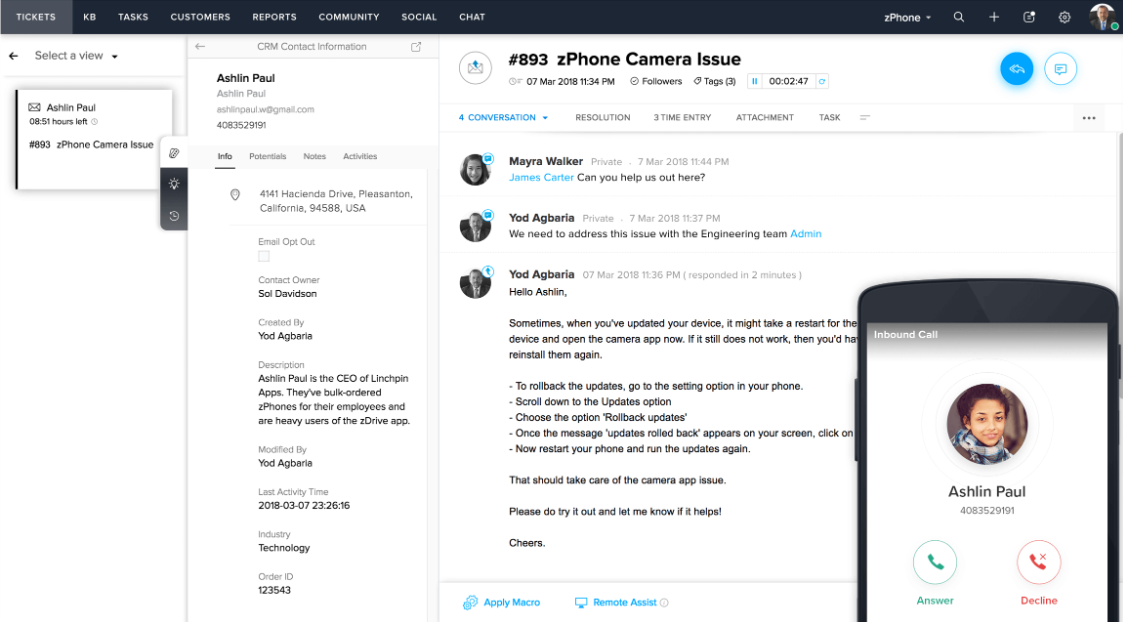
Zoho Desk is a popular help desk tool for small teams that want traditional support ticketing without paying premium prices.
It is a good fit for businesses that need a more structured way to manage email support, assign tickets, and keep customer conversations organized. Instead of relying on a shared inbox, teams can use Zoho Desk to track ownership, view customer history, and build basic self-service workflows.
Zoho Desk also makes sense if your company already uses other Zoho products. The wider Zoho ecosystem can be useful for teams that want support, sales, and customer data to stay connected without adding too many separate tools.
Key features
- Email-based ticketing system
- Ticket assignment and ownership
- Built-in knowledge base
- Basic automation rules
- Customer history
- Reporting
- Support portals
- Integrations with the wider Zoho ecosystem
Why it stands out: Zoho Desk offers strong value for small support teams. It gives you the basics of a real help desk without a large upfront cost, including ticket management, automation, reporting, and self-service. It is not the flashiest option, but it covers the core support workflows many small businesses need.
Limitations: The free plan has agent and feature limits. Teams that need advanced automation, deeper reporting, or more flexible workflows will likely need a paid plan.
Pricing: Zoho Desk offers a free plan. Paid plans start at a low monthly price per user, depending on the plan and billing term.
3. Spiceworks
Best for: IT teams that need a completely free support system for internal requests.
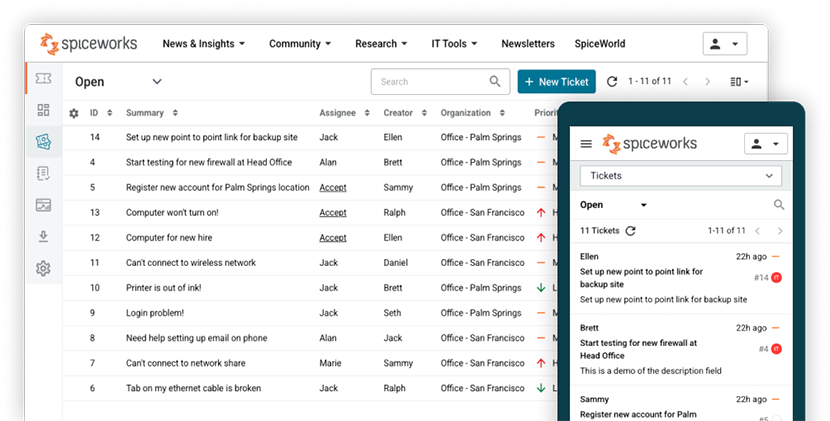
Spiceworks is a free help desk platform built mainly for IT teams and internal support.
It helps teams track employee requests, organize IT tickets, and manage internal support without licensing fees. That makes it a strong fit for small businesses, schools, nonprofits, and lean IT departments that need a practical support system without adding software costs.
The main appeal is that Spiceworks is focused on the day-to-day work of IT support. Teams can log requests, assign issues, track ticket history, and give employees a place to ask for help. If your support queue is mostly about devices, access issues, internal tools, or employee requests, it can be a useful free option.
Key features
- IT help desk ticketing
- Internal support portal
- Ticket tracking
- Team assignment
- Ticket history
- Basic reporting
- Email-based support workflows
Why it stands out: Spiceworks is genuinely free for many IT support use cases. It gives internal teams a simple way to track tickets and stay organized without paying per agent. That makes it especially appealing for teams that need structure, but do not have budget for a paid IT service desk yet.
Limitations: Spiceworks is more IT-focused than customer-support-focused. It is not the best fit for SaaS teams that need product feedback, customer-facing portals, roadmaps, or changelogs.
Pricing: Spiceworks is free.
4. osTicket
Best for: Technical teams that want a free and open-source ticketing system they can self-host.
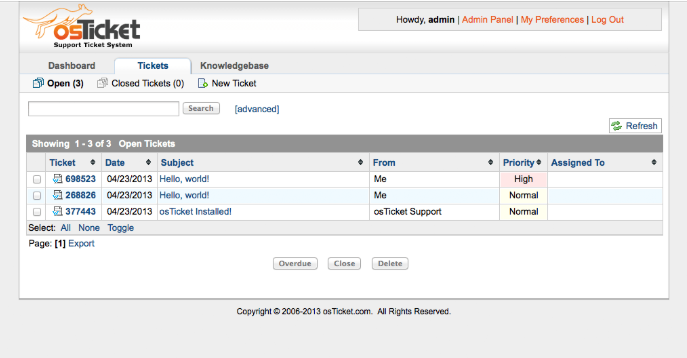
osTicket is one of the most well-known free and open-source ticketing systems.
It lets teams collect support requests through email and web forms, then manage those requests in a shared ticketing system. Because it is open source, osTicket gives technical teams more control than most cloud-based free plans.
This makes it a strong choice for teams that want a customizable support system and have the technical skills to manage it. You can host it yourself, adjust the setup to fit your workflow, and avoid per-agent licensing fees. For organizations that care about control and ownership, that flexibility can matter more than having the most modern UI.
Key features
- Email ticketing
- Web forms
- Custom fields
- Ticket assignment
- Ticket history
- Customer portal
- Self-hosted setup
- Free open-source version
Why it stands out: osTicket is flexible and avoids per-agent licensing fees. It is a good fit for teams that want more control over their support setup, especially if they already have someone comfortable handling hosting, updates, and configuration.
Limitations: Free and open source does not always mean zero cost. You still need hosting, updates, backups, security, and technical skills to maintain it.
Pricing: osTicket has a free open-source version. Hosted options and support may cost extra.
5. Hesk
Best for: Very small teams that want simple self-hosted ticket tracking.
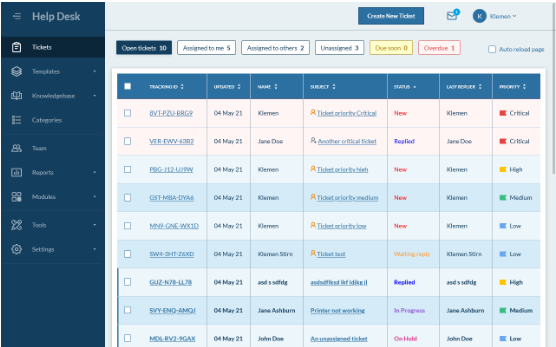
Hesk is a lightweight help desk tool for teams that need basic ticket tracking and self-service without much complexity.
It is a practical option for very small teams, technical users, and businesses that want a simple self-hosted help desk with a built-in knowledge base. Hesk is not trying to be a large support suite. Its strength is that it keeps the core workflow simple: customers submit requests, your team tracks them, and common questions can be answered through help articles.
That makes it useful for teams that want something more organized than email, but do not need advanced automation, AI, or complex reporting yet.
Key features
- Basic ticketing
- Knowledge base
- Web forms
- Ticket assignment
- Ticket history
- Email notifications
- Self-hosted setup
Why it stands out: Hesk is easy to understand and focused on the basics. If your team only needs to track tickets, reply to customers, and publish solution articles, it can be enough. It is also a good reminder that not every team needs a complex support platform on day one.
Limitations: Hesk is not as advanced as larger help desk platforms. Teams that need multi-channel ticketing, advanced automation, collaboration tools, or deeper reporting may outgrow it.
Pricing: Hesk offers a free self-hosted edition. Paid options may be available for hosted or branded versions.
6. Jira Service Management
Best for: IT teams and internal service teams that need structured workflows.
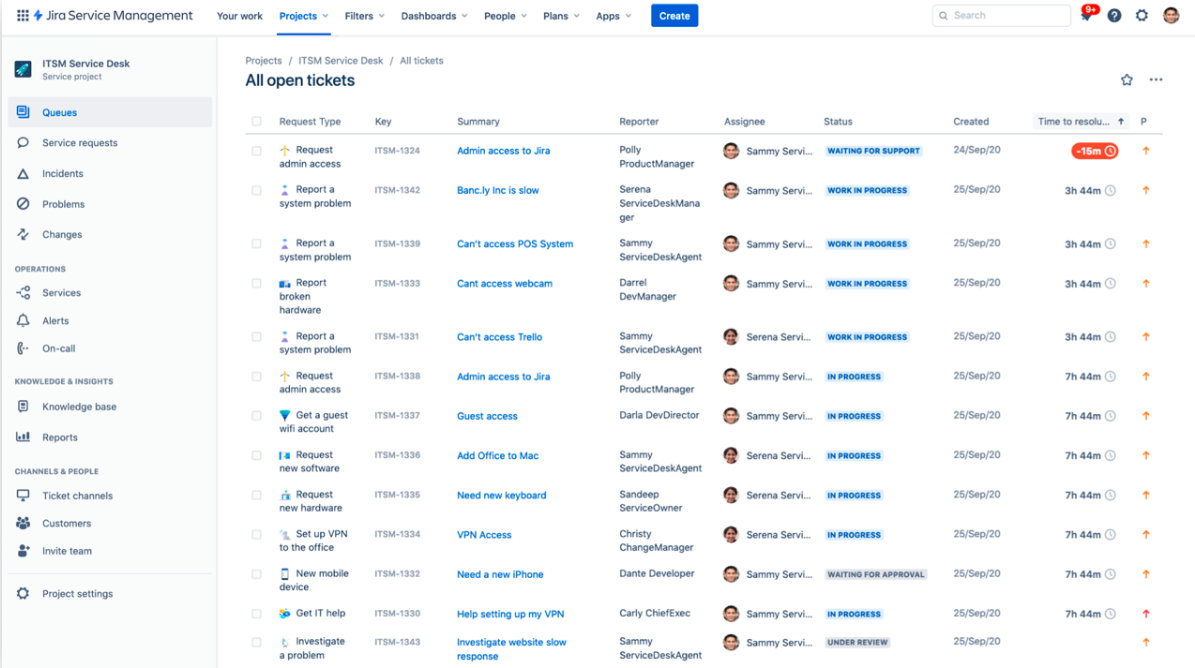
Jira Service Management is Atlassian’s service management platform for IT, operations, HR, legal, and internal service teams.
It is built for structured workflows, approvals, SLAs, and internal request management. That makes it more process-heavy than a basic customer support inbox.
The biggest reason to consider it is the Atlassian ecosystem. If your team already uses Jira Software or Confluence, Jira Service Management can connect support requests with engineering work, documentation, incidents, and internal processes. This is especially helpful for teams that need formal handoffs between support, IT, operations, and engineering.
Key features
- Service desk workflows
- Request portal
- Custom ticket queues
- SLA tracking
- Workflow automation
- Approvals
- Integration with Jira and Confluence
- Incident and change management
Why it stands out: Jira Service Management is stronger than most basic free ticketing systems for process-heavy support. It works especially well if your company already uses Jira Software or Confluence, or if your team needs approvals, SLAs, custom queues, and internal request workflows.
Limitations: It can feel heavy for small customer support teams that only need simple ticket tracking and fast customer conversations.
Pricing: Jira Service Management offers a free plan for small teams. Paid plans unlock more agents and advanced service management features.
7. HubSpot Service Hub
Best for: Teams already using HubSpot that want support connected to CRM data.
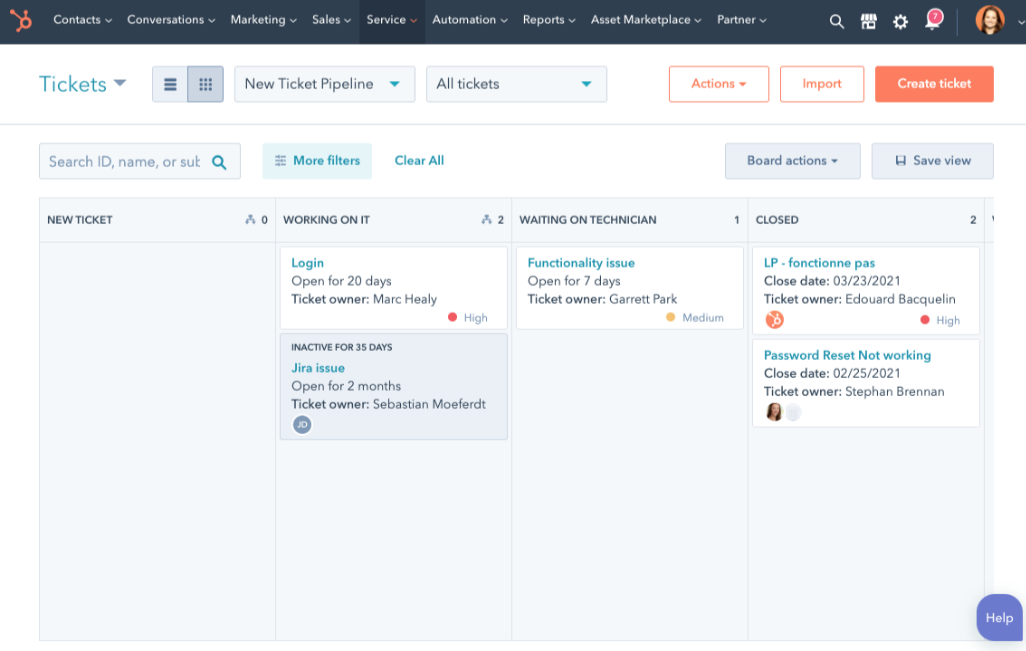
HubSpot Service Hub is a good option for teams that want support tickets connected to CRM records and customer data.
Its biggest advantage is context. Support agents can see customer information, past interactions, sales activity, and account history without switching between multiple tools.
That is useful when support is closely connected to sales, onboarding, retention, or customer success. For example, if a customer opens a ticket, your team can see whether they are a new lead, active customer, high-value account, or someone already working with sales. That context can help support agents respond with more relevant answers.
Key features
- Ticketing system
- Shared inbox
- CRM records
- Customer history
- Knowledge base
- Automation
- Reporting
- Customer communication tools
Why it stands out: HubSpot is useful when support is part of a broader customer journey. It keeps support, sales, and customer success teams aligned around the same customer records, which can be valuable for small businesses that already run their go-to-market workflows in HubSpot.
Limitations: Many advanced support features sit behind paid versions. Outside the HubSpot ecosystem, the value may feel less compelling than a dedicated help desk tool.
Pricing: HubSpot Service Hub offers free tools. Paid plans unlock more automation, reporting, and service features.
8. FreeScout
Best for: Teams that want a free open-source shared inbox.
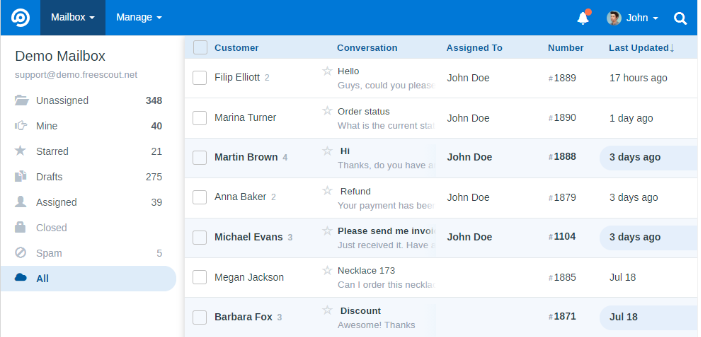
FreeScout is a free and open-source help desk and shared inbox.
It is built for teams that mainly handle support through email and want more structure than a normal inbox without paying per support agent.
FreeScout is a good middle ground between a basic shared email account and a heavier help desk platform. It gives teams a cleaner way to assign ownership, add internal notes, and keep customer conversations organized. If your support process is mostly email-based, that may be all you need.
Key features
- Shared inbox
- Email-based ticketing
- Ticket assignment
- Internal notes
- Ticket history
- Self-hosted setup
- Free and open-source core
Why it stands out: FreeScout gives email-based support teams a simple way to organize conversations and assign ownership without licensing fees. It is especially appealing for technical teams that want open-source software, but do not need the complexity of a full ITSM platform.
Limitations: FreeScout requires self-hosting. Some capabilities may also need paid modules or extra setup.
Pricing: FreeScout has a free open-source core. Hosting, maintenance, and some modules may add costs.
9. Request Tracker
Best for: Technical teams with complex internal request tracking needs.
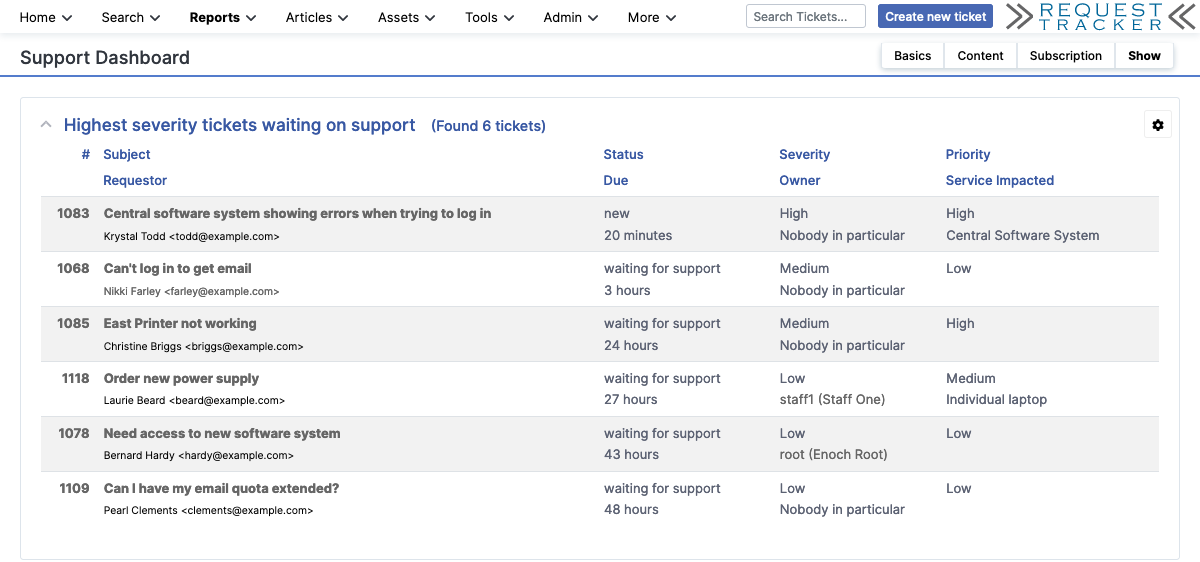
Request Tracker, often called RT, is a long-running open-source ticketing system for technical teams.
It is used by teams that need flexible request tracking, internal support workflows, and custom processes.
RT is less polished than many modern cloud help desk tools, but it can be powerful in the right environment. It is often a better fit for technical, infrastructure, university, or operations teams that care more about flexibility and control than a modern customer-facing experience.
Key features
- Request tracking
- Ticket queues
- Ticket history
- Custom workflows
- Email-based support
- Internal support workflows
- Self-hosted deployment
Why it stands out: Request Tracker is flexible and can support more complex internal workflows than many simple help desk tools. It works well when support requests need custom queues, technical triage, and long-running internal processes.
Limitations: It is not the easiest tool for non-technical support teams. Setup and maintenance can take more technical skills and manual effort than modern cloud tools.
Pricing: Request Tracker is open source. Hosted services, support, or maintenance may cost extra.
10. Raiseaticket
Best for: Teams that want a simple, free cloud help desk.
Raiseaticket is a cloud help desk platform focused on simple free ticketing.
It can work for very small teams that want a basic way to manage support tickets without hosting anything themselves.
The main appeal is simplicity. Teams can start tracking requests in a cloud-based system instead of relying on email alone. That makes it useful for small businesses that want a low-friction free tool and do not need a complex help desk setup yet.
Key features
- Cloud-based ticketing
- Ticket tracking
- Customer requests
- Support portal
- Basic ticket management
- Simple setup
Why it stands out: Raiseaticket is straightforward. It gives teams a basic free tool for tracking support requests without requiring a self-hosted setup. For small teams that just need to move away from scattered emails, that simplicity can be a strength.
Limitations: It is less robust than larger help desk software platforms. Teams with growing ticket volume, multiple channels, advanced automation, or deeper reporting needs may outgrow it.
Pricing: Raiseaticket offers a free help desk option.
What to look for in a free help desk ticketing system
The best free help desk ticketing system should do more than collect tickets. It should help your team manage requests, assign ownership, respond on time, and avoid losing customer conversations as volume grows.
Before choosing a free tool, check for these things:
A usable free plan
Make sure the free plan includes enough agents, tickets, and core support features to be useful. Some free plans look good on paper, but become too limited once you actually start managing support.
Easy ticket creation
Customers should be able to submit requests through the channels your team already uses, like email, web forms, live chat, or a customer portal. The easier it is to create tickets, the less likely requests are to get lost.
Clear ownership
Your team should know who owns each ticket, what status it is in, and what needs to happen next. This helps support agents avoid duplicate replies, missed conversations, and unclear handoffs.
A customer portal
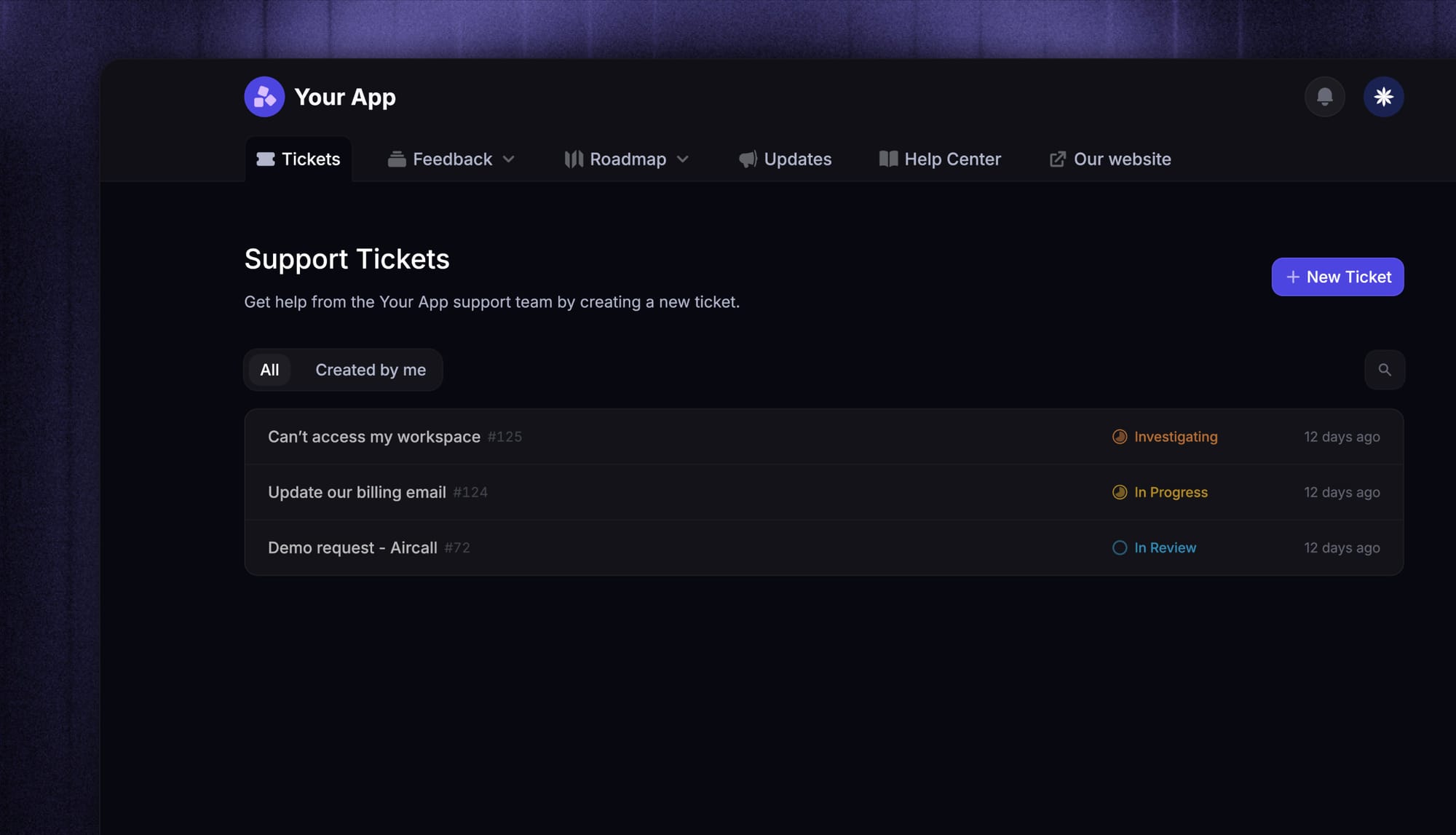
A customer portal lets users submit, view, and track requests without sending repeated follow-ups. For SaaS teams, this is even more useful when the portal connects support requests with feedback and roadmap updates.
A built-in knowledge base
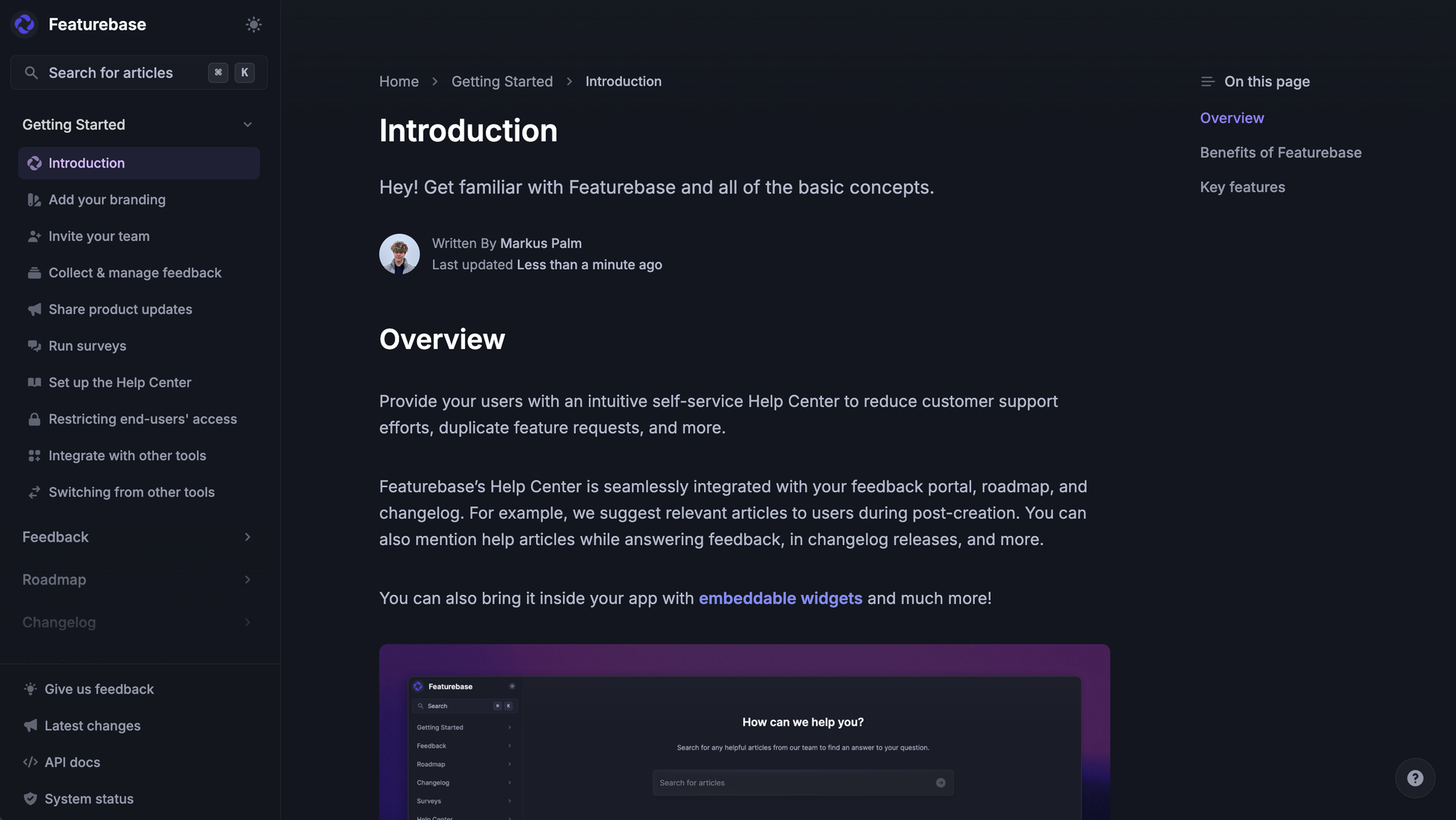
Help articles and solution articles reduce repeat questions and help agents answer faster. A good knowledge base can lower ticket volume and make self-serve support easier for customers.
Basic automation
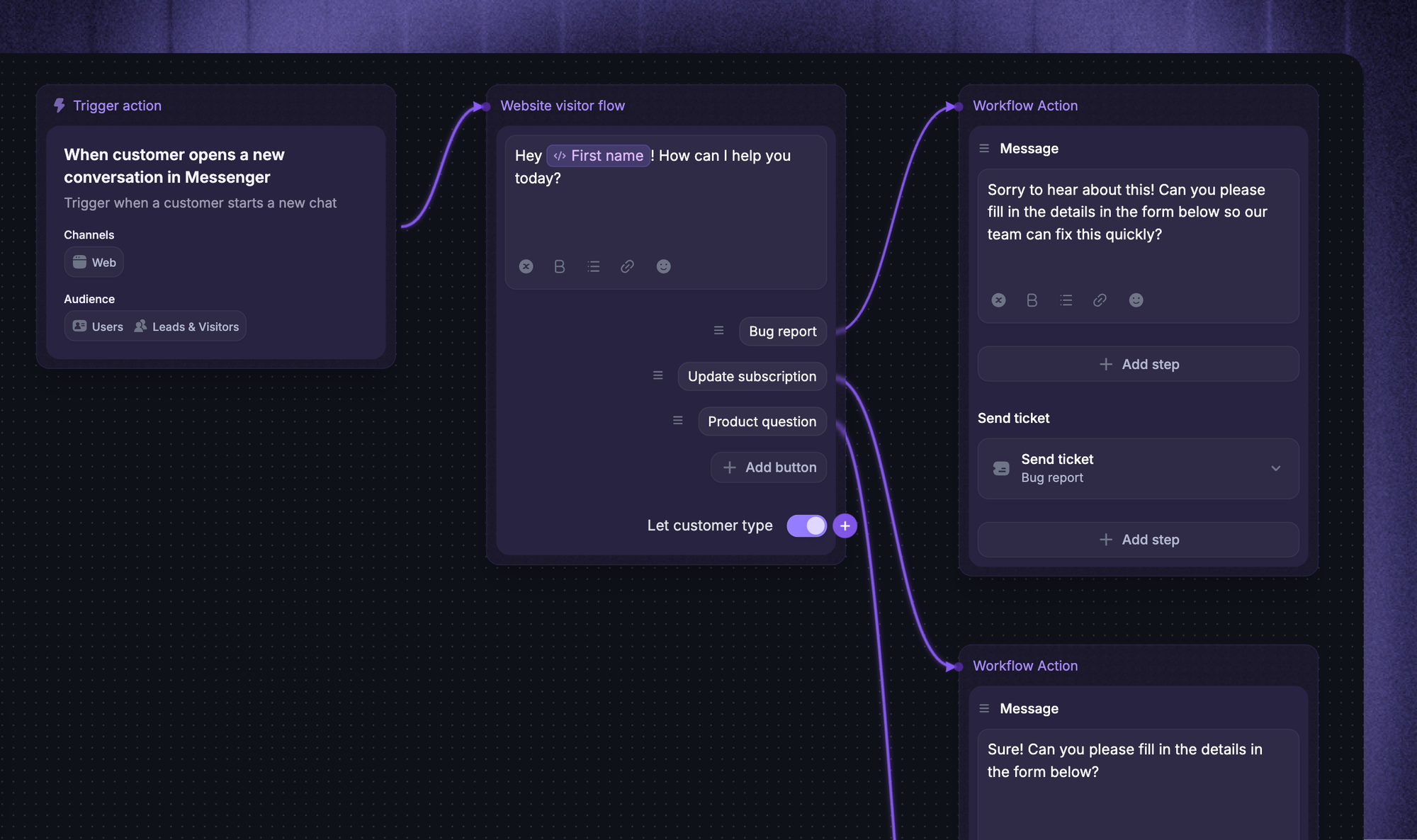
Simple rules can assign tickets, route requests, tag conversations, and reduce repetitive tasks. Advanced automation may require a paid plan, but even basic automation should save your team manual effort.
Reporting and visibility
Even basic reporting helps you track ticket volume, response times, unresolved tickets, and common issues. You do not need enterprise analytics on day one, but you should be able to see what is happening in your queue.
Room to grow
Check what happens when you need more agents, advanced automation, custom fields, integrations, or multiple channels. The best free tool is not always the one with the longest feature list. It is the one that fits your workflow today and gives you a clean path to upgrade later.
Before committing to a tool, it also helps to define your must-have help desk software requirements so you can compare options based on your team’s actual workflow instead of just the free feature list.

Modern Ticketing Inbox, Designed for Efficiency
Support your customers from anywhere with an AI-powered omnichannel inbox
Free cloud tools vs free and open-source tools
Free help desk software usually falls into two groups:
| Type | Examples | Main benefit | Main tradeoff | Best for |
|---|---|---|---|---|
| Free cloud help desk software | Featurebase, Zoho Desk, Spiceworks, Jira Service Management, HubSpot Service Hub, Raiseaticket | Easier setup because the tool is hosted for you | Free plans often limit agents, tickets, automation, reporting, or integrations | Teams that want to start quickly without managing servers, updates, hosting, backups, or security patches |
| Free and open-source help desk software | osTicket, Hesk, FreeScout, Request Tracker | More control and fewer licensing fees | Requires technical setup, hosting, maintenance, updates, and security work | Technical teams that want to self-host and customize their support system |
For a wider look at hosted options beyond free tools, see the best cloud-based help desk ticketing systems.
When is a free help desk ticketing system enough?
A free help desk ticketing system is usually enough when your support workflow is simple: low ticket volume, a few support agents, and mostly straightforward requests.
For example, a small startup may only need to track email support, assign tickets, and keep a basic ticket history. An internal IT team may only need a simple way for employees to submit requests and check progress.
This is also how small teams talk about it in the real world. In one r/sysadmin thread, a user looking for a ticketing system for a small team said their main requirement was simple:
“Must be a reliable way to manage and track support requests.”
That is usually the right bar for a free plan. The biggest win is having one place to manage tickets, avoid duplicate replies, and make sure support requests do not get missed.
You can start with a free tool, learn what your team actually needs, and upgrade later when the limits become clear.
When should you upgrade to a paid plan?
You should upgrade when the free plan starts costing your team time.
This usually happens when ticket volume grows, customers expect faster replies, or support agents spend too much time on manual work. For example, if your team has to manually assign every ticket, copy customer data between tools, or answer the same questions repeatedly, the free plan is no longer saving as much money as it seems.
A paid plan may also make sense when you need more structure. That could mean advanced automation, custom ticket fields, better collaboration tools, multiple channels in one inbox, integrations with tools such as Microsoft Teams, Slack, Jira, or HubSpot, or the ability to track service-level agreements.
The clearest sign is missed work. If tickets are slipping through, customers are waiting too long, or your team cannot see what is happening across the queue, it is probably time to upgrade.
How to choose the best free help desk ticketing system
The best tool depends on your team such as automating repetitive tasks for timely responses, requiring advanced reporting tools tools, and looking for a flexible setup.
Here is the simplest way to choose:
- Choose Featurebase if you are a SaaS team. It is the best choice if you want support, feedback, knowledge base, roadmap, and changelog workflows in one place. It is especially useful if customer support and product feedback are closely connected.
- Choose Zoho Desk if you want a traditional help desk. It is a good fit for small businesses that want standard help desk software with a free plan. It is practical, familiar, and built for core customer support workflows.
- Choose Spiceworks if you need IT support. It is a strong choice for IT teams that need a completely free support system for internal requests. It is better for IT support than SaaS customer support.
- Choose osTicket if you want open-source ticketing with more control. It is a good fit for technical teams that want a free and open-source ticketing system they can self-host and customize.
- Choose Hesk if you want simple self-hosted ticket tracking. It works well for very small teams that only need basic ticketing, a knowledge base, and a lightweight support setup.
- Choose Jira Service Management if you need ITSM workflows. It is best for teams that need structured service requests, approvals, SLAs, and deeper internal workflows. It is strong, but may be too much for simple support teams.
- Choose HubSpot Service Hub if support depends on CRM data. It is a good choice if your team already uses HubSpot and wants support connected to customer records. It works best when support, sales, and customer success all share the same customer data.
- Choose FreeScout if most support is handled via email. It is a good open-source shared inbox for teams that want ticket assignment, internal notes, and customer conversation history without paying per agent.
- Choose Request Tracker if you need to track technical requests. It is best for technical teams that need custom queues, internal workflows, and flexible request management.
- Choose Raiseaticket if you want a simple, free cloud help desk. It is useful for small teams that want basic ticket tracking without hosting or maintaining their own system.
Conclusion
The best free help desk ticketing system is the one that fits how your team actually supports customers. A simple free plan may be enough if you only need basic ticket tracking. But if support is tied to product feedback, self-serve help, and customer updates, you need more than a basic inbox.
Featurebase is a modern AI support platform for product-led SaaS. It combines AI-powered ticketing, an omnichannel inbox, a help center, AI Copilot, workflows, SLAs, feedback management, a roadmap, and a changelog in one place.💫
It has a Free plan with unlimited conversations, and paid plans start at $29/seat/month with $0.29 per AI resolution. Setup is quick, so there is little downside to trying it.
✨ Get the modern Ticketing Inbox designed for efficiency →
FAQs
What is the best free help desk ticketing system?
Featurebase is the best free help desk ticketing system for SaaS teams that want support, feedback, knowledge base, roadmap, and changelog workflows in one place. Zoho Desk is a good traditional help desk option. Spiceworks is strong for IT teams. osTicket is a good free and open-source option.
Is there a completely free ticketing system?
Yes. Some tools are completely free for certain use cases. Spiceworks is commonly used as a free IT help desk. Open-source tools like osTicket, Hesk, FreeScout, and Request Tracker can also be used without licensing fees. But self-hosted tools may still have hidden costs like hosting, setup, maintenance, and security.
What is the best free ticketing system for small businesses?
Zoho Desk, Featurebase, HubSpot Service Hub, and Raiseaticket can all work for small businesses. Featurebase is best for SaaS teams that want to connect support with feedback. Zoho Desk is better for traditional help desk workflows. HubSpot is useful if your team already uses HubSpot CRM.
Beyond free tools, our full roundup of the best help desk ticketing system for small business covers paid options worth considering as you grow.
What is the best free and open-source help desk?
osTicket is one of the most popular free and open-source help desk systems. Hesk, FreeScout, and Request Tracker are also strong options depending on whether you need simple ticket tracking, shared inbox support, or more technical request tracking.
Can free help desk software handle unlimited tickets?
Some free help desk tools allow unlimited tickets, while others limit ticket volume, agents, channels, or features. Always check the free plan before choosing. Even if a tool supports unlimited tickets, you may still need a paid plan for advanced automation, reporting, SLAs, or integrations.
What is the difference between help desk software and a ticketing system?
A ticketing system helps teams track and manage support requests. Help desk software usually includes ticketing plus extra features like a customer portal, knowledge base, automation, reporting, collaboration tools, and support across multiple channels.