Freshdesk vs Hubspot Service Hub: Honest 2026 Comparison
Trying to decide between Freshdesk and HubSpot Service Hub? Both are great tools, but they serve completely different goals. In this post, we’ll compare both side by side and help you pick the best fit for your team.


On this page
Looking for a modern alternative to Freshdesk and HubSpot? Check out Featurebase
If you're looking for new customer service software, the most important thing to consider is what problem you're trying to solve.
Freshdesk is a capable customer service platform focused mostly on ticketing. On the other hand, HubSpot Service Hub is deeply connected to its CRM platform, which is a huge plus for sales-oriented teams or anyone already using the CRM.
Both have their pros and cons, but most importantly, they are built for completely different audiences.
Today, we help you determine whether Freshdesk or HubSpot is the better choice for teams that want to offer exceptional customer service. 👇
In short: Freshdesk vs HubSpot Service Hub
- Freshdesk is a help desk tool centered on ticketing, automation, and SLAs, making it ideal for structured support teams.
- HubSpot Service Hub is built inside HubSpot’s CRM ecosystem, giving you full customer context across sales, marketing, and service.
- Freshdesk offers a free plan and affordable pricing for small to mid-sized businesses, while HubSpot’s advanced features are only available on higher tiers.
- Freshdesk’s Freddy AI helps automate triage, translation, and replies. HubSpot’s Breeze AI works across the entire CRM for deeper personalization.
- Both platforms support multiple channels, but HubSpot ties them to CRM records, while Freshdesk focuses on ticketing efficiency.
- Freshdesk is easier to set up and use; HubSpot provides a smoother cross-department experience for teams already using the CRM.
All in all, Freshdesk can feel limited, while HubSpot Service Hub can be too bloated, and both can feel outdated. Also, both get pricey quickly.
If you're after a more modern alternative, check out Featurebase (👋 that's us). We're a powerful alternative to Freshdesk and HubSpot - but we’ll stay unbiased in this comparison, promise.
Core feature set: Freshdesk vs HubSpot Service Hub
Freshdesk and HubSpot Service Hub share many similarities on the surface. Both offer ticketing, knowledge bases, and automation. But if you dig a bit deeper, you'll realize that Freshdesk is built as a support-first tool and HubSpot’s service tools live inside a CRM ecosystem.
Freshdesk
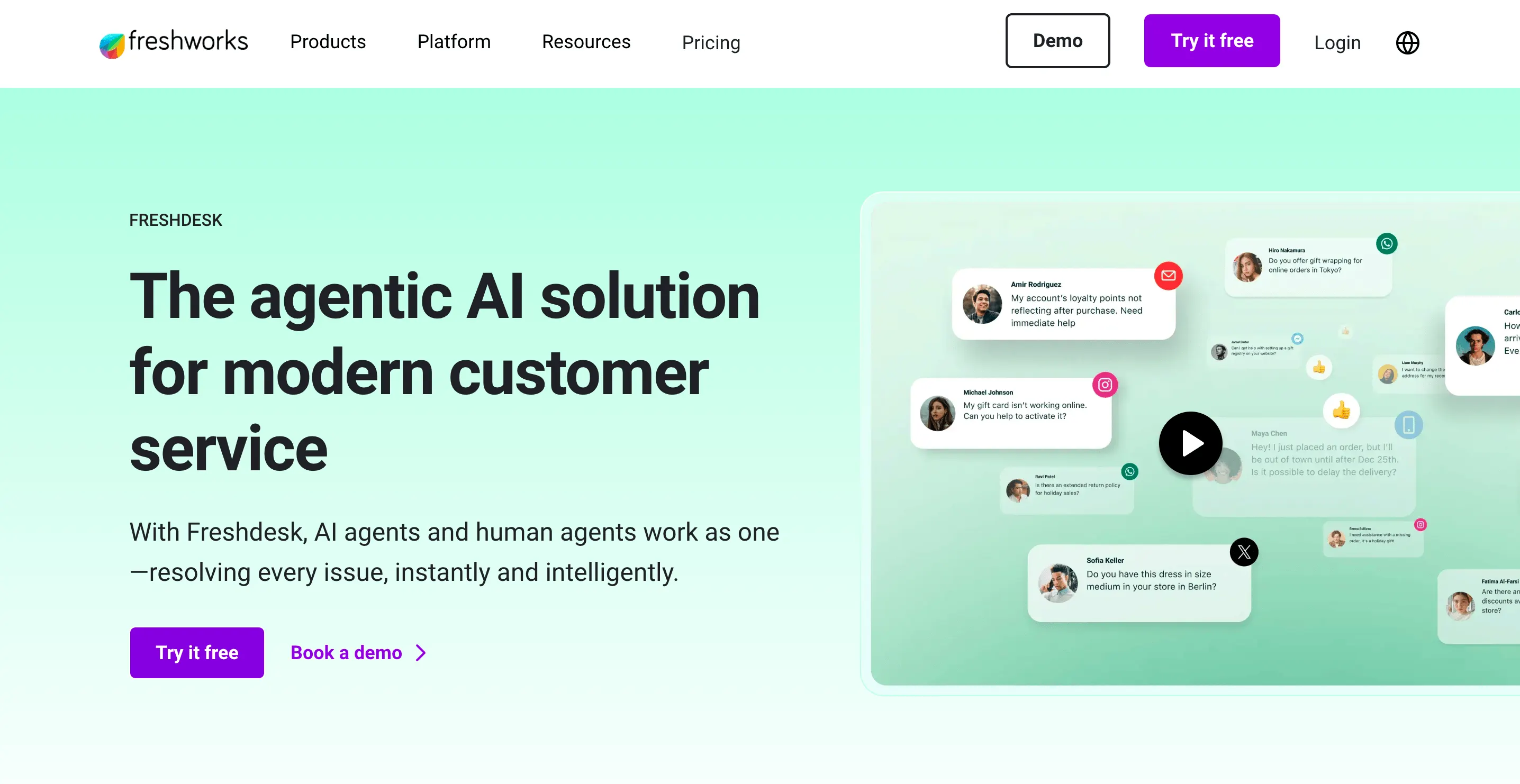
Freshdesk gives you a solid foundation for handling support cases efficiently. Key capabilities and features include:
- Ticketing across channels: Ingest requests from email, social, chat, phone, and forms into one dashboard.
- Routing, SLAs & workflows: Automate assignment, escalations, and enforce service level targets.
- Knowledge base & self-service: Help articles and a portal that let customers resolve routine issues without contacting support.
- Collaboration tools: Internal notes, ticket linking (parent/child), and shared inboxes allow for team coordination.
- Reporting & dashboards: Standard metrics on ticket volumes, resolution times, SLA adherence, and agent performance.
HubSpot Service Hub
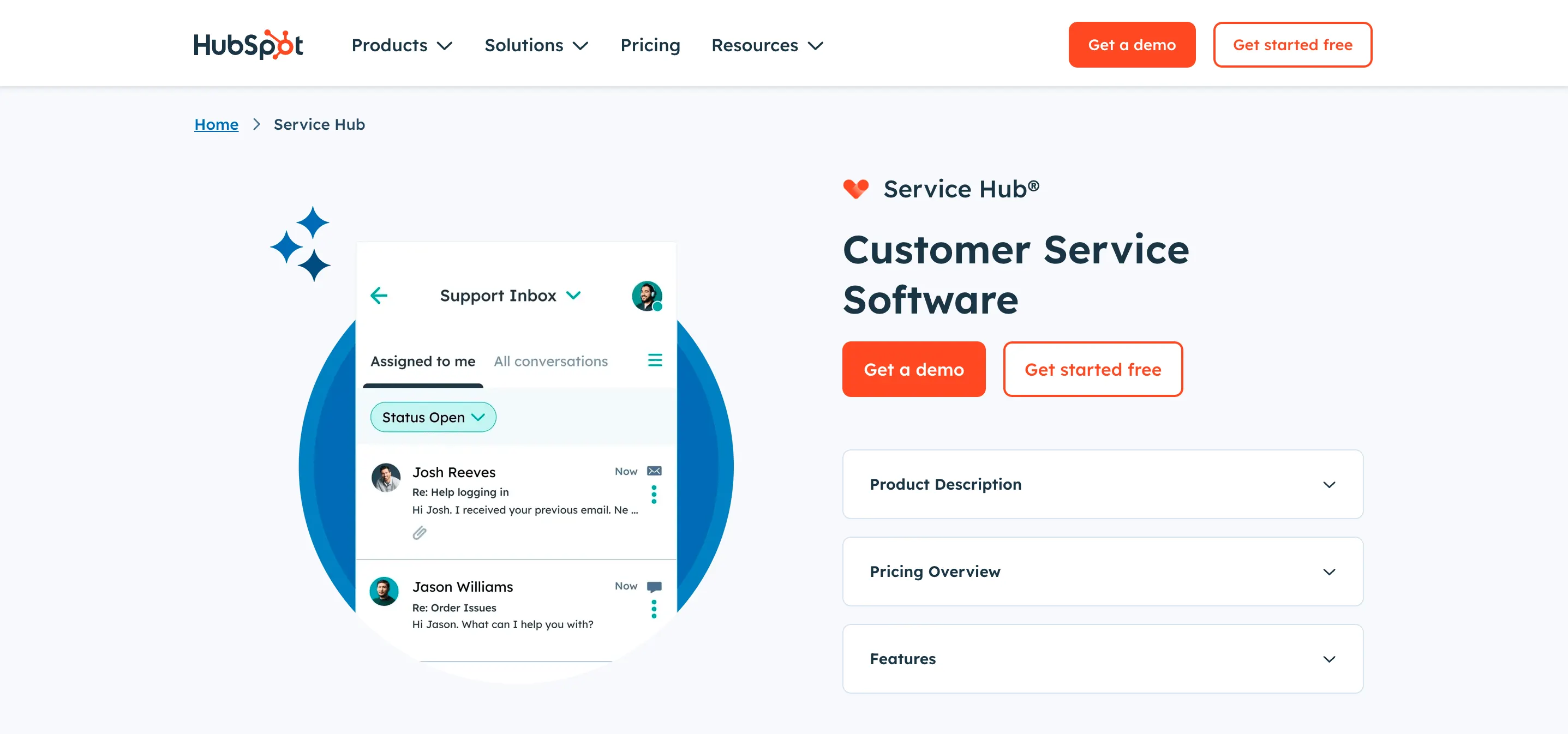
HubSpot Service Hub takes customer support processes and wraps them around the CRM tool and overall lifecycle that includes all customer interactions. The most important features are:
- Universal inbox & conversations: Aggregates email, chat, messaging, and tickets in one view tied to contact records.
- Ticket pipelines & automation: You can create multiple pipelines, assign tickets based on criteria, escalate automatically, or branch tasks.
- Knowledge base & feedback: Build help articles, FAQs, and collect CSAT/NPS surveys to close the loop.
- SLAs, routing & service rules: In higher tiers, you get features like capacity routing, conditional SLAs, conversational routing, and ticket status tracking enhancements.
- Integration with CRM & cross-hub insights: Because Service Hub lives inside HubSpot, support data ties directly to contacts, deals, marketing, and more.
To sum things up: if your top priority is robust, standalone support operations, Freshdesk offers a tighter feature set. However, if you want your support to live alongside your sales, marketing, and overall customer data, Service Hub gives you that connected view in one platform.
Multi-channel support features
If you want to streamline support operations, you'll need a tool that works on every platform where customer interactions happen. Out of the box, Freshdesk and HubSpot cover a variety of channels for customer support, but their approaches are different.
Freshdesk
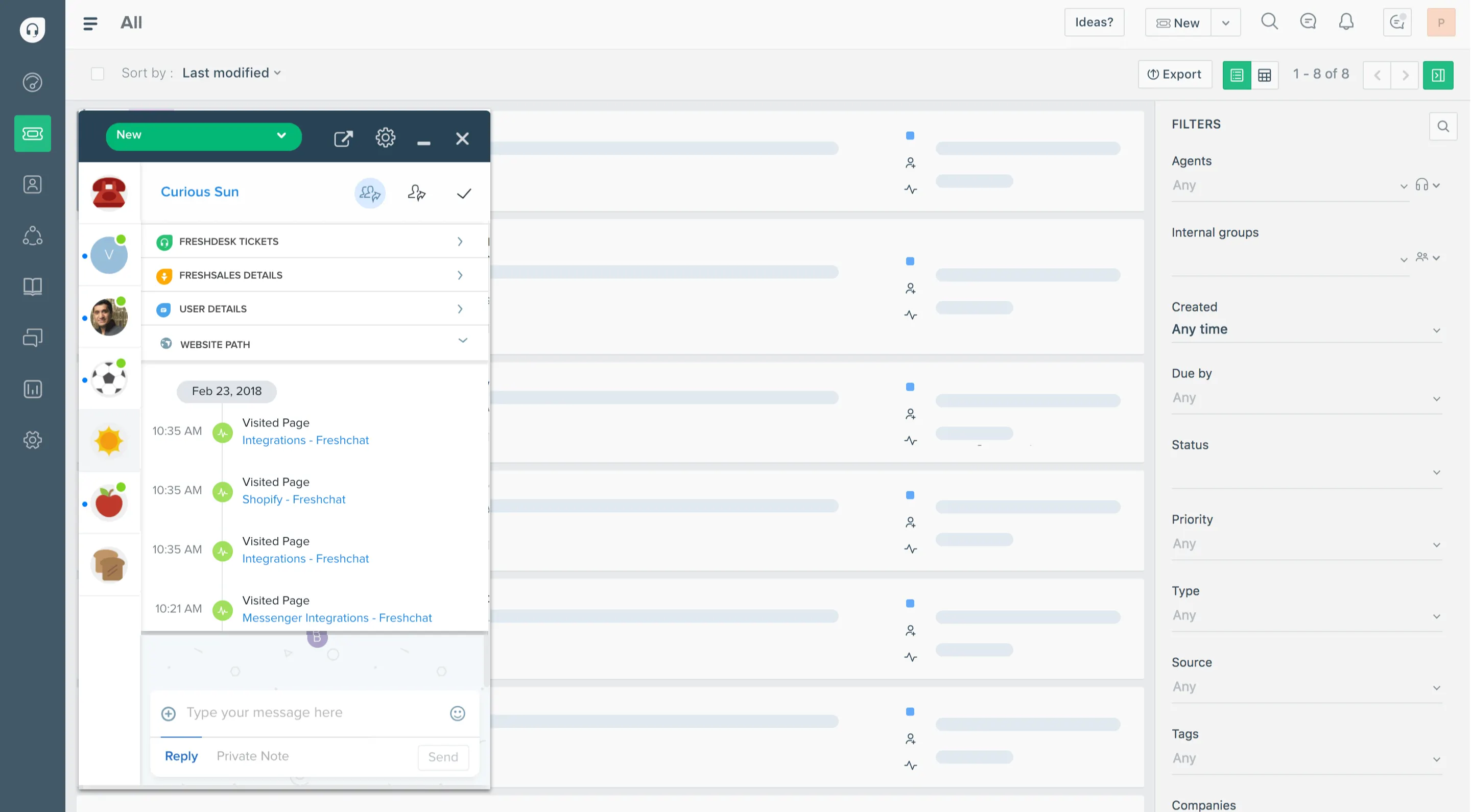
Freshdesk supports a wide range of communication paths and brings them into one help desk platform. According to their documentation, it handles email, phone, live chat, social platforms (e.g., Facebook), web portal requests, ecommerce interactions, and more.
They also provide Omnichannel Groups, a feature that lets you manage teams working across channels from one place. You can automatically assign tickets, chats, or calls, set business hours per team, and get unified views across functions.
With the omnichannel dashboard, Freshdesk gives you a high-level view of performance across all channels. This gives your customer service teams access to data such as incoming volume, agent availability, and trends.
They also offer Omnichannel Analytics. This allows for cross-channel reports that compare performance metrics from chat, calls, and tickets in one view with all customer service analytics.
Plus, Freshdesk’s “Freshdesk Omni” adds smart behavior in chat widgets by surfacing knowledge base articles during conversations to help customers self-serve. It's not a full-blown customer portal, but it's an excellent way to provide personalized support without overhiring.
HubSpot Service Hub
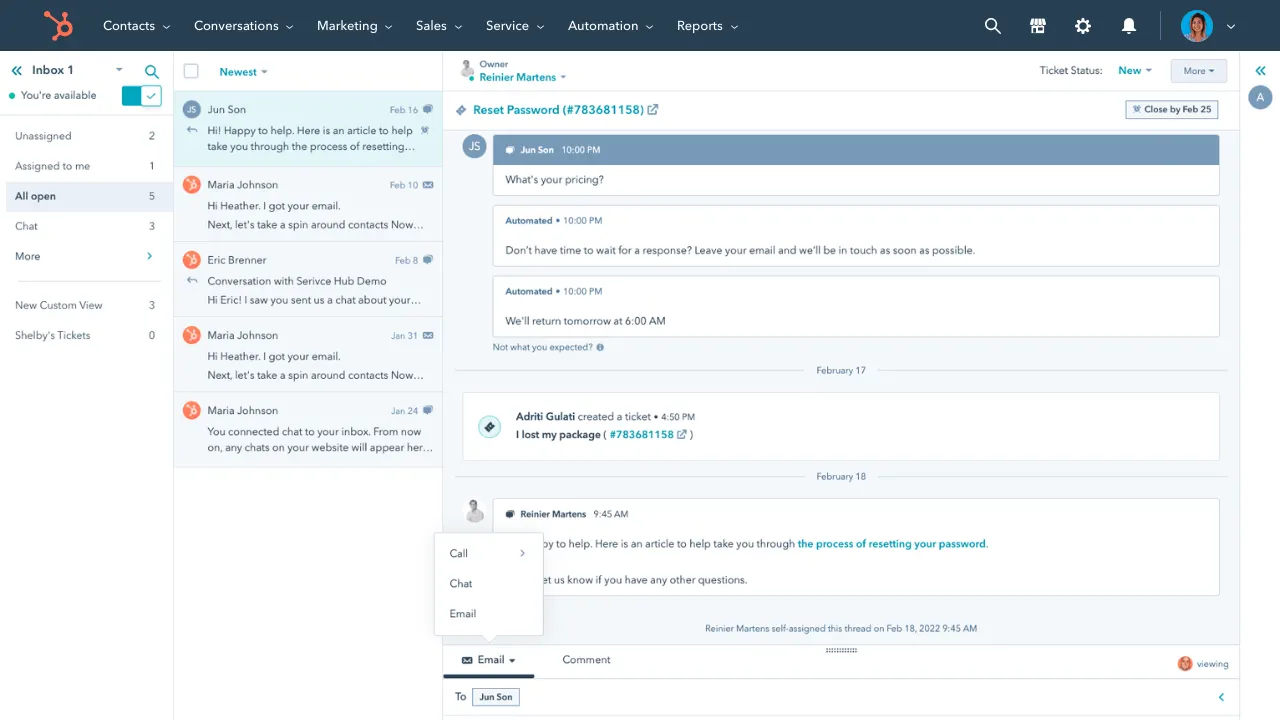
Service Hub is an omnichannel platform where you “meet customers where they are” via email, chat, help desk, and even voice calls.
You can configure a calling channel within the hub so that inbound calls become part of the shared help desk. That means customers can move from phone to chat or email in the same ticket thread. HubSpot supports simultaneous ringing (especially in Professional and Enterprise plans) and routing calls based on agents' working hours.
Beyond built-in channels, HubSpot offers a Custom Channels API. This lets you build or integrate any two-way, text-based messaging channel (like WhatsApp or Slack) so it behaves natively in the help desk.
Service Hub also emphasizes staying in context: if a user starts on chat, switches to email, or initiates a call, the conversation history continues.
If you have a seasoned developer on board, especially one with previous experience with HubSpot, you can build a seamless integration with just about anything. More on that in a second.
Trade-offs and what to watch out for
Neither platform is perfect, so if you want to nurture customer relationships across channels, there are a few things you should know first.
- HubSpot’s native support for some channels (voice, external messaging) is gated to higher tiers.
- Some integrations (SMS, Messenger platforms) may require custom setup via API or third-party tools.
- Freshdesk’s multi-channel support is more mature out of the box, especially for phone, chat, social, and web.
In conclusion, Freshdesk gives you a wide, well-integrated set of channels from the start. This makes it a good option for teams that expect to support across email, chat, phone, social, and portals. HubSpot Service Hub offers an omnichannel backbone tied into its CRM ecosystem.
AI features
Freshdesk and HubSpot use AI to help with ticket management and customer inquiries, but once again, the focus is different. Freshdesk helps agents work faster through automation features. HubSpot's AI is built into the entire ecosystem, not just in its Service offering.
Freshdesk
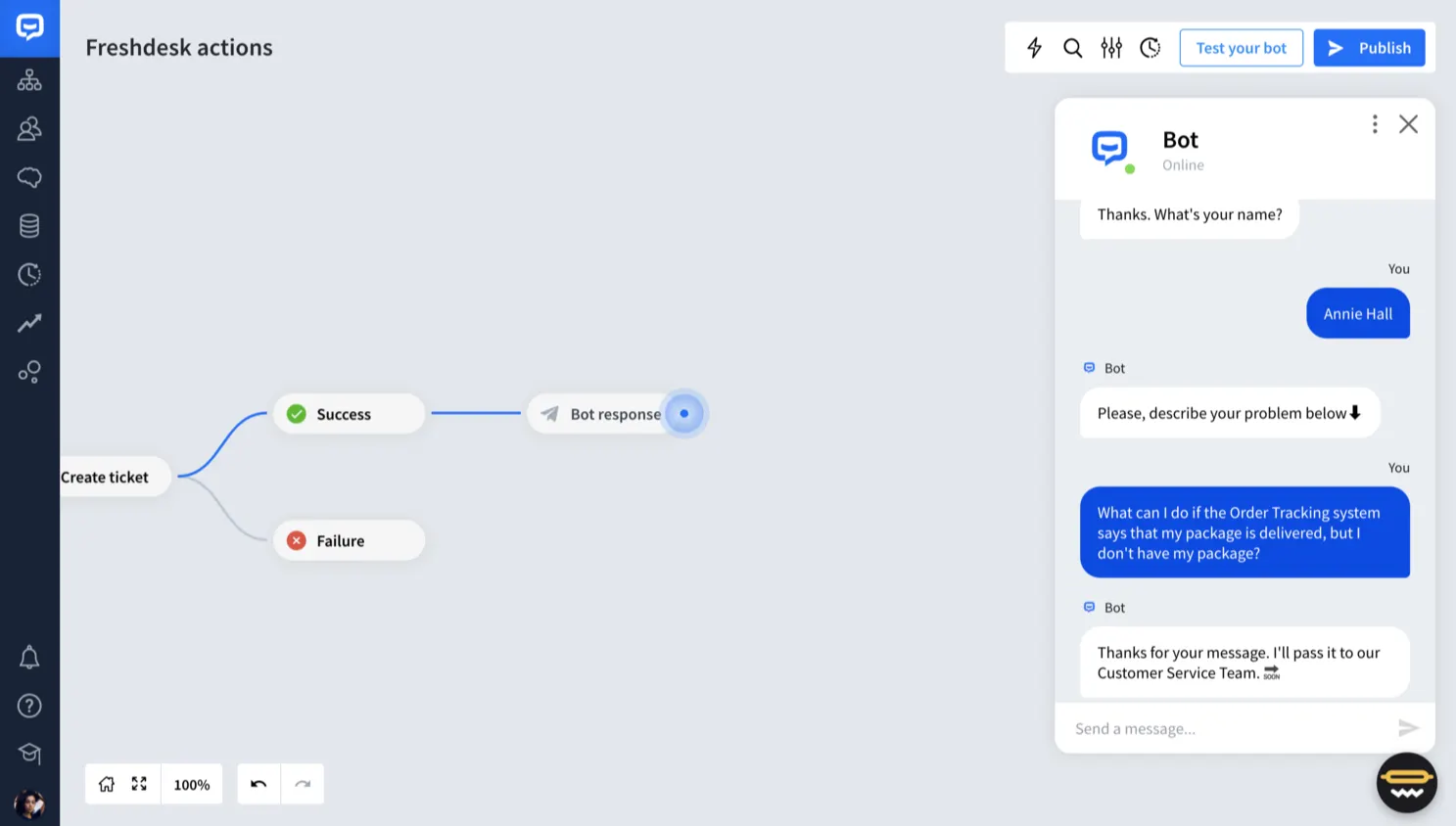
Freshdesk’s AI is named Freddy AI, and it works in three main areas: self-service, agent co-pilot, and insights.
- Self-service/email AI agent: Freddy can automatically deflect incoming tickets by answering common queries via email.
- Co-pilot assistance: Agents get help drafting responses, summarizing long conversations, recommending knowledge base articles, doing sentiment analysis, and even auto-triaging ticket fields.
- Translation in real time: Conversations can be translated across 60+ languages, which helps teams support customers around the globe. It may not always be 100% accurate, but it works in a pinch and reduces downtime for your customer support team.
- Freddy AI Insights: Provides analytics and signals like which tickets are likely to breach SLA, or where your knowledge base could be improved.
Many of these features are modular or add-ons, which means that more advanced tools need higher-tier plans.
HubSpot Service Hub
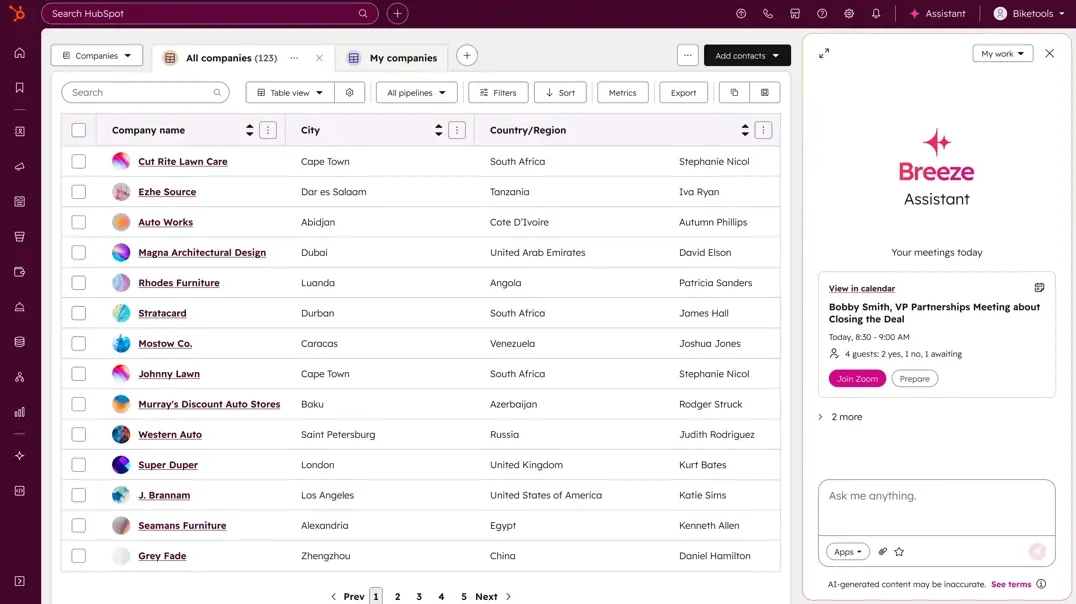
HubSpot calls its collection of AI tools Breeze, which is integrated across marketing, sales, and service.
- Breeze / AI agents for service: HubSpot now offers a Customer Agent under the Breeze umbrella, expanding AI capabilities for Service Hub Pro and Enterprise customers.
- AI suggestions and automation: The AI can suggest replies, auto-complete responses, or assist agents in conversations based on CRM context. Because HubSpot is built around its CRM, the AI has access to customer data and can personalize responses, which makes it incredibly powerful.
- AI for content & knowledge base: Breeze also powers content creation and optimization (e.g. drafting knowledge base articles, refining help center content) beyond just support.
HubSpot’s AI is designed to work across its full platform, not just service. However, many of the most advanced capabilities require the Pro or Enterprise tiers, which can make your HubSpot invoice a decent amount.
What this means in real life: Freshdesk gives you AI features built for agents, helping with drafting replies, triage, translation, and deflection, within the support workflow. HubSpot’s AI approach is broader. Service AI is part of a platform-level suite that draws on CRM data and supports content, marketing, and engagement, too.
✨ Looking for more advanced AI support automations? Check out Featurebase →
Third-party integrations and customization options
You'll want to connect your support platform to existing tools you use for task management, voice calls, time tracking, etc. Both platforms do well in this regard.
Freshdesk
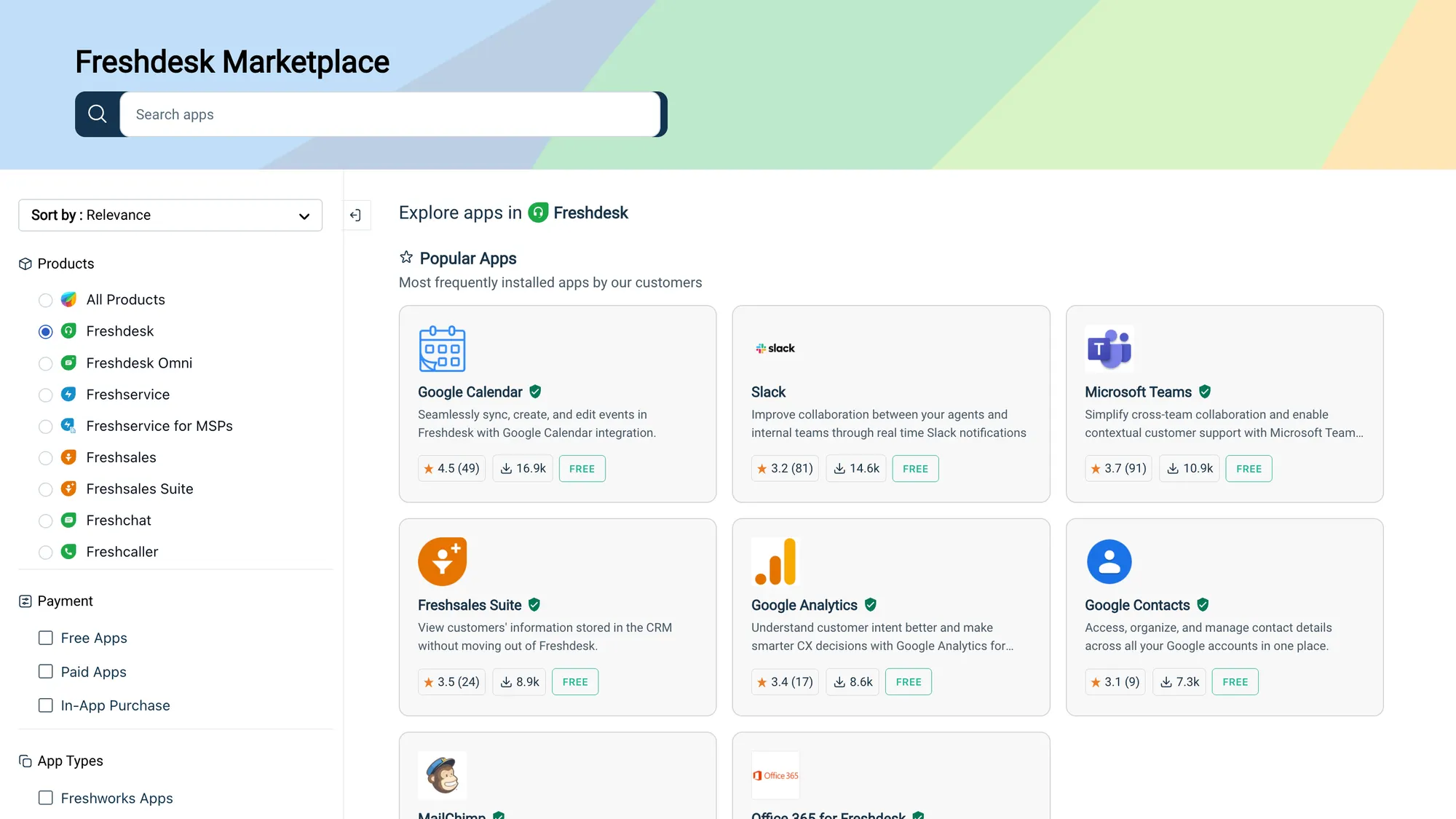
Freshdesk offers a solid integration ecosystem built around helping teams bring data and tools together seamlessly. The Freshdesk Marketplace includes over 1,000 ready-to-install integrations that cover e-commerce, CRM, collaboration, communication, and productivity tools.
You’ll find out-of-the-box connections to tools like Shopify, Slack, Microsoft Teams, Salesforce, Jira, and more. Freshdesk also supports no-code or low-code integration setups using templates, connectors, APIs, and webhooks, which makes custom workflows more manageable even without extensive development work.
In terms of customization, you can brand help centers, ticket forms, and chat widgets. You can also use the APIs to build custom apps or embed your own logic. If an integration doesn't exist, you can use Zapier to link Freshdesk with many other tools without any coding involved.
Freshdesk Omni is an excellent feature that extends integrations to messaging platforms: WhatsApp, Instagram, Facebook Messenger, LINE, Google Business Messages, etc., so conversations across channels feed into your ticketing interface.
HubSpot Service Hub
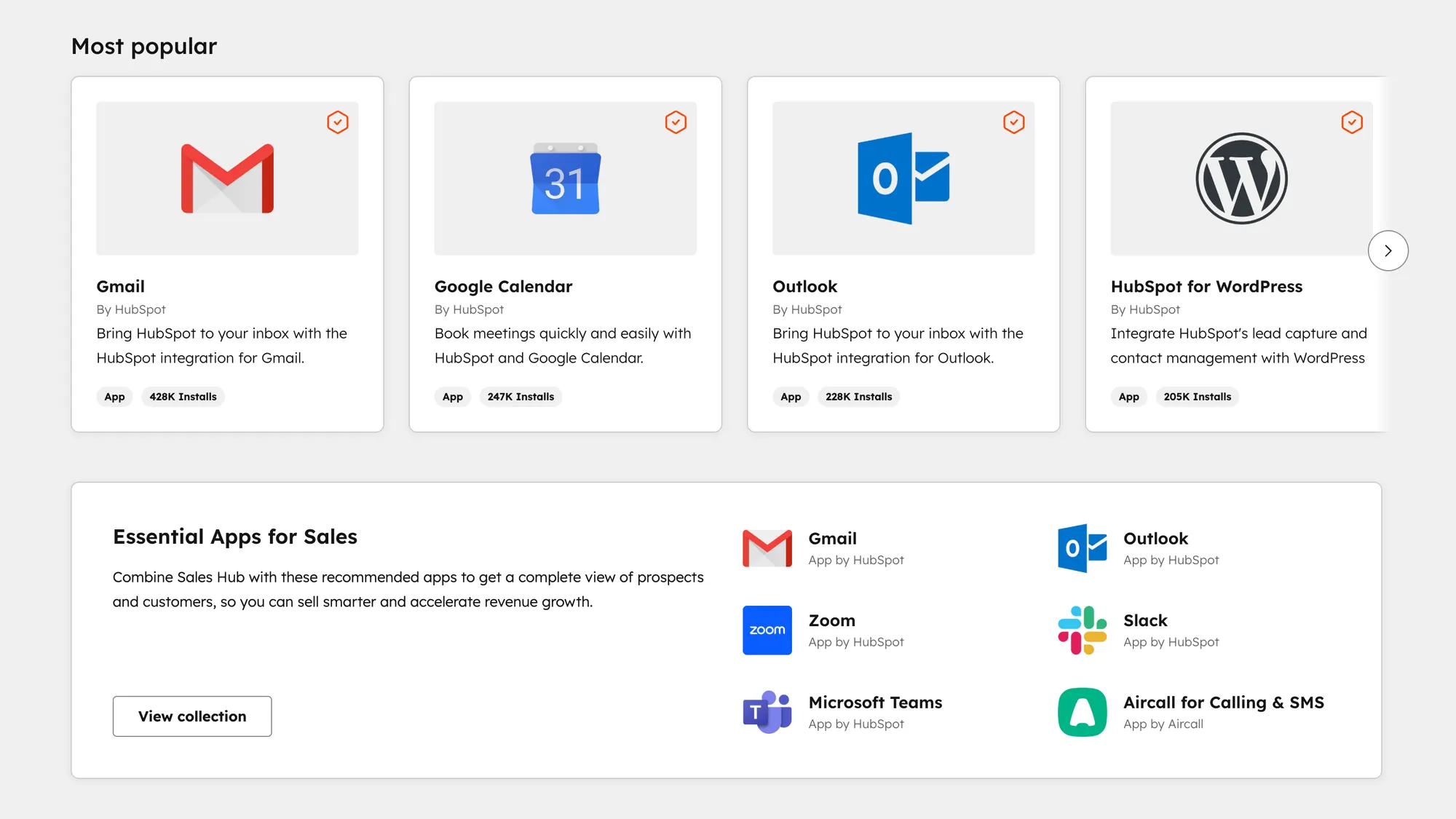
Since Service Hub is part of the larger HubSpot platform, the integration and customization capabilities are geared towards marketing, sales, and operations.
HubSpot offers 100+ native integrations via HubSpot Connect, covering email platforms, CRMs, analytics, e-commerce, forms, and more. You can install apps from the HubSpot App Marketplace, where each listing shows compatibility with different HubSpot plans.
One strong feature is HubSpot Data Sync, which supports one-way or two-way syncing between HubSpot and external systems. This is an easy way to align contact, company, and ticket data across tools.
HubSpot also supports built-in calling features: you can set up phone numbers, call logging, call recording, transcription, and associate calls with records. It has a user friendly interface and it's massively helpful for outbound sales reps.
Custom work is possible via APIs, custom objects, and developer extensions. Teams use HubSpot’s APIs to embed external apps into sidebar panels, manage custom integrations, or bring external logic into workflows.
HubSpot also integrates with social tools: for example, Sprout Social can convert social messages into service tickets inside Service Hub. And ERP systems like Unanet or MIP offer sync integrations with Service Hub to bridge service, billing, and operational data.
Key takeaway: Freshdesk focuses on a large selection of built-in connectors plus tools to build custom ones easily. HubSpot leans into ecosystem integration and cross-hub consistency, such as service connects directly into CRM, marketing, and ops, with sync tools and shared data models.
Ease of use and available support
If you want to resolve customer problems quickly, you should be able to use the support tool without any problems or burdens first. Both tools are fairly easy to use, even for tasks such as advanced automation or creating detailed reports.
Freshdesk
Freshdesk is often praised as being easy to pick up and get started with. Reviewers highlight its intuitive interface and clear layout, which helps teams jump in without steep training. The onboarding process is usually straightforward, with templates and guided setup that let you begin ticketing tasks quickly.
That said, the abundance of features can feel overwhelming at first. Some users mention that advanced tools and reporting take effort to master. Also, deeply customizing workflows or setting nonstandard automations may require more technical familiarity.
In terms of support, Freshdesk offers a rich documentation base, community forums, and direct support (email, chat, phone), especially on higher tiers. Some users, however, complain that during peak times or complex issues, support response can be slow.
HubSpot Service Hub
HubSpot customers frequently cite how clean and friendly the interface feels. Many reviews say the tool doesn’t demand much technical background to begin using effectively. The shared inbox, ticketing, and chat elements are often called “no fuss” or “simple” in user feedback. Some users mention occasional interface clutter or navigation difficulty when many modules are active.
HubSpot also has strong support resources: documentation, tutorials, community forums, and customer success teams. The integration with other HubSpot hubs can reduce friction in setup and training because many users are already familiar with HubSpot’s ecosystem.
One trade-off is that enabling more advanced service features (automation, pipelines, custom routing) often pushes you into higher tiers, which can mean a steeper learning curve for smaller teams.
To conclude, both tools have a highly usable interface and an easy, guided setup. The more features you add, the more complex it is to use that comprehensive suite of tools.
Pricing plans
Once you add more advanced features, user seats, and integrations, you can expect prices for both platforms to start increasing. However, things are a little bit more complicated than that when it comes to HubSpot.
Freshdesk
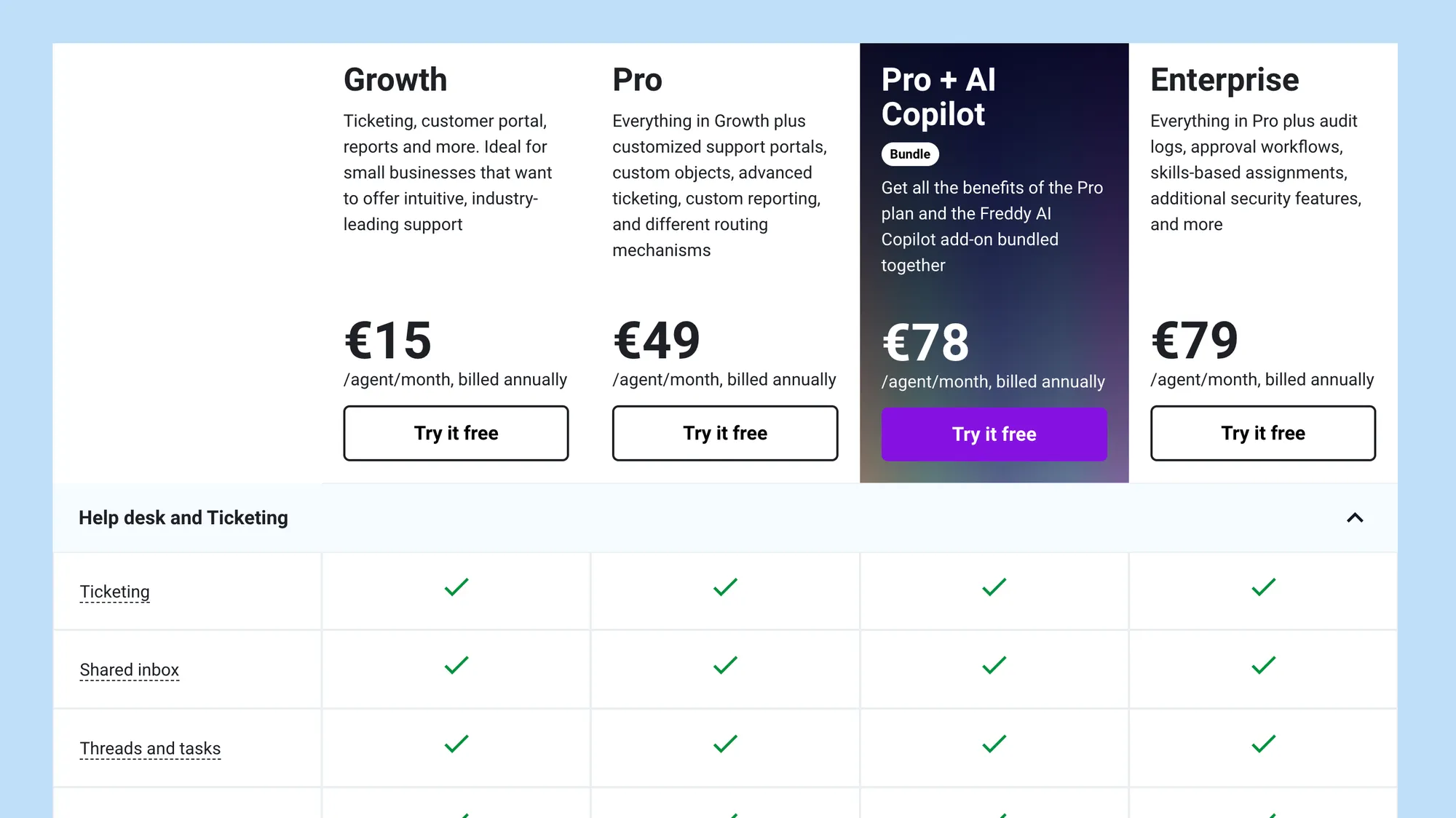
Freshdesk's pricing comes with a free plan and several paid tiers, priced per agent per month (when billed annually).
- Free plan – $0/agent/month: Available for up to two agents. Includes basic ticketing, knowledge base, email/social ticketing, team collaboration, and prebuilt reports.
- Growth – $15/agent/month (annual billing): Adds automation, marketplace apps, helpdesk reports, and customer satisfaction surveys.
- Pro – $49/agent/month (annual billing): Everything in Growth plus SLA management, multilingual knowledge base, custom roles, custom reports, and dashboards.
- Enterprise – $79/agent/month (annual billing): All Pro features plus advanced controls like skill-based assignment, sandbox environment, audit logs, approval workflows, IP whitelisting.
Freshdesk also offers a “Pro + AI Copilot Bundle” (Pro features bundled with the Freddy AI Copilot add-on) priced at $78/agent/month (annual billing) in some regions.
One thing to note: Freshdesk’s AI features (Freddy) often consume “bot sessions,” especially for chat or email bots. These may be included in some plans or require additional purchase beyond your base plan.
HubSpot Service Hub
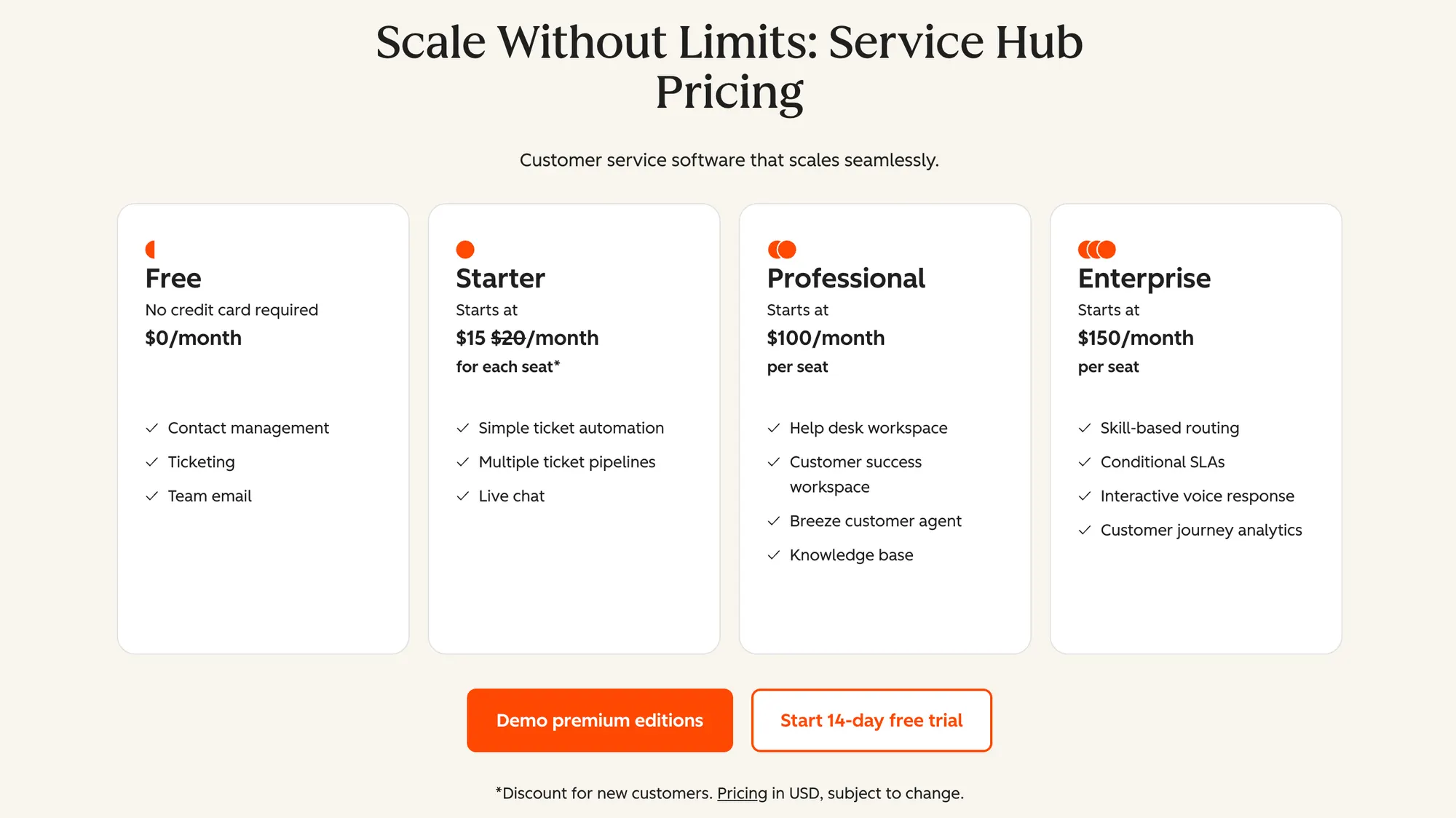
HubSpot Service Hub pricing is structured by “seats,” and depending on the plan, some features and onboarding fees apply.
- Free Tools – $0/month: Covers up to 2 users. Includes basic ticketing, shared inbox, chat, and help desk essentials.
- Starter: Begins at $15 per seat/month (annual billing). Offers features beyond free tools like branding, simple automation, routing, and some additional support features.
- Professional: Priced at $100 per seat/month (annual billing). Adds more robust automation, service routing, SLA support, custom reporting, and advanced help desk tools.
- Enterprise: Starts at $150 per seat/month (annual billing). Includes features like advanced permissions, hierarchical teams, custom objects, advanced routing, and more.
Some higher plans require a one-time onboarding fee (e.g. $1,500 for Professional, $3,500 for Enterprise) to help with setup and migration.
In conclusion:
Freshdesk’s free plan and comparatively lower base costs make it a more logical choice for small teams. However, if your support needs rely heavily on AI features, those extra costs (bot sessions, AI add-ons) can add up.
HubSpot’s pricing is more premium, especially when you climb into the Professional or Enterprise tiers. You have to consider that the full use of HubSpot will require Sales, Marketing, and other modules, which can improve customer engagement but come with a large bill.
Final verdict: HubSpot vs Freshdesk
Deciding between HubSpot and Freshdesk is actually quite simple. Depending on what you do, your headcount, and your budget, the decision is easy since they're two completely different tools.
Freshdesk
Get Freshdesk if you want a focused, affordable help desk.
Freshdesk works best when your priority is managing support tickets with ease, automation, and self-service at a lower cost.
The free plan, straightforward interface, and breadth of core features make it ideal for small to mid-sized teams that need a reliable ticketing system without overcomplicating things.
HubSpot Service Hub
Get HubSpot Service Hub if you want support tied to your CRM and growth workflows.
Choose Service Hub when you want your support operations to live inside the same system as sales, marketing, and contacts.
Service Hub is strongest where context, customer history, and cross-team visibility matter. It’s the better option if your organization already relies on HubSpot tools or you want to evolve service in lockstep with your business growth.
Or if you want a more modern alternative that doesn't compromise on usability and has an affordable pricing... 👇
Try Featurebase, the better alternative to Freshdesk and HubSpot! ✨
If HubSpot is too bloated, but Freshdesk is too limited and both feel outdated, consider Featurebase, a modern support & product suite that blends the best of both worlds.
It’s loved by thousands of fast-growing support, sales, and product teams from companies like Lovabale, n8n, and Instantly.
With pricing starting from just $29 per month + $0.29 per AI resolution, it costs a fraction of Freshdesk, HubSpot, and most other support platforms.
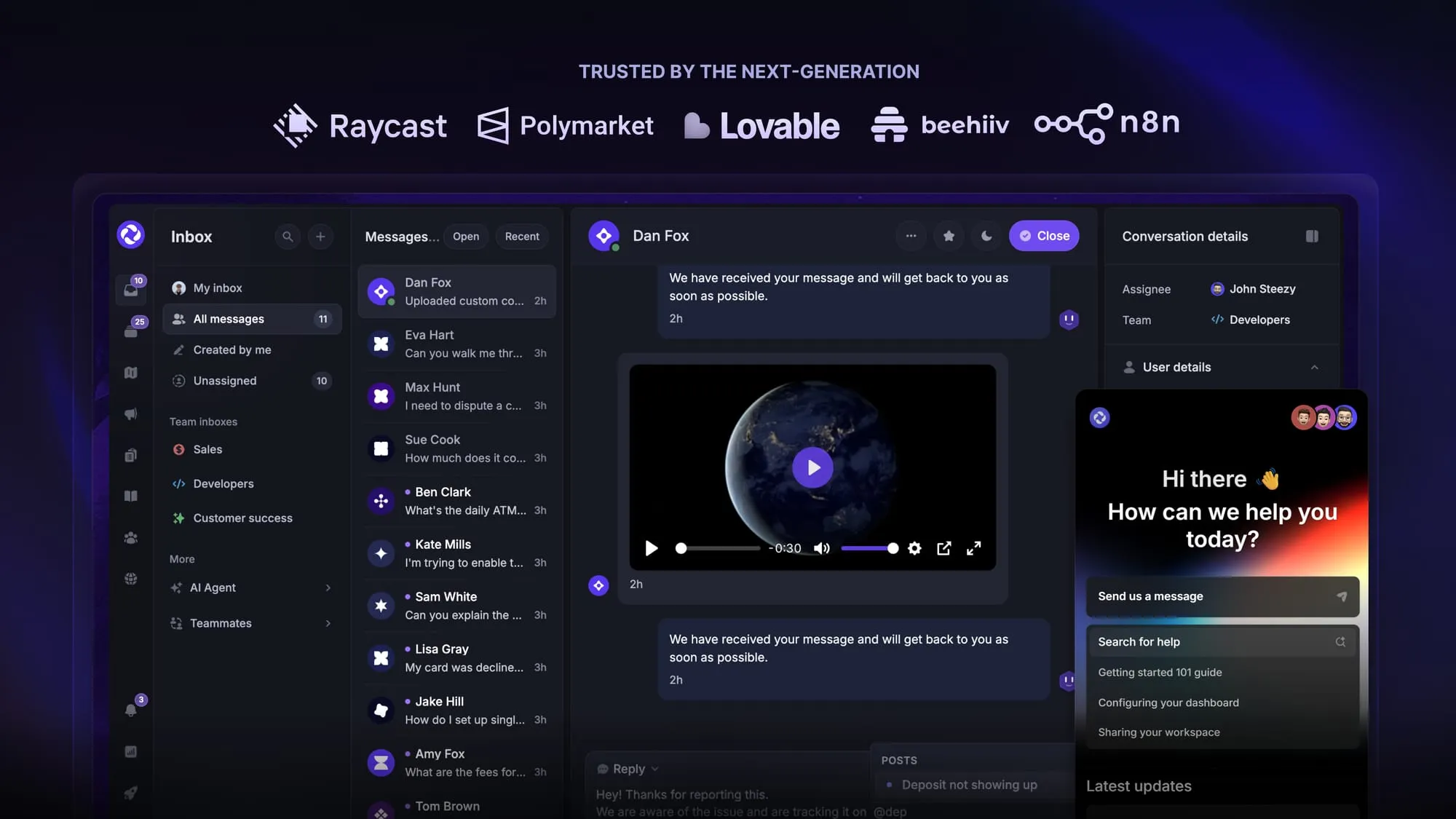
Featurebase is a modern support & feedback platform designed to help SaaS with AI-powered support, GTM, and feedback collection. Instead of having 5+ different tools, Featurebase offers everything in one place to help you build products your users love:
- Support platform – Support your customers from anywhere with an omnichannel inbox and automate support with powerful AI agents.
- Help Center – Provide self-serve support with a beautiful AI-powered knowledge base & bring help articles inside your product with a widget.
- Feedback collection & roadmaps – Centralize feedback with integrations, feedback widgets, AI, and a public feedback forum. Let users vote on each other's ideas, see their total revenue, and focus on the most impactful features. All upvoters will automatically be notified when you complete their request.
- Changelogs – Announce product updates and increase feature adoption with neat in-app popups, notification emails, and a dedicated updates page.
- Surveys (NPS, CSAT, etc.) – Create targeted surveys to ask users anything and measure customer satisfaction.
Plus, it integrates with many popular tools that you likely already use, such as Linear, Jira, Slack, and many more.
The onboarding is quick and doesn't require a credit card, so there’s zero risk involved. 👇
Automate your support with the fastest AI-enhanced Inbox today
More comparisons: